

frelu
-
Posts
14 -
Joined
-
Last visited
Content Type
Profiles
Forums
Events
Posts posted by frelu
-
-
I decided to purchase
Zbook Fury 15 G7
I7-10850H
32gb ram ddr4
1TB Nvme
t2000 max-q
15.6 IPS 400nit 72% NTSC
420€
-
On 1/18/2026 at 5:39 PM, JadeRover said:
Hi, I can assist you if you need, the usb method is the only way I think.
I don't have the laptop yet. Still thinking about g6 with 9880h vs G7 10850. G7 is locked for undervolting for sure. If it's still doable with G6 I will swing to G6, but if not I will take G7.
-
-
1) What is your budget?
~600-700€ the less the better
2) What size notebook would you prefer?15,6-17,33) In which country will you buying this notebook?Poland
4) Are there any brands that you prefer or any you really don't like?a. Like: HP
5) Would you consider laptops that are refurbished/redistributed?Yes, also used
6) What are the primary tasks you will be performing with this notebook?Daily + a little bit of Photoshop and AutoCAD.
7) Will you be taking the notebook with you to different places, leaving it on your desk or both?Not really, only within home area.
8) Will you be playing games on your notebook? (If so, please state which games or types of games?)No
9) How many hours of battery life do you need?Will be connected to charger 99% time
10) Would you prefer to see the notebook you're considering before purchasing it or buying a notebook on-line without seeing it is OK?No problem
11) What OS do you prefer? Windows, Mac OS, Linux, Chrome OS, etc.I love windows 8.1 with classic shell, but probably gotta upgrade to Windows 10 bcz many software is not supported anymore.
12) What ports do you require on your laptop? (ex. MiniDisplayPort or HDMI? Displayport or USB-C w/ DP?)
Doesnt matter
Screen Specifics
13) What screen resolution(s) would you prefer? See further below for explanations.Minimum 1920x1080 or 1920x1200, QHD+ is nice, not really sure about 4k in 15,6" screen
14) Do you want a glossy/reflective screen or a matte/non-glossy screen? See further below for explanations.Matter/non-gloss
15) Are the notebook's looks and stylishness important to you?Very important, I have HP Elitebook 8560w, Zbook 15 g2 and Zbook 17 G1 and i love the quality. I preffer metal over plastic.
16) How much storage space do you need?Doesn't matter that much, got NAS
17) When do you consider purchasing this laptop?this month
18) How long do you expect to use this laptop?My wife used her 8560w since 1st grade of university, so it's almost 15 years now. I expect 5 years or more
19) How long could you afford to do without your laptop if it were to fail?doesnt matter
20) Would you be willing to pay significantly extra for on-site warranty, or would it be acceptable to you to have to ship the laptop to the vendor for repair with perhaps a week or more outage?I belive used laptops only with partial warranty
-------------Looking at Zbook 15/17 G5 and G6, Fury G7 and some Fury G8 are in my price range.
16 Fury G9 is out of my budget.
I like good quality case.
-
14 hours ago, KbX said:
Nice to hear from you guitarG!
I read everything from the beginning!
That looks too small for me to do.
I might take your idea of using some good speakers with an amplifier connected to the card slot…
For now, I’m working on my cooling solution for the GPU, but I’m missing a drilling machine to do the upper plate. it might arrive next week. is there some place on gpu where I can tap 4v for a mosfet to run some fans ?
If I understood well, you just put a new BIOS to use 2133 MHz RAM.
How did you manage to use 1867 MHz on yours? Because my i7-3940XM arrived, but I don’t feel much difference, and these memories for now seem like money thrown away.
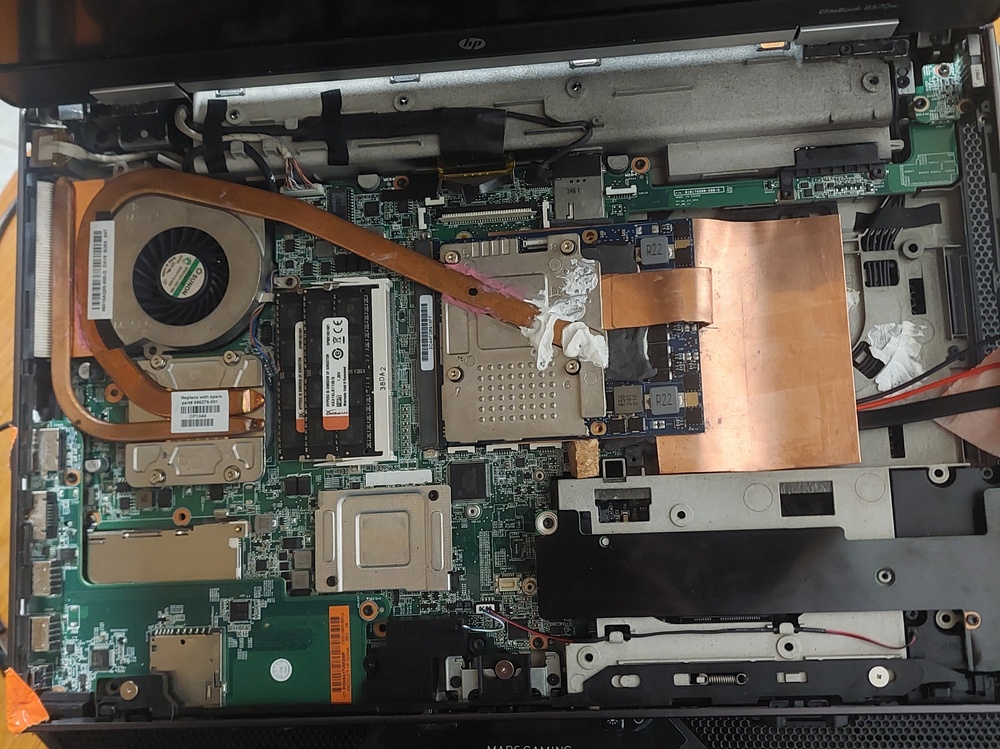
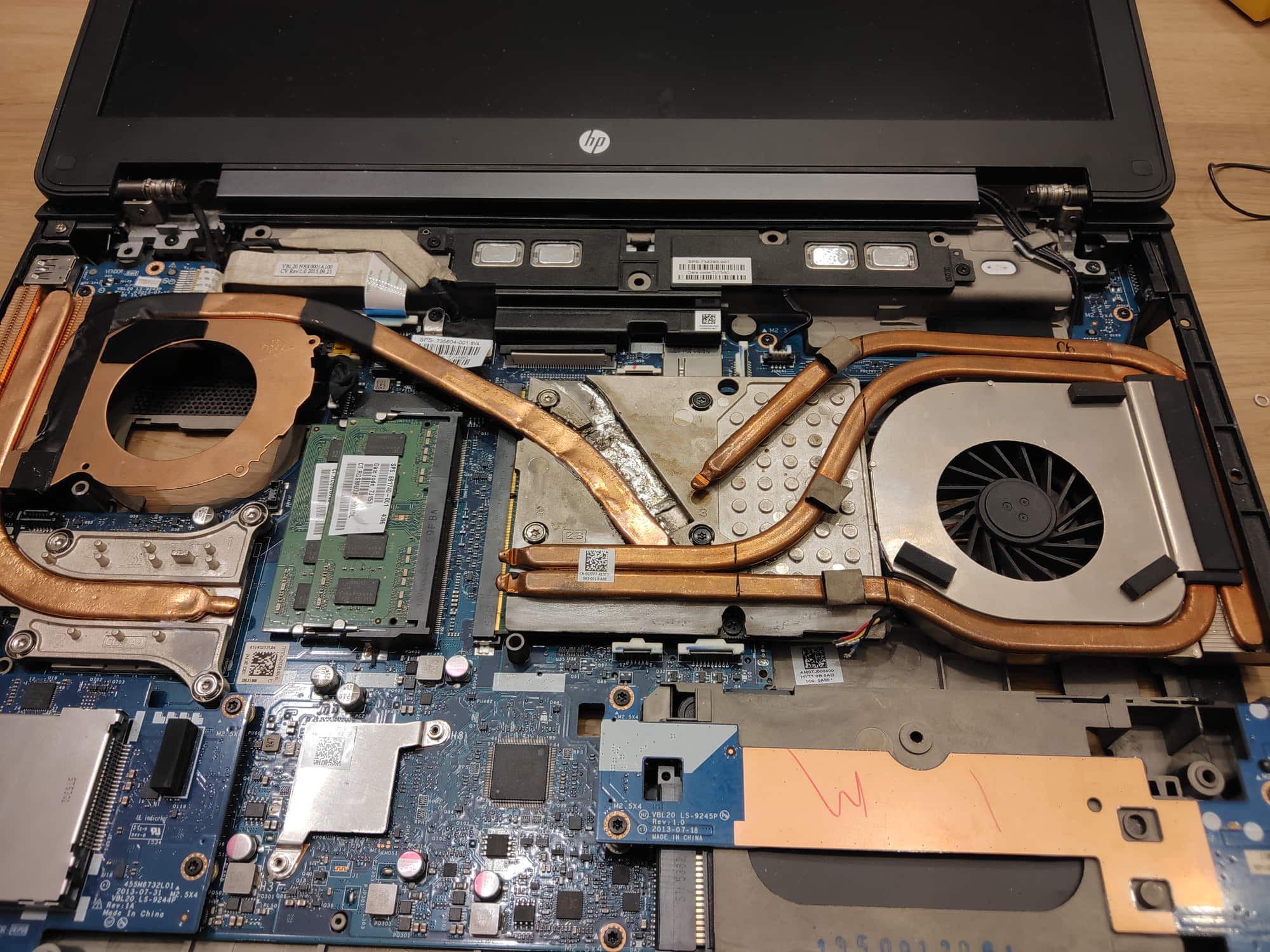
What is that copper sheet? can you share some more photos and info how it's attached? [GPU]
-
Hi Myro,
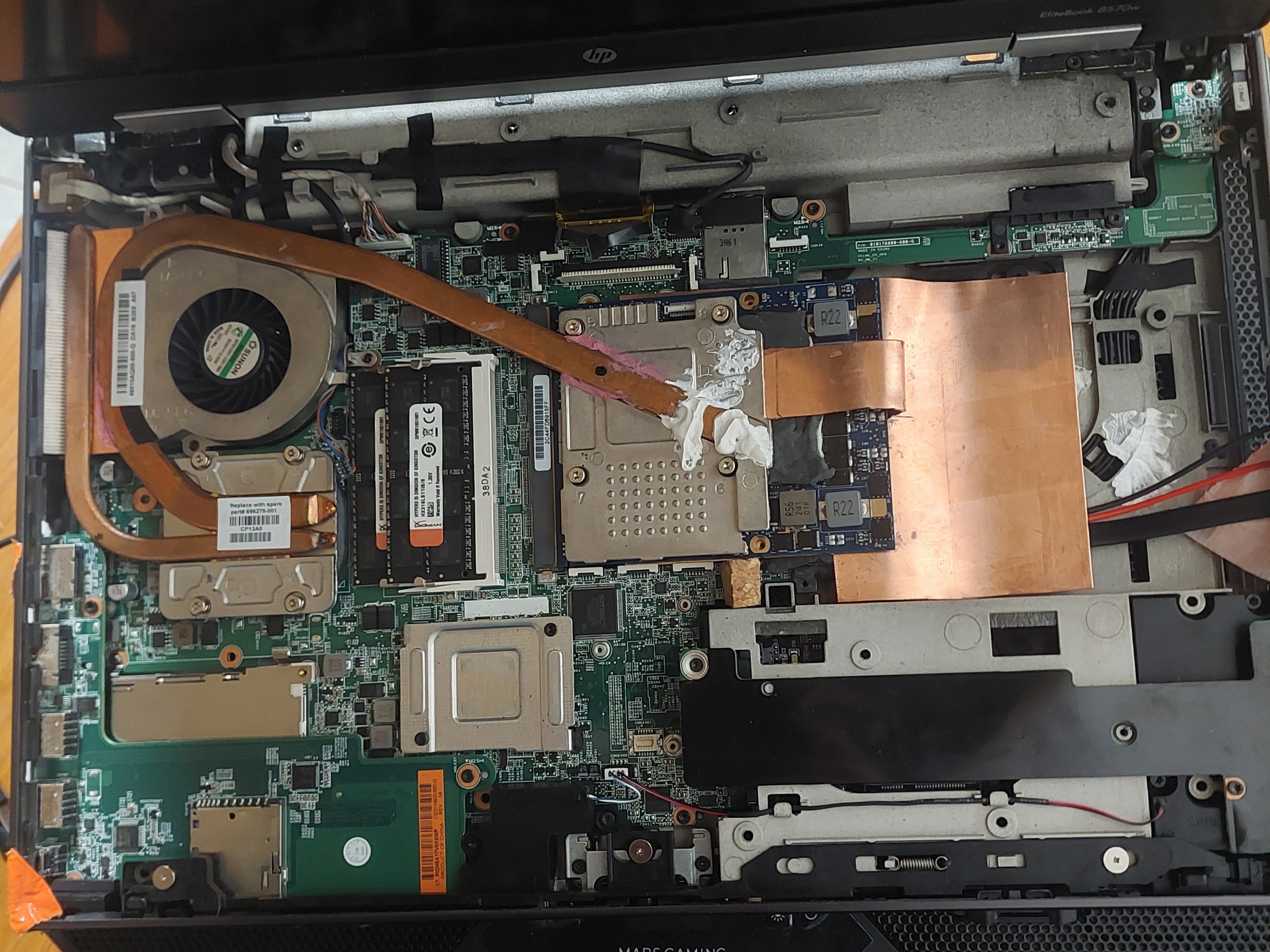
It's ZBook 15 heatsink with desoldered MXM-A plate, little bit shaped and soldered MXM-B plate again. I did it with heat gun and low-melting tin.
Now I would do it a little different. Buy Faulty zbook 15 motherboard, low-melt tin, and electric oven and put it all together inside like GuitarG did in his topic:
-
1. Yes, got exact same setup in my wife's 8560w. Mobo from i5 and replaced i5 to i7.
2. Probably yes, gotta compare optically.
-
13 hours ago, PingwinVonJelen said:
Hi, i bought recently HP 8570W. I want to change graphics card so i found cheap nvidia P106M (GTX1060) which seems good option for my i7 3740qm, and for my needs. My laptop don't have dream color display. What i need to know? Will this work? In terms of cooling if laptop would overheat from this additional 25W TDP i think removing dvd from the bay and adapting some heatpipe+radiator+fan for gpu and it will be fine . Also i wanna ask, Mashcar, where are you from?
Hi @PingwinVonJelen, I tried that with my Zbook 15 G2 and it didn't work. I couldn't start the laptop.
You might try if you have option to return it.
@Mashcar you also could dremel out the plastic fragment between DVD bay and HDD bay for extra space and even place a fan with two air output [like big brother 8770w. It has air output from left and behind]. But you could use only mSATA for storage.
-
Not big upgrade but Zbook 17 G1/G2 is capeable to fit 3x 2.5 HDD (2 in HDD bay + 1 in DVD bay with adapter). Haswell, up to i7-4940MX.
Zbook 17 G1 also has bootable mSATA slot.
Zbook 17 G2 has M.2 slot but there are problems with booting.
Don't know what is the maximum drive size supported by Zbook 17
Maybe Zbook 17 G1 with DVD>HDD and mSATA>M.2 adapter is good option. Should be also lighter than your Alienware.
1xSATA to 2xM.2 adapter is also nice thing if you consider switch to M.2
-
Hi, please check PM for schematics. I don't know if they are 100% accurate.
M4000M - idle about 60*C - didn't test it for long time because I bought Zbook 17 few days later. Fan spinning a lot!
Don't remember temps for K4100M. I already passed Zbook 15 to my parents.
Could you be more precise about muxxer? What do you mean. I am not a technician nor engineer, just basic IT school and hobbyst.
About TB to NVMe mod. Didn't know about it. Don't know if I will do it. To be honest SATA SSD speed is really enough for me, for daily use and gaming.
I have a list of games from 2000 to 2023 that I always wanted to play but never could. ATM I am at 2002 and before I reach "modern" games that require more than M4000M (GTX 970M) it may take a while. Maybe I will be able to get some Pascal GPU or even some RTX. I don't like excessive fan noise while gaming, I also can't play with headphones on because of small baby (I play when baby is sleeping). Now I manually control fan with app "notebook fan control" so I can adjust fan speed and get ballance between noise and temp.
I have some new mods in my head but I am very limited with time. I like few mods of this guy https://hardwarebg.com/forum/showthread.php/291904-GTX-1070-на-HP-EliteBook-8770W-дядото-още-го-може-)
-
 3
3
-
-
Hello,
I just wanted to share my experience with HP Zbook. First 15 G2 and later 17 G1.
So I bought a cheap Zbook 15 G2 with a crappy FHD TN screen, K1100M and not so bad i7-4710QM.
Later somehow I found a topic on notebookreview:
“8560w GPU upgrade - use empty DVD slot to fit MXM 3.0b (higher spec) video cards”.
Turned out that Zbook 15 G2 has a similar motherboard to Elitebook 8560w/8570w and mod is also possible.So I purchased a used MXM B card: Nvidia Quadro K4100M 4GB.
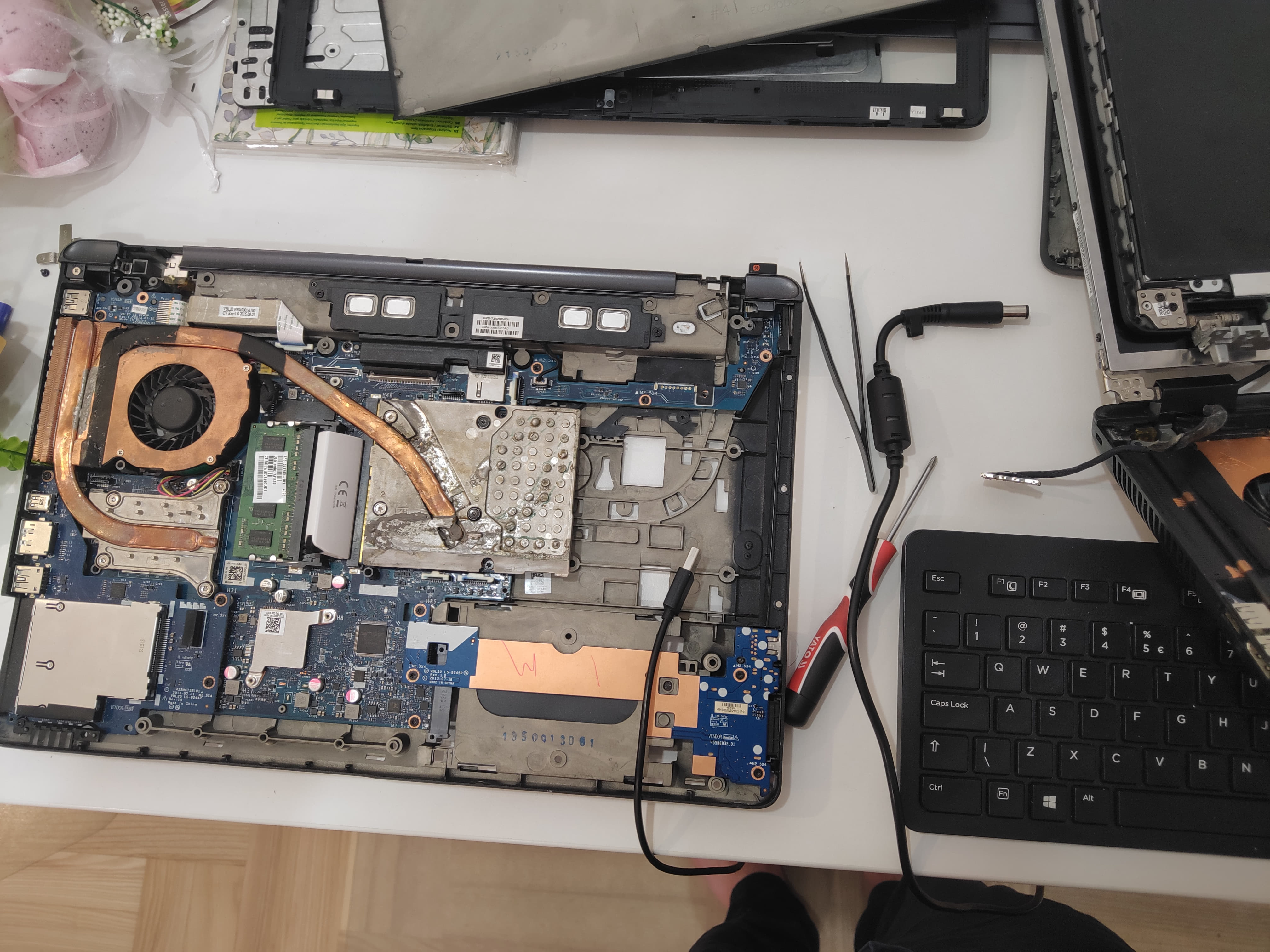
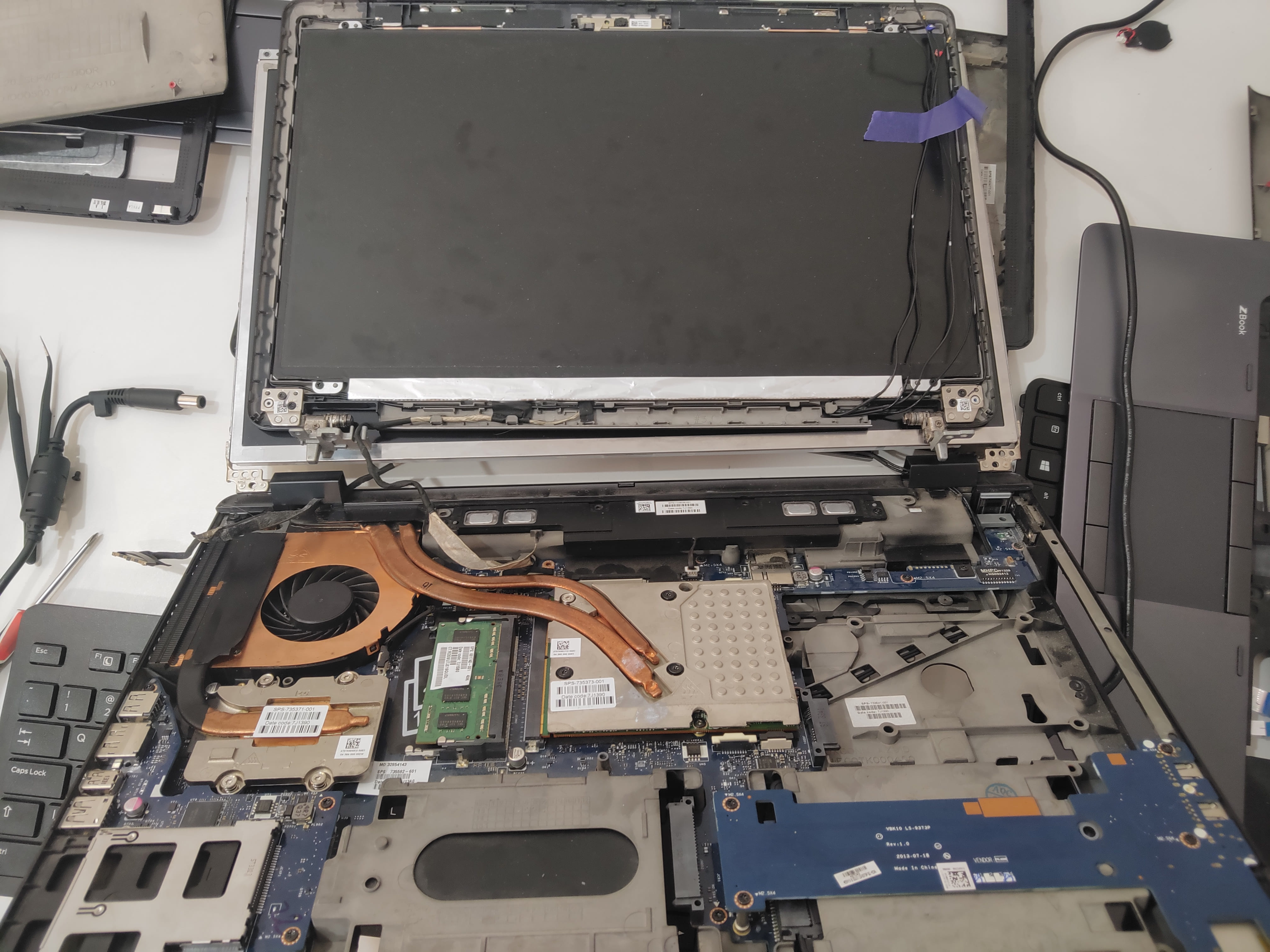
Followed the guide and everything worked fine. I also managed to buy a Zbook 17 heatsink and desolder it for the Zbook 15.Everything worked fine until the card died.
I decided to purchase a Nvidia Quadro M4000M 4GB. Did some dremel work, INF mod and everything worked fine. Turned out that the M4000M (GTX970M) is hotter than the K4100M (GTX770M) so I decided to add another heatsink.Few days later somebody was selling a dead Zbook 17 G1 with a Dreamcolor screen for 70€, so I bought it.
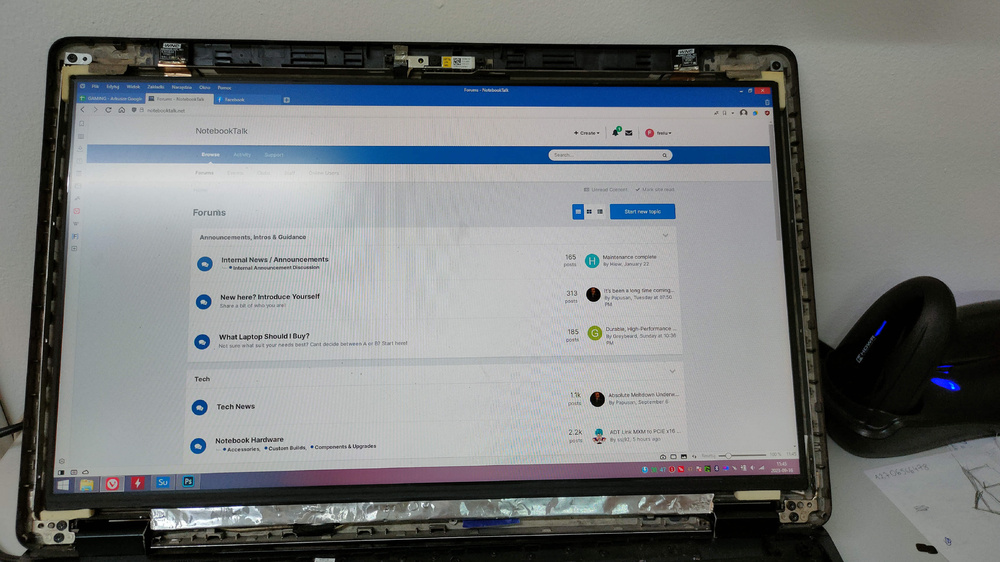
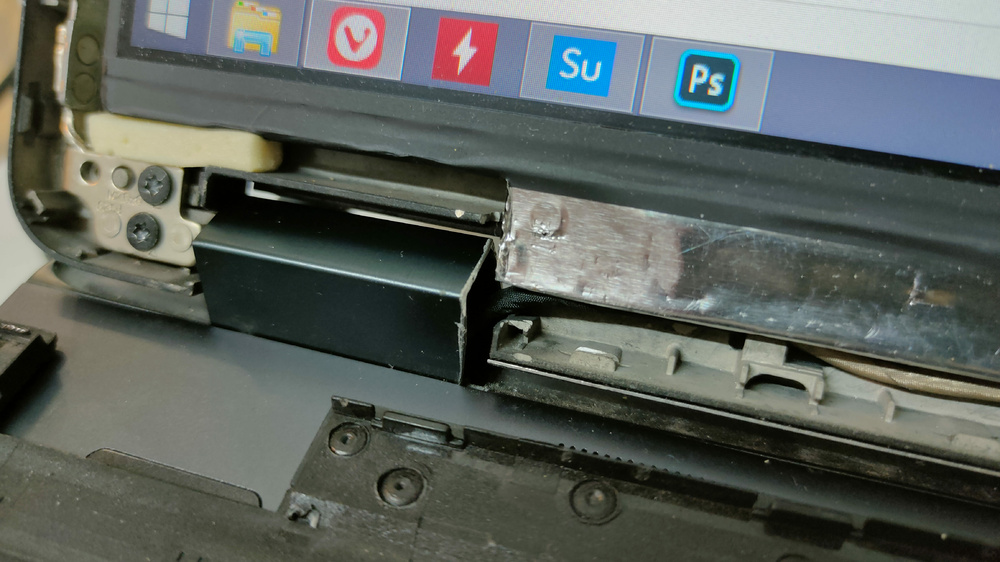
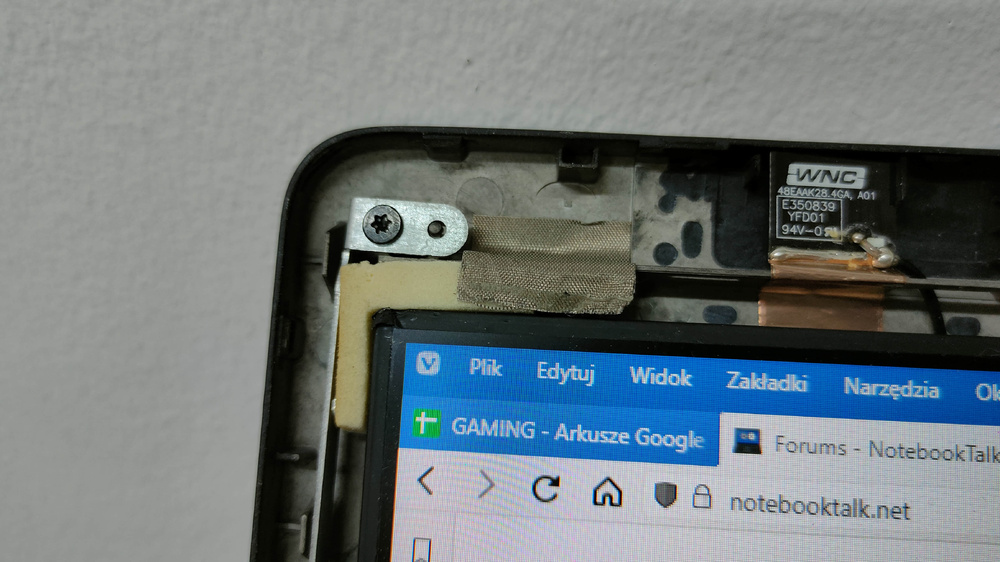
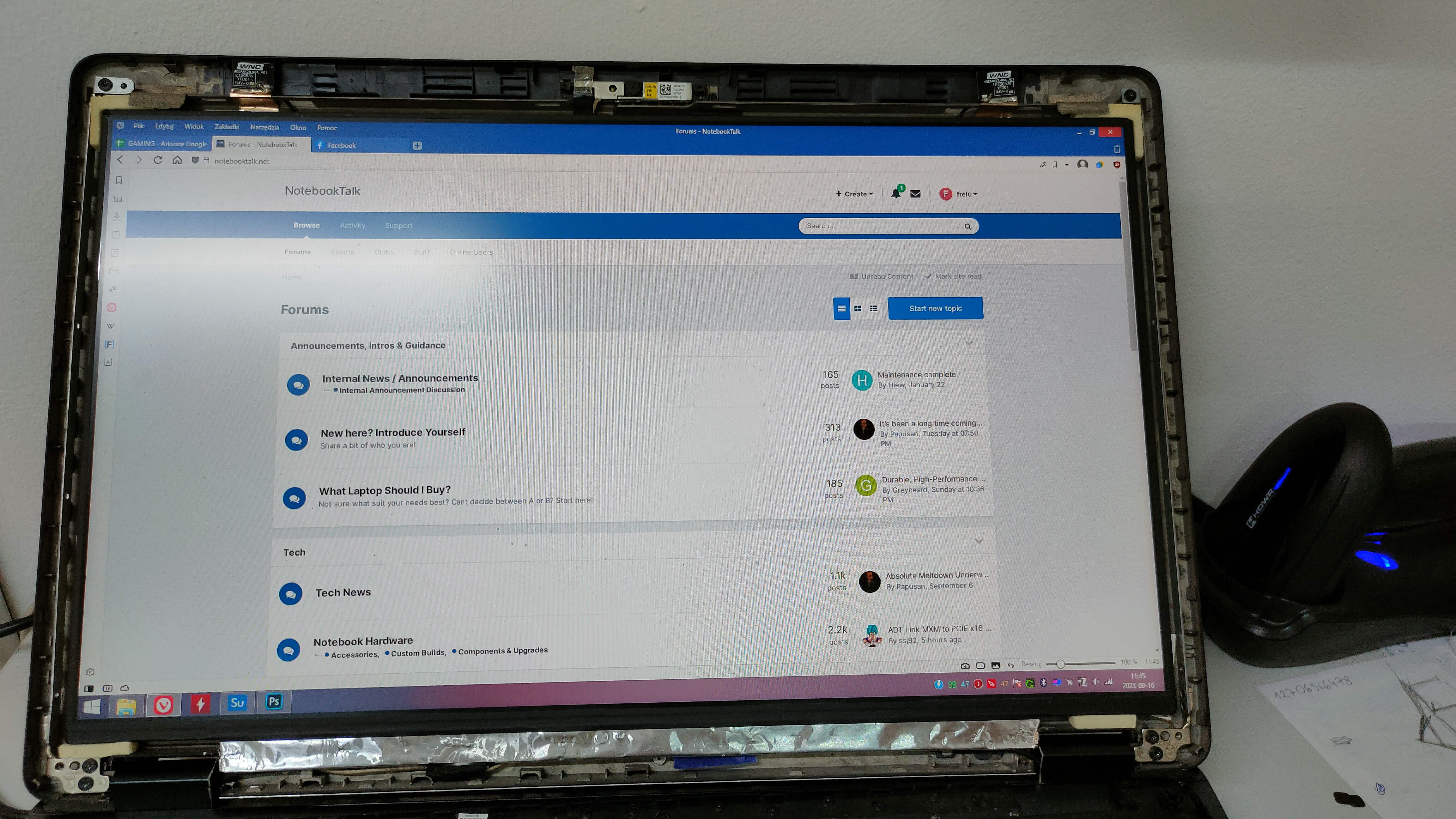
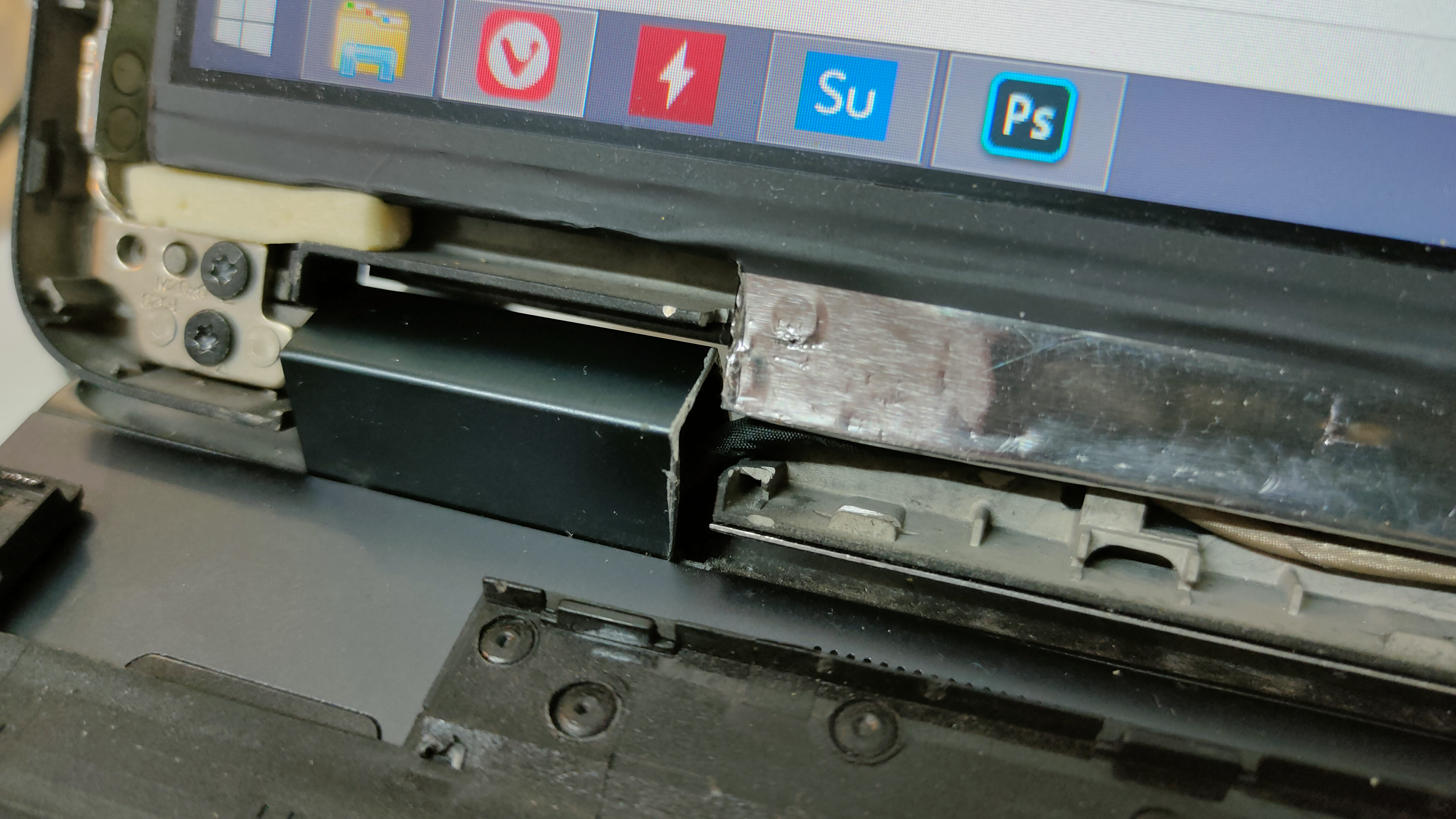
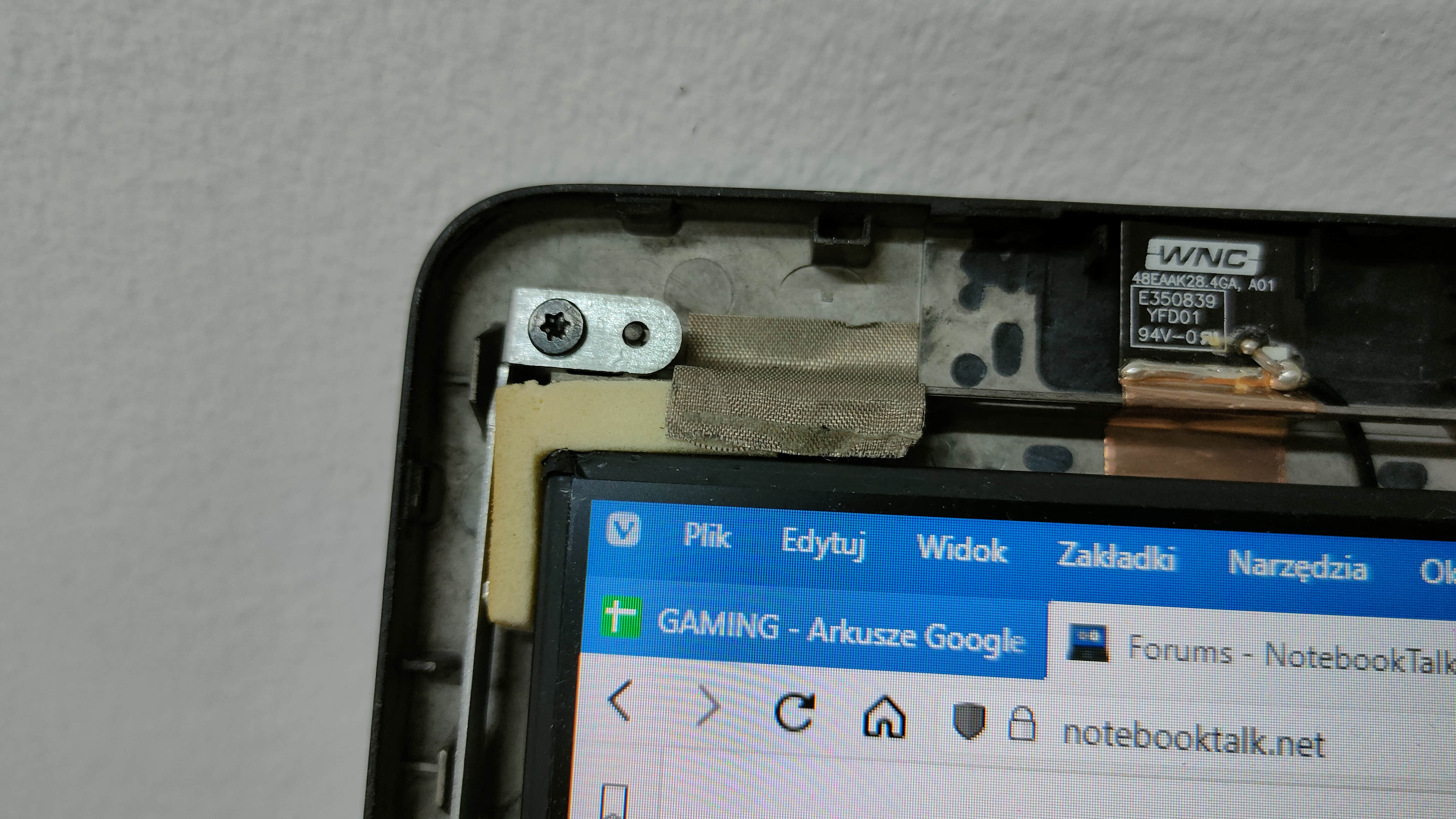
Used motherboard was like 50€. Bought the board and replaced it. Laptop was still dead. When I unplugged LCD cable both motherboards worked on the external display . I assumed that Dreamcolor LCD is faulty and started searching for replacement on panellook but wasn’t satisfied with the results. All “good” LCD panels are eDP not LVDS, so I started digging.Zbook 15 has eDP LCDs and Zbook 17 has LVDS LCDs but the connector physically is the same. I downloaded schematics for 15 and 17 and the connector pinout is the same. Connected display+cable from 15 to 17 and it worked. Bought a nice used eDP 30 pin panel from Dell Precision 7750(?) Innolux N173HCE-E3B (100% sRGB, 100% DCIP, 90% AdobeRGB, perfect angles, 500nit). Now I know that everything works fine. I cut out some plastic parts from the LCD cover, added 5mm plastic foam bought in an art store + two-sided tape + a little bit of shaping and voila! Modern LCD in a 10 years old laptop.
Extra thoughts about this mod:
Cable length from Zbook 15 is enough for Zbook 17 G1 and G2.
Didn’t test it but the Zbook 15 G2 had an option for QHD+ (3200x1800px 60Hz) 40 pin LCD and cable. It’s DisplayPort 1.2 - HBR2 17.28 Gbit/s so it should be possible to upgrade for: 1080p up to 240Hz, 1440p up to 165Hz or 4K up to 75Hz. For my casual retro gaming 1080p 60Hz is enough so I didn’t search for hi-res hi-refresh rate panel. I also prefer better colors and viewing angles than higher refresh rate.
When you try to adjust the brightness Fn+F9/F10 there is a 3 seconds delay between each dimming. [Windows 8.1]. Screen brightness [slider] from “Power options” forks fine - no delay.Link to panel: https://www.panelook.com/N173HCE-E3B_Innolux_17.3_LCM_overview_45902.html
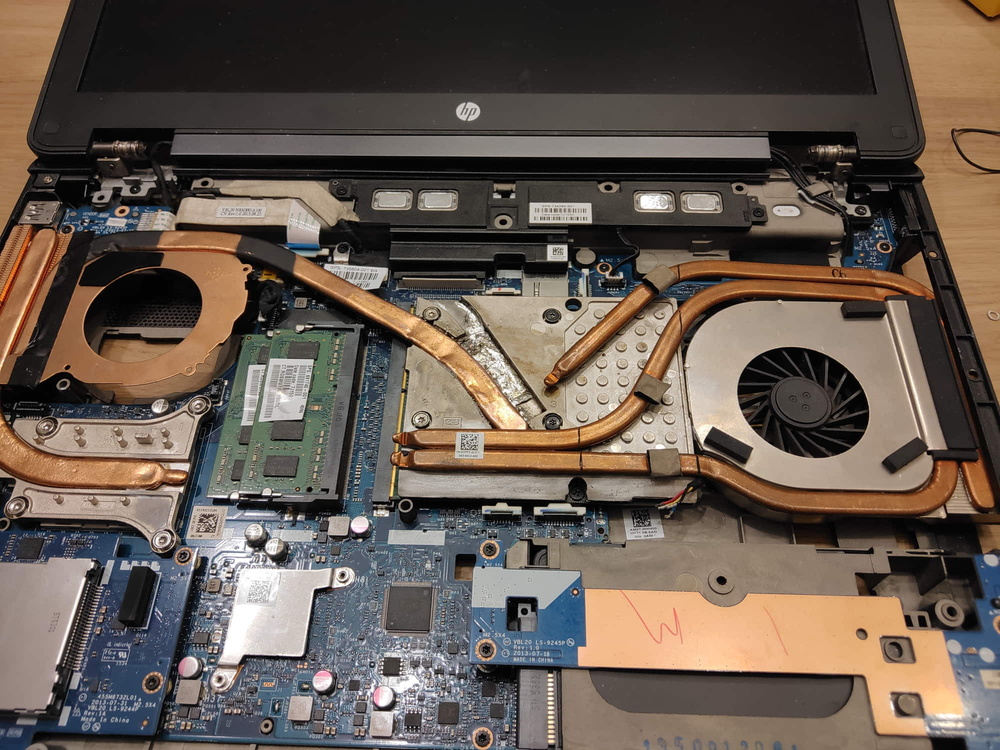
Zbook 15 G2 with MXM B heatsink:
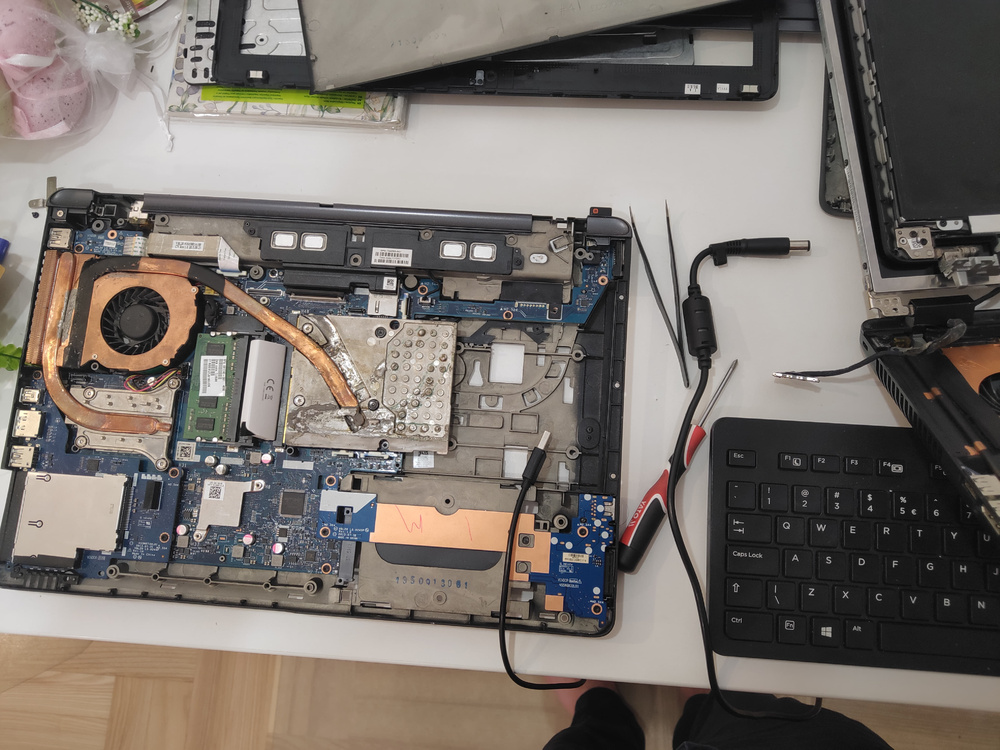
Zbook 17 G1 with eDP panel from 15
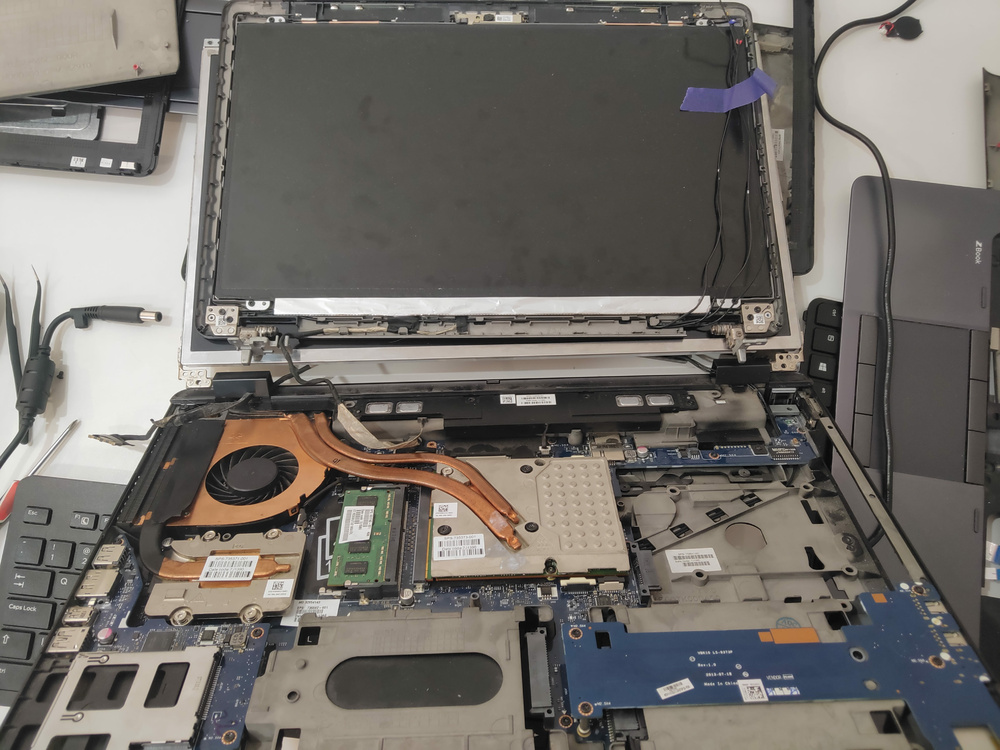
Working eDP panel on Zbook 17 G1
Dremel work + foam
Foam bracket
And here is an old photo of extra fan and heatsink concept. Extra heatsink is from Dell Precision M4500.
+ no heatpipes bending is needed.
- no direct connection copper to copper = poor efficiency
I also changed cpu heatsink to dual-pipe heatsink from Zbook 17 G2. Not in the photo.
-
4
-
-
Hey,
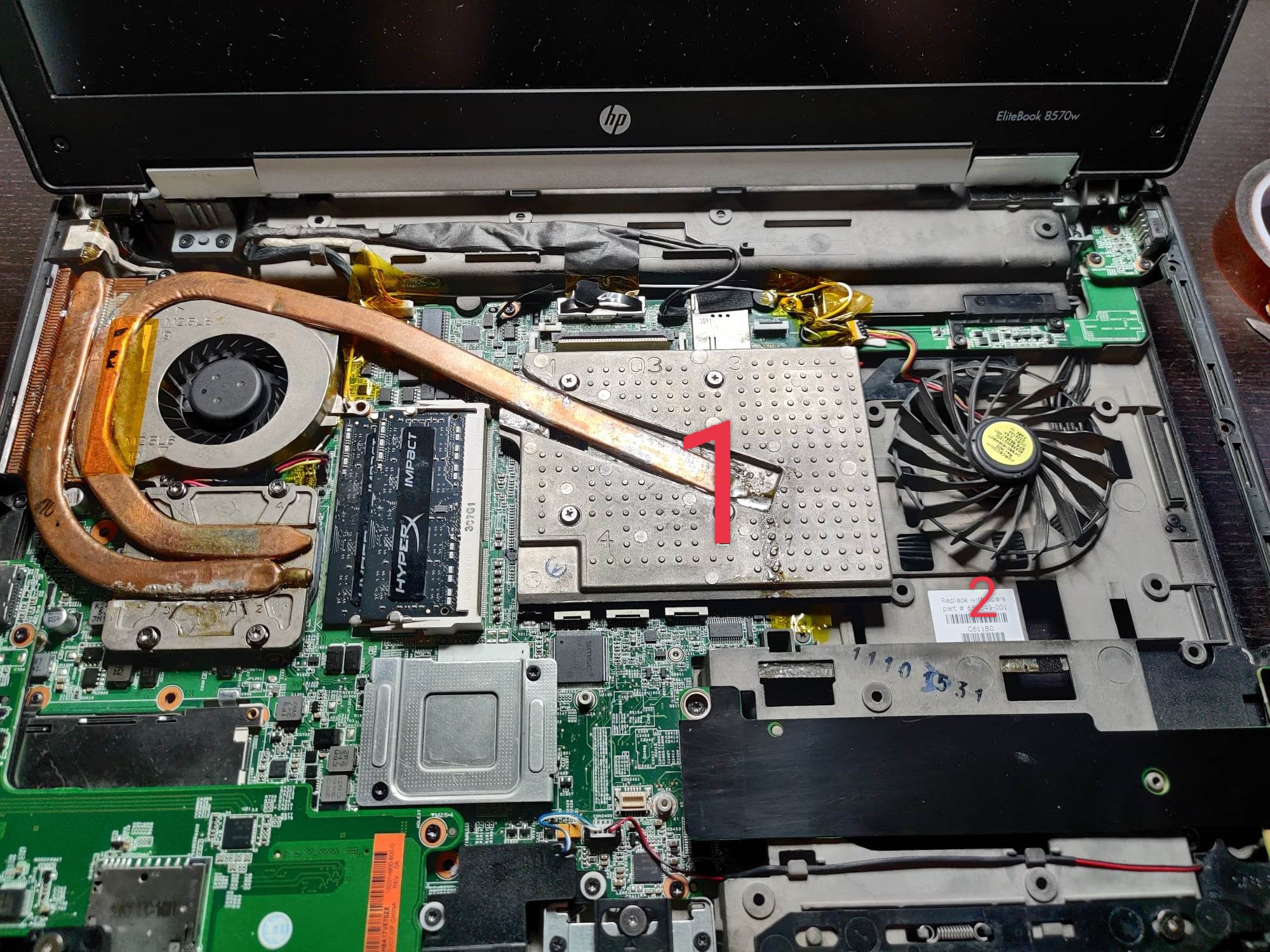
I meant this fan, please check picture, numer 2. Does it spin like that without body? (I dont know how to describe it)
Also where did you get gpu heatsink 1 in the picture.
I was thinking about to put ODD BAY SLI GPU from Lenovo y510p because it fits perfectly in DVD bay, just do some work with extra heatpipes
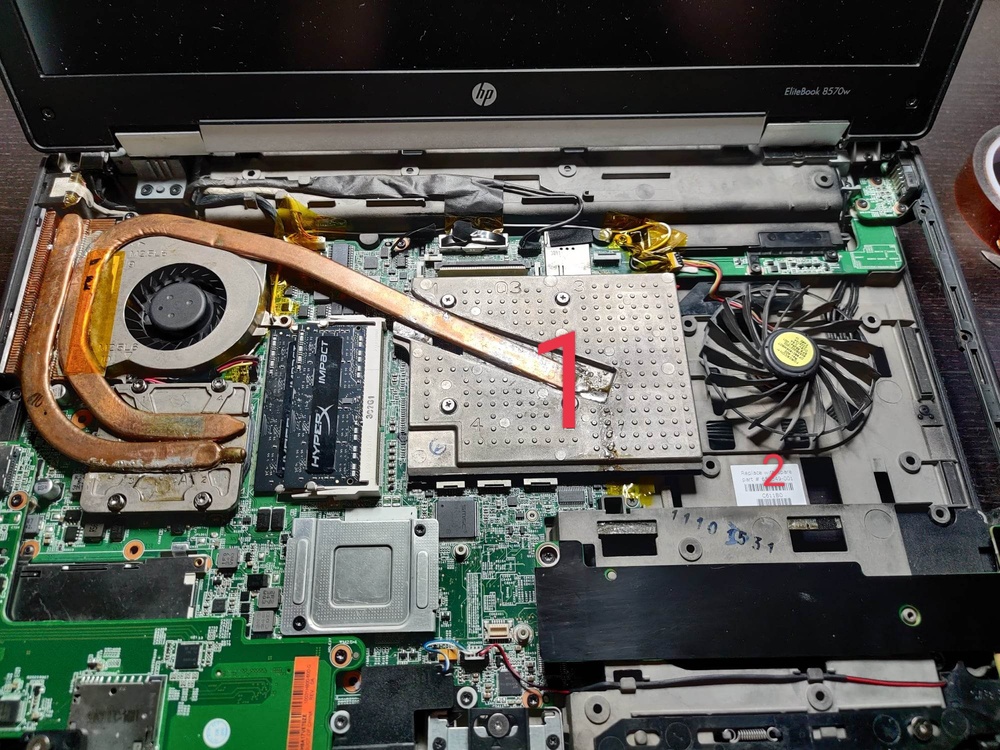
-
Hello @Mashcar great job with your Elitebook!
I want to reproduce your heatsink work for future GPU upgrades.
Could you please tell me what technique did you use to solder heatpipes? (I know low melting point solder is required) Was it heatgun, compact electric oven or just full-size kitchen electric oven?? I don't feel comfortable thinking something could explode right in my face :)
Edit:
Do you keep the 2nd fan without "case"?
Notebook for wife Photoshop AutoCAD
in What Laptop Should I Buy?
Posted
It's non professional work :) 72% NTSC is ok. Have also 100% dcip3 monitor