Ollie87
-
Posts
41 -
Joined
-
Last visited
Ollie87's Achievements






-
I can use both the Rtx 3000 no problems and the Rtx 5000, with the 5000 though I either have to limited it's core MHz to 1300 or change it's power to around 80 watts, when playing games it does still seem to go as high as 96 watts, if I just leave it at stock 110 watts it ends up crashing as for pads I'm actually using paste as I couldn't co firm if the pads were actually reaching, I'm now considering trying this 2k screen on the Rtx 3000, just alot of faffing about as I now have the 3D edp cable at hand, current tests have all been with the lvds screen but it's a very old screen and doesn't look particularly nice, failing this is maybe a portable screen and using a micro display or similar to achieve a nicer screen for gaming.
-
I get crashes from around 95 watts onwards in-game, vrms are all covered i used silicon paste on them instead of pads as was worried they weren't touching the copper heatsink, I've seen your post on the backlight pin modification, I will check this out further. The only way it works better is setting the core clock to lower MHz, it's stable with my maximum on 1350mhz, I'm going to tinker tonight with the settings and see what I can do with the voltage unlock. Can't afford to buy the hp version they are very expensive around £800
-
I still seem to have an issue with power, it managed to complete a GPU test on 90 watts, any higher wattage causes crashes, so far the best thing I've been able to do is limit the core MHz and not tamper with the power. I have the screen and got a edp cable coming I'll keep the current screen on and boot the bios and throw it into PEG mode and try the other screen out, it's worth a go to see if by chance I can get it to work, should I be looking at changing it to muxless or keep it on fixed and full
-
MSI is working all good, was me being a fool, ive ordered the edp cable for the m17x r4 - i will investigate the screen next, doesnt arrive till the end of the month
-
Ok the divers 528.24 allow me to change the watts but only in power shell it runs stable on 90w and also 100w, I don't have to adjust the core clock speed now, I'll investigate how to set MSI afterburner so I don't need to do this. Looking good so far
-
ohhh no, i will look at them now thank you SuperMG
-
tried an older gpu driver, still dont have control of the power on the card, so far the best thing i can do is just downclock the core, im going to see if i can flash the vbios with a similar vbios that possibly has a lower TDP
-
by drivers are we saying the actual GPU drivers, i had tried to download the Beta driver for MSI afterburner that should unlock voltage control but i could never get it to do this.
-
@SuperMG ok i will look to see if i can edit the vbios, on the lvds screen it works ok the maximum i can set the core mhz of the card is 1300 mhz on a power shell command. it is stable like this and i can play games for an actual session. any higher with the core clock and it does crash or under test i see the core drop to 300 mhz. when i set the clock speed lower the cards seems to not spike or at least go past 85 - 89 watts i havent had any success on using power shell to alter the power usage of the actual card. i will investigate if im able to flash the card with the hp vbios or if im able to lower the TDP.
-
oh didn't even realize, when bought they had 2 in stock, yes i did see the hp variant, has slightly wider card, the card arrived new, would the shunt mod have any impact if i can allow it to use more watts of power ?, it is working if i downclock it slightly it seems the power draw never reaches 80watts which is strange. I may do some digging on different vnios for the card itself
-
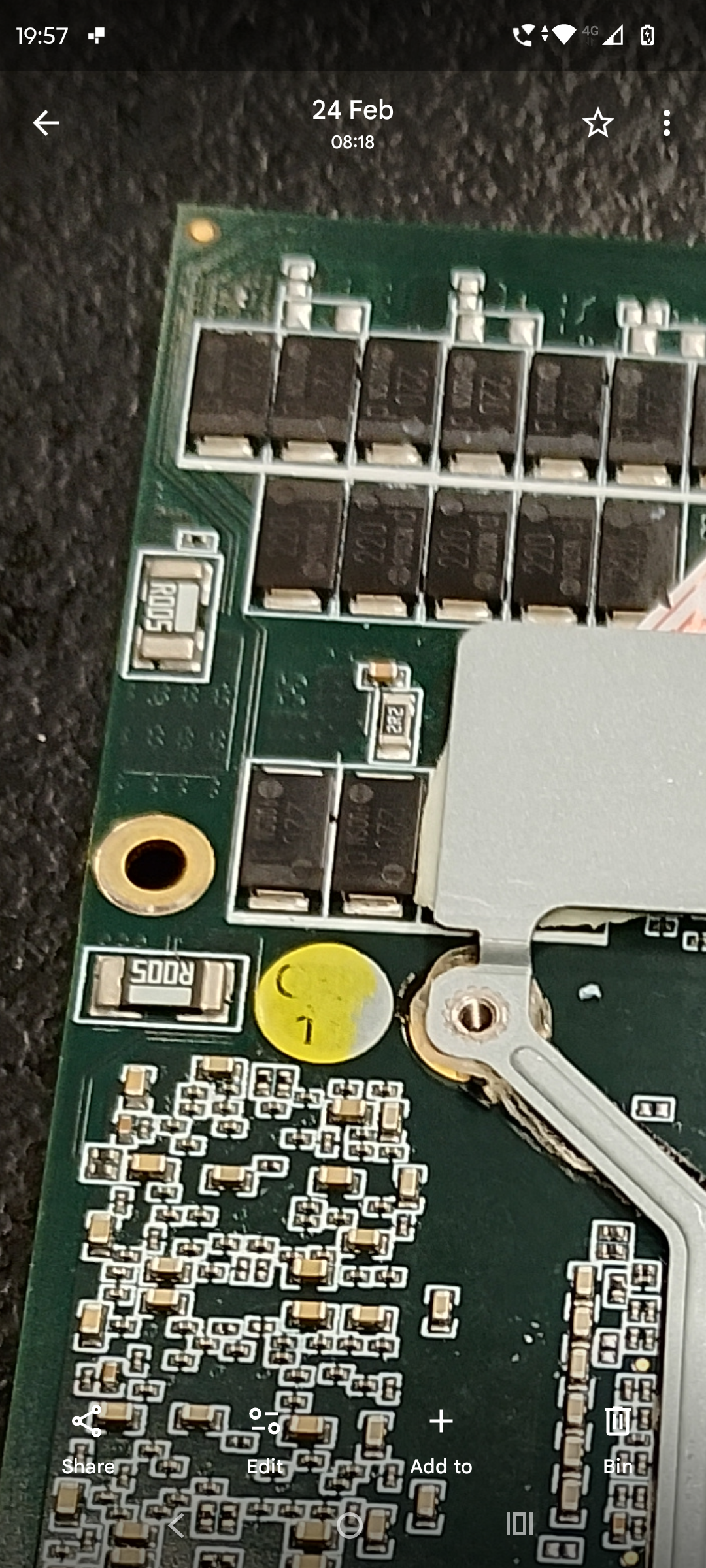
Ok, after doing some more research I believe I have found the shunt resistors marked r005 on the rear side of the board, I will carry on searching to see if these are definitely the ones to check and if so I will look to add extra r005 to each of these, I won't be doing this till I'm definitely sure of what I'm adding to, I will most likely add padding and liquid metal cool the card once this is sorted.
-
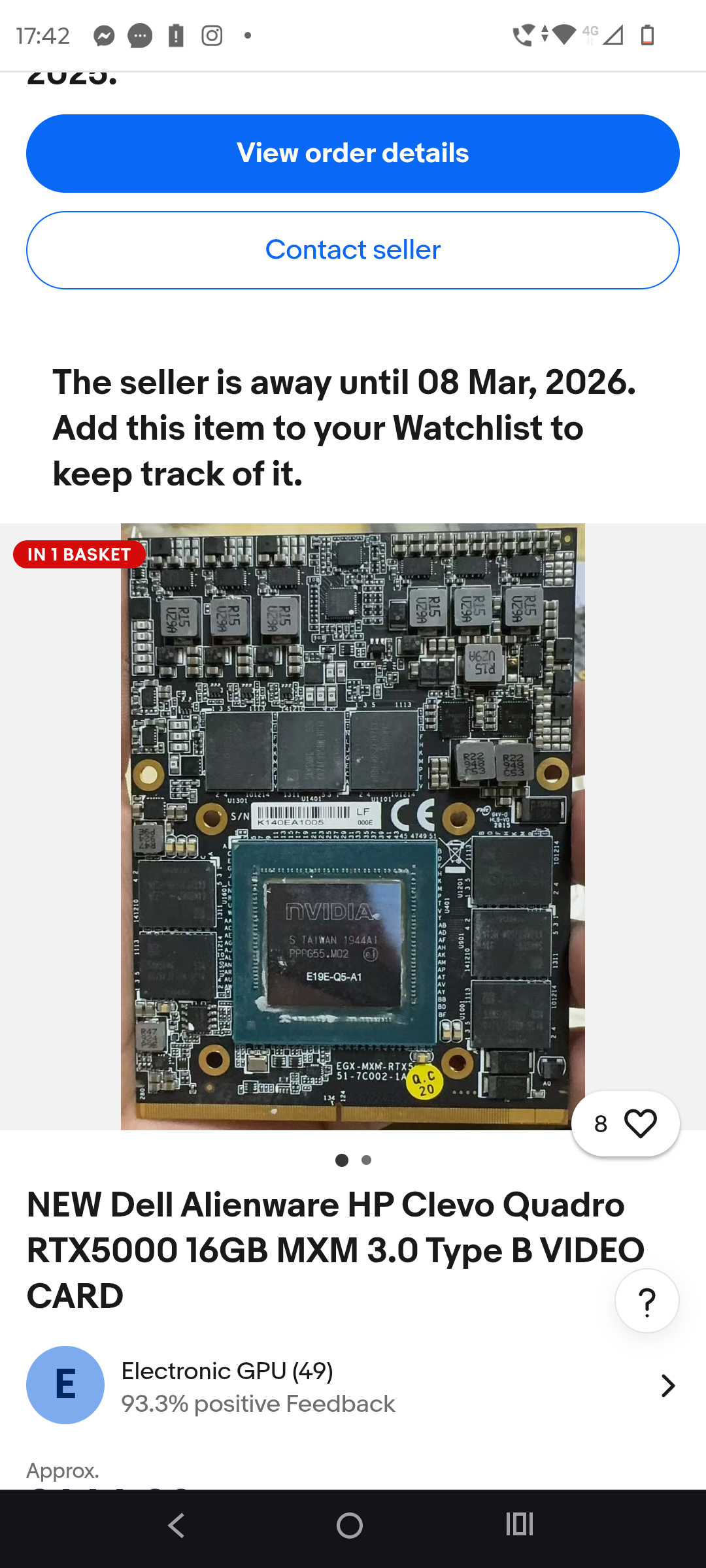
This is the one I had bought, is this not the HP variant with adlink ?
-
So if I was to get the 120hz screen that works on the edp that would solve the issue ?
-
The rtx 3000 is a hp zbook version second hand runs flawlessly on the lvds screen. I then decided to pick up a new hp adlink Rtx 5000, besides having to get a better cooler it runs well untill it seems to power spike then the card vanishes and greys out on hw info looking at it's max power when this happens is always around 117watts, I just assumed this was to do with the power draw, I never bought the laptop with the 120hz screen, I'm unsure if it's worth tinkering with the screen I had bought, it seems to work fine if I lower the cards MHz rating down, I'll try a more demanding game, mainly was trying to fiddle with it untill I could purchase a newer system to take away on working away. Unsure if the shunt mod would help this in any way. Not so concerned with the screen as I was going to purchase a secondary 160h travel screen in 2k.
-
I have checked all of my video options in the A15 unlocked bios regarding muxless fixed and full dynamic, full dgp fixed and full dynamic, none of the options allow in full screen mode to achieve above 60 FPS, before I had installed the Rtx 5000, the Rtx 3000 was ok in full screen under test achieving around 90 - 100 FPS, I can only seem to achieve this now running graphics tests on widowed mode, sadly I don't have another laptop to test this on, my bios is currently set too SG mode full and fixed dgpu dynamic power, I will try and get some photos of my bios set up. When testing the GPU I noticed the core MHz fluctuates between 1400mhz to 1550mhz rapidly, I've now set the target in poweshell to 1250 MHz and is still stable no crash. I will try and ramp it up till it crashes again. Forgot to mention when it crashed on hw info it showed a error on power limitation under the GPU - 60% where it had greyed out. Thanks for some input SuperMg