

MogRules
-
Posts
62 -
Joined
-
Last visited
Content Type
Profiles
Forums
Events
Posts posted by MogRules
-
-
On 8/30/2024 at 7:45 AM, dickcheneyx said:
Is there any way to upgrade the "okay" panels on the current M18R2 ? I know years back on my m18x it was possible (obviously making sure it's within spec).
Thanks!
Probably, but the panels don't come out as easily as they used to either. They are two sided taped in, and the bezels don't come off very easily. You would risk damaging the panel or breaking the bezel if you are not super careful. When they do warranty replacements on the screens now they just send a whole screen and top lid and it all goes on in one piece. While it's not impossible it's just going to be a lot more difficult. You will very likely need to get new tape to apply if you get the screen out.
-
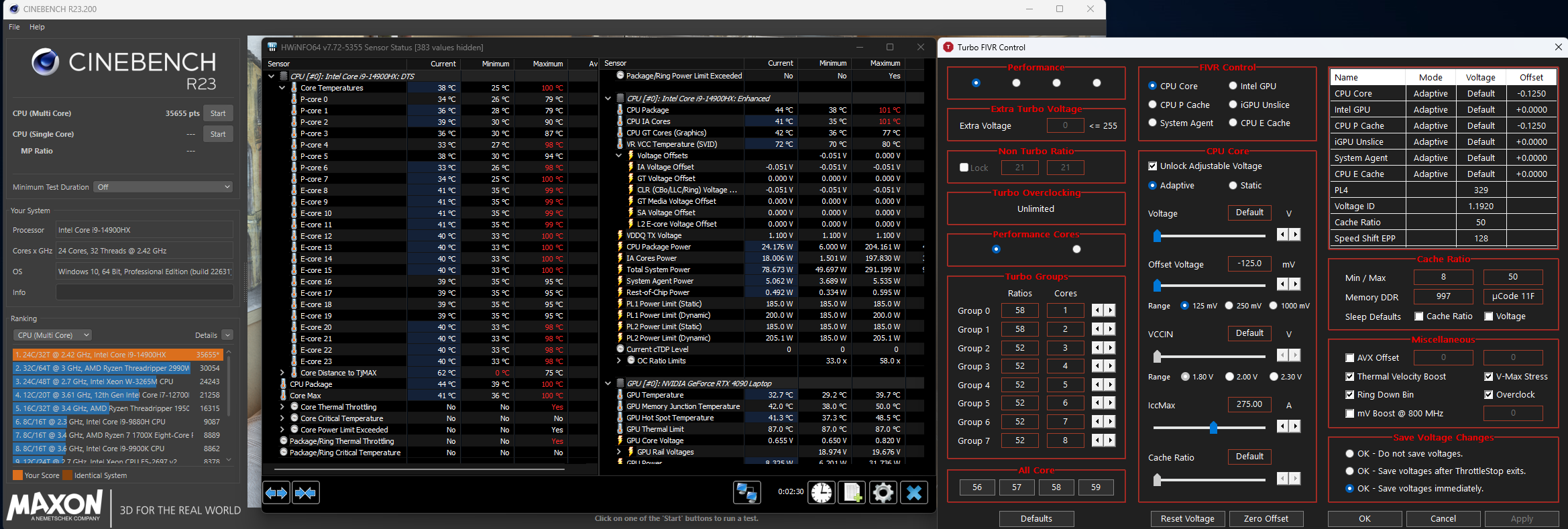
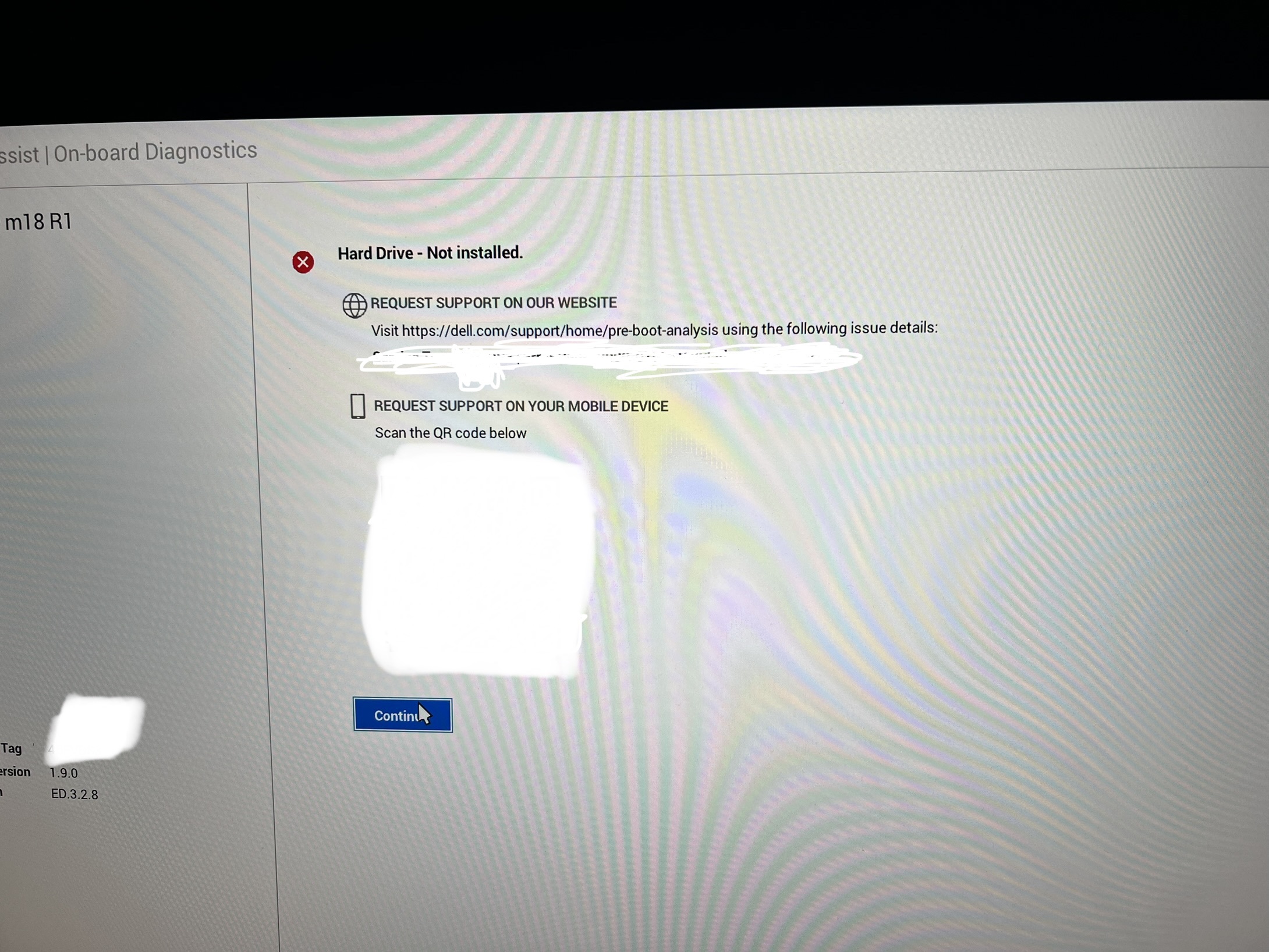
Received my replacement M18R2 for the completely failed M18R1 that I have had for almost a year now. Repasted it with LM, undervolted it and pushed it a bit. Pretty happy with the scores overall. The R1 never managed to get past 199w for me before, but this one is hitting 204w thus far. Needless to say it's still getting hot, but at that wattage I am not surprised.
EDIT: Added a bit more LM, didn't add enough on the first pass. Temps are better now, only one core is hitting 100c , the rest are still in the 90's, but it's pulling 206w and holding around 192w.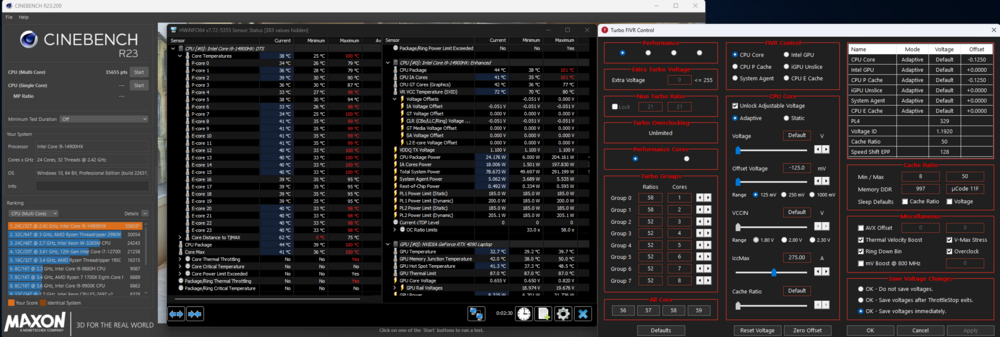
-
 1
1
-
-
On 6/22/2023 at 8:11 AM, win32asmguy said:
Here is how I modify those settings:
- Get grubx64.efi from https://github.com/XDleader555/grub_setup_var/releases
- On a small USB thumbdrive, formatted FAT32, change its file name placing that file in a folder location of drive:\EFI\Boot\bootx64.efi
- In the bios, disable secure boot and enable overclocking
- Reboot, selecting the thumbdrive
- At the prompt, enter "setup_var CpuSetup 0x381" which should show a current value of 0x1 (undervolt protection enabled)
- Again, enter "setup_var CpuSetup 0x381 0x0" which should update the value and confirm the operation succeeded
- Ctrl-Alt-Delete, go back into Windows and now undervolting production should show disabled.
RU.efi also works but I have found it to randomly freeze or not actually apply changes so I prefer using the modified grub bootloader instead. It is also pretty easy to clone the github repo in linux and build it yourself if you are concerned about malware or such.
This does still seem to work on the M18R2 with 14th gen, in case anyone is wondering.
-
1
-
On 10/14/2023 at 11:00 AM, MogRules said:
Well, motherboard swap is done, so now we see if the issue persists. Tech went back to Element 31, as expected, but so far it's performing OK. CPU will still pull 199w on Cinebench, and it scores about 500pts lower then the LM, but I can live with that. Temps go higher faster, but it's maintaining it's performance, so for now I will leave it in there. Will update if it starts BSOD again, or dropping the SSD's from the system. On the plus side, the new board came with 1.7.0 on it, so I could role back to 1.6.0 and just leave it there. RAM still runs at 5200mhz, so no point in going up again, especially since I don't know if it was something past 1.9.0 that was causing all of this, as you can't role back past that.
Well updates,
The E31 DIDN'T last, after a few days the CPU wouldn't pull more then 145w anymore, so back to LM that went. No SSD drops at all in two weeks, and no BSOD's aside from playing to much with the undervolt and the stupid Intelligo driver, which is now disabled. It's been at least a week of gaming with zero issues once I finally got it all locked down where it needed to be. The biggest issue here is the Intelligo driver clearly has a bug that needs to be fixed. -
Well, motherboard swap is done, so now we see if the issue persists. Tech went back to Element 31, as expected, but so far it's performing OK. CPU will still pull 199w on Cinebench, and it scores about 500pts lower then the LM, but I can live with that. Temps go higher faster, but it's maintaining it's performance, so for now I will leave it in there. Will update if it starts BSOD again, or dropping the SSD's from the system. On the plus side, the new board came with 1.7.0 on it, so I could role back to 1.6.0 and just leave it there. RAM still runs at 5200mhz, so no point in going up again, especially since I don't know if it was something past 1.9.0 that was causing all of this, as you can't role back past that.
-
 1
1
-
-
On 10/5/2023 at 12:36 PM, Popcan said:
hmm, I don’t think I have that intel audio stuff installed.
Did swapping out the LM fix your issue?It's been good for a few days now, but I don't know if it's the LM or not. My reliability reports are NOT showing the audio system crashing daily anymore , but I can't see LM having anything to do with that. I also found another Intelligo app I was missing, but if that was enough to cause all these BSOD issues then Alienware has a problem with these drivers.
-
9 hours ago, Popcan said:
That is unfortunate… to say the least…
is that intelligo stuff for the Igp or audio? I have the igp disabled and anything with virtualization turned off in bios. Which could be why I’m not having the issue. But if it would help I could turn some stuff on and see if my end has issues.
Seems to be audio related.
As a last ditch effort I have removed the LM I had on the CPU/GPU and replaced it with PTM7950. I can honestly say it's not as good as LM. Wattage caps out at 168w on the CPU with a stress test now, and most cores are hitting 100c almost instantly. -
Tracking a bunch of BSOD issues now, mostly seemingly around the intelligo garbage from Intel. Mine is completely random and to be quite honest, almost irritating enough to push me back to the 51m. I will likely be contacting support if I can't work through this, because after continuously reinstalling and troubleshooting, I am about at my wits end. It's completely random and NOTHING seems to help it. Also, my secondary SSD seems to like to just up and off ( Do I sound irritated yet? ) out of my system randomly, so that's also a barrel of fun.
Update , October 03. Alienware is looking into it after I gave them a spreadsheet of reddit posts showing this was getting more severe. Will update when I find out more.-
 1
1
-
-
22 minutes ago, Popcan said:
YET another Bios, This one isn;t listed as critical...
It reduced my Cinebench scores, albeit slightly. I also couldn't seem to get passed 175w on the CPU with that one. Game wise I saw no noticeable difference.
-
Anyone else been seeing any BSOD issues? I am tracking a few different posts on Reddit, including mine, that are having this issue. Just curious if anyone else has noticed this? I may have found a solution, but I am not positive yet and am still testing.
-
On 8/14/2023 at 6:09 PM, ssj92 said:
Does the older XTU versions still work? I'm on older XTU and 1.6.0 bios still
Not sure, I was using whatever the newest version was. The weird part is I didn't seem to have any issues until I ran the new XTU, so either that messed with something or I might have installed a new Intel driver. It's been working for a week now without issue so I have just been leaving it alone.
-
Ok, so....I think it's fixed. I don't know if the Windows re-install has anything to do with it, but I think it's an Intel driver specific issue. As of now, 32 hours and 4 Windows re-installs later, Thorottlestop is working again and not causing the system to slow to a crawl after rebooting with auto start on. I honestly don't know if my troubles began when I reloaded Windows to get rid of the Dell stock image and go to the Windows image, or if it was a driver I was either missing , or maybe one that Windows update wants me to install. I know Windows update has a whole slew of crap I don't want to install, and there are a few intel ones in the list, but I am avoiding them for now. For now I am running JUST the intel ones off the Dell support site, and I am back on the AW OS image...see if that stays stable for a few days now.
-
1
-
-
1 hour ago, Popcan said:
I wonder if it’s a issue with throttle stop and whatever they changed?
I just used the uv unlock and xtu only. It seems to do something. I still get 31000 with tcc set to 85. But I’m still on 1.9
Have you also tried turning off all of the virtualization settings? Unless you use them, then that wouldn’t help either way.
I have not, but then I never had them off to begin with. I think XTU was the problem TBH. I didn't have ANY problems until I installed that the other day, so I guess I will try XTU again and see if that works, but for now Throttlestop is out for me again 😞
I asked my Alienware contacts and they think Intel is screwing with stuff, it wasn't anything on their side that was changed. What I can't figure out is how it's persisting through a format.... -
19 minutes ago, Popcan said:
I totally agree. It’s one awesome performing machine… when it’s operating correctly. It has taken a lot of messing around to get it “stable.” Way more than someone paying 3k for a laptop should have to.
but when it’s good it’s great. Haha……. 😂…😢
I finally got my m18 to about where it should be and was hesitant to install the latest bios.
I used that guide you posted to get the uv capabilities back. This cpu undervolts differently than any other cpu I have messed with…
Have you tried going back to 1.9?
Yep, same issue unfortunately. I don't think it was a BIOS change. It's like the CPU just does not want to turbo anymore at all as soon as it enables. I also went back in and confirmed the UV edit was still there, so I honestly have no ideas anymore.
-
I have a serious love hate relationship with this laptop right now. I don't know why, but Throttlestop can't run anymore without tanking the CPU frequency. Even re-installing Windows has zero effect. Sometimes I really REALLY hate computers.
-
On 8/12/2023 at 8:49 AM, MogRules said:
XTU won't launch anymore because I disabled the undervolt protection lol.....Ok Intel....
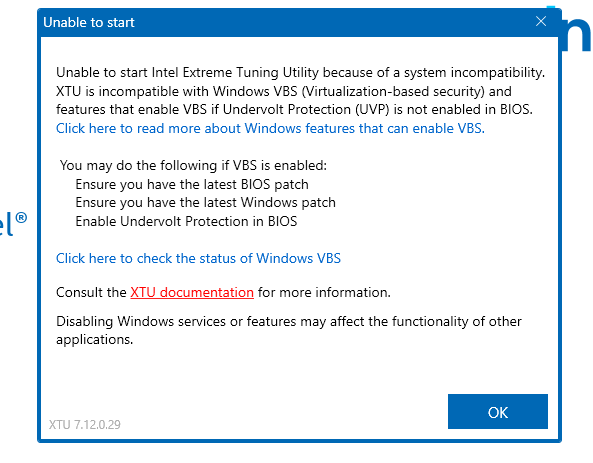
Update. Disabling core isolation allows XTU to run again, but it re-introduces the Throttlestop bug that has the CPU getting stuck below 1000mhz, so the whole laptop turns into a slug.
-
1
-
-
8 hours ago, Popcan said:
Interesting. It's almost like they want their high end mobile chips to underperfom.
They sure seem to be hellbent on getting rid of undervolting, that's for sure.
-
 1
1
-
-
XTU won't launch anymore because I disabled the undervolt protection lol.....Ok Intel....
-
1
-
-
Figured some of you might be interested in this. Needless to say you do any of this at your own risk.
-
3
-
2
-
-
5 hours ago, Popcan said:
After my post last night, I ran into that as well. just clicked factory defaults and then reloaded my custom settings after boot. I feel like with all of this nonsense Dell is putting us early adopters through, they should have at least given us the better charger... -_-*
Since the bios update to 1.9 I have had a BSOD for CLOCK_WATCHDOG_TIMEOUT as well as Chrome has started crashing for STATUS_ACCESS_VIOLATION. I do not know if this is the bios or windows or something else. The only thing I changed was the Bios.
Could be totally unrelated, I am running a debloated version of windows 11.

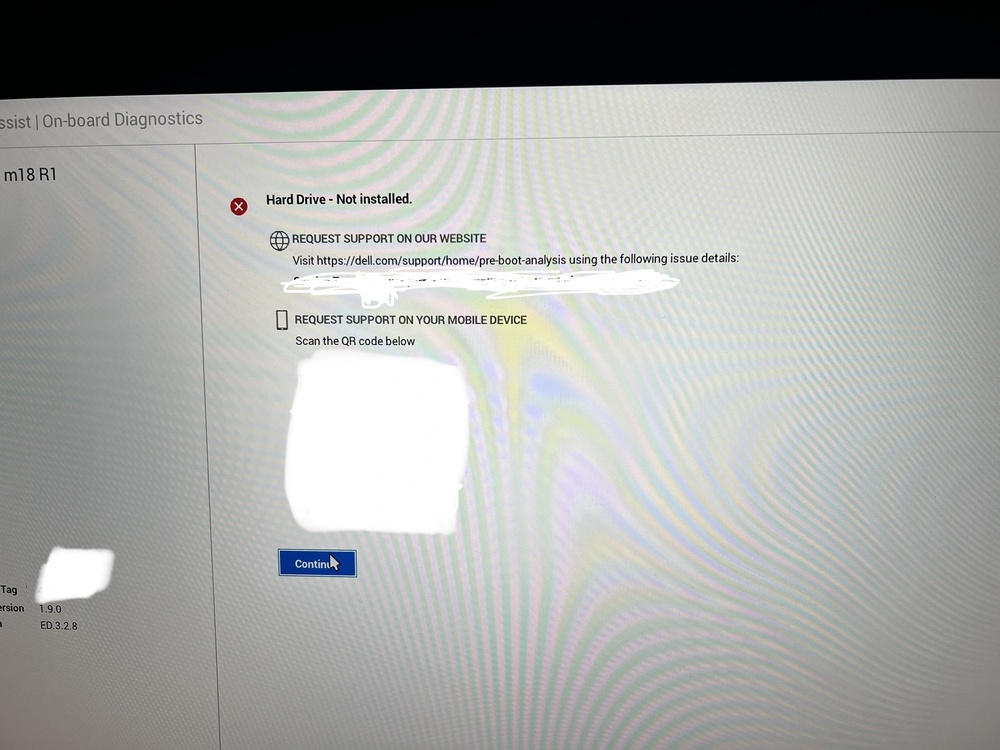
Interesting...I have not noticed that. Did you hex edit your BIOS to unlock undervolting? I know if I undervolt to far at all I get the same BSOD errors A LOT. It's possible that a newer BIOS may change what the undervolt is stable at as well, so if your doing that I would knock it down a bit and see if it helps.
-
On 6/19/2023 at 9:48 PM, ryan said:
I heard the best thermal paste is the phase change pads by honeywell. if anyones interested in lower temps or at least testing out would be cool if you could tame the i9
I think someone on Reddit already did it, and claimed much improved temps. I have the PTM7950, but I already used LM on mine , so until that needs to be repasted again I am just holding off.
-
10 hours ago, Popcan said:
New Bios released today.
I installed it last night. Cinebench scores seem to have gone up a bit. 35.4k now. Not sure what reducing electrical noise means 🤔
Some people have a bug where once the BIOS has been applied it will turn the storage config off, so Windows won't load properly, it goes to boot from HTTP. This can be fixed by changing the storage option back to AHCI, or Raid, where ever it was set before.-
1
-
-
20 hours ago, Popcan said:
I think I'm out of the loop on this one. Is the UV that you are adjusting different than the one in the bios?
Yes, it appears so that they are very different. I honestly don't know what the undervolt in the BIOS is doing, because on my system at least, it never seemed to change anything. Now that I have unlocked the undervolting in the BIOS and can use throttlestop I am 100% seeing a reduction in overall system temps and far higher Cinebench scores, so it's pretty clearly working. I won't go as far as to say the BIOS UV does nothing, but if it's working it's def not doing as much as the Throttlestop UV.
-
 1
1
-
-
On 6/27/2023 at 8:47 AM, MogRules said:
That did it. The part about renaming wasn't super clear, so I still had it as grubx64 not bootx64.
Changes applied and I can not undervolt from Windows. Time to see if this has any difference over the BIOS UV 😊
Thanks again!Yeah, so not really sure what the UV in the BIOS is doing, but based on my working Throttlestop results...not much. Temps will still hil 99-100c in Cinebench, but the CPU package is drawing up to 197w at peak and sits around 171w sustained. I am just over 35k now, where as I could barely get higher then 31k before. That being said, the custom profile in AWCC now causes pretty much instant crashes and BSOD. Not sure if that is related to the undervolt changes at all, still testing.
13th and 14th gen intel CPU self destruct issue.
in Alienware X14 / 15 /17 / M15 / 17 R5+ 2021+
Posted
Intel will say no, but they are.
My M18R1 and the first CPU in my M18R2 were both affected. The M18R1 was a lemon anyways and was eventually replaced. The CPU in the R2, by the time I got rid of it, wouldn't play basically any games anymore. It would just crash or BSOD constantly whenever I tried. Intel does not want to deal with the RMA costs of the countless laptop motherboards they would have to replace, so they are sweeping it under the rug until warranties run out and then you are screwed.