AaronD
-
Posts
26 -
Joined
-
Last visited
AaronD's Achievements






-
Precision M6800 questions and upgrades
AaronD replied to Jers6410's topic in Pro Max & Precision Mobile Workstation
Hardly matters at this point. You'll get what you'll get, and you'll evaluate it then. Stress test or benchmark if you like; I didn't bother with mine, just went straight to using it. Pass/fail regardless. Pass=keep, fail=physical undo. -
Precision M6800 questions and upgrades
AaronD replied to Jers6410's topic in Pro Max & Precision Mobile Workstation
I replaced a K5100. The old pads were just fine. They don't degrade, unless you've had water in there, or had it apart before and torn them up. I wouldn't worry about it. Do clean off and replace the grease though, every time that surface separates. -
Precision M6800 questions and upgrades
AaronD replied to Jers6410's topic in Pro Max & Precision Mobile Workstation
I replaced nVidia with nVidia, and reused the same original pads. Seems to work just fine. If you're replacing AMD with nVidia, then I wouldn't know. -
Precision M6800 questions and upgrades
AaronD replied to Jers6410's topic in Pro Max & Precision Mobile Workstation
Idling, no. The fan stays off. When it's working, the fan runs as expected. -
Precision M6800 questions and upgrades
AaronD replied to Jers6410's topic in Pro Max & Precision Mobile Workstation
I had some trouble too, with my P5000. I was trying to future-proof it as much as I could, similar to when I bought this machine new, so I wasn't really interested in anything else. I ended up resorting to eBay, which is not known for the sellers' reliability, and sure enough, the first one was DOA / already bricked. I gathered enough data and posted it here to confirm, which the community did, sent it back for an eBay-forced refund, and roasted their feedback. Then I got another one, also from eBay after some recovery time from the frustration, 'cause there still wasn't much else, and that one worked. I'm not a gamer, so I can't comment on that. In addition to still being my daily driver, I occasionally use it for live FHD video production, so that's mostly what my upgrade was for: a hardware video encoder that Ubuntu Studio hasn't dropped support for. -
Precision M6800 questions and upgrades
AaronD replied to Jers6410's topic in Pro Max & Precision Mobile Workstation
Nice! It might be a decade old, but still a decent machine, even by modern standards. You might look at these posts if you haven't already: Not the complete story, but they have links to other posts, and so on. Not a lot, as I remember. It wasn't enough to impair the old GPU in case you give up and go back to it. But it *was* necessary because some of the taller parts are in different places that don't clear. The worst part for me was the cleanup: getting the copper dust off, and out of the soft pads. Like I said in one of those posts, know which direction your cutoff wheel is going, so most of it goes away and doesn't get jammed in. Very likely yes. And you'll need a rather old version of Linux to do it. You don't have to install that - it'll run just fine from a USB flash drive, and once it's done and working you can wipe/reformat that USB drive and use it for something else. See another one of those posts for details. -
Precision M6800 questions and upgrades
AaronD replied to Jers6410's topic in Pro Max & Precision Mobile Workstation
Still don't have a good answer to *why*, but it appears to require a version number of firmware that never existed. Apparently these things don't actually remember their own firmware, but require the OS to push it back into them on every startup, which is fine as long as the OS does have good firmware for it. If Windows does, then it "just works" over there. But it appears that either Linux doesn't yet, or gets confused about what's actually required. Either way, it fails, which results in no WiFi at all. I put the original back in, just to have *something*. -
Precision M6800 questions and upgrades
AaronD replied to Jers6410's topic in Pro Max & Precision Mobile Workstation
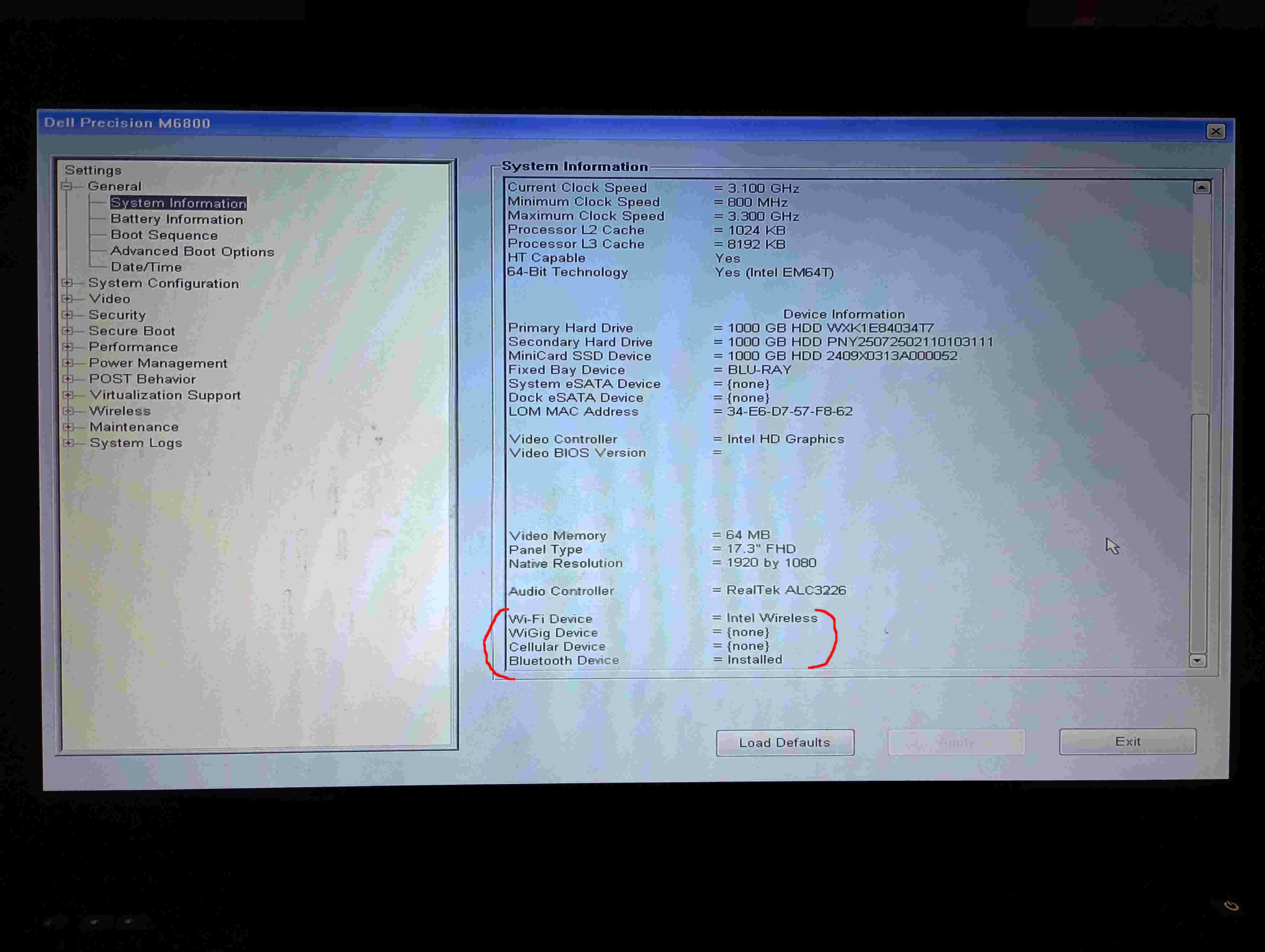
It appears to be a software issue, as evidenced by the BIOS seeing it, and the output of the Ubuntu community's Wireless Info Script: https://github.com/UbuntuForums/wireless-info https://drive.google.com/file/d/1hDamjIeDjaBPvvXzgR65BeXS4hg3Ec9n/view?usp=sharing So I posted a question over there. We'll see what they come up with. -
Precision M6800 questions and upgrades
AaronD replied to Jers6410's topic in Pro Max & Precision Mobile Workstation
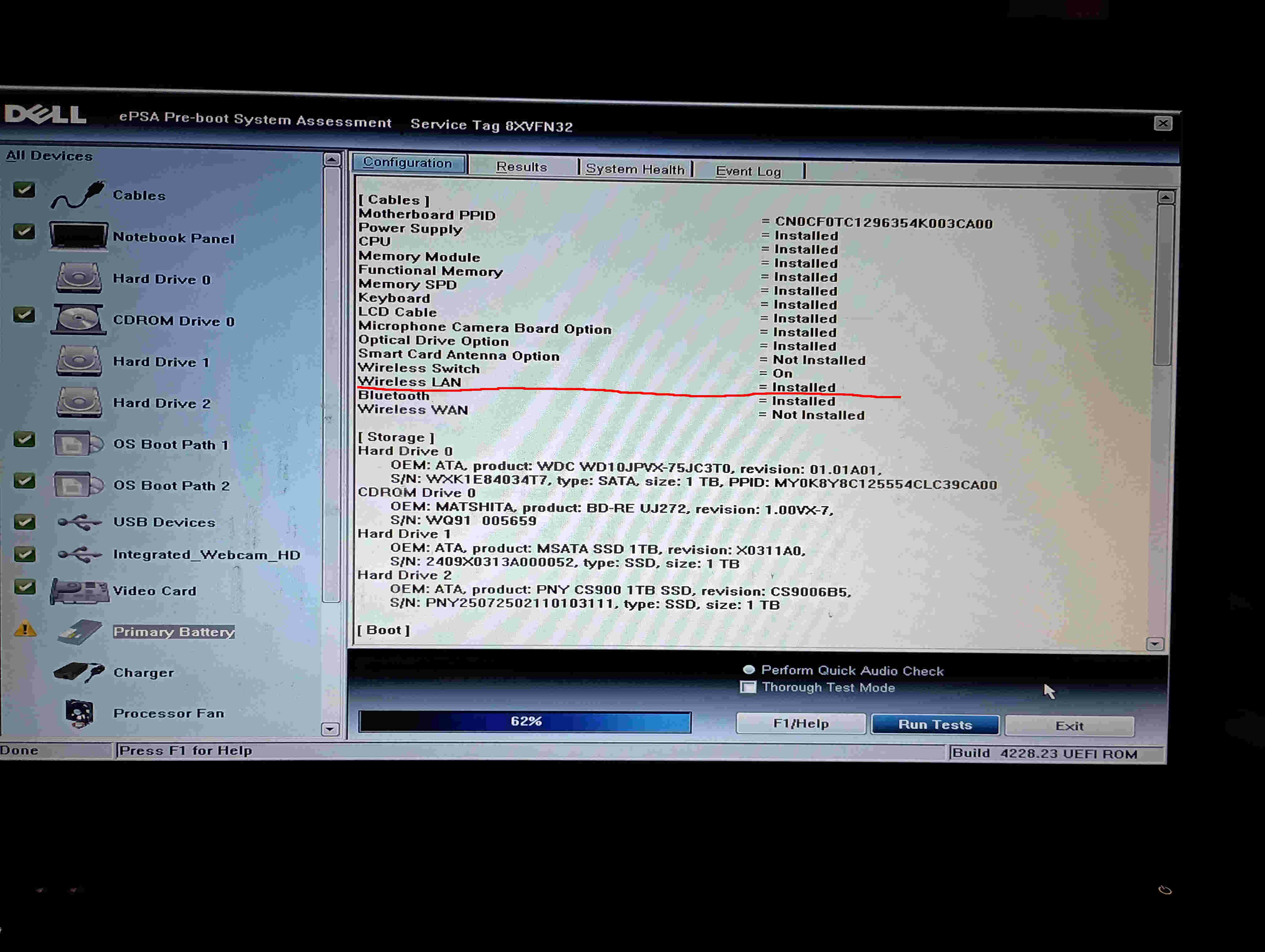
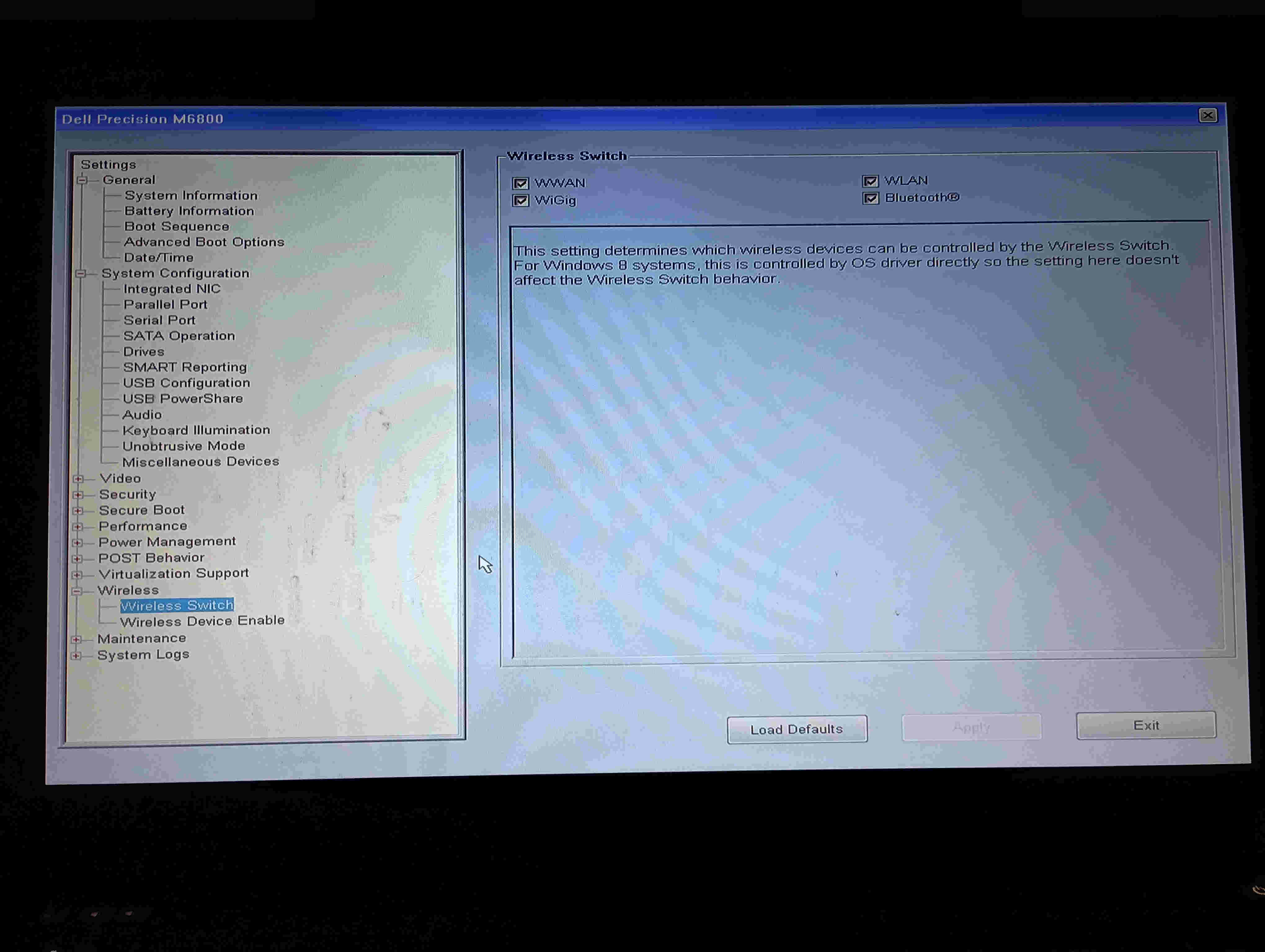
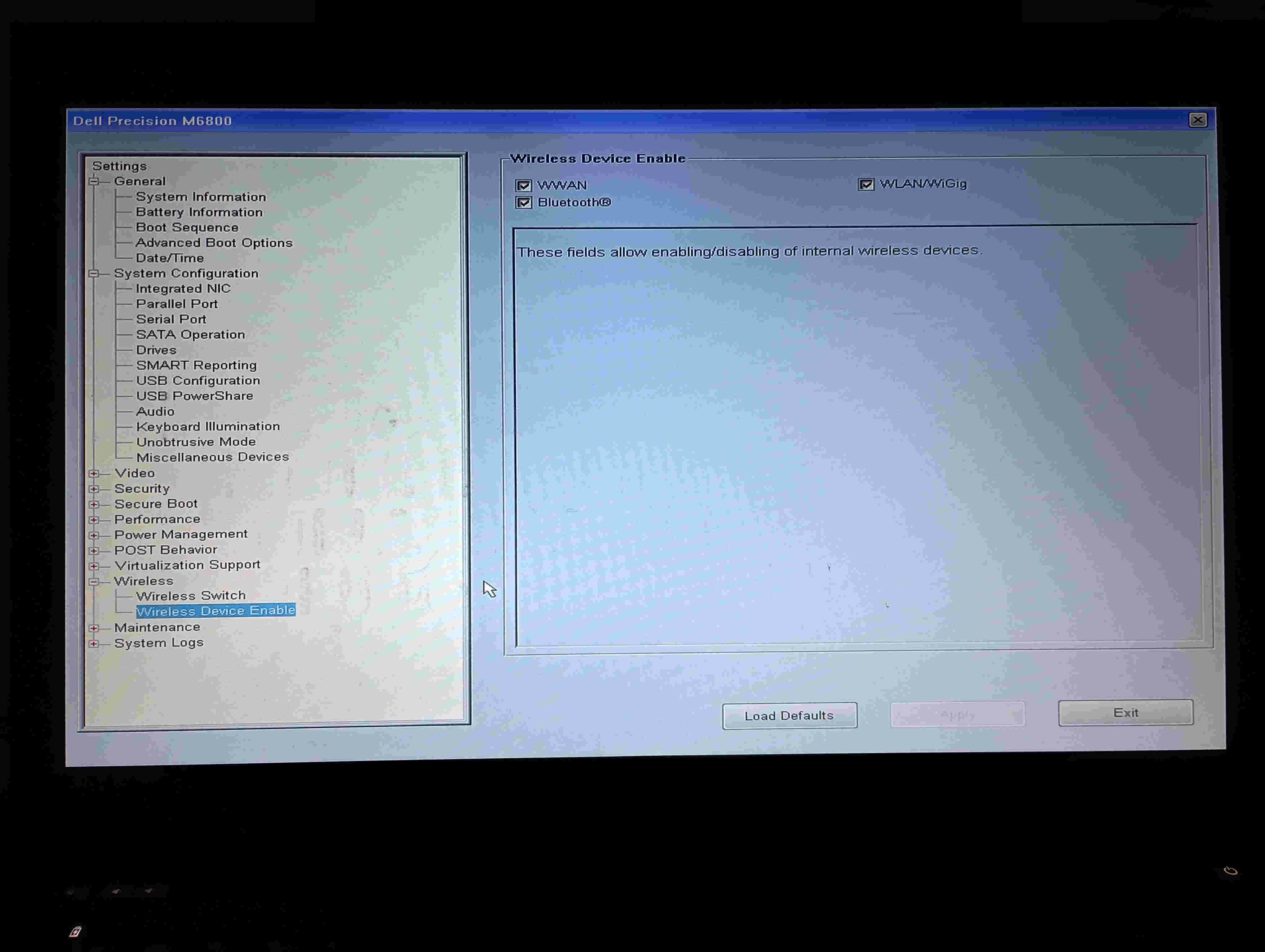
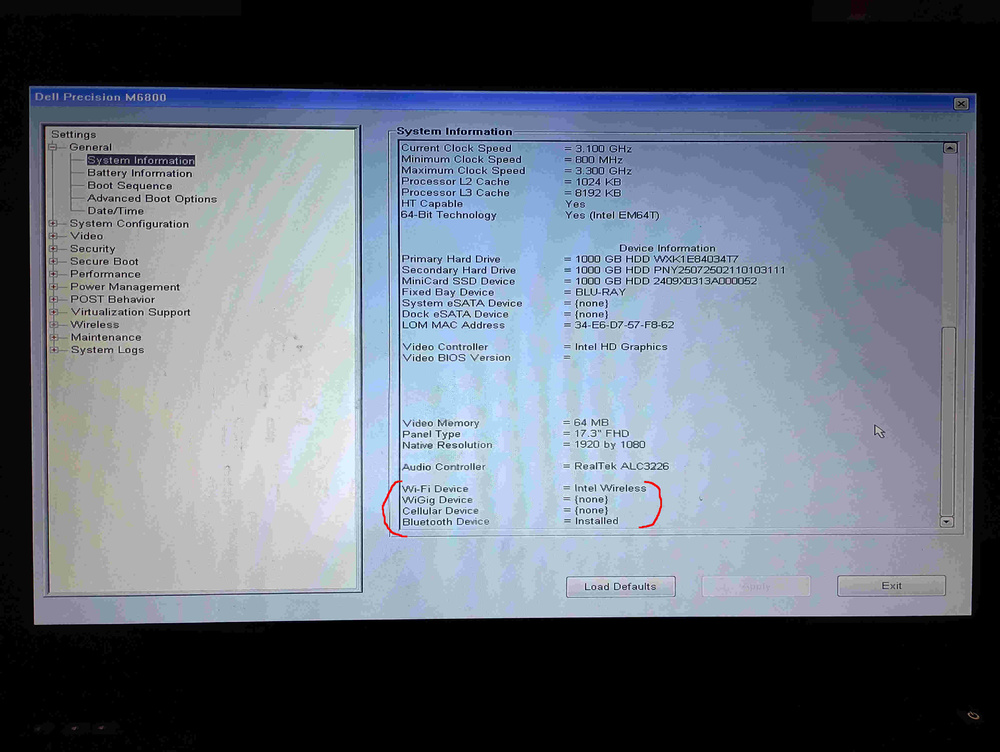
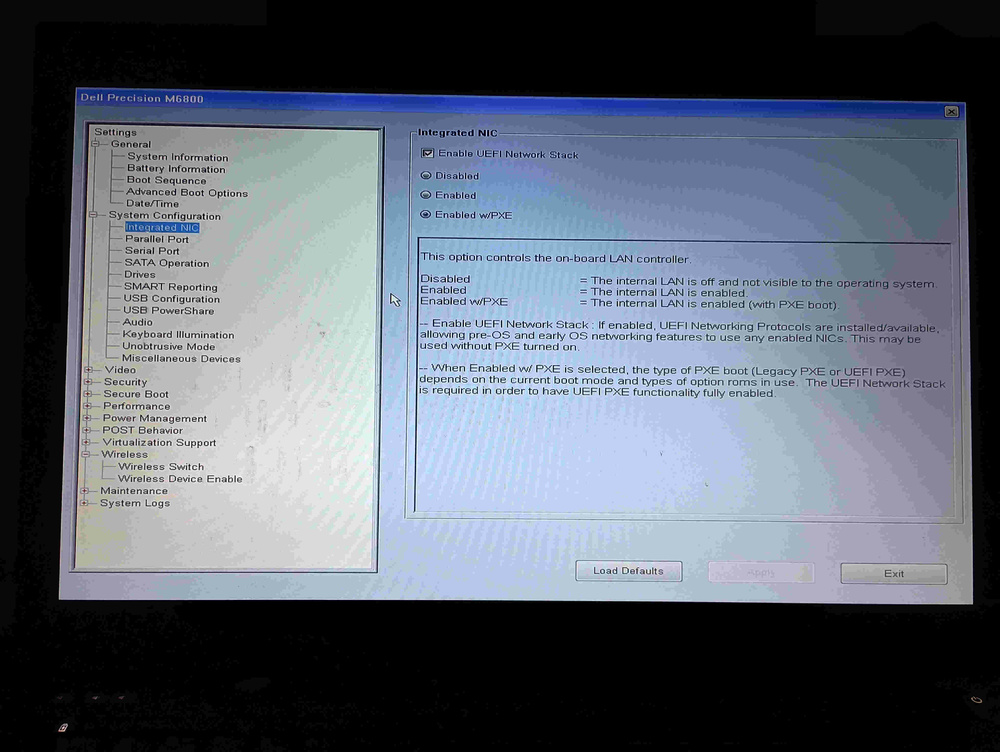
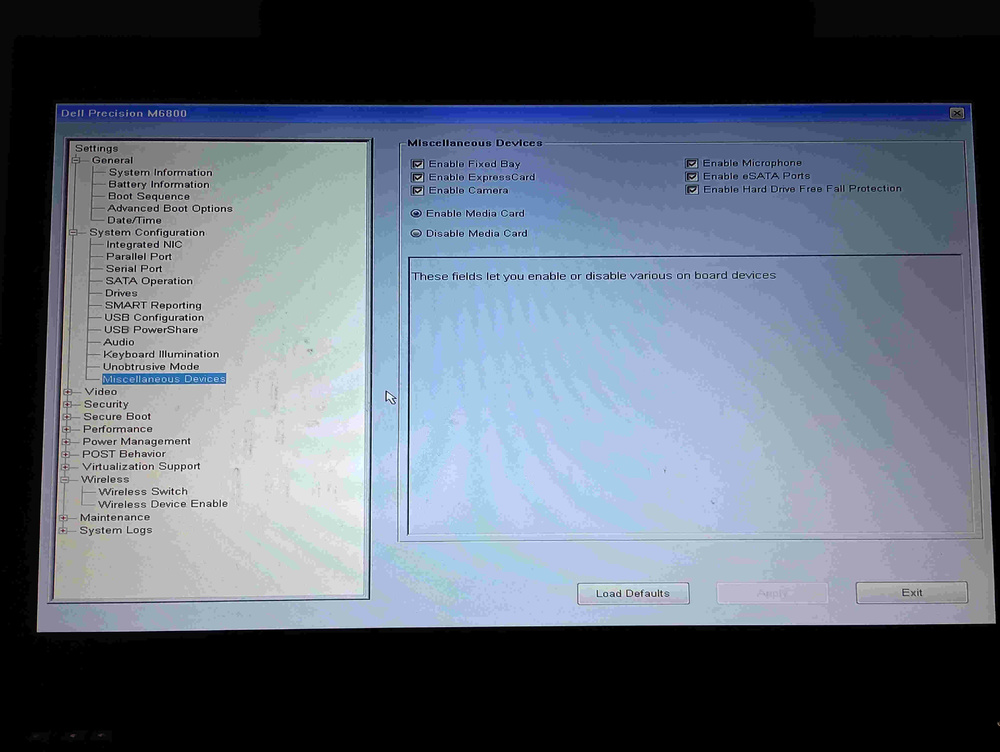
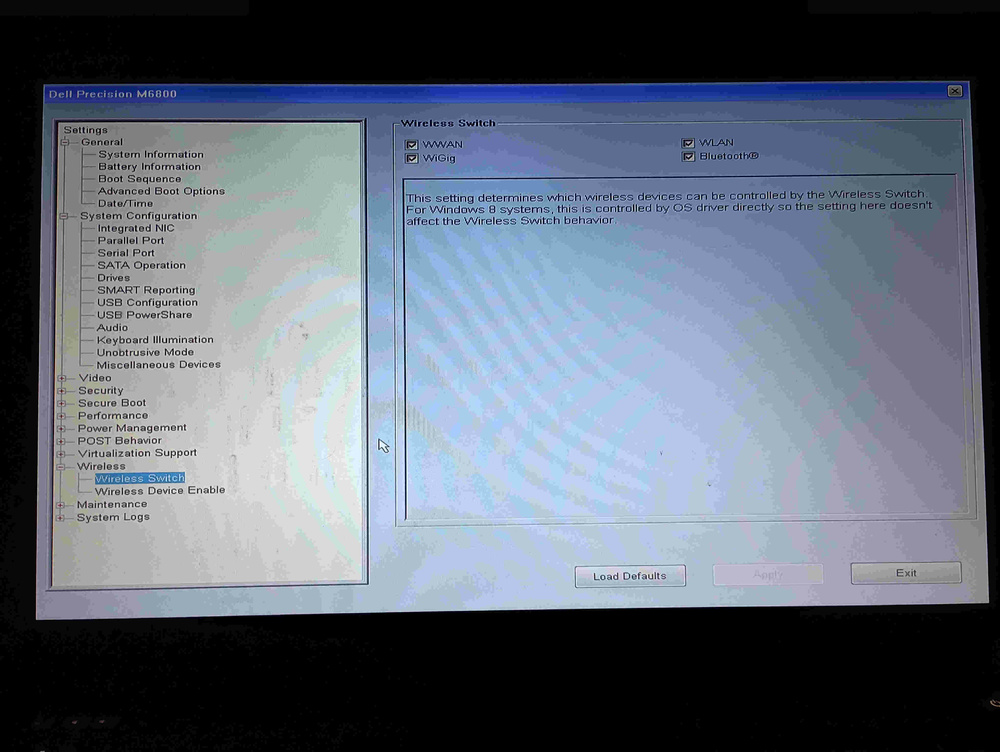
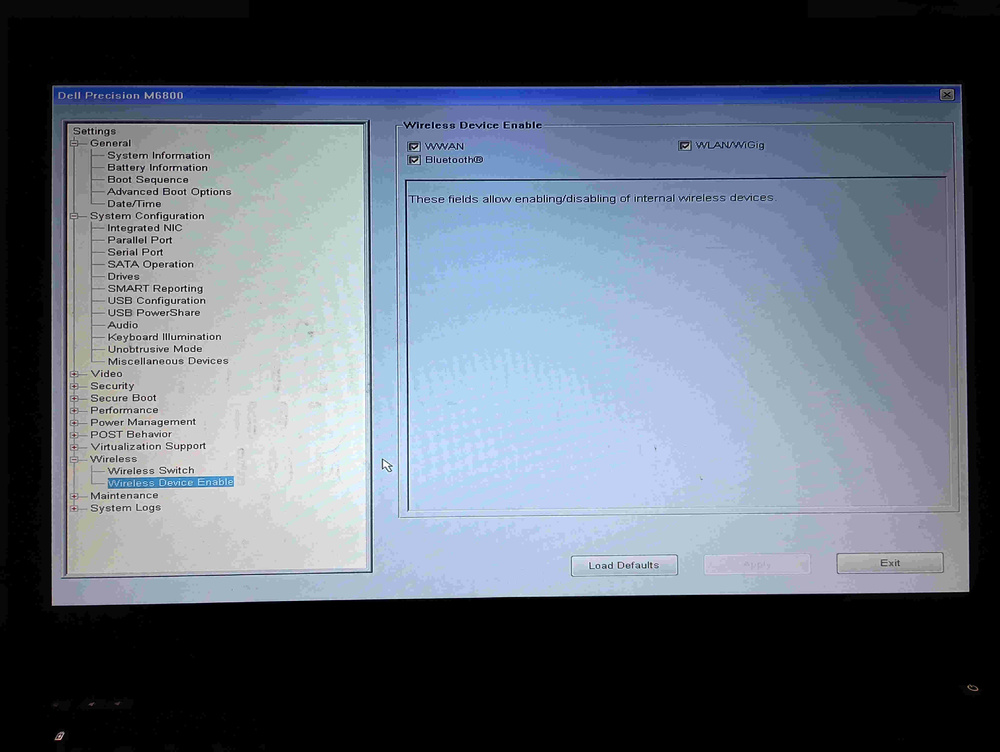
Just got one of those for my M6800, without antennas, because I really didn't want to take the screen apart too, to swap them out, and now I'm having some problems. https://www.amazon.com/8774Mbps-Gigabit-Interface-Bluetooth-BE200HMW/dp/B0DNZS761K?th=1 Ubuntu Studio 24.04 LTS booted right up with the new card, but it didn't see any WiFi at all. lspci says: 00:00.0 Host bridge: Intel Corporation Xeon E3-1200 v3/4th Gen Core Processor DRAM Controller (rev 06) 00:01.0 PCI bridge: Intel Corporation Xeon E3-1200 v3/4th Gen Core Processor PCI Express x16 Controller (rev 06) 00:02.0 VGA compatible controller: Intel Corporation 4th Gen Core Processor Integrated Graphics Controller (rev 06) 00:03.0 Audio device: Intel Corporation Xeon E3-1200 v3/4th Gen Core Processor HD Audio Controller (rev 06) 00:14.0 USB controller: Intel Corporation 8 Series/C220 Series Chipset Family USB xHCI (rev 04) 00:16.0 Communication controller: Intel Corporation 8 Series/C220 Series Chipset Family MEI Controller #1 (rev 04) 00:19.0 Ethernet controller: Intel Corporation Ethernet Connection I217-LM (rev 04) 00:1a.0 USB controller: Intel Corporation 8 Series/C220 Series Chipset Family USB EHCI #2 (rev 04) 00:1b.0 Audio device: Intel Corporation 8 Series/C220 Series Chipset High Definition Audio Controller (rev 04) 00:1c.0 PCI bridge: Intel Corporation 8 Series/C220 Series Chipset Family PCI Express Root Port #1 (rev d4) 00:1c.2 PCI bridge: Intel Corporation 8 Series/C220 Series Chipset Family PCI Express Root Port #3 (rev d4) 00:1c.3 PCI bridge: Intel Corporation 8 Series/C220 Series Chipset Family PCI Express Root Port #4 (rev d4) 00:1c.4 PCI bridge: Intel Corporation 8 Series/C220 Series Chipset Family PCI Express Root Port #5 (rev d4) 00:1c.6 PCI bridge: Intel Corporation 8 Series/C220 Series Chipset Family PCI Express Root Port #7 (rev d4) 00:1c.7 PCI bridge: Intel Corporation 8 Series/C220 Series Chipset Family PCI Express Root Port #8 (rev d4) 00:1d.0 USB controller: Intel Corporation 8 Series/C220 Series Chipset Family USB EHCI #1 (rev 04) 00:1f.0 ISA bridge: Intel Corporation QM87 Express LPC Controller (rev 04) 00:1f.2 RAID bus controller: Intel Corporation 82801 Mobile SATA Controller [RAID mode] (rev 04) 00:1f.3 SMBus: Intel Corporation 8 Series/C220 Series Chipset Family SMBus Controller (rev 04) 01:00.0 VGA compatible controller: NVIDIA Corporation GP104GLM [Quadro P5000 Mobile] (rev a1) 01:00.1 Audio device: NVIDIA Corporation GP104 High Definition Audio Controller (rev a1) 03:00.0 Network controller: Intel Corporation Wi-Fi 7(802.11be) AX1775*/AX1790*/BE20*/BE401/BE1750* 2x2 (rev 1a) 11:00.0 SD Host controller: O2 Micro, Inc. SD/MMC Card Reader Controller (rev 01) I swapped back to the old card, and it wouldn't boot. Got stuck on the second Ubuntu Studio splash screen, after auto-login, for loading the user's settings. Same with no card, and even with the new card again! It was rock-solid reliable before! The BIOS says with the new card: I finally got it to boot again, with the new card, though I don't know how or why. Didn't change anything. And I still don't have WiFi. Fortunately, my home dock is wired, and that still works, but I do need WiFi when I take it places. Any ideas?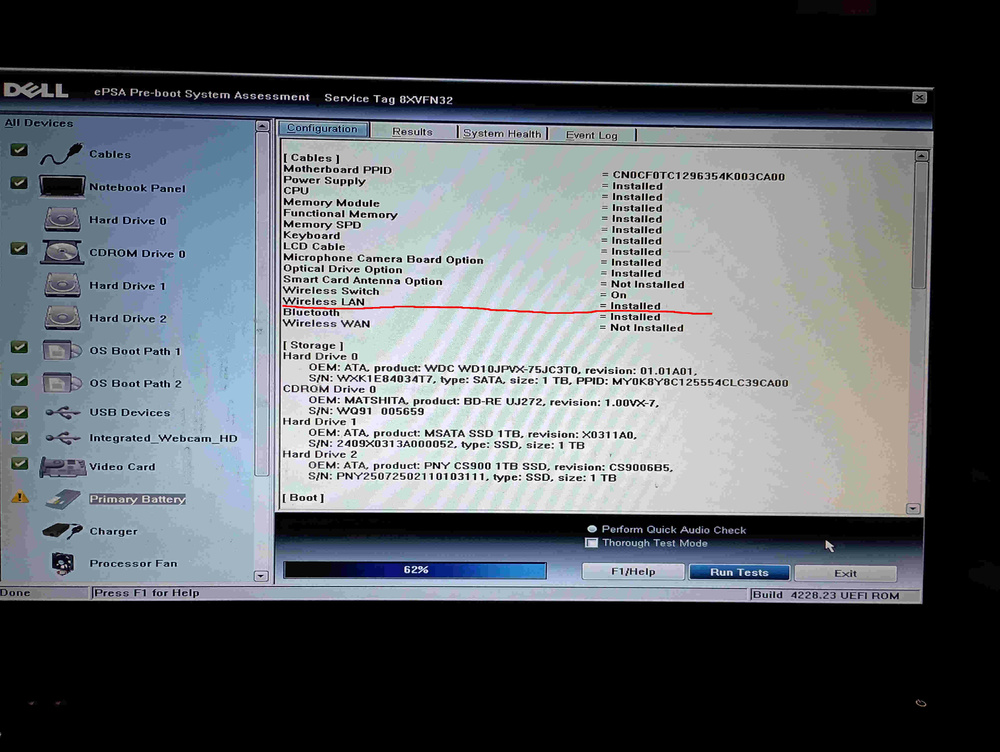
-
Precision M6800 questions and upgrades
AaronD replied to Jers6410's topic in Pro Max & Precision Mobile Workstation
Ah yes, vBIOS. I'd forgotten about that, despite having a bit of a process to get mine. vBIOS is like the main BIOS, except it's on the GPU. (the 'v' is for video) Essentially, you're reprogramming the GPU so that it behaves like something the main BIOS can work with. And that could be a hard stop in support, even if the electrical connections are all good. You can't just stuff a random vBIOS in there. It has to be made for the card you're putting it on, because it does a lot else too. So in terms of what *we're* doing, you can kinda think of it as a bridge between the circuitry in the card and the BIOS in the main machine. Both ends of that bridge have to work, and eventually, you won't be able to get the entire combination. That's a hard stop. I've only had the one, and it was on a site that was clearly legacy and specific to the card. So I can't answer that question directly, but just give you a sense of what you're getting into. It also required an old version of Linux to actually install the vBIOS, because the periodic cleanup(s) that happened since then removed that support. Once I did though, modern Linux knew what to do with it. If you're on Windoze, I couldn't tell you anything anymore; I ditched M$ when Win10 refused to update on my M6800. -
Precision M6800 questions and upgrades
AaronD replied to Jers6410's topic in Pro Max & Precision Mobile Workstation
I imagine that that would be more along the lines of, "I have this machine already, it's not actually going anywhere, and I want to put something in it that doesn't fit. So instead of buying a whole 'nother machine, I'll put this in what I already have." I can't see it being easily portable after that mod, because of the heavy brick on a captive cable, the case mods to get that cable out, and the required stand so it doesn't sit on that cable and rock like a 4-legged stool that's missing a foot. But beyond all that, I can see it being useful for someone. Doesn't have the hard stop on support like the internal slot does...or at least not until the industry decides to use something other than PCIe... -
Precision M6800 questions and upgrades
AaronD replied to Jers6410's topic in Pro Max & Precision Mobile Workstation
Every once in a while, I use mine for live FHD video. (cameras, local sources, etc., with production and encoding all in the moment and all "in the box") That tends to eat RAM. And CPU cycles, even if it does offload the encoding part to the GPU. It's not the sort of thing that can wait either: each frame *must* finish before the next one starts. But this 10-year-old design with mostly original parts (all except storage, GPU, and OS) does keep up with it! 32GB and an i7-4940MX. -
Precision M6800 questions and upgrades
AaronD replied to Jers6410's topic in Pro Max & Precision Mobile Workstation
From my experience, a couple of pages back (understandable if you didn't find it): So I'd recommend a dremel (or equivalent) with a cutoff wheel. It'll create lots of fine dust, which you can mop up with a moist tissue and then follow with a dry one. Know which direction the wheel is turning, which tells you where the dust is going to be injected into stuff, and use that information to try and keep the pads at least somewhat clean. As always, the important part is not the direct work - that's relatively easy and straightforward - but the prep, cleanup, and thinking all the way through things, so as not to mess something *else* up just because you didn't think of it. Mine's working great, by the way. Thanks guys for the recommendation and reassurance! -
Precision M6800 questions and upgrades
AaronD replied to Jers6410's topic in Pro Max & Precision Mobile Workstation
It finally works! Thank you! I still have the USB installer for the Ubuntu Studio 24.04 system that I'm currently running, and I found the exact version of Mint that you used (18.3 Cinnamon) and put that installer on a different USB. Took a while to find it, as it's not on the front page anymore, but it can still be had if you look a little more. Then I saved all the relevant info including the page that you linked here, to a third USB drive ("Netac" below) so I could do everything offline, and swapped hardware one more time. The fully modern installer didn't like the original vBIOS any better than the already installed version - it also got stuck as soon as it got control, and was still stuck after letting it sit for far longer than it needed when I first installed from it - but the old Mint did work. The update went flawlessly, and then the modern installer ran too, as does the already installed version. Then install the latest driver (580), reboot, see that my display management scripts need different ID's and fix that... Anyway, here's a terminal dump, composited across the two systems, in case anyone's interested: mint@mint ~ $ cd /media/mint/Netac/GPU-Upgrade/vBIOS_Upgrade mint@mint /media/mint/Netac/GPU-Upgrade/vBIOS_Upgrade $ nvflash_5.867_linux/x64/nvflash NVIDIA Firmware Update Utility (Version 5.867.0) Copyright (C) 1993-2024, NVIDIA Corporation. All rights reserved. -- Primary Commands -- Update VBIOS firmware: nvflash [options] <filename> Save VBIOS firmware to file: nvflash [options] --save <filename> Display firmware bytes: nvflash [options] --display [bytes] Change the start address: nvflash [options] --offset [start] Display firmware bytes in ASCII: nvflash [options] --string Check for supported EEPROM: nvflash [options] --check Display VBIOS version: nvflash [options] --version [<filename>] List adapters: nvflash [options] --list Compare adapter firmware: nvflash [options] --compare <filename> Verify adapter firmware: nvflash [options] --verify <filename> Verify adapter IFR firmware: nvflash [options] --verify --ifronly <filename> Display GPU ECID/PDI: nvflash [options] --ecid Display License information: nvflash [options] --licinfo <filename> Generate a License Request File: nvflash [options] --licreq <filename>,<reqType> Provide a HULK license file: nvflash [options] --license <filename> List out all the PCI devices: nvflash [options] --lspci Access PCI Configure register: nvflash [options] --setpci Display tool building information:nvflash [options] --buildinfo Display GMAC MCU version: nvflash [options] --querygmac Update GMAC MCU firmware: nvflash [options] --proggmac <filename>.rom Save GMAC MCU firmware to file: nvflash [options] --savegmac <filename>.rom List GMAC MCUs: nvflash [options] --listgmac Write protect EEPROM: nvflash [options] --protecton Remove write protect: nvflash [options] --protectoff Press 'Enter' to continue, or 'Q' to quit. mint@mint /media/mint/Netac/GPU-Upgrade/vBIOS_Upgrade $ nvflash_5.867_linux/x64/nvflash --list NVIDIA Firmware Update Utility (Version 5.867.0) Copyright (C) 1993-2024, NVIDIA Corporation. All rights reserved. NVIDIA display adapters present in system: ERROR: You need to be a superuser to run this program mint@mint /media/mint/Netac/GPU-Upgrade/vBIOS_Upgrade $ sudo nvflash_5.867_linux/x64/nvflash --list NVIDIA Firmware Update Utility (Version 5.867.0) Copyright (C) 1993-2024, NVIDIA Corporation. All rights reserved. NVIDIA display adapters present in system: <0> Quadro P5000 (10DE,1BB6,1028,15CD) S:00,B:01,D:00,F:00 mint@mint /media/mint/Netac/GPU-Upgrade/vBIOS_Upgrade $ sudo nvflash_5.867_linux/x64/nvflash --save P5000old.rom NVIDIA Firmware Update Utility (Version 5.867.0) Copyright (C) 1993-2024, NVIDIA Corporation. All rights reserved. Reading EEPROM (this operation may take up to 30 seconds) Build GUID : 00000000000000000000000000000000 Build Number : 21053405 IFR Subsystem ID : Blank Subsystem Vendor ID : 0x1028 Subsystem ID : 0x07B1 Version : 86.04.3A.00.25 Image Hash : DB6566F7D5A86FCE3CCB2D24F254DA83 Hierarchy ID : Normal Board Build Date : 08/16/16 Modification Date : 10/13/16 UEFI Version : 0x30004 ( x64 ) UEFI Variant ID : 0x0000000000000007 ( GP1xx ) UEFI Signer(s) : Microsoft Corporation UEFI CA 2011 XUSB-FW Version ID : N/A XUSB-FW Build Time : N/A InfoROM Version : No Version Found InfoROM Backup : Not Present License Placeholder : Not Present GPU Mode : N/A CEC OTA-signed Blob : Not Present mint@mint /media/mint/Netac/GPU-Upgrade/vBIOS_Upgrade $ sudo nvflash_5.867_linux/x64/nvflash --protectoff NVIDIA Firmware Update Utility (Version 5.867.0) Copyright (C) 1993-2024, NVIDIA Corporation. All rights reserved. Setting EEPROM protection complete. mint@mint /media/mint/Netac/GPU-Upgrade/vBIOS_Upgrade $ sudo nvflash_5.867_linux/x64/nvflash --overridesub P5000v3.rom NVIDIA Firmware Update Utility (Version 5.867.0) Copyright (C) 1993-2024, NVIDIA Corporation. All rights reserved. Checking for matches between display adapter(s) and image(s)... Reading EEPROM (this operation may take up to 30 seconds) WARNING: Firmware image PCI Subsystem ID (1028.07B1) does not match adapter PCI Subsystem ID (1028.15CD). You are intending to override PCI Subsystem ID. Are you sure you want to continue? Press 'y' to confirm (any other key to abort): y Overriding the PCI Subsystem ID mismatch. Current - Version:86.04.3A.00.25 ID:10DE:1BB6:1028:07B1 GP104 Board (Normal Board) Replace with - Version:86.04.2E.00.0D ID:10DE:1BB6:1028:07B1 GP104 Board (Normal Board) Update display adapter firmware? Press 'y' to confirm (any other key to abort): y Reading EEPROM (this operation may take up to 30 seconds) [==================================================] 100 % Reading EEPROM (this operation may take up to 30 seconds) A reboot is required for the update to take effect. Reading EEPROM (this operation may take up to 30 seconds) mint@mint /media/mint/Netac/GPU-Upgrade/vBIOS_Upgrade $ sudo nvflash_5.867_linux/x64/nvflash --protecton NVIDIA Firmware Update Utility (Version 5.867.0) Copyright (C) 1993-2024, NVIDIA Corporation. All rights reserved. Setting EEPROM protection complete. mint@mint /media/mint/Netac/GPU-Upgrade/vBIOS_Upgrade $ <reboot to other OS> aaron@aaron-M6800:~$ sudo apt install nvidia-driver-580 <output not captured> aaron@aaron-M6800:~$ reboot aaron@aaron-M6800:~$ nvidia-smi Mon Sep 8 15:49:58 2025 +-----------------------------------------------------------------------------------------+ | NVIDIA-SMI 580.82.07 Driver Version: 580.82.07 CUDA Version: 13.0 | +-----------------------------------------+------------------------+----------------------+ | GPU Name Persistence-M | Bus-Id Disp.A | Volatile Uncorr. ECC | | Fan Temp Perf Pwr:Usage/Cap | Memory-Usage | GPU-Util Compute M. | | | | MIG M. | |=========================================+========================+======================| | 0 Quadro P5000 Off | 00000000:01:00.0 On | N/A | | N/A 57C P8 6W / 100W | 80MiB / 16384MiB | 0% Default | | | | N/A | +-----------------------------------------+------------------------+----------------------+ +-----------------------------------------------------------------------------------------+ | Processes: | | GPU GI CI PID Type Process name GPU Memory | | ID ID Usage | |=========================================================================================| | 0 N/A N/A 2576 G /usr/lib/xorg/Xorg 69MiB | +-----------------------------------------------------------------------------------------+ aaron@aaron-M6800:~$ -
Precision M6800 questions and upgrades
AaronD replied to Jers6410's topic in Pro Max & Precision Mobile Workstation
If it's not too much trouble. Thanks! Just want to see if a known working configuration reports itself the same as mine. I'll have to wait until after the weekend to do that, but it does sound promising... I also found an A26 version of the BIOS on Dell's website, compared to my A23, and downloaded it. Haven't installed yet. Any risk to that? Or possible benefit? https://www.dell.com/support/home/en-us/drivers/driversdetails?driverid=nr58c