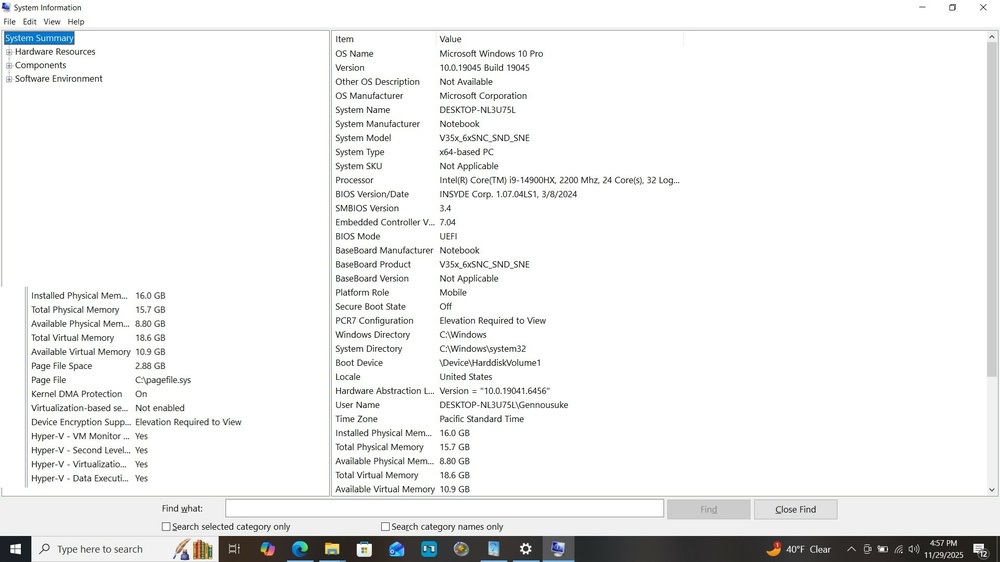
So I have an issue, I have this laptop in the title, on the manual in bios section it states this for overclocking menu:
Overclocking Performance Menu (Advanced Menu) (For Some Processors Only) This menu will be available for processors that support CPU overclocking. Click on Overclocking Performance Menu and then click on the Overclocking Feature item to enable it (it is Disabled by default) and to configure the Memory settings from the Control Center.
My issue is my laptop has a 14900hx and according to AI it is an unlocked cpu which means it can be configured and overclocked, however this option to enable Overclocking CPU is not even listed in my bios and I submitted a ticket for a bios update on the Sager laptop but they seem to take too long or not responding at all.
I need an updated bios for this laptop, and the original bios too as backup just in case, or a custom bios that will 100% work with this pc that has all the features I need to overclock, if it also has ram and/or gpu overclock as well it would be a plus but mainly I cant play video games without crashing at all because I cant change my multiplier on my CPU and so I cant play league of legends anymore and I cant play roblox without crashing and I cant play any game at all cause my cpu just crashes once it tries to hit the default mark.
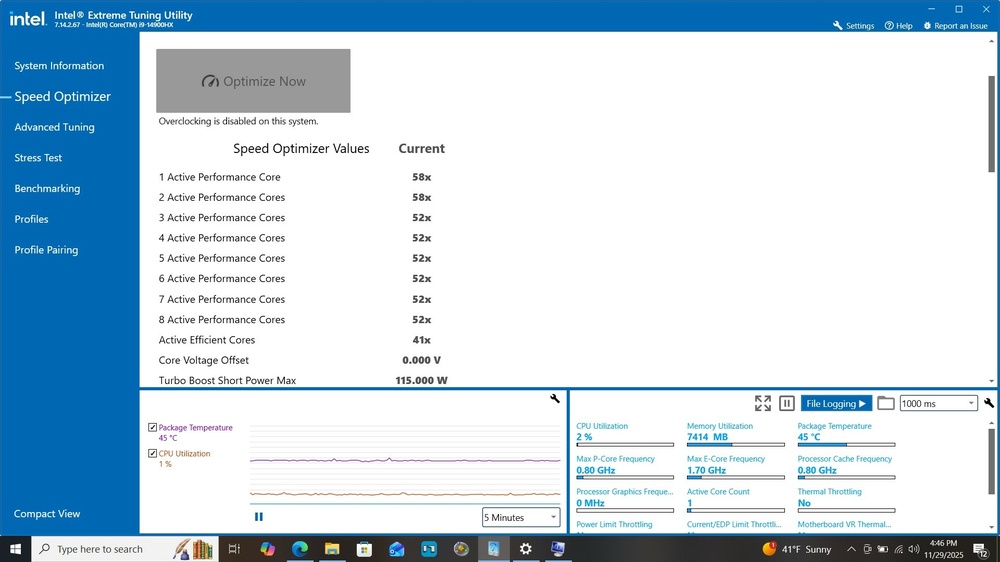
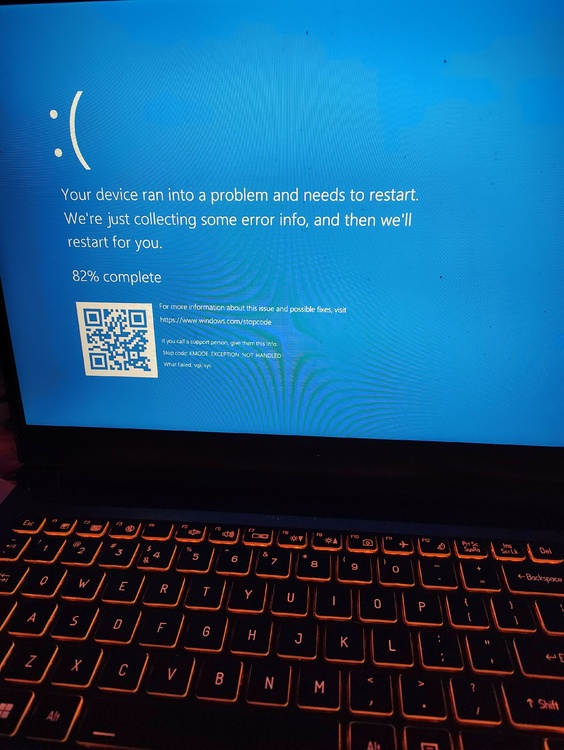
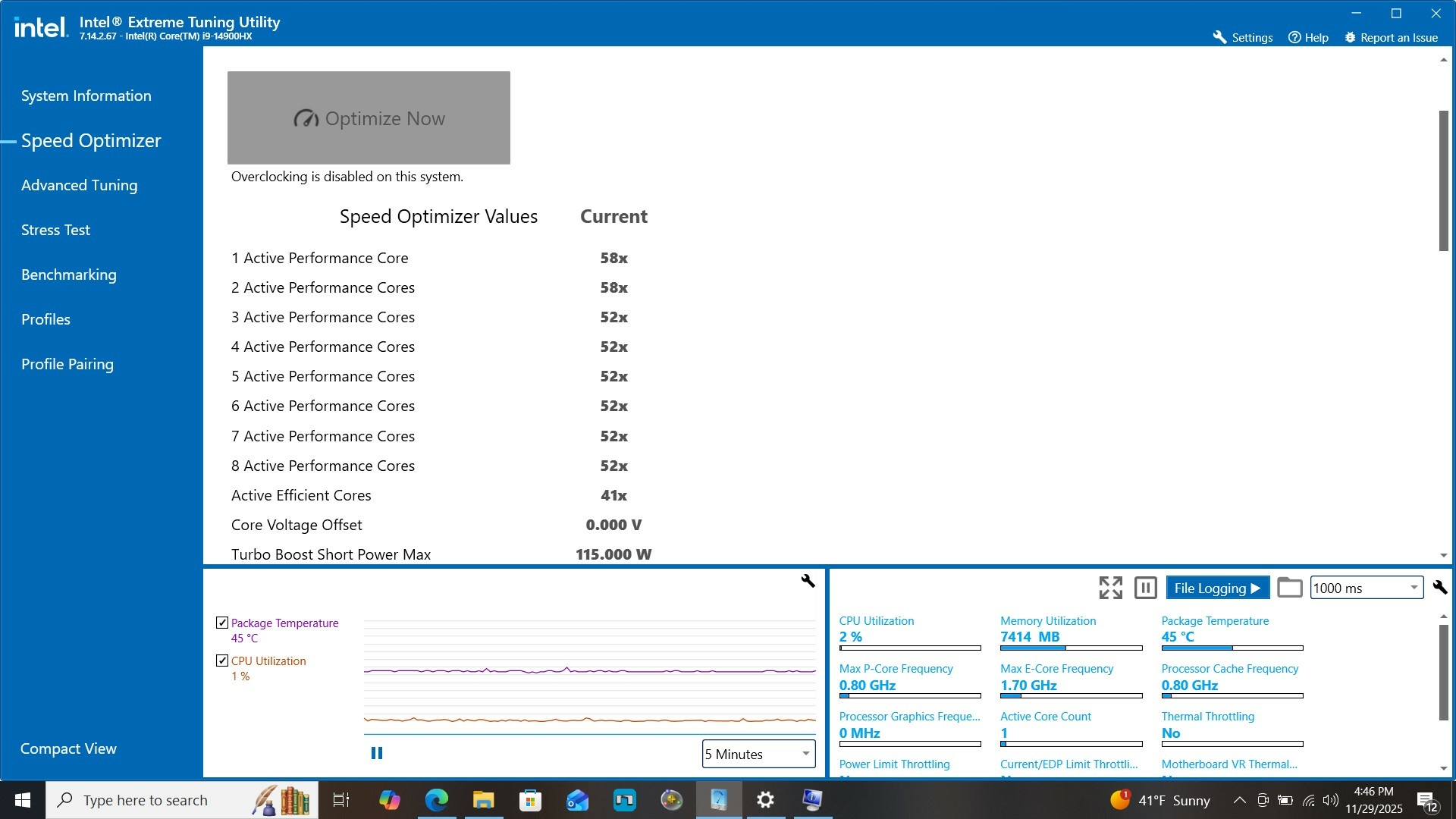
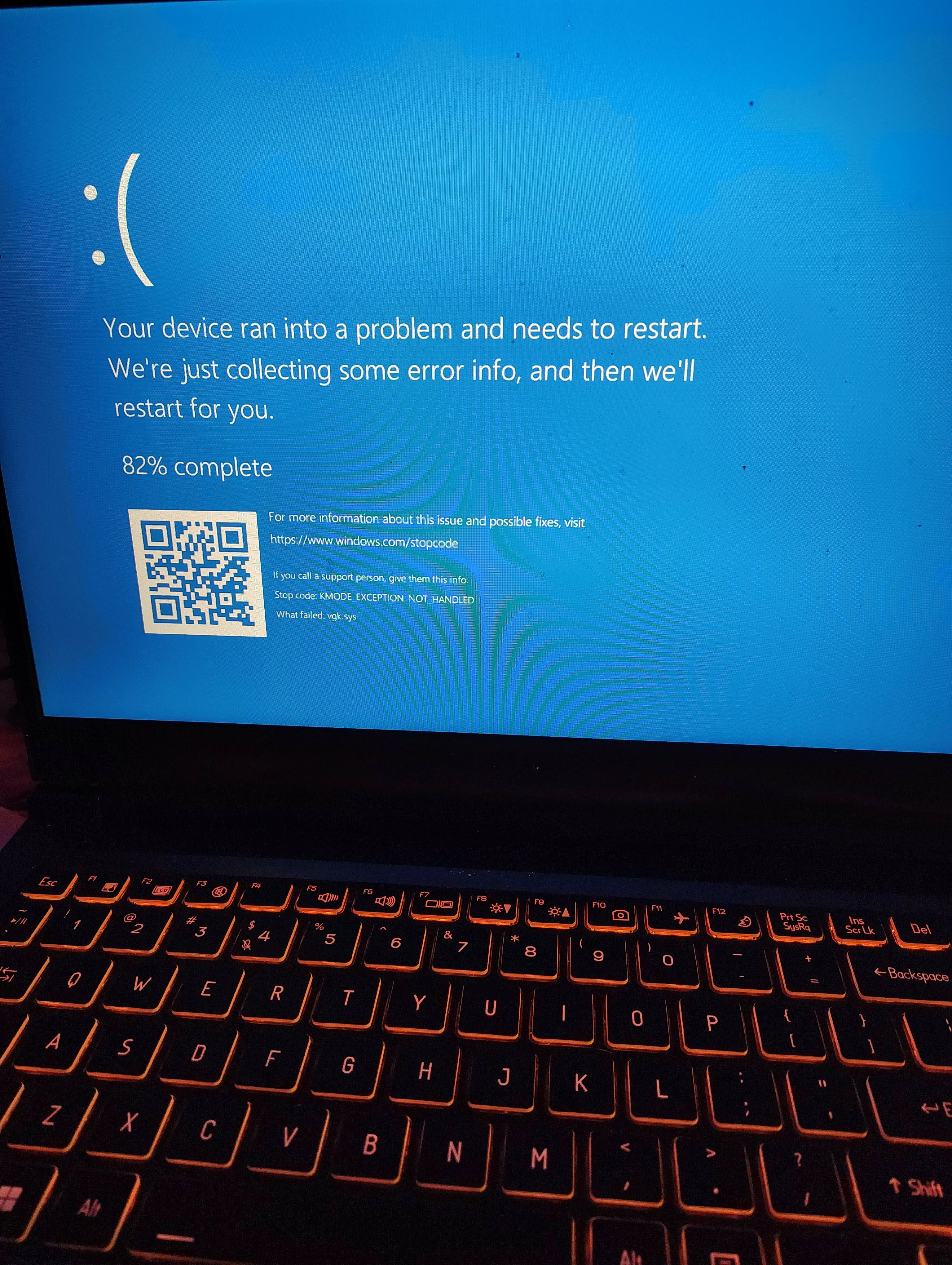
VGK.sys is one of my issues that makes me crash, kernel power as well, event logs states firmware is limiting the speed of my cpu, and according to riot the fix is to change the multiplier on my cpu from 55x to 54x or 53x, however Intel XTU is showing my cores as current:
1 - 58x
2 - 58x
3 - 52x
4 - 52x
5 - 52x
6 - 52x
7 - 52x
8 - 52x
and my optimization and customizations are locked cause my bios doesn't have overclocking feature for the cpu to enable.
Please help me. I tried on original Windows 11 then I installed a new Dual Boot Windows 10 and did all the updates and such and downloaded only 3 games and the GPU drivers updated as well and still have the same issue.
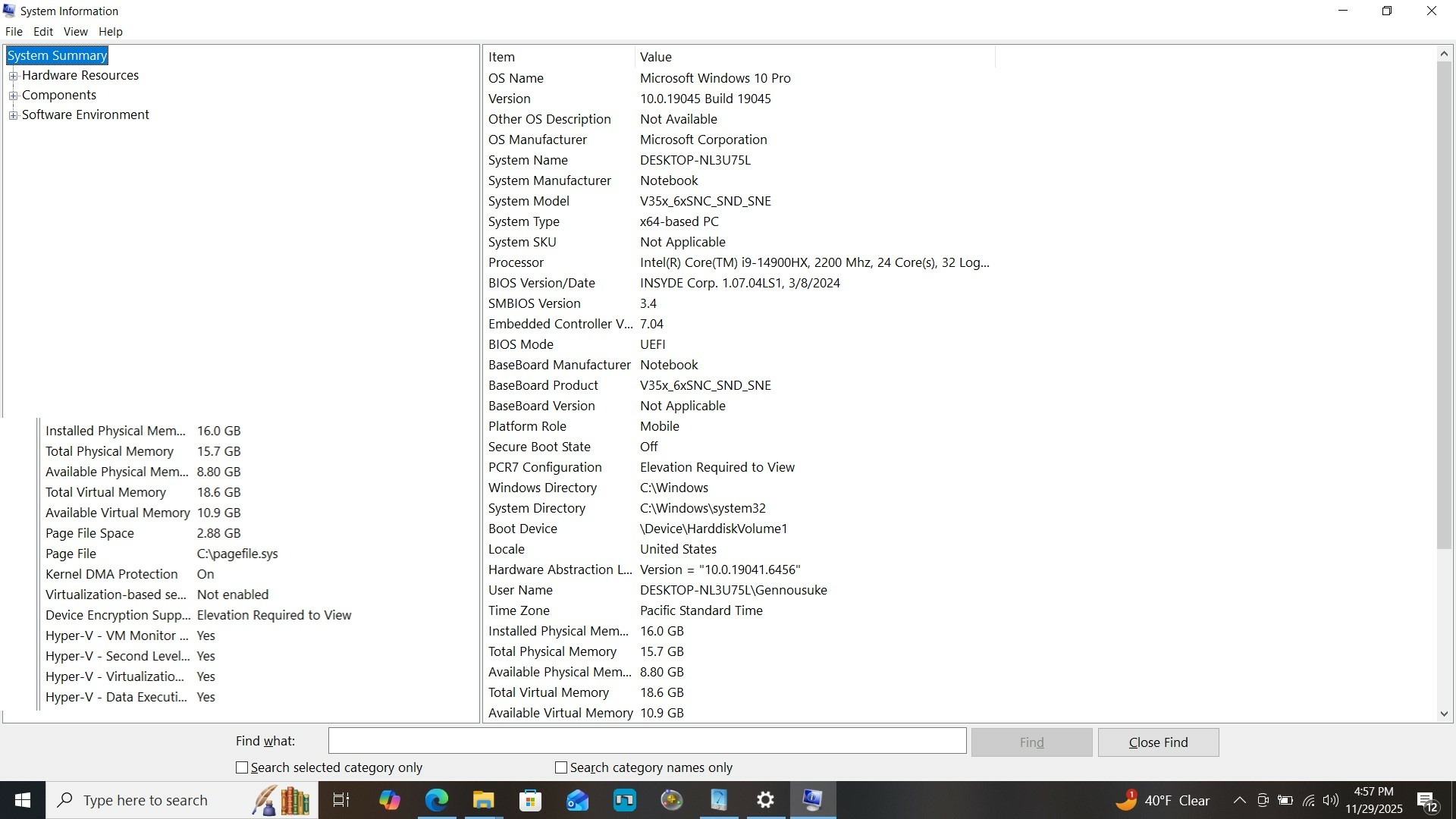
All System Info in pictures
Links For Info:
1 - vgk.sys Error Troubleshooting (13th and 14th Generation Intel CPUs) – VALORANT Support (riotgames.com)
2 - can i9 14900hx be overclocked? - Search (bing.com)
3 - can i9 14900hx on laptop be overclocked? - Search (bing.com)