MS-16L13
-
Posts
38 -
Joined
-
Last visited
Content Type
Profiles
Forums
Events
Posts posted by MS-16L13
-
-
1 hour ago, ssj92 said:
The MXM to PCIe developer is the one that knows?
The first to get the 5500XT to output an edp signal was the developer of that adapter board.
-
 1
1
-
-
53 minutes ago, ssj92 said:
Do you have the information on what resistor must be changed to allow eDP output on A4500?
If I can find someone local in US I can show them what must be done and see if this allows it to work in laptop
You have to ask the developer of the adapter board to know this question. Only he knows the way to make MXM graphics card forced output edp.
-
14 hours ago, QQisQQ said:
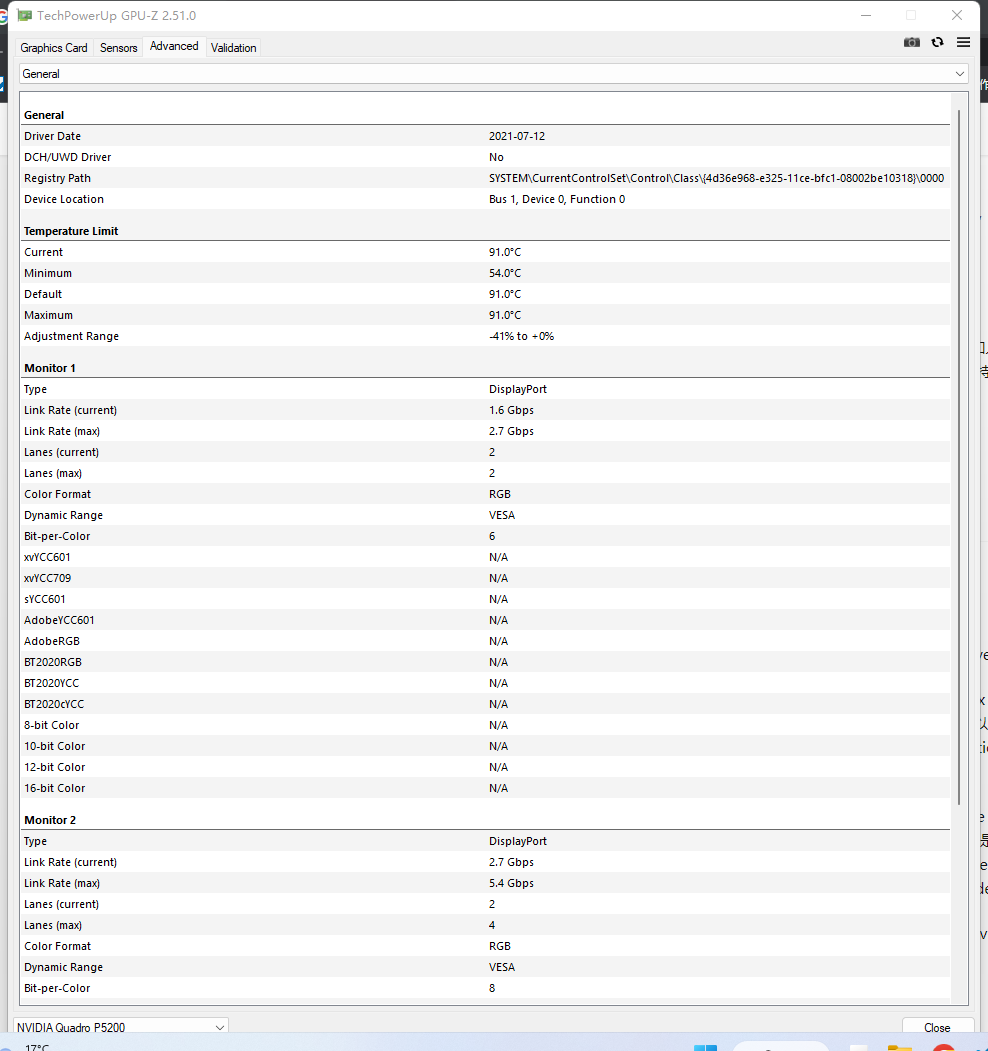
I am also a MS-16L1 user has also been suffering from P5200 displayport can not output, until one day I tried to use NVIDIA dp firmware upgrade 1.0, although the results show that "This tool is for use with add-in graphics cards only", but my laptop dp interface connected to the monitor can work properly. And as long as I don't shut down or log off everything works fine, playing Cyberpunk 2077 frame rate as usual, and there is no bug.(presumably disable the graphics driver and then enable it, you can also use gpu-z's save vbios button) I hope someone can find a long-term solution.
![PRMDIH@[]N}FATKAJP9]K3N.png](https://notebooktalk.net/uploads/monthly_2022_12/1643921465_PRMDIH@NFATKAJP9K3N.png.51d6ce1bb371978fdcf1c49fc52b4500.png)
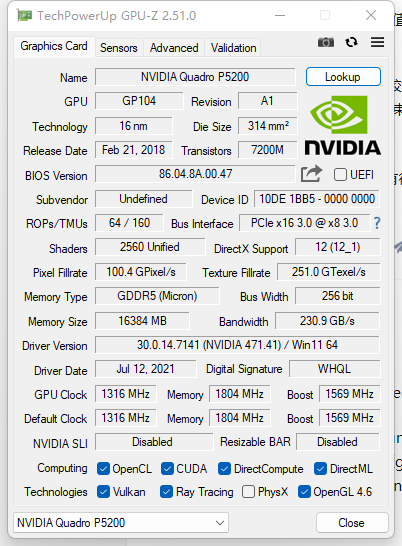
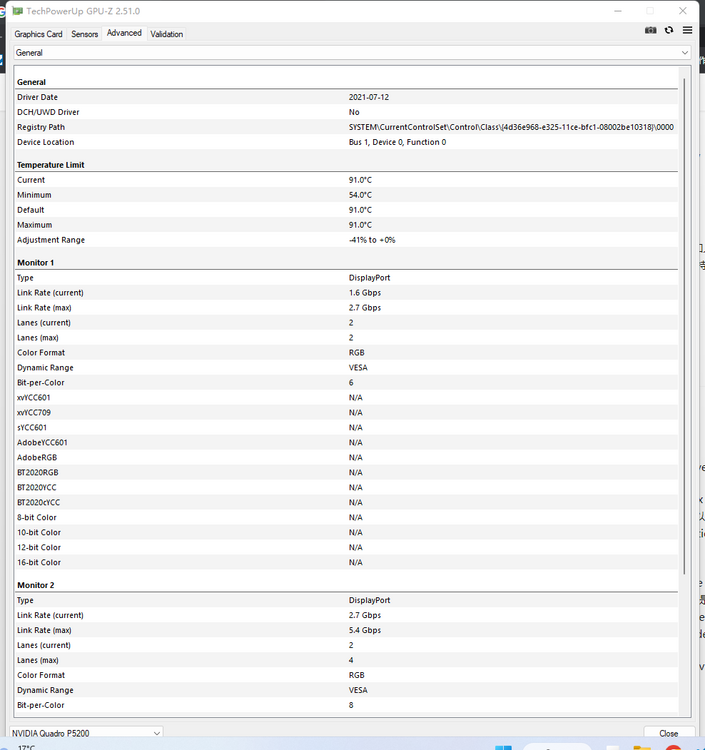
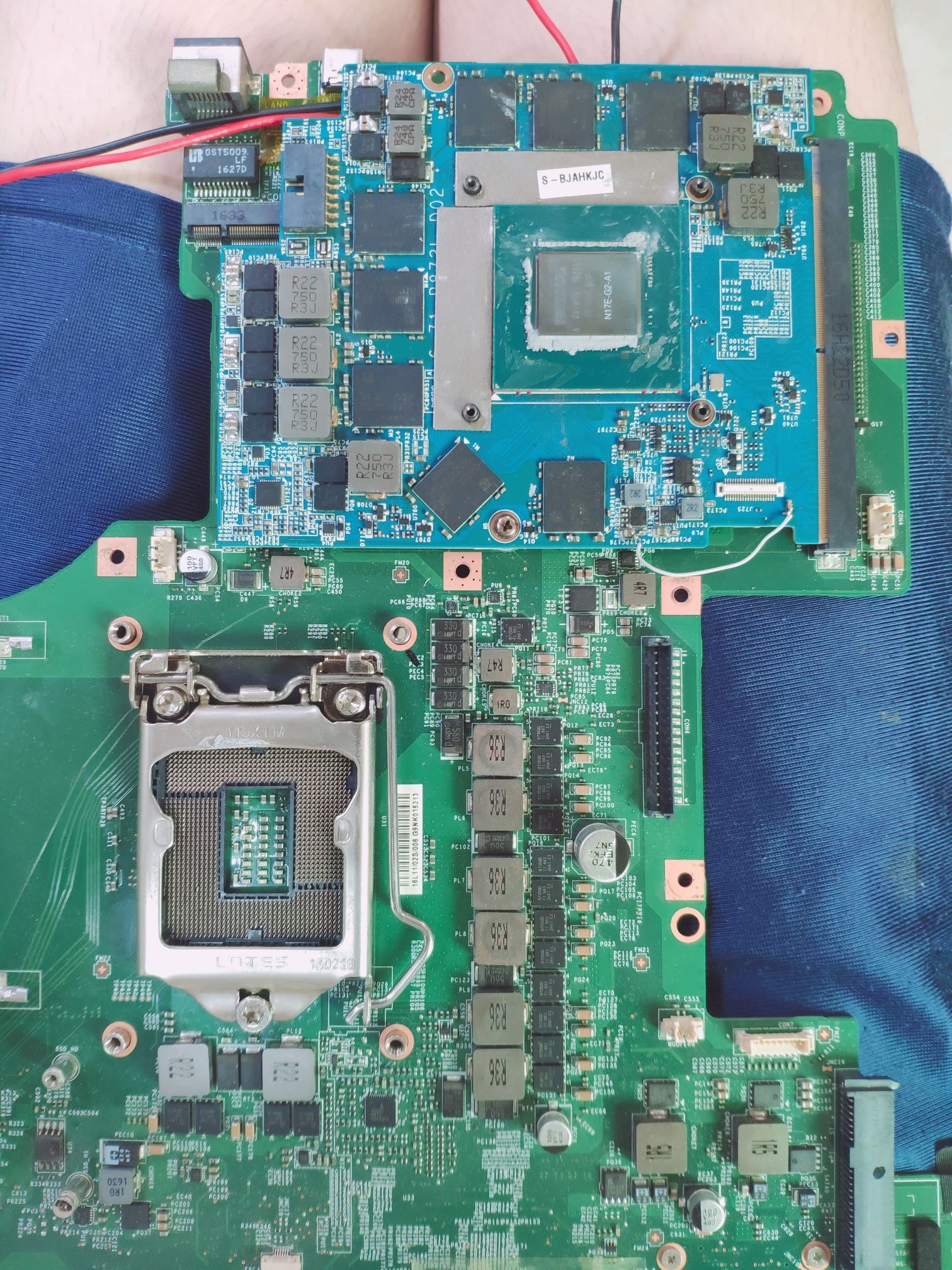
This method didn't work on both versions of the CD P5200. I also noticed that you were using the standard version driver instead of the DCH driver, so I also purposely installed the standard version driver to test it. The DP output definition is determined by VB, and the MS-16L3 (Z270 chipset) machine can output DP normally and can display the full hardware ID instead of 8 zeros like the MS-16L1 (Z170 chipset).
I presume that the hardware of the 16L3 machine has reached a certain condition in VB, so it can display the DP and hardware ID normally.16L3 machine also has obvious flaws, it can't use graphics cards below Pascal's core, such as GTX9XXM, below Pascal's core of this generation can't be used normally on 16L3.
Now there are two solutions, the first for the P5200 flash into only HDMI and DP output version 86.04.71.00.16 VB. and then the card to modify the edp-related resistors to make it forced to output edp signal.
The second solution is to find the right VB, Lenovo Toshiba These two brands of laptops have been launched with the P5200 graphics card machine, good luck if one of them will be perfectly compatible with the 16L1. best or to extract the ZBOOK 17G5 native P5200 VB. -
1 minute ago, ssj92 said:
The black aliexpress one is easiest to buy and price isn't too bad. it should work with a4500?
2252303331@qq.com
This is the email of the developer of the X16 adapter board on ebay and aliexpress, you can ask him directly.
-
1
-
-
9 hours ago, ssj92 said:
Do you have link to Chinese ebay listing for that green card? I will ask my Chinese friend to see if they can order for me.
i also found this “v1.3” looks similar to aliexpress version, it should work?
This black version and the green version are the same, with the green version slightly earlier than the black version. The developer of this board is my acquaintance, the price can be really expensive, he himself in China to sell the price is less than a hundred dollars.This one is also available on (闲鱼).The big green board this person is sellinghttps://m.tb.cn/h.URbjyYs?tk=zviMddd2uBS
-
19 hours ago, ssj92 said:
The computers I am testing with support GP106 mxm card because they also do video output through integrated graphics.
I wonder if in this case I should try flashing A4500 as RTX 3070Ti from Alienware vBIOS?
I will also test card in Clevo P870DM as well.
I cannot find any mxm pcie x16 cards on eBay, only the x1 model.
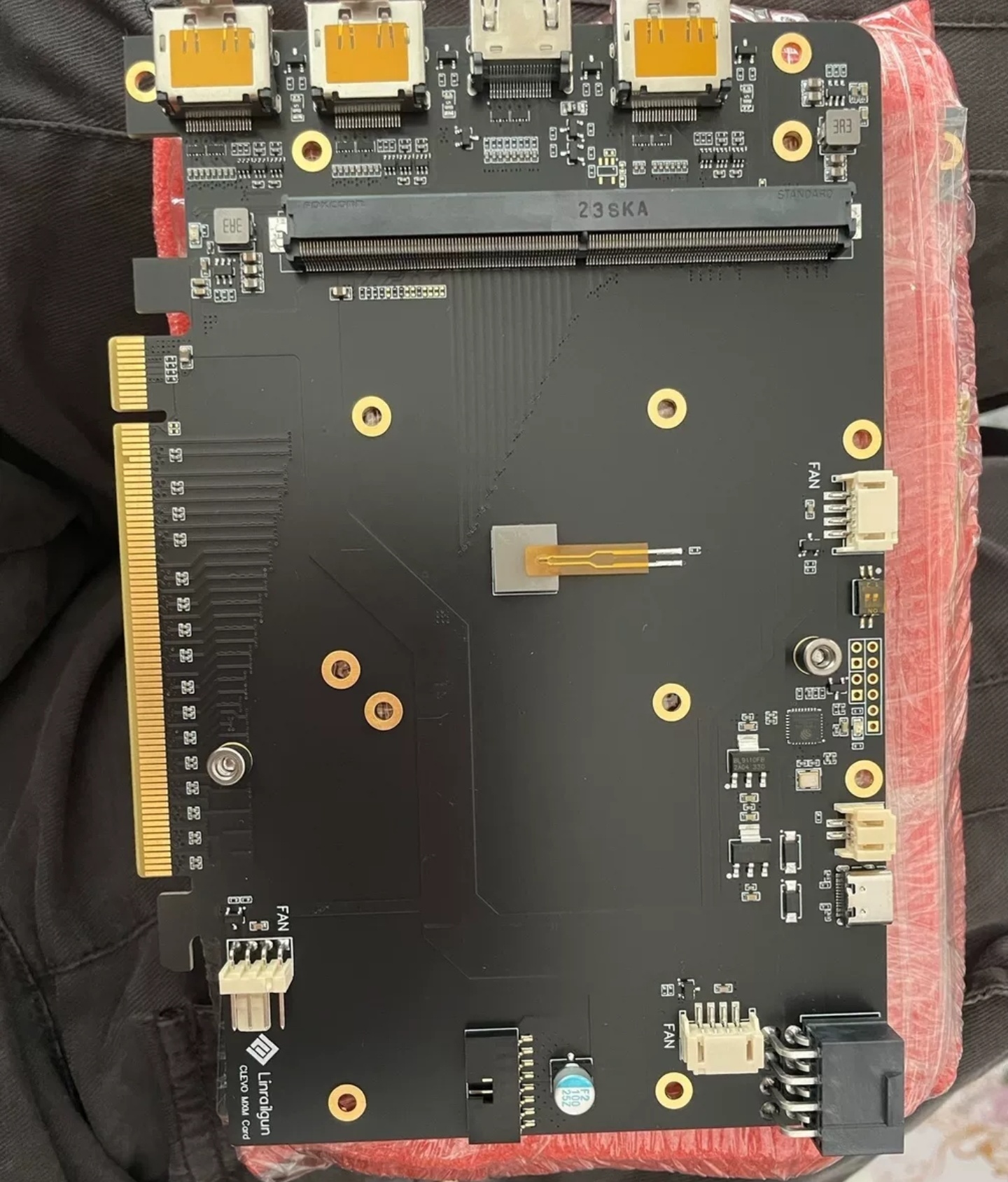
MXM to PCIE X16 version adapter boards are available for sale on aliexpress(https://pt.aliexpress.com/item/1005004569389235.html).This black version is not too compatible and easy to break,
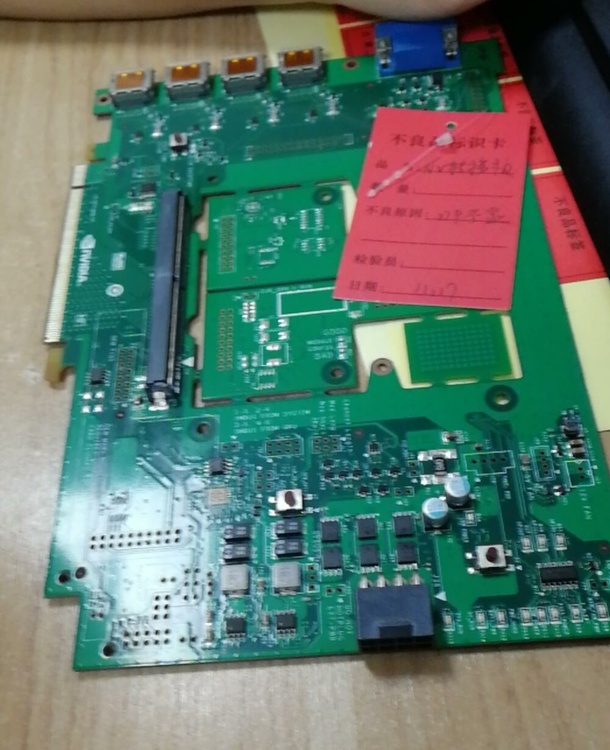
the green one is the nv official cooperation production, compatibility is very good and good quality. But few stores sell them, and now you can only see people selling them on China's ebay (闲鱼).
-
19 hours ago, ssj92 said:
The computers I am testing with support GP106 mxm card because they also do video output through integrated graphics.
I wonder if in this case I should try flashing A4500 as RTX 3070Ti from Alienware vBIOS?
I will also test card in Clevo P870DM as well.
I cannot find any mxm pcie x16 cards on eBay, only the x1 model.
You can't flash 3070Ti VB for the A4500.The two cards don't have the same VRAM configuration, and the A4500's memory support ECC. After I flashed the ZRT desktop core 2070 into the laptop core 2070Vbios, it didn't even work properly.
-
1
-
-
15 hours ago, ssj92 said:
So when I flash the HP/Dell vBIOS it posts fine because vBIOS has eDP definition but core is not wired? That’s why it has code 43 error?
or I still need to modify original vBIOS for eDP definition because HP/Dell vBIOS is too different?
In fact, starting from this generation of Pascal, nvidia's VB are encrypted and no one can edit them. At best, the power consumption can only be modified. And in the Pascal after the core even modify the power consumption can not be.
Not to mention modifying the VB display channel, someone once tried to add a display output to the VB of the P106 finally failed.
This type of MXM graphics card to play the driver code 43, there is a special situation that few people know.
The ZBOX en series of zotac I don't know if you've heard of them, their graphics cards use zotac custom 1060 1070 1080 mxm graphics cards, of which there are two versions of 1080, one of the CPU slot is LGA, when someone modified the bios for it so that it can support intel 9 generation Core.
Finally it worked, we managed to use the i9 9900 in ZBOX en1080, but something strange happened, the graphics card appeared 43, no matter how to install the driver to change the inf is code 43.The solution is to flash it into a MSI 1080MXM graphics card VB. nvidia does not want a MXM graphics card to be used on different machines, so there is some kind of hardware whitelist restriction between the driver and VB on some machines.
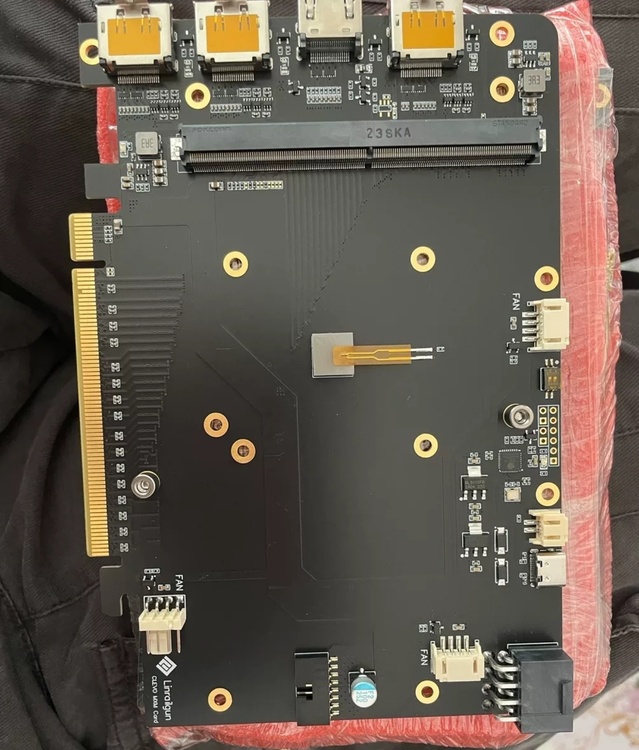
The MXM to PCIE adapter board I mentioned above can ignore this restriction. It can install any MXM graphics card without modifying the inf, you can directly install the driver to use.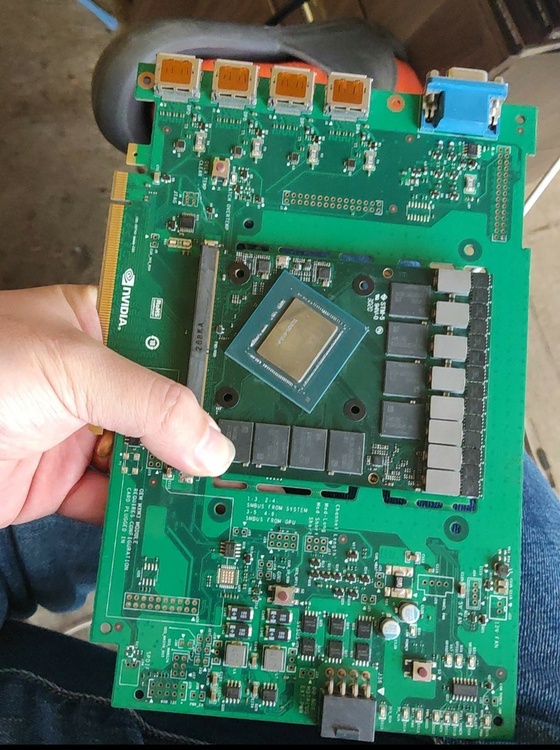
Finally, you can try to test this A4500 card using a machine like the P15X SM/A GT60 (16F3 /16F4) that relies on the output of the integrated graphics card. Such machines can even use P106MXM and ZRT's 2070 desktop core MXM graphics cards.
-
3 hours ago, ssj92 said:
Now that gpu-z is updated for a4500, my gpu-z looks exactly like this pic. So does it mean it has desktop core? Or it's because no eDP support?
Your A4500MXM graphics card looks to be laptop core, desktop core A4500 I remember the beginning of GA rather than GN, I think the problem with this A4500mxm card is that its VB does not do the definition of edp output, and the card itself does not have the hardware conditions for edp output.This GN20 core is 100% supported by edp output.
If you want to install it on a laptop to use, you must flash into a VB with EDP output definition, in addition to the need to find professional repair personnel to make up the edp output channel of the card. -
17 hours ago, ssj92 said:
Hi, would you be able to send me this vBIOS that can force display on? I am having issues with my A4500 posting with stock vBIOS. HP/Dell vBIOS posts but causes code 43 error.
I would like to see if stock vBIOS with display force on fixes the no post issue.
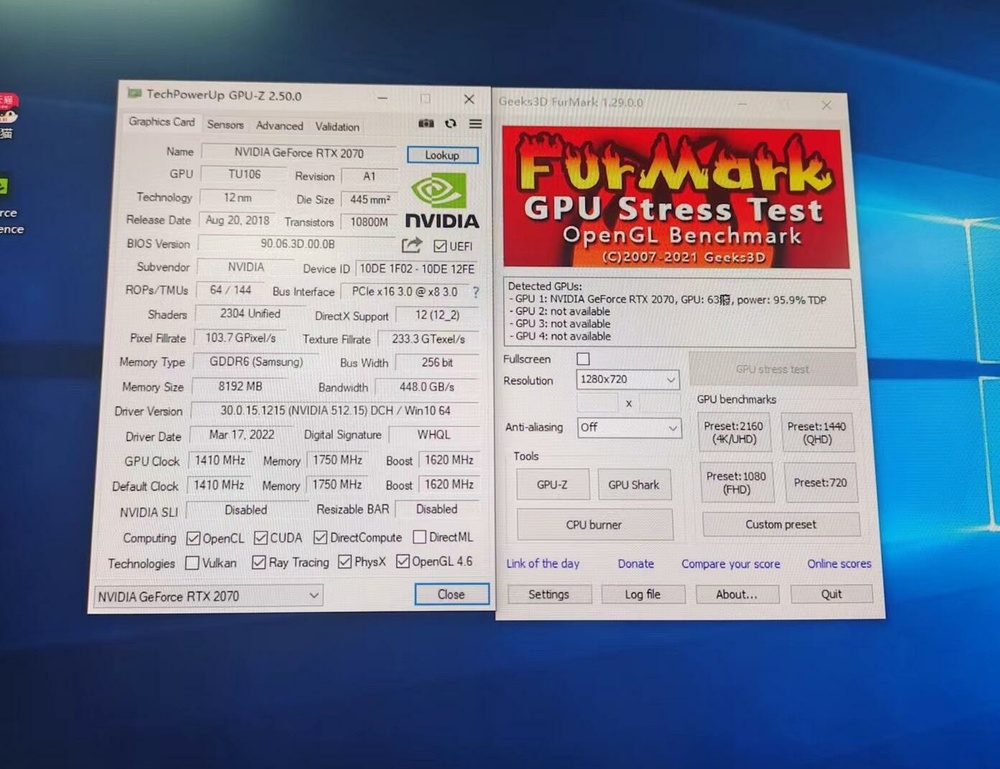
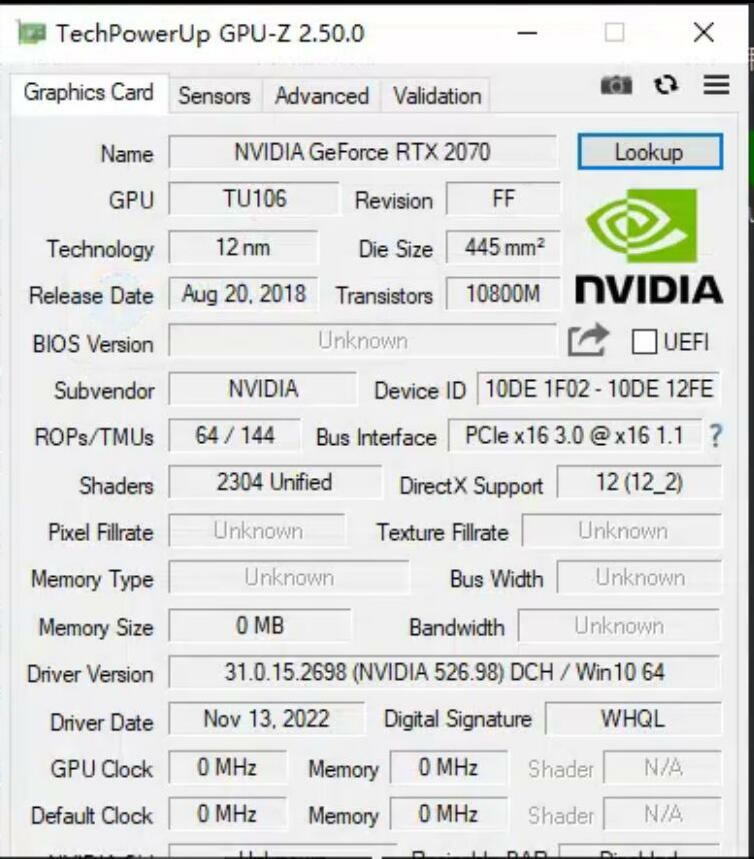
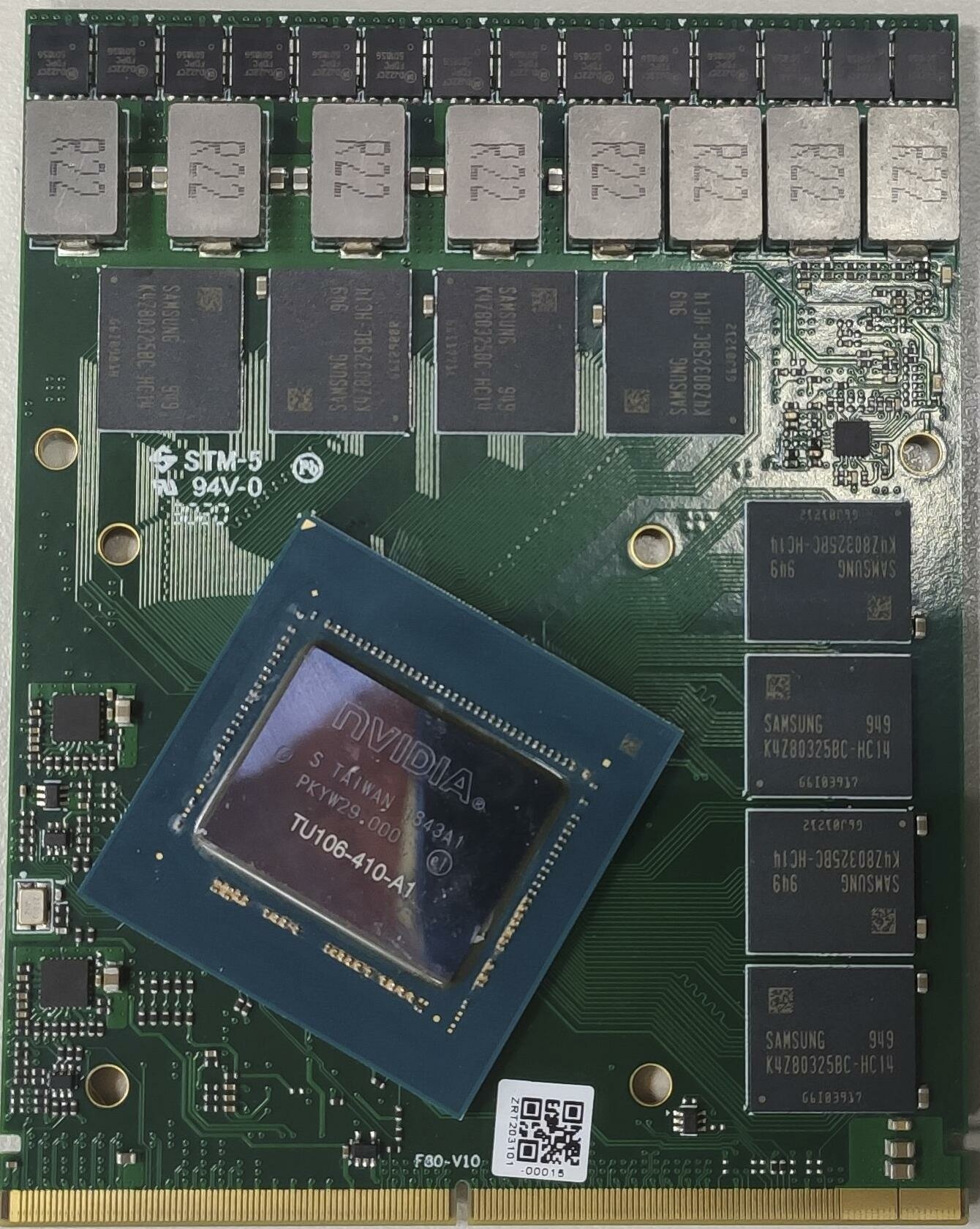
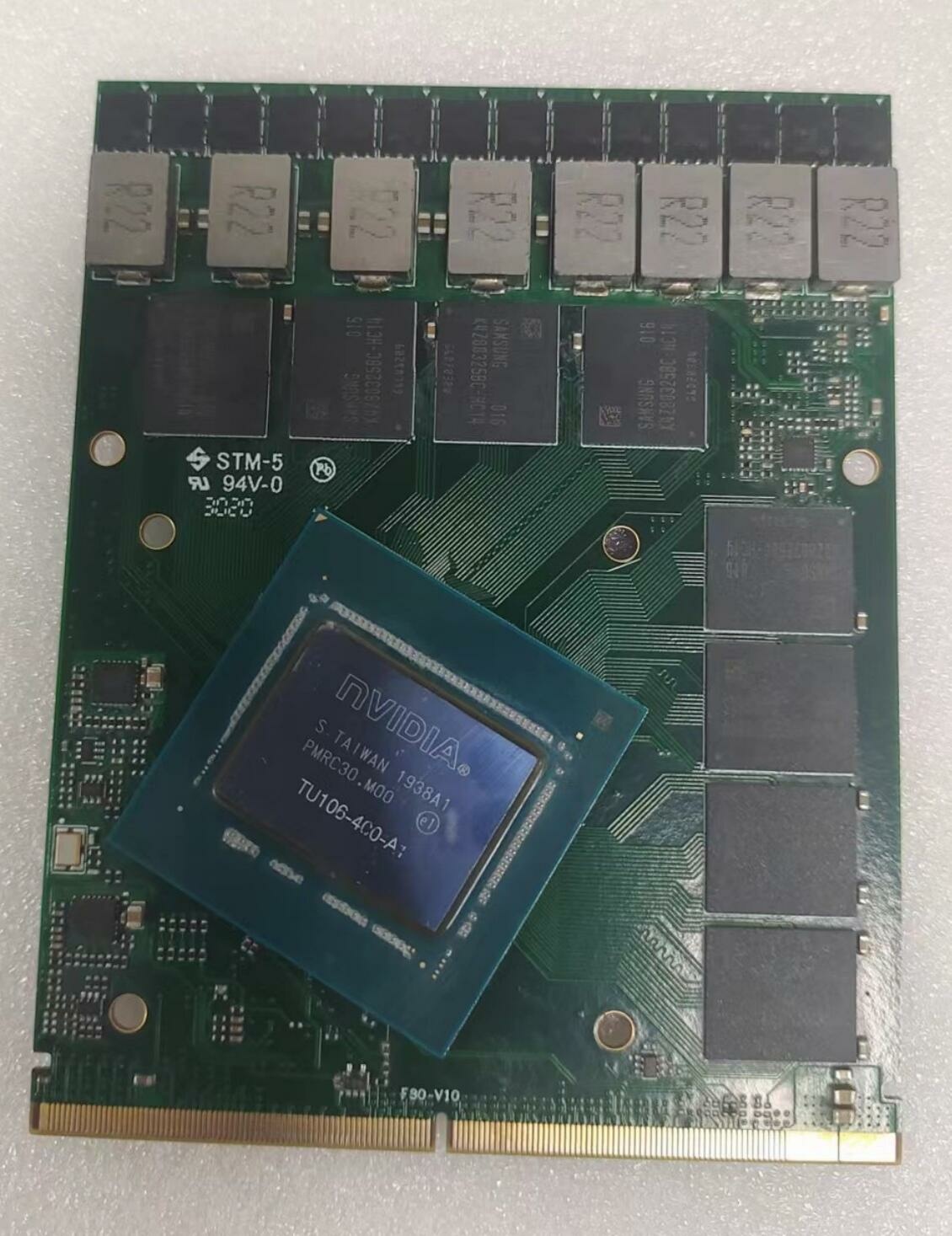
There is another extreme case here, and that is the use of desktop core MXM graphics cards. Two examples are the 2060S and 2070 cards produced by ZRT. This type of graphics card is certainly not have edp display output, which is determined by its core.、
To make it output edp signal on the laptop can only replace the N19E mobile core, and then the hardware modification to do.If do not carry out the core transplantation and other hardware modifications, directly installed in the laptop will appear and your similar situation.
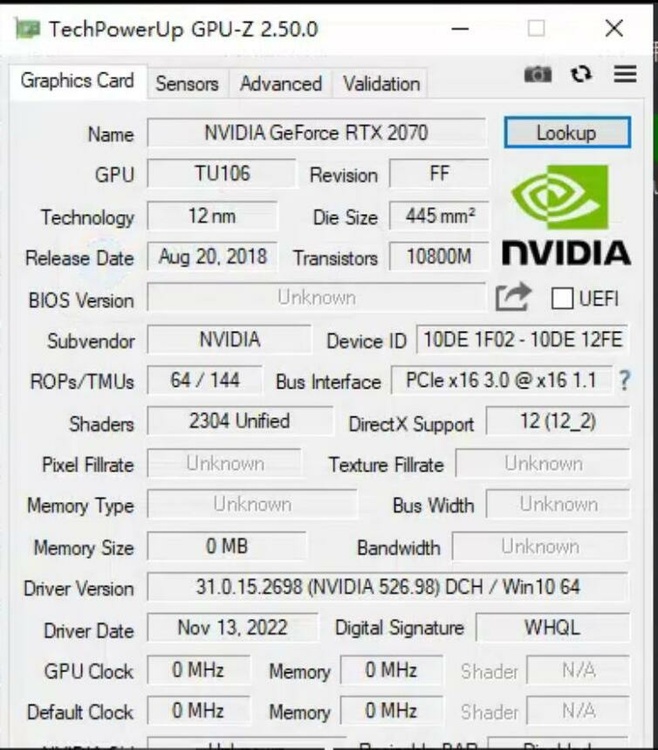
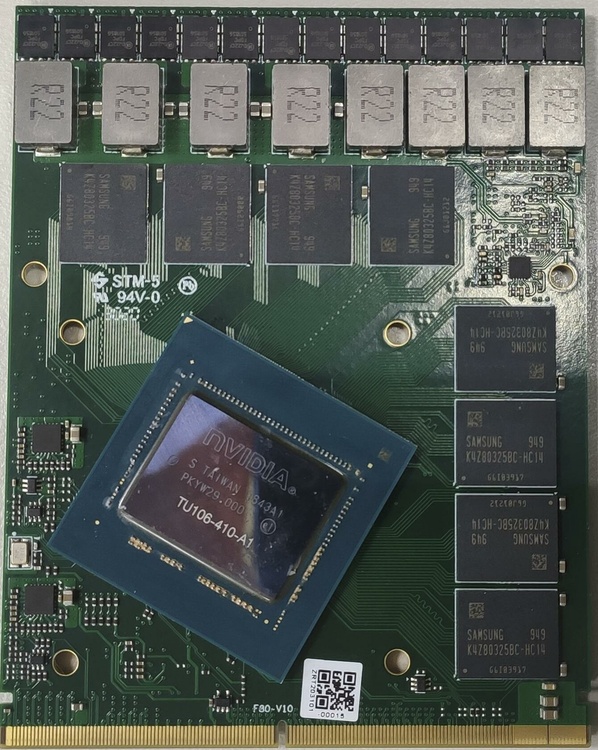
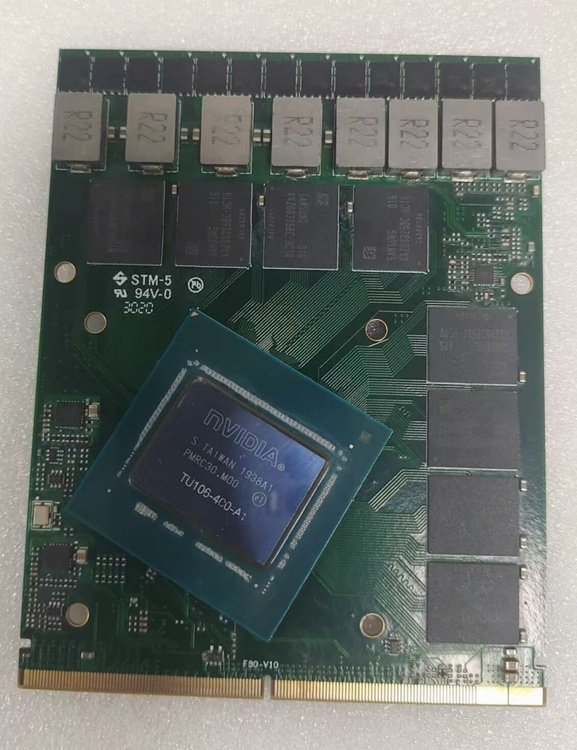
Another option is to use the MXM to PCIE adapter board.It is compatible with any MXM graphics card, whether it is CLEVO MSI HP DELL or aetina and ZRT.
-
 1
1
-
-
17 hours ago, ssj92 said:
Hi, would you be able to send me this vBIOS that can force display on? I am having issues with my A4500 posting with stock vBIOS. HP/Dell vBIOS posts but causes code 43 error.
I would like to see if stock vBIOS with display force on fixes the no post issue.
Vbios determines the power consumption frequency ID and display output channel definition of the graphics card. This comes with the caveat that the edp definition pins on the MXM graphics card's slots have lines to the core.
The method I mentioned to force the edp output on does not mean modifying the vbios, but modifying the hardware of the card such as changing the configuration of certain resistors.
Take the 5500XT MXM graphics card for example, it does not have the hardware conditions for edp output itself. At this point you can't get it to light up the edp output screen no matter what vbios you flash. But you can modify some resistors to force it to edp output signal.
5500XT and your A4500 is the same 3 DP 1 HDMI output. Does not support lvds and edp, but the 5500XT has now been modified by some service engineers to make it successfully output edp signal by modifying the graphics card hardware..thumb.jpg.1ba2ab46decbd4027da3016bc2b3496b.jpg)
.thumb.jpg.aa4cc2382047650b0020c7a79cdccb2a.jpg)
.thumb.jpg.6f6d4286cd0ec8141c926c208cd0d5fd.jpg)
-
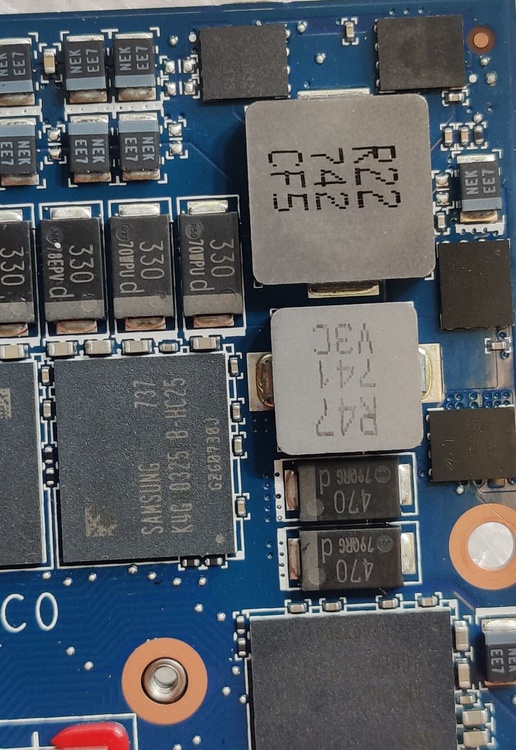
Original inductor test 1khz frequency 19a when the temperature drift began to appear What concept isat and irms all false mark more than 30%.
After replacing the new inductor without heat dissipation 1khz test 30a temperature 76 degrees inductance value no change, datasheet isat standard 37a 20% inductance value decay fully met the standard. Heat gun heating inductor over a hundred degrees 1khz test 25a still no significant change.-
1
-
-
A brief analysis of the power supply of the CLEVO 30 series MXM graphics card.
A total of 11 phases of power supply, 7 phases to the core, 2 phases to the memory, 2 phases of auxiliary power.
After multiple data checks Mos tube parameters stable 50a maximum 60a, inductor isat 70a irms 45a.
This time the question arises, the discerning eye can see at a glance that the parameters of this inductor has a big problem. This package of inductors can have such high parameters, in fact, there is really no, and the false label is very serious. The real isat may only be about 30a, and the inductance drops very quickly, and the datasheet does not match.-
2
-
-
-
Before remodeling
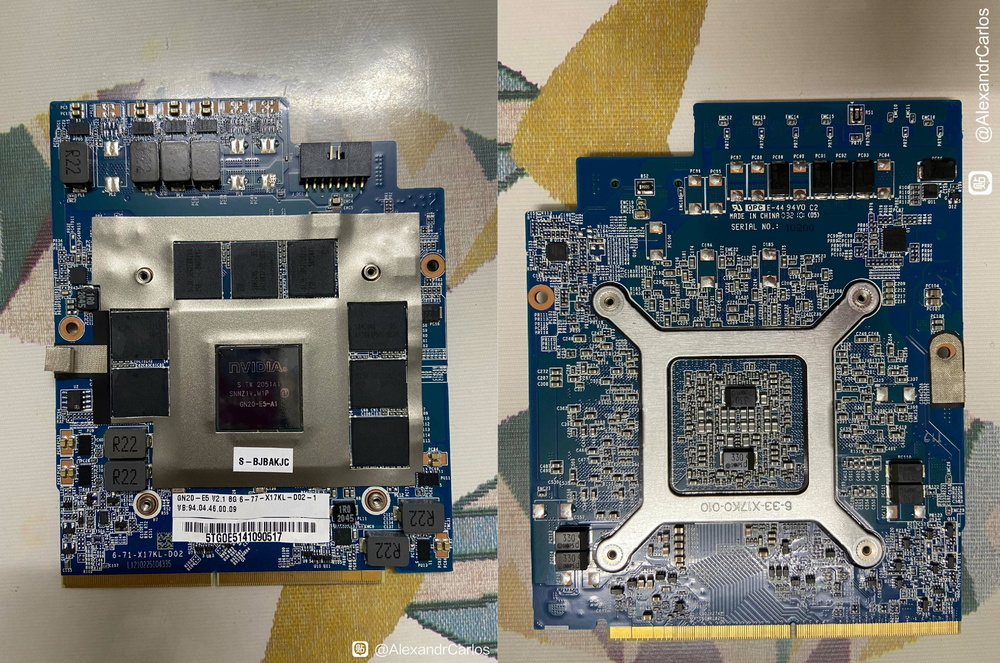
After remodeling
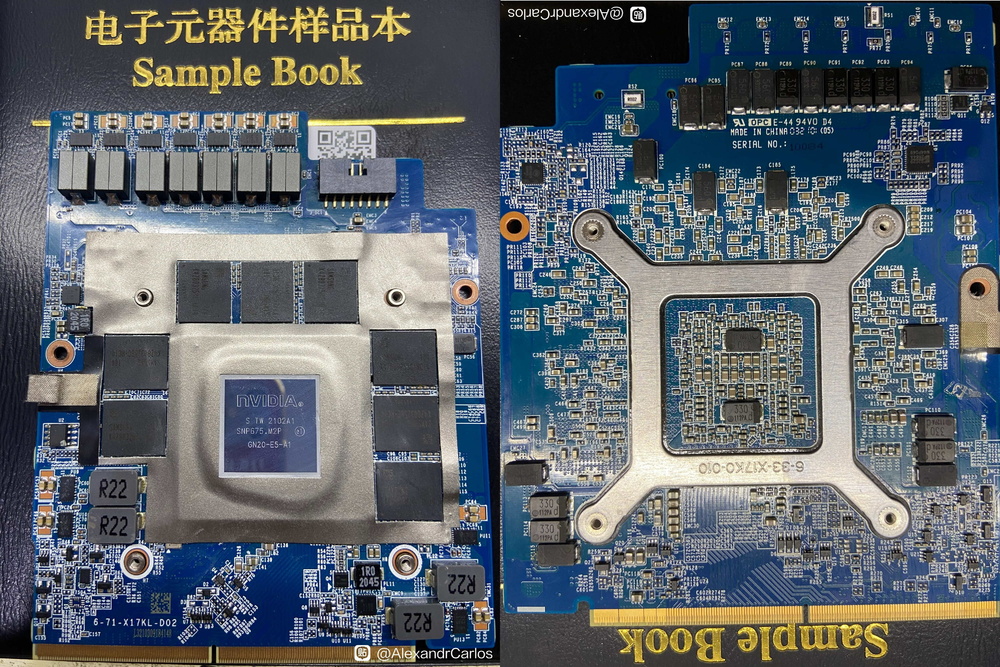
-
2
-
-
-
5 hours ago, DoenerBoy123 said:
Hello guys,
I have some questions regarding the GeForce GTX 980M. I'm using this card for 2 almost two years now and it's still impressive how much power this card has, especially if you think about the age. I was first using this card in my M17x R4 until I got a M18x R2 for an outstandingly cheap price. I upgraded the M18x with the 980m from the M17x and everything worked fine. As the cooling is better than the 17 I flashed an unlocked vBios(svl7's bios) to get the full potential out of this card. This was working fine for the last two weeks until yesterday. I played GTA V for two hours. Temperature was fine and the card pulled around 110-120w. Then suddenly the screen went black and the overcurrent protection of the PSU(330W Dell/Delta) took place. After a few minutes of measuring I found the GPU, specifically one of the MOSFETs to be the culprit. I replaced the MOSFET with one I found on a K2100M I had lying around(it's the same part, CSD87350D). The card works perfectly fine again and beside the MOSFET luckily noting else was damaged.
Long story short: How much can the power stage withstand with three MOSFETs and does it make sense to add the other three "missing" ones? And how much current can the MXM port of the M18x R2 deliver without being damaged?
Due to the age of some details I do not remember too well, the complementary MOSFET is indeed useful, but do not expect it can work for a long time at high power consumption. The card's default state gives 110W of power consumption is relatively safe, different manufacturers of materials also vary so it is impossible to generalize. Replacement of better MOSFETs and inductors may be able to make it work at 130W, in fact I know someone really did, but in the end his 980M or burned up. There is a reference example, HP's P5200 C version is basically the end of this type of standard MXM card, it can withstand the maximum power consumption is 150W, more than this will burn, I have burned a P5200.
.thumb.jpg.8e817e8eb90d17a036f590abe4cbdb3f.jpg)
.thumb.jpg.caf99c9d6485f79808c03e97608b77e3.jpg)
.thumb.jpg.cf796f73f43212c5963ad796a79f0616.jpg)
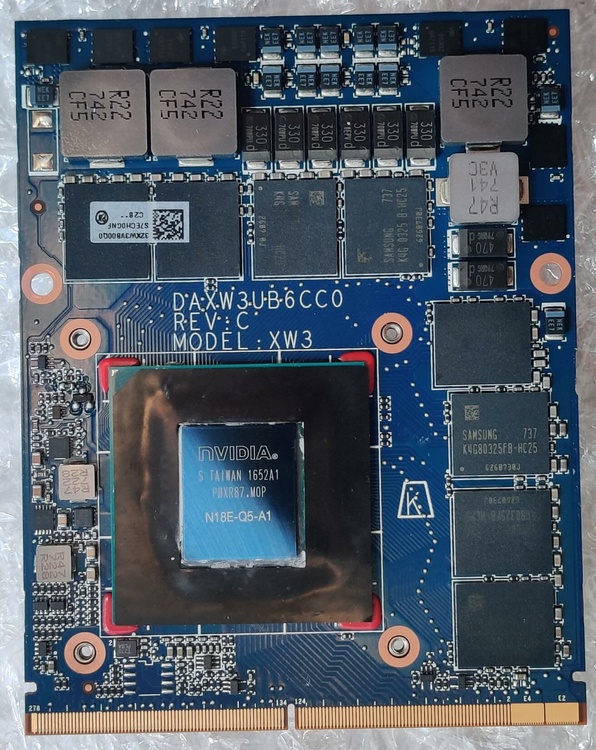
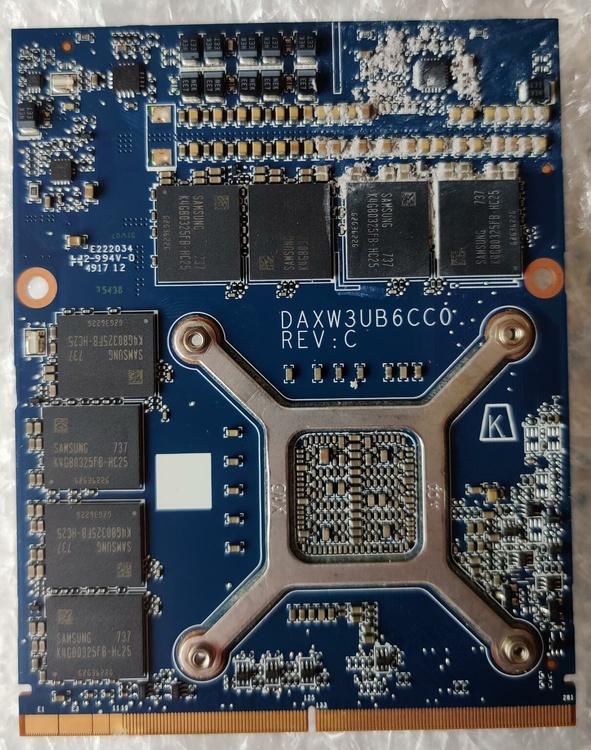
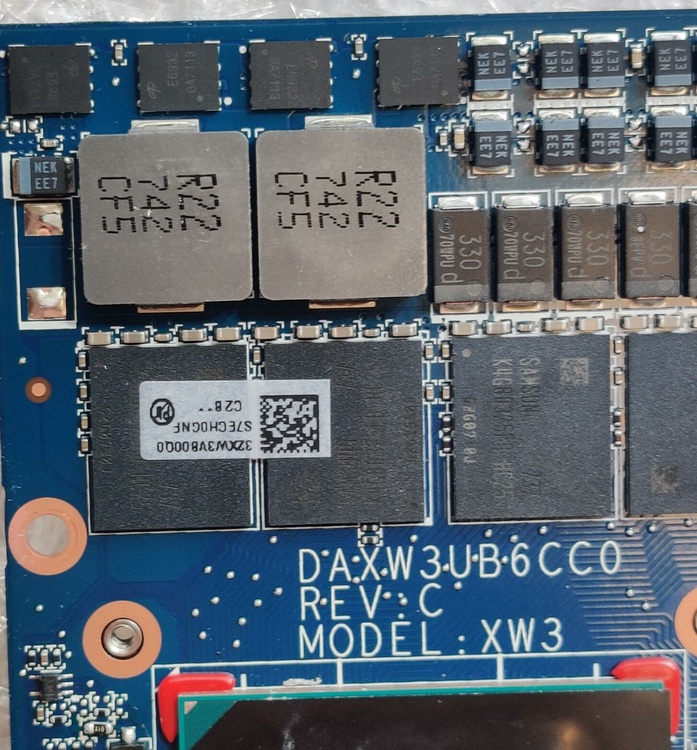
-
2
-
-
46 minutes ago, ssj92 said:
Very nice, looks like die is offset on them all.
Any idea on pricing?
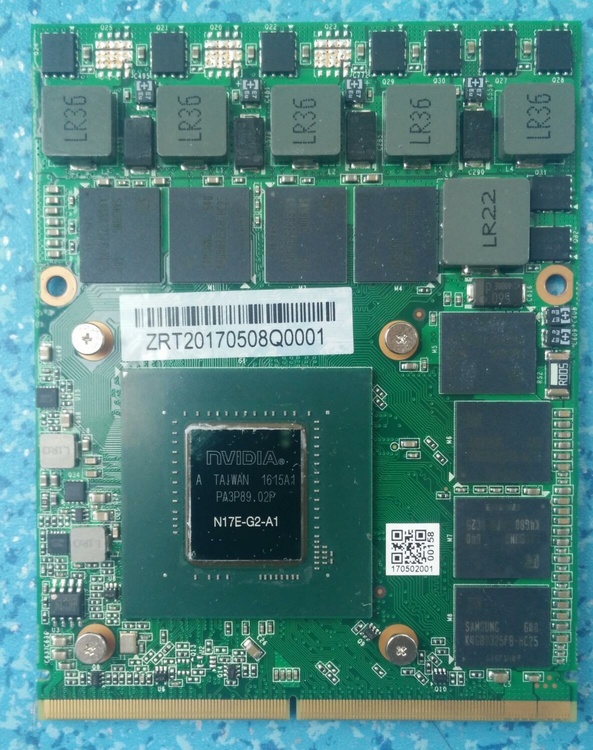
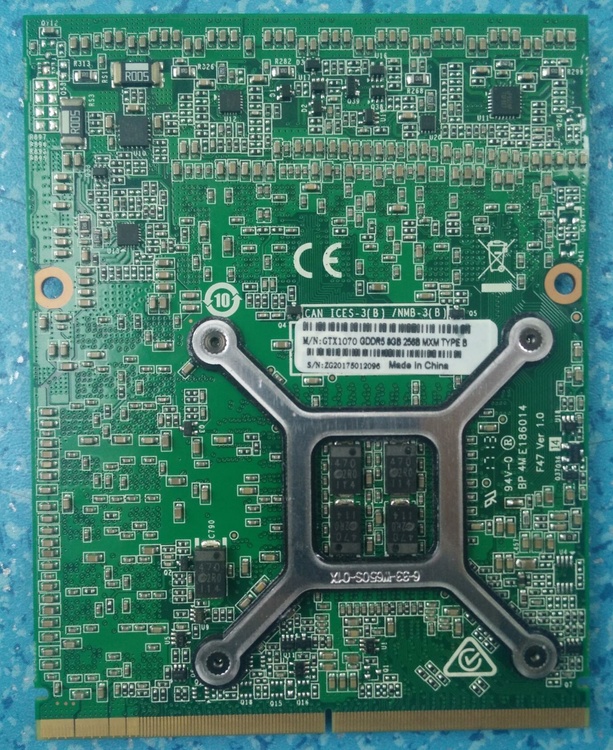
Not only that, but their GPU cores are still for desktop platforms. I personally got the information that the price of 3080 version should be around $850. Also, the company (ZRT-智锐通) has a very complicated background. Its predecessor is (Gecube-技酷科技), I believe that many people who play MXM platform have seen their early production of the 970M 980M two cards and the late M1070. these three cards are very poor, 970M and 980M due to cutting corners on the inductor so the burn rate is very alarming, and the M1070 is also the problem, and the M1070 is still a copy of the zotac The late M1070 M1080 has improved but the shipments have been very small, and the company launched the 2060S and 2070S, two MXM graphics cards are rare. I just happen to have some of their actual product on hand.
.thumb.jpg.11404b521ba7f2e1666f779a0c038b4d.jpg)
.thumb.jpg.f77e3ce461d6aa46ea6f965b8b5bbf0a.jpg)
.thumb.jpg.98ac5399364af49df6b5f917f11915fd.jpg)
.thumb.jpg.5d229453ec9e475233e8810d538b2913.jpg)
.thumb.jpg.c2d98bb8ec47cb3353aa6cb9f0607310.jpg)
-
1
-
-
-
2 hours ago, ssj92 said:
Wow that looks identical to the A4500 MXM I pre-order from Aetina.
Those clocks speeds are looking good! Way better than the current soldered A4500 mobile GPUs. My GPU says 115W TGP, this one says 125W TGP. I wonder if my clocks will be lower, that will suck.
@MS-16L13are you in US? Could you also get custom heatsink for Alienware M18xR2 that compensates that offset A4500 core?
I'm not in the US and I know a store that specializes in this type of custom cooling. You can also look for an accessory metal fabricator to have them CNC a piece of heat sink.
-
12 minutes ago, Tenoroon said:
Hmmmm, I've been looking for some custom CPU heatsinks for the Alienware 17 R1 and P870DM on Taobao, but I can't find too much on there. I don't want to be that guy asking for a million things, but do you know anyone that makes water cooled heatsinks for the laptops above?
Also, a way to force an eDP output might be useful for getting some newer GPUs to work in ancient laptops. Could you go into more depth of how it works?There is a store on Taobao that specializes in custom coolers for MXM graphics cards, and the name is (沸腾菲菲 https://feitengfeifei.taobao.com). The method of forcing the eDP on is currently sold by repairers on 闲鱼(China's ebay https://h5.m.goofish.com/item?id=680980388954 ).
-
1
-
-
10 hours ago, ColtC7 said:
Sadly, the GPU obviously is in an odd place for an MXM graphics card, breaking compatibility with basically everything.
In fact this is the easiest part to fix, I can get a variety of custom radiators for just a dozen dollars where I live. Also, some guys have now worked out a way to force power to the display, which means that we can have the official vBios of the MXM card force the eDP output on regardless of whether it has it or not.
.thumb.jpg.41171940da0e1b45421b8edbe518571a.jpg)
.thumb.jpg.e3d0df09b9cc9073bb2c8b5dada6861f.jpg)
.thumb.jpg.95c9eaf2a88bd54c02db33e33316f5e6.jpg)
.thumb.jpg.68ddbde261b555b429b26bf8d6d40d6a.jpg)
.thumb.jpg.913310db0d906d627fb1eab9b5707fe7.jpg)
.thumb.jpg.3ee9b2c67533cbbc4f326572332016ff.jpg)
.thumb.jpg.a3f965c512fc78dfac85eca6ec092163.jpg)
-
2
-
2
-
-
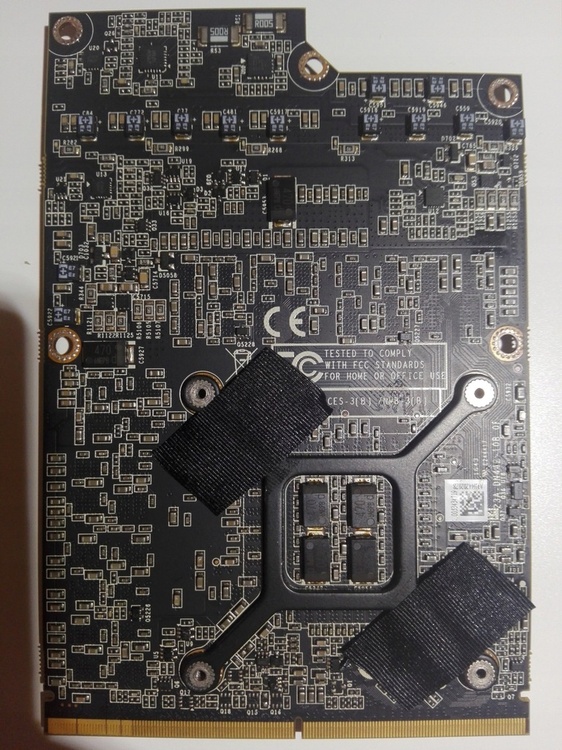
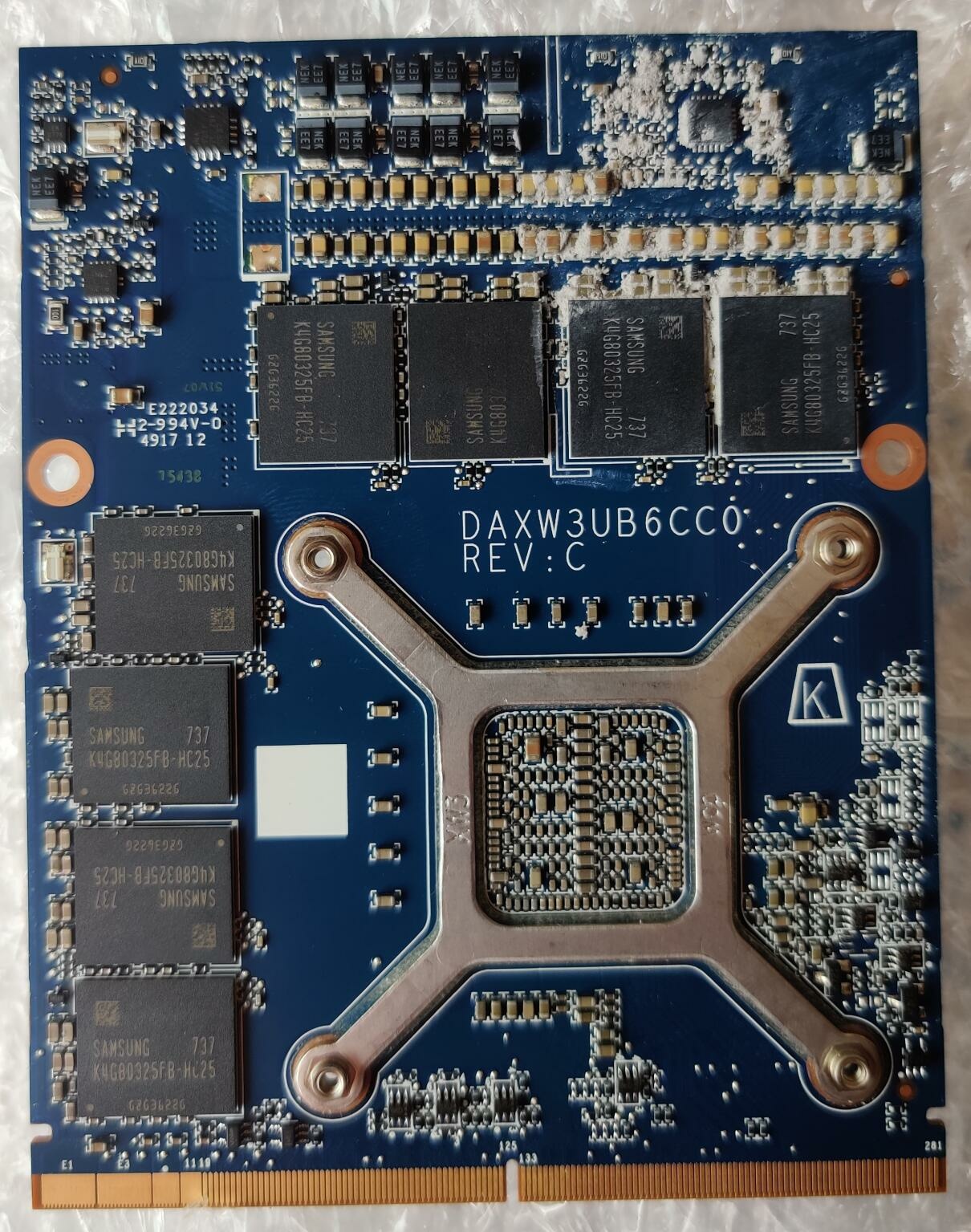
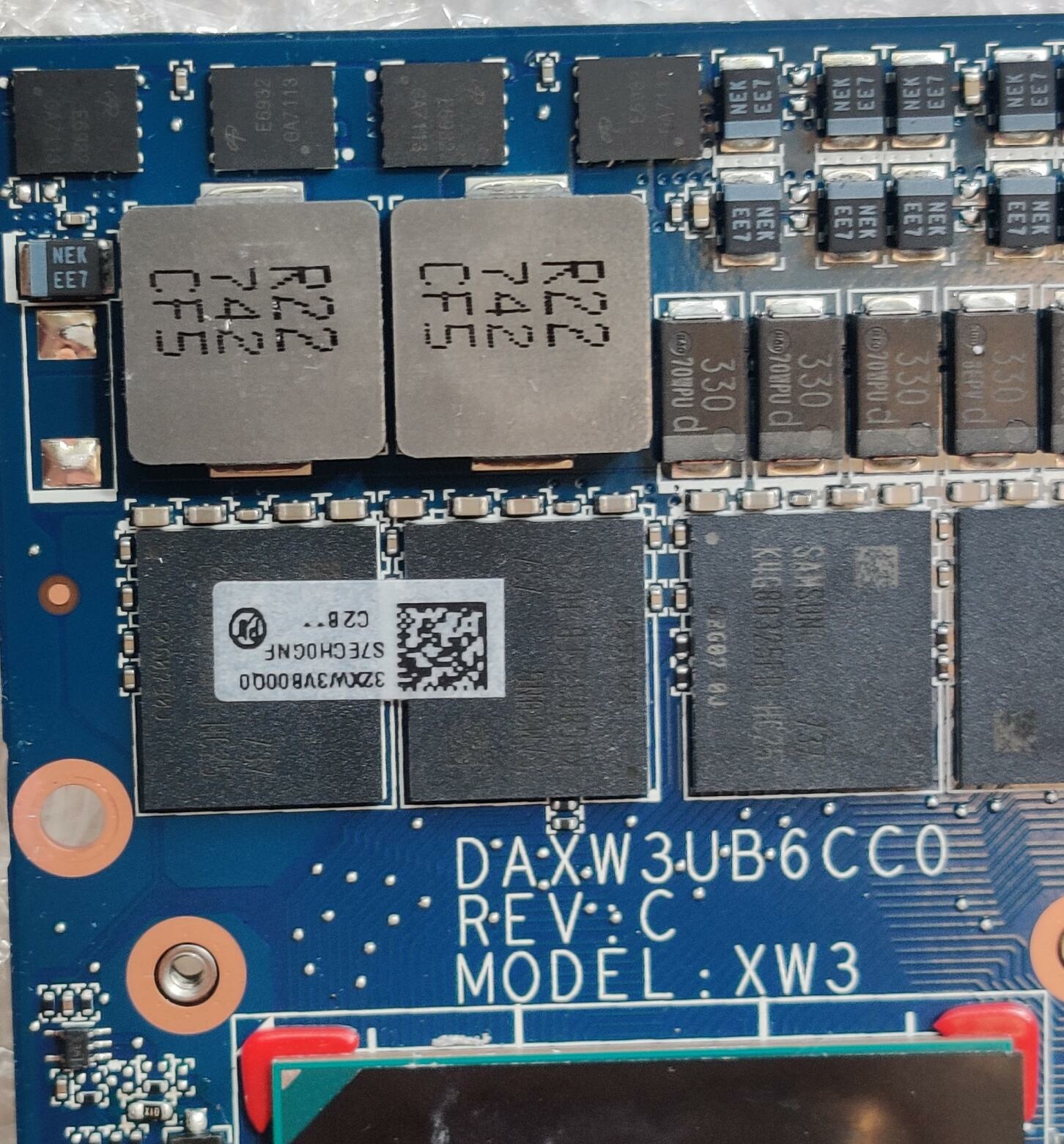
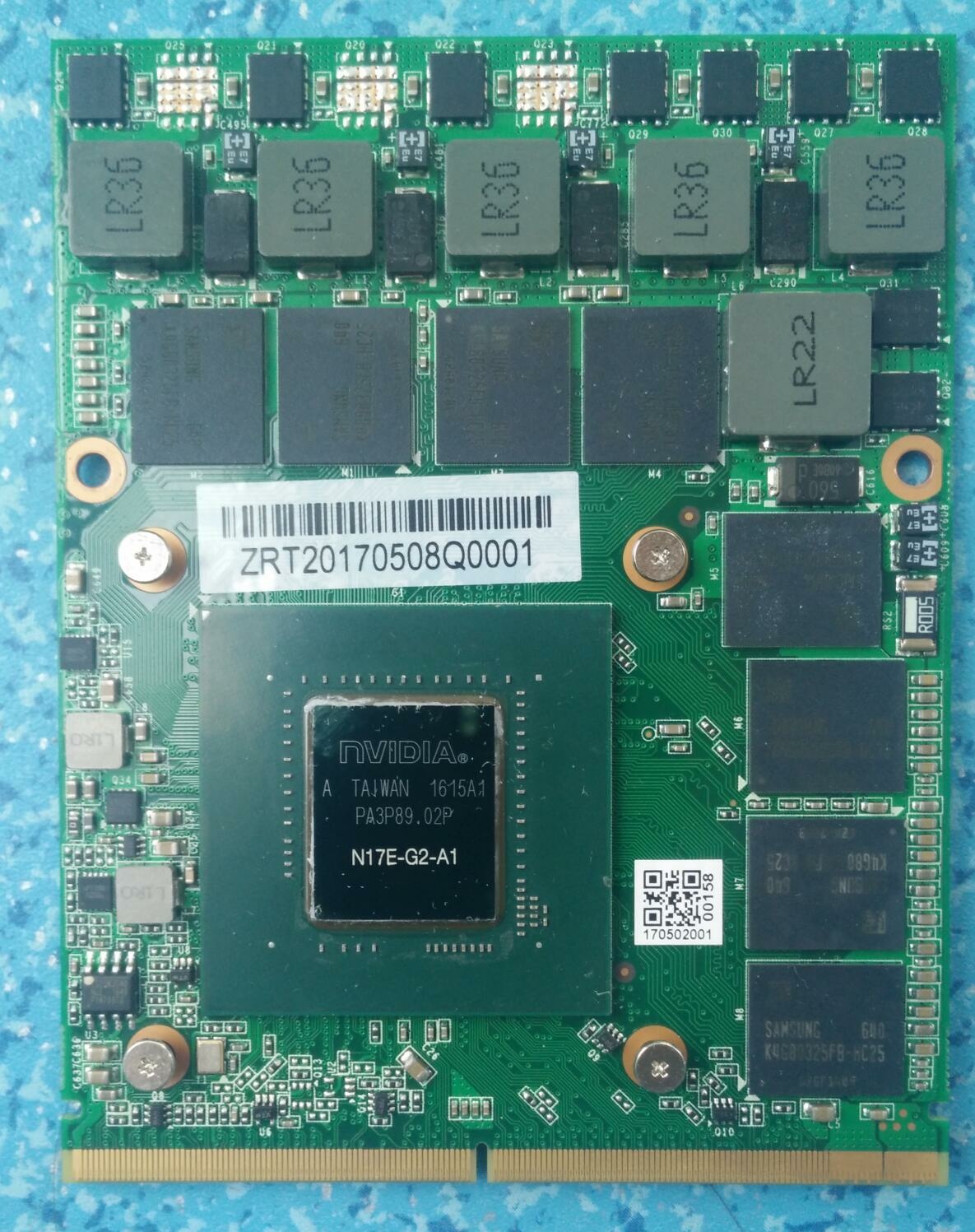
Look at the back of the PCB printing, I think this MXM card should be the same foundry of the 1060 70 80 used by ZOTAC before.
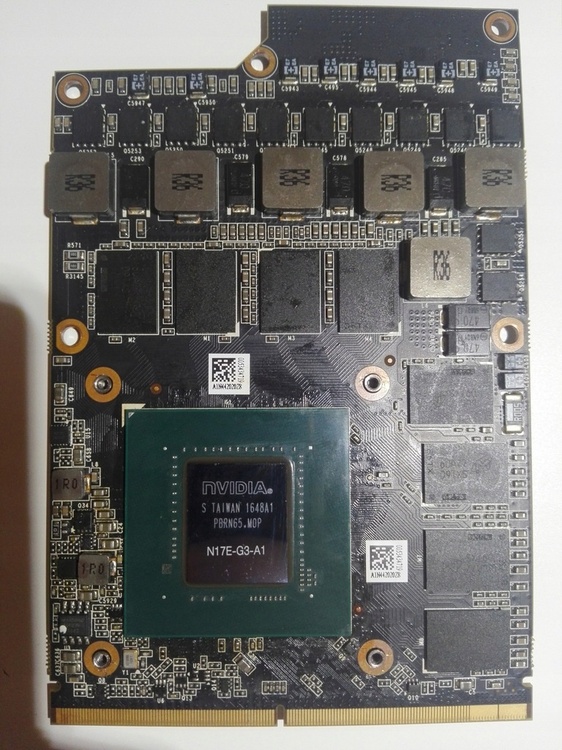
-
1 hour ago, jaybee83 said:
niiiice, good to finally have a look at that card incl detailes specs! 🙂 u got any info on pricing? so far only rumours and "personalized" prices 😛
also funny how highly specific the MTBF hour rating is lol. sounds like they did actual testing haha
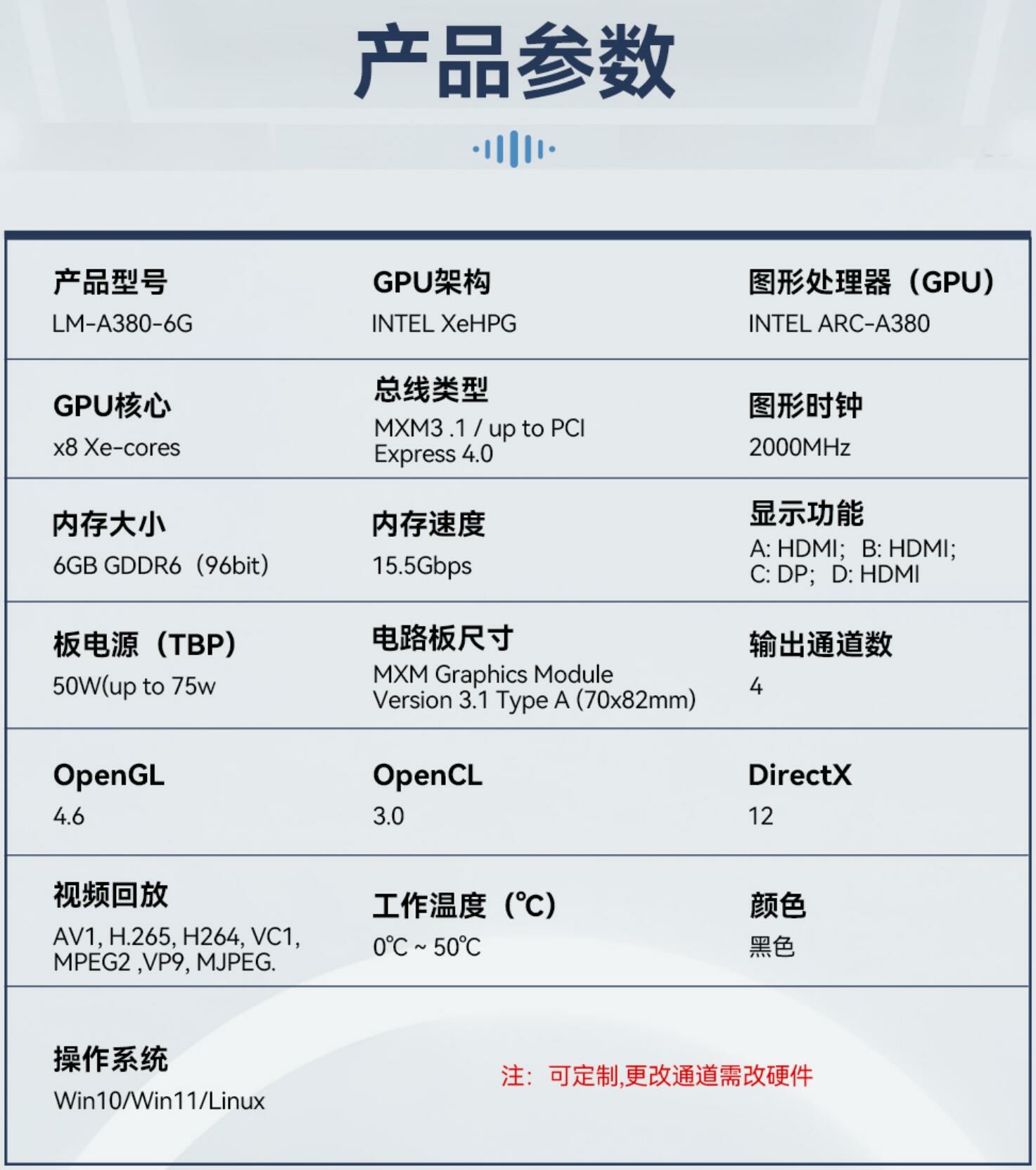
Look at the introduction this is a product produced by a company from Hong Kong https://www.pcpsol.com/en/support.php?pid=3 You need to ask them for specific shipping conditions and prices.
-
1
-
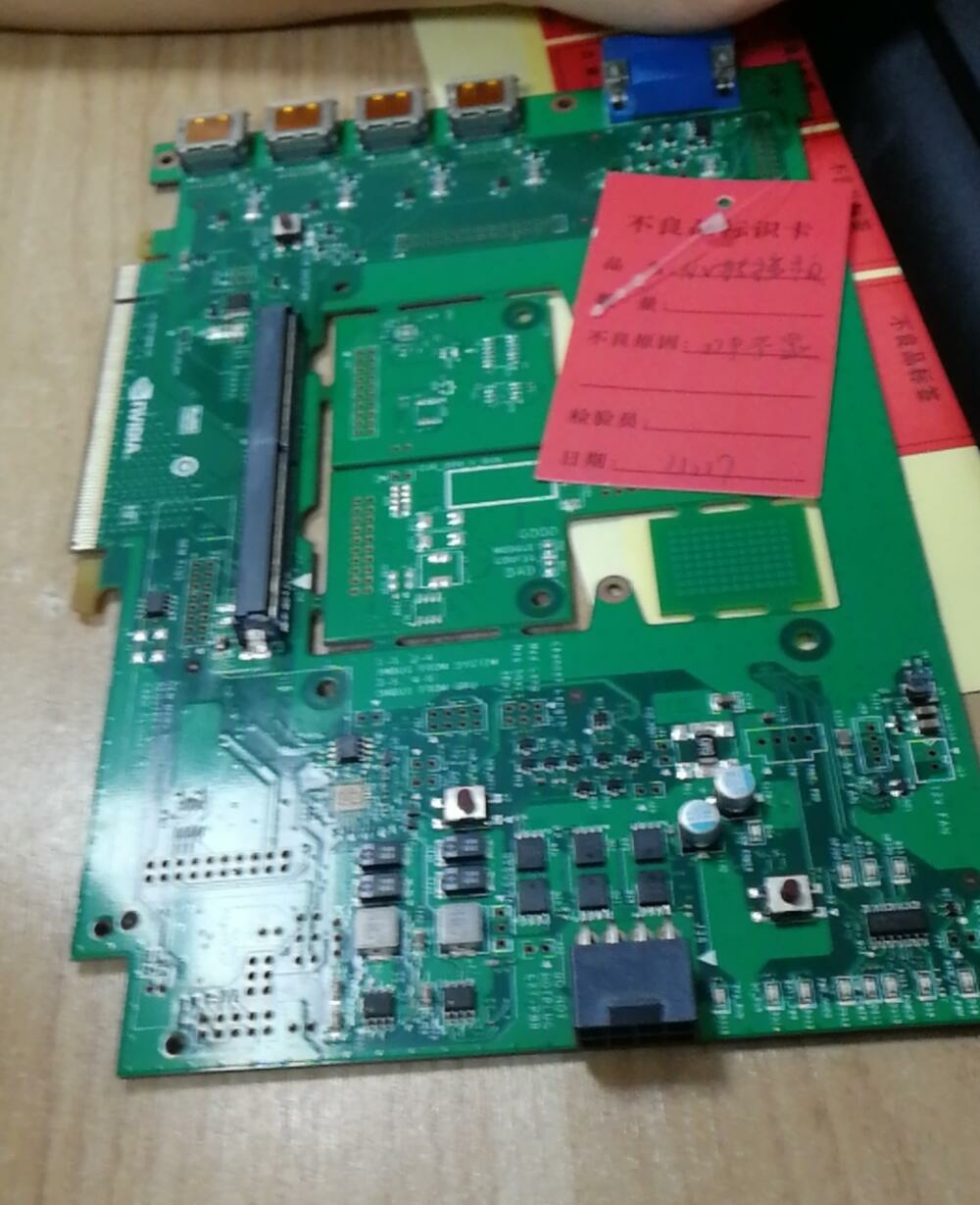
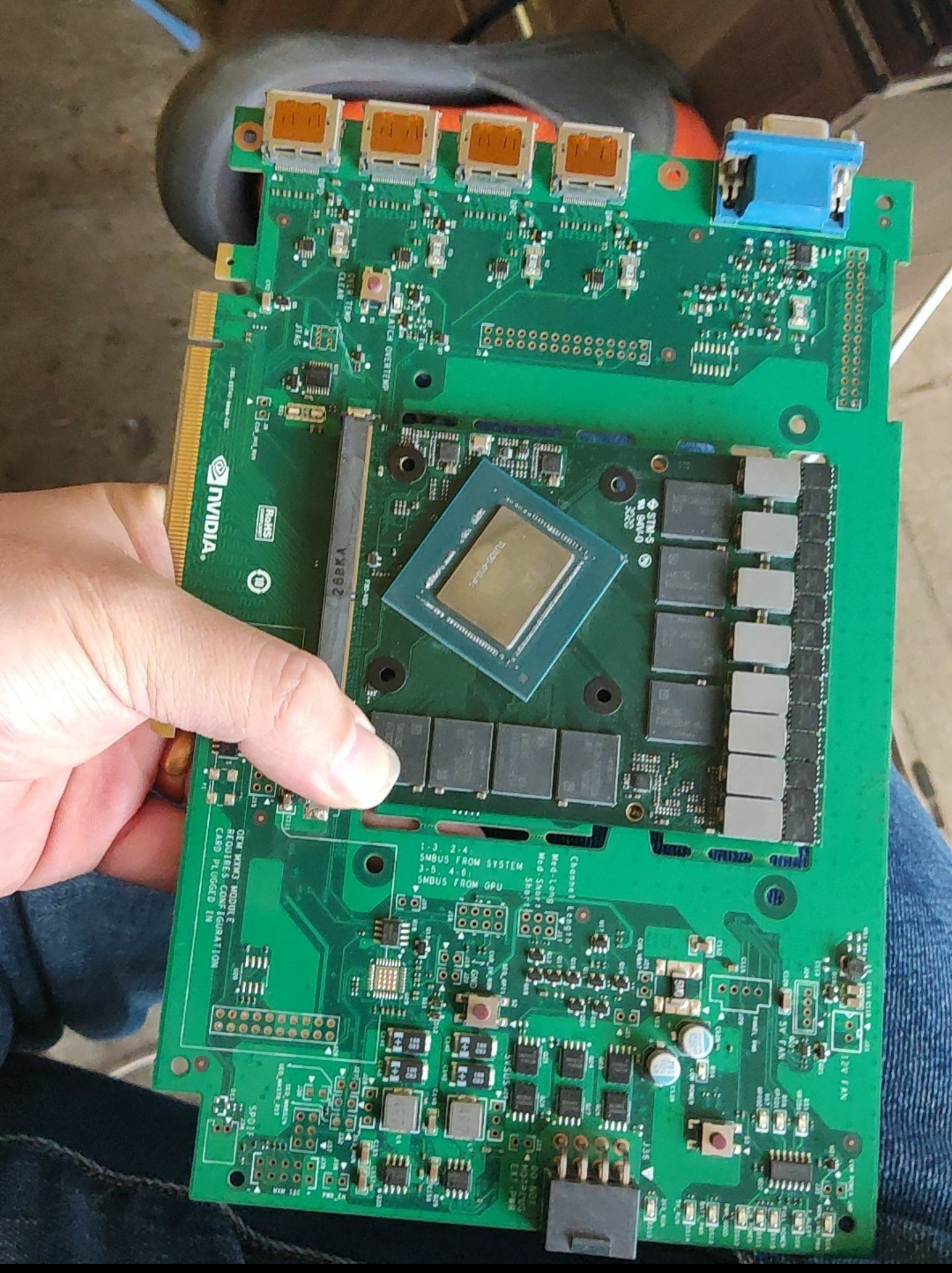

.jpg.ba0c3c75c1ed83f4da454456175b56f4.jpg)
.jpg.6aa594c0f55b58ed3212caf27791864e.jpg)
.jpg.922054d75e4793774f9f8654460f97c0.jpg)
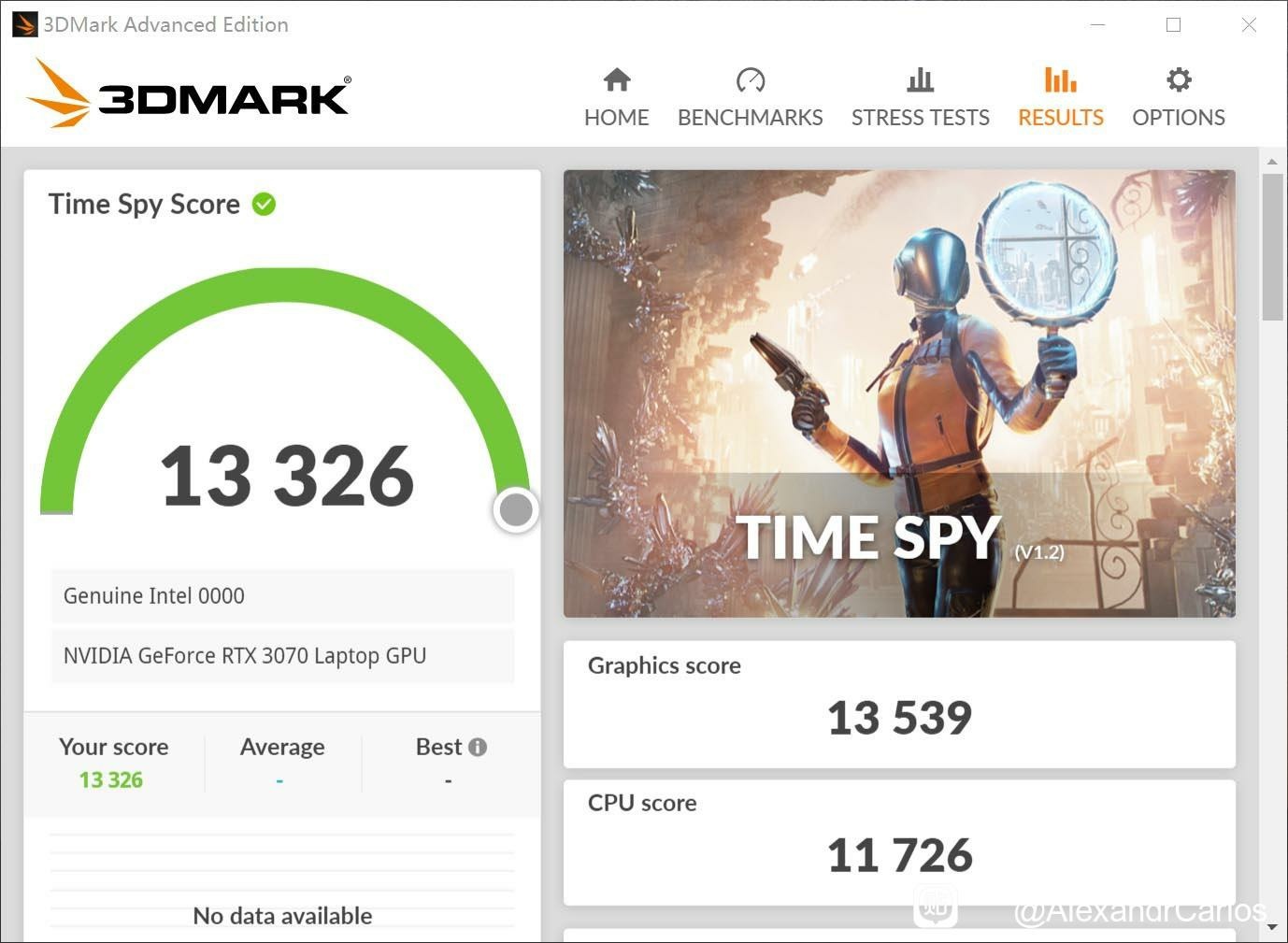
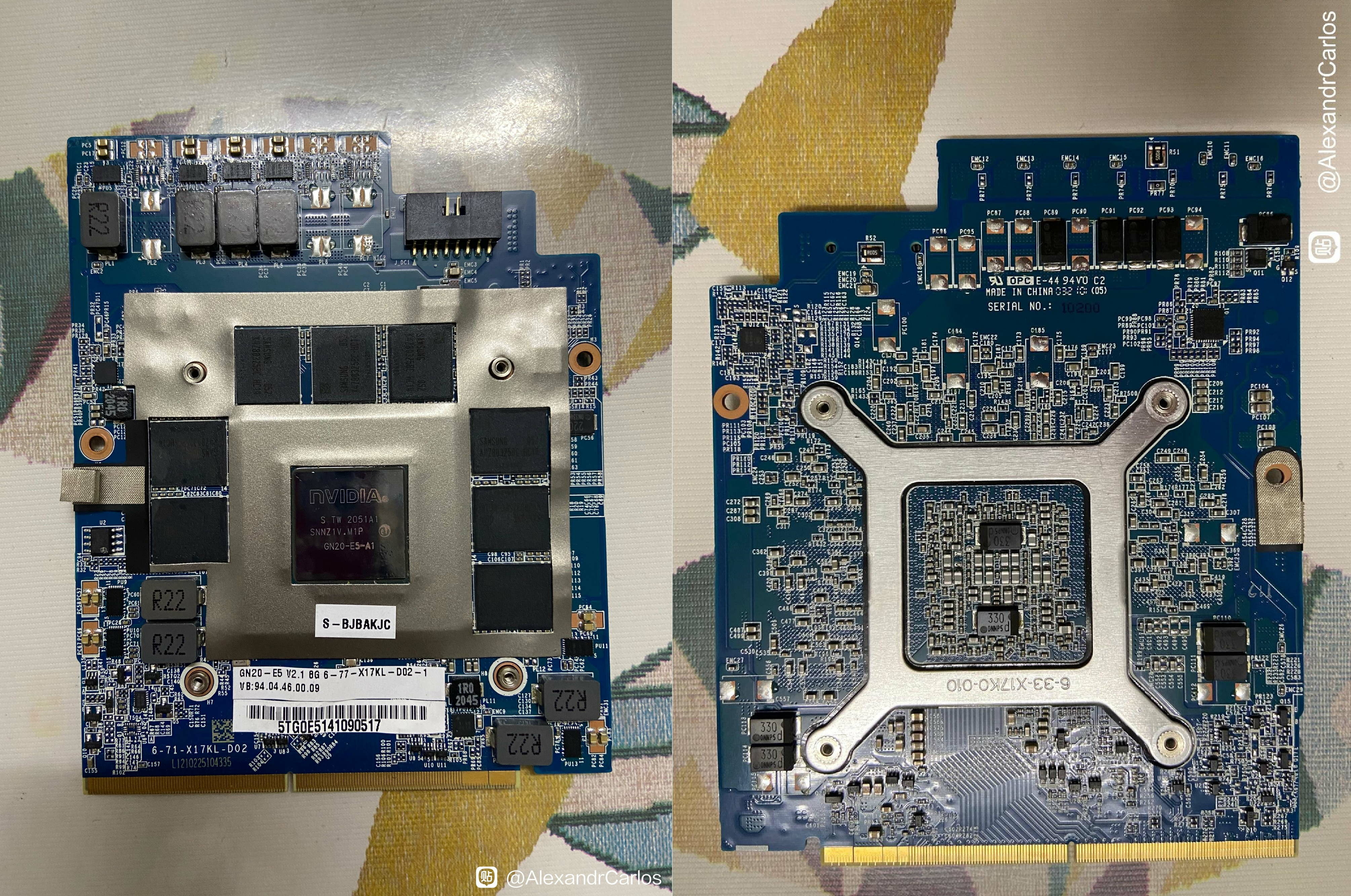
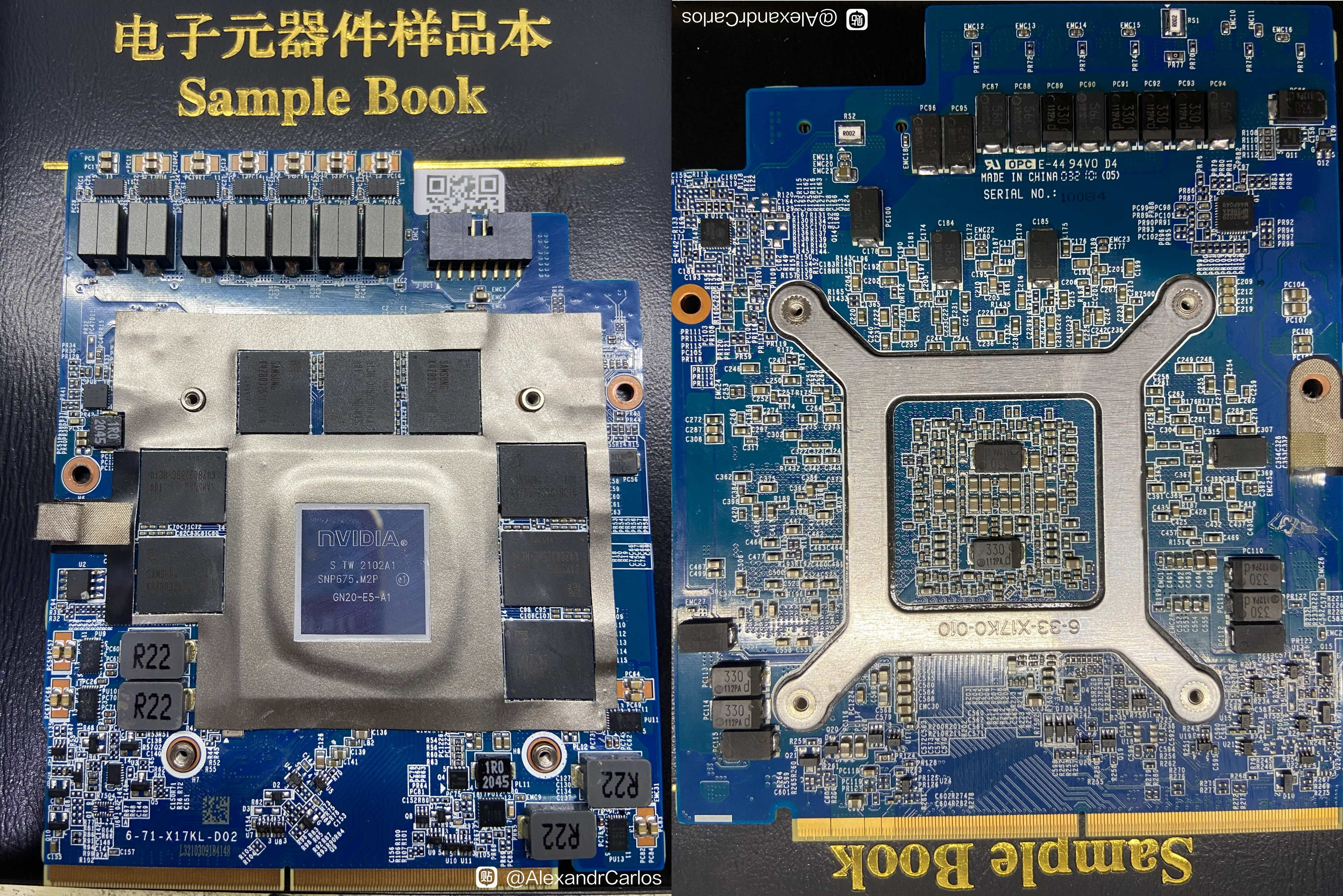
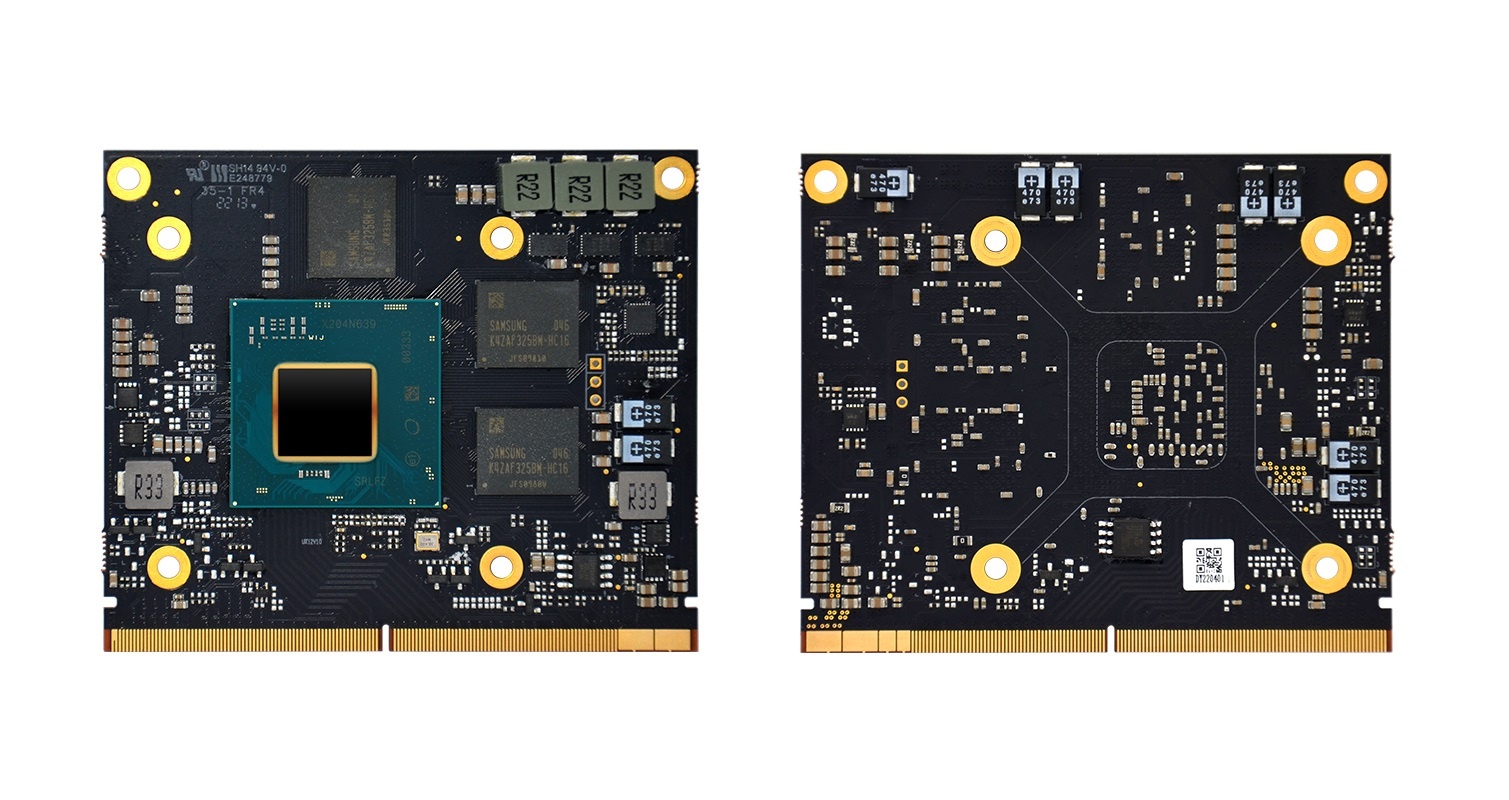
.jpg.379054a29dbdafbee9a8e36becf06142.jpg)
.jpg.bab50c00dd0db07376f04640b3a8f1fc.jpg)
.jpg.7785e1c9cb8a6a38ded78b1ee7e4f0a5.jpg)


.jpg.e511a0704460583d3dd7beeddbb997aa.jpg)
.jpg.04d6b5778fbb516b50dc9ecc463f2648.jpg)
.jpg.2873dcb604d67f809174b7fbf048504d.jpg)
.jpg.9195f3bc7ec12f4e1d7171940ab41ad2.jpg)
.jpg.d2cdf6ad3601d21d212a5207c41bb273.jpg)

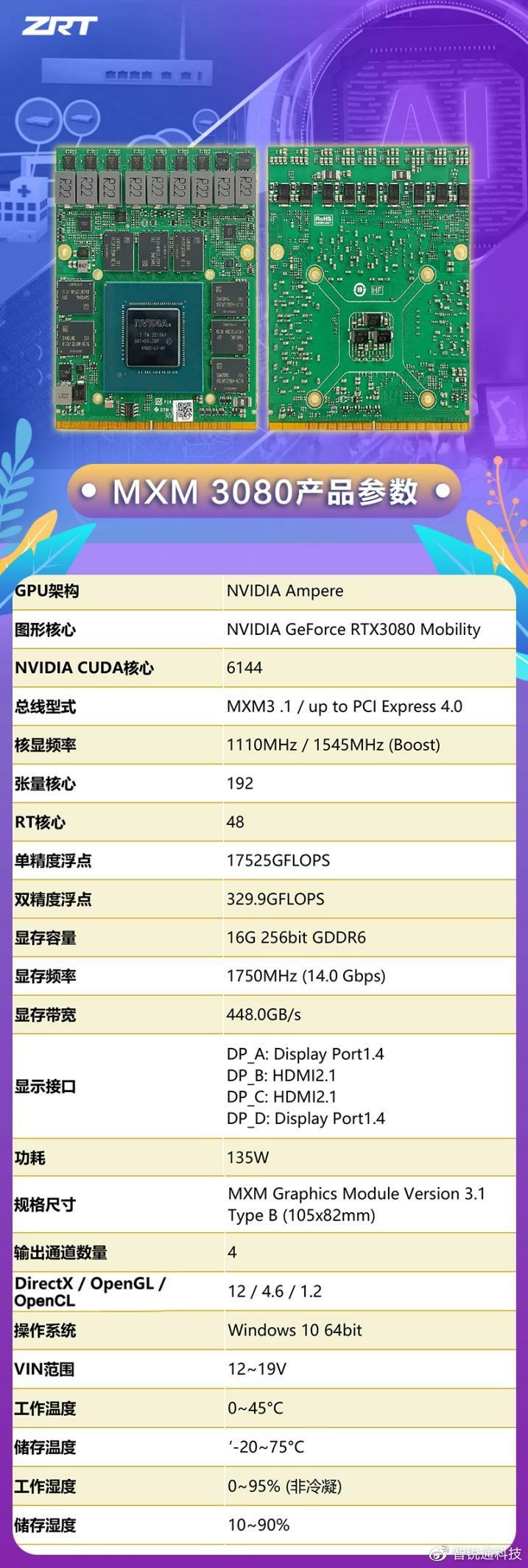
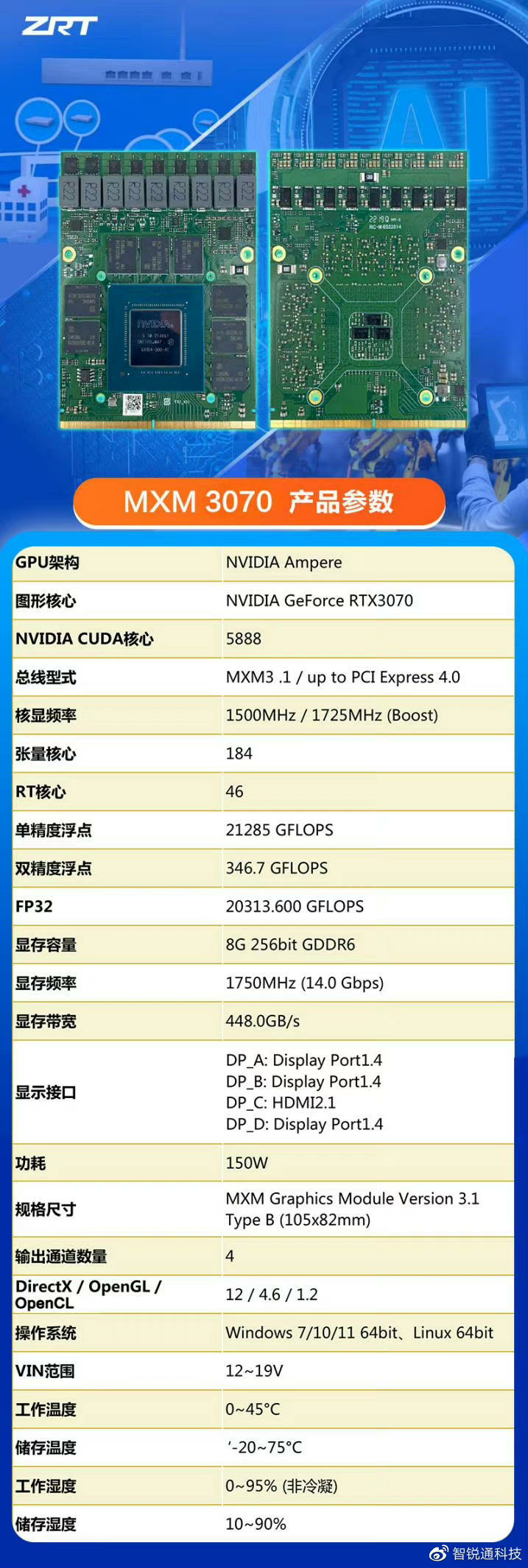
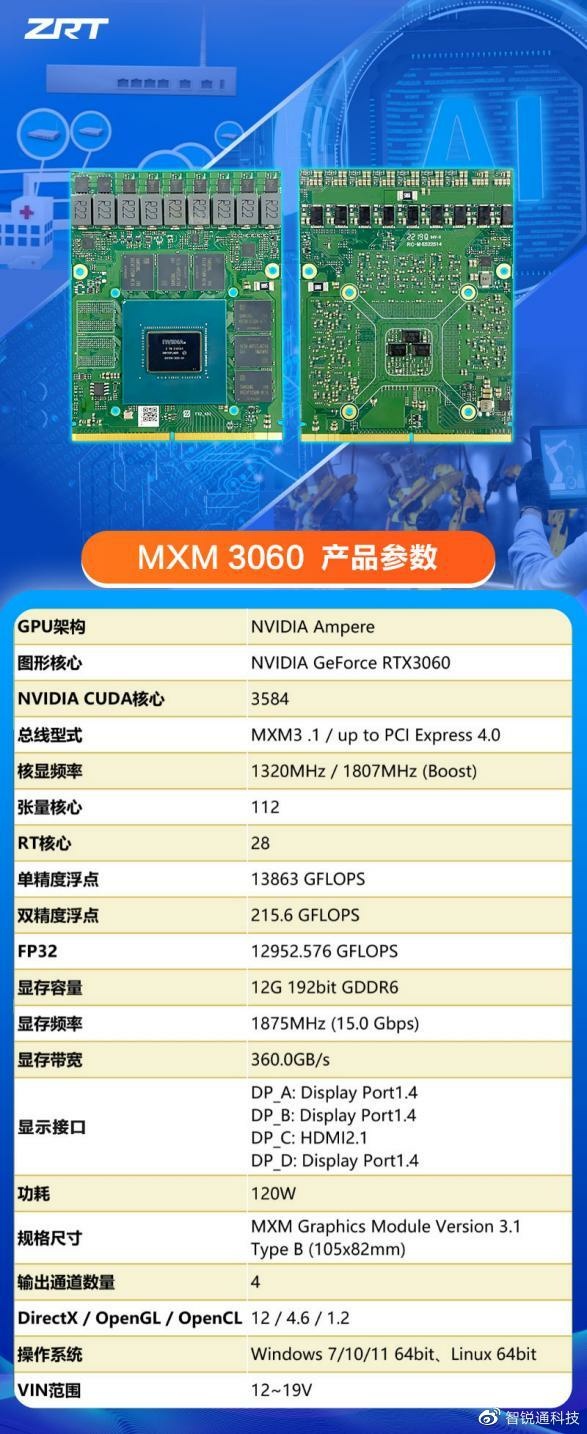
.jpg.0334a96df1be60bda0b633feadf0d8cb.jpg)
.jpg.235cb239c8cd9267b430684b857b24f1.jpg)
.jpg.1b34a7e80b8bbdb8ad4abbf5b1317bbf.jpg)
.jpg.dcc2312a3d879d4f421516d169580a19.jpg)
.jpg.337dcc1c11e92d652e07ec7ef7a9c682.jpg)
.jpg.4db6d0575231fdc09f960c1965ba506c.jpg)
.jpg.79aaf938e45c927ed36c954dd7324236.jpg)
.jpg.d89e9a0c1bc06616a64d52142ede9eec.jpg)
.jpg.b2d44cb698105854572df935074c4479.jpg)
.jpg.4f7be717b2db12ae20c2a00b8962a54b.jpg)
.jpg.67eb697e42ac2b8f701dd1ff9b2a7c6b.jpg)
.jpg.a1c742a932fa340ed1fb8e893980dc8c.jpg)
.jpg.e35a1a7412c27e1d9474f0e5a589eaa2.jpg)
.jpg.b3b099852db36a72e368170ed323912c.jpg)
.jpg.2bfc8aaea726eaa10c08fe124b39dda6.jpg)
.jpg.b1dd7aa7d09e4c6b667d826bf7186736.jpg)
.jpg.3f5d8be69cb1ede6c7a7a0513590e0af.jpg)
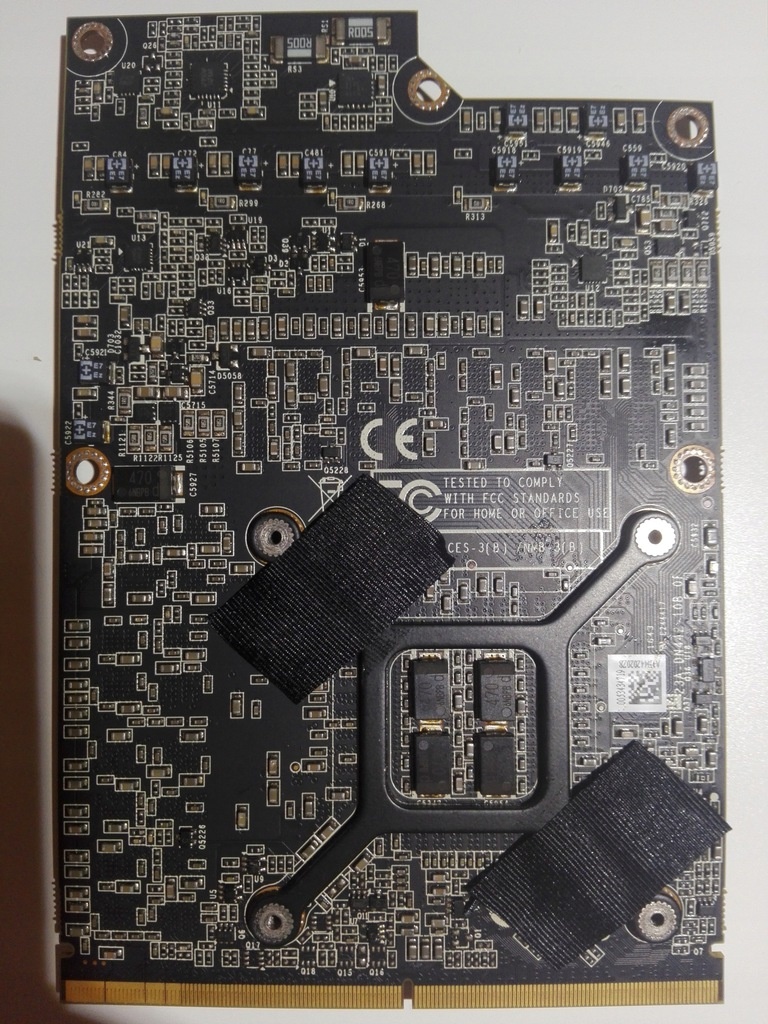
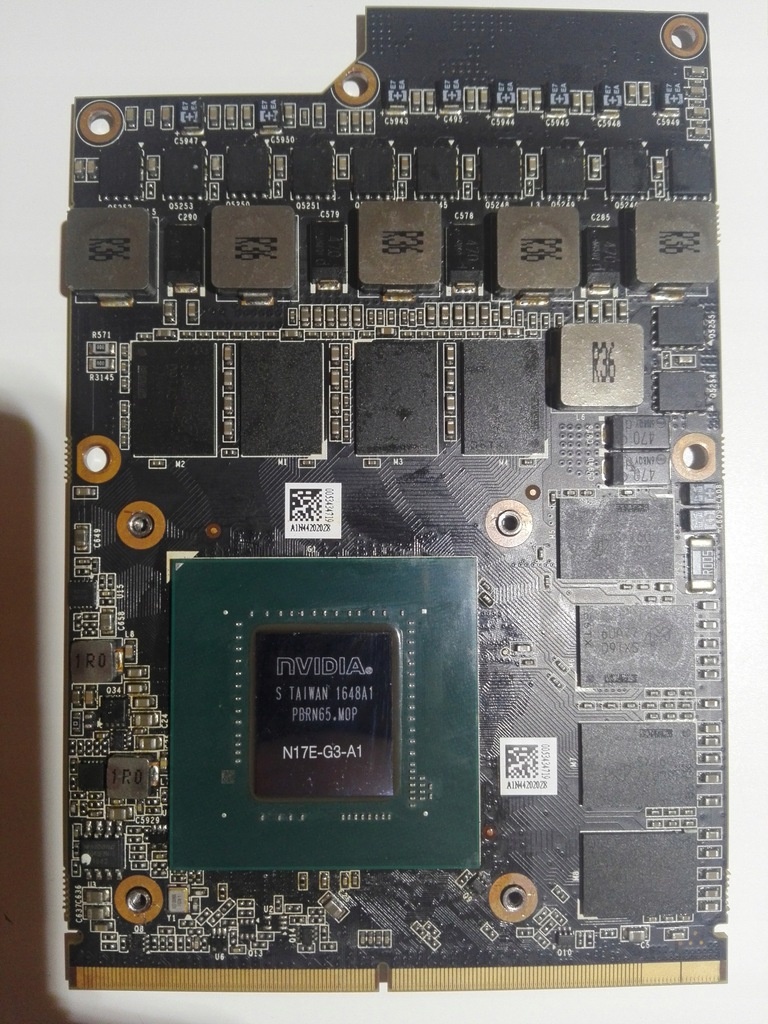
PCP RTX A4500 MXM
in Components & Upgrades
Posted
Maybe your email was blocked by his Chinese email. You can ask that MXM to nvme developer, he can also contact that MXM to PCIE developer.