Popcan
-
Posts
74 -
Joined
-
Last visited
Content Type
Profiles
Forums
Events
Posts posted by Popcan
-
-
10 hours ago, MogRules said:
I have a serious love hate relationship with this laptop right now. I don't know why, but Throttlestop can't run anymore without tanking the CPU frequency. Even re-installing Windows has zero effect. Sometimes I really REALLY hate computers.
I totally agree. It’s one awesome performing machine… when it’s operating correctly. It has taken a lot of messing around to get it “stable.” Way more than someone paying 3k for a laptop should have to.
but when it’s good it’s great. Haha……. 😂…😢
I finally got my m18 to about where it should be and was hesitant to install the latest bios.
I used that guide you posted to get the uv capabilities back. This cpu undervolts differently than any other cpu I have messed with…
Have you tried going back to 1.9?
-
Interesting. It's almost like they want their high end mobile chips to underperfom.
-
Another Bios. I have not installed it yet. Says it can't be downgraded once installed.
-
I was in a similar boat which lead me here also.
So, don’t worry, you’re home now!
😃
-
 1
1
-
-
Hopefully, this is in the right section…
Ive been looking for a handheld or portable video player for kids, something with a simple interface.
I am aware of cheap mp4 players off of eBay and the like, but those often have hoops to jump through as far as getting the media to work.
I am hoping to find something that I can hook up to a pc as external storage. Like a portable dvd player with a hard drive and will play most video formats.
I have tried tablets in the past and it has always been more of a hassle than it’s worth.
My wife recently has been letting our kids watch videos off of an old iPod and it has been working perfectly.
Again though the issue comes with iTunes being somewhat finicky a loading videos on it. But this might be what I end up doing.
Asking to see if anyone had any other ideas.
Thank you!
-
8 hours ago, ssj92 said:
Am I missing something? Post looks blank
Shows up on my end. Working on safari and brave browser.
🤷♂️
-
 1
1
-
-
1 hour ago, MogRules said:
Interesting...I have not noticed that. Did you hex edit your BIOS to unlock undervolting? I know if I undervolt to far at all I get the same BSOD errors A LOT. It's possible that a newer BIOS may change what the undervolt is stable at as well, so if your doing that I would knock it down a bit and see if it helps.
That's what it was. I was trying out OCLV2 and it had been fine for a while now getting 31000 on cinebench with tcc set to 15. But after the bios update I started blue screening.
-
4 hours ago, MogRules said:
I installed it last night. Cinebench scores seem to have gone up a bit. 35.4k now. Not sure what reducing electrical noise means 🤔
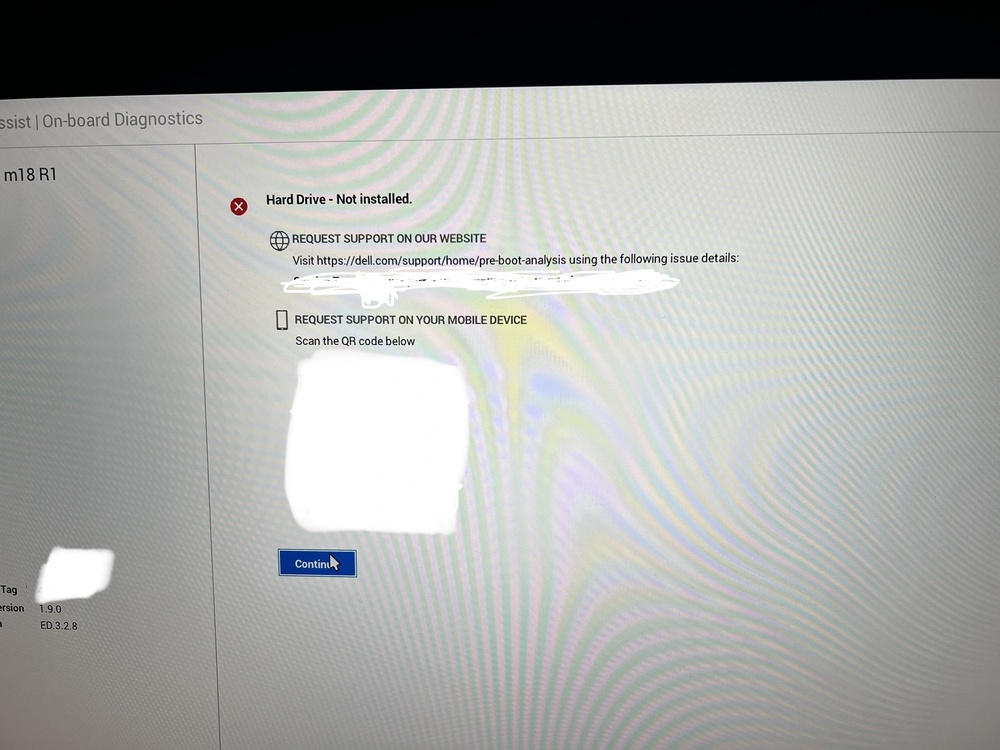
Some people have a bug where once the BIOS has been applied it will turn the storage config off, so Windows won't load properly, it goes to boot from HTTP. This can be fixed by changing the storage option back to AHCI, or Raid, where ever it was set before.After my post last night, I ran into that as well. just clicked factory defaults and then reloaded my custom settings after boot. I feel like with all of this nonsense Dell is putting us early adopters through, they should have at least given us the better charger... -_-*
Since the bios update to 1.9 I have had a BSOD for CLOCK_WATCHDOG_TIMEOUT as well as Chrome has started crashing for STATUS_ACCESS_VIOLATION. I do not know if this is the bios or windows or something else. The only thing I changed was the Bios.
Could be totally unrelated, I am running a debloated version of windows 11.

-
 1
1
-
-
New Bios released today.
-
1
-
-
Update: From day one I was getting random fan errors and malfunctions as well as random hardware tests that would always pass but still random an annoying. After a session talking with Dell tech support, they sent me out fan assembly, they sent me out another fan assembly. which turns out to me the entire heatsink and 3 fans. They also sent me in the ram fan (the little one).
Fan issue is resolved so far. 3rd time cracking the machine open... barely had enough honeywell ptm7950 to do the job twice. Same scores on cinebench. little fan is different than the original.
-
On 7/2/2023 at 7:24 PM, MogRules said:
Yeah, so not really sure what the UV in the BIOS is doing, but based on my working Throttlestop results...not much. Temps will still hil 99-100c in Cinebench, but the CPU package is drawing up to 197w at peak and sits around 171w sustained. I am just over 35k now, where as I could barely get higher then 31k before. That being said, the custom profile in AWCC now causes pretty much instant crashes and BSOD. Not sure if that is related to the undervolt changes at all, still testing.
I think I'm out of the loop on this one. Is the UV that you are adjusting different than the one in the bios?
-
20 hours ago, TheShowX said:
I have read how to do this and did it but it still states undervolt protection is on maybe i missed something? where is this video i need it! Please and TY! I saw your repaste video i did mine with liquid metal temps are great but i messed up on the pads when removing the heatsink they got garbled up and i dont know the correct sizes (the ones next to the processor side everything else is good. I tried google but no one has this info not even the service manual. If you could help in that regard it would be greatly appreciated as well. Also i would like to see the xmp profile enabling as well
BTW I was able to OC processor to 5.6GHZ and Ecores to 4.1ghz while keeping temps in gaming sessions to 85C max 80 Average Fans i believe are around 45%. Usually at around 100W max but can hit 175w in cpu dependent games and stay under 93C. Gpu around 65C max at 2310mhz undervolted to 875mv with 105 core 100 on mem i can probably oc it more but im good.
Whats you cinebench score?
-
Update: on the repaste with Thermal Grizzly kryonaut.
After several weeks my score on cinebench started creeping down from 31000ish down to low 25000....
I ordered some Honeywell ptm7950 and installed it. My scores Instantly shot back up to 31000 with max temp set to 85c
Pretty Happy with that.
-
On 6/15/2023 at 10:34 PM, ssj92 said:
Wait so what was the issue with 1.7.0? Why is everyone staying on 1.6.0? Did 1.7.0 remove any options in bios?
As far as I am aware, 1.7.0 is when they started to removed UV.
It did for me as well. However, if I had a custom profile set with my UV setting. I could update the bios and then just load my custom profile. This would restore my overclocking/undervolting options. I have confirm that they still work this way.
Just upgraded to 1.8.1 and tested this again. I can confirm is still works to enable the undervolt option.
-
Does anyone else get random “fan malfunction” errors in the bios log?
Happens every now and then.
-
8 hours ago, MogRules said:
Had a decent get together with Alienware to provide feedback on the M18 and CC and those things. Definitely passed along the disappointment of the new CC, so hopefully we see some changes.
That is an awesome opportunity! Thank you for passing that along. I feel like we are a bunch of beats testers but what else is new lol.
-
22 hours ago, TheShowX said:
OMG....its the NBR Forum!!!! Sup everybody. Im planning on purchasing the m18 with 4090 and 13980hx 64gb 5600mhz ram. Anybody repasted this with liquid metal comletely yet? Are the temps better with it? i have a m17 r4 with lm i got a 20c decrease on temps all round. So im just wonder here if its better. I saw ppl on youtube putting ptm but i dont think im gonna waste my time with that since the heatsink seems like its nickleplated.
PS. gonna use ru.efi to get xmp. It seems though the 13980hx can only handle 5200mt at 64gb
I'm sure someone has at this point, but I haven't seen a post of it yet. It would be an interesting venture for someone to experiment with. Thermals hold these CPUs back so much.
If I had the choice knowing then what I know now, and if it was available, I would get the AMD variant. However, I just play games on mine.
Battery life is much better according to reports as well as the thermals are much better.
Just my .02 🤷♂️ I don't think you will be disappointed, there is a lot to like about these m18s even if there are a few blemishes.
-
I will say this, the most stable my laptop has ever been is when I reinstalled windows.
and got rid of all the dell stuff.
my backlight has stayed how I set it.
-
1
-
-
7 hours ago, MogRules said:
Anyone seeing any increase in the error message at boot that your system has failed to boot 3 times unsuccessfully? I am getting it every weekish, and the funny part is the system is turned off and moved to a new location and that's it, there is definitely no failure to boot 3 times in a row, so not really sure what's causing this. The only OC settings I am even using are the undervolting options in the BIOS, so not really sure what's happening there.
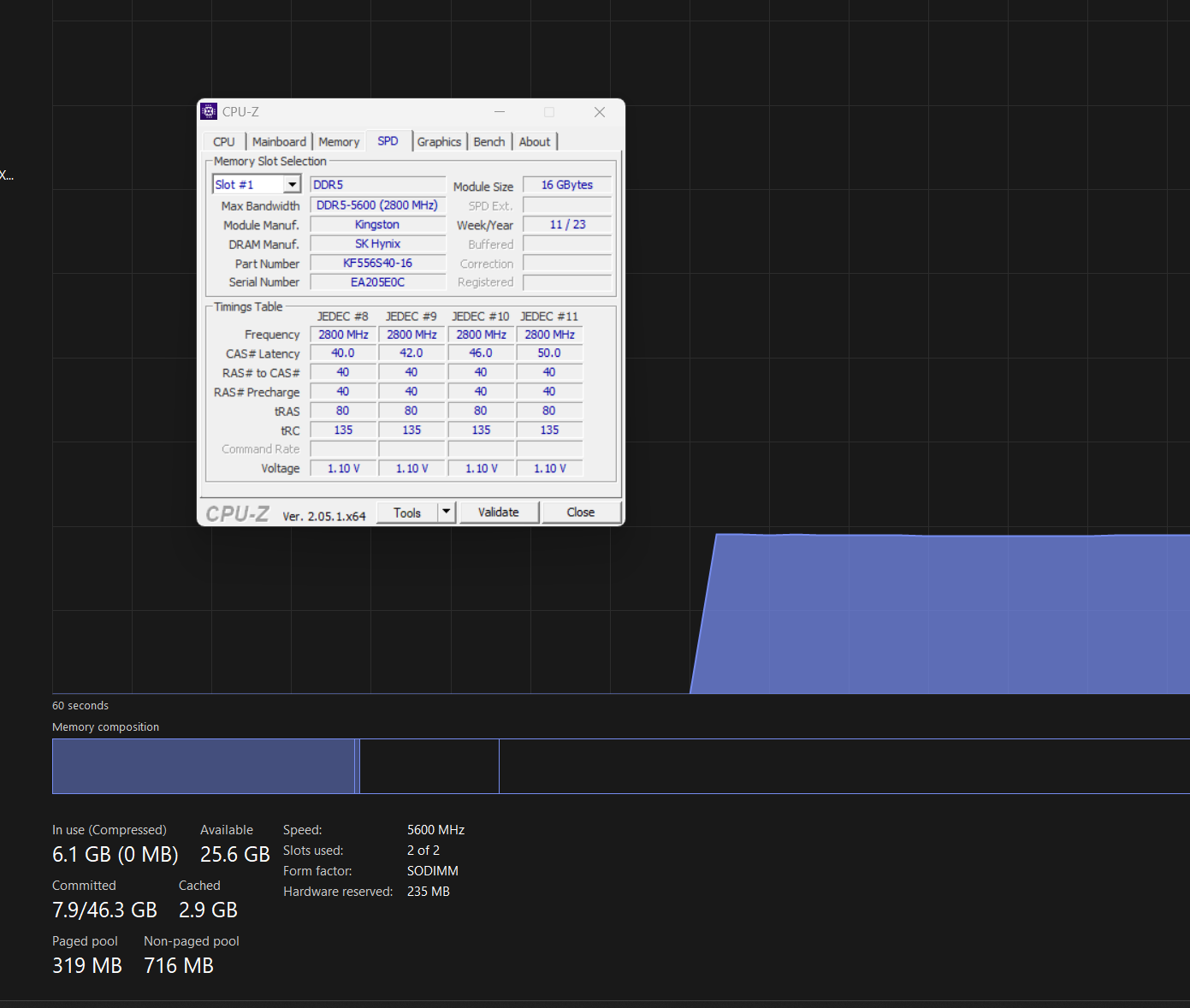
I had my voltage set to 1100 with no offset and would get that occasionally. When I upgraded my ram to kingston fury 5600 ram my laptop would not boot at all. I had to reset the bios and then it was fine. So, from my experience these cpus seem to handle undervolting differently than traditional cpus. 🤷♂️
or its dells buggy bios or software...
-
1
-
-
2 hours ago, Rengsey R. H. Jr. said:
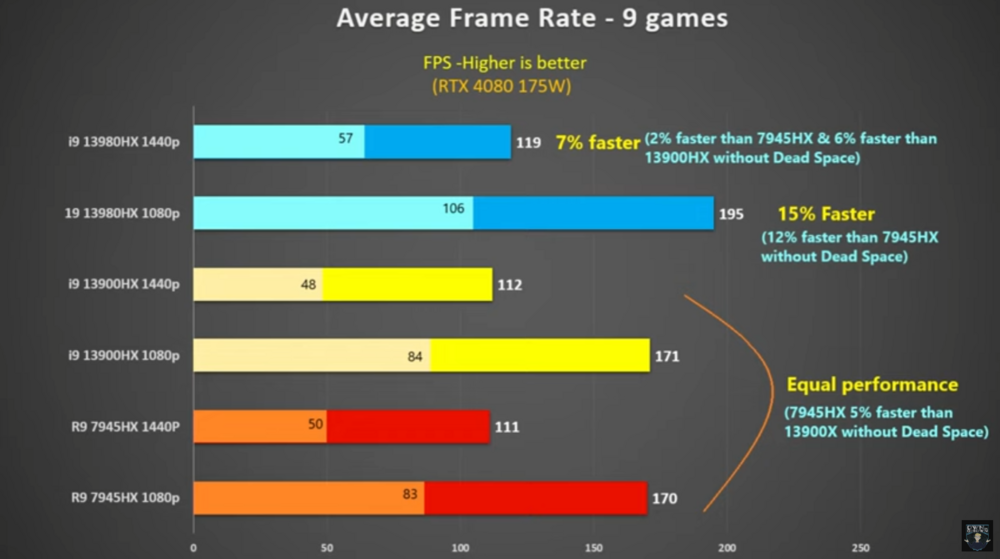
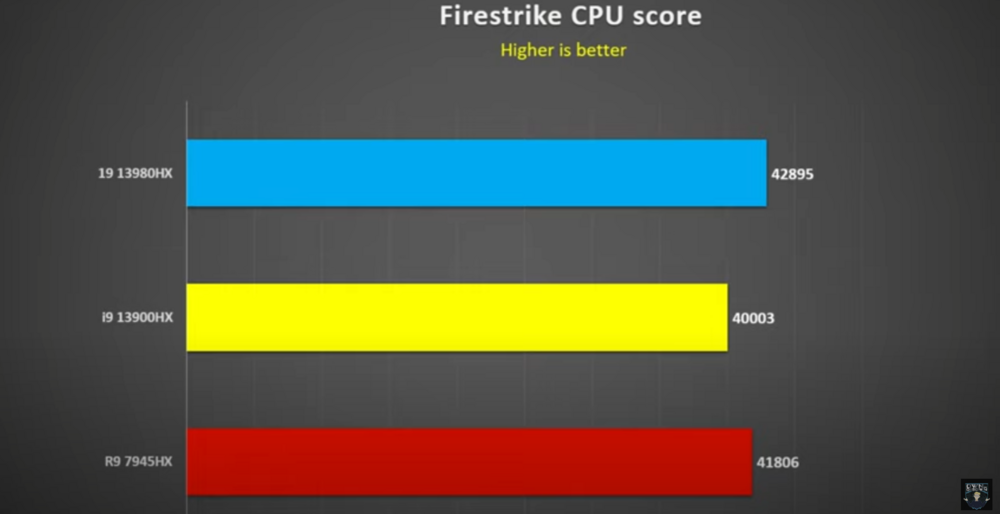
Alienware just released the top end Ryzen 7945HX CPU for the M18.
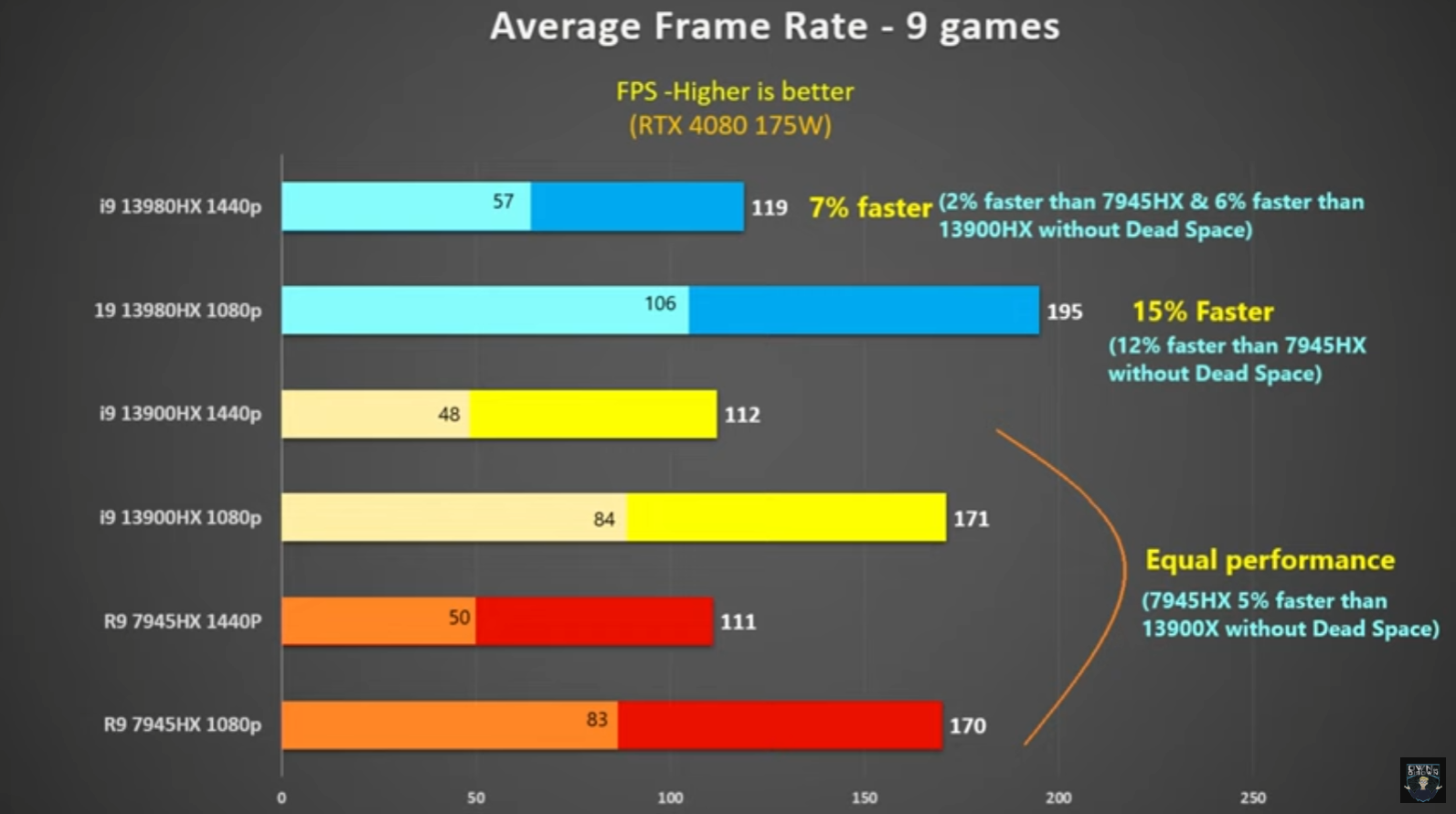
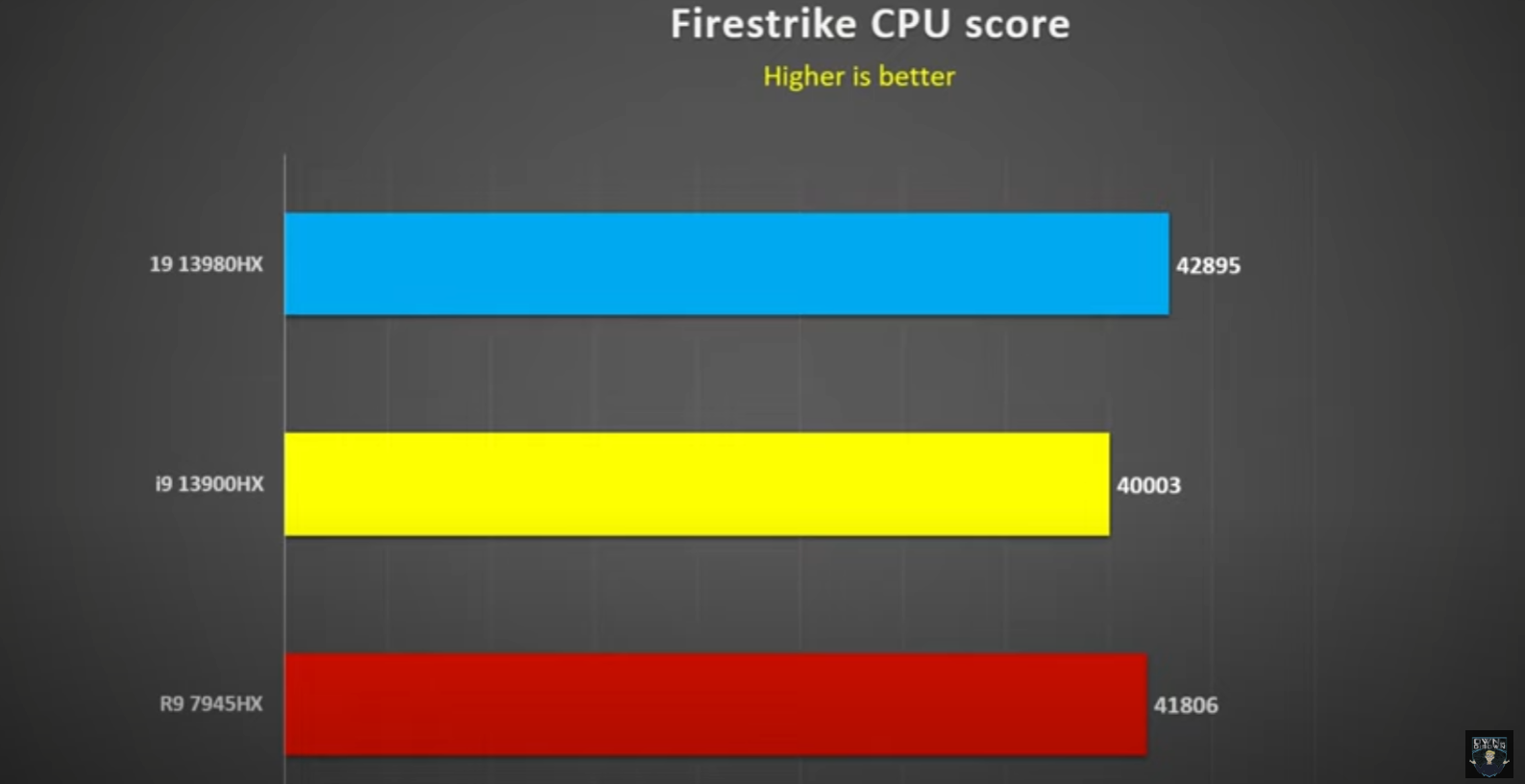
From the limited tests I have seen so far of similar speced machines, the 7945HX get way better battery performance, better thermals and is neck and neck with the 13900HX in performance, if not a little better.. Depending on workload of course.
-
1
-
-
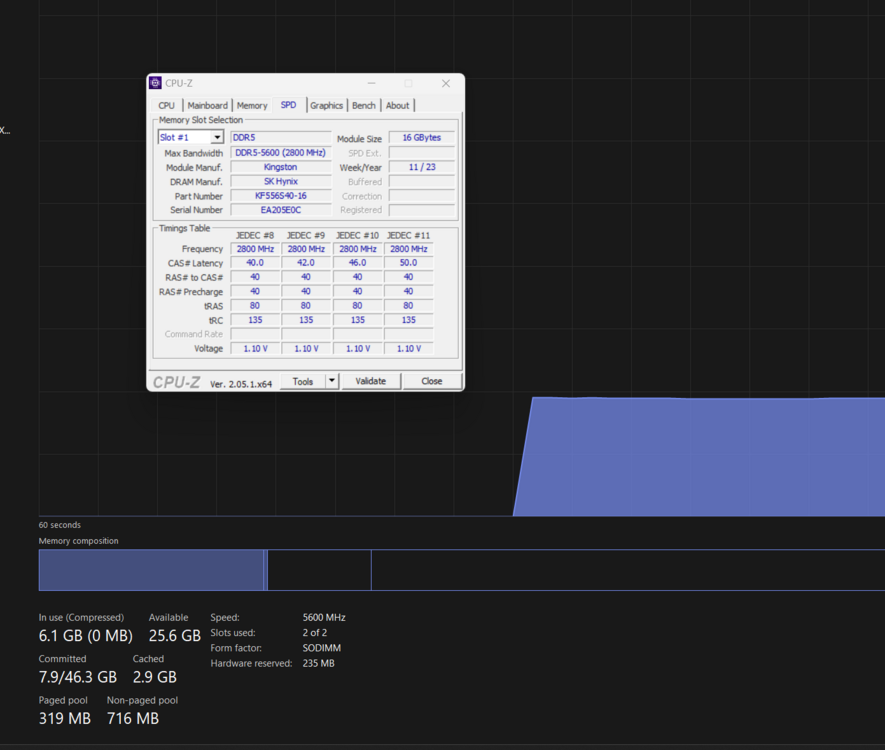
I can confirm 5600 works at rated speed. With 32gb anyway.
-
The issue I have ran into with removing awcc is that the reverts my keyboard lights to white. I really, really dislike awcc.
-
1
-
-
This is one of the issues I ran into with AWCC. It already uses its own version of XTU that causes conflict with the bios and XTU. At least in my short experience. Like I have mentioned before in other posts, I have had AWCC hang my computer at post after repeatedly getting messages about AWCC resetting my bios to default.
From the research that's available and my own testing it seems that the bios locks undervolting in any setting but performance. This seems like a bug to me. There is a sorta work around out there but I don't know if it will allow you to use XTU since it requires you to disable the service and rename it in system32. You could probably get it to work if you uninstall AWCC and wipe xtu and then reinstall XTU.
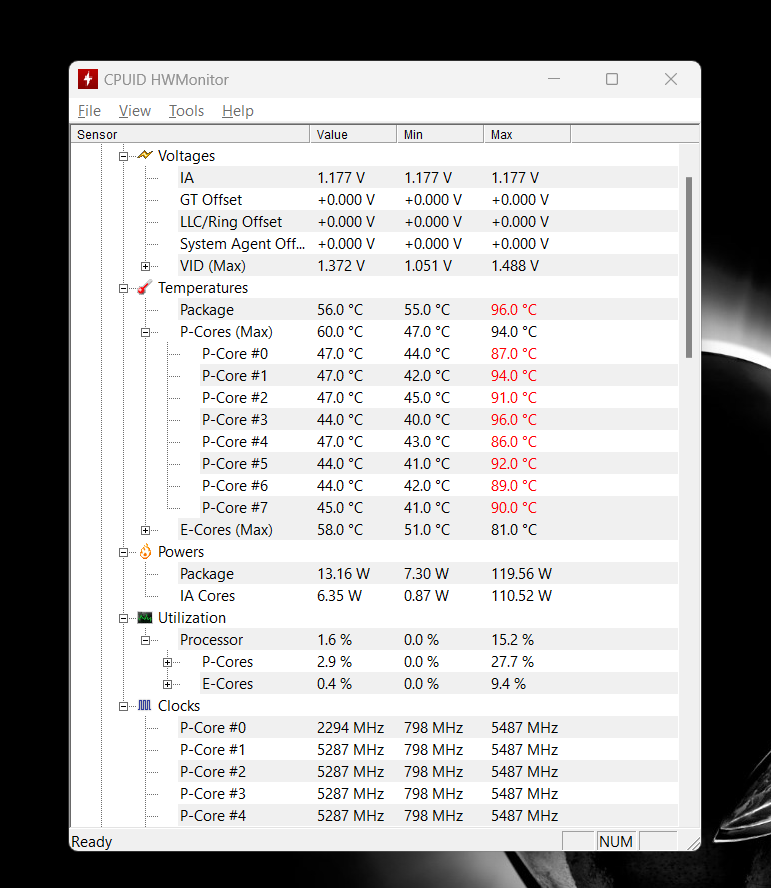
I have a -150mv that I set in the bios that shows in hwmonitor but I'm not sure that its actually sticking at all times. I have AWCC installed but all of dell's other bloatware removed and XTU service disabled.
All in all, I think that the bios is a little buggy, there are even options available in the bios that say on them that the customer shouldn't see them lol.
Even more than that I think that AWCC is a horrible buggy mess. Because of Dell's track record with AWCC I have no hope for it either but we will see.
I do think that eventually they will fix the bios issue. Disabling windows from modifying the bios has seemed to help also.
I remember a time when you bought a product it didn't feel like you were a beta tester. lol
-
1
-
-
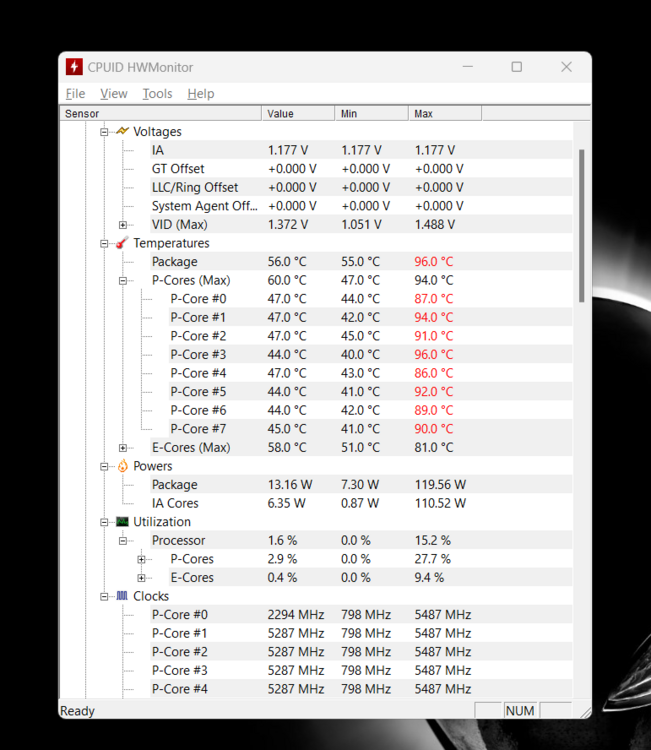
Here is what a about an hour of halo infinite maxed settings, capped at 120fps, looks like on the cpu. undervolted 150 (im honestly not convinced that its actually doing undervolting) custom fan curve (pretty much just maxed fans.)
edit: this is with 15 TCC 85c max
Alienware M18 undervolt protection won't disable
in Alienware 18 and M18x
Posted
I wonder if it’s a issue with throttle stop and whatever they changed?
I just used the uv unlock and xtu only. It seems to do something. I still get 31000 with tcc set to 85. But I’m still on 1.9
Have you also tried turning off all of the virtualization settings? Unless you use them, then that wouldn’t help either way.