

Chalybion
-
Posts
87 -
Joined
-
Last visited
Content Type
Profiles
Forums
Events
Posts posted by Chalybion
-
-
The display cable is paired with the screen, not the GPU. All display cables connect to the same eDP port on the motherboard.
There is also a black power cable that connects from the motherboard to the GPU. At least on the Precision 7540, the RTX 4000/5000 cable is longer than the RTX 3000 cable, but I was able to make the old cable work by gently straightening the bends.
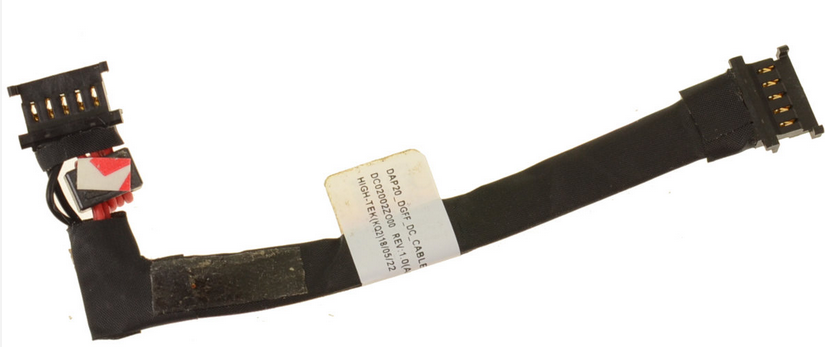
Other than possibly the power cable, a new heatsink is the only requirement to make the RTX 5000 work.
-
/ranton
I uninstalled the Copilot App from Microsoft Teams on my work computer. Since update Tuesday last week, every time I open up Teams I am greeted with a pop-up "Add Microsoft CoPilot!" And it true Microsoft fashion, there is no "No," only "Maybe Later," and "Later" is the next time I open Teams. Goddammit, Microsoft!/rantoff
-
 1
1
-
-
"AI-native" translation:
Windows 11 will hide key functionality and settings while pretending to understand what the user wants, while continuously surveilling the user to serve targeted ads and share personal information with governments
-
1
-
-
Delta fans create less high frequency noise at high speeds. Not a necessary upgrade, but a nice-to-have if you are already taking off your heatsink. They are distinguished by a white plug (instead of black), and no sticker on the fan hub.
-
6-core CPU max power is 60-75W, and for the 15" precision, max GPU power is 80W. So a 180W adapter is plenty.
240W adapter is only needed for 17" models (w/ 110W GPU), or if overclocking an HK-variant CPU.
The Xeons are supposed to be a binned version of the equivalent i7, with additional support for ECC RAM and vPro. So the Xeon theoretically has better silicon quality - so theoretically less voltage is converted to heat at the same clock speeds. You may not see an appreciable temperature difference.
FWIW, I've undervolted two Xeons in these laptops; one was 100% stable at -115 mV (both core and cache), the other stable at -120 mV. I'm not sure how that compares to the i7s.
-
Unfortunately I can't find my notes, but on my 7540 I used an assortment of 0.5mm, 1mm, and 1.5mm thermal pads. Any quality pad should be OK in these laptops.
I'm on "Aggressive" processor boost mode, and use an undervolt to limit max temperature at full boost. If your laptop reaches a max temperature of >90°C at sustained boost clocks, then different thermal paste/undervolting can definitely help your temps. But the 80-90 °C range is normal at sustained boost clocks on these laptops
-
8 hours ago, Papusan said:
The future looks bright. Who need KB and mouse forwards? @Mr. Fox are you ready to talk with your PC ?
Microsoft will do literally anything instead of making a working search function, a fully functional settings feature, and start menu / taskbar customization
-
 1
1
-
 1
1
-
-
On 9/20/2025 at 7:22 PM, loopster said:
Long screw damage?
Yep, looks like someone put in 5 mm screws instead of the two 3 mm screws that secure the palmrest there
-
Yes, Pascal should work without any problem. The P2000 is ~20% faster than the M2200.
Turing works as well - I use a GTX 1650. Many people use a T1000. This is ~50% faster than the M2200. The only problem I have had is related to GPU power-state switching on battery - the GPU gets stuck at a low power state (resulting in poor performance), and the GPU occasionally fails to activate when launching certain programs, causing a hang. The GPU works perfectly on AC Power.
In my experience, the laptop's internal screen does not support V-sync, but V-sync should work via DP or HDMI connection to an external screen.
-
On 8/16/2025 at 9:38 AM, Mr. Fox said:
Just when you thought it was safe to go into the water... introducing Windung 12.
This sounds like the godawful idea of an MBA who sincerely believes that they are "aligning synergies" and "creating value" by spamming Teams meeting invites (in other words, a psychopath)
-
 2
2
-
-
1 hour ago, Mr. Fox said:
I am contacting UPS tomorrow morning. If what I am reading online is accurate there should be no duty or tariff on a purchase from an EU country if it is an online consumer retail purchase under $800 or $2500. (I see both numbers and do not know how to interpret the difference, but either way I may owe zero.) It looks like a tariff, if one even applies, would be 15% of the sale price, at most.
De minimis value is $800; any item valued under that should owe no import taxes or tariffs. Of course, de minimis is supposed to go away 8/29 by 45's executive fiat. After 8/29, the duty coming from the EU should be 15% (of course, that all could be changed at anytime).
I have heard of some shipments pre-emptively being charged tariffs ahead of the 8/29 deadline
-
 1
1
-
2
-
-
Thanks, I didn't realize KeepassXC has TOTP functionality, now I need to see if I can completely replace Google/MS Authenticator
-
Absolutely worth it! For the 7740, you can use Throttlestop to increase the PL1 from 60W default up to 75W (Dell IC-limited). With a good undervolt, the 2276M will run at maximum turbo speeds at <75W (i.e. indefinitely with no frequency drops). If you know of some way to increase the power limit on the RTX 3000, I'm sure the forums here would be very interested.
For the 10885H, a reasonable goal is >=4.0 GHz all-core with a good undervolt and mild tweaking of power settings.
-
Before I swapped from the E Port dock, I was (overly) concerned about reliability of the connector, but felt better knowing the cable can be changed, and (on the 7710) the port can be replaced. But really, no issues with USB-C reliability over the past six or so years. Only thing is that Dell docks don't prevent you from exceeding the display/resolution limits, which can lead to some really weird behavior
-
I've done a bit more digging: It sounds like the issues were specific to the TB16 dock. The "guts" of the WD19 and the WD22TB4 are essentially the same, so they should be equally compatible and reliable. If I were in your situation, I would definitely choose the WD22TB4 all the way.
-
1
-
-
The Precision 7710 is not officially on the compatibility list, but the WD22TB4 should work because TB4 is backwards compatible with TB3:
I've used the WD19 with Precision 751X/771X, and it will work without issues. Both the WD19 and WD22 output 130W, which is adequate unless you are heavily loading the CPU and GPU. Plugging a 180W power adapter to the computer (while still docked) will give it full power if you need it.
I don't have experience with the WD22TB4, but have anecdotally heard that the thunderbolt docks are less reliable than USB-C (i.e. WD19).
However, the WD19 has only one USB-C port (front connection), so you would not be able to connect your both your monitor and external SSD to the dock. I'm not sure (haven't checked the numbers) if high refresh-rate 4K video would bottleneck your SSD on the WD19. So the WD22TB4 is your best bet, unless you have heard any horror stories about it, in which case WD19 would still be workable, but perhaps limiting.
-
On 3/5/2025 at 6:17 PM, NERACOM said:
Thank you for the CPU recommendations, I was looking on ebay for T1000 but they are way over $200. Might wait to see if they drop in price
-
WTF indeed! It's really cool that your 7540 can do this; it is something special. What is your cooling solution?
I recently picked up a cheap 7740 with the RTX 5000 and swapped drives. My 7540 had a 24/7 stable undervolt of -90 mV cache/-175 core, and the 7740 has a stable undervolt of -120 mV cache/-120 core (at a few mV lower, it will lock up after a few minutes). After using PTM 7950, the 7740 maxes out at 4.2 ghz / 107W / 95 °C in Cinebench R23. It is stable there, but on the hairy limit of the more heat->more power->more heat->more power cycle. Score of 11050 (my 7540 maxed out at ~10900, on a cold day)
On 12/4/2024 at 1:39 PM, PHVM_BR said:WTF!
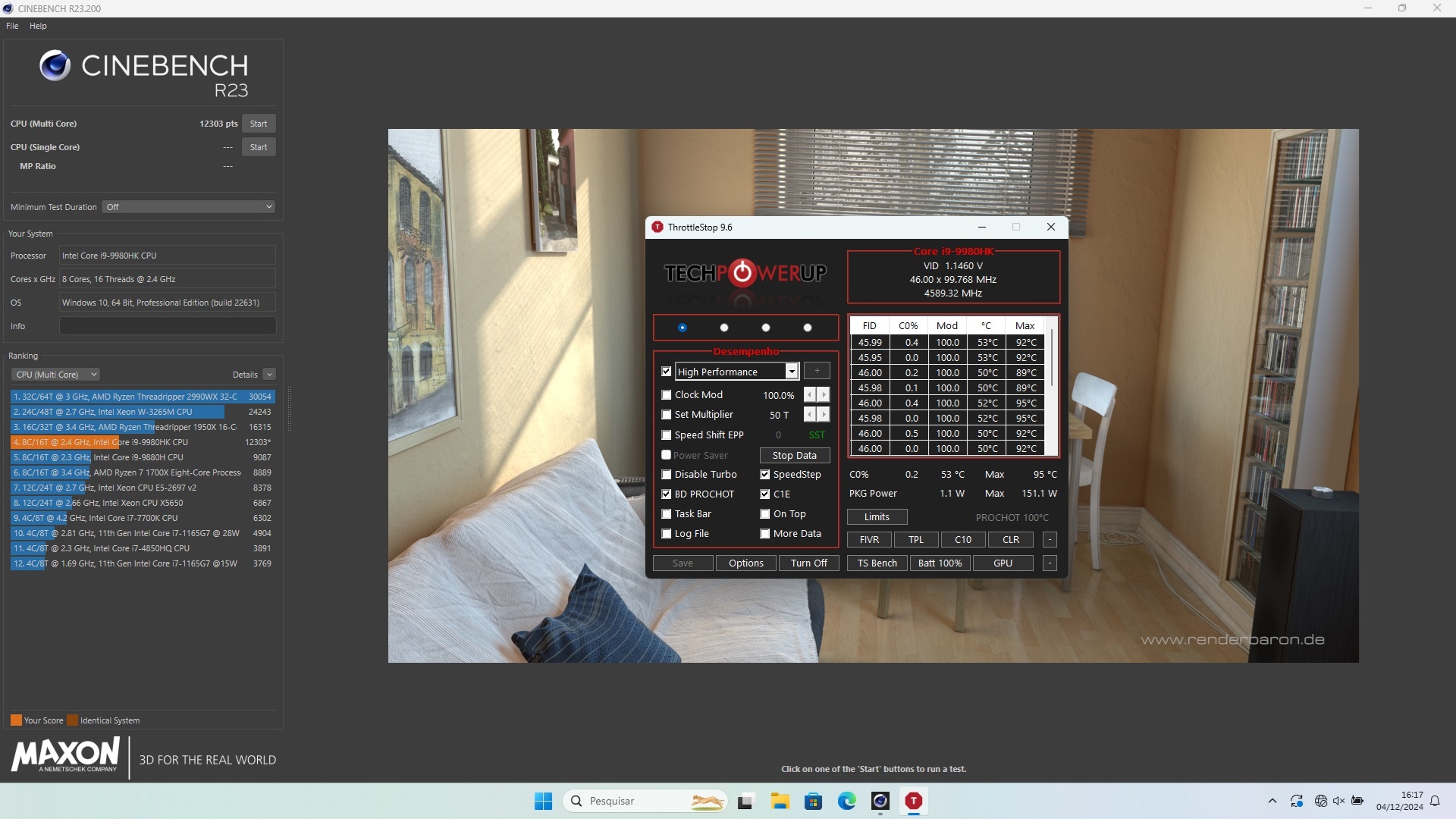
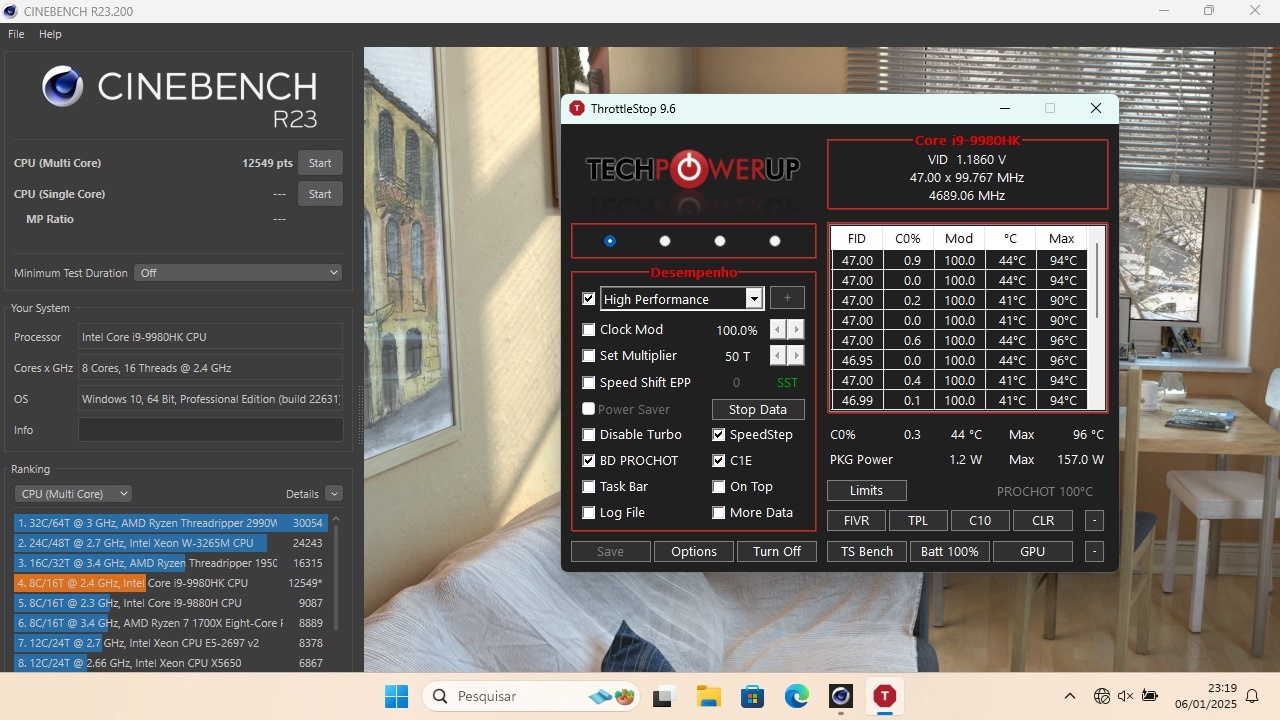
I never imagined that the Precision 7540 could do Cinebench R23 at 4.6GHz all core consuming +150W and without thermal throttling!
In Cinebench 2024 which is a longer benchmark (~8 minutes vs ~1 minute in R23) I can sustain 4.5GHz consuming +130W reaching a maximum of ~92°C.
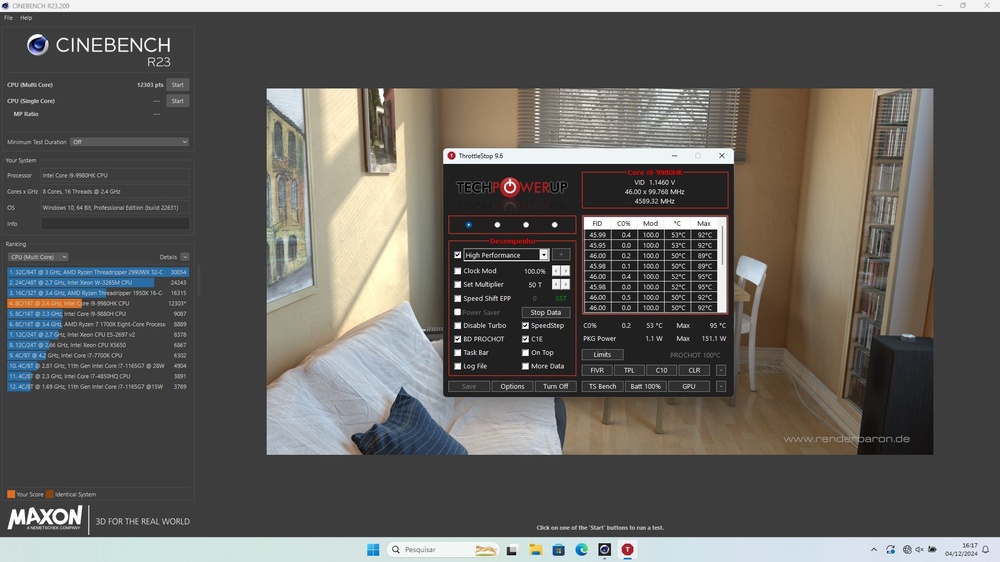
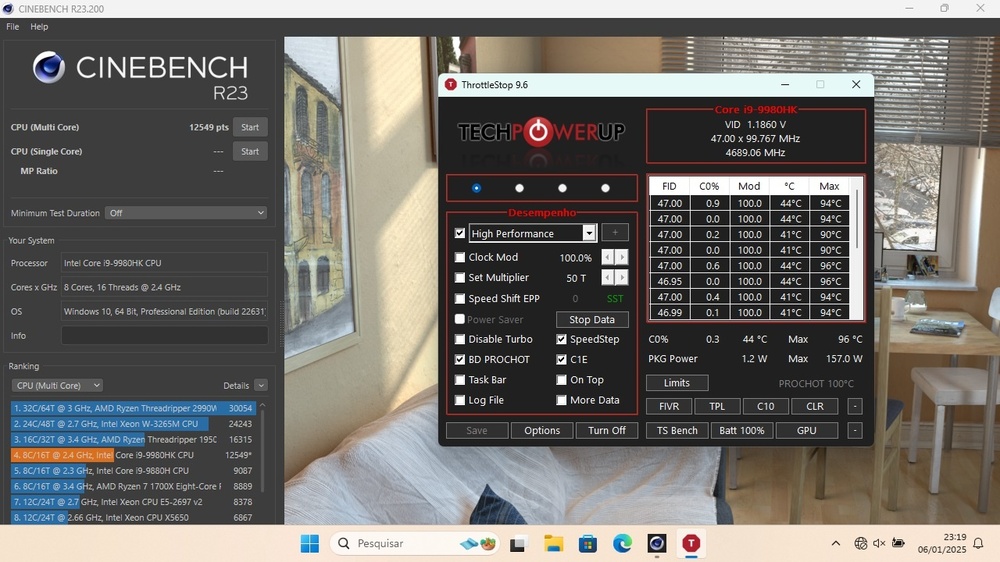
Edit:
At 4,7GHz all cores consuming 157W:
-
I've installed Windows 11 on two 7520's using Rufus to bypass the hardware requirements (and use a local account). Windows 11 works fine with no hardware-related issues. Only compatibility issue was with a couple of the Dell drivers (free-fall data protection, and one other), but the problem was with Dell's installation "wrapper" - it worked fine to extract the actual driver exe and run that
-
Hmm, I don't have experience with Kepler GPUs, but do have experience with Maxwell/Turing GPUs on Precision workstations. Some observations:
- P5 is usually a power-saving state that locks the GPU to low clockspeeds.
- P0 is the max-performance state that performs at the base clock, and boosts to higher clocks as power/thermals allow
- P5 is a normal power state when using battery power
- P0 should be the normal power state when using AC power
- I've experienced a computer incapable of using P0 due to a BIOS issue when connecting with a dock.
-
One last thought since I'm spending way too much time caring about laptop naming convention:
I honestly don't understand why Dell didn't keep their distinctive, well thought-of business brands (Latitude, Precision), and instead merged Inspiron/Vostro into a new brand name. While making the change, they could also do away with the stupid product segmentation where Precision 3000 series = Latitude 5000 series, Precision 5000 series = XPS, and Latitude 3000 series = Vostro = Inspiron. "XPS" could even become the thin-and-light version of each line-up (Latitude XPS, Precision XPS, etc).
-
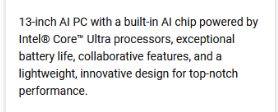
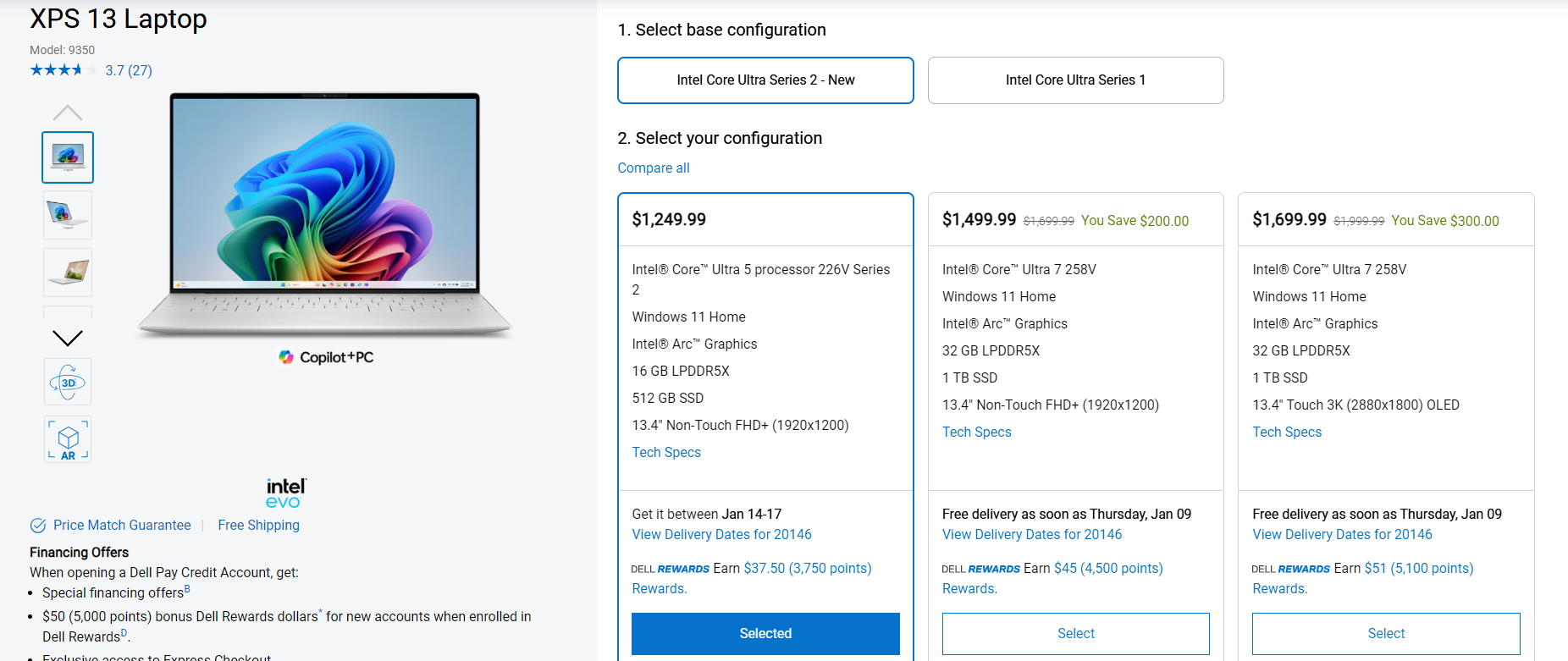
These prices are shit; compared with the current XPS 13, Dell is asking 60% (edit: accounting for currency conversion and no VAT) more for a "new" processor with maayybe 5% performance increase, and a fancy new name?
 4 hours ago, Mambucho said: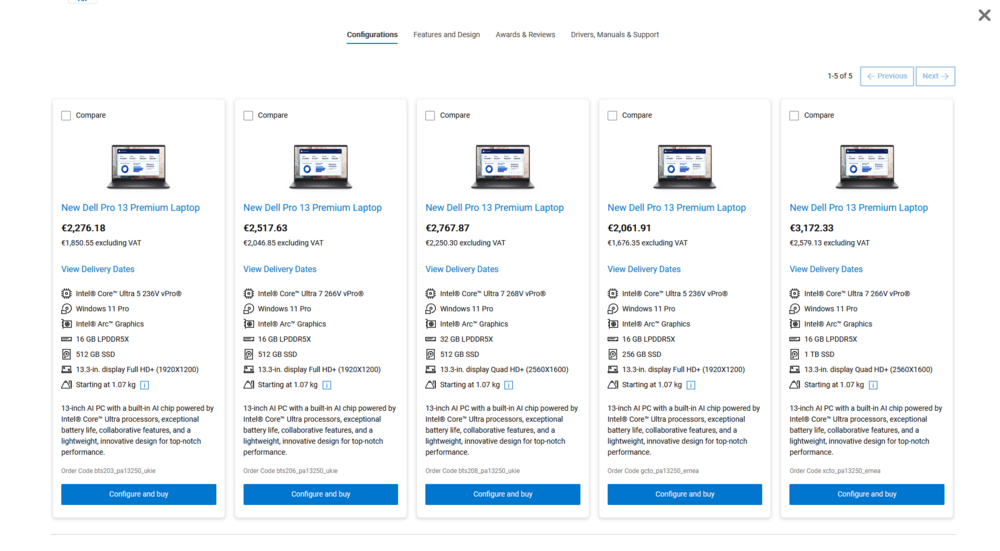
-
I'm disappointed by the lack of AI! I only count 2 AI; if I'm paying 3,000 quid for a laptop, I expect at least 8 AI!
-
3
-
-
26 minutes ago, KMikhail said:
Thanks a bunch for the update! I hope it will eventually work. Aren't you a bit worried about power dissipation? I thought it is rated to about 100W, while the original card is somewhere around 50W?
I'm staying tuned to this thread in hopes that the 4060 works. There should be a solution to the power issue, as long as the video BIOS allows tweaks. Options I've thought about:
- Use MSI Afterburner to set a power limit (may not play well with Optimus)
- Use nvidia inspector to apply a power or temperature target.
Both can be configured to autorun using the Windows task scheduler.
And if all else fails, the card's built-in thermal protection will shut the computer down (my experience installing a new MXM card, before noticing that the heat sink spacing was incorrect)
Precision 7540 & Precision 7740 owner's thread
in Pro Max & Precision Mobile Workstation
Posted
Those three connectors are the DGFF connectors; they are universal (They carry the PCI Express connection, and I think one is dedicated to power)
Here is the heatsink part number for my 7740 with RTX 5000:
Here are all of the other part numbers associated with the graphics card: