
Maks0098
-
Posts
115 -
Joined
-
Last visited





Maks0098's Achievements






-
By the way, I found a solution: I had to reset the BIOS settings by removing the CMOS battery. You need to ensure that the "Legacy USB Support" setting is enabled. This pertains to the connection of USB devices before and during the POST process, allowing them to be used outside of the operating system. It seems this setting was disabled on my end before the reset—that’s strange, but oh well.
-
That’s the problem—I can't do it; I press the key, but absolutely nothing happens. I read somewhere that the "USB Legacy Support" setting in the BIOS might be disabled. I remember being able to do that when I had UEFI with CSM (legacy) support enabled, but now it's full UEFI—and possibly has USB legacy support disabled too—yet the system doesn't detect the external keyboard during POST. The external keyboard works fine in Windows, of course, but pressing F2 won't let me enter the BIOS. Regarding the TDP limit: I had a similar issue with a 120W MSI GTX 1070. To avoid constantly toggling settings—since I had to go through that whole "sg -> igfx -> sg" routine almost every other time I booted up—I just set the limit to 100W in MSI Afterburner (I don't even recall if I flashed the BIOS to unlock that slider in the Mobile Pascal TDP Editor, but it doesn't matter). It seems like the same thing is happening here—maybe it can't draw more power because of that? Or is it a Max-Q BIOS, which is why the power draw is capped at 90W?
-
Hi everyone. This is an old topic, but I still have both of my M18x R2s, and I’ve run out of working keyboards...) None of them have fully functional keys anymore—except for one where the 'N' and '-' keys still work. But I need the F2 key. Does anyone have any ideas or experience on how to enter the BIOS with a completely non-functional keyboard? I have full UEFI enabled (no CSM). I recall that with UEFI with CSM support—back when the big alien logo appeared at startup—I could press a key on an external keyboard to enter the BIOS, but now I'm on full UEFI. I just need to get in once. By the way, I recently installed a Quadro RTX 5000 for a good price—I was thinking of posting about it in a separate thread, but I can mention here that it draws a maximum of 85–90 watts. I seem to remember there’s a way to switch from SG mode to iGFX and back to get full power. Are there any other options? Wasn't there a trick involving sleep mode? I can't seem to find or recall the details.
-
Hello, my m18x r2 currently has a GTX 1060M from China, which should have both HDMI and DP video outputs, as seen in NVIDIA Control Panel. I'm in SG mode and have tried various PowerXpress (I assume it's like MUX?) options in the BIOS video settings. But I can't get an image via HDMI to an external monitor with a discrete graphics card; only the integrated one. Is there a way to do this through the Windows registry, drivers, or third-party programs? I'm also considering ordering a Mini-DP to HDMI adapter. Maybe the Mini-DP is only connected to the discrete graphics card? By the way, I need this mainly to connect my Oculus Rift to my laptop. The program shows there is no HDMI connection because the integrated graphics card is not supported.
-
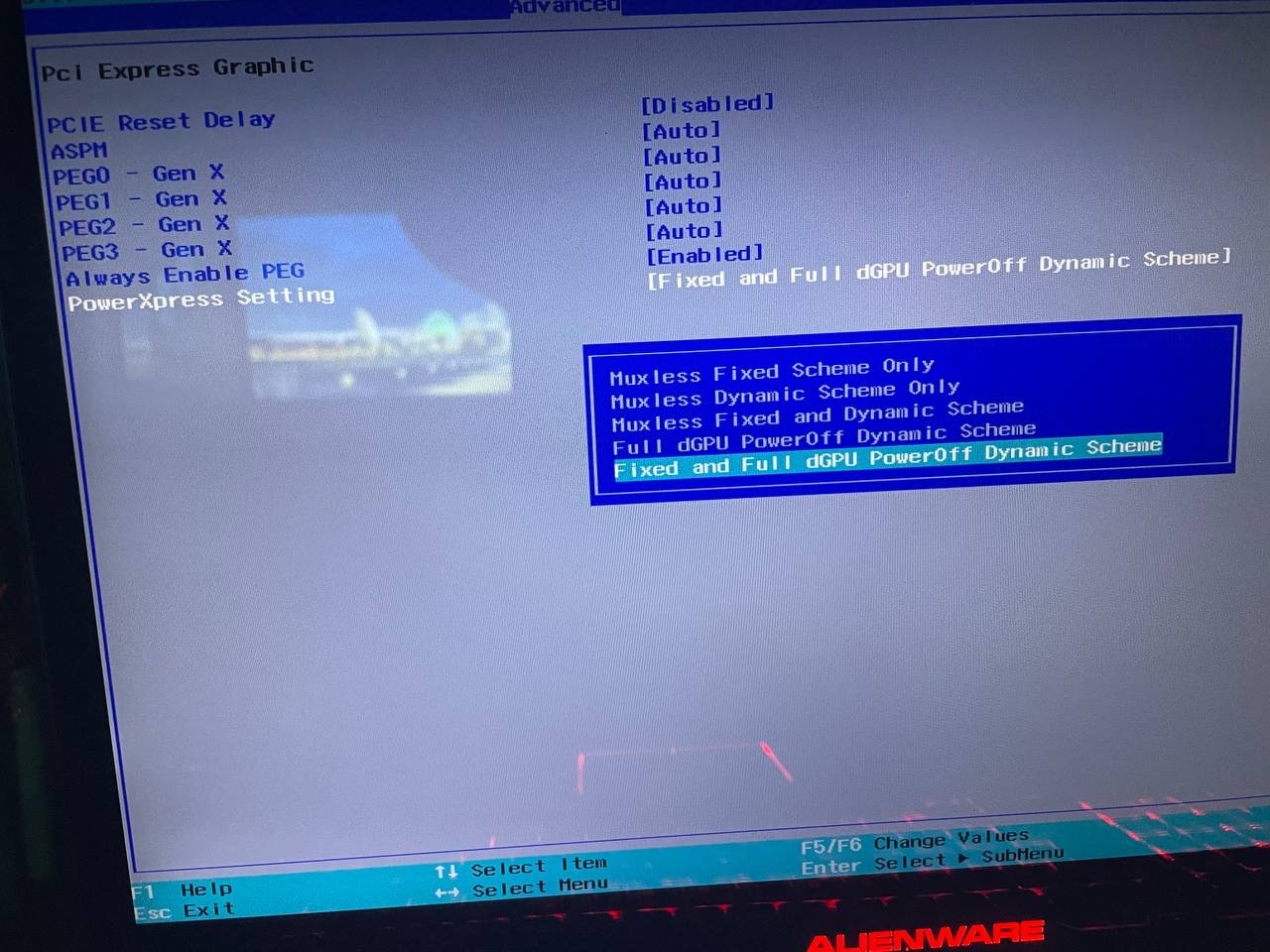
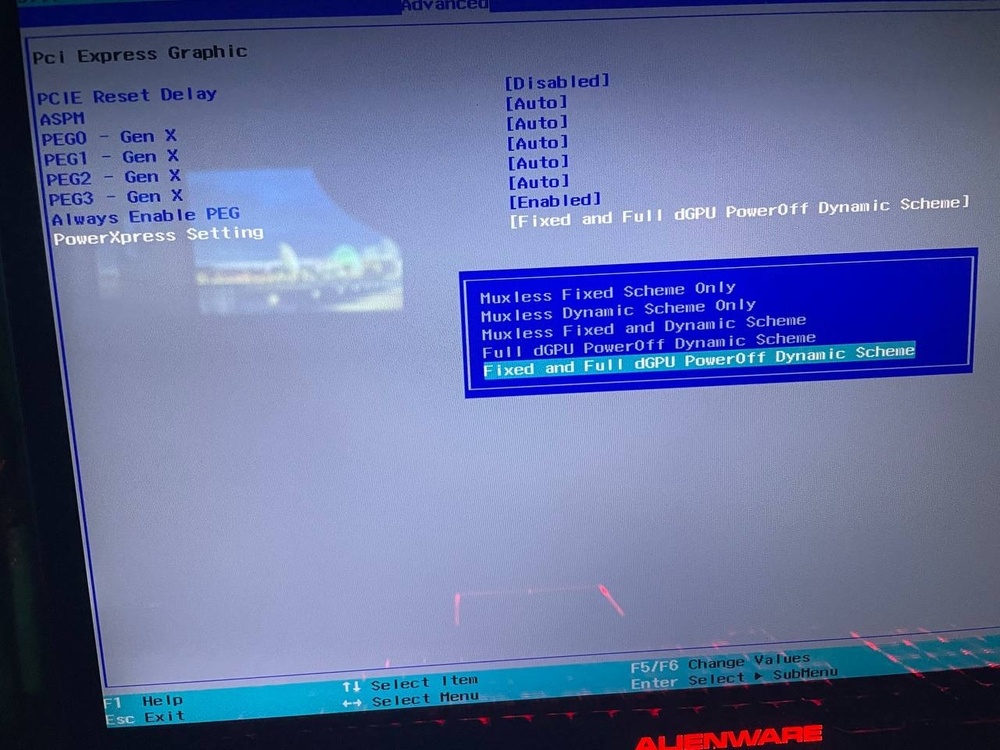
In general, it controls which video card will be responsible for video outputs, integrated or discrete, but this is a Fixed scheme, and Dynamic seems to work like a MUX and, let's say, outside the game you have an image from the integrated one, and during the game the discrete one turns on and the image starts to go directly from it, like in PEG mode This is my understanding, let someone correct me if I misunderstood about Dynamic Scheme.
-
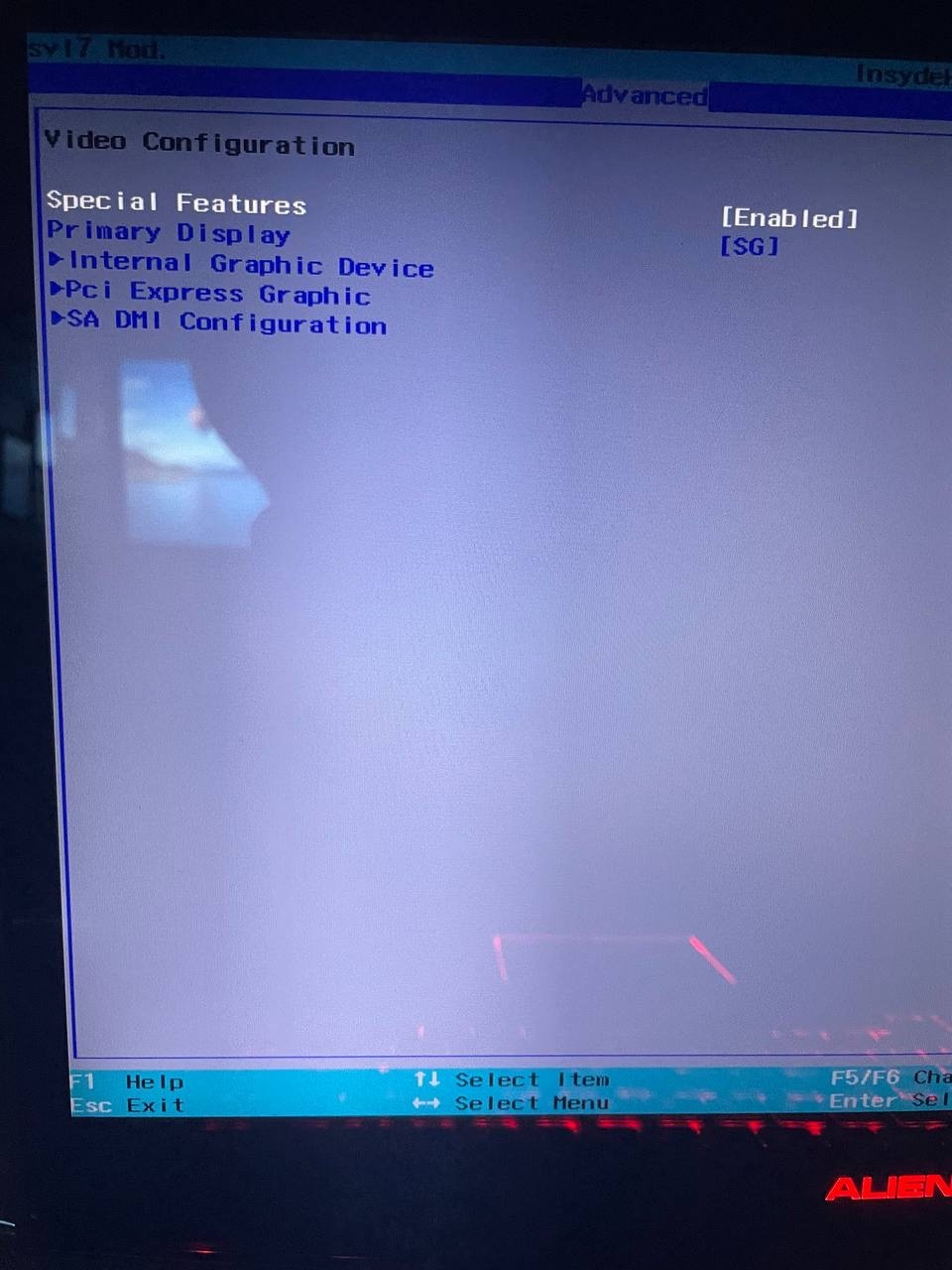
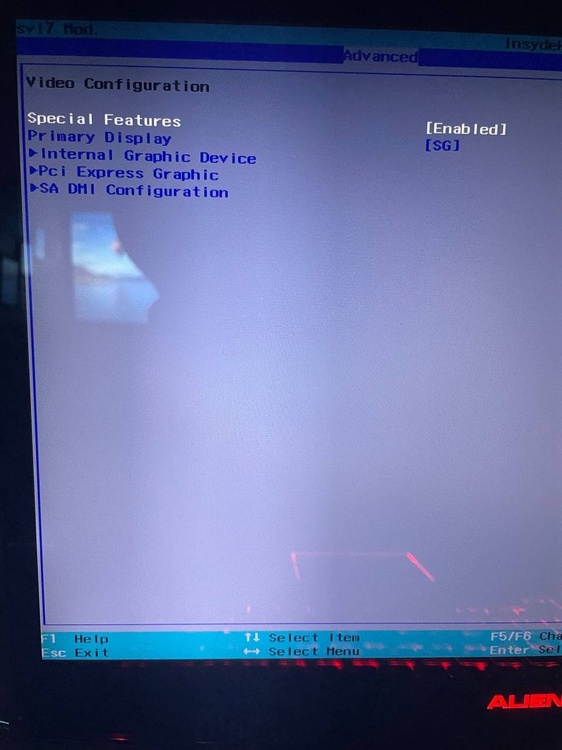
And you can try to set the following settings in the BIOS: Special Features Enabled in Advanced-Video Configuration and in Pci Express Graphic set it like this PowerXpress setting. This needs to be in SG Mode. And if anything, this is from my M18x R2, but your 18 should also have such parameters.
-
Have you tried wiping the contacts with an eraser before installing the card? Just in case.
-
I just looked at your BIOS and there is the required 80 watts, the BIOS is written from MSI, what you write in GPU-Z is HP, the same will happen with any card and any BIOS, the same thing is on my Alienware and Clevo, DELL and CLEVO/KAPOK respectively. you can try flashing MSI vbios from Unverified uploads on Techpowerup, maybe yours is somehow broken. but most likely you have a short somewhere, check the contact of the video card, motherboard and cooling - maybe somewhere there is something too close to some contact pad, etc. try pressing on the top of the laptop near the video card or on the bottom - maybe it will turn off, if not - have you monitored your temperature?
-
the person above meant that maybe you even have a different BIOS flashed on your MSI card, not MSI and maybe not even some suitable HP. you should try flashing the MSI BIOS, maybe on his advice. I still haven't looked at your file, sorry, I almost forgot.)
-
let me take a quick look, I had to play with overclocking different cards.) you can just drop the file here
-
here is the answer to your question.
-
It would be better to write in a specific forum thread about Alienware 17 and m17x. There was an answer to your question in that thread. As far as I know, Maxwell with GM1xx chips fits, but the fans themselves do not start, they need to be controlled via hwinfo. 8970M also fits with the BIOS that Raidriar dropped in the thread about AW17, but the 8970M from Dell does not have automatic fan control either, and the Clevo card works quite well.
-
Hello again, I came with another problem. I found a board from P775DM3-G for good money, installed everything and everything works, except for the keyboard and touchpad (then I will re-solder the connectors or cut out a piece of the top case for the keyboard cable, for now I use an external keyboard and mouse), the battery connector was re-soldered right away. The problem is that my laptop freezes after an hour of gaming, for example, if you turn it off and immediately turn it on - the fans spin at normal speed and the screen is black, if you let it lie off for a bit - it turns on, but then it starts to freeze again but with a much shorter period and this interval will constantly decrease if you do not let it cool down. Could it be that the PCH(there was no radiator or even aluminum tape on the chipset) is getting very hot and giving such an effect or what? maybe the video card is starting to die (I have 2 video cards at the moment and both behave like this, one is flashed with the factory one for P775DM3-G, the other one is updated for P870KM some GOP updated 0x3000A for dsanke custom bios) I flashed the stock BIOS and the regular one from dsanke for P7**DM3 and with ME disabled and conversion from P7**TM. maybe it's also a matter of the EC firmware? I couldn't find its file and I would be grateful if you send it to me. I reset the BIOS settings to default, but that didn't help either.
-

Ray Tracing on M18xR2 - RTX 3000 MXM Upgrade!
Maks0098 replied to ssj92's topic in Alienware 18 and M18x
I can flash it myself and then if anything with the help of a programmer back. but there you will need an RTX video card for proper testing of this, right? -
Quadro P3000 & P4000 unlocked/OC vbios
Maks0098 replied to TheQuentincc's topic in Components & Upgrades
hey, how did you do it?!) please, can you make some instructions? and did you flash it from stock to unlocked from IMac?