Busta Bloodnut
-
Posts
42 -
Joined
-
Last visited
Content Type
Profiles
Forums
Events
Everything posted by Busta Bloodnut
-
3940XM overclocking - parameters to change.
Busta Bloodnut replied to emcze's topic in Alienware 18 and M18x
Thanks man. So this works better than the m18x r2's fan? Do I just put it in my 18x? Like the whole fan? -
3940XM overclocking - parameters to change.
Busta Bloodnut replied to emcze's topic in Alienware 18 and M18x
Could you link me that as well? Thanks. -
3940XM overclocking - parameters to change.
Busta Bloodnut replied to emcze's topic in Alienware 18 and M18x
Yeah, i had to modify my palmrest also since it looked aesthetically unappealing and i didn't want any pressure on my keyboard/GPU. -
3940XM overclocking - parameters to change.
Busta Bloodnut replied to emcze's topic in Alienware 18 and M18x
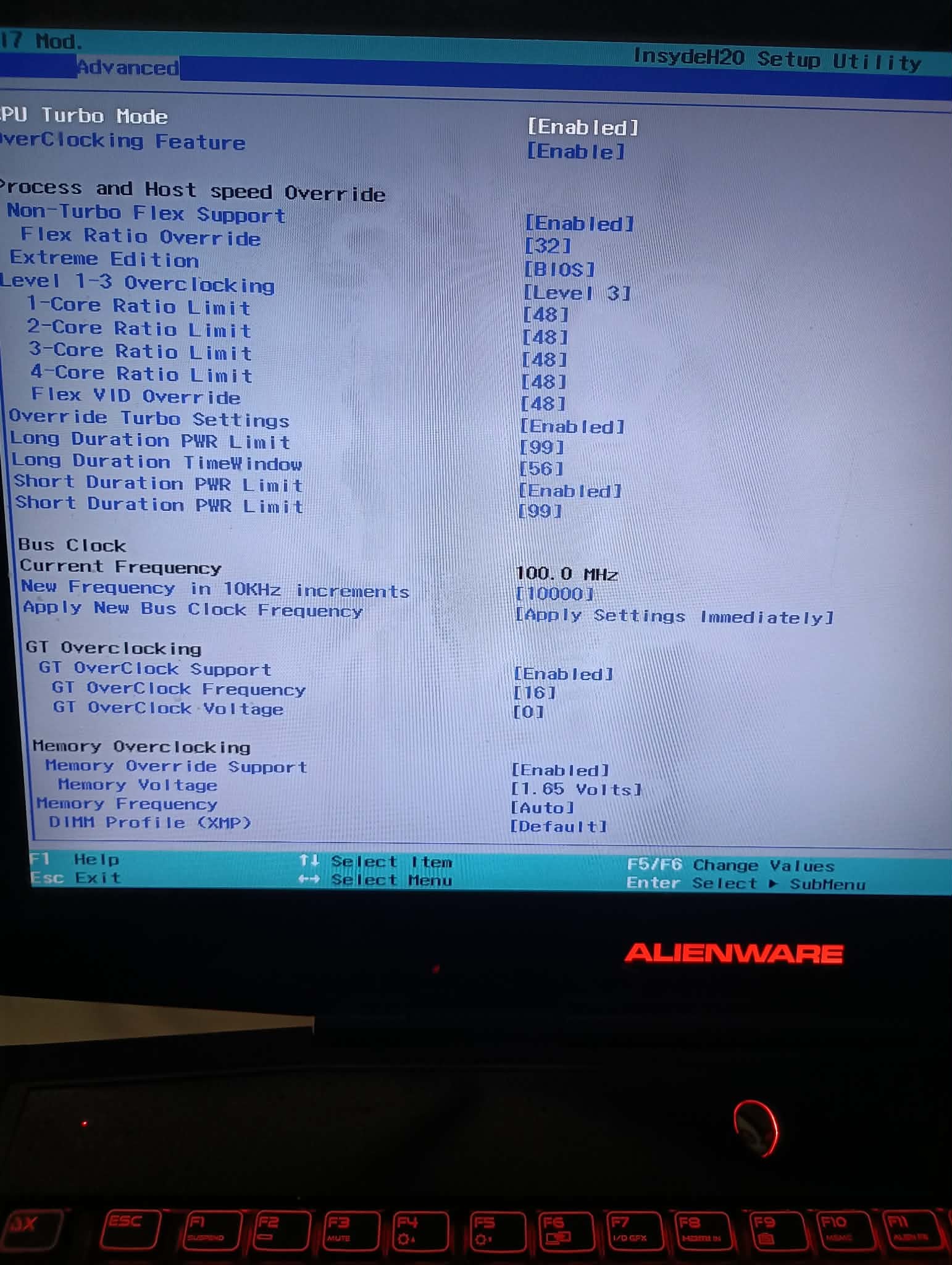
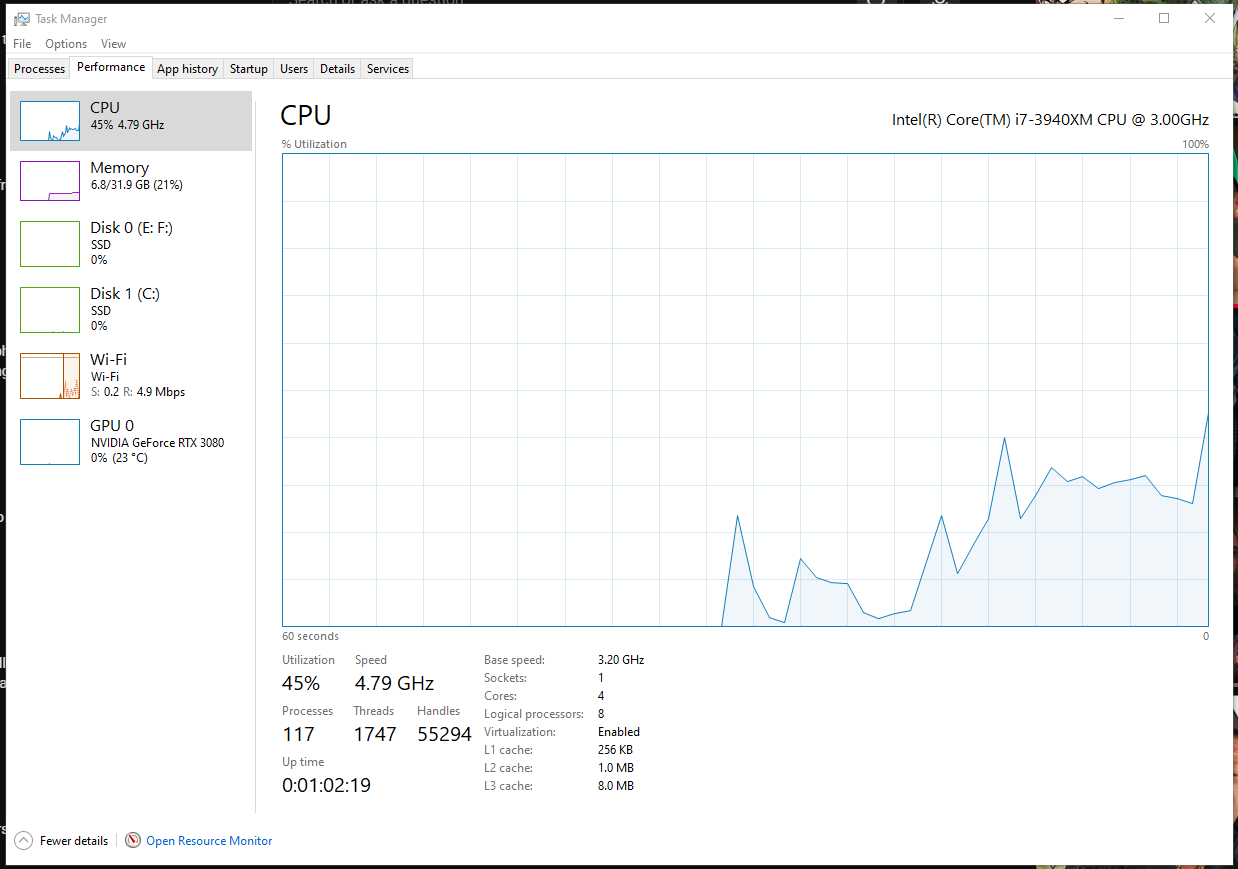
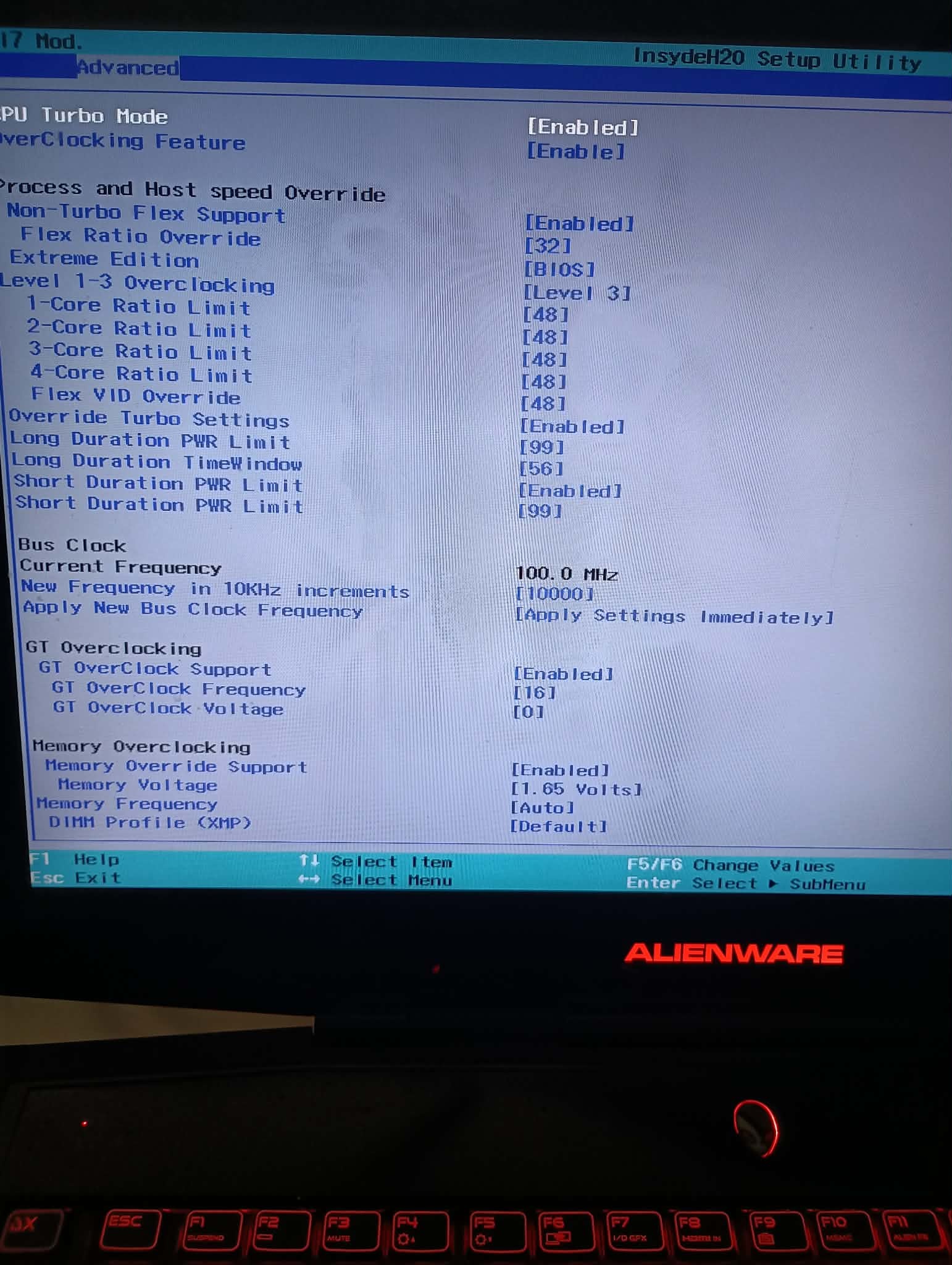
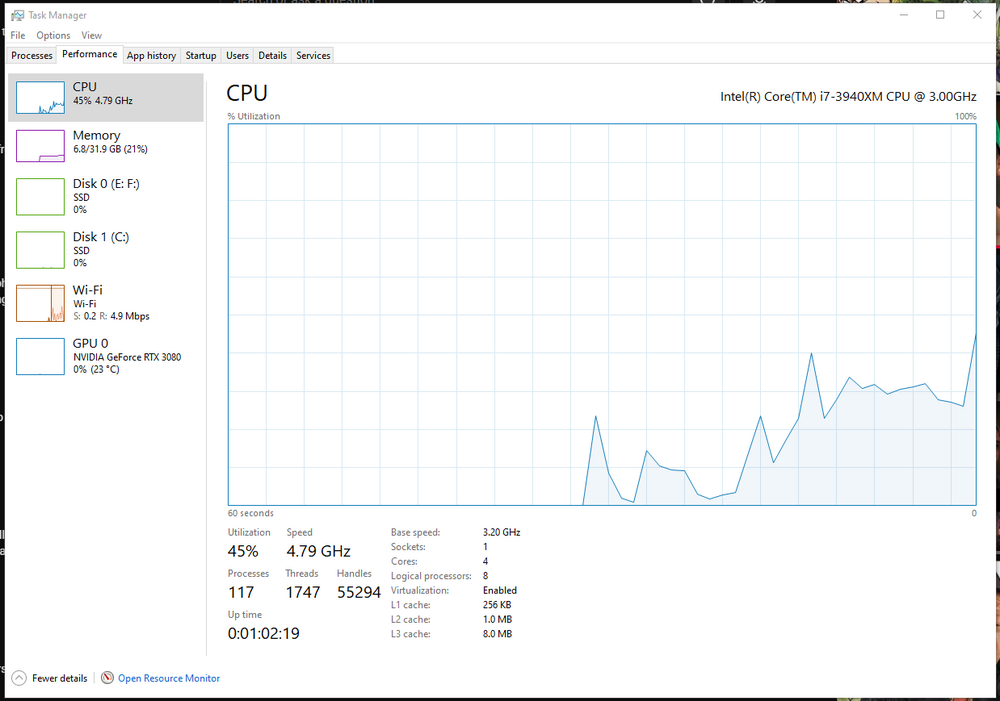
The custom cpu heatsink has a copper radiator/fins while the OG one only has an aluminum one. One of the m18x r2's that i have (my secondary unit) has the same model 3940xm, same model cooling pad and same thermal conductors. Only difference is that it has a gtx 1080 and the CPU is not as OC'd as my main rig (all cores being 46) and OG 3pipe heatsink and it STILL gets much hotter than the one in my primary rig that has the copper radiator/fins. I mean, this is my experience with this custom heatsink anyway. Could be that some people got a fake copper radiator one? I have heard of that happening. But cicichens never done me wrong (My only gripe is he cant/wont make me a custom heatsink for my 17x r4's 3940xm ...yet lol). Could also be that the CPU i got for my secondary was maybe used. I dont remember if it was or wasn't since it was a few years ago, but i just upgraded my primary rig to a newer/open box 3940xm. Could also be i dont use that other rig nearly as often as my primary as its my secondary and PTM 7950 gets better and better the more you use it. I got mine up to 4.79 GHz (see my Task Manager pic). All cores being set to 48 and the flex video being 48 (BIOS reference pic). I have the flex at 49 now but i dont see much a difference in performance, but im too lazy to change back to 48 lol. I will probably change it back to 48 the next time i have update my RTX 3080 since i have to lower my OC because having it so high blue screens my machine every time i update the GPU. I do recommend getting a stronger adapter for your rig though if you plan on going that high with the CPU seeing as that GPU is power hungry and idk if you can OC that high (while having that GPU) with the 330w adapter. Last time tried to do that it was all cores and flex at 47 and games/browsers/other apps would close randomly out of nowhere every time, so i just assumed it was a power issue (and i had the Quadro P5000 in my main rig at the time). If that 780w adapter is too expensive (I dont blame you) I have seen a 400w adapter in my Ebay feed. Maybe that would be good for it both those components? Wait, theres also a fan mod for the RTX 3080? First time ive heard of it. Where do i get? That water cooling for an m18x r2???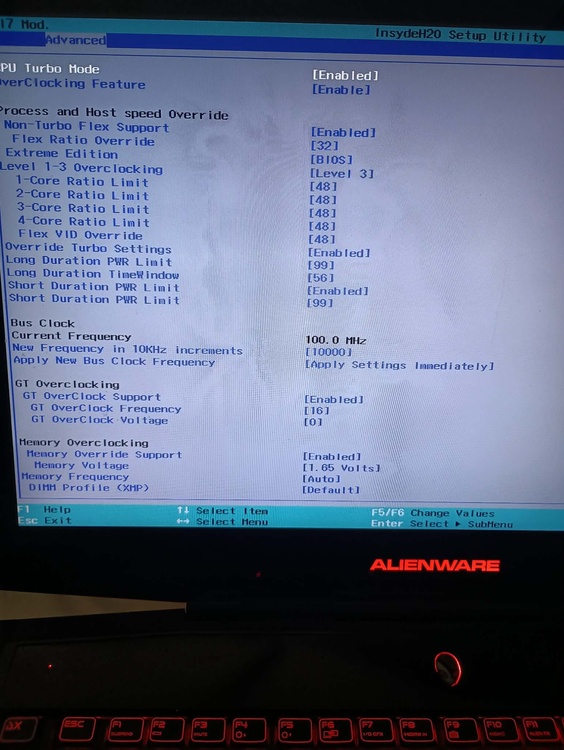
-
3940XM overclocking - parameters to change.
Busta Bloodnut replied to emcze's topic in Alienware 18 and M18x
I THINK it was from here. Its been a minute since Ive gotten it. I could send you the one I have if you want and you can reflash. Maybe that Swick one is outdated? Its either that or your mobo is having issues. Lol good luck with that. I mean, i see them every now and again on Ebay but always one or two of them but i would rather just get them all at once. The Ebay user you probably bought your 3080 heatsink from (cicichen) MIGHT have one for that 17x r4. I say might because last time i asked him to make me a custom heatsink for the 3940xm i have in there and they said they couldn't because they didnt have the materials for it. I should message them again to see if they do have them now lol. Tired of it hitting 90c everytime it updates. -
3940XM overclocking - parameters to change.
Busta Bloodnut replied to emcze's topic in Alienware 18 and M18x
I have A11 Unlocked also but the mod is sv17. Not sure if thats the same guy or two different modders as im not informed too much on that sorta stuff. I just downloaded that one since it was the first one I seen. When I have it enabled it just defaults as 32. Last time i changed it (I forget if I was setting it higher or lower than 32) it blue screened before windows even started and wouldn't turn on so i had to reset CMOS and im not going through that again lol. What mods do you have? All same as me? Even the optional ones? Also which CPU do you have? -
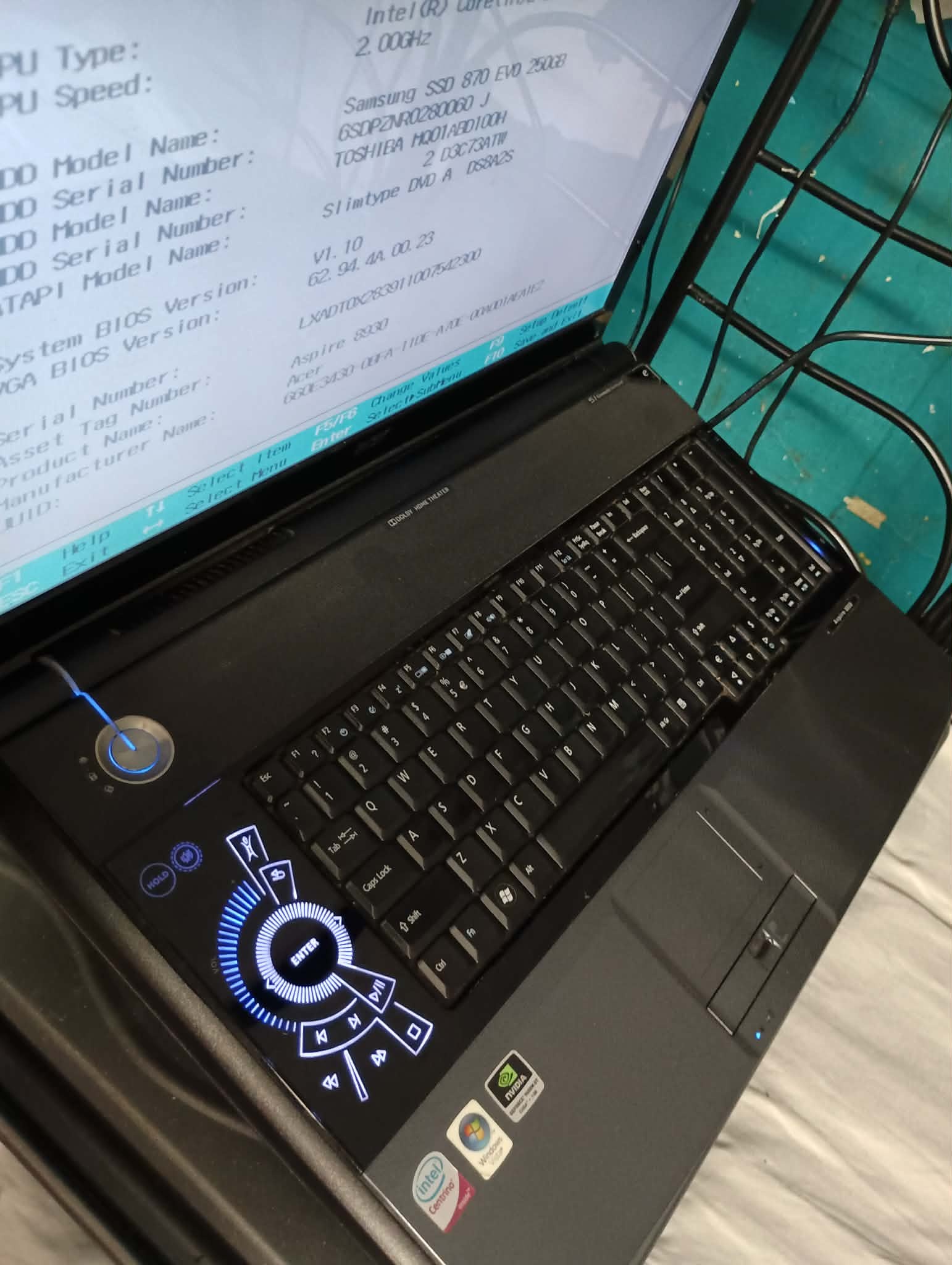
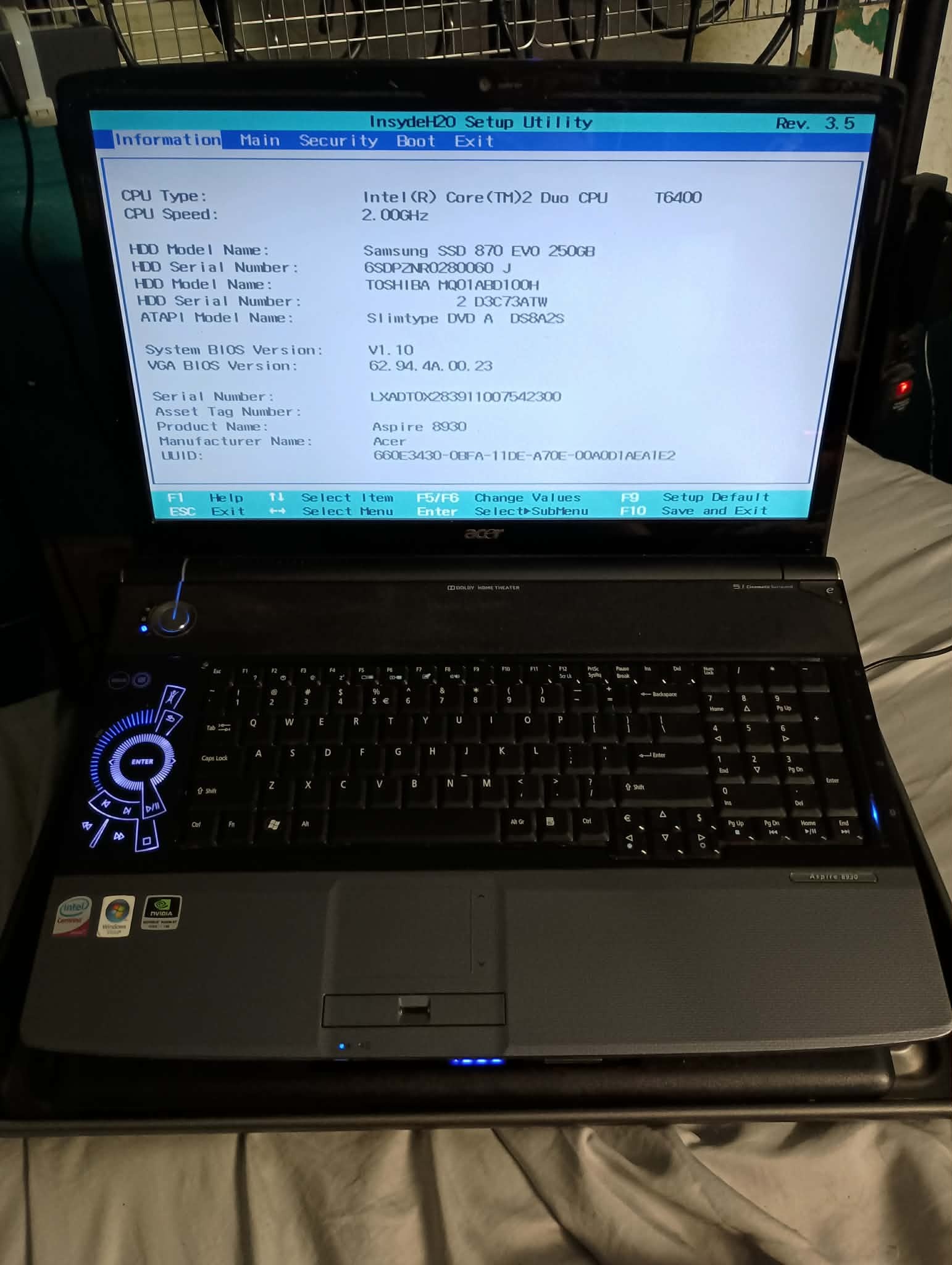
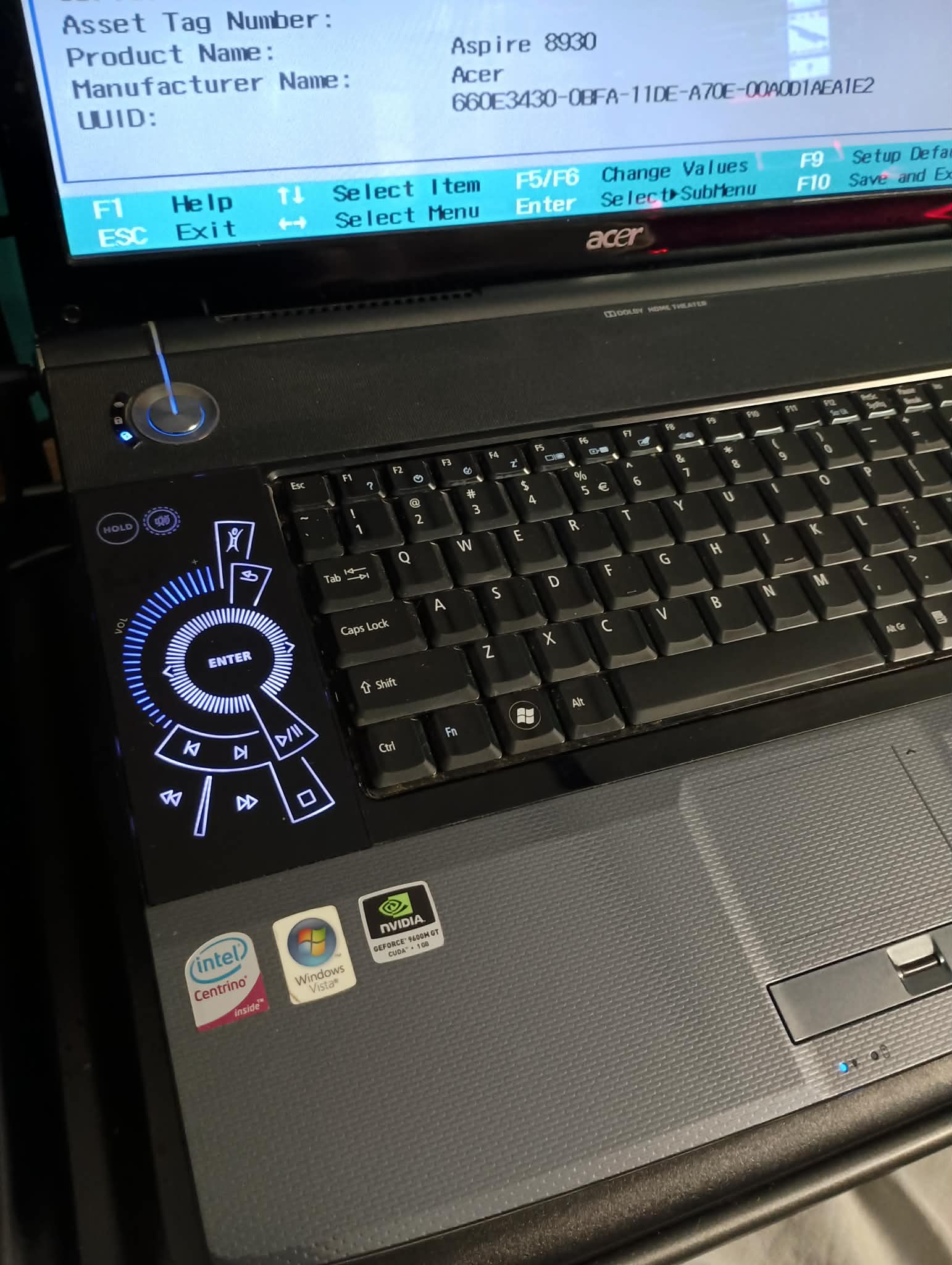
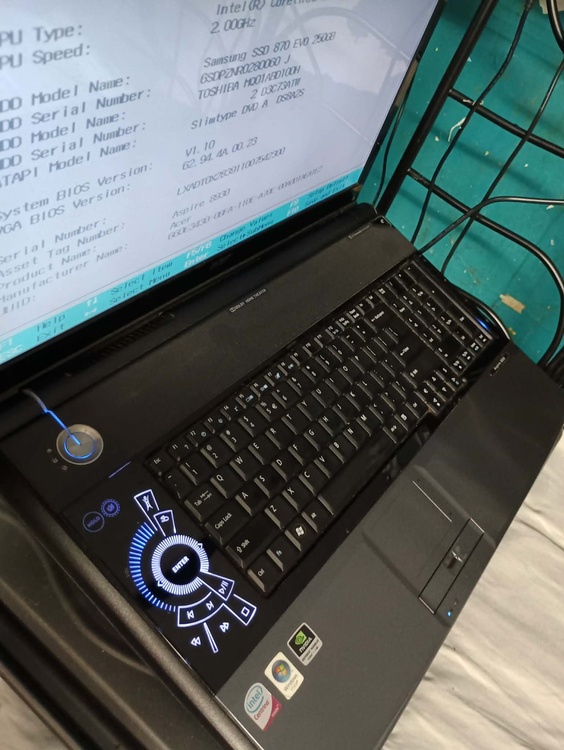
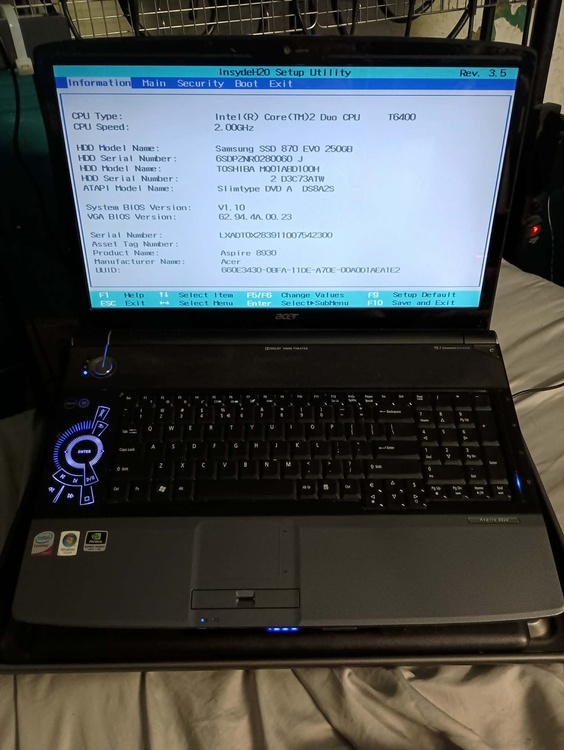
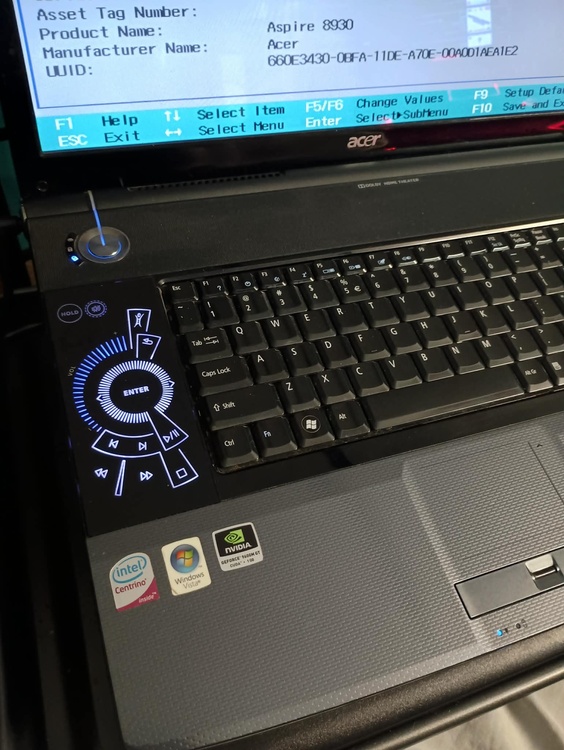
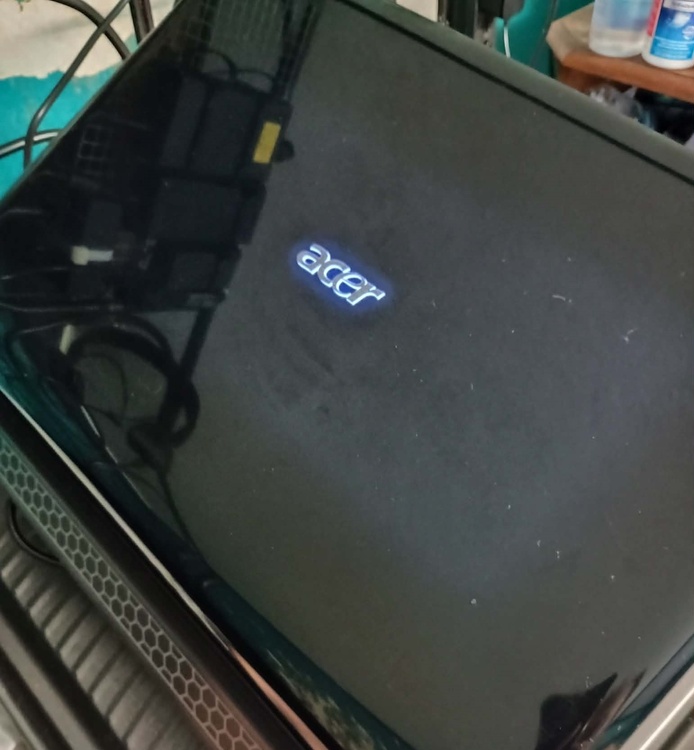
So I finally got my most wanted laptop, the Acer Aspire 8930g! Came across its existence around the beginning of the year when i was looking at an article about unique looking laptops and this machine was on there and ever since i seen i wanted it SOOO bad lol. But as soon as i looked on Ebay to get one, all i find is parts and I know as a collector that's not a good sign lol. So as months go by and only seeing parts I finally got tired of just waiting. After trying to buy these machines from seller from Europe who didn't want to sell to me, assuming they didn't want to deal with the hassle, which is understandable. So I discovered someone made a post on a Facebook page about PC's etc about last year, about wanting to fix it up. So i message him asking if he had done anything to it and wanted to sell it. Normally, I dont do that but i wanted this machine so bad lol. So he said he hadn't done anything to it and was willing to sell it since he didn't want it just sitting there. So i buy it and i get it today. I go to plug it in and when I tried to do that i noticed it wouldnt go into the port. So i look and the power jack pin was bent. So i straighten out best i can and then it finally plugs in and turn it on since there's no hdd or ssd in it, i just go to BIOS. Just to see it if it works. It boots to Bios. Good. So i get an ssd and put it in and connect my windows installation usb. As soon as it boots into the the installation drive, it shuts off. Im like hmm...that's strange...lets try that again...and it shuts down again. Im like wow...never encountered this before. So i put the usb into another port, same thing. And then another port, same thing. Then, i thought maybe the charger is too much for the machine? (135w adapter). I unplug it and it boots into the installation disk. So then i look up why that is and apparently its a motherboard issue? I really hope not lol. I bought another power jack since maybe its because of the power jack pin being bent. But it probably is the motherboard since it wont boot to windows via just adapter. If it is the motherboard at least i have all the parts and all i gotta do is get another motherboard. This isnt a need help post, as im just posting about my machine in general, but if you want to give advice on what i can do about this not working feel free! *Quick update 9/9/26: Yeah...gotta get another mobo. Its unfortunate, but oh well. At least i have all the other parts. Just bought one yesterday. Hope it gets here soon. From China so itll be awhile.
-
3940XM overclocking - parameters to change.
Busta Bloodnut replied to emcze's topic in Alienware 18 and M18x
I know this thread is sort of old, but I will show you my specs and for future inquiring folk who want to overclock a 3940xm: It only goes up to 4.79 Ghz. I tried any combination with 49 core ratio limit (either with just one 49, then two and so on with finally all four of them having 49 but with all four it just wont boot Windows at all) but with just 1-3 having 49, it always seems to crash after like 1 minute of booting unto windows 10. Idk how it would be for 11. So i had to just stick with all cores at 48 for now. But, in order for my specs to run properly, you will have to: • Get a Llano cooling pad (Or something similar). I know they are expensive but they are totally worth it. Only downside is that these cooling pads are a little loud, but what can you do? You get used to it mad quick though. 1000 rpm is a good speed for me and my ears. This machine WILL crash without the cooing pad though because of the high temps. No way around that. • Use PTM 7950 as a thermal conductor. Also a little expensive, but works better than liquid metal (in my experience anyway) and last way longer and is MUCH easier to apply. • The heatshink should ALL be copper. From the pipes to the fins. The guy on Ebay (cicichen) doesn't have any triple copper pipe hetasinks that have copper fins listed anymore (sold out atm), but theres listings on AliExpress, though im unsure if its the same guy or someone different. • Optional: Brand new/Open Box CPU. I got mine Open Box and it just seems to work better than used. • Optional: 780w adapter. Eurocom makes them and they're very expensive (You can also get them on Ebay). Especially if you're in the states. Plus, i have an RTX 3080 in my rig, so I kind of needed that to be able to OC to this extent while also having that power hungry GPU. Not sure how stable it would be with just that 330w adapter though. • Doing the following also boosted it a little bit for me anyway (Also optional): Open Registry Editor as Administrator and navigate to: \HKey_Local_Machine\SYSTEM\CurrentControlSet\Control\Power\PowerSettings\54533251-82bein should be-4824-96c1-47b60b740d00\be337238-0d82-4146-a960-4f3749d470c7 Find the DWord "Attribute" and change the value from 0 to 2. Setting should be in the "Power Options" menu in "Advanced Power Settings" under "Processor Power Management". Its automatically set as "Aggressive" but you can change that if you want. That Aggressive option works for me. Its not MUCH of a boost but it helps. These settings are mostly stable for me. The only issue I take note of is that sometimes Youtube does the "Aw Snap" error, though its uncommon. But that might just be a Brave browser issue. Also sometimes i get BSOD when installing the GPU updates but, again, that could just be the GPU itself having random issues since this GPU isn't exactly officially "compatible" with this machine. Sometimes it crashes during install it and sometimes it doesn't. As for my temps with these settings and with all of the requirements, they rarely go up passed 75c (mostly during Windows updates), mostly hitting highs of about 65c and averages temps of 30c-45c. Though, im not stress testing my machine so idk how it would go nor do i want to find out lol...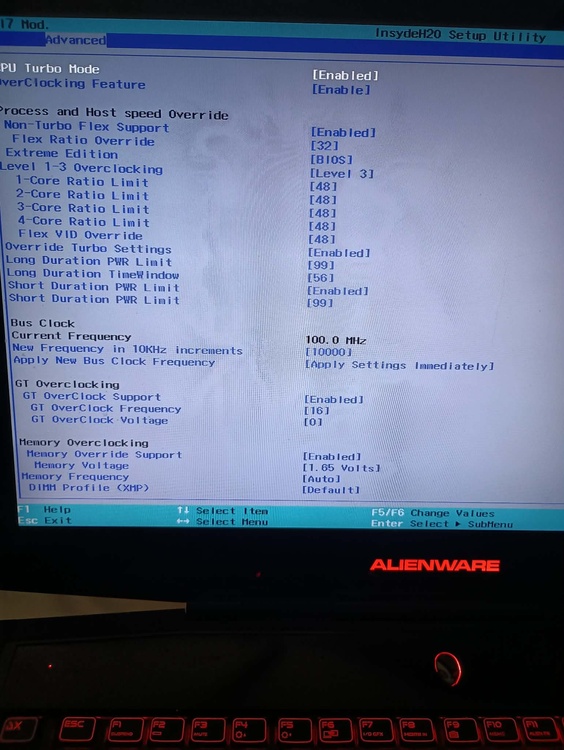
-
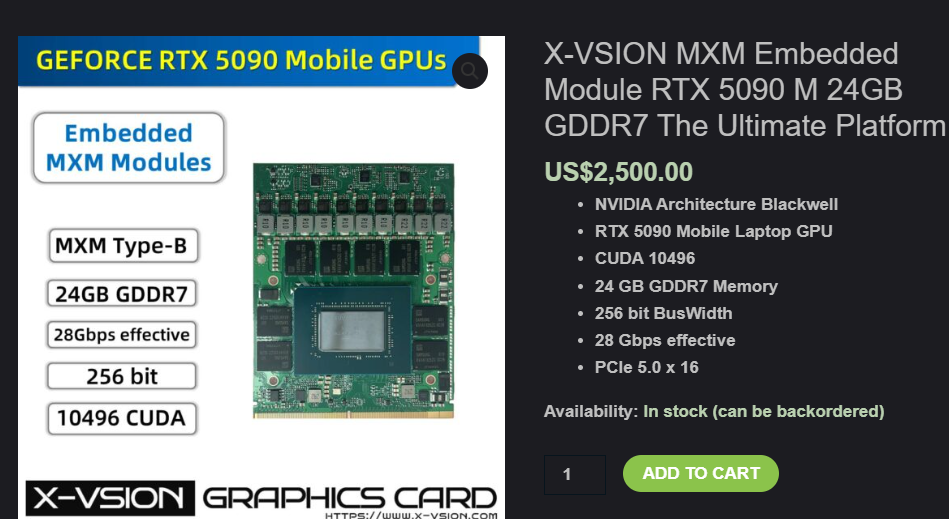
So Xvsion just came out with an RTX 5090 mxm card...Chances of it working on an M18x r2? I Just got my 3080 so im not looking to upgrade anytime soon, its just interesting and funny this new card is out now lol.
-
Hello all. I recently got a Toshiba Qosmio G55 and cant seem to find the most recent bios for thid model. I understand Dynabook got rid of them all for some reason, but there are 3rd party sites to get them from but i cant seem to find ones that have a recent BIOS. I want to max this machine out since itll be cheap but i need most recent bios for it to handle an Intel Core Duo T9600. Atm the bios is 1.70. As far as i have seen the most recent is 2.30. Any ideas on where i can get them?
-
Came across this on Ebay, https://www.ebay.com/itm/377209635360?_trkparms=amclksrc%3DITM%26aid%3D1110028%26algo%3DHOMESPLICE.EXPLORE%26ao%3D1%26asc%3D20240513110749%26meid%3De2e2763136384901b03eb3c00fca4019%26pid%3D102140%26rk%3D10%26rkt%3D24%26itm%3D377209635360%26pmt%3D1%26noa%3D1%26pg%3D3959035%26algv%3DExploreForYouSavedFeedV1%26brand%3DNVIDIA%26fpg%3D0&_trksid=p3959035.c102140.m167418. There is a P1000 version from that same seller. Both cards look relatively the same. Think these could work in an m18x/r2 or m17x r4/r3? I have an r3 that has a AMD in it that i want to replace but idk if these would work in that or any of these machines. I have seen p2000ms before but they looked much shorter than these.
-
Sorry for my late reply. I have no way to test with those but I used an older free version but idk if it means anything lol:
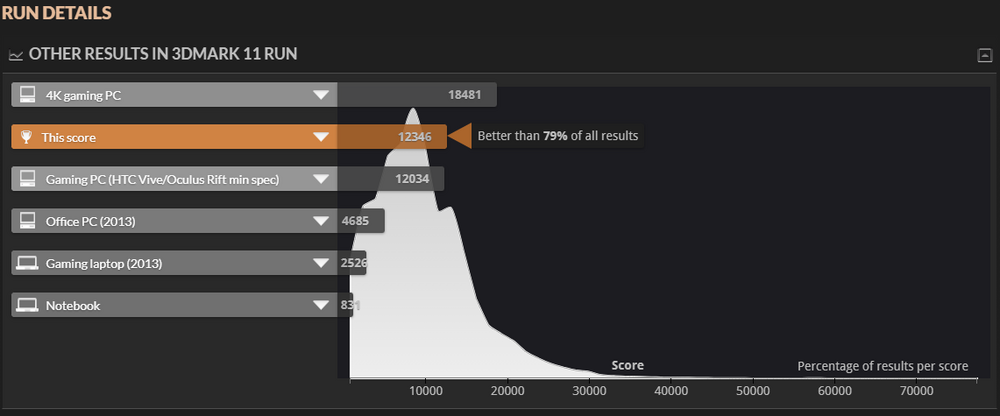
-
So i put my new GPU in and so far so good! The card itself was very nice looking. Way better than most "Frankenstein" cards ive seen. Didnt even have to put Vbios on it. Only tested slightly but I'll test it more though when i get more ptm 7950 since I didn't have enough of it to put on the card. At this point its just generic thermal paste that i dont want to use. that and I didnt want to wait for the x-bracket to get here, so i put in one from another card. Seems to fit okay. After gaming for a bit, it seems to run very good with it not going any higher than 42c, but i was playing dead Island from 2011. Even on its highest settings its not the best game to truly test it out, but like Durabat, im not that much of a gamer either. It will be tested more with Blender though since i do more of that than anything else and that should be a good test.
-
I ordered the mounting bracket from Amazon. The only very cheap one i can find anyway. The same seller who sold me the adapter has a bracket as well, but i refuse to pay that insane amount just for that. Speak of the devil, i just got it today, the adapter, and so far so good. Was able to OC a bit more to 4.79 ghz. Tried to get it to 4.8 but it kept getting BSOD, it did hit 4.84 before it did though lol. Im not that much of a wizard, so im not equipped to figure that out lol. I hope i still will be able to keep it the same speed when i get that card seeing as the PSU is 780w, though i doubt this machine even with that card would be able to get close to that amount of power draw lol. Thats good to know then. Idky XVsion says it doesn't come with VBios. Maybe things have changed since? i guess ill find out. No big deal if it doesn't. Thats easy to do. I also ordered more PTM 7950 so that'll help with cooling not to mention i also have a Llano cooling device and that thing works wonders lol. Well worth the money, imo lol.
-
Yeah, i wish the 4090 was cheaper, but apparently there's thermal throttling and other issues, but i just seen some of the wizards on here make improvements with that and other newer cards, so theres still hope for that yet. So when you got your 3080 did you have to get an X-bracket and VBIOS? I messaged XVsion and they said that the card doesn't come with either.
-
Got this, https://www.ebay.com/itm/134146959388, beastly 780w adapter for my Alienware m18x r2. Anyone here have any experience with this adapter for this machine? Or any machines from this generation? Luckily, for me I found a slightly cheaper one that wasn't being sold from Canada with those insane shipping and import fees...BUUUT i did have to buy the Alienware cord from that seller in the link since the adapter i bought came with a Clevo one :( . 67$ and 55$ shipping and import fee respectively (OOUUCH lol). I actually spent more on that wire than the box itself lol. Also upgrading my GPU from a Quadro P5000 to an RTX 3080 from X-Vsion. And...oh man...I gotta tell y'all....that was the most bizarre purchase experience to say the least lol. Also had to buy the custom heatsink and X-bracket since it doesnt come with a bracket. Seller who sold me the adapter said he got one from that seller from the link and it got lost in customs for a month and half and just bought another one and then got the delayed one a week after buying the other adapter lol. Man, I hope that doesn't happen with my cord lol. Anyway, posting this to give updates during this process and MAY come into road blocks so I might ask you wizards here for help if needed. Wish me luck y'all!
-
Just completed my Alienware collection with this m17x r2 and was wondering a good GPU upgrade path? It doesn't have to be the best/highest upgrade, but anything thats way better than the shitty AMD ATI SLI cards that this machine came with? I seen that the the GTX 780 is the best official Dell upgrade, but anything beyond that for an unlocked bios? I have a spare 980 sitting around not being used, but i read that that card has issues with the machines display. I tried researching for good cards, but there doesn't seem to be any clear answers and this machine seems to be a pain in the ass when it comes to GPU lol. How are 880's with this machine?
-
Alienware m18x r2 HDD inquiry
Busta Bloodnut replied to Busta Bloodnut's topic in Alienware 18 and M18x
Sorry for the late reply. Thanks and yeah, im proud of my collection and just found a m17x r2, so now my Alienware collection is complete (The models i wanted anyway as i know theres way more, but i have no interest in those models). So this JBOD would load both those disks and the NVME? -
My main m18x r2's OS is on a NVME SSD and want to know if I would be able to use the main HDD 3 slot ribbon tor extra storage for my OS since that HDD port is not being used. Is there any way to do that?
-
Alienware m17x r4 CPU heatsink
Busta Bloodnut replied to Busta Bloodnut's topic in Alienware 17 and M17x
Ahhh, so it IS a custom one then? There's no stock ones? No wonder why I couldn't find anything. I figured I would have to go to the legend himself for one. Just bought a custom cpu heatsink for my m18x r2 from this cicichen lol. Thank you for answering my inquiry. Happy Holidays!- 2 replies
-
- 1
-

-
- alienware m17x r4
- alienware
- (and 1 more)
-
I have an Alienware m17x r4 and want to upgrade the cpu to a used 3940xm from my m18x r2. I seen a past post on here where some users had a triple copper pipe heatsink for this specific cpu in their m17x 4's. I cannot seem to find those particular heatsinks ANYWHERE. Like, even google images doesn't come up with any images of such a heatsink. Not saying they dont exist, but like, i would at least see an old image of one on google at least from past sales or w/e. Are they THAT rare? Do i have to go to cicichen594 for a custom one?
-
So I recently got 3rd r2 (Ik, ik, i have a problem, but it was mad cheap 😞) and this one didn't come with a modded BIOS. After checking to see if it works on the spare SSD i have, It seems like the screen seems brighter than the modded bios r2's that I have. Also the Command Center color schemes also seem to work better (ex: the white scheme is actually white and not off in some spots on the modded ones, specifically where the volume/eject/wifi button area is on the bezel sometimes seems to not match everything else). Also, always meant to bring this up in past posts but always forgot and its sort of relevant to this, but the button on the bezel area that opens the Command Center doesnt seem to work on the modded r2's either. Is there any way I can change the brightness via BIOS? Keyboard color scheme via BIOS? CC Button?
-
I have m18x r2's and recently i got a open boxed 3940 for my most recent r2. The older r2 had the older 3940 passed down from a broken r2 and i had gotten that cpu for that machine around 2021 (That r2 broke Oct 2023). Lately the fan on the older r2 has been acting up (as in being more active and louder) and its been hitting temps around 90, though very rarely. Mostly its still hitting 70s and occasionally 80s (lately). The newer one hasnt even hit 80 yet and the fans much more silent. They both have Llano cooling pads, which do help. Both r2's also have PTM7950 applied to them, with the older one having applied around January this year and the newer one half way through March. Both CPUs are OC'd to 4.5, which is of coarse is why they're hitting those temps, but my issue is when i got the ptm for the older one, it was nice and silent like this new one for like three months, but like this passed month it seems to be getting higher temps with the fan going more often. Could it be because the CPU is older and more worn from being OC'd? I REALLY hope it isnt the ptm because that stuff is (was) working like god tier. I mean, if i have to, ill just keep replacing it but i had seen from numerous sources that this stuff lasts way longer than anything else and that it gets better overtime, even when OC'd, Unless those sources weren't reliable? I mean it was ALOT of people swearing by this lol. Edit: Forgot to mention that the performance has been relatively the same when i applied that PTM-now even and had done a stress test and the highest it hit was 103 but passed every test. No BSOD either unless installing Nvidia Driver or transferring files to external drive or mSata. But thats been happening since ive gotten this machine. The new r2 one however doesnt do that at all. The only BSOD that one has gotten was from me accidently OC'ing it wrong.
-
Im using "debate" for lack of a better word as im not looing for an actual debate lol. Its more of a debate in my head on which GPU to get? Anyway, I have an Alienware m18x r2 and originally wanted to upgrade to a RTX 5000, but then seen ssj92's post about getting a Geforce RTX 3080. Now I dont know what to get. Is that 3080 stable enough to run or on an Alienware m18x r2? The benchmarks are better than the 5000 after all but would the 3080 still be better for 3D modeling too since the 5000 is literally made for stuff like that? Plus theres already a custom heatsink for that card and i cant seem to find one for the RTX 5000 for my machine. Im assuming i cannot use the standard heatsink for the 5000 since the core is slightly offset. Also that 3080 seems to be cheaper than any RTX 5000 ive seen, with the cheapest being some green card that looks like a standard MXM card that says Adlink on it on Ebay. Im leaning towards getting that 3080 for the reasons i listed and its much newer. Just unsure of its stability, though im unsure of the 5000's as well lol.
-
Hello. I have an Alienware m15x with a GTX 980 already installed. Everytime i start this machine I have a post screen that says: ***Powered by premamod.com*** Version 84.04.88.00.C1 Prema Mod - Personal - NOT FOR SALE! It happens before splash and seems to hinder its start up time. Is there a way to remove that? I understand that the Premamod is the vbios for the card itself but ive never installed a vbios before, so idk how to disable that screen. Im just looking to disable that screen not the vbios itself. Unless its supposed to do that and ill just have to deal with it?