Alyosha2001
-
Posts
18 -
Joined
-
Last visited
Alyosha2001's Achievements






-
There's a new Firmware 1.28, now. Maybe you should try it.
-
Yeah, at the boot it goes full brightness, but in the OS it can be adjusted. I've noticed, too, that Inthel Graphics is still present.
-
https://www.nvidia.com/en-us/drivers/details/260725/
-
Here's another review
-
I tried it and it works just fine, with the battery draining faster, as expected. Maybe it's the BIOS? I'm on 1.11
-
No way! What you want is no PWM and no dithering algorithms! So a true 8 bit panel PWM free is a first step; next would be no software/firmware dithering, which can be quite a hassle. So, for starters, no OLED, 30bit Dreamcolor, AdobeRGB stuff!
-
@Ronny I would higly recommend you to join the forum at ledstrain.org; lots of controversials infos there, due to the nature of each individual affection, but, with pacience, you might find something usefull. To give you a bait: it's not just the screen that is to blame for the jittering!
-
@muede in real life, without the use of the dGPU, keyboard light off and monitor brightness to about 10%, around 7 hours. If you're not in a hurry, I've heard that Panther Lake is way more economic
-
HP ZBook 15 G1/G2 Quadro M2200 MXM Upgrade, vBIOS & Benchmarks
Alyosha2001 replied to Easa's topic in HP
Also a Zbook 15 G3 upgraded from M2000M to M2200, works just fine. Kept the original cooling, replaced the TIM with PTM7950. Wonder how far it can be stretched to...😂 -
A quick preview to it. Seems like the vapor chamber is really that thin
-
EDIT: I was wrong about that, as the (big) board on top is actually the GPU; so, yeah, don't charge it in bed or on the couch! EDIT 2: be very careful where you buy the PTM7950 from, as there are a lot of fakes!
-
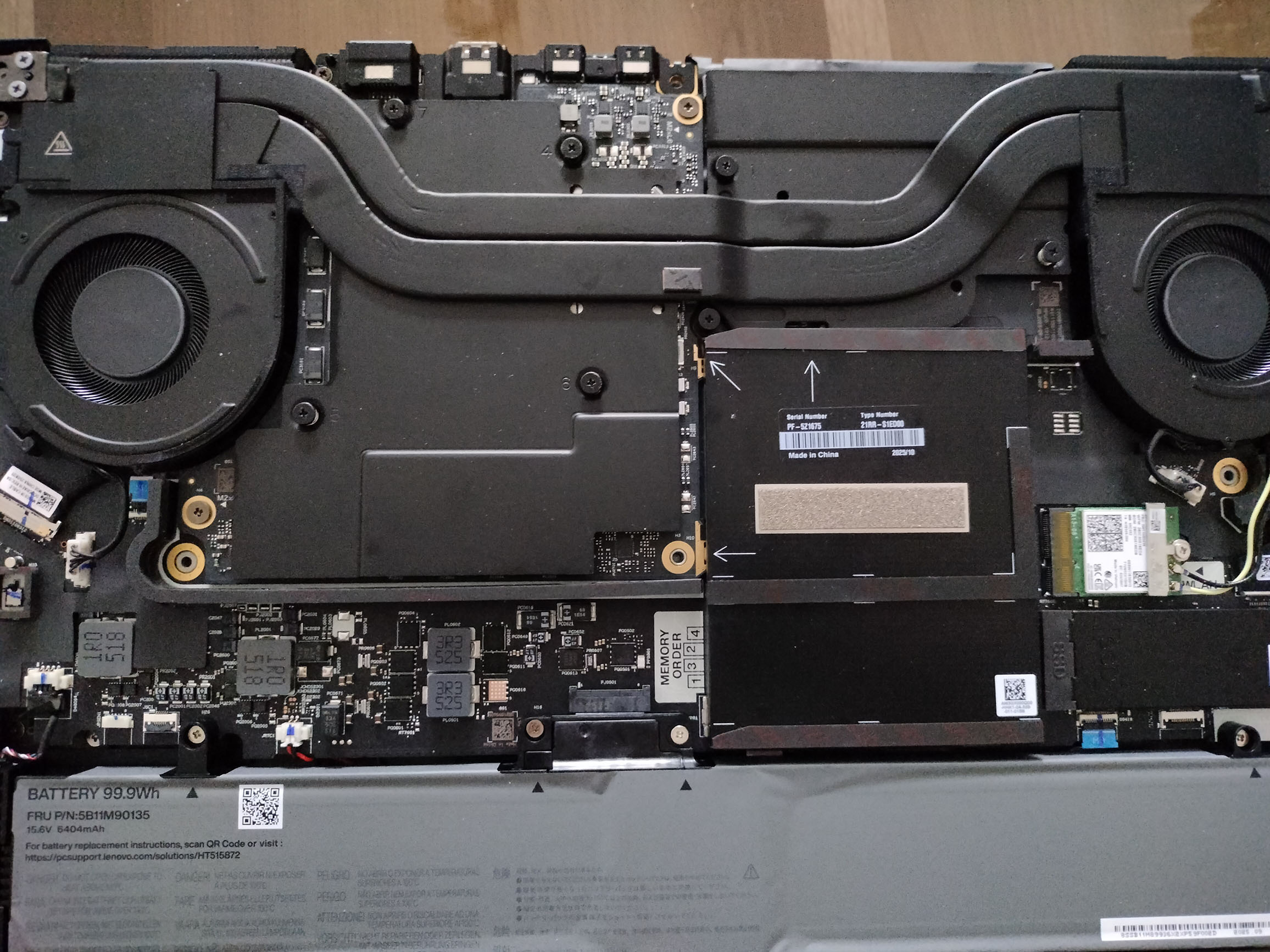
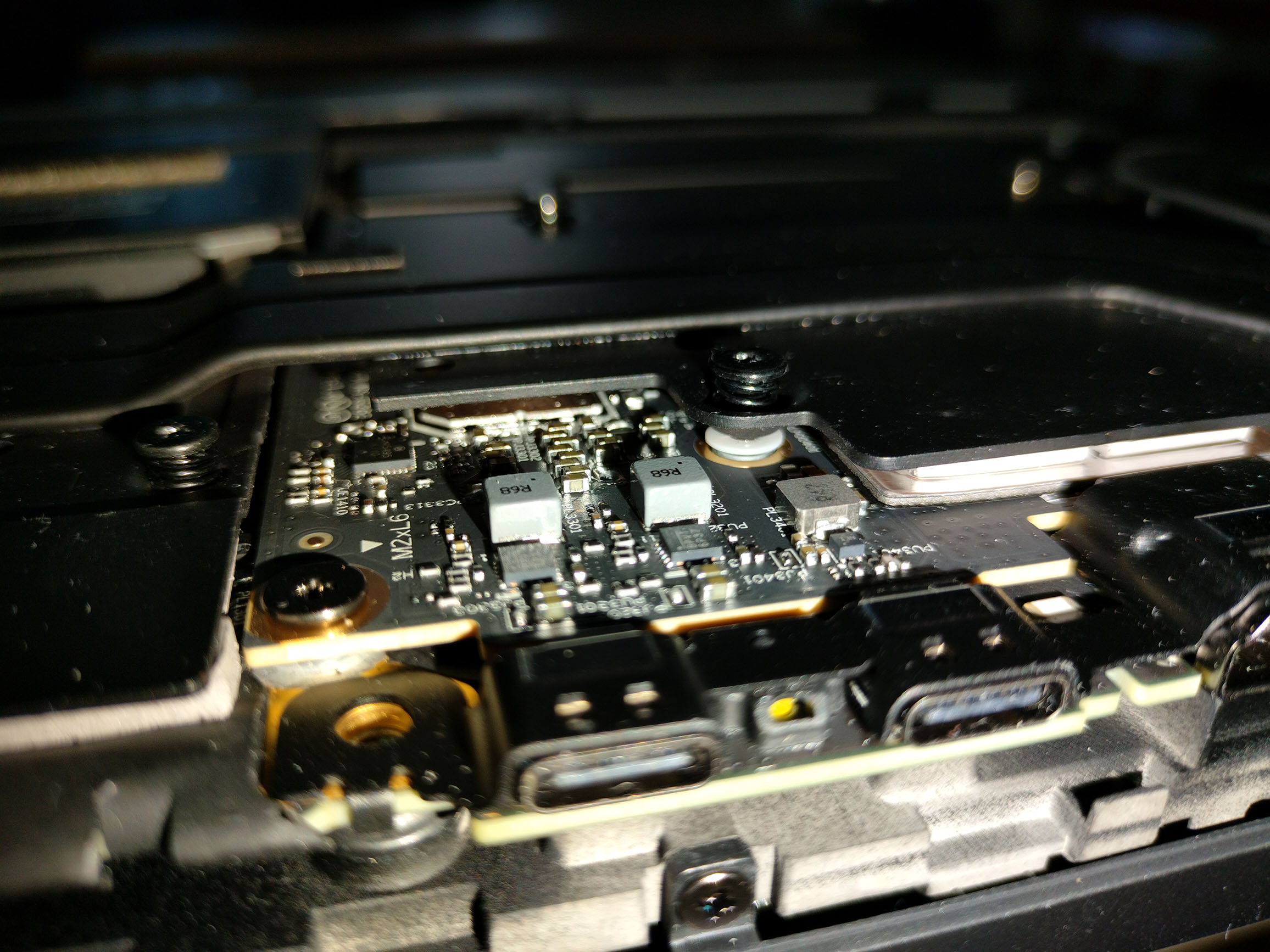
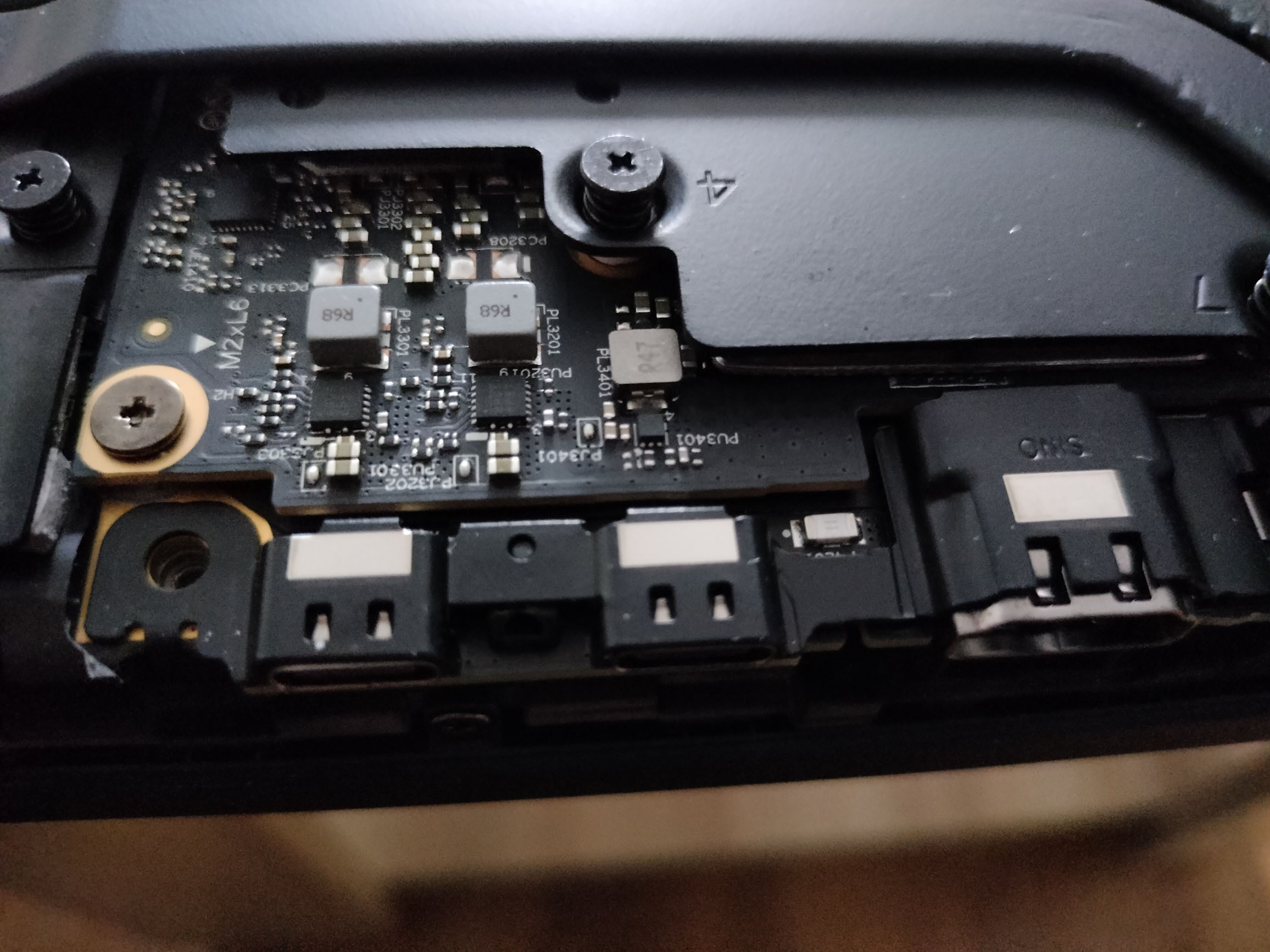
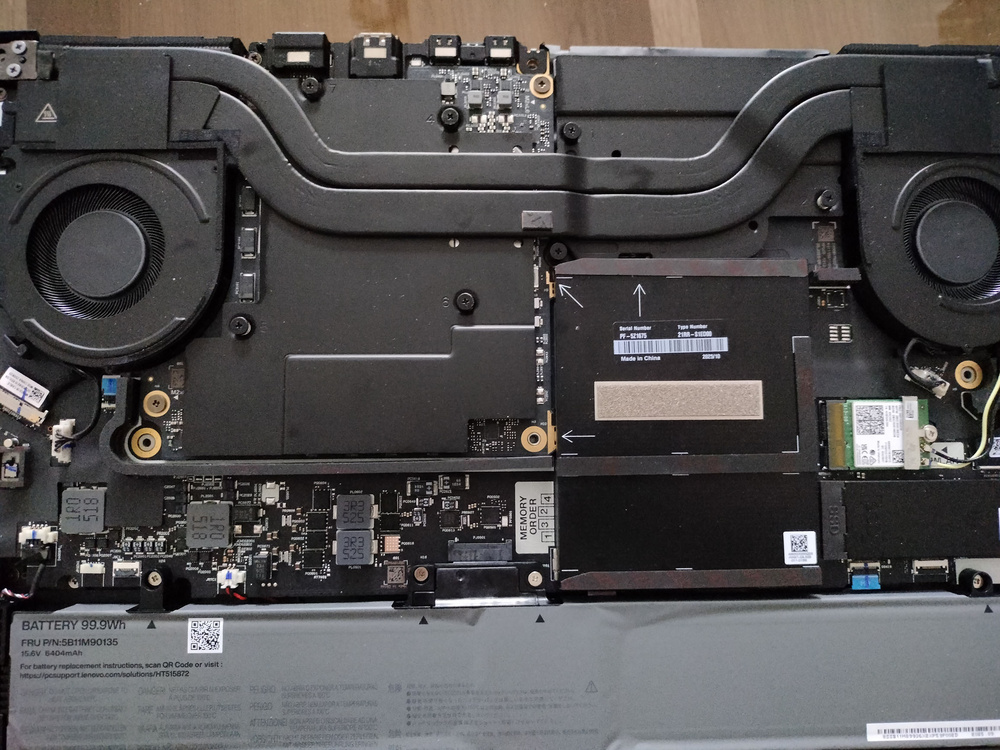
So this is the cooling system, I think it's not vapor chamber due to it's thinness, but I might be wrong, as I've never seen one. The 2 charging typeC's on the back seem to be on a different board, which is better than nothing, I guess; the one on the left side is directly on the motherboard, so I would suggest avoiding it. One quirk ot TPFanControl is that, after a rendering, the fans remain at higher speed indefinitely, and need to be switched to BIOS mode and back to Smart to settle down. Other than that, if you have any questions, just ask.
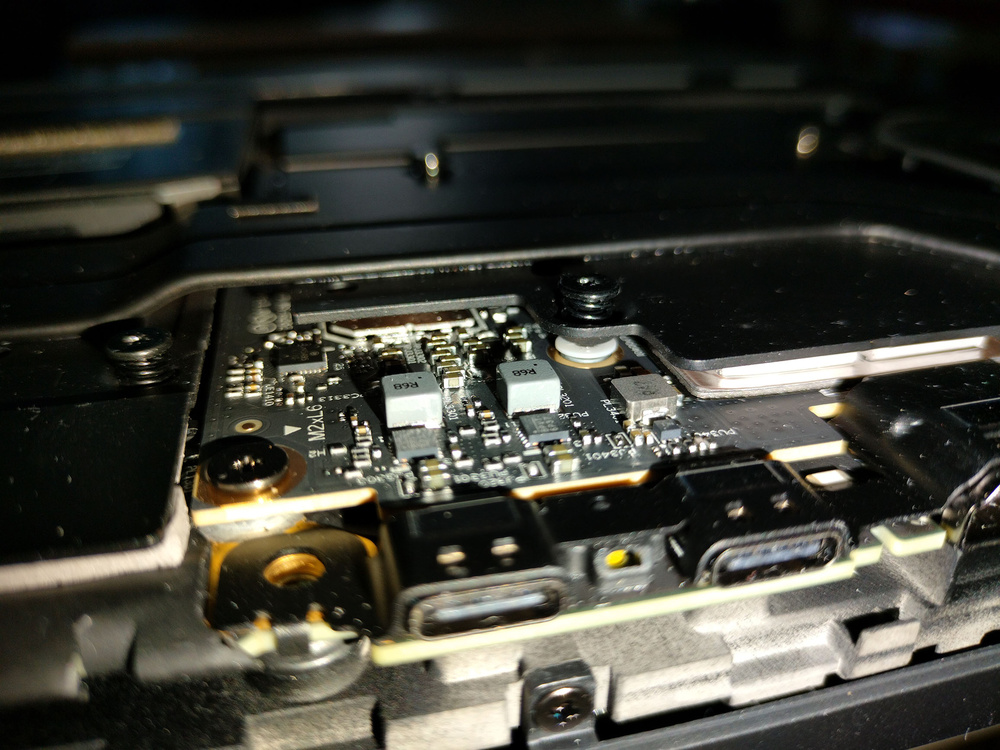
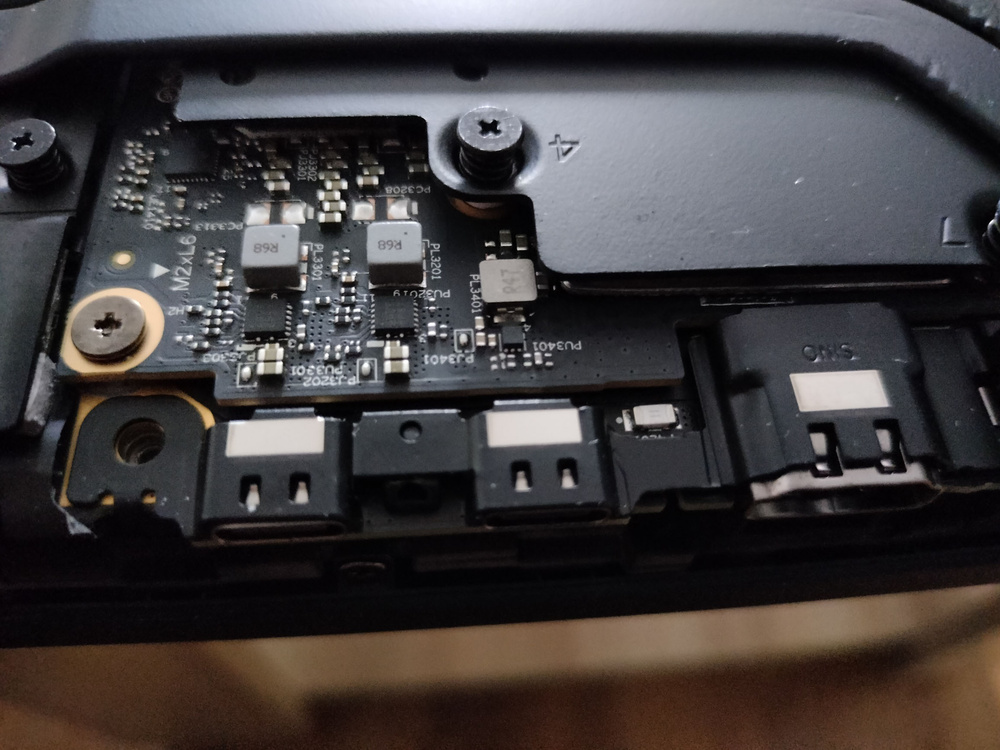
-
So, I replaced the thermal compound with PTM7950, installed TPFanControl and enabled Power Mode "Best Power Efficiency" (it appeared after some drivers update, I think?), and, sitting on desk, in Stable Video Diffusion Generation it goes to about 76 degrees, with memory to 82 degrees, it draws about 60W and the fans at about 3100rpm's. The screen is without PWM, it came with some factory calibrated profiles. The sound is very good, compared with my ZBook G3 (maybe on par with ZBook G6, wich was better than the G8 I have), you can hear the instruments more separated and clear, it's way better. The latencies are not the best right now, but the BIOS version is just at 1.1 and so I guess are the drivers. No undervolting. For video editing it is the best choice, 4K 10bit 4:2:2 are not a problem, similar to mac's, maybe even better. Peronal preference, i liked way better the power adapter plug on the ZBooks; it could be twisted and rotated in any direction, even if bumped in it would just disconnect, and the interios plug was connected to the motherboard via a cable. This one has 3 type-C's, 2 on the back and one on the left and you can choose wichever you want to charge. But they are soldered into the motherboard (yeey for European Community 🤢🤮). The keyboard and touchpad are very good, but on ZBooks they were not bad either (I miss the 6 bottons touchpad in 3D softwres navigation). I'm not a gamer and I'm not interested in top extra fps's, I rather prefer silence, stability and low heat on long renders, so that is how I / it can be configured (I'm keeping the CPU limited to 30W in ThrottleStop). The thing is that the cooling solution seemed to me more like classic heatpipes rather that vapor chamber, but I was not inspired to take pictured when I opened it. Maybe I'll do later. For what I tested, it surpassed my desktop with i7 10700 and GeForce RTX 3070Ti in both CPU and GPU, by about 10%. As I said, having 76 degrees and 82 on memory, with PTM7950 and not stock compound, I wouldn't want any higher power graphics, unless puttining earbuds on 😆. Onestly I had better expectations from the cooling, which has bigger air gap at the back and vapor chamber; it's not bad at all, the air sound iw more constant and nicer to hearing, but weirdly it does not surpass ZBooks G3-G8. Curious about the new 3 fan config on G1i. The weght is just like ZBook 15 G3. Overall I like it very much, it looks, feels, works like a powerhouse that it is, and I kinda recommend it!😊 Wish it was easier on the eyes, (it's not by far bad as others, but that might be from OS/drivers/SW counterpart - dithering and color enhancements 🤢)
-
I have the one with Core Ultra 7 265HX and RTX PRO 3000 and 1920x1200 IPS screen. Just bought it, today is the first day of using it. It is silent in idle and browsing, but in Blender Cycles GPU it can get pretty loud. I heard there is a profile that was supposed to be quiet even in full load, but I can't find such thing. I would like to clamp the TDP of the GPU, but I don't know how; for processor I use the latest beta thrtottlestop. The undervolting is locked. I appologise, as I have little free time now, but if you have any questions feel free to ask. I intent to repaste it with Kryonaut.
-
I would say the chances to be a sticker on a flat surface a lower than 1% IMHO, as it has never been the case until now, not on ZBooks and not even on 8560/70w (in those times it was actually emitting light)