Alyosha2001
-
Posts
25 -
Joined
-
Last visited
Alyosha2001's Achievements






-
Finally the new RTX MXM cards will work in our laptops!
Alyosha2001 replied to SuperMG's topic in Components & Upgrades
Sure, as soon as I get them from the representative. I've also had an ebay seller to ask in their warehouse. I think now is their Golden Week Holliday -
Finally the new RTX MXM cards will work in our laptops!
Alyosha2001 replied to SuperMG's topic in Components & Upgrades
I see, now, thank you! They both do need heatsink modification, as they both have 5 inductors on the right side. I'll talk to Cicichen. Other than that, should there be any other problems? -
Finally the new RTX MXM cards will work in our laptops!
Alyosha2001 replied to SuperMG's topic in Components & Upgrades
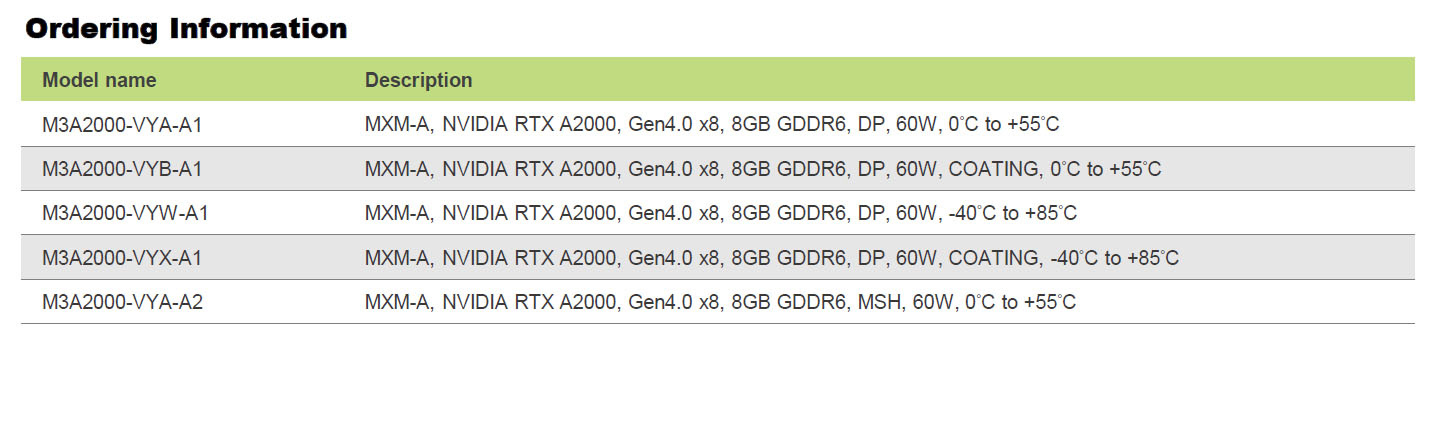
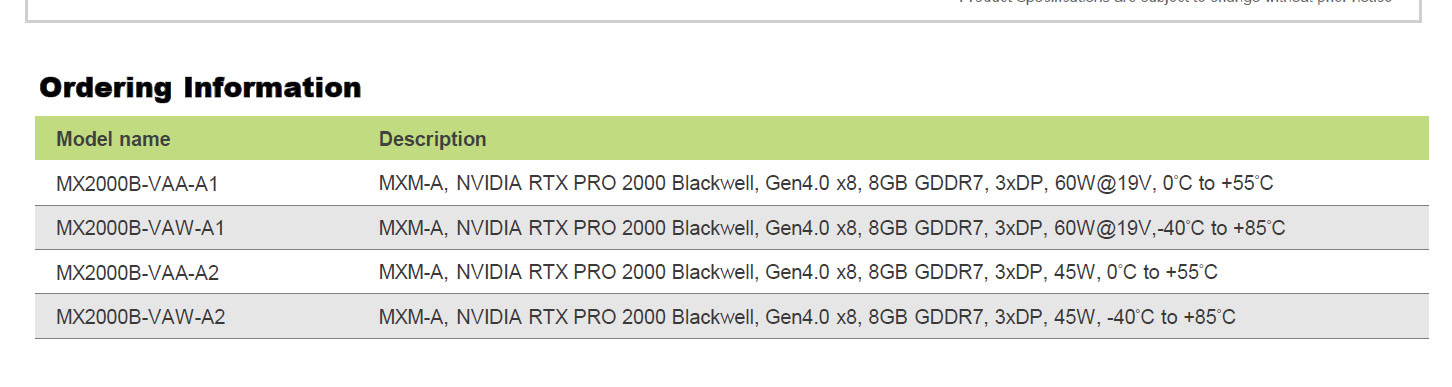
Hi! This might not be the exact topic, so if it isn't please tell me and I'll make a separate thread! I would like to upgrade a Zbook 15 G3 and I'm only interested in Optimus Switching, not BIOS Discrete mode. I asked a representative from Aetina for a Quote to my country and, in the meantime, she gave me the datasheets for the 2 models I'm interested in, namely Ampere RTX A2000 8 GB and RTX PRO 2000 Blackwell 45TGP. Do you thik they will work just by swapping the old one? I'm currently using an upgraded M2200 from the latter model, with the NVCleanstall driver mod. Thanks! I'm attaching the datasheets
-
Hey, @Hyper, could you share your temps? In idle and load, and CPU wattage (if you use ThottleStop). I'm currently also using TPFanCtrl2 by FanDjango to keep it a bit quieter. Also would be interested if someone made undervolting possible. I'm also using it with DGPU to display, because when on IGPU and idle, the NVIDIA stays in P0 Powerstate and draws 20W. I used PTM 7950 on it and still gets pretty warm even on idle when staying on te ground (60-70 degrees on idle - but drawing around 20W - limited to 24 in ThottleStop). The moment I lift it up a bit, temps go really down, like 50s. I changed the PTM twice and pressed the heatsink on it, also tightening the screws to make sure it has good contact. I added a Samsung 990 Pro and a Crucial P310 drives, and they sit at aroung 63 and 59+ temps. I think there is something wrong or early stage with their power drivers, as I applied the same PTM on my G3 Zbook and in about 2 months I saw big results, like it sits in 39 degrees in full summer on idle (but with 6-7W CPU power and 140mV undervolt). I stay up to date with BIOS and drivers via Lenovo Vantage and Windows updates (althogh it's 23H2, because 25H1 seemed very buggy)
-
Can anyone share a previous to 1.30 BIOS version, as this one keeps my DGPU always active and on 20W P0 on idle?
-
Has anyone noticed that lately the DGPU does not turn off and does not enter idle anymore when not used?
-
Do you know anything about Lenovo ditching Microsoft in favor of Linux (Ubuntu)? I looked on support.lenovo but could not find linux drivers for it.
-
There's a new Firmware 1.28, now. Maybe you should try it.
-
Yeah, at the boot it goes full brightness, but in the OS it can be adjusted. I've noticed, too, that Inthel Graphics is still present.
-
https://www.nvidia.com/en-us/drivers/details/260725/
-
Here's another review
-
I tried it and it works just fine, with the battery draining faster, as expected. Maybe it's the BIOS? I'm on 1.11
-
No way! What you want is no PWM and no dithering algorithms! So a true 8 bit panel PWM free is a first step; next would be no software/firmware dithering, which can be quite a hassle. So, for starters, no OLED, 30bit Dreamcolor, AdobeRGB stuff!
-
@Ronny I would higly recommend you to join the forum at ledstrain.org; lots of controversials infos there, due to the nature of each individual affection, but, with pacience, you might find something usefull. To give you a bait: it's not just the screen that is to blame for the jittering!
-
@muede in real life, without the use of the dGPU, keyboard light off and monitor brightness to about 10%, around 7 hours. If you're not in a hurry, I've heard that Panther Lake is way more economic