cedr1k
-
Posts
11 -
Joined
-
Last visited
Content Type
Profiles
Forums
Events
Everything posted by cedr1k
-
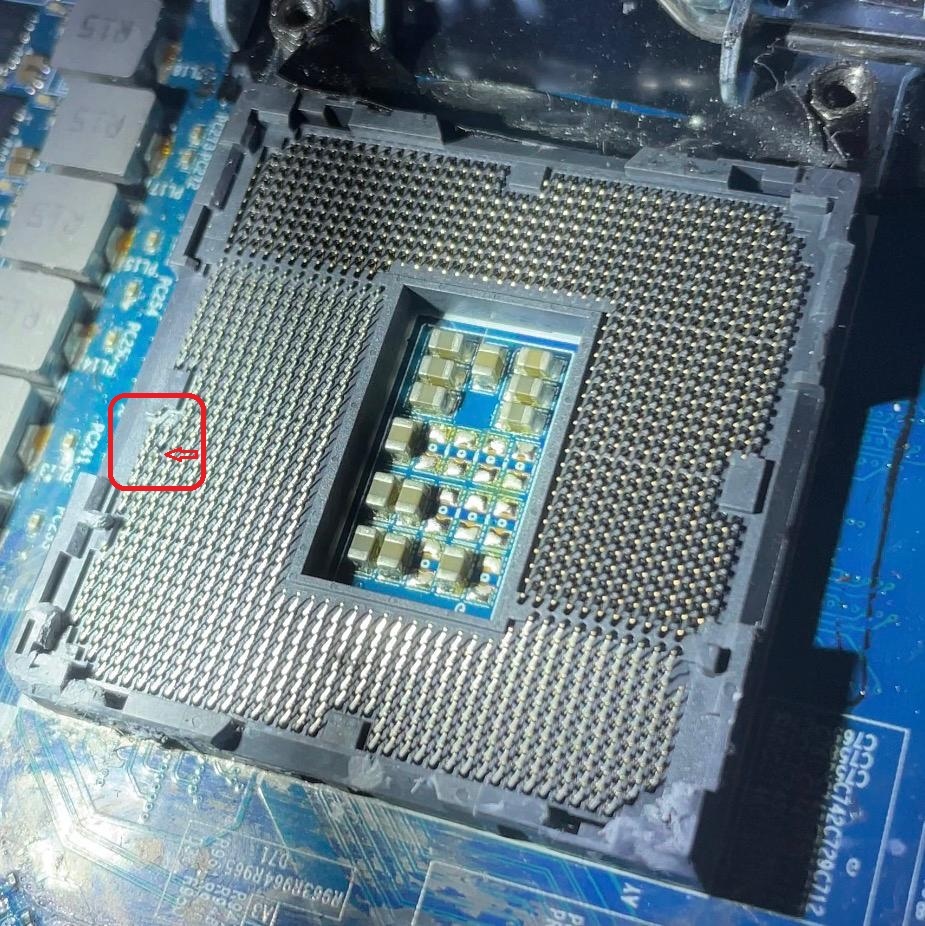
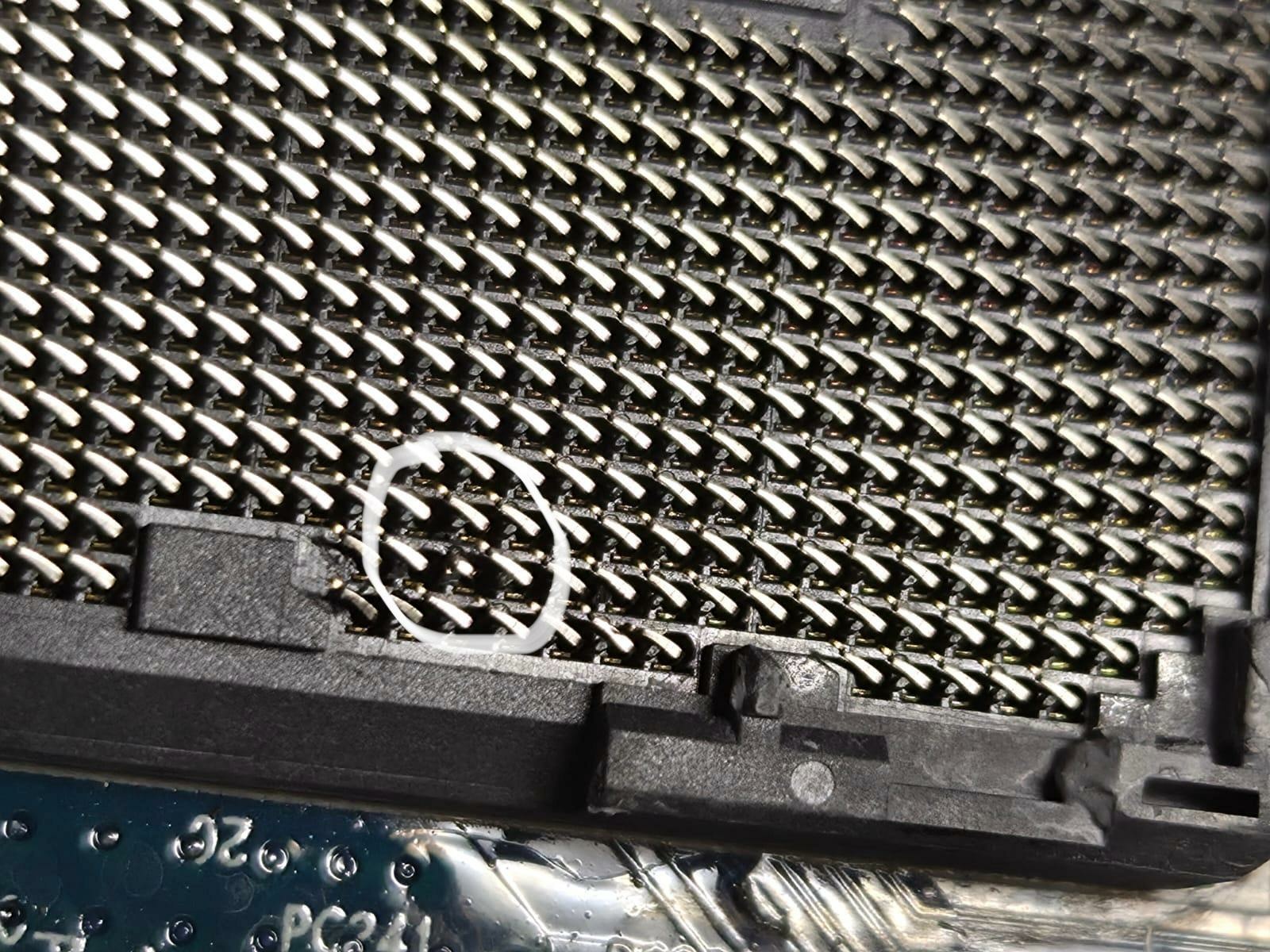
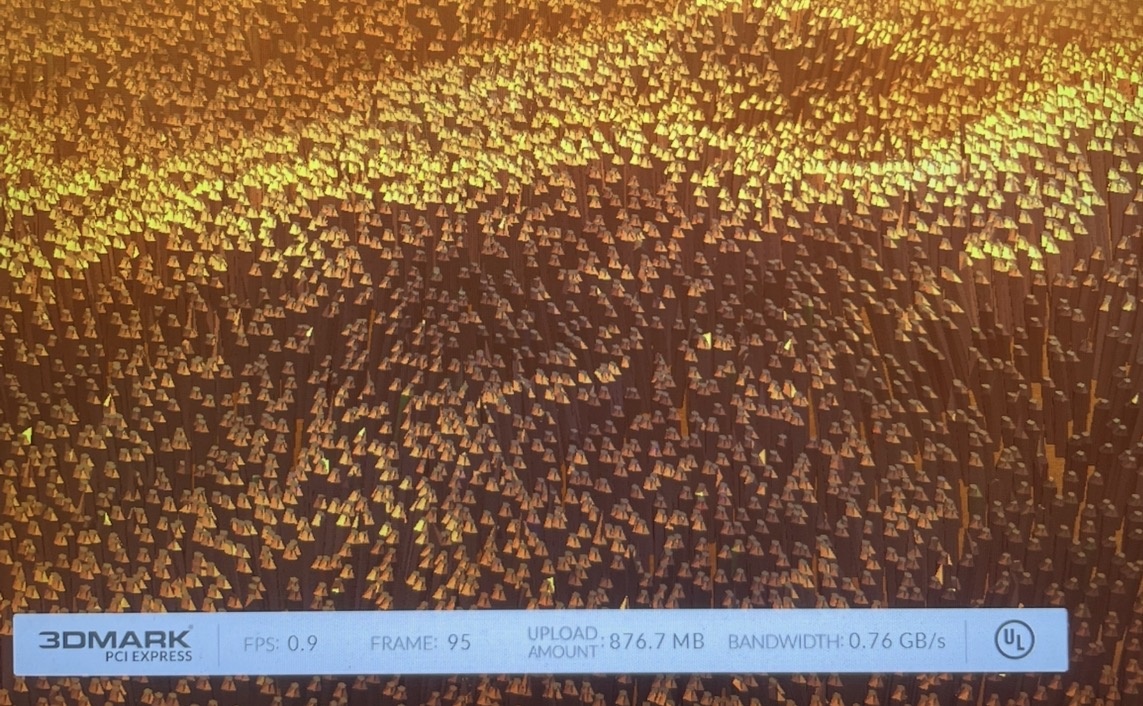
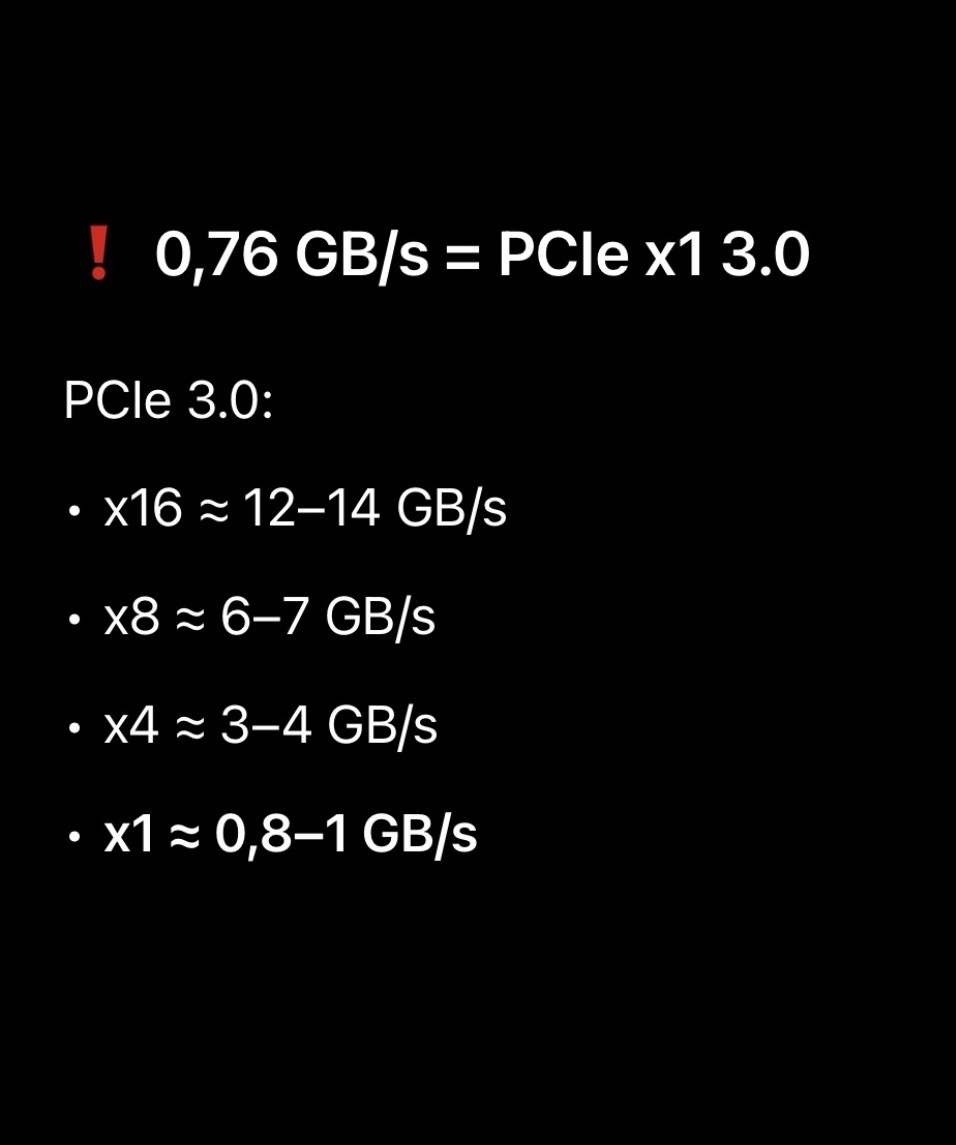
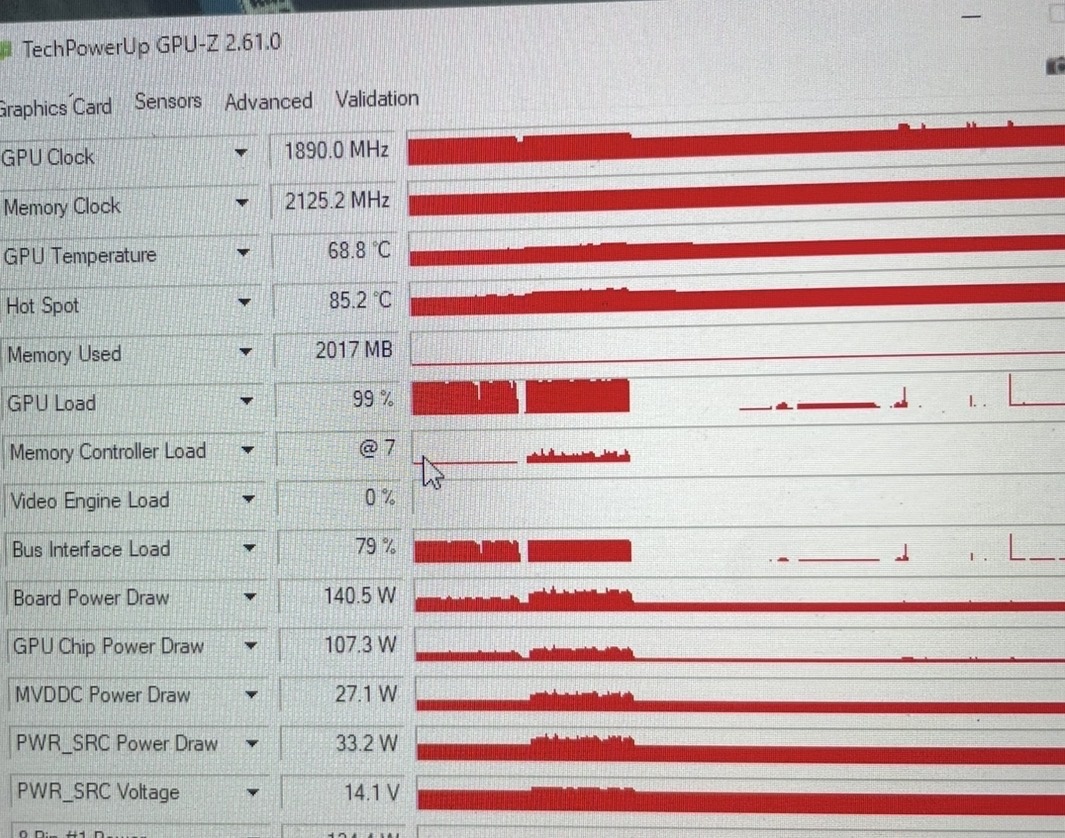
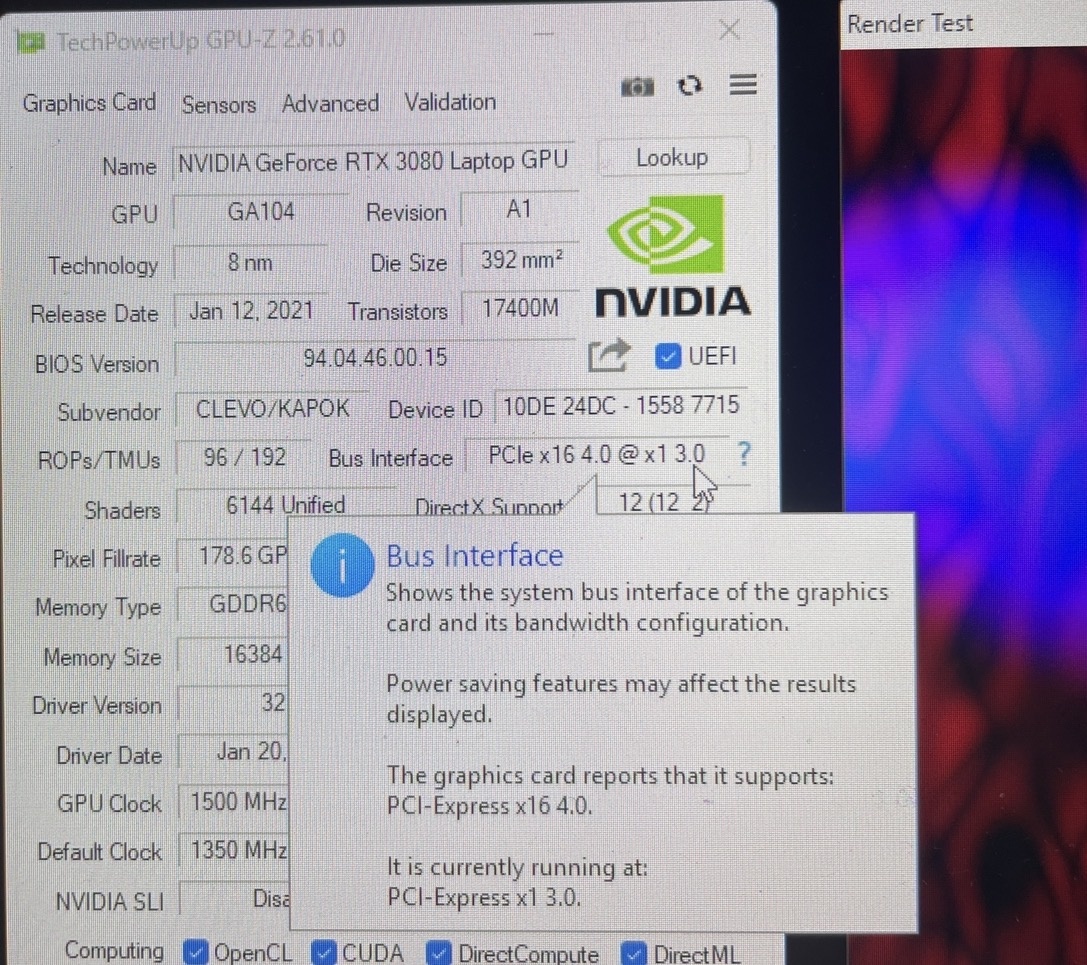
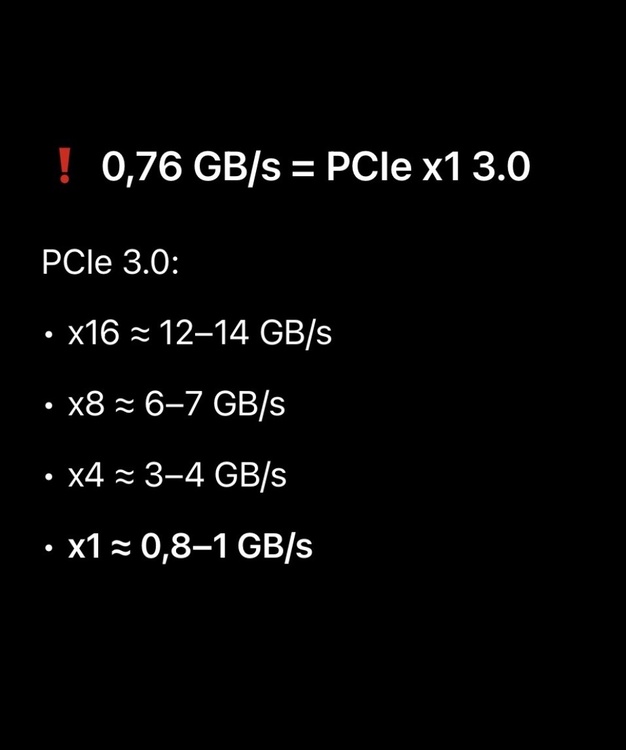
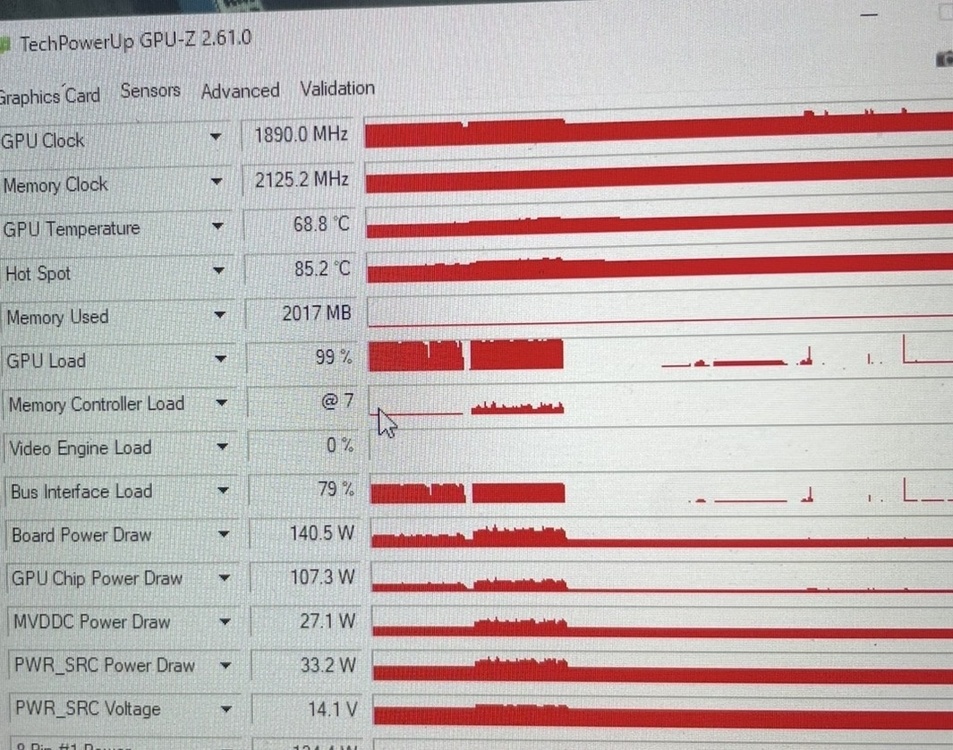
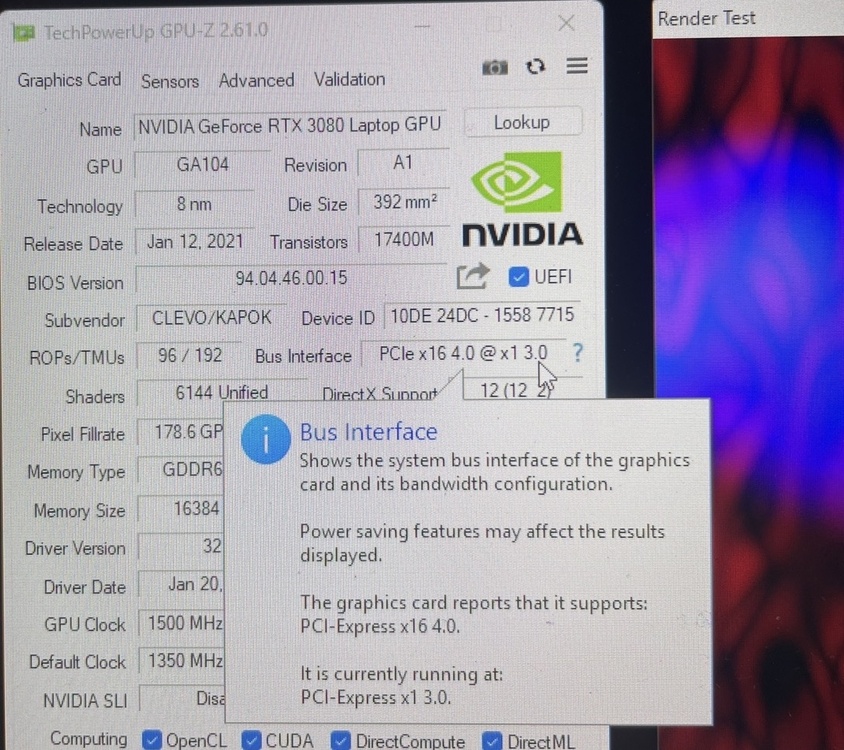
Hello again, For future generations, if anyone has a similar performance issue, I've found the cause. After installing a CPU, I must have broken a pin in the CPU socket. I didn't notice it. All GPU and CPU benchmarks, in separate tests, seemed fine. The R23 showed >15,000 points. The GPU drew 140-165W during benchmarks. The only issue seemed to be a drop in performance with 3dmark Timespy and in some games. The only thing I didn't check first was the PCI-E bandwith. It turned out that the PCI-E only worked at x1 3.0, not x16 3.0 as it should.The cause turned out to be a broken pin in the CPU socket in the PCIe lanes group. The lack of connection caused the system to go into safe mode, so it would only run at x1 3.0. The laptop works, but significantly worse. A few screenshots below for documentation.Now I need to find someone to solder a pin for me from another identical socket. Wish me luck and take care of your pins.



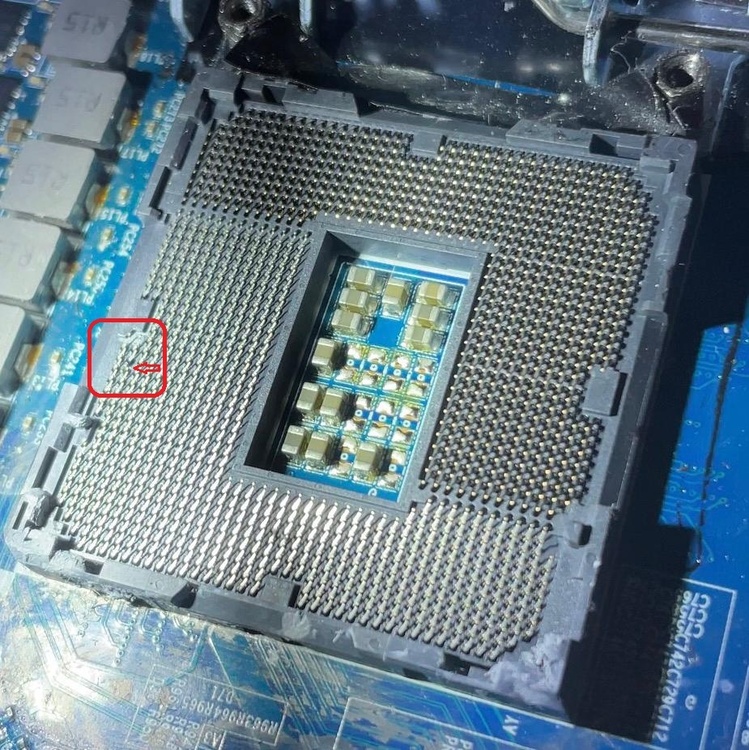
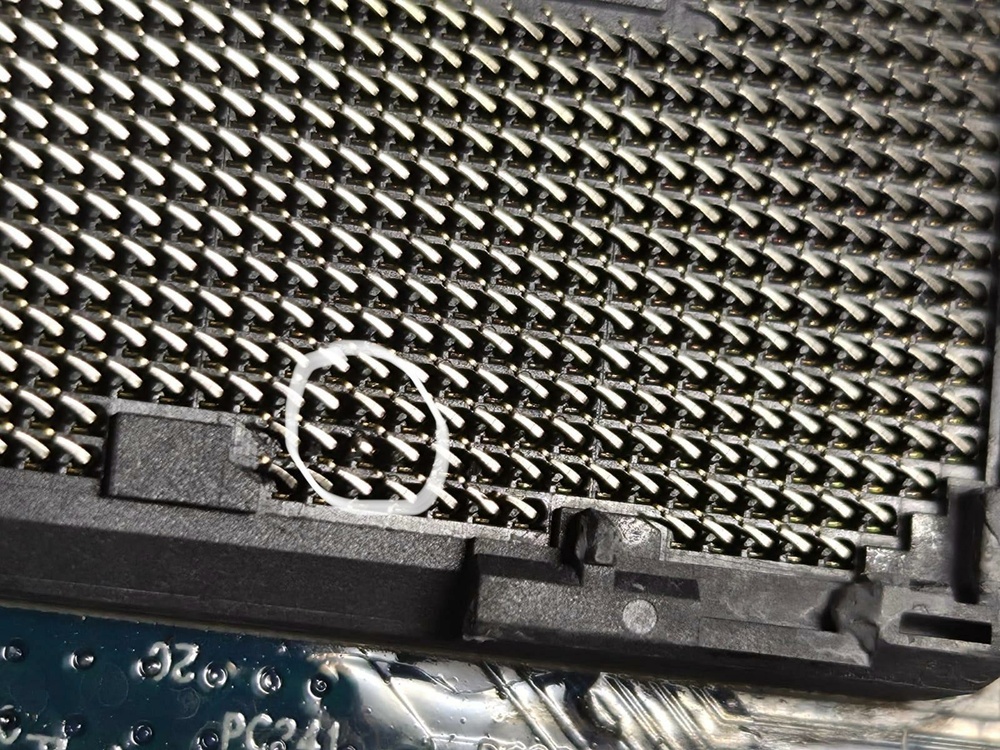
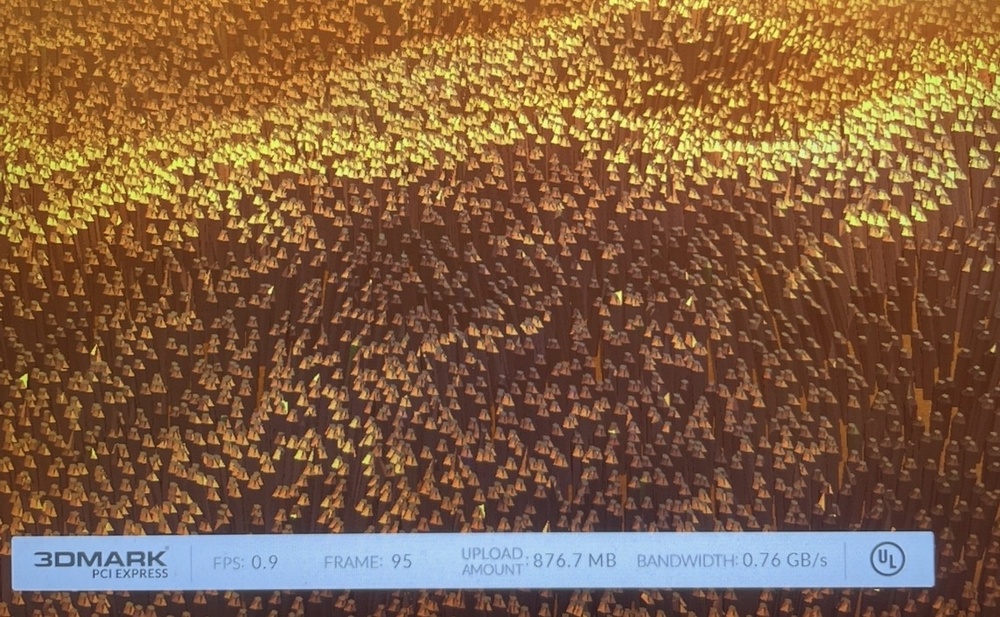
-
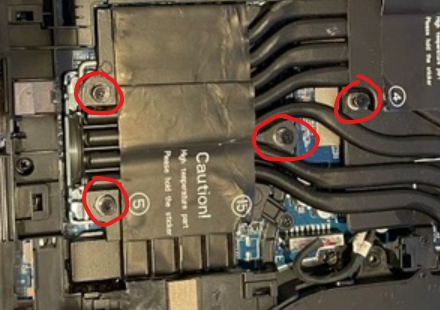
Hello, Did you replace these screws? If so, could you tell me exactly what kind of screws they are and do you know where I could buy them?
-
I did it but nothing has changed. It is really weird because even if I change resulution of the game for the lower one from full HD fps stays the same. It looks like the system can't go further with fps no matter what. I thought maybe I could change CPU for example i9-11900k. Now I have i9-10900k but in cinebench R20 it gets normal results around 5899 points on 4,6Ghz. Maybe i should compare results with someone else with the same laptop in specific game. Maybe this problem can be seen only in games. Maybe the power zone is not working properly, or maybe the system is simply old and cannot handle the same titles.
-
Yes it was enabled
-
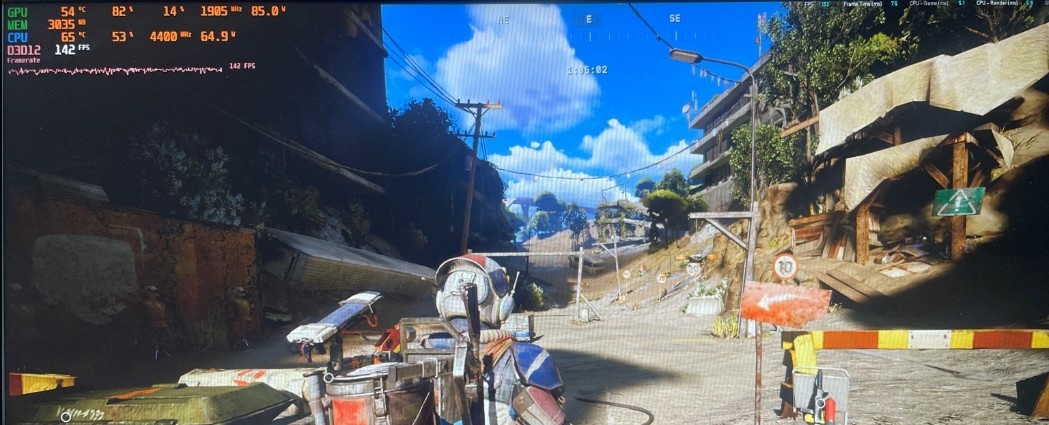
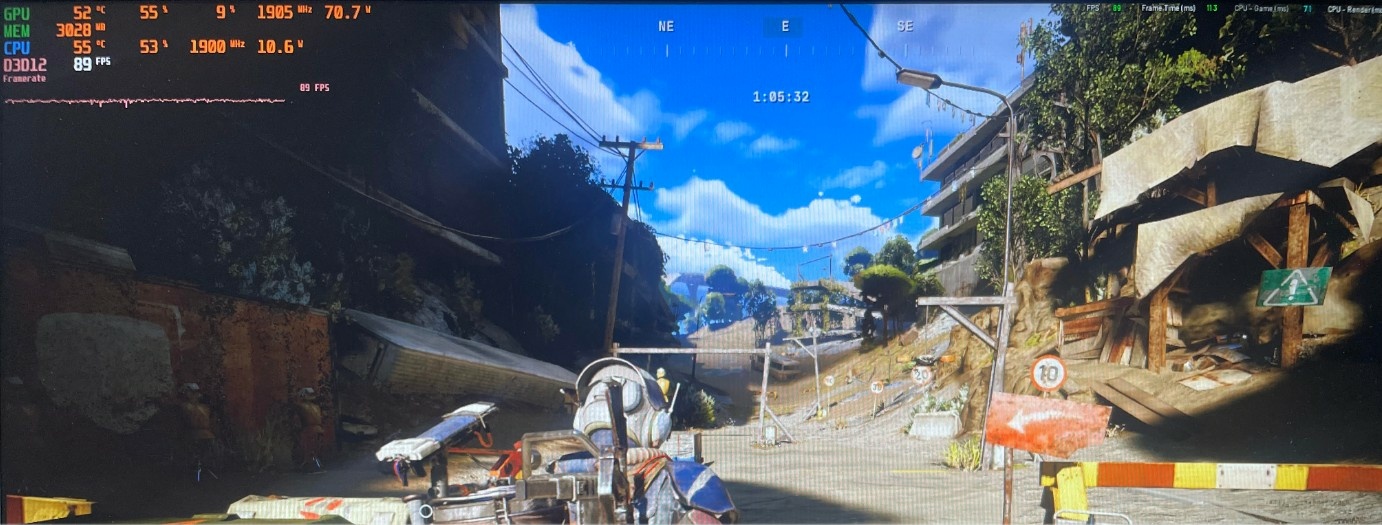
To be honest those results were also very bad even with 32GB of RAM, but maybe it might effect results a little bit. I checked whether reducing the CPU clock speed affects performance in other games in the same way. In Arc Raiders, FPS actually drop when the clock speed is reduced, so it seems the problem is strictly with the game engine used in Apex Legends. The AI told me that Apex Legends is very sensitive to jitter and frametimes. This causes noticeable FPS drops at higher CPU clock speeds.I might try downgrading my drivers and BIOS to an older version in the future, but this is a very strange problem that probably only occurs in laptops. Attached is a screenshot from Arc Raiders at 1.9Ghz and 4.4Ghz. You can see the correct performance increase after increasing the CPU clocks, unlike Apex Legends.
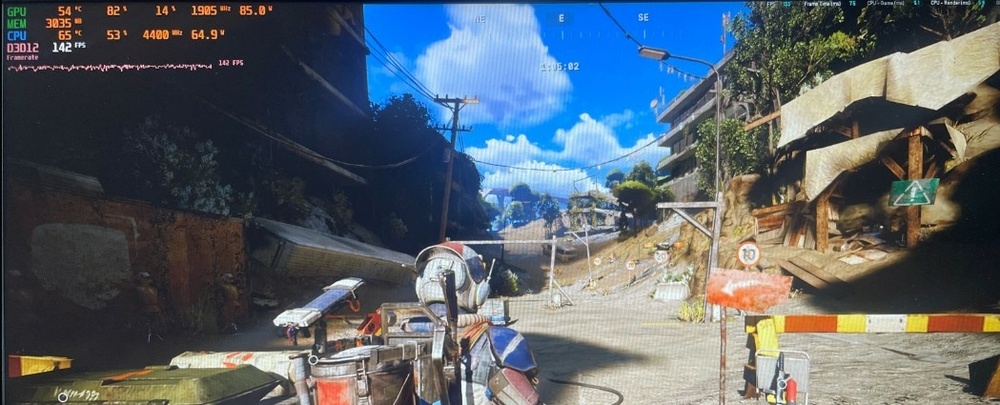
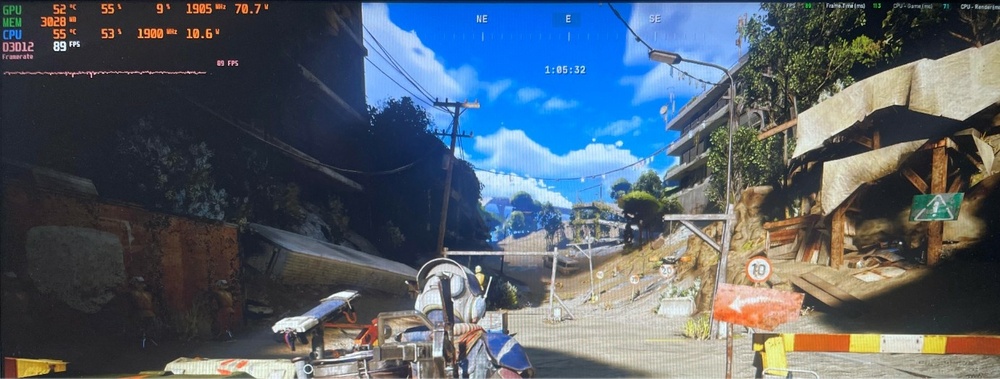
-
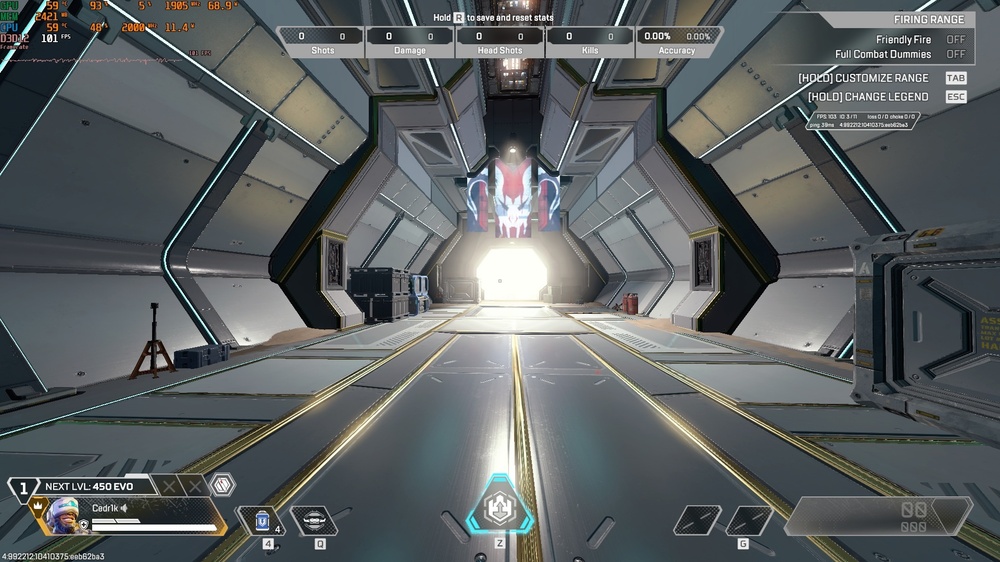
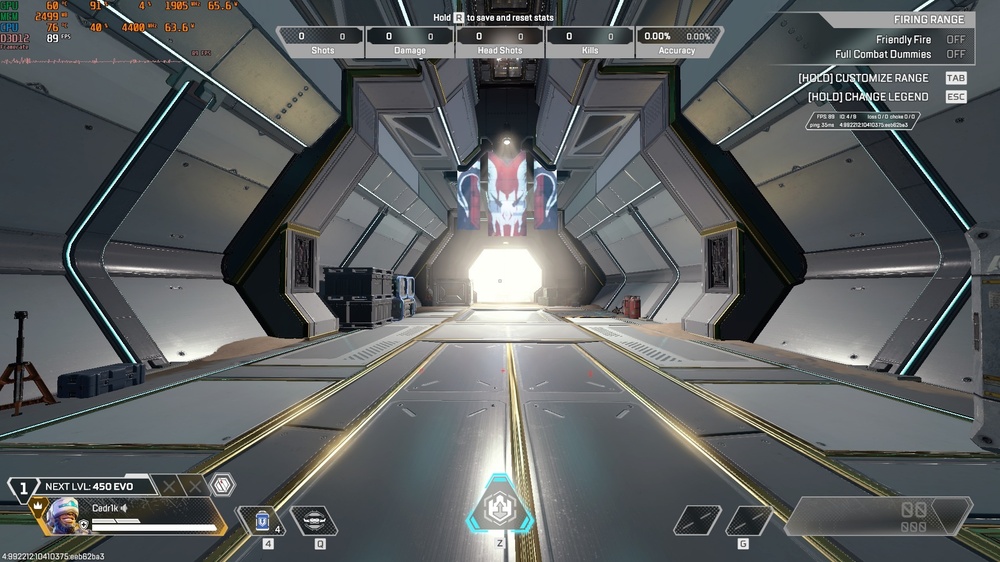
Sorry, last image is with capped 2ghz in XTU but results are the same with 4,4ghz this is the weird thing. I even demounted battery but it Works the same. I was using laptop with 2 chargers. Vendor was HIDevolution. I only had to demount my ram stick because it broke so i have only 1 stick od 16gb but results were the same before even with 32gb. I should have mentioned that 2 years ago i had an accident with this laptop. In this laptop, a few years ago I installed liquid metal between the heatsink and the processor. While traveling with this laptop, a few drops of liquid metal fell on the GPU, and the laptop wouldn't turn on. I cleaned the remaining liquid metal off. After that, the laptop turned on normally. Perhaps something broke after that, but it's hard to diagnose since I don't have any other problems with the laptop. Perhaps the power supply section has degraded, causing the CPU to perform worse.
-
Thanks a lot, that might be some clue.
-
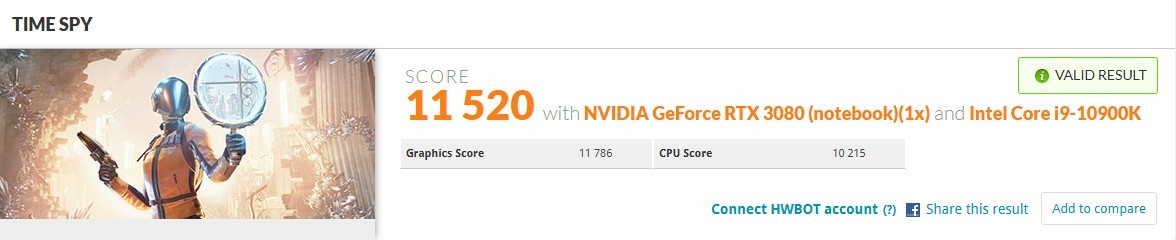
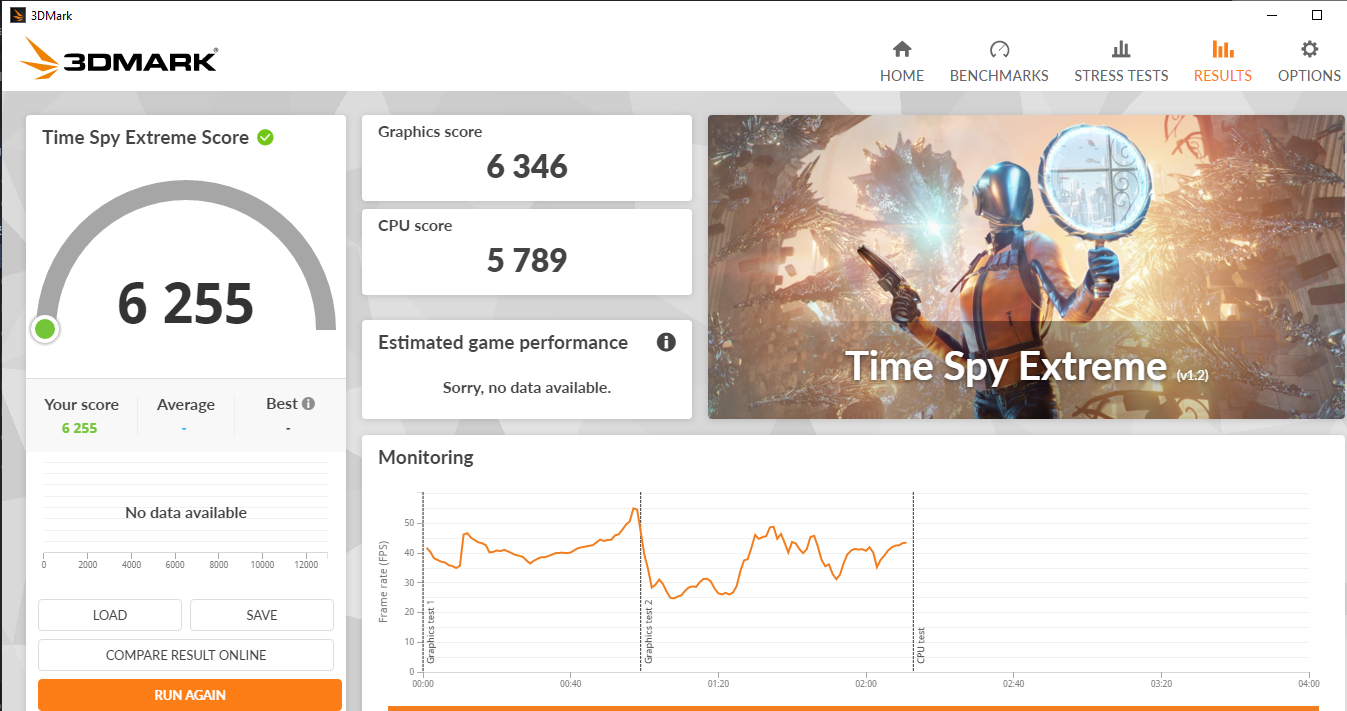
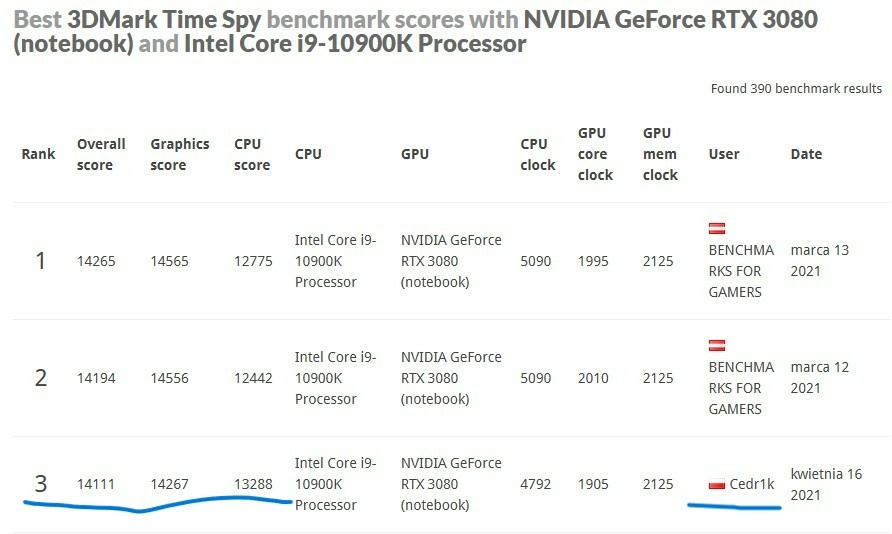
Hello guys, Maybe someone here has had a similar issue. For some time now, I’ve been having problems with my Clevo laptop. It’s the version with an RTX 3080 and an i9-10900K. Previously, I had liquid metal applied on the CPU. Now I’m using a standard thermal paste, so naturally the CPU runs at a lower clock speed (around 4.4 GHz) to avoid thermal throttling. Unfortunately, I recently noticed that a fairly old game — Apex Legends — started running very poorly. Before, I had no trouble achieving 135–200 FPS on average on this hardware. Now the FPS ranges between 25 and 110. I checked whether the correct GPU is being used during gameplay — everything looks fine. Temperatures are also below levels that would cause clock throttling. I thought the laptop might not be delivering enough power to the GPU or CPU, but during 3DMark tests the system draws around 180 W on average. During gameplay, the GPU uses about 66 W and the CPU about 65 W, so there should still be some power headroom. What’s interesting is that I tested FPS in the same spot on the map with the CPU running at 4.4 GHz, and then again with the CPU locked at 2 GHz. Surprisingly, at the lower CPU clock I actually got about 10 FPS more in the same location. The only thing that would make sense to me is that the VRM (Voltage Regulator Module) reduces the power delivered to the GPU when the CPU draws more power. Once the CPU starts using more than 20 W, the FPS begins to drop. It looks as if, specifically in Apex Legends, the VRM is limiting the total power available to the laptop. Does anyone have another idea why the performance of this laptop has degraded so much? For comparison: when the laptop was new, I scored 14,111 points in 3DMark Time Spy. Now I can barely reach 11,520 points. My current BIOS version is 1.07.09RTR6. I would really appreciate any advice, because honestly I’m running out of ideas. I’m using Intel Extreme Tuning Utility (XTU) for CPU overclocking — maybe you can recommend a better tool. I’ve attached screenshots from 3DMark and in-game tests.
-
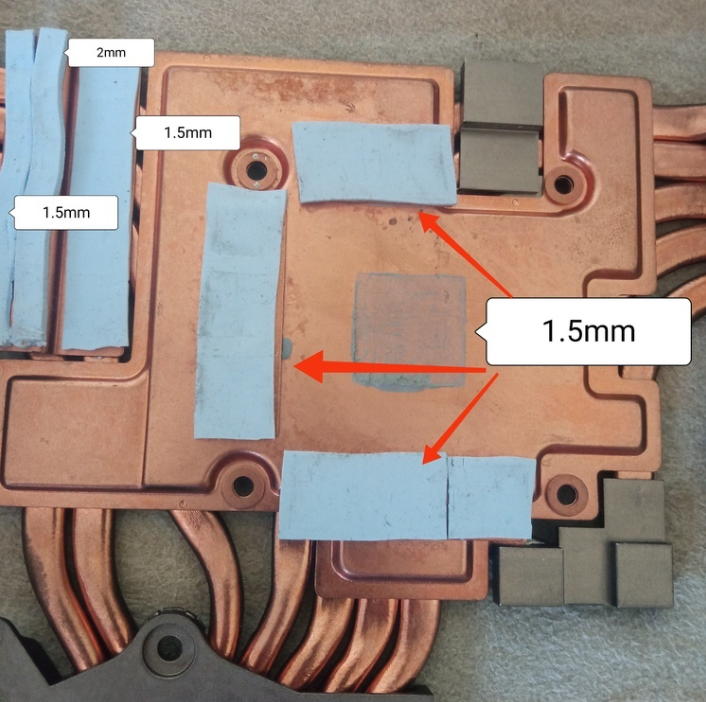
Ok thank you very much. Can you tell me why there are slight differences in thickness of your thermal pads and those in 1st post: and in smoothinize's post: I guess in both scenarios it will work but maybe there is something behind this, let me know. Your GPU scores is slightly better then mine but it probably caused by faster CPU clock. Your was 4.9Ghz and mine was 4.4Ghz.
-
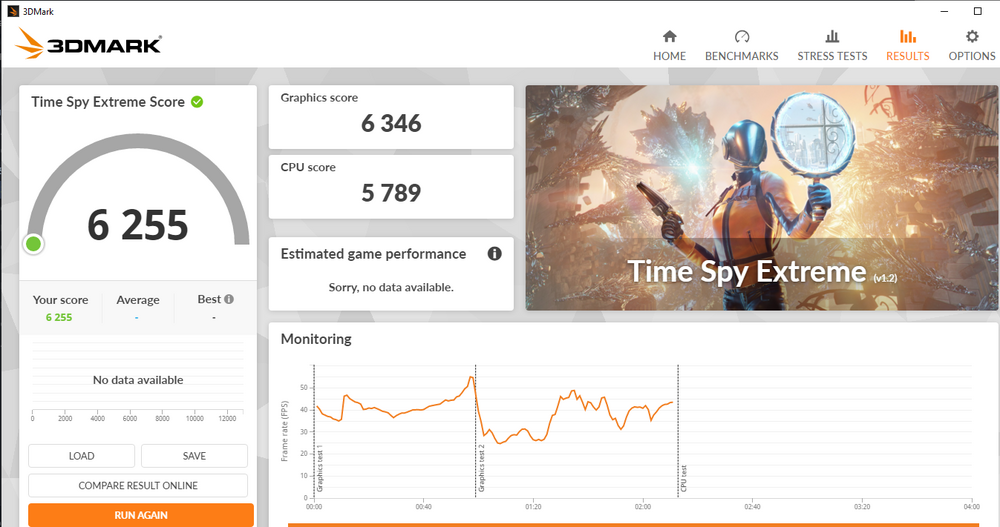
Hello guys, I have a problem from some time with fps with more demanding titles. I don't see any problem with GPU overheating. During the becnhmark test, it shows maximum values of 66 degrees, but I suspect that the problem may be with the vrams. When I last opened the case, I found out that the thermal pads for the vrams were gone. I didn't have any thermal pads at this point, so I applied some thermal paste to the area.I don't know whether the temperature sensors in this GPU show the temperature value only for the center of the GPU or whether they also take into account VRAM temperatures. For now, there is only thermal paste on the sectors marked in red. https://ibb.co/WW1GxZHq - screenshot form apex legends because I could not uploaded it to the post For example in apex legends I used to have stable 144fps. Now for more demanding places when I look at the city where lots of textures are loading because of bad optimization I have like 35fps. I even ask friend of mine which has worse CPU and rtx 2080 super (dekstop) and he has in same scenarios around 150-200fps. So it has to be something with my system. I also - reinstaled windows - done lots of optimization with settings for FPS - instaled different types of drivers (older/newest) - made memtest86 and passed w/o errors - made stress test for GPU and CPU - passed w/o errors and thermal throttling Also in new titles like Marvel Rivals (everything on low) I have like 40-60fps. But for example in older titles like CS2 or Valorant I have easy 200fps+. I would like to ask if someone with this laptop could take a 3D Time Spy Extreme benchmark test to compare results for same parameters of GPU and CPU? My CPU clock is 4,4Ghz, Core Voltage Offset -0,110V Processor Core IccMax 255,75A. My GPU Core Clock is on +175Mhz, Memory Clock + 1000Mhz. I have already ordered new Thermalpads but it would be nice if someone confirmed my concerns about the current problem.

-
Hello, Anyone of you have tested those custom aftermarket Hybrid water cooled Heatsinks? https://pl.aliexpress.com/item/1005007688523584.html?gatewayAdapt=glo2pol#nav-specification If yes, do you recommend some specific external water pump to this heatsinks?