Hussain Alhadher
-
Posts
20 -
Joined
-
Last visited
Recent Profile Visitors

Hussain Alhadher's Achievements






-

ADLINK RTX 3000 MXM suddenly died?
Hussain Alhadher replied to Hussain Alhadher's topic in Alienware 17 and M17x
Update: RTX 3000 repaired! Good news! I got my M17x R4 back from the repair shop, and the Quadro RTX 3000 is working again. If I remember correctly, the fault was caused by a bad capacitor on the GPU. The charging issue is still present, though. The charger works normally if I connect it before turning on the laptop, but if I plug it in while the laptop is already running on battery, the charger LED fades out and the adapter shuts off. I tested another known good 240W adapter before, and it behaved the same way. The repair guy believes the battery may be responsible and says the motherboard is fine. My battery health is only around 13% and it’s the original battery 14 years old, so I’m not sure whether that is related or whether there’s another issue with the charging circuit. For now, I’m happy that the RTX 3000 is back to life! I’ll test it further to see whether it remains stable under load. Thanks to everyone who helped me troubleshoot this and offered suggestions! -
Hussain Alhadher changed their profile photo
-
ADLINK RTX 3000 MXM suddenly died?
Hussain Alhadher replied to Hussain Alhadher's topic in Alienware 17 and M17x
Update: The repair shop tried to repair the Quadro RTX 3000, but unfortunately they couldn’t get it working. I did not ask what part was shorted. I also had them check the laptop’s charging behavior. The laptop works normally if I connect the charger before turning the laptop on. However, if the laptop is already running on battery and I plug the charger in, the charger LED comes on and then fades out, and the charger shuts off. It stays off until I unplug it from the wall and reconnect it. I tested another known good 240W charger and it does the same thing. It also happens with the MXM GPU removed. The repair shop said it’s likely something in the motherboard’s charging/DC-in circuit, but it’s a difficult board level issue to trace and there aren’t readily available replacement parts. They recommended that I just use the charger normally connect it before powering the laptop on and leave the issue alone rather than spending money trying to repair it. So for now I’m keeping the M17x R4 with the 765M and leaving the RTX alone and i might come back for it🫤. -
ADLINK RTX 3000 MXM suddenly died?
Hussain Alhadher replied to Hussain Alhadher's topic in Alienware 17 and M17x
Hi, yes it’s still relevant. I’d really appreciate the help. Right now im using my old 765m Should i go to a repair shop? What would you suggest I check first? -
ADLINK RTX 3000 MXM suddenly died?
Hussain Alhadher replied to Hussain Alhadher's topic in Alienware 17 and M17x
I’d like to upgrade to the best GPU I can if i got a very good deal, but I’m worried about the bottleneck and whether the performance would really be worth it with the 3940XM. I’m also not sure if it’s worth doing the whole 120Hz eDP cable setup and all the other modifications. -
ADLINK RTX 3000 MXM suddenly died?
Hussain Alhadher replied to Hussain Alhadher's topic in Alienware 17 and M17x
At that time I didn’t really know what else I would need to change. My M17x R4 has the 60Hz LVDS display and the 3-pipe heatsink, so I wasn’t sure what would be required for a 3060/4060 upgrade. That’s why the RTX 3000 seemed like the safer option at the time. Unfortunately I don’t think I have any warranty on the 3000. -
ADLINK RTX 3000 MXM suddenly died?
Hussain Alhadher replied to Hussain Alhadher's topic in Alienware 17 and M17x
Here’s the link from ebay https://ebay.io/m/S2OXcM -
ADLINK RTX 3000 MXM suddenly died?
Hussain Alhadher replied to Hussain Alhadher's topic in Alienware 17 and M17x
I bought it back in May as open box condition from ebay for $305, so I don’t really know how it was used before I got it. It worked fine for me and temps were usually around 68–72°C under load, then it suddenly shut off while gaming. And I don’t have a multimeter to check the components🫤. -
ADLINK RTX 3000 MXM suddenly died?
Hussain Alhadher replied to Hussain Alhadher's topic in Alienware 17 and M17x
The black plastic insulation next to the MXM slot is still there. I also insulated the X-bracket area with a tape but the charger still trips. With the RTX removed or the GTX 765M installed, the charger works normally. So it looks more like a short on the RTX board itself. -
ADLINK RTX 3000 MXM suddenly died?
Hussain Alhadher replied to Hussain Alhadher's topic in Alienware 17 and M17x
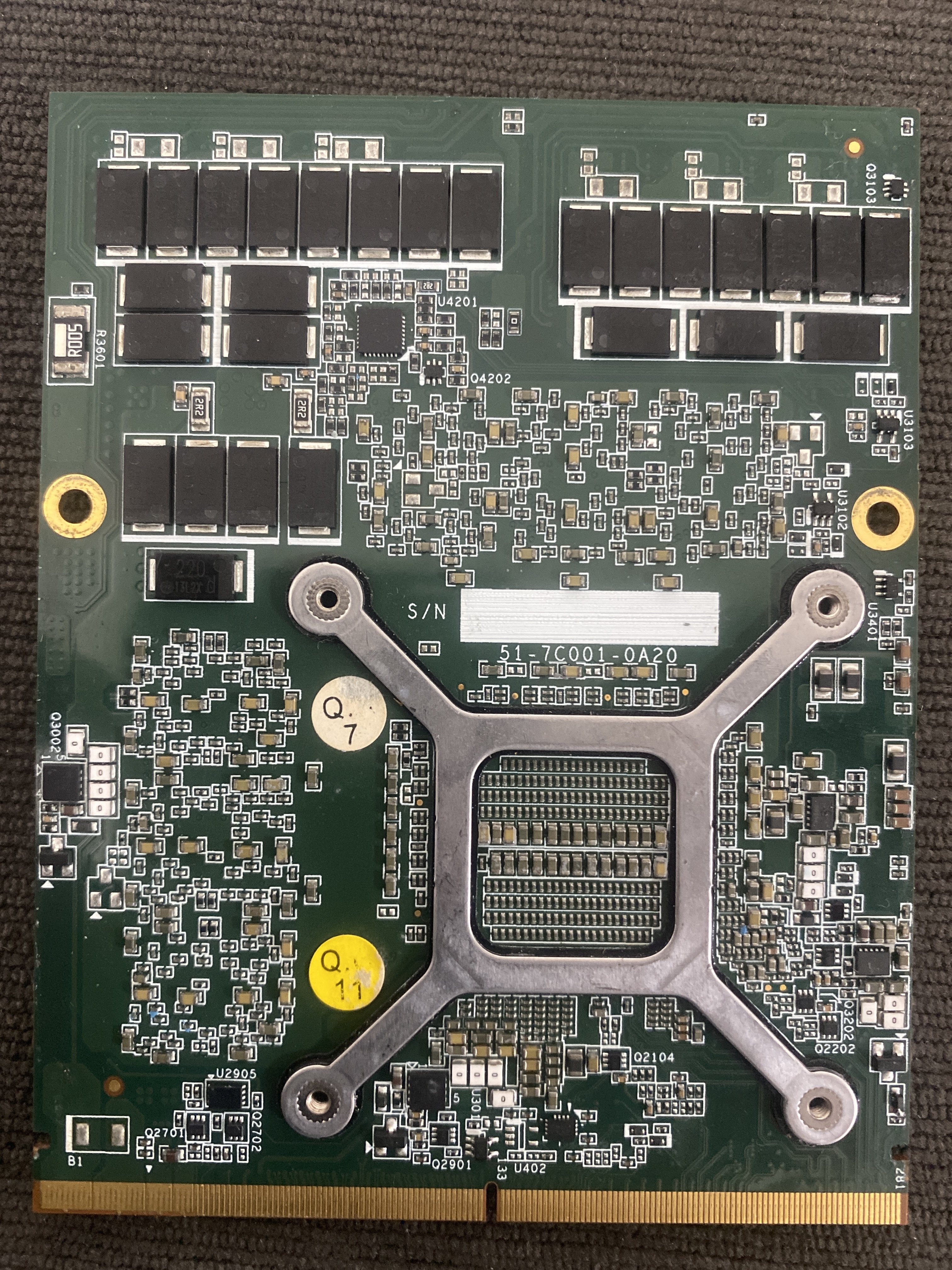
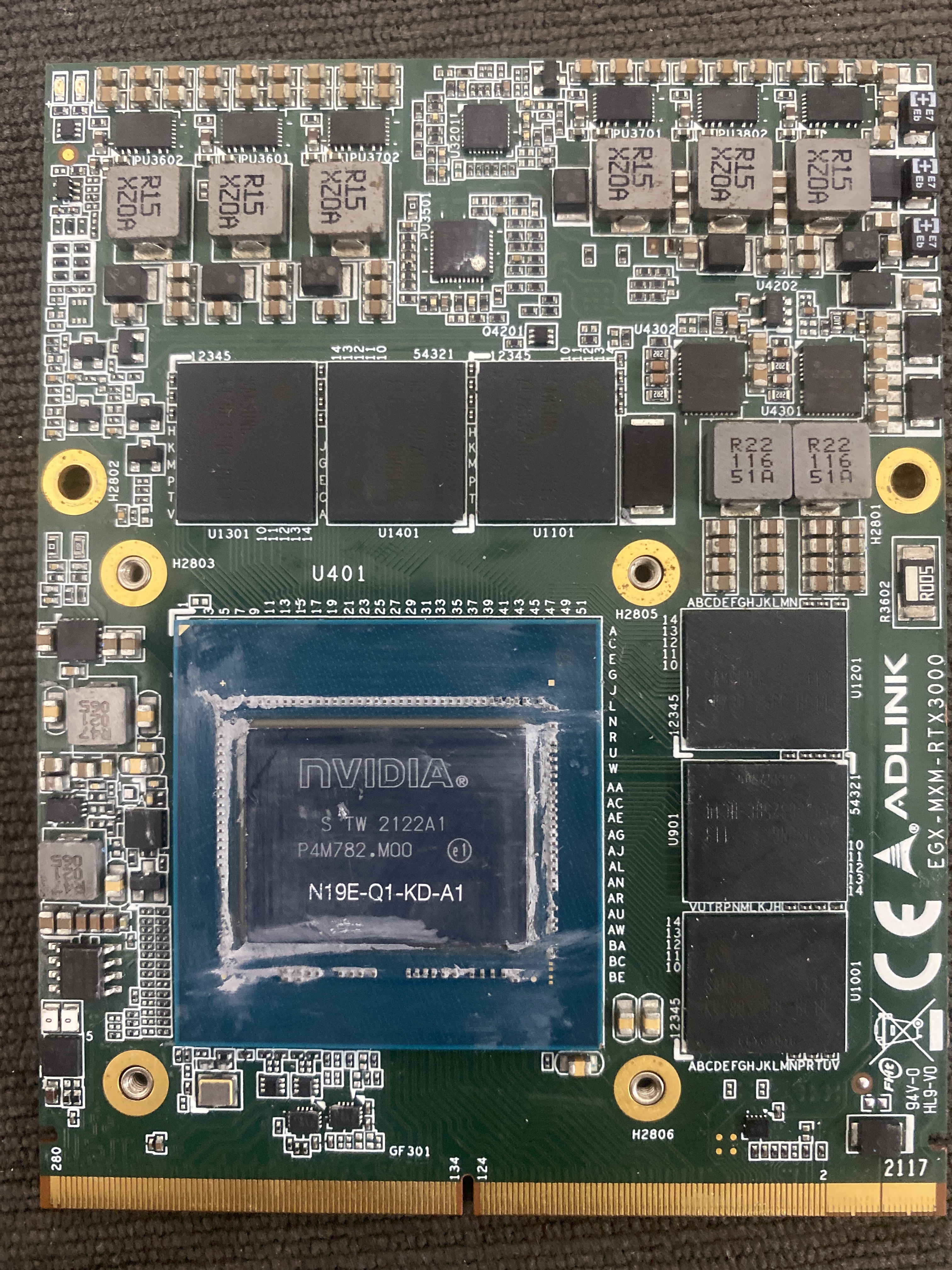
I also thought it could be the heatsink, but I tested the RTX installed without the heatsink with the laptop powered off and just plugging in the charger still makes the charger LED shut off. With the RTX removed, or with my GTX 765M installed, the charger works normally. I don’t see any obvious burnt capacitors either. Before it died the GPU was usually around 68–72°C at 96–99% load, so it was performing well and wasn’t heavily thermal throttling. So I’m thinking there may be a short somewhere on the RTX board itself. -
ADLINK RTX 3000 MXM suddenly died?
Hussain Alhadher replied to Hussain Alhadher's topic in Alienware 17 and M17x
-
ADLINK RTX 3000 MXM suddenly died?
Hussain Alhadher replied to Hussain Alhadher's topic in Alienware 17 and M17x
-
Hi guys, My RTX 3000 suddenly shut the laptop off while gaming. Now the charger LED goes out immediately when I plug it into the laptop with the RTX installed. I tested with battery removed and i had the same issue I removed the RTX and the charger light stays on I plugged in my old 765m in and charger works normally So it looks like the fault is on the RTX 3000 itself. I don’t see any obvious burnt components. Could it be a shorted mosfet or capacitor or vrm component, and is this usually repairable?
-
M17x r4 Quadro RTX 3000 upgrade
Hussain Alhadher replied to Hussain Alhadher's topic in Alienware 17 and M17x
I have a question, is it better to have bios A11 unlocked or A15 unlocked for my laptop? Im currently running A15 unlocked. Can i downgrade to A11 OEM first then A11 unlocked? -
M17x r4 Quadro RTX 3000 upgrade
Hussain Alhadher replied to Hussain Alhadher's topic in Alienware 17 and M17x
I have done some registry editing to try to reduce the black screen problem from happening. But now im getting code 43 on the quadro rtx 3000 when i boot into windows. So every time i get code 43 i have to restart the laptop. I don’t know if there is something i can do about it. -
M17x r4 Quadro RTX 3000 upgrade
Hussain Alhadher replied to Hussain Alhadher's topic in Alienware 17 and M17x
Thank you very much. I flashed the vbios and the laptop boots normally. Then, i did get a black screen after a long sleep. Still haven’t tested after a cold boot. Chatgpt suggested disabling sleep and use hibernation instead. Still looking for other solutions.I got the UEFI box checked now but I don’t know if that will make a difference.