
mattalienware
-
Posts
18 -
Joined
-
Last visited
1 Follower

mattalienware's Achievements


-
Alienware 17 R1 980m Upgrade - Which variant to buy?
mattalienware replied to mattalienware's topic in Alienware 17 and M17x
It is odd behaviour isn't it...it must be a firmware issue. Maybe I should install an unlocked BIOS to put it in PEG mode. I believe I can only do SG mode now with regular A13 bios and my 1080p 60hz LVDS display. I don't have another system to test the 980m in. But it's a backup option, I could always buy one. -
Alienware 17 R1 980m Upgrade - Which variant to buy?
mattalienware replied to mattalienware's topic in Alienware 17 and M17x
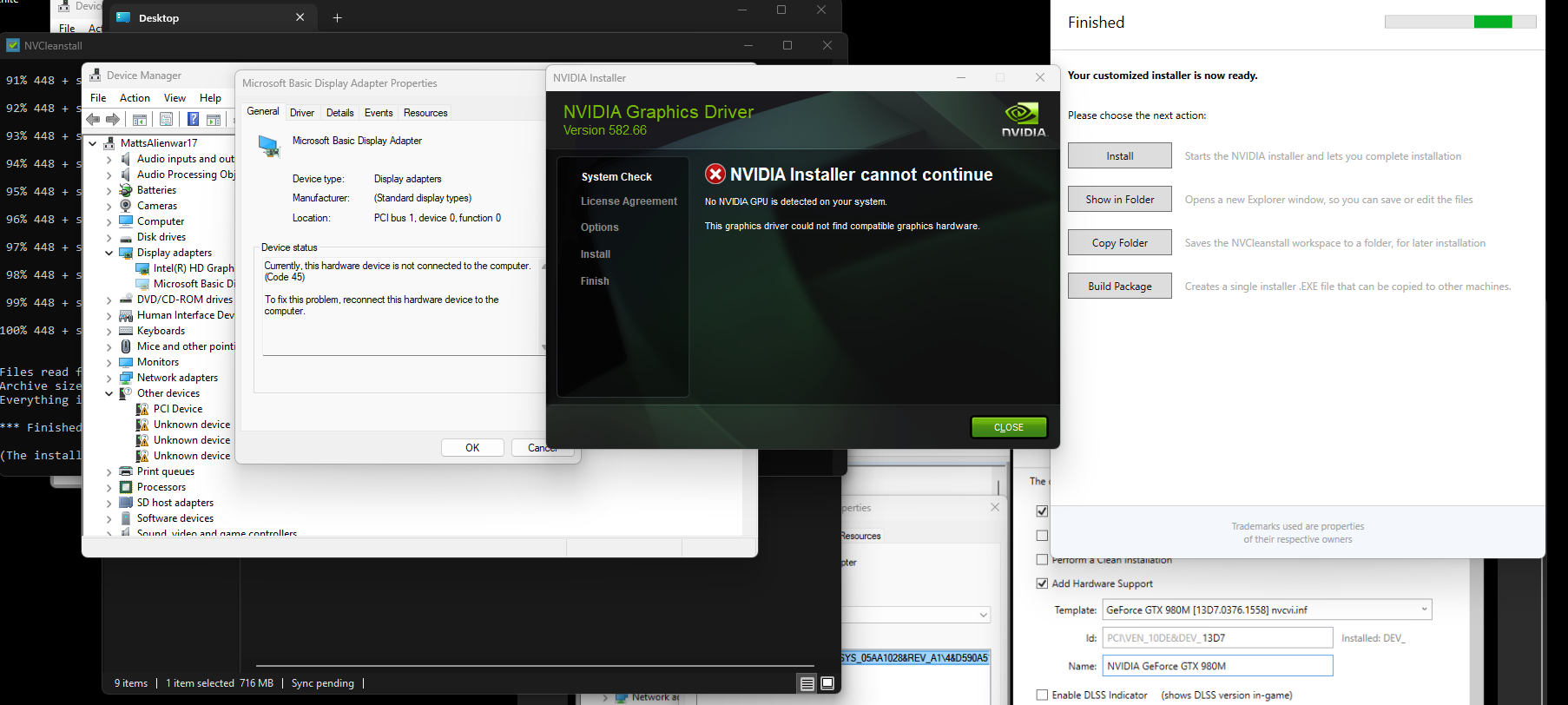
Hi @SuperMG, I entered it manually per the screenshot. Built the package and ran it as administrator. Unfortunately the installer failed (no NVIDIA GPU detected on your system). Maybe it's because I am getting code 45 in device manager? The GPU is hidden in device manager. When I first installed the physical gpu into the mxm slot and booted it, it appeared in device manager as a normal working device. Then when I restarted the laptop, it appeared greyed out and hidden in device manager with the code 45. This is most likely causing the problem. Is that normal behaviour when installing a GPU that was never officially supported for a laptop?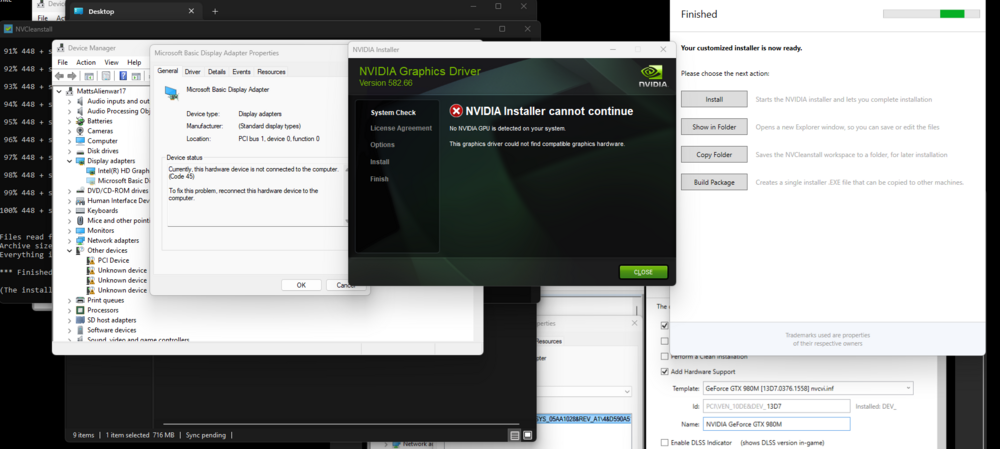
-
Alienware 17 R1 980m Upgrade - Which variant to buy?
mattalienware replied to mattalienware's topic in Alienware 17 and M17x
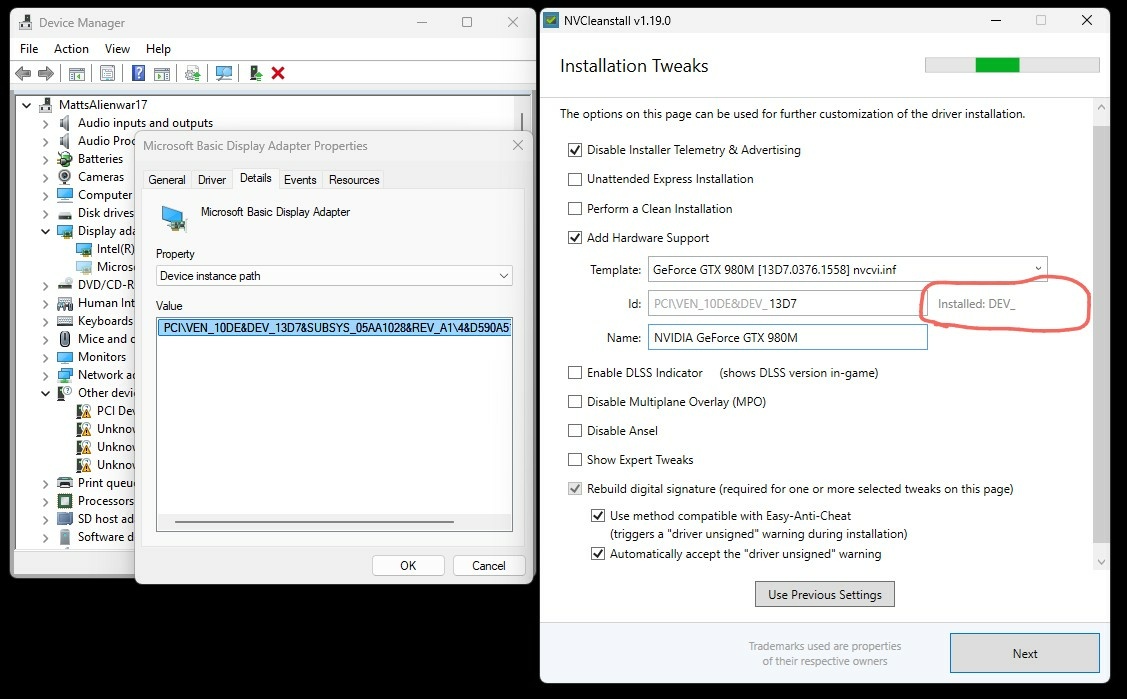
Hi @SuperMG, Thanks. I've looked at your PDF. I came across one issue. On the installation tweaks page, step 3 where your guide says click on Installed: Dev_ there is supposed to be a device ID. However, I do not have a device ID showing there. It is blank. Is that an issue? Can I just manually fill it in? See attached screenshot. Thank you!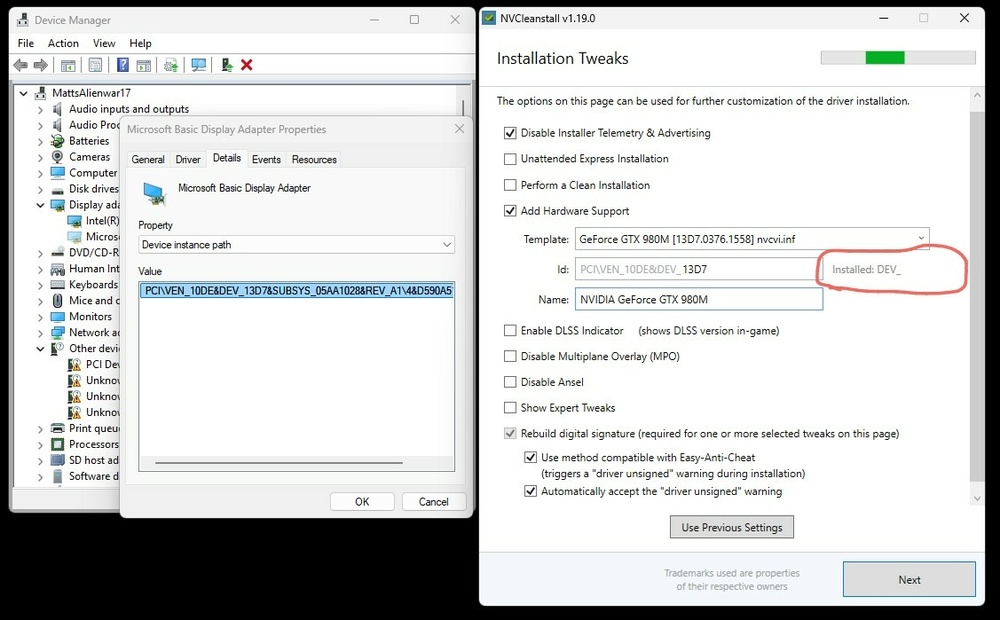
-
Alienware 17 R1 980m Upgrade - Which variant to buy?
mattalienware replied to mattalienware's topic in Alienware 17 and M17x
Okay the laptop is all back together. I followed mrfox's instructions. Turned it on, beeped continuously, restarted, quickly put a stick of ram in, then it beeped 5 times. Turned it off. Turned It on. Booted into windows. And now device manager is showing Microsoft basic display adapter THANK YOU. Now I am trying to mod the .inf file. I downloaded the oldest driver for my 980m (572.83) on the NVIDIA website. When I run the driver, I see the NVIDIA folder appear in C drive. I tried to mod it, but I could only see GTX 980 and 980 Ti, I couldn't see 980m. So I just edited the bits for the GTX 980 but I was unsuccessful, the driver still failed. Also, the devices at the bottom of the .inf file only had the device ID, not the other 8 character string (system ID?) that usually comes after the decide ID. So I have downloaded 5+ newer drivers, but none of them have the NVIDIA folder appearing in the C drive, so cannot mod the .inf files. I will keep trying to download more drivers until one has the NVIDIA folder appear again and try to mod the .inf. It should be possible. -
Alienware 17 R1 980m Upgrade - Which variant to buy?
mattalienware replied to mattalienware's topic in Alienware 17 and M17x
Eban - I'm looking at your comment from 4th October. You mentioned secure boot should be turned off...but I'm confident it has been turned on this whole time . Surely that alone is not causing my problem? I found the link you shared for creating inf file. Will try that out as a backup. Motherboard is out and replacing CMOS battery now. Thought about upgrading to 32gb RAM while it's opened up but ehhhh 16gb is still enough these days... -
Alienware 17 R1 980m Upgrade - Which variant to buy?
mattalienware replied to mattalienware's topic in Alienware 17 and M17x
I've decided to just disassemble the laptop and take out the CMOS battery and replace it with a new CMOS battery. Hopefully that fully wipes the firmware settings and when I turn the computer on, it will reconfigure and recognise the NVIDIA gpu. I have this feeling that unsuccessfully mucking around with Nvcleaninstall messed it up for me. Does anyone know to how to mod an NVIDIA driver? I will try that instead this time and avoid Nvcleaninstall. -
Alienware 17 R1 980m Upgrade - Which variant to buy?
mattalienware replied to mattalienware's topic in Alienware 17 and M17x
Just a small update - I put the original GPU back in and Windows detected it. I installed drivers and it works. So that should mean my MXM port is working fine and no issues with my computer detecting a GPU at all. The problem must be related to the 980m in some way. I just find it really odd how my computer detected the 980m when I first installed and booted it up, but then when I restarted the laptop it did not detect it anymore not even in BIOS... Eban - I will go with your suggestion next. A new battery arrived from AliExpress this week. I will install it and see if it makes any difference at all. But... I have a feeling I'm going to have to properly disassemble the laptop and remove the CMOS battery and/or the RAM sticks, to 'fully reset' the laptop. If that still doesn't work, then I guess I will be hooking the bios chip on the 980m to my ch341a programmer and see whats on it? -
Alienware 17 R1 980m Upgrade - Which variant to buy?
mattalienware replied to mattalienware's topic in Alienware 17 and M17x
I installed the i5-4210m. When I boot the laptop it beeps 4 times. 4 beeps usually means RAM, so I removed the two easily accessible sticks, while still keeping the two other sticks on the other side of mobo. But it still beeped 4 times, so not sure what's wrong. I can't be stuffed disassembly right now but I probably have to take the CMOS battery out for the bios to reset and recognise the i5-4210m. I will continue tomorrow by putting the AMD gpu back in and seeing what happens. Should bring me one step closer to determining why the laptop won't detect the NVIDIA gpu. -
Alienware 17 R1 980m Upgrade - Which variant to buy?
mattalienware replied to mattalienware's topic in Alienware 17 and M17x
Hi Eban, Thanks for replying so quickly. I really appreciate that. My BIOS is in EUFI mode. I ran msinfo32 and it's definitely UEFI. How do I check if it's peg or sg? I have the 60hz LVDS display, so I guess it's forced to sg mode? I didn't get beeps at any stage. I do have another CPU the shitty i5-4210m hahaha. So if I put that in, will it reset the CMOS? I will try that. By the way I had the AMD 8970m/m290x, not the GTX 880m. -
Alienware 17 R1 980m Upgrade - Which variant to buy?
mattalienware replied to mattalienware's topic in Alienware 17 and M17x
I am having some issues. Firstly the GPU didn't come with an X-bracket. Yay. So I removed the X-Bracket from my old 8970M/M290X GPU using a heat gun and put it on the 980m. Then I put the 980m in the laptop. Turned it on. BIOS detected nvidia gfx in dedicated gpu 1. Great. Went into Windows and saw microsoft basic display adapter. Great as well. Then I opened nvcleaninstall. Got to the tweak settings section and it was giving me an error for typing in 13D7.05AD.1028 in the ID field. So I decided to restart the laptop. BUT then all of a sudden my laptop stopped detecting the GPU entirely...wtf. Not detected in BIOS or Windows...so now I am stuck. I have unplugged the battery and held the power button for over 30 seconds. Didn't work 😞 Any suggestions? usually it means the GPU is cooked when BIOS and Windows don't even know it exists. But it did detect it initially...My best guess is that the AMD X-Clamp on the 980m was too loose, got hot and fried the GPU or it warped/bent the GPU from overtightening. -
Alienware 17 R1 980m Upgrade - Which variant to buy?
mattalienware replied to mattalienware's topic in Alienware 17 and M17x
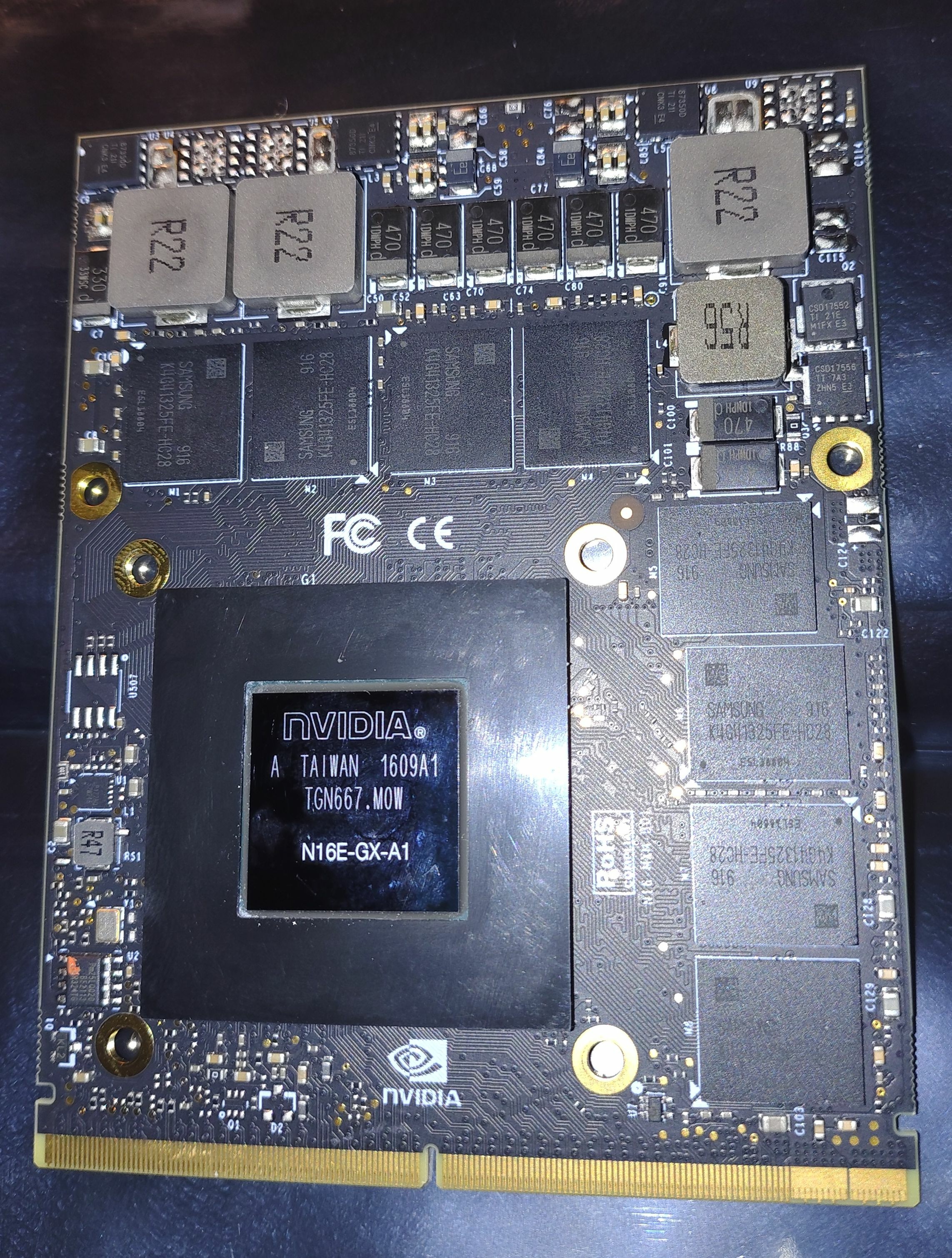
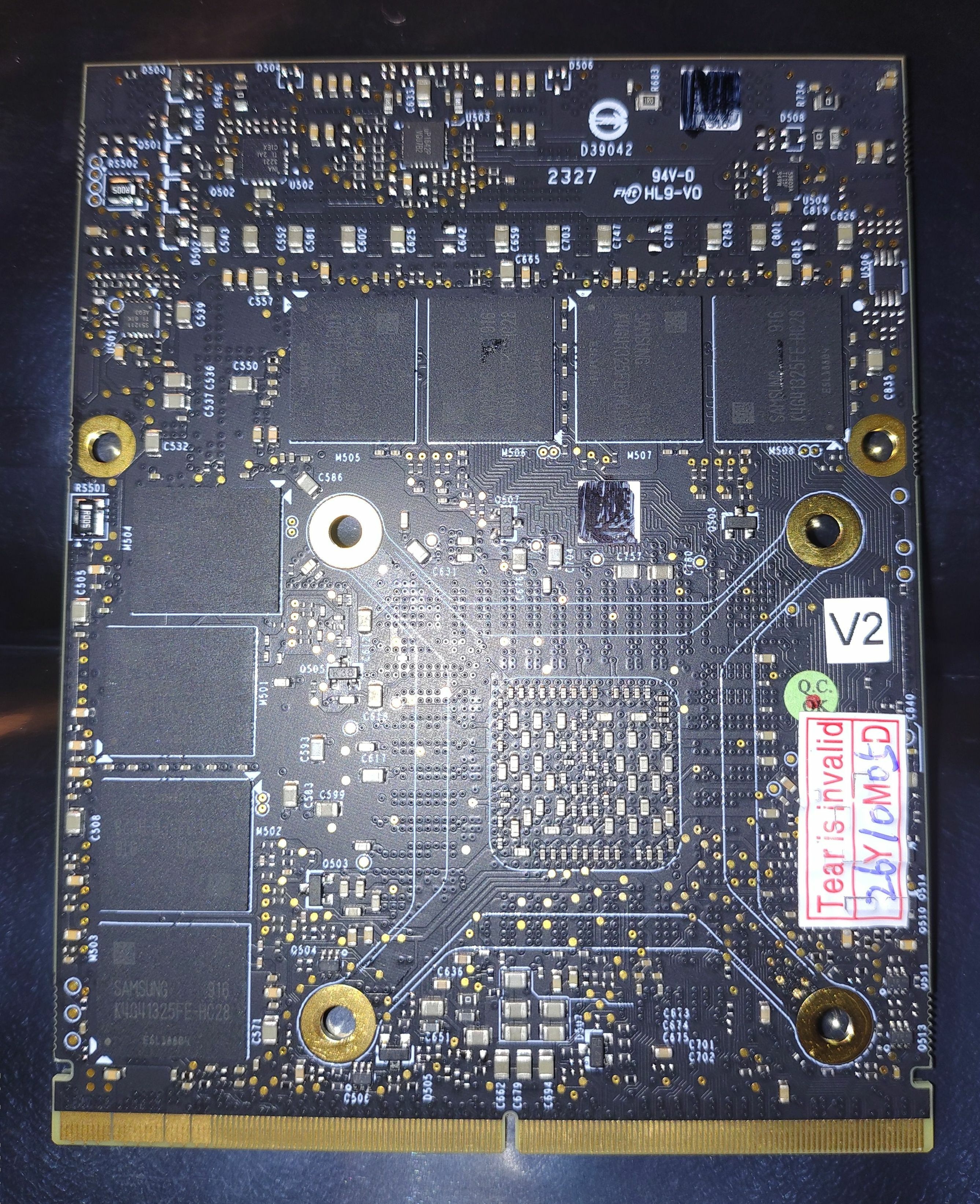
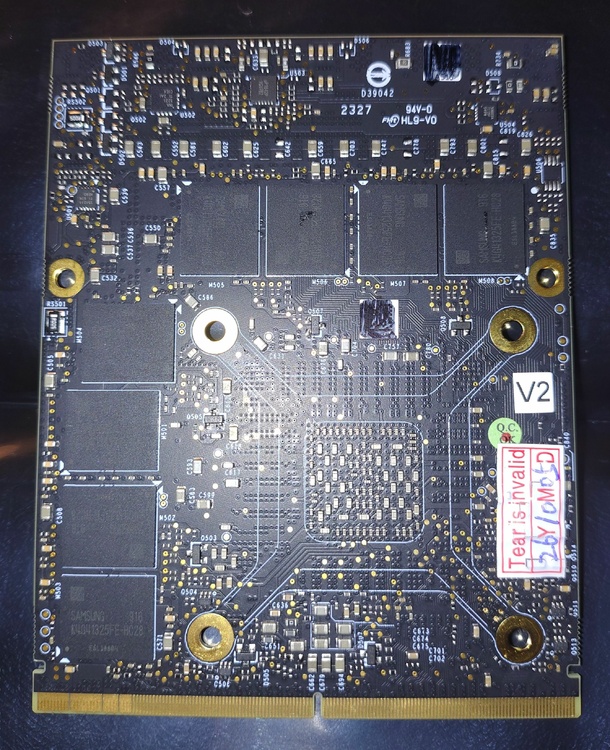
The card has arrived. Photos attached. I am going to try installing it now. Hopefully these are the correct steps? - Set bios to UEFI - Run DDU with shut down option - Replace card in mxm slot - Boot into bios and check if detected - If detected, boot into Windows - Install modded driver (since my device is a 17 R1 Ranger) - Test, and benchmark for fun If I have any issues I will reply here. Thank you kind people who still use this forum :).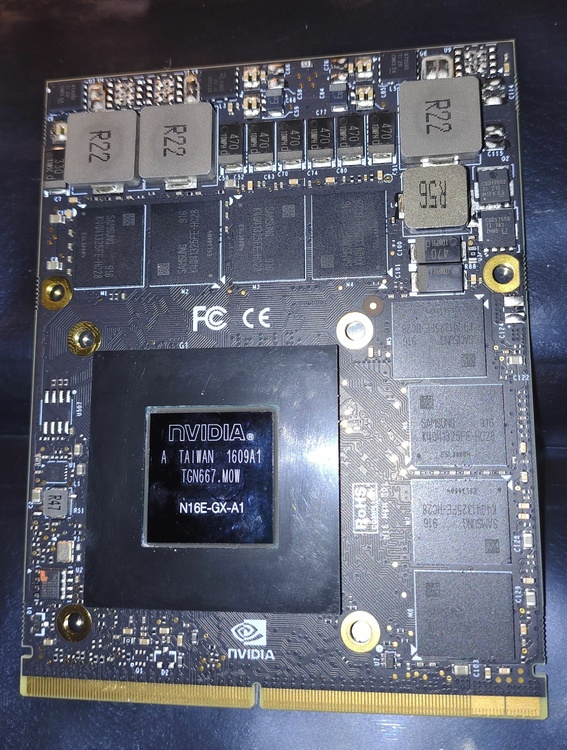
-
Alienware 17 R1 980m Upgrade - Which variant to buy?
mattalienware replied to mattalienware's topic in Alienware 17 and M17x
I'll let you know if I need that spicy BIOS mod ssj92, my 980m should be arriving within the next week! -
Alienware 17 R1 980m Upgrade - Which variant to buy?
mattalienware replied to mattalienware's topic in Alienware 17 and M17x
Hi ssj92, my post is about the Alienware 17 ranger laptop, not the m17x R3/R4. Just checking you didn't make a typo? Do you have a bios that allows both g sync and non g sync for 980m for ranger? -
Hi Jacke, can you please tell us what laptop you have? The more details the better. Thank you.
-
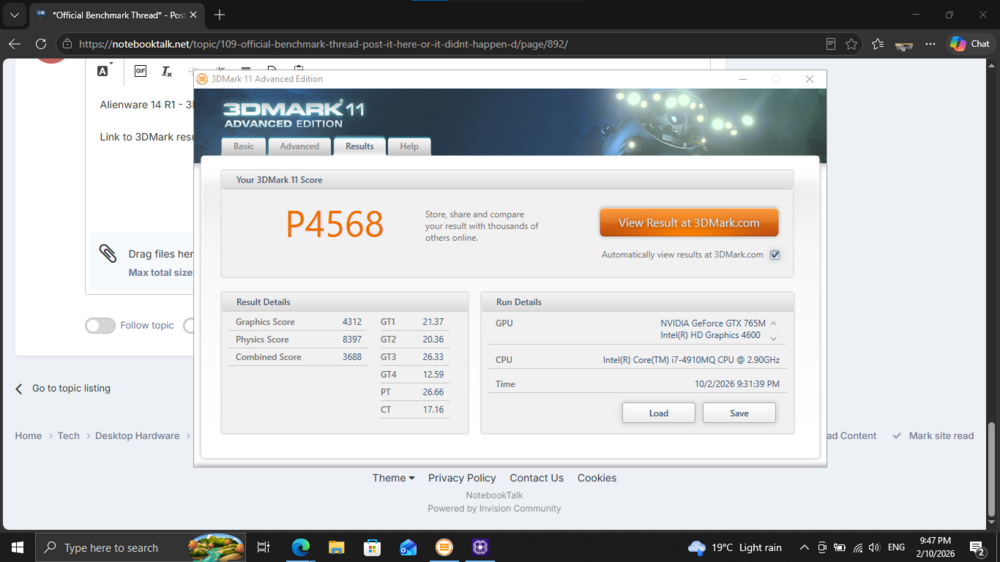
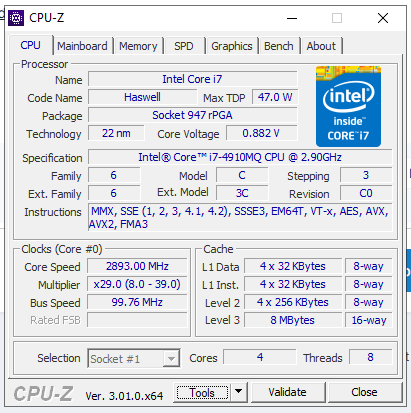
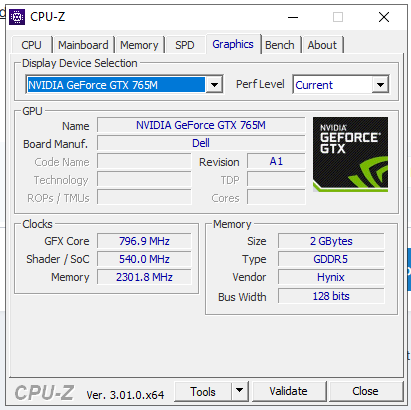
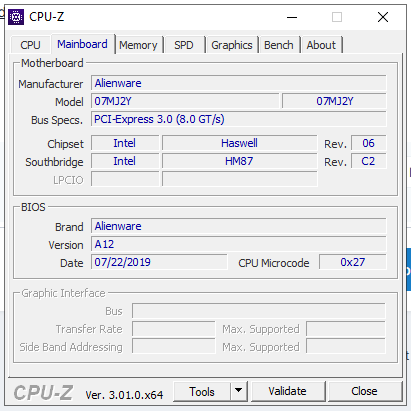
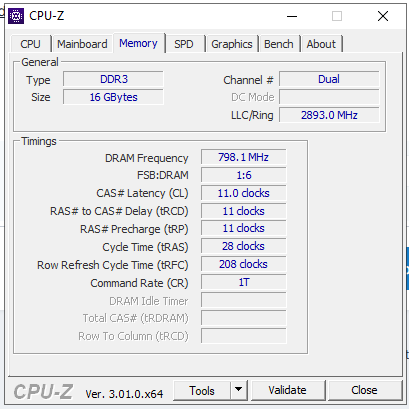
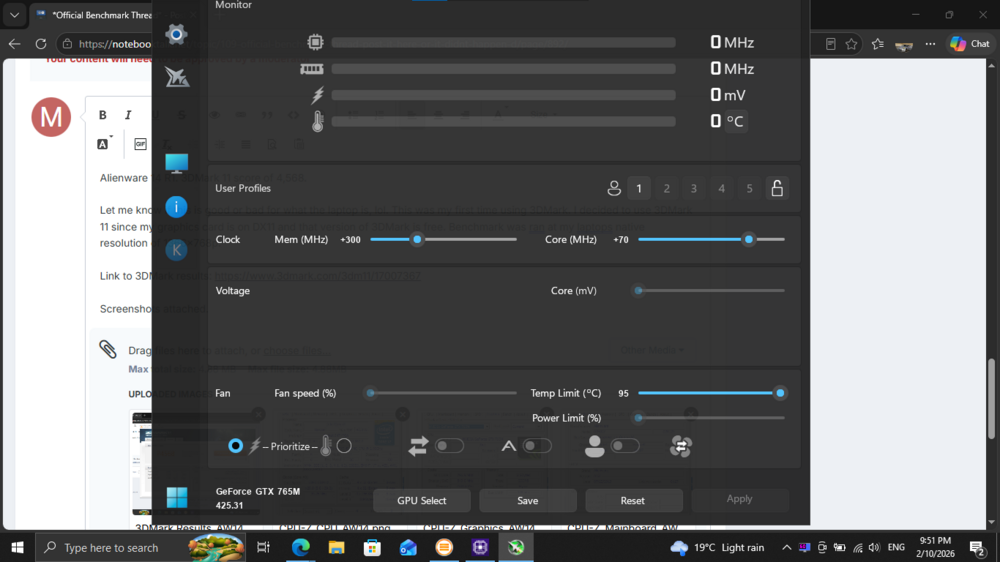
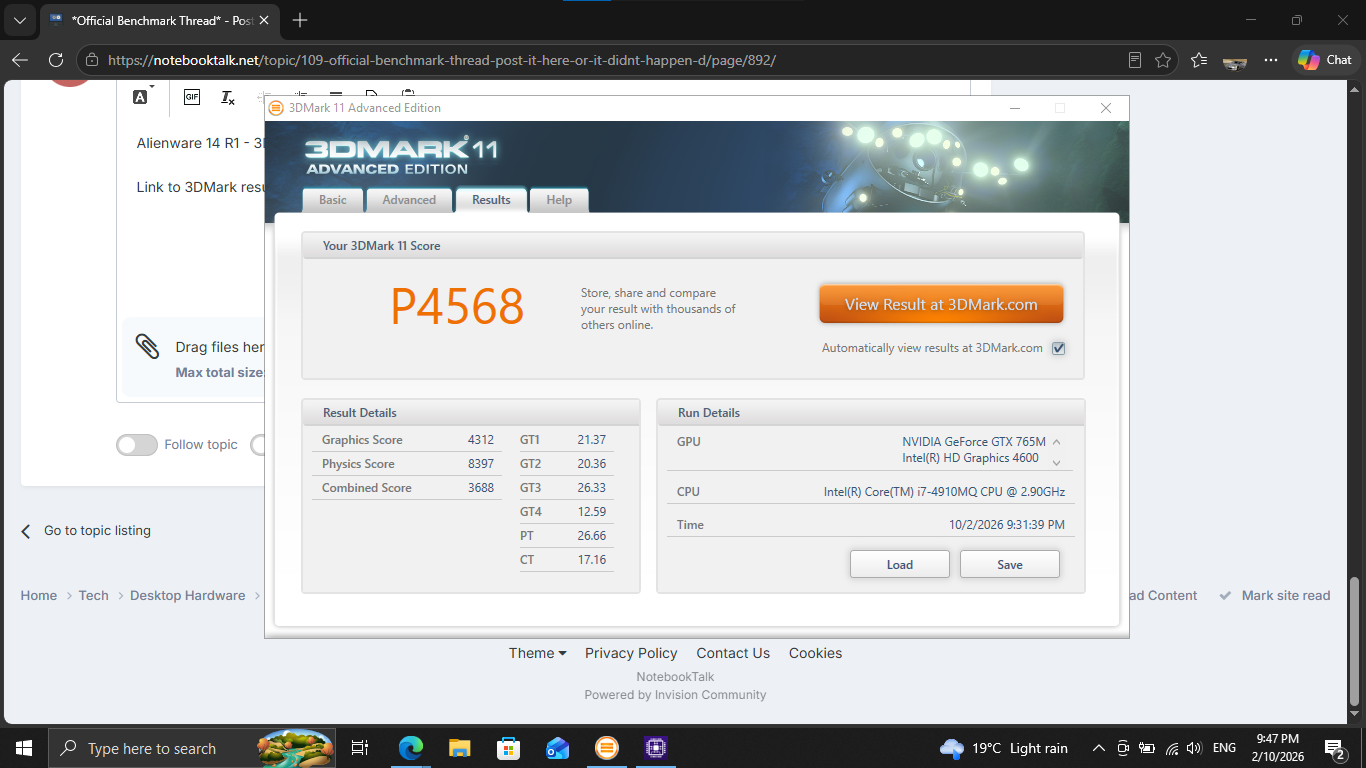
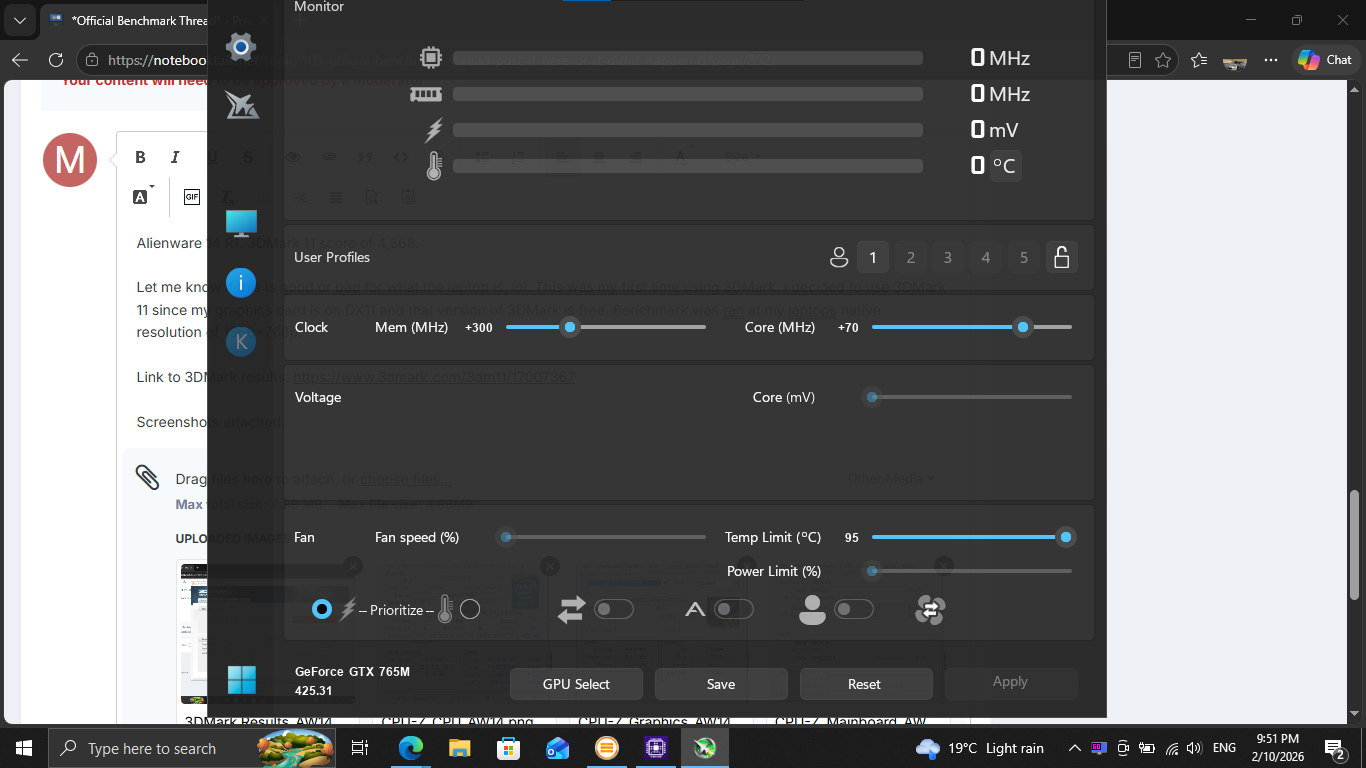
Alienware 14 R1. 3DMark 11 score of 4,568. Please let me know if this is good or bad for what the laptop is, lol. This was my first time using 3DMark. I decided to use 3DMark 11 since my graphics card is on DX11 and that version of 3DMark is free. Benchmark was ran at my laptops native resolution of 1366x768p. Hopefully I have done it correctly. Link to 3DMark results: https://www.3dmark.com/3dm11/17007367 Screenshots attached.