
DDAY3493
-
Posts
75 -
Joined
-
Last visited
Content Type
Profiles
Forums
Events
Everything posted by DDAY3493
-

Project: Unlocked BIOS Area-51m Series
DDAY3493 replied to ssj92's topic in Alienware 13 / 15 / 17 / 51m (2015-2020)
Sorry to hear about your motherboard. I can imagine that probably cost you a lot of money to sent the motherboard in for repair?! it would definitely be nice to have an unlocked bios for this machine! Still one of the best, up there with the 18 Viking and M18X R2. I have to see if I can fix my 18 it blew up a MOSFET on the opposite side of the motherboard CPU side, it still comes on but, just beeps 7 times for CPU failure (probably the MOSFET) I hope it's fixable1 -
Screen swap for my Area51m
DDAY3493 replied to DDAY3493's topic in Alienware 13 / 15 / 17 / 51m (2015-2020)
Here is a few pics of the 4k 120hz screen in my Area51m!! https://imgur.com/a/rZglacU -
Screen swap for my Area51m
DDAY3493 replied to DDAY3493's topic in Alienware 13 / 15 / 17 / 51m (2015-2020)
Yes the screen was plug and play! The problem that I encountered was that I had to cut the tape around video cable open, and route it underneath the hinge toward the middle. The 40 pin connector is more towards the middle instead of the left side (original position) thus I had to slightly extend it, to reach where it needs to be. Someone else had done this before on the old notebookreviewforum and reddit. The screen # is B173ZAN03.3. I will see if I can post some pictures soon! It was definitely worth it and I love this machine, still one of the best imo. -
Screen swap for my Area51m
DDAY3493 replied to DDAY3493's topic in Alienware 13 / 15 / 17 / 51m (2015-2020)
I bought this 4k 120hz screen from ebay https://www.ebay.com/itm/316055537869?var=614651574369 I tried uploading pictures yesterday but, it wouldn't let me because picture size! -
Screen swap for my Area51m
DDAY3493 replied to DDAY3493's topic in Alienware 13 / 15 / 17 / 51m (2015-2020)
Of course the only downside is that G-sync is no longer available but, that doesn't bother me at all! -
Screen swap for my Area51m
DDAY3493 replied to DDAY3493's topic in Alienware 13 / 15 / 17 / 51m (2015-2020)
Finally, after many years I got what I wanted! A 4k screen 120Hz 100% srgb colors for my Area51m, and let me tell you guys, the colors are night and day difference. It looks absolutely amazing! -
Area-51m 4K Panel in R1
DDAY3493 replied to ssj92's topic in Alienware 13 / 15 / 17 / 51m (2015-2020)
If you ever find a way to unlock the bios, let me know! I would like to do the same lol -
Definitely seems to run pretty stable, I just played some Black Ops Cold War and it was running stable the whole time. Again, I really appreciate your help!
-
So far it seems stable...no crashes yet! And I have not applied that setting yet.
-
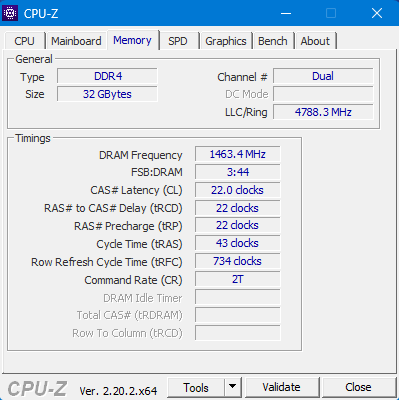
This is the timings from now!
-
Honestly I don't even know what the timings were before...I did however just applied the ones that you sent and it booted again! Will see how it goes...
-
It looks like the computer did not like those changes at all and crashed!! It booted again and went down to 2667Mhz in the bios. And the values in RU.EFI changed also
-
Alright, thank you...I will report back, give me one second!
-
How would I know the values to make it more stable?
-
Yes I know, the other 2 memory sticks are still from when laptop was shipped from the factory. It seems like the timings probably still do need adjustments. It crashed on me
-
Yes I will keep you updated, if there is any issues. It seems to be running good so far! I really appreciate your help!
-
It definitely worked but the computer started acting very weird the minute it got to the windows OS. Will see if that behavior continues. I definitely appreciate your help!
-
What kind of changes does the underlined settings do? Is that for timings?
-
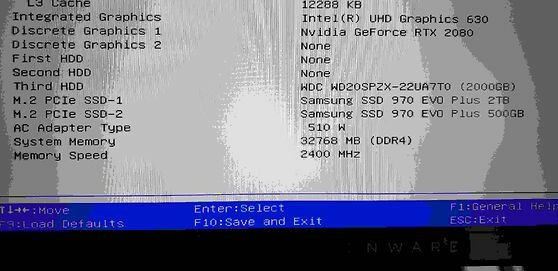
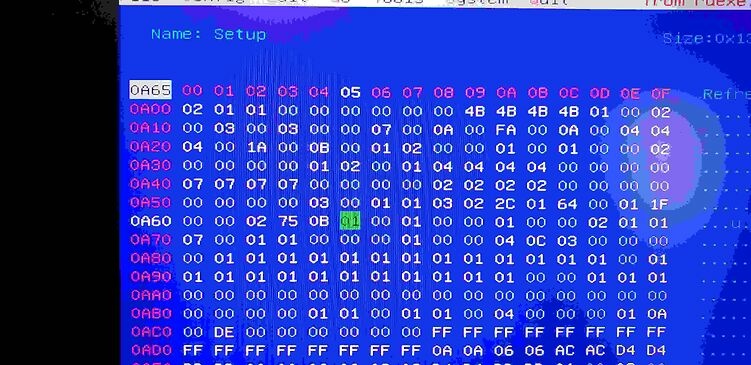
I followed your steps precisely but, for some reason after applying the settings, nothing changes. The RAM still reads as 2400Mhz in the bios
-
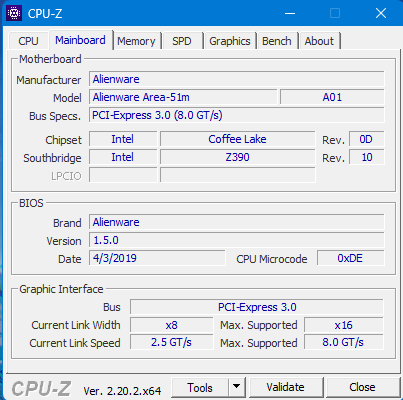
I am on bios version 1.5.0 and have been a long time! And I have not yet created the bootable USB drive for RU yet. Thank you for looking into this for me Section_PE32_image_Setup_Setup.sct.0.0.en-US.uefi.ifr.txt
-
Here are the SPD tabs in cpu-z of my memory modules!
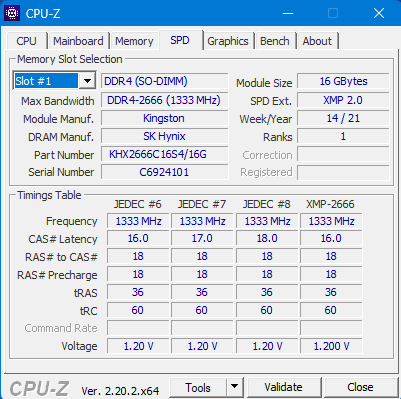
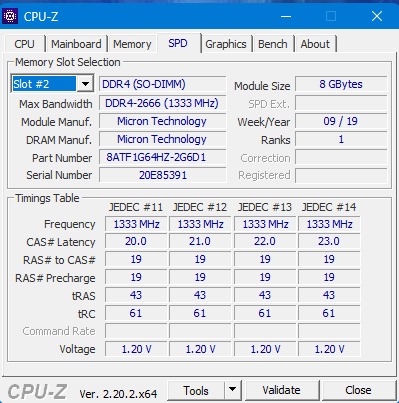
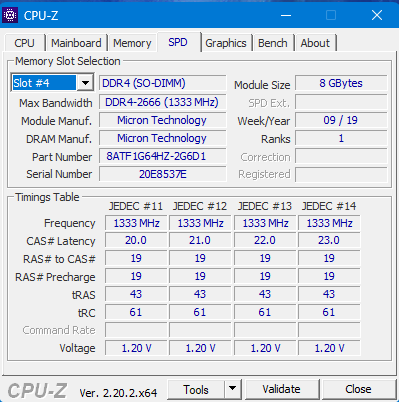
-
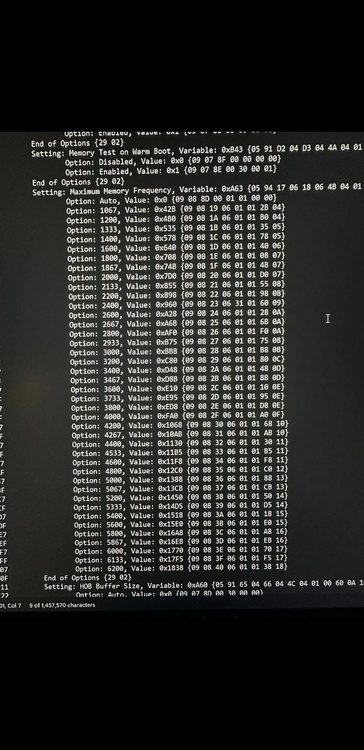
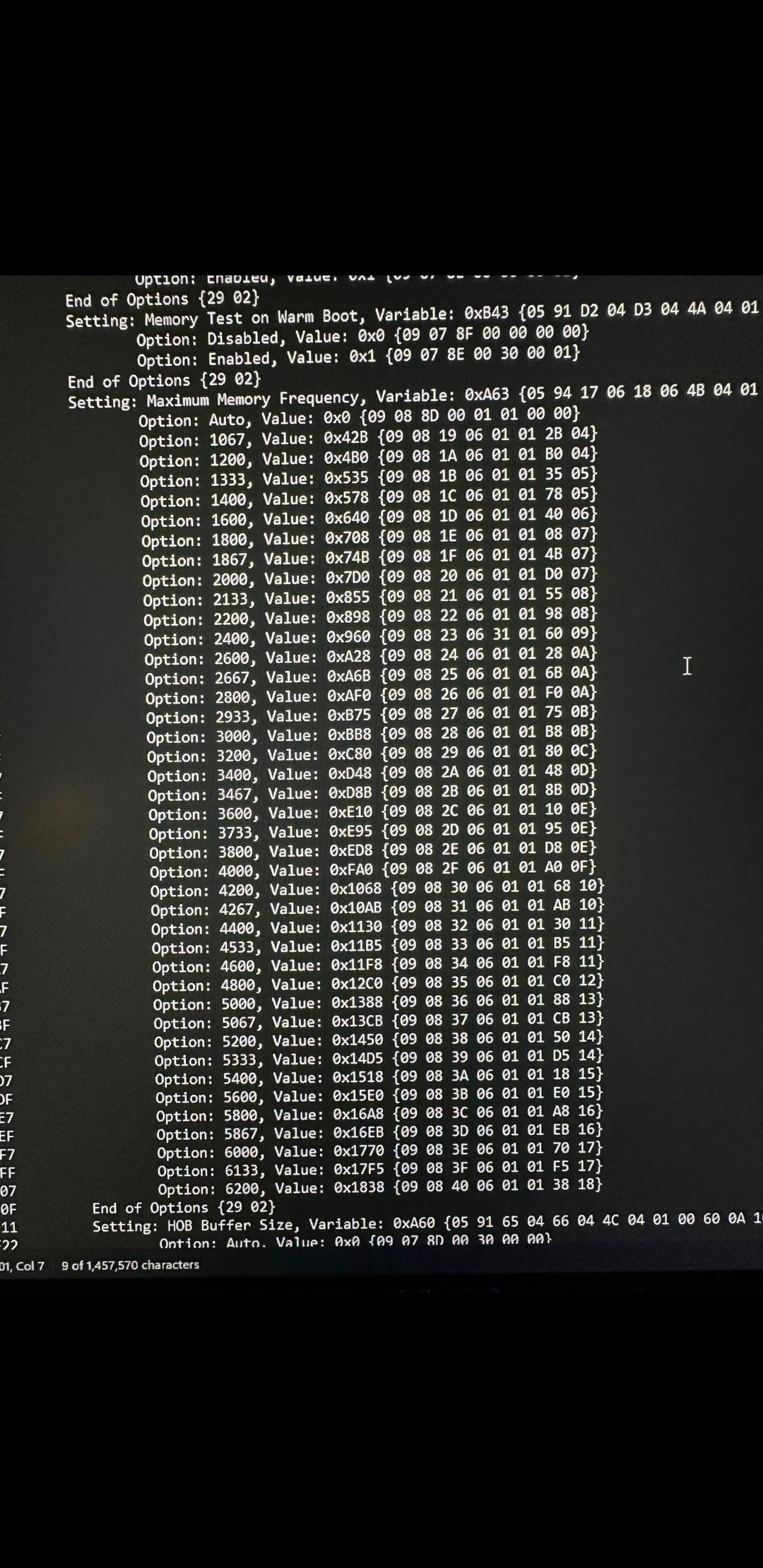
I have the Alienware Area-51m with i7-9700k and RTX 2080. I'm trying to overclock my memory to 2666 or 2933mhz, not sure if it's possible with my ram though. The picture I sent is from a user from reddit. I did all your steps up to the point, where I can find the variables. I did extract my PE32 text in the form of a text document. But it does not show me the hex values like above picture. Is that important or not?!
-
Where did you find the variables in the PE32 text document? Is there a specific command I have to put in the "find" option? I looked for maximum memory frequency or something like that and it shows me the frequencies of up to 6200 or something like that but, it doesn't show me the hex values. Like in this picture that I found on reddit!