i.bakar
-
Posts
100 -
Joined
-
Last visited
Content Type
Profiles
Forums
Events
Everything posted by i.bakar
-
so i 'm using Garuda Linux for the past month and i did many search with regards to the available packages for fan control on arch linux however all i could find on aurarchlinux.com either Lm_sensors or dell bios override however i tried the first one ( didn't work ) and i cant say that i understood how the second one work. i have Alienware area-51m R1 and i'm duel booting Garuda with win 11 ... any advice from expectation or experience is appreciated.
-
- 1
-

-
- linux
- arch linux
- (and 1 more)
-
Vapor Chamber for ALIENWARE Area-51m 51M R1
i.bakar replied to i.bakar's topic in Alienware 13 / 15 / 17 / 51m (2015-2020)
quick update on the vabor chamber : recently i noticed that my CPU and GPU thermal throttle every time i but stress on them so i disasambled the laptop thinking the thermal paste has gone bad , however i found that the vabor chamber has a grean spots on the side which looks like a copper rust from a liquid leak or so .. however i repaste it and cleand it and assamble everything back to find that the issue still there . i ended up cleaning and reinstalling my stock heatsink and everything came back to normal and i could say even better then normal . -
as i mentioned in the other topic that my upgraded vabor champer for the area-51m R1 has failed and so i had to install the stock heatsink . however after i did that i found that my gpu is still thermal throtteling and as so the CPU at 5.1ghz single core or 4.8ghz on all cores overclocked by the alienware command center with nanual voltage managment at 1.24v and -48mv offset. so i decided i will disassamble the stock heatsink and remove the fans too to see if there is any dust stuck between the fan and the heatsink vints ( after removing the heatsink from the laptop u will have to remove a 4 small scrows and 2 electrical tapes each side which hold the fan in place ) and OMG it was completly blocked by dust and no wonder it was thermal throtteling . so i did the folowing : - used an old soft tooth brush to remove all the dust from the heatsink vints and blow it next with a hair dryer - used the same tooth brush to clean the fans with some rubbing alcholl and blow it with the hair dryer - add new thermal paste ( KPX the best i ever tryed ) then i assambled everything back. resaults is great , - no thermal throttling on the GPU at all ( please note that i'm using a MSI afterburner to undervolt the GPU ) i'm at 1950mhz @ .943V all stable. - CPU thermal throttle at 5.1ghz while rendering 3d max vray or adobe premiere pro when exporting a video after 2 or 3 minutes but rather then this ( gaming or editing or installing softwares ) no issues no throtteling at all .
-
- 1
-
-
The Beast Returns - Alienware m18 - i9 13980HK 24c/RTX 4090 Mobile
i.bakar replied to ssj92's topic in Alienware 18 and M18x
well yes i agree with what u said but i think the X series is going to come after the M18 in 2 years or so .. i beleive they will do a similar to what they have done with the 17 series earlier. however i beleive it will be a 18 laptop comming as a flagship from alienware... i guess they are testing the market with this m18 to see if they should go for an 18 flagship later -
i looked all over the internet for the stock wallpaper for the area-51m but i cant find it i attached the one i cant find ..

-
OUT OF THE TOPIC , your maximum wattage on the 11800H while running cenebench R20 is 59W ? what is ur clock speeds ? have you tried the throttle stop bench to see if your new voltage is stable enough ?
-
im not sure if i understand your question correctly but if you are aiming to just copy files between the host machine and the vertual machine, using hyper-v then here is a link shows how . ( i never used hyper-v before ) but if u are interested to use another software for your virtual windows then here is the one i usualy use ( virtualbox) software and here is the link for how to do drag and drop
-
r u looking for reflashing your bios with USB stick or u just need to reset the bios ?
-
if we are talking from a privacy perspective then i totaly agree with u , but from the normal user perspective , as long as these background (web helpers + apps ) does not effect performance then i dont see it taking much of there attension theoraticly speaking , yes drivers wont be optimized for an older operating system which will effect the performace ( of course ) but that is also the real life situation that u wont find drivers that is fully optimized for win XP for new hardware which will effect the performance in all cases
-
well this guy did a part 2 test and in terms of performance this shatter every aspect that we always talked about !!
-
hehehe i guess the next one will be win20 then 😄
-
to be honest , before the release of windows 11 i was pretty optimistic that microsoft might come with something diffrent this time , once it was released i intentionally didn't watch any review for it because i wanted to give it a fair openion without any inflowinces so i installed it on last october for a few days , found out that i cant drag things to the taskbar , i cant see whats inside the folders so i just replaced it with win10 and didnt bother ,, then back in june i saw a video for the win11 insider virsion that the return thos options back so i thought OK they might finaly learn there lesson!!! so i upgraded to win11 and id that benchmark on R23 , got the results then installed win10 to compare and " wallah " i beleive you already saw the results on the thermal paste thread so since that day i decided no win11 anymore ! bad performance on 3ds max , bad benchmarks performance , and too many curvy adges ! however the laptop battery life is better on windows11 then win10 win11 reminds me with win8 ! its kind of the opposite of the latest virsion they had before that release , it sounds like an experement that wont last long .
-
Vapor Chamber for ALIENWARE Area-51m 51M R1
i.bakar replied to i.bakar's topic in Alienware 13 / 15 / 17 / 51m (2015-2020)
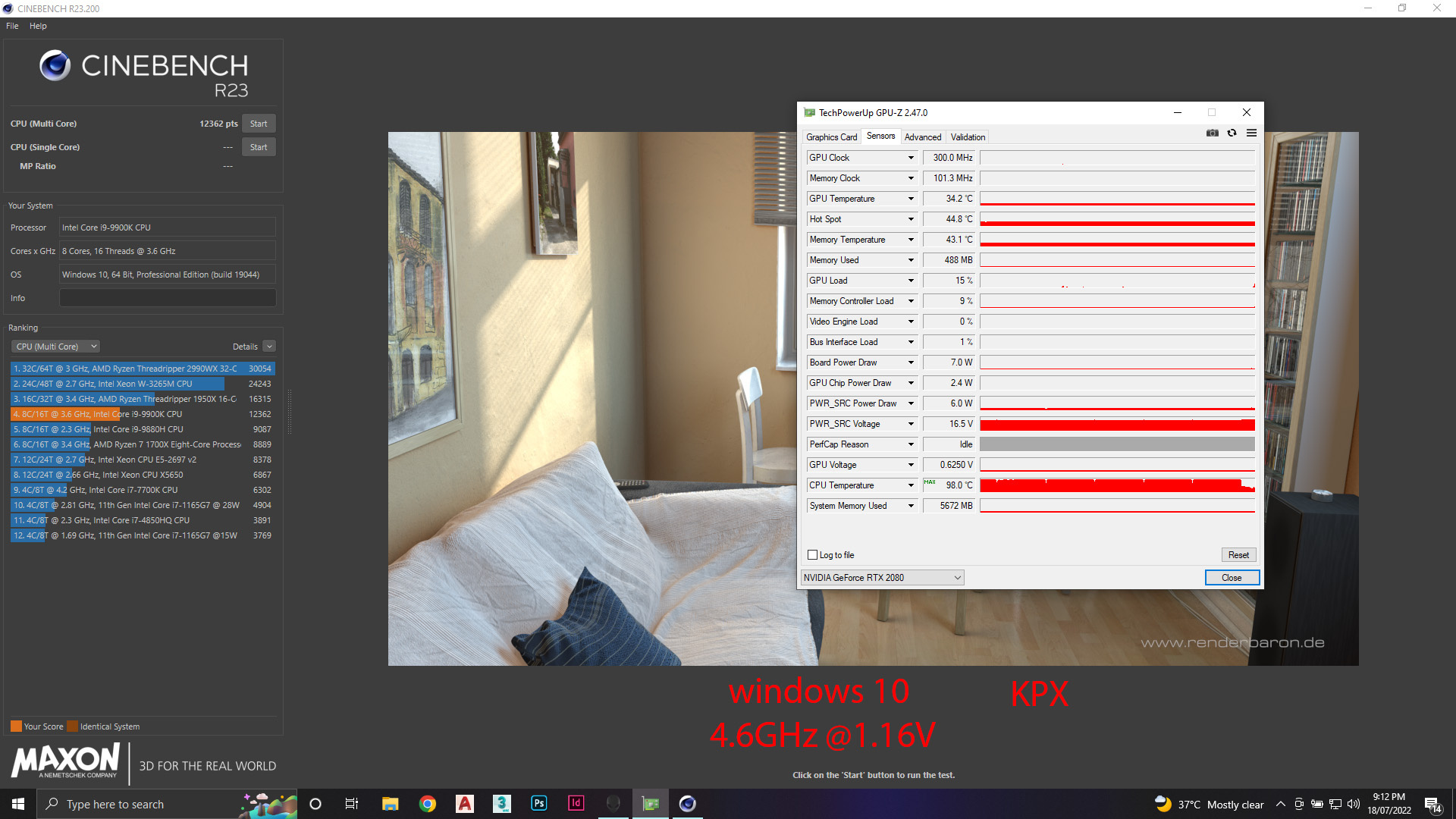
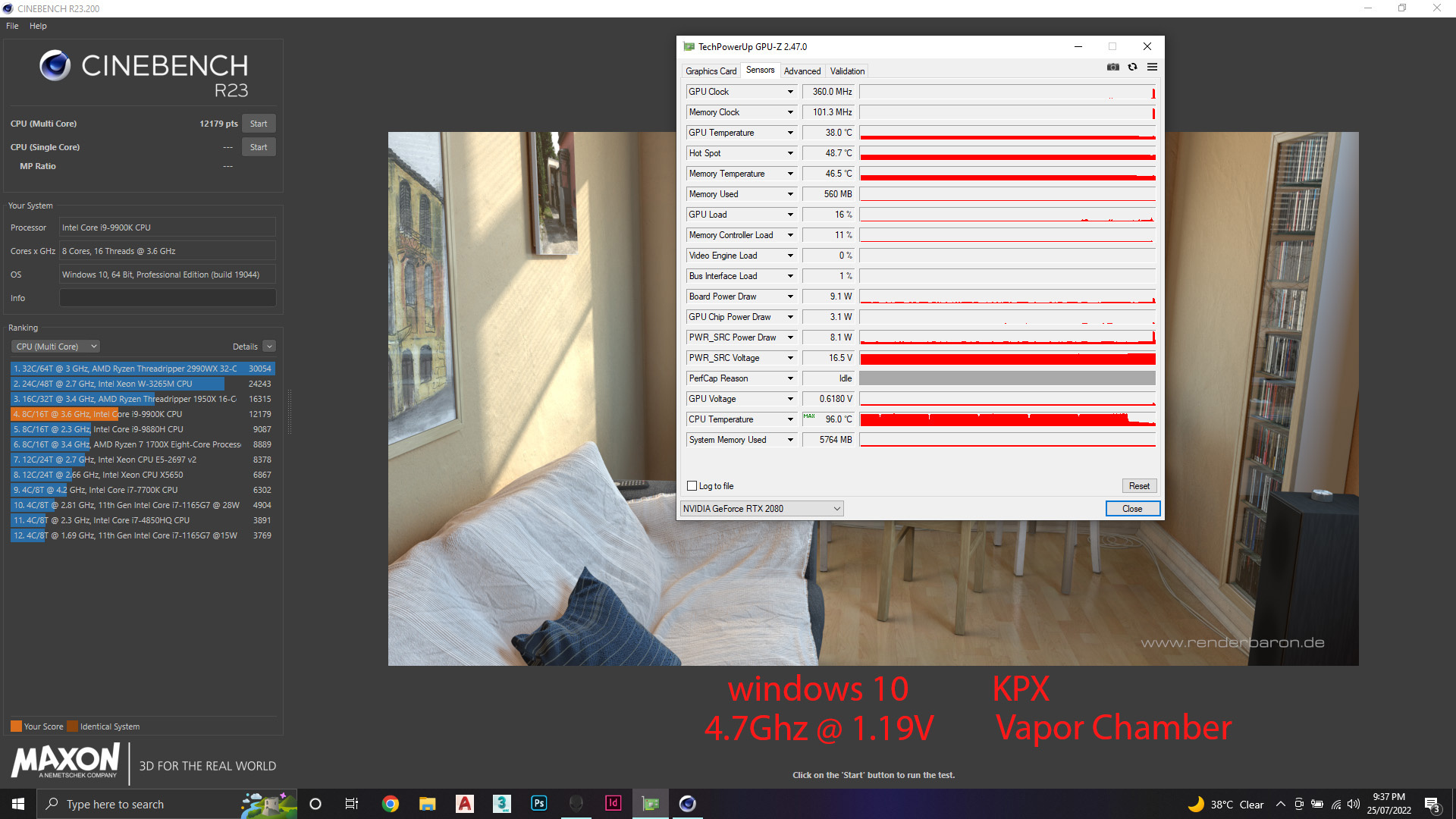
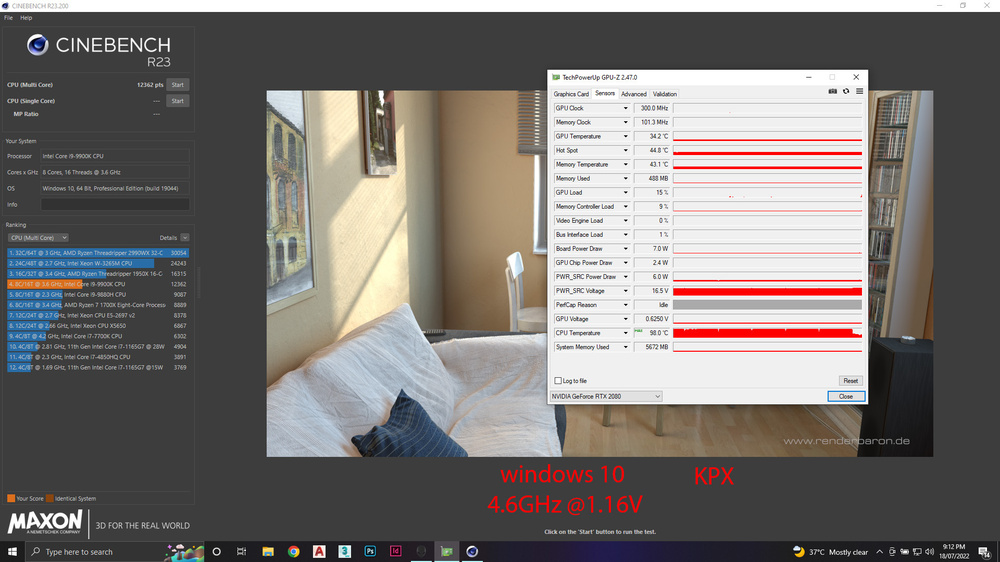
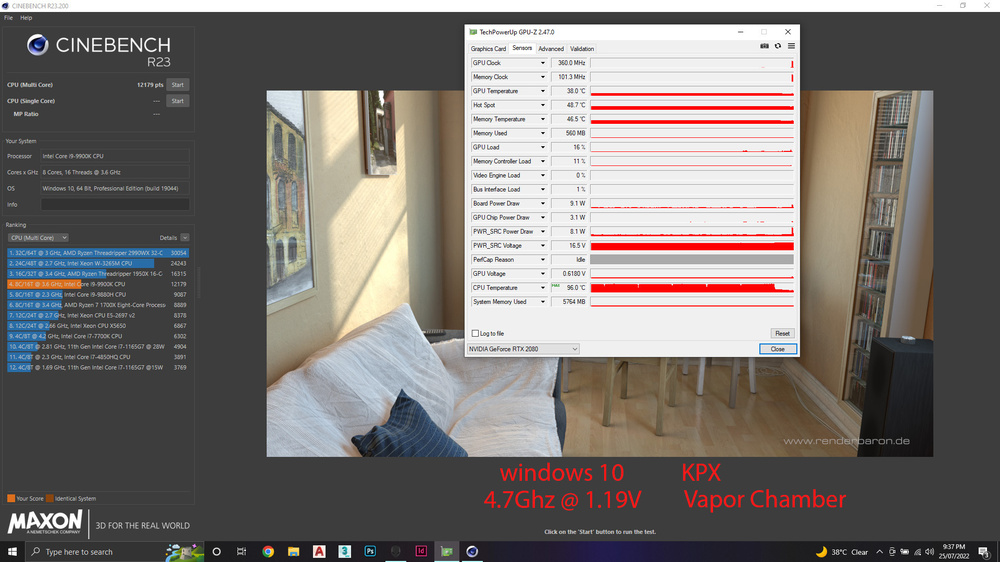
so i ordered it, received it and installed it , did a comparison between the stock heatsink and the vapor chamber from ebay and did a video review for it. i included a comparison between them in terms of visuals, thickness, fitting and a benchmark for the temps. here it is : here is the result for the same setup ( processor 9900k , thermal paste : KPX, windows 10, overclock to 4.6ghz @ 1.16V, cenebenchR23 for 10 minutes) however the results was surprisly good so i went for 4.7ghz @1.19V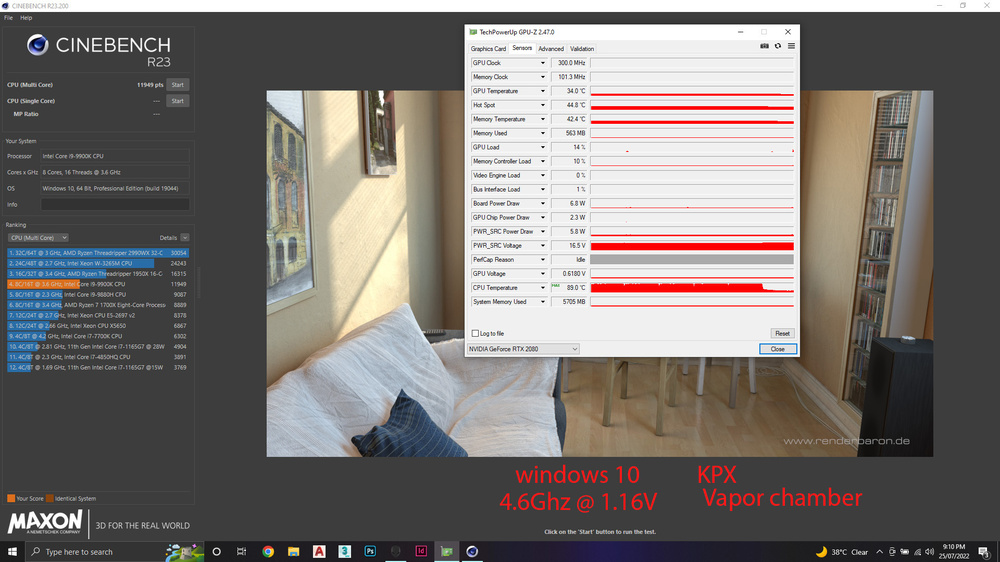
-
no one have this issue ?
-
yeah right ?! 😅i always liked win10 then win11 , but i didn't expect the difference in performance would be that much
-
good idea , i will do that and redo the test 👍
-
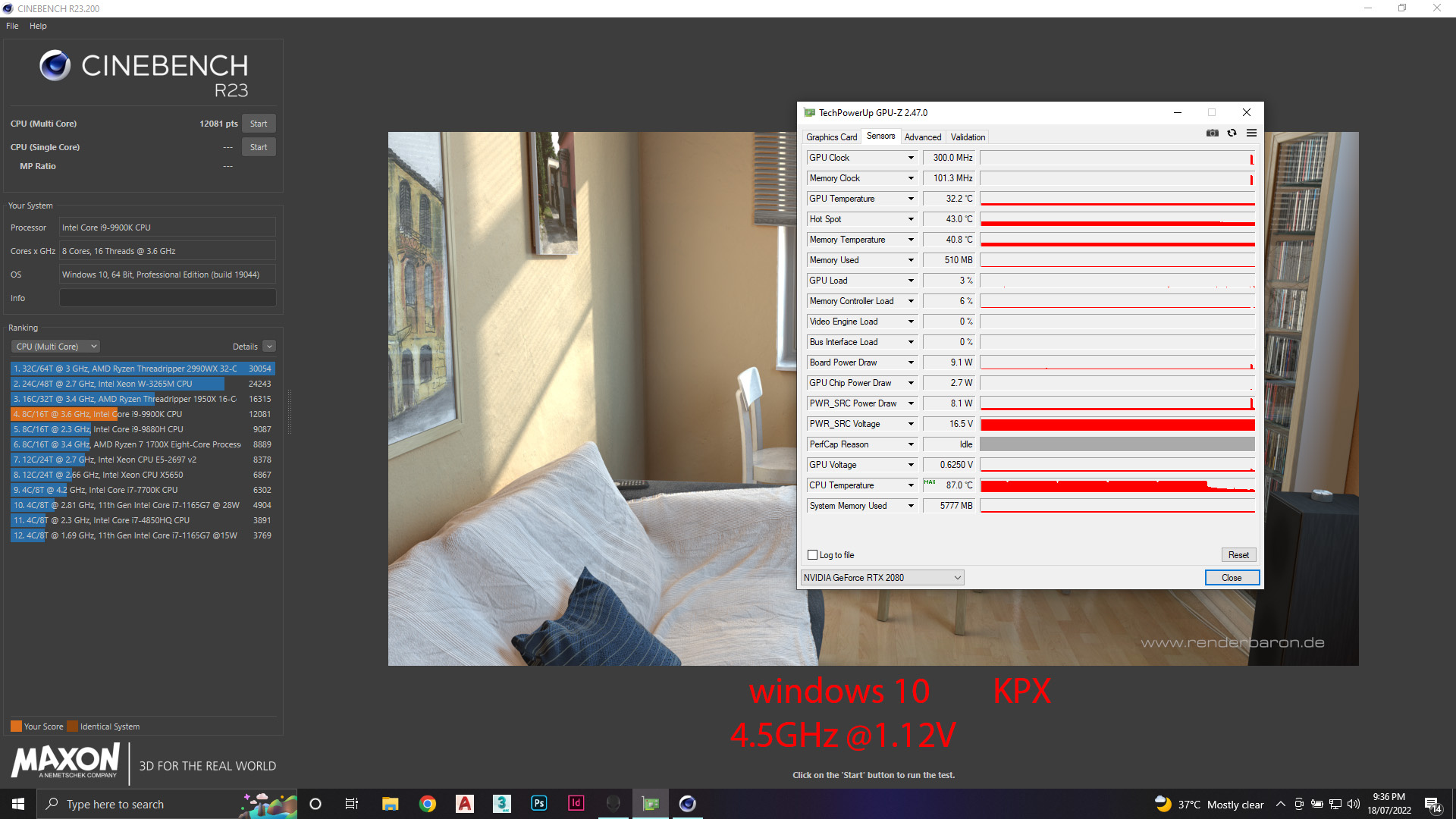
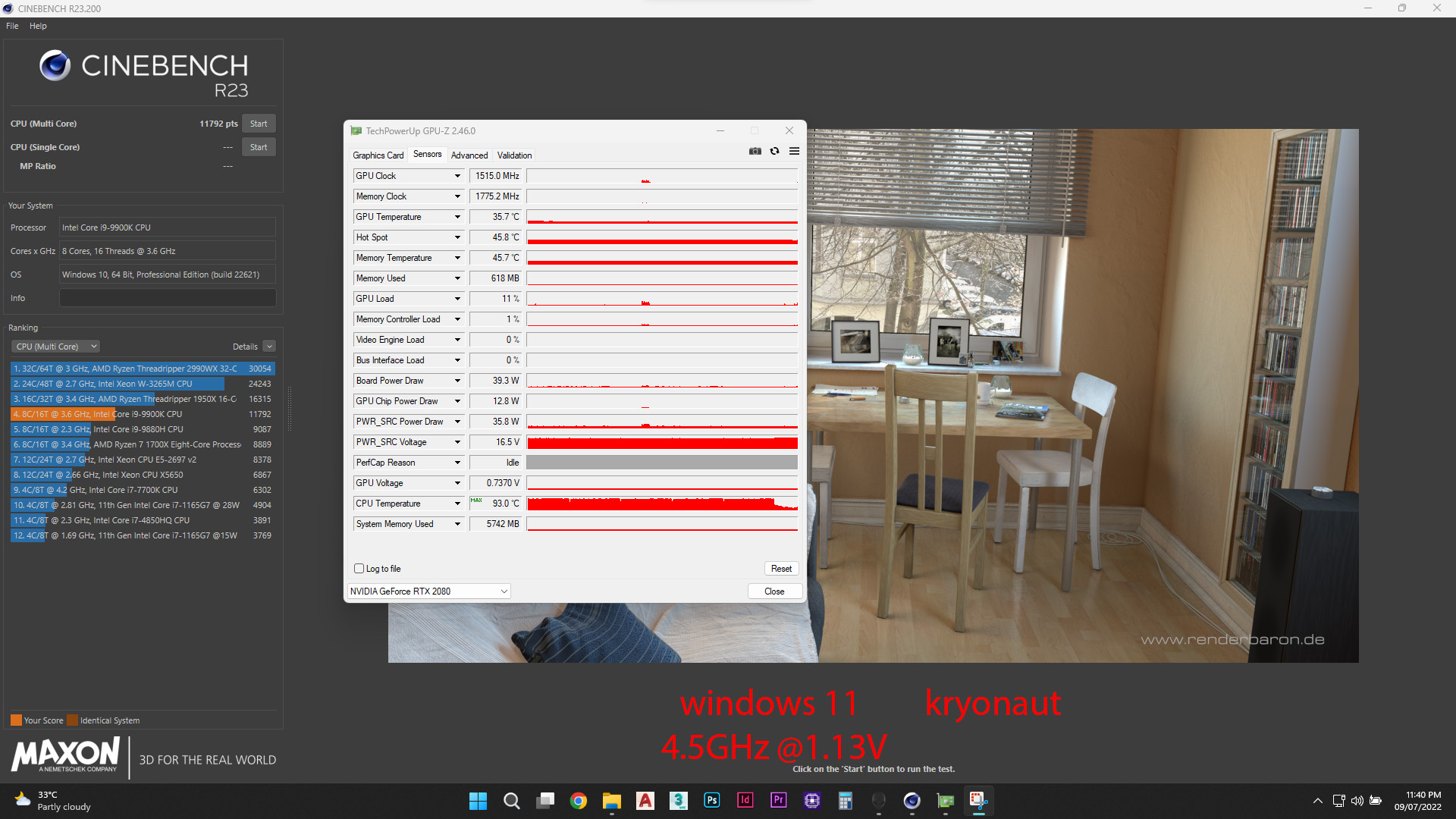
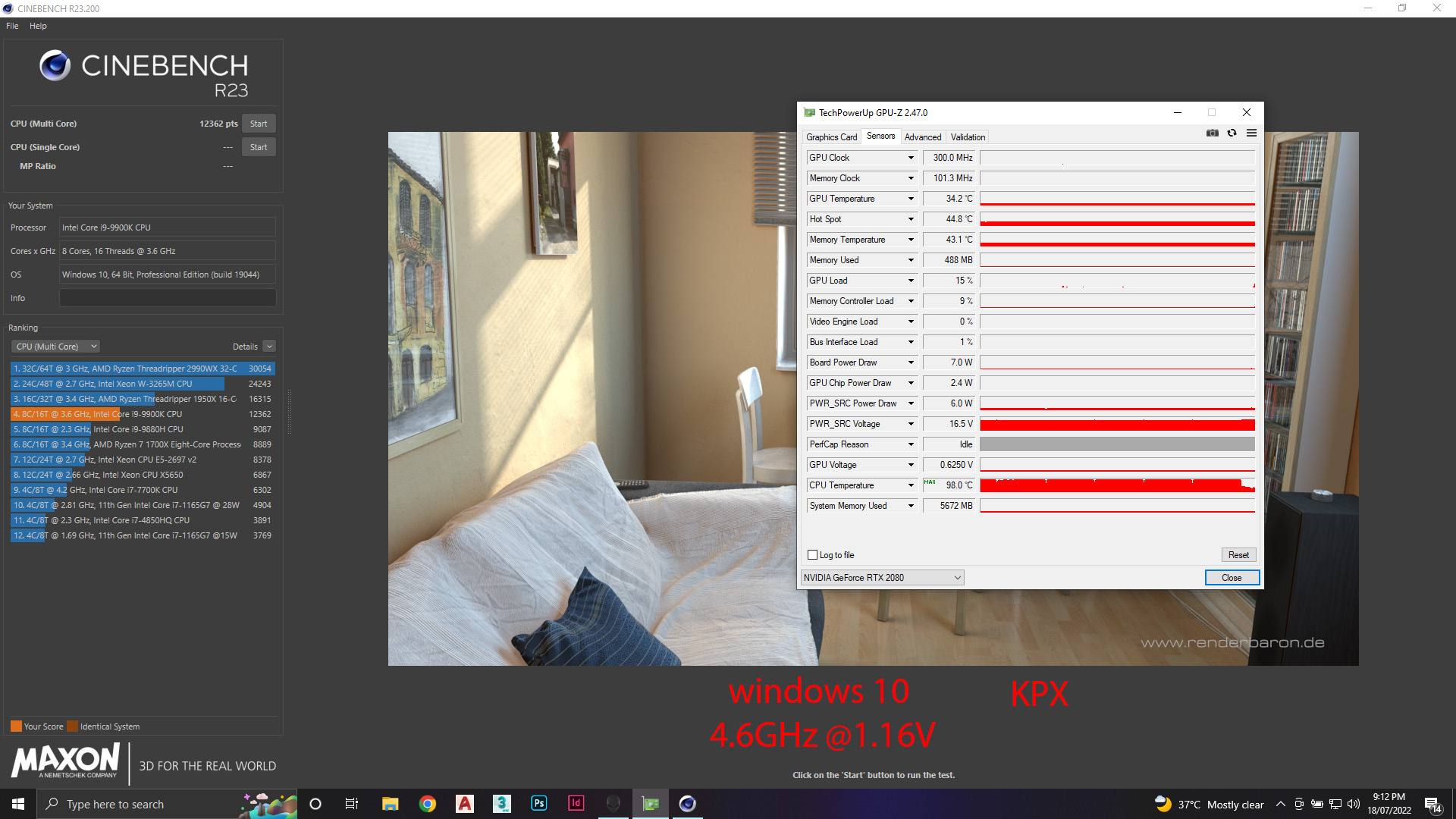
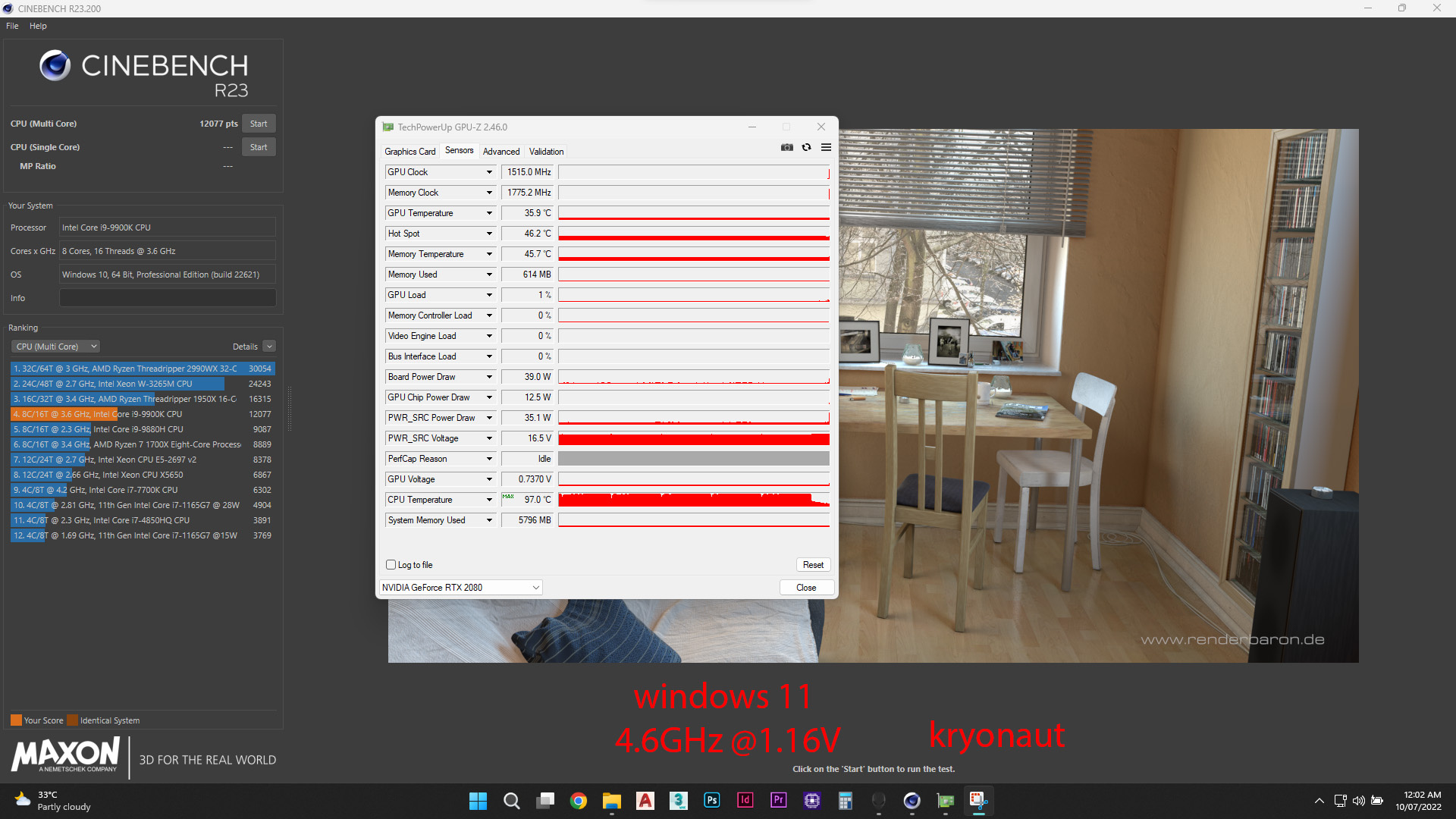
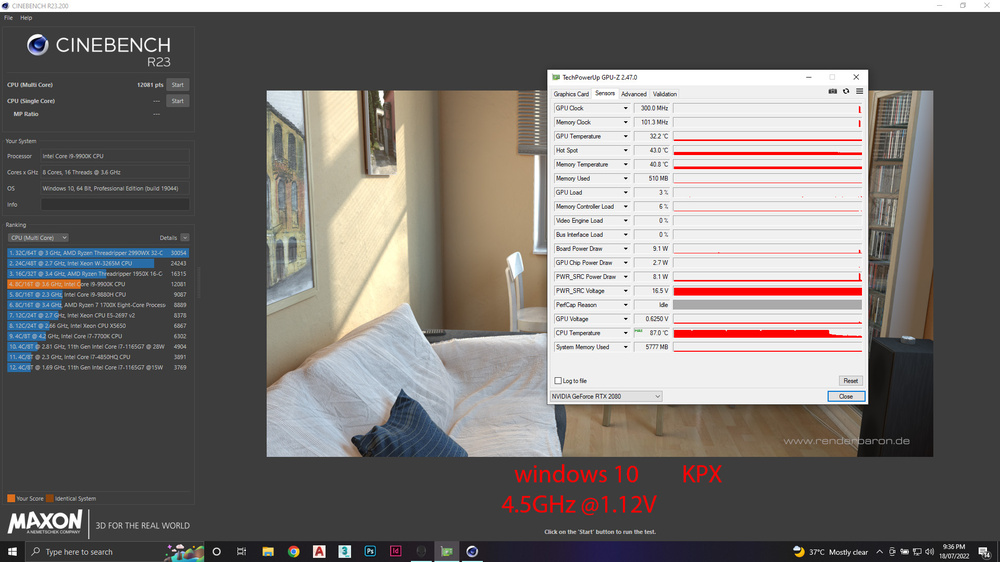
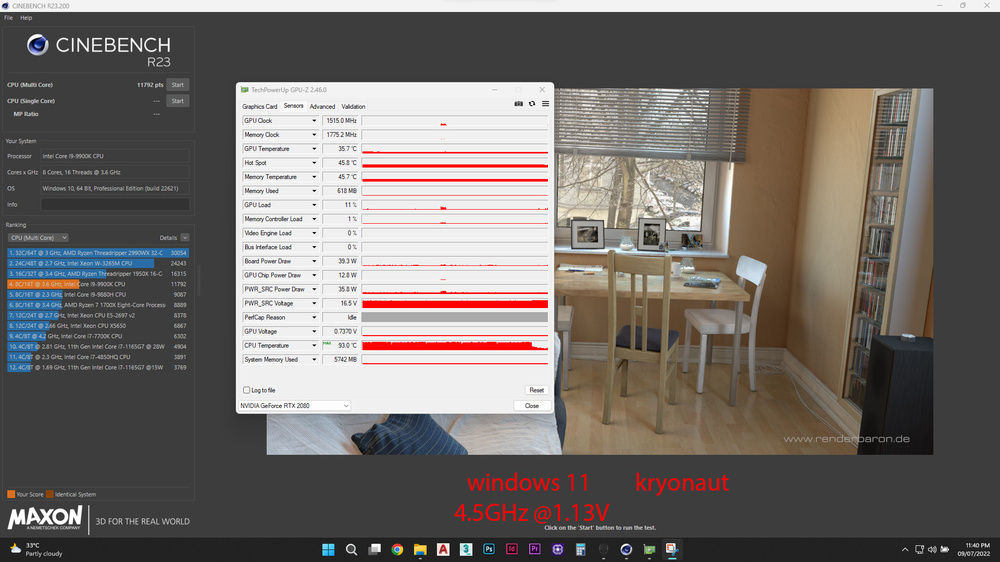
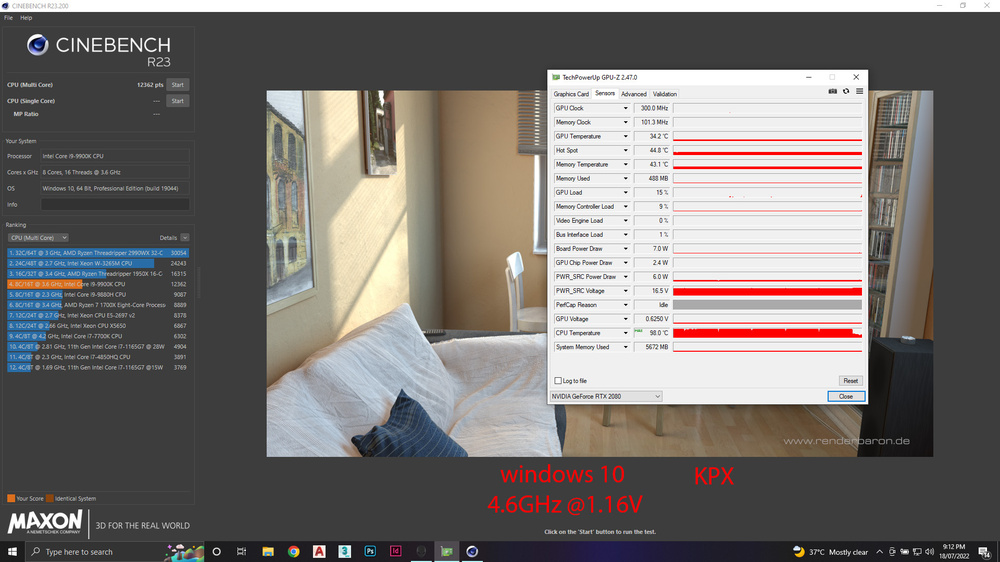
well as i mentioned before , i ordered the KPX and it arrived today and i wanted to compare it to the kryonaut that i had on my system for 3 weeks now. just for the record my system is Alienware area-51m stock fans and heatsink no mods to the cooling system . so i did ( cinebench 23) 10 minutes test with the same processor i9 9900K overclocked with the following numbers: 1- i9 9900K @ 4.5GHz 2- i9 9900K @ 4.6GHz however i changed my windows the past few days from windows 11 to windows 10 which did change the volt that each clock was at so the following numbers was recorded ( difference of 0.01V less on windows10 VS windows11 ) by the way i used the same overclocking setup on alienware command center with the same offset on win10 and win11 1- on windows 11 - 4.5GHz draw 1.13V - 4.6GHz draw 1.16V 2- on windows 10 - 4.5GHz draw 1.12V - 4.6GHz draw 1.15V so here is the screenshots for the results LOOK AS THE SCORE OF THEM , HUGE DIFFRENCE ! SINCE I DIDNT THROTTLE IN ALL THE TESTS , THEN THE DIFFRENCE IN SCORE IS BECOUSE OF THE WINDOWS NOT THE THERMAL PASTE
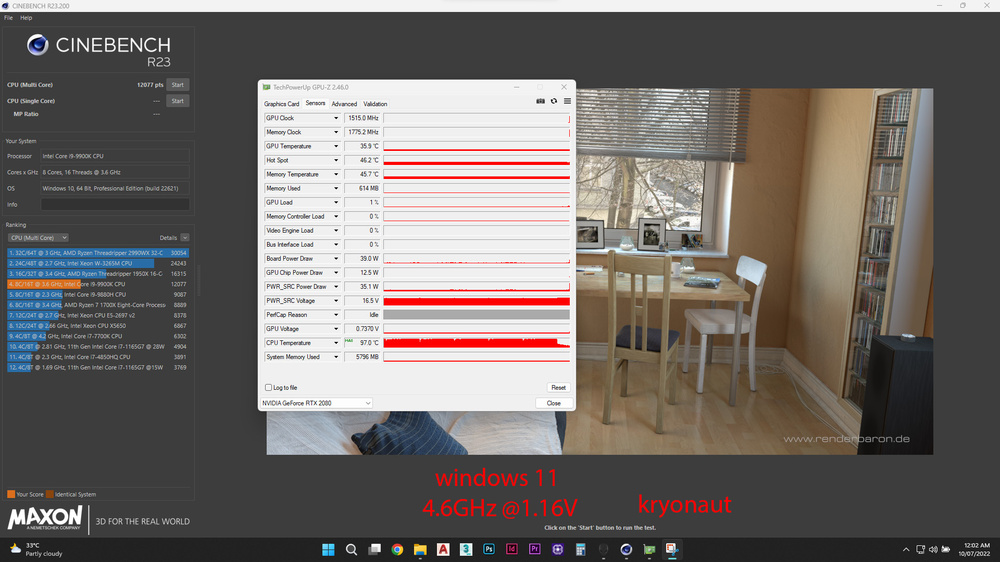
-
i di try 2 drivers the older one and the latest one . plus this is happening on 3 different computers all of them has 3 different Bluetooth devices.
-
im using laptop Bluetooth connection which i believe is killer AX1550 and i already have the driver for it
-
well i got a tracking ball mouse the Logitech ergo 575 2 years ago and it was working fine , but since i did the 21H2 windows update , the mouse keep disconnecting if i didn't use it for 5 seconds which is very annoying! i did my research and found a few videos and articles with a few solutions as listed below : - remove the power saving option for the Bluetooth in the device manager under the human interface section ( didn't work ) - covert the Bluetooth support service to automatic in the services ( didn't work) - removing ( let this device turn off to save power ) in the device manager for every single item i found in the device manager ( didn't work ) - in the advanced power plan , turn USB selective support to disable on power and battery ( didn't work ) i thought maybe the mouse is defective so i installed an older copy of windows that i had on a USB drive the 1903 to test it and the mouse works fine ! but of course as soon as the windows update, the same issue starts again !! so i don't know what else i can do any advice ?
-
so i was doing some research about how to cool this 9900k in the R1 and i came across two product , the first one is water-cooling for the area-51m from aliexpress which is from linus video its not worth it . the second one is kind of interesting since its vapor chamber for the R1 from EBAY which as far as i know came on the R2 only. here is the link for it , out of curiosity any one used it or came across this ? https://www.ebay.com/itm/264882164884
-
big thanks for the idea and the pictures , that will make my job much easier
-
i dont know if i should try liquid metal on the 9900k on the area51m i still have some leftover . the issue is that i dont wanna deled it so is it possible to do liquid metal between the die and the heatsink like what we do on the laptop processors ? what so u think ?
-
NTH1 is the least durable from what i hear too . however i already ordered KPX so i will be testing it once i receive it within 20 days hopefully. lets see how it will perform on the 9900k against the Kryosnaut .
-
i was actually between the GC extreme and the kingpin cooling KPX and i watched alot of comparison videos between them and the kryonaut, from what i saw so far the GS extreme and the KPX is almost head to head underload so yesterday i pulled the trigger on the KPX. but thanks for the recommendation. i started doing some cenabenck R23 tests and took a few screenshots for the score results along with the temperatures and the volts of the CPU and once i receive the KPX i will do the same tests and will share what i collected here for a more clearer comparison between the KPX and the kryonaut.