

ssj92
-
Posts
935 -
Joined
-
Last visited
-
Days Won
7
Content Type
Profiles
Forums
Events
Posts posted by ssj92
-
-
8 hours ago, Maks0098 said:
hi, I saw your attempt to get the A4500 to work in the M18x, you had a problem with the Resizable Bar, correct?
what am I talking about, I found something, have a look
https://github.com/xCuri0/ReBarUEFI?tab=readme-ov-file
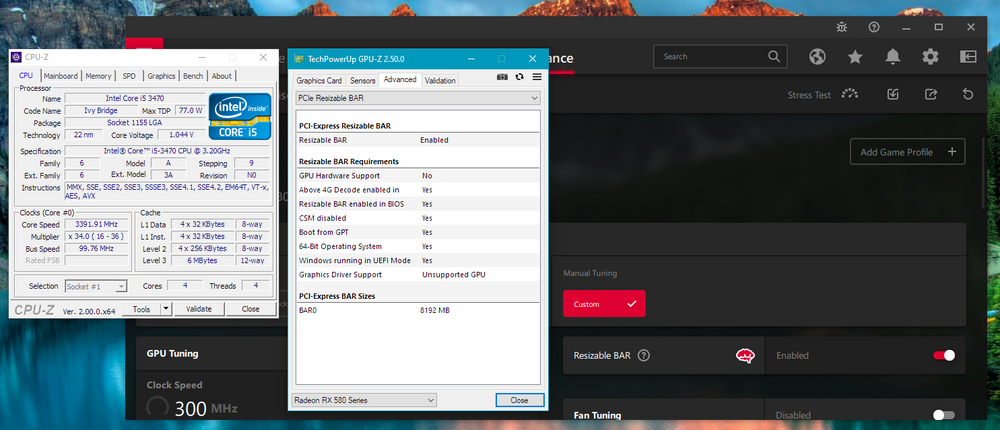
Yes they blamed it on resizable bar for not working but I don't think that was the issue.
If you can implement resizable bar in M18xR2 & AW18 BIOS let me know, I can try testing the BIOS.
-
 1
1
-
-
Seller said 3080 doesn't support eDP. Still wonder if it would work through Optimus.
-
 1
1
-
-
They seem to reply back so I think they’re legit. I asked if they take PayPal
-
I run RTX 3000 perfectly fine. RTX 5000 will show cpu bottlenecks but it’ll still be way faster than any other card below it.
-
On 1/3/2024 at 11:04 AM, sliderfra said:
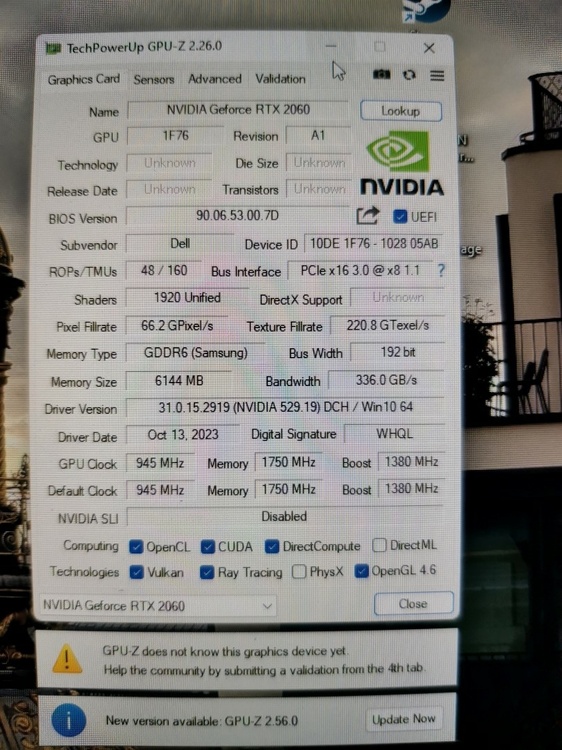
I tried that card on M17X R4, 17 R1, DELL M6800, DELL M6700, MSI GT60/70 Ivy & Haswell --> trouble free
I tried the HP version of Quadro RTX 3k on the AW18 and it was also trouble free. IDK why this specific card / AW18 give me headaches...
I still have same issue. Two identical cards, one in M18xR2, one in AW18. M18xR2 runs fine. AW18 gives me thermal reason in GPU-Z and drops to ~40w TDP as well. I had a similar issue with GTX 1080 in AW18 and am thinking it's some weird power thing with AW18.
-
On 1/29/2024 at 10:16 PM, Mr. Wind said:
It was exactly as you write. Thanks
.thumb.png.fa147993b6f66898643750c21fc678de.png)
Let's see some firestrike scores 😇
-
Okay back for sale LOL
Got some more toys I want to fund
-
Sorry all, been out of the loop for awhile.
Anyone here running a W790 + Xeon 2495x or similar setup? 🙃
-
I don't think it will work in many laptops due to no eDP support.
But this card on the other hand...now this I may want to try: https://www.x-vsion.com/product/mxm-module-rtx-3080m-16gb/
-
 2
2
-
-
So uhhhh been eyeing this for awhile now: https://www.x-vsion.com/product/mxm-module-rtx-3080m-16gb/
Anyone willing to test in our beasts? Core is offset but main thing first is to know if it boots up and if the driver actually installs fine.
I'm thinking if I can sell my Clevo X170SM-G I may just try this. Should have a much better chance at working than A4500 and my custom A4500 heatsink may fit fine.
-
 2
2
-
-
I always use the 1f36 device id for RTX 3000 in my M18xR2. It has no problems at all running at full performance always. I have ADLINK RTX 3000.
HOWEVER, on my Alienware 18 (same gen as your 17) I have the EXACT same issue. I have never been able to solve it. So if you are able to solve it, let me know.
Interestingly, this same issue happened to my GTX 1080 inside AW18 as well. Even with the power connector attached to my NVMe Raptor card, it would always hit a power limit even though it shouldn't.
If I remember correctly, this is due to some power issue with newer cards in the 18/17 laptops. I believe you need to do a resister mod or something to fix it.
M17xR4 also works fine because it's same gen as M18xR2.
-
1
-
-
I'd run the 970M. I am currently running a 980M and while I can't use it to its full potential, it runs faster than anything else I can throw in here.
970M should work better since it uses less power. You can try undervolting it
-
1
-
-
On 12/30/2023 at 11:27 AM, 1610ftw said:
Regarding the keyboard, what are the differences from R1 to R2 and are these per key RGB?
How would you say they compare to the keyboard on an the last of the old Alienware 18?
I also like that on the X170 I am able to finely dial in the fans - is that possible on the Alienware or does it have some kind of auto fan modes like low, medium high?
I agree that it is nicer to have 4 memory slots, shame that two slots were dropped on the R2.
The Area-51m keyboard resembles the 18 but feels even better.
The R2 has the keys separated from each other.
AWCC allows you to change fan speeds from different profiles. I personally leave mine on balanced so don't remember if the old version lets you tune the fans, but I do know the new laptops you can change the speed to anything per fan.
-
You can OC in BIOS in M18xR2. No need to mess with XTU.
You can also use Throttlestop.
Just increase turbo power limits, pri plane 800 and increase multiplier.
I use 4.1Ghz 24/7 clocks without any voltage on 3920XM. I can go as high as 4.7Ghz but that requires lots of voltage and a fan under the laptop.
-
I would have loved to get that PNY RTX 5000. I have custom modded heatsink made for A4500 and I think it might fit RTX 5000.
Looks like those eBay RTX 3000 are just like my ADLINK RTX 3000. Very solid card, performer and no heatsink mod on my m18x r2.
-
Hardware GPU scheduling causes these issues on newer cards for some reason. Must be turned off on our older machines.
Do you have a pic of the RTX 5000 they are selling?
-
The velociraptor is the best card indeed. Even with V3 i am getting power drain so either it's the V3 adapter or my RTX 3000 doesn't turn off properly.
The BIOS I posted should have NVMe support already
-
AW18 is probably a better platform to mix and match GPUs since both slots can be used as a primary only card.
Maybe if I get some free time in the future I can try
-
Nice, what I did on mines was, grab and old black cord (ac adapter for old phones or something that is thick) , cut it and glue it in. Looks like OEM as well. Works on palm rest as well.
-
On 12/20/2023 at 12:40 PM, ryan said:
im on the fence about laptops but if I do wind up getting a gaming laptop agaain it will be something I can use on my lap and game on a desk
X14 R3 will probably be announced CES 2024 and might be a nice choice.
-
Very tempting...
Does it have the heatsinks for GPUs and CPU?
Looks like it uses standard mxm 3.0b cards as well as socketed 4000MQ series CPU? I'll need to check if I have anything in stock to get this up and running
-
1
-
-
On 9/23/2023 at 2:54 AM, CircleLoading said:
How did you manage to boot from nvme? Can you give me some short tutorial? I have anlienware 18 from 2014 and I cant make it boot from nvme
Make sure you have the unlocked BIOS with NVMe booting support.
Also need to be in UEFI mode not legacy
-
On 9/16/2023 at 6:09 AM, DracoBad said:
Hello all.
Would this cable work in my laptop even though it has a different model number?:
https://www.ebay.com.au/itm/314073037876?mkcid=16&mkevt=1&mkrid=705-154756-20017-0&ssspo=1gy_id56rly&sssrc=4429486&ssuid=EAWBUecAQX6&var=&widget_ver=artemis&media=EMAIL
Yes this will work for m18x r1 , not r2
-
180w/240w/330w are the only ones that will work properly on m17x r3/r4/17 r1
210w are for older systems. Glad you got it figured out. I always use 240/330w only with these systems
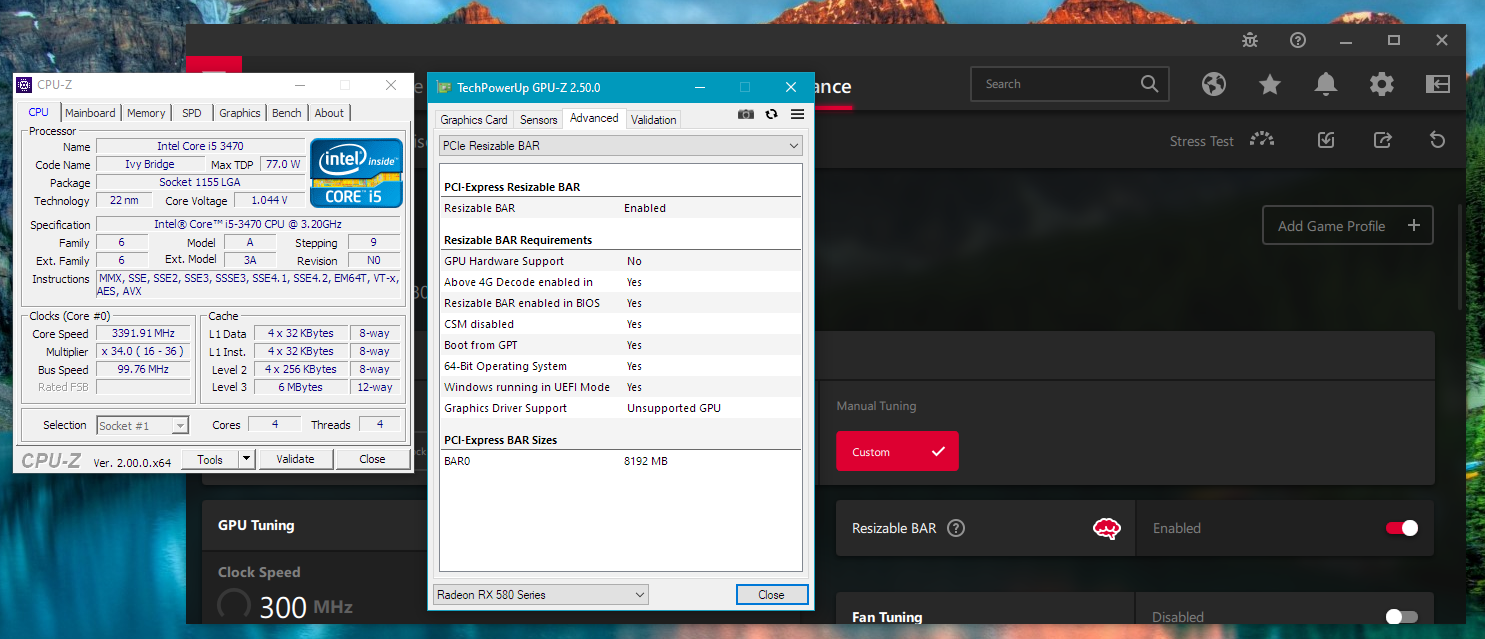
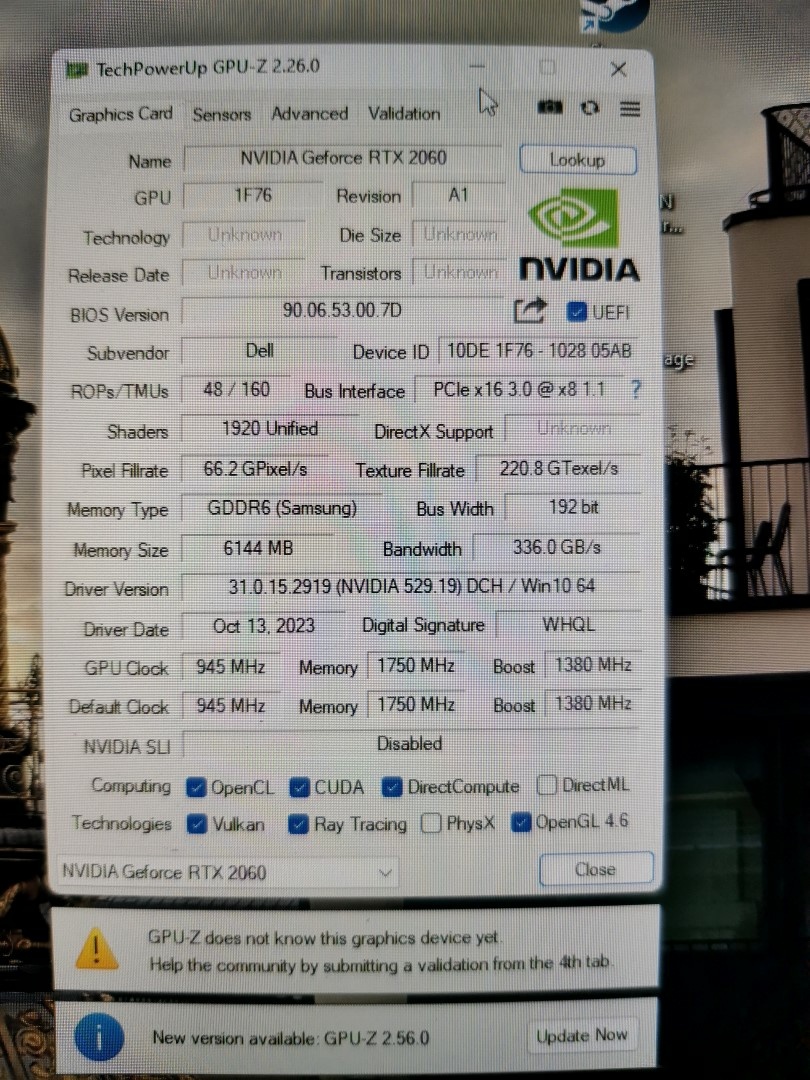
.png.6b43676d6e825af2a4f07ee888bb8795.png)
"New Here" -ish RTX 2080 Alienware M18 R3 and others projects!
in New here? Introduce Yourself
Posted
@Maxware79 must see this post as well 🙂
I'm going to try and see if I can do that resister mod on AW 18 (r3) and see if it solves RTX 3000 issue