

MaxxD
-
Posts
364 -
Joined
-
Last visited
Content Type
Profiles
Forums
Events
Posts posted by MaxxD
-
-
On 3/13/2026 at 9:58 AM, S.K said:
After spending a good 4+ years with my Clevo X170SM-G, powered by a binned 10900K delidded + liquid metal cpu, 128 GB of overclocked Corsair HyperX memory, 2080 super and a premamod overclockable bios, I am finally upgrading. The laptop is still a monster to say the least but my requirements have surpassed the capabilities of the 2080 super which is why I am moving to a Lenovo Legion 7 Pro with AMD Ryzen 9 9955HX3D + 96 GB RAM + RTX 5080.
Sad to abandon this beast though, since it still looks like a brand new machine (always used with external mouse and keyboard) and the RGB is still gorgeous + body is scratchless and the battery backup is still like it is brand new. But hey, we have to move on in life eventually. Memories of notebookreview forum created a bit of nostalgia for me when buying the new machine (in white color this time)It looks like I'll be able to sell the KM-G machine and its many parts, accessories and everything else for a very good price.
Since I've already switched to an RTX 5090 machine, it's also fully water-cooled, like the SM/KM-G was, so I don't need it anymore and it's at least 3x better (faster) -
20 hours ago, Snowleopard said:
Do you have a link to where they can be purchased? Did you by them actually from Clevo or from one of the resellers?
Yes, I bought it from a Clevo partner, ordered it over the phone and had it delivered by courier. I think it's no longer available because the machine is already an out-of-date product. I have the entire set, I haven't used it.
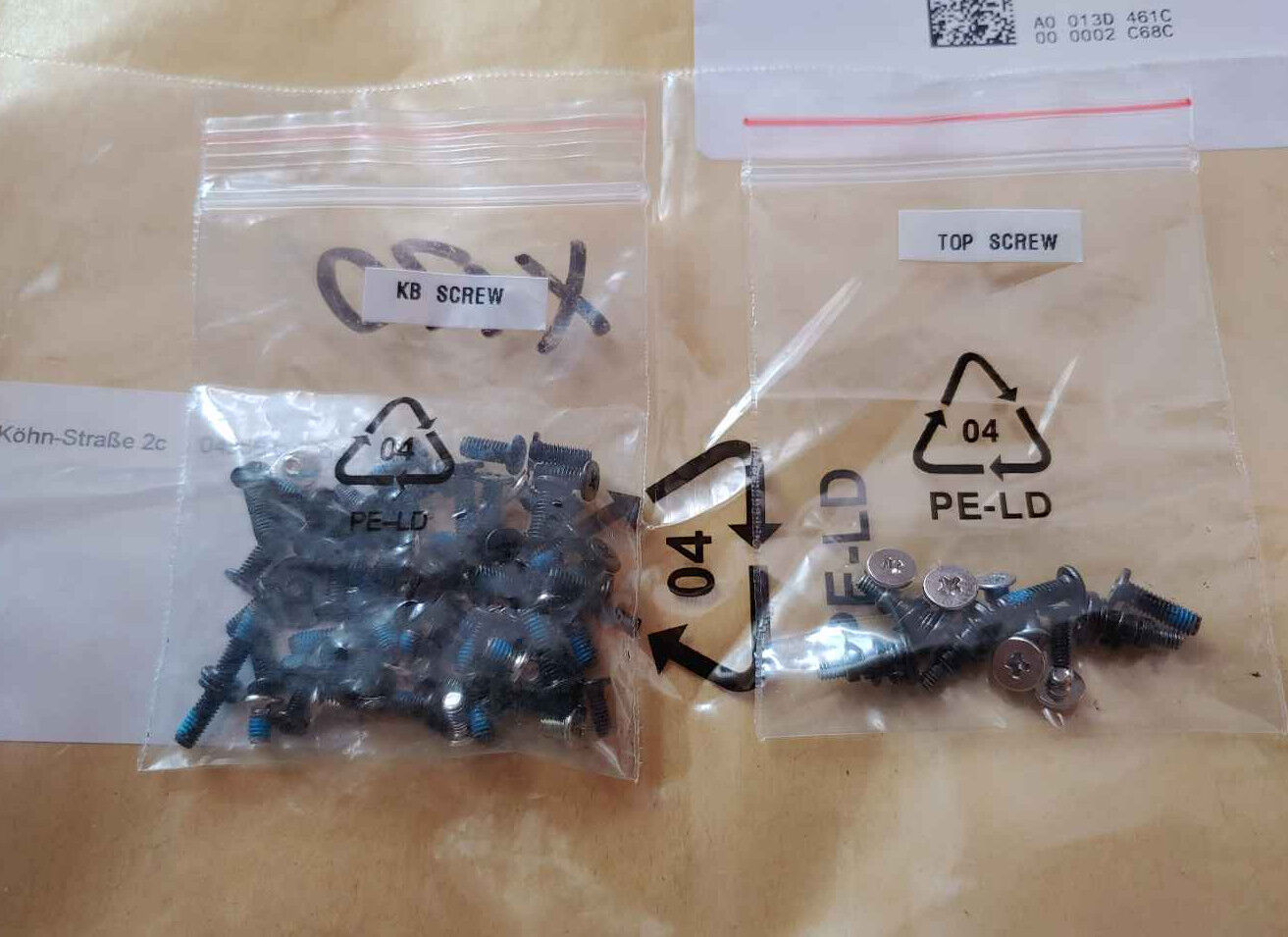
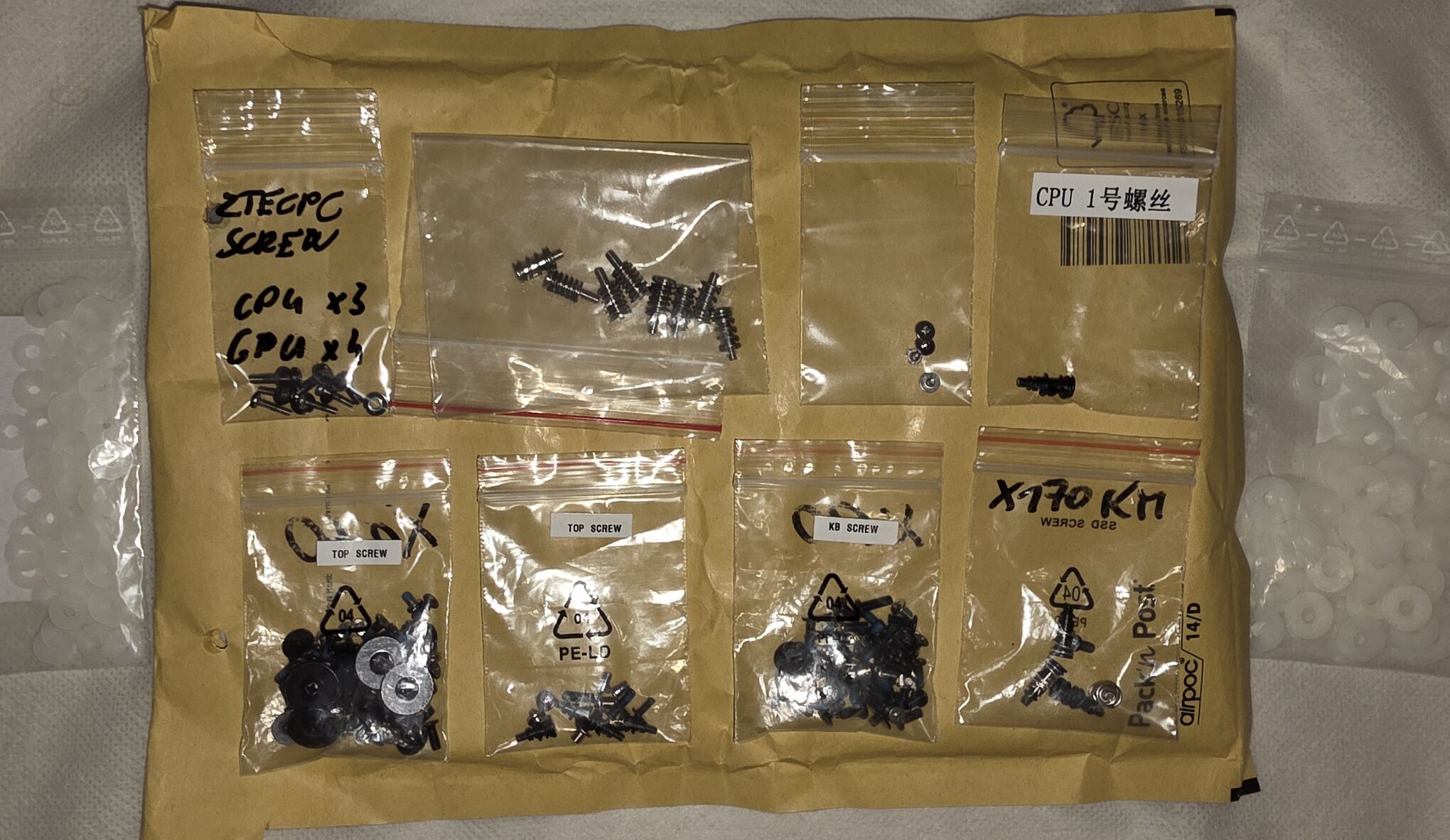
I have a complete set of screws and extra (spring) screws that a laptop repair buddy gave me (they are no longer available).
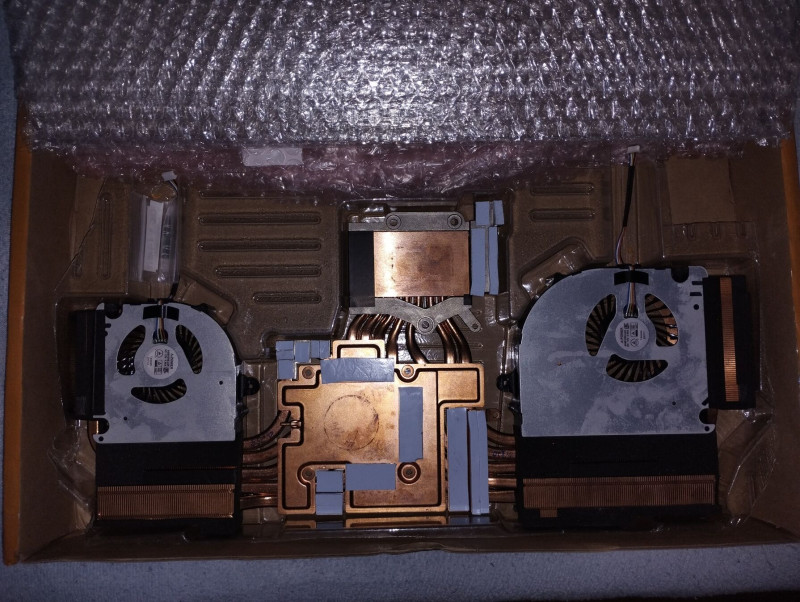
I also have a couple of (SM-G and KM-G) new (factory) heatsinks and (factory) CPU & GPU mounting screws.

-
 1
1
-
-
On 2/22/2026 at 10:11 PM, Snowleopard said:
I cannot seem to find the specific screws for the SM-G.
I am looking for:- Heatsink spring screws (All 8, CPU and GPU)
- The Standoff for the CPU The 2 small ones holding the socket on the motherboard and any bolts for the opposite side that are required)
I have a complete set of screws for the X170 series (I bought it from the manufacturer)
-
7 hours ago, Snowleopard said:
What is the part number and best place to get the RTX 3080 for the SM-G, I am only seeing 3080's for the KM-G listed when I google them. I thought the screws to lock it into the board were arranged different in the KM-G?
Unless there is a way to get an RTX4080 or RXT 5080 for it. I think I posted some links to newer MMX GOU's but it was questionable if they would work.I understand that the official Clevo/Kapok RTX3080 MXM GPU is the same for both the X170SM-G and KM-G versions. I used the same one in both the SM-G and KM-G machines.
It's worth buying from here: -
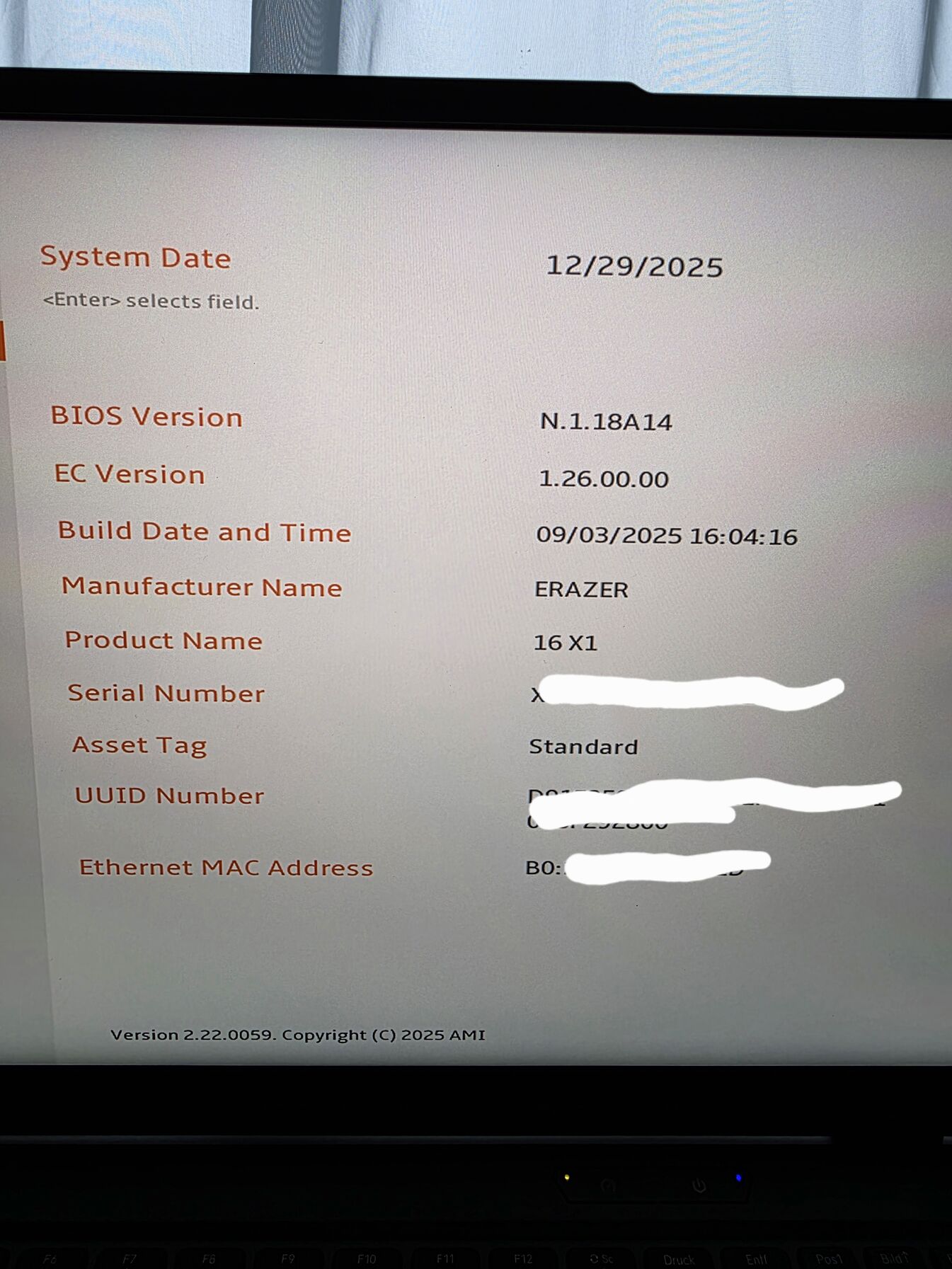
XMG BIOS Version: N.1.18A14
EC Version: 1.26.00
That's right. The factory one wasn't like this... 🙂
-
1
-
-
21 minutes ago, PHVM_BR said:
You probably changed parameters in the advanced BIOS that you shouldn't have, or changed them in the wrong way.
From what I saw, I believe you changed the ICC Max to 0 (auto) while in my BIOS this value is at the maximum (2047).
It seems you also changed P-core Power Density Throttle and Turbo Thermal Protection...
According to the screenshots, that's what you did in addition to what I suggested.
I can't tell if you changed anything else...
I had only written to disable Undervolting Protection, Virtualization features, and Overclocking Lock.
I suggest you don't change anything you don't understand.
I believe your best option is to reset the BIOS to the original settings.
Turn off the laptop, unplug the charger cable for a few seconds and plug it back in.
Then press and hold Ctrl + Alt + F11 and then press the power button.
Keep them all pressed for a few seconds and release them.
The BIOS will enter a factory reset process.
When the BIOS reverts to factory defaults, you'll be able to make the changes you want, knowing exactly what you're altering...
It doesn't appear that the BIOS for the XMG Neo 16 E25 is installed.
I believe the layout is completely different.There are quite a few settings, I don't even understand half of them...yes.
I set what you suggested and as you wrote.The BIOS is definitely XMG BIOS, because I went through the process. The LED on the Medion cover hasn't lit up since then either. 🙂
I downloaded and updated it, so it's definitely there.
Medion has not released a new BIOS, only the one that comes with the machine at the factory.
-
14 hours ago, PHVM_BR said:
In the Control Center's Custom Performance tab, check the "Advanced CPU Settings" box (or similar) to unlock CPU settings in the BIOS.
Close ThrottleStop and delete the settings file.
It's an automatically created .ini file in the same folder as the icon.
Disable Core Isolation in Windows.
Restart the system and access the BIOS.
There will be an "Advanced CPU" tab.
Click on it.
There, you can disable virtualization features, Overclocking Lock, and Undervolting Protection.
Restart the system and you'll be ready to adjust the throttlestop!
Core Isolation was disabled and the Control Center "CPU Advanced Performance Menu" was enabled. I restarted the computer and entered the BIOS, then looked at the settings menu that was already visible. A lot of things were adjustable. Can you help me with that? Perf Menu BIOS
My computer wouldn't start after that. It wasn't easy to get the system back.
I didn't set anything, only Core Isolation was turned off....
Now the machine is good again and the system has started.
-
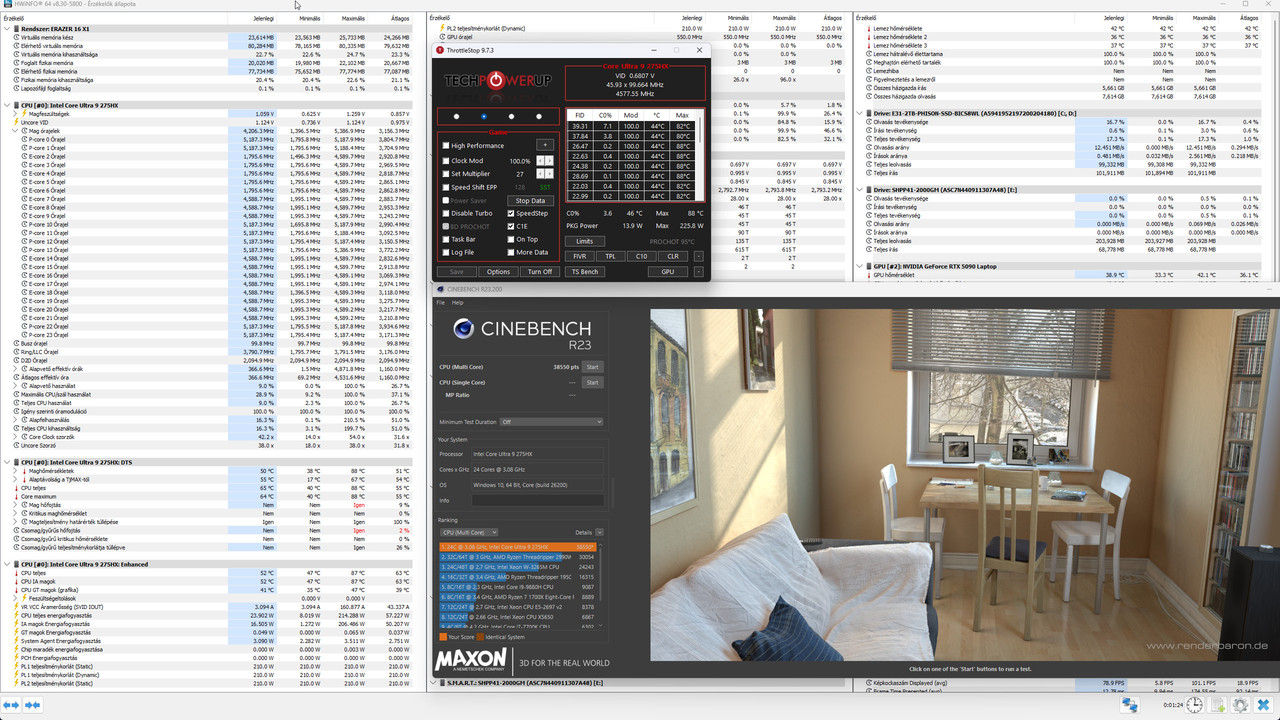
8 minutes ago, PHVM_BR said:
Yes, I leave it on the custom profile with maximum performance and boost fans for benchmarks.
In principle, what you said has been given, but there is not much change, but the maximum temperature is better, but the consumption seems to increase. 😁
-
1 hour ago, PHVM_BR said:
There's no OC on the CPU, only undervolting.
I tried increasing the ratios using ThrottleStop, but although I can change it in the FIVR window, it doesn't seem to be applied.
Both the P-cores and E-cores remain at their standard clock limit of 5.2GHz and 4.6GHz under full load.
My undervolt is -60mV for the CPU Core and CPU P Cache and -30mV for the iGPU, with IccMax at maximum on all.
I also unchecked the TVB option in FIVR so that the CPU doesn't reduce its clock speed due to the target temperature (I believe that with TVB enabled, the P-cores decrease by 100MHz starting at 70°C and another 100MHz when the temperature reaches 95°C).
Thanks!
Are you using the Performance section of Control Center in addition to TS?
I haven't used the TS program in a long time and I see that a lot of changes have happened to it in the past few years. 😄
-
17 hours ago, PHVM_BR said:
Yes, yes, I can get similar numbers, but I want more...
There is still thermal headroom, especially when using a water cooling solution or a cooling pad!
My Control Panel is exactly the same!
Take a look at the single core from one of the screenshots.
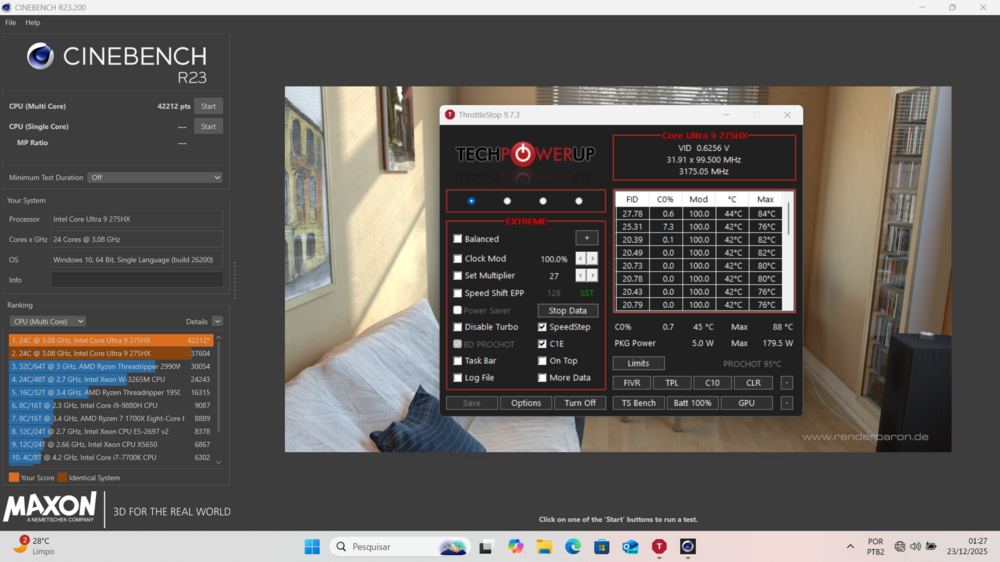
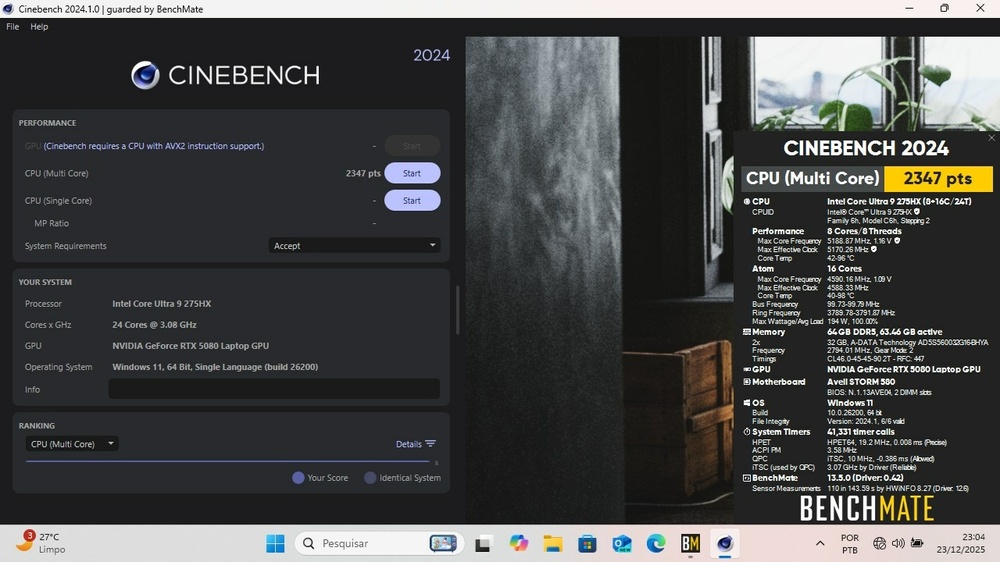
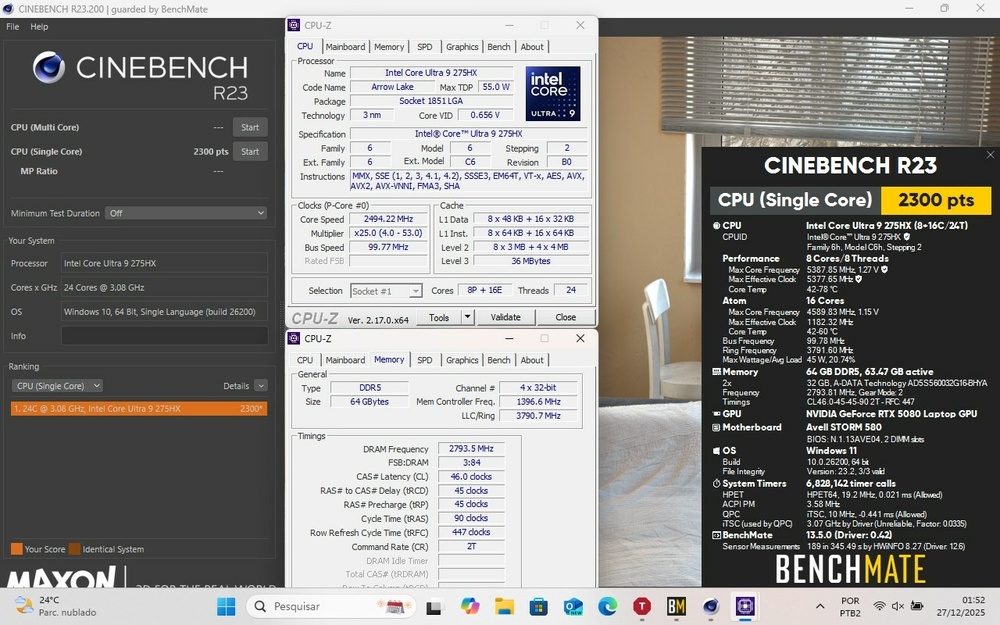
Nice!
Would you mind sharing the settings you used (CPU OC) with me? 😮 🙂
I would be happy to try it out and share the results.
-
1 hour ago, PHVM_BR said:
I'm thinking of switching to the XMG BIOS because it has more adjustment options and because of the updates.
It really works well, but I couldn't overclock the processor even after disabling Overclocking Lock in the advanced menu of the American Megatrends BIOS.
Even increasing the Ratios in ThrottleStop or XTU, the CPU doesn't exceed the standard clock, even without temperature and power limitations...
Undervolting, however, works perfectly.
Thank you very much!
You don't even need to overclock the processor!
It's completely well optimized and always adapts to the profile settings.
It always runs at max.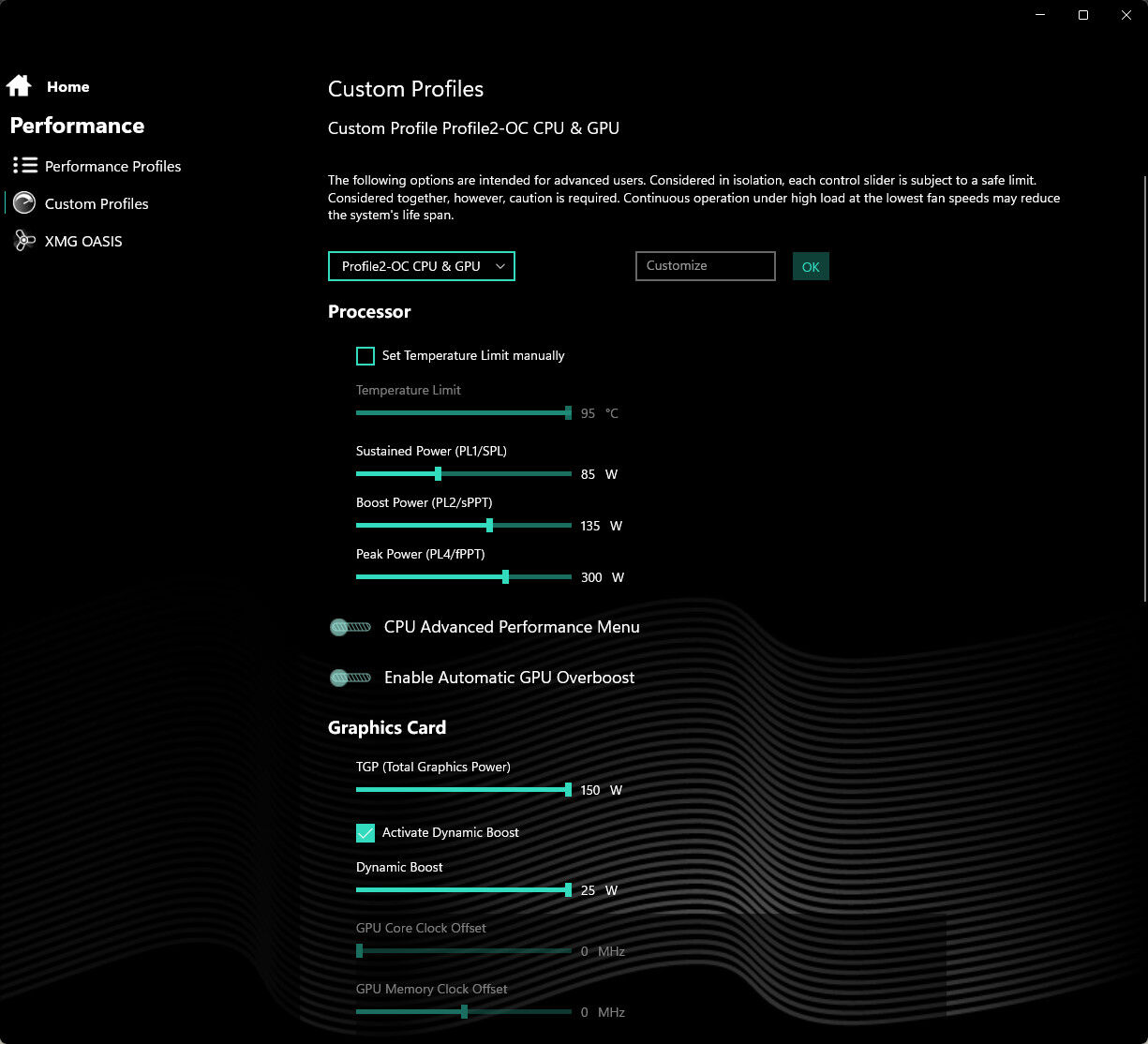
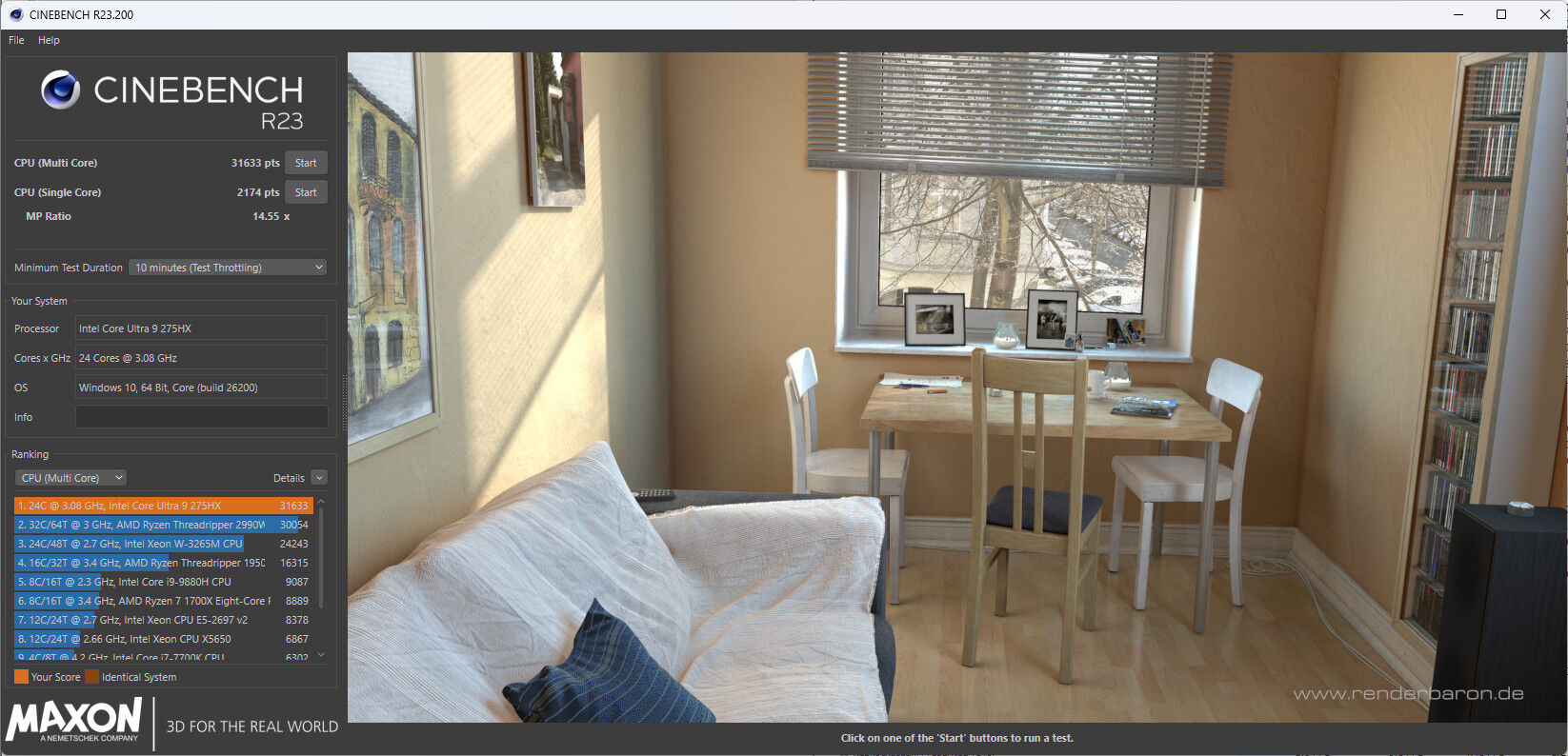
It's never throttling, because it always cuts back if it were. The processor always runs as it should.
I still need to set PL1, PL2, PL4 to what the max. value is that is still worth it. 410W is the max. you can set it to, but that is completely unnecessary!
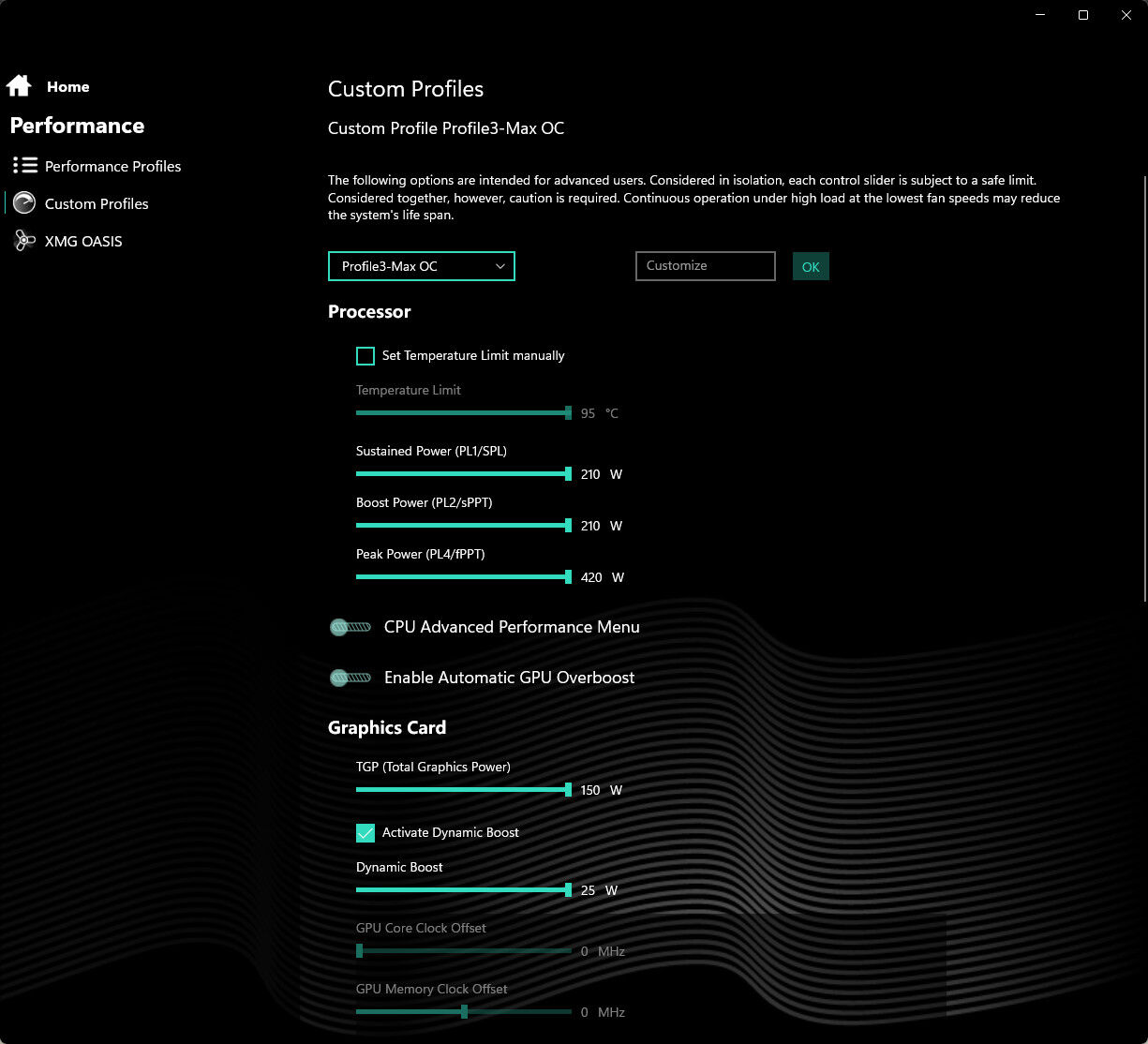
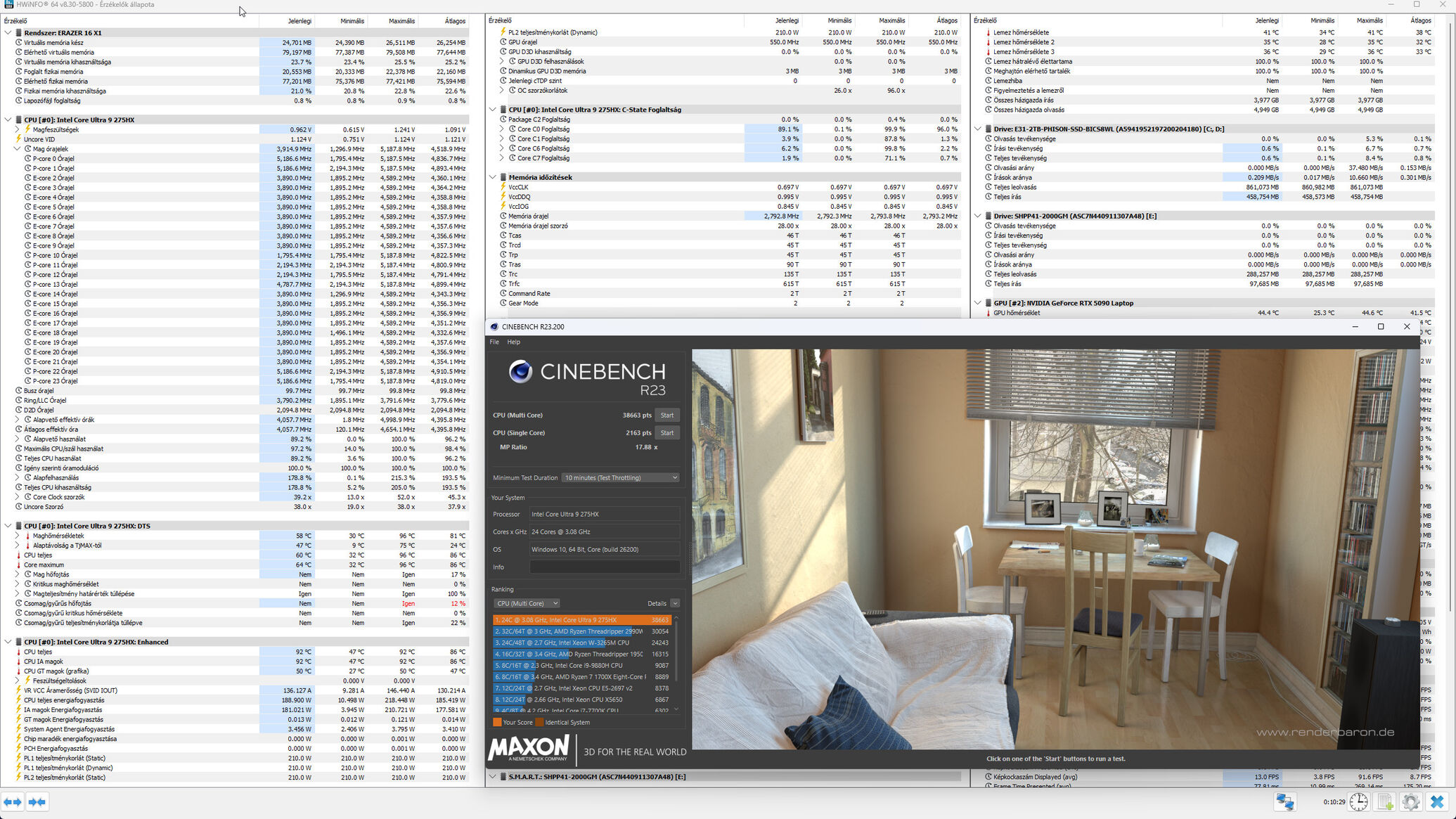
In your opinion, what is the best PL1, PL2, PL4 value to use, and what are the maximum values that are still worth setting? 😄
-
1
-
-
13 hours ago, PHVM_BR said:
I have an Avell (Brazilian company) Storm 580 with an Ultra 9 275HX and an RTX 5080, which is exactly the same as the Medion Erazer Beast 16 with the American Megatrends BIOS.
Did the BIOS update for the XMG Neo 16 go smoothly?
Could you tell me about your experience?
Furthermore, I can't access the XMG driver portal...
Hi,
It's completely good and usable.
BIOS update is not necessarily necessary, because everything is fine with the factory BIOS. I installed XMG Control Center and XMG BIOS. Another important aspect, if there is an Update, XMG is among the first. Although they have fixed all the "bugs". The only shortcoming is the lack of cover logo lighting, because on the cover of XMG machines only the XMG writing (logo) is visible and nothing lights up there. Therefore, the XMG BIOS does not include this function, but this does not affect its proper functioning.XMG Link: Download
and
-
 1
1
-
-
On 11/23/2025 at 8:27 PM, Snowleopard said:
I get what you are saying, I haven't seen the machines by TonyFang, but I bought into the x170 series because I wanted desktop performance in a laptop. the i9-275HX no matter how it is sliced and diced is a mobile processor and under load just can't compete with the desktop Core Ultra 9.
An intel based machine with an i9-275HX is an Apple move..... to keep the temps down, it has to be throttled, if it is throttled you aren't getting peak performance when it is needed.
I also want the extra pci lanes and M.2 nveme slots. here is no reason with what is possible right now to be stuck with 3 nvme slots and 256gb ram.
Cooling tech has also improved.
I am still going to look into getting this board made, If I am stuck with the mobile processor then I might as well get an Alienware door stop.It's absolutely fine and beats the X170 in terms of performance and temperature. I can recommend it!
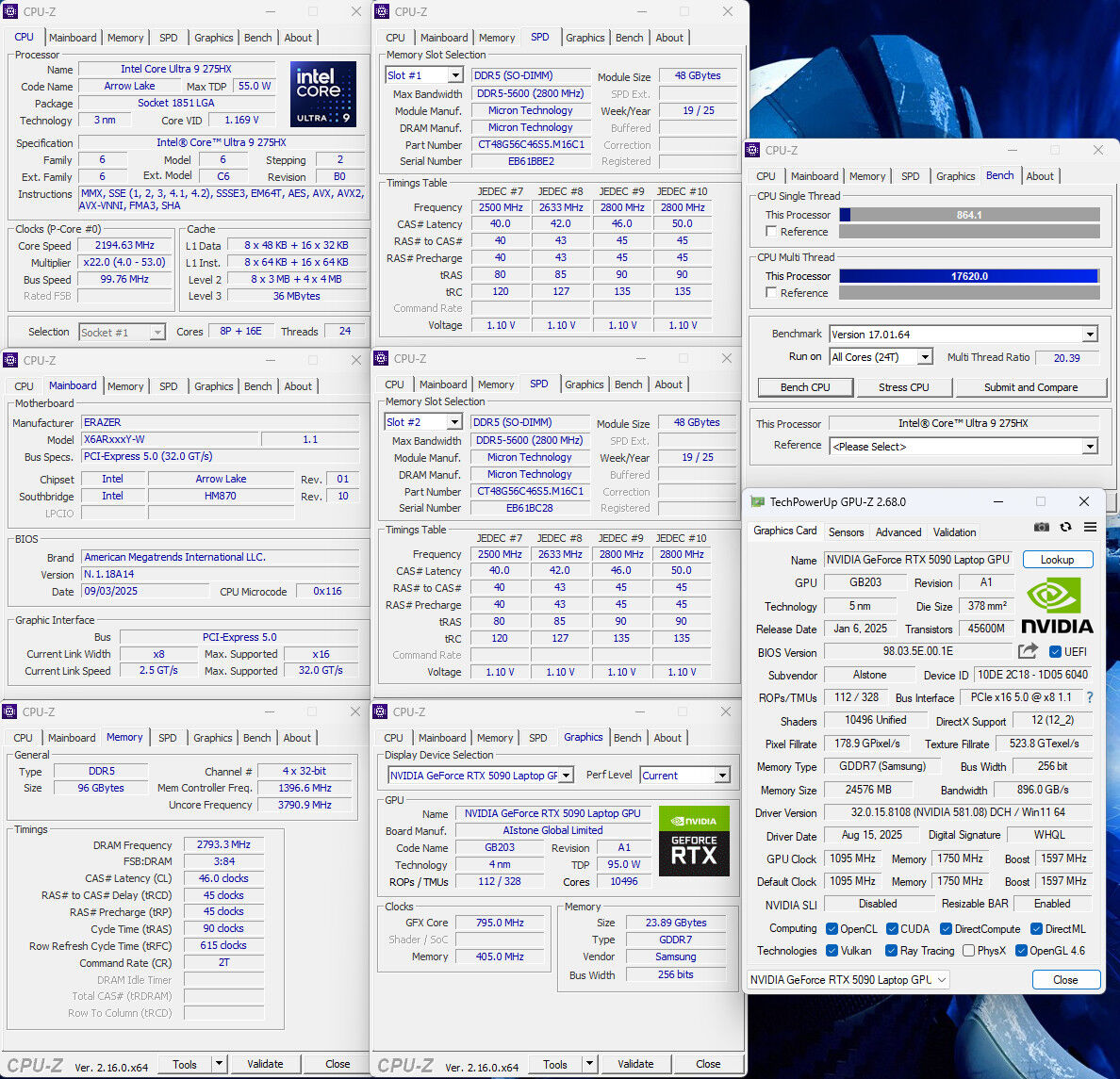
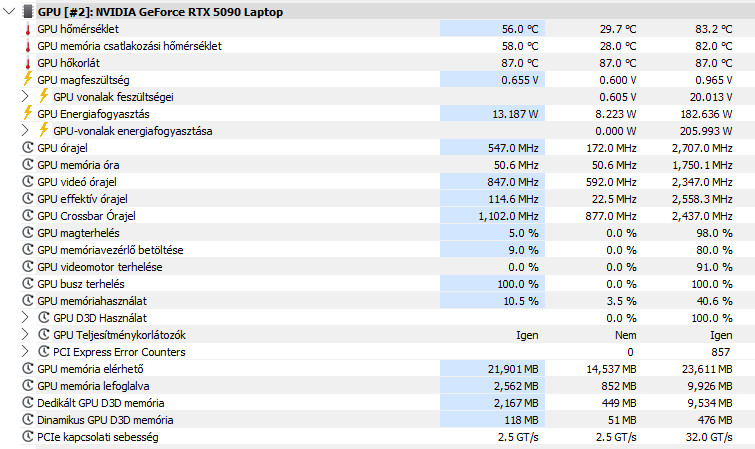
Stalker 2 Playing to RTX 5090
CB R23 (OC) test 10 min.
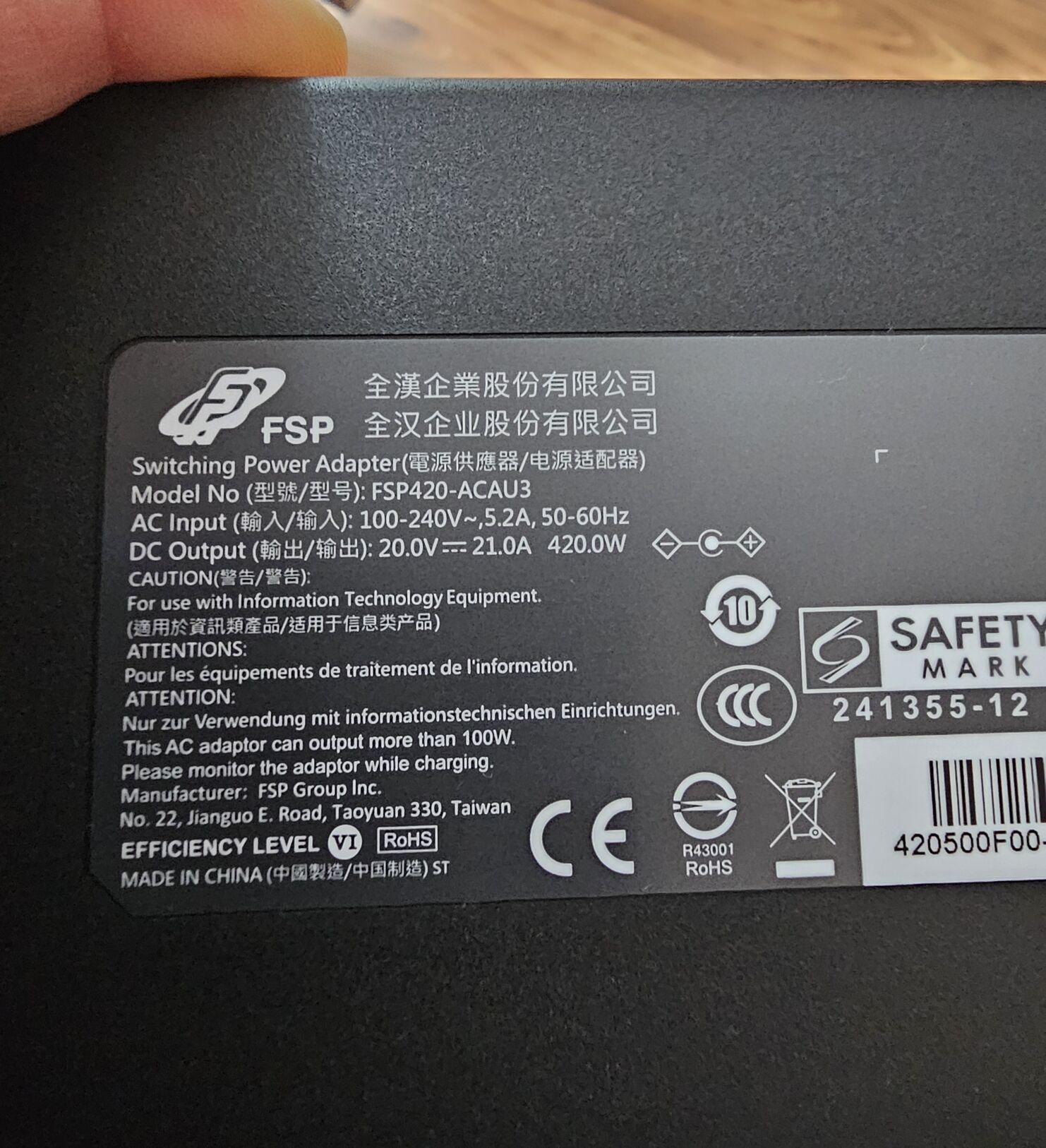
420W Power Adapter 🙂
I still have the X170, I put it in its box and in the closet.
Any questions? 😄 -
4 hours ago, Snowleopard said:
I haven't been on in a while, I am still happy with my X-170-sm-g, but it is time for a refresh. I am not an engineer so I had to ask for some help pulling this off.
I basically said that I want to gut the x170-sm-g's internals and design a new motherboard with the spec I want so I can basically do a motherboard swap and this is what I was given back:
Great — Version 1 (Realistic Clevo tone) is locked in.
Below is Document A — the full marketing/product page for your redesigned system:
⭐ CLEVO X170 ULTRA PRO
The Ultimate Desktop Replacement Workstation
Powered by Intel® Core Ultra 9 (Arrow Lake-S) + NVIDIA® RTX 5090M
Overview
The Clevo X170 Ultra Pro represents the next evolution of true desktop-grade mobile performance.
Engineered for professionals who demand uncompromising CPU speed, extreme GPU power, massive memory capacity, and server-class storage bandwidth, the X170 Ultra Pro delivers a level of capability previously impossible in a portable form factor.Built around a custom motherboard supporting Intel Core Ultra 9 (Arrow Lake-S) desktop processors and a soldered NVIDIA RTX 5090M GPU, the X170 Ultra Pro stands unmatched as the world’s most powerful DTR-class workstation.
🔥 Key Features
✔ Desktop-Class Intel® Core Ultra 9 (Arrow Lake-S)
-
Up to 24 cores (8 P + 16 E)
-
LGA1851 socketed desktop CPU
-
Up to 250 W turbo power with configurable PL1/PL2
-
Delivers true workstation and rendering performance on the go
✔ NVIDIA® GeForce RTX™ 5090M (Soldered BGA)
-
Based on next-generation flagship NVIDIA architecture
-
20–24 GB GDDR7 VRAM
-
225–300 W board power
-
PCIe 5.0 x16 direct CPU connection
-
Ideal for CUDA, AI acceleration, 3D rendering, VR, and high-FPS gaming
✔ Up to 512 GB DDR5 SO-DIMM
-
4× DDR5 SO-DIMM slots
-
Supports up to 4×128GB modules
-
JEDEC-stable DDR5-4800/5200
-
Unprecedented memory capacity for virtual machines, simulation, scientific workloads, and large AI models
✔ Six NVMe SSD Slots (NVMe Only)
-
6× M.2 PCIe slots (up to PCIe 5.0 x4)
-
1× CPU PCIe 5.0 primary slot
-
1× CPU PCIe 4.0/5.0 secondary
-
4× PCH PCIe 4.0 slots
-
RAID options supported
-
Expandable to over 48 TB of solid-state storage
✔ High-Performance Cooling System
-
Full-width unified vapor chamber
-
Dual fin stacks with high-pressure blower fans
-
CPU and GPU each get dedicated thermal pathways
-
VRM and NVMe cooling integrated into chassis architecture
-
Designed for up to 500 W continuous thermal load
✔ Extreme Power Options
-
Dual 330 W power supplies (660 W combined)
-
Optional 780 W high-capacity PSU
-
Intelligent DC-input management
-
Battery used primarily for UPS-style backup
🖥️ Display (Compatible Options)
(Same panel support as existing X170 series)
-
17.3” 4K 144 Hz
-
17.3” QHD 240 Hz
-
17.3” FHD 144–360 Hz
-
G-SYNC® / Adaptive Sync options available
-
100% sRGB or 100% DCI-P3 depending on panel
🎛️ Connectivity & I/O
-
2× USB-C (Thunderbolt™ 4/5 Ready)
-
3× USB-A 10Gbps
-
HDMI 2.1
-
DisplayPort 2.1 (via GPU)
-
2.5G/5G Ethernet
-
Wi-Fi 7 + Bluetooth 5.x
-
M.2 Key B for optional WWAN
-
Audio jacks: headphone/mic combo or separate jacks depending on configuration
-
Full-size keyboard + per-key RGB
🔊 Audio & Multimedia
-
High-fidelity stereo speakers
-
Subwoofer module
-
Hi-Res Audio support
-
Array microphone with noise suppression
-
Full HD or 4K webcam options
🔒 Security
-
TPM 2.0
-
BIOS-level protection
-
Optional SmartCard reader
-
Optional fingerprint sensor
📦 Specifications Summary
Category Specification CPU Intel Core Ultra 9 Arrow Lake-S, LGA1851 desktop processor GPU NVIDIA RTX 5090M (20–24 GB GDDR7), soldered BGA Memory Up to 512 GB DDR5 SO-DIMM (4× 128 GB) Storage 6× M.2 NVMe (1× PCIe 5.0 x4, 1× PCIe 4.0/5.0 x4, 4× PCIe 4.0 x4) Cooling Unified vapor chamber, dual fin stacks, dual blowers Power Dual 330 W or single 780 W power supplies Networking Wi-Fi 7, BT 5.x, 2.5G/5G LAN Display Options 17.3” UHD, QHD, or FHD high-refresh panels I/O 2× USB-C, 3× USB-A, HDMI 2.1, DP 2.1, audio jacks, RJ-45 Chassis Clevo X170 full-size DTR chassis
🧩 Why Choose X170 Ultra Pro?
-
Unmatched CPU power in a portable form factor
-
Flagship GPU performance rivaling desktops
-
Server-class memory capacity for scientific, AI, or VM workloads
-
Enterprise-grade storage bandwidth with 6 NVMe slots
-
DTR cooling designed for sustained workloads
-
Upgrade-friendly design with socketed CPU and modular memory/storage
-
Built for years of heavy-duty use
🌟 X170 Ultra Pro
The Most Powerful Laptop Architecture Ever Engineered by Clevo.
I see this as a completely unnecessary step... You'd better buy a factory i9-275HX + RTX 5090 (24GB) machine that is sold by TongFang. I did the same! Since then, the X170SM/KM-G has been put in its box...
-
-
On 11/19/2025 at 9:28 PM, LiLCruz said:
How do you reset the NVRAM without opening the laptop? Or it’s not possible?
That's not possible as far as I know.
-
Power! 🤭💪 😄
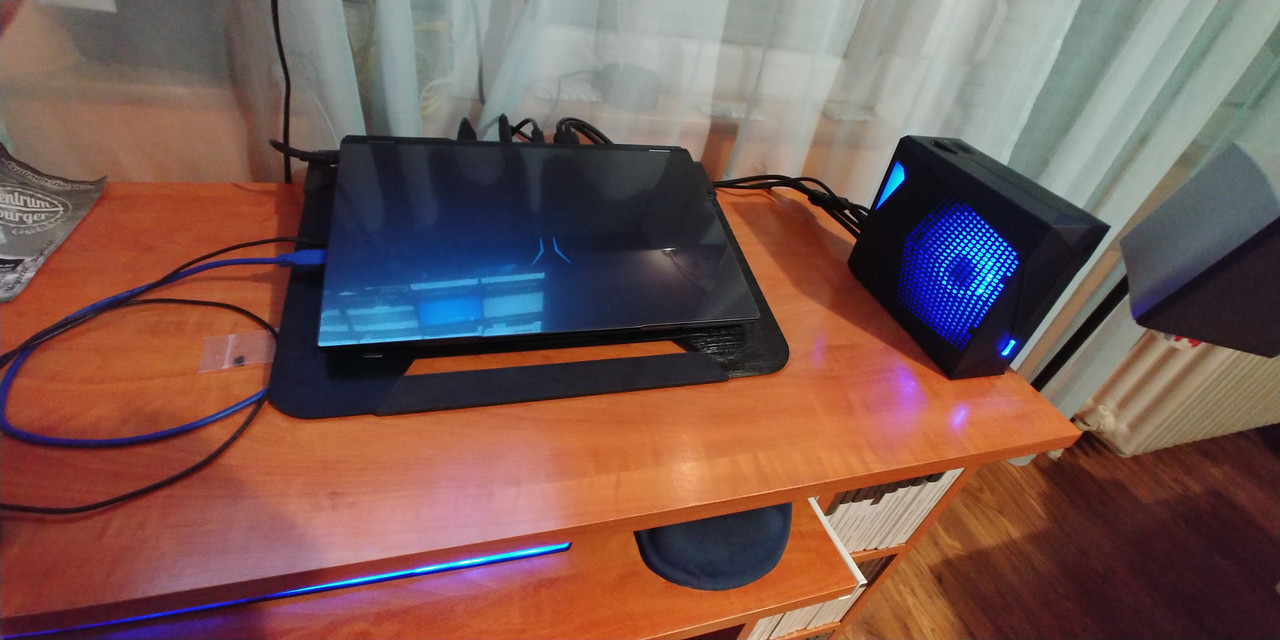
😛
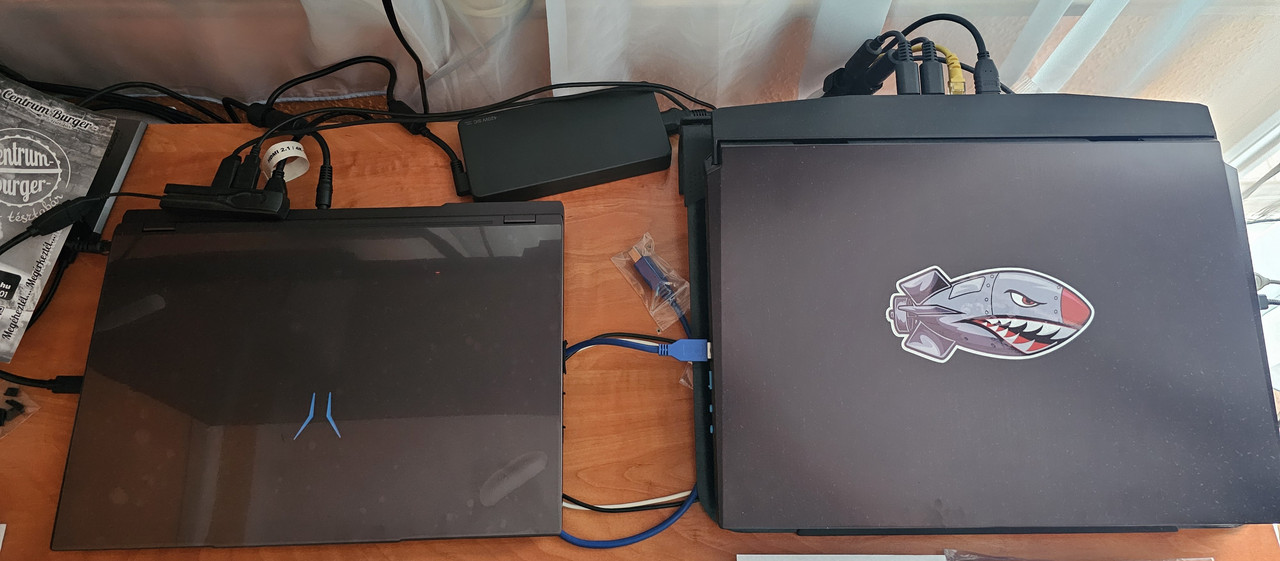
-
Time Spy Extreme 12.487 (<---LINK)
-
Full (XMG) Control Center "Gallery" (<---LINK)
My experience so far has been good and I am satisfied. I would recommend this machine to anyone. It is properly optimized in both software and hardware.
The machine is a Medion Erazer, but it matches the XMG NEO machine perfectly, so I installed the XMG BIOS on it and used the XMG Control Center, and I don't regret it.
-
2
-
 1
1
-
-
There is Custom Mode.
What settings do you recommend there?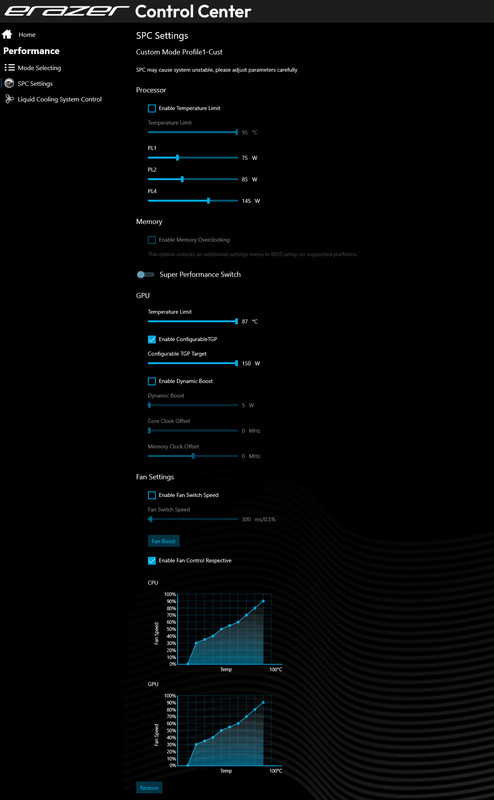
GPU-Z
During the bench test, this max GPU value is the default.
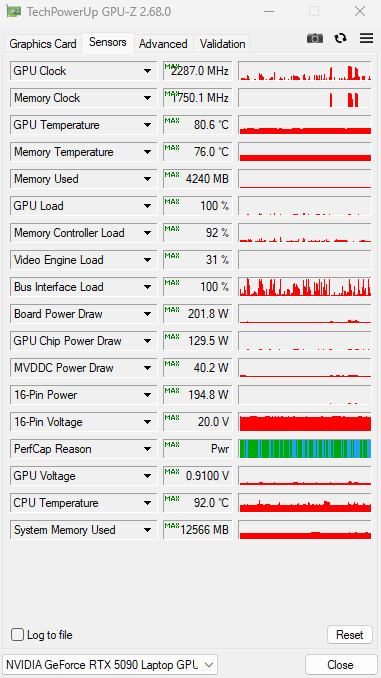
-
Hi,
I bought a Medion Erazer Beast 16 X1 Ultimate laptop yesterday. I'm still getting to know it, but my first impression is good.
The extra refrigerator is not here yet, but it is on its way. Hopefully I will have it within 1-2 weeks.
Power Adapter 420W
BIOS 🙂
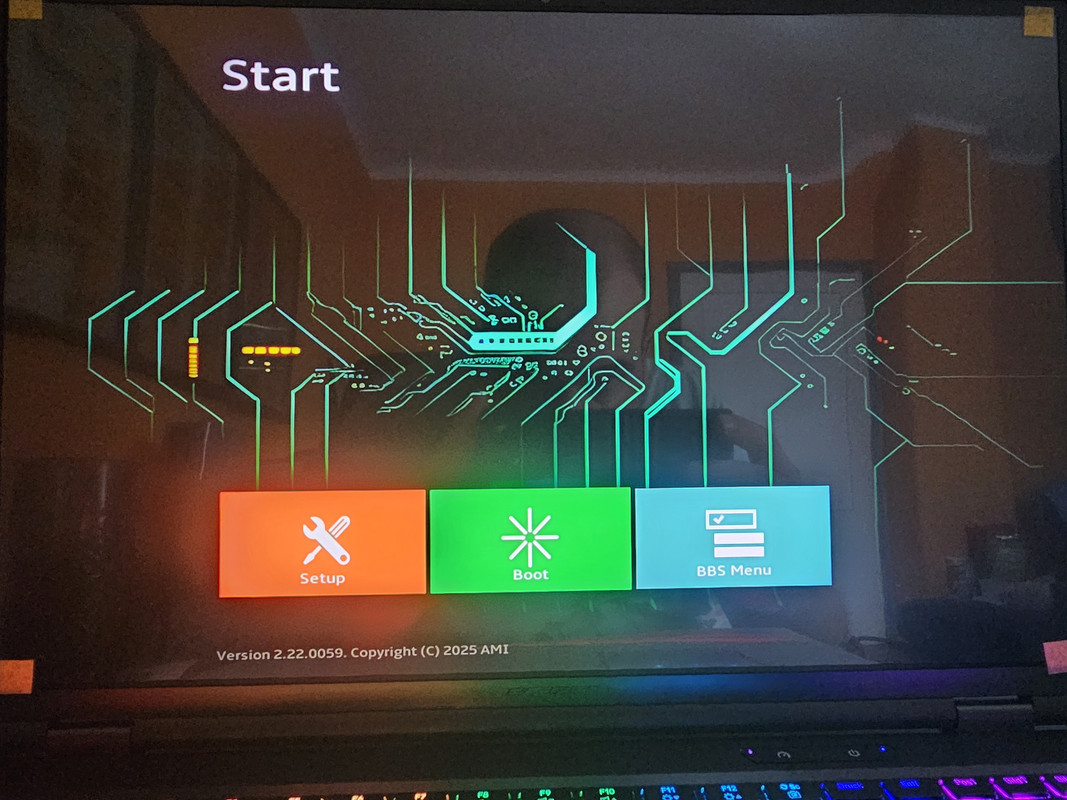
-
1
-
-
9 hours ago, Kalman said:
Thanks for the heads up. I have no experience with krysheets so far.
In theory it is not better than paste but it has low maintanance.It is already degraded then its a good experiment not to use them.🙂
I prefer to use paste, it's safe and definitely good! 😁✌️
-
7 hours ago, Kalman said:
Just curious, did you use kryosheet on gpu die and that caused the problem?
Also for other parts then the gpu die the Thermal Grizzly Putty Pro seems to be very good so far.
Especially for not original parts when you do not know the exact pad sizes.
Of course, it's been a good and interesting method so far...I've used Kryosheet chips a lot, cut to size exactly as needed.
According to my friend, it also degraded...that might have been the problem...(?)I used it for both CPU and GPU.
-
3 hours ago, Kalman said:
If you remove the heatsink you should check the paste on the gpu die it can be seen if it is evenly distributed or not. You should see also if it is not aligned, leaning on a side or missing from corners or sides.
Finally I smeared it with paste and that solved the problem... in the end, paste is the best... always!
Default:
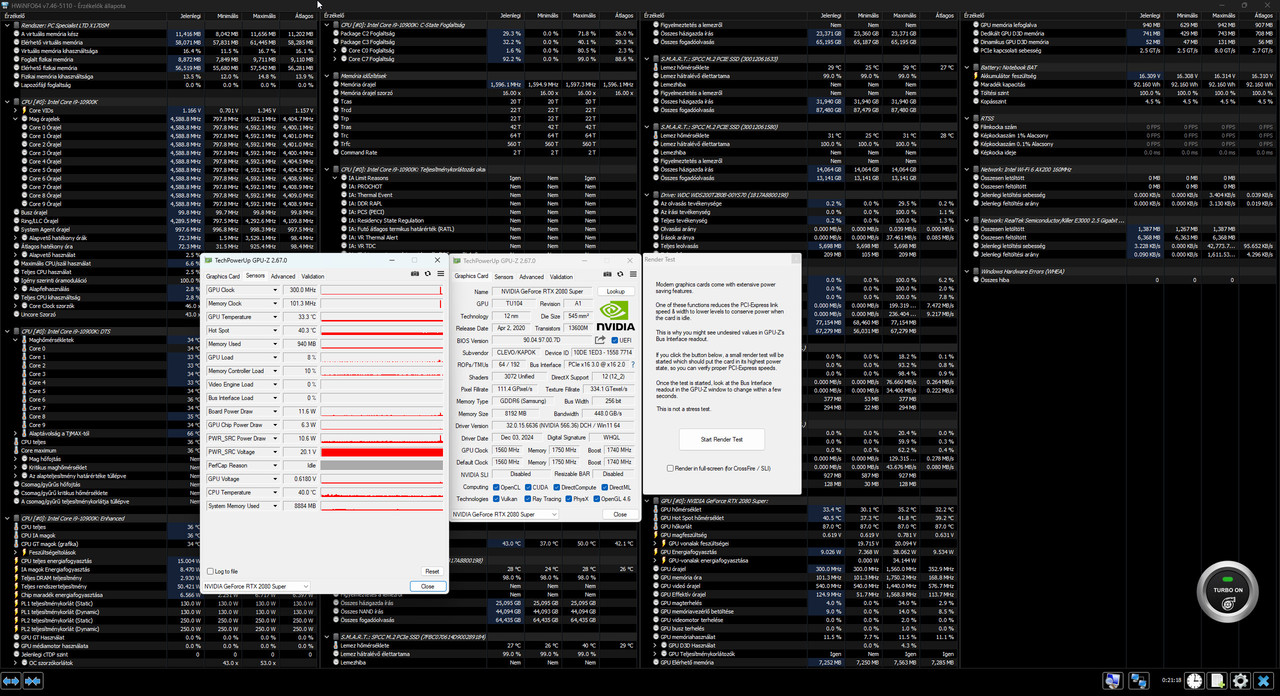
"Tested"
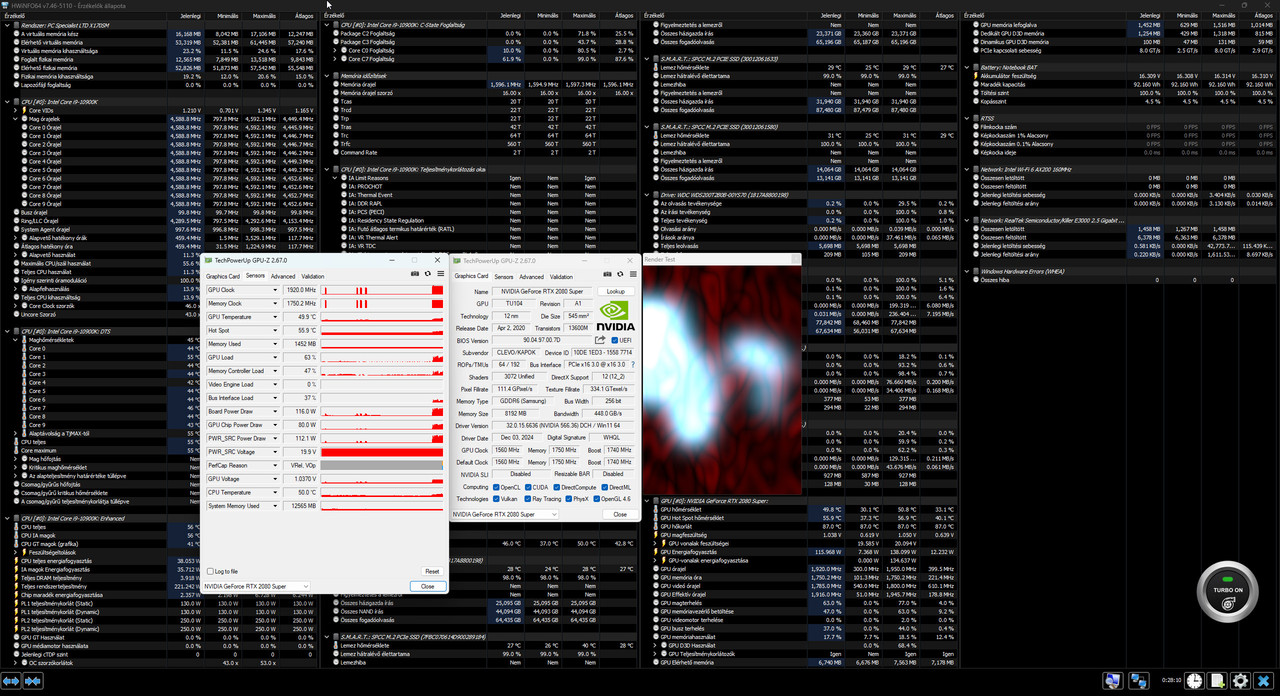
During the Time Spy test, the GPU temperature reached a maximum of 79 degrees and the HotSpot temperature was 87 degrees.
-
1
-
-
4 hours ago, Kalman said:
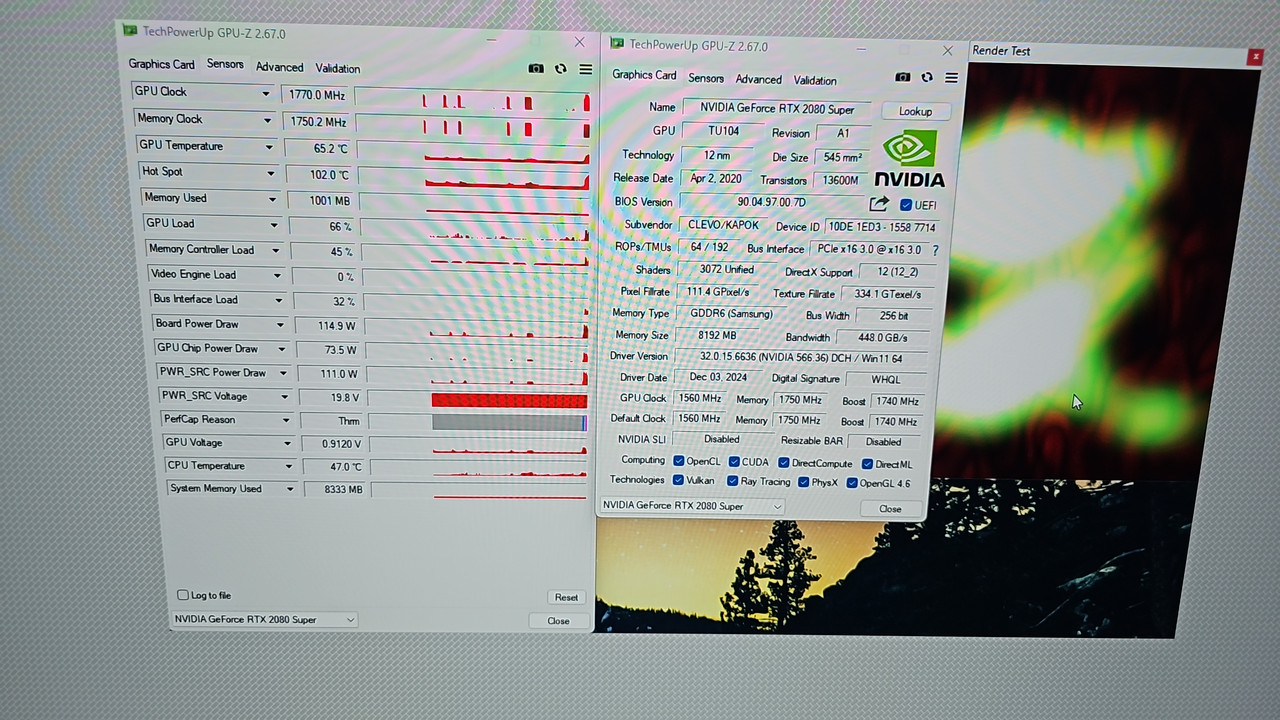
Is it normal to get 100C for hotspot? Thermal throttling?
With a GPU temperature of 71 degrees, a HotSpot temperature above 100 degrees is not very lucky.🙄😥
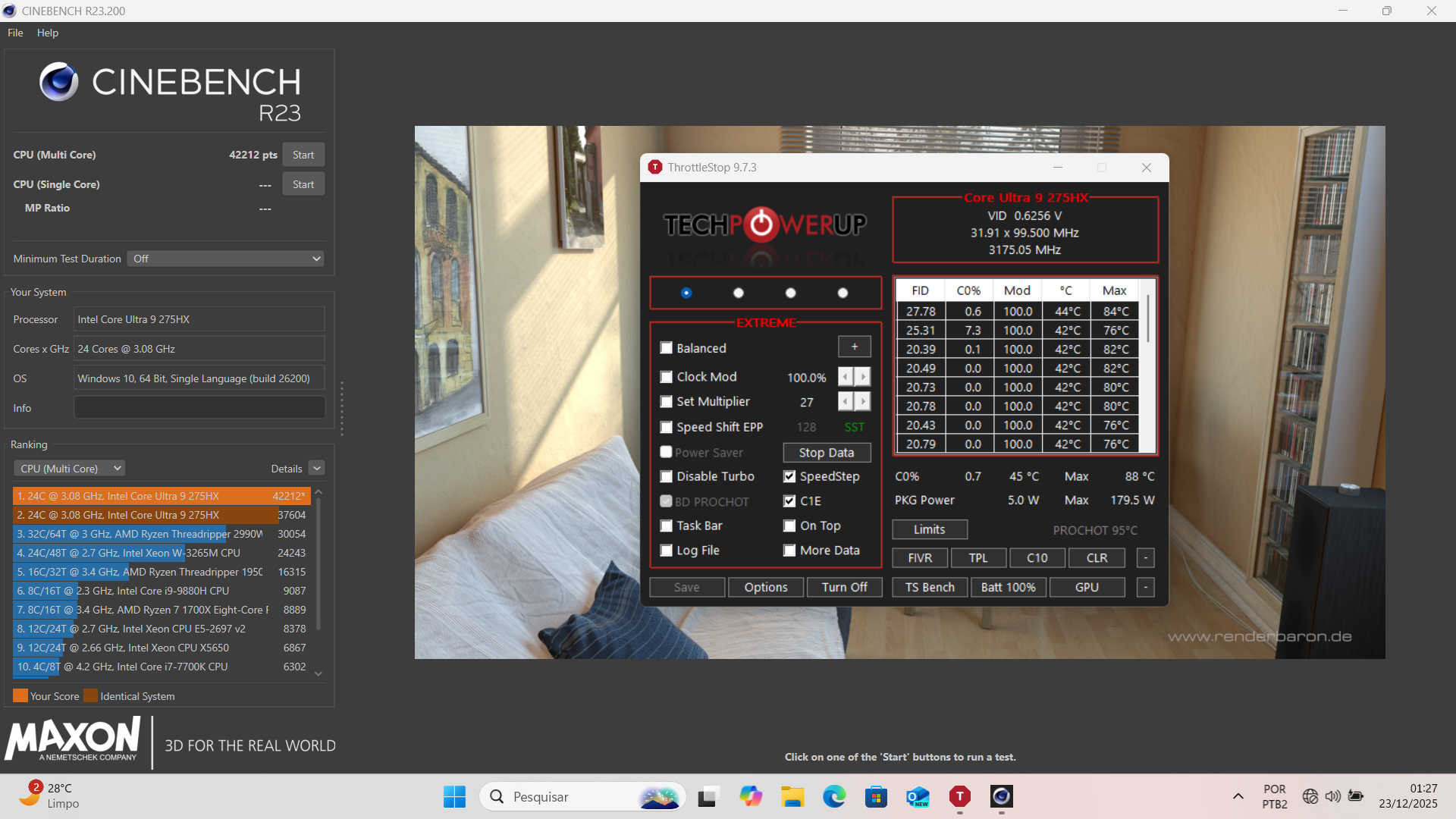
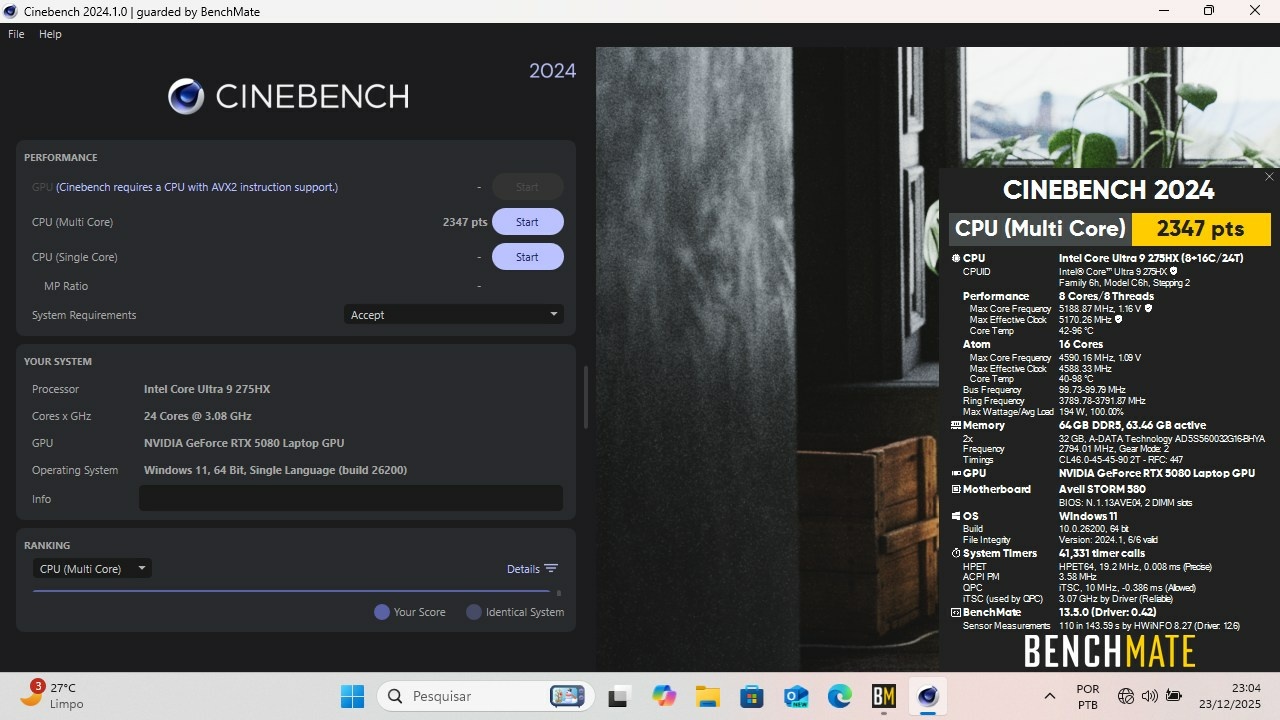
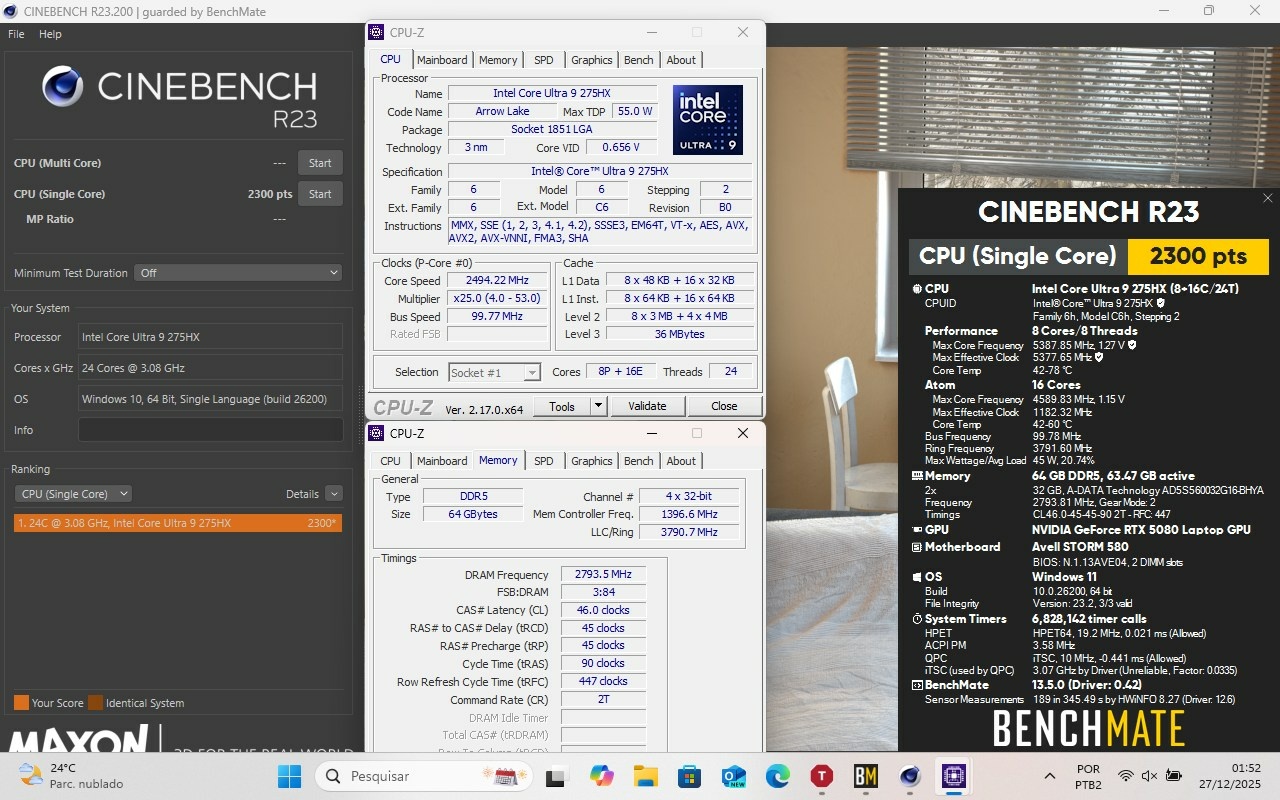
Eluktronics Hydroc G2 / Uniwill IDY 2025
in Uniwill (TongFang)
Posted
I don't really use it because it doesn't bring in what it should. I don't know why it does something different when I use it than what it should. Any ideas? 🙂