

MaxxD
-
Posts
364 -
Joined
-
Last visited
Content Type
Profiles
Forums
Events
Posts posted by MaxxD
-
-
Does anyone have a full service manual for it?🙃✌️
-
I also just placed my order for a complete (KM-G) motherboard. eBay handles the entire process. I paid all the expenses. At home, I just have to wait for the package to arrive, they take care of everything. That's perfectly fine.
Is there a full service book available somewhere for the X170SM/KM-G model?
All the parts are there to use the KM-G version and the picture will be complete.
I hope I made the right decision!☺️
-
1 hour ago, Kharstraetor said:
Many thanks, buddy! I thought I read somewhere that the RTX 20xx series weren't able to be used on the KM boards, but it is good to know that the i9-10900s are!
Not having an already available RTX30xx GPU, the cost of replacing the SM board, for my situation, with the KM board and a RTX30xx GPU would increase the cost by almost 350% above just replacing the SM board with another SM board.
Pity 😞I might need to look at investing in a KM board for the future if/when the RTX3080 GPUs drop in price!
Currently, the price of the 2080 Super is much more than the price of the 3080 card...it won't go much below that. The price of the official manufacturer KM-G motherboard is $571 (+ the cost of shipping and VAT, possibly customs handling) and overall it's not that simple...yes!
-
52 minutes ago, Kharstraetor said:
Does the KM board support the RTX 2080S and i9-10900s?
The KM-G model officially supports the following, but that does not mean that other types cannot be used.☝️
(maximum not 100% supported)
CPU:
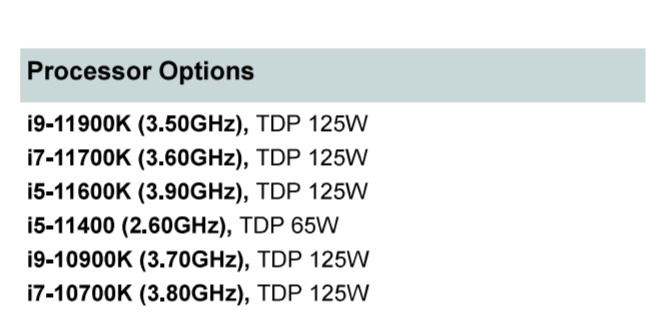
GPU:
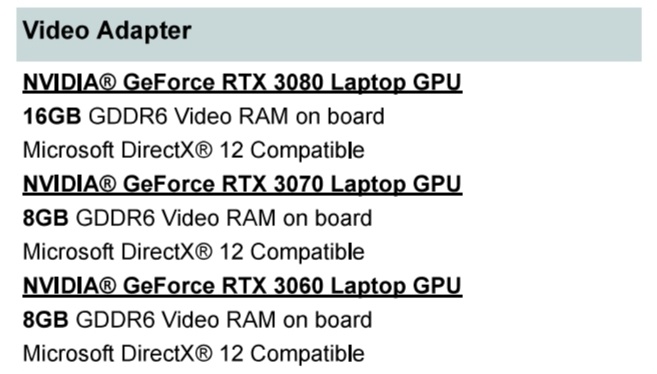
-
 1
1
-
-
Currently, only Eurocom (USA/Canada) sells X170SM-G and KM-G parts, and the complete machine can also be assembled. Unfortunately, the Xeon W-1290P processor is not supported by any machine. None of the Clevo X170 models are officially available elsewhere in the world (Europe and Asia)...unfortunately!😑
-
31 minutes ago, 1610ftw said:
I told you a few posts ago that the connectors align 😄
Not sure if everything aligns inside but I would guess that the answer is yes.
yes, absolutely!☝️✌️
-
X170SM (Sky Z7)
Launch Date:
September 15, 2020
Special Feature(s):
Intel Z490 Chipset; LGA1200 socket 10th gen CPUs; RTX 2080 Super; MXM 3.1 GPU slot.
Main Chipset:
Intel Z490
Processor:
Socket LGA 1200
up to i9-10090KVideo / GPU:
- one MXM 3.1 slot; up to 200W GPU
- NVIDIA GeForce: RTX 2080, 2070, 2060
- NVIDIA GeForce; RTX 2080 Super, RTX 2070 SuperBuilt-in PC Camera:
Built-in 1M
LCD Size:
17.3in / 43.9cm
LCD Specifications:
17.3" FHD, UHD; 144Hz, 240Hz; eDP
Optional G-SyncMemory:
Four 260-pin, 1.2V, SODIMM sockets
DDR4-2666/3000/3200; up to 128GBTotal Storage:
up to 4 physical drives:
- 3x M.2 2280 NVMe PCIe Gen3 x4 / SATA
- 1x M.2 2280 SSD via SATAOptical Drive:
External USB based
DVD-RW or Blu Ray BurnerCard Reader:
1x microSD Card Reader
Audio Architecture:
High Definition Audio
S/PDIF Output (optical)
Built in noise cancelling microphone
Built in 2.1 Speaker System
T1 Smart Amp
Creative Super X-Fi Ultra DSP chip
Creative Sound Blaster Atlas
ESS SABRE HiFi DAC for high res headphone outputLAN/WLAN/Bluetooth:
- WLAN / Bluetooth; M.2 2230 slot
- 2.5Gigabit Ethernet RJ-45 LAN on-board; Killer E3000
- supports Killer DoubleShot Pro (with Killer WLAN)Security:
Kensington Lock
Fingerprint
TPM 2.0 on-boardInternal cards / # of slots/Type:
Five M.2 slots
-1x: WLAN M.2 2230 Card with PCIe x2 and USB
-4x; M.2 SSDI/O Ports:
3 x USB-A 3.2 Gen 2
1 x USB-C 3.2 Gen2
1 x USB-C 3.2 Gen2 x2
1 x Thunderbolt 3.0 / USB-C 3.2 Gen2
2 x miniDP 1.4
1 x HDMI 2.0 output (with HDCP)
1 x 2-in-1 Audio jack (Headphone/Microphone)
1 x 2-in-1 Audio jack (Microphone/SPDIF Optical)
1 x RJ-45 LAN
2 x DC-inInternal Keyboard:
- RGB Keyboard with individual key illumination
N-Key-Rollover and Anti-Ghosting
- Microsoft Precision Touchpad with multi-gesture two buttonsAC Adapter:
2x 280W; 100-240V 50-60Hz Auto-switching (worldwide)
optional 780W for Extreme PerformanceBattery:
8cells Smart Li-Ion; 97Wh
Easy to changeWeight:
3.8kg / 8.36lbs
Dimensions WxDxH:
399x319x44mm / 15.96x12.76x1.76in
Thickness:
1.76in / 44mm
X170KM (Sky Z7 R2)
Launch Date:
May 1, 2021
Special Feature(s):
Intel Z590 Chipset; PCIe 4.0 architecture; LGA1200 socket 10th and 11th gen CPUs; NVIDIA GeForce RTX 30x0 MXM 3.1 V2.0 GPUs PCIe 4.0
Main Chipset:
Intel Z590 chipset
Intel Maple Ridge JHL8540 Thunderbolt ControllerProcessor:
Socket LGA 1200
up to i9-10900K (PCIe 3.0)
up to i9-11900K (PCIe 4.0)Video / GPU:
- one MXM 3.1 REV 2.0 slot; PCIe 4.0
- NVIDIA GeForce: RTX 3080 (16GB DDR6); RTX 3070 (8GB DDR6); RTX 3060 (6GB DDR6)Built-in PC Camera:
Built-in 1M
LCD Size:
17.3in / 43.9cm
LCD Specifications:
17.3" FHD 300Hz, UHD 60Hz; eDP
Optional G-SyncMemory:
Four 260-pin, 1.2V, SODIMM sockets
DDR4-2666/2933/3000/3200/3600; up to 128GBTotal Storage:
Four physical M.2 drives:
- 3x M.2 2280 NVMe PCIe Gen3 x4
- 1x M.2 2280 NVMe PCIe Gen4 x4Optical Drive:
External USB based
DVD-RW or Blu Ray BurnerCard Reader:
1x microSD Card Reader
Audio Architecture:
High Definition Audio
S/PDIF Output (optical)
Built in noise cancelling microphone
Built in 2.1 Speaker System
T1 Smart Amp
Creative Super X-Fi Ultra DSP chip
Creative Sound Blaster Atlas
ESS SABRE HiFi DAC for high res headphone outputLAN/WLAN/Bluetooth:
- WLAN / Bluetooth; M.2 2230 slot
- 2.5 Gigabit Ethernet RJ-45 LAN on-board; Killer E3000
- supports Killer DoubleShot Pro (with Killer WLAN)Security:
Kensington Lock
Fingerprint
TPM 2.0 on-boardInternal cards / # of slots/Type:
Five M.2 slots
-1x: WLAN M.2 2230; PCIe x2
-4x; M.2 NVMe SSDI/O Ports:
2 x Thunderbolt 4.0; type C (requires PCIe 4.0 based CPU such as 11900K) Intel JHL8540
1 x USB-C 3.2 Gen2
3 x USB-A 3.2 Gen2
2 x miniDP 1.4
1 x HDMI 2.0 output (with HDCP)
1 x 2-in-1 Audio jack (Headphone/Microphone)
1 x 2-in-1 Audio jack (Microphone/SPDIF Optical output)
1 x RJ-45 LAN
2 x DC-inInternal Keyboard:
- RGB Keyboard with individual key illumination
N-Key-Rollover and Anti-Ghosting
- Microsoft Precision Touchpad with multi-gesture two buttonsAC Adapter:
2x 280W; 100-240V 50-60Hz Auto-switching (worldwide)
optional 780W for Extreme PerformanceBattery:
8cells Smart Li-Ion; 97Wh
Easy to changeWeight:
3.8kg / 8.36lbs
Dimensions WxDxH:
399x319x44mm / 15.96x12.76x1.76in
Thickness:
1.76in / 44mm
The real difference is the chipset. The KM chipset supports the next generation of CPU and GPU’s. Most of the other items on the motherboard are pretty much the same.
-
3 hours ago, 1610ftw said:
If you have enough gaming performance with the current CPU then leave it as is. No reason to spend more money on something that is relatively costly and could also go wrong👍
The KM-G motherboard can be easily installed instead of the SM-G! The port allocation is the same, only the function of the USB-C ports on the right is different.☝️✌️
-
2
-
-
14 hours ago, Kharstraetor said:
Yes. Sadly, the price is ridiculous, yet they have what I need, so not many other reasonable options for me.
I considered swapping to the KM board and replacing the CPU and GPU, but the cost was going to work out to be even more expensive.I could get a KM-G card (€280) and it is here in a nearby country. Installation can be a problem in the SM-G housing.🤭
20 minutes ago, 1610ftw said:Oh man, that is one pathetic CPU 🙂
Of course the question is if it matters in real world gaming, does it?
This CPU is also sufficient for games. There, you need more GPU power, the Processor is not working very well.
100% enough for 3080 16GB MXM card.
-
1
-
-
19 minutes ago, Kharstraetor said:
I could not find anyone else selling SM boards. They should ship to EU, though, as they ship here to Australia 😄
Yes. They also deliver to Europe/Hungary, but the price will be double or more! 🙃🙄
-
On 11/15/2024 at 4:11 PM, Kharstraetor said:
If it helps, I found SM motherboards available at: https://www.ebay.ca/itm/124786780226.
I also found out that it is possible to replace the CPU socket itself, although it would require the use of a Rework Station to cook the socket off of, and back on to, the board. Replacement sockets are also dirt cheap with the Rework Station costing a small bit of money - less than the cost of a new board, though. It seems that the only reason to avoid socket replacement would be the likely <100% success rate, as sometimes the new socket does not work 100%. I am unsure whether the success rate would improve with practice/experience.Is it not possible to get the motherboard in Europe? That's pretty bad though!
-
1 hour ago, 1610ftw said:
The connectors parts are the same physically with regard to the case openings required as the SM-G also has two connectors in the same form factor, namely one USB-C that also doubles as a display port and one that is just a regular USB-C connector. Still there is obviously a risk that something will not work somewhere, maybe best to let the guys look over it who repaired your SM-G.
You can check out the reviews at notebookcheck, they should have a picture from all three sides of the laptop.
Presonally I would not do it as I prefer to have 10 cores and 4 SSDs which is not possible with the SM-G chassis so I would check out if a 10 Core Xeon is working with the mainboard.
It's not easy! 🙂
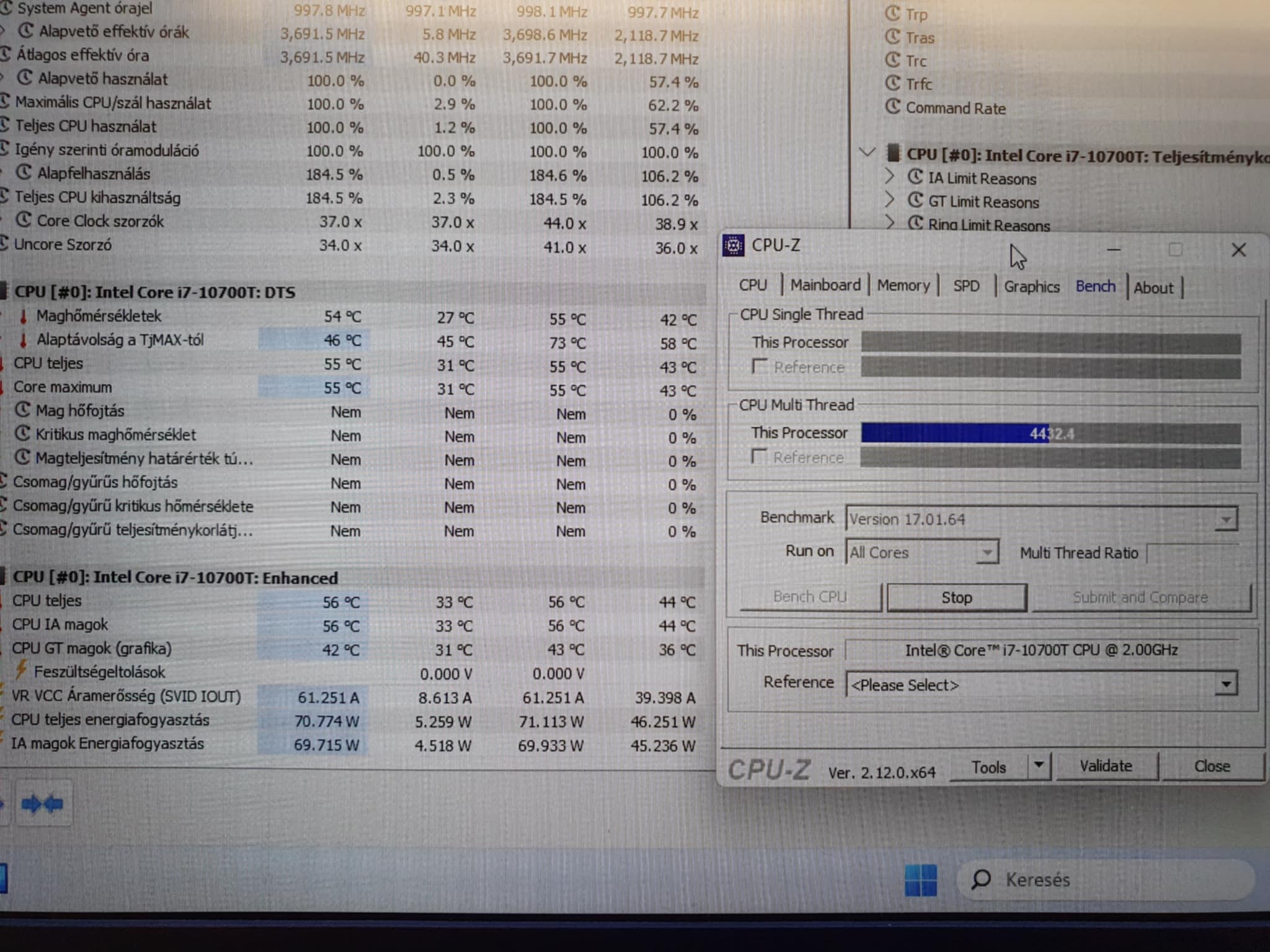
Unfortunately, it is not possible to get a sheet, if so, it would still be worth what they are asking for it, but there are extra costs (+delivery, VAT and 27% VAT, which is also charged)😑i7-10700T (67c temp max.) + RTX 3080 MXM TimeSpy test Score.
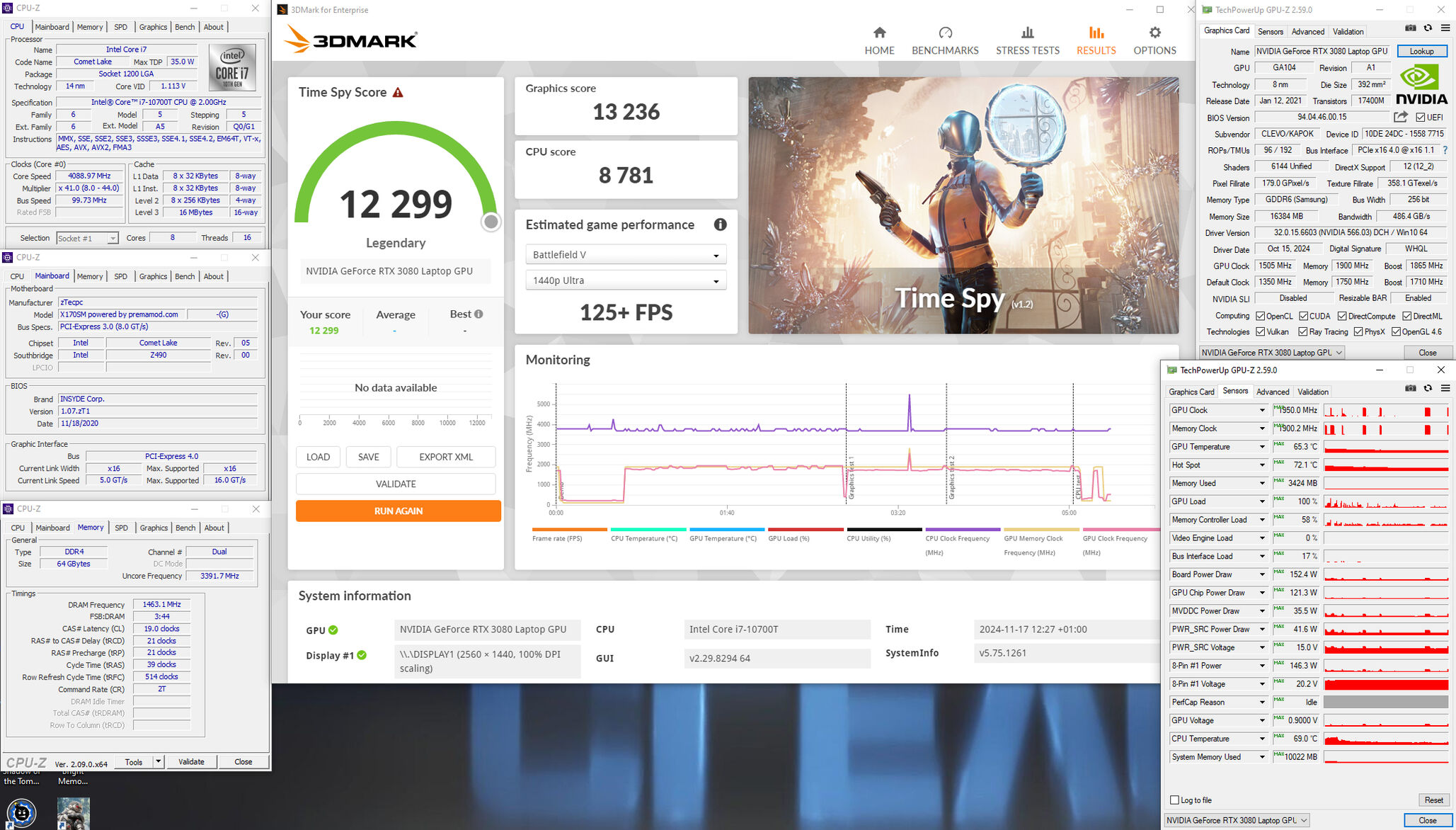
-
9 hours ago, 1610ftw said:
OK, just checked my KM-G and SM-G and the connectors line up just fine, just have to remember that the KM-G has two Thunderbolt on the side vs one on the back for the SM-G 🙂
As for the mounting positions for the board itself there are plenty of pictures online so you will not have a difficult time finding them.
Thanks!
Then it's not good, because Thunderbolt 4 (2 ports) means you can't put the board in the SM-G's case, right?🤔☺️
-
Can the X170KM-G motherboard be installed instead of the X170SM-G?🤔
-
1 hour ago, 1610ftw said:
Do you think it is a power uptake limitation?
I would not be surprised about that.
If it is "only" an issue with K-Processors then you could look into getting one of the fast Xeons that go up to over 5 Ghz, like the W-1290P that can be had for not so much money and goes up to I think 4.8GHz all cores and 5.3 single core.
I have no idea though if it is supported, maybe check with @Prema.
Or maybe it is power and you cannot use 125W CPUs any more. Then you could check out a 10900F with 5.2/4.6 single and all core and 65W. It is quite a bit more costly though than the 125W 1290P. In any case I would try to work around the CPU issue instead of getting a new motherboard, too much money and work if you can get enough performance out of another CPU.
And if I bought a KM-G card? I would build it into the SM-G housing and put in the SM-G components. (i9-10900KF, 4x32GB DDR4 3200MHz CL20 RAM, 4x2TB M.2 SSD, RTX 3080 16GB MXM card...) is this not a good idea?🤔😁
Prema BIOS is not included (KM-G), but you can certainly open that BIOS if necessary!(?)
-
9 hours ago, 1610ftw said:
Sorry to hear that, this sucks 😞
Of course it is nice that the 10700T is working but a max clock of 4.5GHz is really disappointing, probably more like 4.0 or 4.1 all core?
Which K Processor does not work, the 10900K?
And has that CPU been verified to work in another system?
70W+ its okay. 🙂
Unfortunately, neither. Tried i9-10900K and i7-10700K.
4 hours ago, Kharstraetor said:If it helps, I found SM motherboards available at: https://www.ebay.ca/itm/124786780226.
I also found out that it is possible to replace the CPU socket itself, although it would require the use of a Rework Station to cook the socket off of, and back on to, the board. Replacement sockets are also dirt cheap with the Rework Station costing a small bit of money - less than the cost of a new board, though. It seems that the only reason to avoid socket replacement would be the likely <100% success rate, as sometimes the new socket does not work 100%. I am unsure whether the success rate would improve with practice/experience.Thanks!
Im looking to next time.
As far as I know, an official distributor, if you get something like this back, they will send it from a Chinese manufacturer and replace the cpu socket with a machine. This was not done elsewhere, it was only fixed there. So it's not easy.
-
3 hours ago, MaxxD said:
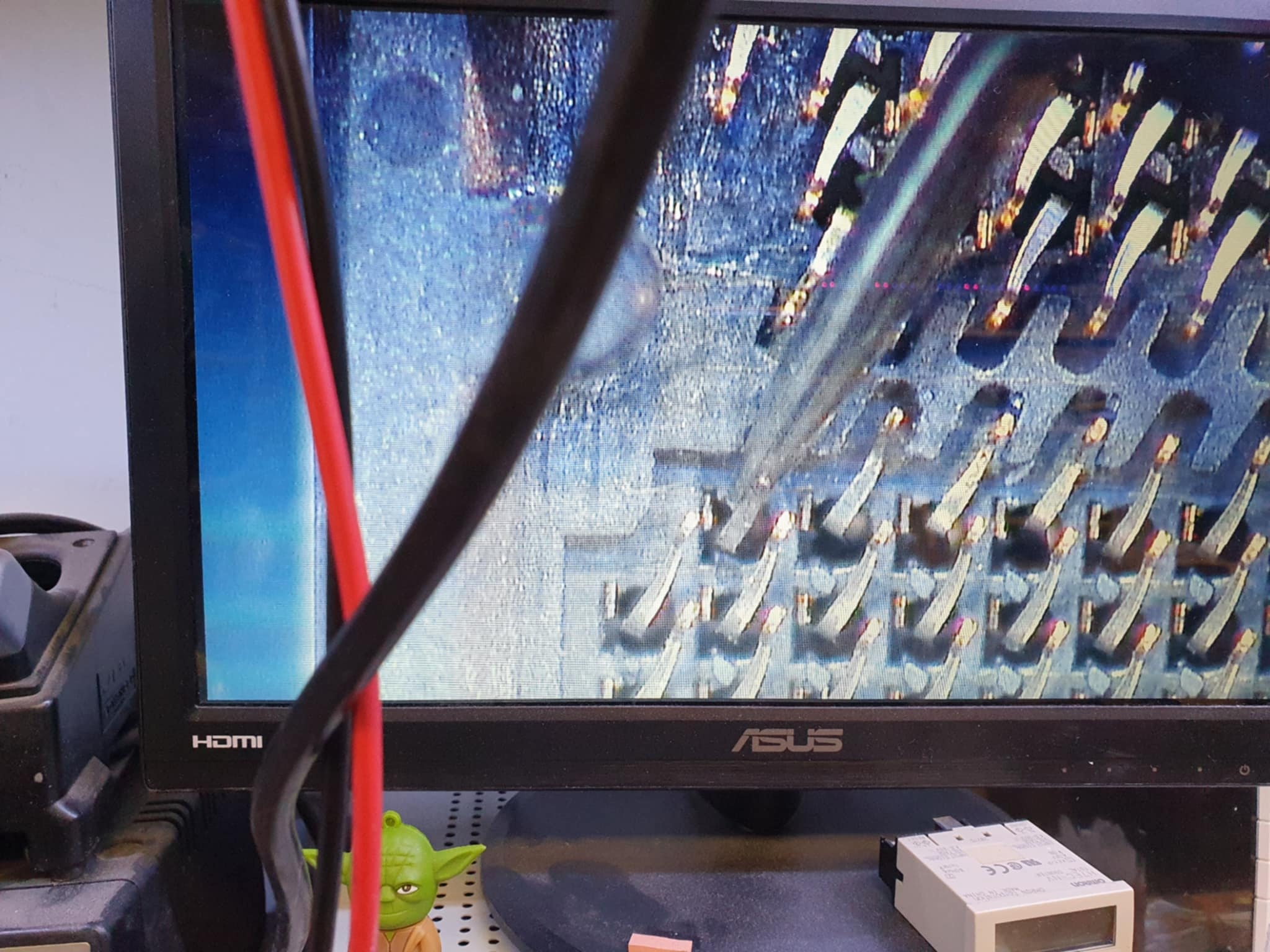
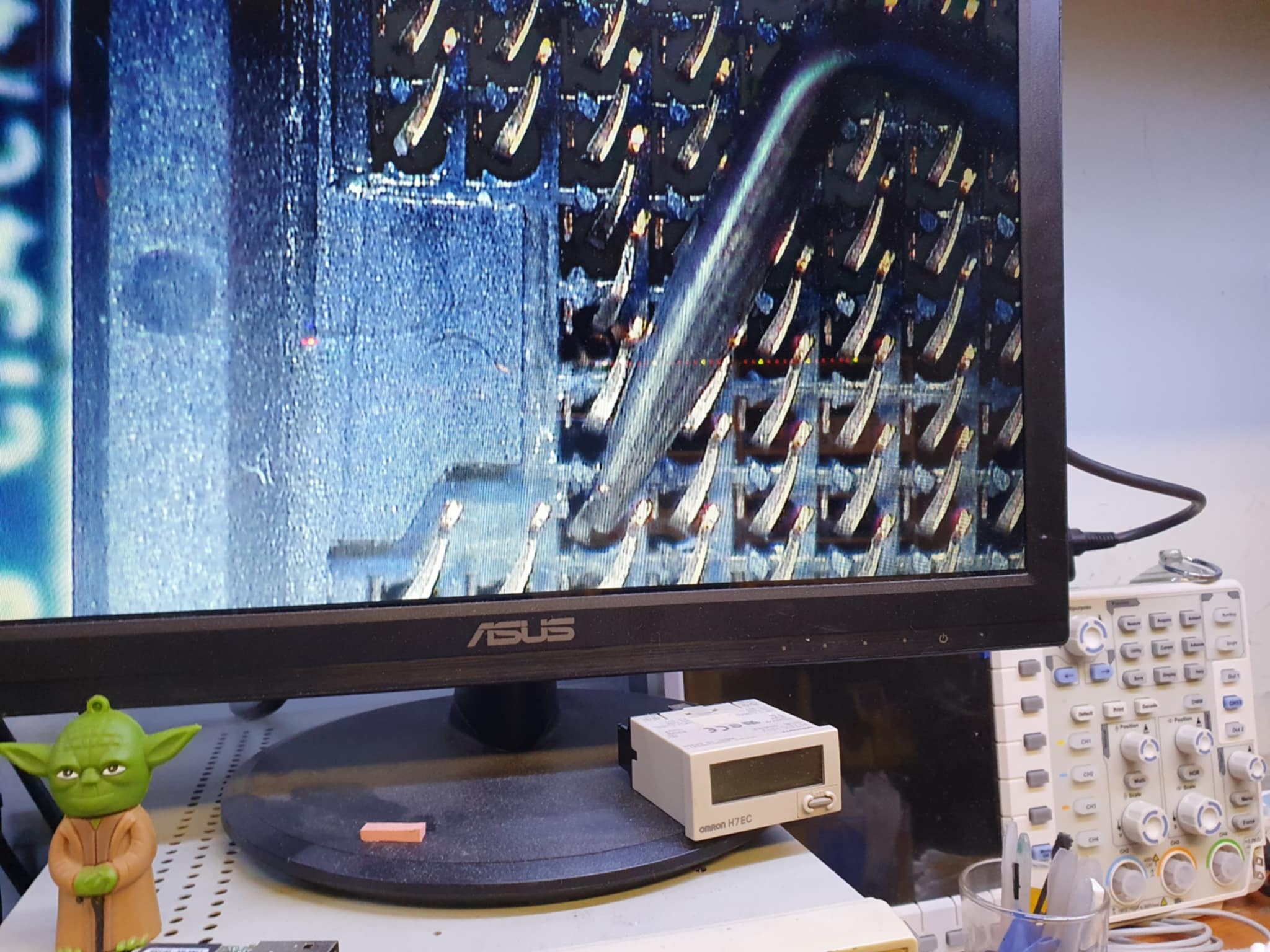
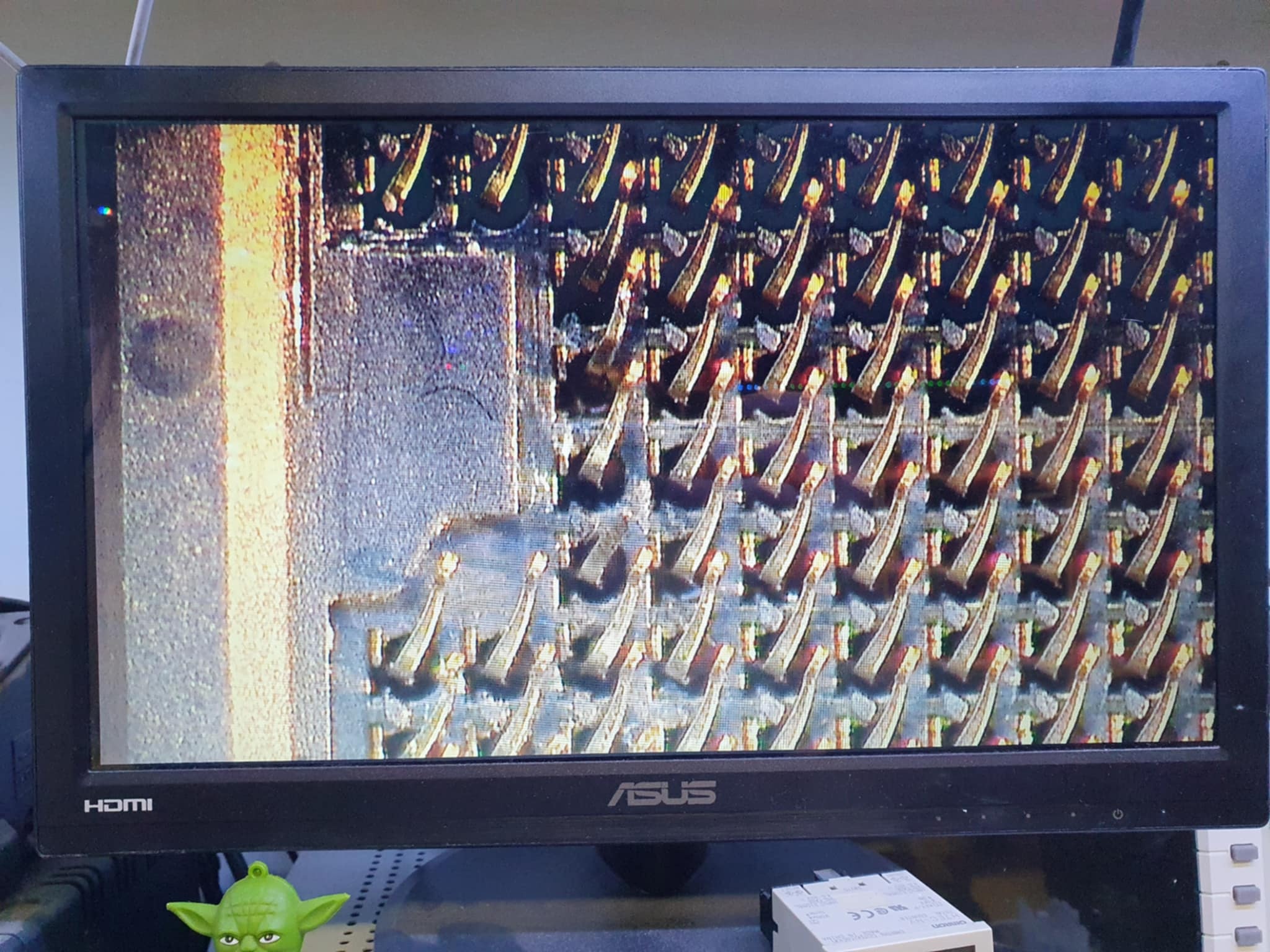
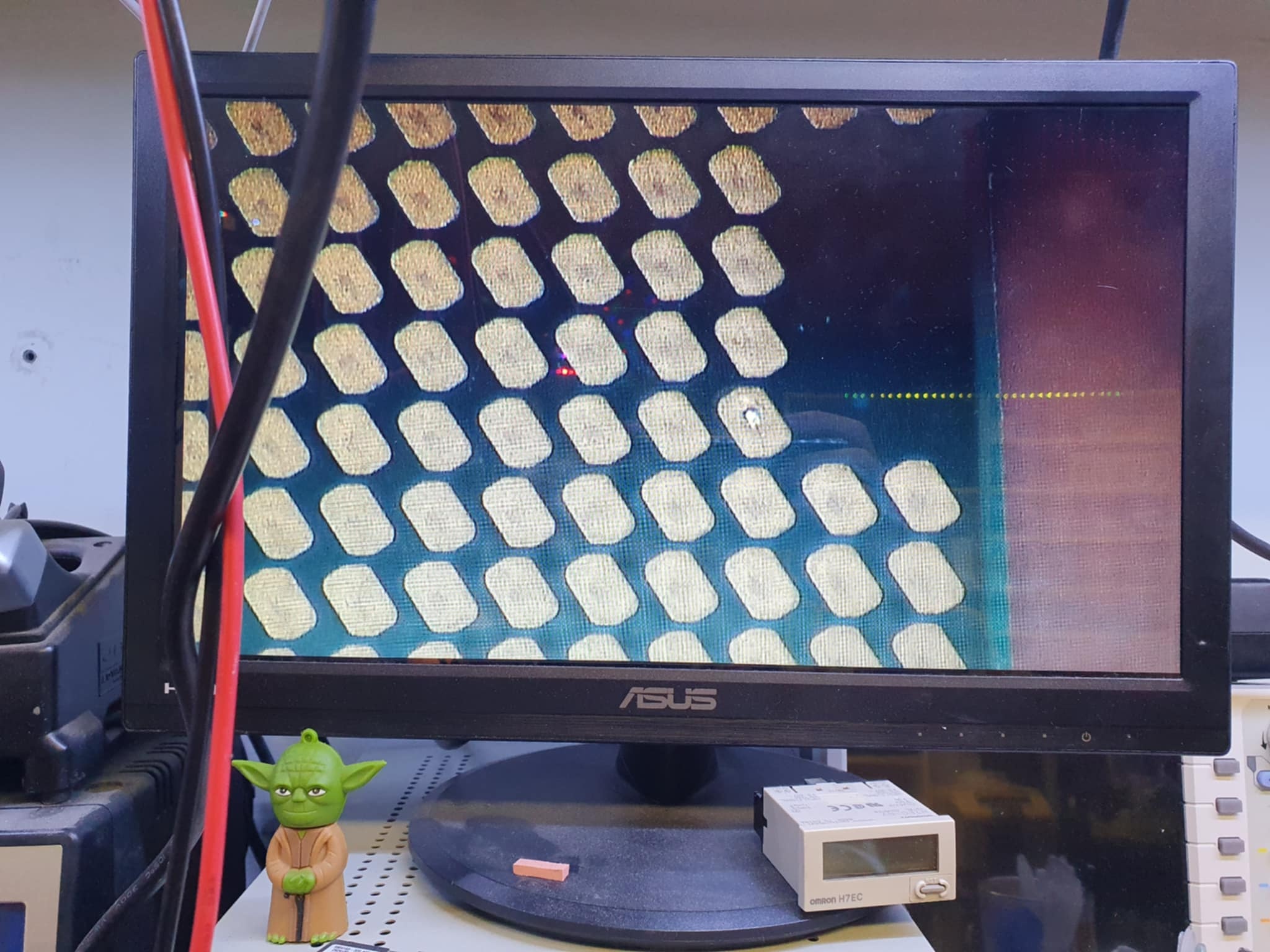
The patient has risen! Unfortunately, he had a lot of trouble! I don't even know how it got here. Full voltage had to be rebuilt and many parts replaced, according to the specialist. The i9 won't work in it. i7-10700T was tested, which works perfectly. i7-10700K will still be tested....just in case!? CPU socket contact legs (a few pieces are missing), the contact surface is missing, somehow melted.
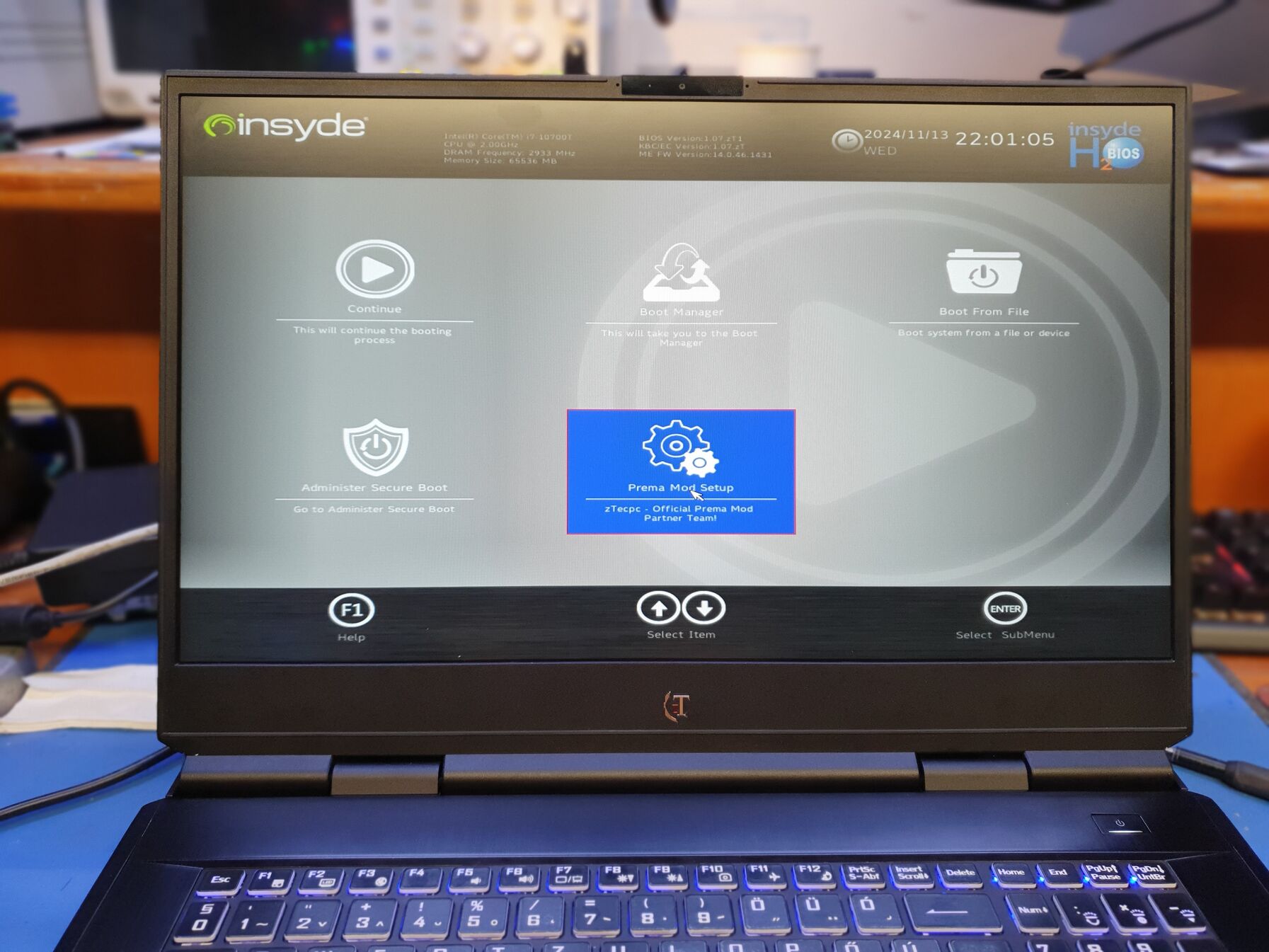
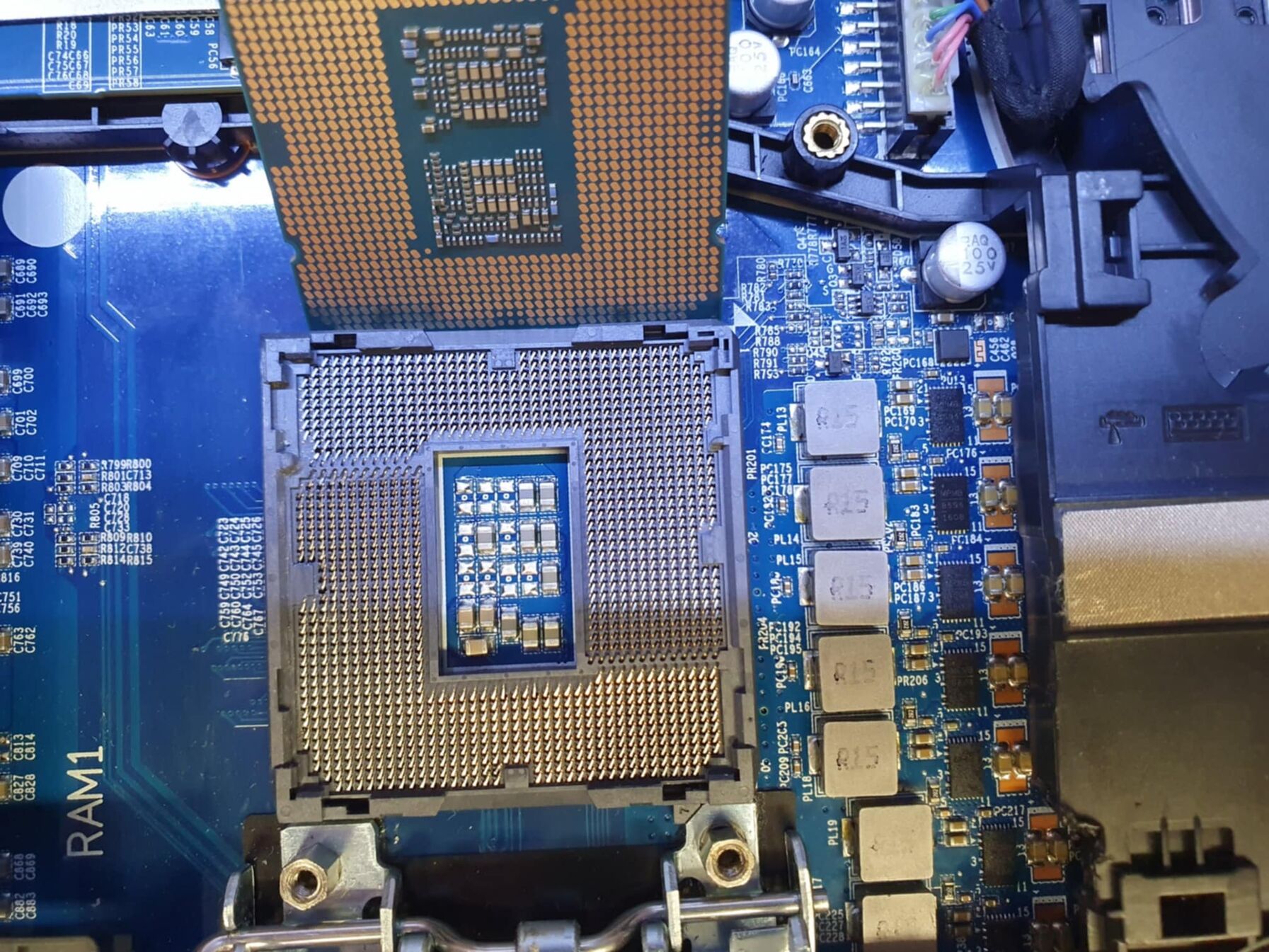
Unfortunately, the K processor does not work in it. I have to think about what to do. i7-10700T processor works perfectly. Unfortunately, I cannot get a motherboard, not even from a distributor. Anyone have any ideas? Anyway, it didn't start now, this state just came! That's all about the used Clevo machine...
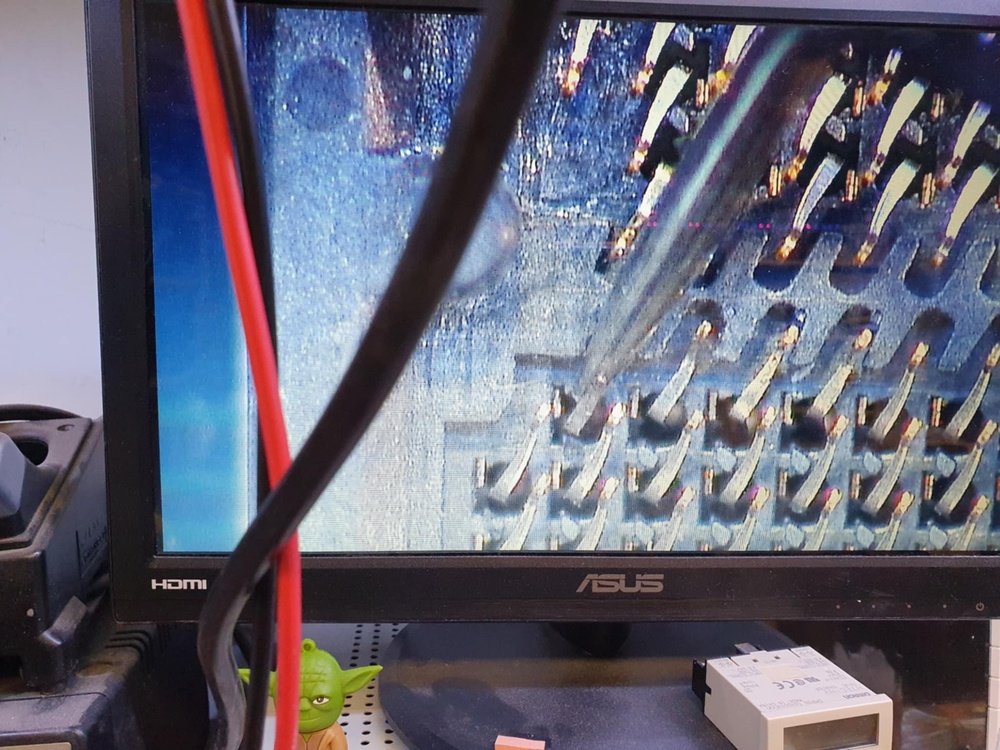
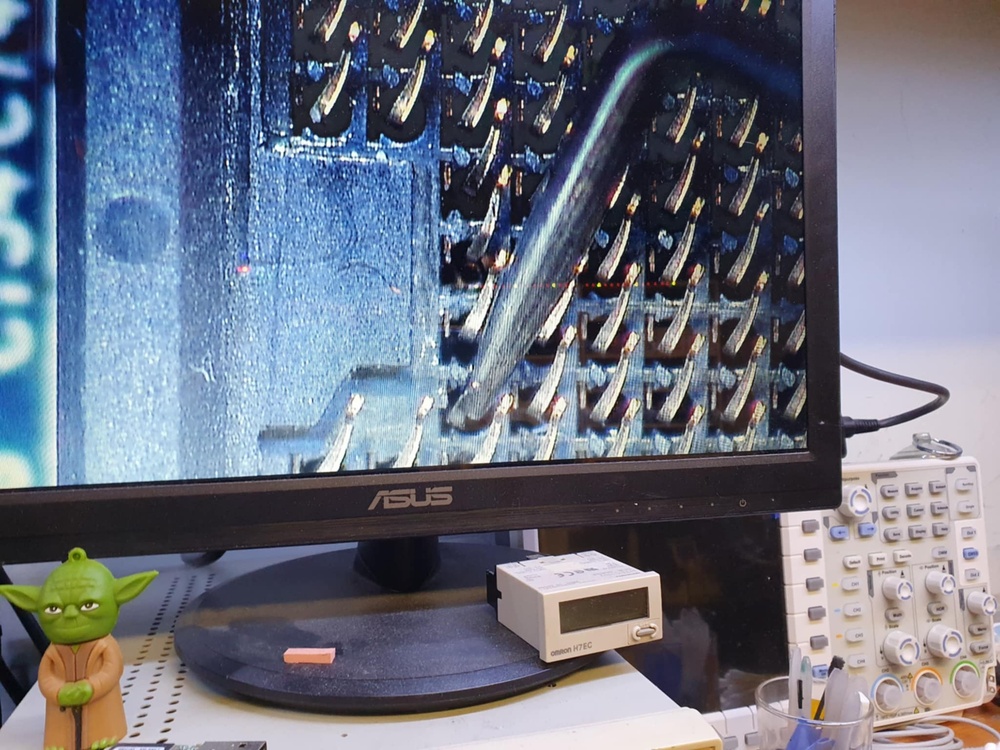
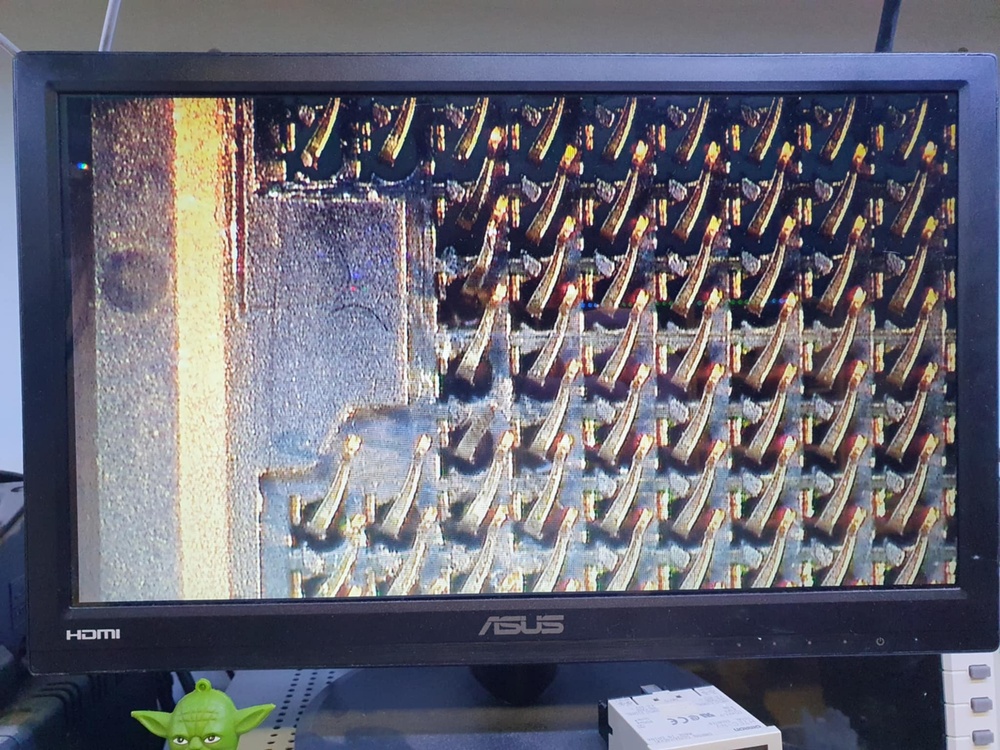
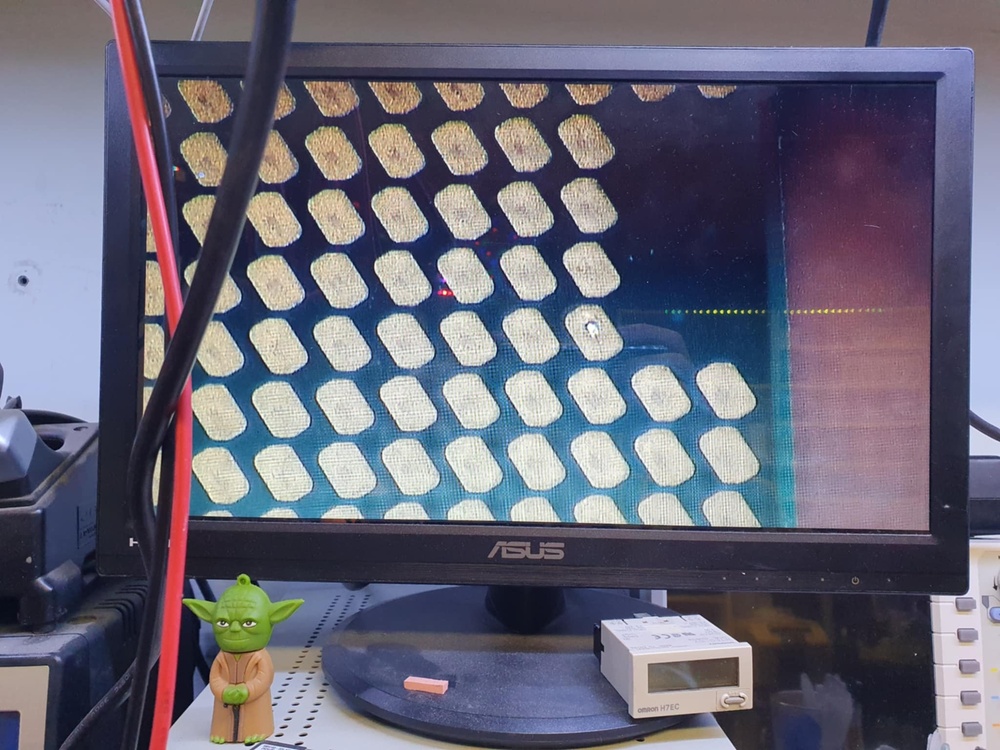
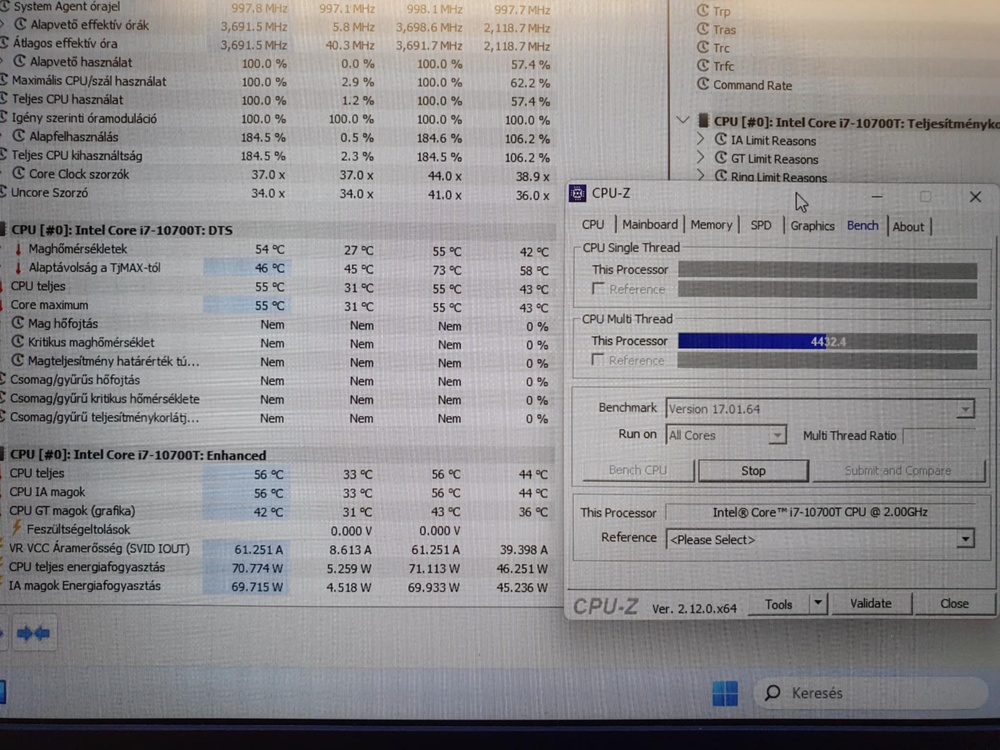
I don't have many choices, I think I'll keep the 10700T cpu and use it...and that's how I'll go to the grave!🤔🙄🥲
-
 1
1
-
-
The patient has risen! Unfortunately, he had a lot of trouble! I don't even know how it got here. Full voltage had to be rebuilt and many parts replaced, according to the specialist. The i9 won't work in it. i7-10700T was tested, which works perfectly. i7-10700K will still be tested....just in case!? CPU socket contact legs (a few pieces are missing), the contact surface is missing, somehow melted.
-
On 7/27/2024 at 10:03 PM, MaxxD said:
What do you think the result is?
Not bad right?😋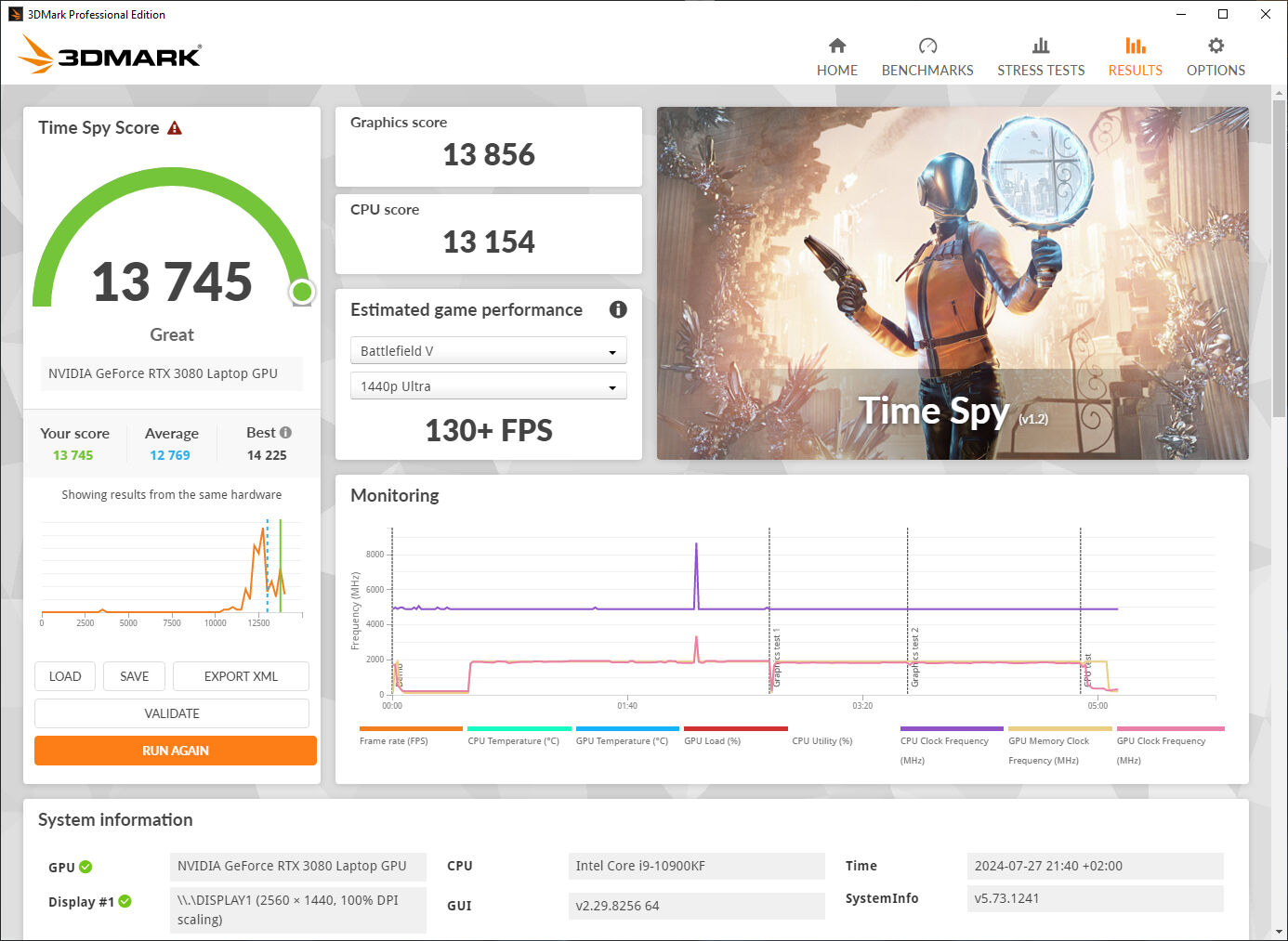
Extreme Custom (14.238)
Normal (13.797)
-
On 10/13/2024 at 11:16 PM, MiRaGe said:
My last results with X170KM and probably I am close to the limit of my machine until the winter comes:)
The TimeSpy result places me 25th in the world for 3080 notebook GPU. If I shunt mod it, would probably make it to the WR.
.thumb.png.ca6110286adeb4767a5a6f7004359d18.png)
.thumb.png.329076951d591dff09d752946f7ec107.png)
A really nice result! You got a very good kind of 3080 card, that's a fact! I wish you good use! My 3080 card can do much less OC than yours. Where the difference is noticeable is the Benchmark. Not a bad performance from an SM-G model either.✌️😋
I hope I will have the opportunity to try the external "Desktop" GPU Modding option on an MXM socket...😄🤭💪
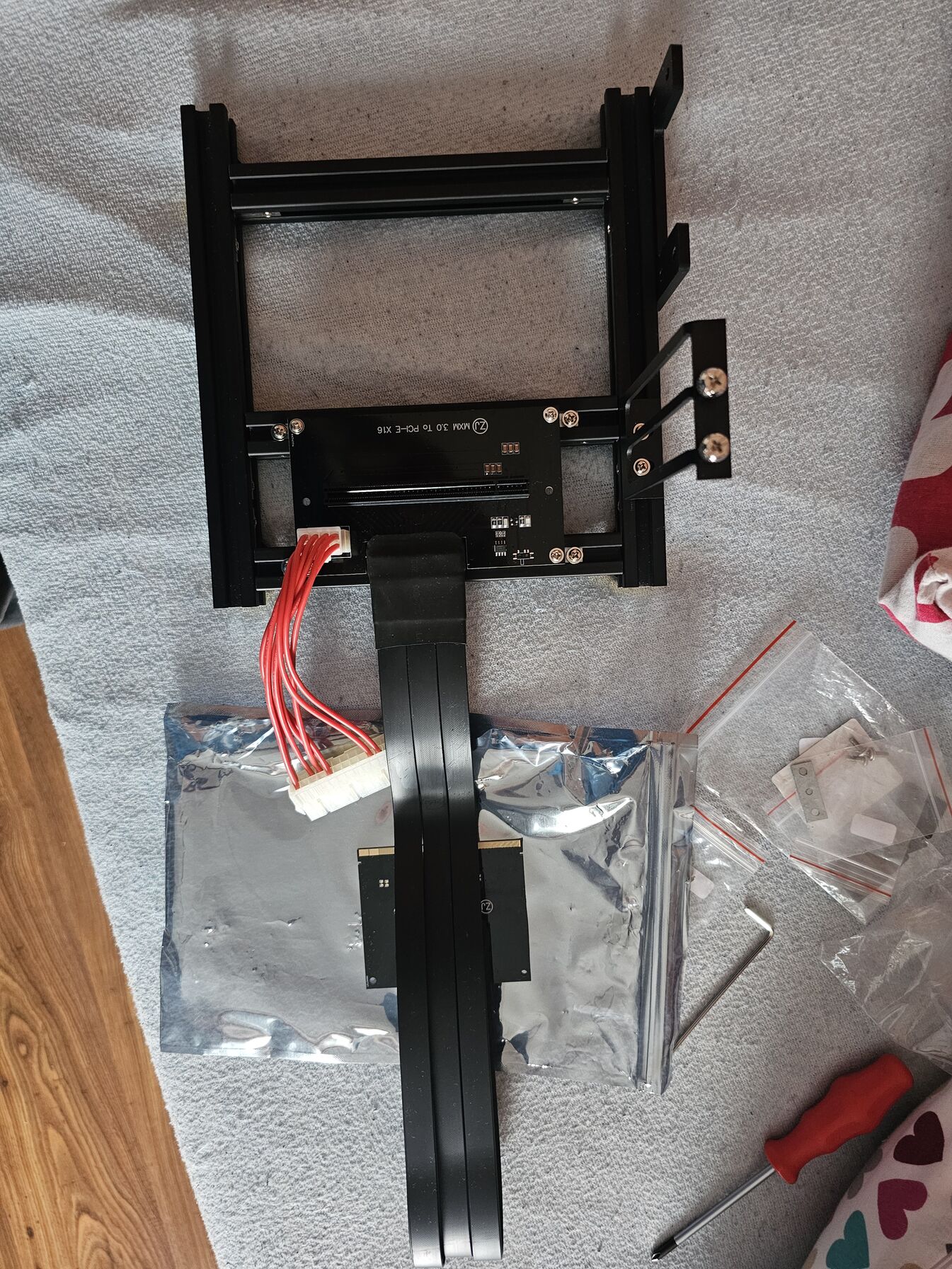
-
2
-
 1
1
-
-
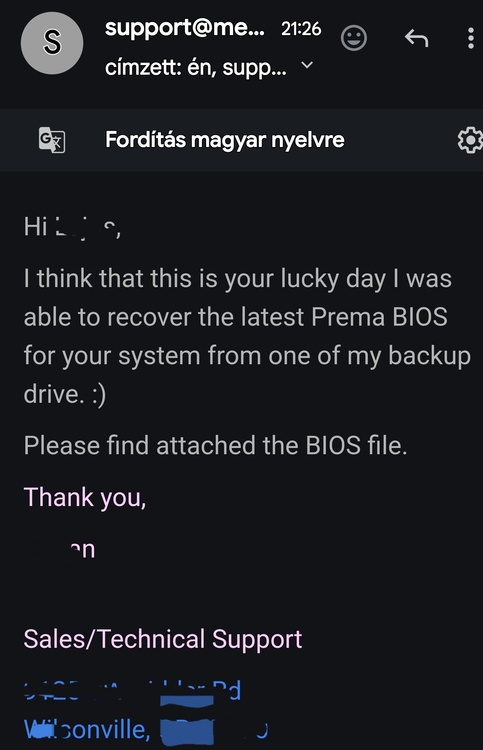
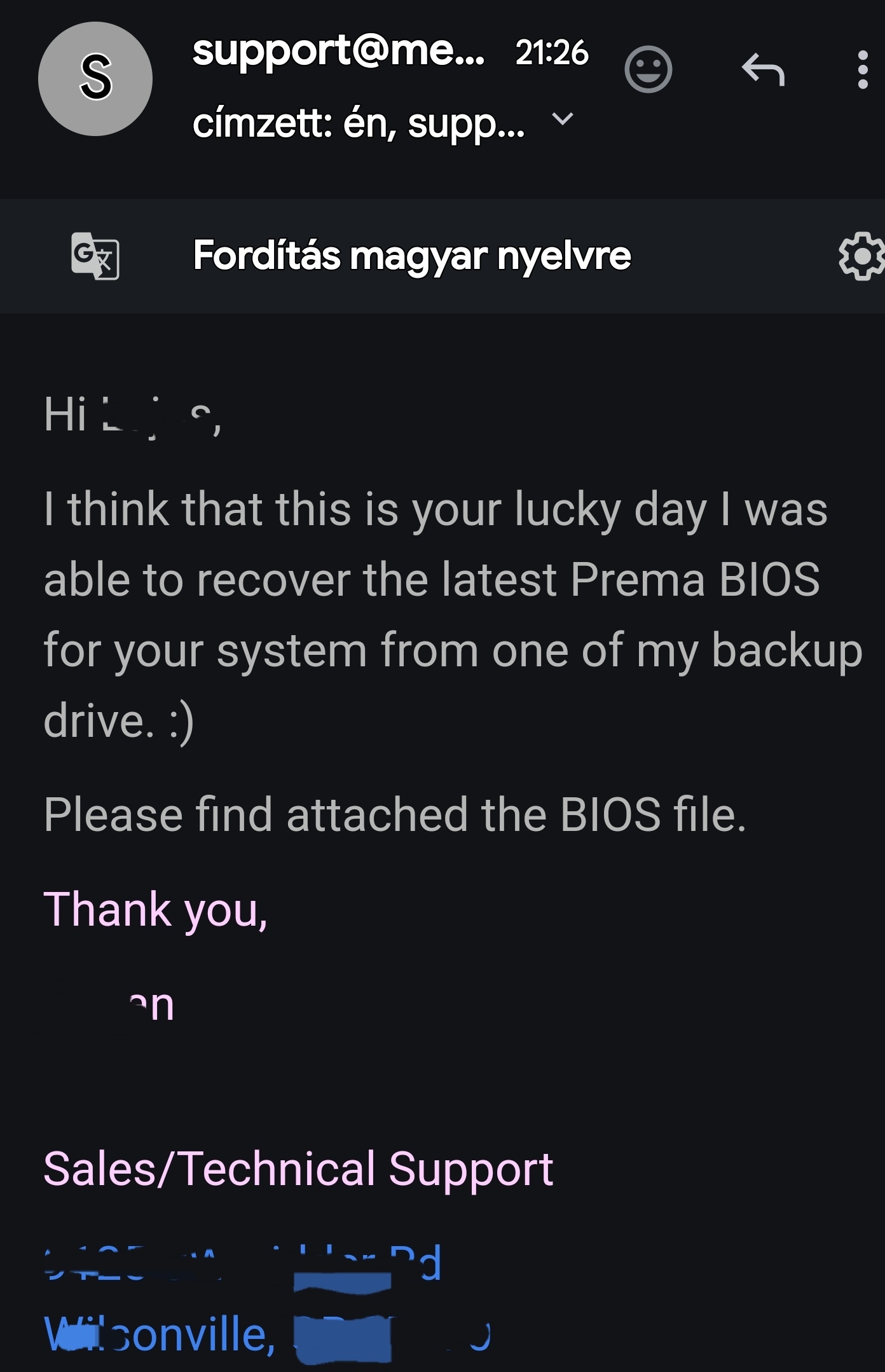
I managed to get the original Prema BIOS for my machine from the laptop manufacturer (with great difficulty). For safety's sake, it's good to have this as well. Although I previously also saved the entire BIOS from the machine, I thought that if there was a way, I would get it from the manufacturer. Gluten! ✌️🤝
-
 1
1
-
-
zTecpc said that the machine is from Sager, and Sager tells me to ask zTecpc for Prema BIOS, which I can put on it. Each points to the other. But that's good. No comment!☝️🤔
I thought I would ask for help, software support. I will solve the hardware part, I know a specialist who deals with this. The BIOS chip is arriving.
-
25 minutes ago, MiRaGe said:
Is this the bios chip or the EC chip?
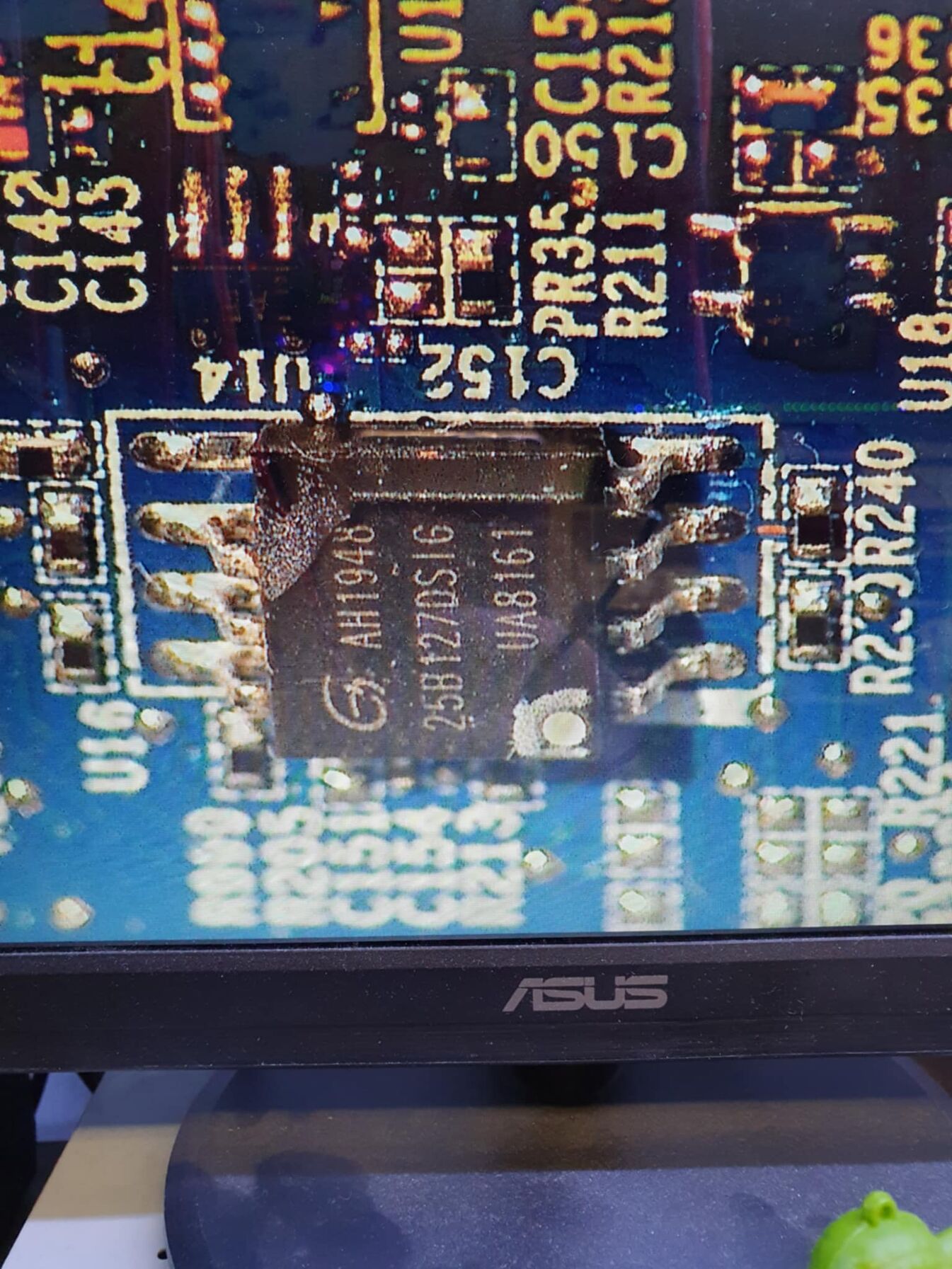
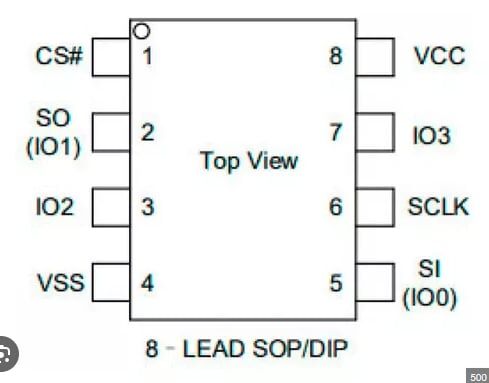
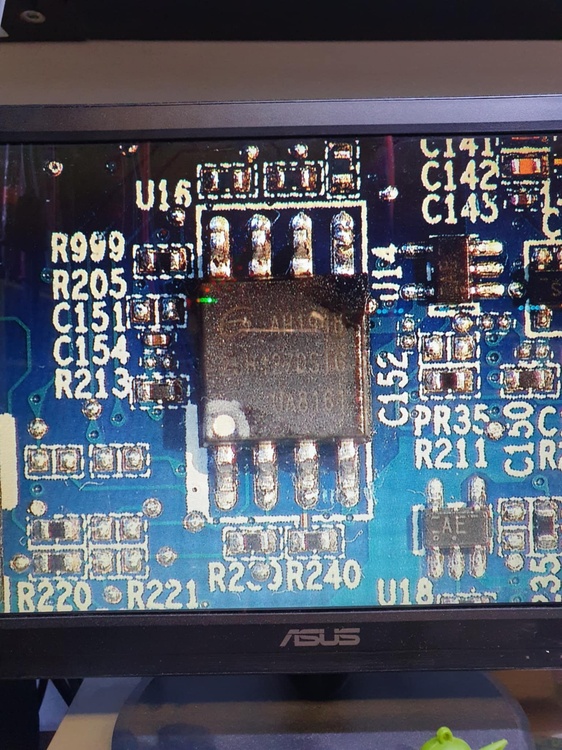
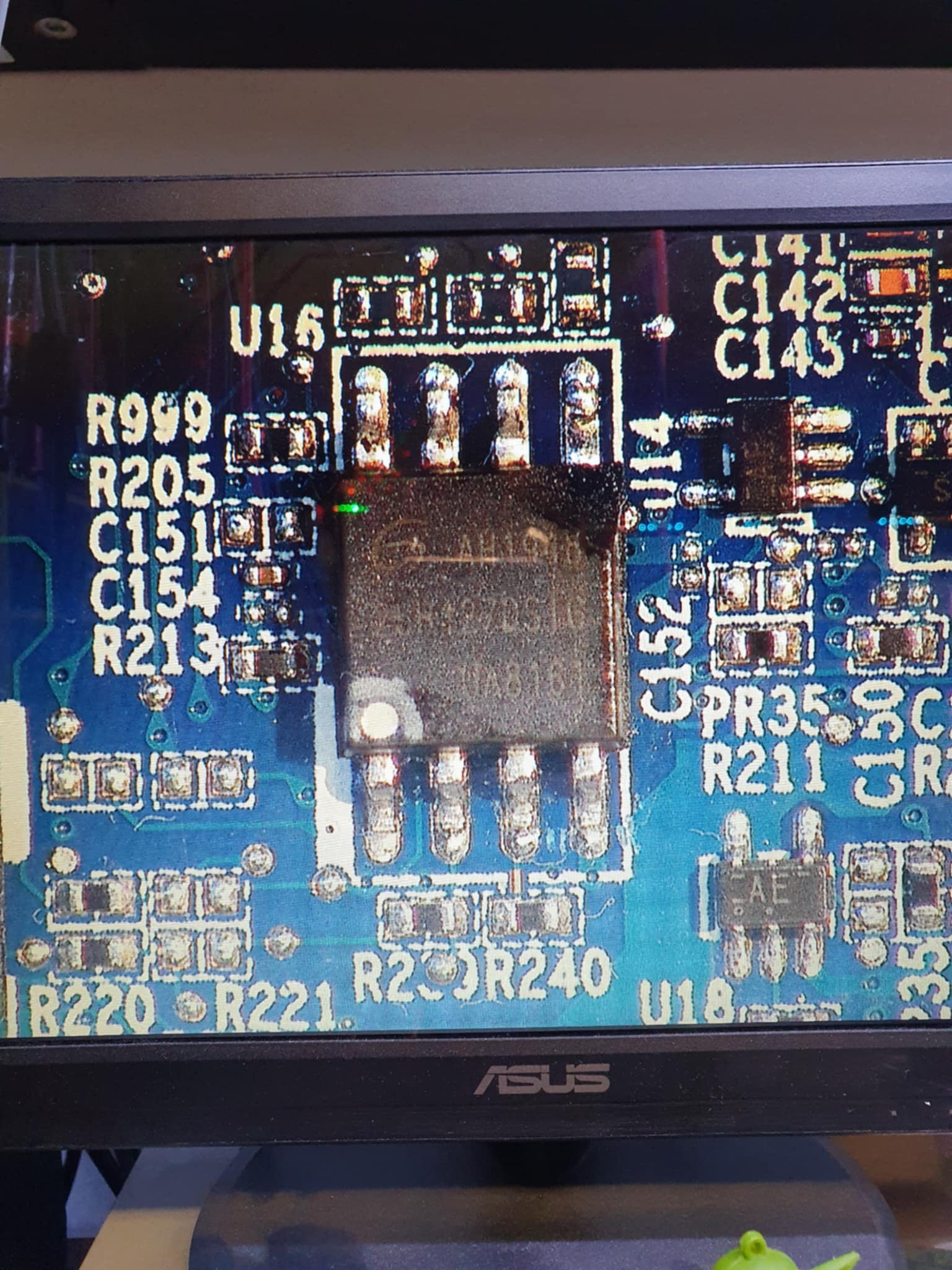
BIOS Chip.
It rots at leg 5. (Si / IO0)
-
Unfortunately, the source of the error has been found. The BIOS reset didn't work because there is nothing to do. I don't know how this happened. I know someone who does it. I hope something will come out of this machine this year. 🙄
.png.ae41368481d8ab0c8e654aa4a95a9d92.png)
.png.c30569112418dce657f8fcb8054630cd.png)
Official Clevo X170SM-G Thread
in Sager & Clevo
Posted
Now I was wondering if I replace the SM-G card with a KM-G card, will G-Sync be available on the internal monitor?🤔
The +15W GPU Boost is reliable, it already has HDMI 2.1, so 4K 120Hz is also available on the TV, only G-Sync is questionable on the 144Hz G-Sync SM-G model display.🤭