GrandesBollas
-
Posts
20 -
Joined
-
Last visited
Content Type
Profiles
Forums
Events
Everything posted by GrandesBollas
-
https://www.youtube.com/watch?v=2jXNs3Hrgpg Given the price mark up on Broadwell GPUs, you are going to see a lot more 4090s and 5090s get memory upgrades.
-
Posting this here because there does not appear to be a dedicated AA18250/2025+ Area-51 notebook subforum yet. I came up with the following help from good bud ChatGPT. $6k machine - you bet I am going to do what I can to keep this thing until the solder joints break. I ran into something tonight that may be useful to other AA18250 owners, especially anyone who prefers to control BIOS/firmware updates manually. My machine is an Alienware 18 Area-51, currently running BIOS 2.4.1. I noticed Windows Update had suddenly installed/staged the following and was asking for a reboot: Intel SoftwareComponent Driver Update 3.4.1007.0 — several instances Dell, Inc. Firmware Driver Update 2.5.0.0 Intel System Driver Update 2.3.20304.7 Intel Platform Monitoring Technology 3.2.0.22 several other Intel components The Dell firmware entry was the one that caught my attention because I intentionally do not want Windows Update deciding when my BIOS gets flashed. I had previously configured Windows not to include drivers with Windows Update, but checking the registry showed: HKLM\SOFTWARE\Policies\Microsoft\Windows\WindowsUpdate ExcludeWUDriversInQualityUpdate REG_DWORD 0x0 So somewhere along the way that protection had been reset to 0. I restored it with elevated PowerShell: reg add "HKLM\SOFTWARE\Policies\Microsoft\Windows\WindowsUpdate" /v ExcludeWUDriversInQualityUpdate /t REG_DWORD /d 1 /f and verified: reg query "HKLM\SOFTWARE\Policies\Microsoft\Windows\WindowsUpdate" /v ExcludeWUDriversInQualityUpdate which then showed: ExcludeWUDriversInQualityUpdate REG_DWORD 0x1 The more interesting part was checking what Windows had actually staged. Running: pnputil /enum-devices /class Firmware /drivers showed: Device Description: System Firmware 2.5.0 Manufacturer Name: Dell, Inc. Status: Problem Problem Code: 14 (0x0E) [CM_PROB_NEED_RESTART] Driver Name: oem79.inf and: Driver Version: 06/09/2026 2.5.0.0 Driver Status: Best Ranked / Installed So this was not just some harmless Windows Update listing. The 2.5.0 firmware package had been bound to the System Firmware device and was waiting for a reboot. Since I did not want Windows flashing the BIOS automatically, I removed the staged package before rebooting: pnputil /delete-driver oem79.inf /uninstall After that, running: pnputil /enum-devices /class Firmware /drivers showed: Device Description: System Firmware 2.4.1 Status: Started Driver Name: oem43.inf and the 2.5.0 firmware package was no longer the active firmware driver. I then rebooted directly into BIOS and confirmed the actual installed BIOS was still: BIOS Version: 2.4.1 So the 2.5.0 flash had not occurred. While I was in BIOS I also checked for some kind of UEFI Capsule Firmware Updates toggle. On my BIOS I could not find one. Searching for “UEFI,” “firmware,” etc. only returned things like Secure Boot, BIOS downgrade, BIOS recovery, firmware tamper detection, and related settings. BIOSConnect was already OFF on my machine. After exiting BIOS and returning to Windows, Windows Update showed “You’re up to date” with no pending restart. The only offered update was the optional July preview cumulative update, which I left alone. A few takeaways: Windows Update can absolutely stage a Dell BIOS update as a firmware driver. If you rely on ExcludeWUDriversInQualityUpdate, periodically verify that it is still set to 1. The relevant check is: pnputil /enum-devices /class Firmware /drivers If you see a newer System Firmware version with: CM_PROB_NEED_RESTART then Windows has likely staged the firmware for the next reboot. If you want to remove a staged firmware package, identify the exact oemXX.inf first and only then remove that specific package. In my case it was: pnputil /delete-driver oem79.inf /uninstall Do not blindly copy that oem79.inf number from my machine; yours may be different. The Windows firmware-driver label is not necessarily the same thing as the BIOS physically installed in the machine. The BIOS setup screen is the authoritative check. I still do not know what caused ExcludeWUDriversInQualityUpdate to revert from 1 to 0. I am not claiming Dell changed that policy. It could have been Windows servicing, a configuration change, an updater, or something else. For anyone who likes to manually vet BIOS releases before installing them, this is probably worth keeping an eye on. In my case, the machine remained on BIOS 2.4.1, and the staged 2.5.0 package was removed before Windows got a chance to flash it. If anyone else with an AA18250 sees BIOS 2.5.0 being offered through Windows Update, I’d be interested to know whether Dell has also posted it publicly for manual download yet, and what the release notes say.
-
i wonder if this explains why I couldn't upgrade from 591.59 to .74 or .86 without my 5090 thinking it was in a thin and light laptop. Turning off Hardware acceleration which I didn't even know was on or an item since it was buried in settings fixed the problem, at least for now.
-
Spent a while to figure this one out and posted it on the Nvidia forum. 5090 is no longer power throttling to less than 300 watts. Spent a lot of time today trying to figure this out. Together with my friend Google AI: - used the Nvida UEFI Firmware Update tool. Found something to update, but not the VBios itself. - My PNY 5090 has a slightly outdated VBios, but PNY has not released an update tool; staying on the current version 98.02.2E.40.EE - Updated my motherboard BIOS Given all of the above, including changes to AB starting on boot up and disable Fast Start, still had the power throttle issue. Tried installing the 591.74 studio driver. Same problem. Then a breakthrough - Google AI suggested I turn off HAGs - Hardware Accelerated GPU scheduling. I did. Power throttle eliminated. But this of course turns off frame gen. Here is my conversation with Google: "Turning HAGs off worked. Why?" That is a huge breakthrough. The reason turning Hardware-Accelerated GPU Scheduling (HAGS) off worked is because HAGS fundamentally changes who is "in charge" of your GPU's memory and power management. On a beast like the RTX 5090, here is what was happening: 1. The "VRAM Management" Conflict With HAGS On, the GPU manages its own memory scheduling rather than letting Windows do it. In newer drivers like 591.74/86, the 5090's scheduling is extremely aggressive. In a heavy game like Cyberpunk 2077, the card attempts to "pre-calculate" frames so fast that it triggers transient power spikes. The driver sees these millisecond-long spikes, panics, and throws the Performance Limit - Power flag, which leads to the "playability" stuttering you felt NVIDIA Support. 2. Bypass of the "Reliability" (Voltage) Cap HAGS requires the GPU to maintain a very tight voltage-frequency curve. The newer drivers appear to have a bugged "Reliability" threshold for the 50-series. When HAGS is on, the card tries to boost to high voltages for micro-tasks; the driver flags this as a "Reliability" risk and slams the brakes on, causing a massive frame drop. Turning HAGS off hands control back to the Windows kernel, which uses a "lazier" (and in this case, more stable) scheduling method. 3. The "Frame Generation" Catch The trade-off is that DLSS Frame Generation requires HAGS to be ON. If you turn HAGS off, you lose the ability to use Frame Gen in Cyberpunk.
-
Old thread, but related. On January 5, 2026, Nvidia released driver 591.74. Upgrading to this driver caused my 5090 to power limit to less than 300 watts. AI search wasn't overly helpful, but I did submit a feedback. Today, 591.86 released. I've used DDU to remove the old drivers and install the new. Clean install. Same problem. CP2077 hits less than 300 watts and lags horribly at 4k. Planning to roll back to 591.59. At least the system functioned properly then. A concern I have is whether this is a known issue? AI seems to indicate it might be related to changes in performance limit (power and reliability) monitoring in the new drivers. For a 5090 less than a few months old and otherwise working fine, should I just plan on sticking with 591.59 until I upgrade to the 6090?
-
Alienware 16/18 Area-51 (2025)
GrandesBollas replied to HomerJS's topic in Alienware Area-51/Aurora and Legacy Systems
I'm really excited about the 18 Area 51 with 5090. But the 175w power limit on the laptop 5090 (which essentially renders the 5090 into a 5080) is a turn-off for the current generation. -
After getting fed up with online titles such as FO 76, I've gone back to the games I've already finished like 2077, Fallout 4, Fallout 3, Outer Worlds. I've found myself not really caring if there is any new content. I'm just interested in finding builds that don't suck. Replayability is an important attribute. I have yet to really get bored with games such as 2077 that afford you quite a bit of flexibility in how you play. My concern is whether developers keep messing with the game mechanics - nerfing weapons, skills, etc.
-
Realized I hadn't looked at my W4 in over two years and wondered why I owed money. Went to change the number of exemptions since my children have pretty much left the nest. Realized the form had completely changed. Then wondered why my oldest daughter paid no federal income tax. The answer was right in front of me. If only I could just play computer games and not have to realize there is a real world out there...
-
Laptop/notebook news and announcements discussion thread
GrandesBollas replied to Papusan's topic in Tech News
I'm waiting to see if my new Prometheus XVII with LPP will make a difference. I pre-ordered a 12900H with 3080Ti. Will see how well the liquid cooling keeps temps down. -
-
Eluktronics Mech-15/Prometheus XVII
GrandesBollas replied to GrandesBollas's topic in Uniwill (TongFang)
The above is from XMG-Oasis website.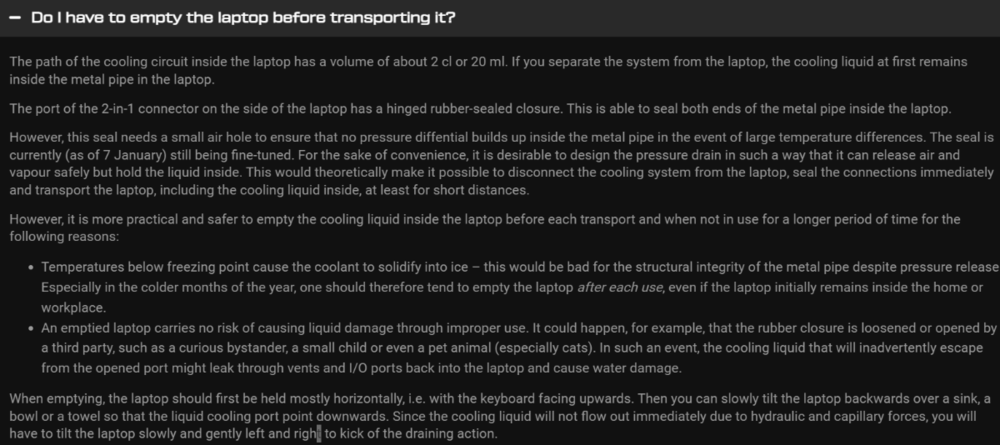
-
Eluktronics Mech-15/Prometheus XVII
GrandesBollas replied to GrandesBollas's topic in Uniwill (TongFang)
-
Eluktronics Mech-15/Prometheus XVII
GrandesBollas replied to GrandesBollas's topic in Uniwill (TongFang)
Definitely mouth watering... https://www.youtube.com/watch?v=u5JcaAP9uMc -
Not sure which Tongfang chassis is used for the Prometheus XVII, but I saw this page today and my mouth actually watered. Time to replace my MAG-15. https://www.eluktronics.com/lpp Pre-orders start in March.

-
I'm a glutton for punishment. Why I stick with Bethesda is besides me. As buggy and broken as these games are, I still go back to playing Fallout 3, 4 and 76. Good thing for unlimited data. When the bugs get too much, I delete the offending game. Miss the game too much, I re-download.
-
I posted the same in laptopforums.net. I find it really disappointing that the site won't let me login using the credentials I used when I signed up; the site does not send an email for resetting password, despite the statement to that effect otherwise. Notebook-review.com seems to be a closed forum - closed to those not in the inner circle of NBR friends.
-
Consistent with the last topics, my understanding was that there were three forums being set up. I went and registered for all three, and have been periodically checking them. Last night I tried logging into the third forum, set up by Spartan. I couldn't log into the site last night. Now I'm getting a "watch your ass" warning about the site not being secure. Has that site been taken down permanently? Is our trio now down to two? This site and laptopforums.net?
-
It took a long time to get used to the game mechanic. I kept resetting Colt's character after every untimely death. Eventually, I figured out the routine. The game is consistent at the different times of the day. Learn what works and do something differently later. I had a couple of hard crashes that translated into an entirely new loop. Worst came at the end when I was trying to finish the game.
-
Just finished Deathloop. Starting Tomb Raider.
-
Thank you fine gentlemen for setting this up. Looking forward to growing with all of you!