

seanwee
-
Posts
105 -
Joined
-
Last visited
-
Days Won
1
Content Type
Profiles
Forums
Events
Posts posted by seanwee
-
-
13 hours ago, ryan said:
how do i change current limits and what value>?
I just maxed them out to 200A, manual settings in ryzen controller.
You may need to try older versions as the feature gets removed sometimes when they revamp the ui.
-
 1
1
-
-
28 minutes ago, ryan said:
thanks, 48w seems to be the max found info on notebookcheck. I run stock and get 1400 in timespy with the TDP set to 35w I get 1450, am I doing something wrong I just set all three tdps to 35w in ryzen controller, I thought it was as simple as that per youtube tutorials
I just need like 20 percent bump Im apprehensive about changing voltage, any safe suggestions
There's no need to change voltage, just power and current limits.
-
4 hours ago, ryan said:
@seanwee I have been using intel for as long as I can remember. Im new to overclocking via TDP increasing with ryzen controller I was wondering if you could be a gentleman and help me get the most from my zenbook. I have it set to 30watts up from the 15w and the performance gains over stock are basically non existant wheras people on youtube are showing 30 percent gains by changing TDP. perhaps im thermally limited but I was wondering with the 5825u what a safe tdp setting is?
I've set the tdp of my 5600u hp ultrabook to 48w before. I got 50% gains going from 15w to 48w. You also need to increase the edc/tdc current limits to get the most out of the tdp increase.
Some laptops have STAPM aware power limits which are a headache as it will throttle when the motherboard hits a certain temp.
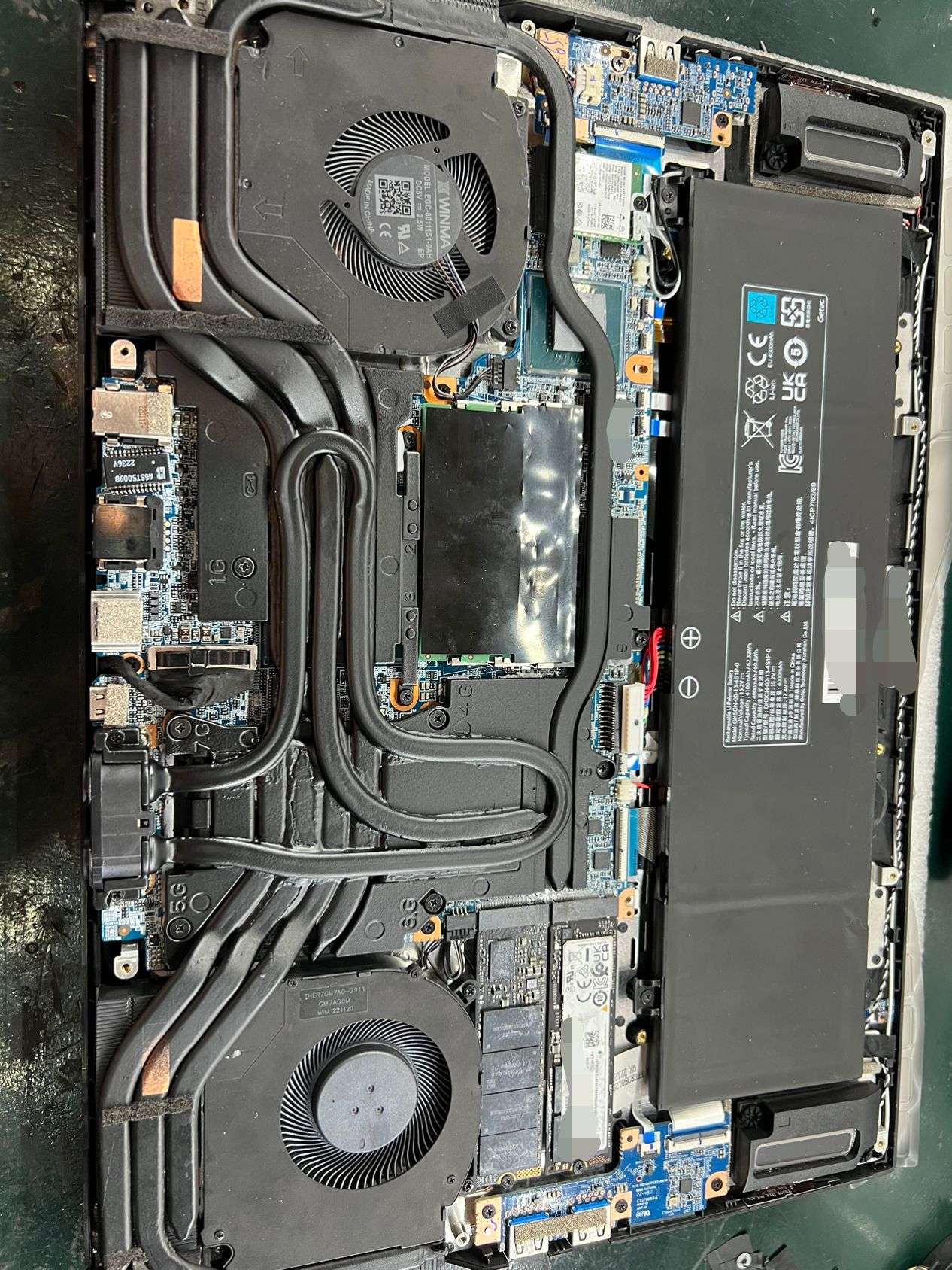
Vrms needed cooling at those wattages though so I put a vapor chamber and ssd heatsink connecting them to the main heatpipe. Running it at 40w currently.
-
 1
1
-
-
2 hours ago, SolitaryMassacre said:
First off, thanks for the reply! You rock!!
And yes - I don't ever go above 70C+ that is what I meant, like I hardly ever see the temps even in the upper 60C region. It stays about in the 65C region as you mentioned.
And by bigger - you mean in size not resistance right?
Thanks again man. Such an awesome job
And yeah, that makes sense that it shuts off after about 30 min. I wonder if we can mod that as well to handle the higher wattage without getting so hot. Maybe a heatsink mod or transistor mod? Not too sure exactly what gets hot in a power supply - i always thought it was the transistors
Way ahead of you.
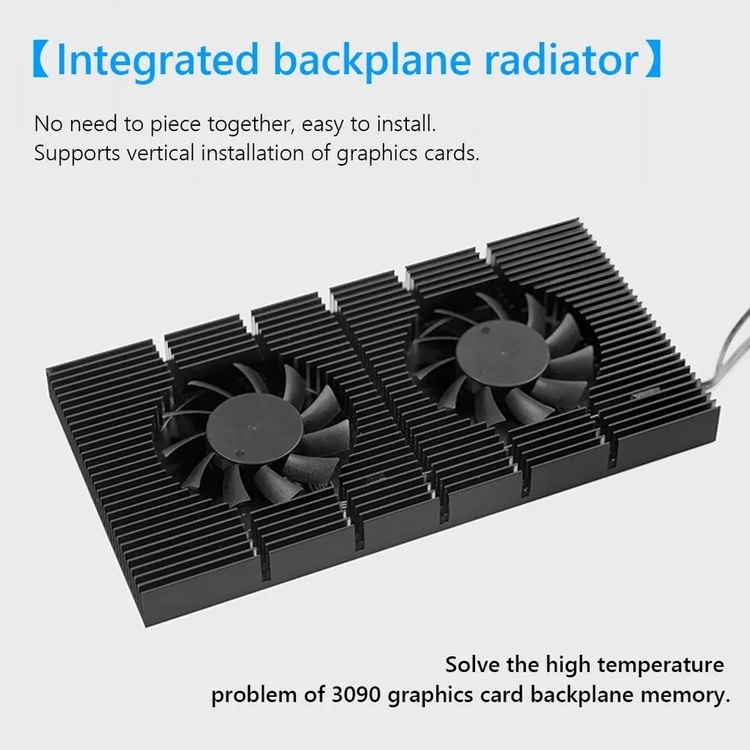
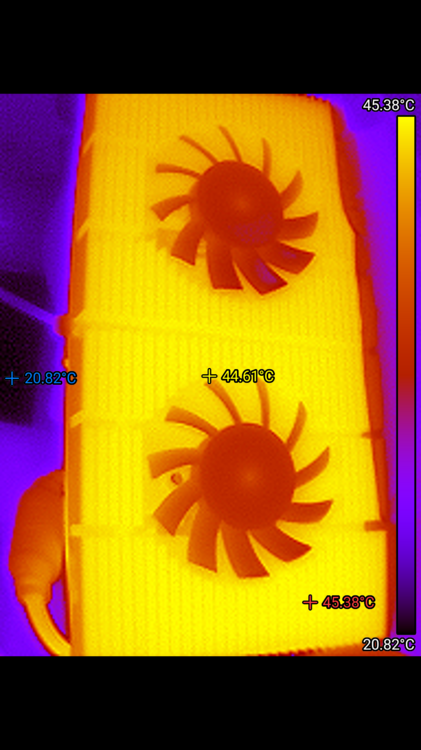
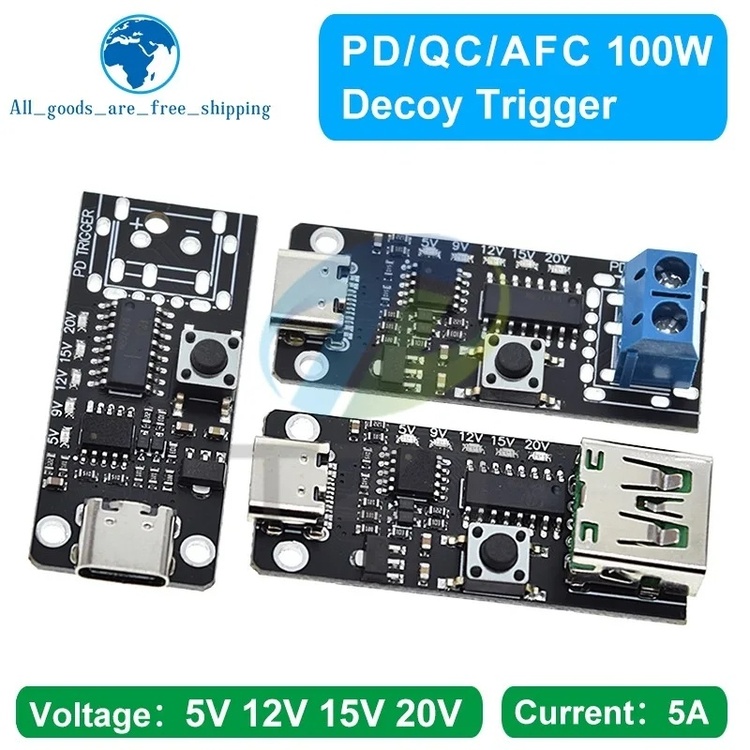
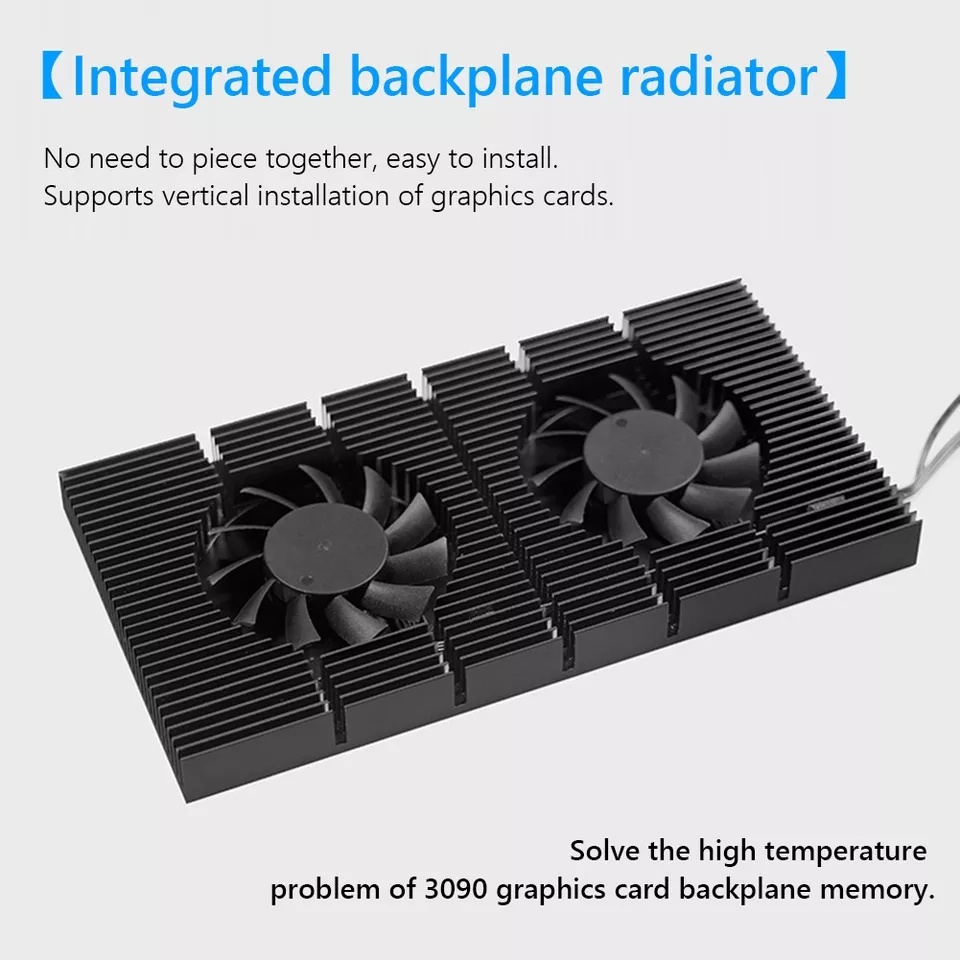
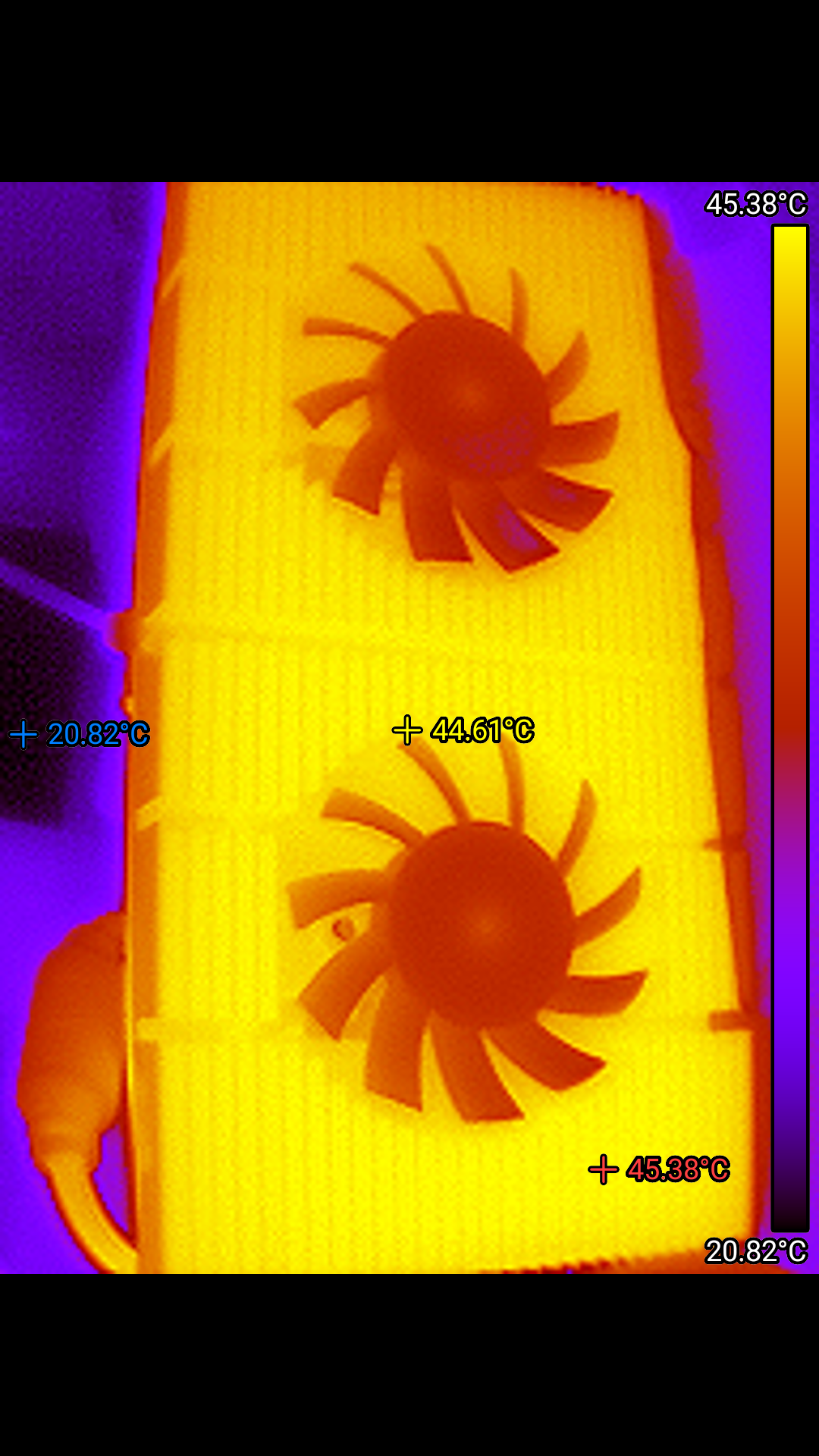
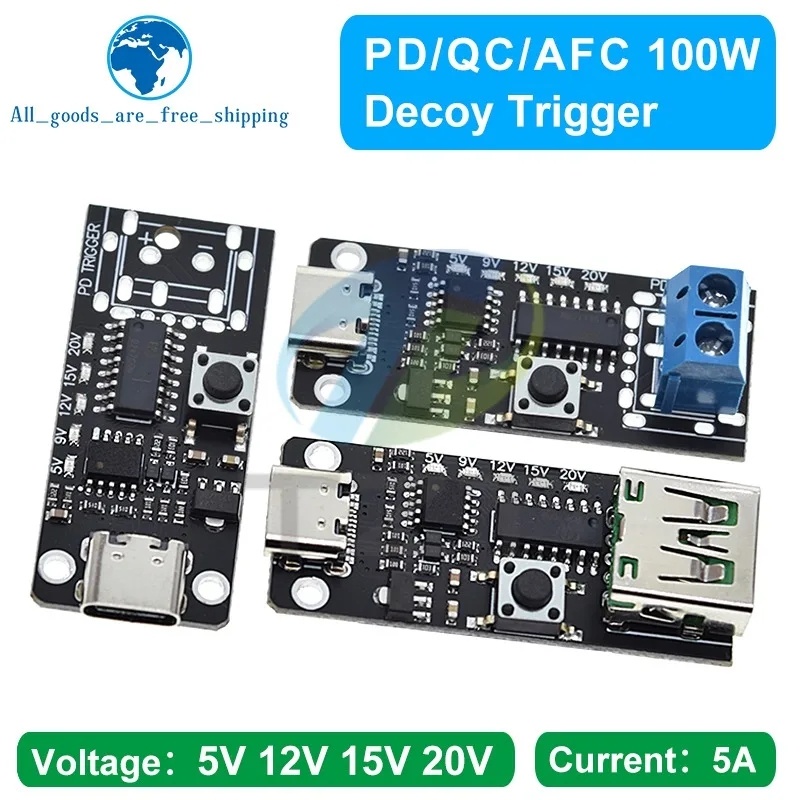
Gpu backplate cooler, passively the surface area alone is enough for daily 380-400w use. You can run 5-9-12v to the fans if you want to with a Type C PD Decoy trigger board.
-
6 hours ago, SolitaryMassacre said:
Hello
Made an account just because of this thread lol
I have the same laptop and have been wanting to shunt mod after my warranty expires.
I just have a question - how can the laptop charging brick be pulling 400W when the max output it can do is 330W?
Won't this cause the charging brick to get extremely hot?
And would you be willing to list the resistors you used and where the shunt resistors are located? Would I be able to go to the same 250W GPU like you did on my machine?
This is insane and very awesome. I was upset the GPU was capped to such a low wattage. I hardly reach 70C+ on my GPU temps, it has so much room for potential
Chicony adapters are well known to be the best with a safety factor of 30%. That brings it nicely to 440w in this case though it does get very hot and will shut itself down after 30 minutes.
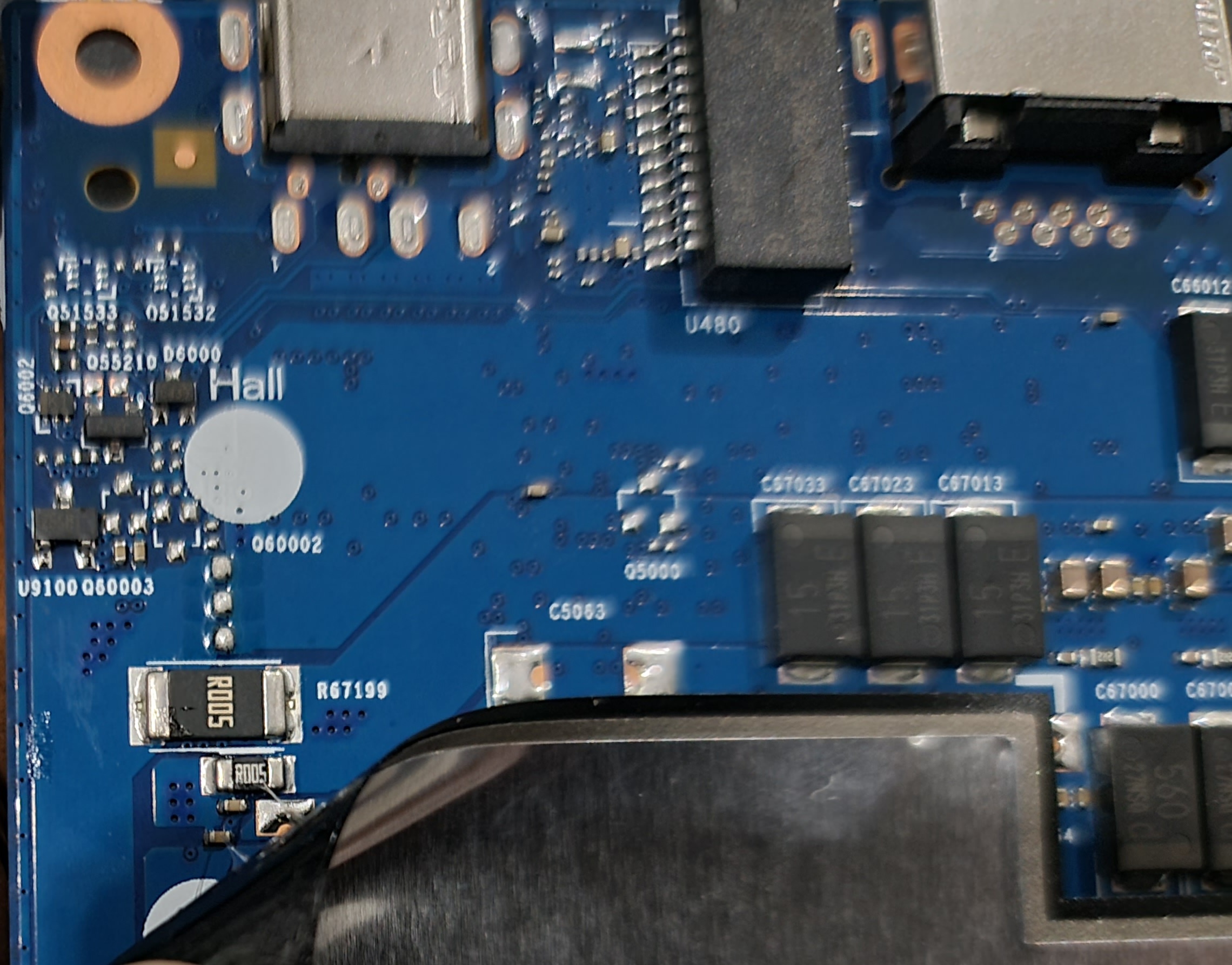
There are two different sized shunts on the other side of the motherboard, you only need to change the bigger one to R003 to achieve the desired effect.
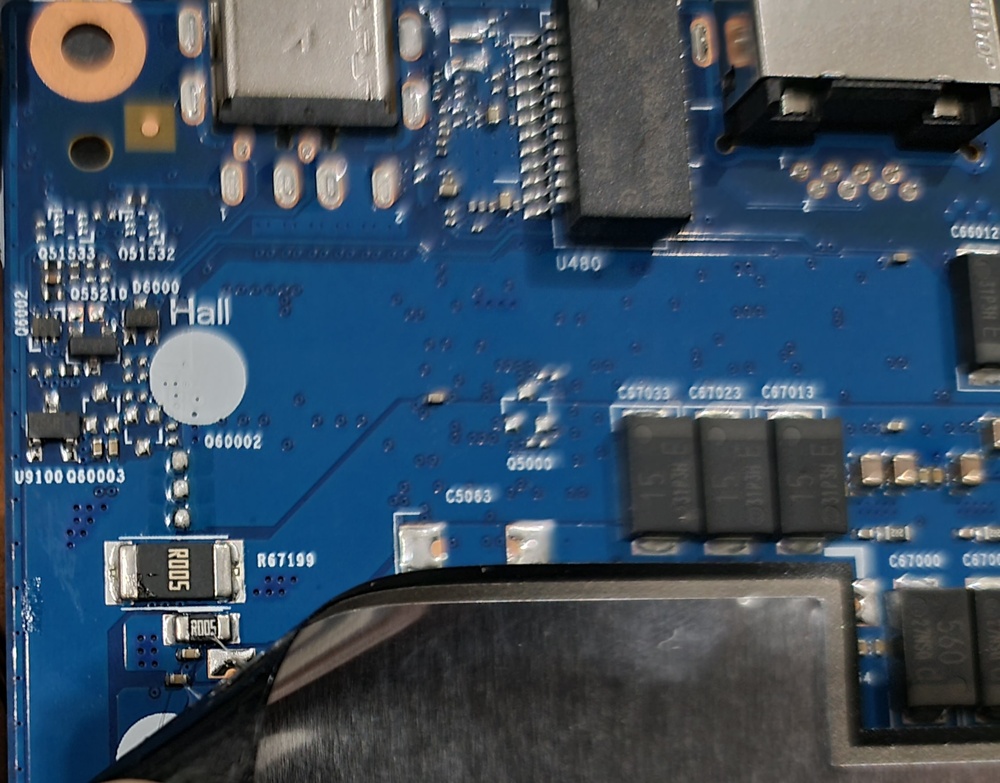
70C+ on the gpu stock ain't exactly amazing tho, I never hit 65 pre shunt mod. Remember to respread the Liquid Metal and replace the thermal putty with a high quality one.
Don't mix regular Conductonaut with the Conductonaut extreme it comes from. There's enough in the laptop to respread.
-
12 minutes ago, ryan said:
@seanweein the end what did you settle on score wise from your 4090 in timespy? where did everyone go
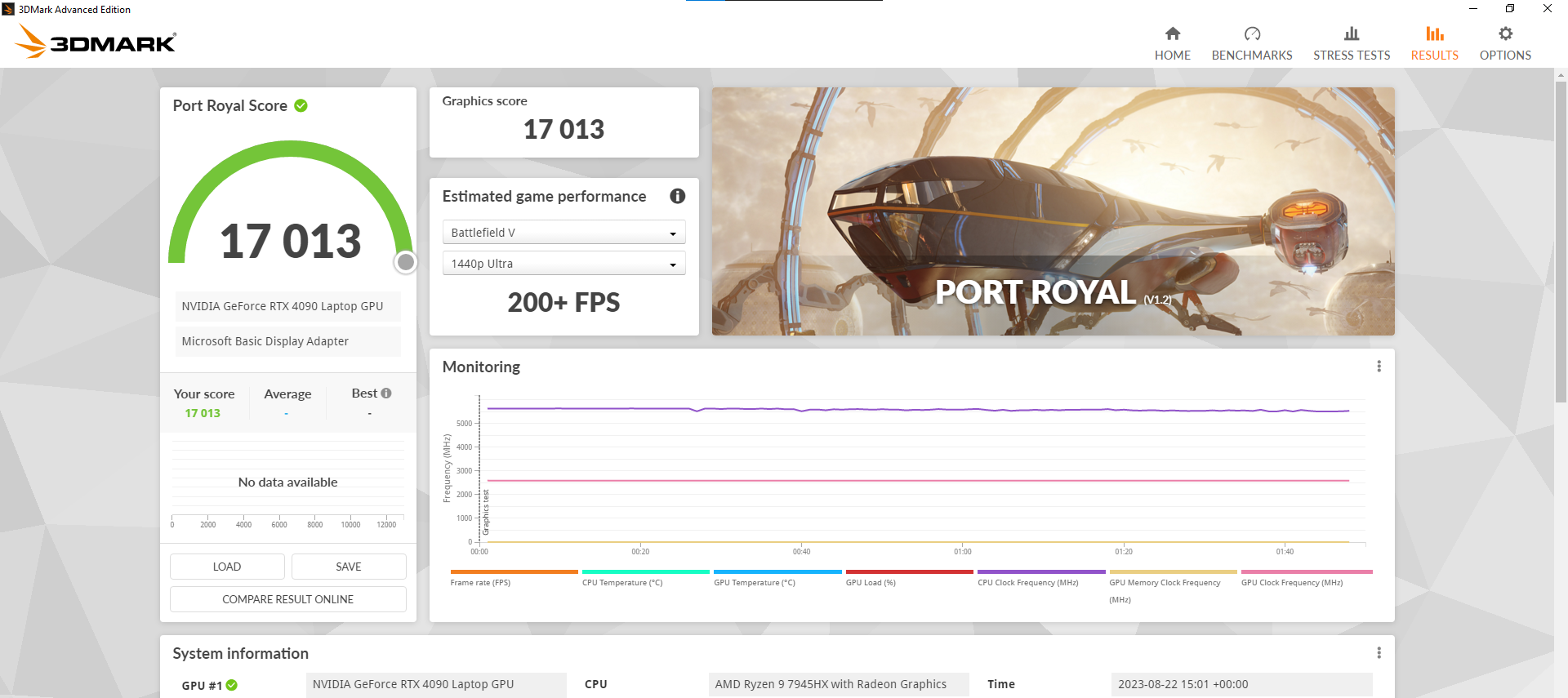
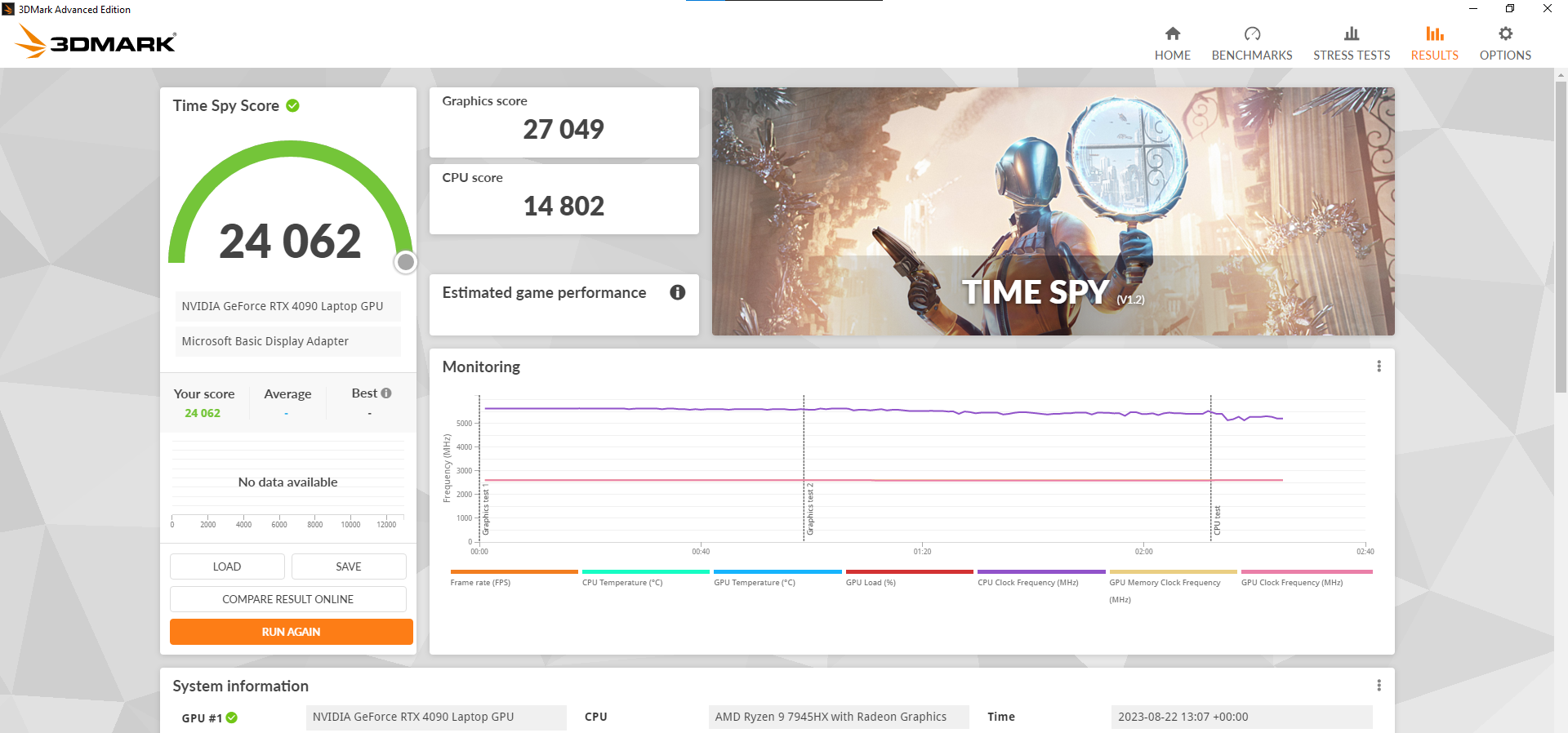
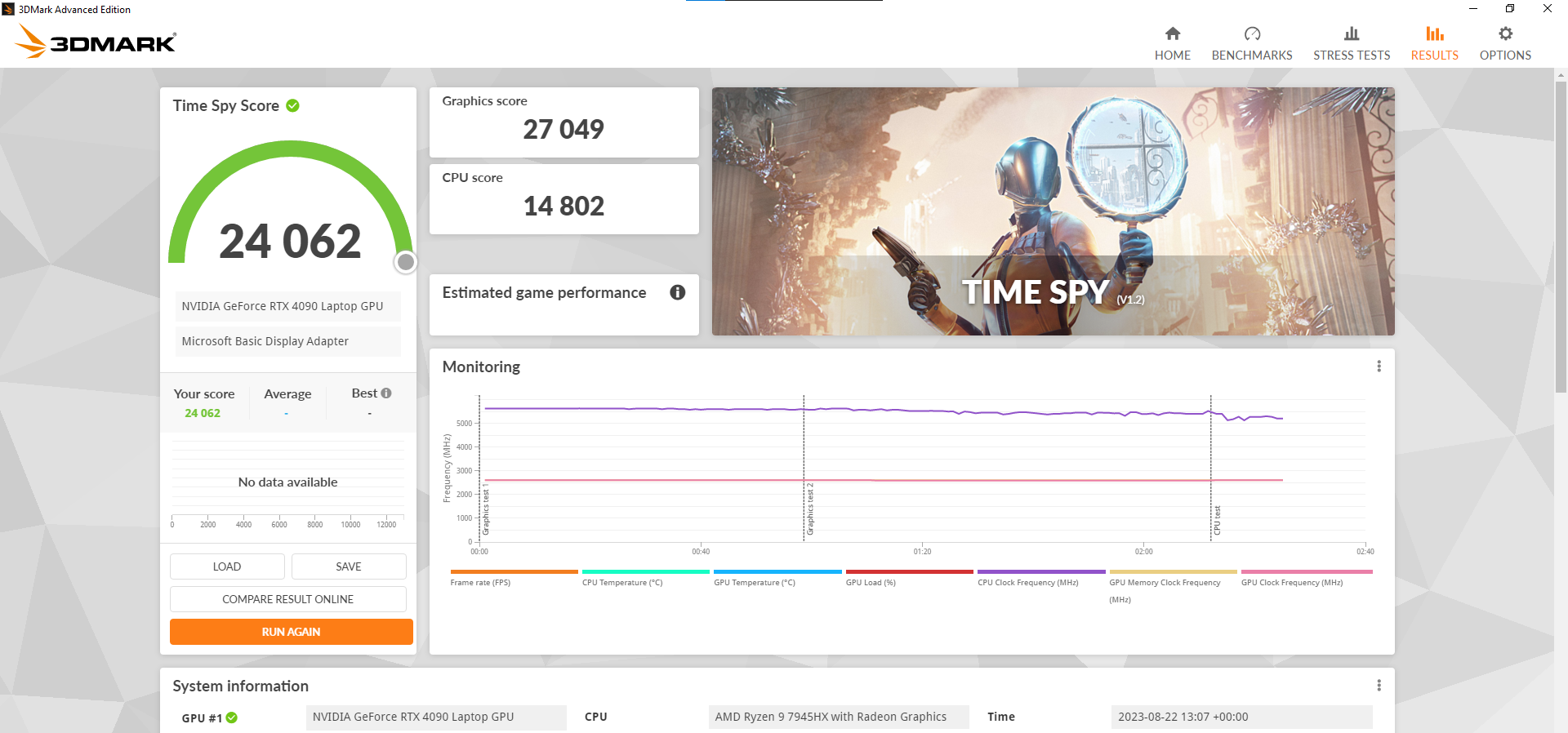
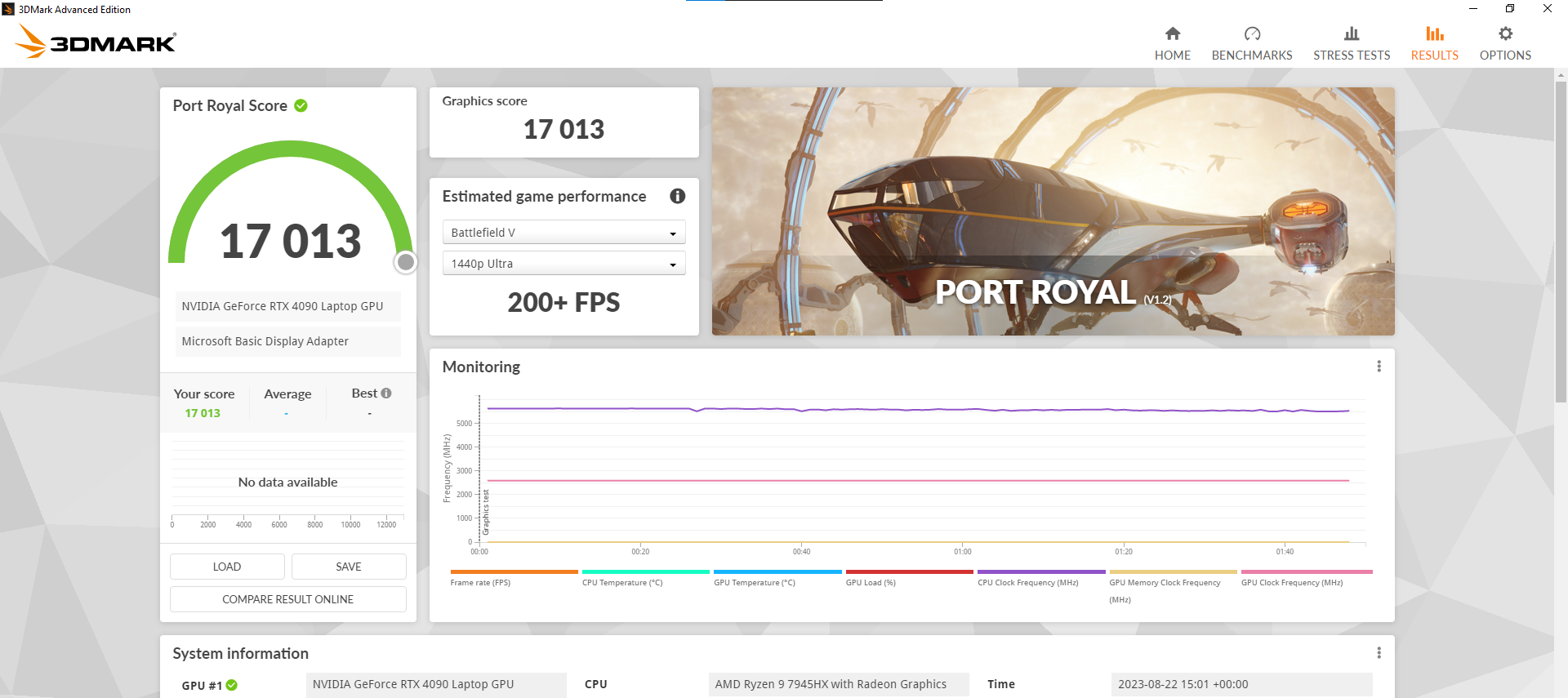
Broke 27k timespy graphics and 17k Port Royal.
https://www.3dmark.com/spy/41043655
https://www.3dmark.com/pr/2509423
I've just been lurking. Busy catching up with games and got a quest 3.
8 minutes ago, ryan said:I just bought a cheap oled laptop for 680cad a vivobook, ran timespy and got 720 because of the single channel ram, pretty funny seeing your score as 37.1 times faster. wonder why theirs such a huge disparity
Why do you think lol
And I've gotten it a bit higher after a bios update allowed some more undervolting headroom.
.thumb.jpg.44a4a35122311436541fe8d3bd6046e1.jpg)
-
1
-
-
On 11/10/2023 at 9:34 PM, 1610ftw said:
I am surprised that there is not that much effort to produce a cooler that allows to:
- achieve better cooling than the laptop alone with the same noise level or
- the same cooling with a lower noise level
Oh well, good for people who like to wear hearing protection around their laptops 😄
That's why i made my own
-
The new volt limited 4090s are worse than we previously thought.
https://youtu.be/MiV2cnfm_Qs?si=yOMnwT2tFoWIEVSn
TL;DR: Running under 1150mV induces clock stretching. But the BIOS does not allow you to go beyond 1100mV, and for those with the new AD102-301 revision, beyond 1070mV.
At 1070mV, you lose up to 100mhz of clock speed without any indication in MSI Afterburner or EVGA Precision.
The only way to fix this is by flashing back to a 1.1v Bios.
-
4
-
 2
2
-
 1
1
-
-
3 hours ago, Etern4l said:
Fair commentary on the absence of support for Intel GPUs, but, unsurprisingly, the PCW piece looks like sponsored anti-AMD garbage. Statements made without any reasonable source or data to suggest validity. How many distinct reports related to Intel CPUs, how many to Ruzens? How many Starfield players own Intel and Ryzen CPUs respectively? We don’t know, and neither does PCW who just took the FUD piece money. There is one laughable link to a tiny Reddit thread when one user at the bottom mentions they have a Ryzen CPU and has some crashes but nothing major. We don’t know if his machine is OCed, crashes outside of Starfield etc.The game likely got rushed out (most games are) and some bugs may remain.
Bethesda has always been infamous for buggy and unoptimised games, so nothing new here. They *might* get some fixed when Starfield Special Edition comes out in 5 years.
-
1
-
 4
4
-
1
-
 2
2
-
-
13 minutes ago, Izy said:
TRTP is finicky on laptops or at 1.1v for some reason, set it to auto first and tweak it last.
-
1
-
-
Just now, DaMafiaGamer said:
It’s been a while… I think you might have forced me out of an early retirement from modding @seanwee
Those timespy numbers are crazy haha
Tempted to get the Strix Scar 17? 😂
If you don't need raw cpu performance I'd suggest the Strix Scar 16 honestly, miniled displays are 👌
-
1
-
-
15 hours ago, Izy said:
dont worry some added dlss 3 with frame gen that almost doubles the framerate
to bad its behind a patreon paywall as usual
Not if you know where to look
-
1
-
2
-
-
14 minutes ago, kojack said:
I am in the get a lightweight laptop for travel and keep the desktop for heavy lifting. That's what I have personally. My dell 2 in 1 is my travel buddy. It can do anything I need while being lightweight, decently powerful ( can edit 4k video etc but rendering is slow) if need be, but take the same project and pop it into my workstation in my office it just skips right on through.
I am looking at apple lately too, I am thinking I am going to move to Apple (keeping my current dell stuff as well) and try a macbook air M3 for travel, and a mini M3 for desktop. I am just waiting to see what M3 brings before shelling out the coin for it all.
Same but now it's just sub 1kg ultrabook + strix scar 17 since the scar is just faster than my desktop (5700x + 3080ti) all around.
-
1
-
-
7 hours ago, jlp0209 said:
We will find out soon enough. They could've implemented it like Eluktronics did, only reason I didn't consider them is warranty. Onsite next day service is very important to me.
Very envious of your shunt modding skills, I read your posts about it earlier when you did it. That's some incredible performance.
Shunt modding isn't all hard at all.
Making sure your vrms don't blow from overcurrent/overheating on the other hand...
There are really simple and reversible methods like just using copper tape cut into an X shape or conductive pens that work fine. Granted I still recommend shunt replacements to allow accurate power readings and protect from power spikes.
Then again, only the 4090 laptops will benefit from shunt modding. The rest are volt limited and I've still not made any breakthroughs to volt modding. Turns out nvidia has hard limits on voltage that reject extra voltage on die so EVC volt mods don't do anything but decrease efficiency.
The Eluktroniks LPP system isn't the best right now, at least stock. The loop only cools the gpu portion and not the cpu.
.thumb.jpg.6f7d73fc7ac8c43c7470ac6abdd7dbff.jpg)
There's an aliexpress modder that provides an upgrade survice to cool both cpu and gpu though.
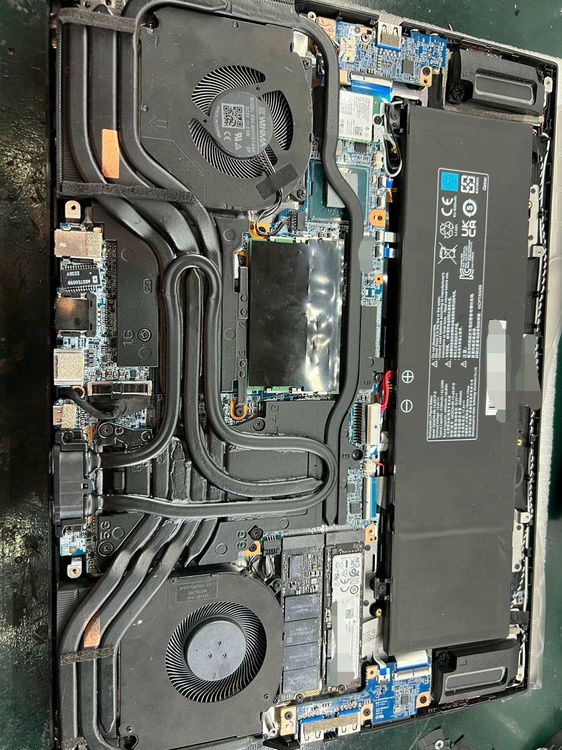
In any case, Eluktroniks have hinted at a completely revamped design next gen so we shall see how it goes.
-
1
-
-
4 hours ago, Etern4l said:
Wouldn”t DLVR be basically equivalent to undervolting, and thus be mostly of benefit in stock benchmarks and to people who don’t tune things in the BIOS? If so, then probably notthat much of a saving grace. Hopefully the rumours prove to be FUD and there is more to this refresh, but if core counts are not going up for the 14900K then this is likely to be a disappointing iteration indeed.
I mean, was there even any doubt that core counts were the same? What can Intel even do?
Its not like they cut down their top end like nvidia
-
4
-
-
9 hours ago, jlp0209 said:
Hopefully they'll sell a SKU with a regular / non-blingy lid. Not a fan at all. The liquid cooling doesn't kick in until the system hits 84 degrees- is this for the CPU or GPU? I imagine the CPU. Can't believe there is no Windows Hello or biometric login.
The A/C is having issues in our building so I'm doing work in a dim room to stay cool, laptop is at 25% brightness. Even when at my office I don't use higher than 70% brightness, so MiniLED may be a waste of money for me.
I don't see the point in upgrading to this from my Pro 7i. I'm sure it'll have great performance. If they release a SKU with regular lid and thermals blow away the Pro 7i, I might be tempted. As of now I couldn't be happier with my system. Favorite laptop I've owned so far.
From a technical standpoint the water cooling loop is just a gimmick. You will get better results, less weight and reliability spreading the heat with a full coverage vapor chamber like in the legion 7.
But making a vapor chamber + heatpipe design for the asymmetric tri fan design was too hard/expensive apparently.
-
On 8/21/2023 at 9:25 PM, saturnotaku said:
The thing is I do like the Pro 7i, a lot as a matter of fact. The performance is roughly equivalent to that of my desktop, which is really impressive. However, being the desktop replacement that it is, the Legion is quite bulky. The chassis is about at the absolute limit for what I want to carry in a backpack, and when you add the 330W power brick, it's just crossing over the line into being a burden. The TUF is about 1.5 pounds lighter, which is not an insignificant difference, as would be the battery life since I'd likely see at least double what the Legion provides.
As I also said, I really dislike that all the video outputs are wired to the dedicated graphics. This means I pretty much can't use it at my office as this creates needless heat and fan noise in a scenario where I'm not going to utilize the machine's full power. Speaking of full power, there are the fans to consider. I totally understand that a powerful machine like the Pro 7i is going to get noisy under load, and that's something I would just have to live with if I were to keep it. However, when the desktop is operating under similar conditions, it is significantly quieter because I spent a lot of time tuning the fan curves to get the acoustics where I wanted.
In re-watching Jarrod's review of the A16 Advantage, he got almost 90 fps in Shadow of the Tomb Raider using the laptop's silent mode. That I want to say is close to double what he got with a Pro 7i in its quiet mode. Plus with some tweaking of the CPU and GPU power limits, it may even be possible to game on the TUF with a USB-C charger. I've seen a video of someone do exactly this with the Zephyrus G14 Advantage.
I did reserve the A16 before it went off sale today, so I'm thinking I'll try it out for a while and see how it goes. If it doesn't work out, then I'll probably just keep the Legion.
If budget permits, get the Zephyrus G14 4090 and flash the 4090 150w vbios from the Zephyrus M16.
It'll give you the same performance as the lenovo but in a much lighter and more compact package.
That is of course if you don't mind the 14 inch screen.
-
You've gotten me tempted to try atlas os now lol @ryan. And i was happy with revios 10.
In other news,
i9-14900K/i9-13900k : 6ghz/5.8ghz ~ 103%
So basically just gains from the clock speed bump. Hopefully we see more gains in efficiency with the enabled DLVR.
-
3
-
1
-
1
-
-
6 hours ago, electrosoft said:
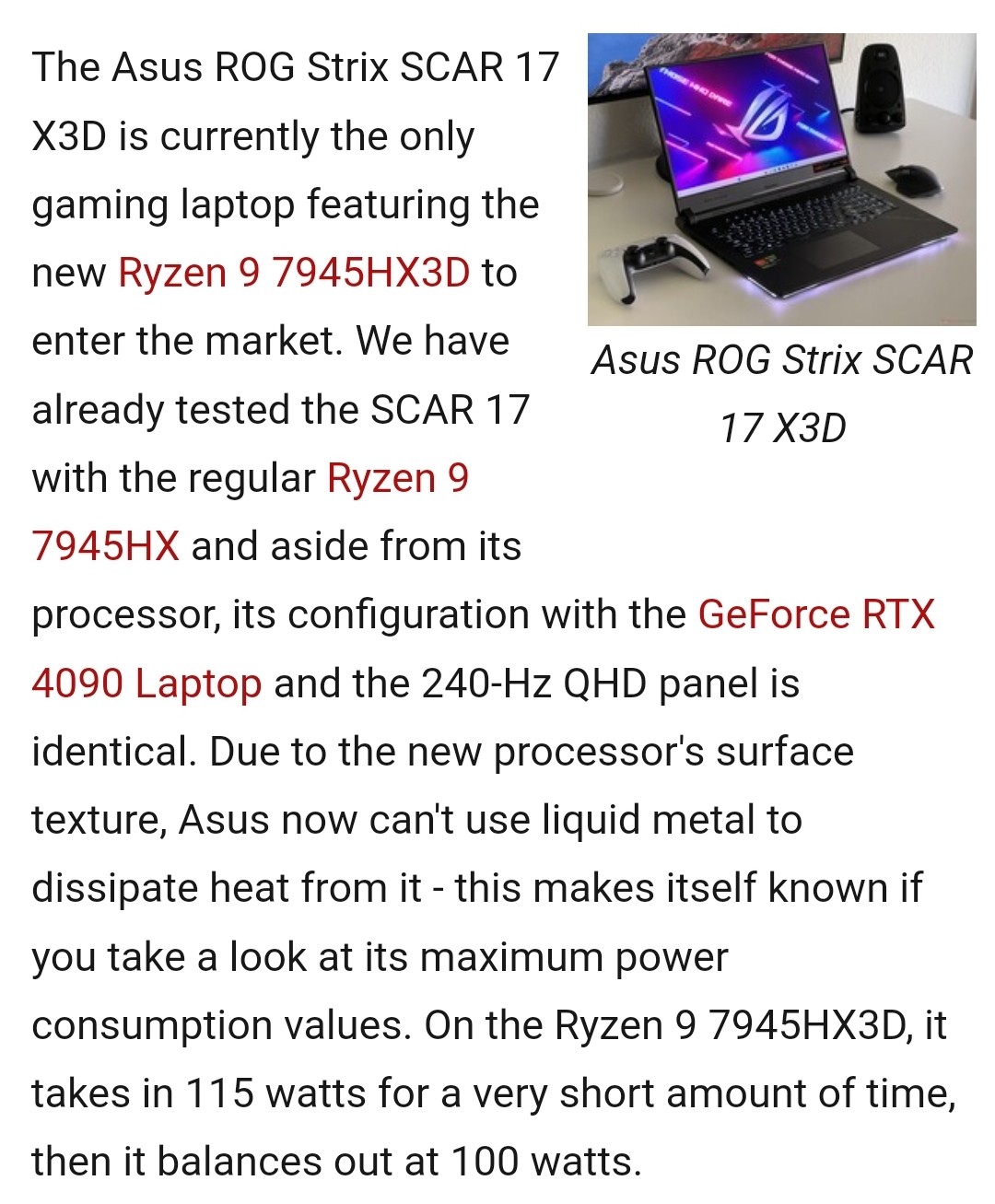
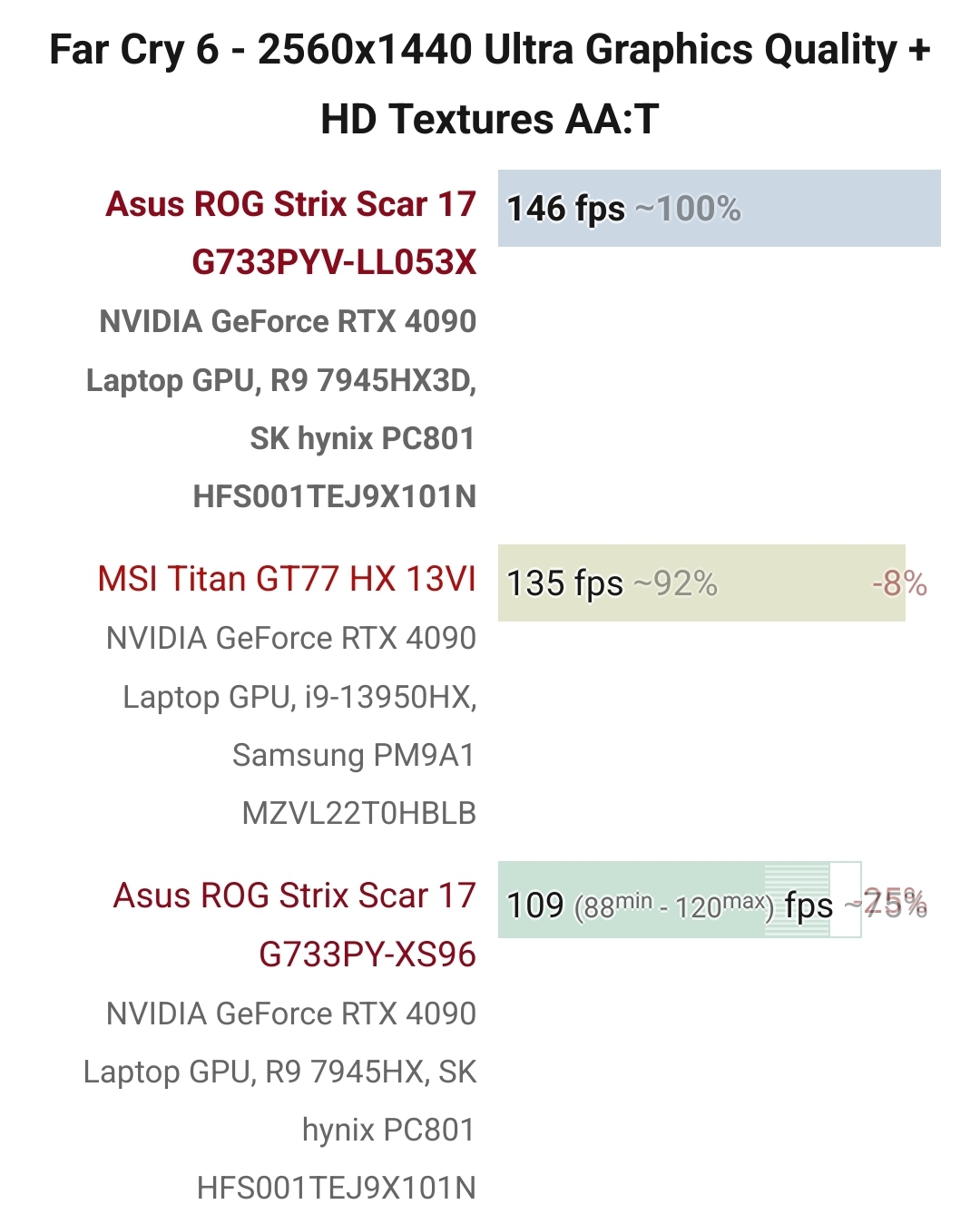
Asus Scar Strix 7945HX3D reviews are trickling in.... $3600 before tax...ouch. I can grab an Asus G18 w/ 13980HX + 4080 for $1950 from best buy along with rewards and other perks to drop that effective price to under 2k total even after tax. It's hard to swallow that ~$1800 difference even with a 4090 under the hood.
https://www.tomshardware.com/reviews/asus-rog-strix-scar-17-x3d-amd-ryzen-9-7945Hx3d
https://www.theverge.com/23840504/asus-rog-strix-scar-x3d-gaming-laptop-price-review
Well, seems like I was right. Thermals will be the main issue
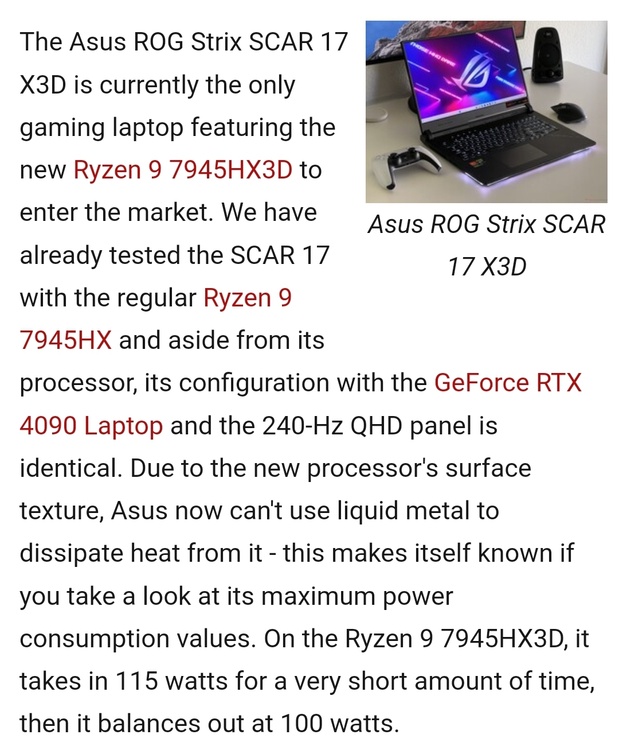
No LM was a surprise that just made it worse.
Also doesn't quite match up to overclocked ram.
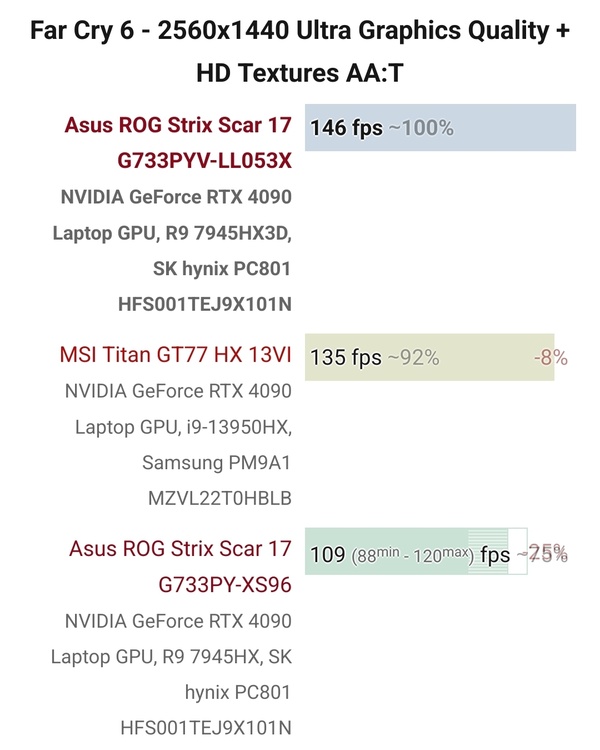
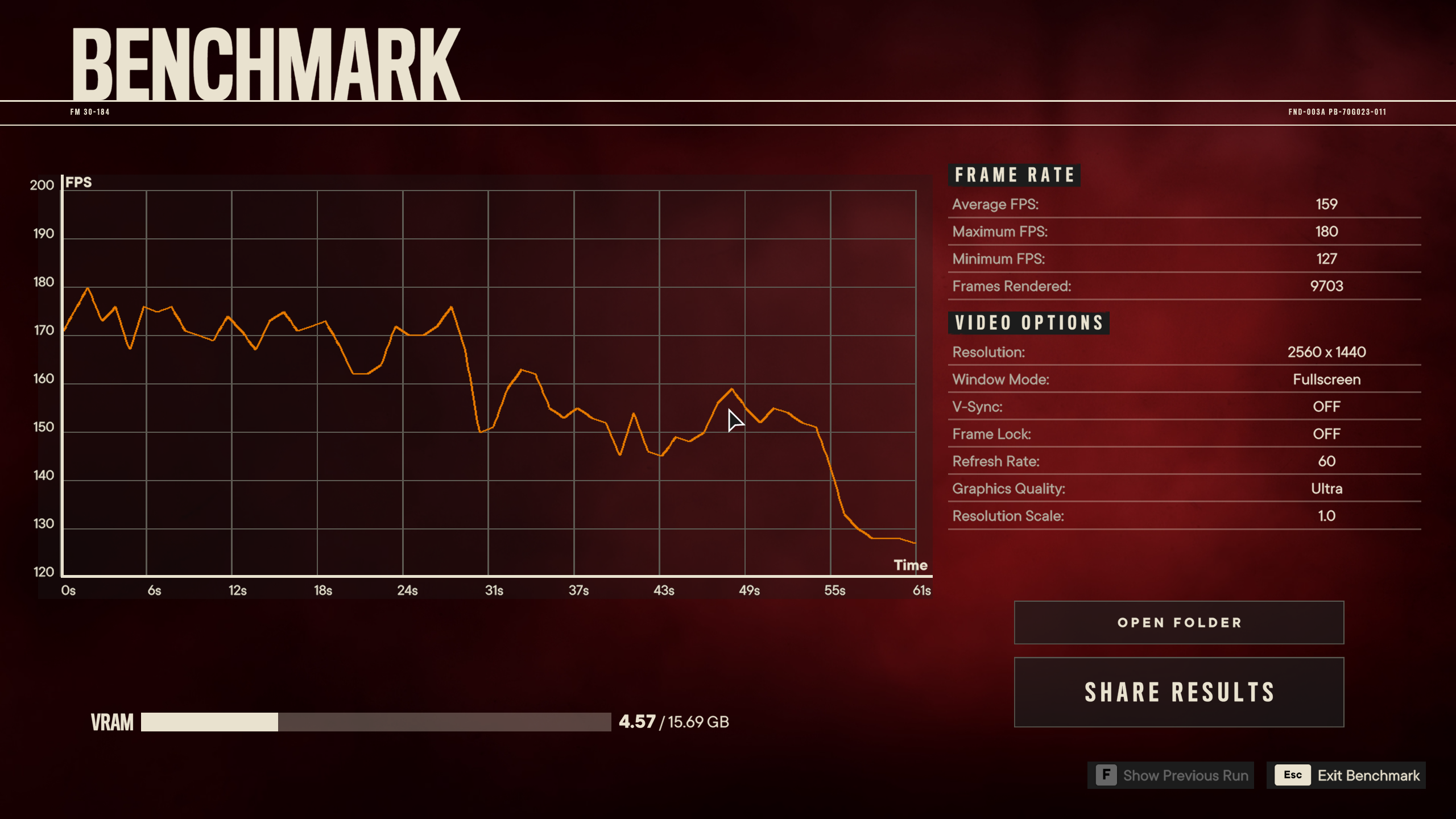
My bench with tuned 6000mhz memory.
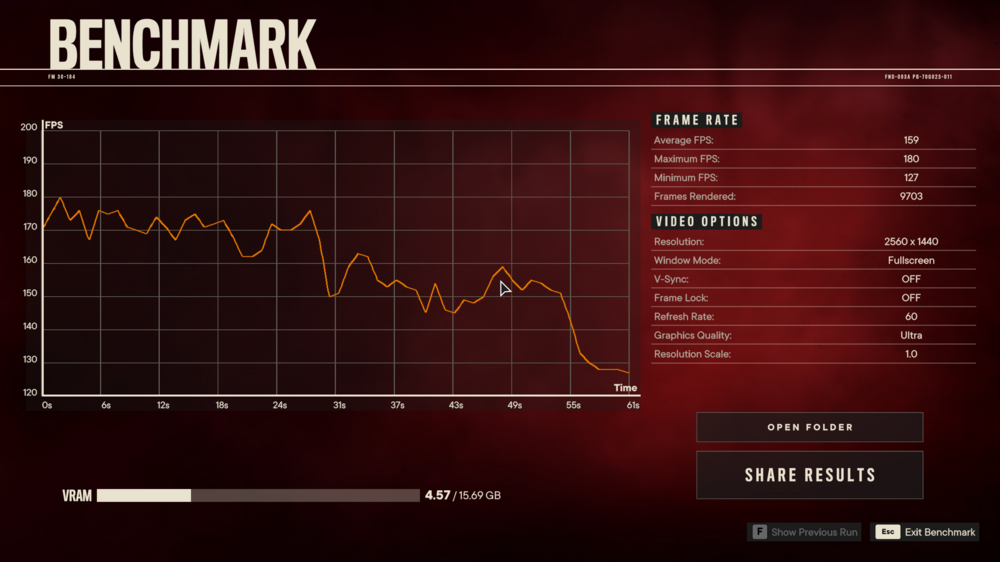
-
2
-
1
-
-
1 hour ago, Izy said:
shame, also surprised your ram works at 1.1v at 6000mhz i have found a 6400mhz kit of kingston for cheap but the voltages for those speed raises questions about laptop support since i assume i can just run universal amd form browser to up iti from the jedec profile to 6000
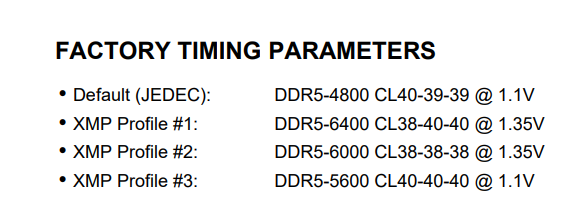
The Kingston kit uses hynix A die as well but they don't seem to do well at lower voltages. They were binned for operation at 1.35v.
-
30 minutes ago, Izy said:
So now that 4xxx series can be bios flashed with an unsigned bios to bypass power limits etc
You gonna try it and remove the shunt?
You can flash it but the gpu still doesn't execute unsigned code according to @Prema
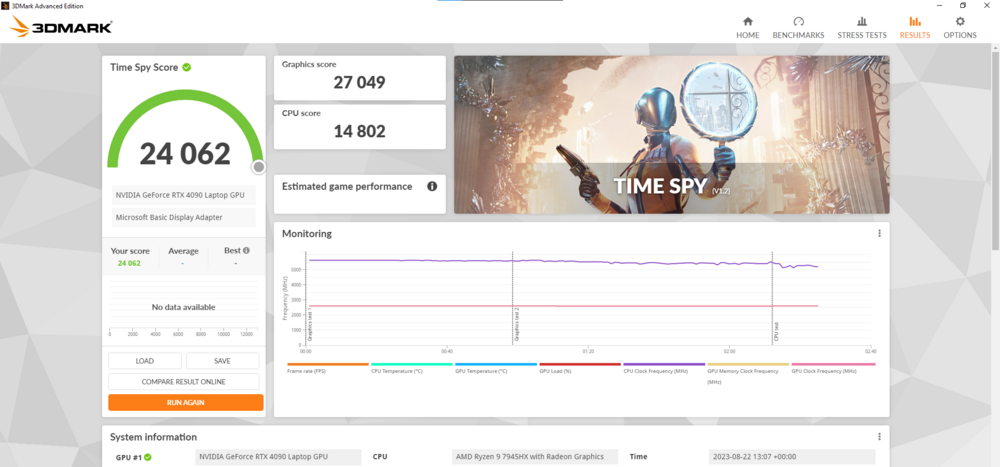
Also new high scores. Finally broke the 17k Port Royal and 27k Timespy mark.
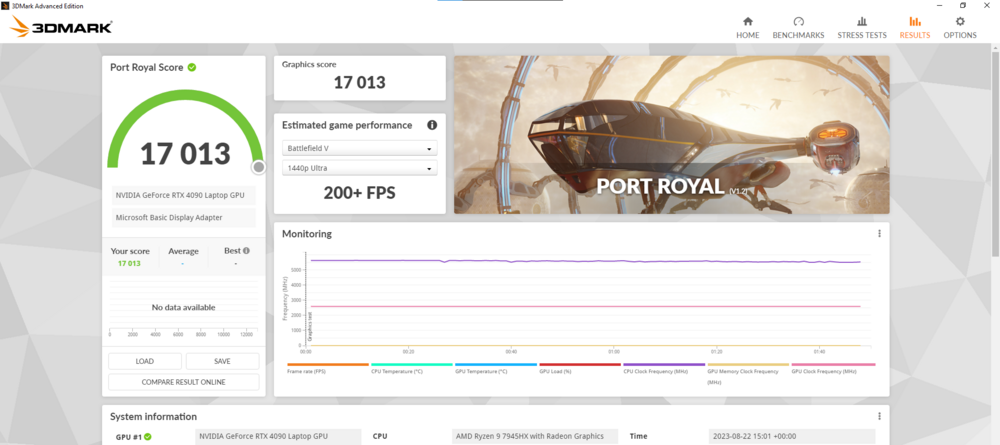
https://www.3dmark.com/pr/2509423
-
1
-
-
https://videocardz.com/newz/nvidia-announces-dlss-3-5-with-ray-reconstruction-launches-this-fall
DLSS for ray traced lighting, nvidia is going all in with Ai reconstruction.
-
2
-
1
-
-
On 8/19/2023 at 3:08 PM, ryan said:
got a new high score
Result (3dmark.com) ----5522 in port royal
-------------
9585 in timespy, considering im using stock 3200mhz ram and its technically a 115w 3060 id say im doing good and progressing in getting top place on the leader boards, its fun pushing a system it just sucks when you run out of options to improve performance
Wdym? You haven't even shunt modded
Edit 1: Broke 27k timespy graphics
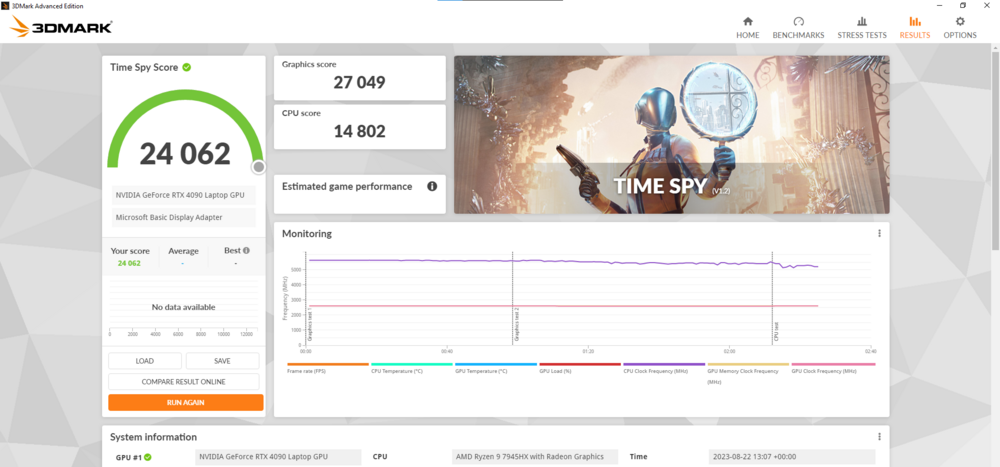
https://www.3dmark.com/spy/41043655
Edit 2: Broke 17k Port Royal
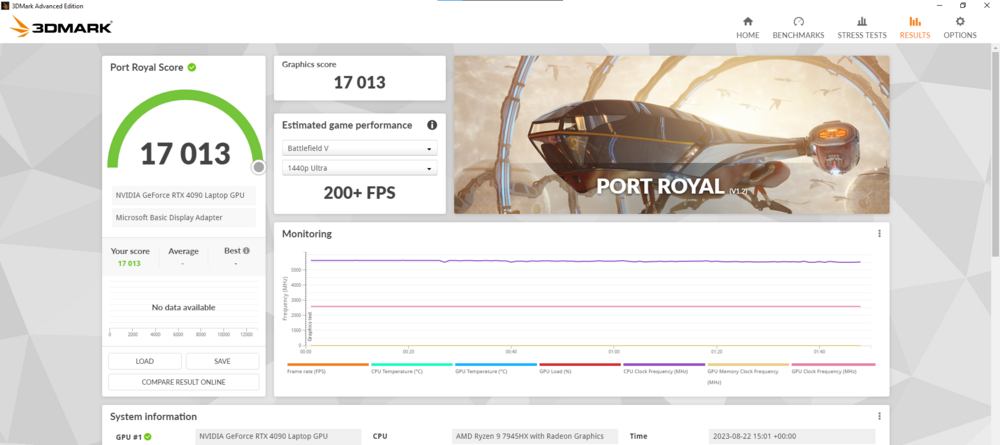
-
3
-
1
-
-
On 8/14/2023 at 11:56 PM, Izy said:
okay how are you getting the cpu score so high in timespy , could maybe push the 4080 higher its 1050mem and 220 core
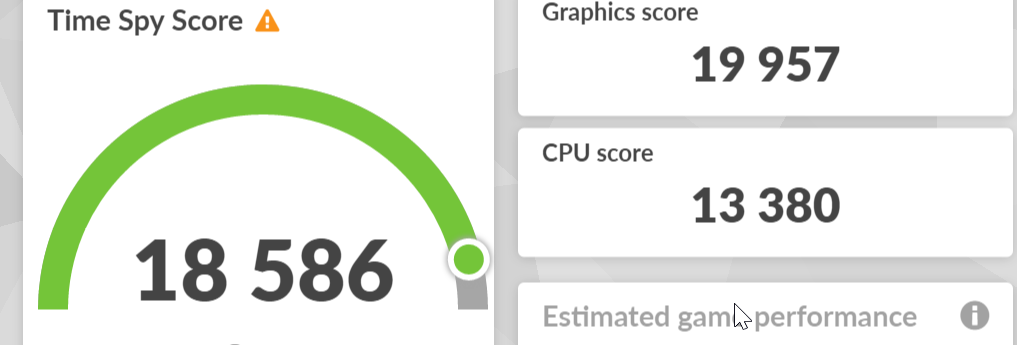
Timespy cpu heavily scales with ram
.jpg.fa47f4f70c05ccc7899070b51dc7669b.jpg)

.jpg.0cdf35b3208af66764cab9d70eebb24c.jpg)
*Official Benchmark Thread* - Post it here or it didn't happen :D
in Desktop Hardware
Posted
27k timespy
https://www.3dmark.com/spy/41043655
And now
Steel Nomad DX12
https://www.3dmark.com/sn/43058