Khenglish
-
Posts
46 -
Joined
-
Last visited
-
Days Won
1
2 Followers


Khenglish's Achievements






-
Your card has broken solder connections between the core and vram. It either needs to be repaired or replaced.
-
Nvidia-vBIOS-Clock-Power-Tweaker - PASCAL TESTING NEEDED !
Khenglish replied to JadeRover's topic in Components & Upgrades
Did you get higher performance out of this vbios? For me higher clocks would be reported, but it seems like it never actually ran at those clocks. The card always performs like it is running at 1695.5 -
Does an external display work after installing a driver?
-
Nvidia-vBIOS-Clock-Power-Tweaker - PASCAL TESTING NEEDED !
Khenglish replied to JadeRover's topic in Components & Upgrades
Interesting. My lenovo system recognizes the card with that vbios while the Clevo does not. It does boost up to 1911, but the power limit is not behaving right. I'm hitting the power limit at around 120W, even at the stock 150W, or if I raise it to 175W. I tried 8GHz RAM on that which worked. Trying 9GHz and 8.5GHz got me locked to 6GHz though. GPUz would report the set overclock as the default clock, but it would actually run 6Ghz. Overall perf is worse on this even with 8GHz ram. Clock offsets would be fun if you could get that to work. -
Nvidia-vBIOS-Clock-Power-Tweaker - PASCAL TESTING NEEDED !
Khenglish replied to JadeRover's topic in Components & Upgrades
One possibility to get around vbios overclocking locks might be if we could get device ID modding to work. The P5000 is the same 16GB memory config as the P5200, so that could be used as a base. I wonder if the older P4000 and P5000 vbios aren't as locked down as the later P5200 vbios. -
Nvidia-vBIOS-Clock-Power-Tweaker - PASCAL TESTING NEEDED !
Khenglish replied to JadeRover's topic in Components & Upgrades
Yeah anything 4004 or higher sets 8GHz ram as long as a I don't touch the base or boost clocks. 6GHz if I touch those. I also tried again to mod the P4000 device ID to be a P5200. That failed again. There seems to be some security check beyond checksums to check the device ID. Also, I tried 10GHz again, but it just ran 8GHz. My guess is I just got error 43 before due to bad card seating or something, and not due to the card trying 10GHz. I also tried undervolting in hardware since we can't in software. The problem with this is the GPU core still has the same target voltage, so when I supply a lower voltage the on-die droop detectors engage and start clock stretching (This is a frequency loss not reported in software since the GPU is still requesting 1708). I dropped power draw by 10%, but dropped perf 1-4% depending on the test. So really the only way to undervolt without perf loss is bios modding if we could figure out how to mod the VF curve. -
Nvidia-vBIOS-Clock-Power-Tweaker - PASCAL TESTING NEEDED !
Khenglish replied to JadeRover's topic in Components & Upgrades
So for all 3 vbios that work, all 3 can OC memory to 8GHz. I did try one at 10GHz and the card went error 43, implying that it actually was trying to run 10GHz, and failing. Maybe a big VRAM overvolt to 1.65V or something could get 10GHz working, but I think I have a good chance at killing the card trying. I have been trying just adjusting the max clock and not touching base or boost blocks. This seems to permit constant 1708MHz on the core, but no higher. Touching the max clock only does not seem to be wrecking the vram clocks. -
Nvidia-vBIOS-Clock-Power-Tweaker - PASCAL TESTING NEEDED !
Khenglish replied to JadeRover's topic in Components & Upgrades
I tried 9.5GHz (4756 in tool), but that also just resulted in 8GHz. My understanding is 9.5GHz is about the best possible out of GDDR5. I might try 10GHz at some point just to see if it gets set. Yeah modifying core clocks ruins the memory OC and causes 6GHz. I'll try modifying individual clocks to see if one in particular triggers it. -
Nvidia-vBIOS-Clock-Power-Tweaker - PASCAL TESTING NEEDED !
Khenglish replied to JadeRover's topic in Components & Upgrades
I found that your tool can OC the memory to 8GHz. The memory locks to 6GHz if I try modifying core clocks while also overclocking memory. If I don't touch memory at all, then it runs at 7.2GHz even if I adjust the core clocks. I can't get it to try anything faster than 8GHz. I've tried setting up to 9.2GHz, but it still just runs at 8GHz. -
Nvidia-vBIOS-Clock-Power-Tweaker - PASCAL TESTING NEEDED !
Khenglish replied to JadeRover's topic in Components & Upgrades
Interesting that there are 3 locations for memory clocks, but only one needs editing. There are 3 memory options for the p5200. Every p5200 in the world other than mine has option 0 set. On mine I had to set option 2 for 8GB since I core swapped a p5200 onto a p4000 card. Maybe your program is only editing option 0 instead of all 3? I can cycle through the 3 functional base vbios tomorrow. -
Nvidia-vBIOS-Clock-Power-Tweaker - PASCAL TESTING NEEDED !
Khenglish replied to JadeRover's topic in Components & Upgrades
The MSI one failed to overclock though. Still 1709 max. Can we try a 9GHz for the MEM? I tried your tool, but it was reporting 7.2ghz instead of the 8ghz actual. -
Nvidia-vBIOS-Clock-Power-Tweaker - PASCAL TESTING NEEDED !
Khenglish replied to JadeRover's topic in Components & Upgrades
Success!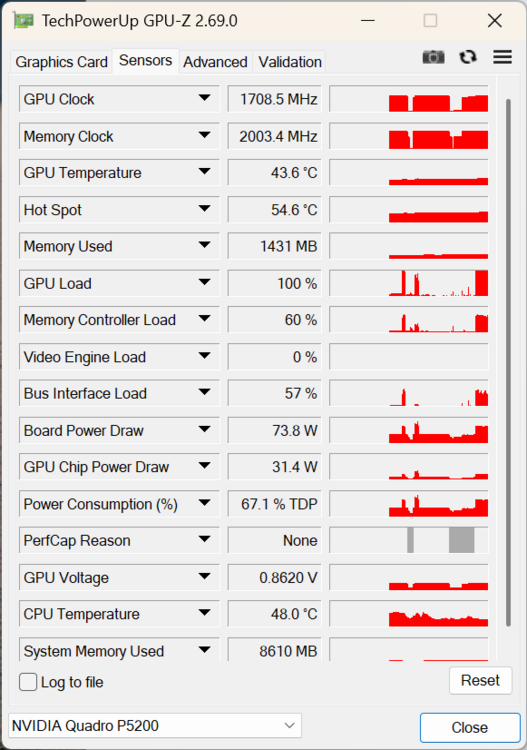
-
Nvidia-vBIOS-Clock-Power-Tweaker - PASCAL TESTING NEEDED !
Khenglish replied to JadeRover's topic in Components & Upgrades
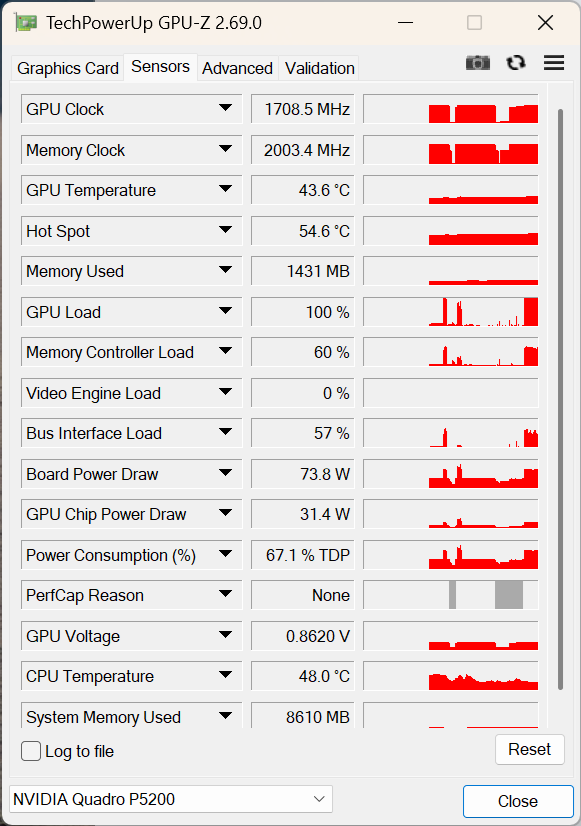
GPU-z always shows 1709 as max boost clocks. For RAM it depends on vbios. For the 3 that work on the card: vbios 1: Will show the overclock, but run at 6ghz. vbios 2: Always shows as 6ghz even unmodded, but will properly run 7.2ghz. It always displays 6ghz and runs at 7.2ghz even if overclock modded. vbios 3: Will both show 6ghz and run at 6ghz if overclocked. If unmodded displays and runs 7.2ghz. I might be mixing this up some, but it's something like the above. The card can only run Dell vbios. MSI and Lenovo both crash on an Nvidia driver. HP does not work at all. The card itself is a Gecube card. I have not found a gecube p5200 vbios. -
Nvidia-vBIOS-Clock-Power-Tweaker - PASCAL TESTING NEEDED !
Khenglish replied to JadeRover's topic in Components & Upgrades
The tool does seem to raise both base and boost clocks correctly, just not the max clocks. Without mods, the card only runs 1709MHz if under 50C. With mods it will maintain 1709 over 50C and just bump the voltage up from 0.85V to 0.862V instead. -
Nvidia-vBIOS-Clock-Power-Tweaker - PASCAL TESTING NEEDED !
Khenglish replied to JadeRover's topic in Components & Upgrades
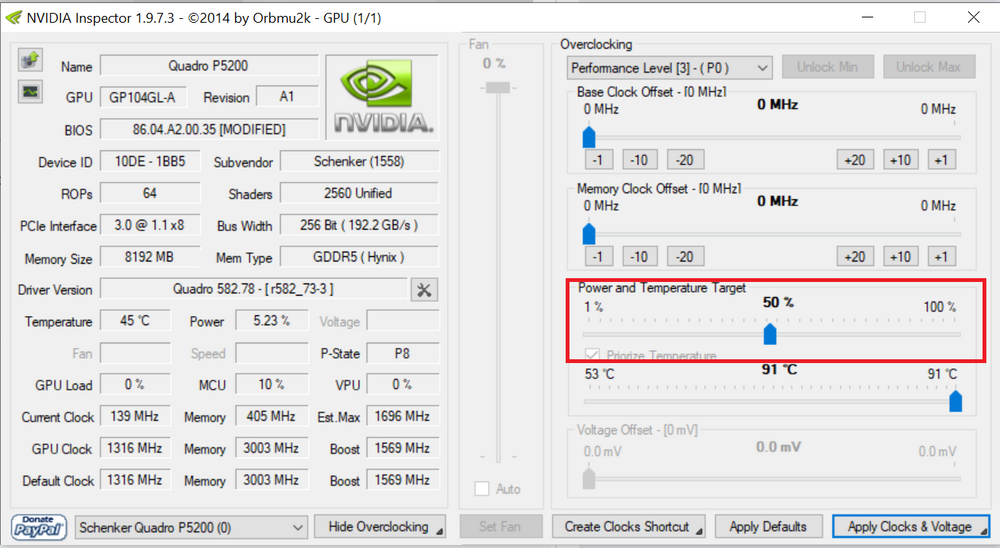
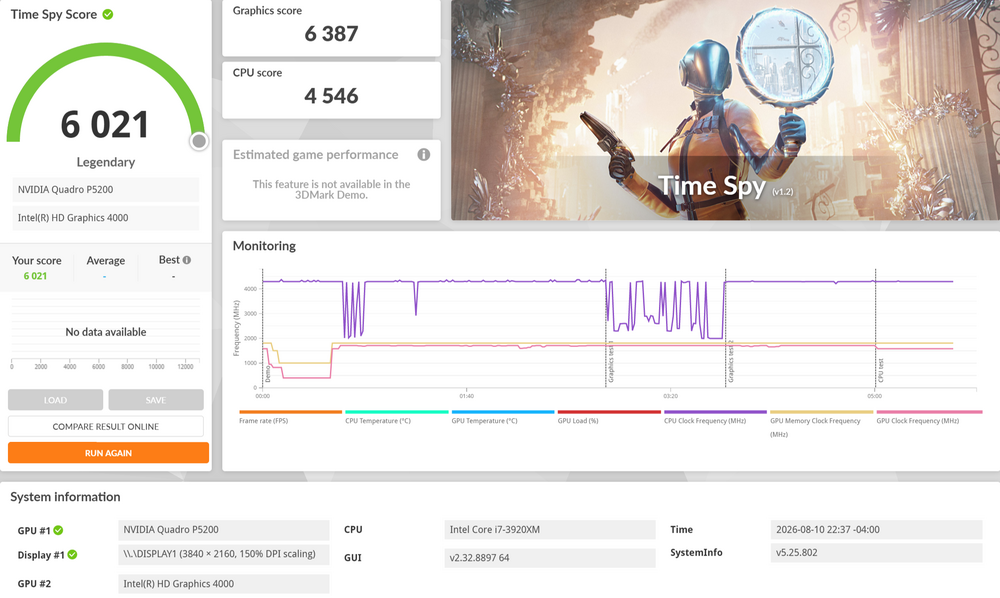
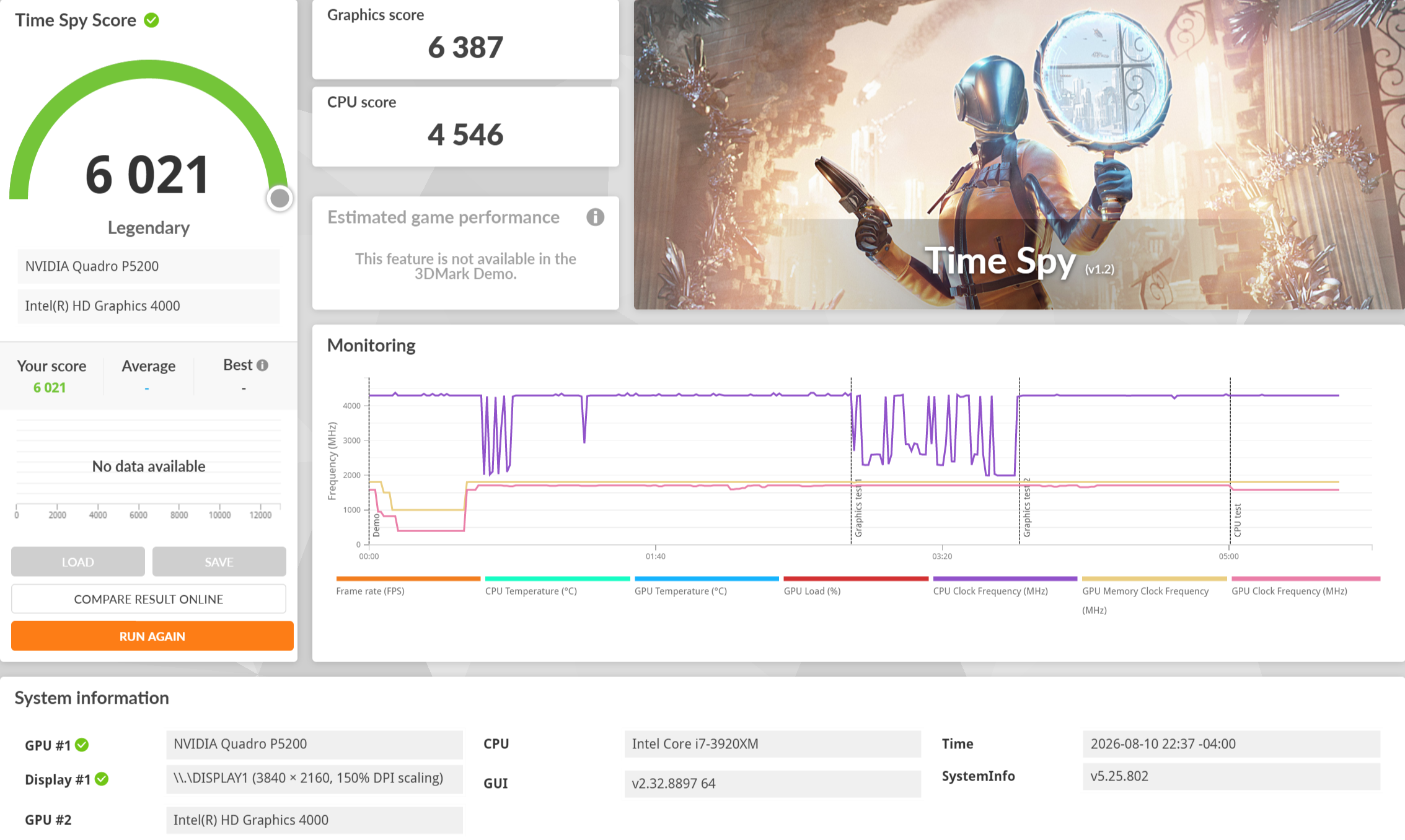
Time Spy with 150W power limit (effectively no limit). Also, the power slider does work. Only Nvidia Inspector (NOT Nvidia Profile Inspector, you need Nvidia Inspector from ~2017) can control it, but it works.