2CPU
-
Posts
82 -
Joined
-
Last visited
Content Type
Profiles
Forums
Events
Everything posted by 2CPU
-
 Joined in. I have better luck in RU.efi doing below: Alt-F to enter menu bar Choose EFI Variables and then the scroll to the EFI Variables -> Setup Use Control + PgDwn to get to proper addresses. Control + w to write before Quit and reset.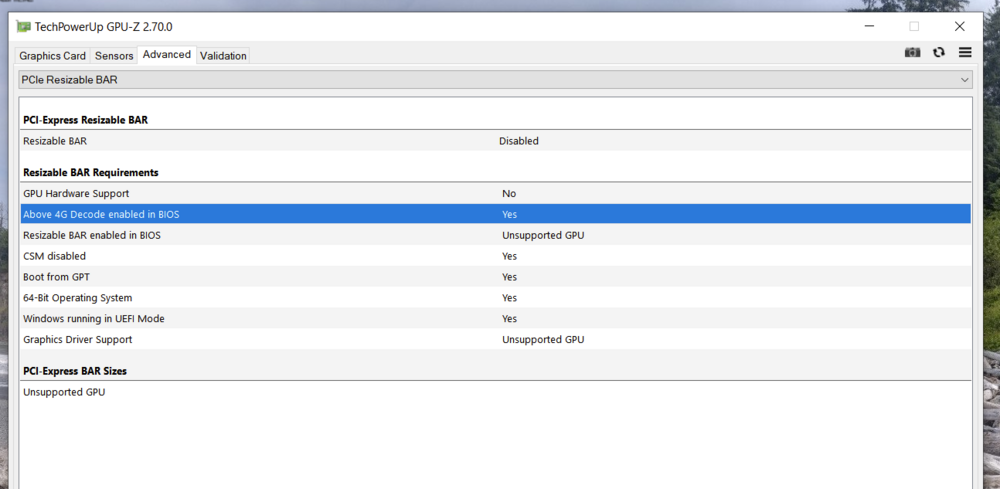
-
Checking my settings in RU.efi the eGPU root port was already set. I did the 2080 RTX disable, PEG and internal Gfx disable.
-
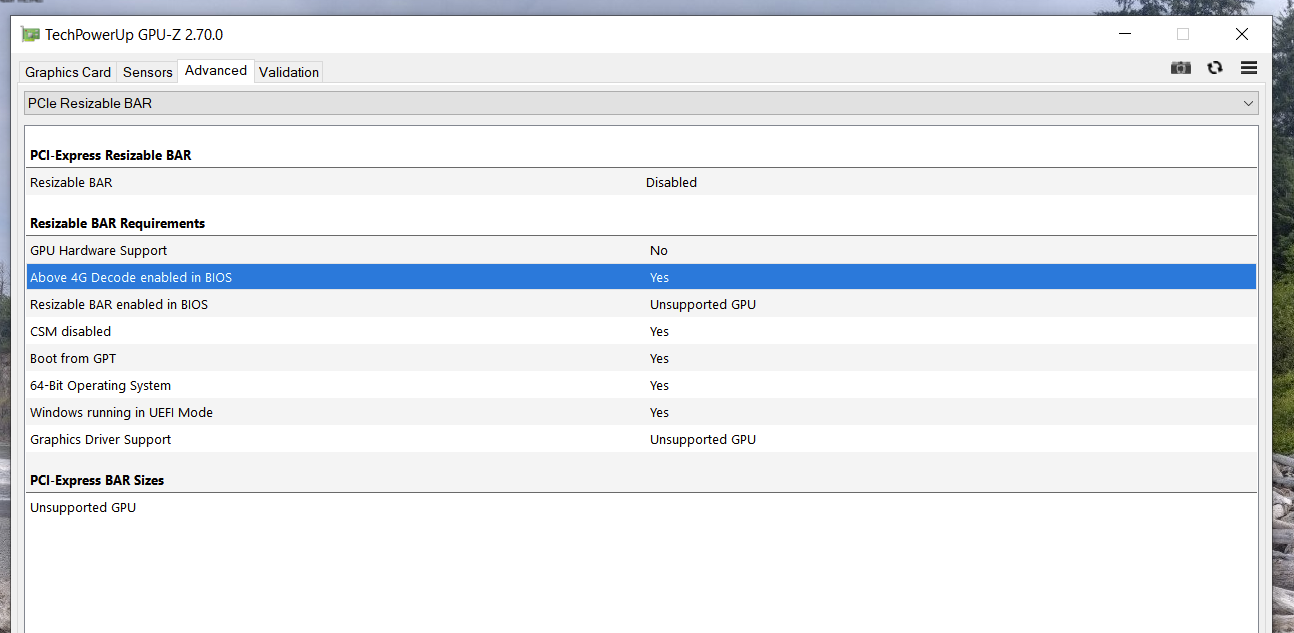
From cold boot the 5080 has incorrect PCIe settings. As if the BIOS picks a "bad handshake". The only workaround found is to allow boot to Windows. Disable, unplug, replug the AGA inside of windows. Then stable connection is established. You can see all the screenshots and progress in the AGA thread. What stinks is that if I leave the AGA plugged in overnight with the laptop on suspend or hibernate the system crashes. Comes up cold boot.
-
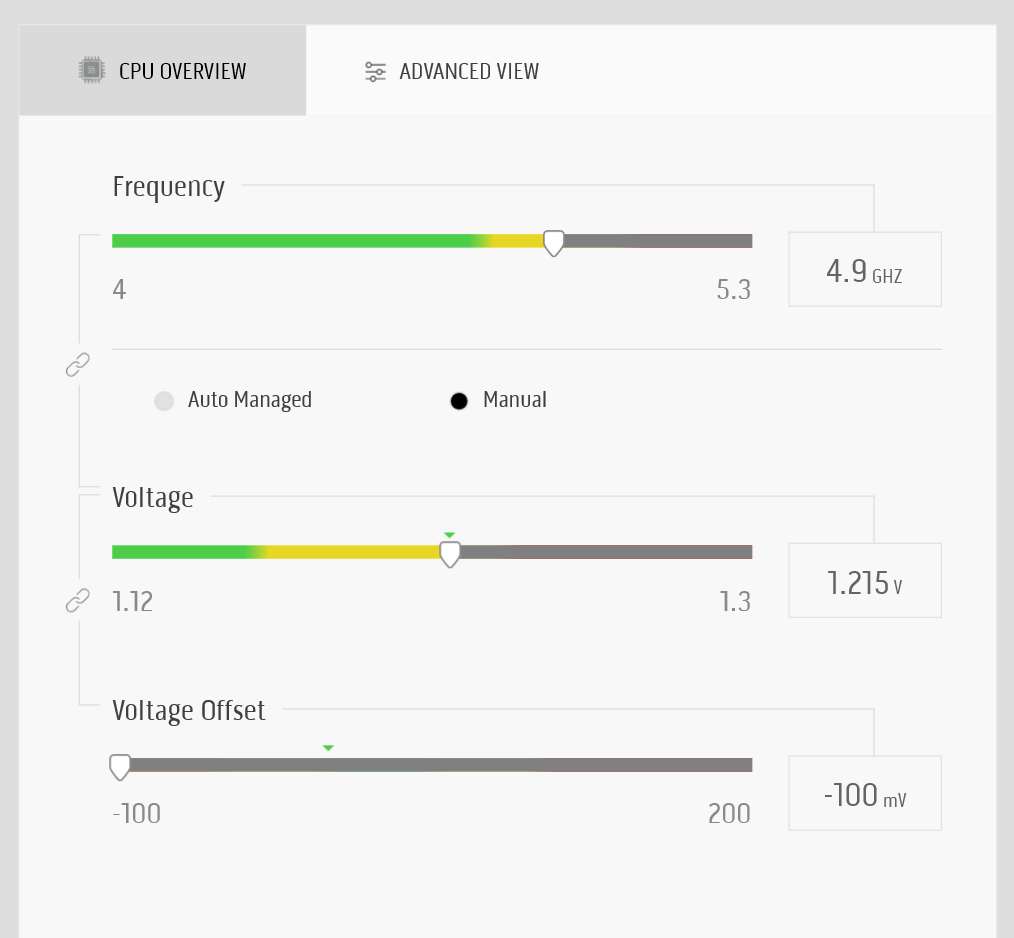
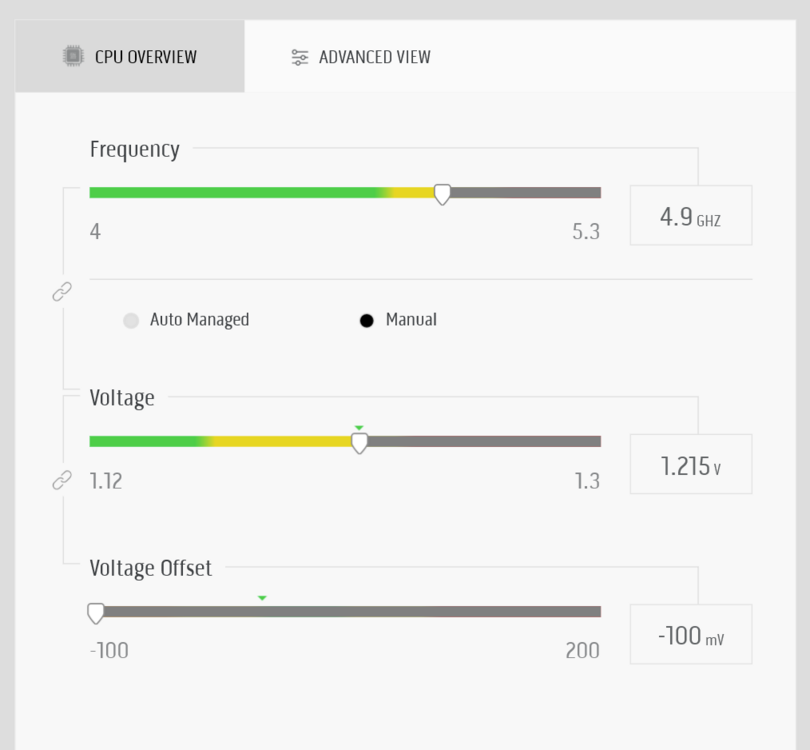
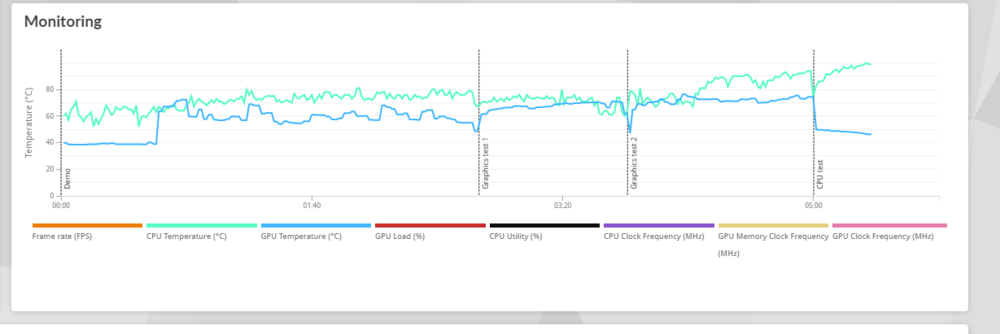
I set the max for all cores to 47x in OC BIOS settings. Then did this under-voltage:
-
"0C80 = 3200, 0xA63 as 80 and 0xA64 as 0C"
-
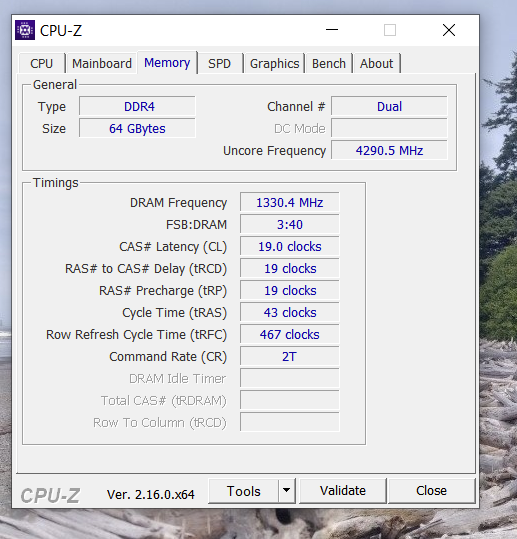
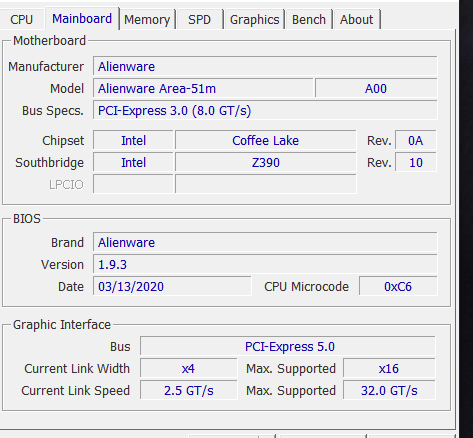
9900K (updated since rolled back to 1.3.2 BIOS and needed CPU without later e-fuses burned) 64 GB RAM at 2667mhz (don't try and code in 2666) 1.9.3 BIOS update since trying to fix AGA 5080 RTX "bad handshake" PCIe defaults. Still have to unplug/plug in Win10 to work.
- 7 replies
-
- 1
-

-
- area-51m r1
- area-51m
- (and 1 more)
-
I was on 1.3.2 but updated to 1.9.3 to try and fix the bad BIOS handshake with the AGA 5080 RTX. No improvement.
-
Post pics of the swap when you do it!
-
If you are just doing 2667mhz do not enable the "MEMORY PROFILE 0XA65 → 01" I think that is XMP and not supported for some DIMMs.
-
Liquid Metal on the 9900k IHS AREA51m
2CPU replied to i.bakar's topic in Alienware 13 / 15 / 17 / 51m (2015-2020)
What size shim? Where can I find it? -
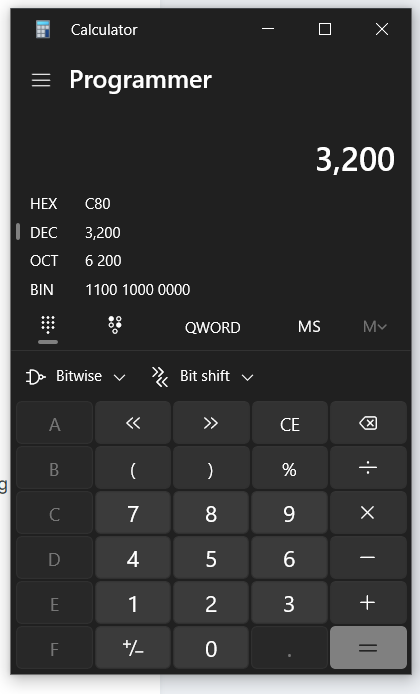
0C 80 but you got methods to recover your NVRAM/BIOS chip right? 0C80 = 3200, 0xA63 as 80 and 0xA64 as 0C Dude above knows way more settings that me but like I could not get the CL settings to be "hard coded" IMO the DIMMs have SPD read values of CL. Still no direct reply to this: ✅ Memory Profile: MEMORY PROFILE 0XA65 → 01 ✅ Additional Overclocking: 0X93F → 0B
-
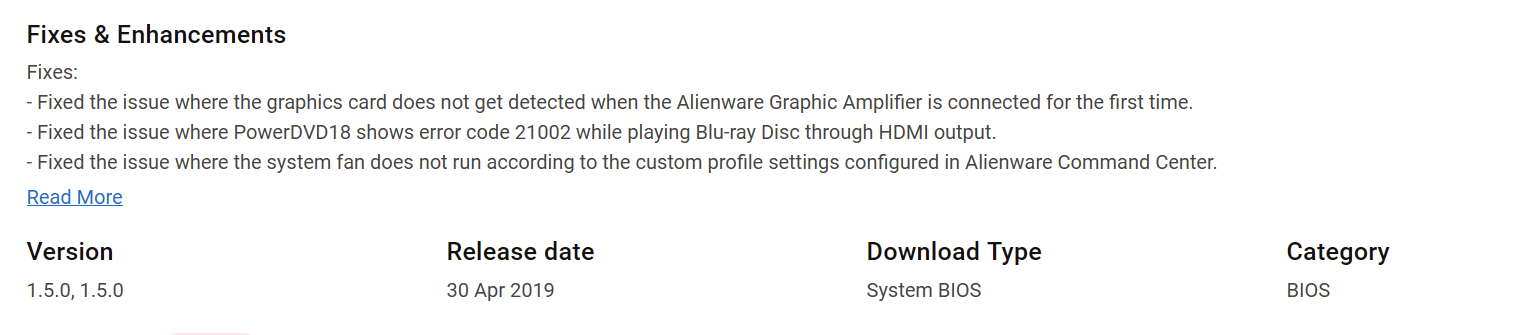
Well I can report there is no improvement of the original PCIe handshake of AGA w 5080 on the following BIOS: 1.3.2, 1.5.0, 1.5.4, 1.9.3 But from what I've read people stayed on the older BIOS to squeeze everything out of the 2080 which I am not using anymore. Running 1.9.3 now and still using the AGA disconnect/reconnect inside of Windows to get good link.
-
So I've been on 1.3.2 since I trusted the feedback that is was for max perf. Now that I use the AGA for most of my performance I am wanting to solve the sometimes bad handshake. So going to try 1.5.0 version first as I am not sure I can roll back once I go up to 1.9.3

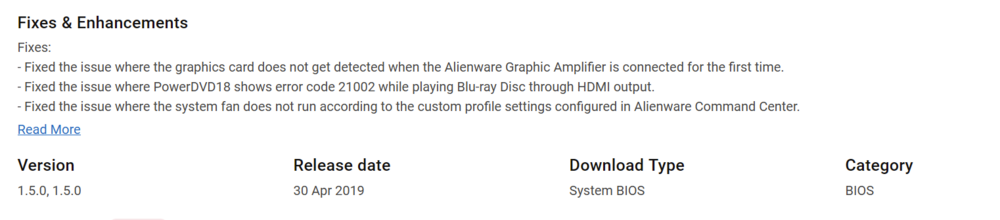
-
Ok I want to start on this process. I think I will first "Disabled the internal RTX 2080" This is because I never plan to use it anymore.
-
Wow thanks for the tips. I will follow these when I can and report back.
-
I believe the very latest BIOS can only be downgraded to 1.12.0. The later (more recent) BIOS burn e-fuses in the CPU as I was unable to boot after recovery flash below 1.12.0 without replacing the CPU to boot 1.3.2. So if your R1 is on the latest BIOS you might need to swap CPU if you get blinking red Alienware head on attempted recovery BIOS downgrade.
-
Wow that is amazing. I need to do this!
-
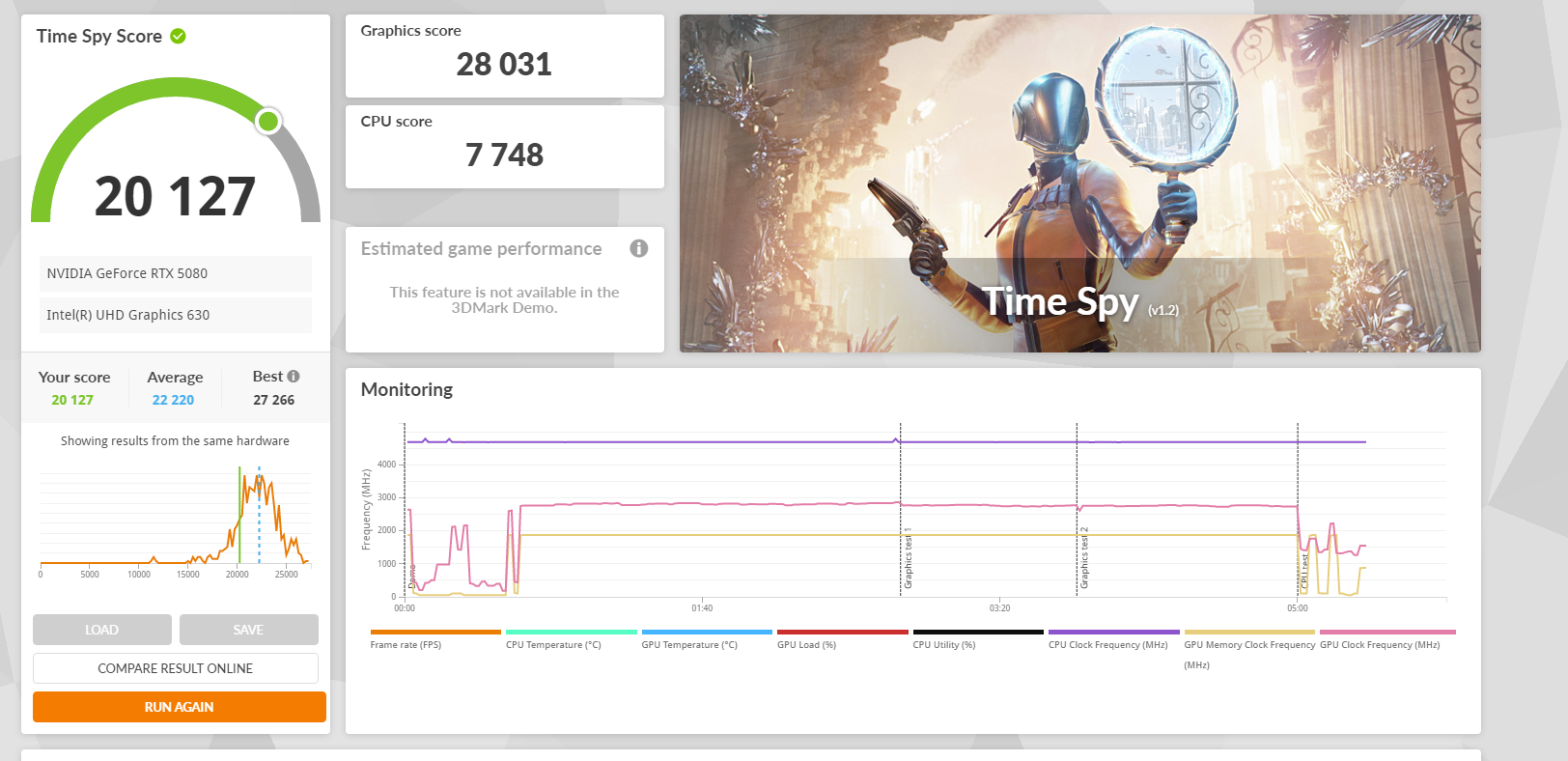
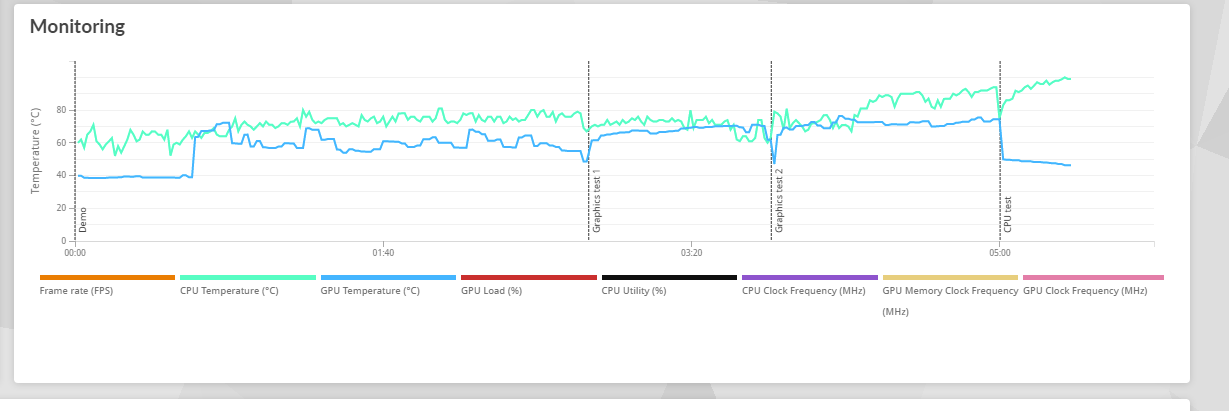
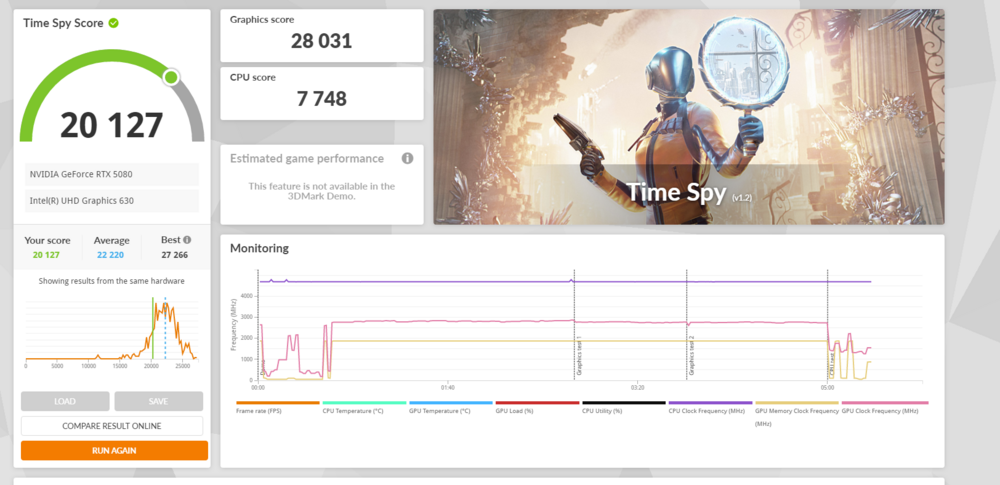
In the past I tried to adjust the CL values but they would get overwritten by the SPD read of the DIMMs upon boot. (guessing that is why they changed from my RU.efi settings) The DIMMs I purchased are only 2666mhz max per the label. I think these are TimeSpy scores: ~21k
-
I am missing these extra settings: ✅ Memory Profile: MEMORY PROFILE 0XA65 → 01 EDIT: above caused Red "No boot" alien and not recommended for just 2667 sticks. ✅ Additional Overclocking: 0X93F → 0B Would this help my Area51m RAM at 2667mhz?
-
It is more like bad BIOS PCIe handshake. Re-connecting in Windows resolves it somewhat. I am on 1.3.2 BIOS and I am 99% sure downgrading below 1.12.0 requires you to swap the CPU (later BIOS burn efuse to prevent rollback)
-
Woo the hero is here. Sweet! I will dabble in this in upcoming months.
-
Thanks for your efforts. I used your posts to reverse engineer backwards to get 2667mhz on my Area51m.
-
Simple online search shows a few options but might need to buy the 2080 cooling setup. I have the external graphics amplifier working on the Area 51m with good results.
-
Anyone else running 5070, 5080 or 5090 in AGA? For some reason my laptop doesn't stay asleep and transitions to off overnight. I just tweaked some settings in the power area (I think HDD power savings not set to never was the issue). Hope that resolves as I am required to unplug/plug back in the AGA to get the 5080 to proper PCIe settings. I am hoping to just keep my stuff open and sleep overnight and wake fine. UPDATE: The D3 cold transition causes this reset. Need to disable when using 5 series GPU.