BYTEHAT248
-
Posts
17 -
Joined
-
Last visited
BYTEHAT248's Achievements






-
Just so you are aware, from what ive seen those variables, well vary between certain bios versions (ex. A25, A26, A05) and changing the wrong ones can cause your laptop to not boot. To fix that you would need to clear CMOS. Those variables are from A16, the version I choose to try and mod, so if you need some other variables, I can go and find em for you. Also I think I might try and figure out a way to do the power limit unlock thing on linux as they're are ways to change msr values on the fly.
-
No, but im going to be looking into board modifications soon to do so. Im also going to try more heavy NVRAM editing sometime next week most likely, but I flashed a backup BIOS with a dirty ME without knowing, so I have to take it all apart to flash externally (since they dirty ME prevents flashing normally). This forum post kinda shows where I am currently with the mod, as ive taken a bit of a break to work on VBIOS modding. https://winraid.level1techs.com/t/need-help-precision-m6800-bios-modding/114641
-
I wish I could afford those cards right now, so I would do it, I just dont have the hardware.
-
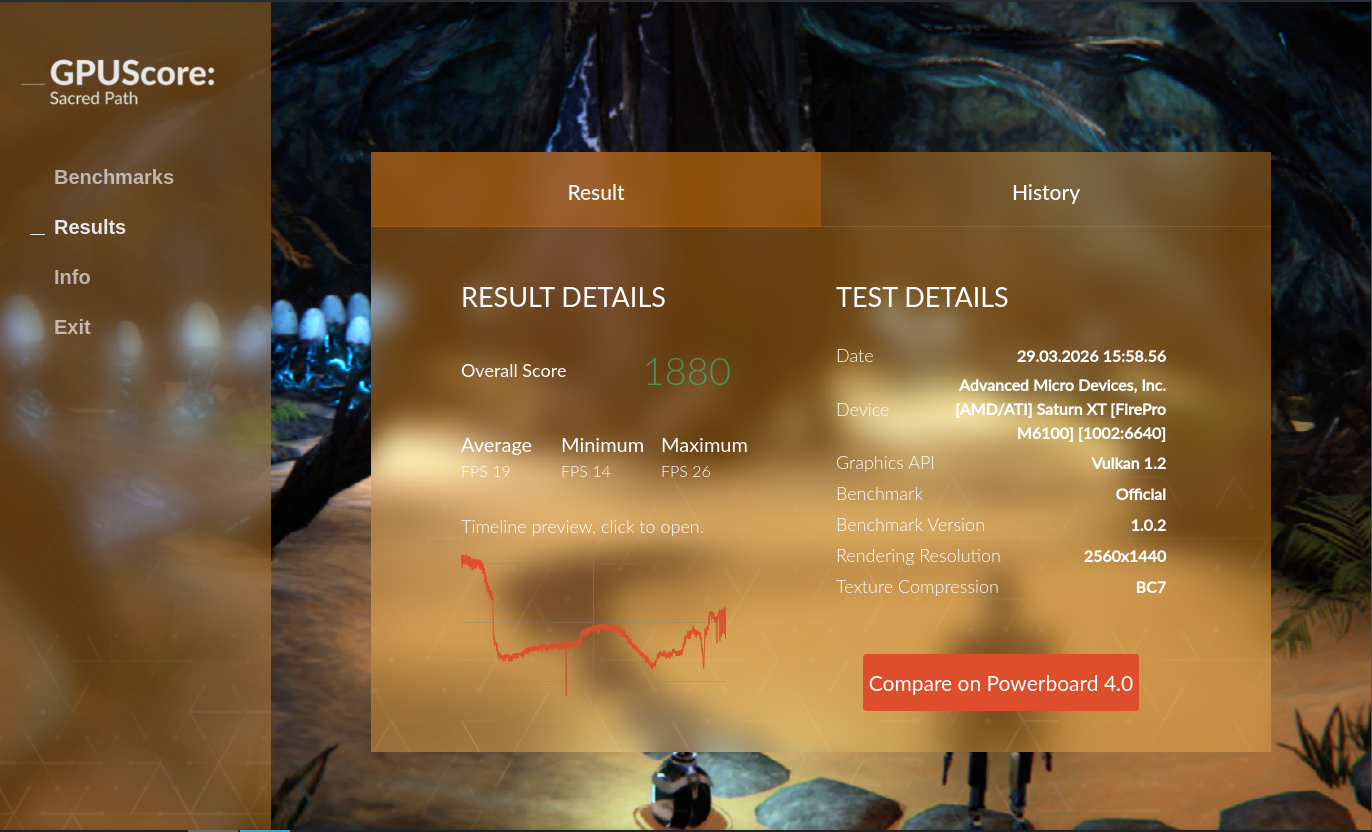
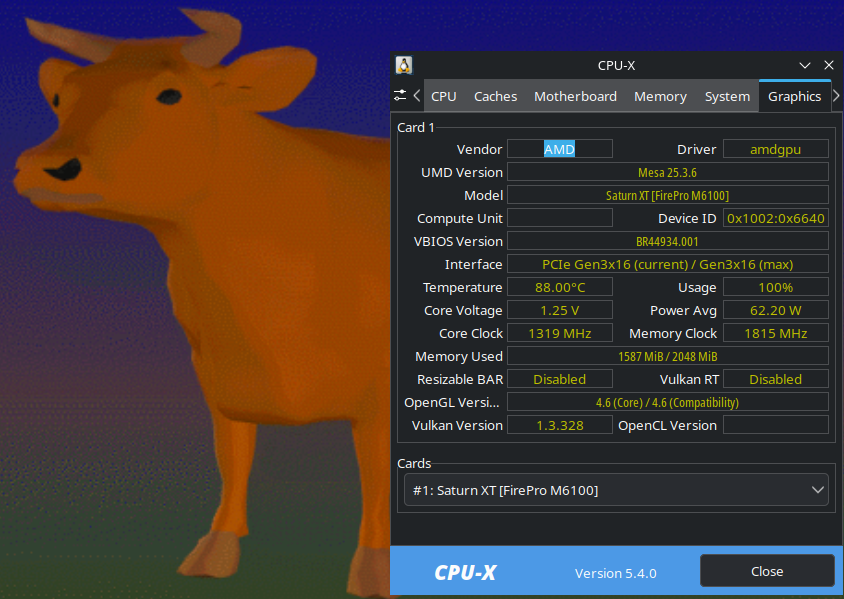
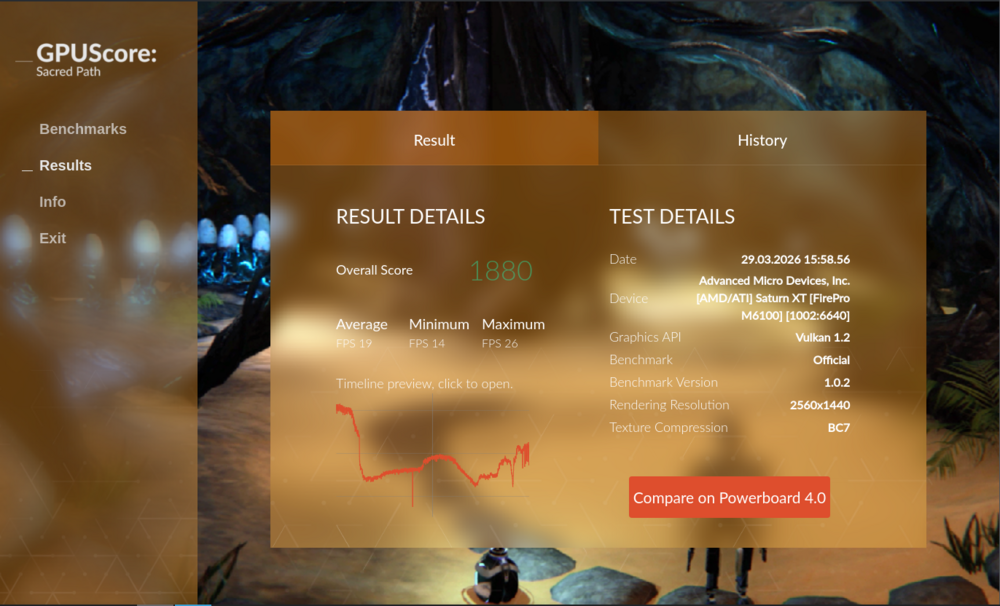
So a while ago I wanted to overclock my FirePro M6100 even further than the Mystery Magic V2 VBIOS did. I had gotten bored waiting to get a Radeon RX 6600 to put in my Precision M6800 and decided to start making this. A unofficial fork of the Mystery Magic V2 VBIOS. Pretty sure I set a overclocking record on this card too. It takes the 1625Mhz memory straps and puts them over the 1750Mhz straps, to allow for even higher VRAM speeds. I have upped the TDC and power limit to allow the card to pull even more power. You Must Have A 330W Charger connected to OC with this VBIOS And the last thing I changed to bring it all together was upping the max core voltage to 1.25V Now from what I can tell the original creator of the Mystery Magic V2 VBIOS Valuxin is no longer active of any of the forums they posted on, since like 2022. So I have no way to contact them to ask for permission to release this officaly. Now if Valuxen returns and wishes for this fork to be modified or removed, I will do so immediately. Before anything else, there are a couple things the person reading this need to know about this mod. First, I must warn you that this VBIOS can brick your card if flashed incorrectly and it is very easy to damage your card overclocking Second, This VBIOS mod does not increase the original overclocks set by the Mystery Magic V2 (1188/1650Mhz) VBIOS this mod was made from, it only gives way more room to overclock Third, this VBIOS was only tested on a card with Single Rank Memory and SKHynix Memory. I do not have any other cards to test it on. Fourth, I once again must warn, this mod is only for very advanced users, pushing your card further than it can handle can easily destroy it Fifth, This VBIOS was only tested and overclocked on Fedora 43 Linux Here is how much I have overclocked my card, I still need to get new thermal pads and paste to handle temps a bit better. Even getting a custom heatsink from ebay to handle it better. Do not pay close attention to the power draw average, as im 99% that its completely wrong. I do believe ive set an overclocking record for this card. Score on GPUScrore: Sacred Path Offical. Mind you the card got a bit hot due to me needing new thermal pads and paste. https://powerboard4.basemark.com/benchmark-result/87512 To flash the vbios use amdvbflash in efi Run these commands amdvbflash -unlockrom 0 amdvbflash -f -p 0 M6100SOC.rom EDIT: Make sure to copy your original VBIOS to your bootable drive too Once again incorrectly flashing can brick your card and the only way to restore it would be via an external programmer. Overclocking this much can easily damage your card, so this mod is only for advanced overclockers. M6100SOC.rom https://www.mediafire.com/file/uiui1bo8i574i9o/M6100SOC.rom/file
-
Precision M6800 questions and upgrades
BYTEHAT248 replied to Jers6410's topic in Pro Max & Precision Mobile Workstation
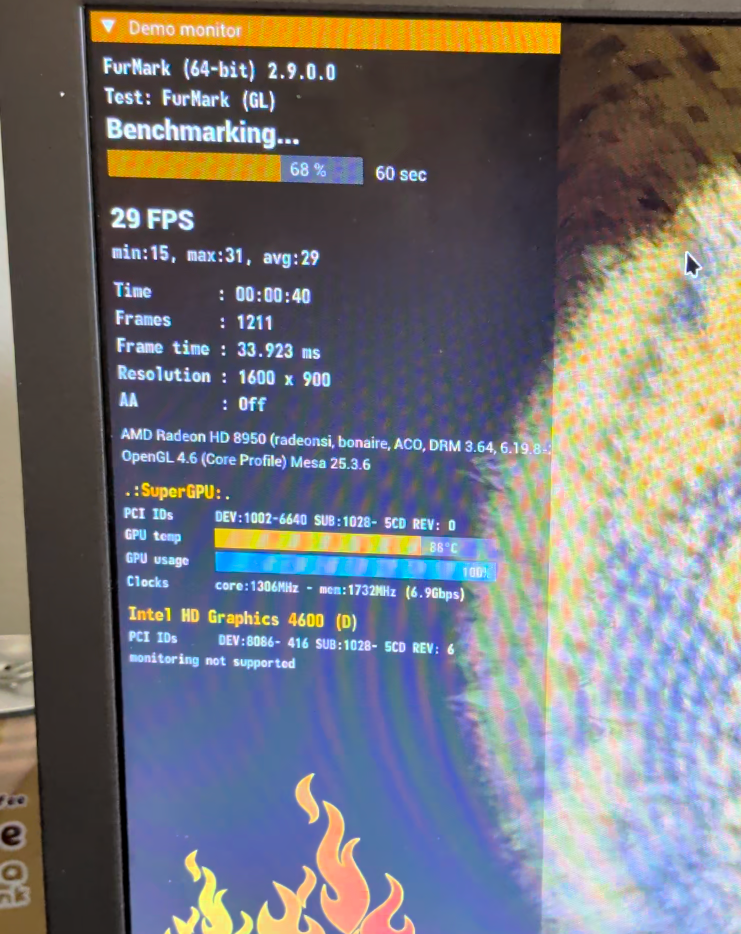
Tell me, is this fast. I was recording it with my phone but it blew the surge protector on my power strip at 68%. This was with a 330W Adapter. This was done on a AMD FirePro M6100, With a fork of the Mystery Magic V2 VBIOS (1188/1500), I then overclocked it more to 1306/1732 (Core/VRAM). Now I have not finished the fork of the VBIOS, I still need to give it more voltage and loosen the timings on the VRAM a bit, which i will then see if it can handle 1350/1800.I do also need to get new thermal pads and paste for it.I was running the benchmark on Fedora 43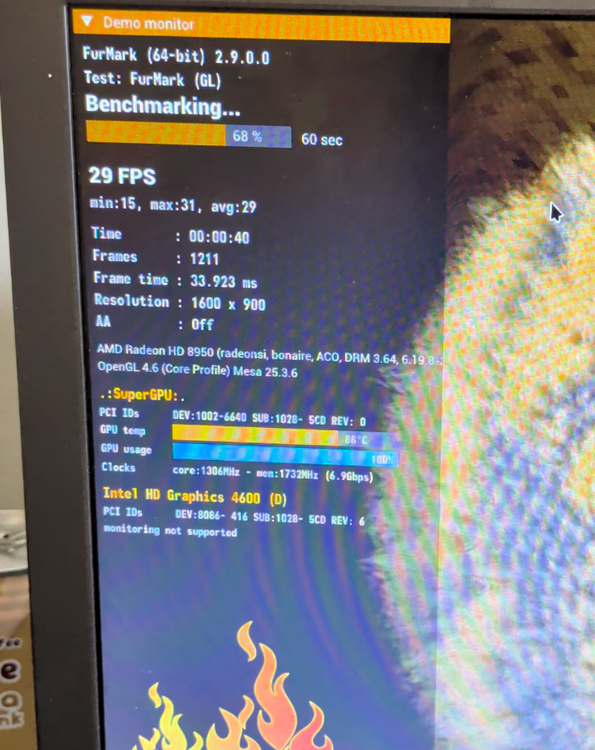
-
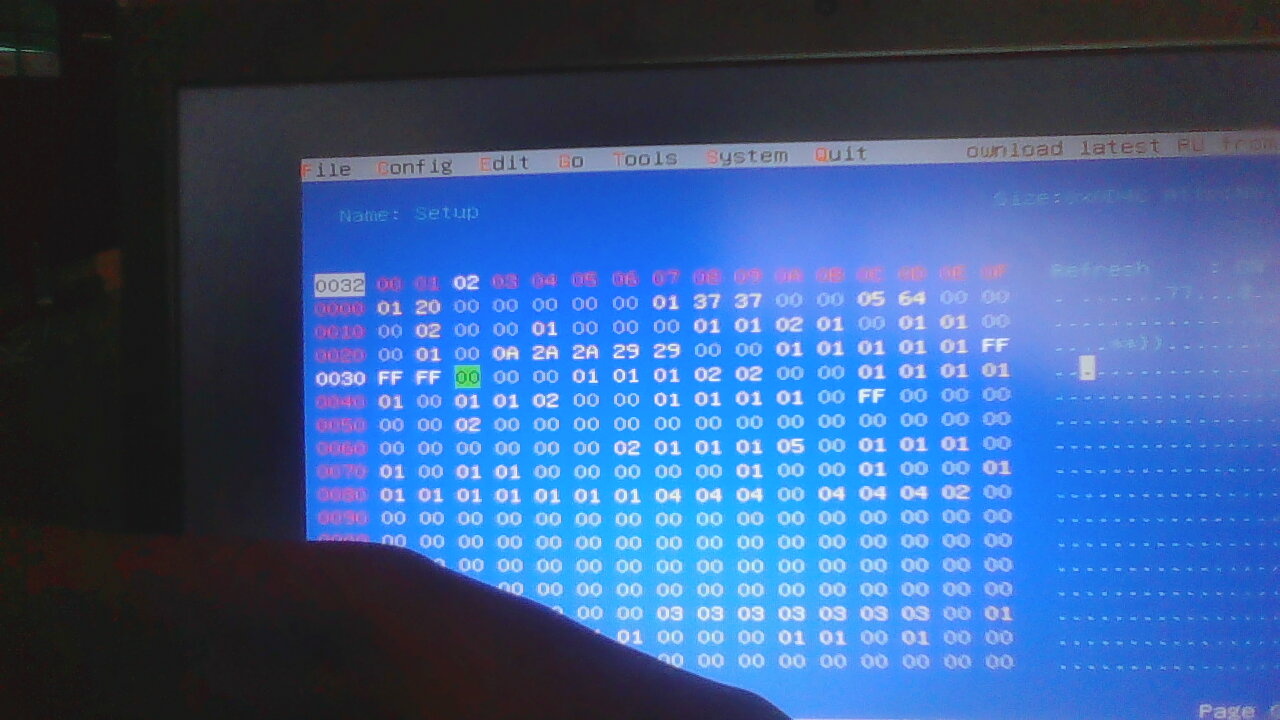
Ive only tried this with bios ver A16 (these values could be different on different BIOS versions), but boot into RU.efi, select setup, change the value of 0x24 from 00 to 28, 0x25 from 00 to 28, 0x26 from 00 to 28, and 0x27 from 00 to 28, that would set it to 4Ghz All Core, you should also disable the overclocking locks and stuff too, guide for that here ( https://www.nbrchive.net/forum.notebookreview.com/threads/guide-dell-precision-m6800-m4800-sbios-mod.788481/index.html ). I should note that i was not able to get my i7-4930MX to actually boost past 3.9Ghz, but this guy might have solved that problem ( https://forum.level1techs.com/t/solved-cpu-scaling-governors-dont-work-my-computer-wont-obey-my-command/202241/18 ), I havent tried it yet. I am currently working on a actual BIOS mod to unlock hidden menus, but so far dell has made that impossible due to the way the bios is configured.
-
Precision M6800 questions and upgrades
BYTEHAT248 replied to Jers6410's topic in Pro Max & Precision Mobile Workstation
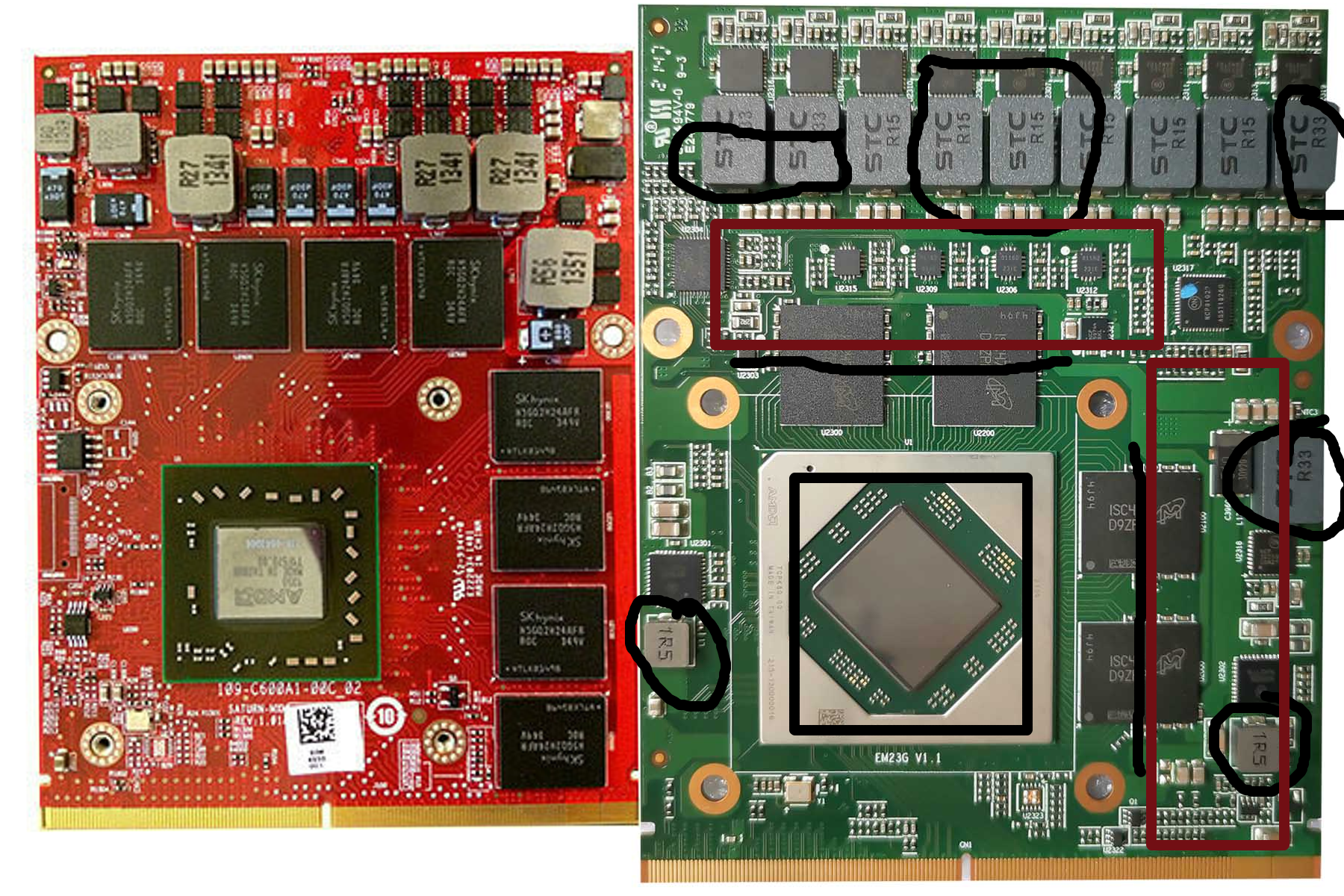
Has anybody tried putting in a AMD Radeon RX 6600 MXM GPU (Specifically the X-Vision one https://www.x-vsion.com/product/mxm-radeon-rx-6600-8gb/). The only problems I could see would be its 130W TDP and different VRAM placement (FirePro M6100 Left, RX 6600 Right) If worst comes to worst I could do some major heatsink mods and cap the power limit to deal with those problems. I currently have a LVDS panel and plan to upgrade to a eDP panel, but for now AMD Power Express should suffice. How likely is this card to work, as it would be quite an upgrade over a GTX 1070.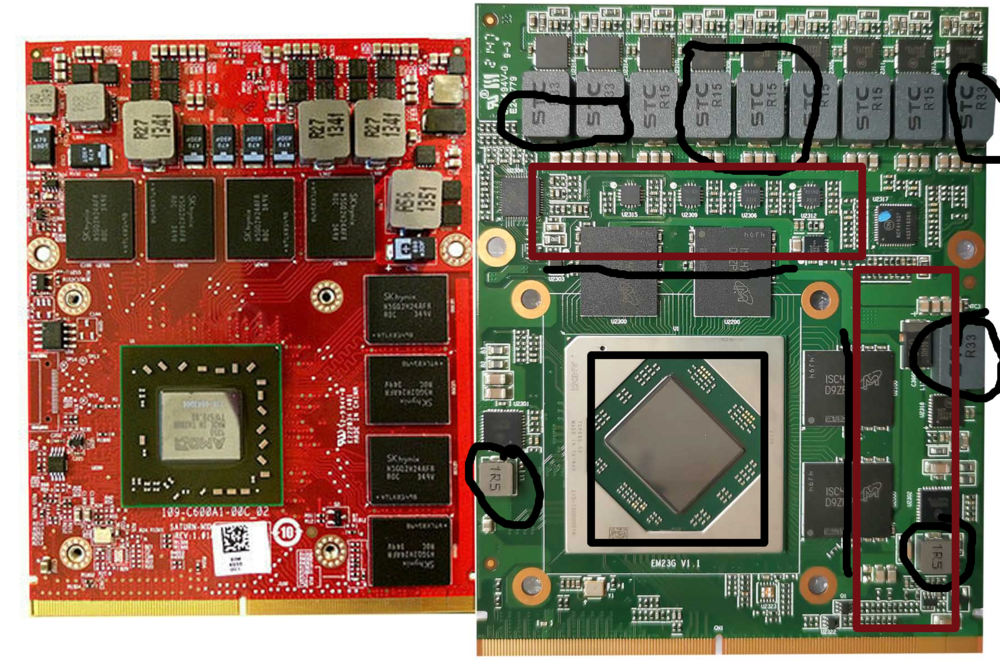
-
UPDATE: So my computer has been giving me very mixed signals, and i took that as the changing hex values to overclock did not work. but thinking about it more, it is able to boost to 3.9Ghz on all cores, something i did worked, and ive tried a few monitoring softwares, cpupower and turbostat both said that the CPU is set to boost to 4.2Ghz all cores, but it was maxing out on them at 3900Mhz (or 3.9Ghz). Now system monitor says that it is boosting to 4.2Ghz on some cores, but nothing in between 3.9Ghz and 4.2Ghz. So there is 2 things that could be happening. Number 1 is that the overclock did work, and it is boosting to 4.2Ghz but what i did to acheive that messed with sensors and it isnt showing the correct reading. Number 2 is that the CPU is still hitting a power draw limit and its not boosting because of that, even with turning off the power limits i found. And i think that number 2 is unlikely, cause after turning off the power limits and trying to game with a 240W charger, the screen got fuzzy as the CPU and GPU fought for power, and when i switched to a 330W charger it went away. I'd love to hear any suggestions of what to try next, because im starting to think i gave up on writing values to quickly, and there is potential.
-
that would be awesome if you could
-
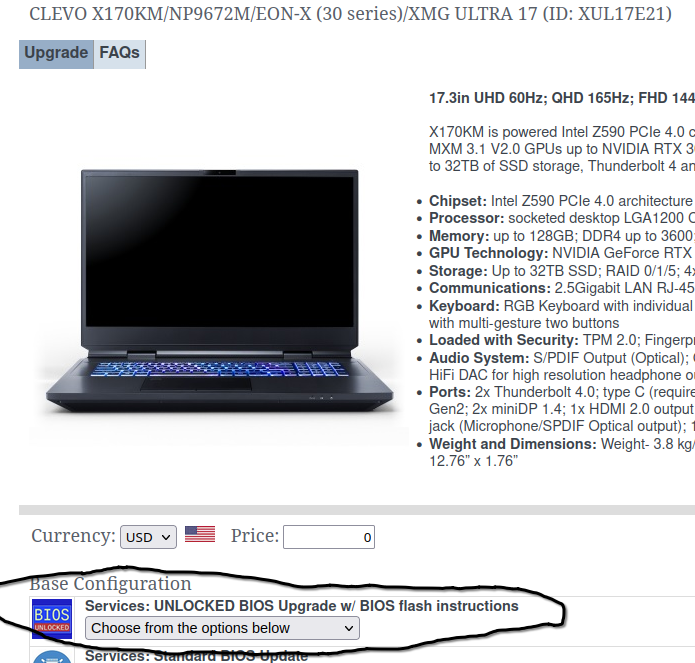
Has anybody purchased the BIOS Unlock from Eurocom, and is it worth the 120$ over just using the unlocking tool? Im assuming its not even kinda worth it, unless its some kind of updated BIOS
-
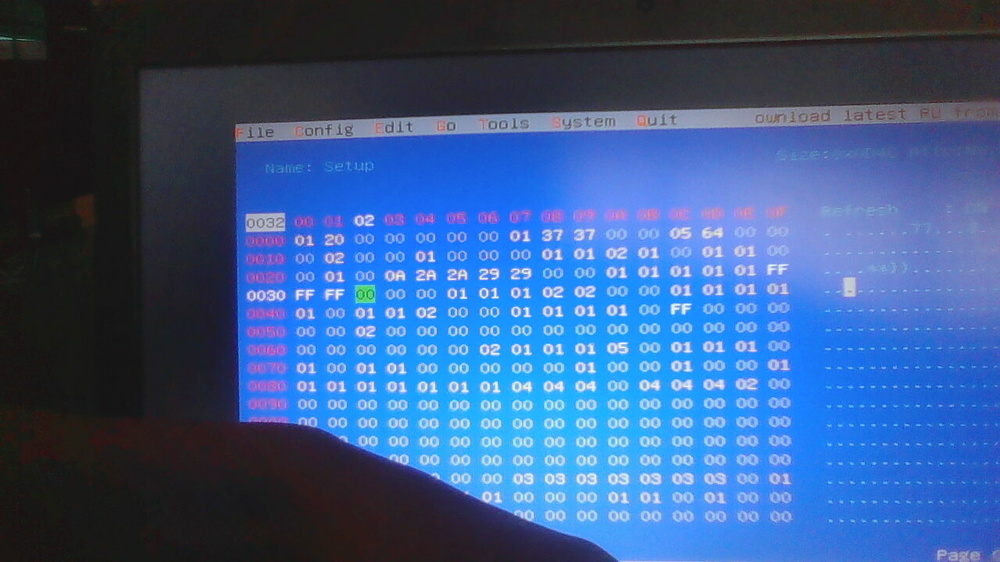
After countless hours of attempting to unlock the advanced menus in the precision M6800s, ive had no luck, even with posting asking about it on bios-mods.com, but I have learned quite a few things about modding the bios that may help others in doing what I was not able to or maybe someone could help me do it. so i compiled everything i found online (+ stuff i did on my own) about this to post it all here. (My Precisions specs, ME Disabled, BIOS Ver A16, CPU: i7 4930MX, GPU: FirePro M6100, 12GB RAM, Fedora) Before any thing else I should note that if your are going to attempt any of the things here, know that there is a chance you could brick your motherboard and the only way to fix it would be a external programmer. Part 1: Modifying setup variables with setup_var in a grub prompt (if somebody wants what commands i ran to change the MSR values on linux let me know) So when i got this machine i picked it specifically as a project computer, to try to push it to its absolute limits in terms of performance. So first i started researching gpu upgrades, i ended up finding that the GTX 1070 MXM is the best choice for me but it only works on linux. And then i started looking for ways online to overclock the CPU, and found, mostly nothing. Other than a post on a no longer existing forum.( https://www.nbrchive.net/forum.notebookreview.com/threads/guide-dell-precision-m6800-m4800-sbios-mod.788481/index.html ). The user (valuxin) that made that guide is also the person that made the Mystery Magic VBIOS for the FirePro M6100 (i currently have it on my card). So i thought why not try it. Well I changed all the variables to unlocked, and well i was able to change MSR values with the wrmsr command on linux, and while it did change the values, my cpu (i changed the values to turn off all power limits on the CPU and raise its max Turbo freq to 4.2ghz all cores), the only thing that it actually did was allow it to boost to 3.9ghz and hold it. according to turbostat it was not boosting past 3900mhz at all. So it was time to try something else Part 2: Manually changing hex values with RU.efi So i realized pretty fast it wasnt going to be as easy as i thought it was to overclock this thing, so i did some research and figured out that i could just manually write hex values with RU.efi, so i dumped my bios and opened it up in UEFITool and then extracted the setup PE32 Image, then i extracted the IFR tables. And then spent a while figuring out what was what until i figured out what needed to be changed The offsets needed to be changed were in var store 0x15 (Setup) they were: 0x23 (to 0A), 0x24 (to 2A), 0x25 (to 2A), 0x26 (to 29), 0x27 (to 29), 0x2F (to FF), 0x30 (to FF), 0x31 (to FF), 0x4C (to FF) . I then saved and rebooted and Turbostat (and corefreq) was now saying that my CPU was set to boost up to 4.2ghz on 2 cores and 4.1ghz on 4 cores. But it still wasnt boosting past 3.9ghz. (there was one other thing too, in RU there was a var store called SystemAccess, in it was a single offset, 1 byte, it was set to 0x00, now i thought to myself, theres no way that wont do at least something, so i set it to 0x01, nothing. but when i went back to RU.efi it was set back to 0x00, i tried to set it to 0x01 again, i reboot and then go back into ru and its right back to 0x00, it was reseting itself, and since i didnt know what exactly it did, i just left it alone forgot about it) So I thought that maybe i was going about it all wrong, maybe i just needed to figure out a way to unhide the advanced menu, or put one in. Part 3: Attempting to unlock the advanced menu in the bios (and failing due to not knowing enough about bios modding) So at this point i had kinda given up, i was only looking online and hoping to find some kind of guide or premade bios, and i did end up finding something (https://forums.mydigitallife.net/threads/tutorial-ami-aptio-uefi-advanced-menu-unlock-bonus-msr-unlock.54523/) a guide on how to unlock the advanced menus in the bios of the Precision M3800. Now the precision m6800 and m3800 are 2 very different computers, but they probably both use the same base for there bioses since they are both M "800" series (yes i know they all use AMI bioses, but i mean a more configured base and considering i found references to DDR2 while looking super deep in my bios dump, a lot of dells computers probably do) so i decided why not try it on my pc, well i looked into the extraced setup IFR tables, and there was only one thing in the forum sets (and in the guide there was multiple things) Main (0x7). I even extracted the bios from the A26 bios setup, and it was the same thing. I had hit a brick and given up, but im hoping someone might be able to succeed where i had not. In case they can be of use: Full A16 BIOS Dump: https://drive.google.com/file/d/1lvxeWrr5YXE1Ik9rTQI8fZeElxgOpJUk/view?usp=sharing Extracted IFR tables from setup: https://drive.google.com/file/d/1kocG4yWR4Gl5b8_eETgeSzZ8zU6Okqsj/view?usp=sharing Full Extracted A26 BIOS: https://drive.google.com/file/d/13rtPeStXgEOflKnMWPqZy2vlLcFlKYPN/view?usp=sharing
-
Just flashed the 1188@1500 version to my card and already seeing a pretty decent performance bump. Was a pain to flash though, had to use the 2.93 UEFI version of the ATIFlash to get it to actually flash it to the card, since i use linux and cant use the nvflash tool.
-
GTX 1070M in a Dell Precision M6800?
BYTEHAT248 replied to BYTEHAT248's topic in Components & Upgrades
alr, also would you happen to know what pins on the power connector are the main 19.5V power rail, i have an idea for putting in a 1080 (yes i know it would create a crap ton of heat) if you do i have a plan that might just work, this would be in the far future though as i dont have the spending money to get something that could possibly fry my board and then having no money to replace it -
GTX 1070M in a Dell Precision M6800?
BYTEHAT248 replied to BYTEHAT248's topic in Components & Upgrades
Alr, Is there any like "general" guide for what sizes of thermal pads go where on the card. I got a general idea of where they need to go and ill experiment with different sizes in different places to see what works, but I'm asking in case theres a certain placement for the best cooling. -
GTX 1070M in a Dell Precision M6800?
BYTEHAT248 replied to BYTEHAT248's topic in Components & Upgrades
Good thing I use fedora then, I already had assumed that one of the main reasons nobody uses it is because it prob wouldnt work with windows. I already use linux as my daily driver. i did say something about it in my original message, my bad if i didnt make it apparent.