Selim1905
-
Posts
29 -
Joined
-
Last visited
Content Type
Profiles
Forums
Events
Everything posted by Selim1905
-
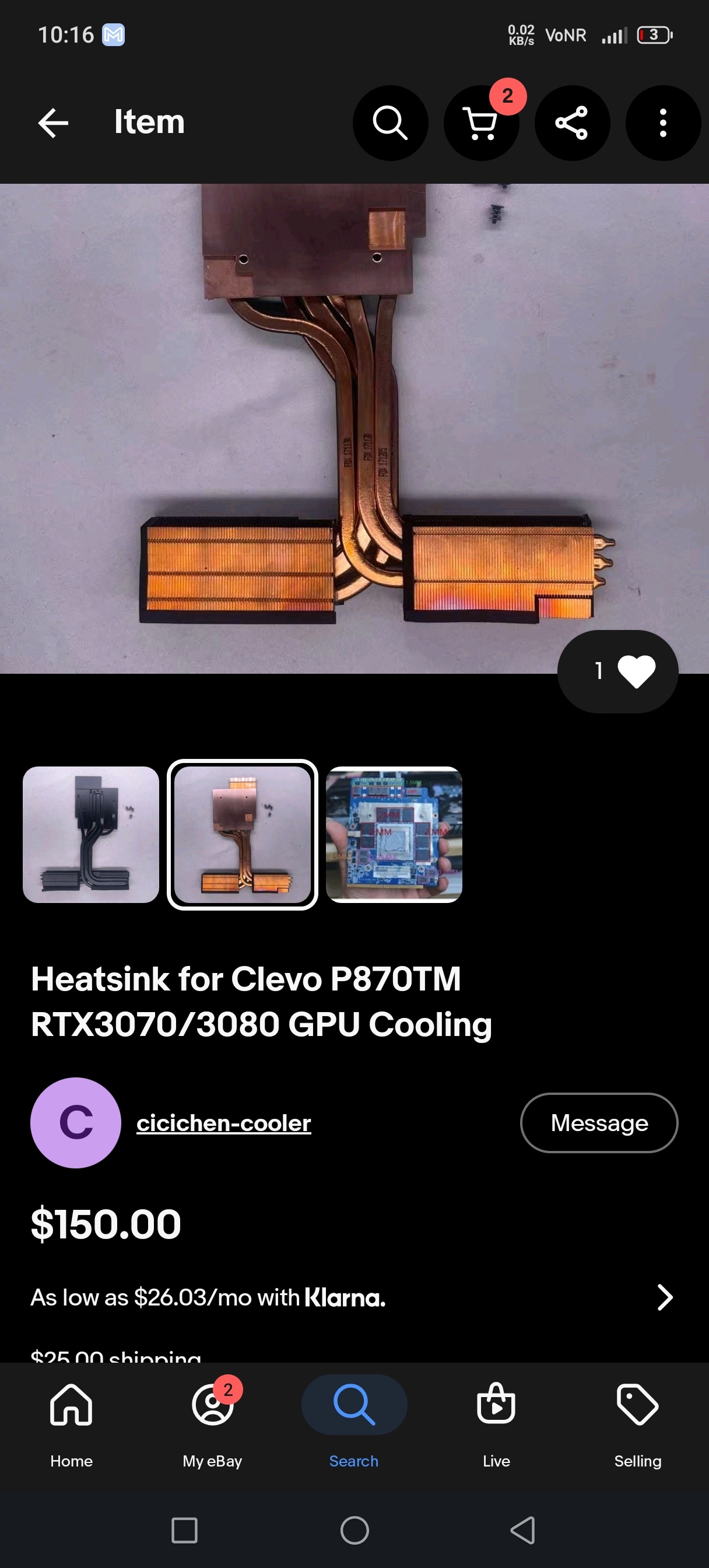
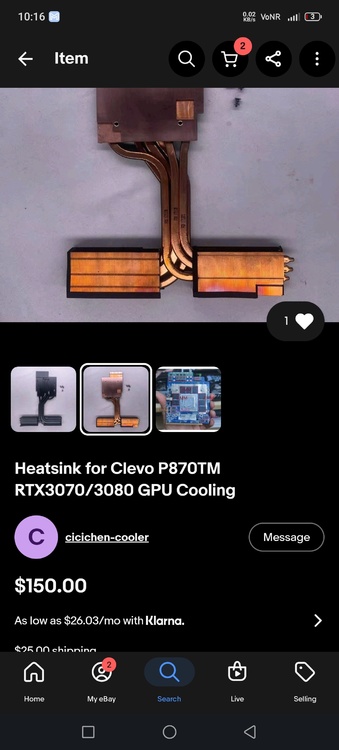
He is again active on eBay
-
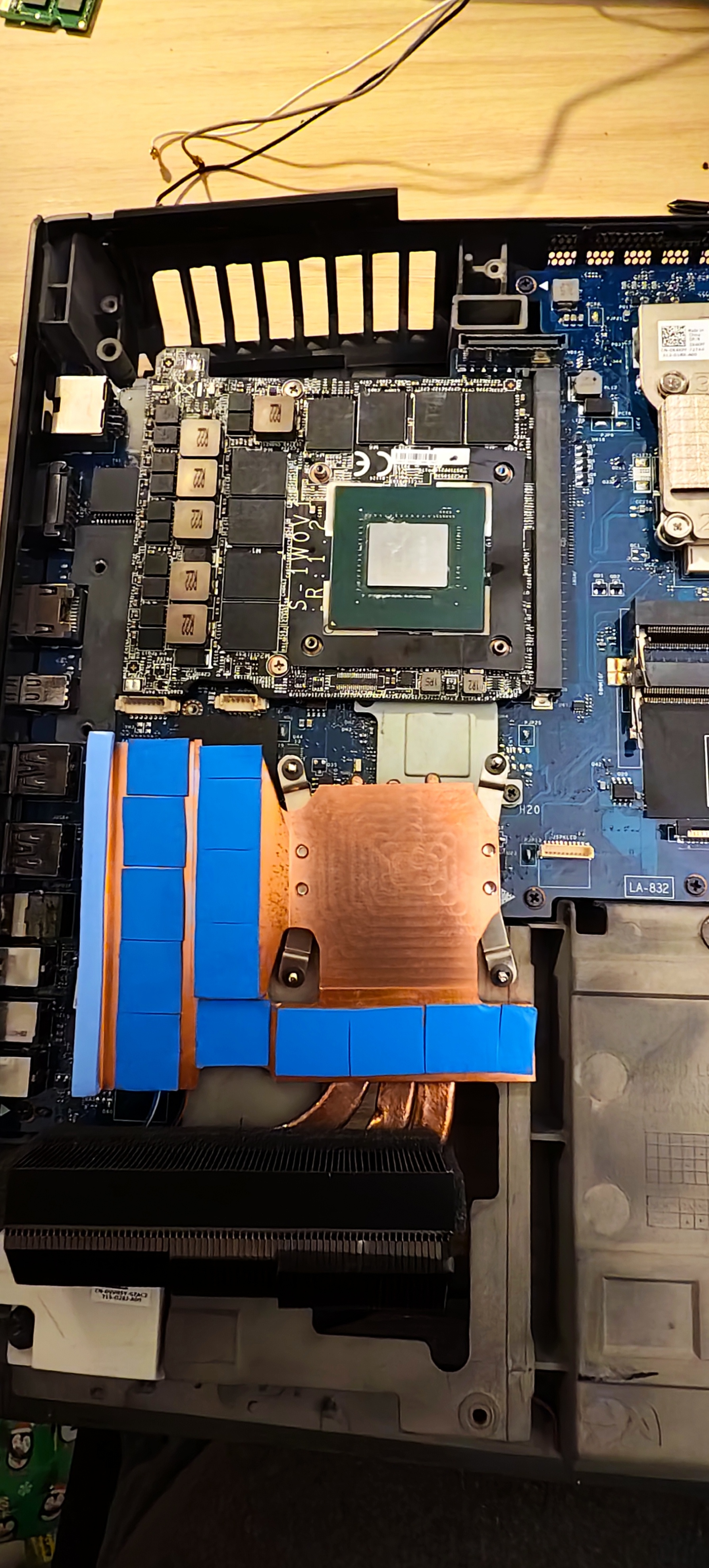
In my opinion, it offers excellent value for money. As I mentioned, the thermal pads are basic; I estimate that with a high-quality thermal pad and the fan at maximum speed, temperatures would stay around 65–72°C.
-
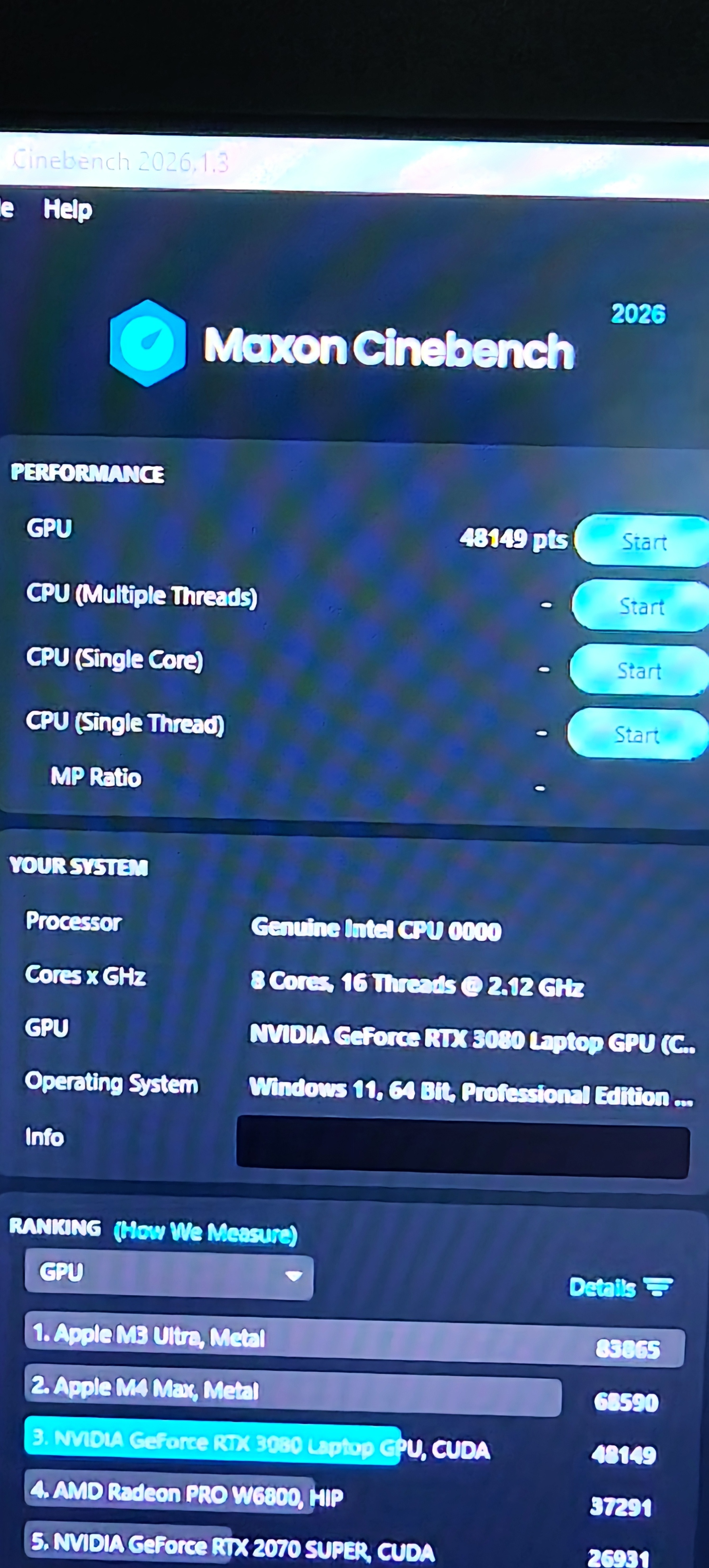
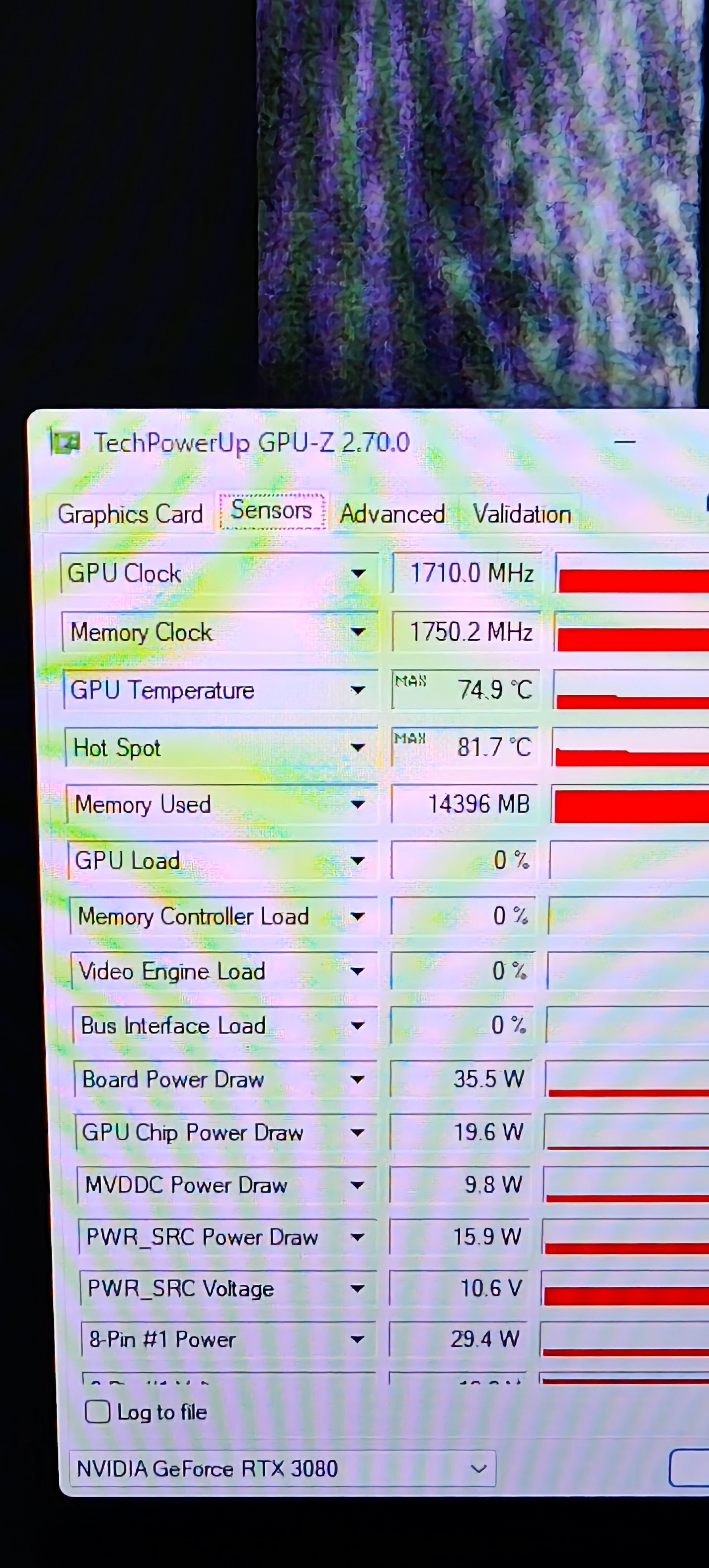
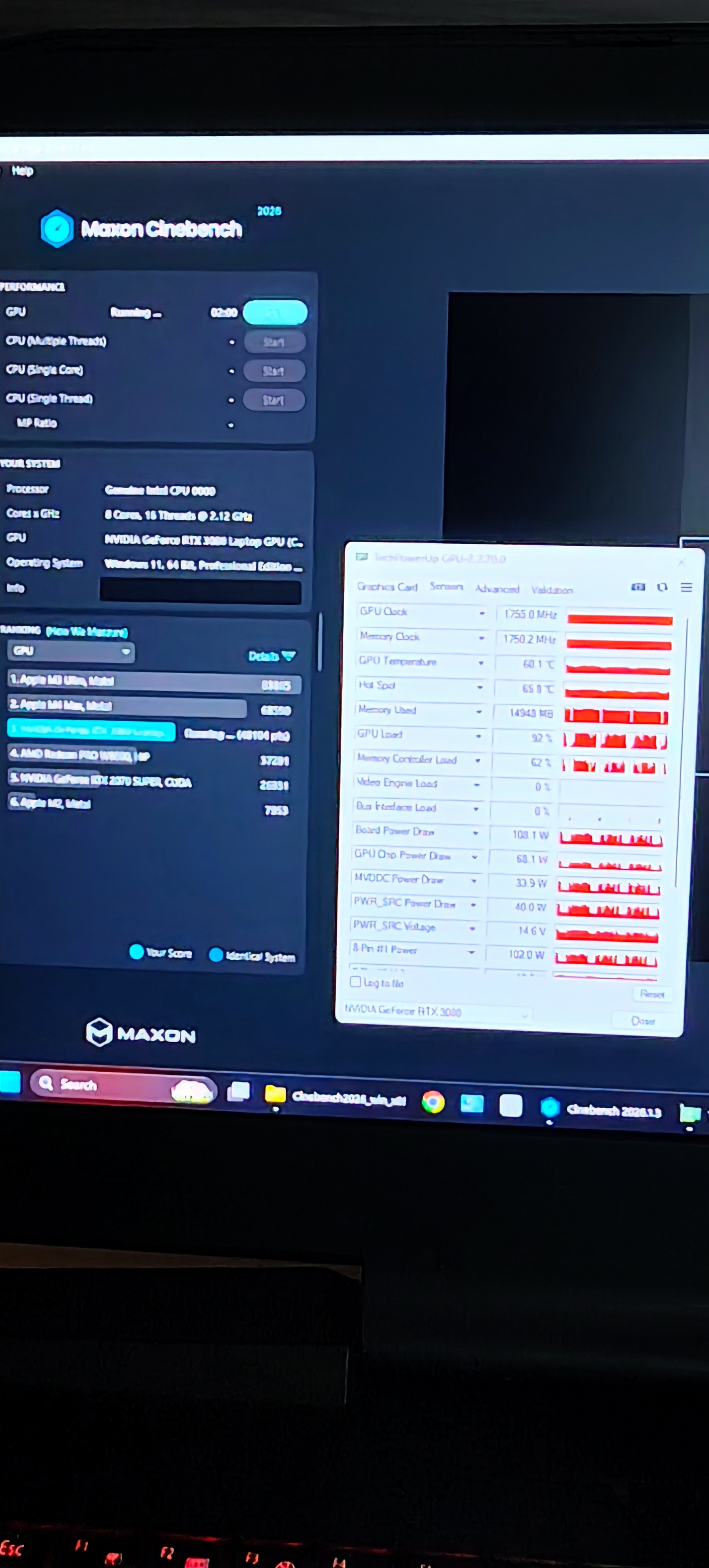
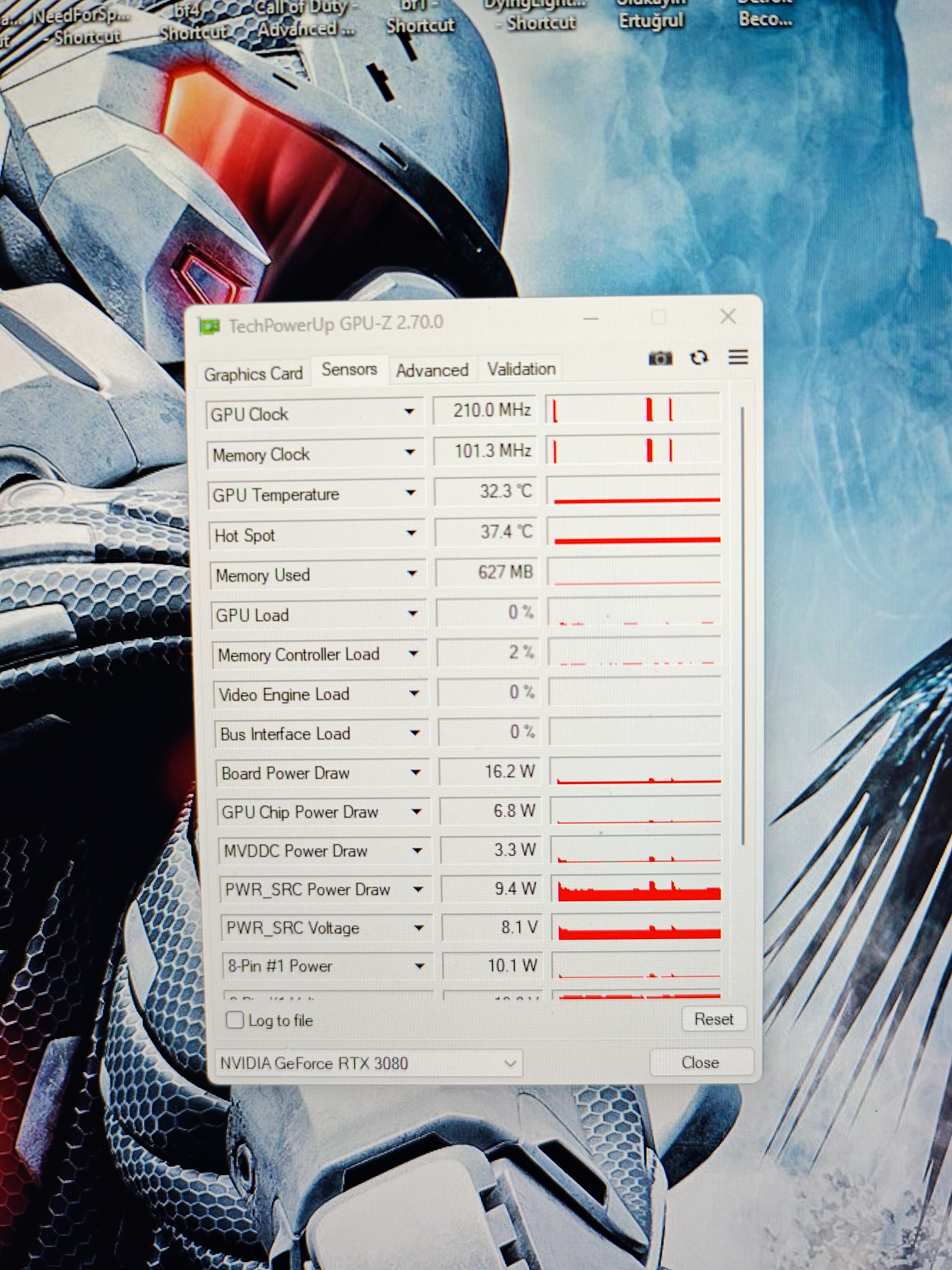
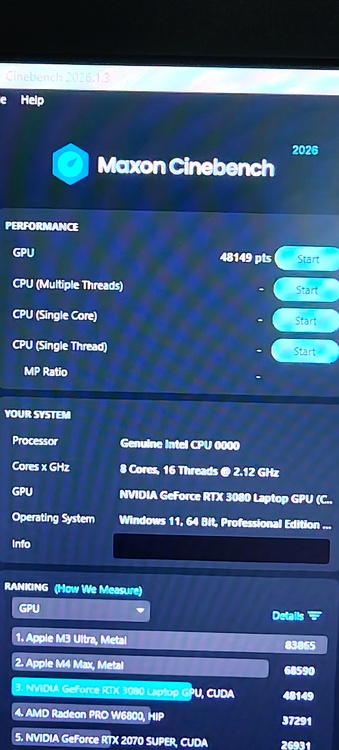
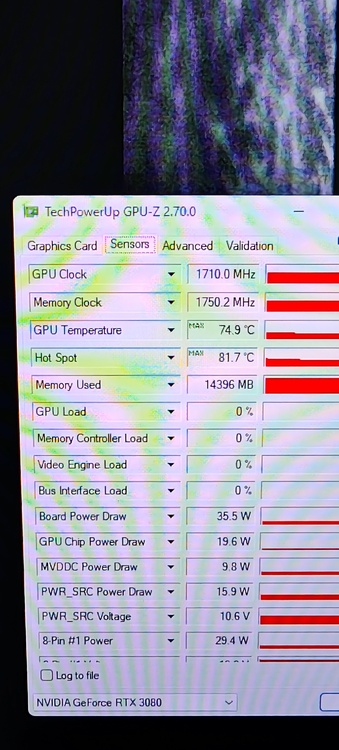
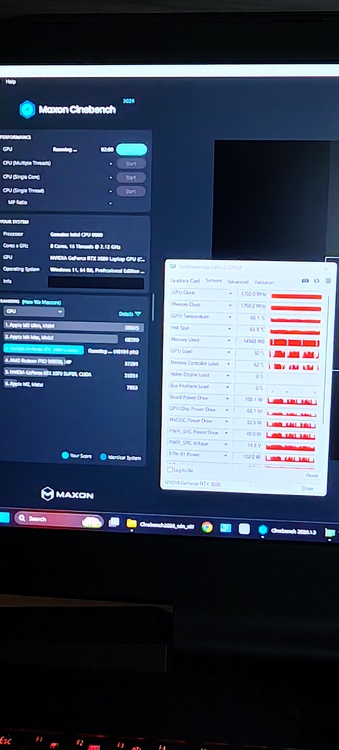
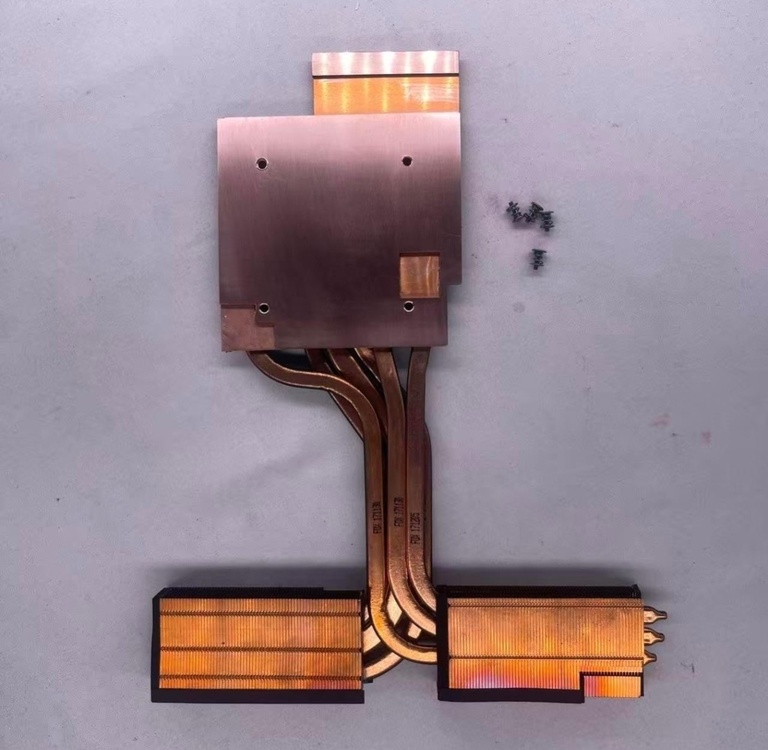
These are the test results. The maximum values recorded here were obtained with the fans running in automatic mode; with the fans set manually to maximum speed, the temperature did not exceed 72°C. The thermal pads I used aren't top-tier; I used mid-quality pads I had on hand for testing purposes. Temperatures could be improved further with better thermal pads and the necessary software fine-tuning. In my opinion, the cooler performs very well.
-
These are the average values with the fans at maximum speed. When the fans were on automatic and not running at full speed, I saw peaks around 81–85.
-
Today I try the heatsink it's work very good. I don't have time for detailing test.
-
eBay chat is working no problem.I was talk on eBay
-
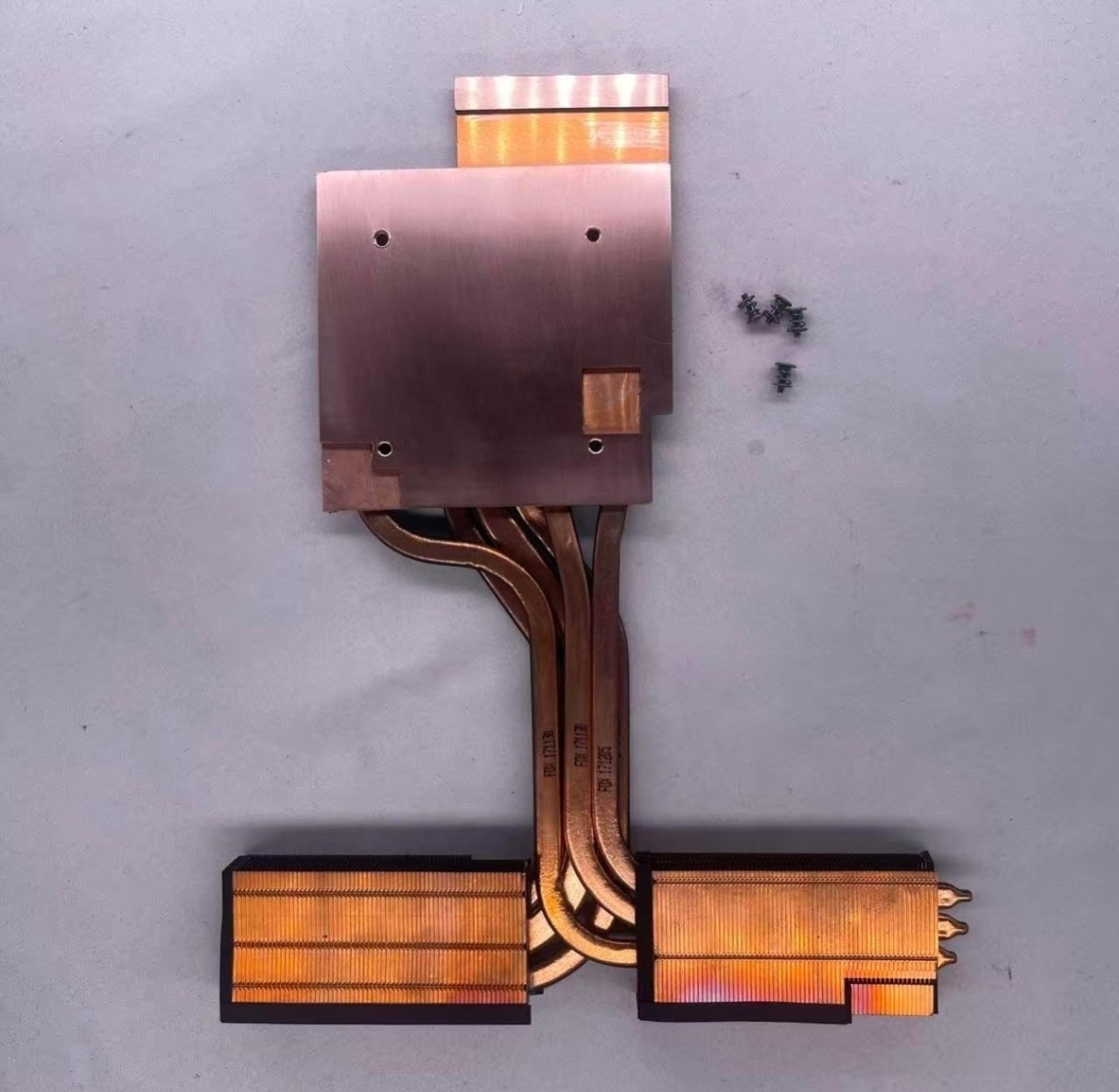
I don't know the reason why product availability was limited on eBay; he told me he would open an Amazon account, and that is exactly what he did. So, I placed my order through amazon.us. At my request, he manufactured five units of the RTX 3080 cooler for the P870TM.
-
They opened an account on Amazon because of an issue with their eBay account, and I bought the product from there. They are a trustworthy person and a long-time eBay seller.
-
Developer79
-
If you are looking for a better and more professional product, definitely contact the developer.
-
I had that Chinese contact build a heatsink for the Alienware m18x and the P870TM. You can reach out to them via eBay messages. There is already an RTX 3080 heatsink available on Amazon for the P870TM; they manufactured five units based on my request. My order is currently on its way, and I will test it once it arrives.
-
I know someone who can do this.Bana
-
clevo p870tm/tm1-g Official Clevo P870TM-G Thread
Selim1905 replied to ViktorV's topic in Sager & Clevo
There's plenty of storage space; why would you spend money on such unnecessary things? I said the exact same thing when I saw it. 🙂 -
HOW DO I UPDATE TO A Nvidia GTX 1070
Selim1905 replied to Ryo Hazaki's topic in Alienware 18 and M18x
Everything we discussed was done right from the start, yet the problem persists. I’ve noticed that the card heats up—meaning there is power—but the system and BIOS absolutely do not detect it. I’m not sure if flashing a Dell VBIOS would help. -
HOW DO I UPDATE TO A Nvidia GTX 1070
Selim1905 replied to Ryo Hazaki's topic in Alienware 18 and M18x
Hi everyone. I installed a GTX 1070 in my M18x R2, but the PC isn't detecting the card. I removed it, checked it, cleaned it, and tried again, but the result is the same.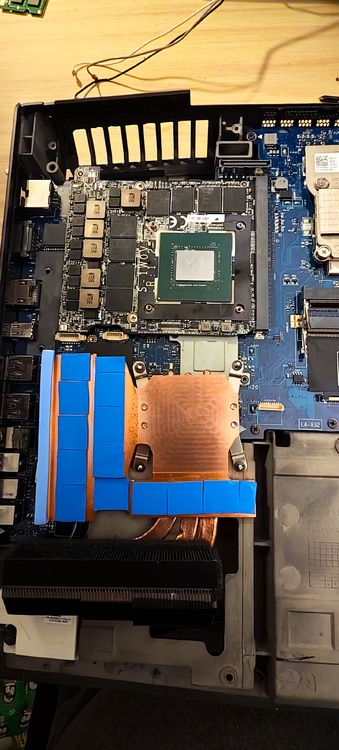
-
ben sm cihazında benzer bir sorun yaşamadım. sen biraz sansızdin yada orjinalinin gerçekten arızalı
-
I'm sorry to hear about the problem you're experiencing. Buying a new motherboard makes the most sense. I hope everything goes well.
-
Can you try re update bios and ec
-
I think you should have it checked by a specialist who can repair motherboards; you might not need to replace the motherboard after all.
-
Maybe you make test
-
I have the 170cm model as well. It’s equipped with an i9-10900K CPU, 32GB of RAM, and an RTX 3080 GPU. I haven't encountered an issue like this. The latest XMG BIOS version is installed. Your RAM slots might be faulty; either slot 3 or 4—or both—could be the problem.
-
The processor's memory controller might be faulty, or there could be an issue with one of the RAM slots.
-
yes