Dink
-
Posts
7 -
Joined
-
Last visited
Content Type
Profiles
Forums
Events
Everything posted by Dink
-
HP Elitebook 8570W - is it still good ? Hardware modifications
Dink replied to GuitarG's topic in Custom Builds
@Daedalus well I thought that till I spent a few weeks trying to get a screen working with an Nvidia card 😂 blank screens are hard to fault find , but I do love DC screens the colours are amazing. It does look nice on the AMD Firepro , just not that good as its only got 1 GB vram , it came with a 1TB 5400rpm HDD so performance is slow , but it will be built on an SSD but can't till I get this video issue sorted , I want to use this copy of Win 10 as a test bed for drivers etc before building a final version on SSD . I am on a HP 8760w with a DC screen now , never felt inverter get really hot ? it's been on for 6 hours now lots of video etc but nothing crazy and its probably warm to the hand ( 40-45c ) however I am always on 230w power supply so no heat from battery .( Ambient 20-25c ) On my old 8740w with DC the converter board behind screen was missing a heat sink pad , putting one in made the back of screen cooler as it sinked away heat better rather than a hot spot that was hot to the hand 50-55c ? Why do I get this on @GuitarG posts , do I need to VPN to see it ? I am in UK.
-
HP Elitebook 8570W - is it still good ? Hardware modifications
Dink replied to GuitarG's topic in Custom Builds
@JadeRover OK , that makes sense now , thank you for the explanation , I will let you know how my quest goes 😁 Regarding drivers , yes I have seen a few tutorials , looks similar to what we had to do years ago for Broadcomm Bluetooth dongles , in XP , That bit I feel confident on , but flashing with a CH341a 🙄 if I can't find a card in a couple of weeks then I may succumb to your suggestion. It's not immediate as I have this HP 8760w with a DC screen I am using now , this will be my upgrade 😊 -
HP Elitebook 8570W - is it still good ? Hardware modifications
Dink replied to GuitarG's topic in Custom Builds
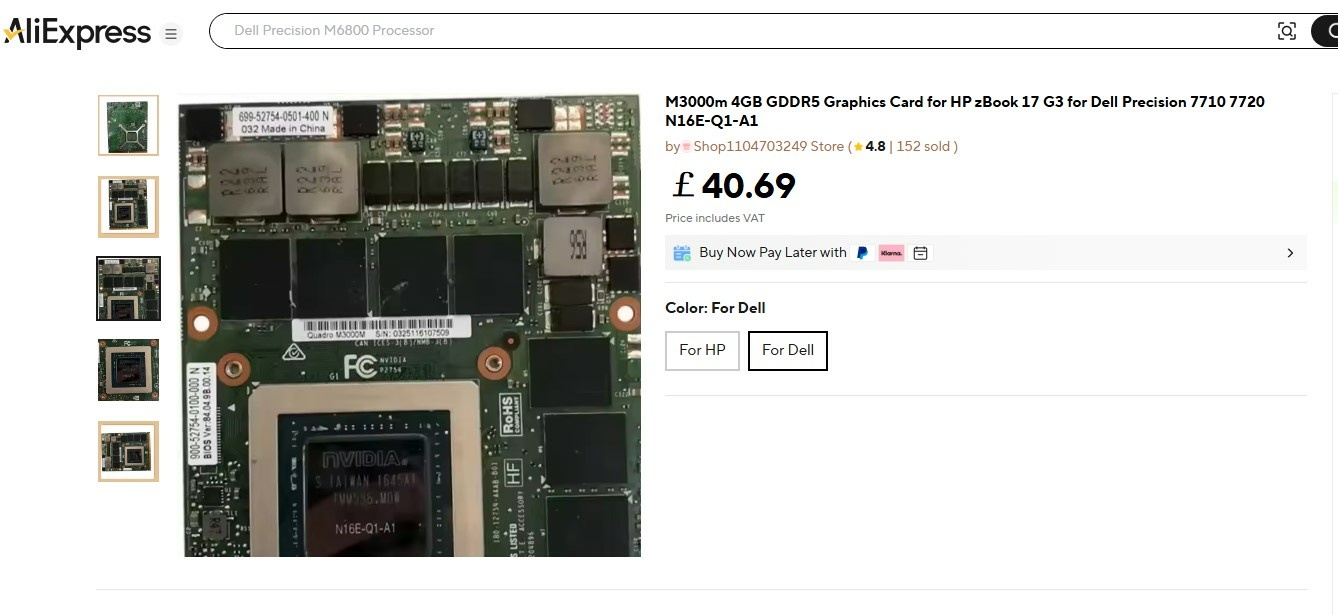
@JadeRover Yes I agree I thought that , but was interested to know your thoughts , if I could find a seller with an HP card that was prepared to flash 84.04.9B.00.14 onto it , would this correct the DP output and would I then be able to use an unmodified driver , I would assume yes , but am I missing anything ? Some mention a whitelist on the video cards and you need a Dell card to get past it , have you come across any issues with this , I appreciate the Micro code in Main BIOS is relevant for it to recognise the card but I can't see HP putting in Dell ID's and not HP ID's ? Unfortunately the seller listing above , confirmed he had no idea what vBIOS they had and it was a generic picture , so the sticker is irrelevant 😥 So my quest goes on 🤣 I am predominantly looking for Dell M3000M now with 84.04.9B.00.14 , as you suggested , but still would be interested on your thoughts on above as you have tried MXM cards in ZBooks etc. -
HP Elitebook 8570W - is it still good ? Hardware modifications
Dink replied to GuitarG's topic in Custom Builds
Thanks , I do love the colours it gives , but the brightness can hurt the eyes , unfortunately it makes doing mods like this a pain. @JadeRover seems very clued up on how and why , reading back over the thread again , now I am at my PC. I think I may have to bite the bullet and get another card , this time a Dell one with vBIOS : 84.04.9B.00.14 , just wish I had the time to play / learn how to use a chip programmer and try the different vBIOS files that I have . @JadeRover I see a few sellers on Ali express list the M3000M with vBIOS version 84.04.9B.00.14 , they also give a choice of HP or Dell , I assume they brand the card in some way , am I better to get a Dell or HP branding , would either make loading drivers after this nightmare any easier is there a downside as I assume they can't change the PID/VID values or can they ?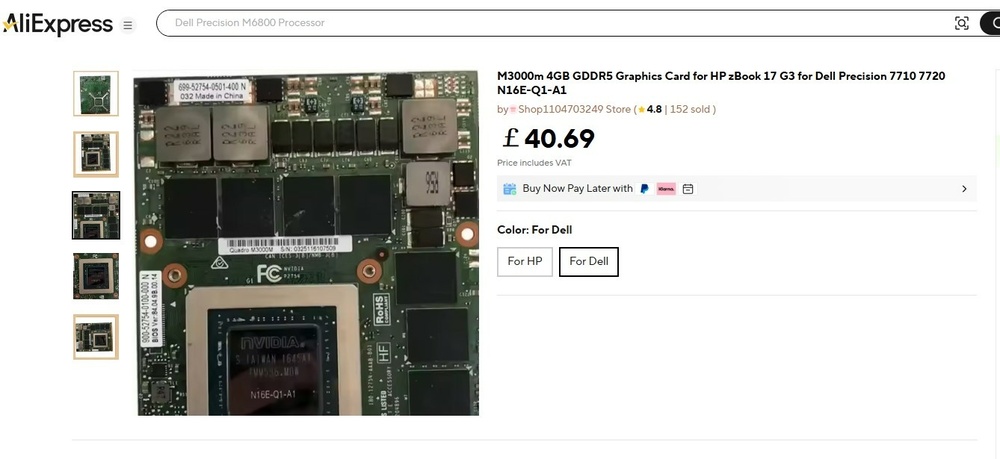
-
HP Elitebook 8570W - is it still good ? Hardware modifications
Dink replied to GuitarG's topic in Custom Builds
I think this was the right screen shot you meant , PC loads the " HP Mobile Display Assistant " for Dreamcolor displays , and that only loads if you have a DC , it has the sticker on the screen trim saying HP Dreamcolor and I can flip from 8 to 10 bit support in AMD driver.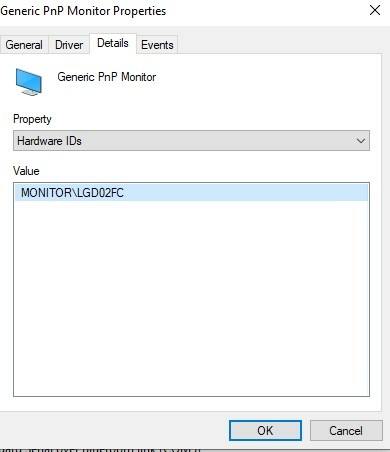
-
HP Elitebook 8570W - is it still good ? Hardware modifications
Dink replied to GuitarG's topic in Custom Builds
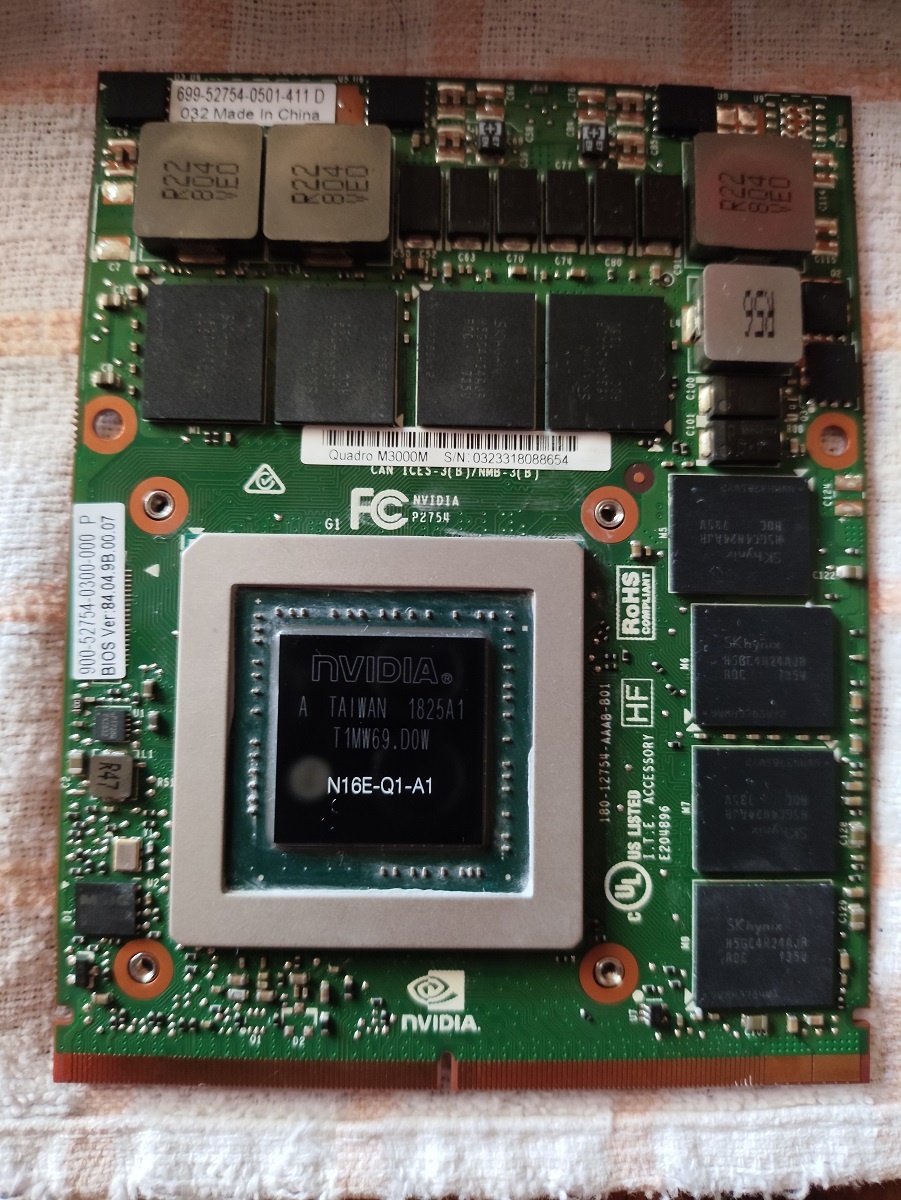
Thank you all for the replies and ideas . I didn't reply earlier as I hadn't ticked notify me of any replies on thread via email , of the joys of getting older 😁 I agree that its probably an eDP/LVDS issue related to vBIOS but how can I find which vBIOS will work with M3000M on my HP 8770w with a Dreamcolor screen . I have tried another card from HP with vBIOS version 84.04.9B.00.07 , still exactly the same as before , returning to the AMD Firepro M4000 everything works fine. I get no crazy fan activity , it seems to act exactly as it should . This vBIOS is what I have seen suggested , even EUROCOM replied to my email and suggested this vBIOS number 84.04.9B.00.07 , I have emailed back and said " Dreamcolor compatible " hoping they can maybe help with a different version number . TechPowerUp who host some video bios files suggest compatibility with Hp 8770w ( But never mention Dreamcolor ) they have vBIOS for the M3000M but its a Dell 84.04.9B.00.07 not an HP one, they also have a Boosted up version of Dell vBIOS 84.04.9B.00.07 with better specs etc that mentions it works on HP 8770w but DO NOT mention DC screen 😐 They are it seems a lot of the time using that vBIOS with a Dell M3000M ( Are Dell cards physically different ? ) There are also Dell 7710 cards that have vBIOS 84.04.9B.00.14 on eBay that some have working on the 8770w , but I can't find anyone that specifically says : HP 8770w + Nvidia M3000M + Dreamcolor = vBIOS number xx.xx.xx.xx.xx 😤 I don't have a clip and IC program to change vBIOS or a Desktop , and would prefer not to go that route if possible , and having no display whatsoever means using NvFlash from a USB key would have to be done blind , which I definitely ain't confident to do. Anyone got some ideas on which vBIOS version I need or whether it is better to be a Dell card or HP , or is it get a Dell card with 84.04.9B.00.07 or 84.04.9B.00.14 and try them as neither HP ones I've tried work ? I was just hoping I could get a real HP card to work so drivers would be easier to do. HP says the M3000M will work in a 8770w as shown below , but they do not mention DC screen might have an issue , without a specific vBIOS , so is it the DC thats causing me issues or just the fact its a M3000M with wrong vBIOS for 8770w , irrespective of screen ? ................................................................................................................................................................. TITLE: NVIDIA Video Driver and Control Panel VERSION: 385.73 REV: T PASS: 1 DESCRIPTION: This package provides the NVIDIA video drivers and Control Panel for the supported notebook model that are running a supported operating system. PURPOSE: Critical SOFTPAQ FILE NAME: SP82366.exe SOFTPAQ MD5: d56de020bd6f245c603e005b4acb6920 SUPERSEDES: SP82365 EFFECTIVE DATE: October 20, 2017 CATEGORY: Driver-Graphics SSM SUPPORTED: Yes PRODUCT TYPE(S): Notebooks HARDWARE PRODUCT MODEL(S): HP ZBook 17 G2 Mobile Workstation HP ZBook 17 Mobile Workstation HP EliteBook 8770w Mobile Workstation HP ZBook 15 G2 Mobile Workstation HP EliteBook 8570w Mobile Workstation HP ZBook 15 Mobile Workstation OPERATING SYSTEM(S): Microsoft Windows 7 Enterprise Microsoft Windows 7 Professional Microsoft Windows 7 Ultimate Microsoft Windows 8 Microsoft Windows 8 Professional Microsoft Windows 8.1 LANGUAGE(S): Global DEVICES SUPPORTED: NVIDIA NVS 3100M NVIDIA NVS 5100 NVIDIA NVS 510M NVIDIA Quadro 1000M NVIDIA Quadro 2000M NVIDIA Quadro 3000M NVIDIA Quadro 4000M NVIDIA Quadro 5000M NVIDIA Quadro 5010M NVIDIA Quadro FX 1500M NVIDIA Quadro FX 1800M NVIDIA Quadro FX 2700M NVIDIA Quadro FX 2800M NVIDIA Quadro FX 3600M NVIDIA Quadro FX 3700M NVIDIA Quadro FX 3800M NVIDIA Quadro FX 380M NVIDIA Quadro FX 770M NVIDIA Quadro FX 880M NVIDIA Quadro K1000M NVIDIA Quadro K1100M NVIDIA Quadro K2000M NVIDIA Quadro K2100M NVIDIA Quadro K2200M NVIDIA Quadro K3000M NVIDIA Quadro K3100M NVIDIA Quadro K4000M NVIDIA Quadro K4100M NVIDIA Quadro K5000M NVIDIA Quadro K5100M NVIDIA Quadro K610M NVIDIA Quadro M1000M NVIDIA Quadro M2000M NVIDIA Quadro M3000M NVIDIA Quadro M4000M NVIDIA Quadro M5000M NVIDIA Quadro M600M ENHANCEMENTS: - Provides enhanced security for the graphics driver. PREREQUISITES: HOW TO USE: 1. Download the file by clicking the Download or Obtain Software button and saving the file to a folder on your hard drive (make a note of the folder where the downloaded file is saved). 2. Double-click the downloaded file and follow the on-screen instructions. Copyright Copyright (c) 2017 HP Development Company, L.P. .............................................................................................................................................................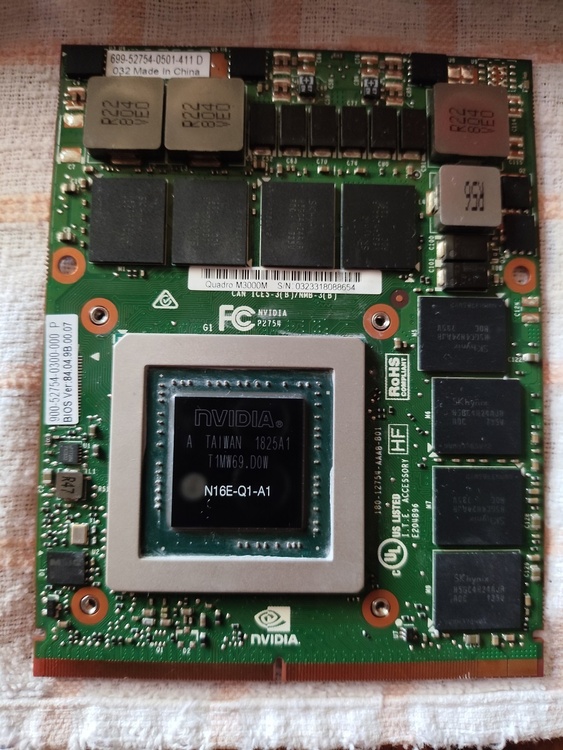
-
HP Elitebook 8570W - is it still good ? Hardware modifications
Dink replied to GuitarG's topic in Custom Builds
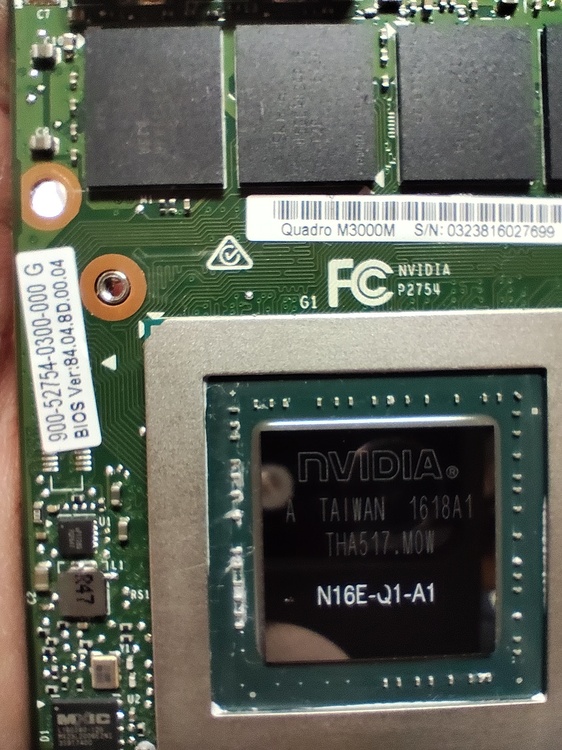
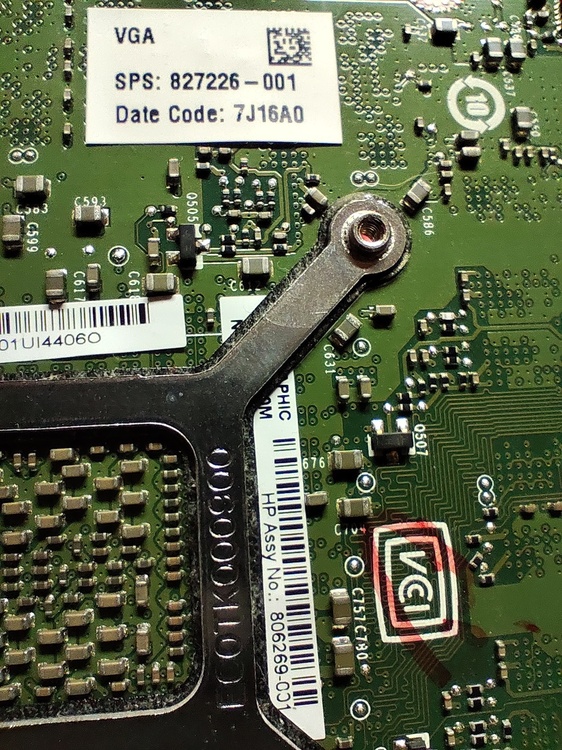
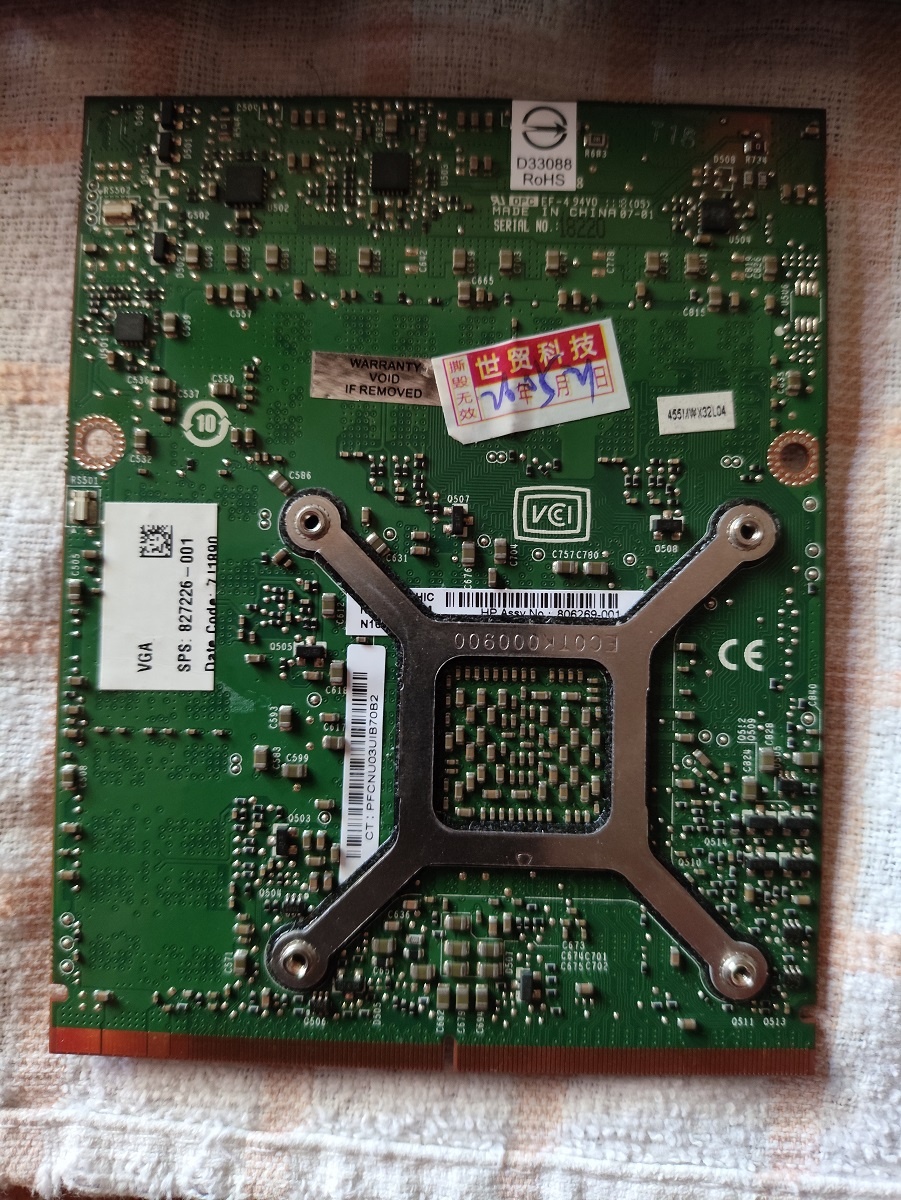
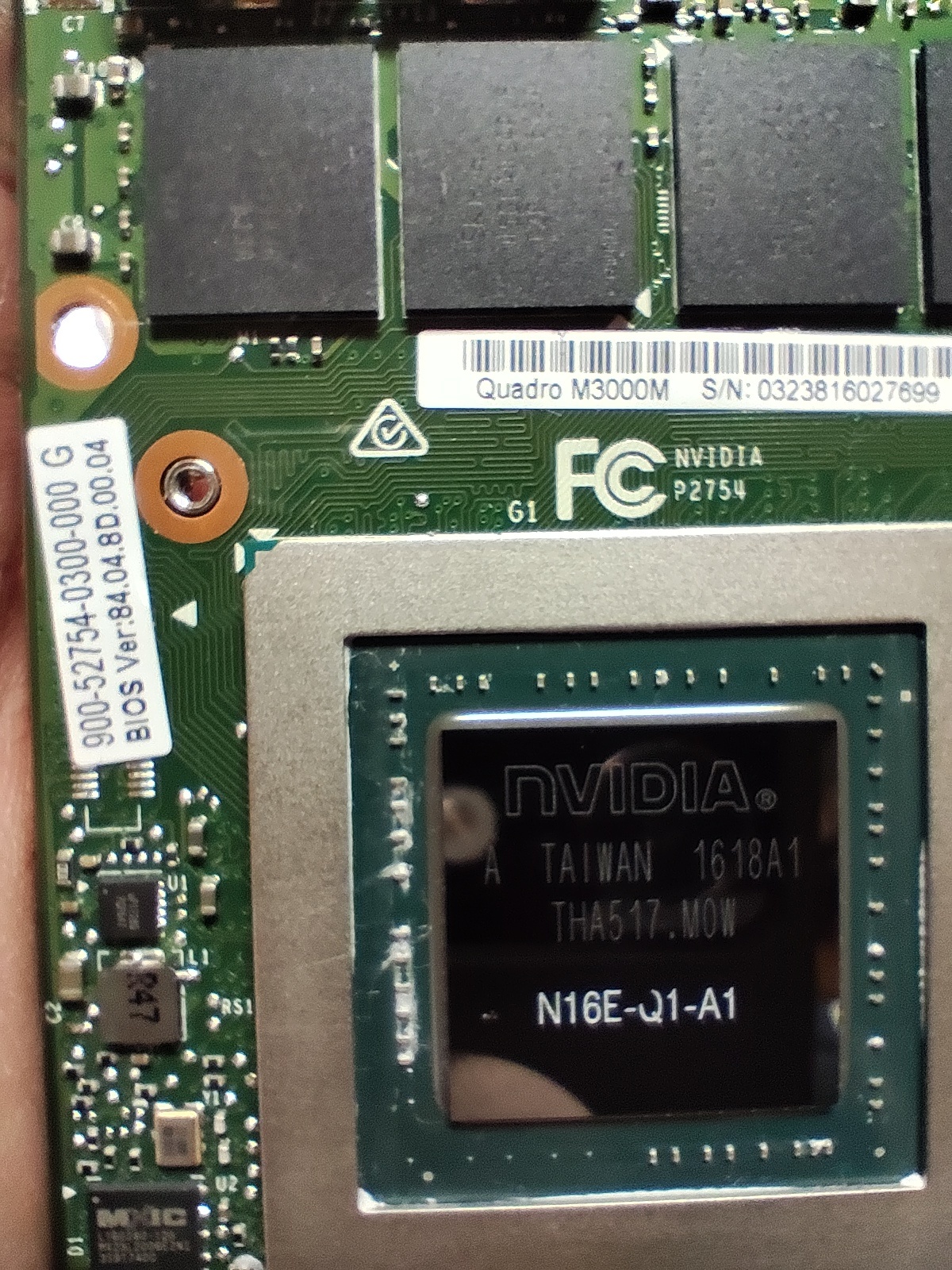
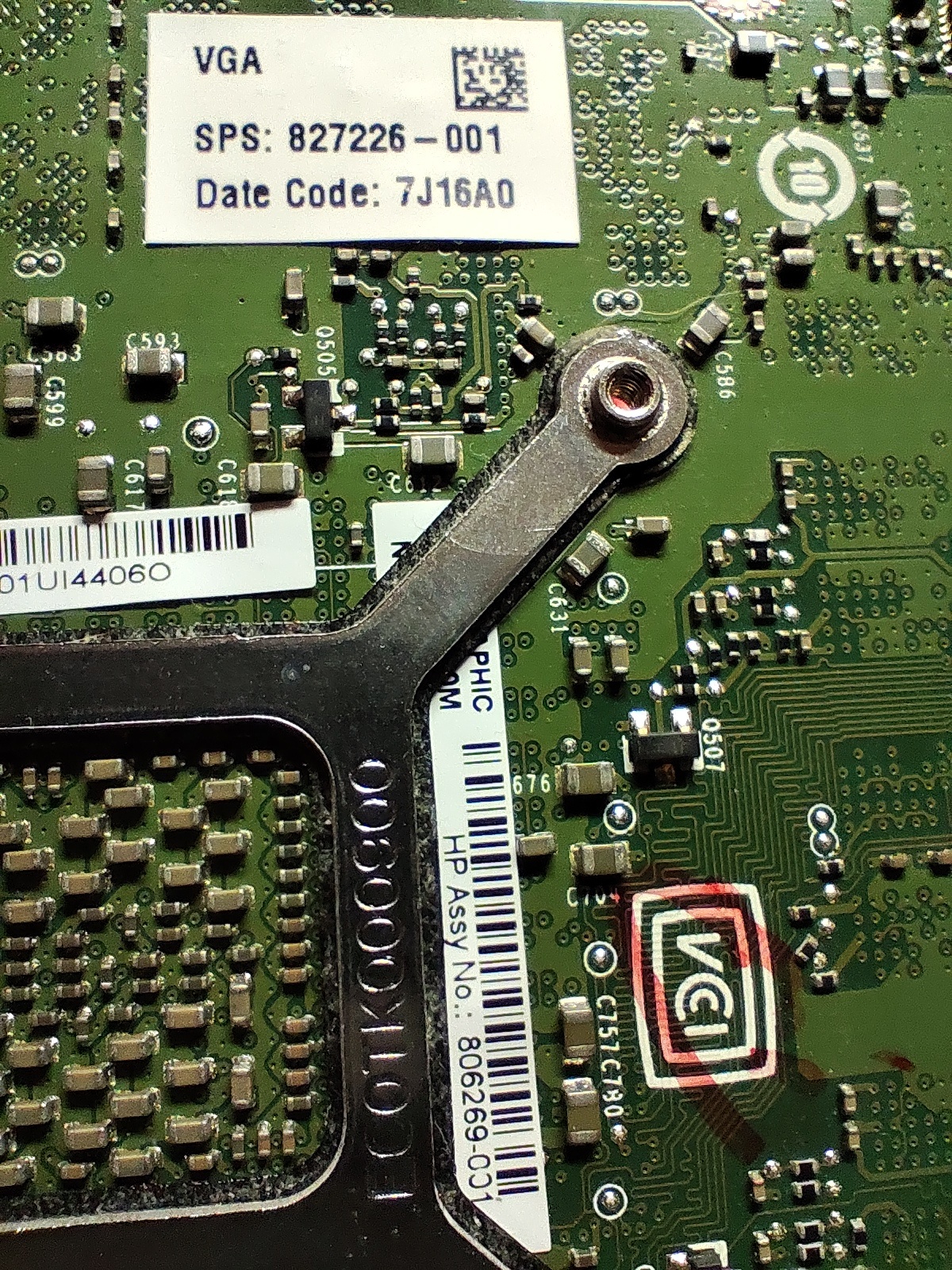
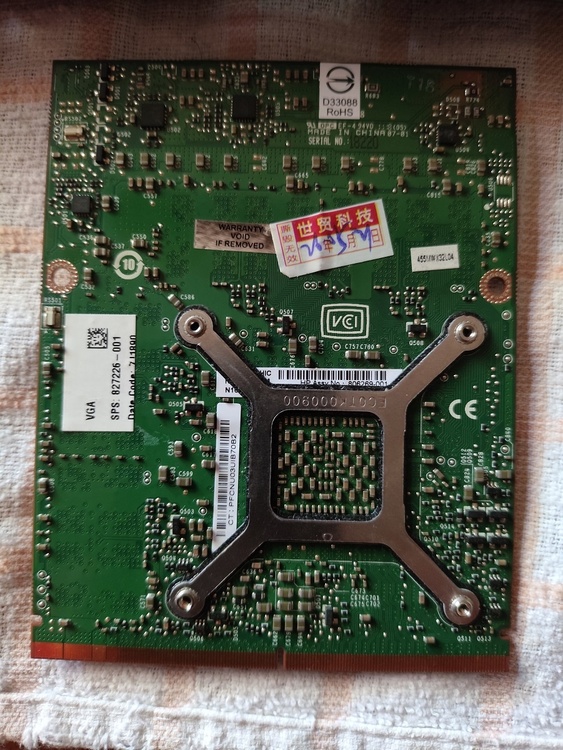
@ Vladka76 Hi , I am wondering if you can help , not sure if this is exactly the right place on your forum but I see you are discussing the HP Elitebook 8570/8770 w and Video cards with Dreamcolor displays. I have a HP Elitebook 8770w , i7 3920XM , 32GB RAM , Dreamcolor screen , BIOS F71 , Win 10 x64 I am running Legacy boot not UEFI if that matters . Initially I had an AMD Firepro M4000 video card and have changed it to a Nvidia M3000M with appropriate heatsink , however I cannot get past POST , I get no HP logo or " esc " choice to show BIOS on the Dreamcolor screen , it seems to stall at end of POST and waits , as a quick tap on power button turns it off . There is no VGA or DISPLAY PORT output , I have tried disconnecting the video cable to screen to force a VGA output but that gives me a hard stop and shutdown at end of POST. Reverting to old AMD card everything is fine. This is all the info I know about the video card , it looks perfect physically even the stickers are white and show no signs of heat : Nvidia M3000M from ZBook 17 G3 Video BIOS version : 84.04.8D.00.04 ( 900-52754-0300-000 G ) or ( 699-52754-0501-400 N ) Quadro M3000M S/N 03238 16027699 N16E-Q1-A1 HP Assy No : 806269-001 SPS 827226-001 ( Date Code : 7J16A0 ) My question is simple , should I be getting at least the HP logo or BIOS screen with this card on this VBIOS , I appreciate that I will have driver issues for Windows , but at the moment I am at a loss how to fault find what I have . Hoping someone can shed me some light on this or at least give me some pointers. I see there are ways to flash the VBIOS from a USB key using nvflash ( https://www.techpowerup.com/articles/overclocking/vidcard/34/10 ) and a VBIOS file here ( https://www.techpowerup.com/vgabios/220986/220986 ) But I am not sure if this is my problem , or if it will work as I can't get display . .