Reciever
-
Posts
2,241 -
Joined
-
Last visited
-
Days Won
59
Content Type
Profiles
Forums
Events
Everything posted by Reciever
-

*Official Benchmark Thread* - Post it here or it didn't happen :D
Reciever replied to Mr. Fox's topic in Desktop Hardware
We've banned millions of IP's at this point the bot nets are elusive buggers. Were looking at moving the forum to another server, Hiew may finally be up to getting donations setup but Im hoping to prod him along as I'd like to take some time off from work also. -
*Official Benchmark Thread* - Post it here or it didn't happen :D
Reciever replied to Mr. Fox's topic in Desktop Hardware
Of course now it seems its responsive again :/ We'll keep an eye on it. -
*Official Benchmark Thread* - Post it here or it didn't happen :D
Reciever replied to Mr. Fox's topic in Desktop Hardware
Dont know if its everyone, but forum is running slow for me. I pinged Hiew to take a look when he gets up so apologies until then. -
*Official Benchmark Thread* - Post it here or it didn't happen :D
Reciever replied to Mr. Fox's topic in Desktop Hardware
Honestly pushing for more value is harder than I realized, have to push down the imposter syndrome and take a risk. Looks like they are targeting October 16th but they will have to agree to my salary demand. ----------------------------------------------------------------------------------------- On another note, even if the 5090 was 2,000 I still wouldnt pick one up if I didnt have a WVP2 in hand to go with it, too much risk. It doesnt make sense to not have it. Looks like I get to drain the loop this weekend. One of the filters cracked (the glass) likely the cold air hitting it with the hotter water on startup? I have enough tubing thanks to @Mr. Fox recommending mcmaster I bought around 25 feet of tubing for exactly things like this. Was able to patch it and I do have a cup under the leak but for now it looks like it stopped leaking. -
*Official Benchmark Thread* - Post it here or it didn't happen :D
Reciever replied to Mr. Fox's topic in Desktop Hardware
Looks like my promotion is finally in the works. I am getting reports of multiple departments fighting to get me in their camp. Its a nice complement, but Im still treating it as non-existent until I get an offer letter. Due to my "detailed" approach, which is really just a really nice way of saying I demand details and ruffle quite a bit of feathers in the process. It has been deemed necessary for me to become an Engineer for Proof of Concept. Basically I work with onboarded clients and make the how-to for green IT'ish people to facilitate their orders. Still wont be able to justify a 5090 though lol -
Gonna need a bit more than that! What does it look like when it crashes? Crash to desktop? Any errors come up? What system you using? OS? Driver versions? Etc etc
-
*Official Benchmark Thread* - Post it here or it didn't happen :D
Reciever replied to Mr. Fox's topic in Desktop Hardware
Any educated guesses as to what is best to pair with what? Is it Resolution? Framerate? both? For Lossless Scaling it comes down to bandwidth on the pcie lanes. Does the power usage remain the same or does it drop? -
*Official Benchmark Thread* - Post it here or it didn't happen :D
Reciever replied to Mr. Fox's topic in Desktop Hardware
Upon further investigation it looks like it wasnt the PSU (sorry EVGA) but the Furman surge protector. Im currently using a cheaper surge protector until I get something to replace it.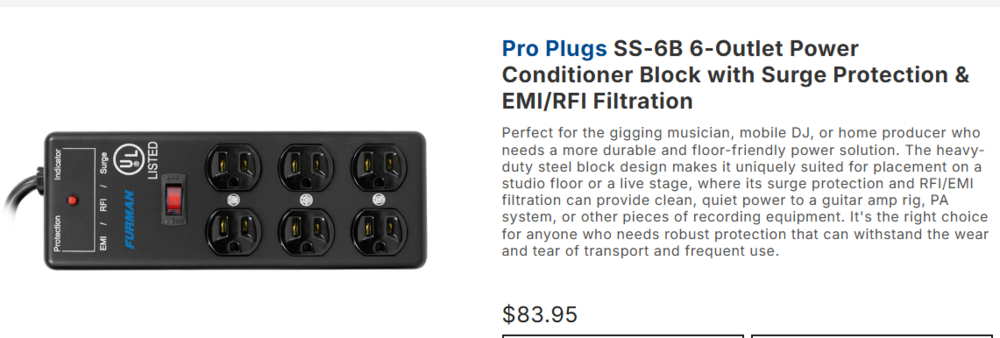
-
*Official Benchmark Thread* - Post it here or it didn't happen :D
Reciever replied to Mr. Fox's topic in Desktop Hardware
So the evga 1300w GT seems to have failed today. 3rd power supply to die from them :( I have a backup 1000w be quiet power zone and some server psu's with break out boards but man this is getting tiring lol I guess I'm back in the market for a power supply -
*Official Benchmark Thread* - Post it here or it didn't happen :D
Reciever replied to Mr. Fox's topic in Desktop Hardware
So Im thinking the next step for my setup should be a UPS, I am currently using a really nice extension but its probably time to get a proper power delivery system. From what Im reading something with Sinewave PFC to clean up the power. What do you guys use? https://www.amazon.com/dp/B00429N19W?tag=ustxtaddt-20&plpRedirect=mhFallback&ref=clp_hp_h_pc&th=1 This appears to clean power from utility as well as on battery. -
*Official Benchmark Thread* - Post it here or it didn't happen :D
Reciever replied to Mr. Fox's topic in Desktop Hardware
Nothing that would be quick, but I had a sneaking suspicion of a couple of things. I dusted my radiator nearby, and I also used an aftermarket pci bracket that came included with the alphacool waterblock (alphacore iirc). Luckily I didnt make the loop super lean in tubing since I know how I am. Anyways with the GPU slipping between Gen 1.1 and 2.0 (pointing to a signaling issue), the aftermarket bracket and possible contamination to dust, I went after the easiest solution. Removed the card while retaining the loop. Removed the PCI bracket, lightly dusted the pcie lane and 70% alcohol on the pcie traces of the GPU and installed without the bracket. Video is back! Was confused initially as one screen came back but not the other, turned out that cable fell out (woops!) Lets just ignore that lol. I absolutely blame ALL OF YOU for stepping up my cooling. I still like big air coolers but stepping back into water cooling has been an experience that I can enjoy and measure. Its more efficient displacement but more importantly takes up significantly less space. @Mr. Fox I am fairly confident that some dust must have been on the 9070 XT been keeping an eye on it this evening and its been sitting at Gen 4 (set manually in bios as part of diagnosing). As always everything I have purchased from you over the years has been well shipped, and exactly as advertised. Its really nice to be able to buy something set it aside for when you are ready, execute the plan and just know everything will be as expected. Even Hiew still sings your praises, he immediately sold his 5800X3D set up and enjoyed building his gift with the previous bundle. I never knew compiling shaders could move so quickly! @tps3443 just let me know if you want Brother Fox's profile, thus far its been rock solid for me on my setup. I can probably have it tomorrow night if you want it. I mentioned to Fox in our messages that I am pretty sure this platform I am running now is about as good as it can get if you are running 8-pin power. When ever the 7900 XTX @ 500w cant handle 120 FPS in games ill just set 60 and couple that with lossless scaling with the 9070 XT. Already have 100+ hours of Monster Hunter: Worlds at 4k120hz using that method. With GPU prices being such as they are, I'll ride this combo for as long as I can. -
How Well Do Older PS1 and PS2 Games Hold Up on Modern Laptops?
Reciever replied to maxhunter's topic in General Discussion
Link was removed. Ps2 should be feasible on most modern laptops with a dgpu, especially at native resolution. From time to time I dabble back in the emulation space. I think the last title I played was final fantasy dirge of cerberus if memory serves. -
Welcome to the forum!
-
Welcome back! This is more of a spiritual successor of sorts. I believe a couple other members tried to make their own version but I haven't heard of their still running.
-
Welcome to the forums! I believe the most popular option was the gtx 1070 if memory serves. I used the msi variant for the R1 when I had it. Never got 200w working for it though. Also removed the disc tray and had some fun with a USB hub for a couple more drives.
-
*Official Benchmark Thread* - Post it here or it didn't happen :D
Reciever replied to Mr. Fox's topic in Desktop Hardware
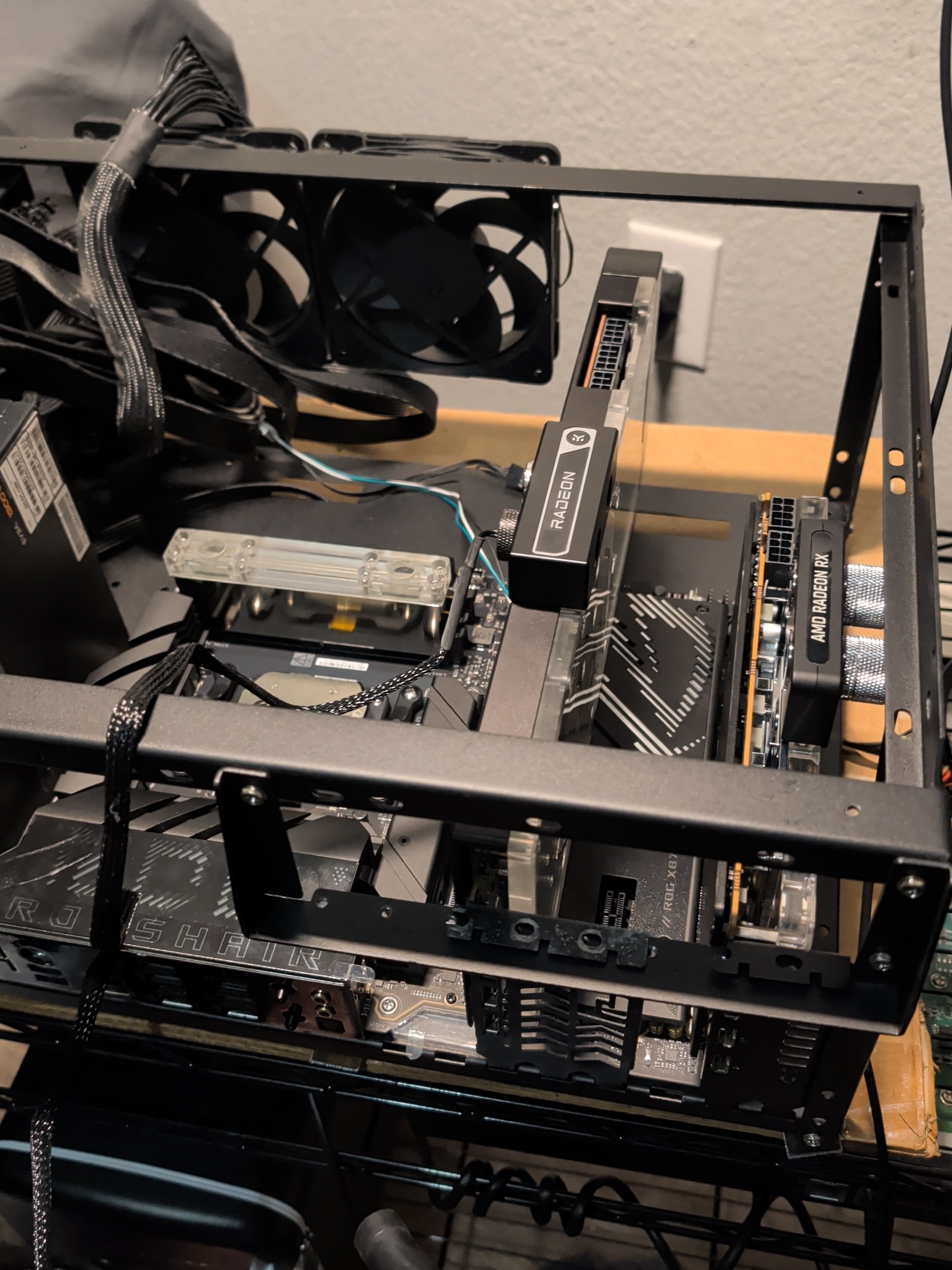
Yes the DIMM_2 going through chipset shouldnt affect anything since its chipset. Was more of a hail mary at this point lol I did use it with the standard heatsink (Pulse) and it was fine there on the AM4 Dark Hero X570 albeit overclocking on it was not feasible on Afterburner. I may take off the PCI bracket altogether and see if that changes how well it behaves in relation to sitting in the pcie lane proper. The motherboard heatsink is a bit elevated compared to what I am used to and the bracket is aftermarket (alphacool). When Gaming the SPDIF connector screams white noise on occasion, I have USB C to SPDIF adapter to get around that. The surreal part of all this is running this setup and the cpu block is cold to the touch. 255w at load, 65c reported for the day. RAM last I checked was 20c at idle and 25c at load -
*Official Benchmark Thread* - Post it here or it didn't happen :D
Reciever replied to Mr. Fox's topic in Desktop Hardware
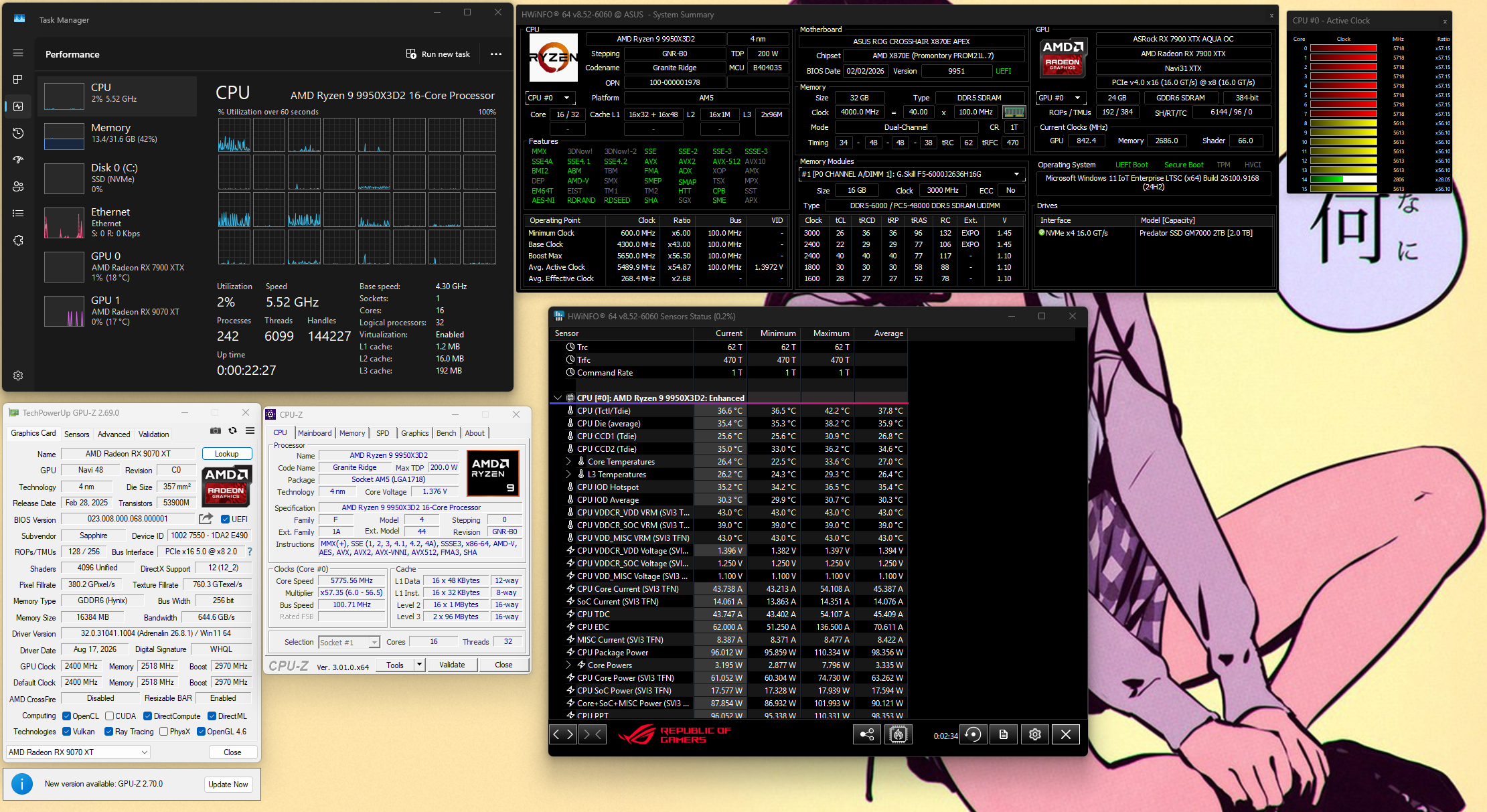
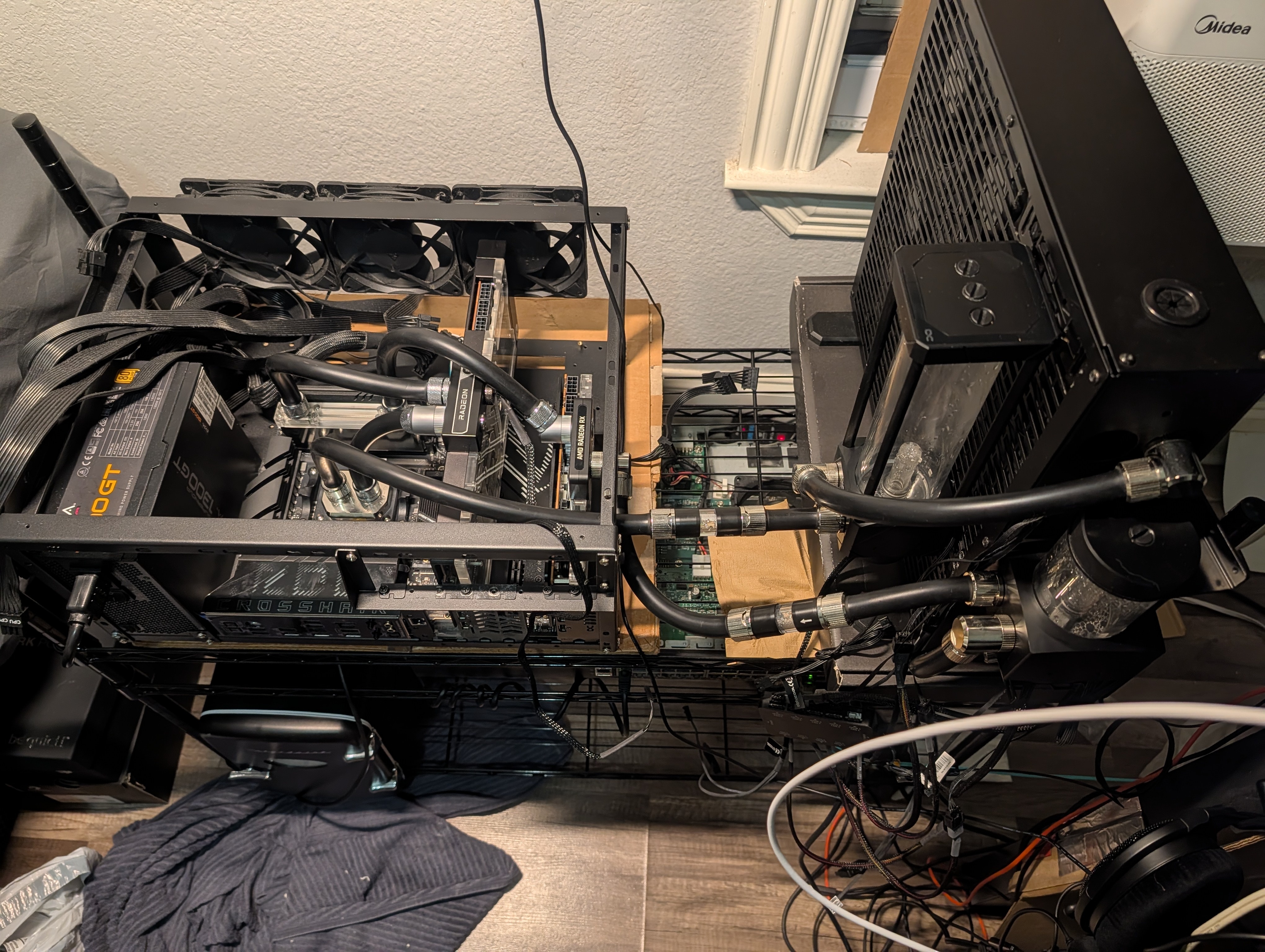
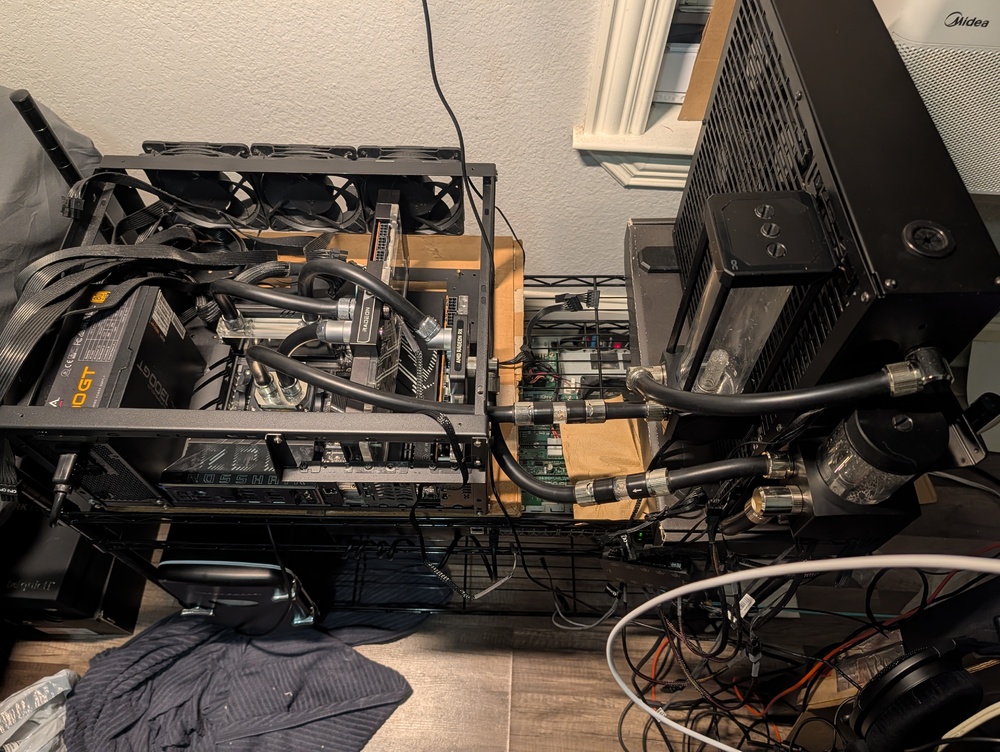
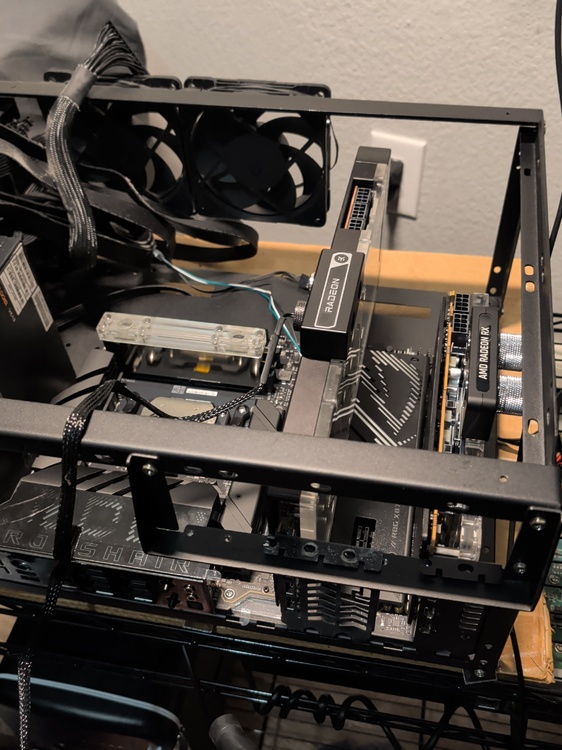
Good Evening Everyone! Finally had some time to set aside to upgrade to the platform I purchased from Brother Fox. CPU and Memory are phenomenal, had the profile from Mr. Fox when he had this and thus far its been great. Had to apply a bit more LM and reseat the direct die block for temps to be where they should otherwise its been a breeze! The one weird issue I havent been able to square quite yet is the 9070 XT. Since the combo was coming included with a CPU and RAM block, I decided to block the 9070 XT also so now everything is in a loop 9070 XT > RAM > 7900 XTX > CPU > Pump > 1080mm Rad > pump Sadly thus far I havent been able to get the 9070 XT to output video. Its detected, no errors and drivers install but 0 output. The one oddity I could find is that doesnt run at PCIE 4.0 (set to 4 for testing) only cycling between 2.0 and 1.1 PCIE Gen link. I have removed my NVME to 10Gbps adapter occupying M.2_1 which should be CPU linked but no change. I was going to try moving the DIMM_2 adapter today but discovered ants in my bedroom so I've been doing a full cleaning today instead of more troubleshooting. CPU is sitting at 37c for idle and load temps were 57-59 for the 9950X3D2, load being BattleField 6. 7900 XTX temps increased to 35c load where it used to be closer to 25c when it was alone in the loop. If I can sort out the 2nd GPU slot and get video output from the 9070 XT ill be right as rain but for the moment I am pretty stoked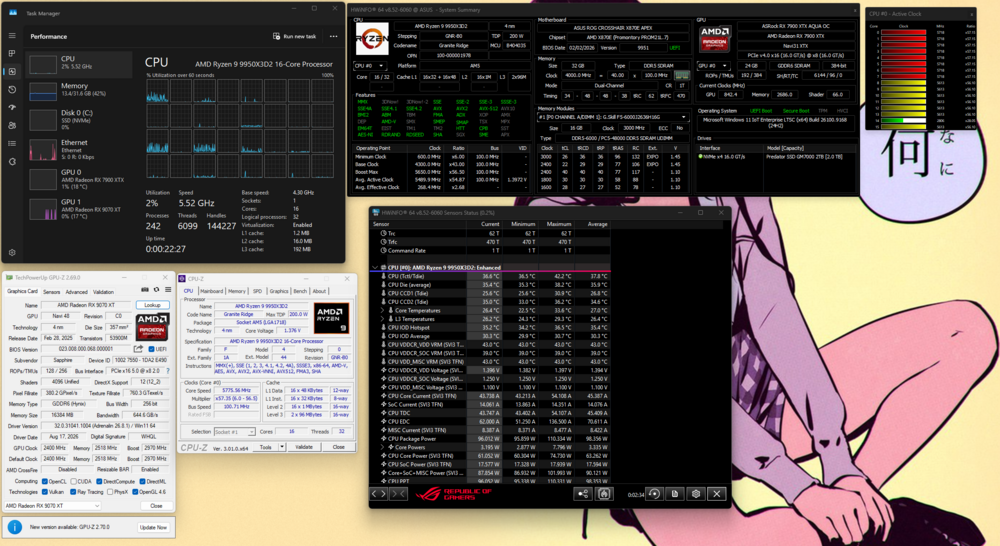
-
*Official Benchmark Thread* - Post it here or it didn't happen :D
Reciever replied to Mr. Fox's topic in Desktop Hardware
Yeah I was sad to see the prices for everything is a bit more than expected, 300 seems excessive. Going from GPU only loop to CPU, RAM and 2x GPU should be interesting -
*Official Benchmark Thread* - Post it here or it didn't happen :D
Reciever replied to Mr. Fox's topic in Desktop Hardware
Always a pleasure buying from you @Mr. Fox. Personally it's much less stress buying from you since you know what's under the hood and no post-sale shenanigans from me. Here's hoping your next project will scratch that itch just as mine will for me! A bit of a laugh but I actually tried to get a second opinion from my good friend Hiew to talk me out of reaching out to Brother Fox. He just straight up told me I was buying it before I even said anything. He's been so happy with the previous bundle I bought from Fox so that it comes up semi-regularly the performance compared to the 5800X3D for anything he does. From time to time he's downloading at 5Gbps and just giggles as the cpu gets to work. 5800X3D pretty much took care of all my needs but I did like the idea of the 9950x3d2. I have been too busy with work to know Mr Fox even had this chip but more than happy to buy it from him. Outside of our circle I probably wouldn't even consider it. Time to pick up a waterblock for the 9070 XT everything on my pc will be under water now. I may take some time off from work to get everything set up. -
*Official Benchmark Thread* - Post it here or it didn't happen :D
Reciever replied to Mr. Fox's topic in Desktop Hardware
Seems to have passed for now. ill try to keep an eye on it -
*Official Benchmark Thread* - Post it here or it didn't happen :D
Reciever replied to Mr. Fox's topic in Desktop Hardware
Hey sorry I havent been posting, busy season in my line of work its been madness. Still keeping tabs when I have a moment, 60 hour weeks and probably filling in for the overnight shift for a stint. Might be making a move into Engineer role if things line up. @Papusan Sorry to hear about your recent troubles but really stoked you are on the mend. @Mr. Fox is going to need a tag partner to keep these manufacturers honest. I have been thinking about trying to sell my 10850K system again as I would like to get something that is x16/x16 for GPU benching, just been too busy. Now that I have a sizeable slush fund it seems my guilty pleasure is trying to find a 1991 Honda CRX. I have certain designs for my RSX but would "need" something else to use while its being worked on. -
Hello, returning NBC forum user
Reciever replied to Dota1_xKilXlerx's topic in New here? Introduce Yourself
Welcome to the Forums! -
Yeah :( They've seemed to move on for now
-
*Official Benchmark Thread* - Post it here or it didn't happen :D
Reciever replied to Mr. Fox's topic in Desktop Hardware
Its usually not targeted persay. Lots of bot farms out there just raining hell on any IP address range they decide for that day of the week. Internet is closer to the real world than people care to admit