Bublik
-
Posts
20 -
Joined
-
Last visited
-
Days Won
1
Content Type
Profiles
Forums
Events
Everything posted by Bublik
-
Yes, you’re right in principle—the MXM port can deliver 200W—but that doesn’t tell us anything about how the laptop manufacturer designed the power supply. The manufacturer can configure the VRM however it sees fit. It’s still strange, though—I’m at a loss here. Unless… do you happen to have another power adapter on hand? How exactly are you checking to see if the laptop has reset? Maybe I’m just doing something wrong here.

-
Is there any way you can limit your GPU's power consumption? I can't shake the feeling that this is the cause. I mean, the official MXM 3.1A specification calls for 55W, but your GPU uses well over twice that. Maybe some fuses are tripping under load. P.S.: It's amazing that Dell designed in so much headroom in the first place...
-
Yes, you're right. I've read several times that these models are very picky when it comes to power supplies and batteries. I experimented a bit yesterday as well and can confirm that your tip works. But in my case, there don’t seem to be any problems even below 90%. Unlocking the TDP worked at a 57% charge level. The LED on the keyboard is off, and Windows reports “57% available”—in other words, it’s not charging. Just ran Time Spy—no problems, no reset.

-
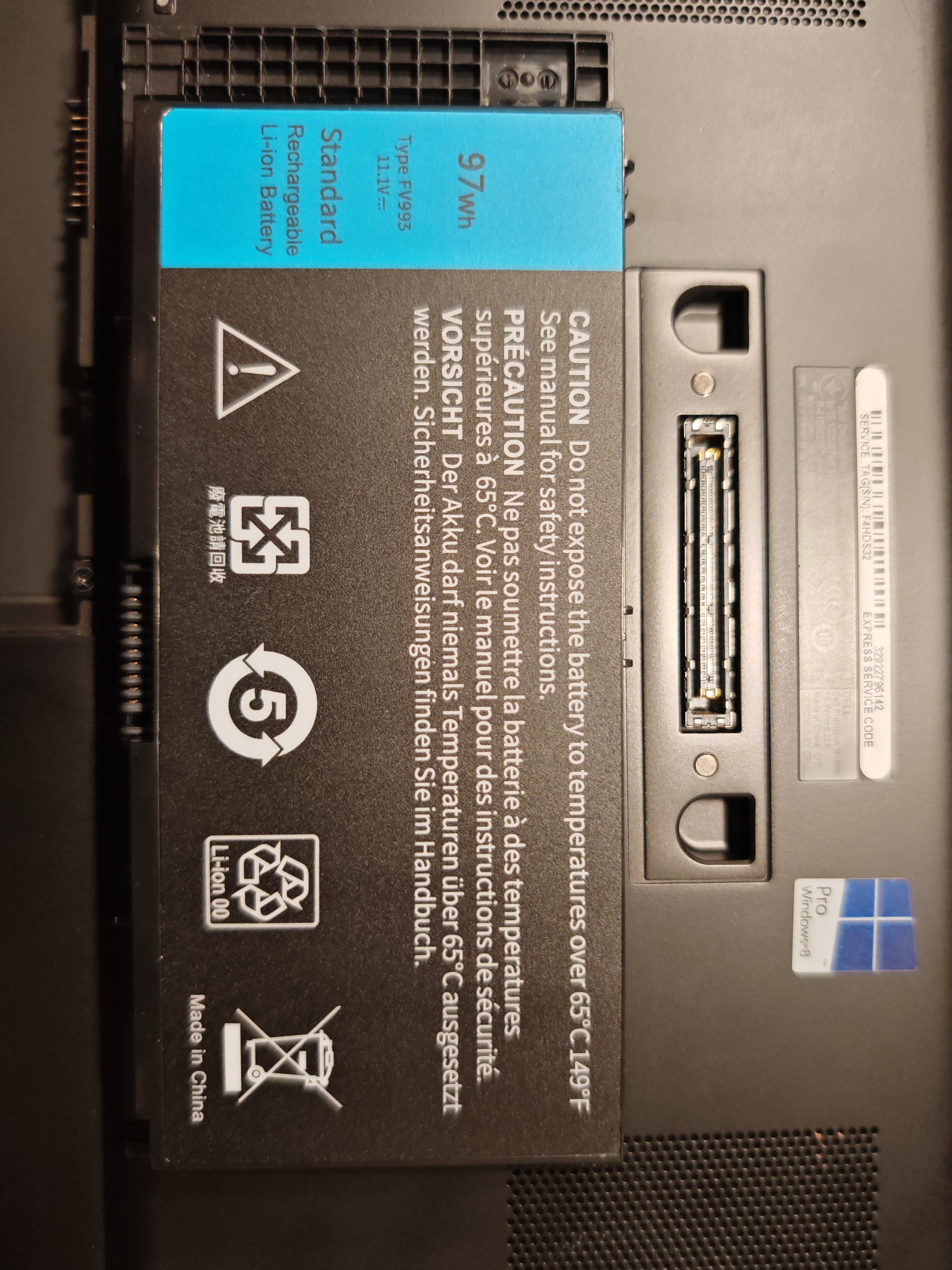
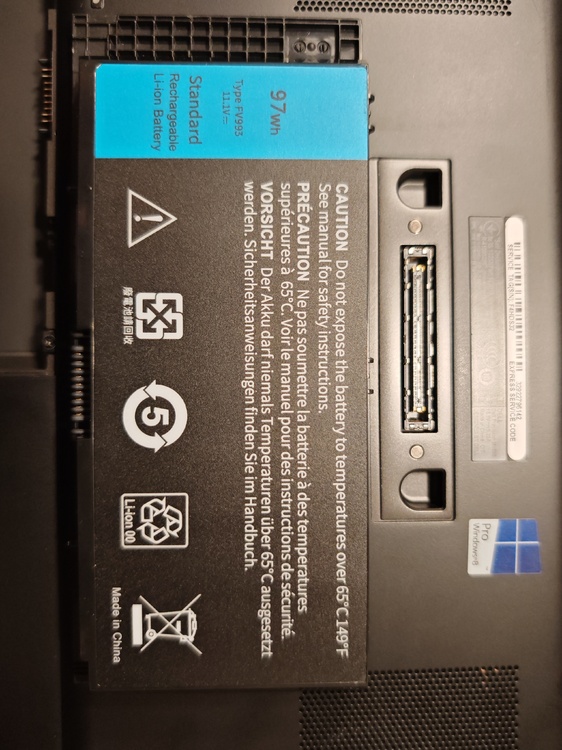
Hi SuperMG, This is where I bought my battery.

-
Sure, here's the photo
-
Thanks for the tip—I would never have thought of that 😁 Yeah, I have all the options in the BIOS. The way I use my laptops, it’s not a problem—they’re almost always plugged into the charger. But maybe I should give it a try and set the charge limit to 90%. Let’s see if that triggers the error.
-
You mean this ExpressCharge? Yes, I can enable that in the BIOS.
-
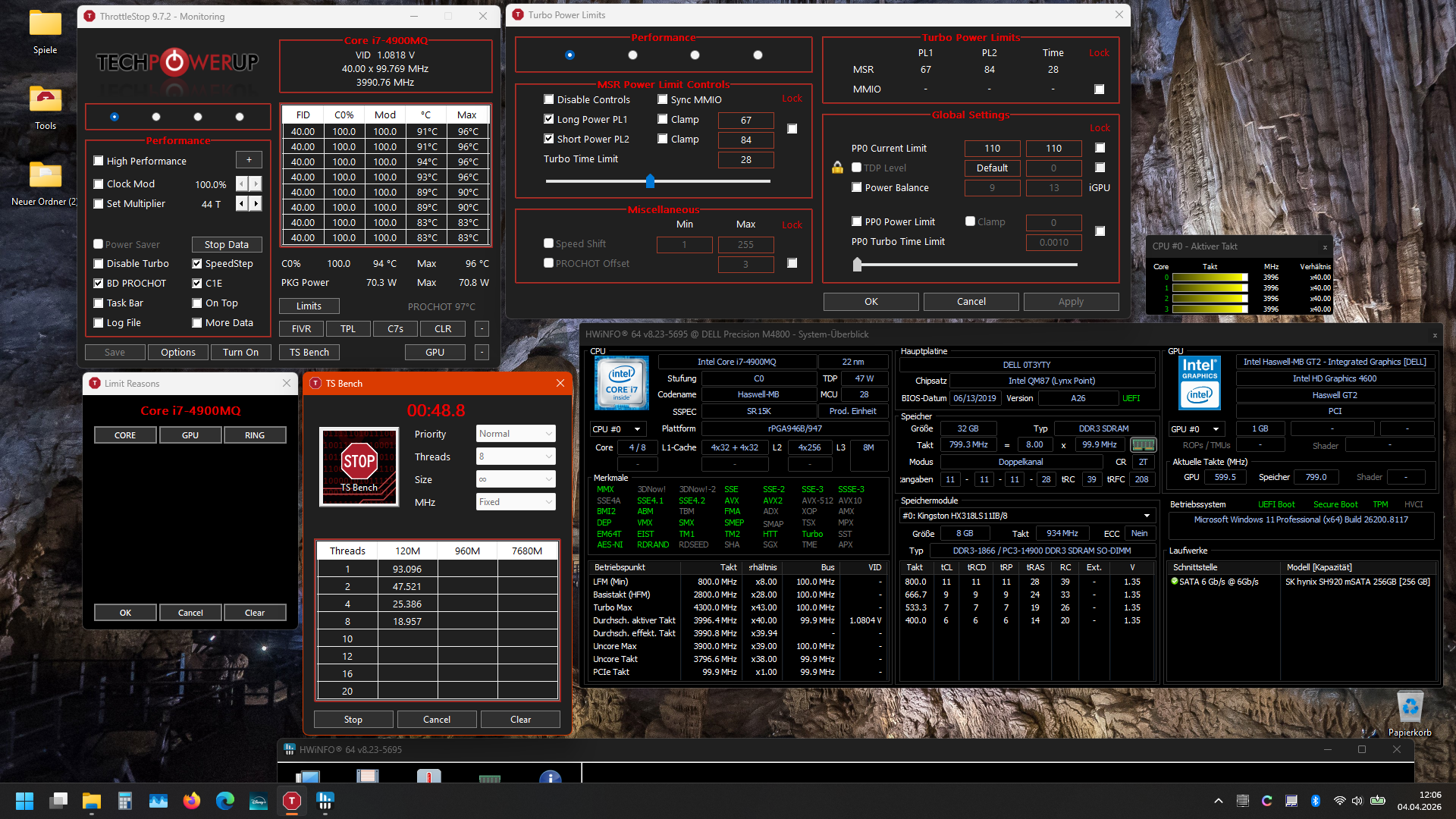
Here's a more detailed breakdown of the process. I have PL1/2 set to 70W. Before the Time Spy test and afterward, I check the TDP with Throttlestop benchmark. I also check under “Limits” to see if anything is being throttled. In my case, nothing is reset, the CPU consistently draws 70W. The battery isn’t the original one—it’s one I bought on eBay. The BIOS is in UEFI mode and is version A26. I’d be happy to test the same thing today with an M6800 and P4000 as well. So far, I haven’t noticed anything unusual there either. And in case it matters, the CPU is a 4980HQ PL1/LP2 47W/58W.
-
Standard run, including the CPU test. Maybe it's due to the total power consumption? I tested all of this using a 180W Dell power supply.
-
Hi. Sorry for the late reply—I finally got around to it yesterday. I tested it on an M4800 edp with a T1000. I didn't experience the problem; I ran the test three times. But my GPU has a maximum TDP of 50W.
-
I'll try it on my M4800, but not until tomorrow. I haven't run Time Spy in a while. We'll see.
-
No, that's not normal. I haven't noticed this kind of behavior on any of my laptops. The TDP remains the same until the laptop is shut down or the power plan is changed... that reminds me—when I unplug the power adapter, the TDP setting also reverts to default values for me. Could it be that your power adapter or power supply is causing a brief interruption under load? I usually test the temperature and power consumption in Throttlestop using the built-in benchmark....
-
Hi SuperMG, Yes, this method always works for me. The only thing is that the battery on my laptops has to be fully charged; as soon as Windows shows the "Charging" status, it doesn't work. Glad to hear you found a solution that works for you 👍 P.S.: You got a really high-quality chip—the power consumption and temperature readings are fantastic!
-
Yeah, I tried that too. I systematically tested everything I could think of—UEFI, CSM, with and without Optimus, plus an external monitor, different VBIOSes—but nothing works. It’s always the same result or error 43 after installing the driver. I think there’s also some kind of hardware coding on the GPU that detects that it’s not the original VBIOS.
-
I tried both versions with FHD displays. The result was the same: the boot process freezes right before the Dell logo appears, without any error messages displayed via the LEDs above the keyboard. However, the GPU gets warm and the fans start spinning. The Adlink user manual specifies that Above 4G is necessary. I then tested the GPU with a Miner PCIe x1 adapter, and it works. But even on the desktop, it only works with the 4G option enabled. Otherwise, it isn’t recognized.
-
Hello MELOCODI, How did you enable ReBar in the sBIOS? Do you have instructions for this, or would you perhaps be willing to create some? Maybe next time I should read to the end... Sorry, never mind 😄 I’ve been looking for a solution for quite some time now; the only thing I’ve found were the instructions for unlocking the hidden 4G decode option on GitHub. However, I haven’t found this option in the sBIOS (A26) of my M4800. I need this for an Adlink RTX A1000 Embedded, which absolutely requires this option. Thanks
-
Precision M6800 questions and upgrades
Bublik replied to Jers6410's topic in Pro Max & Precision Mobile Workstation
Hi SuperMG, How did you enable Above 4G decoding? I thought all GPUs starting with Ampere needed it in the sBIOS. Is there a solution for this? -
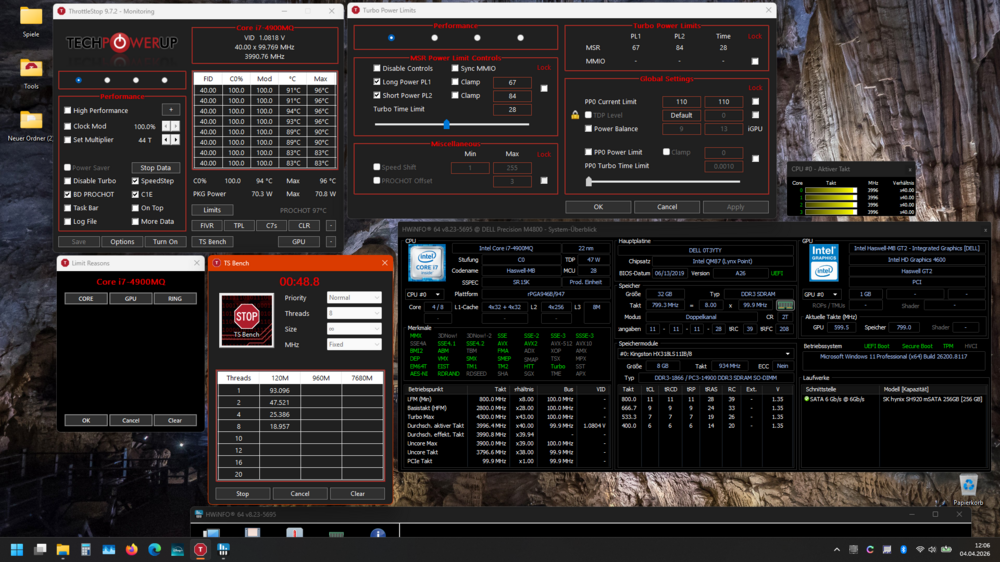
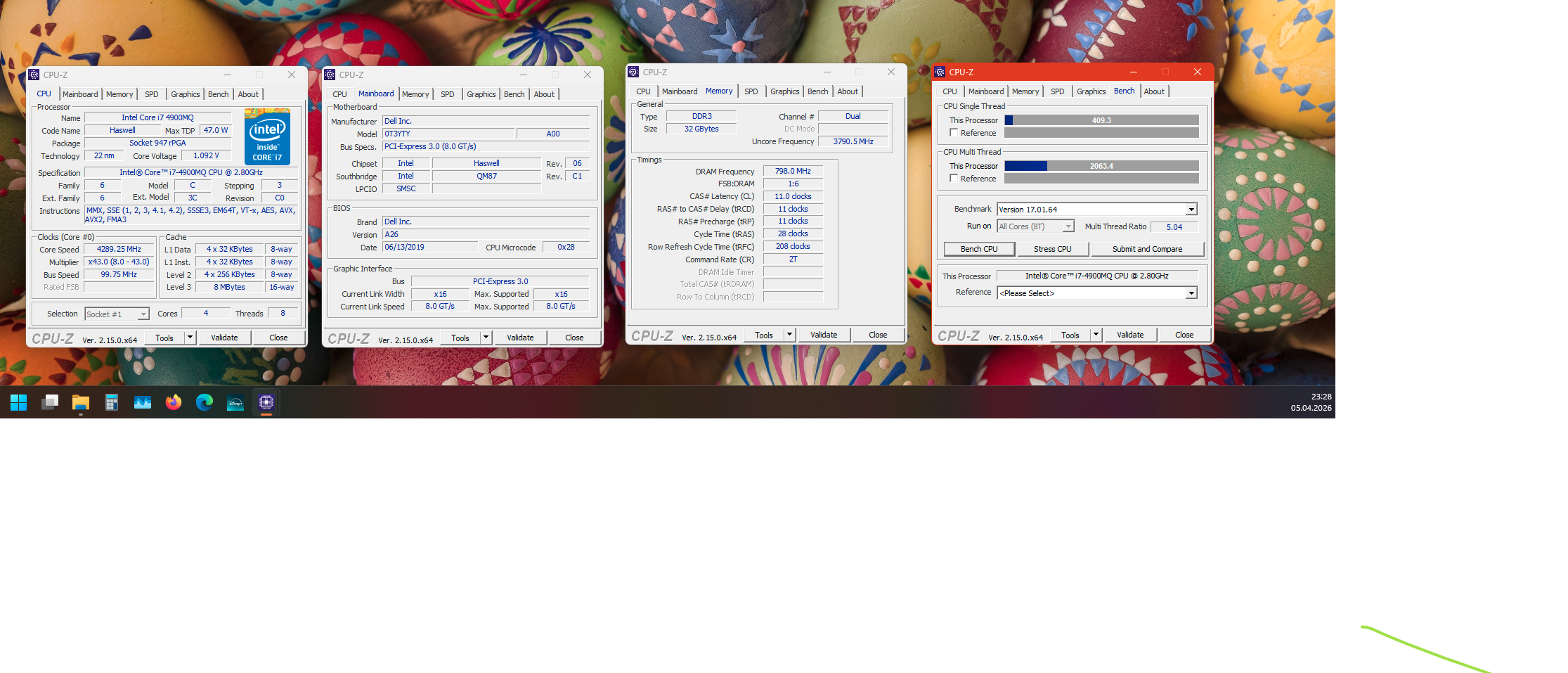
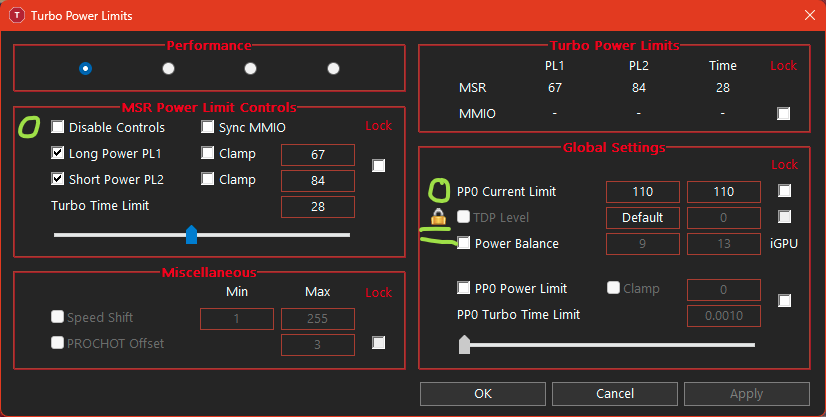
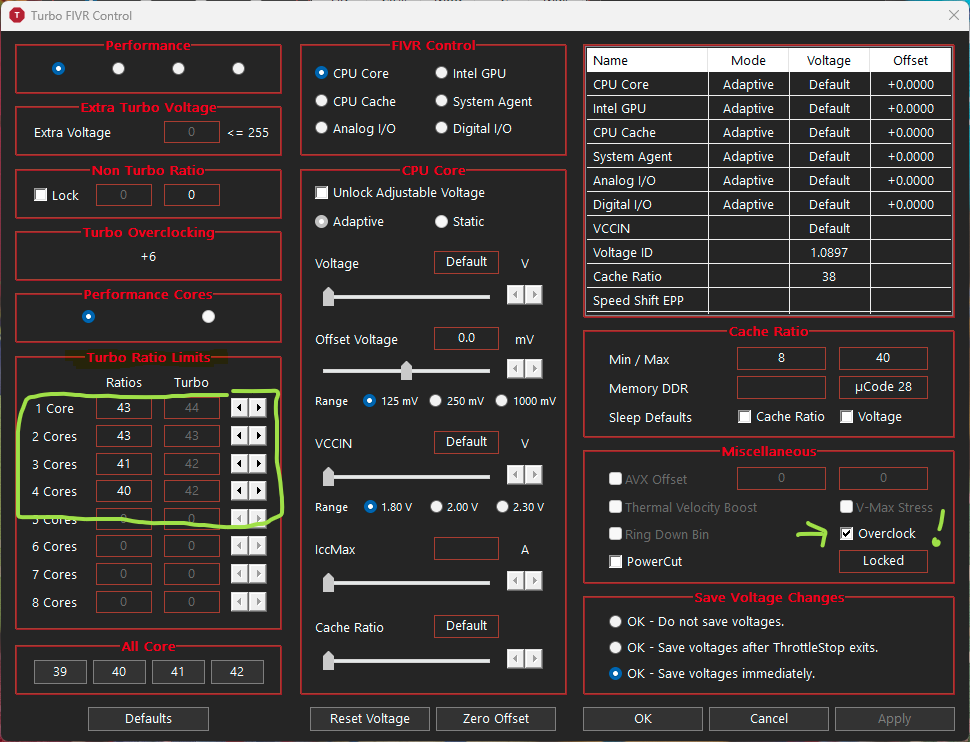
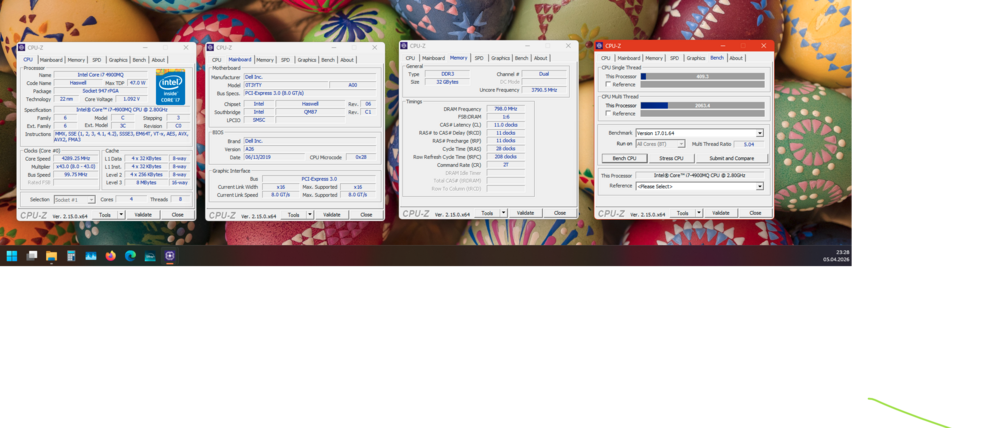
That's strange; I can say with certainty that it works. I've already tested it on three laptops (M6800 LVDS, 2x M4800 (LVDS & eDP)) with different processors. I think there must be a small detail missing somewhere. Perhaps describing my approach in more detail will help you find the error. Just to be safe, I accept no liability for any damage that may result from following these instructions. Everyone must use their own judgment and, if necessary, accept the consequences. 1. Changed the following variables according to Valuxin's instructions (STEP 1): --CFG lock, Variable: 0xC8A --VR Current value lock, Variable: 0xC93 --Package power limit lock, Variable: 0xC94 --Overclocking lock, variable: 0xC95 --Platform power limit lock, variable: 0x54 --Config TDP LOCK, variable: 0x3A --ICC Locks After EOP, variable: 0xC14 Link to the instructions: 2. If the NVRAM variable was successfully modified, you should no longer see any padlocks in the “Turbo Power Limits” window in ThrottleStop, just as with the “TDP Level” option. If padlocks are still visible, you’ll need to repeat step 1. This happened to me once. In this window, set the desired values for PL1, PL2, and PP0, then click the “Apply” button. 3. In the Turbo FIVR Control window, under Turbo Ratio Limits, enter the desired values. Check the “Overclock” box and click the “Apply” button. 4. Now put the laptop into sleep mode (I do this using the keyboard keys, but I don’t think it matters) and wake it up. In the Limits window, only the applicable limits should be displayed under load, such as PL1 or PROHOT. “EDP CURRENT” only appears occasionally for me, mostly when the CPU is idle. If no limits are displayed in this window, my CPU maintains a constant 4GHz in the ThrottleStop benchmark. Most of the time, however, my M4800 experiences temperature issues and then throttles down. A quick note: Step 1 only needs to be performed once. These settings remain in effect as long as the CMOS battery is not removed. Removing the CMOS battery will reset the NVRAM variables to their default values. As for Linux, I’m afraid I can’t say how it works there. Regarding your question about CPU-Z: Thanks to Windows 11 (with its over 250 background processes), I get around 410/2010 points (single-thread/multi-thread), sometimes even less.
-
m4800 gpu upgrade Quadro M2200m on Dell Precision M4800
Bublik replied to mickeybat059's topic in Components & Upgrades
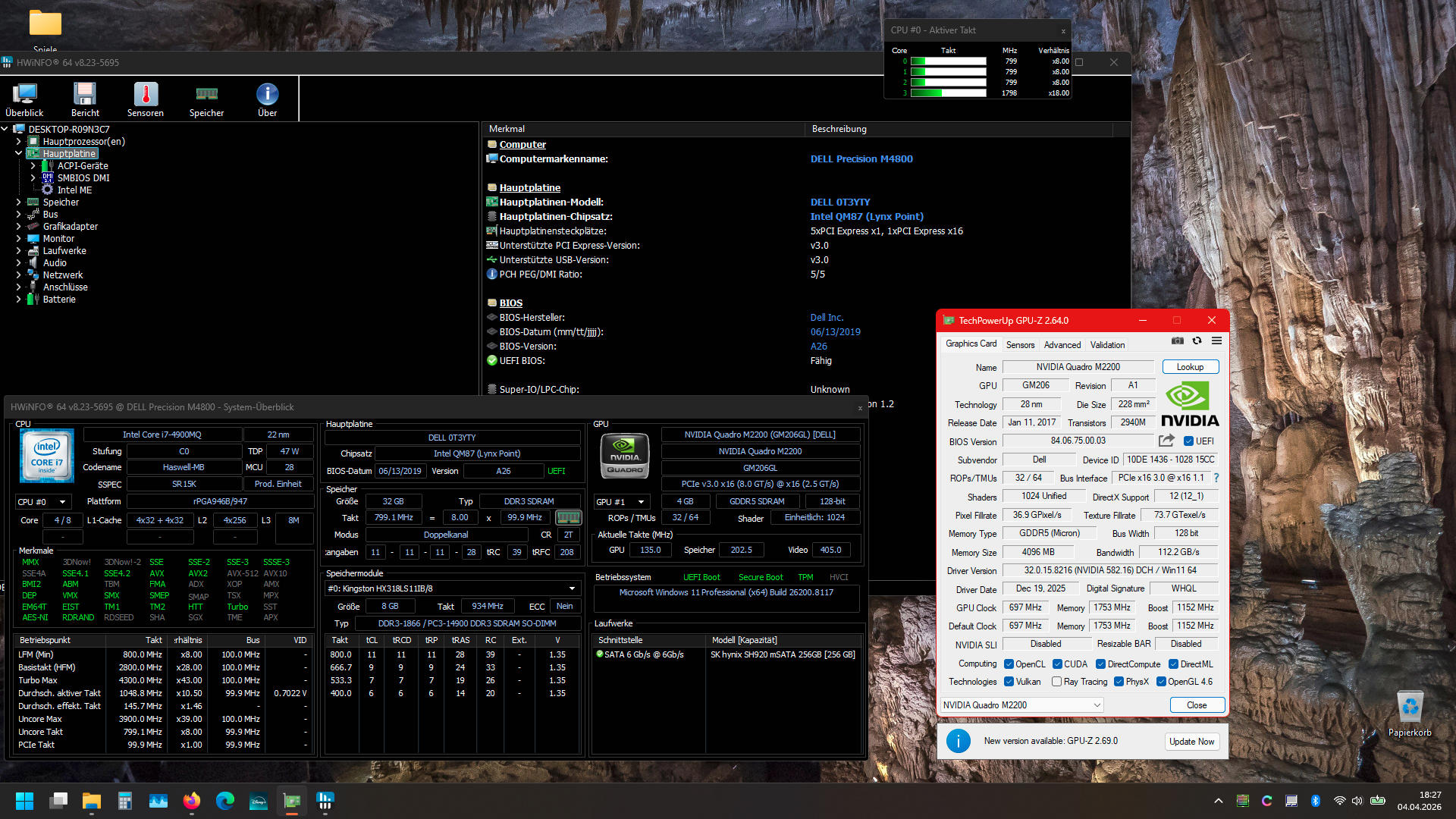
Hello, I just wanted to share a tip, since I ran into this exact problem. Not all VBIOSes support LVDS. On my Dell M2200, I needed to flash a different VBIOS. In fact, none of the VBIOSes on Powertechup with a file size of 180KB support LVDS. So they can only be used with Optimus. I tried them all. All the ones that are 182KB are the right ones for LVDS displays. See the screenshot for an example. Studio drivers can be installed directly; no modifications are necessary.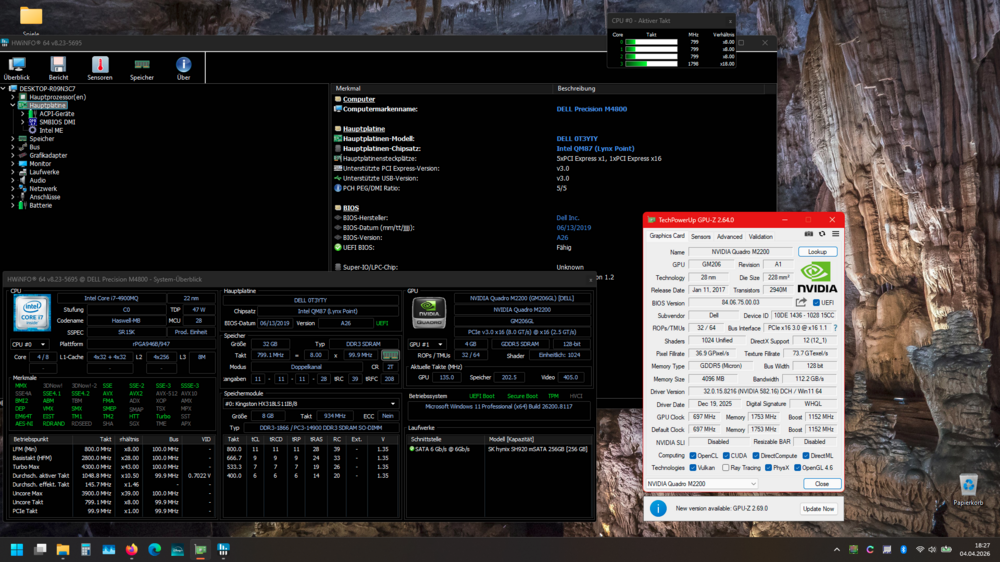
-
Hi SuperMG, Based on my experience with the M4800 and, similarly, the M6800, there is a BIOS bug where the TDP and power settings can be edited in NVRAM but are not applied. You can “work around” this by putting the laptop into sleep mode after startup and then waking it up again. Then overclocking works on all cores, and the TDP values are applied correctly. The only important thing is that the battery is fully charged; if not, it won’t work. This must be done again with every reboot.