Kyser777
-
Posts
28 -
Joined
-
Last visited
Content Type
Profiles
Forums
Events
Everything posted by Kyser777
-
clevo p870tm/tm1-g Official Clevo P870TM-G Thread
Kyser777 replied to ViktorV's topic in Sager & Clevo
RAM speed at 3200 and lower. no problem whatsoever until 96GB of RAM yes I could run the p870 with SLI GTX1080 and 128Gb of RAM by disabling the thunderbolt. Even without disabling the thunderbolt in the Bios I could boot with just an error message {PCI RESOURCES ERROR: Insufficient PCI resources detected}. but now with the RTX3080, I just get a black screen. same behavior on a p775TM with RTX3080 and 128GB of RAM -
clevo p870tm/tm1-g Official Clevo P870TM-G Thread
Kyser777 replied to ViktorV's topic in Sager & Clevo
p870KM and p775TM 9900KS with Danske 128GB RAM bios version. I can not making work 128GB of ram (crucial ballistix) with RTX3080 on both laptops! it seems to be related to the installed RTX3080. look for confirmation and a way to bypass the problem. -
clevo p870tm/tm1-g Official Clevo P870TM-G Thread
Kyser777 replied to ViktorV's topic in Sager & Clevo
On a P870 I cant not boot with dual RTX 3080 16gb vram , danske bios (128gb ram type bios) and 128GB of ram (ballistix crucial ), the laptop just seems to boot with black screen with no BIOS access . I got similar problem and behavior with p775 , 128GB RAM and RTX 3080 16gb vram. I can boot however with 96GB and 112Gb of RAM using the 3 and 4 slots. does someone got the same problem?? I remember that I could boot with 128gb of RAM when I still had a gtx 1080 SLi system. Does the RTX3080 take more resources to prevent 4 slot full with 32GB of RAM (128GB), is there a Bios setting to solve the problem ?? any user has a p870 or p775 config working with 128GB of RAM and RTX 3080?? Thanks -
Clevo P751TM1 BIOS flashing help, Thunderbolt without display
Kyser777 replied to Gualdo's topic in Sager & Clevo
Thanks!!!, your firmware is 2019, I am wondering if a newer version is available... I cannot understand why clevo does not provide the firmware along with other drivers... -
Clevo P751TM1 BIOS flashing help, Thunderbolt without display
Kyser777 replied to Gualdo's topic in Sager & Clevo
does this firmware is compatible with p775 and p870?, where did you get this firmware?? thanks -
this firmware seems old, the bin file is from 2016??? does this firmware is compatible with p775 and p870?, where did you get this firmware?? thanks
-
I plugged a thunderbolt Hub station on my Clevo p775 and p870 with RTX3080 and I got compatibility problem to connect external monitor via thunderbolt. the monitor are detected but can not be used (seems to be a handshake failure). I use a danske bios and try with fp++ and Unique Id and use the option DDI to TBT in the bios, NO LUCK... After some research it seems that the thunderbolt firmware can be updated however there is NO way to found download link or info on the internet. could some FOX could give us the link on the latest firmware and the update procedure for our CLEVO p775 and p870 (there is the version 18 it seems...) We will keep that post to provide those precious firmware download links updated THANKS
-
thanks for your precisions! I have a massive water block on my p775 and p870, would like the get the maximum power possible from the 3080 mobile the p870 can take more than 200w for the mxm gpu, what would be then the resistor needed to get 200w on the 3080 MXM? how did you decide to use 20mOhm shunt resistors instead of others?? your 180w on your 3080m is theoretical or real? thanks!
-
your contribution is amazing!! ■some question related to your special bios: -your special bios is compatible with 128Gb of ram?? [I know there was a 128gb ram compatible version of Dsanke's bios] -what is exactly the power limit removal , is there something new compared to the Dsanke's bios?? -did you make the special bios compatible with p870 TM/KM as well? ■Please can you explain and show exactly how to make the shut mode on the rtx3080 .. -which 20mOhm or more shunt resistor is needed and where to buy it -where to solder exactly -precaution and tips when soldering BTW, can we exceed 180w on the card if we use a water-cooling system? did you experiment damages on the GPU card mosfet, etc.. with the shunt mod in long term?? Thanks!!!
-
Please can you explain and show exactly how to make the shut mode on the rtx3080 .. -which 20mOhm shunt resistor is needed and where to buy it -where to solder exactly -precaution and tips when soldering BTW, can we exceed 180w on the card if we use a water-cooling system? Thanks
-
clevo p870tm/tm1-g Official Clevo P870TM-G Thread
Kyser777 replied to ViktorV's topic in Sager & Clevo
it seems that the bios reset itself when the laptop can not boot after several time, can someone else confirm? -
I did use the latest driver before , but I switched to 528.24 driver to get the dynamic boost that give me 15 more watt on the RTX3080. my config is a waste as I could double the power with my efficient watercooler. I would like to boost the TDP to 200W minimum... waiting for a mod..
-
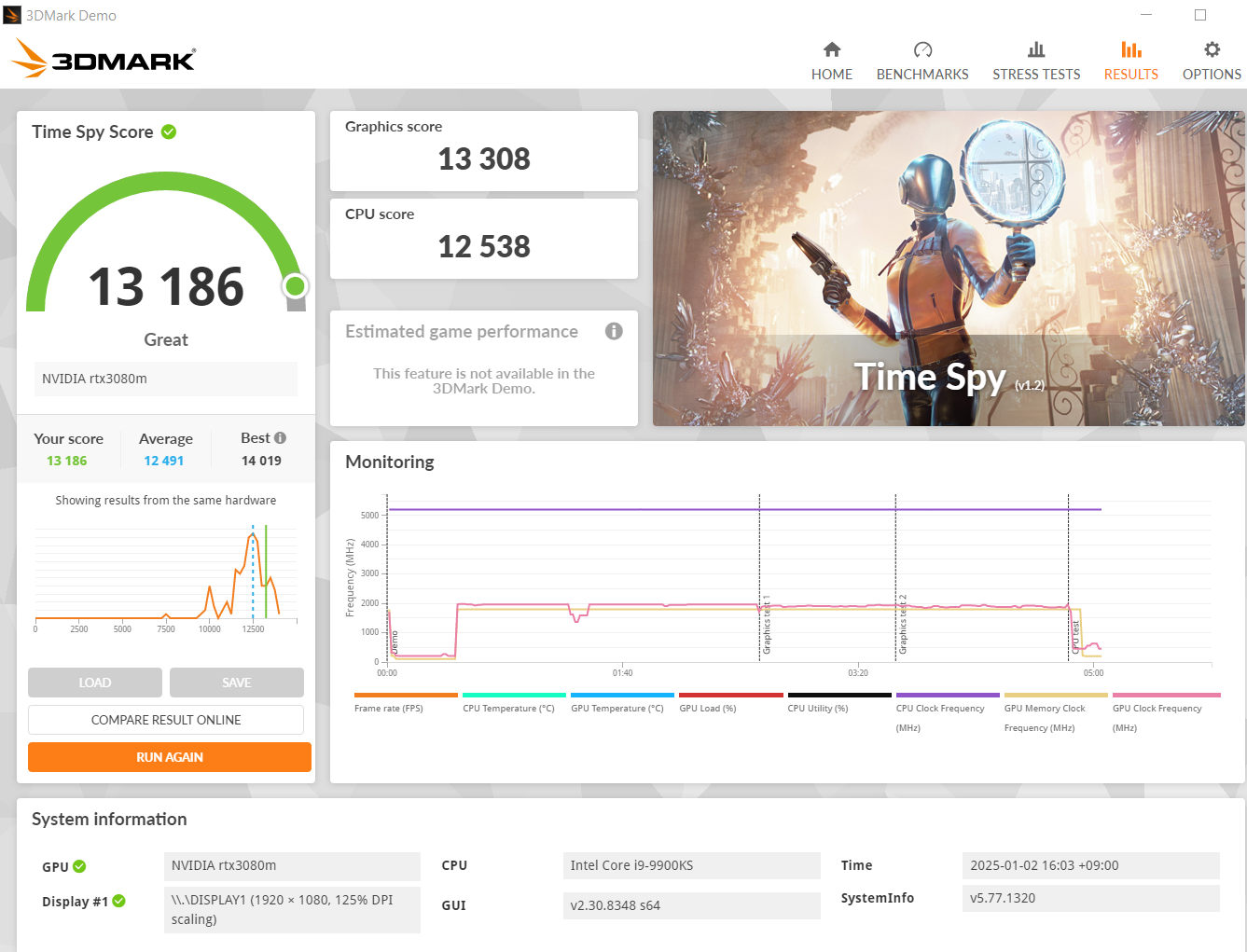
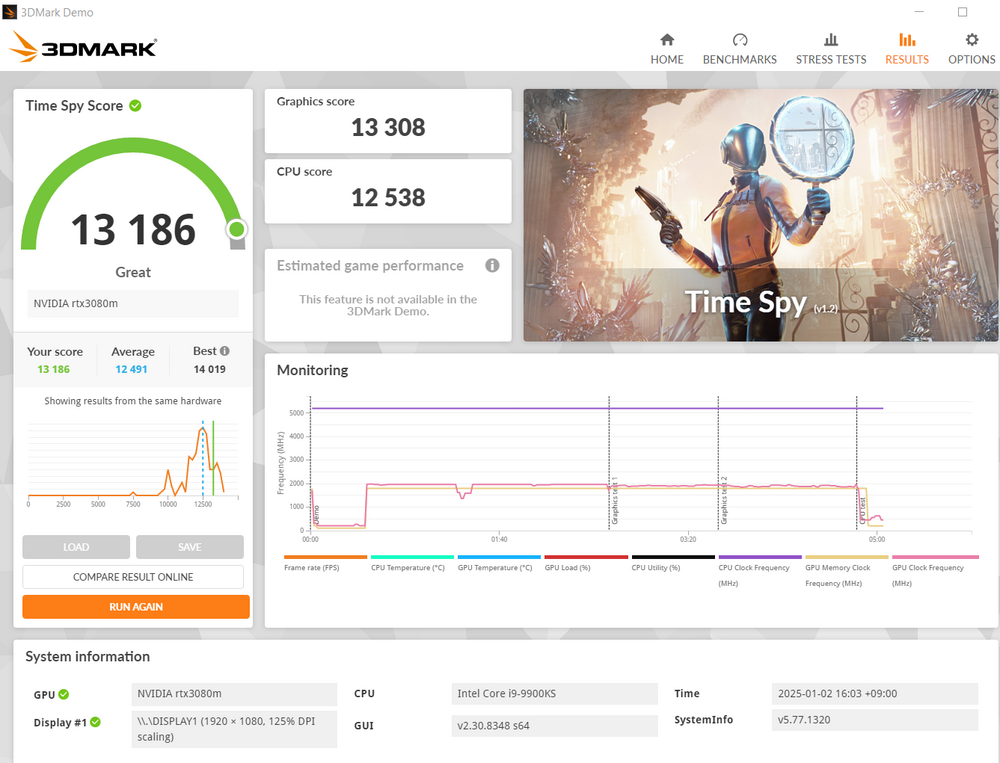
here is my result with my p775TM with watercooler: -9900ks 5.2ghz 4.9ghz cache -ram 64gb 1660mhz 14-17-17-32 1.4v -RTX3080m with dynamic boost 165w
-
yes I have an unlocked bios I understood the problem.... you needed to enable #QCKL odd ratio# to get this extra 60-70mhz
-
clevo p870tm/tm1-g Official Clevo P870TM-G Thread
Kyser777 replied to ViktorV's topic in Sager & Clevo
impossible to run away from the bios error message with 128GB of ram and thunderbolt enable I had to reduce the ram amount to keep the thunderbolt function... ------ BTW, nowadays my bios setting is resetting after some inactivity time (few hours), I changed the cmos battery with a new one under the keyboard, but the problem persist... what should be the voltage on the cmos battery to keep the setting?? is there any jumper for the cmos?? I hope I did not short something with the water-cooling system. any tips to diagnostic the problem? -
I got the same ram module than you (ballistix) how do you modify the ram speed?? , your is 1675mhz.... in my bios with memory ratio at 12 I got only 1600mhz what is your full setting to get your performance including bios etc... is there some secret bios setting needed apart from the main memory overclock menu? Thanks!!!
-
clevo p870tm/tm1-g Official Clevo P870TM-G Thread
Kyser777 replied to ViktorV's topic in Sager & Clevo
I made test when thunderbolt is disable in the BIOS , I can boot.... Why?? -
clevo p870tm/tm1-g Official Clevo P870TM-G Thread
Kyser777 replied to ViktorV's topic in Sager & Clevo
my p870 (KM version) with 128GB of Ram can not boot I got PCI RESOURCES ERROR!!!!! error: insufficient PCI resources detected!!!! however it works fine with 96GB of ram (3x 32gb) or less my bios is the latest danske 128GB I heard a problem on the forum with thunderbolt and 128GB , is it related?? any FIX??? -
clevo p870tm/tm1-g Official Clevo P870TM-G Thread
Kyser777 replied to ViktorV's topic in Sager & Clevo
how did you enable rebar?? -
any advantage to update the microcode on 9900k and 9900ks with the latest version, any update logs?
-
p775 RTX 2080 vbios flashed -> black screen ---FIXED!!!!
Kyser777 replied to Kyser777's topic in Sager & Clevo
thanks for your info! what can we do nowadays to boost RTX 3080 performance apart from making conventional overclocking? -
p775 RTX 2080 vbios flashed -> black screen ---FIXED!!!!
Kyser777 replied to Kyser777's topic in Sager & Clevo
is there a way to apply a 200w modification to a non-g-sync card vbios? there is no logic reason that it cannot be done... my water-cooling system is waiting for this 200w card! if someone have a 200w vbios for rtx 3080 as well, I will be happy too. -
p775 RTX 2080 vbios flashed -> black screen ---FIXED!!!!
Kyser777 replied to Kyser777's topic in Sager & Clevo
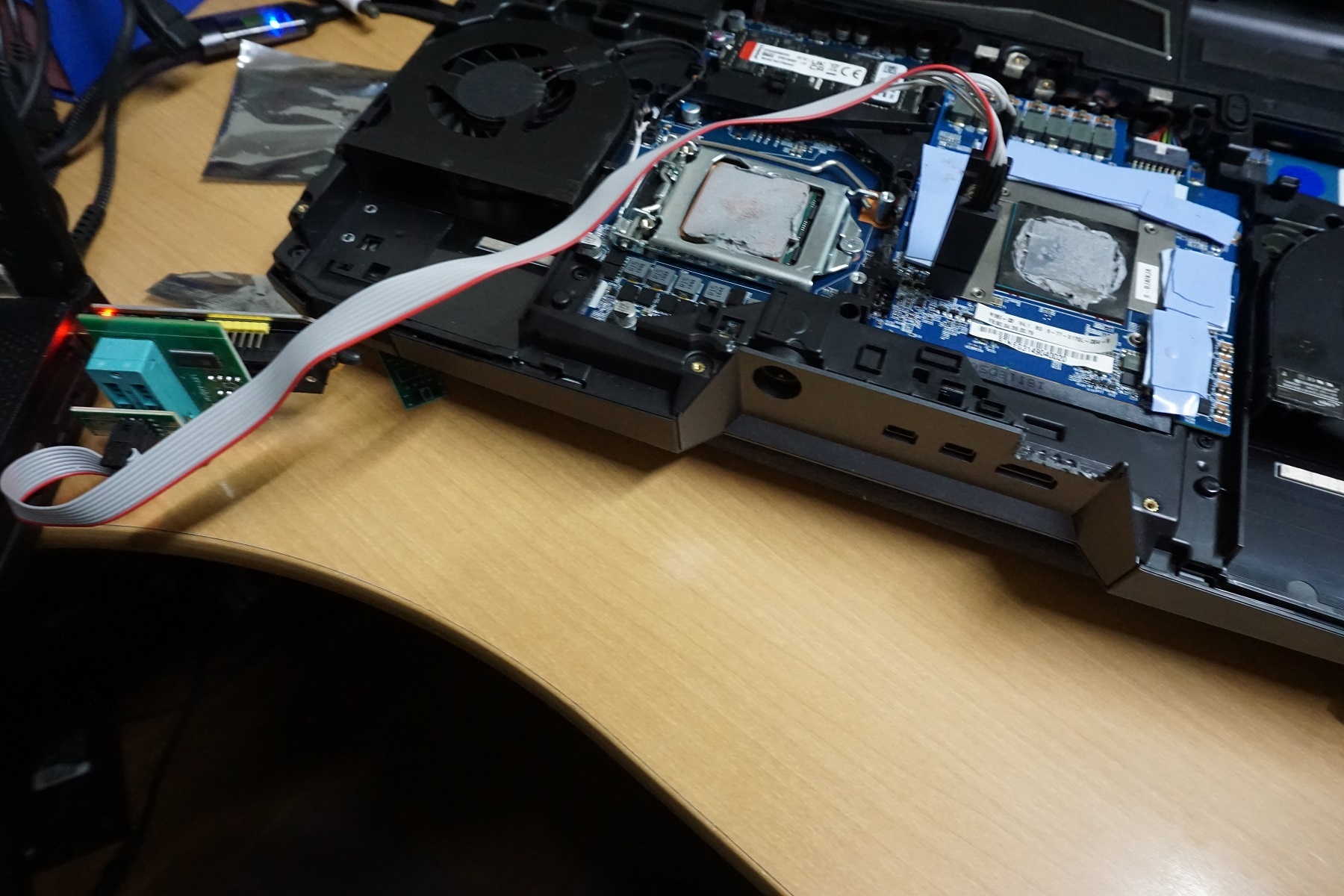
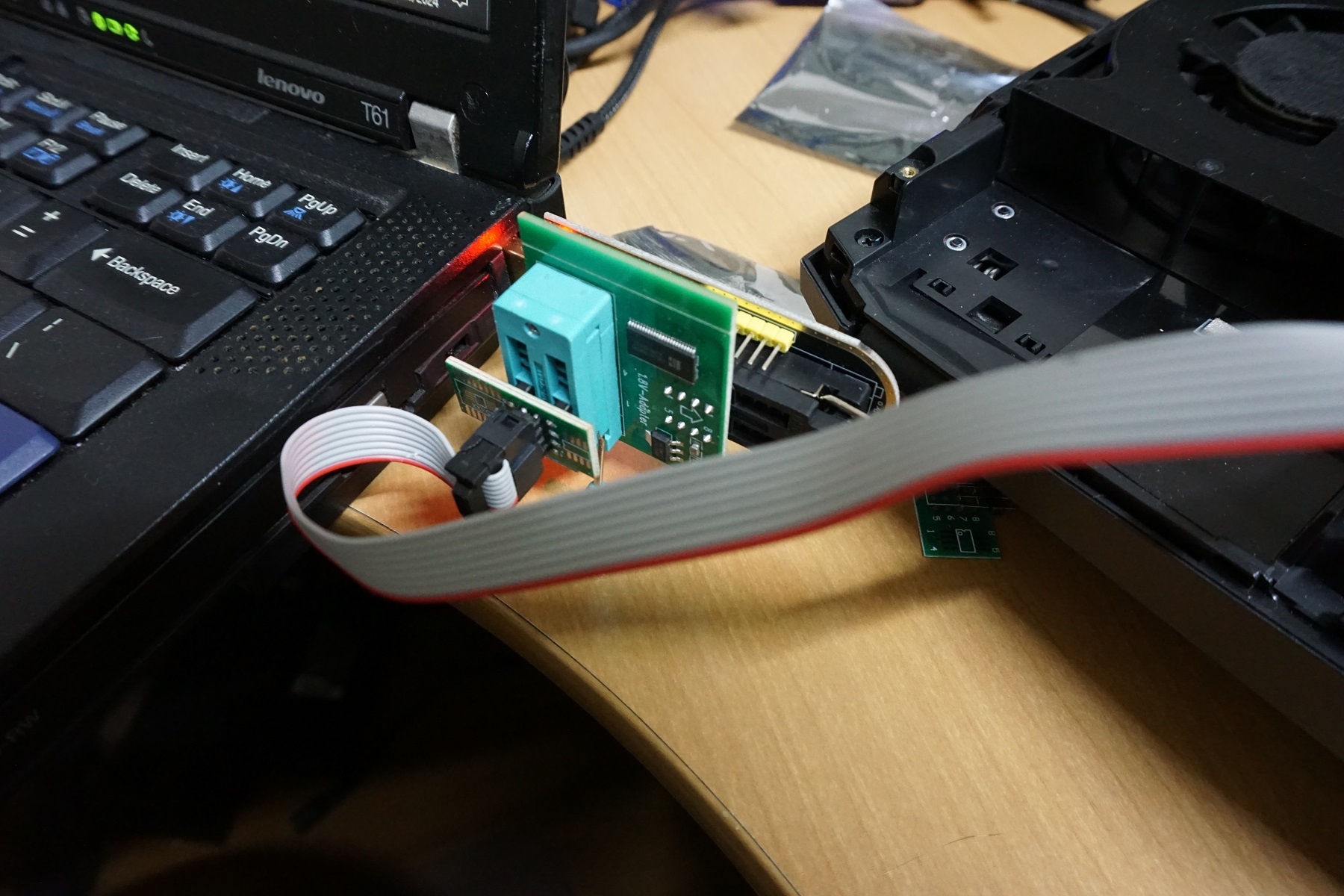
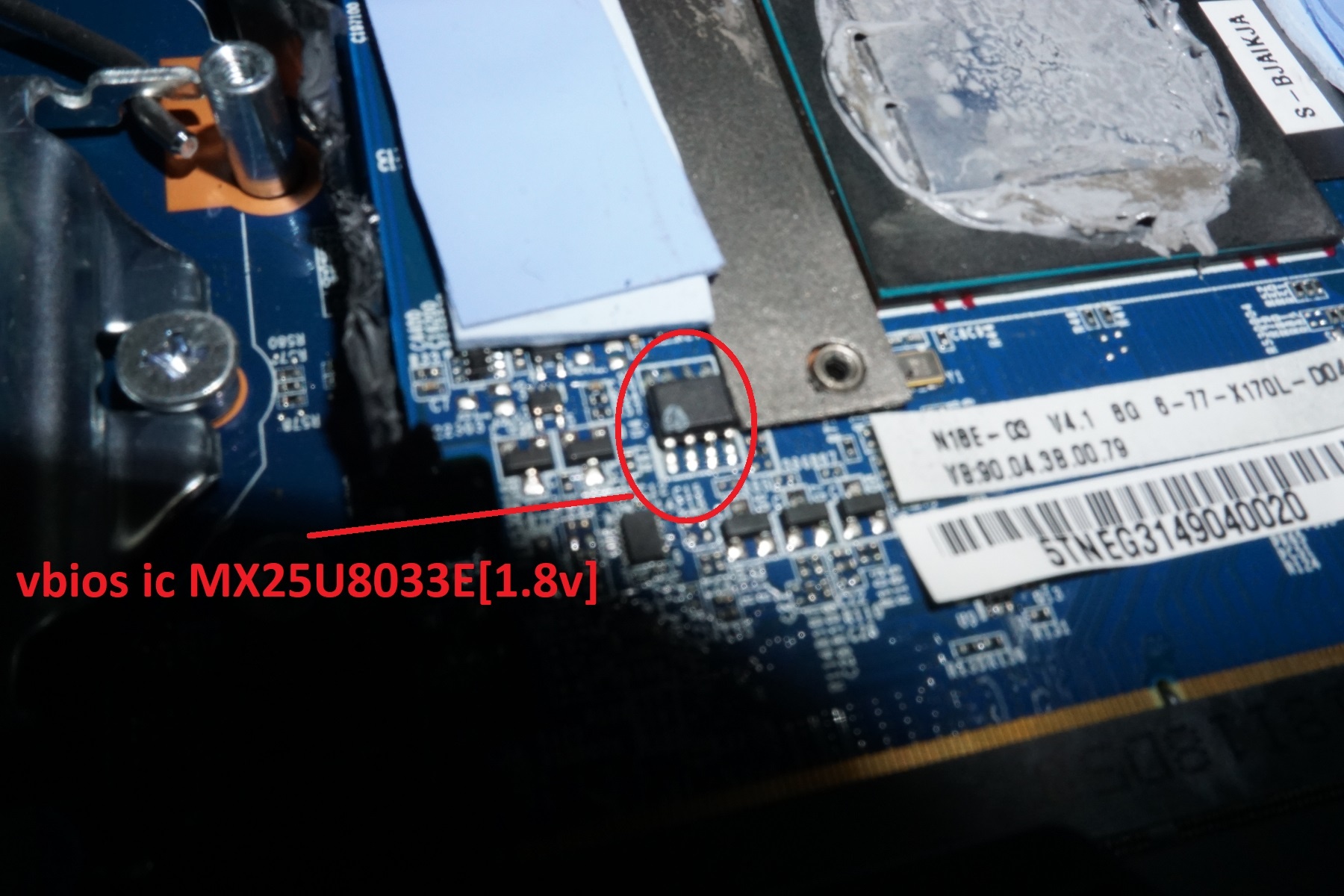
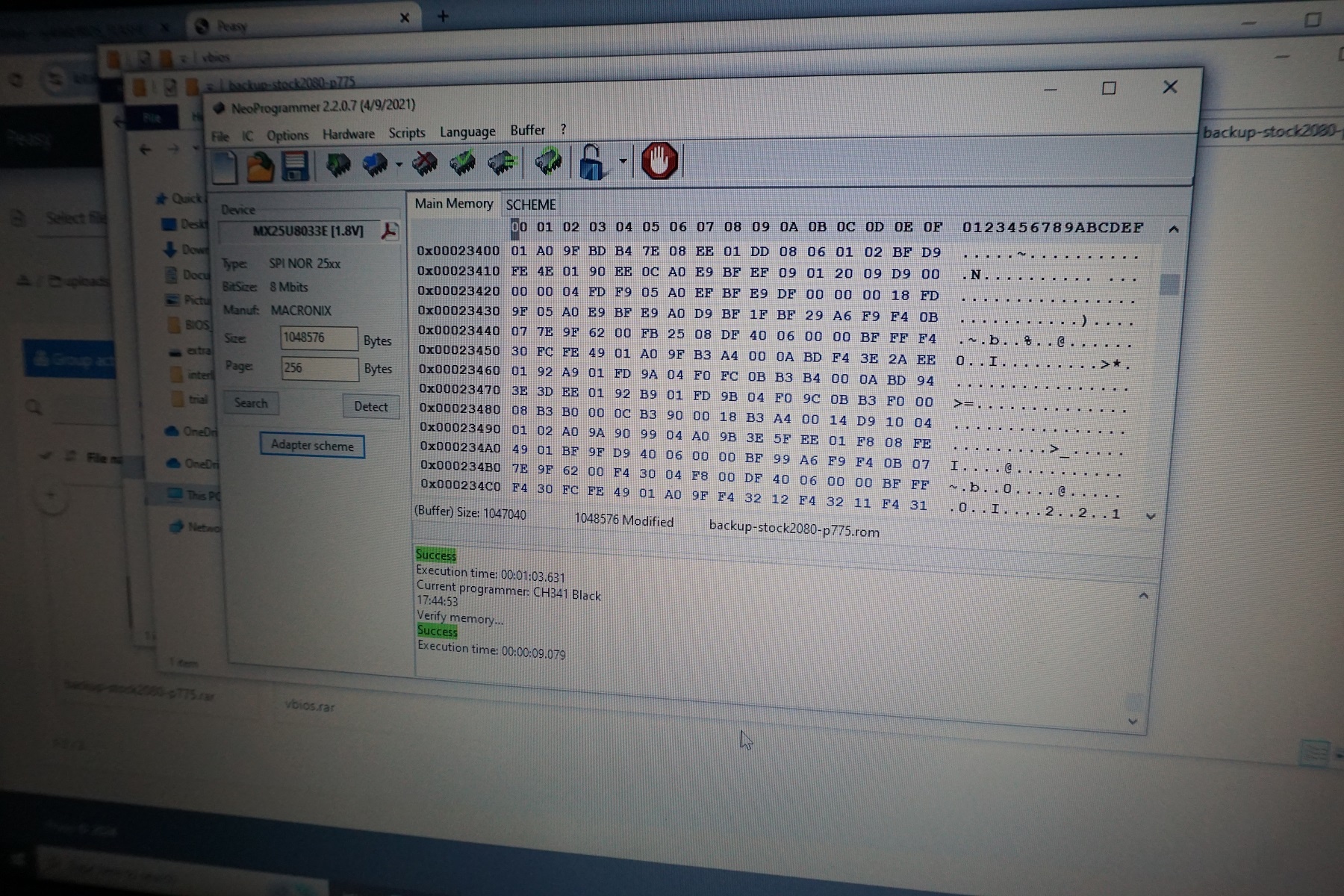
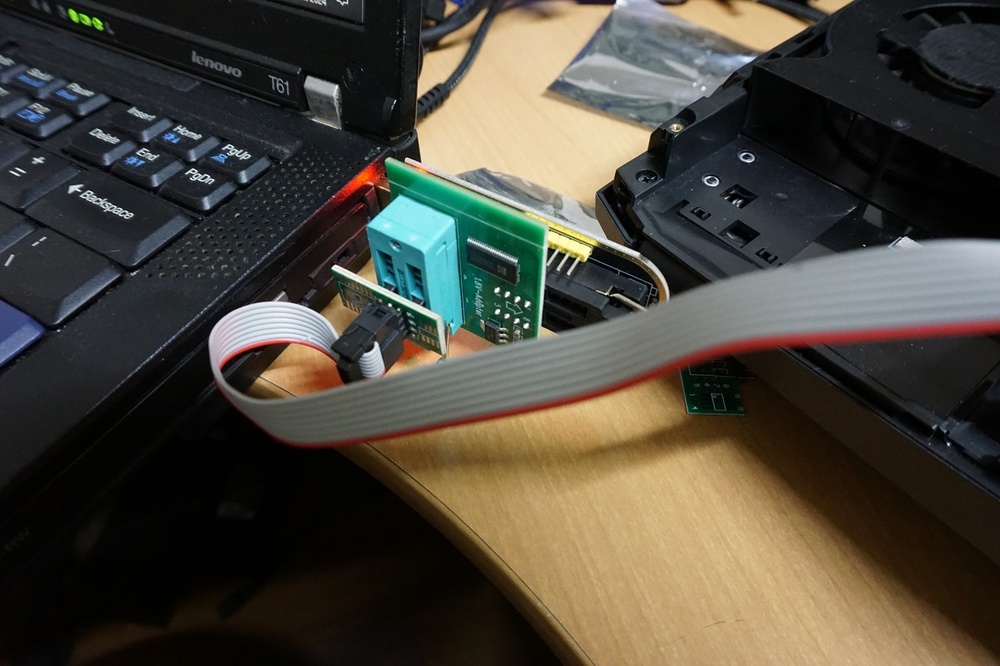
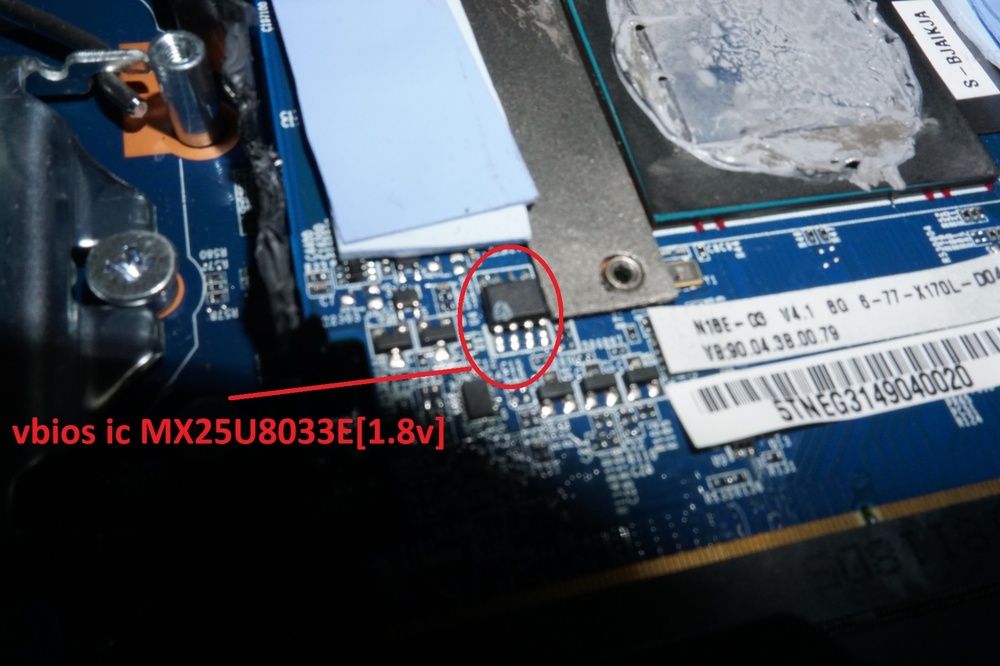
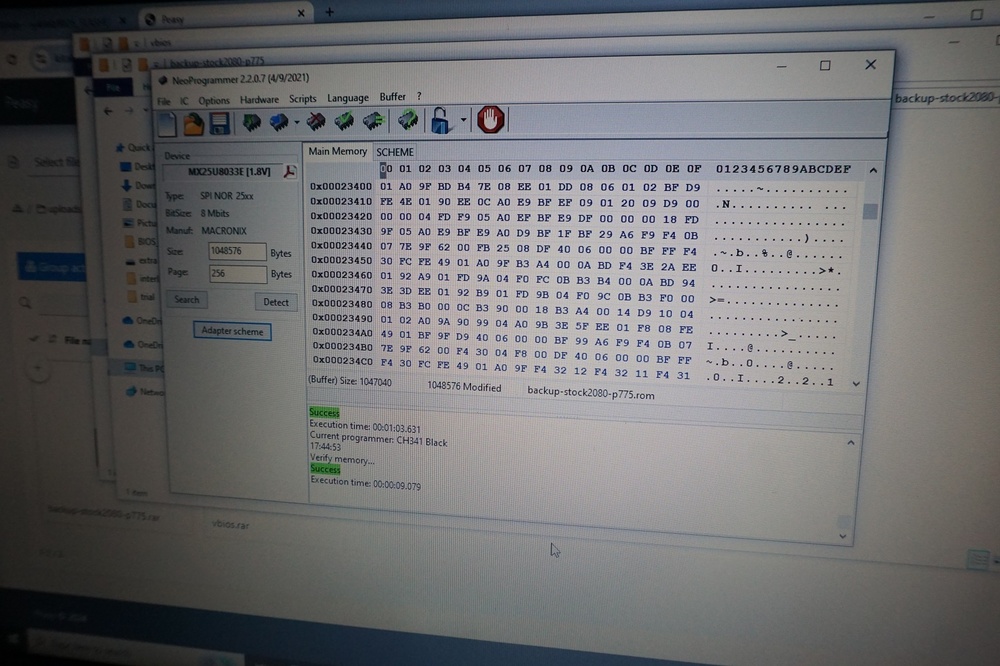
FIXED!!!! first remove all power source including the battery of the laptop. use the CH341A programmer with 1.8v adapter (check the picture). use the soft #neoprogrammer# to flash the vbios and set the IC to the Vbios type model. clip the bios correctly and make connection. I flashed with the backup vbios and the screen light up again perfectly always backup your original bios, vbios before to flash in case of problem. I am just sad I can not mod to 200w..... hope this topic helps others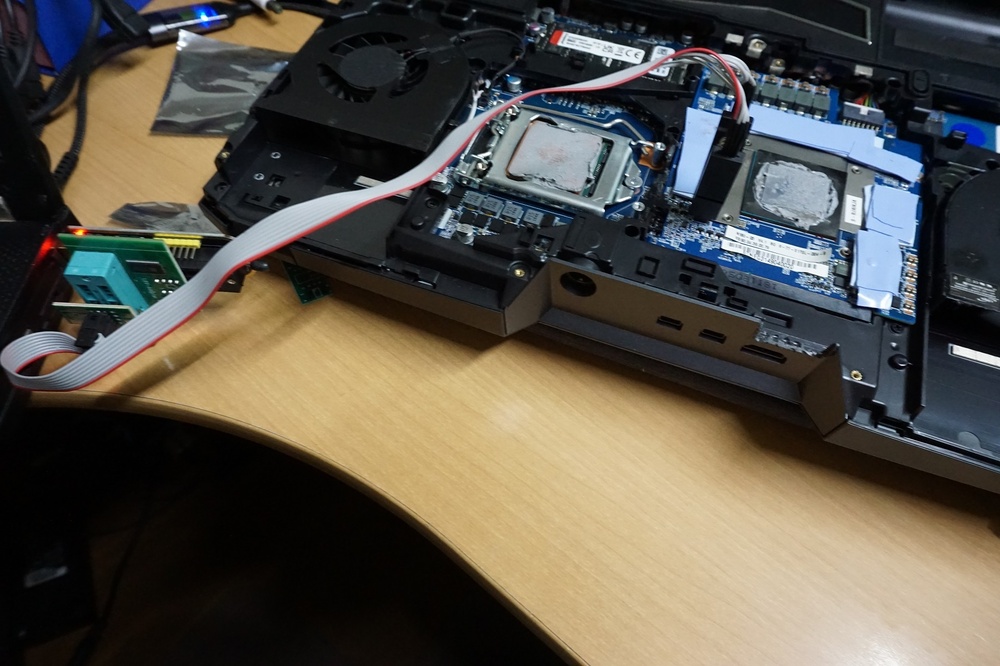
-
p775 RTX 2080 vbios flashed -> black screen ---FIXED!!!!
Kyser777 replied to Kyser777's topic in Sager & Clevo
according to a forum member , my RTX mxm card is not g-sync type and therefore was incompatible with the alienware vbios making a black screen on the internal display. does the Falcon security allow me to flash back again the original vbios? do I need a 1.8v programmer ? any guide to flash with a programmer the RTX bios? thanks -
I just flashed my p775 RTX 2080 with a 200w mob vbios, https://drive.google.com/file/d/10bU9egVEpbdLLAHE-DBZo0fdOnN8DQjN/view after the reboot , the laptop seems to work but I got a black screen😬. what is the solution to reflash with original vbios or workaround to this issue given that I have no display on the lcd panel and hdmi port? if I need to reflash externally the mxm RTX 2080, what programmer should I buy thanks for your advice