Derpmaster69
-
Posts
28 -
Joined
-
Last visited
Content Type
Profiles
Forums
Events
Everything posted by Derpmaster69
-
M18xR1 2026 BIOS Update! Testers Needed!
Derpmaster69 replied to ssj92's topic in Alienware 18 and M18x
will this allow 3rd gen cpu's? cause i saw an m18x r1 with maxed out config ( 2960xm and 580m sli) (no charger) for less than a hundred bucks in FB marketplace. Only issue is seller doesn't know if it works. Should i roll the dice on this? Anyways does it allow to use 3rd gen intel cpu? -
Finally the new RTX MXM cards will work in our laptops!
Derpmaster69 replied to SuperMG's topic in Components & Upgrades
Sorry for posting on this thread but the MSI GX70 has some weird bs that forces the igpu and dgpu to run together. Actually AMD No it came with an AMD HD8970M A user in MSI forums had tried to install an 880M but the laptop had a black screen. Any thoughts on GPU compatibility? -
Finally the new RTX MXM cards will work in our laptops!
Derpmaster69 replied to SuperMG's topic in Components & Upgrades
This is a bit out of topic but, are there any options for GPU upgrade in MSI GX70 (AMD counterpart of the GT70) So far from what I've seen, it's got something called AMD Enduro which forces it to use iGPU for light tasks and then use the HD8970M for heavy tasks. No one has managed to disable iGPU through any means. The laptop uses an 17.3 inch LVDS panel and what I want to know is that if there is any possible GPU upgrade for it. (Picked it up at a local marketplace for 50$) Specs- AMD A10 5750M 8GB DDR3 1600 128GB SATA SSD HD 8970M 2GB Heard that NVIDIA graphics cards won't work in this model due to the Enduro thing. Please help. -
Grabbed an MSI GX70 off of FB Marketplace for 50 bucks. Has a bad battery and keyboard and has some white lines in the corners of the display panel. Specs-AMD A10-5750M with Radeon HD 8650G iGPU 8GB DDR3L AMD Radeon HD 8970M/R9 M290x 2GB 128GB SSD After digging up some old posts in Reddit and MSI forums, I found that the CPU cannot be upgraded any further. The RAM can be upgraded up to 2x8GB 1866, has some sort of super RAID card to run 2 MSATA SSD's in RAID configurations. Anyways, regarding the GPU I found nothing. It has an MXM-B slot and I was wondering what GPU's it can take. PS-This laptop uses some weird "AMD Enduro technology" which I think is like SG but only for AMD GPU's. Anyone knows what GPU's my laptop could take?
-
@Br14nfüdI know that this is a very old forum but, does it work?
-
Finally the new RTX MXM cards will work in our laptops!
Derpmaster69 replied to SuperMG's topic in Components & Upgrades
Not sure, they might ask 10k for it as well lol😂. Anyways will the card work on switchable graphics mode? -
Finally the new RTX MXM cards will work in our laptops!
Derpmaster69 replied to SuperMG's topic in Components & Upgrades
Absolutely no way I'm gonna pay 1500$ for an rtx 4060 level gpu. Well won't the 3050 6gb (the one i was talking about earlier) work on optimus at least, even with the backlight mod? Speaking of which I was asking about the 50 series and they said that it would be manufactured within 6 months. -
Finally the new RTX MXM cards will work in our laptops!
Derpmaster69 replied to SuperMG's topic in Components & Upgrades
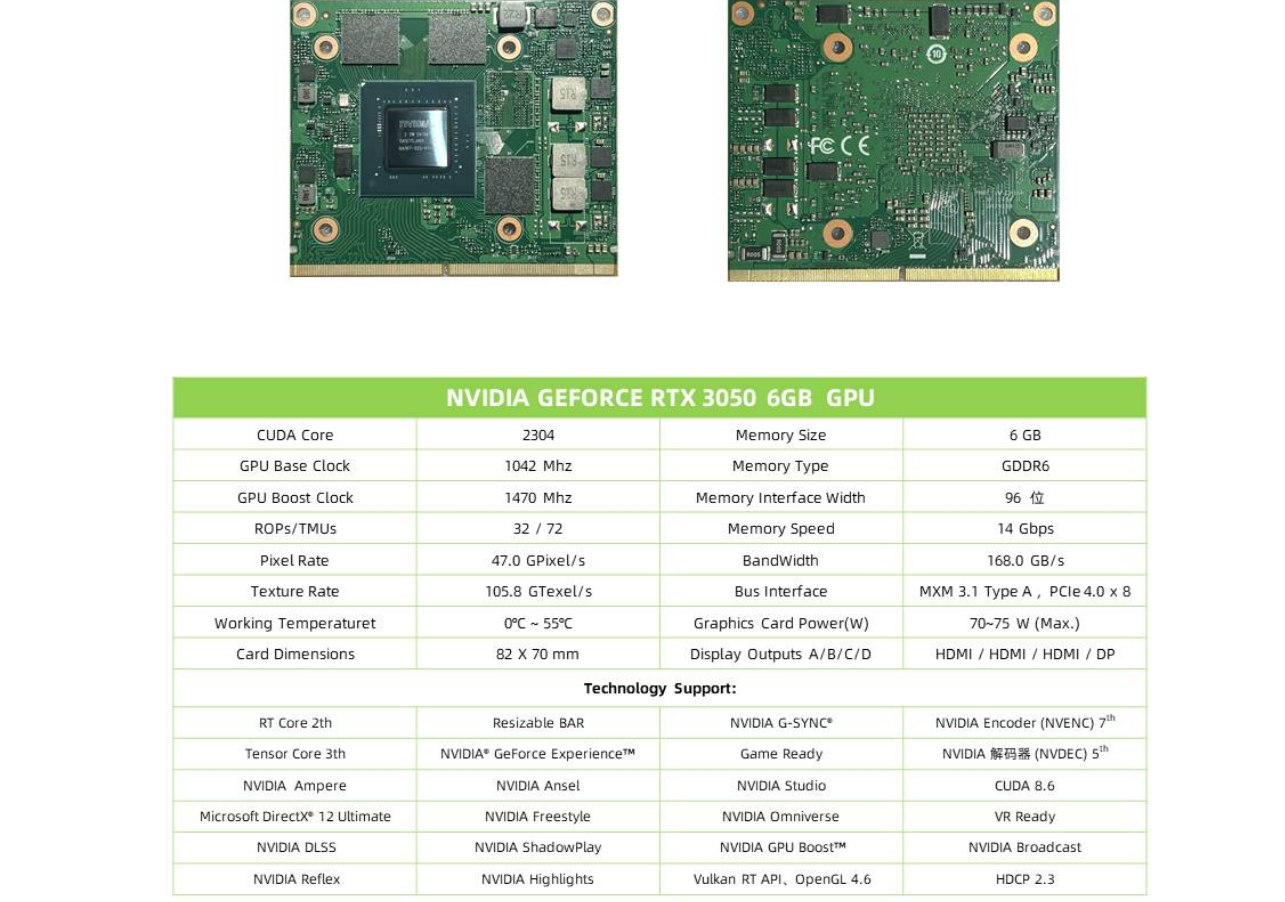
@SuperMGJust saw that XVSION has made an RTX 3050 6gb MXM a card. Wonder if it will work on my zbook 15 g2-atleast in hybrid mode?(I think the eDP is on C in the 15 g2). As I've heard, only up to turing cards would work. Will there at least be a modified vbios for a DP_C output?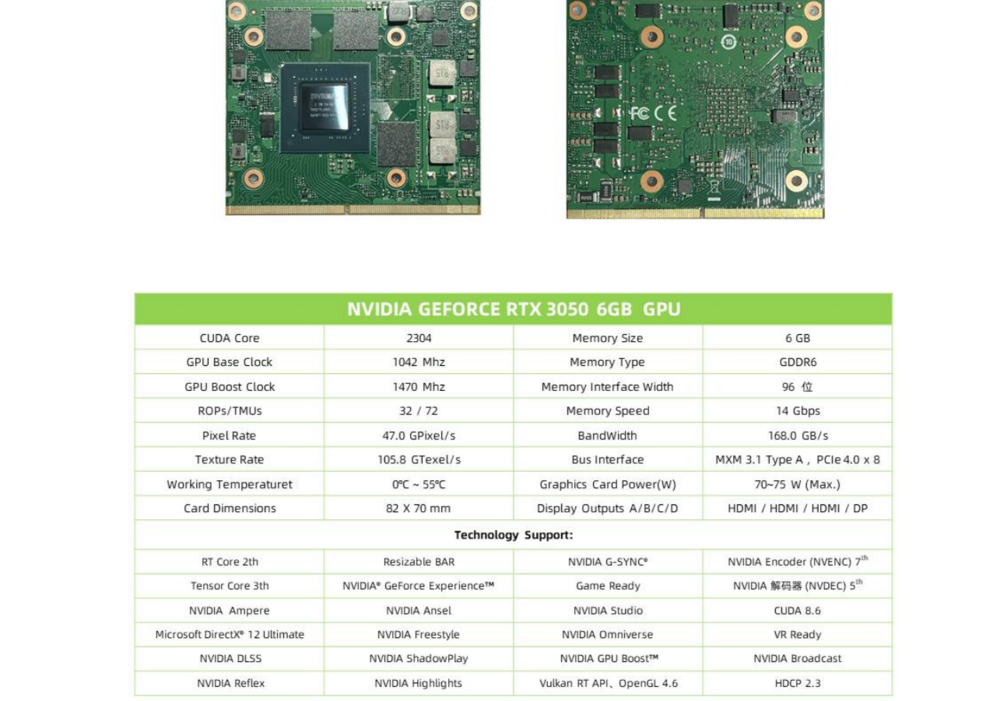
-
Finally the new RTX MXM cards will work in our laptops!
Derpmaster69 replied to SuperMG's topic in Components & Upgrades
So, there is hope😁 well what I was going for is to mod the laptop by fitting an external 15 inch monitor (or even the same inbuilt monitor) to a controller board which can be powered by usb (probably I must allow some space for the controller board) and then connect the display via HDMI/DP/mDP. So this might work right (without backlight mod)? -
Finally the new RTX MXM cards will work in our laptops!
Derpmaster69 replied to SuperMG's topic in Components & Upgrades
So, the real question is that would the cards work over HDMI/TB2 if the internal display is completely removed? EDIT: or even DP -
Finally the new RTX MXM cards will work in our laptops!
Derpmaster69 replied to SuperMG's topic in Components & Upgrades
Even if I remove the display ribbon and connect the external display to DP or HDMI or TB2(mDP)? If it would work the backlight flex cable mod is still necessary right? -
Finally the new RTX MXM cards will work in our laptops!
Derpmaster69 replied to SuperMG's topic in Components & Upgrades
so in theory, Zbook 15 g2 and RTX 4060 won't work unless the vbios is modified for DP_C right? So I could only get a display if I connect the laptop to an external display via DP (it is 1.2 so I am limited to Ampere right?)? But then is the backlight mod still necessary? Thanks for the reply. But, all MXM cards work on the slave slot of SLI laptops (without whitelist) regardless of LVDS/eDP right? -
Finally the new RTX MXM cards will work in our laptops!
Derpmaster69 replied to SuperMG's topic in Components & Upgrades
@SuperMGwill the flex cable mod work on zbook 15 g2, it only has an eDP display (so no LVDS). I plan on getting a PELADN rtx 4060 MXM since XVSION 4060 will not probably work as they pull 115W (Zbook 15 g2 has an MXM a slot max 75W. My main question is, does the zbook 15 g2 have the backlight pins as needed or should I solder them in another way? Nice hack by the way to show that socketed laptops will always stay superior Sorry for tagging you if it was offensive -
@DevilAnGeLI plan on modding the display to a AUO B173ZAN06.8 . Could I get a custom cable for it, mount it and get it to work plug n' play on the HP Elitebook 8770w (non-dreamcolor)? Or is it required for me to get the dreamcolor board and by the way is there a specific motherboard for the 8770w with the dreamcolor display?
-
HP Elitebook 8770W GPU Upgrade
Derpmaster69 replied to Derpmaster69's topic in Components & Upgrades
it doesnt have to be dreamcolor right as long as it has an edp connection it will work with turing and ampere cards right? -
Guys does the hp elitebook 8770W quad core support rtx cards (rtx 5000)? Or cards like x vsion 3060 will they work?
-
Ray Tracing on M18xR2 - RTX 3000 MXM Upgrade!
Derpmaster69 replied to ssj92's topic in Alienware 18 and M18x
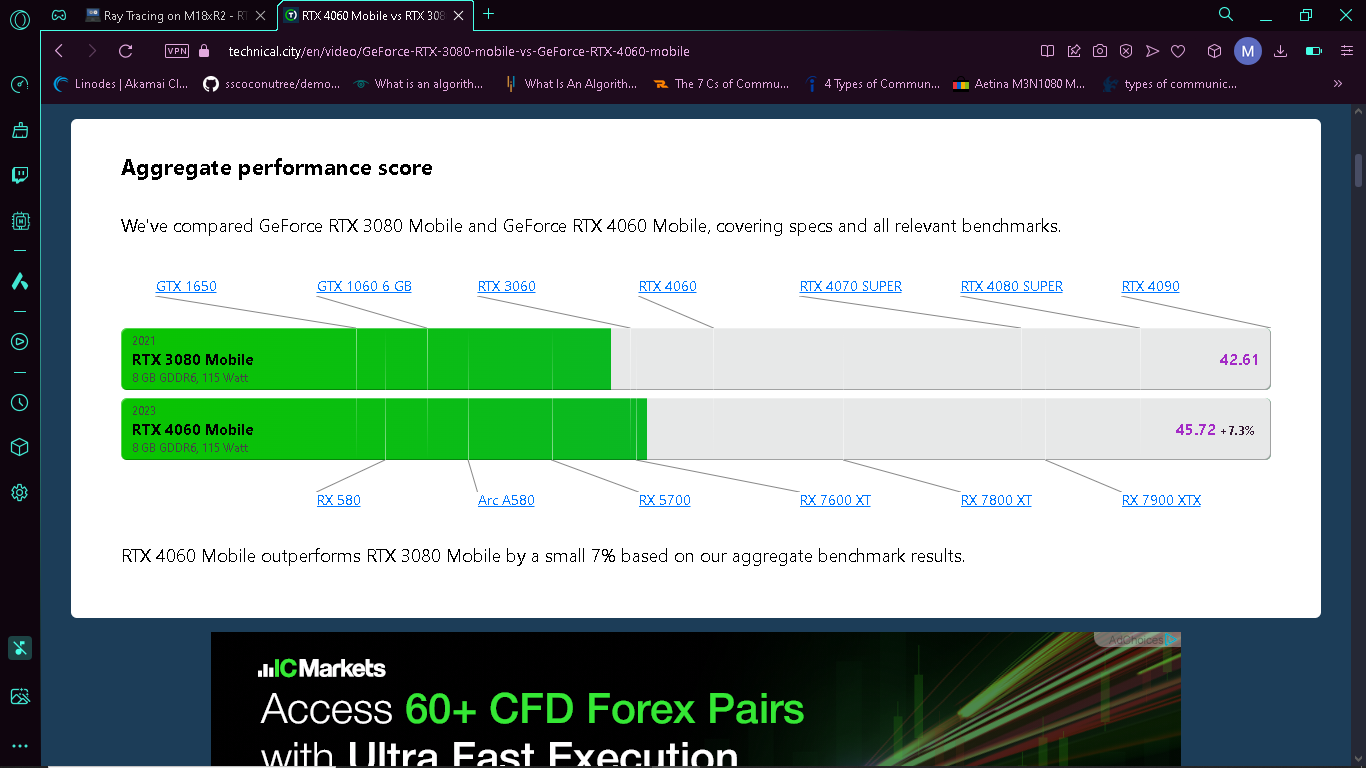
You should've bought the 4060 since it is cheaper (360$), less tdp and it is more powerful.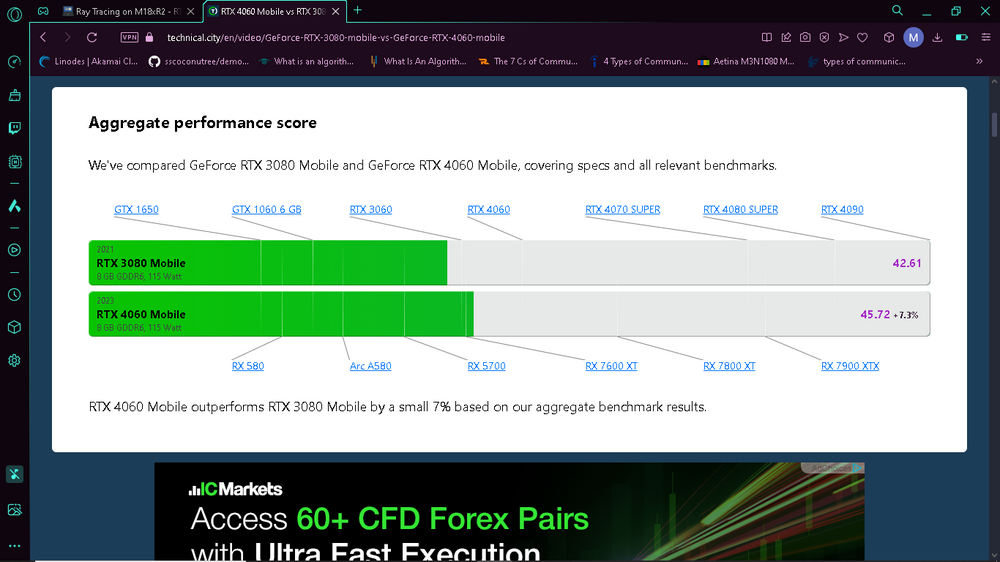
-
Ray Tracing on M18xR2 - RTX 3000 MXM Upgrade!
Derpmaster69 replied to ssj92's topic in Alienware 18 and M18x
@aldarxt Any luck? If it doesn't work, try connecting an external display and then install the RTX 4050 MXM in the 1st slot and then power it on. -
Alienware 18 (2014) eDP mod possible?
Derpmaster69 replied to Derpmaster69's topic in Alienware 18 and M18x
Thanks -
Alienware 18 Screen Mods? is it possible EDP mod?
Derpmaster69 replied to TruenoG7's topic in Alienware 18 and M18x
Any updates @Falinov? -
Ray Tracing on M18xR2 - RTX 3000 MXM Upgrade!
Derpmaster69 replied to ssj92's topic in Alienware 18 and M18x
Exactly @aldarxt try this and let us know. -
Alienware 18 (2014) eDP mod possible?
Derpmaster69 replied to Derpmaster69's topic in Alienware 18 and M18x
why couldn't it be successful? Space issues?@DaMafiaGamer there is a 4k asus 18.4 inch display panel that might work -
Guys I'm new here. Is it possible to make an 18 inch edp screen run on the Alienware 18 (2014)? I've seen a LVDS to eDP converter board on Aliexpress. If this is possible in any way, will it be possible to run 2 GTX 1070's in SLI in the AW18?
-
Alienware 18 Screen Mods? is it possible EDP mod?
Derpmaster69 replied to TruenoG7's topic in Alienware 18 and M18x
I know that this is an old post but any updates on getting an eDP screen to work on the Alienware 18? -
Ray Tracing on M18xR2 - RTX 3000 MXM Upgrade!
Derpmaster69 replied to ssj92's topic in Alienware 18 and M18x
There is one empty vram thingy in there. Imagine soldering another 2gb vram chip and having a RTX 4050 8gb. By the way @aldarxt did you try it in your m18x r2? It may work in the 2nd slot.