

epguy3
-
Posts
133 -
Joined
-
Last visited
Content Type
Profiles
Forums
Events
Posts posted by epguy3
-
-
On 2/3/2024 at 12:24 AM, Virgoliciul97 said:
there is also a 6.0.9629.1 MSI Realtek Audio Driver
and there is also a specific notebook/laptop pc edition of the 6.0.9629.1 driver recently available from the MSI web site {while the link to the 9629 MSI driver you have is usually for desktop motherboards}-
 1
1
-
-
17 hours ago, Virgoliciul97 said:
there is also a 6.0.9629.1 MSI Realtek Audio Driver
which, by the way, the 6.0.9629.1 driver is also recently available from the MSI LiveUpdate site.
the older 6.0.9618.1 driver, however, will continue to be available from MSI LiveUpdate for a limited time.On 1/28/2024 at 4:34 AM, solidus1983 said:@JeanLegi DM me so i don't forget will be out of the country for a week or too due to work so away from the system that builds the drivers and super busy so will not have bandwidth to hand during that time.
the audio hardware ID on JeanLegi's MSI board is vastly different and Realtek ALC4080 audio hardware on his board is NOT a "standard" HDA device like ALC8xx & ALC12xx - it's connected internally thru usb (and not externally like the "usb ports" you see on desktop boards and laptop pcs) - it most likely uses an "ID" beginning with "USB\VID_0DB0" (mentioned in the RtDUsbAD_msi.inf file of the Realtek USB Audio 6.3.9600.x DCH drivers) and not HDAUDIO or INTELAUDIO and uses an RtUsbA64.sys driver rather than the Rtkvhd64.sys driver.
download the audio driver for the Z790 Tomahawk Wifi Ddr4 board and see for yourself, solidus1983 {it's not the usual 6.0.9xxx versions for standard Realtek UAD/DCH drivers; Realtek USB Audio DCH drivers use 6.3.9600.x versions to clearly differentiate from the Realtek UAD/DCH drivers}
-
1
-
-
On 1/14/2024 at 12:31 PM, epguy3 said:
even though there is no new Nahimic APO3 MSI extension driver, there is a new APO3 software component driver - version 3.6.0.0 from DriverHub.
Nahimic APO3 driver recently updated to version 3.6.1.0 from DriverHuband I recently found out that MSI has released a 6.0.9626.1 Realtek audio driver on their web site.
also released from MSI - Nahimic APO4 v4.10.4.0 driver + A-volute MSI Extension 1.5.37 driver.
-
On 11/29/2023 at 10:56 AM, epguy3 said:
edit: eh I take a little bit of this back - it IS a problem, even with the modded AVoluteNH3Ext.inf 1.1.44.0 MSI extension file as it needs further modification/editing to include some new entries that were found in the 1.5.21.0 MSI extension driver version that the 1.1.44.0 extension driver version are lacking {mainly because MSI did not request a new Nahimic APO3 extension driver package since late 2021}
even though there is no new Nahimic APO3 MSI extension driver, there is a new APO3 software component driver - version 3.6.0.0 from DriverHub.
-
On 1/13/2024 at 3:44 AM, JeanLegi said:
@solidus1983 bro you are now my last option because the JBL support is useless...
What did you need that i can use nahimic on my Z790 Tomahawk Wifi DDR4?
Hardware ID?
@JeanLegi
solidus1983 is kinda busy right now but please mention the "hardware device ID" number of your Realtek audio device on your Z790 Tomahawk wifi ddr4 board by following the instructions from any one of these sites {Microsoft} and/or {Wikihow} on how to find your hardware ID number.
edit - oh sorry JeanLegi - you will not be able to use solidus1983's modded Nahimic drivers on here because your Z790 Tomahawk wifi ddr4 board uses Realtek ALC4080 USB Audio device, according to the motherboard's tech specs page. this board does NOT use "standard" Realtek HD Audio devices like ALC12xx [ex. ALC1220] or ALC8xx [ex. ALC892 or ALC897], so I'm afraid the drivers here will never work. MSI put vastly different audio chipsets for certain gaming boards like yours which use completely different audio drivers.
you could try these modded drivers from another site instead (this is the only one I know that supports realtek usb audio hardware like alc4080).
-
1
-
-
On 12/5/2023 at 8:36 AM, epguy3 said:
and this person from another forum recently got a 6.0.9611.1 MSI laptop driver, along with a Nahimic APO4 v4.10.4.0 driver + Nahimic extension v1.5.33.0 driver.
the Realtek audio 6.0.9611.1 MSI driver and the Nahimic APO4 4.10.4 + Nahimic Extension 1.5.33.0 drivers are now available directly from the MSI web site
-
speaking of Nahimic (though it's Nahimic 3 and not Nahimic 2), MSI recently posted this A-volute Nahimic APO4 v4.10.3.0 driver + A-volute extension 1.5.28.0 driver on their web site {on the dawn of CES 2024}
though another reminder of what I said several weeks ago:
Quoteand also note that AVoluteNH3Ext.inf extension INF file versions 1.5.28.0 & higher (for Nahimic APO4) remove/drop support for the following IDs:
INTELAUDIO\FUNC_01&VEN_10EC&DEV_0256&SUBSYS_1462141A ;; 14P1 RPL
INTELAUDIO\FUNC_01&VEN_10EC&DEV_0256&SUBSYS_1462141B ;; 14P1 ADL
the 1462141A_InternalSpeakers.nsx & 1462141B_InternalSpeakers.nsx files from v1.5.28.0 of the NH3ProductSettings0.cab file of the Avolute extension driver (only 1.5.21 & earlier had those files).
such systems with these specific IDs will be using DTS Audio Processing (DAP) instead of Nahimic as MSI & Realtek chose to change/switch audio enhancers.On 12/26/2023 at 7:17 AM, solidus1983 said:Why can't SteelSeries just add the old hardware to the new drivers i do not know, now they own the rights to Nahimic.
good question. things haven't been the same since Steelseries acquired Nahimic. the current/active Nahimic partners listed there are Asrock, Clevo, Honor/Huawei, Lenovo, Thunderobot & MSI. Gigabyte is no longer listed as one of their partners as Gigabyte & Nahimic have gone their separate ways
-
On 10/26/2023 at 2:33 AM, epguy3 said:
time for a new Realtek UAD MSI driver update.
this time, a 6.0.9585.1 driver version was recently available thru the MSI Live Update site.
and Realtek Audio Console UWP v1.47.310.0 and Nahimic UWP v1.9.22.0 apps are availableit looks like the older 6.0.9585.1 and 6.0.9567.1 MSI driver versions are no longer available from the MSI LiveUpdate site as MSI has recently removed them. however, the older 6.0.9567.1 version is still available on the main MSI download site instead. the newer 6.0.9605.1 & 6.0.9618.1 versions will remain available from MSI Live Update for a limited time.
also available is a 6.0.9608.1 version from the MSI download site - I think I saw it listed for those new MSI Prestige 16 AI Studio B1V notebook PCs
-
1
-
-
On 12/2/2023 at 6:58 AM, solidus1983 said:
Didn't notice 6.0.9601.1 but i have a holiday coming soon so might do another driver update soon enough, work has been crazy as has my personal life so time thats free is almost gone.
Could you look into the AVoluteNH3Ext.inf further for me. Will add them in when i can.Merry Christmas, solidus1983.
I realize that you may not be able to keep up with some of the new Realtek audio driver updates from MSI but MSI recently has been releasing a bunch of new versions for the past several weeks, even during the holiday season.
MSI has recently released a 6.0.9618.1 version on both the main MSI web site and thru the MSI LiveUpdate site.
the older 6.0.9605.1 version is also available from both MSI LiveUpdate and thru the main MSI web site.-
1
-
-
-
eh, you can skip making the 6.0.9601.1 version as they're newer versions from MSI recently.
mainly 6.0.9605.1 from MSI LiveUpdate
and this person from another forum recently got a 6.0.9611.1 MSI laptop driver, along with a Nahimic APO4 v4.10.4.0 driver + Nahimic extension v1.5.33.0 driver.
you can choose to either do a 9605 or 9611 version
and also note that AVoluteNH3Ext.inf extension INF file versions 1.5.28.0 & higher (for Nahimic APO4) remove/drop support for the following IDs:
INTELAUDIO\FUNC_01&VEN_10EC&DEV_0256&SUBSYS_1462141A ;; 14P1 RPL
INTELAUDIO\FUNC_01&VEN_10EC&DEV_0256&SUBSYS_1462141B ;; 14P1 ADL
these specific IDs are no longer mentioned in newer versions of the AVoluteNH3Ext.inf file and the last version to mention these IDs was 1.5.21. and these IDs were transferred from the HDX_MsiExt_AVO_V4_DSP_RTKGen4.inf file to HDX_MsiExt_XPERI4_DSP_RTKGen4.inf file starting with the 6.0.9579.1 version. v6.0.9567.1 of the HDX_MsiExt_AVO_V4_DSP_RTKGen4.inf file was the last version to have support for IDs 1462141A & 1462141B.
-
1
-
-
On 10/31/2023 at 10:59 AM, raptorddd said:
microsoft released windows 11 23H2 today.... downloading it now.
weird that win11 23H2 was released to the public on Halloween, hahaha-
 1
1
-
-
On 4/16/2023 at 7:26 PM, Papusan said:
https://github.com/Open-Shell/Open-Shell-Menu/releases/tag/v4.4.191
-this one released 8/16
-
 1
1
-
-
On 11/18/2023 at 2:26 AM, nk950357 said:
Mine is
HDAUDIO\FUNC_01&VEN_10EC&DEV_0899&SUBSYS_146211D6&REV_1000
HDAUDIO\FUNC_01&VEN_10EC&DEV_0899&SUBSYS_146211D6
Before the app couldn't start properly, all of nahimic function include UI works perfectly, DCH works normally too.
Recently I found that fx still works but UI couldn't launch so I gave reinstall it a try, then result in not working.
it appears that Nahimic creator A-volute removed ID "146211D6" from the AVoluteNH3Ext.inf extension INF file in the new versions; that's why you can't use updated the APO3 & APO4 drivers; even though the NH3ProductSettings.cab file in the APO3 driver bundles the GV62VR_7RF_InternalSpeakers.nsx file. it's still mentioned in the HDX_MsiExt_AVO_RTK.inf realtek device extension INF file though.
it's only a problem with the "extension" driver > AVoluteNH3Ext.inf in official MSI drivers.
should not be a problemwith the modded MSI drivers here as ID "146211D6" is only included in the modded AVoluteNH3Ext.inf file for APO3, not APO4.edit: eh I take a little bit of this back - it IS a problem, even with the modded AVoluteNH3Ext.inf 1.1.44.0 MSI extension file as it needs further modification/editing to include some new entries that were found in the 1.5.21.0 MSI extension driver version that the 1.1.44.0 extension driver version are lacking {mainly because MSI did not request a new Nahimic APO3 extension driver package since late 2021}
the updated AVoluteNH3Ext.inf extension INF files for Asrock (v1.3.0.0 & higher) and Gigabyte (v1.0.23.0 & possibly higher) have these entries that are not found in the AVoluteNH3Ext.inf MSI extension file for APO3:
;; PKEY_SUPPORT: value 1 for Realtek
HKR,EP\0,%PKEY_SUPPORT%,%REG_DWORD%,0x1
HKR,EP\1,%PKEY_SUPPORT%,%REG_DWORD%,0x1
HKR,EP\2,%PKEY_SUPPORT%,%REG_DWORD%,0x1
-and from the "Strings" section
[Strings]

PKEY_SUPPORT          = "{1A6219BF-2157-4A15-9414-5BFD0593D3E6},0"
similar entries like these were included in the AVoluteNH3Ext.inf 1.5.21.0 MSI extension driver for APO4.
these new entries are needed/required for new Nahimic UWP app versions (like the 1.9.x versions) to run -
On 11/19/2023 at 4:27 AM, solidus1983 said:
Updated links will always be in my signature!
Made By: solidus1983 (hacktrix2006) and djlenior
Status: Final Release
Repack: Yes
CodeName: Zeus
Downgrade/Update: UpdateDisclaimer: This Driver Modification is for MSI Systems listed below! Myself nor Notebooktalk or any other members of the project will not be held liable for any damage caused if this is installed on your system or other branded systems!
Due to this being a Modified Driver, support will not be given via Nahimic (SteelSeries) or MSI if your having issues please post in the thread!Please note all releases will come with VirusTotal reports so you can decide if to install the modified drivers or not based on the Results,
Although the dedicated server used to create these files is VirusFree! VirusTool can pick up on false positives, but to be fully open to the community reports will now always be included.
Installer: Realtek_UAD_6.0.1.9585.1_MSI_Nahimic_UWP_mod.exe (ONLINE!)
Package includes:Realtek UAD 6.0.1.9585.1
Nahimic UWP 1.9.22.0
Nahimic SWC 3.5.6.0 (APO3)
Nahimic SWC 4.10.0.0 (APO4)
Nahimic Extension 1.1.44.0 (APO3)
Nahimic Extension 1.5.21.0 (APO4)
Nahimic Mirroring Driver 2.0.0.0
Realtek Audio Console UWP 1.48.313.0
Installer:
SHA-1: d61b96bddfb2bd829ec5841df4e92d011eeb4394
Size: 141564502 bytes (135 MiBVirus Total: Result
For Windows 10 Build: 21H1/21H2
For Windows 11 BuildsChange Log:
Supported Systems with this driver pack:
Alpha Series:
Bravo Series:
GE Series:
GE60 (Apache) (Pro)
GE62 Apache (Pro)
GE63 Raider (RGB)
GE65 Raider
GE66 Raider
GE70 (Apache) (Pro)
GE72 Apache (Pro)
GE73 Raider (RGB)
GE75 Raider
GE76 RaiderGF Series:
GL Series:
GP Series:
GP60 (Leopard)
GP62 Leopard (Pro)
GP63 Leopard
GP65 Leopard
GP70 (Leopard) (Pro)
GP72 Leopard (Pro)
GP73 Leopard
GP75 LeopardGS Series:
GS40 Phantom
GS43 Phantom Pro
GS60 Ghost (Pro)
GS63 Stealth (Pro)
GS65 Stealth (Thin)
GS66 Stealth
GS70 Stealth (Pro)
GS72 Stealth (Pro)
GS73 Stealth (Pro)
GS75 StealthGT Series:
GT60 (Dominator)
GT62 Dominator (Pro)
GT63 Titan
GT72 Dominator (G) (Pro) (VR)
GT73 Titan (Pro)
GT75 Titan
GT76 Titan (DT)
GT83 Titan (SLI) (VR)GV Series:
***Don't panic if the new Laptops/Systems are not in the list they will be supported they are more likely supported, install the drivers and if it works let me know your Model Number and it will get added to the list.***Install instructions:
- Disconnect from the internet. (Not Required, so very Optional)
- Reboot System and Enter BIOS/UEFI.
- Please DISABLE SECUREBOOT in your BIOS this is now important for this new installer!
- Once you have booted back into the OS Temporarily disable AV software (Some Anti-Virus tools might false report and delete the file!).
- Now run the Realtek_UAD_6.0.1.9585.1_MSI_Nahimic_UWP_mod.exe Installer
- Select either Full Install, Install Without Nahimic, Full Uninstall or Downgrade Nahimic 3.
- Sit back and relax as the UWP's get uninstalled, the driver gets uninstalled and then your system is rebooted into test signing mode and everything is installed and your system is rebooted again!
- Now head back into your BIOS/UEFI and Re-enable SecureBoot!!
- Now let the system boot up fully and re-enable the internet connection. (Only if you disconnected from the internet)
***[IMPORTANT]****
As i no longer have a MSI Laptop can users please report any and all issues to this forum thread so i can rectify them quickly.
Known possible bugs and fixes:
Issue: Two Nahimic Mirroring device show up in Device Manager:
Solution: run Realtek_UAD_6.0.1.9585.1_MSI_Nahimic_UWP_mod.exe and select Uninstall first before using Full Install.Issue: Nahimic 3 updated via Windows 10 Store and no longer works.
Solution: Head into Windows 10's Store and Select the 3 Dots, followed by Settings and turn of Windows Store's Auto Application Updates,
then run Realtek_UAD_6.0.1.9585.1_MSI_Nahimic_UWP_mod.exe and select Downgrade Nahimic.Issue: Ran Nahimic 3 Downgrade option however Nahimic 3 1.8.9.0 UWP effects are not working or its reporting the device is not upto date.
Solution: Simply run Realtek_UAD_6.0.1.9585.1_MSI_Nahimic_UWP_mod.exe select Uninstall and then after its completed the Uninstall re-run Realtek_UAD_6.0.1.9585.1_MSI_Nahimic_UWP_mod.exe and select Full Install APO3 or APO4.Issue: Jack Detection not working.
Solution: Simply go to Realtek Audio Console Disable and Re-enable it.Issue: Microphone not working after using Nahimic Optimizer.
Solution: Click Reset inside Nahimic Settings section will fix this.Issue: Microsoft Overwritten the installed modded driver.
Solution: Head to Settings → System → About, Now click System info then Select Advance System Settings → Hardware Tab → Driver Installation Settings, now select NO! save and reboot the system. Then run Realtek_UAD_6.0.1.9585.1_MSI_Nahimic_UWP_mod.exe and select Full Uninstall, after it has rebooted your system re-run Realtek_UAD_6.0.1.9585.1_MSI_Nahimic_UWP_mod.exe and select Full Install.Issue: Nahimic 3 reports its device is not compatible basically not working.
Solution: Run Realtek_UAD_6.0.1.9585.1_MSI_Nahimic_UWP_mod.exe and select Full Uninstall, after it has rebooted your system re-run Realtek_UAD_6.0.1.9585.1_MSI_Nahimic_UWP_mod.exe and select Full Install APO3 or APO4.Issue: Sound has become muffled/suppressed/distorted.
Solution: Run Realtek_UAD_6.0.1.9585.1_MSI_Nahimic_UWP_mod.exe and select Full Uninstall, after it has rebooted your system re-run Realtek_UAD_6.0.1.9585.1_MSI_Nahimic_UWP_mod.exe and select Full Install APO3 or APO4.Issue: I don't want the Nahimic 3 Bloatware!
Solution: Run Realtek_UAD_6.0.1.9585.1_MSI_Nahimic_UWP_mod.exe and select Install Without Nahimic***[IMPORTANT]****
I would like to thank the following people for whom have helped. I like to personally thank the following users.Project Programmers:
hacktrix2006
djlenoir
Installer Testers:
DimitriosMSI
TikiThorsen
Ricardo_estep
Driver Suppiler:
MSI
Original Thanks:
epguy3
J95
JeanLegi
LeftEyeNine
Falkentyne
mnomaanw
felix3650
asm1
Bazgrim
ixende
MrBeer
arke yyci
Beemo
senso
Eflatun
HitZ2976
Ivan994
Alanfox2000
OneOnline
OgUrecheK
comradeskeleton (Reddit)
eirakuWHAT?
I thought you were supposed to be doing a 6.0.9601.1 version and not a 6.0.9585.1 version
oh wellalso forgot to mention in my last post the first time I mentioned 6.0.9601.1 that there was an A-volute Nahimic APO4 4.10.3.0 driver from MS Update
edit 11/29
-
On 11/11/2023 at 5:02 AM, nk950357 said:
Sorry, My GV62VR 7RF's nahimic keeps gave me this error:
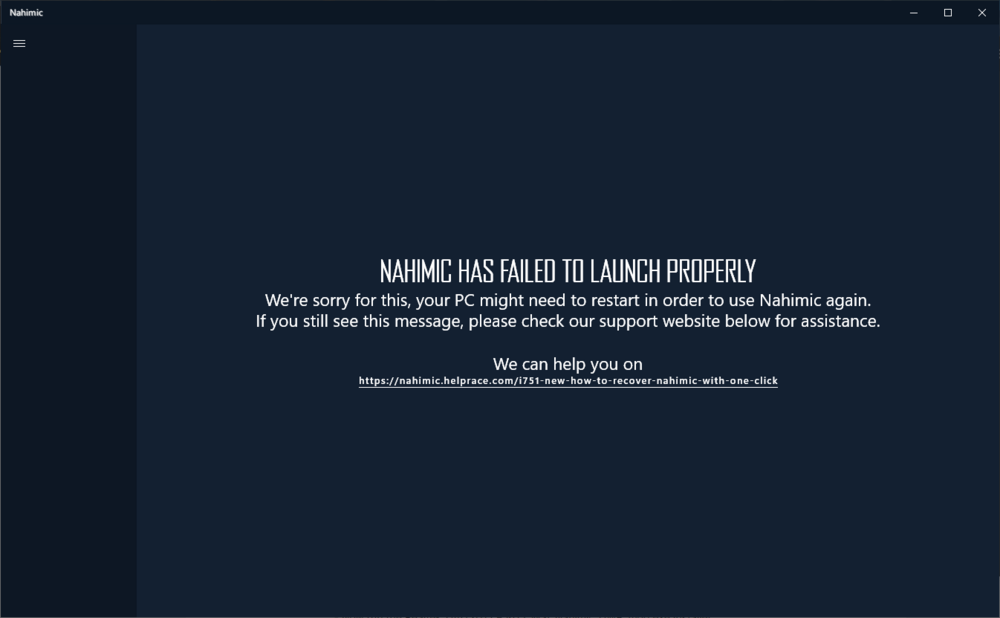
Tried full uninstall and reinstall it, using ddu to complete remove it, both of them not works.
Tried different version and either APO3 or APO4, none of them work.
Is there any fix or something I missing to do? Thanks.
My Windwos version is Win10 22H2
@nk950357: please provide the hardware device ID number of the Realtek Audio device from your MSI GV62VR 7RF laptop (which btw, is an old 7th generation Intel based MSI laptop that dates before Nahimic 3 and only had Nahimic 1.x/2.x support & standard legacy Realtek HDA {non-UAD/non-DCH based} audio drivers but not Nahimic 3 - the "7RF" in the model # description made me determine that). follow the instructions from this Wikihow page on how to find the hardware IDs.
examples of Realtek HD Audio hardware device IDs on an MSI system:
HDAUDIO\FUNC_01&VEN_10EC&DEV_0899&SUBSYS_146211C9&REV_1000
HDAUDIO\FUNC_01&VEN_10EC&DEV_0899&SUBSYS_146211C9
note to @solidus1983: time for a new Realtek UAD MSI driver update for November 2023 as MSI recently updated the realtek_audio_R ZIP package to version 6.0.9601.1 on Tue. Nov. 14.
-
On 9/14/2023 at 4:45 PM, epguy3 said:
I've just learned that there was a 6.0.9567.1 driver issued thru MSI Live Update (for few select motherboard users w/ recent board models and running the latest MSI Live Update app) and this one is only exclusively available there and not on the main MSI web site,
time for a new Realtek UAD MSI driver update.
this time, a 6.0.9585.1 driver version was recently available thru the MSI Live Update site.
and Realtek Audio Console UWP v1.47.310.0 and Nahimic UWP v1.9.22.0 apps are available -
On 10/9/2023 at 2:07 PM, kojack said:
In that case, the device maker's website will have everything you need.
for most devices like graphics and network/ethernet/Wifi, yes the device maker sites can provide them.
for a few other specific devices like touchpad and audio, NO - the device manufacturers sites for such devices do not have them (or don't have up to date versions) and only provide such drivers direct to laptop manufacturers (and Razer does NOT have specific touchpad and audio drivers on the Razer support site for their current 2022/2023 model laptops as I checked myself).-
1
-
-
On 9/29/2023 at 10:27 AM, Aaron44126 said:
Microsoft is going to stop allow people to use Windows 7, Windows 8, and Windows 8.1 keys to activate Windows 10/11.
...Or so they say.
https://arstechnica.com/?p=1972170
It appears that this only applies to new versions of Windows 11. If you have an older version, you can still activate with an old Windows 7/8 key (for now). So, presumably you could save a Windows 11 22H2 ISO, use it to activate with an old key, and then upgrade to the current Windows 11 build with Windows Update.
see this post:
and the topic here:
-
On 9/25/2023 at 9:03 PM, Snowleopard said:
So what is the deal with 23H2 ? is it coming out today (11/26) or are they dropping more of nothing today?, I am still on 10 Pro, but was thinking about upgrading to 11 / 23H2. Maybe...
Win11 23H2 only released to Windows Insiders in the RP channel
https://blogs.windows.com/windows-insider/2023/09/26/releasing-windows-11-version-23h2-to-the-release-preview-channel/23H2 not yet released to non-insiders (aka. public release is possibly sometime in October)
-
On 10/3/2023 at 1:24 AM, solidus1983 said:
Right i am on holiday now so i have some free time, going to quickly boot up my VM and update the OS. Has there been any movement in the drivers department aka any new links.
Else i will simply make a new pack based on the last set of links given.
I didn't get a chance to mention this earlier cuz of my busy schedule but the 6.0.9567.1 MSI Realtek UAD/DCH driver that was once available only thru the MSI Live Update site was made available on the main MSI download site around end of September {new link to 9567 driver is a slightly different package since it was released for some newly released MSI laptops but same version}
other than that, nothing new from MSI
-
1
-
-
On 9/12/2023 at 5:12 PM, epguy3 said:
anyways, I don't see MSI releasing any new audio drivers for a while since the 6.0.9553.1 version from last week.
looks like I was mistaken about this, so I take this back

I've just learned that there was a 6.0.9567.1 driver issued thru MSI Live Update (for few select motherboard users w/ recent board models and running the latest MSI Live Update app) and this one is only exclusively available there and not on the main MSI web site, which still has the 6.0.9553.1 version [and the 9553 version would be overwritten by the 9567 version issued by MSI Live Update if that app is used to download & install that version].
-
-
my dad has a similar Toshiba laptop (it's a Satellite C55Dt-A touch screen late 2013 notebook PC) with pre-installed Win8.1 Home and
the pre-installed Toshiba 750Gb HDD. updated even beyond the Jan. 2023 KB5022352 rollup update; I even have the KB5028228 July 2023 8.1 rollup installed on there (with an "esu bypass" I found elsewhere)
-
1
-
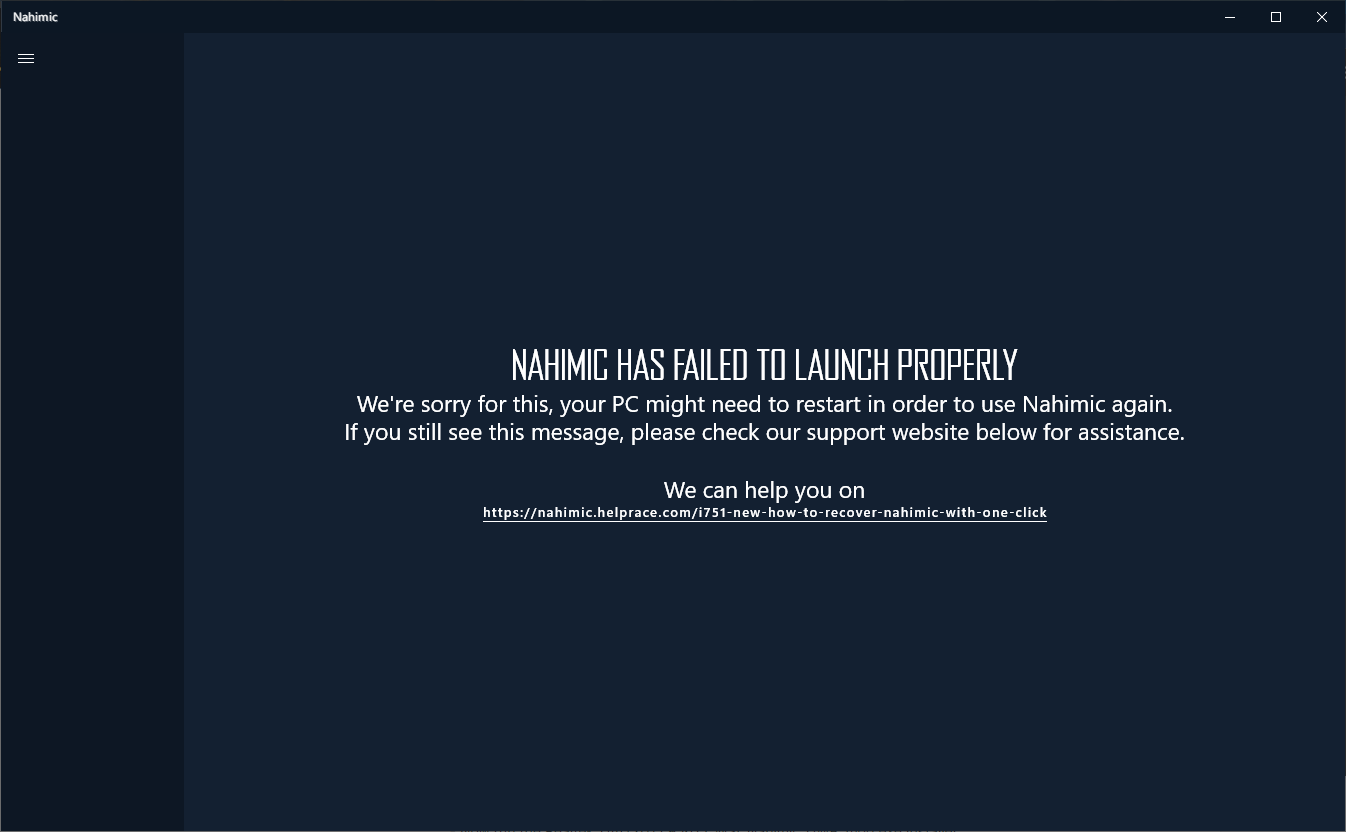
Nahimic 3 UAD Modified Driver for Unsupported MSI Hardware
in MSI
Posted
and there are newer Realtek audio driver versions recently released this early March 2024
6.0.9648.1 [MB/desktop motherboard] from LiveUpdate
6.0.9635.1 [NB/notebook/laptop]