PHVM_BR
-
Posts
171 -
Joined
-
Last visited
Content Type
Profiles
Forums
Events
Everything posted by PHVM_BR
-
Eluktronics Hydroc G2 / Uniwill IDY 2025
PHVM_BR replied to win32asmguy's topic in Uniwill (TongFang)
Now that I have the water cooler and using it with the cooling pad, I can sustain heavy loads long enough to verify the stable undervolting of each core at fixed clocks the adjustment for stability has changed a bit... 5.2GHz: 7 P: -70mV 1 P: -75mV 5.1GHz: 7 P: -60mV 1 P: -65mV 4.8GHz: 3 E (cluster): -45mV 1 E (cluster): -55mV 4.7GHz: 3 E (cluster): -70mV 1 E (cluster): -80mV 4,6GHz: 3 E (cluster): -90mV 3 E (cluster): -100mV At 5.0 GHz, the undervolting margin for the P-cores decreases, and this is the problem when there is thermal throttling. The undervolting that is stable at 5.2 or 5.1 GHz becomes unstable when there is thermal limitation and the clocks drop to 5.0 GHz or less. I haven't had time to validate other clock speeds yet. This shows that, at least on my specific CPU, undervolting per core yields only minimal gains. On the other hand, undervolting the P-cores and E-cores separately (XTU) greatly improves performance. -
Eluktronics Hydroc G2 / Uniwill IDY 2025
PHVM_BR replied to win32asmguy's topic in Uniwill (TongFang)
VDD 1275-1300 and VDDQ 1225-1250. You might need to increase tRCD/tRP to 40. If you can't boot with those values, it's best to forget about it and leave tCL at 34... The Control Center doesn't influence XTU. Did you disable undervolt protection in the BIOS? Disable Core Isolation in Windows and virtualization features in the BIOS. Your CPU score in Time Spy should be higher. You can exceed 22k with that 6400 MT/s configuration. With a well-tuned 7000 MT/s, you can reach more than 23k. Are you using a water cooler or cooling pad? Did you overclock the NGU and D2D? Reducing the CPU voltage obviously helps. -
Eluktronics Hydroc G2 / Uniwill IDY 2025
PHVM_BR replied to win32asmguy's topic in Uniwill (TongFang)
Suggestions: Lower tCWL to 32; Return tRTP to 12; if unstable, leave it at 16; Return tWR to 48; if unstable, increase it slightly; I believe you can achieve tCL 32, but you'll need to increase the voltage... if you reach 32, lower tCWL to 30; You might also be able to lower tCCD_L to 8 or 10 and tWTR_L to something between 16 and 20; Having verified these points, there is nothing more to be done in 6400. -
Eluktronics Hydroc G2 / Uniwill IDY 2025
PHVM_BR replied to win32asmguy's topic in Uniwill (TongFang)
I bought it on Aliexpress. Using the memory's thermal enclosure, the maximum allowed thickness is 1.5 mm, and this also prevents the use of a heatsink on the other memory module due to the fixed thermal pad. If you don't use the case, I believe it's possible to use a 3 mm thick heatsink. -
Eluktronics Hydroc G2 / Uniwill IDY 2025
PHVM_BR replied to win32asmguy's topic in Uniwill (TongFang)
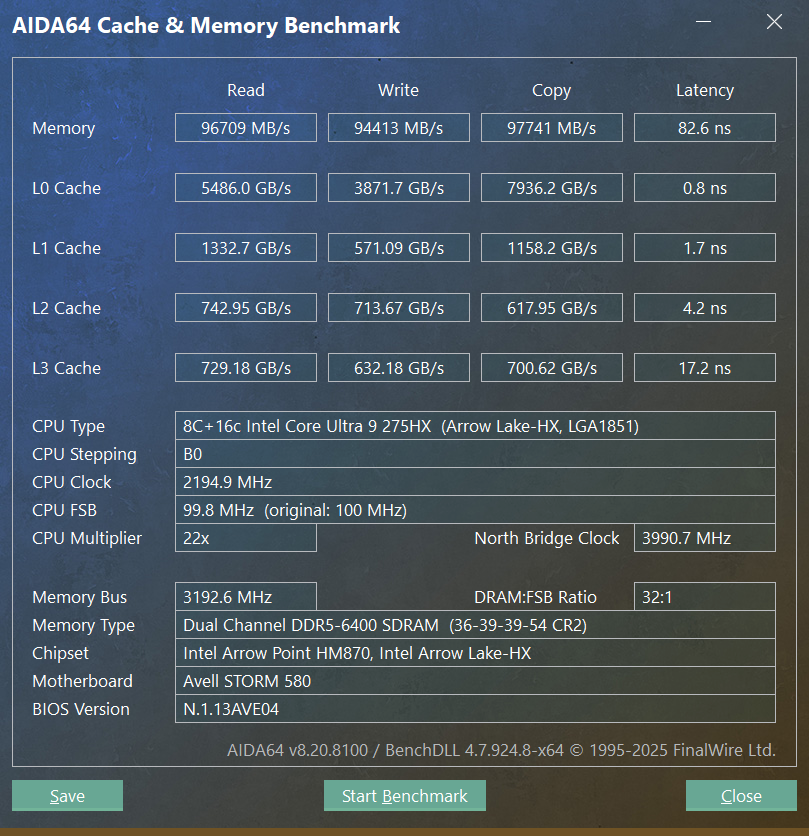
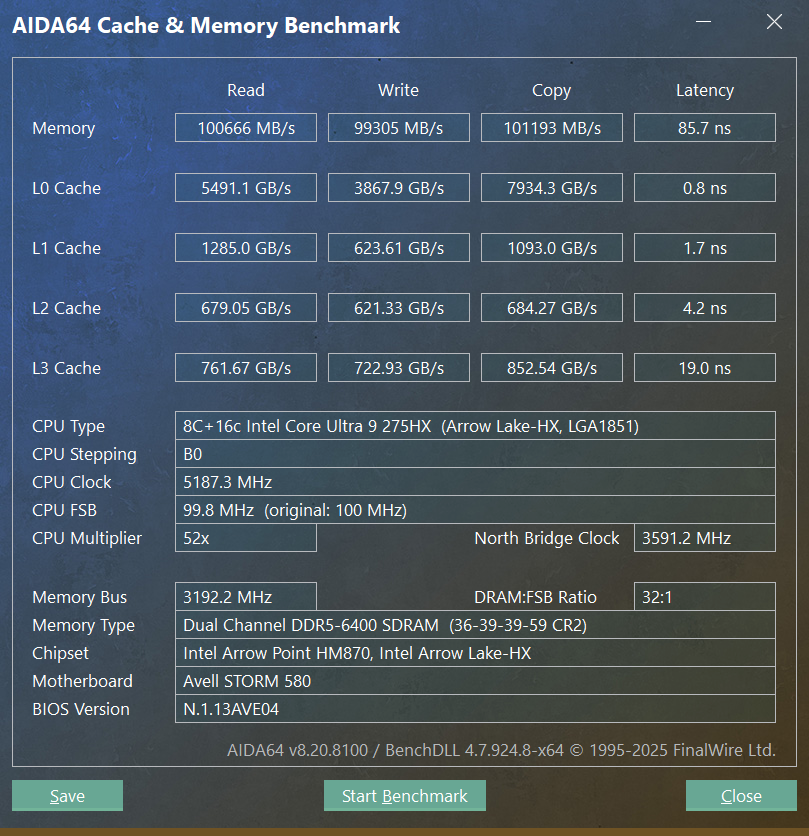
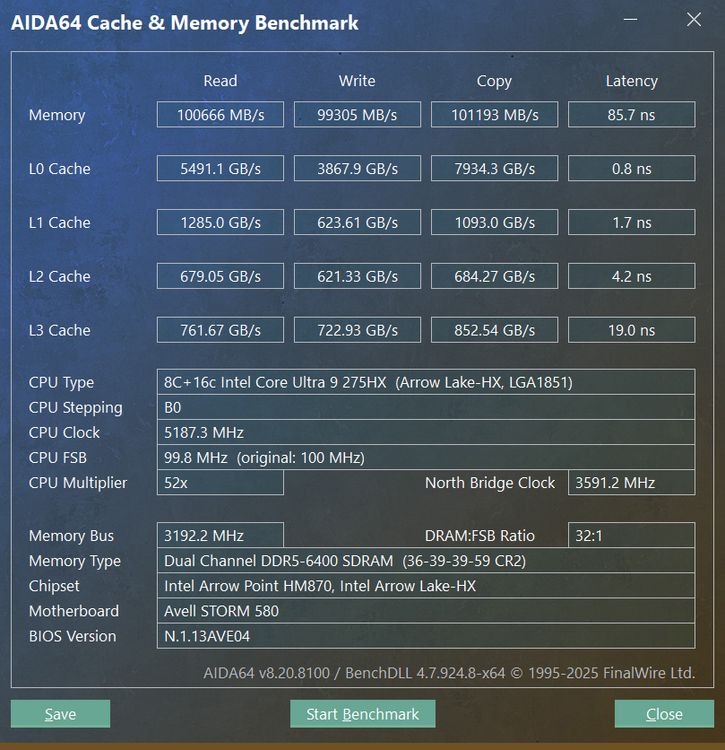
- Lowest latency I managed: - Highest bandwidth I obtained (almost saturating the theoretical maximum of 102.4GB/s at 6400MT/s). Stable only up to ~75ºC: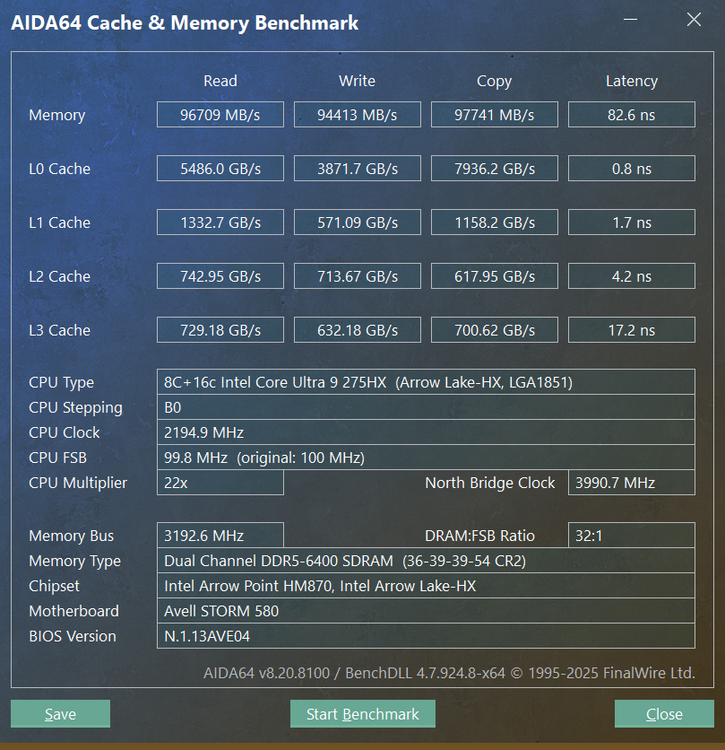
-
Eluktronics Hydroc G2 / Uniwill IDY 2025
PHVM_BR replied to win32asmguy's topic in Uniwill (TongFang)
In games, based on the limited data I've recorded, the modules operate at 55-65°C. In 1 hour of OCCT testing with CPU + Memory, the temperature stabilizes at ~84°C (the module in contact with the thermal pad of the memory's thermal enclosure) and ~79°C on the other module with a 1.5mm thick copper/graphene heatsink. Before using this heatsink, this module stabilized at 89°C in the same 1-hour OCCT test. I'm considering buying 3mm thick heatsinks and removing the thermal enclosure from the memory. The temperatures will likely be lower. I also don't have a water cooler, but I use an IETS GT600 which should make a significant difference. If stability problems occur when your memory reaches 85°C, try decreasing the tREFI and/or increasing the tRFC. For M-die, the tRFC should naturally be higher than in A-die. -
Eluktronics Hydroc G2 / Uniwill IDY 2025
PHVM_BR replied to win32asmguy's topic in Uniwill (TongFang)
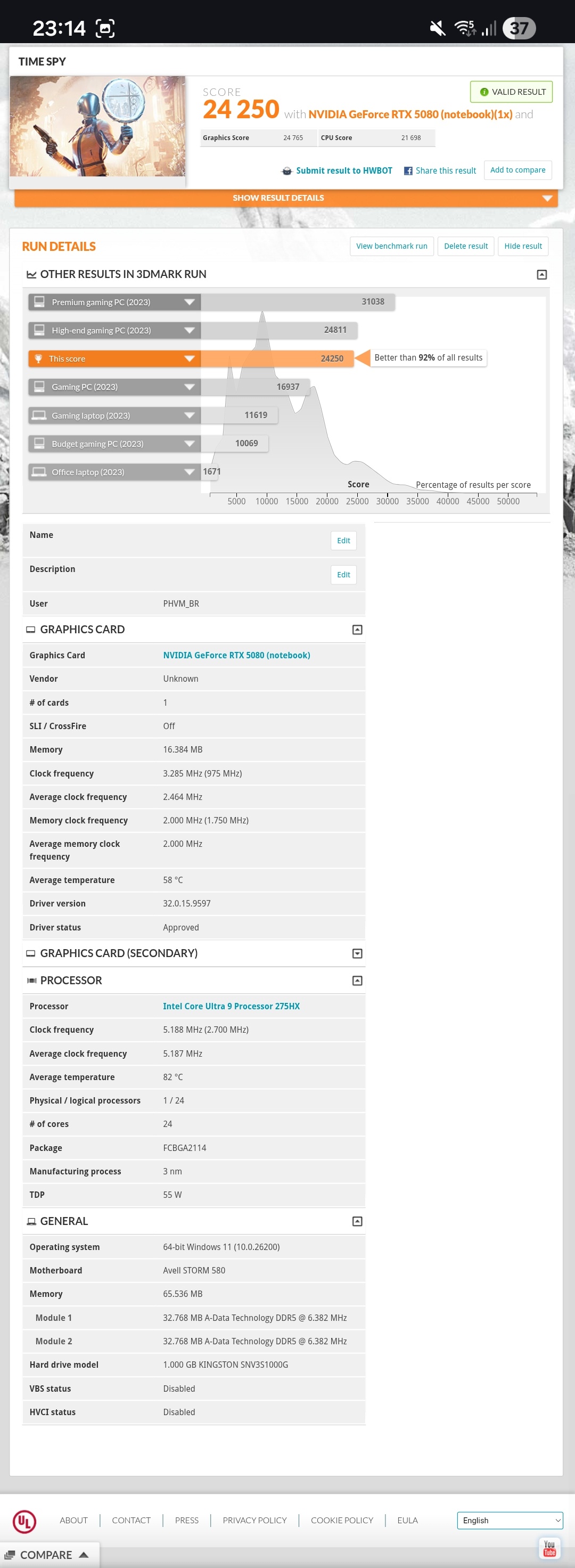
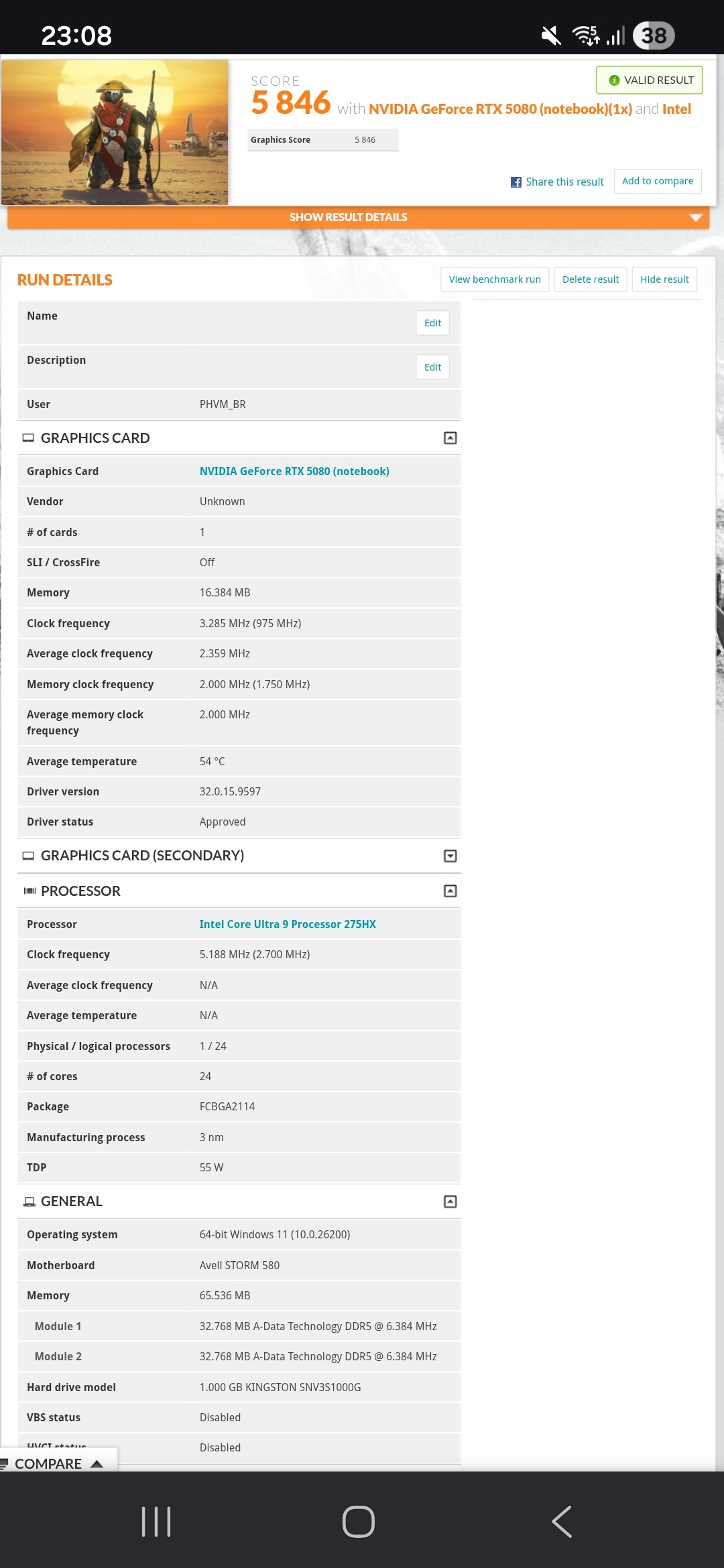
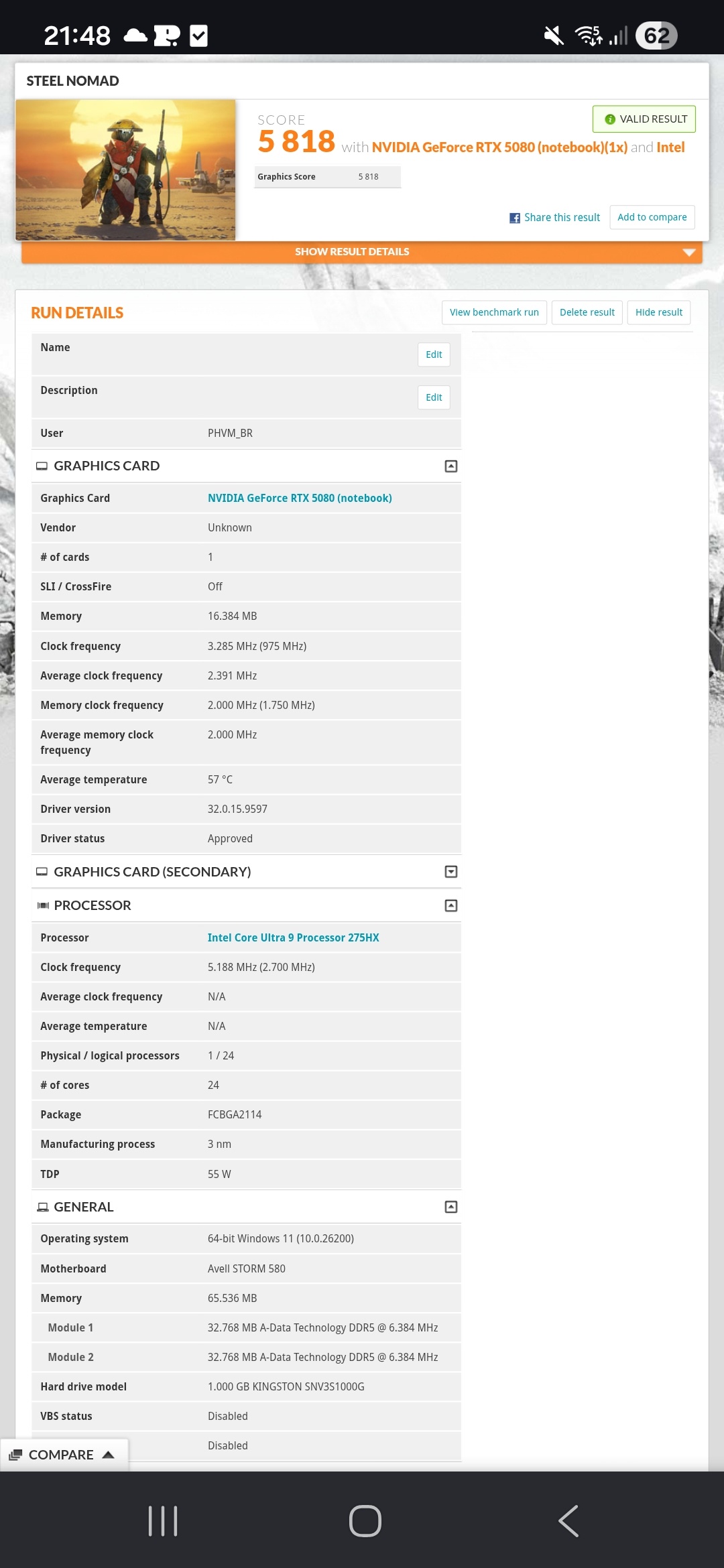
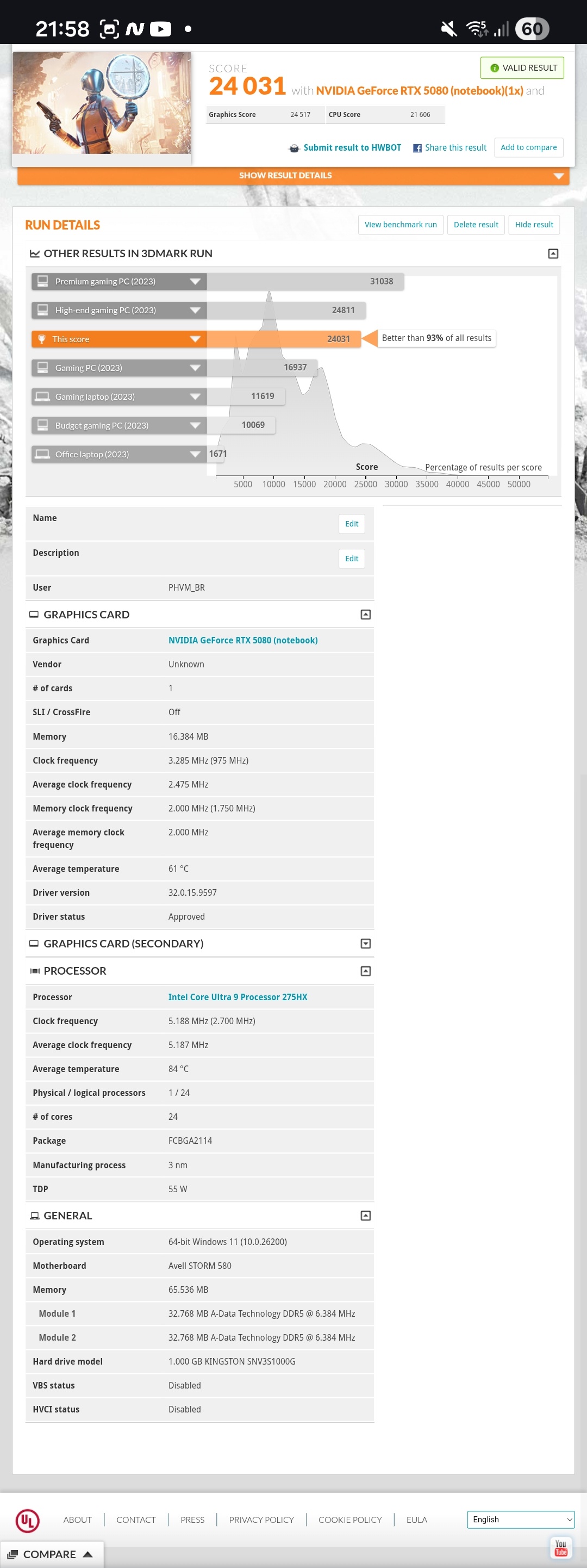
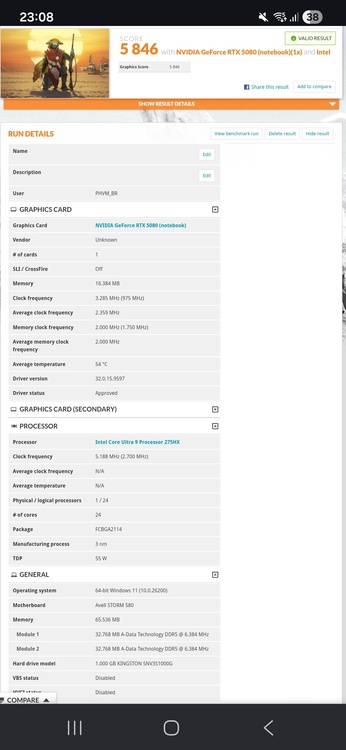
New scores: https://www.3dmark.com/spy/63490027 https://www.3dmark.com/sn/13862641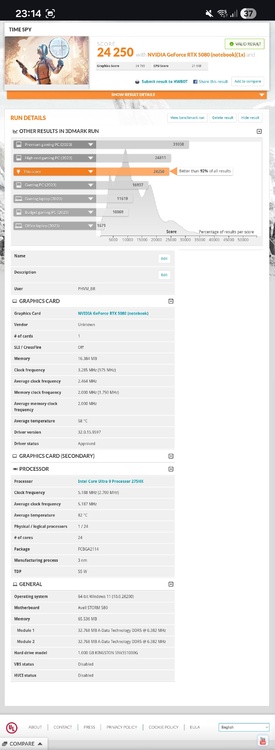
-
Eluktronics Hydroc G2 / Uniwill IDY 2025
PHVM_BR replied to win32asmguy's topic in Uniwill (TongFang)
I have two sets of memory, both 2x32GB dual-rank, so it's quite different (and demanding) compared to your kit. If your memory is Hynix A-die, you can probably lower the tRFC significantly (384-448). Try making it the same as tRFC2. tRAS also, you can probably reduce it quite a bit (42-54). You should be able to achieve 7200MT/s by increasing the VDD to 1300/1325. If you can't, it may be necessary to loosen the tRCD/tRP slightly to 44. For everything else, it's difficult for me to comment... I went back to using the original memory, Adata 5600MT/s CL46, because its adjustment limit is almost identical to the other set I have (Fury Impact 5600MT/s CL40), both are Hynix A-die. With Fury I can get some slightly tighter subtimings, but without a relevant difference in performance. Perhaps 200 to 300 more points in the CPU score on TS. Without access to manually adjusting SA and VDD2, I can't go any further... My tuning is: RATIO 192 tCL 36 tRCD/tRP 39 tRAS 54 tCWL 34 (32 with Fury) tFAW 16 tREFI 24576 tRFC 400 tRRD 0 tRTP 20 tWR 72 tWTR 0 tRFCpb 320 tRFC2 400 tRFC4 0 tRRD_L 8 tRRD_S 4 tWTR_L 24 tCCD_L 14 (12 with Fury) tCCD_L_WR 64 (56 with Fury) tWTR_S 7 NMode 2 VDD 1300 VDDQ 1250 VPP 1800 -
Eluktronics Hydroc G2 / Uniwill IDY 2025
PHVM_BR replied to win32asmguy's topic in Uniwill (TongFang)
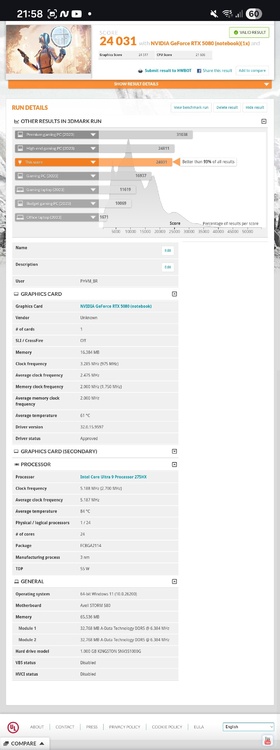
https://www.3dmark.com/sn/13390291 https://www.3dmark.com/spy/63122281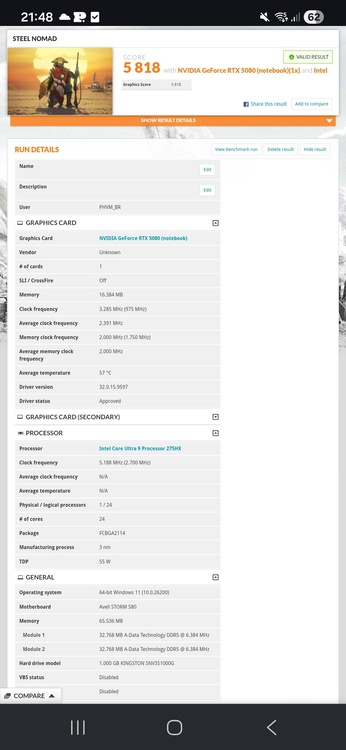
-
Eluktronics Hydroc G2 / Uniwill IDY 2025
PHVM_BR replied to win32asmguy's topic in Uniwill (TongFang)
Perhaps because tRCD/tRP = 40 is too tight for 7200MT/s. -
Eluktronics Hydroc G2 / Uniwill IDY 2025
PHVM_BR replied to win32asmguy's topic in Uniwill (TongFang)
A good settings for your memory, I believe without much difficulty, would be 7200 CL36 with: tRCD/tRP = 42 or 44 tRAS = 60 to 84 VDD = 1275 to 1325 VDDQ = 1225 to 1275 You can also set the tREFI to 16-32k. Once you find stability, you can adjust the subtimings by researching and understanding each step. AI can help! -
Eluktronics Hydroc G2 / Uniwill IDY 2025
PHVM_BR replied to win32asmguy's topic in Uniwill (TongFang)
Are all the timings from the XMP profile? Use these timings as a starting point to achieve a higher frequency. Start at 7200MT/s (216), for this frequency with the loose timings of the XMP profile it should be possible with VDD 1200-1250. This is the first time I've seen a VDDQ higher than VDD on these Arrow Lake HX systems. Usually, the VDDQ is set lower, for example, 1250/1200 for VDD/VDDQ. You probably don't need VDDQ = 1225 with VDD = 1150. Then adjust the timings, starting with the primary ones (tCL, tRCD/tRP, tRAS). If you tighten the primary timings too much at 7200 you will need to increase VDD/VDDQ. I would keep VPP at the default (1800). After you achieve a good setup with reasonable voltages to avoid overheating, start adjusting the sub-timings, which is the fine-tuning that makes a big difference in gaming performance. -
Eluktronics Hydroc G2 / Uniwill IDY 2025
PHVM_BR replied to win32asmguy's topic in Uniwill (TongFang)
Is it running within the parameters of the standard XMP profile? 6400MT/s CL38-40-40-80 with VDD/VDDQ at 1350? -
Eluktronics Hydroc G2 / Uniwill IDY 2025
PHVM_BR replied to win32asmguy's topic in Uniwill (TongFang)
I didn't take thermal throttling into account... These undervoltage numbers are perfectly stable for me, but under heavy, longer-duration loads, the clock speeds decrease due to temperatures, and the stable values for 5.2/4.6GHz become unstable depending on the drop. The solution is to reduce the undervoltage or ensure that the system does not suffer from thermal throttling. -
Eluktronics Hydroc G2 / Uniwill IDY 2025
PHVM_BR replied to win32asmguy's topic in Uniwill (TongFang)
My undervolt, stable in any situation, is: -55mV for the P-cores (limited to 5.2GHz) -70mV for the E-cores (4.6GHz) I decided to test the individual undervolt of each P-core and each of the 4 E-core clusters using XTU. I achieved a considerable gain in CPU efficiency with undervolting per core/cluster: P-core 0 = -75mV P-core 1 = -55mV P-core 2 = -55mV P-core 3 = -70mV P-core 4 = -70mV P-core 5 = -65mV P-core 6 = -65mV P-core 7 = -70mV E-cores 0 = -75mV E-cores 1 = -70mV E-cores 2 = -85mV E-cores 3 = -80mV Since XTU does not provide the V/F curve for this CPU, it is still necessary to compensate for the undervoltage at the first two points of the curve (800MHz and 2000MHz) in the BIOS to prevent instability in idle mode. Currently, on CBR23 it runs with all cores locked at 5.2/4.6GHz, without thermal throttling, scoring around 42500 and consuming ~195W. -
Eluktronics Hydroc G2 / Uniwill IDY 2025
PHVM_BR replied to win32asmguy's topic in Uniwill (TongFang)
BIOS Advanced (D2D / NGU) and XTU (NGU / Ring). -
Eluktronics Hydroc G2 / Uniwill IDY 2025
PHVM_BR replied to win32asmguy's topic in Uniwill (TongFang)
To take advantage of that 250W CPU limit, I'm afraid even liquid cooling won't be enough. Perhaps LM + liquid cooling would be possible for short/medium duration loads, but the heatsink has aluminum parts, and caution is needed in choosing the solution for its application...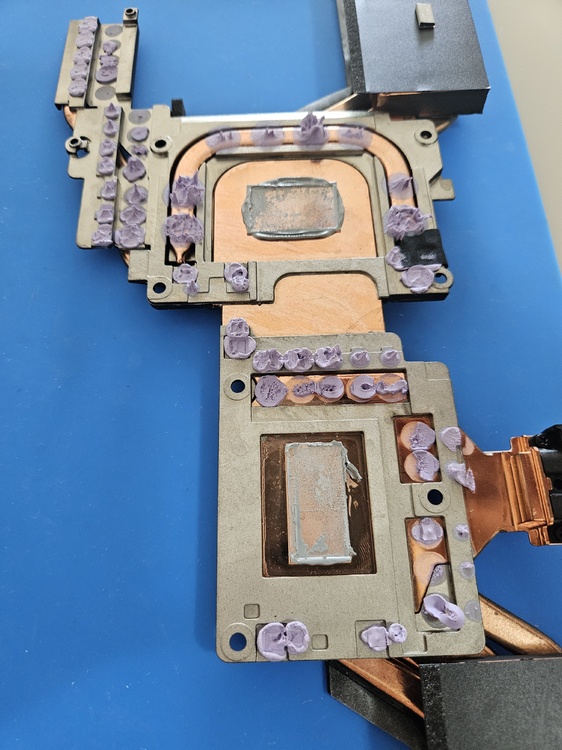
-
XMG Neo 17 E23 vs Neo 16 E25, am I right to be disappointed?
PHVM_BR replied to MiSJAH's topic in Uniwill (TongFang)
Try Custom with maximum settings / fan boost and Overboost Extreme. -
XMG Neo 17 E23 vs Neo 16 E25, am I right to be disappointed?
PHVM_BR replied to MiSJAH's topic in Uniwill (TongFang)
Time Spy is an older benchmark and doesn't scale well with Core Ultra CPUs. Furthermore, memory makes all the difference in CPU scores, and it seems that with the i9-13900HX you used 6400MT/s modules while with the 275HX you used 5600MT/s. With VBS disabled, stock memory (5600MHz CL46) and stock CPU, I reached up to ~17700. Everything remained the same, but with CPU undervolting and an IETS GT600, the CPU score increased to ~18500. And finally, with memory adjusted to 6400MT/s CL36, I now reach up to ~21900. I've seen scores of ~24k with faster memory. Regarding the GPU, its score with the 4090 is good, slightly below its maximum overclocking potential (up to ~24.5k), but its score with the 5090 is not so good... With a well-tuned overclock, it should be able to exceed 27k and perhaps even 28k with a good cooling pad -
Eluktronics Hydroc G2 / Uniwill IDY 2025
PHVM_BR replied to win32asmguy's topic in Uniwill (TongFang)
My settings were all tested in several tests over a few hours. Everything is 100% stable until then... Regarding the cache, initially I kept it at 3.8GHz with an undervolt of -80mV, but I realized during testing that the undervolt on the cache delivered practically no benefits (maybe 1 to 2W less at full load). Then I tried overclocking in XTU and discovered that for 4.0GHz it was enough to maintain the original voltage, without undervolting. With the ring at 3.8 GHz and everything else the same, I get about ~86 ns. I believe that with Hynix A-die single rank it's possible to achieve 7600MT/s CL36 and latency below 80ns. We'll see... I'm waiting for a reasonable price to buy 2x16gb Fury Impact 6400MT/s CL38 and test it. As for the BIOS update, I haven't updated to the XMG BIOS yet for fear of something going wrong, but I've seen several reports that it works. -
Eluktronics Hydroc G2 / Uniwill IDY 2025
PHVM_BR replied to win32asmguy's topic in Uniwill (TongFang)
I'm currently using the XMG CC, but it's identical to the Avell one. I haven't noticed any differences... -
Eluktronics Hydroc G2 / Uniwill IDY 2025
PHVM_BR replied to win32asmguy's topic in Uniwill (TongFang)
168 = 5600 192 = 6400 204 = 6800 ... -
Eluktronics Hydroc G2 / Uniwill IDY 2025
PHVM_BR replied to win32asmguy's topic in Uniwill (TongFang)
To enable the XMP profile in the BIOS, you need memory modules with XMP profiles. To manually adjust the memory, XMP memory modules are not necessary. Change the profile to manual and adjust the settings. Simply changing the target memory frequency is not effective. -
Eluktronics Hydroc G2 / Uniwill IDY 2025
PHVM_BR replied to win32asmguy's topic in Uniwill (TongFang)
Not yet, I just select all P-cores (or all E-cores) and set the undervolt. -
Eluktronics Hydroc G2 / Uniwill IDY 2025
PHVM_BR replied to win32asmguy's topic in Uniwill (TongFang)
I have tREFI = 24576 To achieve 84ns I have: NGU = 3.0GHz D2D = 3.1GHz Cache = 4.0GHz For me, overclock the ring to 4.0GHz decreased the latency by ~2ns. Is it possible to get the Premamod BIOS without an Eluktronics laptop? I messaged Prema about this, but haven't received a response... I really want the higher power limit (250W vs 210W), as well as the extra adjustment options.