Scruffy
-
Posts
83 -
Joined
-
Last visited
Content Type
Profiles
Forums
Events
Everything posted by Scruffy
-
clevo p870km bios question and upgrade to rtx3080 on the way.
Scruffy replied to Scruffy's topic in Sager & Clevo
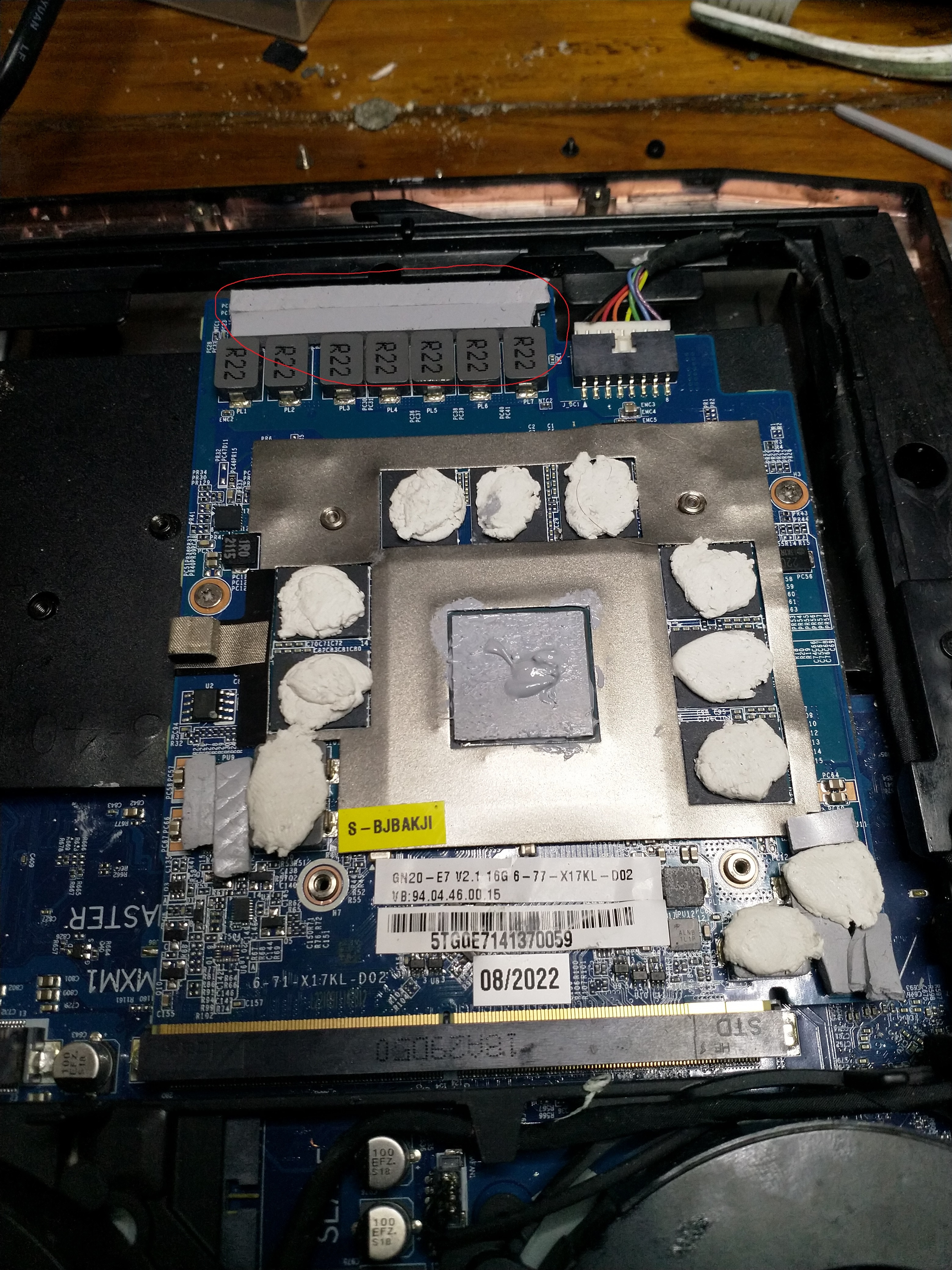
what thickness shoud we use here ? (red circle zone) i put k9 pro on inductor and was using 3mm+2mm for mosfet and 3+3mm for capacitor , but i noticed they are too tick. maybe ill go with 3mm+1mm for mosfet and 3mm+1,5mm for capacitors ?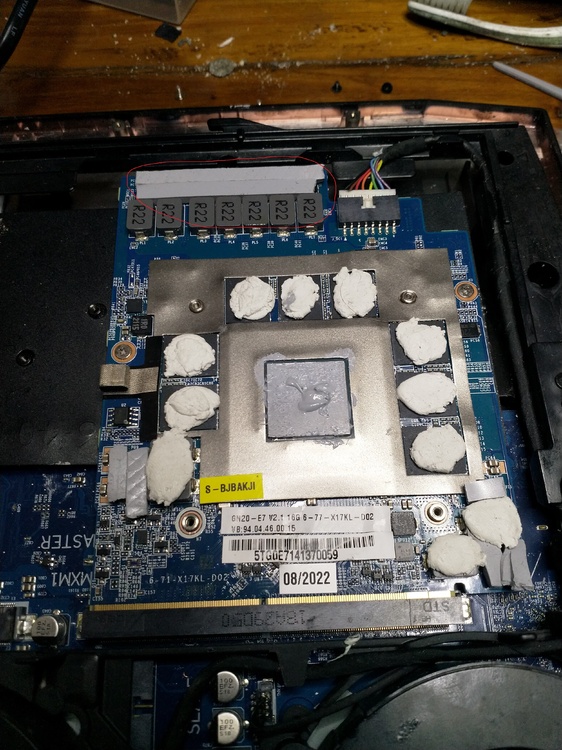
-
clevo p870km bios question and upgrade to rtx3080 on the way.
Scruffy replied to Scruffy's topic in Sager & Clevo
B173HAN03.1 show me 144hrz on ebay is it oc ? -
clevo p870km bios question and upgrade to rtx3080 on the way.
Scruffy replied to Scruffy's topic in Sager & Clevo
i wonder how much that 10th gen cpu 45 watt perform compared to mine 9700k 90watt both 8 core but mine doesnt have ht. -
clevo p870km bios question and upgrade to rtx3080 on the way.
Scruffy replied to Scruffy's topic in Sager & Clevo
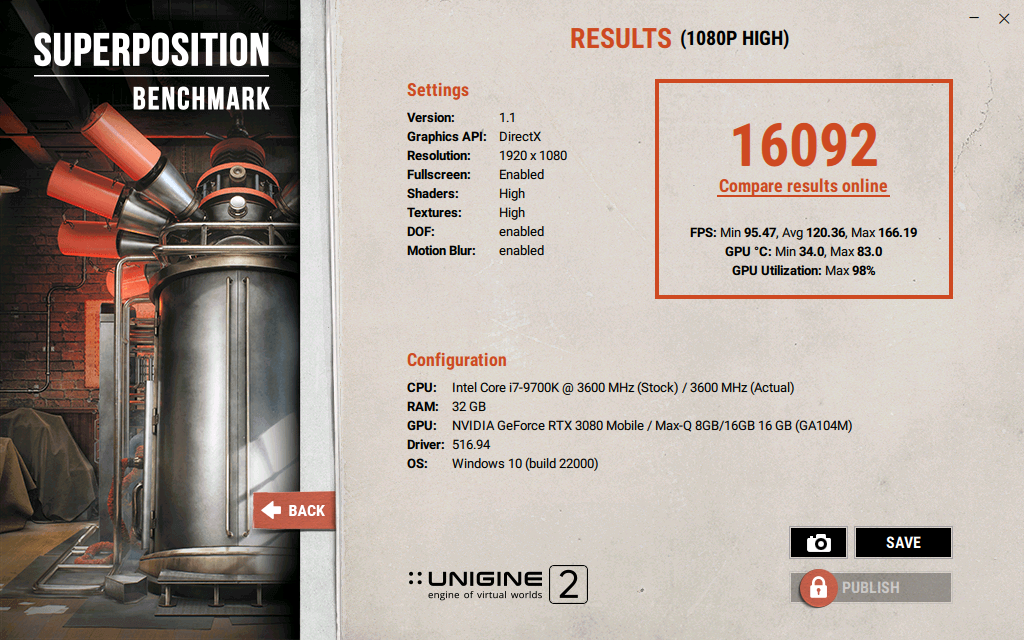
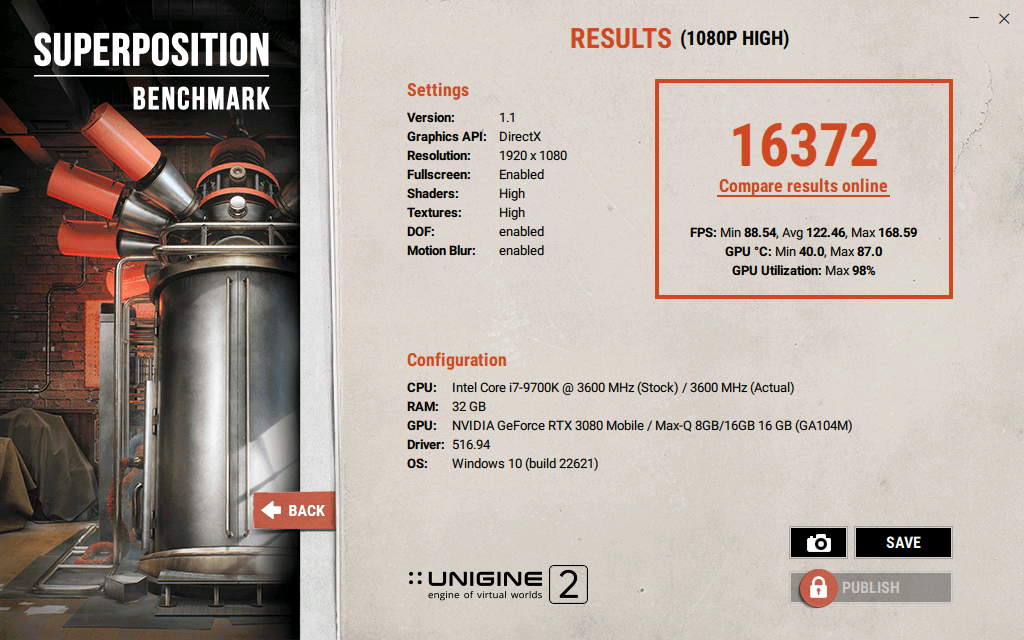
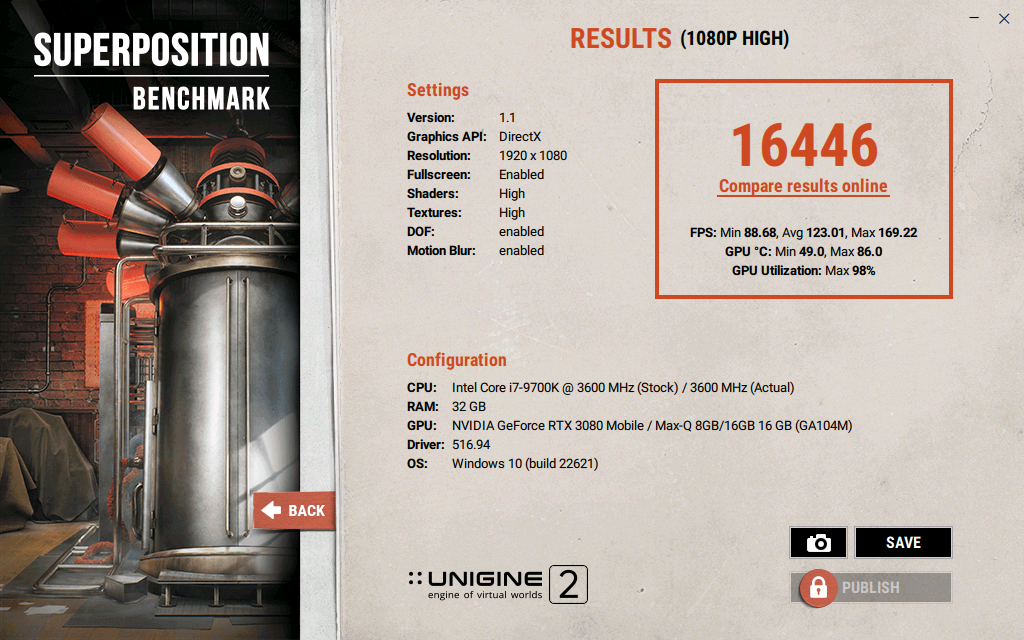
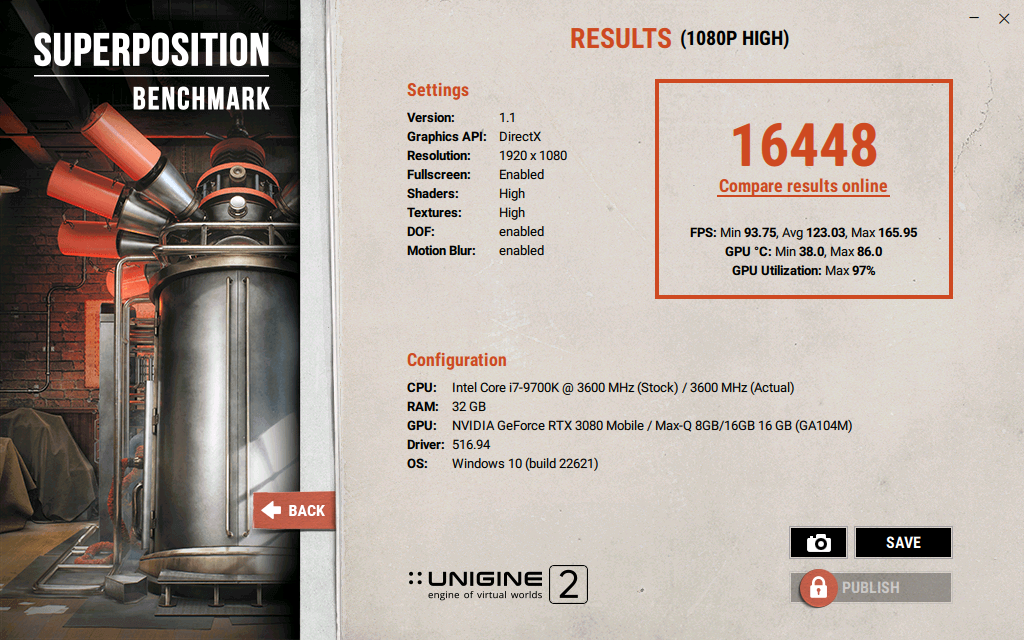
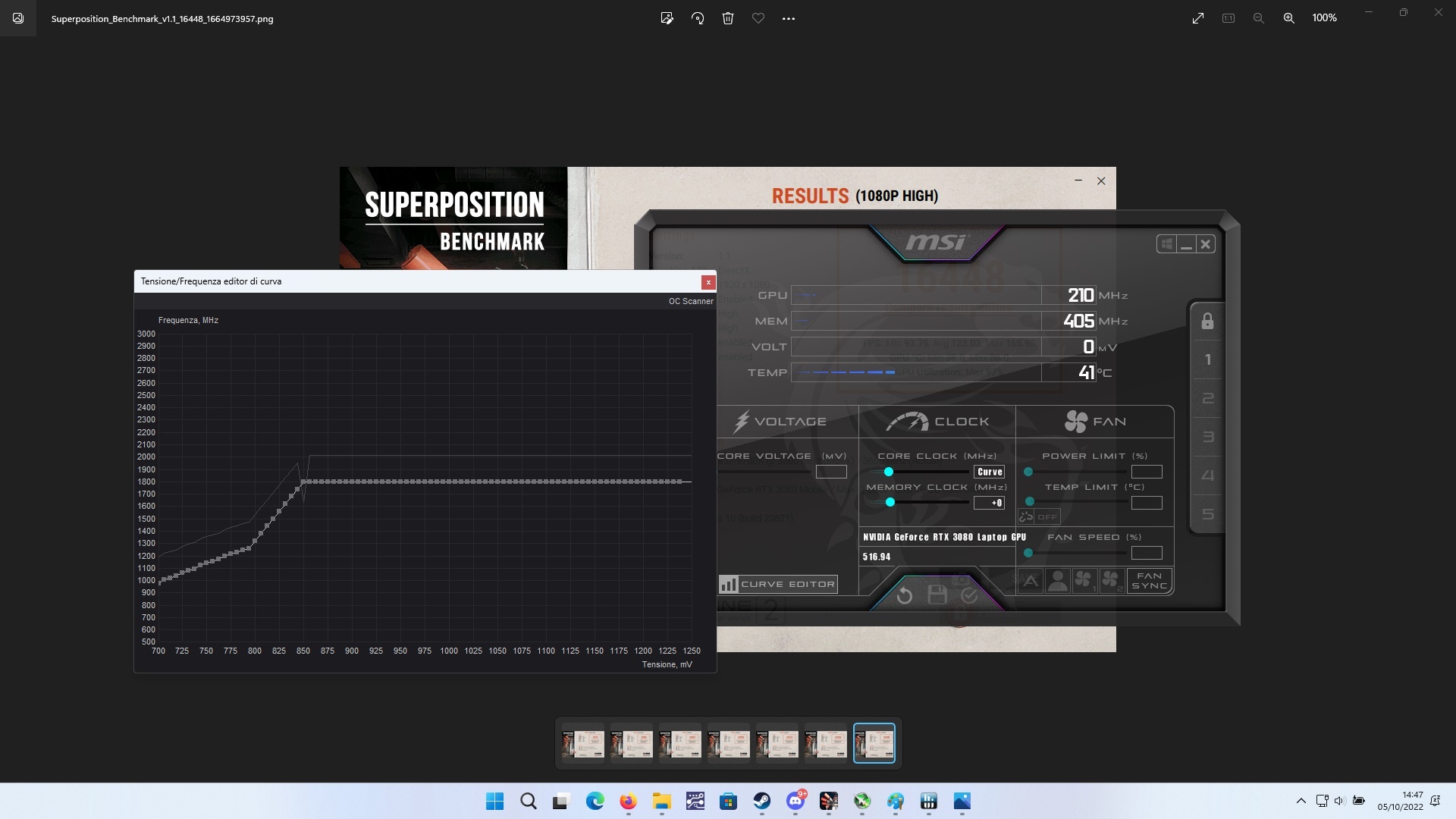
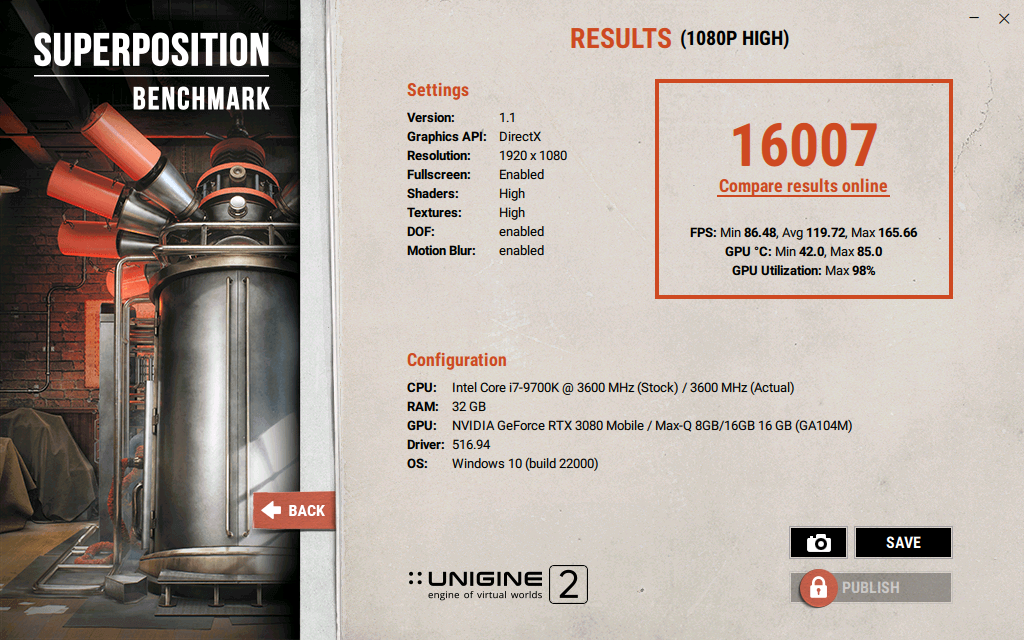
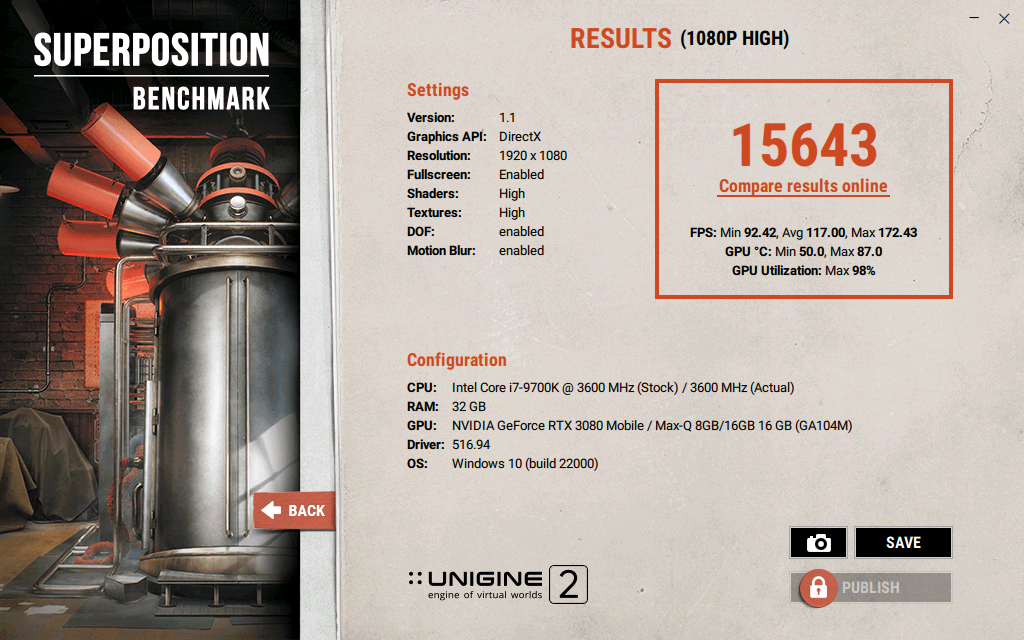
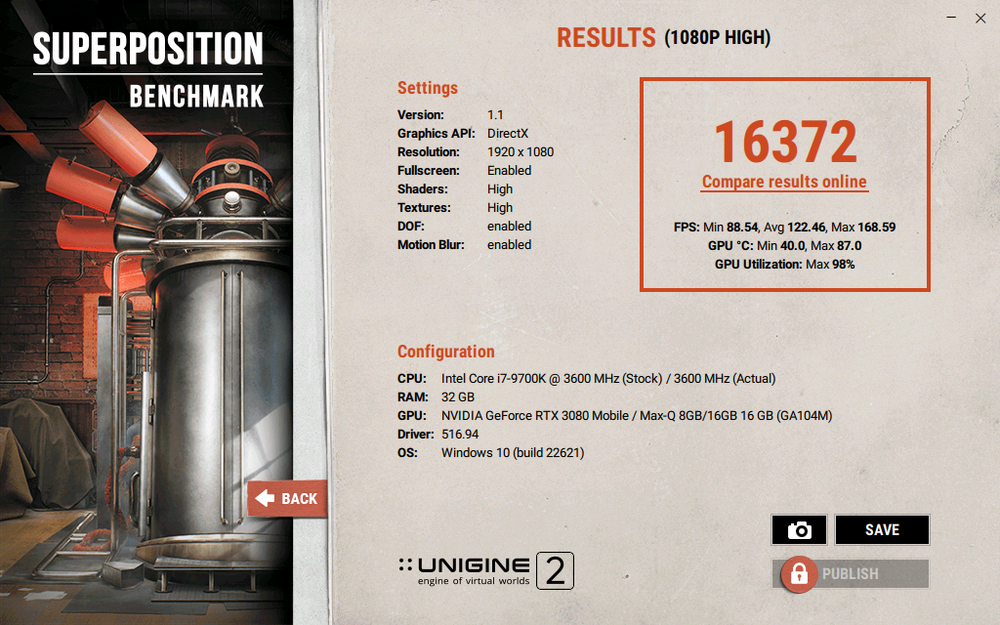
stock clock 16092 point +110mhz core no UV 16446 score and temp reached 86° (throttle temp start point) uv higher oc with shown profile 87° 16372 point uv lower oc 86° 16448 profile 2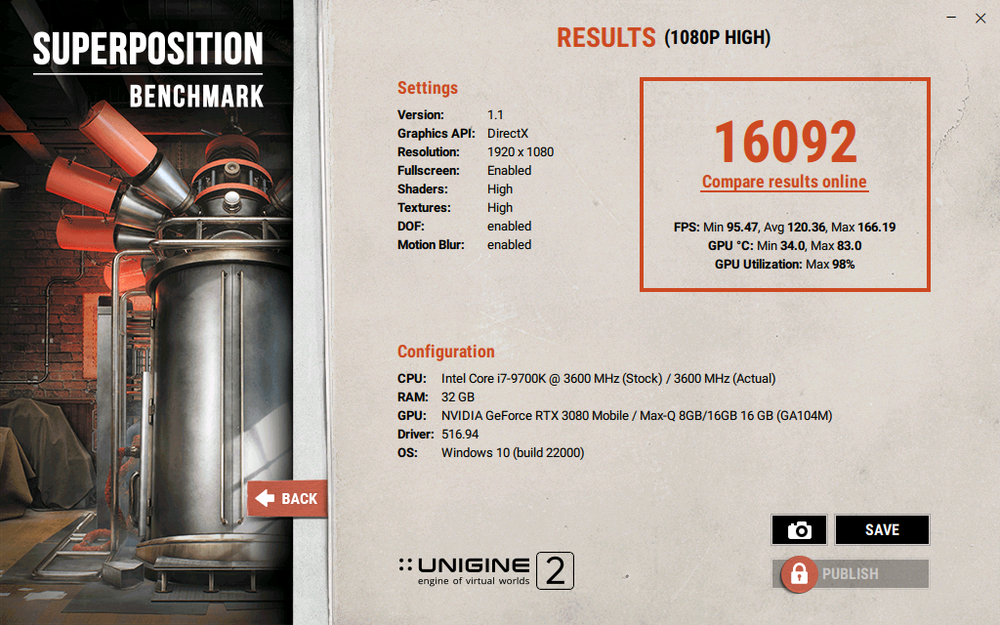
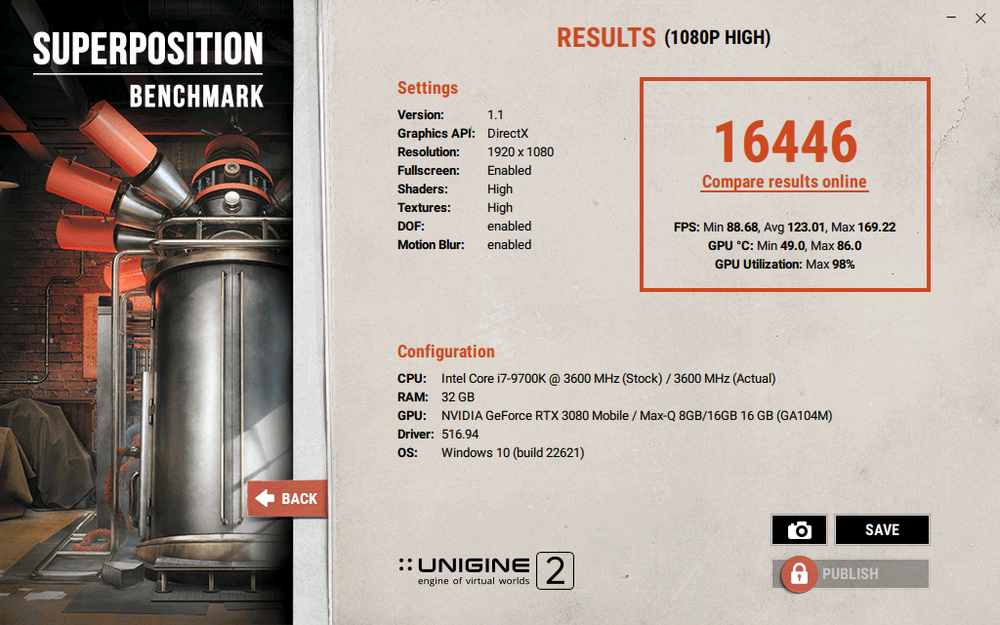
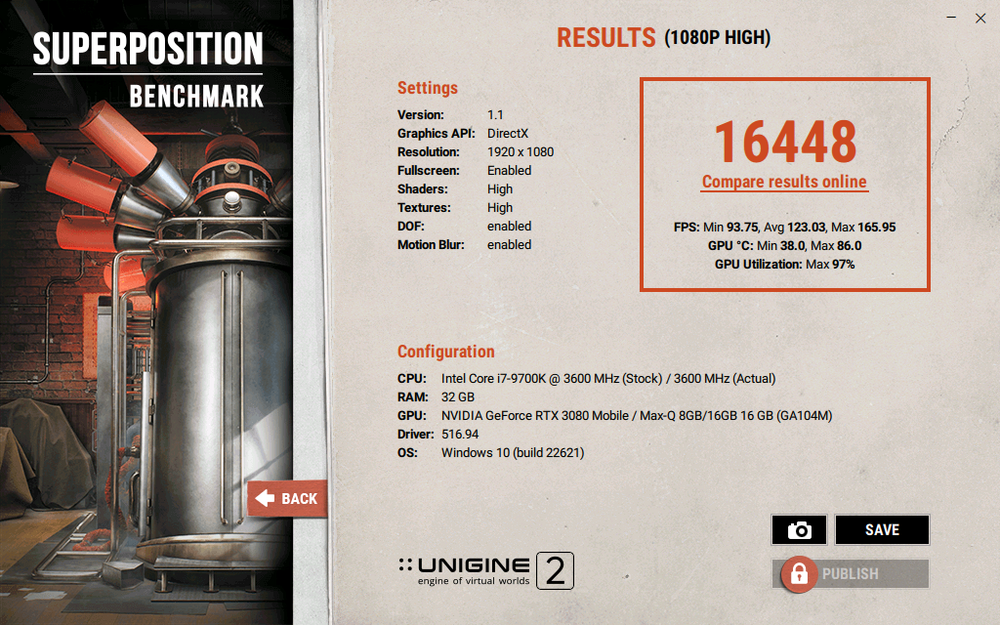
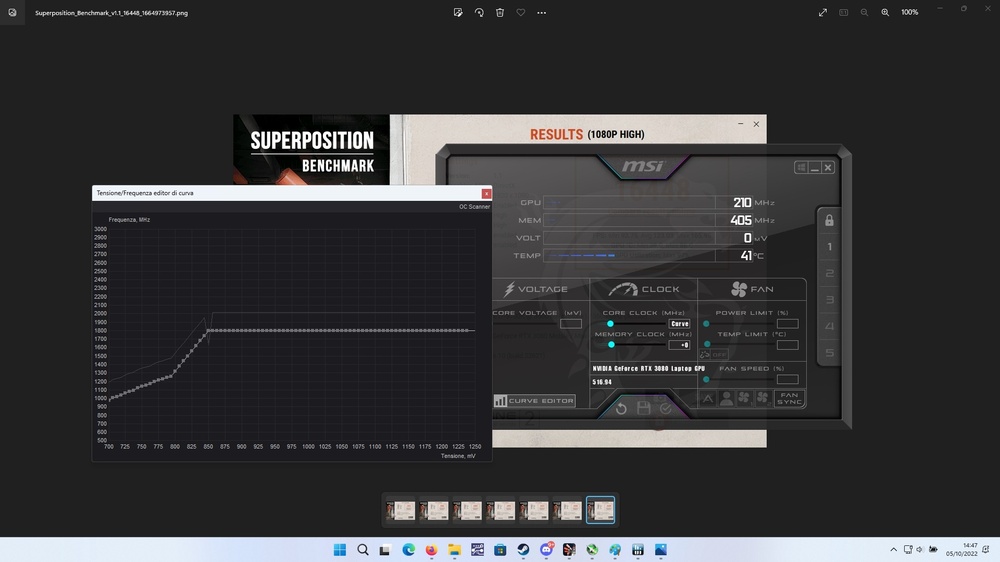
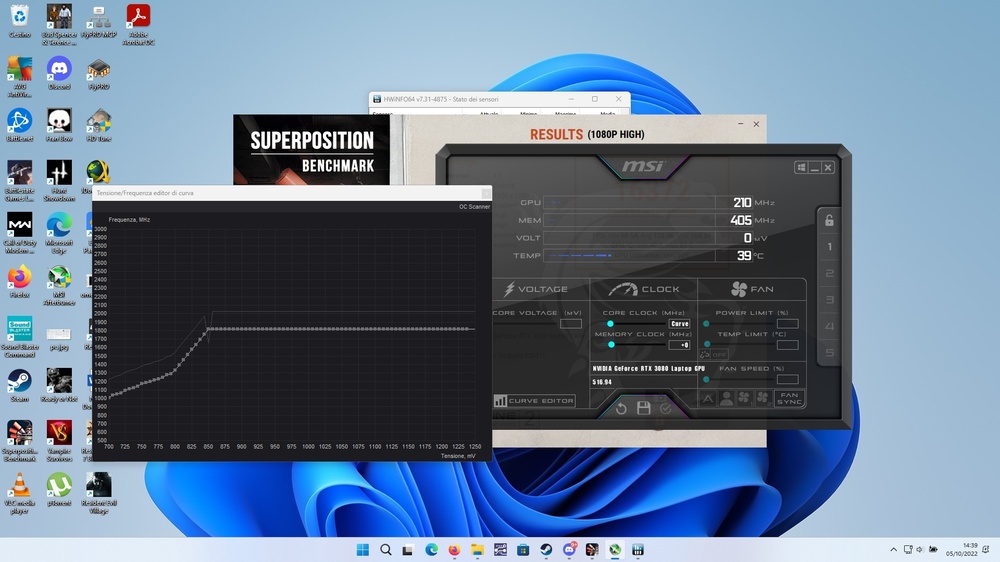
-
clevo p870km bios question and upgrade to rtx3080 on the way.
Scruffy replied to Scruffy's topic in Sager & Clevo
generally im first one to overclock a vga, but here i have 2 problem; 1st is temperature not so cold and second those vga are really expensive if fail 😄 if vga would cost like 300€ i would overclock to max no problem, but if that broke and i dont get it on sale i could spend like 1600€ to get another one 😞 also i had a 1070 never oc and after 3 or more years it never get bga problem, while ive seen lots of them on sale for spare parts because bga got bad... i think i have to fix thikness of upper card , where are all those inductor and capacitor and mosfet because there i noticed i have too much height on those pads, but i will figure it out later . now i have used 3mm+2mm height , but that is too much i think. cant use standard guide because my heatsing is soldered together and some spot is higher then normal. that viktor heatsink however is looking really good -
clevo p870km bios question and upgrade to rtx3080 on the way.
Scruffy replied to Scruffy's topic in Sager & Clevo
today i opened notebook again because i was not happy about screw hole allignment, so i dremel hole to make them perfectly centered, cleaned some pads and adjusted thikness of some of them and i reached max temperature of 85° on gpu core and 93° on hotspot. benchmark got higher score of 16k on 1080p high preset.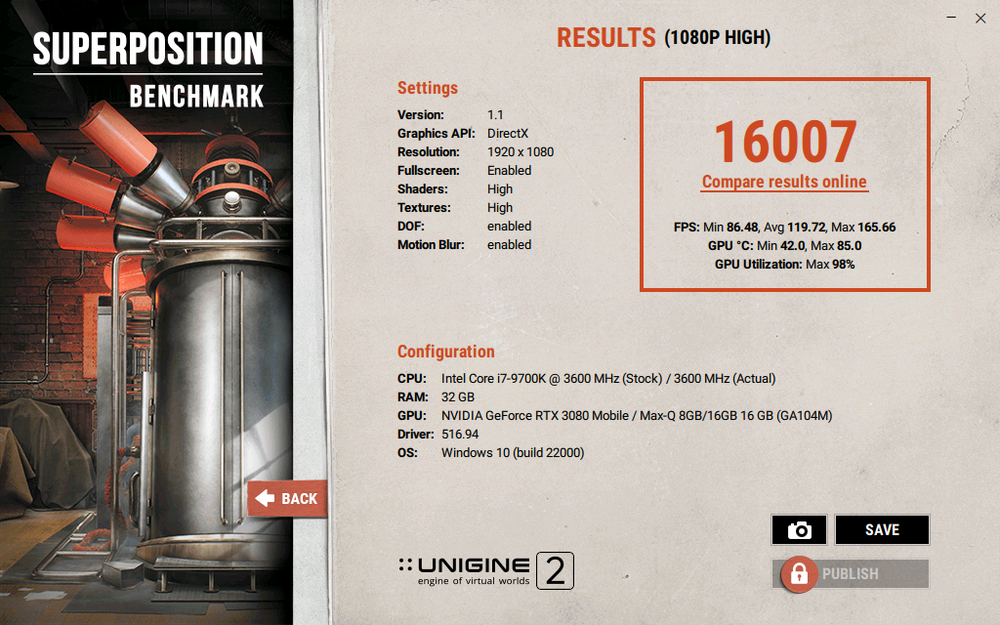
-
clevo p870km bios question and upgrade to rtx3080 on the way.
Scruffy replied to Scruffy's topic in Sager & Clevo
p870tm and p870km are different bios right ? do u have bios for p870km for 3080 ? -
clevo p870km bios question and upgrade to rtx3080 on the way.
Scruffy replied to Scruffy's topic in Sager & Clevo
amazing performance. is it custom made or we can buy it ? my handmade heatsink probably has some heatpipe damaged and temp reach 86° on full load but air from back is not that hot... edit: on the other side does it has a big thin copper to compensate the flat design ? -
tnx for reply, that will help me investigate my temp as i have custom heatsink.. 😄 i run test on overclock fan profile. will try tomorrow on full fan speed
-
thk u for the detailed post. amazing as u get same score as me with a 3070. my hotspot temperature is same as u except core temp that i get at 86° with power limit.
-
i have bought once from upgradeyoulaptop. ship from canada to italy and everithing was fine. just want to tell u that actually there is a 2070 for 250€ ... 2070
-
hi i have upgraded my p870km with a 3080 150watt gpu and in hwinfo both 7.26 and 7.31 beta i have the hot spot sensor reading a maximum value ov 96° celsius while max gpu core temp is 86° celsiun when gpu lower it power ot not exceed that temperature. i was wondering if someone can report hwinfo temperature for smililar vga under test ( i used unigine 2 1080p high)
-
clevo p870km bios question and upgrade to rtx3080 on the way.
Scruffy replied to Scruffy's topic in Sager & Clevo
u can buy a heatsink for only 800€ 😄 -
clevo p870km bios question and upgrade to rtx3080 on the way.
Scruffy replied to Scruffy's topic in Sager & Clevo
this raul i think is same guy as ralf asking 800€ for that modified heatsink...https://www.hardwareluxx.de/community/threads/clevo-p870xmx-g-sli-extreme-gamer-notebook-2015-16-17.1089525/page-7#post-29300557 i might be wrong, edit: your modified vapor chamber can be good if priced around 200€, otherwise my 20€ mod is much better as u can see i sub to that forum because that raul was sponzoring a fenomenal heatsink, but after discovering the 800€ price i quit him immediately. -
clevo p870km bios question and upgrade to rtx3080 on the way.
Scruffy replied to Scruffy's topic in Sager & Clevo
bid that one ended up unsold 🙂 -
clevo p870km bios question and upgrade to rtx3080 on the way.
Scruffy replied to Scruffy's topic in Sager & Clevo
sorry my bad ... the 2070 was 230€ + tax = around 320. the 3070 was on sale for like 600€ but cant find it now and price went straight up after that single offer sale. -
clevo p870km bios question and upgrade to rtx3080 on the way.
Scruffy replied to Scruffy's topic in Sager & Clevo
hi, dunno what difference the p870dm3 has respect my p870km. for the vapor chamber, if u have only gpu direct contact and u have to use thermal pad for all the others componnet i think that ull be just fine without any modification, but just proper thermal pad thikness. what gpu u have now ? because i read that 2080 is a good gpu, but u will gain not as much boost from a 1080 or so... also at whar price will u buy a 2080 ? ive seen 3070 for like 350€ ...... (yes big heatsink mod required) and 2070 for 320€ i have a fhd 60hrz panel that started to do the dirty black cloudy spot inside the edge of it. my problem is: keep 1080p and go 144hrz, or go 1440p 144hrz ? running most of the game with vsync keep my gpu muich cooler , and probably that's why my 1070 survided safe for 4 years without any problem even in summer time. gaming now with 3080 with vsync give me max temp of 70° 😄; temperature that rise up to 87° if i use 100% gpu. also changing edp cable means to complete disassembly the notebook.... -
hi today ive updated the bios for my p870km with the one on your link. al lwas fine and now i have correct ec version in bios too. tnx very much.
-
clevo p870km bios question and upgrade to rtx3080 on the way.
Scruffy replied to Scruffy's topic in Sager & Clevo
i remember that picture 🙂 the best and easy way would be to make a commper of same 1,5mm thick, but solder on the place where it touch the gpu die a copper of3-5mm like vapor chamber do. then buy a 1070-1080 x bracket, cut them and make an hole to screw to 3080 and then screw it to old holes of heatsink. this is the way they do on vapor chamber at the cheap price of 800€ 😄 -
clevo p870km bios question and upgrade to rtx3080 on the way.
Scruffy replied to Scruffy's topic in Sager & Clevo
this is the work i have done: remove che old mxm holder that was touching the 3080, desolder old heatpipe and get back the 1mm copper for vram, make all measurement and solder all into a new cutted copper of 1,5mm thick in the picture the copper is dirty, but now on the gpu side is cleaned. next days ill clean also the top and paint with high temperature black color. gpu reach max 87° then gpu core stay on 1395mhz. cant attach picture directly, some of them was almost 10mb. -
hi do you know if those bioses support rtx graphics ? i have old dsake bios that support rtx, but bios version is 1.7.15
-
clevo p870km bios question and upgrade to rtx3080 on the way.
Scruffy replied to Scruffy's topic in Sager & Clevo
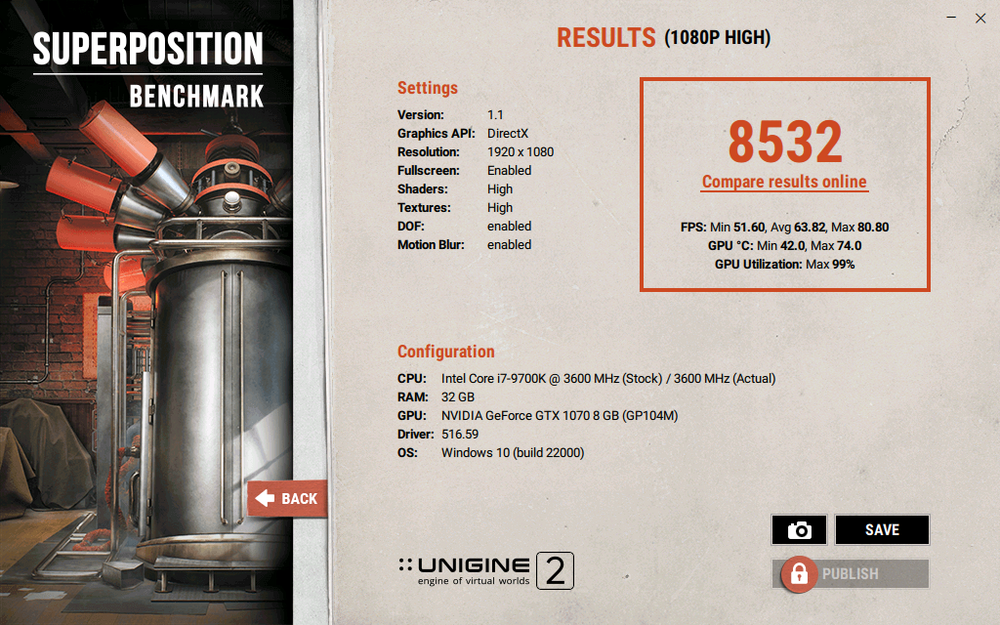
making the heatsink was a pain in the a.... took me around 10 hours to finish it. i went to the shop for laser cut but it was closed till 2 september, so had to cut all myself with a dremel and hand saw 😄 another problem was solder all back together..... driver needed inf mod and driver signature disabled. if anyone want i can post pictcure and all of the work ive done. max temperature was 87° celsius max power consumption by hwinfo was 149.8 watt 🙂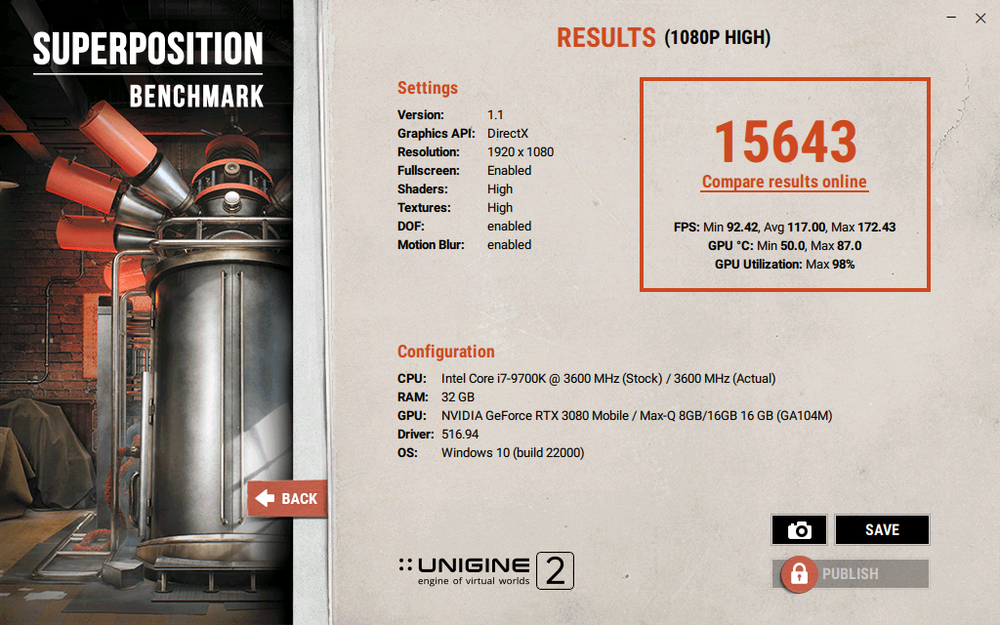
-
Can't seem to put back keyboard ribbon on my Clevo, need help!
Scruffy replied to IamTechknow's topic in Sager & Clevo
those are called fpc connector. u can check pin number and pin pitch.then u can ask someone to solder a new one for u. probably u have a 24 pin ffc fpc 24 pin 1mm pitch. -
Can't seem to put back keyboard ribbon on my Clevo, need help!
Scruffy replied to IamTechknow's topic in Sager & Clevo
check that the clip is fully opened and in perfect place. take the ribbon cable and try to insert in getting it into the space between the metal pins on top. make it a bit facing the bottom side and then try to slide it in. if u still cant , take the ribbon cable from that blue plastic end and try again. -
clevo p870km bios question and upgrade to rtx3080 on the way.
Scruffy replied to Scruffy's topic in Sager & Clevo
germany