
razor0601
-
Posts
339 -
Joined
-
Last visited
Content Type
Profiles
Forums
Events
Everything posted by razor0601
-
Hi guys. Has anybody a modified Bios to support NVMe SSD‘s?
-
I have now flashed the DSanke ModBios. The new I5-9400F is working fine, but now I can’t install the driver for the original GTX 980. Systems says no compatible device found. Is it now like the old days that I have to mod the NVIDIA driver?
-
Hi all, I want to know what I can get for a XMG Zenith Clevo P870TM-GS 17,3“ 4K Display 2x16GB DDR4 GTX 1080 8GB with Vapour Chamber second 1080 is dead. I7-8700 2x330w incl. Adapter Is in good Condition except one „scratch“ above the keyboard. https://www.directupload.eu/file/d/9426/4u9sp7hf_jpg.htm https://www.directupload.eu/file/d/9426/pxvqwrgc_jpg.htm #3 https://www.directupload.eu/file/d/9426/h4g3rks3_jpg.htm #4 https://www.directupload.eu/file/d/9426/3uuegn7p_jpg.htm #5 https://www.directupload.eu/file/d/9426/owh3ucng_jpg.htm
-
You can send me an PM. But which cards will work with DSanke mod Orr out of the stock?
-
Do you have pics and price?
-
Ok, which one is the correct Bios? For the P775dm there are two. Old Graphics or standard. And how do the 40xx get working?
-
So, I bought a cheap XMG U716 with I7-6700 and Clevo GTX 980 180w GPU. What is possible in this Device? And with or without DSanke Mod-BIOS?
-
So long time ago. Now I set it to fixed and full dGPU power off dynamic scheme. And it works. But not at full power. I have installed a 765m and in superposition it powered up only to 405Mhz. In the past I had also sometimes the same problems. Most of the time it was a driver issue. After installing all drivers it works. Now I have installed them all expect the Realtek Card driver. It gave me an error Any ideas why it powers only to 405Mhz?
-
No, it doesn’t work in SG Mode. The problem is with dGPU on internal screen. Everything else is working
-
Anyone has a schematic for me?
-
Hello again, unfortunately it is not the LVDS Ribbon cable. So it’s the LVDS Converter?
-
Price?
-
For what is that PowerXpress setting exactly?
-
Do you know where is the LVDS Converter is located?
-
Unfortunately I have no spare cable. Have to order one. What could it be also?
-
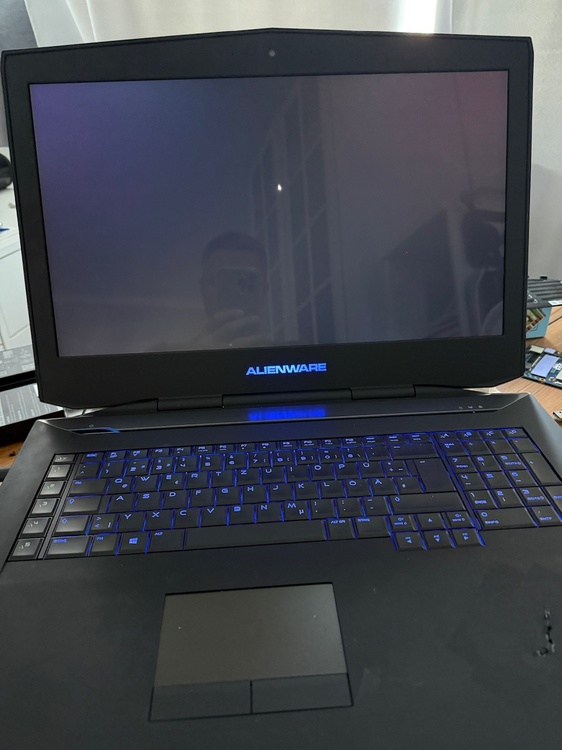
Bad news. Also in SG Mode tested with both 880m in Slot 1 it gave me a blank black screen. With Intel HD only it starts normal.
-
Ok I will try. But first I have to flash the unlocked Bios.
-
So, I tried both 880m in the primary slot. Same issue, I tried also a spare Alienware 765m in the primary slot. Also same issue. Again, with only HD 4600 there is no issue on the internal or external screen. what the hell is that?
-
Thanks, I will try.
-
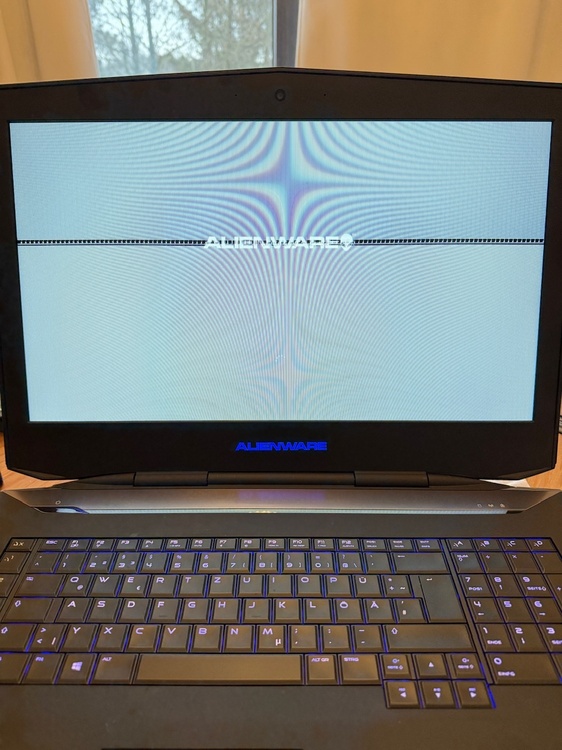
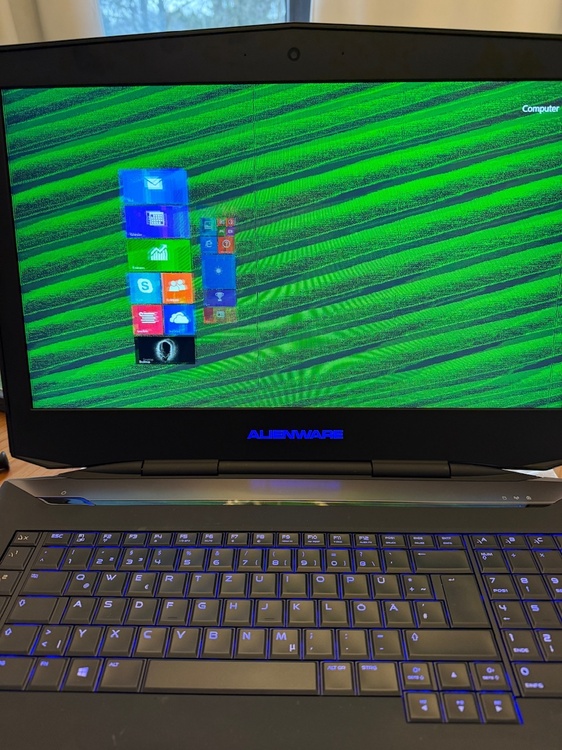
Good day all. I have a problem with my AW18 and it’s dual GTX 880m. If the HD 4600 is on there is no problem. If I turn on both 880m the screen is flickering weird. But on HDMI there is no issue. Maybe it’s the Display cable?
-

[P750TM1-G] Upgrade Options + Troubleshooting Related Issues
razor0601 replied to Dream's topic in Sager & Clevo
Is there an option to see this card in my EBay account located in Germany? -
Yes, that’s the reason I sold the cpu and gpu. puh, long time ago I that I tested it. But I think there wasn’t the 100% fan issue.
-
I have also a P751zm. But shows black screen. Cpu and gpu are working. Do you know what’s the issue?
-
Like the title says, as cheap as you have. Sending from Europe will be preferred.
-
Just look under the RAM sticks under the bottom cover. There is the right identification number.