Chalybion
-
Posts
87 -
Joined
-
Last visited
Content Type
Profiles
Forums
Events
Everything posted by Chalybion
-
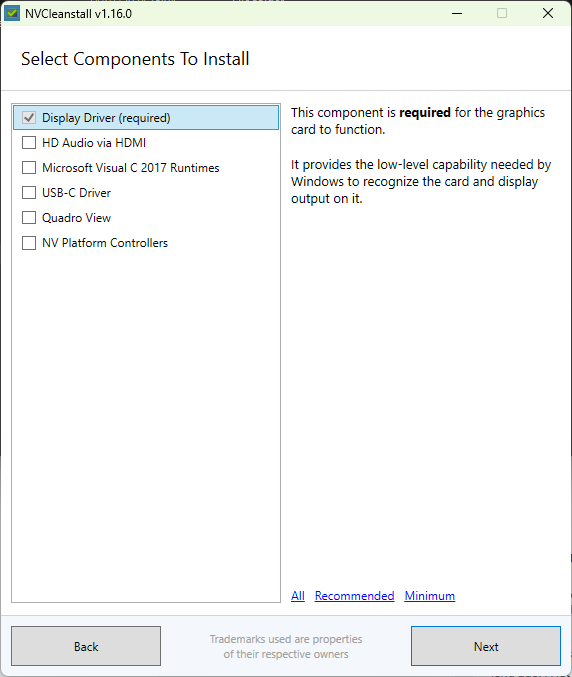
NVCleanInstall provides the option edit the INF through the "enable hardware support" feature; I didn't use it since the card was OEM/supported already. Beyond editing the INF, it also provides the option to install customize which components of the driver package are installed. Normally, Optimus shows up on this list as a separate component from the Display Driver, but here it is missing completely:
-
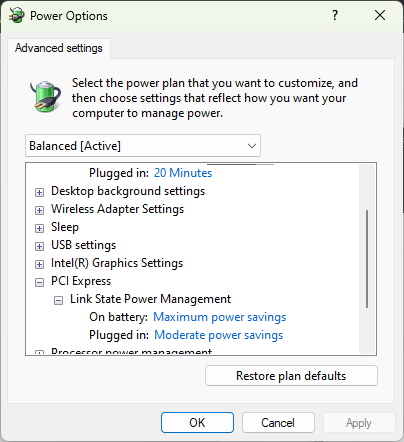
Yeah, I found a number of post from people with Dell / Lenovo laptops and 20W+ idle power due to Optimus issues. Despite its problems, I find it crazy that NVIDIA publishes a graphics driver for notebooks without Optimus. I'm going to investigate further, but it seems that "Maximum power savings" PCIe Link State Power Management is the only one that will actually turn off the discrete graphics, which is odd. Tinkering can be fun, but it does consume time and require appropriate tools and some knowledge - there's a lot to be said for technology that just works! Apple's vertical integration gives them that advantage over PC OEMs.
-
What issues have people experienced with Aetina cards? Sample size of one, an Aetina PCB is not as beefy as on an OEM card.
-
Precision 7510/7520 Owners Thread
Chalybion replied to M4980's topic in Pro Max & Precision Mobile Workstation
Here are my Geekbench 5 results: CPU: https://browser.geekbench.com/v5/cpu/22143989 GPU: https://browser.geekbench.com/v5/compute/6707649 The possible appeal of the GTX card is greater tunability, but the reality is that in a 15" laptop with a single GPU heatpipe, thermals limit any tweaking to a few% at most. The card's temperature limit is 87 °C. Under stress testing, the temperature slowly creeps up to low 80s, before the fans finally kick up to full speed and stabilize around 77 °C. Having voltage control to undervolt would be amazing, but that's probably out of the questions. I tried Afterburner's voltage graph, but it didn't play well with Optimus, constantly polling the GPU and consuming 15% CPU. Trading off 1% performance for a more robust Quadro seems like the better option for this laptop. -
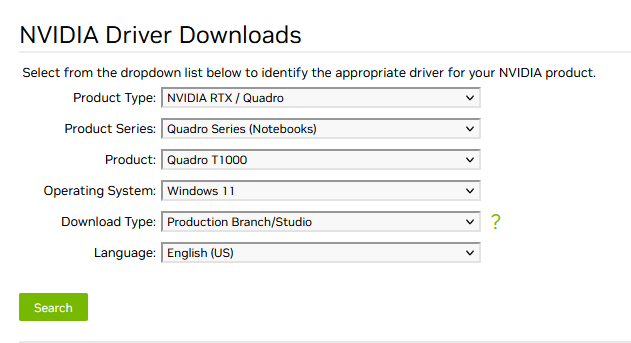
This evening, I was troubleshooting an issue with a Dell Precision 7540 with "Total System Power" indicating 25 - 45w, even though the CPU was idling at <2w. One issue appears to be with the NVIDIA driver itself. I downloaded the latest driver directly from NVIDIA as I have previously done. This time, I used nvcleaninstall, and found that the driver, despite selecting the mobile Quadro option, does not include Optimus!!! Helpfully, nvcleaninstall provides an option to download and install the best driver for my hardware, which DID include Optimus. A second issue: When plugged in, the "Total System Power" still increases to 25-35 W. After unplugging the AC adapter, "Total System Power" remains at ~20 W for a minute or so, before finally dropping to a more reasonable ~4W. I haven't troubleshooted this issue yet, but my working hypothesis is the PCIe Link State Power Management, e.g. shutting off power to the graphics card a certain time period after no activity is detected. If that is the case, I wonder if there is a way to force the low power state quicker?
-
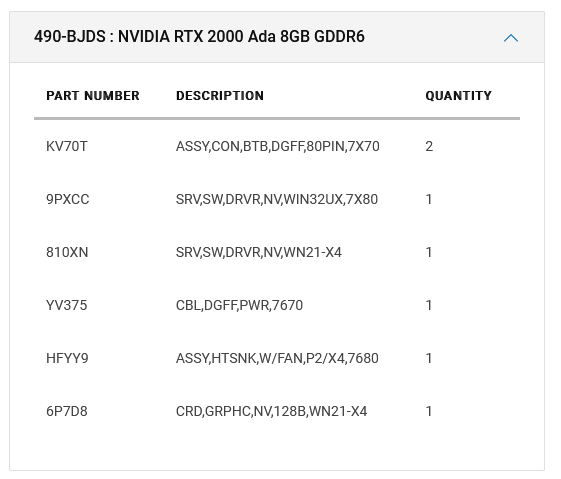
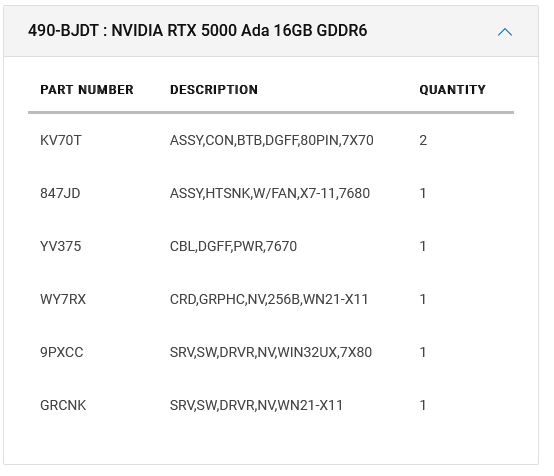
The heatsinks are different. Here is a service tag for the 2000 Ada (from an eBay listing): 43F5CY3 Here is a service tag for the 5000 Ada (from a Youtube video): 75ZPCY3 2000 Ada heatsink part # is HFYY9: 5000 Ada heatsink part # is 847JD:
-
Precision 7510/7520 Owners Thread
Chalybion replied to M4980's topic in Pro Max & Precision Mobile Workstation
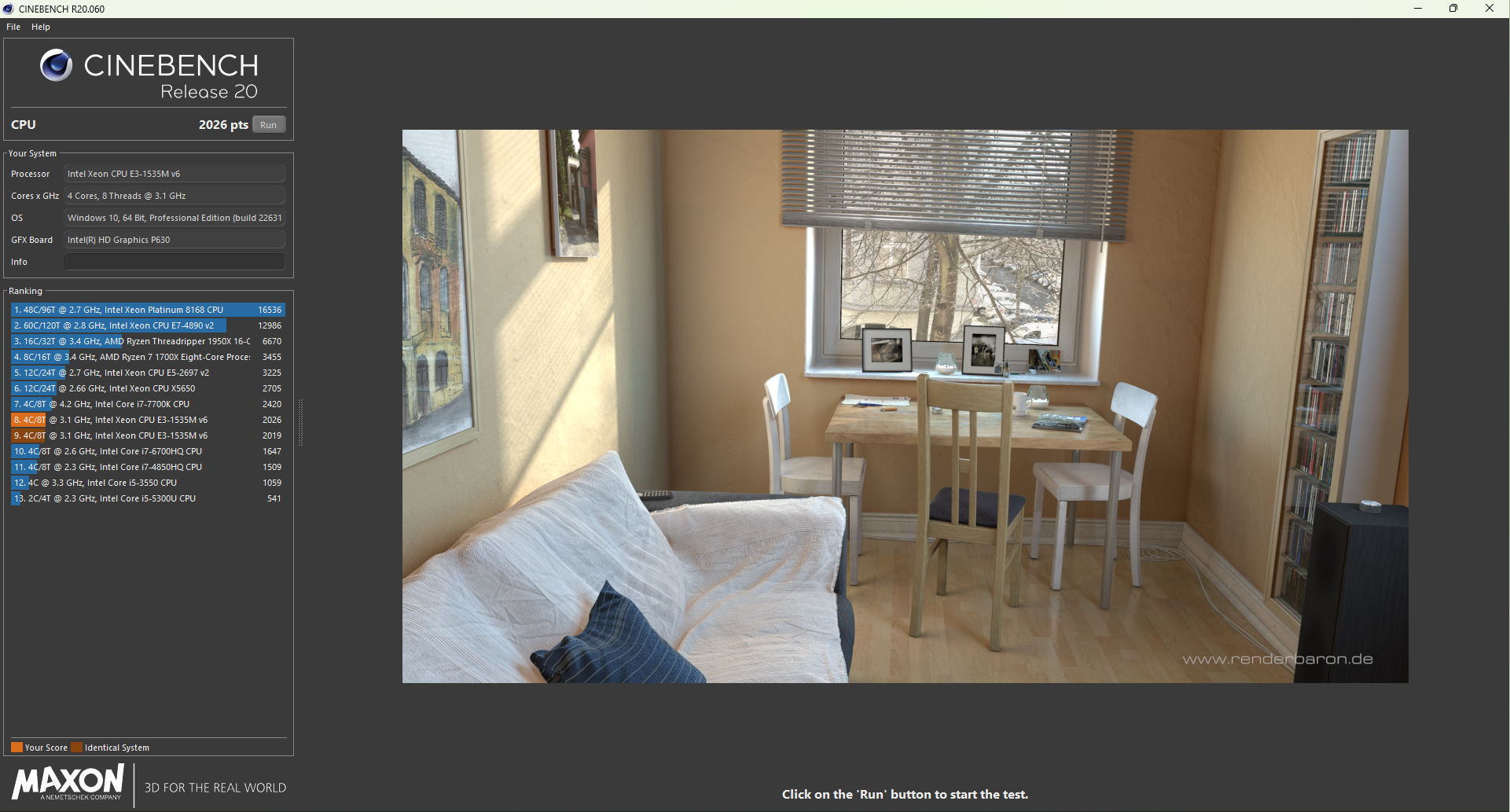
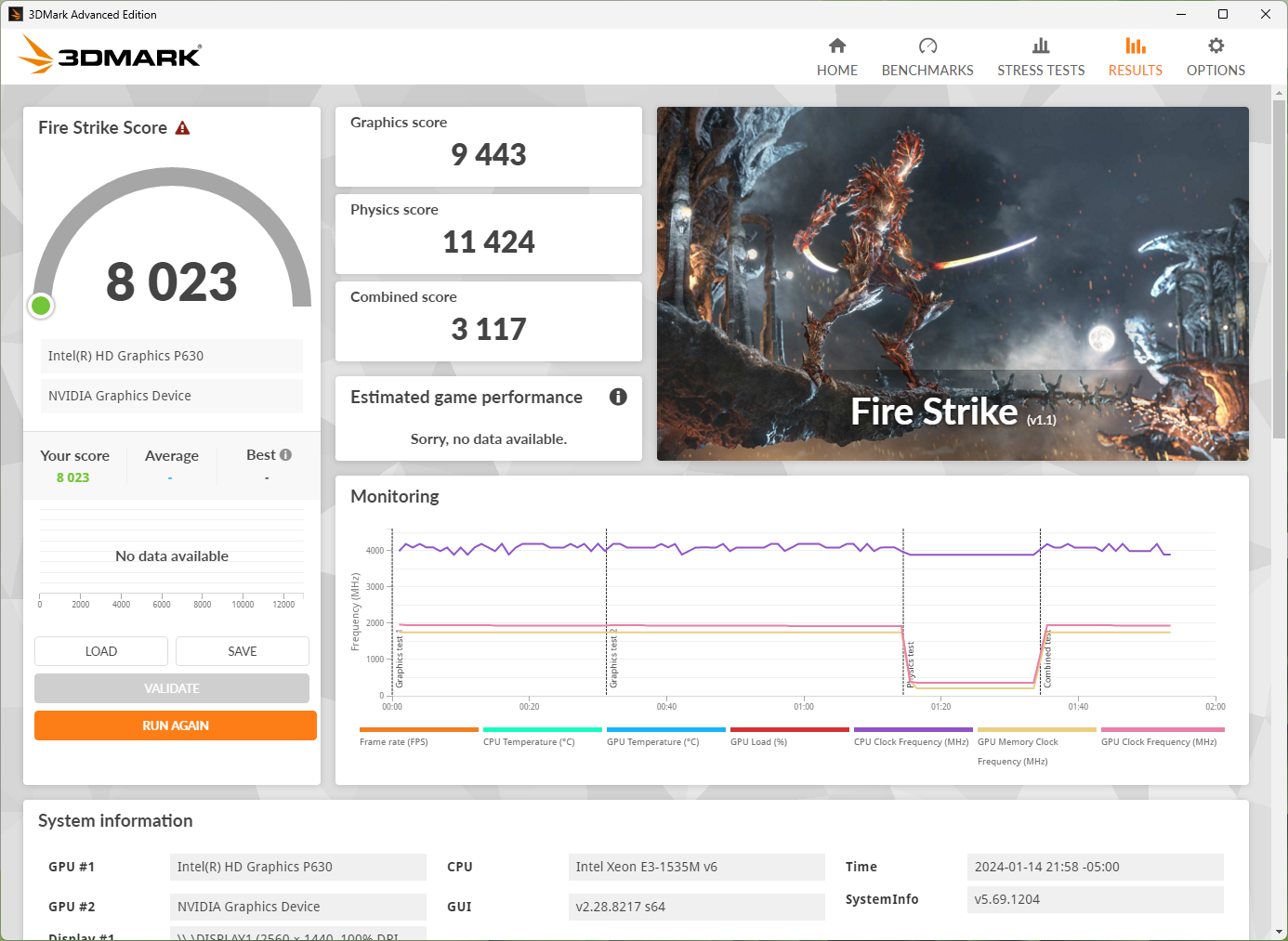
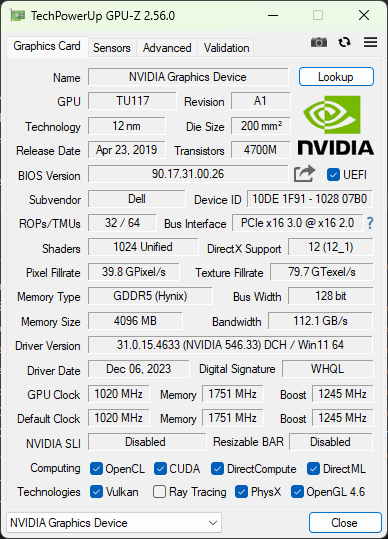
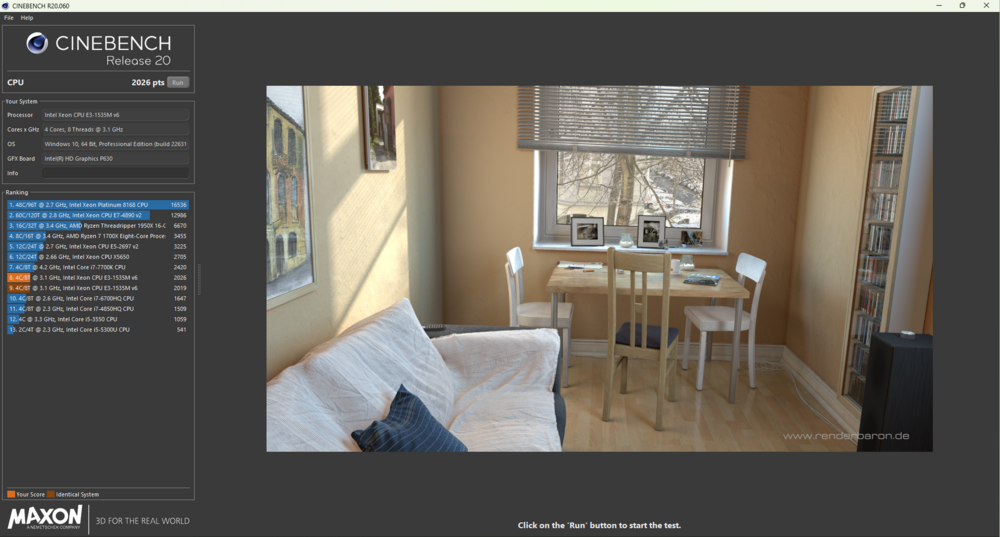
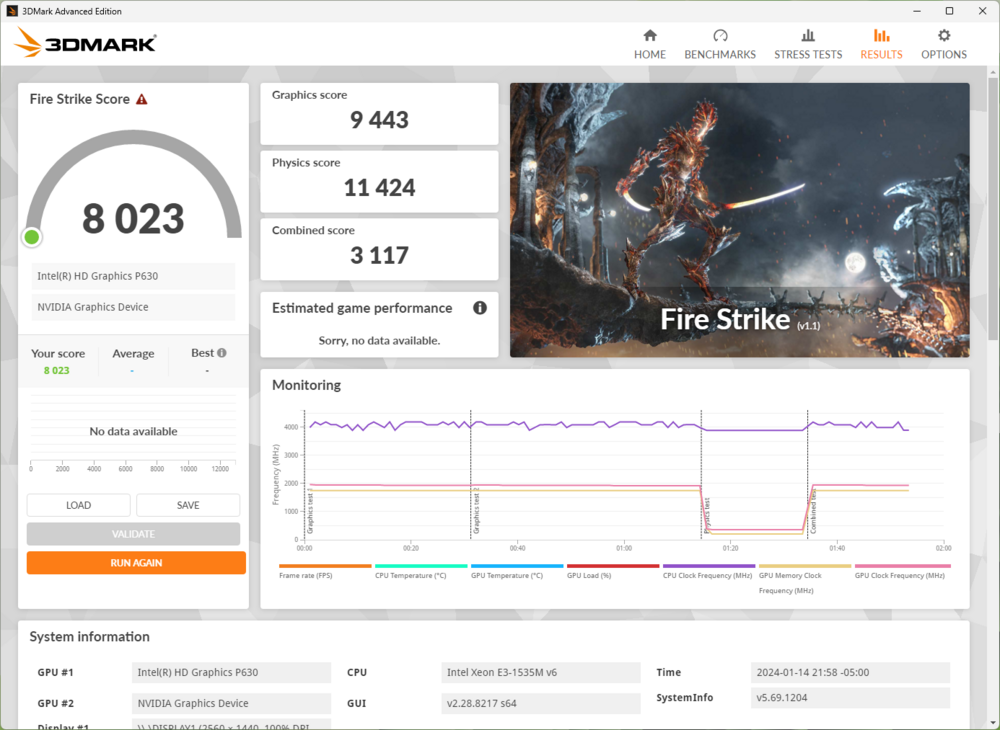
UPGRADE TIME!!! When I bought my Precision 7520 five years ago, part of the appeal was that the MXM slot would allow for GPU upgrades down the line. My laptop had the 7440HQ and M2200, which have been competent. But when I saw the GTX 1650 MXM Type A listed on eBay for $270, I thought - now or never? (Honestly, the T1000 is almost as good, and worth it when it is listed in the $150-200 price range). So, I bought it, along with a new Xeon E3-1535m v6 mobo for $90, 32 GB of CL15 RAM, an AX1675 wireless card, PTM 7950, and thermal pads. When I finally got a free weekend to tinker, I set out to upgrade my laptop to its full potential and clean/refurbish parts I didn't replace. I haven't torn apart a computer in years, so there were several hiccups. Here are some things I learned, of the type that are not-easily-looked-up or require trial and error. Hardware - GPU: This appears to be manufactured by Aetina. The voltage controls are locked, and I haven't been brave/knowledgeable enough to attempt flashing another BIOS that may unlock voltage - Thermal pads: The GPU uses 1.0 mm pads everywhere except the rear VRM, which uses 1.5 mm pads. By design, the heatsink only covers half of the two VRAM modules on top. (It works, I guess, but best to stick to stock speeds?). For the VRMs by the CPU, I stacked two 1.0 mm pads (for 2.0 mm total) - MXM X bracket: The Precision 7520 uses a non-standard low-height bracket. The MXM standard bracket creates a ~2.0 mm gap between the heatsink and GPU. So, I had to transfer the X bracket from the M2200 to the GTX 1650. - Removing the MXM X bracket: Online tutorials suggested using a hairdryer to soften the glue. I didn't have a hair dryer, so used my oven instead. I set it to the lowest heat setting of 170 °F / 77 °C, and placed the graphics card in the center rack on a piece of cardboard. I doubt my oven's temperature control is precise, so I turned off the oven as soon as the setpoint was reached, and let the graphics card sit in the warmth for ~10 min. After that, the bracket came off very easily with the aid of a small screwdriver to push through the screw holes. - Applying PTM 7950: I refrigerated it for ~30 min, so that the plastic layer separates easily. I cut it to size with a pair of scissors, and had luck separating each plastic layer by sliding my fingernail under one corner. Software/Configuration - Operating System: Windows 11 is decent with Start 11 to fix the Start Menu, and OOSU10++ to shutdown telemetry, nagware, advertisements, and bloat. Opting out of the remaining bloat and disabling core isolation/virtualization features (to enable undervolting) remains a pain. - BIOS: I stupidly upgraded to v1.33, thinking that I could simply re-enable the Overclocking Feature to allow undervolting. Really bad idea! Undervolting is enabled for one boot, and then the Overclocking Feature bit automatically flips back to "Disabled" on reboot. Adding insult, BIOS downgrades below v1.31 are "BIOS Update blocked due to unsupported downgrade". To the rescue: https://github.com/vuquangtrong/Dell-PFS-BIOS-Assembler. I had to downgrade to 1.15.1 to get persistent undervolting - EFI variables: Overclocking Lock - setup_var Setup 0x59C 0x0; CFG Lock - setup_var Setup 0x4ED 0x0. - Undervolt: Seems to be stable at -110 mV cache, -145 mV core. With the undervolt, all threads will boost to the max frequency of 3.9 GHz while remaining within the 60W PL1. - Graphics Driver: I downloaded the latest driver from NVIDIA, and nvcleaninstall made it really easy to strip out unnecessary driver components and mod the INF. Performance - Cinebench: - Fire Strike: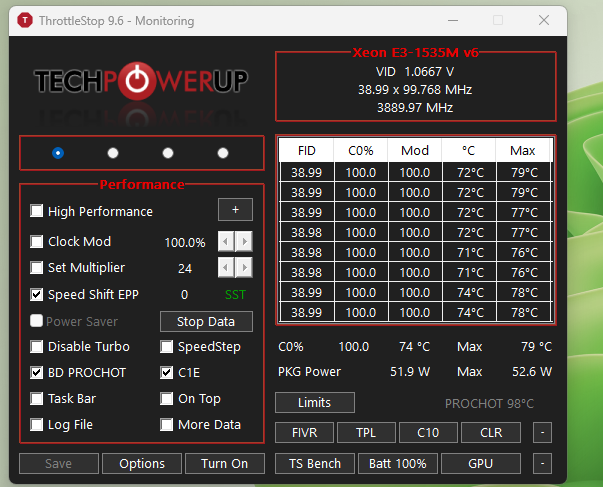
-
Disclaimer: I have a 7540, not a 7X80, so take this with a huge grain of salt. Perhaps the same principles apply? The PL1 may be able to be increased by changing hidden BIOS variables. There should be variables for PL1 and PL2 that can be overwritten with a higher limit; you'll have to test whether the higher limit actually takes. If not, there should also be a variable called IMON slope that can be changed to a value of 80 or 90 - in essence only reporting 80-90% of the actual power draw (so a limit of 77W corresponds to actual power draw of 85-96 W). Do this at your own risk, of course - I would probably set a battery profile with a corresponding lower PL 2 / PL 1 to avoid damage to the battery from drawing too much current.
-
Precision 7540 & Precision 7740 owner's thread
Chalybion replied to SvenC's topic in Pro Max & Precision Mobile Workstation
They are disabled already; my understanding is if they are enabled in W11, then all voltage register changes are locked out, even if enabled in the BIOS. People who require W11, virtualization, and undervolting have had limited success either setting the undervolt in BIOS, or writing code that applies an undervolt each boot before Windows loads. -
Precision 7540 & Precision 7740 owner's thread
Chalybion replied to SvenC's topic in Pro Max & Precision Mobile Workstation
That's unexpected - "Unlock Adjustable Voltage" was disabled in Throttlestop on BIOS 1.24 until I changed those variables. I am on Windows 11 22H2, if that makes a difference. There appear to be other BIOS variables linked to PL1 / PL2 that I will experiment with to see if they can override the 75W / 107W limit. Throttlestop lets me set values above 75/107, but the CPU will always throttle to 75/107 during a benchmark. Turbo Time Limit appears fixed too. With an undervolt, the 9980HK can sustain 4.2 GHz on all cores while consuming ~105W. I will need upgraded thermal compound to sustain that speed reliably. With more thermal headroom, I will experiment with the highest all-core speed that can be sustained. -
Precision 7540 & Precision 7740 owner's thread
Chalybion replied to SvenC's topic in Pro Max & Precision Mobile Workstation
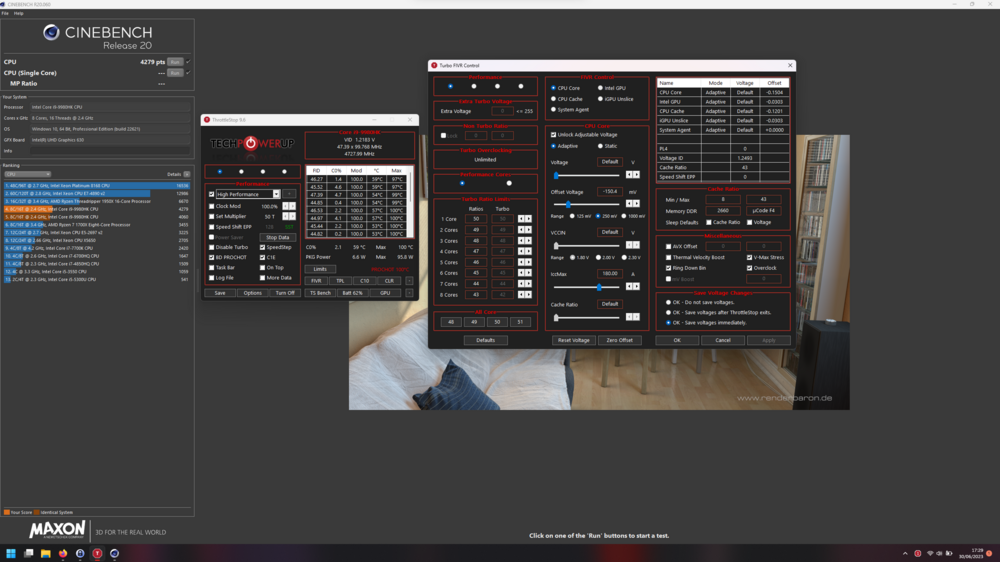
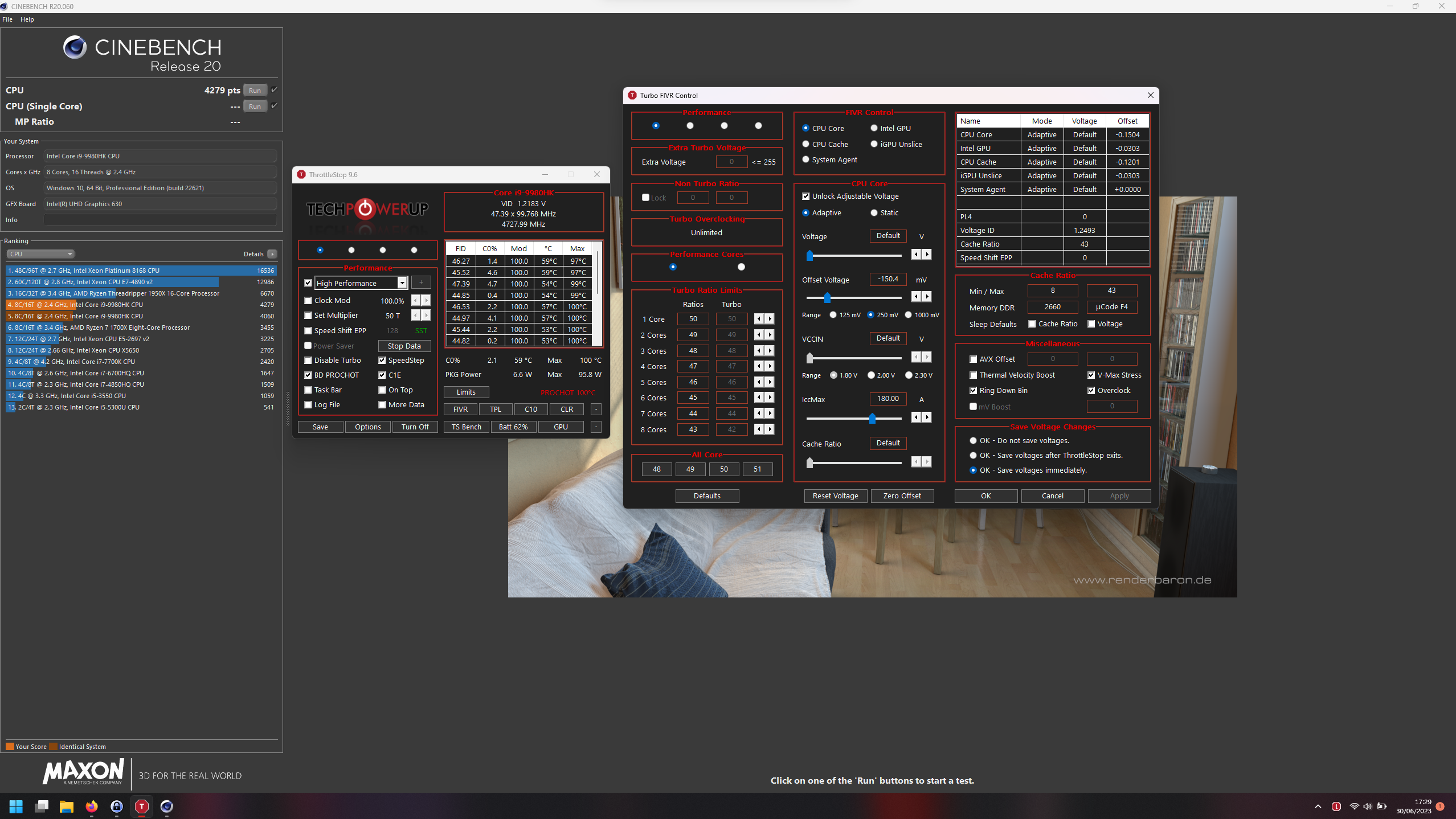
I recently purchased a Precision 7540, and have had success tweaking the power settings of the processor using Brendan Greenley's guide: Undervolting 2020 Dell Laptops For anyone interested I've attached the BIOS dump from v1.24. I'm currently on BIOS v1.26.1, and can confirm that the same settings work. In the GRUB terminal, the relevant commands are (the forum software changes all "x'es" to multiplication signs - not sure how to fix this?): Overclocking Lock: setup_var Setup 0x789 0x1 CFG Lock: setup_var Setup 0x6ed 0x1 Overclocking Feature: setup_var Setup 0x856 0x1 With these changes, I was able to achieve a stable undervolt of -120 mV cache and -150 mV core on my i9-9980HK using Throttlestop. On stock cooling, the Cinebench R20 multicore score increased from 3550 to 4060. However, Dell has appeared to limit the power limits to 75W for PL1, and 107W for PL2. Changes in Throttlestop beyond these limits do not take. That's when I found this article about the ability of IMON Slope to effectively increase power limits by reporting only a percentage of the power draw to the controller: [GUIDE] Unlock the EC TDP limit of your low power U series Intel CPU The Precision 7540 BIOS does have four IMON Slope variables, which are normally set to 0x0 (disabled / power reported = actual power). On the stock cooling, the processor already reaches thermal limits at 107W, but I wanted to increase the PL1 to improve sustained performance. I was able to successfully change the IMON Slope to 90, making the effective PL1 (75W / 0.9) = 83W. I also reduced the PL2 to 96W to maintain the same effective power limit. Here are the changes I made: setup_var Setup 0x8ac 0x5A setup_var Setup 0x8ae 0x5A setup_var Setup 0x8b2 0x5A setup_var Setup 0x8b4 0x5A As a result, the processor sustained ~3850 mhz on all cores at 90-92 °C at PL1, resulting in a Cinebench R20 multicore score of 4279! I have plans to upgrade the cooling solution by re-pasting with PTM7950, replacing thermal pads, and doing the Delta fan mod mentioned elsewhere in this thread. I have all the parts, but lack time - so I will report the improvements in a couple of months, after complete. File_DXE_driver_Setup IFR.txt