.jpeg.ad575b2f0c2ef2d850ef36a1e5d267d9.jpeg)
Annihilator
-
Posts
124 -
Joined
-
Last visited
-
Days Won
1
Content Type
Profiles
Forums
Events
Everything posted by Annihilator
-
not yet, bcs everything is running well, will do in winter when im bored but atm im more outside n enjoy the weather with the dog. been in south france last 2 weeks of june, n used my 7720 as gaming laptop, even acutal games was running well(FSR balanced / quality, depend on game) with the P5200, n been 32°c. ambient there n CPU / GPU never throttled while gaming, fans was max. at 80%.
-
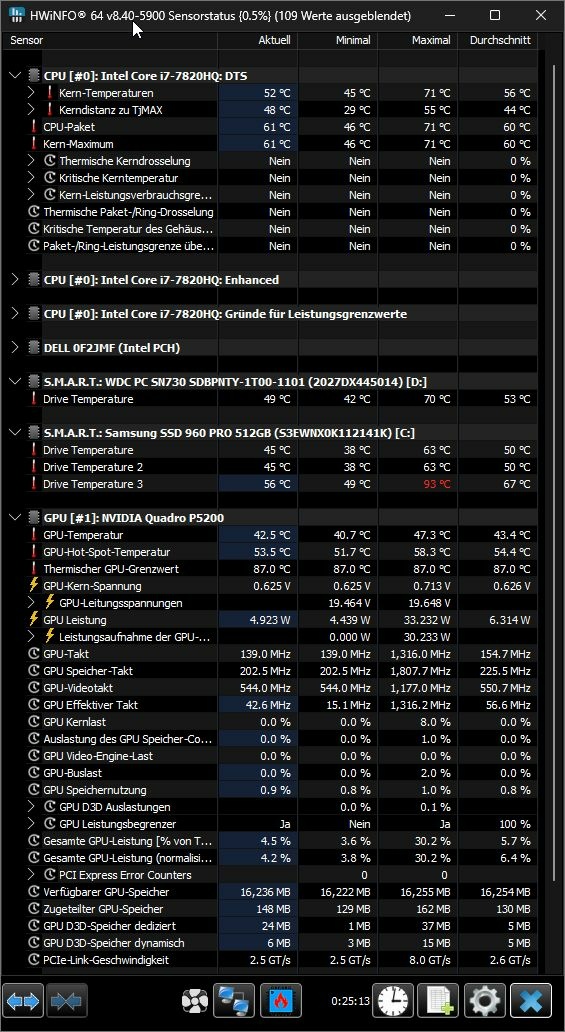
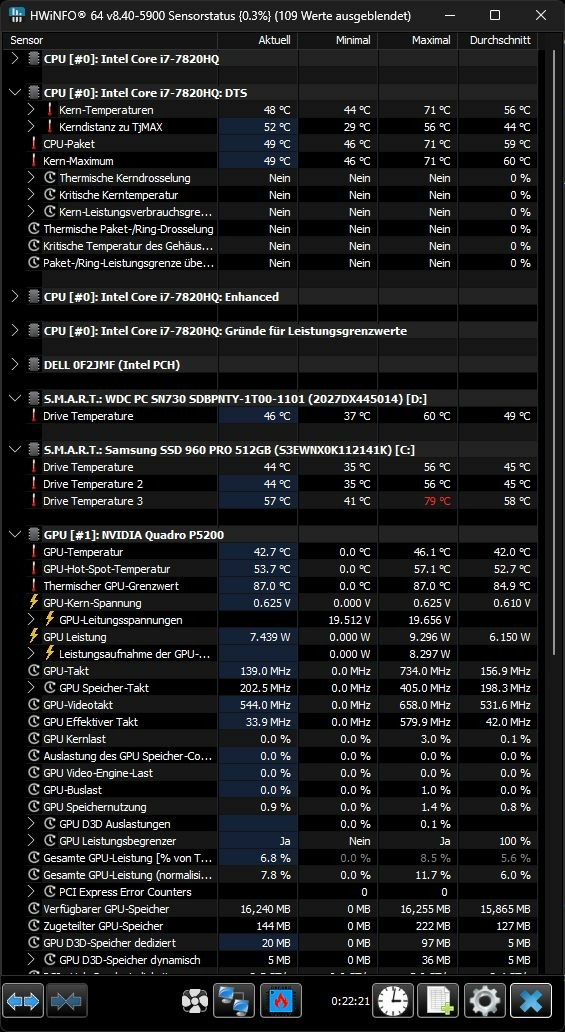
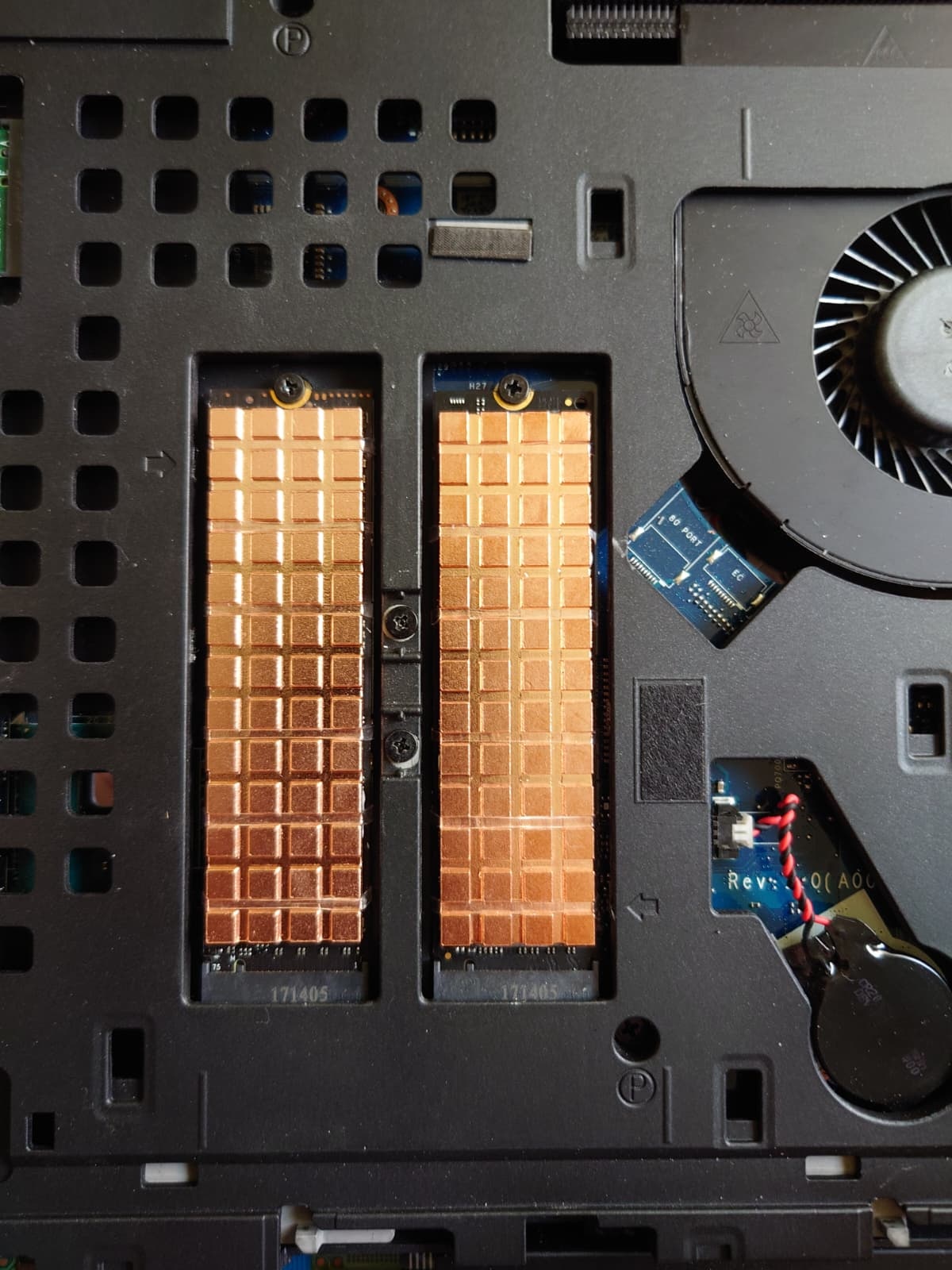
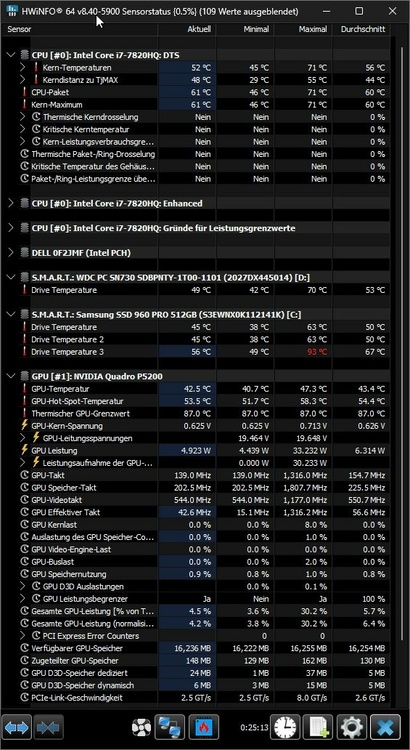
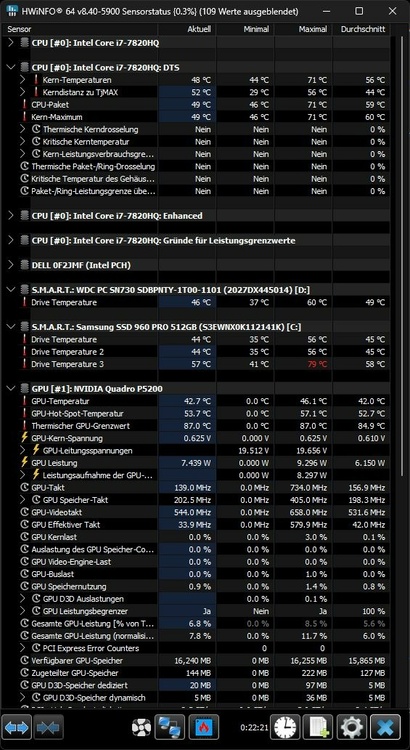
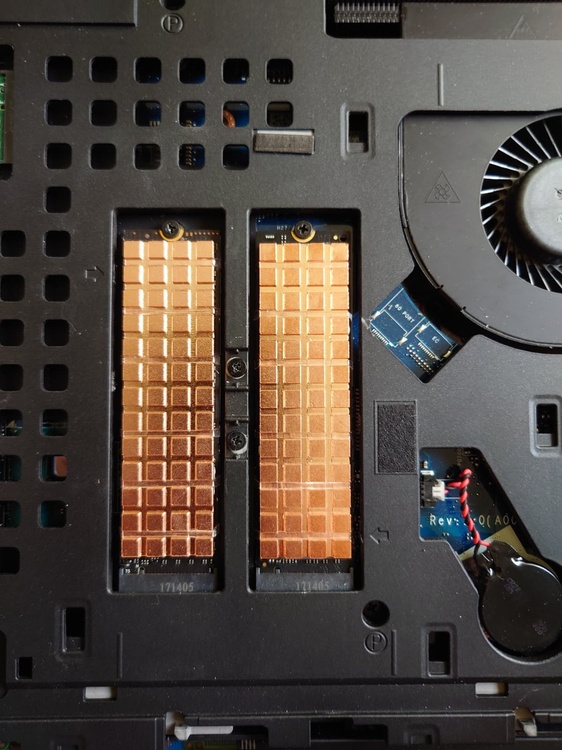
upgraded the SSD heatsinks... 10-14°c. lower temps, so was fully worth! original heatsinks: new ones: how it looks:
-
.thumb.jpeg.91722053f95a7bc78a220375413f3d25.jpeg) got the new mainboard but think not be able to install before monday...
got the new mainboard but think not be able to install before monday... -
Precision M6800 questions and upgrades
Annihilator replied to Jers6410's topic in Pro Max & Precision Mobile Workstation
yeah i know, was a daily seach on ebay to be the first... still dont know will keep both(7720 n 6800) or sel the 6800 when finished it. 🤪 but need to calculate what i paid for all those stuff... the 6800 itself was a bargain with only 100 bucks, but all those stuff i putted in its around 600 bucks, dont know will get those for it. -
Precision M6800 questions and upgrades
Annihilator replied to Jers6410's topic in Pro Max & Precision Mobile Workstation
ebay usa -
yeah, but the 7720 heatsink has much more heatpipe surface area on the heatsink itself then the M6700 heatsink + has double radiators, so just this will give much better heat dissipation, n the temps i posted couple posts ago, was CPU + GPU at full load, when gaming never CPU and GPU will be at 100%, always one will be "bored" depend whats the bottle neck(think mostly will be the CPU bcs of high settings i use), in timespy loop i was at 60°c.: NVIDIA Quadro P5200 Grafikkarten Benchmark Resultat - Intel Core i7-7820HQ Processor,Dell Inc. 0F2JMF so i have a big fat headroom... 😎 so i only need a graphics card now, then will put in the new mainboard... im really excited to see how much the XEON with those fat 128MB L4 cache will speed up the CPU limit, every bench i found was around 10-15% in pure CPU limit n around 3-8% overall.
-
think will be slightly better then the original heatsink bcs of full copper, so should be enough for a 140W card...n found 2 different RTX5000 cards, one is n19e-q5-a1 the other e19e-q5-a1, last one seems to have 150W while first one pinned to 110W... think will be easier to optimize cooling to fit those 150W then to get another bios for those cards 🤣 n u should try MX-7, u will be surprised how much it will drop the temps compared to MX-4... [edit] igor has a mx-4 vs. mx-7 test online: ARCTIC MX-4 vs ARCTIC MX-7 | igor´sLAB
-
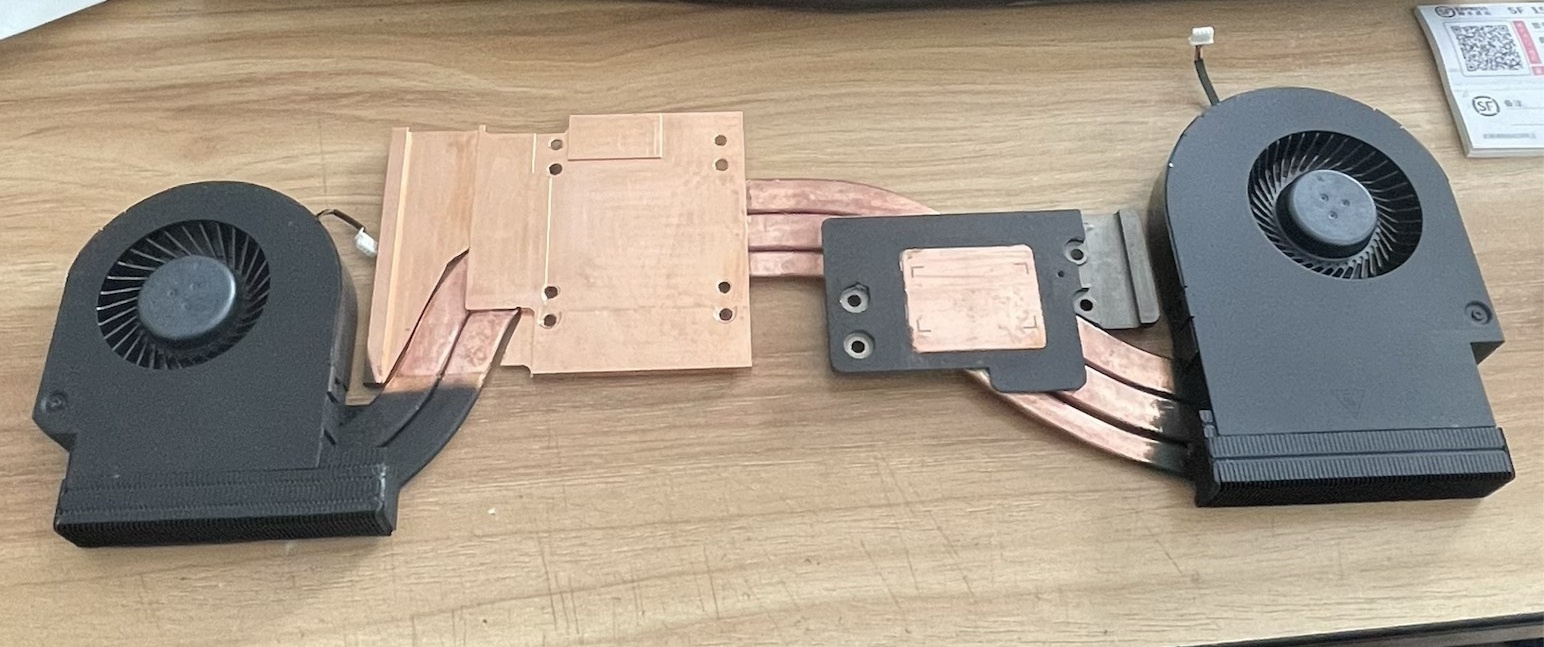
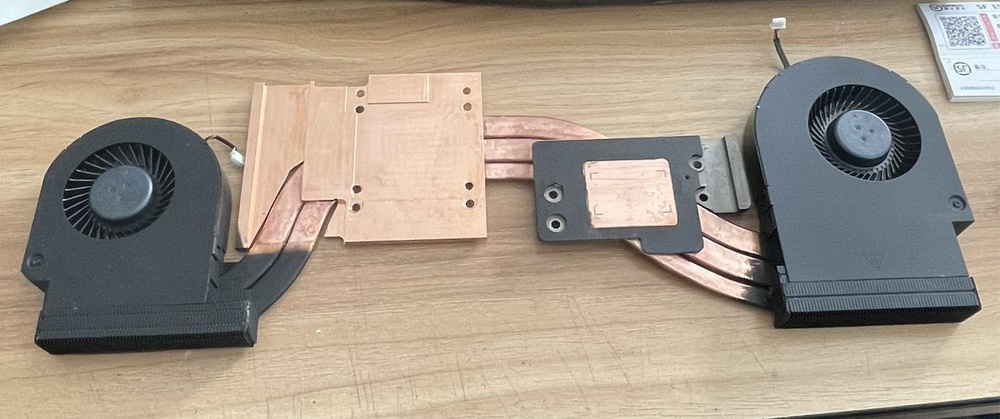
RTX heatsink is ready:
-
Precision M6800 questions and upgrades
Annihilator replied to Jers6410's topic in Pro Max & Precision Mobile Workstation
yeah, when VRM temps too high will throttle down the EDP, on the 7720 the VRMs seems to be well cooled, no EDP throttling but still not summer here, pretty sure will happen when temps goin up. -
Precision M6800 questions and upgrades
Annihilator replied to Jers6410's topic in Pro Max & Precision Mobile Workstation
yeah EDP is set by the mainboard... but the limit in the M6800 should be 61W for normal... maybe a dead VRM? -
Precision M6800 questions and upgrades
Annihilator replied to Jers6410's topic in Pro Max & Precision Mobile Workstation
running into the 61W TDP limit from the board? -
easy to resize holes, everybody can do that... but even without pre-existing holes i could do that easily(im machinist 😄 )
-
new mainboard with xeon e3-1575m v5 arrived, will take a look on the VRM section maybe will upgrade the 3 phases to a 3x2 when possible. next on the list is better heatsinks on the SSDs... they r getting over 60°c. at load that means already throttling(960 pro has a 2 step throttling; first is at 50°c. second at 70°c.), measured 2mm high heatsinks will fit easy with thermal pad, 3mm ones would need thermal paste bcs he thermal pad is even in the super slim version slightly too much for the 3mm one... n the heatsink will be fixed with silicone straps anyway, so maybe will use with thermal paste.
-
RTX A3000 12GB 130W or RTX 5000 16GB 110W?
Annihilator replied to Annihilator's topic in Components & Upgrades
nope, nothing with less then 12GB of vram... my games even in 1080p want more then 8GB... and i have the money even for a 4090 but i not willing to spend it atm on another graphics card 😁 -
seems like the older 5000 still 50% faster at the GPU limit(4k and/or maxed out) especially with RT on? so its worth to spend 250 bucks more on it? the 3080 im atm not willing to spend 700 bucks on it, bcs i already did it on PC again(9060 XT --> 9070 XT) 😁
-
i putted this one in my 7720: WiFi 6E AX210 Bluetooth 5,3 M.2 Wireless Karte Für Intel AX210NGW 2,4 Ghz 5 Ghz 6 Ghz 5374 Mbit/s 802,11 ax Für Laptop PC Win 10 11 - AliExpress 7
-
Precision M6800 questions and upgrades
Annihilator replied to Jers6410's topic in Pro Max & Precision Mobile Workstation
yeah, he made me a RTX heatsink for my 7720 too... -
Precision M6800 questions and upgrades
Annihilator replied to Jers6410's topic in Pro Max & Precision Mobile Workstation
DIY for Dell Precision M6800 GPU heatsink | eBay -
he want doin rendering, so all will be fine with SLI... for gaming will suck bcs of micro-stuttering...
-
sounds like the same prob i had with my m6800 n GTX 880M n P5200 both not shown in win even bios, both r DELL ones n working fine in my 7720, but ordered a new mainboard n we will see it will solve the prob or not
-
Zephyrus duo 16 repaste - thermal putty question
Annihilator replied to zephyrus11's topic in Components & Upgrades
maybe will help: TG Putty Basic, TG Putty Advance and TG Putty Pro from Thermal Grizzly put to the test - from usable to absolute top class, even in your wallet | igor´sLAB u can see at page 3, it starts at around 120µm(= 0.12mm) at the "Thermal Resistance Rth in cm²K/W" diagram -
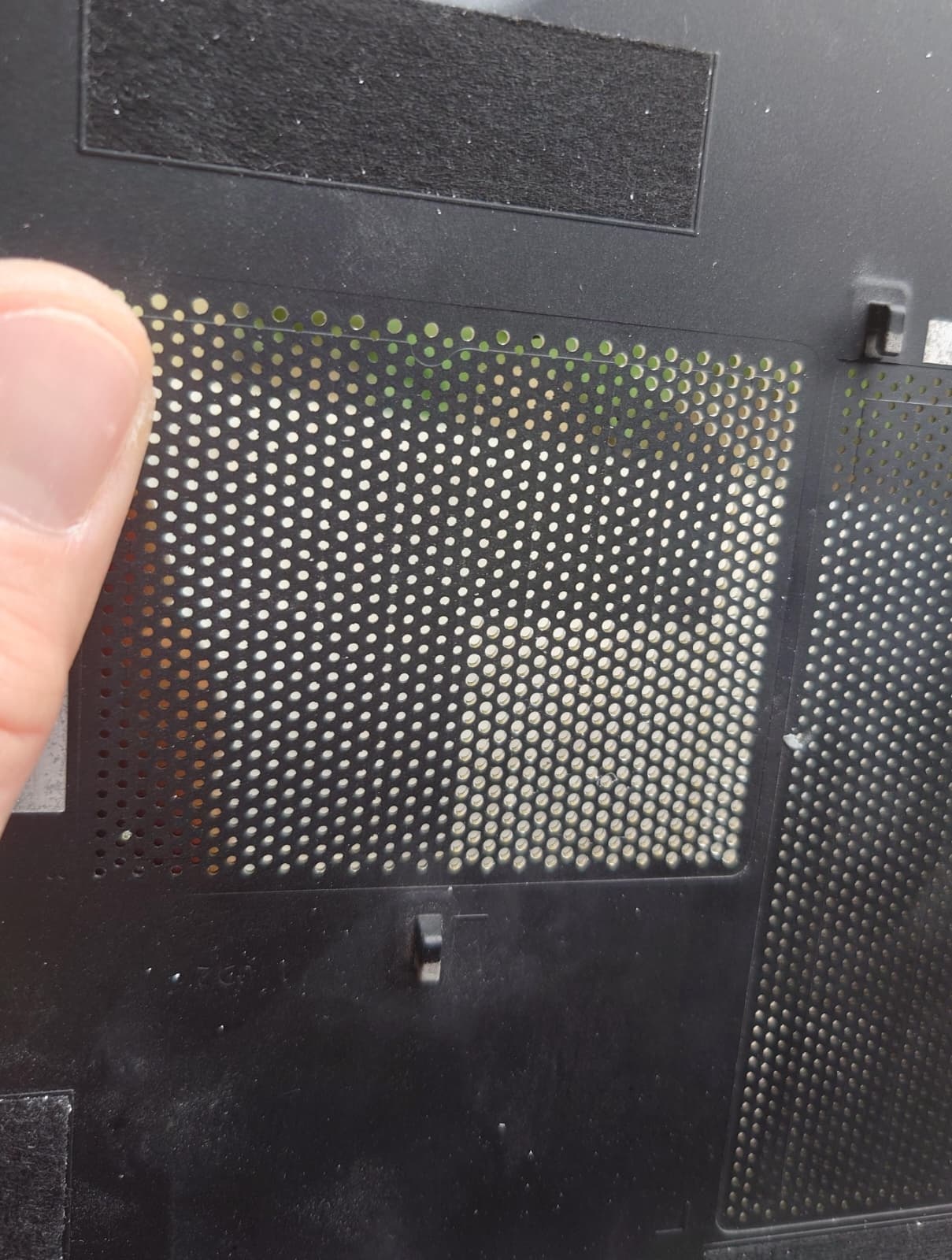
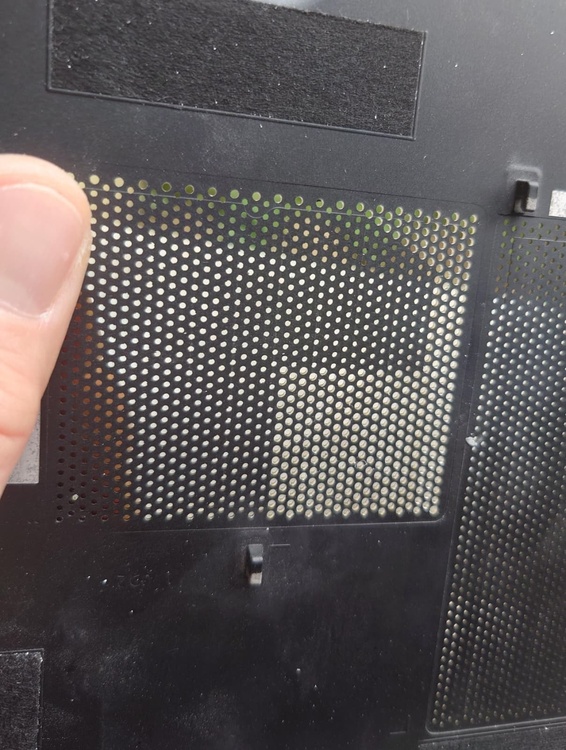
sorry for the late response... yeah took a pic while was on it... n u really able to feel the difference when u blow on the original holes, u nearly not feel anythin on the other side with ur hand, with the 1.2mm holes u really feel it, but no wonder 1.2mm holes have a 125% bigger air passage then 0.8mm: and is a f*cking boring work, doin over 1000 times the same shit 😄
-
[6820hq Skylake] Precision 7720 extreme mods
Annihilator replied to JadeRover's topic in Components & Upgrades
i think isnt a prob with the CPU bcs of the BCLK... mostly its the SSD which dont like higher clocks(PCIe runs with the same speed at the BCLK, only on some Z boards = desktop u can sperate PCIe clock from the BCLK). on my desktop system(ryzen = PCIe fixed to BCLK) my old samsung PM951 was able to run with 106MHz while my new 990 pro stops working at 102.8MHz 😞 n will try those stuff, hope the "new" mainboard with the xeon e3-1575m v5 has a old bios on it so no bios backflash mod needed 😄 that 2933MHz mem runs is fab, already looking for a 2x16GB hyperX kit, but hard to find, n those 3200 wont boot 😞 -
Dell Precision M6700 RTX Ampère and Ada Lovelace issues
Annihilator replied to SuperMG's topic in Custom Builds
u checked hotspot temps? when just one part is in the red area, will throttle... even when average GPU temp still is fine, same for VRMs, when they getting to hot, they cap the powerlimit -
Dell Precision M6700 RTX Ampère and Ada Lovelace issues
Annihilator replied to SuperMG's topic in Custom Builds
do u checked with rivatuner the utilization of CPU n GPU during a run?