
Jerryzago
-
Posts
195 -
Joined
-
Last visited
Content Type
Profiles
Forums
Events
Everything posted by Jerryzago
-
Alienware m17x upgrade (issue) 880M to 1060
Jerryzago replied to sala7blade's topic in Alienware 17 and M17x
All the steps are correct. Use DDU to remove any drivers in the system. Use Nvcleaninstall software to install the Nvidia driver. -
I am using the 552 driver version and the one from Dell's site for the Intel HD. Going through the bios settings, I have set the Video to iGFX but I am seeing both GPUs. In Bios and also Windows this whole time!!! I am not at home, but you could at least try it. I am also on full UEFI if that matters.
-
I will test and see. It's just a setting in the unlocked BIOS. Edit: Changed the settings back. Throttling is gone. Still the secondary fan is not responding to HW info and have a mind of its own. Maybe the drivers for the HD4300 from Dell's website fixed it. Which they were the latest version available, even from the ones intel have available for download
-
Quadra RTX3000 + Intel HD4000 Windows 11 issue.
Jerryzago replied to emcze's topic in Alienware 18 and M18x
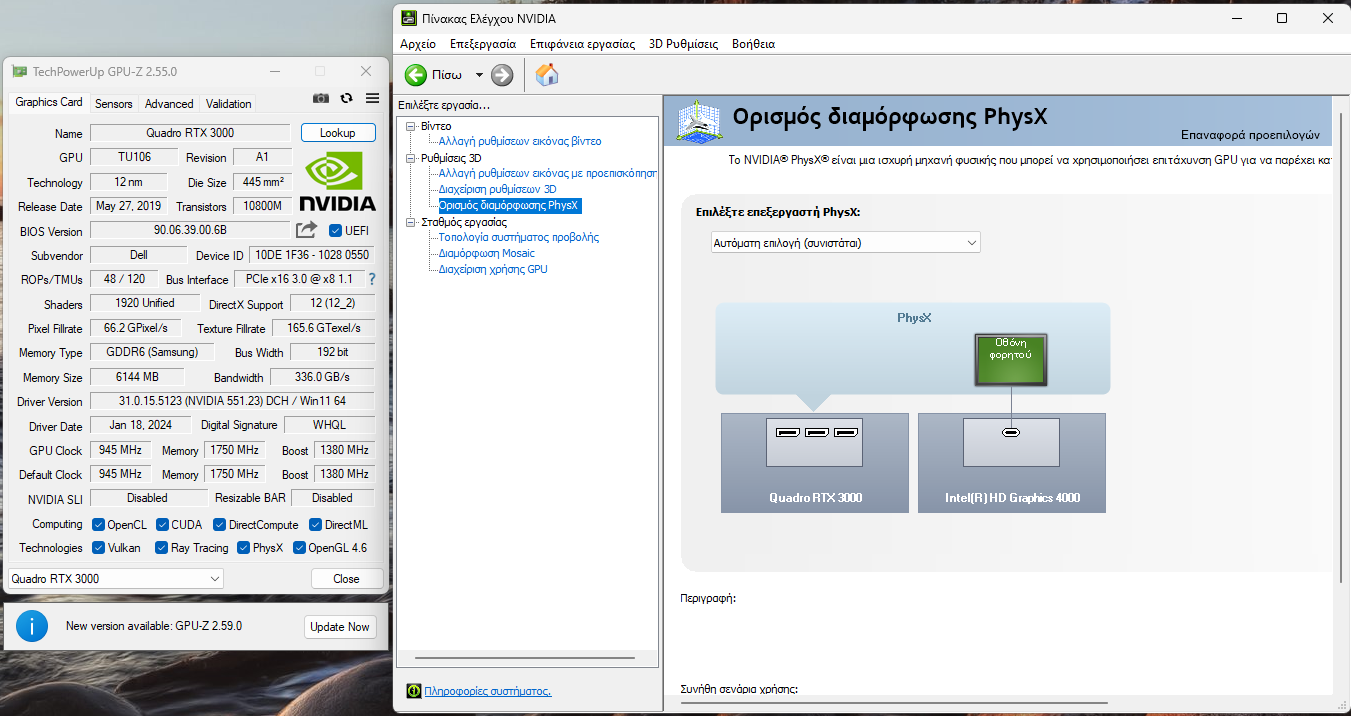
I am using Nvidia 551.23 DCH and 10.18.10.4252 (from 2015) for Intel on my M18x R2. Physx is there, because like you, I installed it from Nvidias external Package.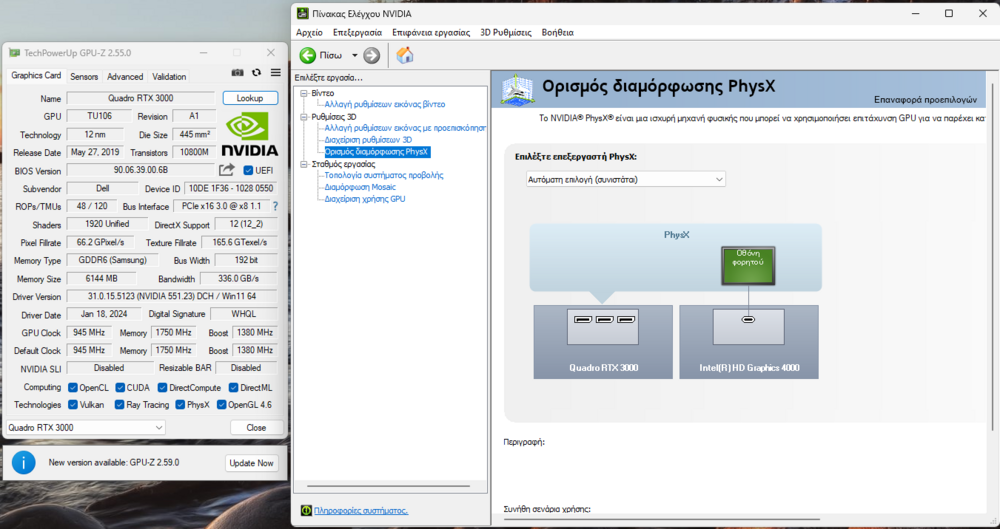
- 18 replies
-
- 1
-

-
- windows 11
- rtx3000
- (and 1 more)
-
Quadra RTX3000 + Intel HD4000 Windows 11 issue.
Jerryzago replied to emcze's topic in Alienware 18 and M18x
Then that is bad. Hope you trace the error. Maybe uninstall that overclocking program. I literally had the same error and it went away after disabling these two settings. -
Quadra RTX3000 + Intel HD4000 Windows 11 issue.
Jerryzago replied to emcze's topic in Alienware 18 and M18x
System Display settings Graphics settings Disable - Reduce letancy and improve performance Reboot and test again. Had the same issue after a windows 10 update and thought my GPU was bad. Switched to windows 11 and still the same problem. I also disabled iGPU and everything was going too slow. That setting saved me lots of troubleshooting- 18 replies
-
- 1
-

-
- windows 11
- rtx3000
- (and 1 more)
-
I used it. Does nothing
-
Quadra RTX3000 + Intel HD4000 Windows 11 issue.
Jerryzago replied to emcze's topic in Alienware 18 and M18x
From advanced graphics, disable gpu scaling. It doesn't play well with our systems. Had a post about this issue a while back- 18 replies
-
- 1
-
-
- windows 11
- rtx3000
- (and 1 more)
-
HP one? Cause PNY is a no go in editing and BIOS flashing. I wanted to flash HP Bios to PNY and failed miserably
-
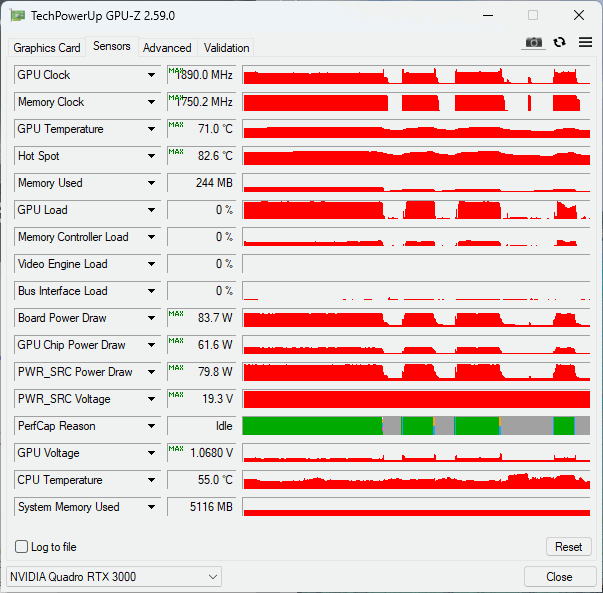
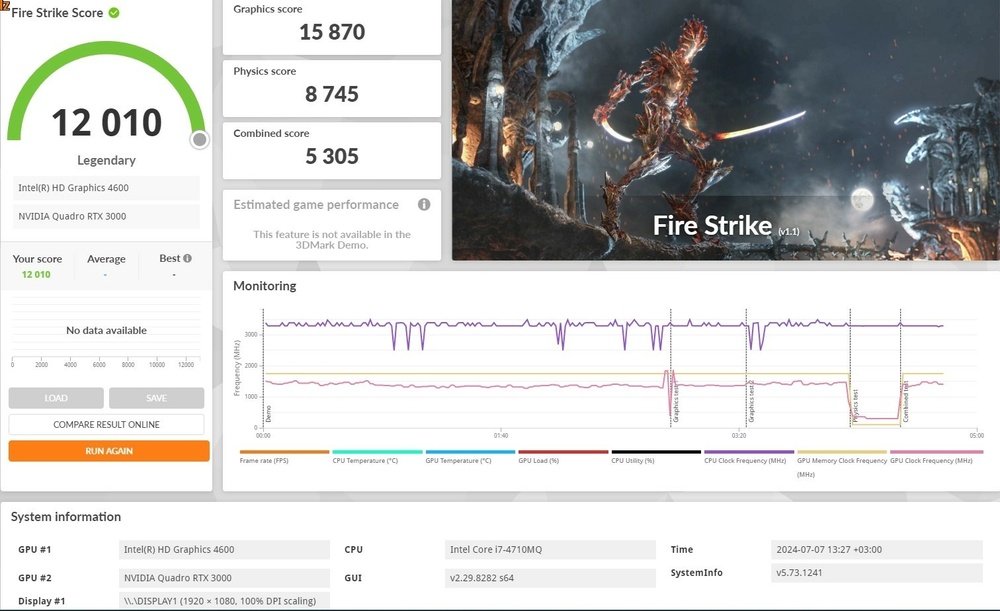
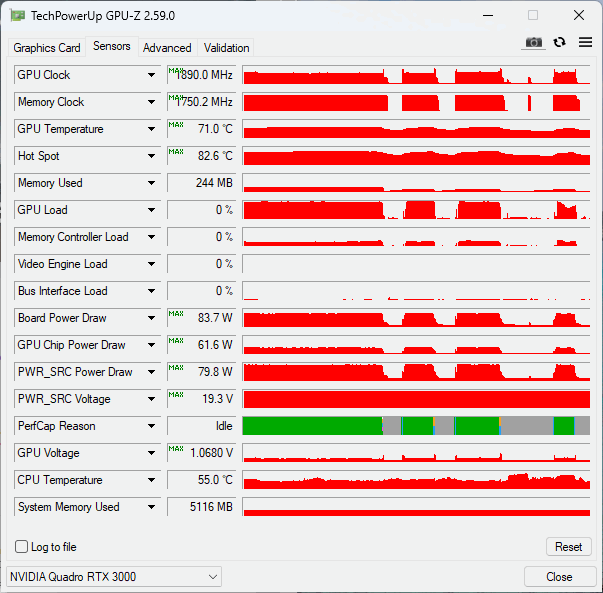
M18x R2 can keep Core voltage to 1,063 all the time and can boost 1890MHz core speed most of the time. 17 R1 cannof for some reason. I still am struggling with BIOS setings to figure why core voltage is so low, depsite board receives 80Watts almost all the time. And yes, CPU impacts the most on Physics Points. 4710 turbo to 3,5 and for a small time window. A 3920mx/3940mx has the 3,5GHz out of the box.
-
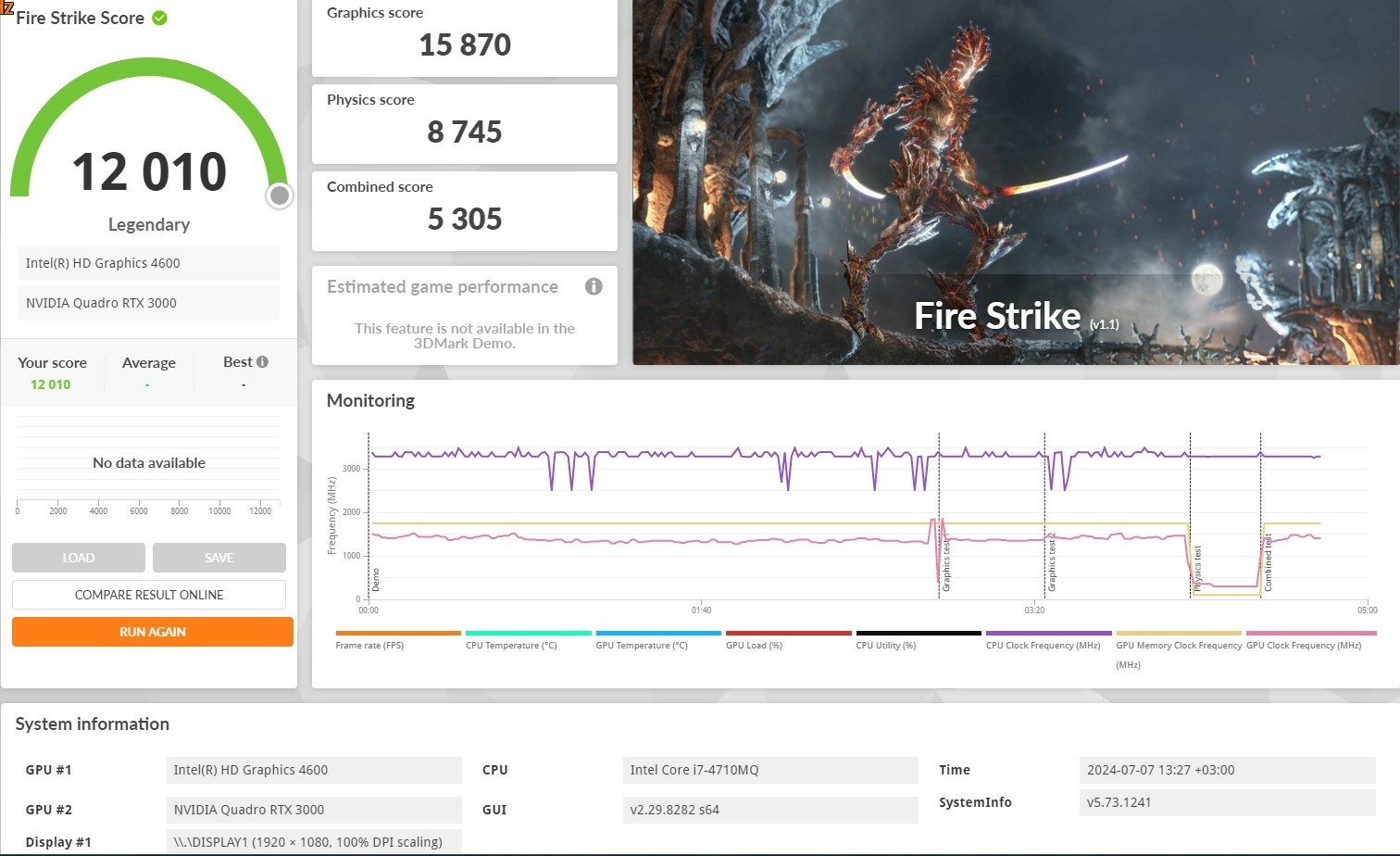
My 17 R1 with 4710mq and RTX3000 https://www.3dmark.com/3dm/114130698?
-
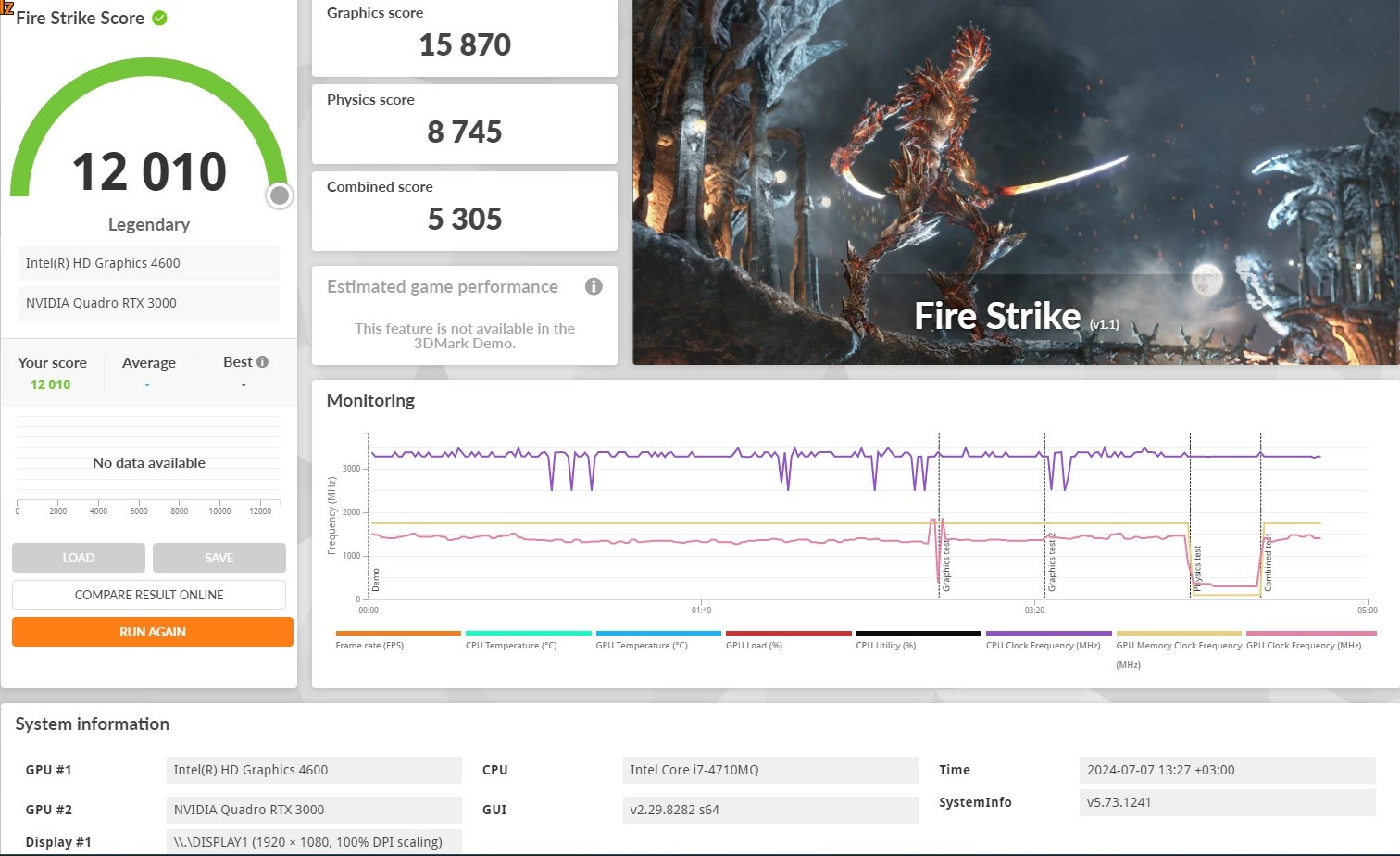
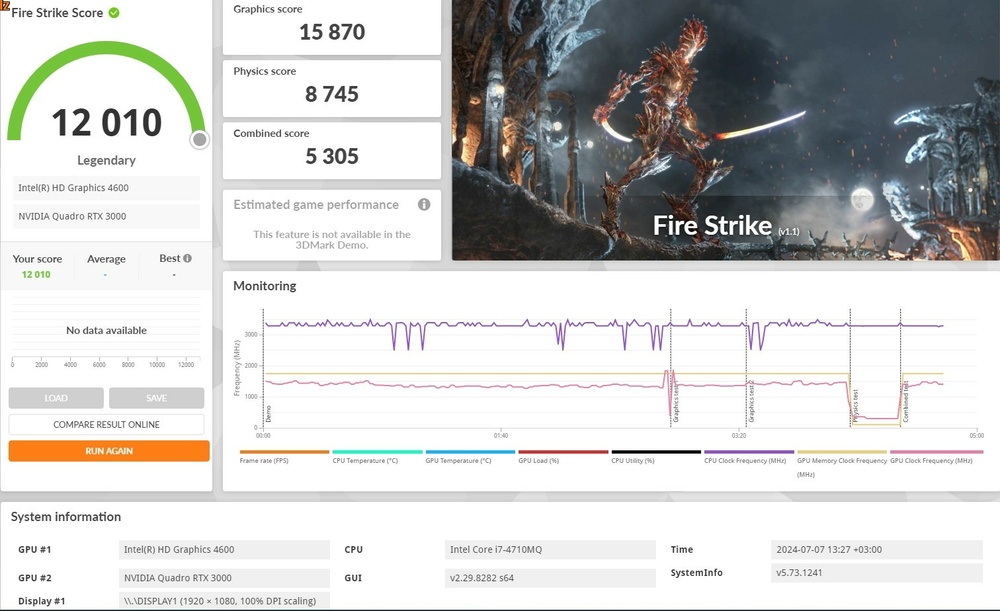
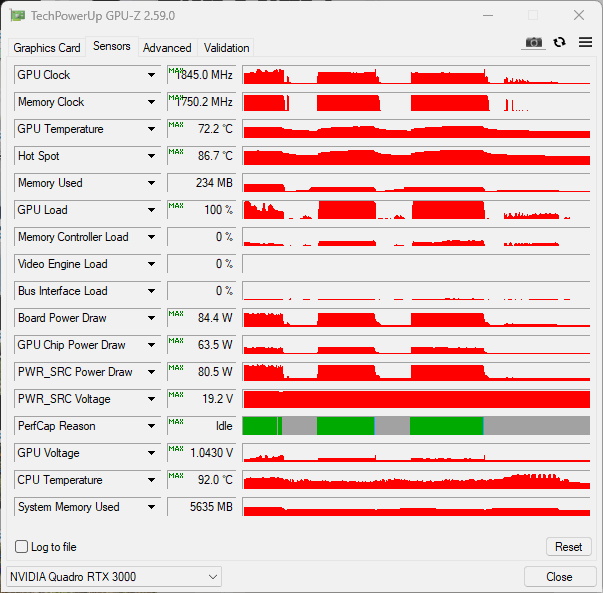
After "going overboard" and placing a Clevo Backplate, covering almost the Power Supply area, the mosfets side to the Core and applying again fresh thermal paste, I don't think I can get the GPU less cooller. HWinfo doesn't have any control over the GPU fan at all, so tests were made with system fan curves. Here is Firestrike with (propably) better temparatures. https://www.3dmark.com/3dm/114130698?
-
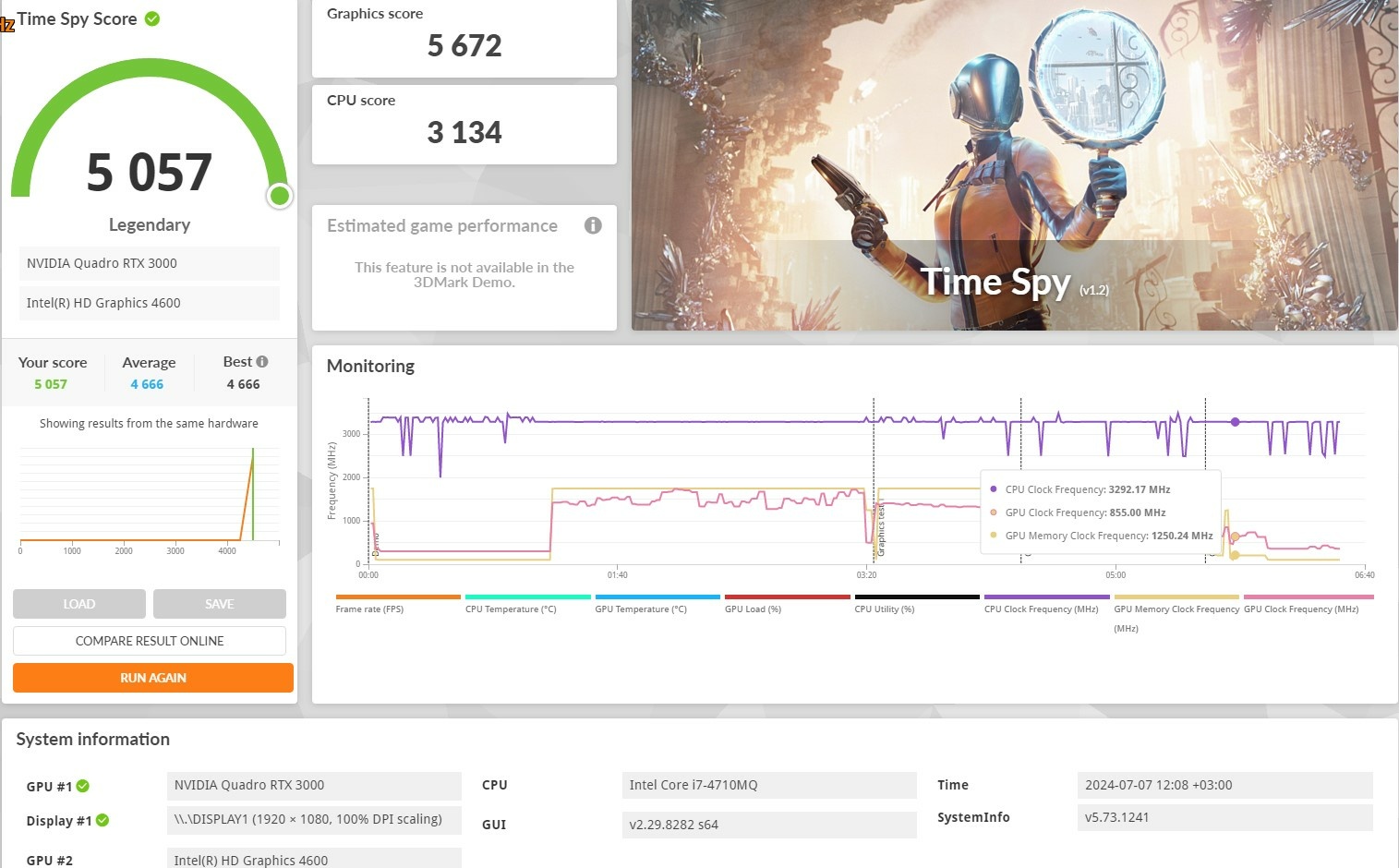
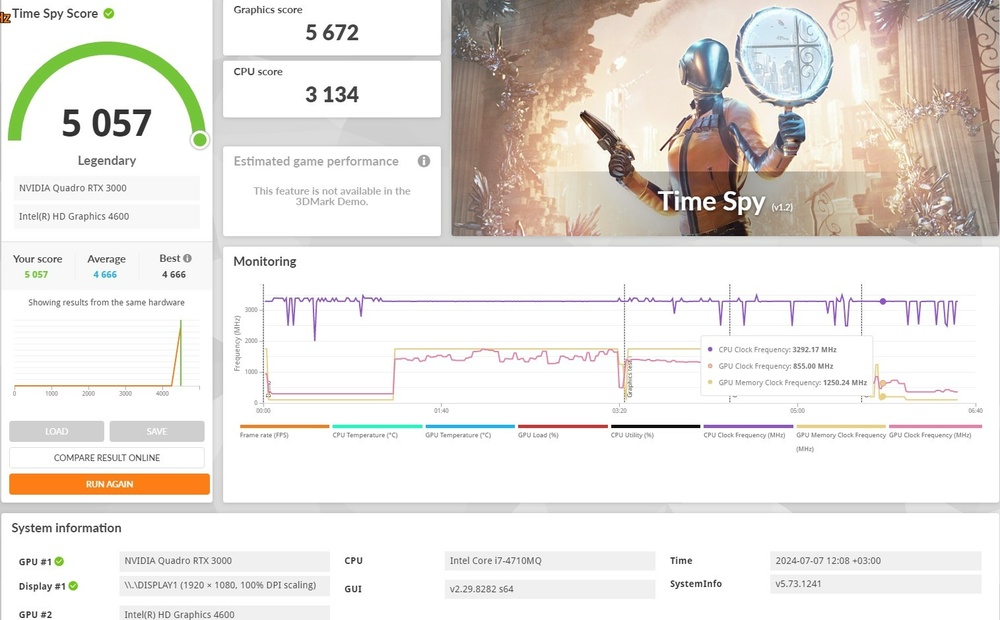
Here is a Time Spy bechmark. No throttling, only Pwr limited https://www.3dmark.com/3dm/114127384? Will do a repad ans see if it gets any better. Also in unlocked BIOS, I have set the Video confuguration to iGFX and I can still see both GPUs in Windows and BIOS. Weird....
-
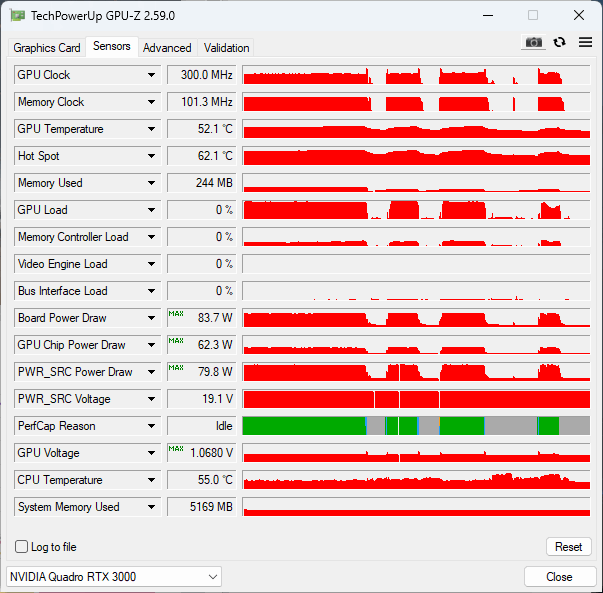
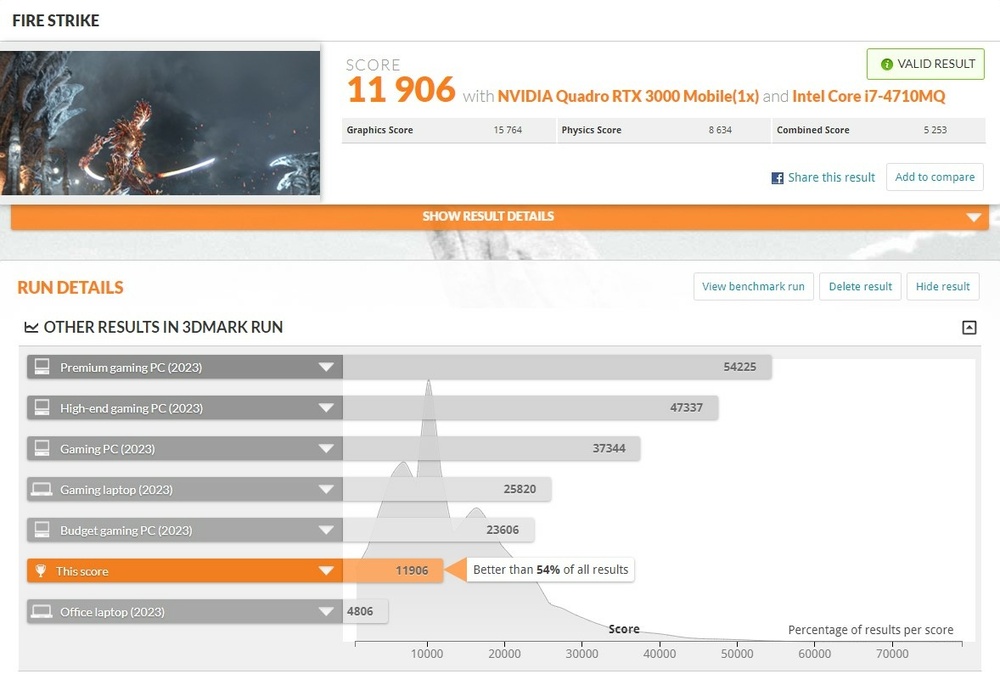
Well after having a "blast" trying to flash the unlocked A14+ Bios and trying to find some settings worth my time, I did find that fan no0 (CPU) was at 100% (propably) and fan no1 (GPU) was at 75%. 55 degrees was the kickstart temp for both. Setting fan no1 to 100, finally made it revolve at 3400 rpm all the time, and probably I got a better result in firestrike. Also NO throttling AT ALL. Core speed, Memory speed and Wattage were stable at all times. Though core speed stayed at 1400MHz. Temps were a bit high since Hot spot reached almost 87 degrees, but that can be improved, because due to many experiments I might need to redo thermal pads and thermal paste. It looks promishing though and posibly a cultprint. PNY Bios seems to be more involving in protecting the GPU itself. Firestrike Results https://www.3dmark.com/3dm/114102677?
-
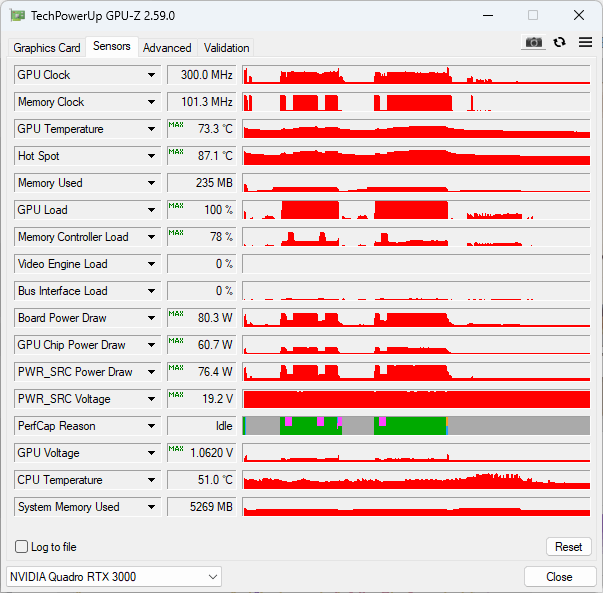
Here is a log when I run Time Spy to get a basepoint ,where the performce is. 4000 by the way. I have stydied your posts regarding the RTX in the 17 R1. Though it throttles when it reaches 80watt AND 1,06V core voltage and 1800MHz cores speed. Behavior is like back in the days when 980m SLI was throttling on M18x R2 and got solved with the throttle free procedure. I tried to flash the HP Quadro RTX 3000 bios to the PNY but with no luck. It detects is as an older version, but it fails to start programming, even though I set the Bios protection to off with the correspondig command. I only tested the fan in the diagnostics, and since it has a fully working 880m GTX, I was left to believe that it works. I also didn't see it in the HWinfo tabs, not only before I intall a EC compal driver from this forum. Now I see it spins at 2000rpm at max. Also it spins at boot and at shutdown. That I can verify with my eyes. I belive that the sytem that detects that fan is spinning at 2000rpm, is preventing the GPU to run constantly at 80watts. Maybe an PNY Bios interlock, that HP variant doesn't have? A bios editor and a Bios programmer could give us an answer. I have both vBios at my disposal for anyone to compare. Lastly, the HP variant can be flashed with the nvflash64 app freely. I even bricked it once, flashing both bioses found at the techpowerup page. Both Nvidia and Dell vBios, brick the HP one. Lastly I used the 330watt (And 660watt dual PSU) from my M18x R2, so power delivery is not an isuue here.
-
I jumped on a bargain and got a 17 R1 from the FB marketplace in a decent condition. It has a I7 - 4710 and a fully functional 880m GTX. and the 60Hz screen. Also an almost dead 500GB slow HDD drive that took almost 3min to boot to windows. Lastly battery was missing, 3 keys from the keyboard are also missing and the WiFi adapter (Broadcom E200) was working at 12Mbps atr best. So I went down the upgrade lane. I put an Samsung SSD I had lying around and a Western Digital Black for storage. Internal mSATA is also vacant. I put an Ultimate N6300 for WiFi and tried to benchmarked it. Temparatures were too high so everything had to come off. Thermal paste was bone dry and had to be scraped from both heatsinks. Thermal pads were decent. I run diagnostics prior booting and everything were fine. I went ahead and replace thermal paste for the CPU and replaced the GPU with my PNY RTX 3000. Installation is better from my M18X R2 because the two mosfets left from the core, are now covered from the 3 heatpipe of the 17 R1. Idle without fans were around 50 -55 for both CPU and GPU hotspot. I run a firestrike just to have a general idea of mesurement and I got an error. I disabled the GPU scaling from the Windows settings and fired it up again. Throttling of the GPU was present and core voltage didn't exceed 0,72 Volts. Core speed reached 1800MHz and memory 1700MHz and utilization was at 99%. GPUz reported Pwr and Thermal as throttling reasons (Purple and Green indicators). Temps never ecxeded 75 degrees. But I noticed the GPU fan wasn't working. CPU fan was on full blast when needed. I installed HWinfo and manually set the fans at full blast. GPU fan wasn't revolving at all. Neither at manual setting nor when putting custom values. I dissasembled it and the fun worked when powering on the laptop and when shutting it down. I am pointing out, that when GPU was working perfectly, board power was at 81Watts, Utilization was 99% and clocks were at their limit. Anyone have any idea why each fan has different control? HWinfo Compal EC reports only one fan and speed was set with EC controller turn on and off, but with no luck. GPU fan refused to work. Any Ideas?
-
Ray Tracing on M18xR2 - RTX 3000 MXM Upgrade!
Jerryzago replied to ssj92's topic in Alienware 18 and M18x
I was lucky. I got the HP for 200 euros and manage to grab the PNY for 100 euros. It is not hard, you can do this. I used only hand tools to fabricate a bridge to cover that area I needed. My next project will be to install a 980m at the primary slot and the RTX to the secondary and try to boor in PEG mode. So I will disable the igpu completely, and when I play a game, RTX will take the heavy lifting. Please do provide us feedback and I would like to see your approach during your install -
Ray Tracing on M18xR2 - RTX 3000 MXM Upgrade!
Jerryzago replied to ssj92's topic in Alienware 18 and M18x
I currently use the HP one. Modifications are necessary. I got an extra heatsink to chop and hack. Also I added an extra bracket to hold the GPU in place. None of the screws align with the board. Also one of the two MXM latches, needs to be removed. So far it's working like a charm. I tried some vBIOS I found online. I only manage to brick the GPU. So I use the original HP one (or at least, the one that came with). PNY/Aetina variant, though it works with original heatsink without mods, screws in place as it should, it has two mosfets in an area thay the heatsing doesn't cover. I used an aluminium block and thermal pads to transfer heat to the heatsink and the northridge heatsink. But it's temps were higher. When I have the time, I will make a post about the HP install. -
Ray Tracing on M18xR2 - RTX 3000 MXM Upgrade!
Jerryzago replied to ssj92's topic in Alienware 18 and M18x
I have both HP and Aetina/PNY RTX 3000. Both of them work out of the box. HP gpu still has the hp vbios and is working a bit cooler than the PNY one. -
Ray Tracing on M18xR2 - RTX 3000 MXM Upgrade!
Jerryzago replied to ssj92's topic in Alienware 18 and M18x
Though I am not sure, if that 970m is a g-sync model, it will throw 8 beeps. It only works in SG mode through the unlocked bios -
@aldarxt @Maks0098 Thank you both for the clarifications. Try using the throttle free trick, I worked for the M18x back in the day.
-
P4000 is a 1060/1070 variant. Since you run it in SG mode, you already have the A11 unlocked BIOS. No dissasemble is required. Setting iGFX and SG mode, will surely boot. Dom't select PEG or auto mode. Tesla M6, being a 980M surely draw 125watts at full load (and boost). I never overclocked mine to see its maximum draw. Also, why in SG mode? Should have worked in PEG mode, because it is a 980m?
-
Looks like back then when we had first tried out the 980m. 135watt is an overkill for the slot. I have seen 120watt at tops, and only after doing the procedure to eliminate throttling. With 980m it was a necessity, even after doing the two PSU mod. For me, power draw was 580watts, even with my old 3720qm. Try doing this. Shut down your PC Boot in Bios Select unlocked advanced menu Set gpu to Igfx Reboot saving settings Enter Bios once more Select unlocked menu once more Set gpu to SG and reboot to windows Check if that fixes the fluctuations in clock speeds and also power draw.
-
Hello. Nice choice of gpu. Did you manually edited the drivers.inf file by yourself, or did you used Nvclean install software to mod your drivers? Use DDU uninstall, remove any existing drivers, and then use NVclean Install to setup new ones. Select any version from the list you like.
-
Nicely done. Sadly M18x R2/M17x R4 runs in PEG mode either in Legacy or UEFi with 880m and backwards. Upgrading to unlocked bios can support PEG mode for 980m. Going higher than that ex 1060, will require SG mode. Setting PEG mode will trigger 8 beeps on Post, because these generation of GPUs don't support LVDS panel. 120hz screen of the M17x R4 is edp, that is why it works woth the P4000/1070 GTX gpu.