
tps3443
-
Posts
2,126 -
Joined
-
Last visited
-
Days Won
88
Content Type
Profiles
Forums
Events
Everything posted by tps3443
-
*Official Benchmark Thread* - Post it here or it didn't happen :D
tps3443 replied to Mr. Fox's topic in Desktop Hardware
Battlefield 2042 “300FPS Low settings test” 13900KS@6.1P/4.8E/5.1R MSI UNIFY-X DDR5 8000c34 -
*Official Benchmark Thread* - Post it here or it didn't happen :D
tps3443 replied to Mr. Fox's topic in Desktop Hardware
What kind of laptop did you get? PS: I tuned out DDR5 8000 C34! This Unify-X is a GOOD ONE!!! This is crazy. I have never been able to do this so easily before. 8000c34 like its nothing. This KS has totally transformed this motherboard somehow. 🤗 -
*Official Benchmark Thread* - Post it here or it didn't happen :D
tps3443 replied to Mr. Fox's topic in Desktop Hardware
I don’t think the KS is a waste, I think it’s worth the extra coin over a standard K any day if the week. This was my whole point, because I tested (2) KS SP117, and SP104 and both were incredible chips ( both hit the same limits) I cannot say the same for K chips. My SP104 KS is better than my SP110 K. 🥹it’s better by -0.050MV I think any KS is worth it over K if using an AIO. Because my SP104 does 1.200V for 5.8Ghz you could easily tune out a nice ultra low power stock boost on an AIO. Probably delid first then put on AIO. Something is different with the KS. They love power, and don’t mind heat as much. Hold that stability easier, when things get heavy. But I see what you mean 100%! Spend less get almost the same lol. I guess if someone did not care if their chip was burning hot and OCed badly then yeah definitely a K is way to go. Or better yet just a 13900F. -
*Official Benchmark Thread* - Post it here or it didn't happen :D
tps3443 replied to Mr. Fox's topic in Desktop Hardware
I tested all chips under the exact same conditions. Chiller is set the same everyday and the water is 15 low 18C high. Direct die Supercool Gen13. The SP117 was always -0.050 better at the same frequencies. If I had to pick SP117= $1,500 6.1/4.8/5.2 SP104= $803 6.1/4.8/5.1 I would take my SP104, it overclocks just as good with only a bit more voltage. It may do better on an AIO. But, overclocking a 13900KS on an AIO seems silly to me. I would run one stock and be happy with it, if I had an AIO. @Talon I think so! I’m over the moon with the low 104 SP KS lol. Amazing chip man. I’m content. -
*Official Benchmark Thread* - Post it here or it didn't happen :D
tps3443 replied to Mr. Fox's topic in Desktop Hardware
I never checked it’s MC SP. -
*Official Benchmark Thread* - Post it here or it didn't happen :D
tps3443 replied to Mr. Fox's topic in Desktop Hardware
You're right! I had no IDEA I was IMC limited! I was thinking this earlier as well. I thought I was motherboard, or even memory limited all this time. And seeing my 13900KS just boom bang, what's up, DDR5 8000, posted and in windows gaming/benching/working no effort at all lol. 🥳 This chip is MC79, did not check IMC on my 13900K, I pulled that crappy Apex out already. -
*Official Benchmark Thread* - Post it here or it didn't happen :D
tps3443 replied to Mr. Fox's topic in Desktop Hardware
@Mr. Fox Ghost Spectre Windows 11 Superlite Version | TechLatest (tech-latest.com) Click that ^ Link scroll download and download this one. It’s all versions, and during install lets you pick Superlite, or compact, with or without defender. And it has a company prompt on desktop that lets you simply add features like DirectX,.NET frame work. Etc. I have Win 11 Spectre Superlite without defender installed. And I added Xbox game pass from command prompt. It’s really nice! Performance is amazing. UPDATE: if you see an error during the install just go back and retry it will work the 2nd go around. -
*Official Benchmark Thread* - Post it here or it didn't happen :D
tps3443 replied to Mr. Fox's topic in Desktop Hardware
It’s absolutely stable at DDR5 8000 so far. I’m still working right now actually on several virtual machines and 6.1Ghz and DDR5 8000. If I run a ram stability test, it’s just gonna overheat and error out though once it hits 45C. My memory is air cooled 😔 -
*Official Benchmark Thread* - Post it here or it didn't happen :D
tps3443 replied to Mr. Fox's topic in Desktop Hardware
Gaming. Playing Battlefield 2042, and shader compile on The last of Us. I honestly feel like my 13900K may have been IMC limited now seeing this. I can hit 8000 from a full bios reset and not touch any supporting voltages. Just DDR5 8K and boot to windows! Shocking. Is it truly stable? I have no idea. I’ll find out. -
*Official Benchmark Thread* - Post it here or it didn't happen :D
tps3443 replied to Mr. Fox's topic in Desktop Hardware
Yep! I do not doubt your motherboard friend, I was just quoting a review site, I copied and pasted lol. Any Z690/Z790 should do the trick! -
*Official Benchmark Thread* - Post it here or it didn't happen :D
tps3443 replied to Mr. Fox's topic in Desktop Hardware
MSI Unify-X DDR5 8000 is throwing down! First attempt with the KS, can’t believe it’s actually stable so far. Amazing board. -
*Official Benchmark Thread* - Post it here or it didn't happen :D
tps3443 replied to Mr. Fox's topic in Desktop Hardware
"""The KS model has the same default profile as the 13900K but also has its own new Extreme Power Profile that allows for a 320W PL1/PL2 and 400A ceiling. You'll need to ensure that your motherboard can deliver the peak current if you want to unleash the full power of the KS, as not all motherboards can for a long period of time. Motherboard vendors allow assigning a higher ICCMax value in the BIOS, typically under settings like "Core/CPU Current Limit" (the name varies by mobo maker), but that doesn't mean the motherboard can actually deliver that amount of current. Obviously, B- and H-series boards don't make the cut.""" ^As for the power of the 13900KS, this would make it have a better warranty I suppose lol. @Mr. Fox is using a SuperCool Gen 12. I sent him my old one. I am running a Super Cool Gen 13. Both are very similar and slightly different. I think they perform within about 3-5C of each other at best. But the Supercool is better than EKWB Direct Die. Direct Die is a game changer! -
*Official Benchmark Thread* - Post it here or it didn't happen :D
tps3443 replied to Mr. Fox's topic in Desktop Hardware
13900KS is rated to 320 watts and around 311 amps, and 100+ Celsius or so. I’m right at 379 watts Power out, and 280 amps. This is all within spec, and running nice and cool! My 13900K has been in service since December. And always ran at 6.0Ghz+ with nice and low temps. No degradation. I avoid high temps, and I stay away from long extended stress tests. I conduct stability testing through real world situations most of the time. I degraded my Intel 7980XE a good bit by hammering heavy loads constantly and high temps always 90C+ it lost that edge fast on an AIO cooler. -
*Official Benchmark Thread* - Post it here or it didn't happen :D
tps3443 replied to Mr. Fox's topic in Desktop Hardware
hey man, a KS is a KS!!! Direct die and roll on. I couldn’t get anything more out of even an SP117 13900KS. So, I’m really wondering what’s the point? KS is just good either way! The difference in voltage between SP104 and SP117 is so minimal. I bought a KS, it’s an SP104! Lol. Binning done. 😂 -
*Official Benchmark Thread* - Post it here or it didn't happen :D
tps3443 replied to Mr. Fox's topic in Desktop Hardware
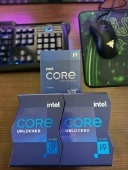
This is my below average 13900KS (SP104) Good or bad? -
*Official Benchmark Thread* - Post it here or it didn't happen :D
tps3443 replied to Mr. Fox's topic in Desktop Hardware
I really don’t think either is better than the other in significant way. The KS doesn’t have as good of E-Cores, or as good of a Ring as the 13900K does, but the KS can run slightly lower P-Core voltages. For example you can bench/game on the 13900K with 5.3Ghz ring. But the KS would lock up loading windows lol. I’m also running 15C water daily, so during ambient water that KS could vary well collapse under the regular 13900K with that much higher P-SP rating. -
*Official Benchmark Thread* - Post it here or it didn't happen :D
tps3443 replied to Mr. Fox's topic in Desktop Hardware
I’m back with my MSI Unify-X!!! I re-assembled everything quickly and it loads windows right away at my 6.1P/4.8E/5.1R this is a profile that either of my 13th gen K or KS will run for daily usage. The Z690 Apex was beautiful looking piece of equipment. But, it didn’t perform. I won’t be so quick to swap a motherboard again! It would take a Z790 Dark/ Z790 Apex. And only a legit Z690 Apex. (but even then It would be tough to put any Z690 Apex to the test again) Okay, let’s get it Unify-X. I missed you dearly!! 🥹 -
*Official Benchmark Thread* - Post it here or it didn't happen :D
tps3443 replied to Mr. Fox's topic in Desktop Hardware
I think it’s a 2021 model sold as a 2022 lol. The 2022 Apex boards received major updates to the dimm soldering, traces, and cpu pins apparently. (Some said the 2022 was over re-engineered) so the 2022 Apex’s were just killer boards. Unfortunately not that many out there in the wild. The Apex is an already exclusive product! Always sold out. -
*Official Benchmark Thread* - Post it here or it didn't happen :D
tps3443 replied to Mr. Fox's topic in Desktop Hardware
I have never had this issue that he is describing. I have tested over 10+ 13th gen i9 chips K/KF/KS, numerous remounts and every one could run 7200+ XMP with tuned timings right out of the gate on my Z690 Unify-X motherboard. But I do think there could be some potential weak socket pin issues going on. When I first installed my KS in to the Asus it threw a code 55 lol. I think maybe just the Z690 Apex is heavily inadequate. I thought DDR5 7000 was good, until I went and tuned the timings up. Then I quickly discovered it’s not. It would probably need to run like DDR5 6400 C36 to be happy. What a terrible motherboard. You really think If I went bending up pins I’d have better memory overclocking though? -
*Official Benchmark Thread* - Post it here or it didn't happen :D
tps3443 replied to Mr. Fox's topic in Desktop Hardware
I get excited over any new AAA/FPS games. Lol. Something new to look at, new graphics settings to tweak. And a new story. -
*Official Benchmark Thread* - Post it here or it didn't happen :D
tps3443 replied to Mr. Fox's topic in Desktop Hardware
I feel like I’d be better off getting the Z690 Apex on hwbot which does DDR5 8200+ for $300 it’s missing all of the covers and heat sinks and accessories. Which I have a perfect donor for all of that 🙂 -
*Official Benchmark Thread* - Post it here or it didn't happen :D
tps3443 replied to Mr. Fox's topic in Desktop Hardware
Good news is. I have filed a warranty claim for the Asus Z690 Apex. The S/N was right on the back of the motherboard. This is definitely a 2021 model from the looks of it. I’m wondering will the replacement be better? Is Asus even going to say this is a problem? Hopefully they don’t throw in some slow DDR5 6000 c36 and test it. This seems like its a real problem to me. My Unify-X will do so much better than this thing. EDIT: Board just failed at DDR5 7000 lol. My goodness. -
*Official Benchmark Thread* - Post it here or it didn't happen :D
tps3443 replied to Mr. Fox's topic in Desktop Hardware
It has these three stickers on it. EDIT: memory seems to be stable at 7,000Mhz. -
*Official Benchmark Thread* - Post it here or it didn't happen :D
tps3443 replied to Mr. Fox's topic in Desktop Hardware
It doesn’t have any sort of S/N stickers on the board it’s self. The seller just said “The box is 2021, but the board is a 2022 replacement they sent me” no S/N stickers anywhere on the actual board though. -
*Official Benchmark Thread* - Post it here or it didn't happen :D
tps3443 replied to Mr. Fox's topic in Desktop Hardware
It’s definitely the motherboard. It errors out in the Aida 64 memory test. Which is a fairly weak memory stability test already 🤦♂️. Even just XMP 7200 ultra loose timings low tREFI. I even bumped all supporting memory voltages IMC/VDDQ TX/ SA by a good unrealistic amount that would even be needed. It’s gonna be a no go on this one. I feel like this is not a 2022 Apex, and some one got me. Because if it was it would run 7800+ easily. Some can even do 8200-8800 performing equally as good as their Z790 Apex bigger brothers. (Luck of the board lottery of course if hitting 8000+ DDR5) The MSI Unify-X Z690 is kicking this thing straight in the pants!




