i.bakar
-
Posts
100 -
Joined
-
Last visited
Content Type
Profiles
Forums
Events
Everything posted by i.bakar
-
well since i was asking the exact same questions earlier ( i'm still are ) here is my experience with some of the above mentioned thermal pastes - alienware M18X R1 1- used mx4 on the 2960xm on the m18x r1 for 1 week, temps was not manageable with 4.4ghz overclock and 1.4V ( temps was at 100c and shutdown after less then 3 minutes of rendering on vray 3ds max CPU render ( similar to what cinebench does ) 2- replaced the above with IC diamond on the CPU and left it there for a year. temps went to 91c for 10 minutes rendering on vray 3ds max CPU render ( similar to what cinebench does ) (a t the first week ) after 9 months of using it. the temps on the CPU increased by almost 3 degrees C 3- replaced the ic diamond with kryonaut on the CPU (currently using for the past 3 months ) temps went to 95c for 10 minutes rendering on vray 3ds max CPU render ( similar to what cinebench does ) 4- used mx4 on the 880M sli. for 1 week while rendering on vray 3ds max GPU render ( little less load then gaming ) temps was maxed and stable at 78C , however it took it 4 minutes to reach this temp and stay there. 5- used ic diamonds on the GPU and left it there for a year temps maxed and stabled at 73C however it took it 10 minutes to reach this temp and stay there. 6- replaced the ic diamond with kryonaut on the GPU (currently using for the past 3 months ) temps didnt change at all from the IC diamond stabled at 73C but it took abit less time to reach there - alienware 18 1- used IC diamond on the CPU 4930mx over clocked to 4.3ghz with 1.27V and left it there for a year temps ware not manageable on rendering on vray 3ds max CPU render ( similar to what cinebench does ) and shutdown due to the thermals so went back to 4.2ghz and 1.18V and temps were never stable also but could get away with 15 minutes rendering without the laptop shuts down . 2- used liquid metal conductonaut on the same CPU for 4 months and at the begaining the temps was stable with the same 4.2 overcloecking at 1.18V at 85C in the same rendering mentioned above for almost as far as my most of my slw rendering ( 1 hour ) however after about 3 monthes of use i started to notice that the shutdown issues started to come up again due to the thermals and i had to repaste after 4 months with liquid metal again and same thing happed after anothe 4 months. 3- used ic diamond on the GPU ( same 880M sli that i have now on the m18x r1) temps were stable at the exact same spot on the m18x r1 73C ( using the same heatsinck on both laptops ) from the alienware 18 - alienware area 51-m 1- laptop came with paste from the factory on the CPU 9900k so the temps were stable at 91C with 4.6GHZ all cores at 1.2V at the same vray rendering as mentioned above. and stable at 96C with 4.7ghz all cores at 1.23V ( using only alienware command center ) 2- replaced the above unknown paste with kryonaut on the CPU so the temps were stable at 95C with 4.6GHZ all cores at 1.21V at the same vray rendering as mentioned above. and NOT stable at 4.7ghz all cores at 1.23V ( using only alienware command center ) so i had to go back to 4.6ghz 3- laptop came with paste from the factory on the GPU RTX 2080 core clock overclocked 100mhz extra then stock and memory speed extra 200mhz temps were stable at 71C no throttling ( using the 180w maximum bios which is the new vbios update) no power throttling too 4- replaced the above unknown paste with kryonaut on the GPU so the temps were stable at 75C with the same overclocking setting mentioned above , no power throttling but it thermal throttles !! 5- then with the same kryonaut i used the 1.5 bios from @ssj92 and the older Vbios for the GPU which max at 200w and increased the thermal limit to 79C , the temps went to 79C then started to throttle thermally again which means that the bios and the Vbios helped to delay the throttling but the thermal paste would not decrease the temps by any means. that means that the dell stock thermal paste was better then the Kryonaut from my experiance! so the question now is , what thermal paste i should try next on the area-51M since so far the IC diamond was the best performer on the alienware m18x r1 and the alienware 18 ?
-
thanks for sharing @jaybee83 i just finished reading the full thread put unfortunately i didn't find results for direct comparisons i will be posting there
- 2 replies
-
- 2
-

-

-
- alienware
- area 51m r2
- (and 1 more)
-
well, i know its a delicate subject and most of you like one brand over the other but since now adays there is so many brands with even more sub brands , i'm interested to know what is your experiences with any thermal paste you have used before vs the temps on both CPU and GPU. just for clarification i'm currently using ic diamond on the m18x r1 and the kryonaut on the area-51m the brands i have used in the past area - thermal grizzly kryonaut - arctic mx4 - IC diamond - thermal grizzly conductonaut (liquid metal) please feel free to list any other brands and your experiences with them .
-
see i have no idea what is happening with ur laptop but since before it used to turn off once you turn on , but now its still on then it stand to the reason that its actually doing something ! let it be and see , u have nothing to lose .. google how to recover your bios from usb drive on the m18x r2 and u might find something that can help .
-
alienware area-51m R1/R2 or m18x R1/R2
i.bakar replied to i.bakar's topic in Alienware X14 / 15 /17 / M15 / 17 R5+ 2021+
posted on the wrong page please delete if possible. thanks -
just incase you are like me and looking for a rolling case for alienware area-51m and/or m18x for meetings and travel i searched alot online to find one that fits comfortably for both laptops together or separately and the only one i saw that fits both and quite affordable is this solo macDougal bag. here is my review for it incase you are interested in such a bag https://www.youtube.com/watch?v=6csfgwFbows&t=2s
-
thanks for sharing , actually i have been there with the m18xr1 and same thing happened with me 3 years back and since then i don't use these two apps anymore with the older machines
-
any body knows if the R2 heatsink is vapor chamber ? or its similar to the R1 solid copper pipes ?
-
oh i didnt read this correctly the first time .. ok as far as understand this is a good sign which means every thing is ok except your bios ! so to clarify , when u removed all the rams and started the laptop, did u wait to see if it restarted or shutdown ? because if it restarts then this is your 2 second window that i was talking about before . maybe your m18x r2 doesnt peep for the missing ram like my alienware 18 ! just found this video ... is this the same what happening with you ?
-
ok let me walk you through the steps 1- disassample your laptop to reach the back rams 2- remove all rams from the motherboard 3- connect any cable that is needed to start the laptop to be able to start or assemble your laptop again ( whatever is comfortable to you ) . ( all other componant is connected including processor, gpu/s , hard drive and screen ) 4- now hold one of the ram modules in your hand close to the any of the ram slots so you can insert it in the correct timing 5- now start your laptop ( laptop should start to give the peeps for the ram indicating the ram is missing ) COUNT THEM CORRECTLY because they will repeat this count 3 or four times. after the laptop do that it will restart it's self to do the same thing all over again 6- now its time to insert the ram .... REMEMBER BECAUSE ITS VERY IMPORTANT TO DO THIS CORRECTLY ... you should insert the ram after the laptop finish the 3 or 4 sequences and before the laptop start. this is how to reset your bios NOW HOW YOU CAN TELL WHEN THE LAPTOP FINISH THE SEQUENCE AND RESTRATR ?! here is how .... when the laptop is running, the fans will be on and lights will be on too .. once it restarts , the fans will stop and the lights will turn off ( ONCE THE LIGHTS ARE OFF NOW INSERT THE RAM BEFORE THE LAPTIOP TERNS ON AGAIN ) its a 2 seconds window so be careful . helpful tip : you can wait for the computer to do many sequences as you want beefore inserting the ram so you can feel the 2 second window gap between turning off and turning back on ... 7- once you insert the ram , the peeping should not accure anymore and laptop will reset your bios after that it should work... let me know if u need more clarification...
-
- you can try ur old ram and see (only one slot ) - also when you said you removed all the rams . did you waited until the peeps finish then while the laptop restart you enter one ram ? if u didnt try that , then DO SO and see what happen . this is the way i used to reset my alienware 18
-
i'm not sure if that will help but if i were you i would try this 1- remove all the ram ( like u said ) but only insert one of them that you already tested in another laptop so u r sure that its working and see what happens, 2- do cmos reset ( like you did ) but leave the battery out for a full hour ( just to make sure there is no power leftover in the system ) YES SOMETIMES IT TAKES THAT LONG FOR THE MOTHERBOARD TO FULLY DRAIN . im talking from experience. 3- do a bios recovery (press and hold CTRL and ESC ) follow this link from dell How to Recover the BIOS on a Dell Computer or Tablet | Dell Bahamas i hope you solve your issue and keep us updated.
-
introduction Alienware M18x R1 - Gloss Yellow Respray
i.bakar replied to Maxware79's topic in Custom Builds
if you have shop and ship account then you can use it to ship from US to Australia . it will cost about 10$ shipping -
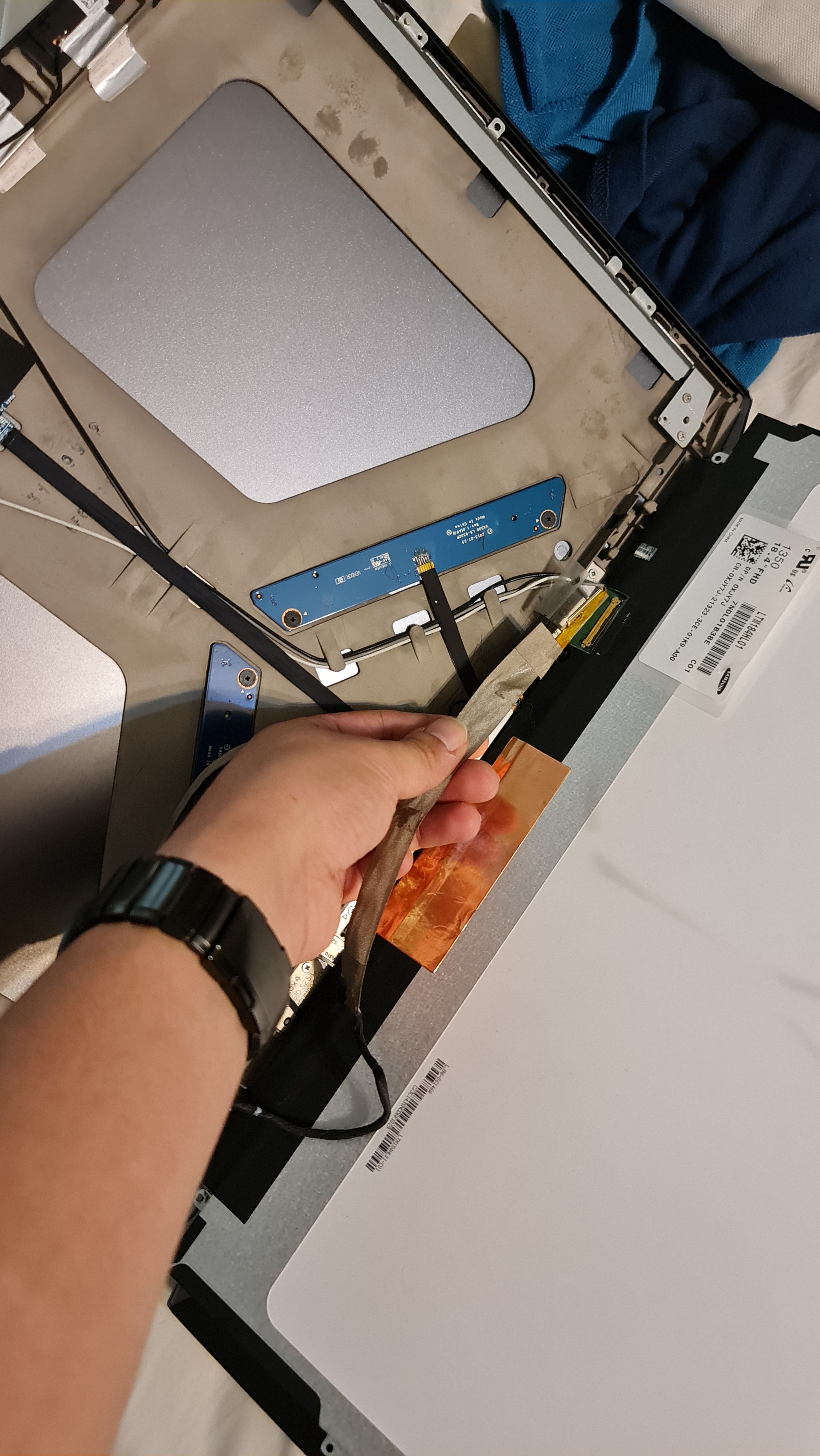
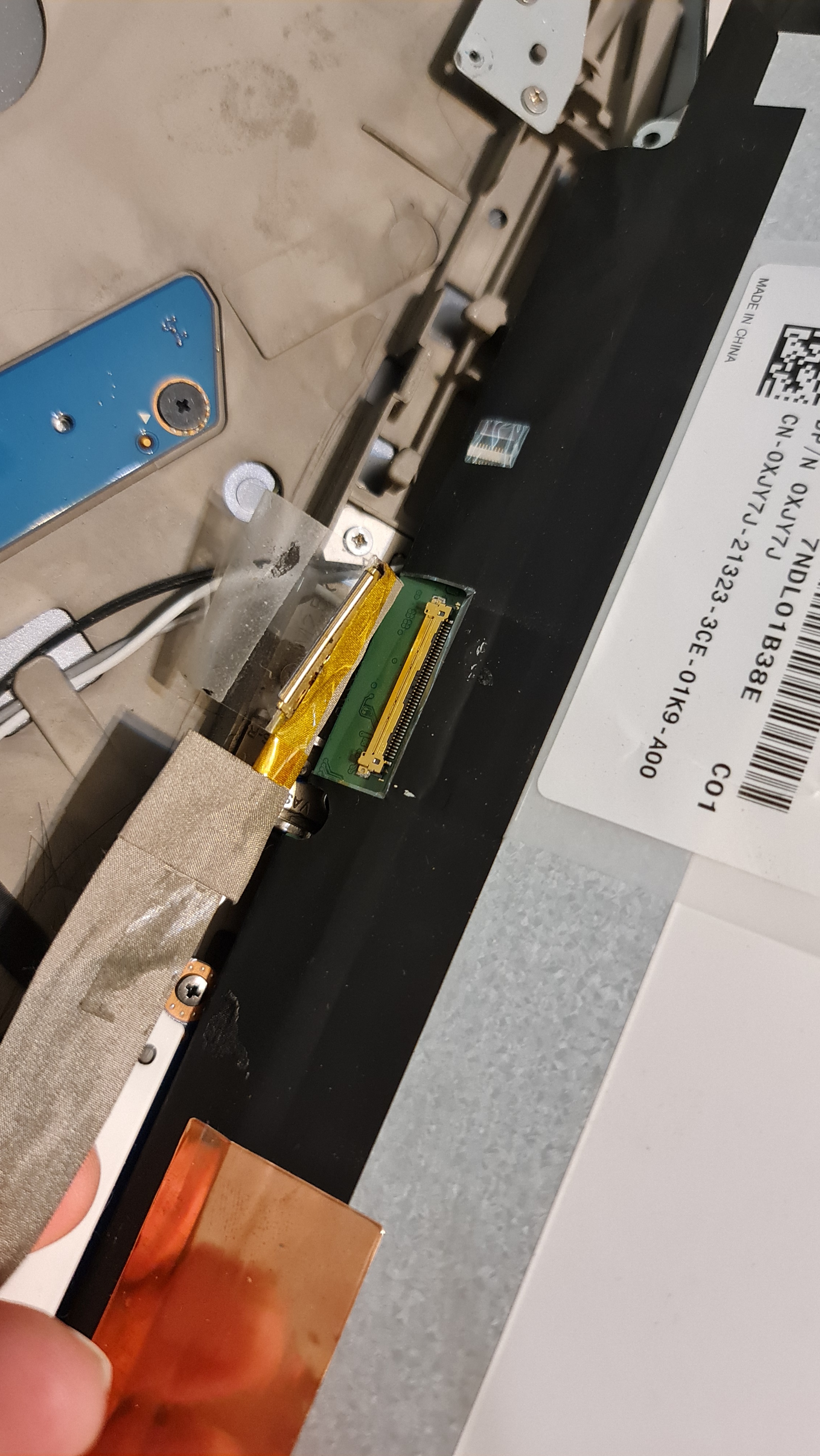
this is the screen connector from the screen side , that is the one i shorted
-
i did try to turn on without the screen, both GPUs, processor, ram and hard drive incase any of them is coursing short but not a sound.
-
introduction Alienware M18x R1 - Gloss Yellow Respray
i.bakar replied to Maxware79's topic in Custom Builds
if u r willing to get it new here you go Original Laptop Antenna Cover A For Dell Alienware DELL M18X Used|Laptop Stand| - AliExpress -
introduction What web browser are you using, and why?
i.bakar replied to Mr. Fox's topic in General Software
i use brave browser, its more secured , very light and support wallets for crypto if you r into that the speed of the browser is not as fast as chrome but i like to keep my distance from google data gathering . like inking and typing for windows is off -
just incase you are like me and looking for a rolling case for alienware area-51m and/or m18x for meetings and travel i searched alot online to find one that fits comfortably for both laptops together or separately and the only one i saw that fits both and quite affordable is this solo macDougal bag. here is my review for it incase you are interested in such a bag https://www.youtube.com/watch?v=6csfgwFbows&t=2s
-
i did test it with alienware 18 and it didn't go beyond 330w . i'm not sure if the m18x r2 any different !
-
i might be wrong here but try this : - insert the 3720QM then go to the bios , convert primary display in advanced tap to PEG then save and shutdown . - swap the processor with the 3920XM then try
-
well i did something very stupid yesterday , i opened the screen cable from the screen side while the laptop was on and small part of the connector got de-attached and when i tried to attached i think it shorted something so the laptop went off ... i immediately removed the power adapter from the laptop and then opened the back and remover the battery . and the motherboard small lithium battery as well. after a few minutes i connected the power to it and try to start the laptop put no signs of life !!! here is the steps i toke to diagnose the issue : - i disassembled the full laptop and removed the both gpus, the processor, all the 4 ram slots to see if any of them is causing the short , then connected the power button cable and tried to start ( nothing ) - i checked the power adapter to see if the green pulp is going off when its connected to the laptop but its stays on ! (which means to me there is no short ) - i conneted every thing back together and connected the power adapter to the laptop to see if any of the internal components will short the circuit but the green light stayed on ! (which means to me there is no short also) - i tried to do the static drain ( remove all power and batteries and push the power button for a minute ) but nothing happened ! - i thought maybe the poer button went bad so i got a multimeter and i checked the connection between the button and the motherboard while the button is pressed and released but its working fine. NOTE : when i say nothing is happening i mean literally nothin ( no lights no fan start no any signs of life! any idea or suspicions from anyone is highly appreciated thanks
-
oh man , that is great to know who is ssj92. thanks for the advise man . i just watched both of your undervolting videos thanks for sharing . i used to do that tweaking for the undervolting on my alienware 18 with the 4930mx awhile ago i used throttle stop on the area51m but i found out that i got similar results in terms of the score and temperature while undervolting using ACC so i will stick with ACC for the CPU overclocking and undervolting . as for the GPU , i extracted the bios from GPU-z and i'm thinking to try to play with the bios a little bit ,, ( dont worry i did undervolted my 980M sli bios on the alienware 18 so i will play it safe. i know that its much easier to do the GPU with msi afterburner but i like to have less apps to do these stuff on my laptop i dont know why .. i guess i like everything to be handled by the bios if i can. however i just found out something interesting ; if i downloaded the july 2019 version of the ACC and the OC software from dell support drivers then i will have the control again over the GPU thermal limits again but it was very important that i change the profiles file in the system to read only .
-
thanks for sharing man i used most of those files from your posts on notebookreview forum before . looking forward for more here
-
well , first of all i'm so pleased to find this forums since i was an old member of the notebookreview and it was a shame that it went like that i learned alot from many members there like Mr.fox and ssj92 and i really hope that the information that was there moves to here so there work and the work of people like them stay helping everyone who in needs for it. so this thread is going to be in two parts. 1 - all i could gather as a current information and files for the bios and the vbios of the device - all the new updates of the bios starting from V 1.7.3 and above has a lock to not let the GPU surpass 75 degrees C so the only current solution i know is to revert back to bios V 1.5 which doesn't have this setting . however to prevent dell from auto updating your bios back to the a later version we have todo the following * uninstall dell support assestance before downgrading the bios * disabling the UEFI capsule update in the bios under the security tab . after doing that you are good to go downgrading the bios to V 1.5. * after doing that its time to update the Vbios so the new updated Vbios V 1.0.0.5 does not allowing the GPU to pass the 150W mark so the solution i know is to revert back to V 1.0.0.3 which will allow it to go upto 200W ( still low by the way ) but better then 150W limit. the good news is that downgrading the vbios is much easier so you can just download it from the youtube link below and follow the video here is the link to the youtube link to the process including all the required files NOTE: thanks to the guy who created the video he really helped alot by doing that 2 - all the questions i have regarding the same subject : - is there availble unlocked bios for this laptop ? - is there available a modded Vbios for this 2080 GPU to raise the wattage and down volt it ? - if all the above is not possible , is there any other way to override this limitations ? ( i have an alienware 18 with 4930MX and i'm using throttlestop to overclock it ) but i was hopping for away to do that from bios same like what i used to do with my lovley M18X R1 any suggestions is really appreciated.