Developer79
-
Posts
383 -
Joined
-
Last visited
-
Days Won
3
Content Type
Profiles
Forums
Events
Everything posted by Developer79
-
clevo p870tm/tm1-g Official Clevo P870TM-G Thread
Developer79 replied to ViktorV's topic in Sager & Clevo
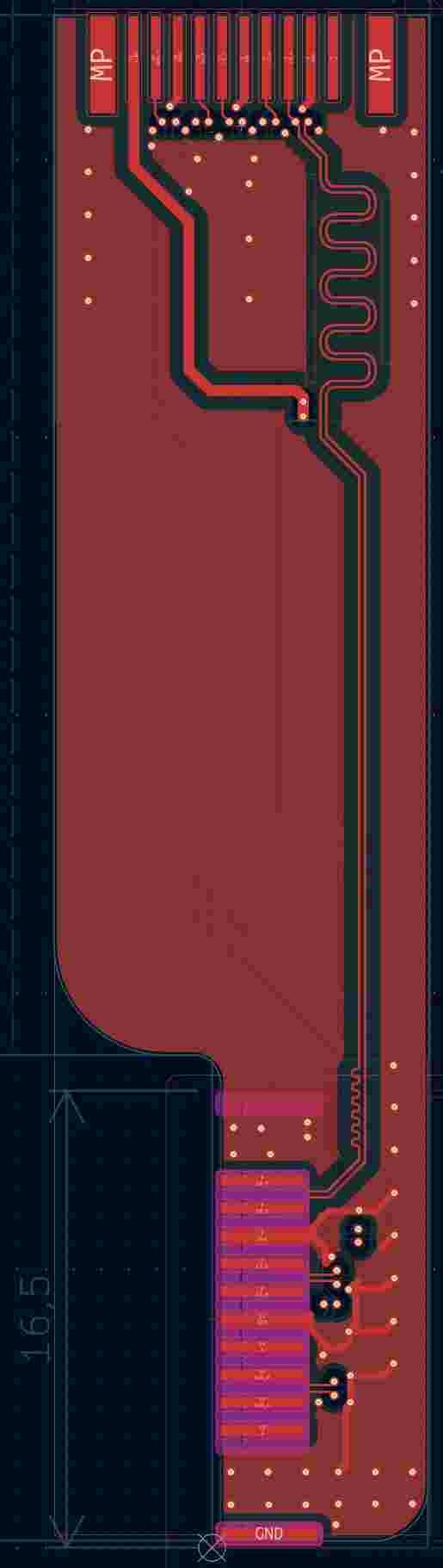
That was a very challenging design that I had underestimated at first! The flexible PCB has impedances that are difficult to calculate—which is almost impossible. I'll make the external flexible PCB right after this and then have some produced!!!! -
clevo p870tm/tm1-g Official Clevo P870TM-G Thread
Developer79 replied to ViktorV's topic in Sager & Clevo
Hi, I have some news. The cable connecting the desktop card to the display is almost finished. It's an accessory for my MXM PCIe board!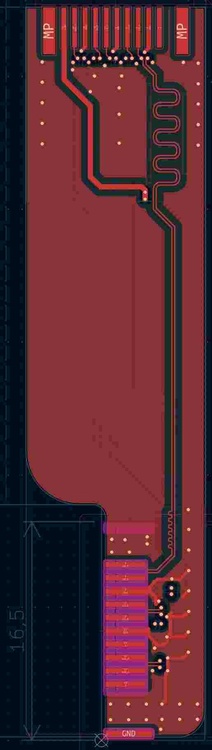
-
clevo p870tm/tm1-g Official Clevo P870TM-G Thread
Developer79 replied to ViktorV's topic in Sager & Clevo
Hi Mikey, Your adapters don't fit quite right. As a result, the vapor chamber sits crookedly in the laptop, causing stress. Also, the contact pressure isn't correct. Furthermore, semiconductor components could get damaged by the screws—but if it works, that's great! Regards, Developer -
clevo p870tm/tm1-g Official Clevo P870TM-G Thread
Developer79 replied to ViktorV's topic in Sager & Clevo
It’s a shame that my ideas are being copied so poorly. It would have been nice if they’d at least sent me a message about using my ideas! Unfortunately, this undermines trust in me and my work. -
Hi everyone, Unfortunately, the mod requested by DJDan is very complex. It also requires a good understanding of the P870xx series architecture. Nevertheless, Rainer is right, and I agree with him. Everyone wants extensions and modifications without realizing how much time, work, and money it all costs! My GFX extension for the two MXM ports (MXM board) automatically supports x16 lanes. That would be the easiest way to implement 16-lane support on the P870xx. But then you can also install the latest graphics cards—provided they fit geometrically—from practically all current manufacturers like Nvidia, AMD, and Intel. I think that’s quite something. I’m currently developing the internal flex PCBs for the display and external display. I’d like to extend my thanks once again to Darius. He was the only one who provided me with the RTX 5070 Ti for the project! Thanks also to everyone in the forum for all the support for my projects! And Rainer has also played a huge role in my projects and their practical implementation. That was very important for the further insights and next versions of my boards!!! Greetz Developer79
-
clevo p870tm/tm1-g Official Clevo P870TM-G Thread
Developer79 replied to ViktorV's topic in Sager & Clevo
I'm still working on developing the cables! I'll be able to tell you more in two weeks. -
clevo p870tm/tm1-g Official Clevo P870TM-G Thread
Developer79 replied to ViktorV's topic in Sager & Clevo
The CPU uses lanes—16 directly in the case of the 9900KS variant! Newer models use more. Additionally, the chipset generates even more lanes. This depends on the DMI speed. As mentioned, newer chipsets offer more lanes. The P870xx uses the same number of lanes for almost all model variants. In my opinion, the P870xx has enough lanes 🙂 -
clevo p870tm/tm1-g Official Clevo P870TM-G Thread
Developer79 replied to ViktorV's topic in Sager & Clevo
Hi, I think only later Intel chipsets, starting around the 700–900 series, support more than 16 lanes!!! The older Z370 and earlier models only support 16 lanes. A manufacturer like Clevo could have included automatic detection, but they didn’t. In any case, my board supports the full 16 lanes...which is probably what most people here want 🙂 -
clevo p870tm/tm1-g Official Clevo P870TM-G Thread
Developer79 replied to ViktorV's topic in Sager & Clevo
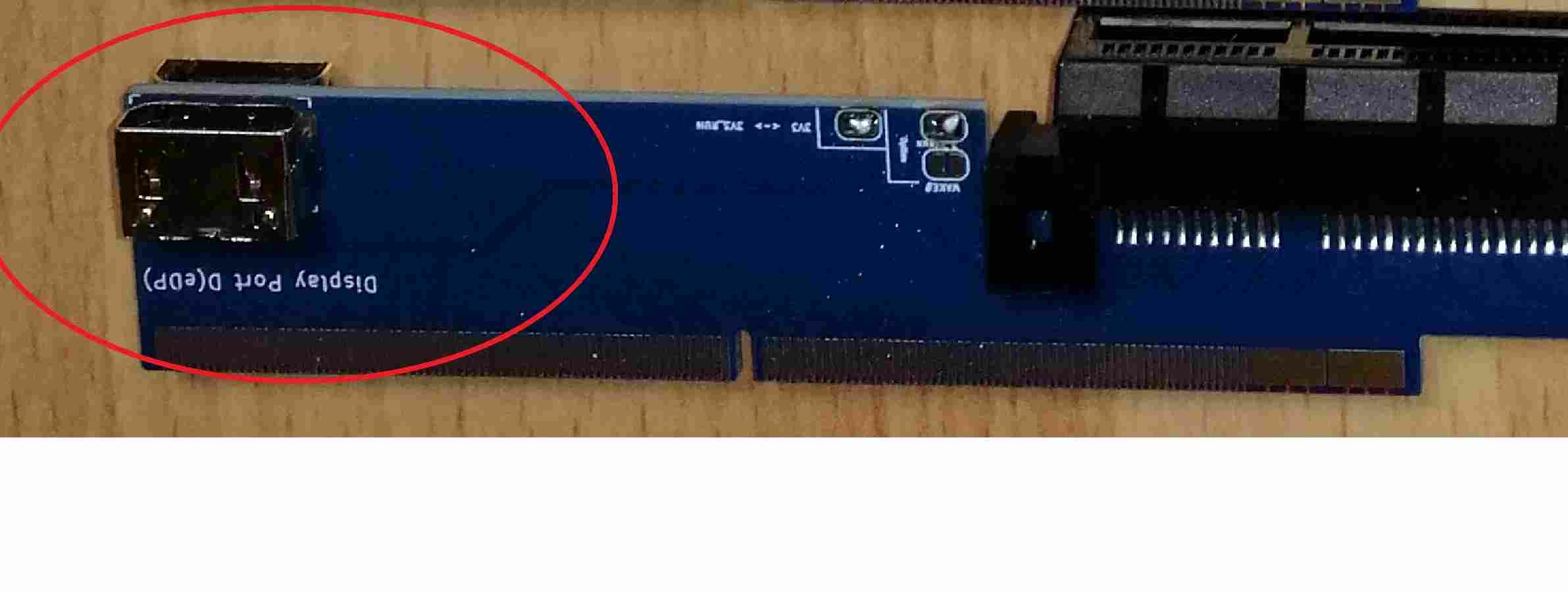
In the picture, you can see how the two ports are configured. These ports transmit the DisplayPort signal from the desktop graphics cards to the internal display and an external DisplayPort! Unfortunately, this was the only signal configuration possible because the MXM board could only handle that much! With the cables connecting the desktop graphics card to my board, full integration of the desktop graphics card into the P870xx series is possible!!!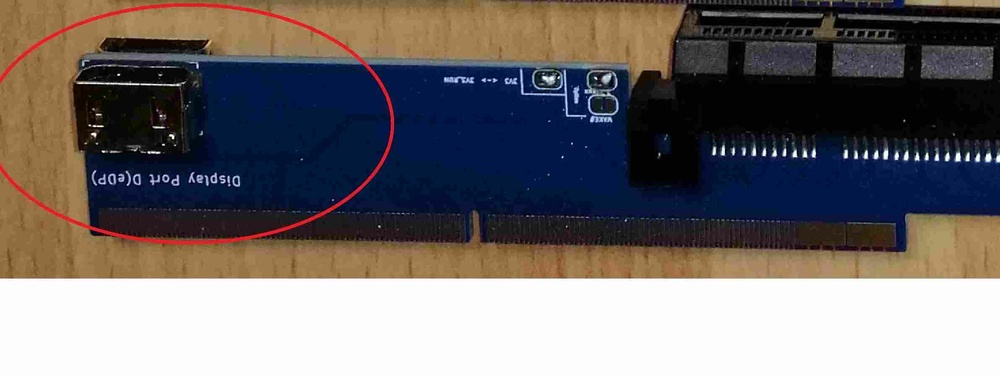
-
clevo p870tm/tm1-g Official Clevo P870TM-G Thread
Developer79 replied to ViktorV's topic in Sager & Clevo
For example, I use an Nvidia A400 at work. You could install that as well. Or Intel Arc cards. Depending on the available power, you can install many different cards. So all the major manufacturers—Nvidia, AMD, or Intel... The power target shouldn't be too high. Over 500W. But I think it’s clear to everyone that 500W is excessive for a laptop! 300–400W is more than enough to outperform today’s latest gaming laptops 🙂 -
clevo p870tm/tm1-g Official Clevo P870TM-G Thread
Developer79 replied to ViktorV's topic in Sager & Clevo
That's right—that's how it's all set up. This allows you to use the laptop's existing cables, so you don't have to worry about that.... It might be hard to see from above, but there are two rows. That means, depending on the GPU's performance level, you can connect two cables and utilize the full GPU power of the P870xx—up to 450W! -
clevo p870tm/tm1-g Official Clevo P870TM-G Thread
Developer79 replied to ViktorV's topic in Sager & Clevo
No, these are just the latest parts and versions! I'm still working on the cables, etc. -
clevo p870tm/tm1-g Official Clevo P870TM-G Thread
Developer79 replied to ViktorV's topic in Sager & Clevo
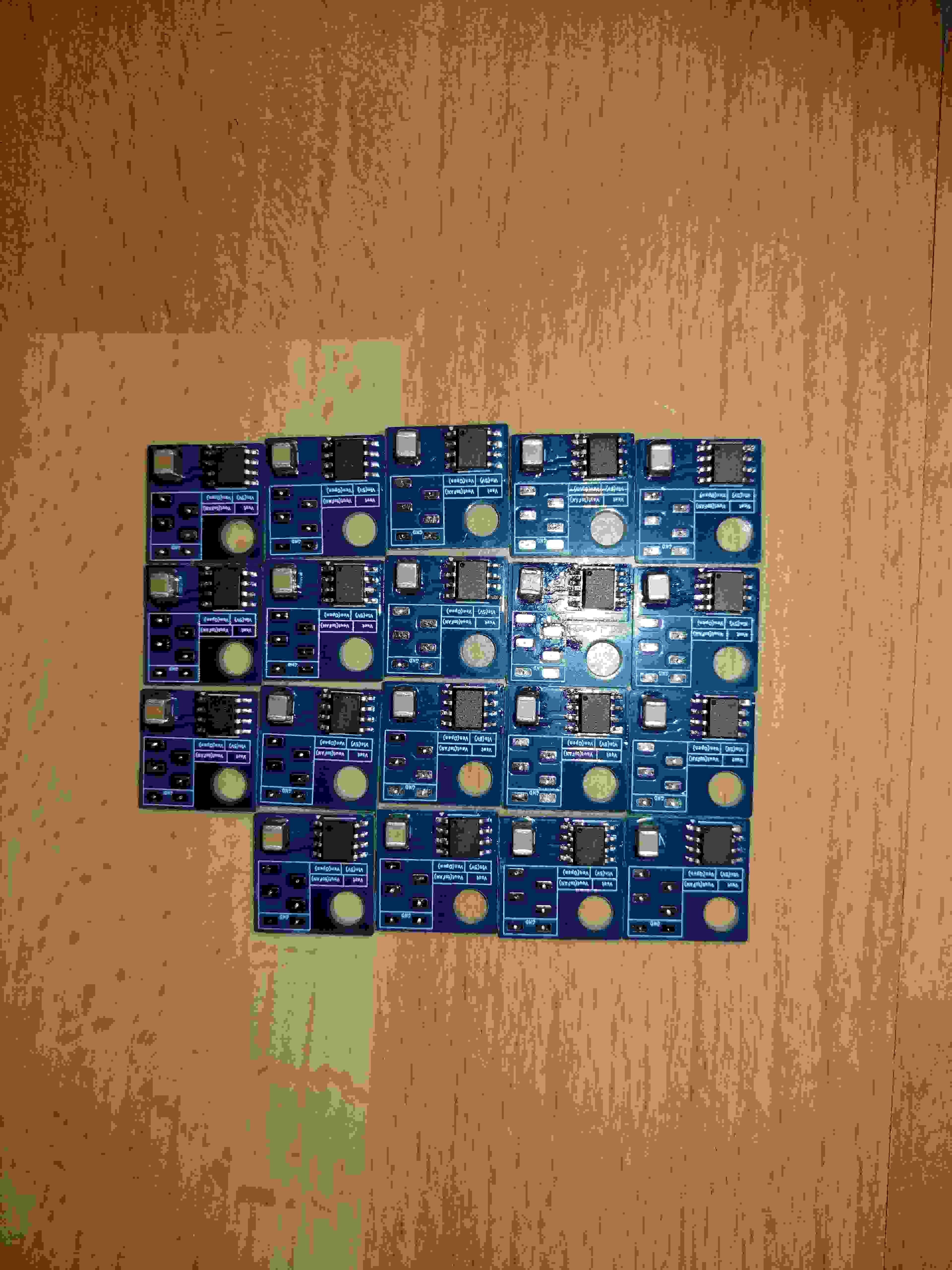
My latest boards for second CPU control for all P870xx models!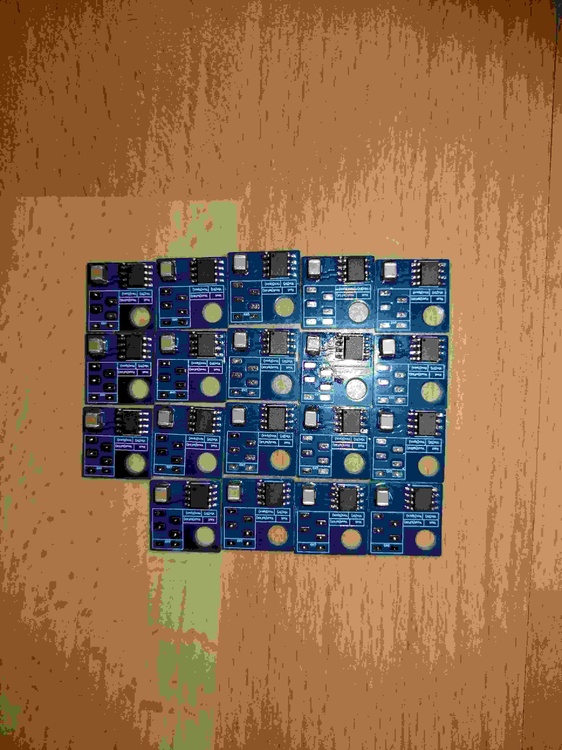
-
clevo p870tm/tm1-g Official Clevo P870TM-G Thread
Developer79 replied to ViktorV's topic in Sager & Clevo
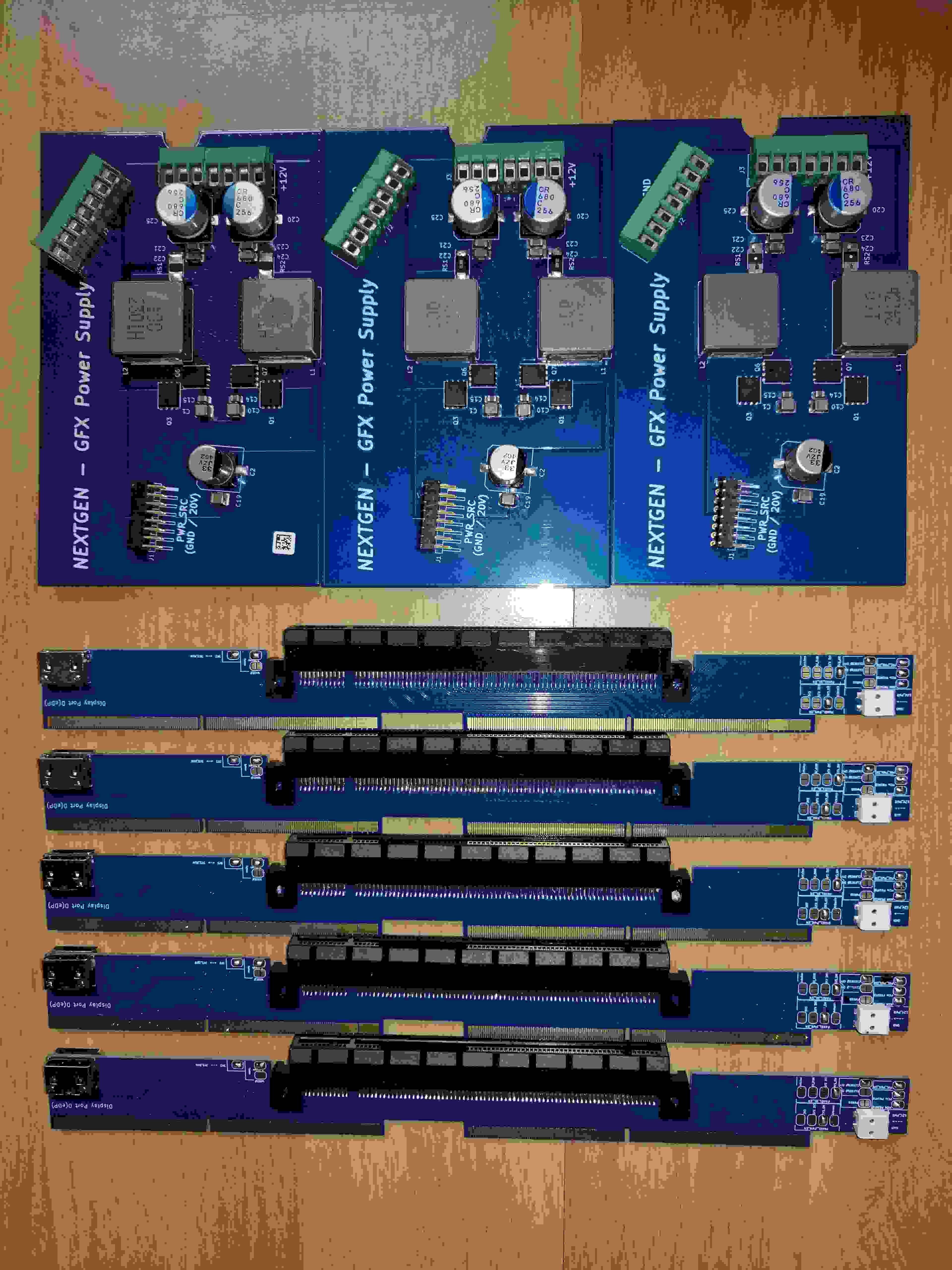
My newest sets: MXM- and Powerboard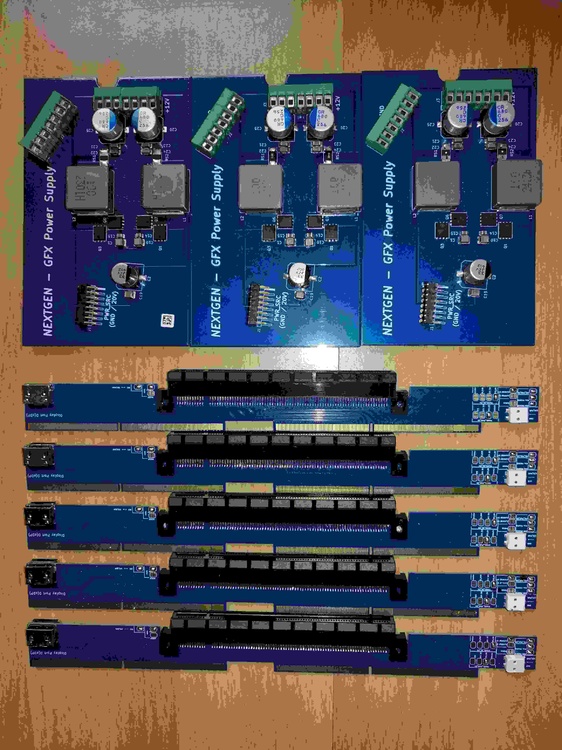
-
clevo p870tm/tm1-g Official Clevo P870TM-G Thread
Developer79 replied to ViktorV's topic in Sager & Clevo
Since I do everything myself and currently have less time, everything is taking a little longer. I would like to have the cables ready by the end of the month. Everything else is still in progress. As I said, I'm not a big company with a huge budget. I develop as I have money and time. -
clevo p870tm/tm1-g Official Clevo P870TM-G Thread
Developer79 replied to ViktorV's topic in Sager & Clevo
Yes, I developed everything with my CAD programs! It's not all finished yet, but yes, that's how I develop! -
clevo p870tm/tm1-g Official Clevo P870TM-G Thread
Developer79 replied to ViktorV's topic in Sager & Clevo
I would say I'm taking it step by step! Right now, I'm developing the cables with Flex-PCB! -
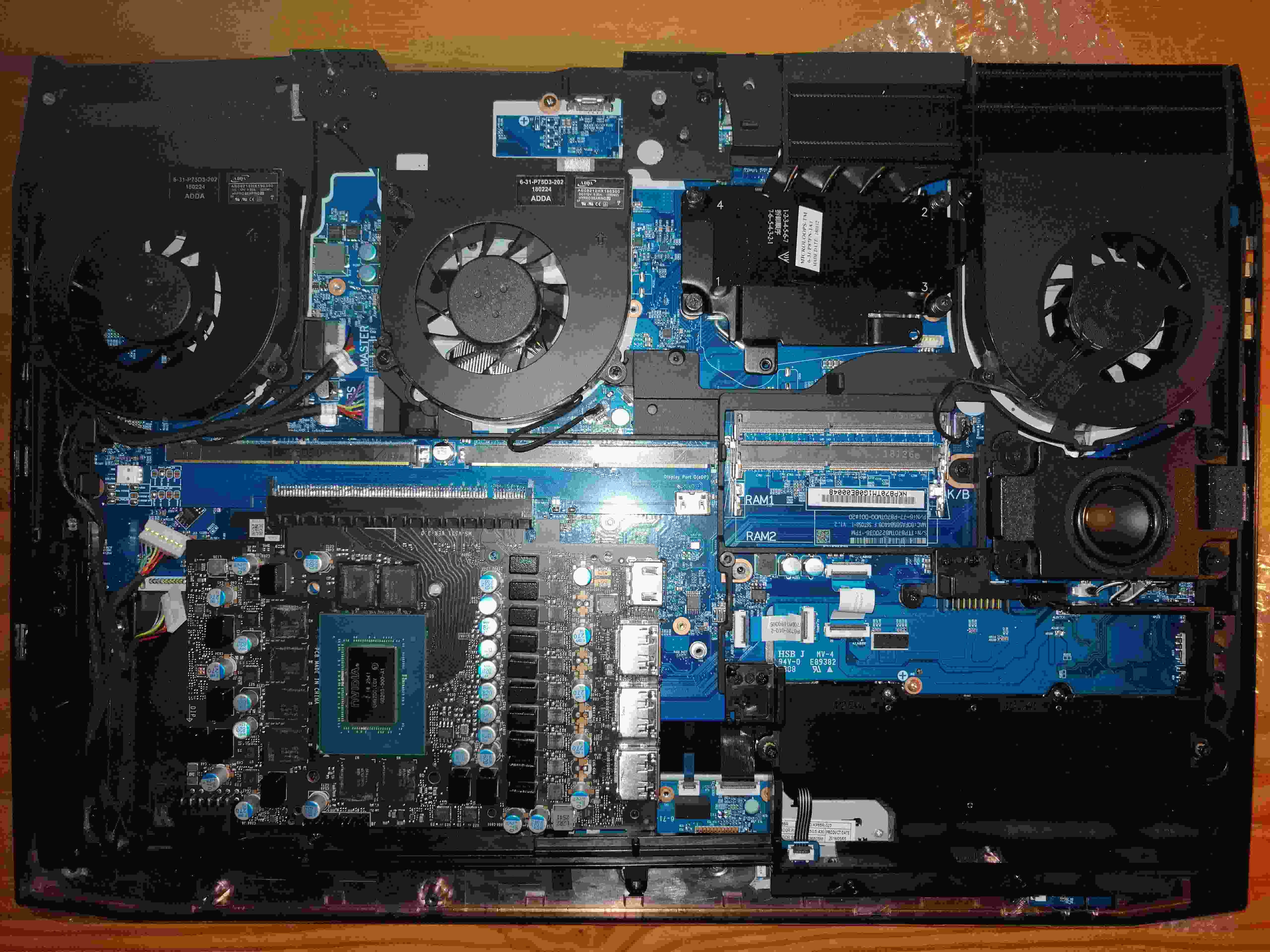
Take a look at the pictures to see what the RTX5070Ti desktop looks like in the P870xx. Then you'll know that my solution of using two different graphics cards, MXM and a normal desktop card, won't work!!!! It's either one or the other!!!
-
However, the standard MXM specification is acceptable, but the Clevo format is not compatible. Only other manufacturers are compatible, but the question then arises as to how compatible the pins are with the motherboard.
-
No GTX1080 from Clevo will fit in there. That said, I would recommend the RTX3070 or something similar! Unfortunately, there is so little space that only other manufacturers are using new graphics chips! I don't have any good ideas yet...
-
I'll let you know when I'm ready! :-) Well, you can't do much with that...
-
I can only agree with some of the previous speakers. Unfortunately, genuine DTRs are completely extinct these days. This has mainly to do with Nvidia's contracts. I know from reliable sources that they want to control everything and only tolerate soldered variants, especially for laptops. The only exception Nvidia makes is for industrial devices and military technology. Clevo was really the last major milestone in terms of BIOS and MXM standards. I had the ideas for my P870xx projects years ago because Clevo was still doing real high-end development with the greatest possible flexibility. I would like to thank the people in the forum for their support. I hope my desktop extension will be fully operational soon.
-
clevo p870tm/tm1-g Official Clevo P870TM-G Thread
Developer79 replied to ViktorV's topic in Sager & Clevo
Hi, this is what the RTX5070Ti looks like in the P870xx! I've now measured all the lengths and will be able to make the cables soon... I'll do the routing soon, I mean! best regards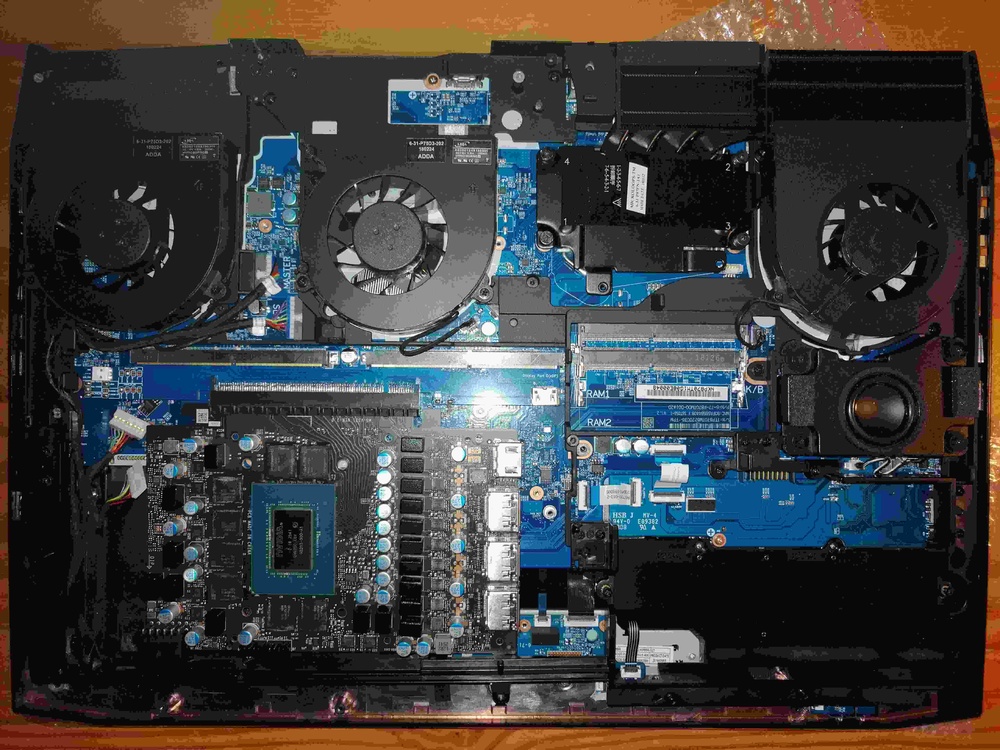
-
clevo p870tm/tm1-g Official Clevo P870TM-G Thread
Developer79 replied to ViktorV's topic in Sager & Clevo
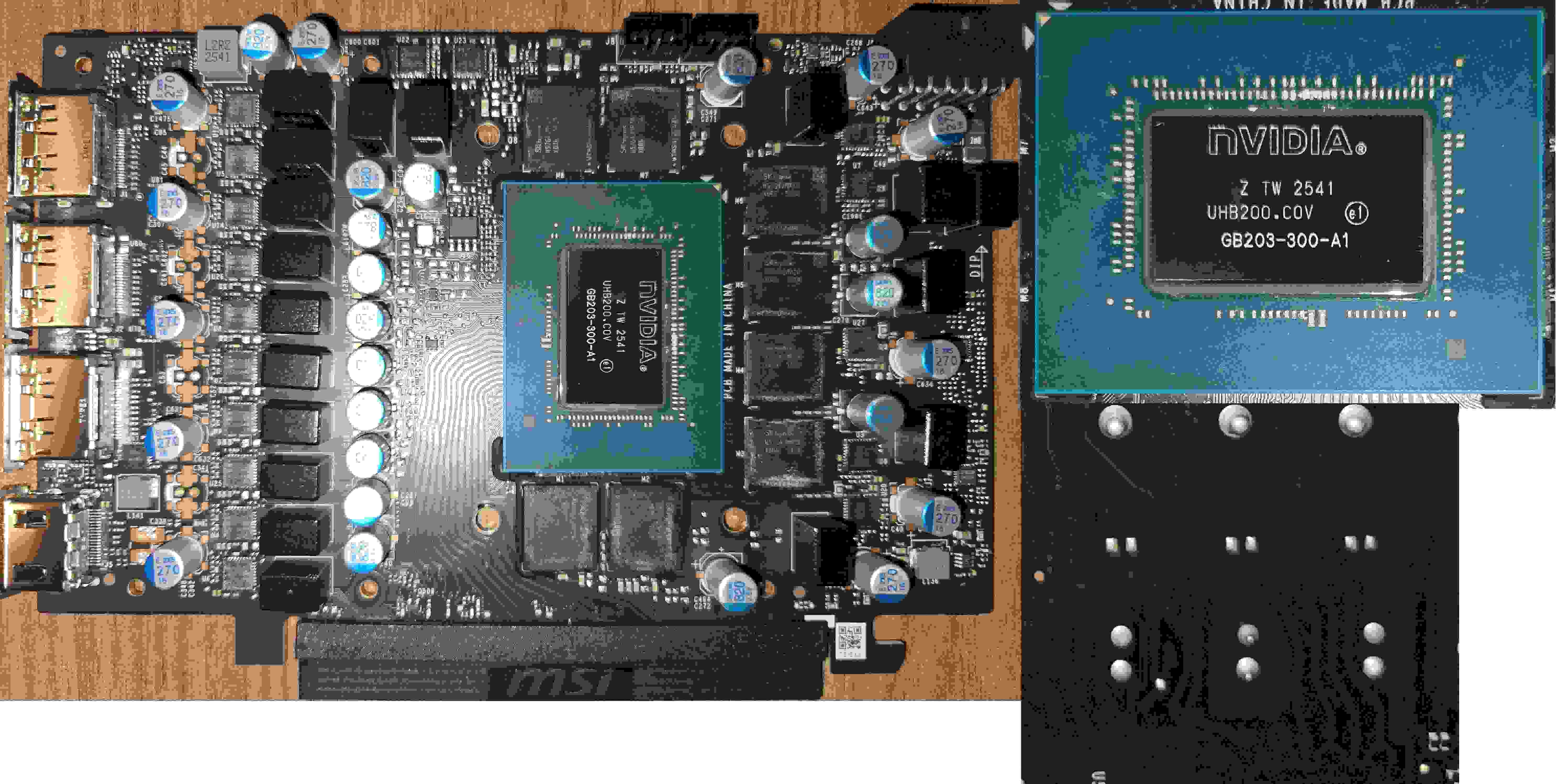
Hi, I took apart the RTX5070Ti to measure the DisplayPort cables. On the PCB, you can clearly see how the DisplayPort channels are routed, and the manufacturers pay close attention to the routing of the channels! The chip also looks like new! Thanks again to Darius!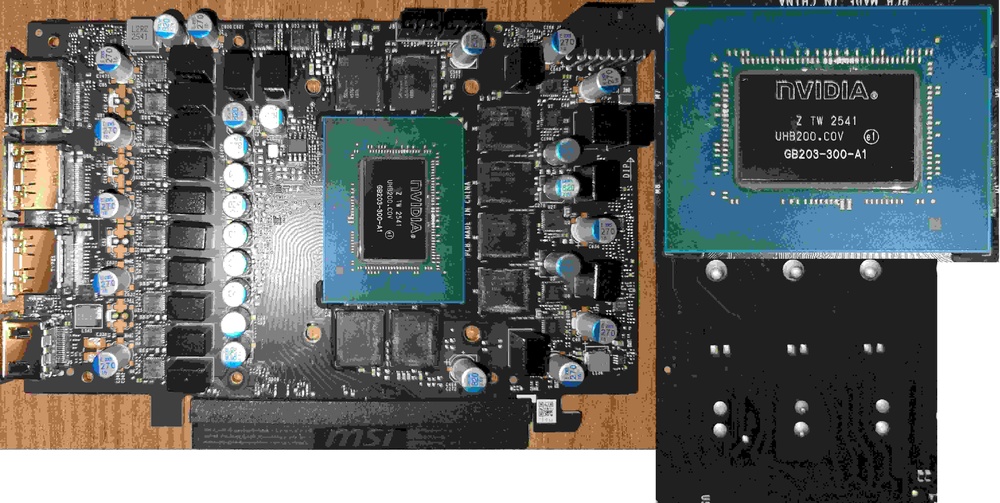
-
clevo p870tm/tm1-g Official Clevo P870TM-G Thread
Developer79 replied to ViktorV's topic in Sager & Clevo
I'm also testing G-Sync for desktop cards. I took this possibility into account when developing my MXM board. I'll get back to you on this topic.