
razor0601
-
Posts
338 -
Joined
-
Last visited
Content Type
Profiles
Forums
Events
Everything posted by razor0601
-

Clevo N960Kx (N960KR) Thread - BIOS Unlock, cooling mods, etc.
razor0601 replied to kaz26's topic in Sager & Clevo
You have to remove everything including the Mainboard -
Puh, so that’s nothing for me when it’s very noisy
-
Looks great, it’s not far away from the @stock 3080. How noisy is your Clevo?
-
Hello, I have an AU B173ZAN01.0 4K Display in my P775TM1-G with a few stripes. So I want to change the LCD. Are there other cheap LCD‘s which will work?
-
Can you post an Unigine Superposition extreme Full HD benchmark please?
-
That’s what I said before.
-
.27 Bios exists, but only for P775TM1-G. P775TM-G uses .26 or .28
-
No, with .27 Bios you are good to go.
-
Clevo N960Kx (N960KR) Thread - BIOS Unlock, cooling mods, etc.
razor0601 replied to kaz26's topic in Sager & Clevo
You have to ask kaz26. He has the right VBios for 3070 -
Clevo N960Kx (N960KR) Thread - BIOS Unlock, cooling mods, etc.
razor0601 replied to kaz26's topic in Sager & Clevo
To get 125w on your 3070 you have to flash the right VBios without a mod. And if you mean you want to modify your system Bios. Don’t do it. There are several problems with an unlocked Bios. -
HOW DO I UPDATE TO A Nvidia GTX 1070
razor0601 replied to Ryo Hazaki's topic in Alienware 18 and M18x
SG-Mode also works with LVDS -
Clevo N960Kx (N960KR) Thread - BIOS Unlock, cooling mods, etc.
razor0601 replied to kaz26's topic in Sager & Clevo
It will work out of the box. No problem. -
Clevo N960Kx (N960KR) Thread - BIOS Unlock, cooling mods, etc.
razor0601 replied to kaz26's topic in Sager & Clevo
Here is not an X370snxg Thread. This laptop uses only DDR4. -
Clevo N960Kx (N960KR) Thread - BIOS Unlock, cooling mods, etc.
razor0601 replied to kaz26's topic in Sager & Clevo
Yes, it supports 2x32GB 3200MHz RAM. I have it by my own. -
Hello, I bought a Razer Blade 15 with I7-9750h and RTX 2080. The LCD is bricked. It is an Sharp LQ156M1JW03. Is it possible to install a better or less better LCD without changing the LCD-Cable?
-
Clevo N960Kx (N960KR) Thread - BIOS Unlock, cooling mods, etc.
razor0601 replied to kaz26's topic in Sager & Clevo
Hi, yes I think that could work with 2x Ram Pads extra. What partnumber is your RAM? Yes I tried the mini-DP ports. And they are working. So now my Laptop is on the way to the Seller. Hopefully they can fix the issue with the HDMI port. -
51m R1 Upgrade to R2?
razor0601 replied to razor0601's topic in Alienware 13 / 15 / 17 / 51m (2015-2020)
I sold my r1 but Heatsink and Mobo from R2 are still in my hands. -
Yes, they are looking a little bit different. But you can use some of another HDD caddy’s from R2 or AW18. I am using an AW18 Caddy in my R2.
-
Clevo N960Kx (N960KR) Thread - BIOS Unlock, cooling mods, etc.
razor0601 replied to kaz26's topic in Sager & Clevo
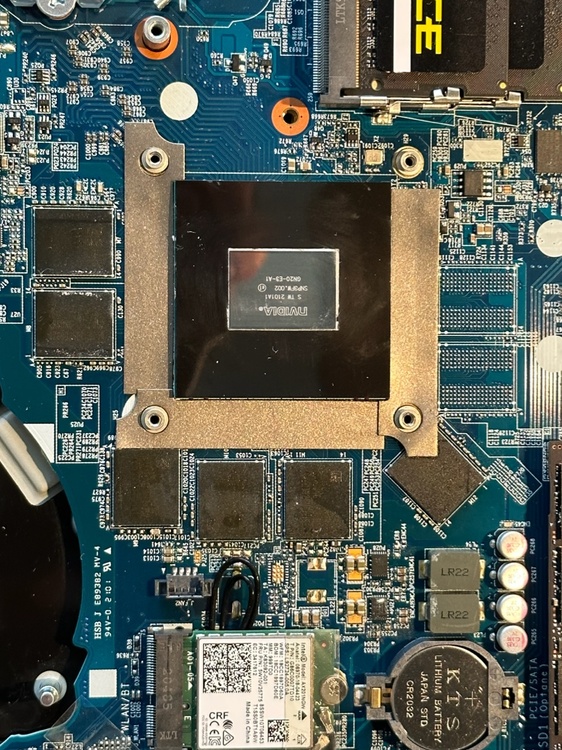
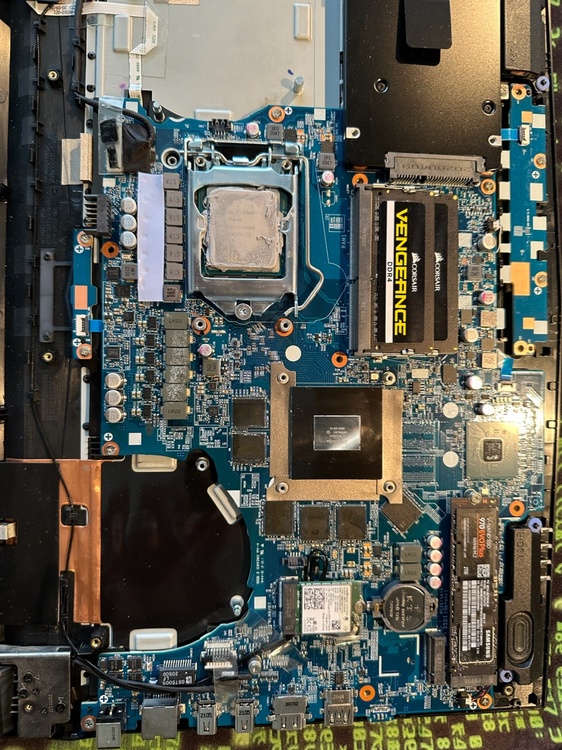
So you mean something like this? But that’s my 3060 version. BTW: I am back on original Bios and also 105w VBios. No changes, HDMI is still not working. Maybe DP, but I have no Adapter to check this.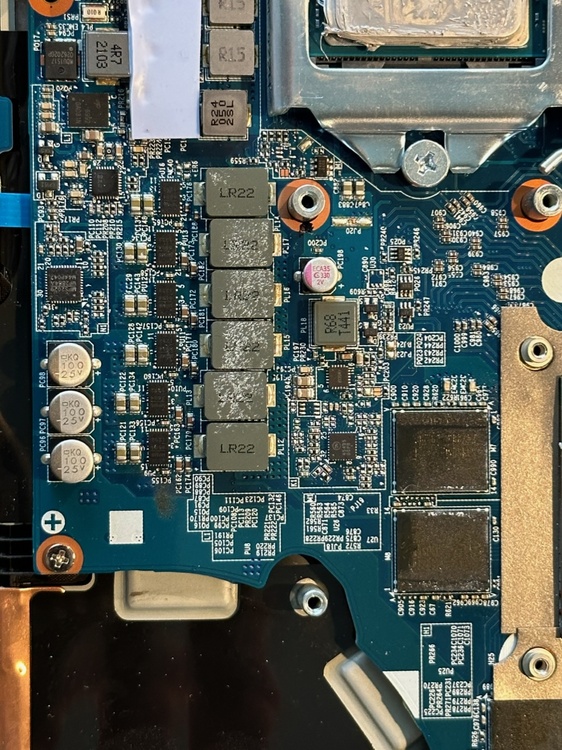
-
I used the P3000 in my old P771DM-G and it works fine.
-
Yes of course, like it is written.
-
Clevo N960Kx (N960KR) Thread - BIOS Unlock, cooling mods, etc.
razor0601 replied to kaz26's topic in Sager & Clevo
@kaz26 normally you can pull the f-keys out -
Clevo N960Kx (N960KR) Thread - BIOS Unlock, cooling mods, etc.
razor0601 replied to kaz26's topic in Sager & Clevo
If I remember correctly than you can‘t switch to legacy anymore. -
Clevo N960Kx (N960KR) Thread - BIOS Unlock, cooling mods, etc.
razor0601 replied to kaz26's topic in Sager & Clevo
Ok thanks, I will try another Cable and if that doesn’t work I will go back to the original Bios. Then I hope it work again, otherwise I contact the seller. -
Maybe try to reinstall the Clevo Camera driver.