SuperMG
-
Posts
1,111 -
Joined
-
Last visited
-
Days Won
5
Content Type
Profiles
Forums
Events
Everything posted by SuperMG
-
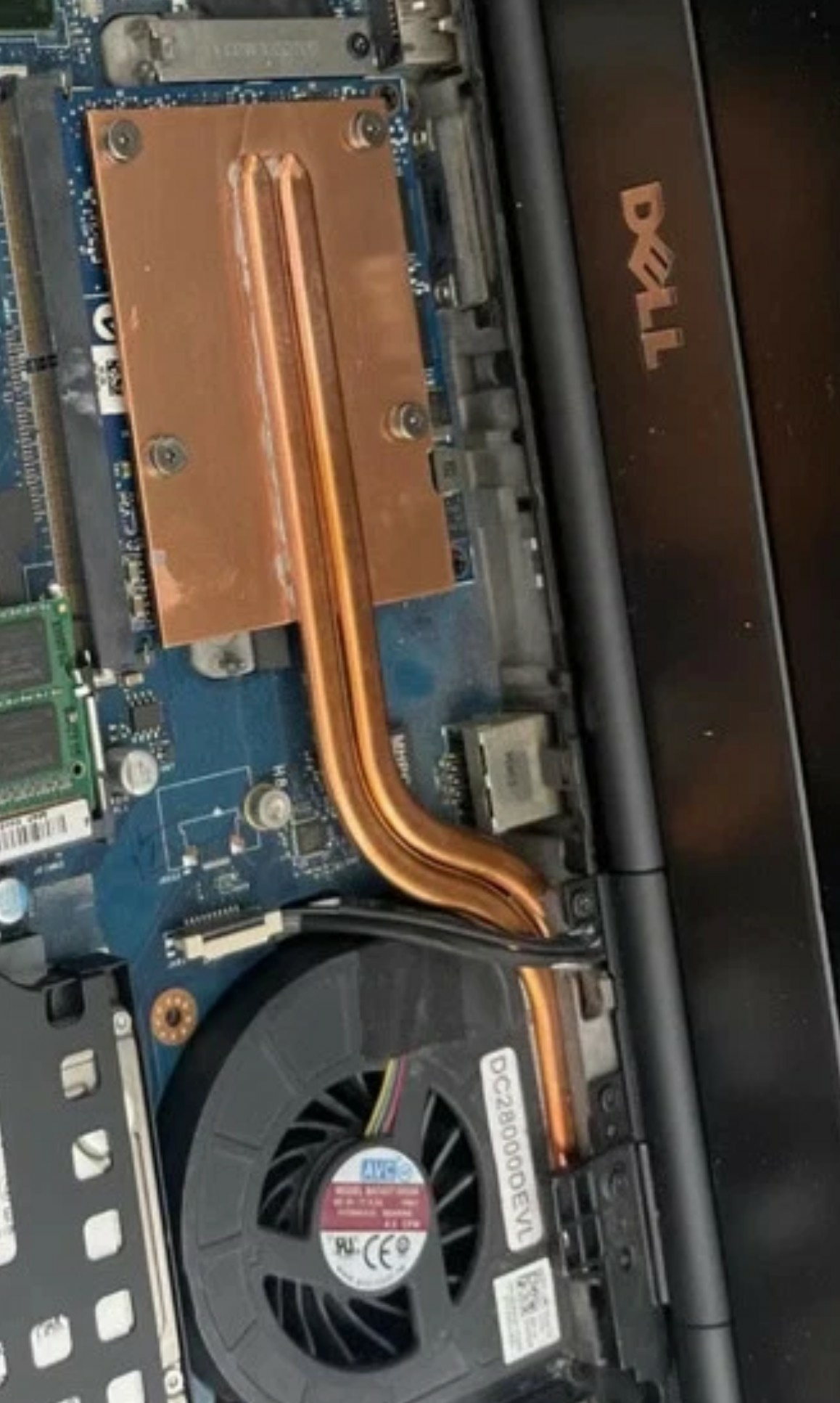
Hello, Cicichen made a 3 heatpipes M4800 heatsink for the newer RTX cards... How is that possible? By cutting the fan's plastic casing. This would definitely handle 120W easily.
-
Alienware M17X R4 MXM upgrade for eDP 120Hz.
SuperMG replied to SuperMG's topic in Components & Upgrades
Hello, as far as I know, no one tested this mod on the M17x R4. The people who bought the cables were just Clevo and Dell users. The Ampère and Ada cards could work in this laptop now since the RTX 3000 displays and boots to the bios. I didn't do any testing on the OS side, I need to modify the heatsink now. You need to disassemble the whole laptop, I had to disassemble the whole laptop just to cut the nub... If you don't get a backlight on the screen then you didn't do it properly. Did you follow the PDF instructions I sent in the private message? The instructions shows how to put the 278, 280 cable. Yes the first RTX 3000 is cooked. It's because it already had one of the capacitors that was already smoked so now the card has 2 dead capacitors. -
Alienware M17X R4 MXM upgrade for eDP 120Hz.
SuperMG replied to SuperMG's topic in Components & Upgrades
Lol, the Alienware M17X R4 works with the HP Turing RTX 3000. Displays in the screen and BIOS states NVIDIA GFX. No 8 beeps. Instant startup. I didn't test on Windows yet because of the heatsink. Which means that the T1000, RTX 4000 and RTX 5000 will work in this laptop in eDP 120Hz. For the non HP cards, just use the backlight mod cable. It's the same logic as the Dell Precision M6700 and M6800. If the RTX Turing works then the rest of the RTX will work (without 4G decode) so it means Ampère and Ada cards will work with the backlight mod cable. Someone needs to try that as I don't have any newer MXM cards to test. Ps: for the M5000M that's starting/shutdown looping, it's maybe because of the vbios being legacy only as we disabled the legacy OPROM. Since the K3000M does the same thing as the M5000M. -
Alienware M17X R4 MXM upgrade for eDP 120Hz.
SuperMG replied to SuperMG's topic in Components & Upgrades
The v2 isn't done and there's maybe a problem in the current production factory. And it'll be expensive for sale too. So you're good now. M5000M just the laptop starts then shutdowns and it does a loop. Sliderfra told me that the Maxwell aren't working in the M17X R4 eDP in UEFI, is that true? Edit: I tried one of the RTX 3000 I have, it did a big spark in one of the capacitor (bottom right). But the laptop still works... So I lost a big ton of money on that one 😕 -
Alienware M17X R4 MXM upgrade for eDP 120Hz.
SuperMG replied to SuperMG's topic in Components & Upgrades
News: Since K3000M needs a GOP update and I don't want to do that. I used an HD 8970M from Clevo P570WM and I was able to disable the legacy options. Now the P3000M works M5000M (power boot looping) and 970M (8 beeps) -
Alienware M17X R4 MXM upgrade for eDP 120Hz.
SuperMG replied to SuperMG's topic in Components & Upgrades
Yes the nubs, because the cable isn't long enough for the Dell nubs. My v2 fixes that. I went to the bios again. Legacy OPROM was on again. So I tried to disable it. "Can't find MXM or GOP driver" and the option got greyed... Even the FirePro M6100 does 8 beeps... -
Alienware M17X R4 MXM upgrade for eDP 120Hz.
SuperMG replied to SuperMG's topic in Components & Upgrades
Yes it's 120Hz, LP173WF2-TPA1. Yes LEGACY OPROM is disabled. Why Clevo cards do not work? They use eDP on D and they are Maxwell... Also for the backlight mod, since you're on Dell, you need to cute the tiny brackets on the mxm port. -
Hello. Yes I know there are many threads online that people got the Pascal P3000, P4200, GTX 1070, and Maxwell GTX 970M, 980M to work in But I tried different cards: Quadro M5000M (Dell, eDP on D): not working Quadro P3000M (Dell, eDP on D): not working GTX 970M (Clevo, eDP on D): not working. All doing 8 beeps before posting. Bios is A11, UEFI BIOS, Legacy OPROM disabled. (Maybe not) Only the Quadro K3000M works... What did I do wrong? The CMOS battery is charged and doesn't cause any NVRAM loss. Any help? My initial test was to use an RTX 3000 from HP (eDP on D) but if these Pascal and Maxwell cards do not work then it's no use. The M17X R4 eDP is driven thru Parade's P8321 Mux Switch which supports DP 1.1a (2.7Gbps max). The mentioned cards are working in a Dell Precision M6700 eDP and in a Clevo P570WM3 eDP as well. (They work with the RTX HP) M6800 works with the RTX HP despite using a MUX switch, the Parade P8330B which supports DP 1.2 (2.7Gbps and 5Gbps) and HDMI 1.4a in.
-
Does AETINA or Adlink sell GeForce RTX cards? If yes, did anyone try? I know that the Turing Quadro ones are working on the Ivy and Haswell laptops. That's also why the Nvidia GeForce Ampère and Ada cards are good. ZRT and XVSION they work without any issues in eDP. I bought another RTX 4070 because it has a good vbios and it's for the M4800.
-
Unlucky. ssj92 tried an A4500 from Aetina and it didn't work too, in his Alienware M18X R2. Same issue. I wish these manufacturers could make 3 vbios types like: - default one - no 4G decode + Max-Q - no 4G decode The RTX 4060/4070 (60W or 110W) are the best options for M4800 in eDP with the new dual heatpipes heatsink for the RTX + 240W PSU. They have 4G decode but it's not a necessity for the mxm to work. Maybe for you, the limit comes from the iGPU when it's in Optimus? Did you try in dGPU? In DP out?
-
So every Ampere cards that are Quadro and from Aetina, ADLINK, Getec don't work because of 4G decode? The only card that seems to work (M18X R2 and R3 SG) is the Quadro RTX A3000 from XVSION Is your laptop eDP or LVDS version? Also these cards lack the backlight pins so that's why the screen stays black for eDP.
-
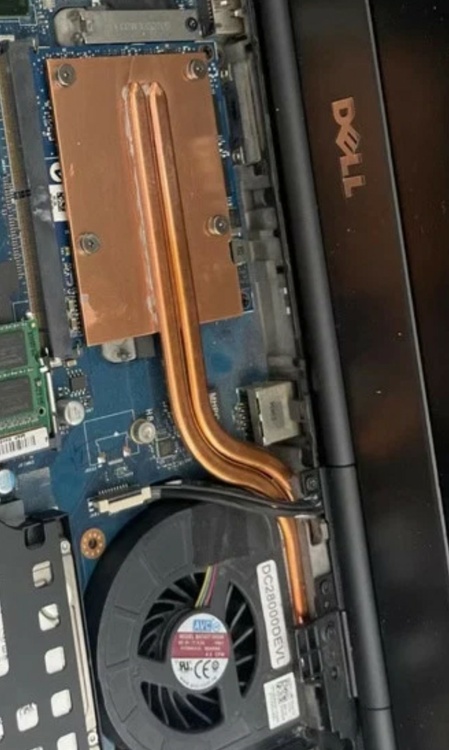
He just took the OEM heatsink and added a full copper plate, that's it. The newer version, it's a new base, new heatpipes. I just hope he can really add these spiky dissipations points for the surface because that could help a lot! Like this for example: https://ae01.alicdn.com/kf/S810491978e404e748c165314a164c71f7.jpg
-
Here's a preview. The surface just need some dissipations points, adapt the height of the right side inductors and that's it! Compatible heatsink for the 4060, 4070.
-
You do need a better heatsink, cicichen made the two heatpipes version. He needs to add some "spiky surface area" on the full copper heatsink and it'll be good to go! Could handle 100W. Wait ReBar and 4G decode exist for the M4800? Any BIOS online? The same for M6800? Since they use the same BIOS type.
-
Need help for editing or getting VBIOS for 4080M and 4090M MXM
SuperMG replied to SuperMG's topic in Components & Upgrades
You should wait for the heatsink then because there are no ZRT 4060 vbios available. ZRT 4090 VBIOS is available right now but it's a scam! It's the same as X-VSION but it's a MAX-Q version! Doesn't respect their datasheet. DP/HDMI/HDMI/eDP(disabled) and not DP/DP/HDMI/eDP as stated. Or maybe... Should I test their drivers? I tested the standard ones from Nvidia with NVCLEANSTALL. -
Need help for editing or getting VBIOS for 4080M and 4090M MXM
SuperMG replied to SuperMG's topic in Components & Upgrades
Nope, you're the only one. ZRT has the same 4060 VBIOS as yours but it's 60W max. You can do some hex editing and find the max TDP value in little endian in the vbios file but the problem at the end is the vbios signature. Cicichen was able to add 2 heatpipes on the M4800 GPU heatsink. Full copper plate. So originally one heatpipe was 1mm wide, the 2 are 1.4mm wide in total. The copper plate is flat and he forgot to make the surface with "spiky dissipations" points. Also he forgot that the inductors were 3mm high and the core was 1.8mm high. His design was for the Kepler and Maxwell cards. Maybe a newer update will be made for RTX ones? -
I think that limiting the temperature limit has a jointure with power limit as well. When I was dropping the power limit with the NVIDIA inspector with the bugged driver, the temperature limit was dropping too.
-
Hello So the GPUTWEAK III software allows to set a precise power limit and temperature limit? Without needing to use these previous "Nvidia driver bug" that unlock the power limit for laptops?
-
clevo p870tm/tm1-g Official Clevo P870TM-G Thread
SuperMG replied to ViktorV's topic in Sager & Clevo
Need the cable mod for backlight for these RTX cards. -
We can run a heatpipe on the ethernet without trimming it, okay.
-
That sounds like an overclock to me. Chip can handle 43, 41, 41, 40? Single-thread in CPU-Z, it's 420?
-
clevo p870tm/tm1-g Official Clevo P870TM-G Thread
SuperMG replied to ViktorV's topic in Sager & Clevo
Tested X-Vsion and it works. 4070, 4080 and 4090. ZRT's vbios for the 4090 is a fraud. It's just the same vbios as X-Vsion but it's Max-Q edition. The eDP is still set to disabled when we install the drivers. -
Thank you. Is the Ethernet port in the same height as the GPU heatpipe? Can you overclock to 4GHz all cores using NVRAM edits + sleep bug to unlock the TDP?
-
Coil whine = high FPS. Happens on every cards I own. What FPS did you get for average? Isn't the maximum throttle 87C for the core? That's good! Hotspot throttle is 105C I believe. Maybe -10C with a two heatpipes design. Standard heatpipes, not the "big flat" one.
-
I said it wrong, oops. I wanted your results with your custom v1 heatsink!