
srs2236
-
Posts
276 -
Joined
-
Last visited
-
Days Won
1
Content Type
Profiles
Forums
Events
Everything posted by srs2236
-
My 9900KS ain't even close😭 The best I had was 11700 something. And that was with max fan speeds and the CPU cooking at solid 99c😂 But maybe will order a new IHS and have a look into HoneyWell thermal paste/pad magic thing?!?
-
No of course there are no challenge lol. I made it up. But I was just laughing about it because I for the longest time want to mod a 5TB HDD inside my P775. Seeing that you both had this crazy amount of storage it just motivate me a little bit. And hence it's an unfair advantage as it is a mechanical hard drive which is like old grandpa compared to SSD's😂 But I hate this that the P775 has the space to house a thicker 5TB HDD but it just doesnt line up correctly. But thats why I am going to attempt to force mod it in. And then I will have RAID0 2tb ssd, 2tb hdd and 5tb hdd. If the P775 has two HDD spaces might aswell use it to the maximum extent possible.
-
91c on autofan.... Then there is my machine which will happily sit at 100c on max fans a lot of times😅 god how do you guys cool your CPUs that well... Also I am about to challenge your 5.5TB and 7TB of @crossshot with 9TB of storage in my P775 😏(with an unfair advantage)
-
Truly happy about this one:
-
Actually, I was thinking about this for a little while now. I always run my fans at max speed. When I did the Superposition benchmark the GPU draw a constant 150W, yet it ran so comfortably cool reaching only 60C at the very last moments of the benchmark. Yet, If I run a CPU benchmark like Cinebench at 150W, one of the CPU cores reaches 99C almost immediately. Something doesn't feel right... I know for a fact the GPU side has more copper mass but still. Starts to sound like poor thermal transfer to me. Maybe it's the fact that the GPU is direct die? Or maybe just has a better contact... I use Thermal Grizzly Kryonaut for both. I am very afraid of liquid metal for the fact that it can destroy the whole PC if not applied correctly + the issue of re-application because of LM + copper problems. I have been thinking about the IHS and change of thermal paste though. The idea was to change IHS to a bigger one and put LM under the IHS. Then maybe change thermal paste from Kryonaut to the Honeywell phase change one. Seen some people praise it a lot.
-
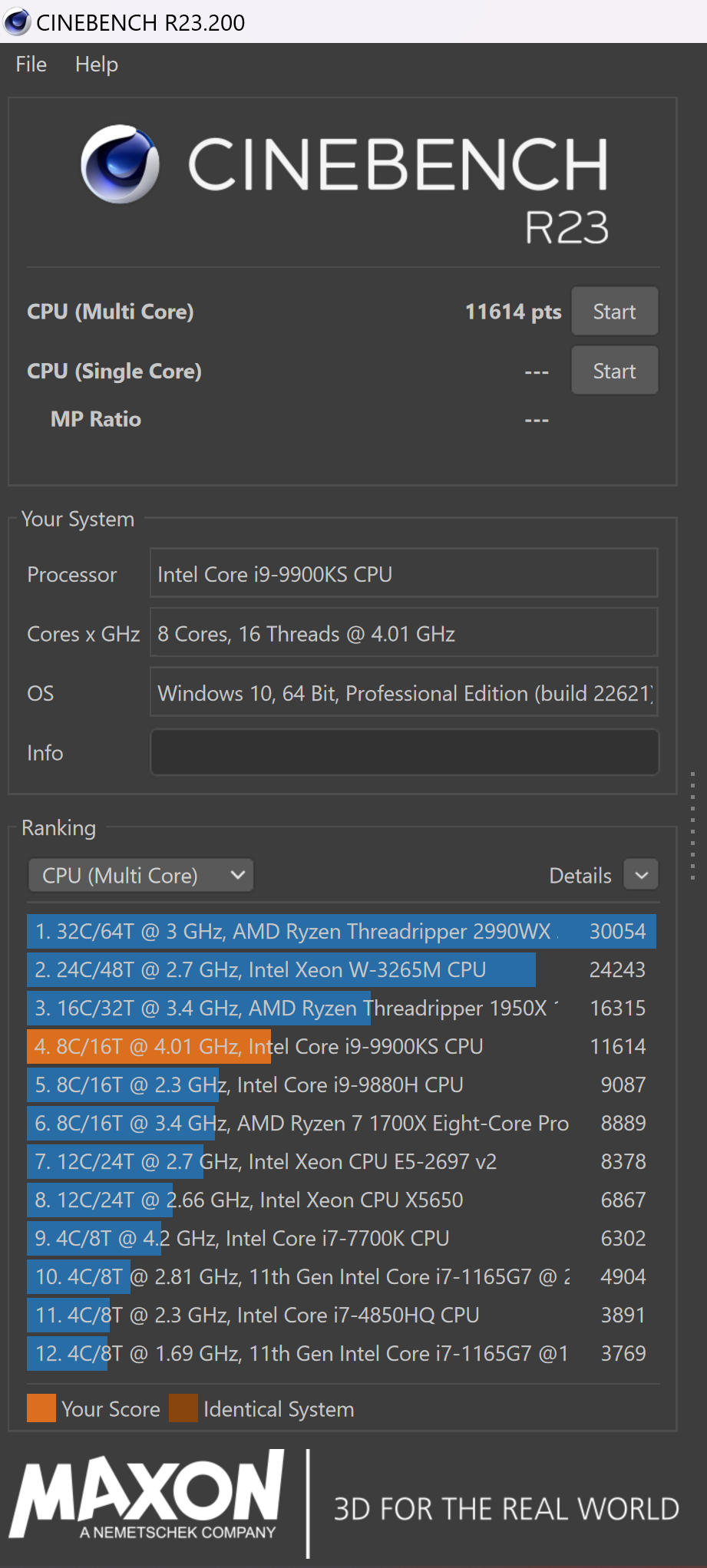
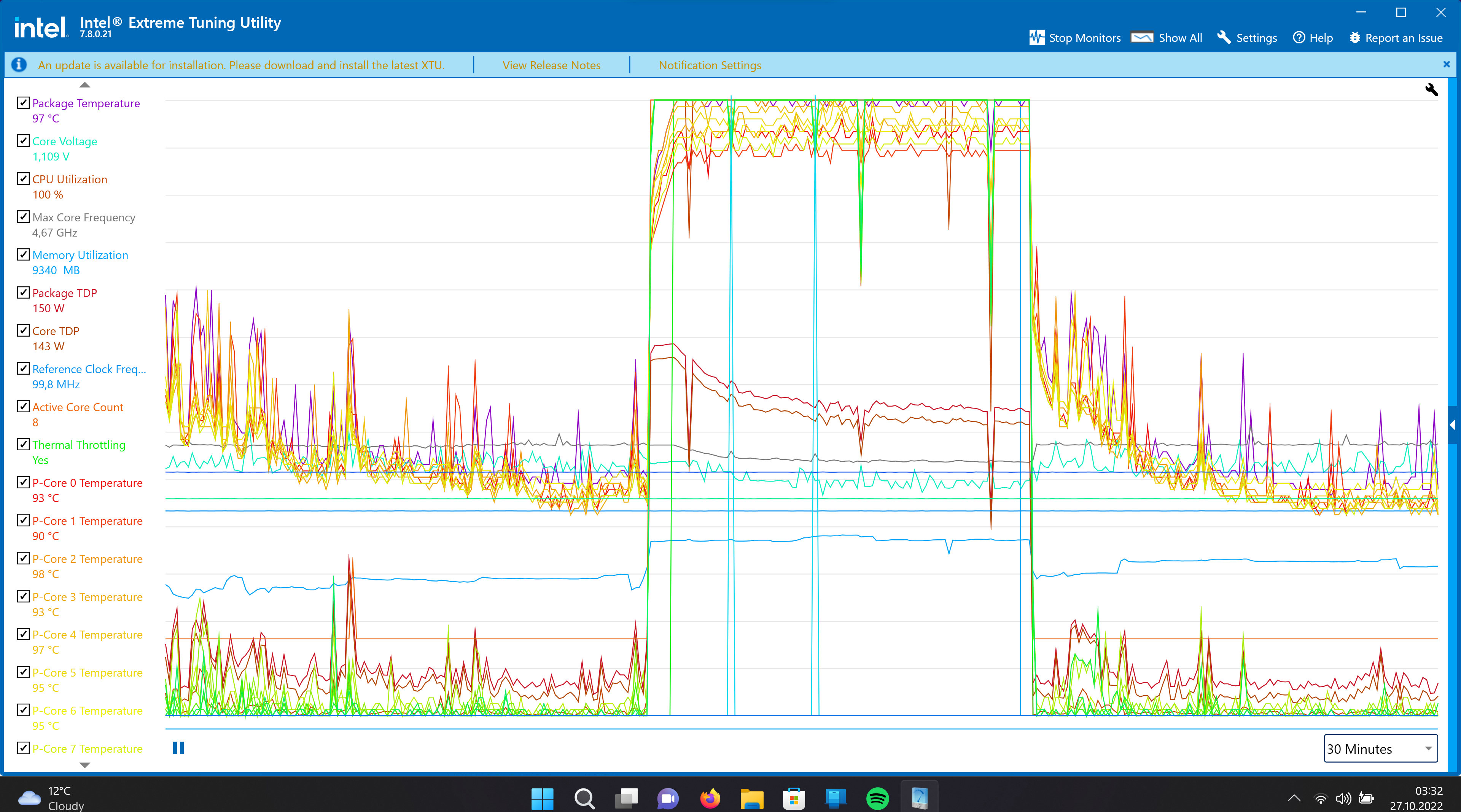
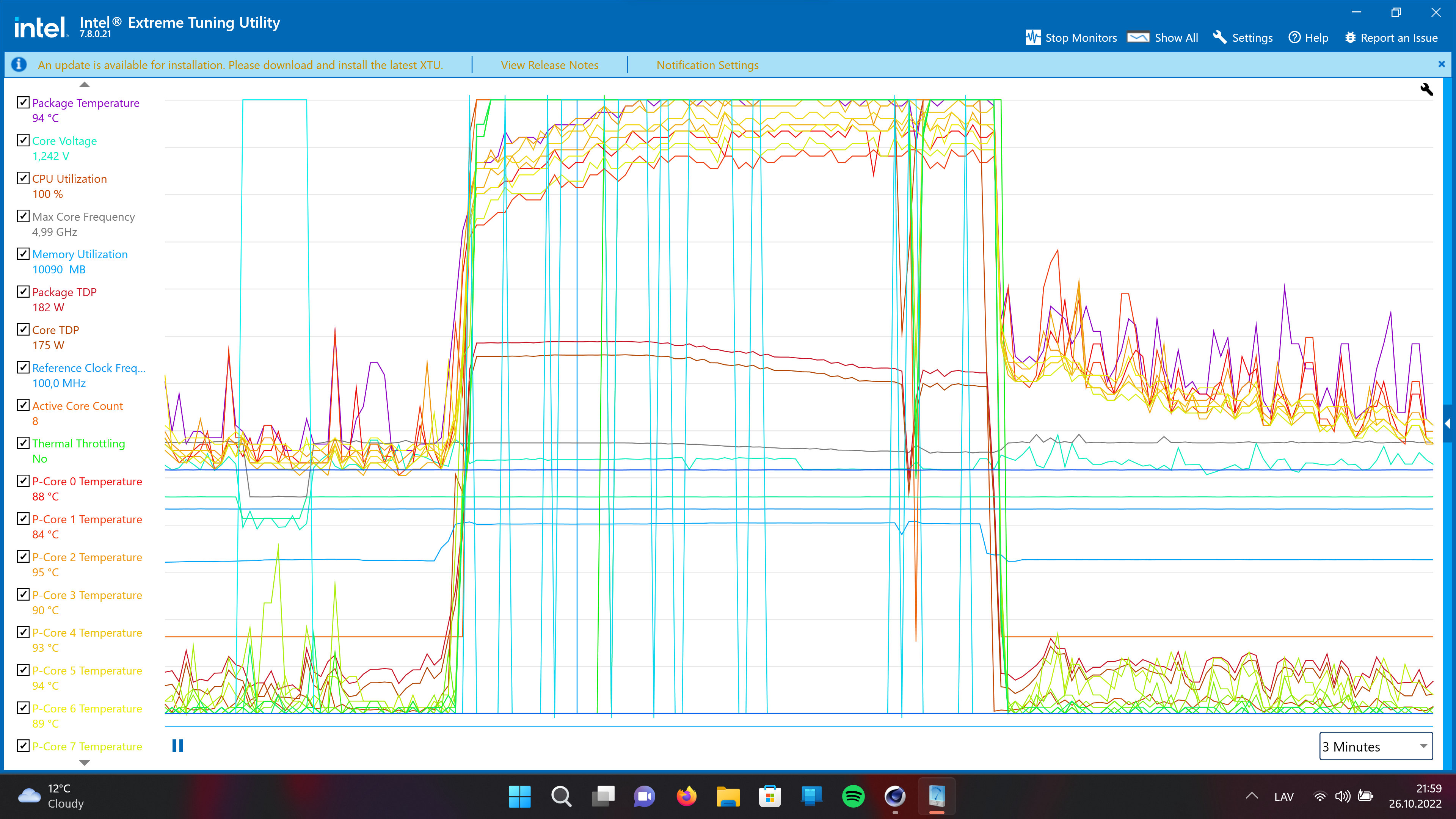
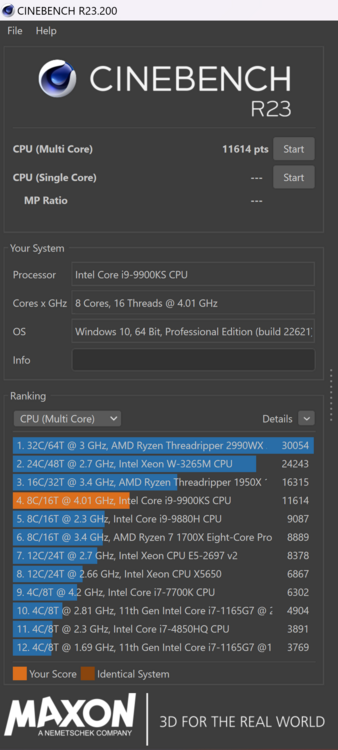
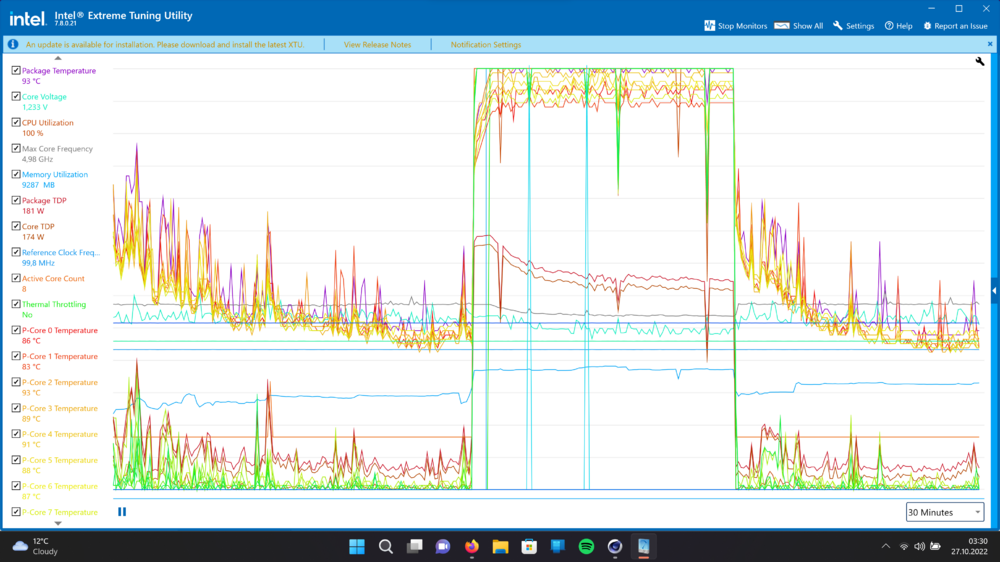
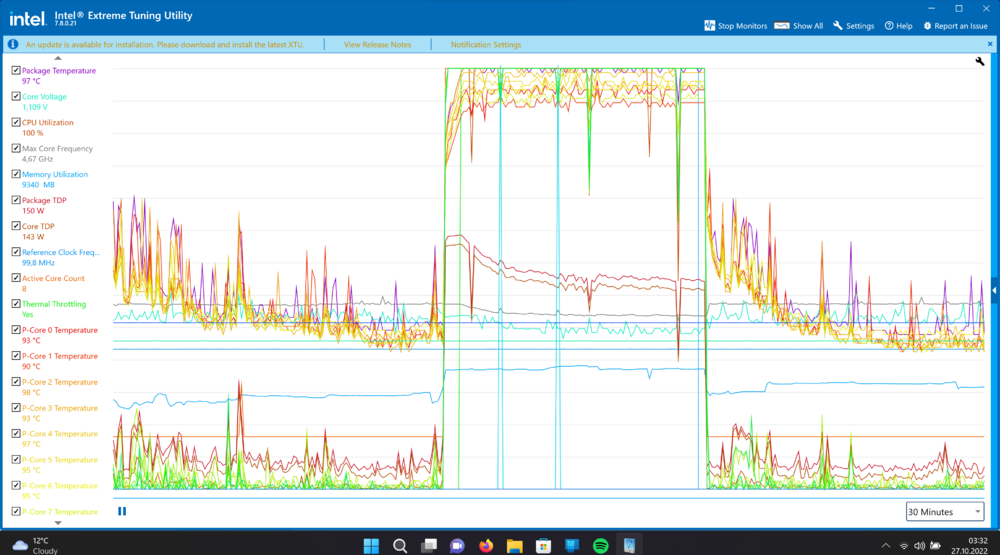
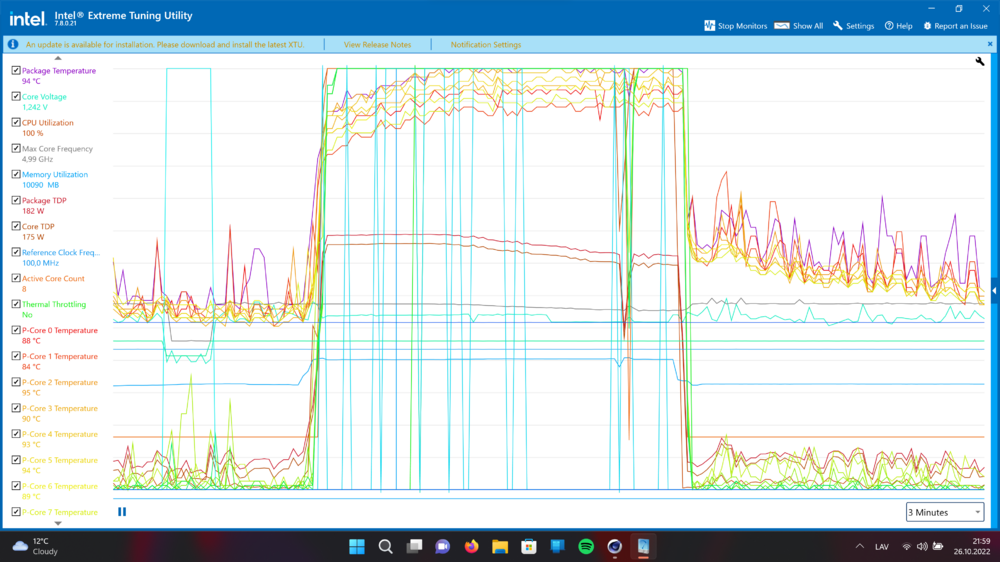
Yeah, it is a bit crazy for this CPU. I don't know how but I think sooner or later I will have to go liquid metal or something. First pass looks very promising but it draws an unrealistic 180W for my cooler and it eventually thermal throttles itself to 150W which equals 4.67GHz only. I was able to achieve an extra -0.015v undervolt by disabling Intel TVB voltage optimization. It had a bug where the undervolt would be stable but it would drop the voltage too much in idle and crash during long idle times. However -0.135v would crash under 5th pass on cinebench. This test was done with -0.130v. I am wondering what are other people scores in cinebench with Clevo laptops? Is there a thread or benchmarks from other people somewhere that I am missing? I have a good idea now how well my GPU performs against other similar builds but not sure about the CPU performance in my scenario. From a quick google search people seem to say that for i9-9900KS average on cinebench should be around 14k. mine is just 11.5k... yikes 😕 And this is without a load on the GPU. With a load on the GPU the CPU TDP drops to even lower more like 100W in games.
-
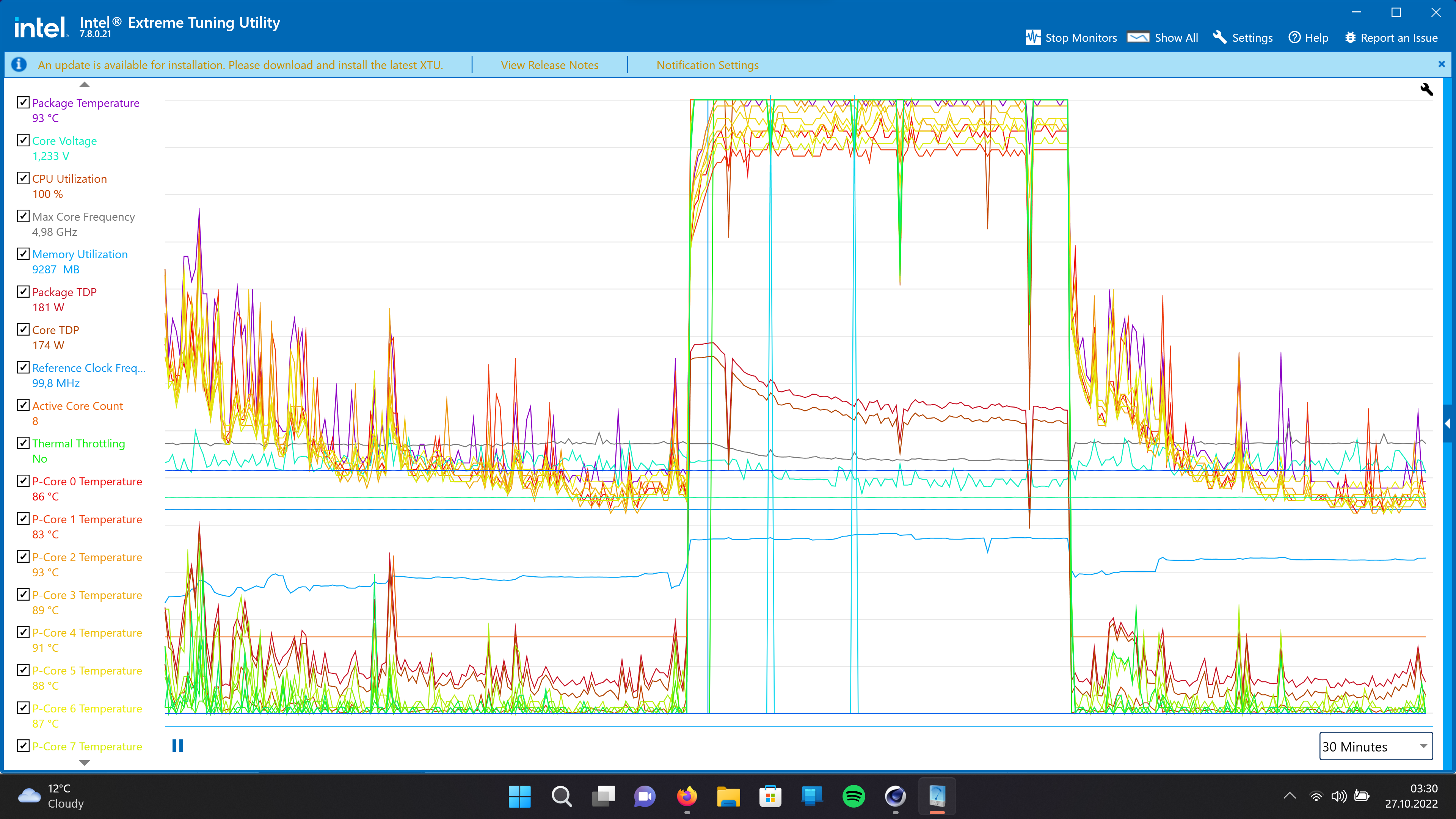
How am I expected to cool the CPU?!?! Also, as soon as the package TDP falls below 180W the CPU starts downlocking itself from 5GHz. yikes... This is with -0.130v undervolt in 1pass of Cinebench r23:
-
Have you got this sorted for your machine?
-
You were right! I had to wait a long time to finally hunt down a keyboard for a reasonable price. They are literally unavailable unless you buy from aliexpress for a hefty 100GBP price. I was able to hunt down a spares/repairs listing for P751 and even though it was not for parts I wrote a message offering 75 for the keyboard alone and he accepted. Anyways, you were right about the LED wear overtime. I got lucky on this one and for the first time I finally see the full spectrum of colors from my keyboard! 😃 Now just have to stop playing Rocket League on my main keyboard because I am scared of them failing now. This is my 3rd keyboard for my P775 over 1year of usage... =D yikes And oddly enough both of them failed in exact same fashion. D key stopped registering strokes slowly until completely dying out for one and the other just sometimes worked but most of the time didn't. I think it has something to do with a lot of key strokes during Rocket League =D Also funny how I upgrade this machine and try to push it to the limits and end up spending most of my time playing Rocket League xD
-

clevo p870tm/tm1-g Official Clevo P870TM-G Thread
srs2236 replied to ViktorV's topic in Sager & Clevo
Can't wait for test results! -
clevo p870tm/tm1-g Official Clevo P870TM-G Thread
srs2236 replied to ViktorV's topic in Sager & Clevo
My 9900KS is capable of all core 5.1GHz at -50mV. The thing is though, to maintain that 5.1GHz a lot of power is needed and at only -50mV the CPU goes in to thermal throttling before the PC can really take advantage of the 5.1GHz... So I don't know what else to optimize in my PC other than just improve the cooling somehow which will definately translate to better performance. At the moment I think I am going to look into maybe having a bit bigger undervolt on my CPU but I'm not sure if that is possible. (Currently stable with -115mV) -
clevo p870tm/tm1-g Official Clevo P870TM-G Thread
srs2236 replied to ViktorV's topic in Sager & Clevo
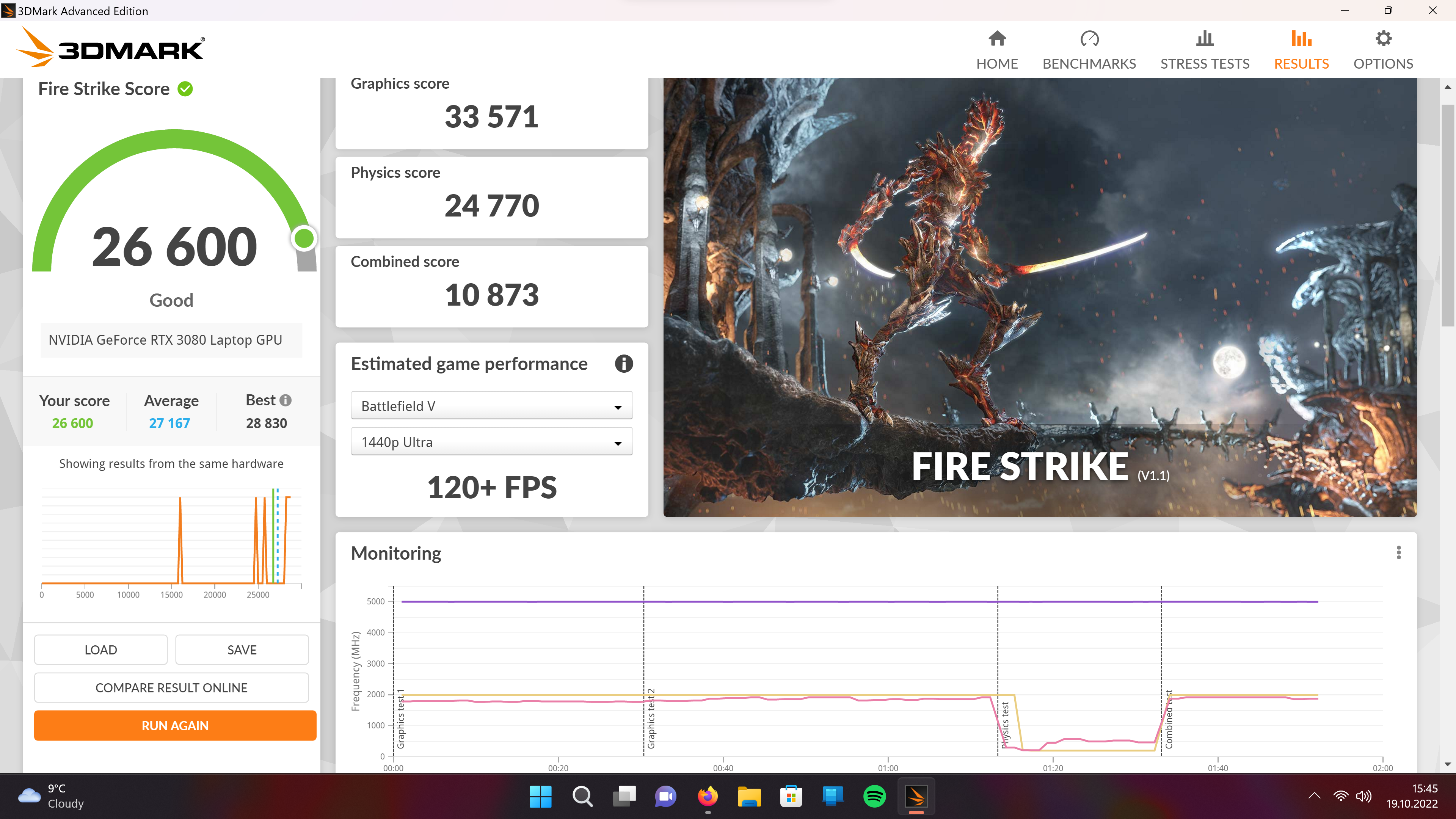
Well, with the GPU there is no problems what so ever. The CPU on the other hand... Well, it averages 100W and tends to thermal throttle a bit depending on the game, but still the clocks are 4.8GHz average if I had to guess. For example during Fire Strike it had PL2 active and had 143W drawn for Core. It survived the Fire Strike without dropping clocks, but in normal scenario in game it would never be able to sustain 143W on the heatsink that I have. -
clevo p870tm/tm1-g Official Clevo P870TM-G Thread
srs2236 replied to ViktorV's topic in Sager & Clevo
My scores on Fire Strike: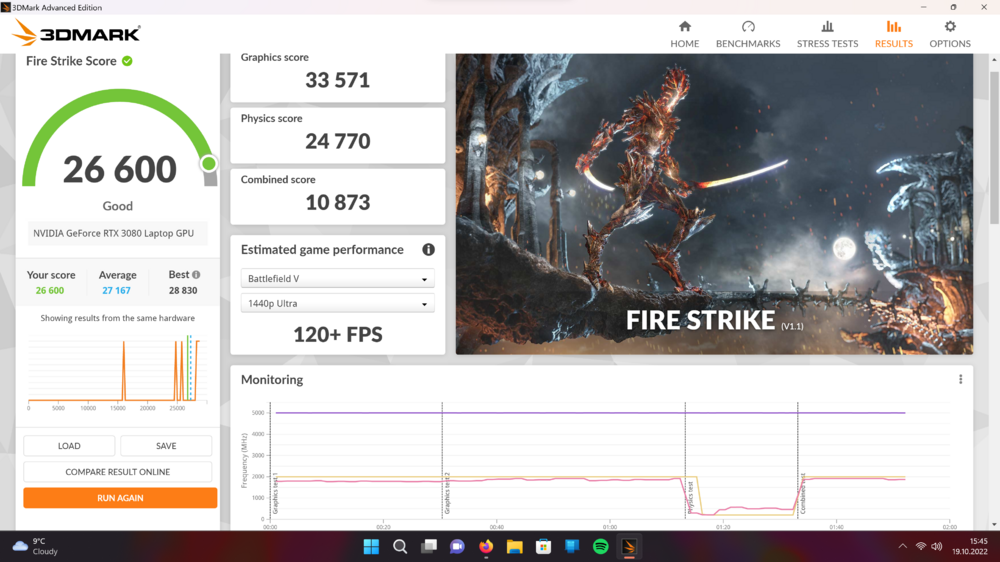
-
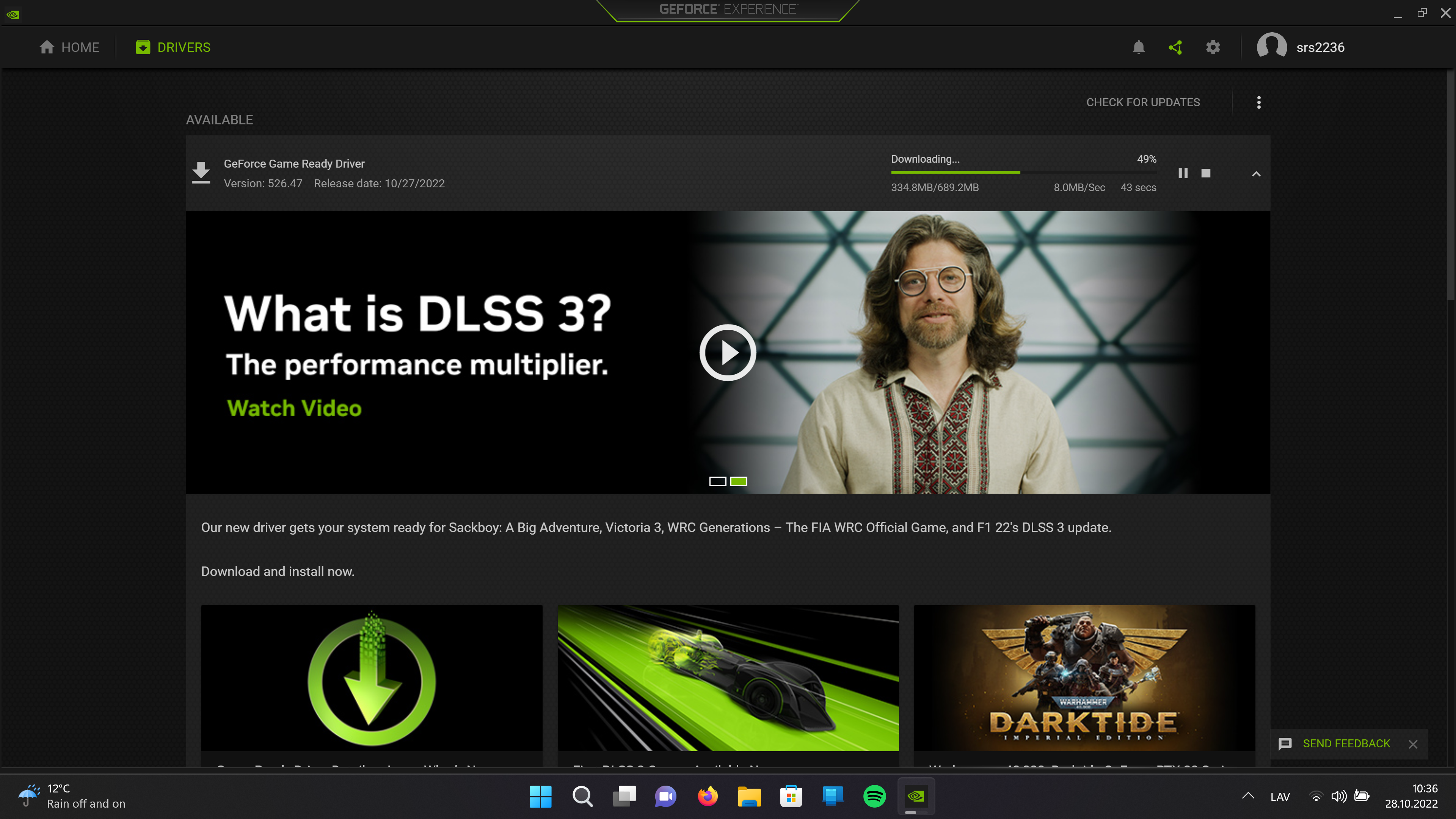
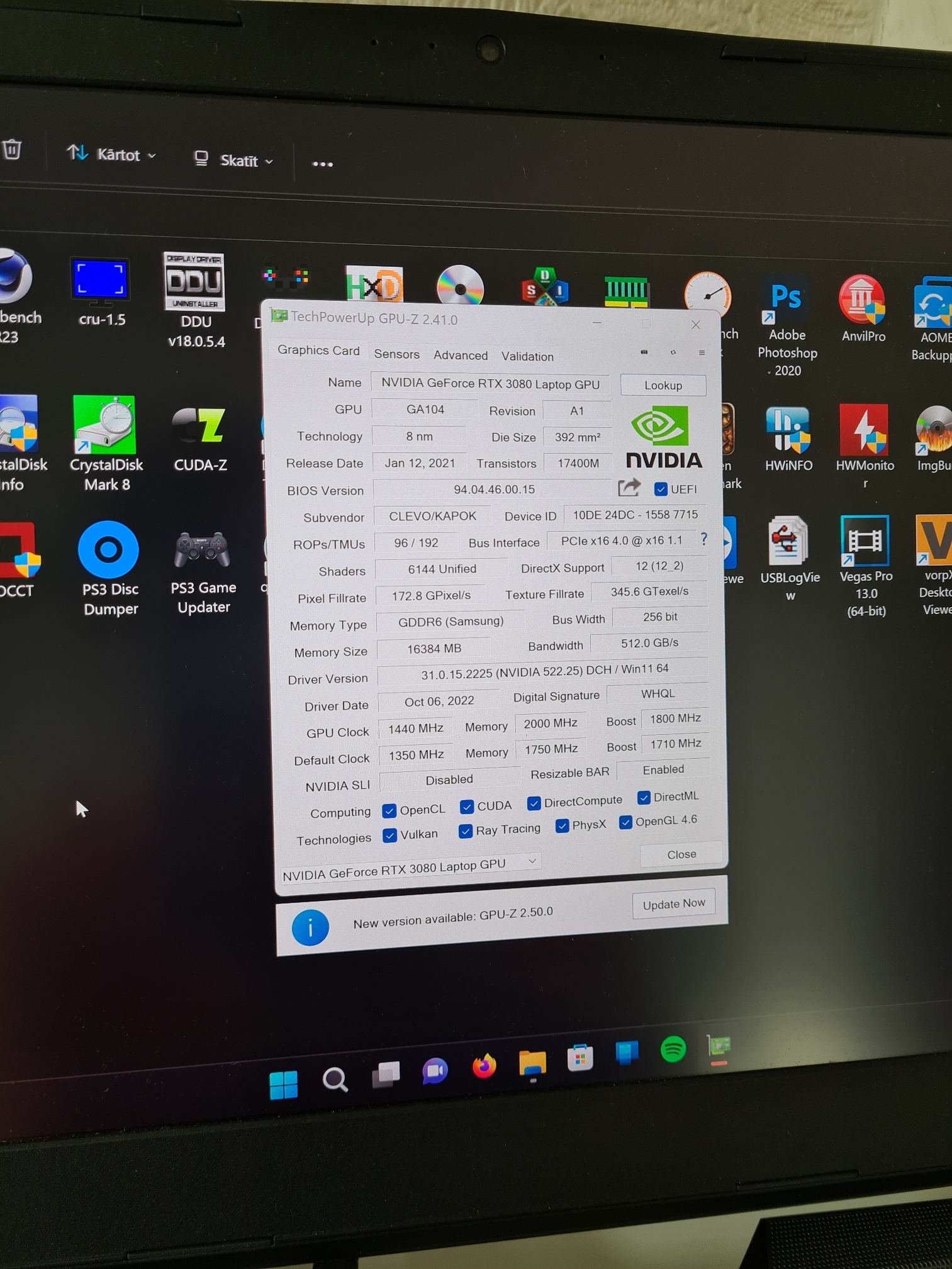
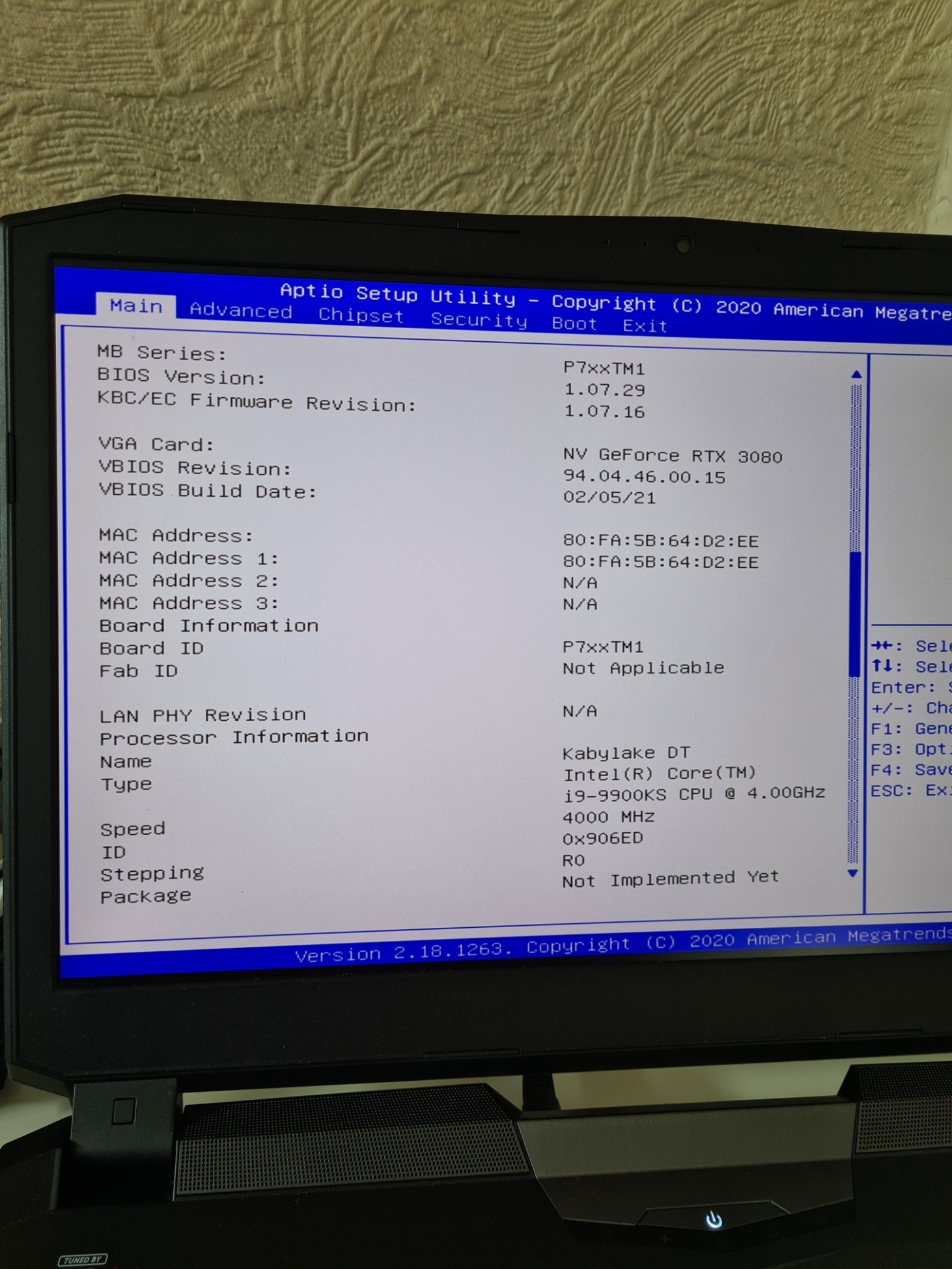
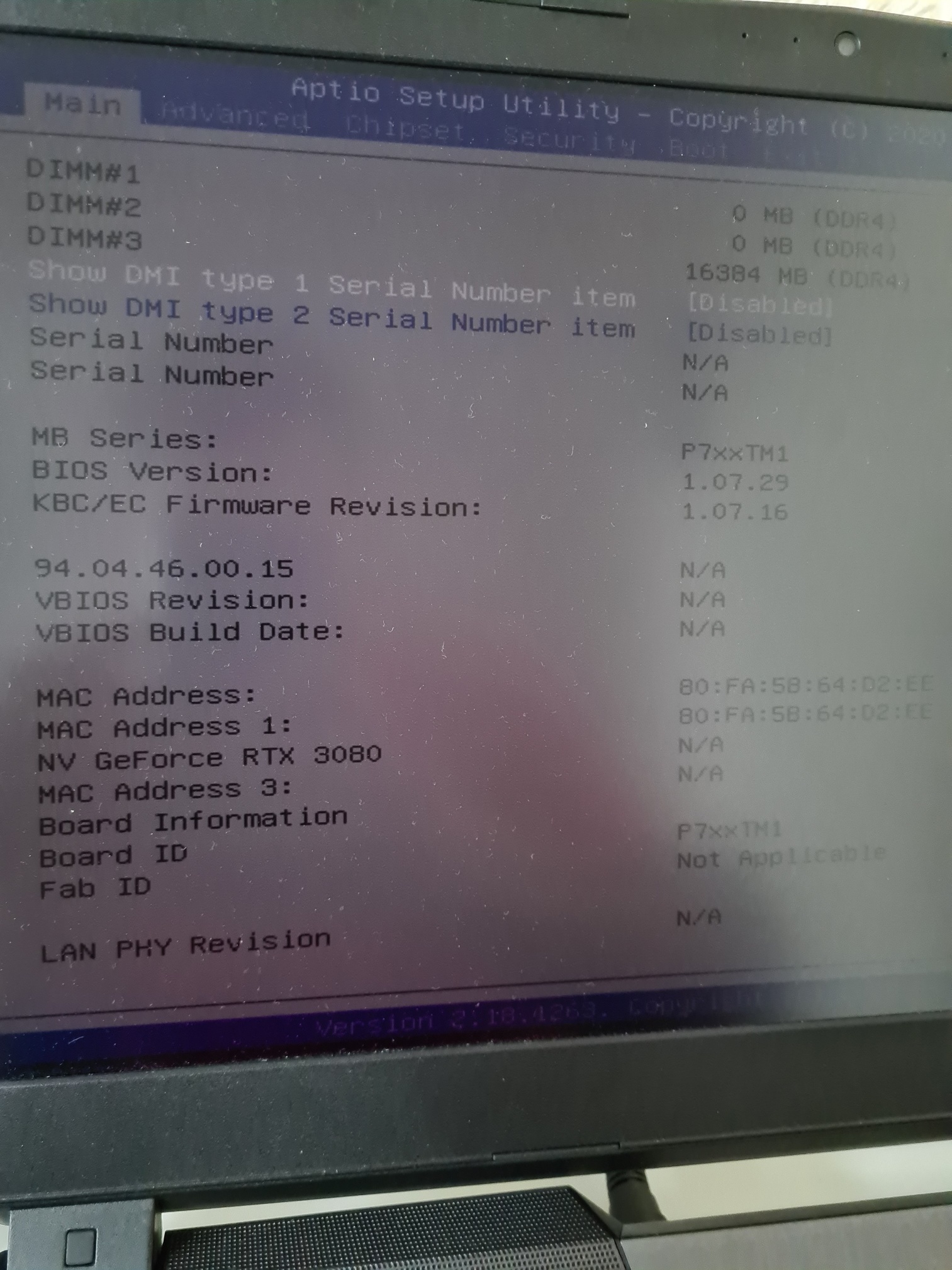
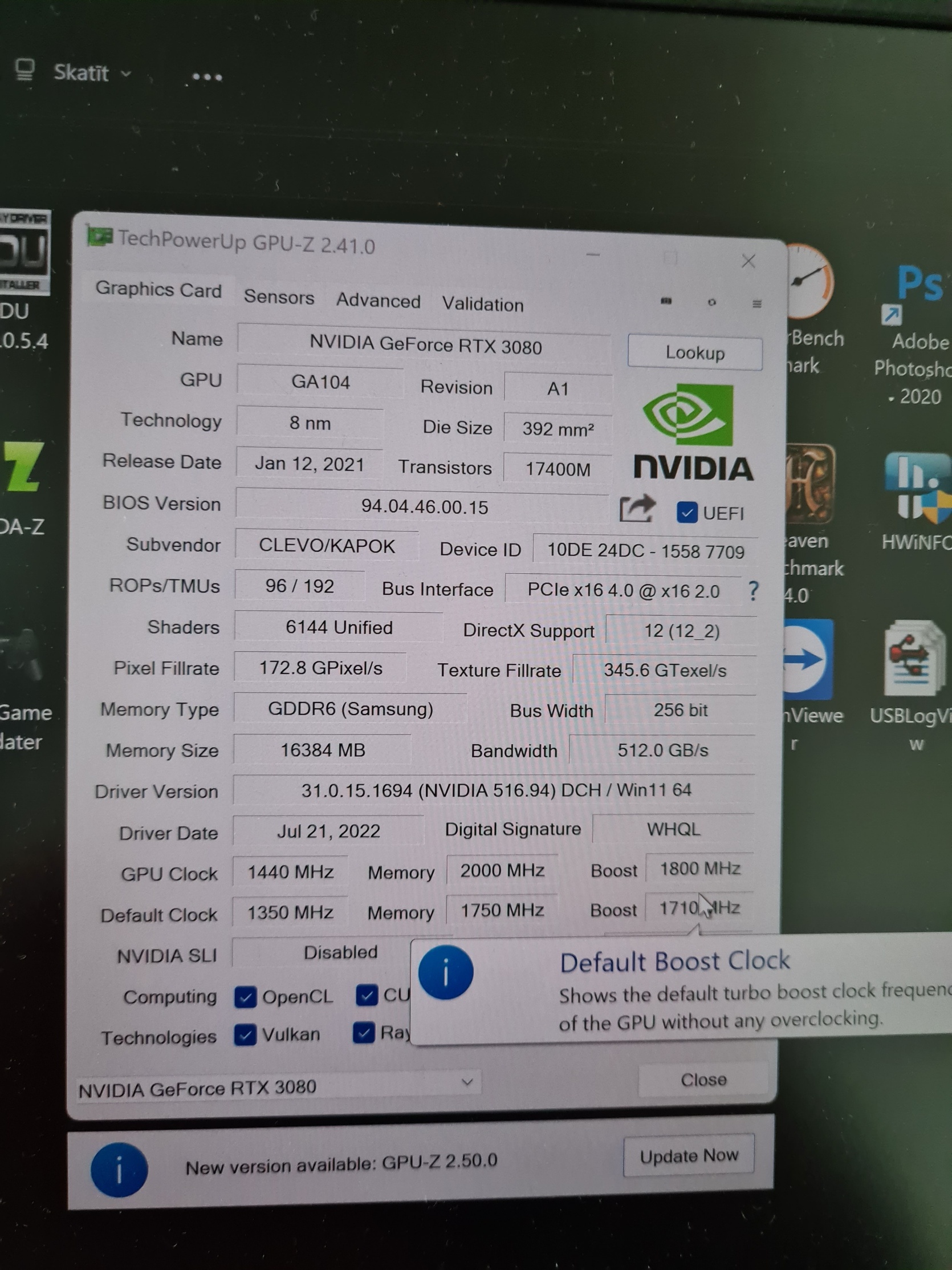
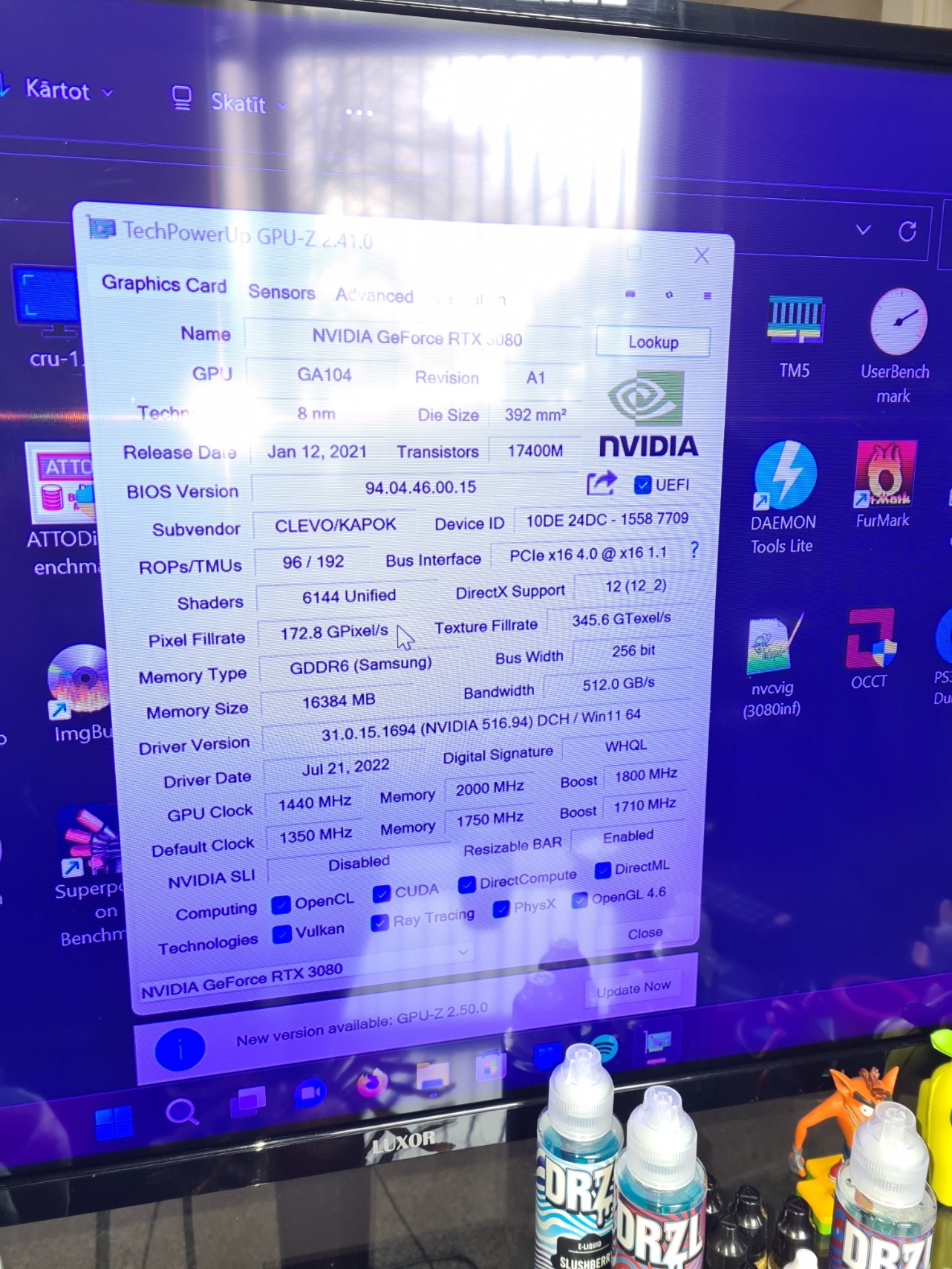
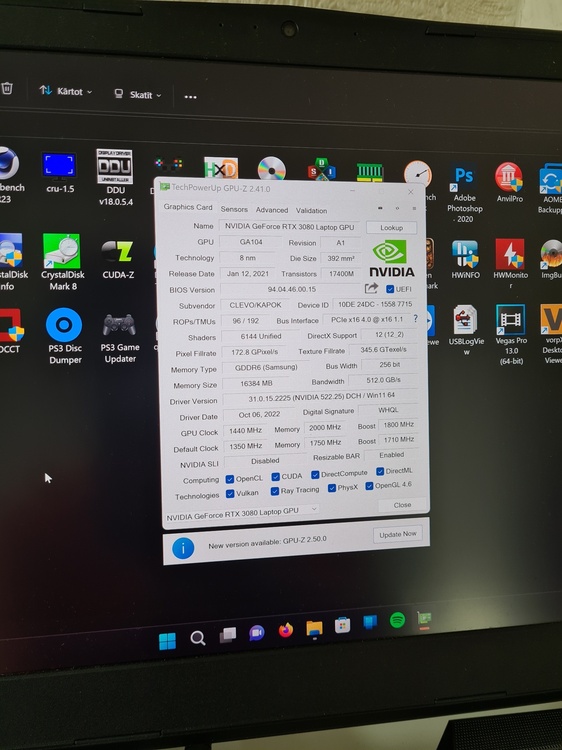
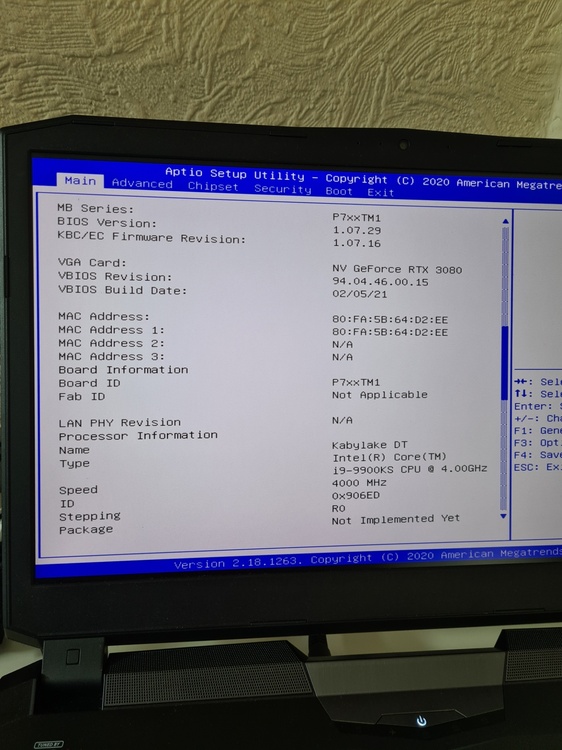
Successfully modified the bios to get rid of inf mod necessity and to correctly recognize the card in bios settings: GeForce Experience now shows notifications for new drivers and drivers from NVIDIA website install without problems. This is really nice as even when Windows 11 did the update from 21H2 to 22H2 I had to reinstall drivers again with inf mod and driver signature disabling etc and it is just pain. So now this is not an issue + automatic updates. This was achieved by altering the Device ID. The subsys part now reports same ID as X170KM-G. G-Sync at the moment is still not working. I personally think it's probably possible to get it back if the mods are done correctly, maybe some parts of code need to be borrowed from X170KM-G bios. I am not sure. But at the moment I am leaving it like it is as I don't really care that much about g-sync for internal panel. Also Dynamic Boost is still not working. I don't have the slightest clue if it even is possible to get it working with some mods or not (would be nice to run the card at 165W). When I will have time, I will make a quick YouTube tutorial video on how to modify P775 bios to make it compatible with 30 series cards for anyone who might need it in future. It is not hard and requires only some hex edits in two of the bios modules.
-
clevo p870tm/tm1-g Official Clevo P870TM-G Thread
srs2236 replied to ViktorV's topic in Sager & Clevo
I did it!!!! I am so happy! A completely different module needed modifications that were untouched in your modified BIOS. Not sure why the P775 and P870 work differently, but hey, glad that I got it working! Huge thanks for @runix18 for telling me that it is possible and giving me a starting point and @ViktorV for showing actual proof of it working. After like 10 if not more hours of bios modding and flashing finally got it working =D -
clevo p870tm/tm1-g Official Clevo P870TM-G Thread
srs2236 replied to ViktorV's topic in Sager & Clevo
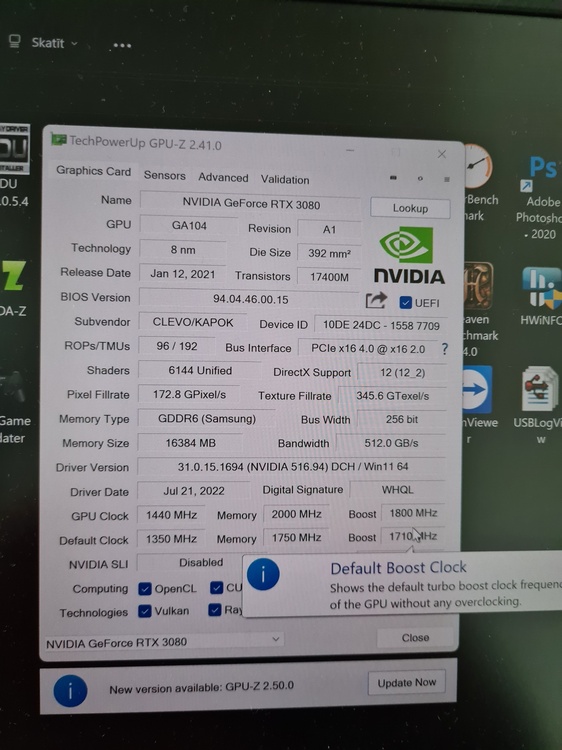
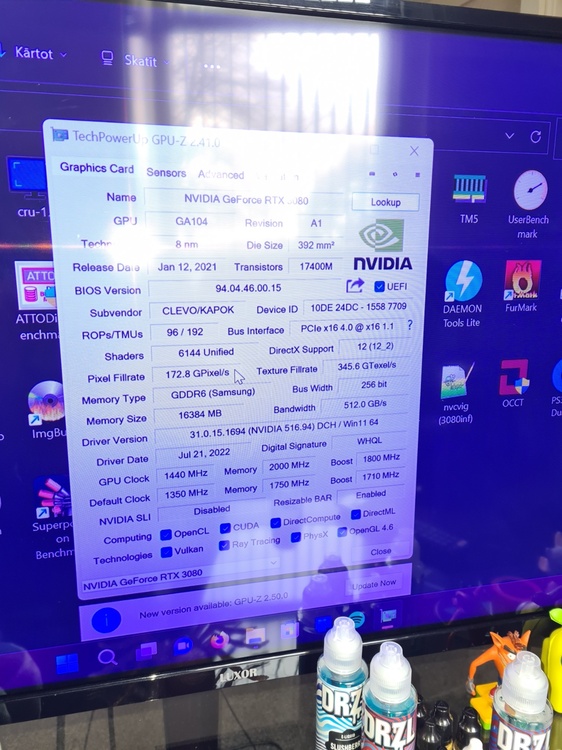
Hi! I tried it and unfortunately it just doesn't work. At this point I am convinced that to make it work on P775TM1-G there is some other workaround necessary. I tried making changes to the modules for my P775 and it wouldn't change the Device-ID no matter what. In the end I literally transplanted the whole nvidia driver modules (dxe, pei, smm) from your modded P870TM bios to my P775TM. Suprisingly enough, while very buggy (flickering screen, BIOS corruption, internal panel very dim) it actually works, I can boot into windows, drivers doesn't crash, HDMI output to my TV works perfectly. However, the Device-ID STILL DOESN'T CHANGE!!!!!!! :@ xD Pictures with the P870 driver modules in my P775: So unless the modifications for the Device ID are done elsewhere in the BIOS, the same modifications that have been done to your P870 nvidia module does absolutely nothing atleast in my case for my P775 and an RTX 3080. Maybe, I am missing out on something? Could you ask if its possible for that enthusiast to have a look on my P775 BIOS? I would even pay for a successful mod. And if indeed there were different modules modified, another BIOS dump from you before the RTX 30 series support was added would be helpful for me. Thanks!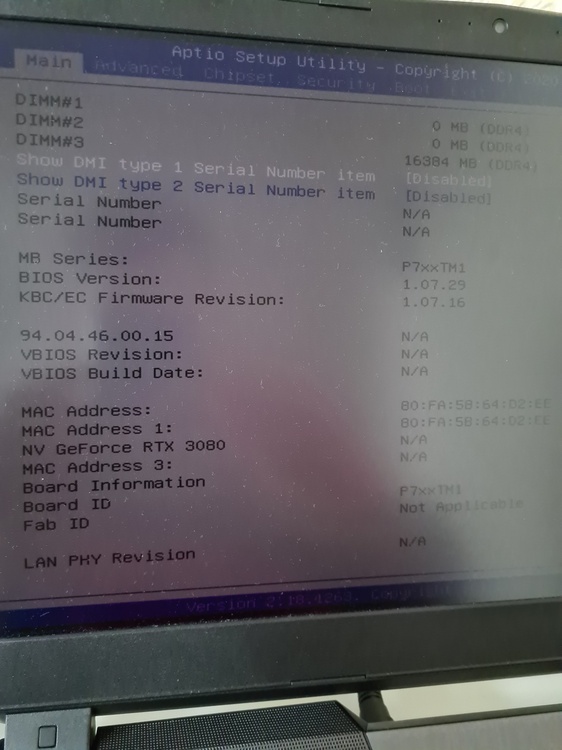
-
clevo p870tm/tm1-g Official Clevo P870TM-G Thread
srs2236 replied to ViktorV's topic in Sager & Clevo
Please do! Send me in DM's your BIOS if you can! Will try and have a look 😃 -
clevo p870tm/tm1-g Official Clevo P870TM-G Thread
srs2236 replied to ViktorV's topic in Sager & Clevo
That's cool! Do you think similar thing could be done for the P775TM1-G aswell? I tried, but didn't succeed. -
Maybe the chipset died/malfunctioned? That's the first thing that comes to my mind, because of the SSD failure. It's controlled by the chipset. I assume on normal Z370 motherboards the chipset is cooled with proper heatsink, but on the P775 it's cooled using a 4mm thermal pad against the metal chassis which is kind of a joke and not actual cooling. Both of you with your failed machines have me getting very anxious about my P775TM1-G 😬😬😬
-
clevo p870km bios question and upgrade to rtx3080 on the way.
srs2236 replied to Scruffy's topic in Sager & Clevo
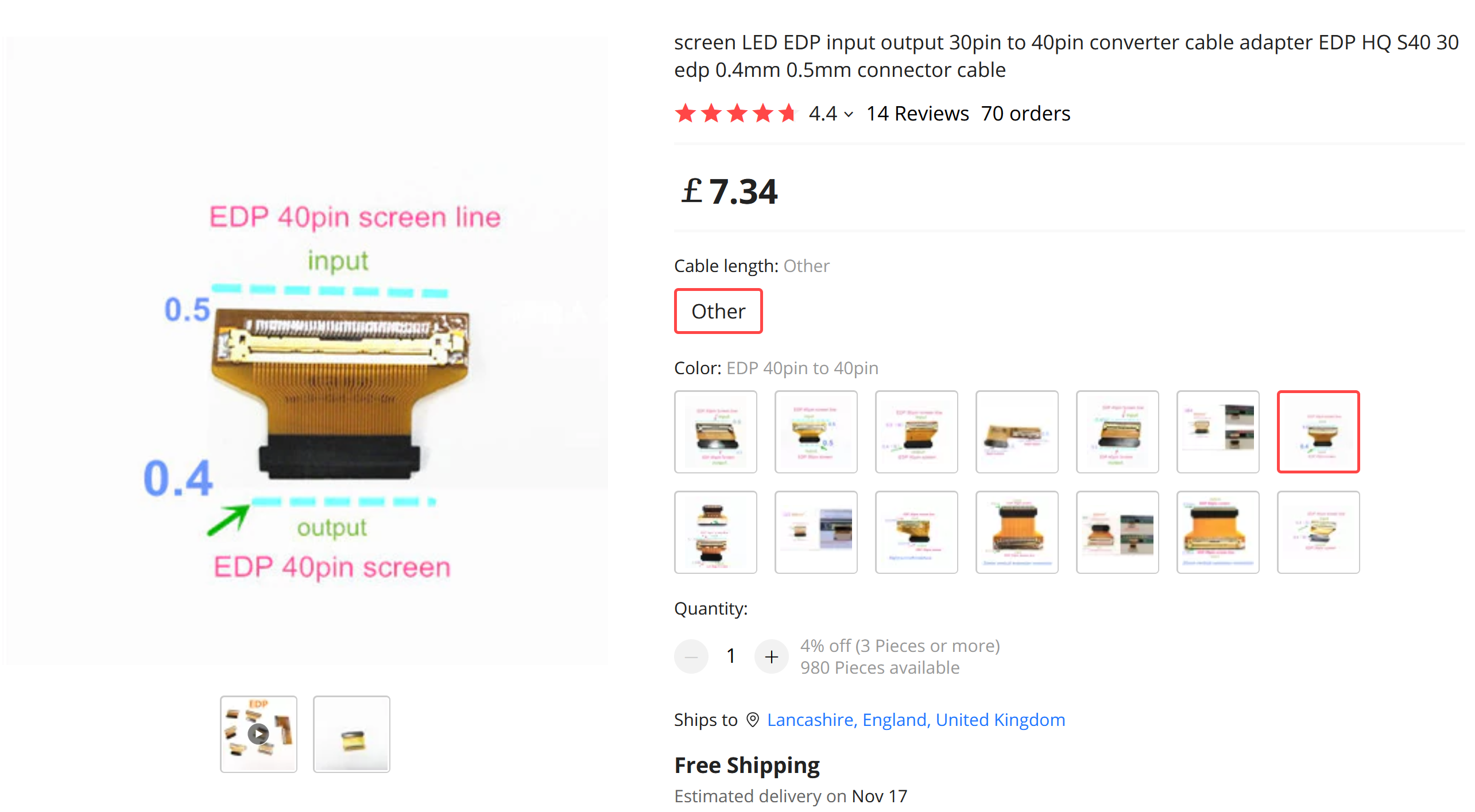
Nice find, thanks! But can't I just use one of these? (https://www.aliexpress.com/item/1005002211991684.html?spm=a2g0o.productlist.0.0.2a95984dAb8lz5&algo_pvid=9656c590-9309-4eef-bfc1-683bc277f070&algo_exp_id=9656c590-9309-4eef-bfc1-683bc277f070-0&pdp_ext_f={"sku_id"%3A"12000019285628106"}&pdp_npi=2%40dis!GBP!7.34!7.34!!!!!%402100bdec16650656325058775e1bfc!12000019285628106!sea&curPageLogUid=NshHfbYta5pO) Or is it still going to be too short and I have to buy a new special cable?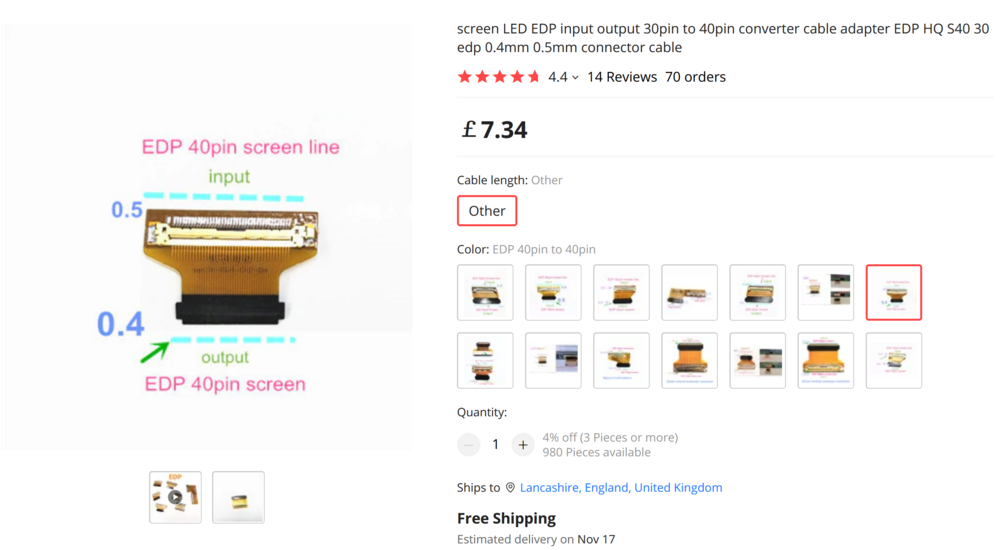
-
clevo p870km bios question and upgrade to rtx3080 on the way.
srs2236 replied to Scruffy's topic in Sager & Clevo
Hi! Thanks for all the very cool info you have been spreading around lately. I have a question for you if you don't mind. Do you think I can install this B173ZAN03.3 4K 120Hz display in my P775TM1-G Clevo? I had a look, but I think the mounting of the panel is different than the one I currently have in my P775. (It's a 4K 60Hz panel for reference, hopefully you know it) Thanks! -
Yeah, this is exactly the reason why I am scared to do it... It requires skill and experience that I don't have =D
-
I know it would be much better but I am scared to solder those shims to the heatsink as I have never done anything like this before. The K5 Pro is alright but damn is it a big mess. I wish it would be soldered... Actually, the ones I am using is 1mm but I could use like 1.5mm shims soldered to the heatsink and then the heat transfer would be excellent. But as I said I have never done this. I do have a dremel, soldering station with hot air, but I am scared because of the horror stories of heatpipes bursting during soldering process. And this heatsink has heatpipes litterally everywhere. Even one dedicated to the VRM area. Ideally I would want to solder like a 1.5mm if not 2mm copper shim to the VRM area aswell. In order to get some heat transfer from the VRMS I need to use a 2.5mm thermal pad which is more like a joke in terms of effective VRM cooling. The VRMs are actually crucial for me to do something about it as in the future I am planning to shunt mod (possibly volt mod??) the card to raise the power somewhere along the lines of 180W-200W. Not sure what realistically is possible but seeing that they had a 200W card for the RTX2080 Super I assume it might be possible? I don't think they used different VRM ic's or did they? About the BIOS mod - how would I achieve this? From my understanding the Device ID is made of two parts. First is the laptops specific ID which in my case is like some string for P775TM and the other half is a string for the GPU part in my case 3080. Because these two were never meant to be together it is not in the geforce driver list? So, would I need a BIOS mod to spoof my PC as a X170KM-G? Or does it work differently? Feel free to correct me if I am wrong as I'm just speculating... Also, did the images work for you? As a lot of people said they are broken, but I found that if you sometimes refresh the page they do load in, just slowly... I havent found the time to migrate to a better image hoster. Would be happy to hear back from you and thanks for your reply.
-
Benchmark scores from UserBenchmark for GPU, CPU and RAM. (Couldn't finish SSD as it is too full at the moment) I know this thread is more about the GPU but included everything else just in case somebody is interested. And for a comparison here is my results with my old RTX 2080:





-
clevo p870km bios question and upgrade to rtx3080 on the way.
srs2236 replied to Scruffy's topic in Sager & Clevo
HOLD UP! 10th gen CPU on Z370 chipset? Care to explain please? I understand it's mobile SKU and engineering sample but still. 10th gen?!?!?! Very cool stuff!