
solidus1983
-
Posts
415 -
Joined
-
Last visited
-
Days Won
1
Content Type
Profiles
Forums
Events
Everything posted by solidus1983
-
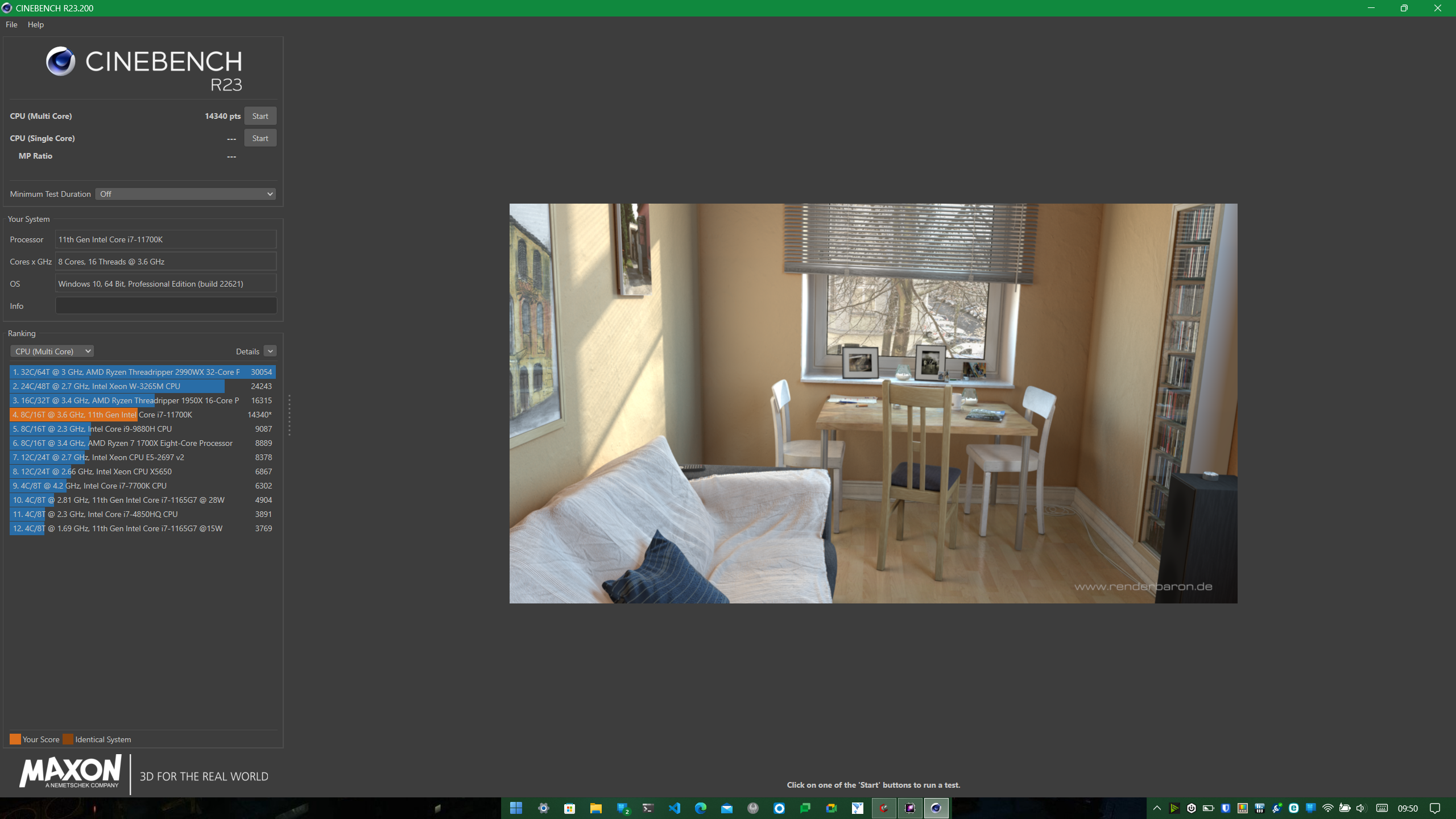
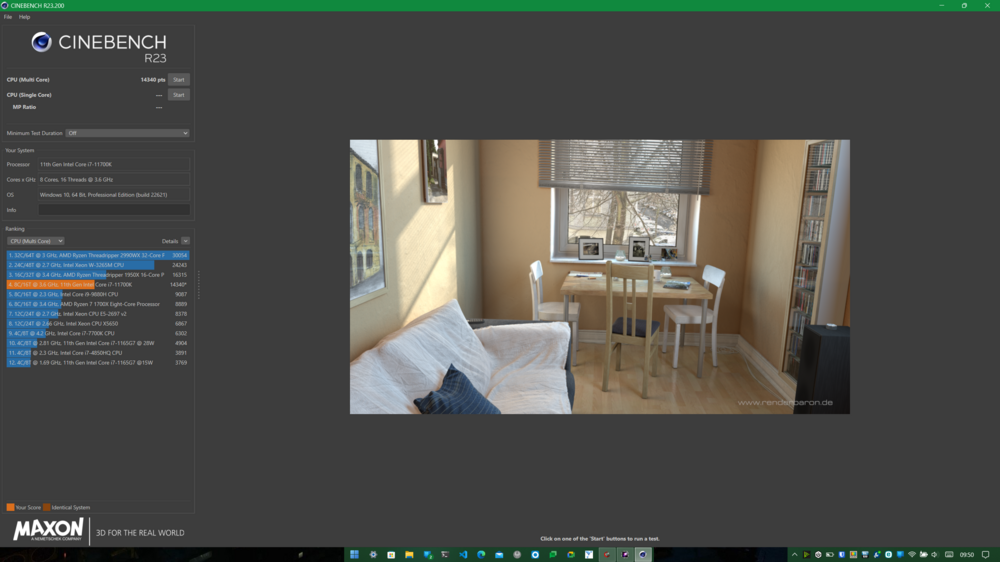
New Score for me on CB23 CPU Ratio's 47,47,47,47,46,46,45,45 CPU PL1 100w PL2 215w TAU 128 Voltage Offset -30mv VR Limit 230A
-
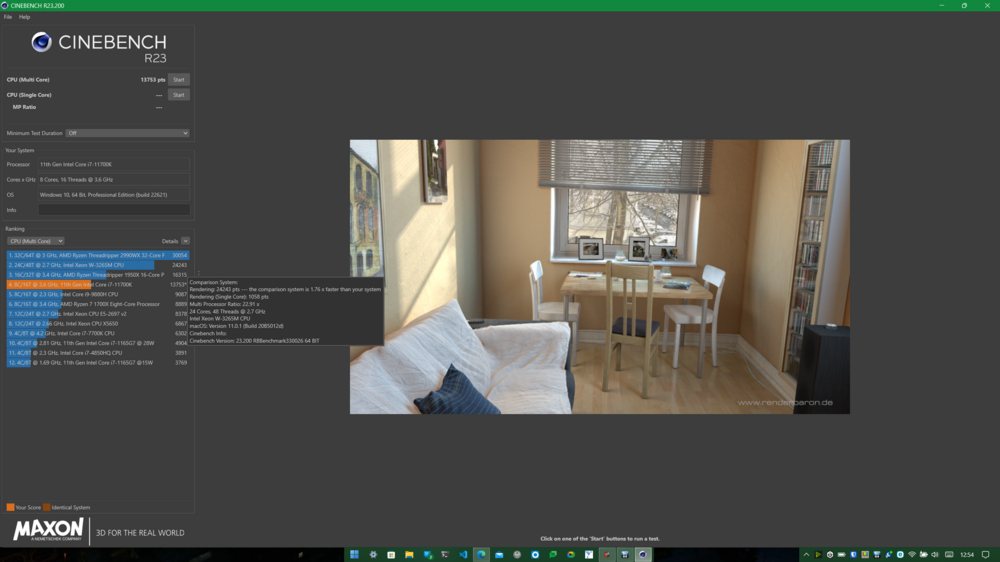
CPU set to PL1 95w PL2 185w with Ratio on 4 cores at 46 with the other 4 on 45. 86c on this run.
-
Some good paste application, with a hint of undervolting and pinch of locking clocks. As for the 5.5TB/7TB challenge didn't know there was one. But if you're going to make one i guess i have to get some 8TB NVME M.2's ordered x4.
-
So now officially have 5.5TB of Storage, I get some strange stability in games when CPU is allowed to go 4.8Ghz+, so have to tune the i7 11700K as currently its now running stable on 4.4Ghz all core, still see temps at 91c on the CPU but thats spikes and also on auto fan.
-
Right new heatsink, installed and i am up and running again. CPU is hitting 83c right now but i think i need to reset the bios as the i7 11700k has core ratio of 44 on all cores. However, the GPU is now at 66c with hotspot back at 82c.
-
@ViktorV I take it my CPU now is better still trying to get GPU right. Thanks for your help ViktorV, however i am just going to give up completely. Concentrate on my new job and call this laptop a day. Will be sending back to PCS for them to repad and paste then getting rid of it. PCS can't repad the system as they only used the ones that came with the heatsink. I have now tried everything so going to just call it quits as I can't get the system back to temp stable any more. So it was nice being in the Clevo club but I am going to move else where for computing.
-
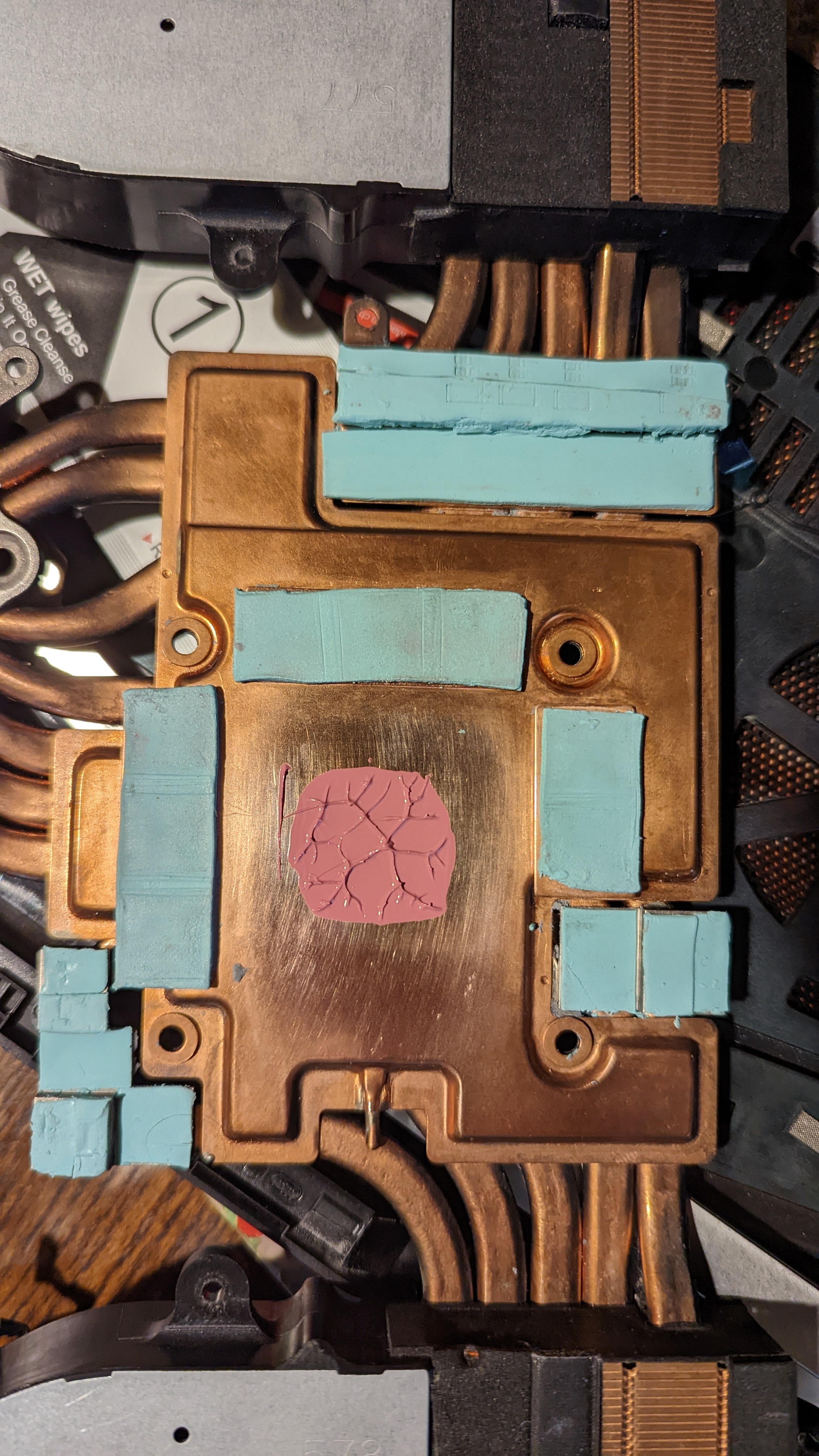
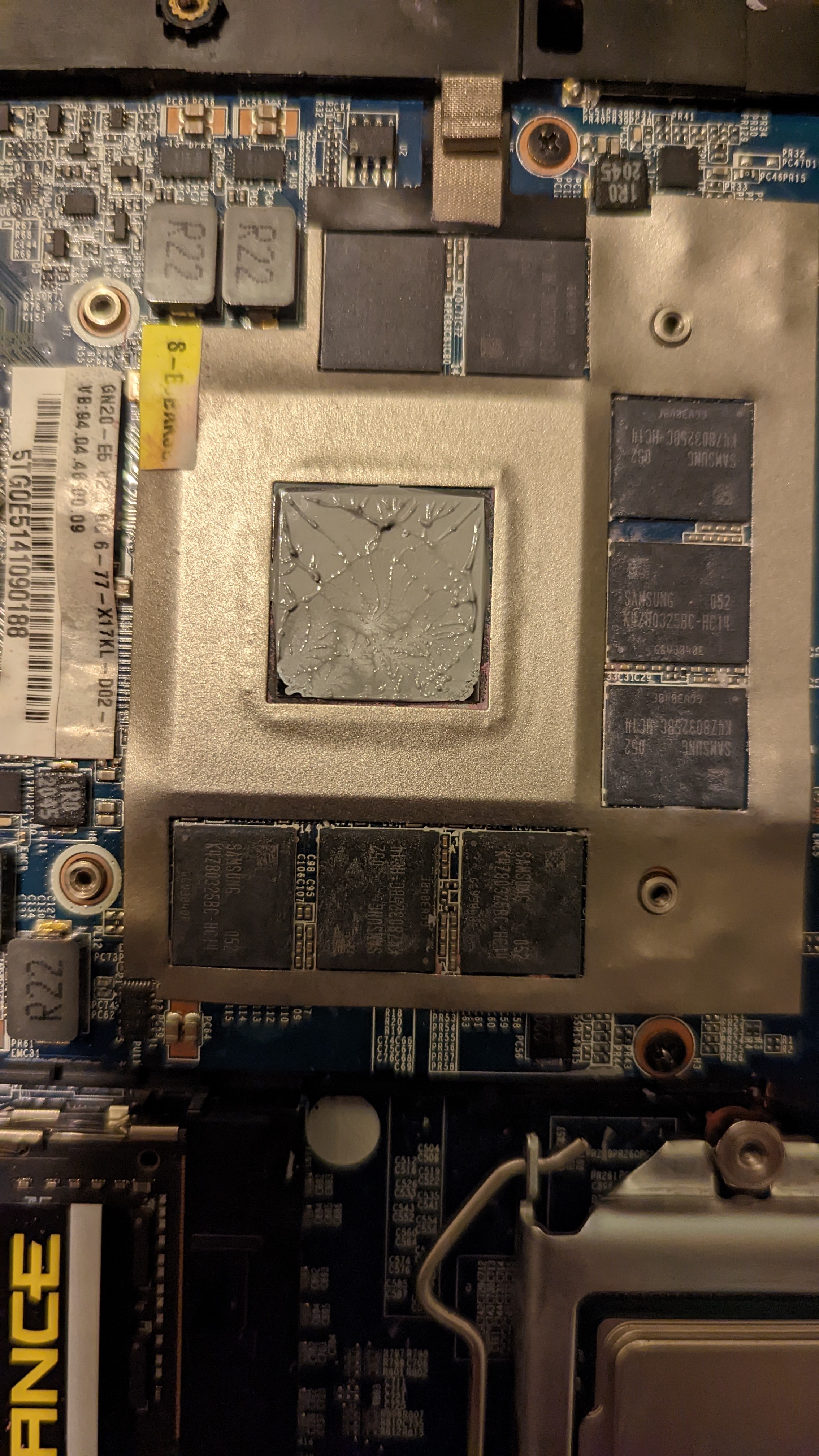
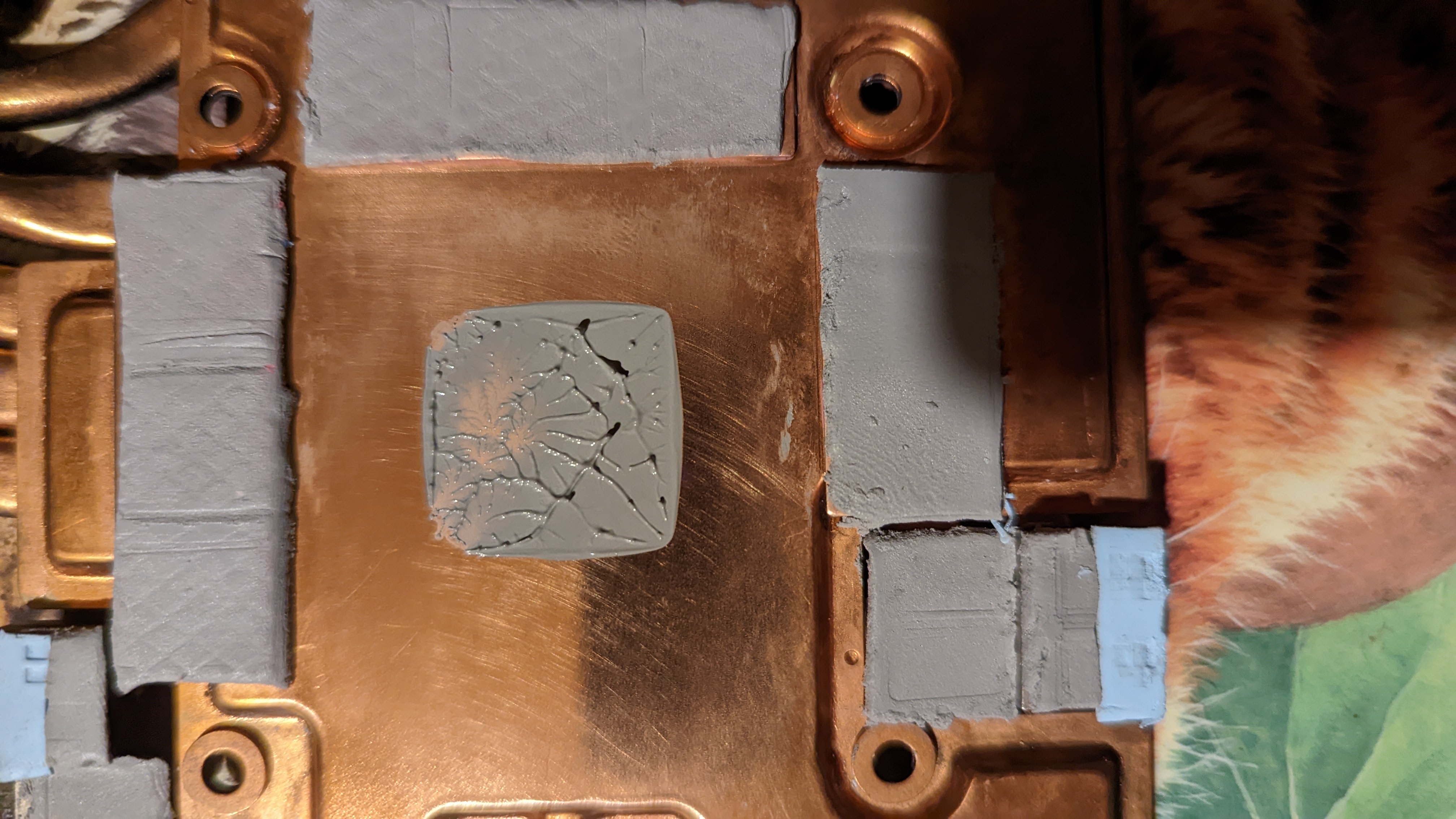
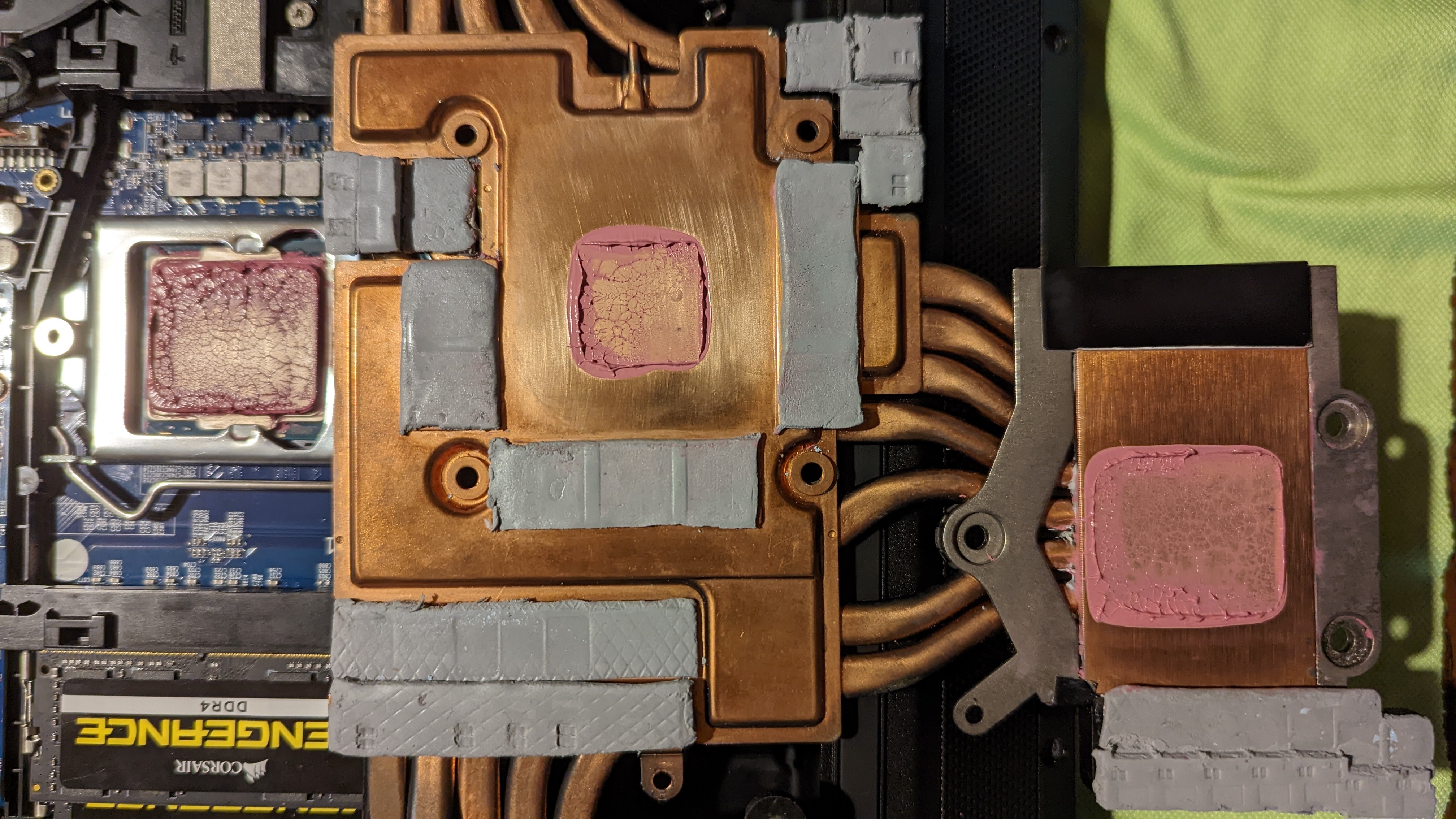
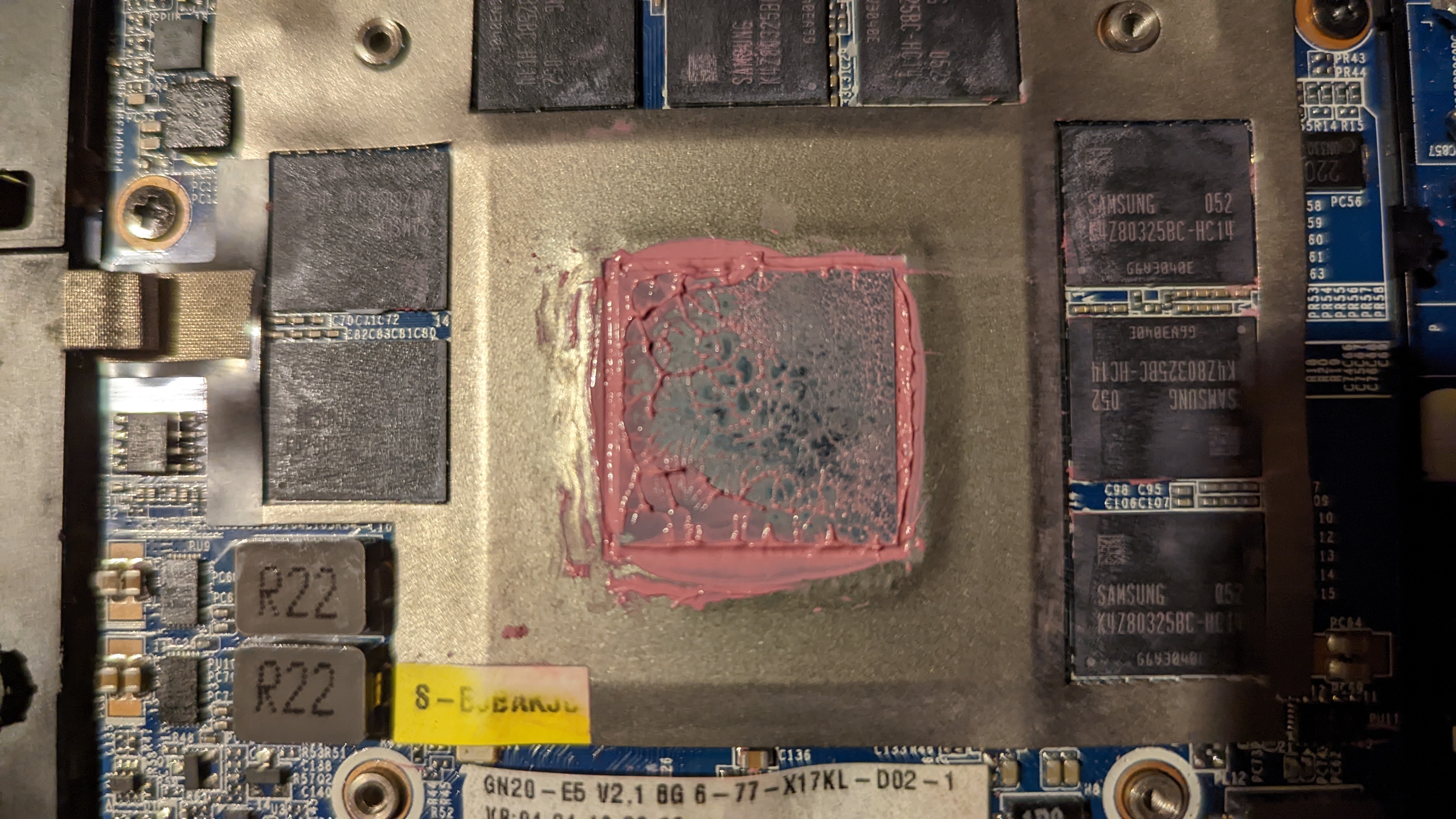
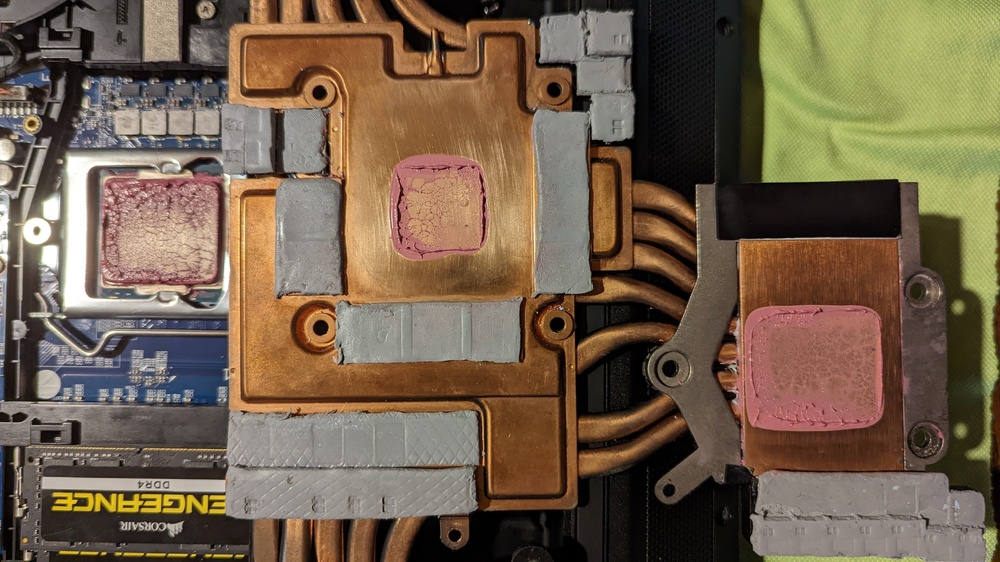
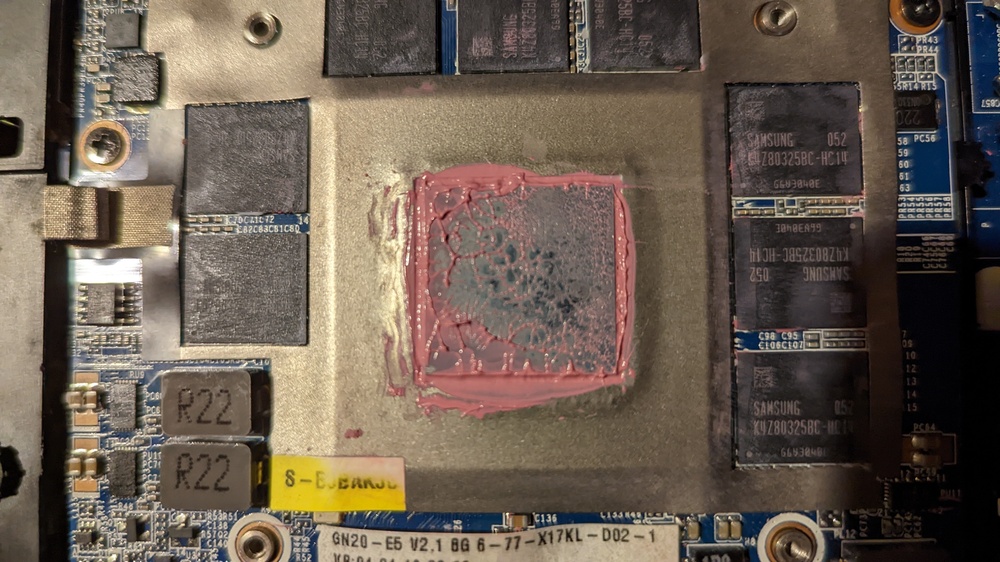
@ViktorV Whats the W/mk on them pads, also best place to get them as i have right now some pads on way Syy's 0.5mm to 2.0mm Right followed what you but in picture with using SUYY pads. CPU looks like GPU looks like Which I know means crap contact on the die but everything else has contact.
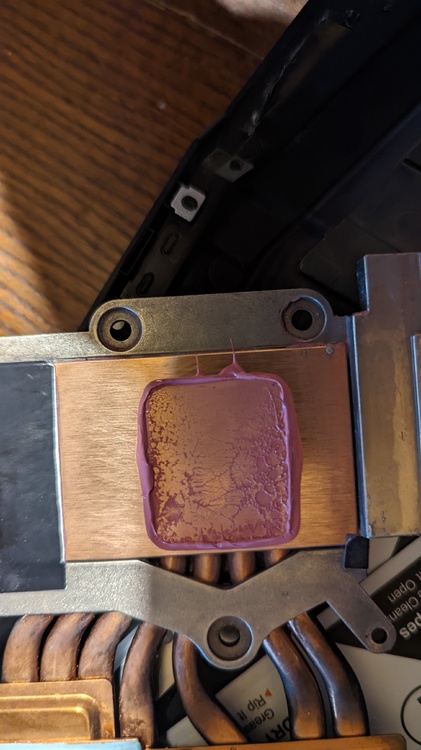
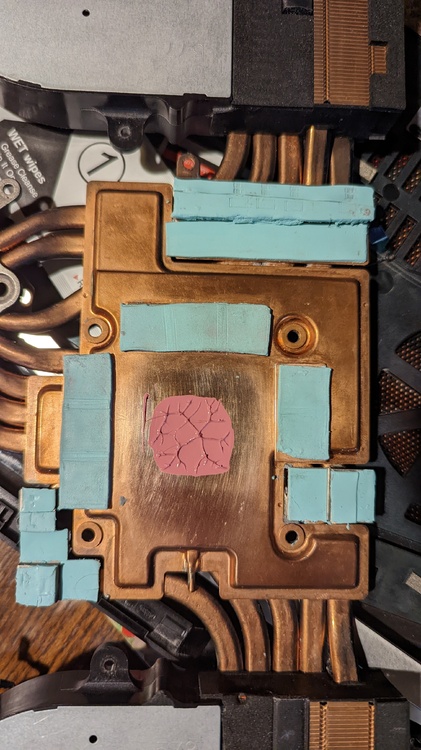
-
Thank you @ViktorV, Which pads are you using ?? Right here is what i used, GPU: VRAM = 1.0mm VRM Upper section (1.0mm and 1.5mm) Area you marked to remove is (1.0mm) with the parts above being (1.0mm and 1.5mm), the other side is the same. CPU: Outer VRM (2.5mm) Inner VRM (1.5mm) See i took hardness into account.
-
Right I have redone the GPU pads took the GPU out and used some TG2 for pressure testing yet the temps are still high like wtf. This was using the pea method in the pics above.
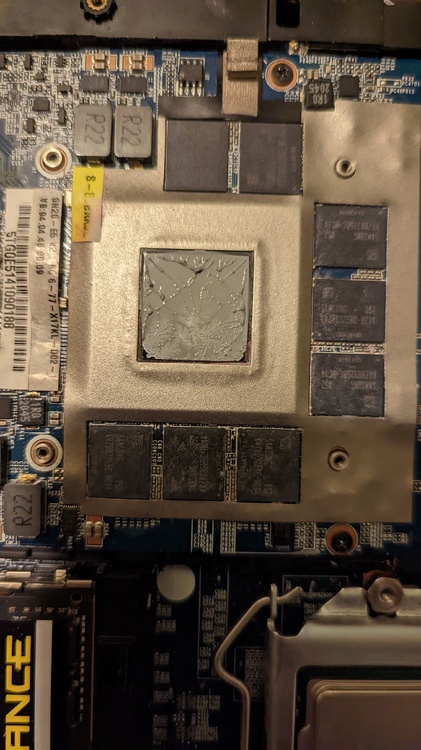
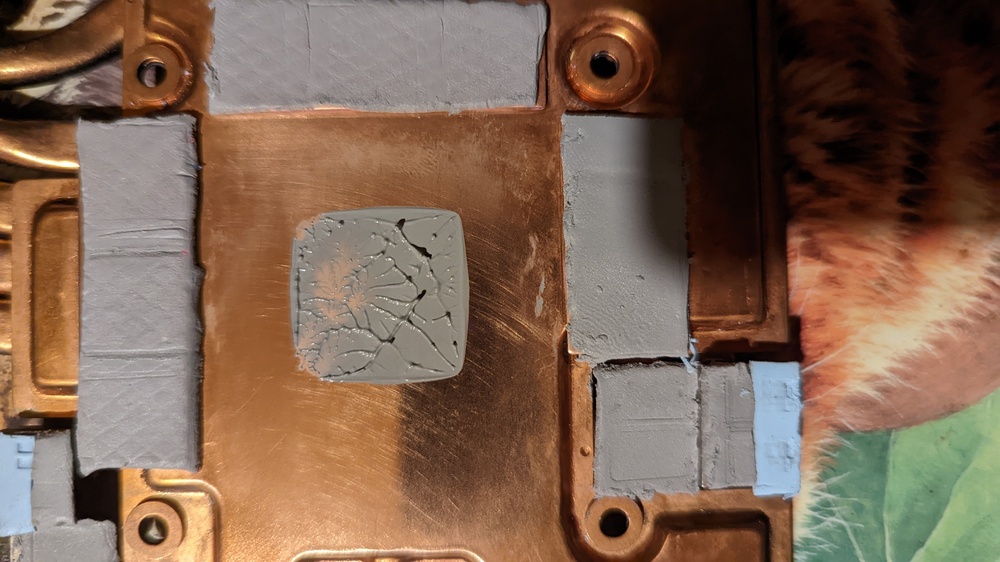
-
Yes it's the Odyssey, However I had them on with the i5 and they was fine. But as no one has yet been able to tell me the pad sizes it's all been a guessing and expensive game for me right now. At this rate I am just ready to give up on this Clevo x170km call it a day and go to a desktop.
-
Well I am back on the i7 again the GPU is now a constant 86c with hotspot at 102c. I have tried repasting the died same results. I know temps was fine with these pads on i5 as I haven't replaced them.
-

What phone are you daily driving currently?
solidus1983 replied to Katja's topic in Mobile Devices & Gadgets
Pixel 6 is now my daily driver. Not a bad phone to be honest. -
What's temps like?
-
Nahimic 3 UAD Modified Driver for Unsupported MSI Hardware
solidus1983 replied to solidus1983's topic in MSI
Thanks will download later as I am about to go out to celebrate becoming full term now at work. Didn't know Clevo used nahamic. -
So who is ready to have a laugh. Like a big laugh. I didn't tighten two screws on the GPU, they were in enough to catch the threads but not tight enough to apply pressure. So i am officially a muppet, at same time i loosened the CPU screws as well back a bit then tightened them back up but without the force tighten at the end. Let's see if she behaves now. CB23 Score Multi: 13459 Edit: Crashed again. Right so i went into performance mode and auto fan control instead of Entertainment mode and auto fan control. I screen going blank after showing red bit, hanging the system then rebooting> Here is a log from HWInfo. So slightly puzzled. Edit: Full on shutdown and refused to boot had to nvram reset to get back. Solution: Went back to i5 11400. Been stable since. whydidicrash.CSV
-
Full Edit: Right so after going back from XMG 1.07.09 RTR bios to PCS's 1.07.07U bios the shutdown issue stops. However any load on the GPU results in the screen going completely blank until i reboot. I have done a DDU clean run and installed the latest driver and the issue still happens. I have repadded the heatsink with 1.0mm and 1.5mm and ensured contact on all components, checked the paste mount and that looks fine, the temps on GPU is also fine now. Event Log shows TDR reset and UCodeReset TDR occurred on GPUID:100. Rebooting the system and all is great. Edit: Fixed the issue it was geforce drivers moved to studio drivers and it's working like a charm, GPU temps are where they used to be and CPU temps in performance mode hits 96c auto fan. Edit: didn't fix the issue still doing it. Like WTH Edit: Close MSI Afterbuner and the system seems stable no GPU driver crashing.
-
Thats only 10w higher then an i5 11400 set limts. Yes there is 2 more cores, but i though i7's was binned higher.
-
@ViktorV Yes i was expecting the CPU to be hot, but i was talking about the GPU temps. As for CPU it hits 95c and sits there on a CB23 workload. I got the i7 for the extra cores, i can simply power limit PL2 to 170w and undervolt it however that requires time which i am very limited on right now.
-
@srs2236Thanks for the reply, i was expecting the temps to slightly increase but not as much as it did. However after a round of Warzone Rebirth Goldrush edition it settled at 77c on GPU with auto fan enabled. I just find it weird that 3Dmark firestrike doesn't see the GPU got past 67c Only the hotspot i am really worried about on GPU. Whats the CB23 score for an i7 11700K on this system just wondering right now, I hit 13K on mine with Performance mode enabled (OC mode off). Will let it all settle then start tuning the system as 200w spike on CPU for little to no perf gain as it will hit 95c and throttle.
-
Question , my GPU temps have increased to 75-80c since upgrade. Also my GPU hotspot is at nearly 94c like.
-
I7 11700K installed benching on stock everything on broke cpu thermal pads, which wasn't so bad. NVIDIA GeForce RTX 3070 (notebook) video card benchmark result - Intel Core i7-11700K Processor,Notebook X170KM-G (3dmark.com)
-
Well CPU has just arrived. Just waiting on paste then can't wait till weekend.
-
@Meaker Do you have any idea's bud??
-
@ViktorV Do you have the sizes for the X170KM-G thermal pads? If i am struggling will let you know so you can price me up.
-
Right got my i7 11700K Ordered and some new Thermal Grizzly Kryonaut Extreme ordered, so anyone got any suggestions for thermal pads?? i know i will need 1.0mm/1.5mm/2.0mm and 2.5mm pads but need to see if i can find 100x100 sheets of each.