FrancoTecno
-
Posts
109 -
Joined
-
Last visited
-
Days Won
1
Content Type
Profiles
Forums
Events
Everything posted by FrancoTecno
-
HP Elitebook 8570W - is it still good ? Hardware modifications
FrancoTecno replied to GuitarG's topic in Custom Builds
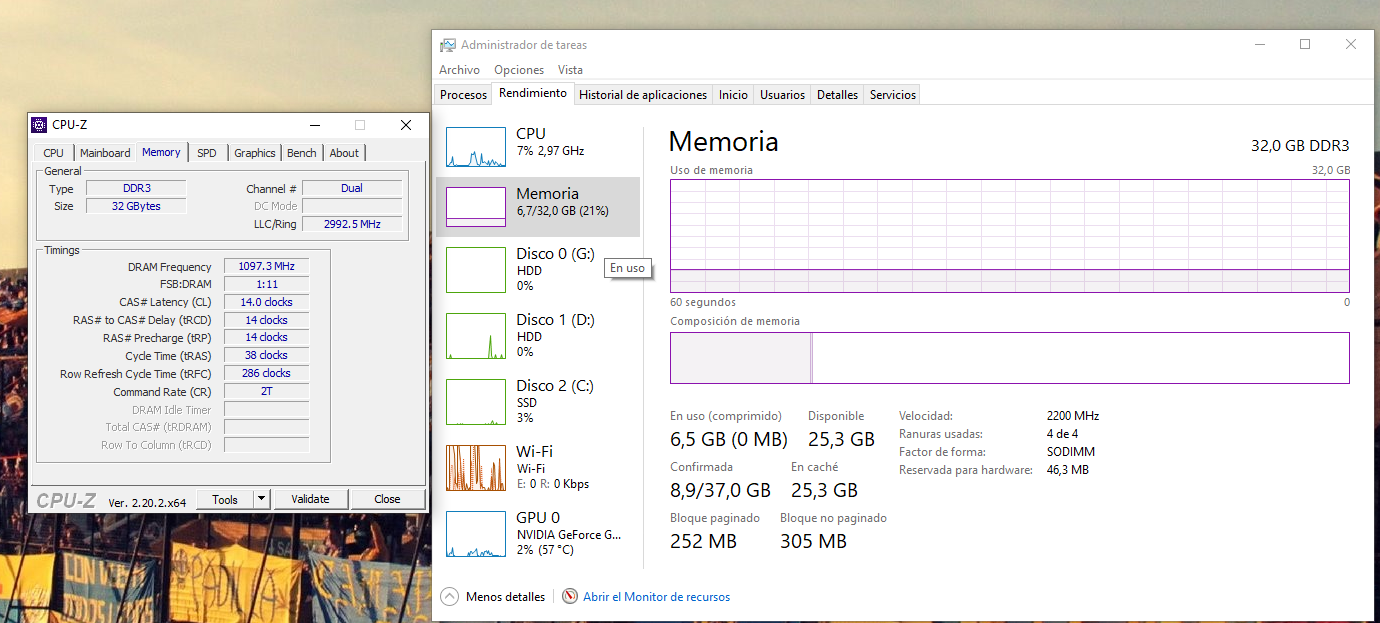
my best now.. i want to increase the dram voltage a little bit to go up to 2400 but i dont find any type of RAM voltage control in my unlocked bios, anyway 2200MHz is very well for DDR3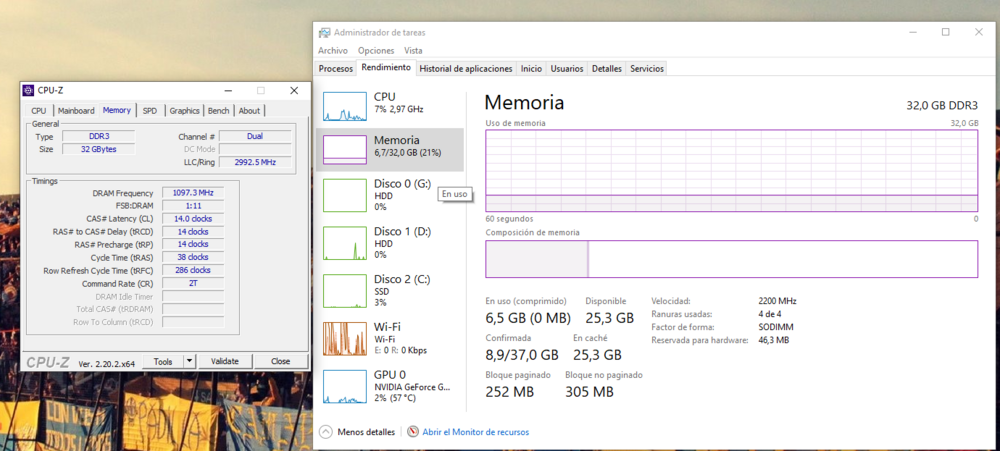
-
HP Elitebook 8570W - is it still good ? Hardware modifications
FrancoTecno replied to GuitarG's topic in Custom Builds
the SPD data on these chinese modules is pretty uncertain, because the reported latency in miliseconds contained in the SPD is lower than the official specificacion by micron in that PDF... even the jedec profiles are very uncertain because they dont have a 1866MHz jedec profile when the DRAM chips are officially of 1866MHz -
HP Elitebook 8570W - is it still good ? Hardware modifications
FrancoTecno replied to GuitarG's topic in Custom Builds
i leave the official PDF of those DRAM family chips, the -107 revision (D9RVX) are rated for 1866MHz at 13-13-13, a jedec profile that matches with the DRAM oficial specificacion isnt specified in the SPD of these fake DIMMs, so probably you need to adjust primary timings and secondary ones manually to make them working at 1866, right now i managed to make them working at 2133MHz, but i need more research into the official PDF to make a fitable timing table at 2133 according with the oficial specifications of the DRAM modules to avoid stability issues micron4Gb_DDR3L.pdf -
Nahimic 3 UAD Modified Driver for Unsupported MSI Hardware
FrancoTecno replied to solidus1983's topic in MSI
New UWP app update! Version 1.10.13. No issues and working fine with lastest updated mod. -
i have a question @SuperMG, exist a QUADRO RTX 4000 from another OEM in MXM format? because if you see here in this topic, i uploaded a youtube video link when a user uses a QUADRO RTX 4000 on a GT70 system. its probably the HP variant? or maybe from another OEM?
-
that card has HDMI in dp_C and eDP on DP_D, so if the bios/ec dont gives issues with video output. it should show image through external ports
-
ok! i finally go for the HP QUADRO RTX 4000. I listened as you said @SuperMG and i will do a heatsink/chassis mod as needed. i will post all the whole process in 2-3 months when the card arrives
-
and my upgrade of this modded Nahimic audio driver who makes the GT60/70 models compatible and may improve the audio experience on it. these models have a dedicated Audio Amp in motherboard so this improvements can help really good.
-
i post here the schematics and boardview files that i uploaded in this forum a few months ago, they are very useful for repair and upgrade diagnostics.
-
Hello everyone! i created this topic as a follow of the older NBR owners lounge from 2013! the intention of this topic is to help with issues and kind of Upgrades/modding for this family of models for those people that continue using them in 2026+. after using this model from 2023 i learned a lot of things about it. the idea of the topic as the same is for sharing user experience upgrades and tweaks. im at the moment working on a RTX gpu upgrade, so im going to share my experience here. at the moment some modifications (software/hardware) are possible in this model. the most important ones are the Bios unlock and the GPU upgrade. CPU and RAM can be upgraded as the same. if you have any experience with an Upgrade or a issue with them. post here!
-
Nahimic 3 UAD Modified Driver for Unsupported MSI Hardware
FrancoTecno replied to solidus1983's topic in MSI
the thing is, the VM dont make a passthrough of the audio codec, it gives me a different HWID, how its supposed to be tested? -
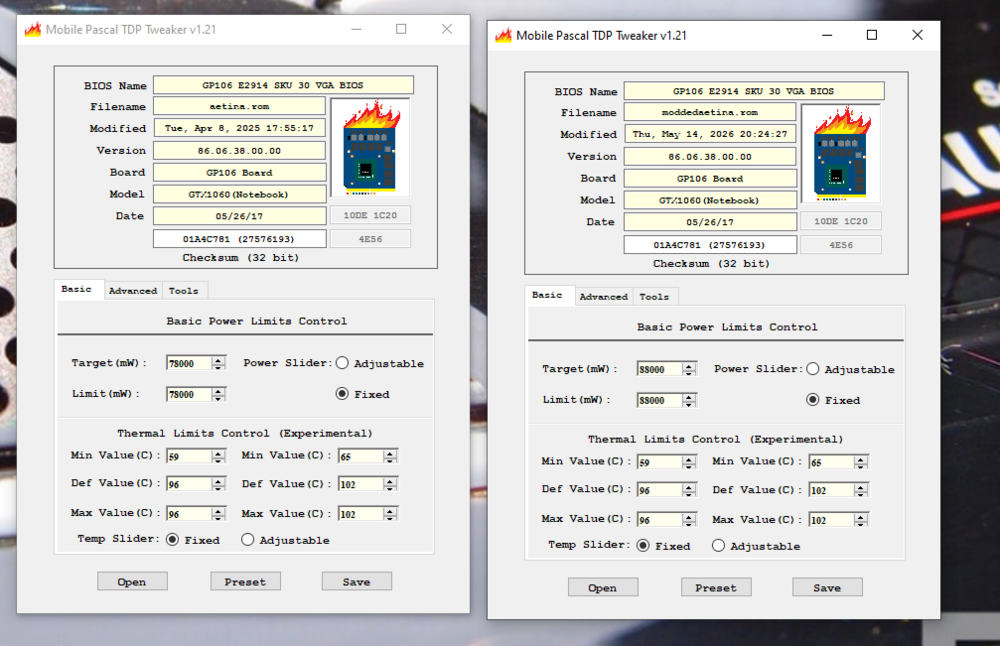
-
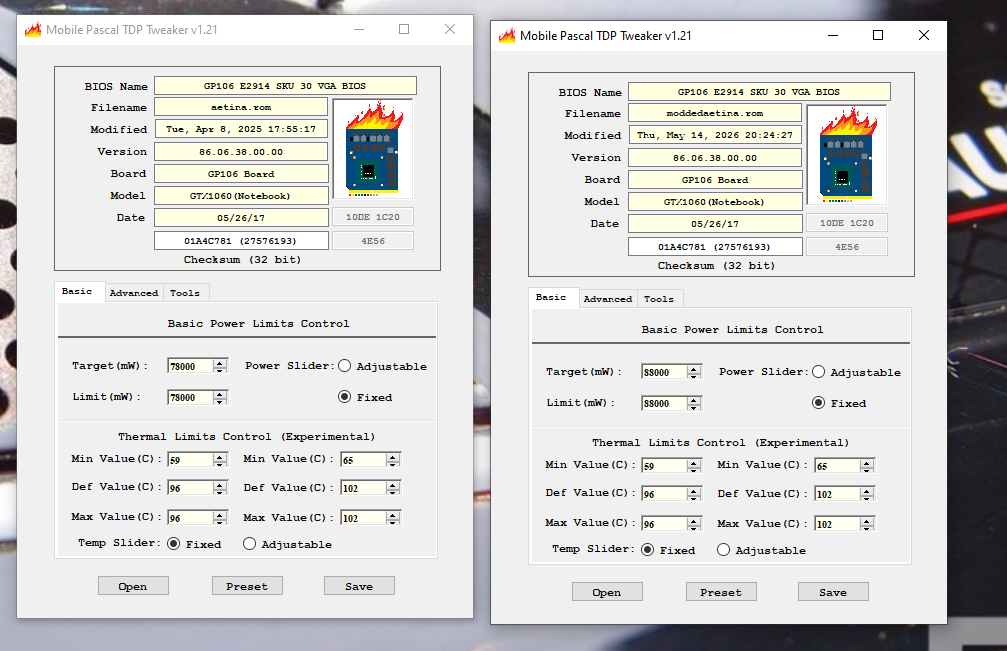
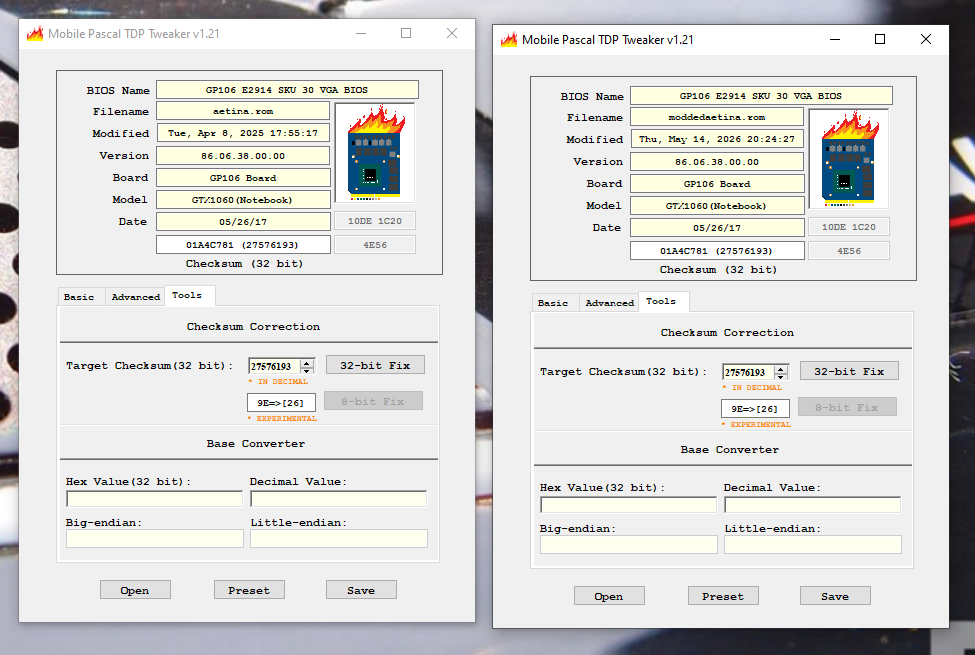
i left this here if anyone have the same Aetina card and want to try this own modified vbios by me, it spoof the subsystem ID of the card with the MSI one and have a +10w of TDP overclock. their checksum is the same as the original unmodified VBIOS. if you flash it with a SPI programmer may be go working. i dont flashed it on mine because i am trying to upgrade the entire GPU and i dont like to dissasemble all the system only for this moddedaetina.rom
-
video outputs works fine? and you need to modify .inf to get it working or the system detects it as an msi card and allow you to get installed drivers without modify them? one time i tried to make a VBIOS modification of my Aetina GTX 1060 to modify its subsystem ID and stop modifiying the drivers. but since "Pascal TDP Tweaker" had a bug with checksum offset by flashing it the gpu got error 43. i noticed about the bug a few months later but i dont like to disasemble my system only for that.
-
what GTX 1060 manufacturer you have?
-
yeah, the GT60 its weird to make heatsink modifications. actually the most safely upgrade its the Getac/PNY QUADRO RTX 3000 based on @sliderfra review. RTX 4000 its a possible successful upgrade since a guy made it working but we dont know too much details about it. RTX cards from X-Vsion arent a safe upgrade because we dont know the behaviour of the external outputs, on 4060 and 4070 probably not works since both are almost identical.
-
for x-vsion 4070, you can use the stock gt60/70 heatsink and modify it to make fit the card
-
and, i cant confirm if the video outputs are working
-
if it works on the GT70, works inthe GT60 since both are basicly the same
-
theres no data about the module he used. i dont ear the fan spinning at the maximum for example
-
yeah obviously i can modify it, but the thing here is. idk if it is going to work with my machine anyway... nobody tested that cards on the GT60/70. the only i saw its a quadro rtx 4000 working on the gt70 from a yt video. and the author dont described what variant of the card he used.
-
for example, HP MXM cards dont fit due to a few mm of gpu holes dissalignment
-
1- quadro rtx a4000 dont fit with the GPU holes. this laptop dont use a X bracket and it have the supports soldered into the motherboard, follows the original mxm 3.0 type B format. the gpu die its on the left 2 - for vram upgrade isnt necessary to find a VBIOS, you need to solder a double density vram modules and change a resistor strap to make them working
-
actually my best upgrade option is to buy a quadro rtx 3000 and make the 12gb vram mod. because i like a stable gpu with 8gb of vram or more. this is my only main system. isnt an auxiliary laptop so i need the most safe option to upgrade
-
edp cable doesnt exist, it uses an eDP to LVDS converter internally, in theory you can quit it and modify some traces to make it eDP but its a high risk of making it