
.png.b65a310adf7c076fa39cc70a3ec91c19.png)
Mr. Fox
-
Posts
6,718 -
Joined
-
Days Won
822
Content Type
Profiles
Forums
Events
Posts posted by Mr. Fox
-
-
22 hours ago, Vasudev said:
Nice to see you, and happy that you've ditched the notion that turdbooks are OK. The harsh reality is they are garbage. Please keep sharing what you're doing and post some pics for us, brother.
16 hours ago, Papusan said:So in the end, the random US customer is the one dealing with ID checks and export declarations at the checkout. Meanwhile, the larger export operations these rules are supposed to address have already found cheaper and more efficient ways around them.
If you remember from the GamersNexus investigation, China actually has people buying new and used in the US and shipping banned GPUs to China. So, I'm totally supportive of this and would like to see more retailers taking action like this. Showing ID is normal and touches every part of life and the only resistance to it is a very recent development that is politically motivated. If a person is using a credit card they will have to show ID for that anyway if the retailer is doing their job correctly. Will this fix the problem? No. But, it is a paper cut and thousands of them can lead to death. Have to start somewhere. Hopefullly, other retailers will follow.
14 hours ago, Tenoroon said:Not only have availability and innovation fallen off, I can't even discuss my joy and appreciation for technology without it spiraling into a political discussion. Maybe it's just me being at university and being surrounded by more people that have a very active political life than the average joe, but it just sucks. I can't fully describe it, but I have lost most confidence in sharing this hobby of technology and computer hardware I have with others ¯\_(ツ)_/¯.
The future will be brighter, but I'm impatient and want the future to be now, just as all of you guys probably want too. Hopefully you all will still be here to celebrate when things get better 🙂Nice to see you again. I hope you have fully recovered from your accident. You're right about the political crap. Even the comments above (sorry). The university scene is probably one of the worst examples of sheeple that are brainwashed by a huge agenda. It's horrible and we have seen some of the worst examples now that the balance of power has shifted away from the left. I don't like it either. (I do like the conservative shift, but not the irrational reaction from the insane folks on the left.) People insert things in subtle ways and for many people it is difficult to ignore nonsense when it is obvious what they are doing. It is trolling. We no longer have a live-and-let-live culture like most of us have known for our entire lifetime. If people were as passionate about living decent and Godly lives and doing good to others, America and the world would be a better place. Politics and destroying those that hold a different view is their new religion. Very sad. Eternity won't be kind to them.
-
 2
2
-
-
5 hours ago, mattalienware said:
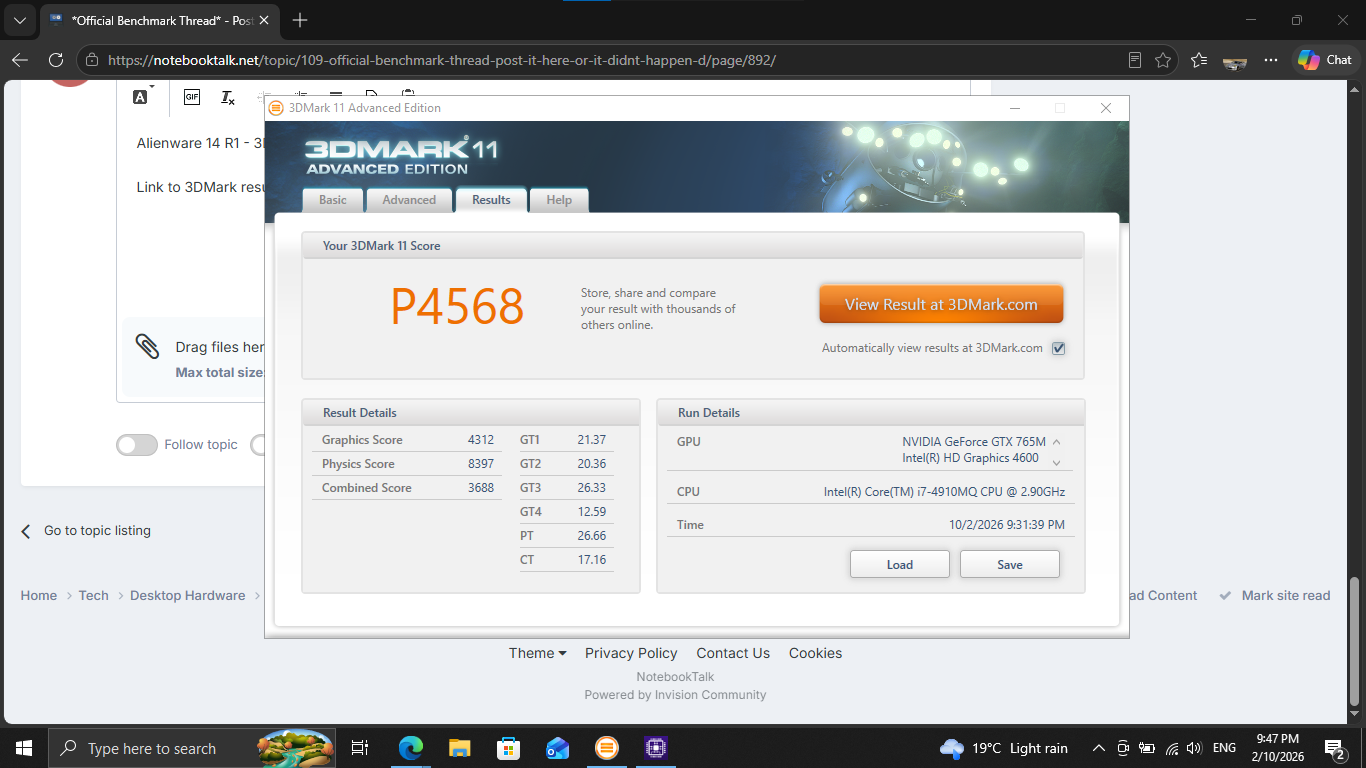
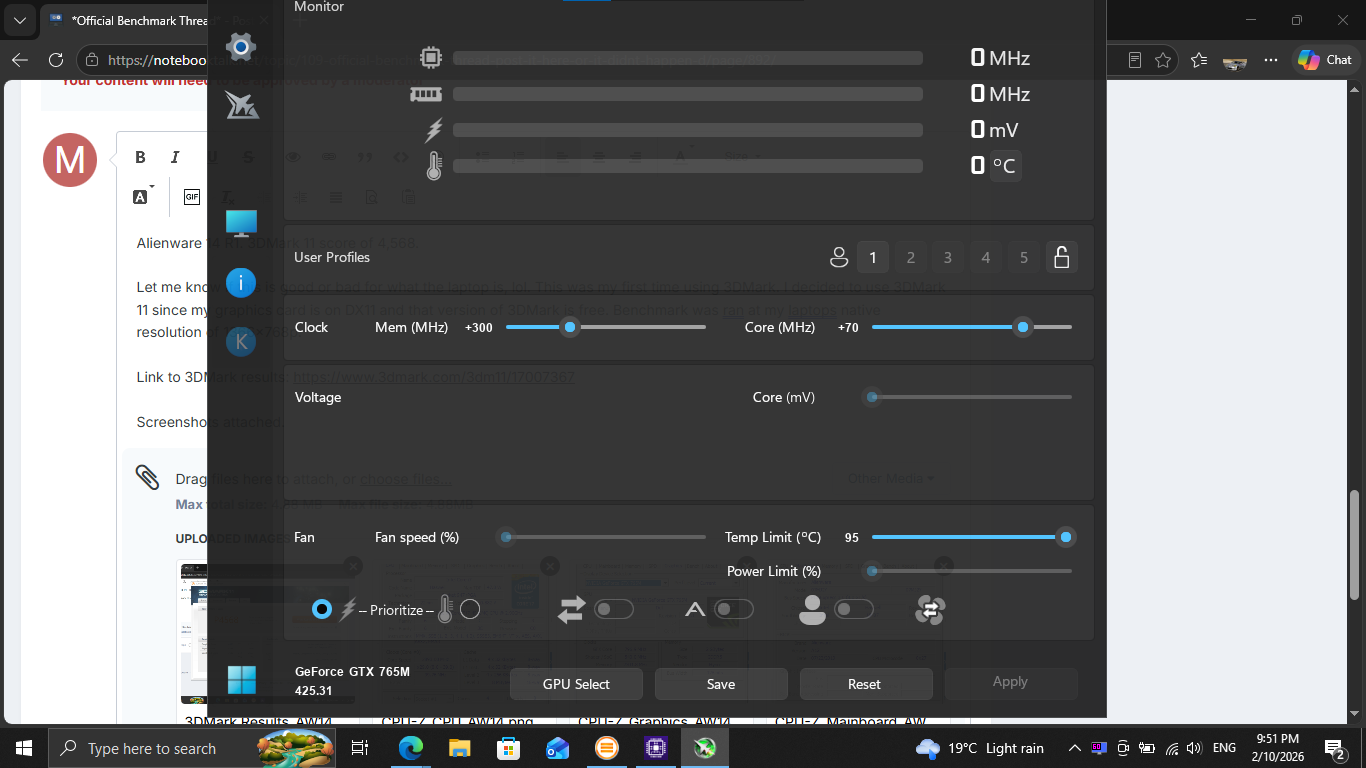
Alienware 14 R1. 3DMark 11 score of 4,568.
Please let me know if this is good or bad for what the laptop is, lol.
This was my first time using 3DMark. I decided to use 3DMark 11 since my graphics card is on DX11 and that version of 3DMark is free. Benchmark was ran at my laptops native resolution of 1366x768p. Hopefully I have done it correctly.
Link to 3DMark results: https://www.3dmark.com/3dm11/17007367
Screenshots attached.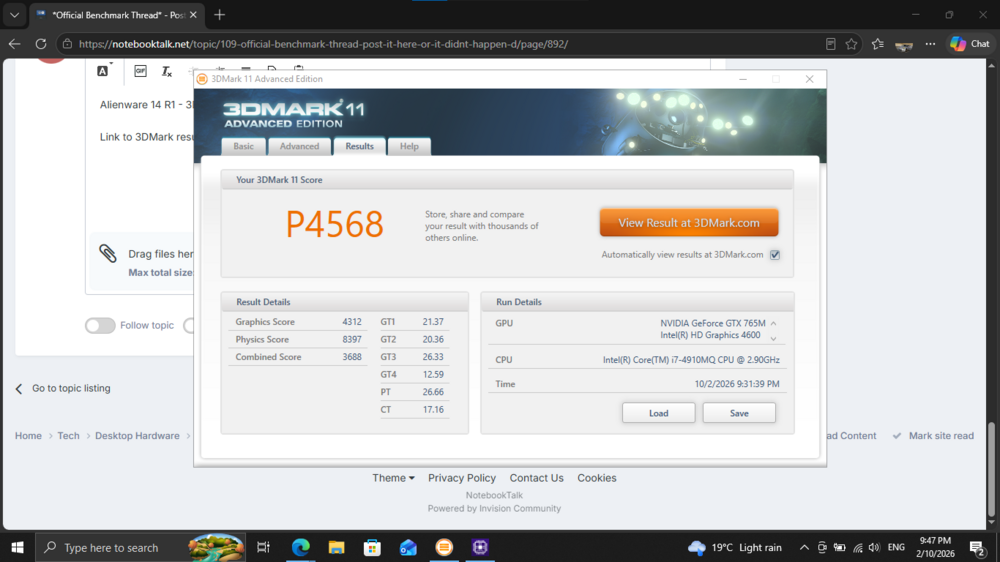
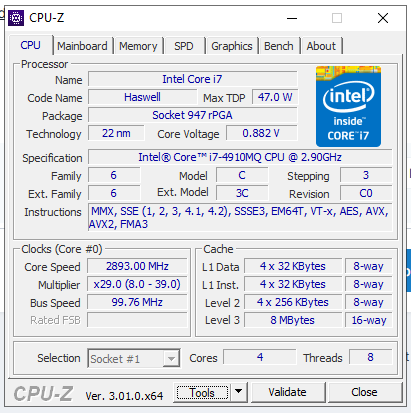
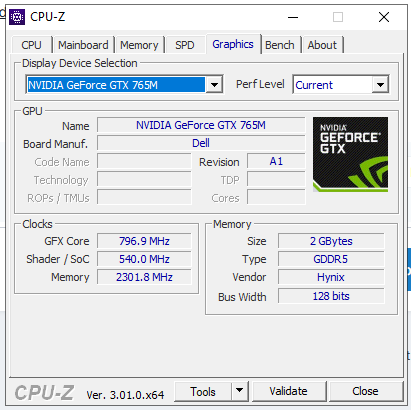
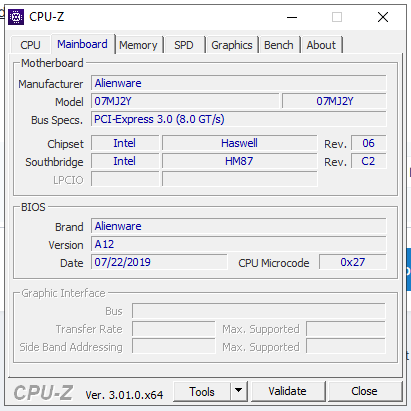
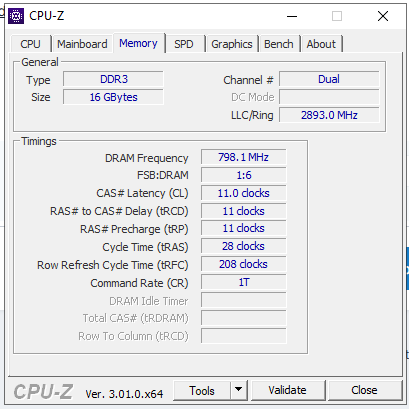
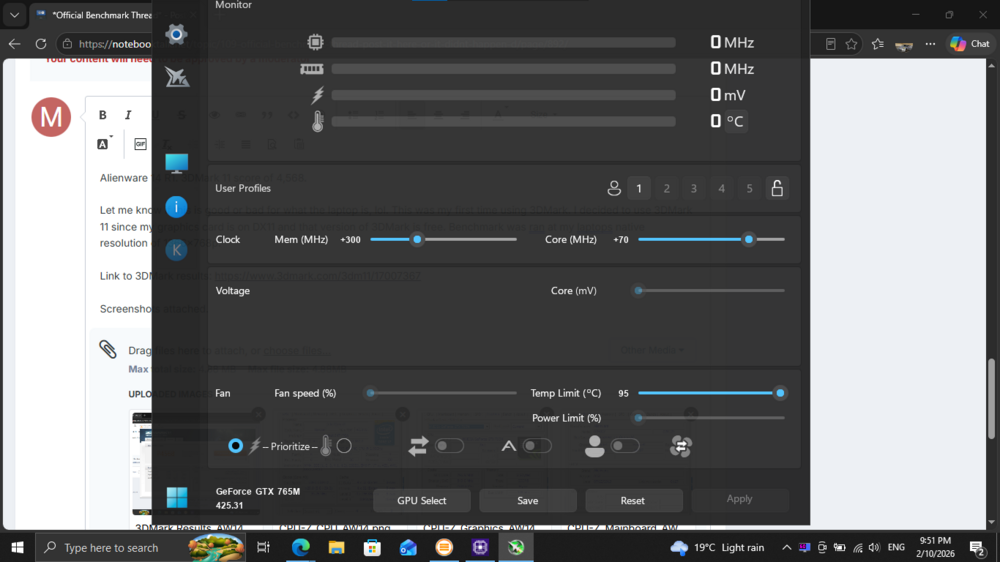
3DM11 is the GOAT benchmark. Good choice.
-
6 hours ago, Reciever said:
Looks like I get to drain the loop this weekend. One of the filters cracked (the glass) likely the cold air hitting it with the hotter water on startup? I have enough tubing thanks to @Mr. Fox recommending mcmaster I bought around 25 feet
That's really strange. I've never had a filter crack before. I'm wondering if maybe it had a defect. Using the chiller has never affected mine and it gets close to freezing point.
-
 1
1
-
-
1 hour ago, Papusan said:
Thanks brothers🙂
Asus just increased the prices again on their US store... Vanilla 5090 Astral is now close to $5500. If you can find one at MSRP in the US.
5,999 euros = $6,746,78 USDThe price of the GeForce RTX 5090 only knows one direction.
At the beginning of September, the GeForce RTX 5090 exceeded the price mark of 5,000 euros...
The only thing more stupid than that price is a moron willing to pay that. There are more imbeciles than I ever thought there could be.
-
1
-
-
9 hours ago, Papusan said:
Thanks for asking bro🙂 More like status quo. But something good has it been the last week... I got my driving license back after 4 months . But only for two years due the risk for new strokes. Then I need to pay yet another $150 USD for a new prolonged period of two years. This if I once again can manage all the tests to keep the driving license. Some part of the brain is gone, thats the reality of getting stroke. You can compensate with other parts of the brain when some parts fall out. But within some limits. It's what it is. I try as best I can everyday. Not bad but it could be much better. But who know how it goes. The risk for new stroke is still high within the next 5 years
You are in our thoughts and prayers, brother. Glad things are moving in the right direction again. I hope the rest of the family is well.
-
 1
1
-
1
-
-
38 minutes ago, jaybee83 said:
thats the kind of stuff that reminds of the good ol' NBR days 🙂 very nice!
Yeah, it does. If a person had the soldering skills and DDR5 BGA template, that would be a cheap way of "making" RAM as long as they didn't need 8000+ MT/S speeds.
2 hours ago, Reciever said:Looks like my promotion is finally in the works. I am getting reports of multiple departments fighting to get me in their camp. Its a nice complement, but Im still treating it as non-existent until I get an offer letter.
Due to my "detailed" approach, which is really just a really nice way of saying I demand details and ruffle quite a bit of feathers in the process. It has been deemed necessary for me to become an Engineer for Proof of Concept.
Basically I work with onboarded clients and make the how-to for green IT'ish people to facilitate their orders.Still wont be able to justify a 5090 though lol
Congratulations, brother. I am glad that your dedication to excellence, faithfulness and hard work is finally being recognized.
38 minutes ago, jaybee83 said:no justifications necessary, JUST DO IT! 😄 at 6000+ bucks its a steal and totally worth it hahaha
I'm glad you are being facetious, otherwise I would be concerned.

-
1
-
 1
1
-
 1
1
-
-
-
1 hour ago, Papusan said:
This is nice... Double trouble and stupidity on top. What a combo.
All PNY GPUs that require a 16-pin (12VHPWR / 12V-2x6) input include a PNY-approved power cable or adapter in the box. This cable is the only configuration covered under warranty. If a third-party power cable, adapter, or PSU cable is used and damage occurs - including melting, burning, overheating, or deformation of the connector - PNY cannot accept the product under warranty. Damage caused by non-PNY cables falls under the responsibility of the manufacturer of that cable or power supply.
36 minutes ago, electrosoft said:They do have a point, though.....
It is one reason I purposely used the MSI included 4 headed dongle of death originally with my Vanguard and my Suprim 4090 because if anything were to go wrong, it is on MSI. Worst case, the connector melts. Best case, just one of the tentacles (or more) melts down which is an easy replacement. Either way, the entire chain is on MSI.
Now I use an actual MSI PSU AND a WV2Pro with two layers of warranty claim protection if my 5090 goes POOF!
In this case, what caused it? The connector? The Asrock Cable/PSU? Both? Looking at the pictures, it appears to be an Asrock issue as it is burned on BOTH ends. Not that it doesn't suck, but I'm going to agree with PNY on this one and the owner now needs to go after Asrock and loop them in on the claim and see where things settle.
If it were up to me, NVIDIA would be legally bound and on the hook for all of the costs and footing the entire bill across the board for all GPU and PSU connector meltdowns, with no room for exceptions or fine print exclusions, because they are the idiots that ushered in the crappified connector and gave the OEMs an ultimatum requiring them to use an engineering abortion. If that were true, I suspect it would no longer be used and everyone would be back to using legacy 8-pin PCIe power connectors.
-
1
-
1
-
-
1 hour ago, ssj92 said:
Guys, I remember someone here posting that the new 6xx drivers are not good.
Can someone catch me up on why?
I'm on 596.xx on both desktop & laptops.
I finally got SLI working on 596.xx drivers using the same old patch for 446.xx drivers. SO now I am aiming for 616.xx drivers.
I haven't heard anything about newer drivers other than mvolt+ not working with some driver versions.
-
1
-
-
3 hours ago, electrosoft said:
Yeah, the 5080 really has the headroom too fully appreciate overclocking at what tops out at an extreme but "sane"ish type level vs the 5090 requiring a nuclear reactor.
Extrapolating, that Steel Nomad is like scoring ~ 21k+ on a 5090...
That Timespy score is bonkers both GPU, CPU and combined...
I see you right behind Jwick on the bot in the 2 slot a few times, lots of top 5/10 finishes and #1 in TSE!
Excellent work!
Thank you. Yeah, it does have a lot of headroom. The scores are lower but it is actually more fun due to the headroom.
Here are the settings applied with mvolt+ Extreme. I still need to test with the 5090. If they can make the function survive NVIDIA driver updates this eliminates the need for hardware mods like EVC2 and shunt resistors.
-
1
-
1
-
1
-
-
35 minutes ago, electrosoft said:
Holy crap..... 825w through a 5080?!
Sheesh.
Yeah, crazy. Essentially the functional equivalent of a 222% slider for power limit. Check the 3DMark links showing the GPU clock and average GPU clock values. (They are almost the same value versus the scenario where average clock is typically considerably lower.) It holds clocks much better. Voltage and power limits were tweaked significantly.
mVolt+ - Tuning Overview
Profile: OC2 01:39
Driver: 616.64 VBIOS: 98.03.3b.40.27CLOCKS
Core: +350 MHz
Memory: +3000 MHz
XBAR: +350 MHz
SYS: +350 MHz
Video: +250 MHzPOWER
Power limit: 800 W (222%)
NVVDD OCP: 5001 A
MSVDD OCP: 120 A
Voltage Boost: 100%RAIL OFFSETS
NVVDD VMIN: 0 mV
NVVDD REL: +140 mV
NVVDD ALT/OP: +140 mV
NVVDD OV: 0 mV
MSVDD VMIN: 0 mV
MSVDD REL: +60 mV
MSVDD ALT/OP: +60 mV
MSVDD OV: 0 mVVOLTAGE
NVVDD limits: 800–1200 mV
MSVDD limits: 800–1120 mV
Core voltage offset: +5 mV
XBAR voltage offset: +5 mV
SYS voltage offset: +5 mV
Video voltage offset: +5 mVOTHER
NVVDD/MSVDD ratio: 0.90
Clock range: 0–3600 MHz
Boost Lock: Off
Fan: Auto
V/F curve: 0 / 127 points
-
1
-
1
-
-
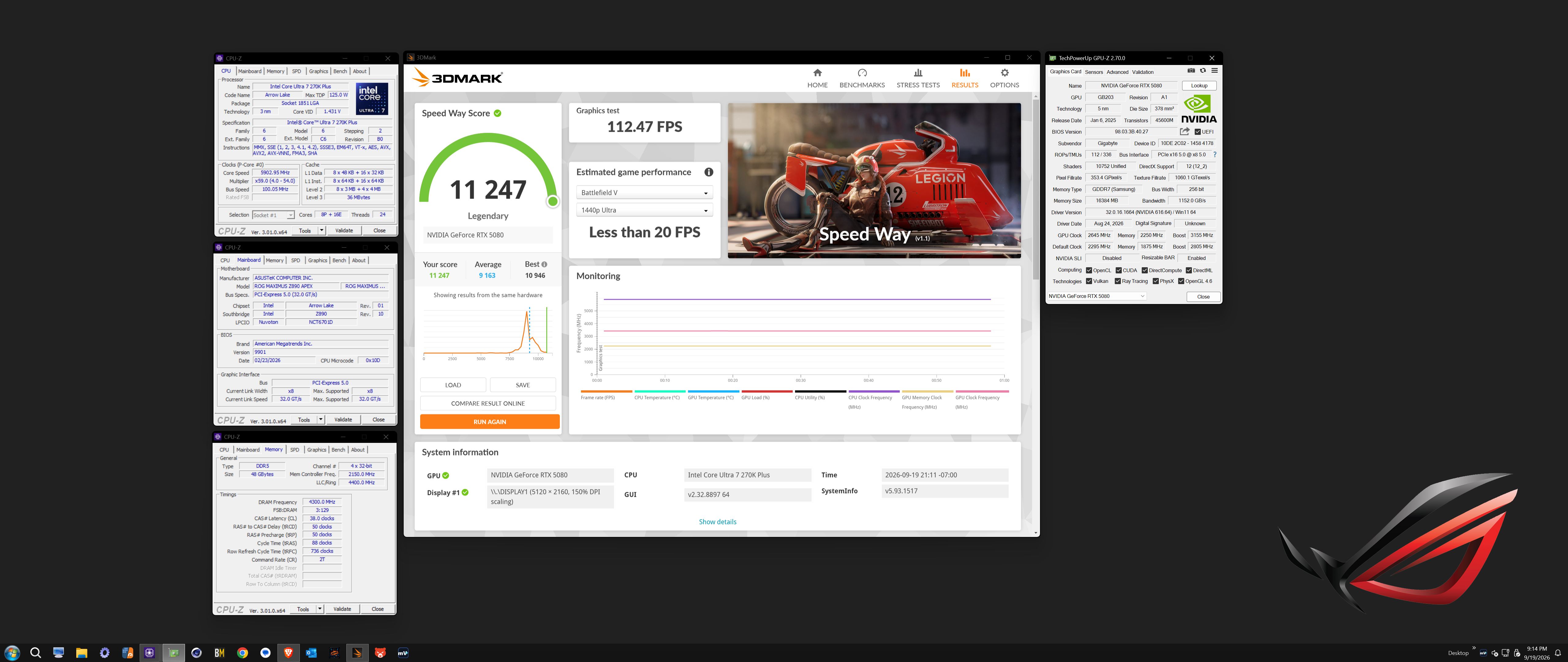
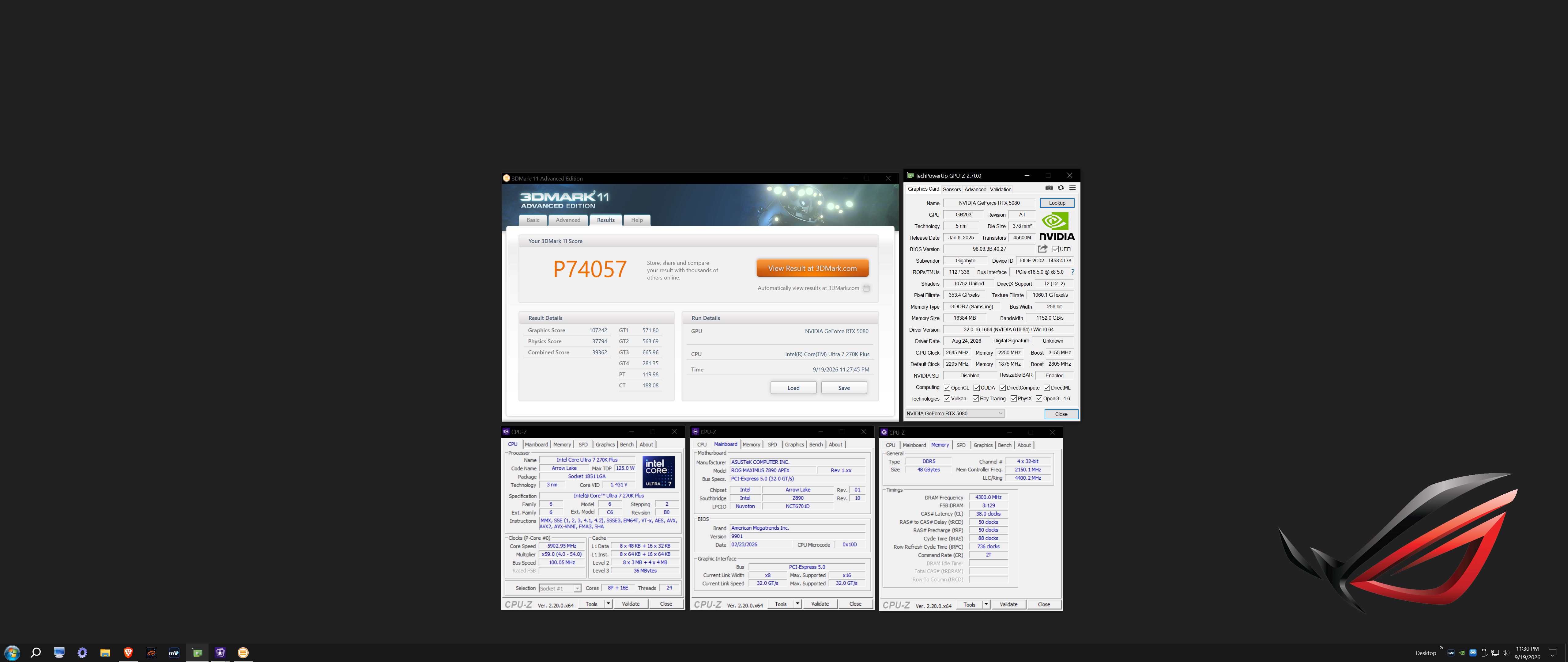
I've applied an 800W power limit to the 5080 using mvolt+ Extreme. Works great. WireView Pro 2 showed a max of 825W coursing through its veins.
https://hwbot.org/benchmarks/3dmark_-_steel_nomad_dx12/submissions/6074856
https://www.3dmark.com/3dm/164088570
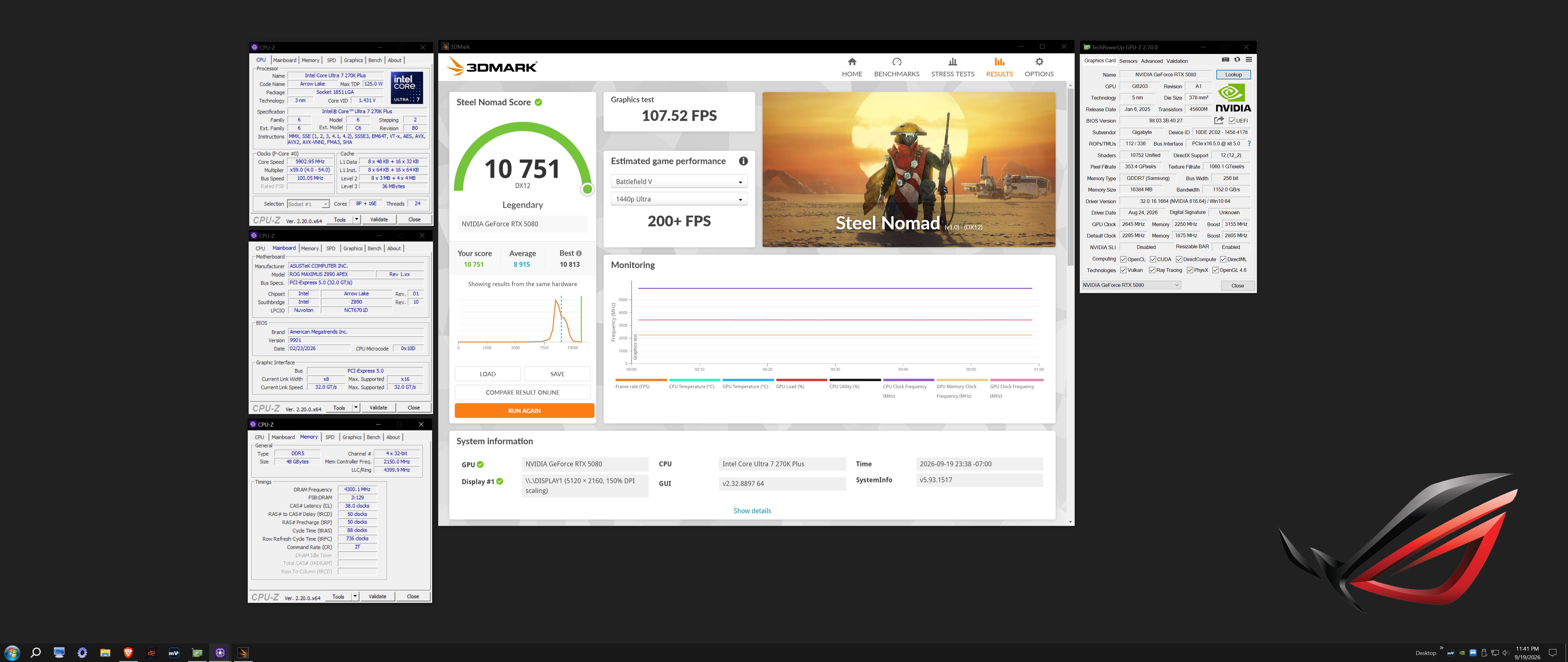
https://hwbot.org/benchmarks/3dmark_-_speed_way/submissions/6074814
https://www.3dmark.com/3dm/164083593
https://hwbot.org/benchmarks/3dmark_-_port_royal/submissions/6074816
https://www.3dmark.com/3dm/164083791
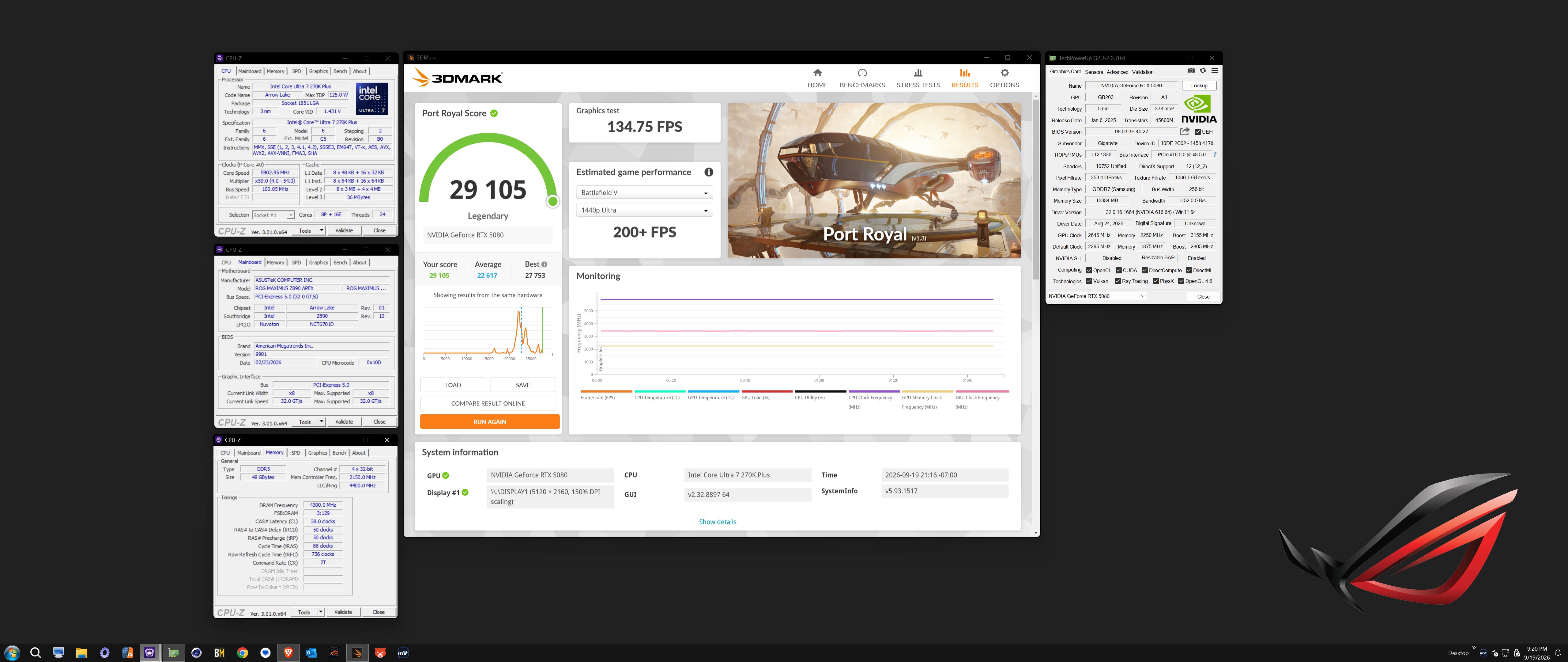
https://hwbot.org/benchmarks/3dmark_-_time_spy/submissions/6074821
https://www.3dmark.com/3dm/164084556
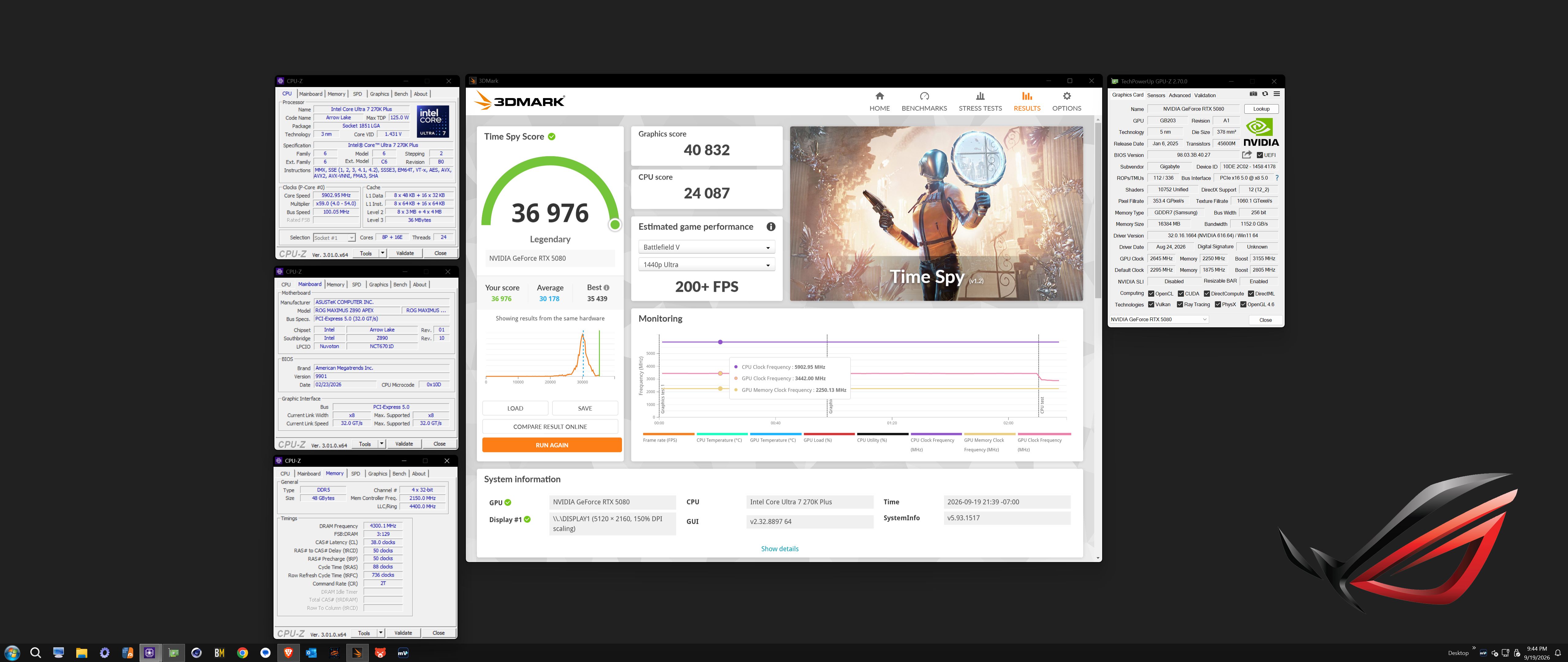
https://hwbot.org/benchmarks/3dmark_-_time_spy_extreme/submissions/6074828
https://www.3dmark.com/3dm/164084873
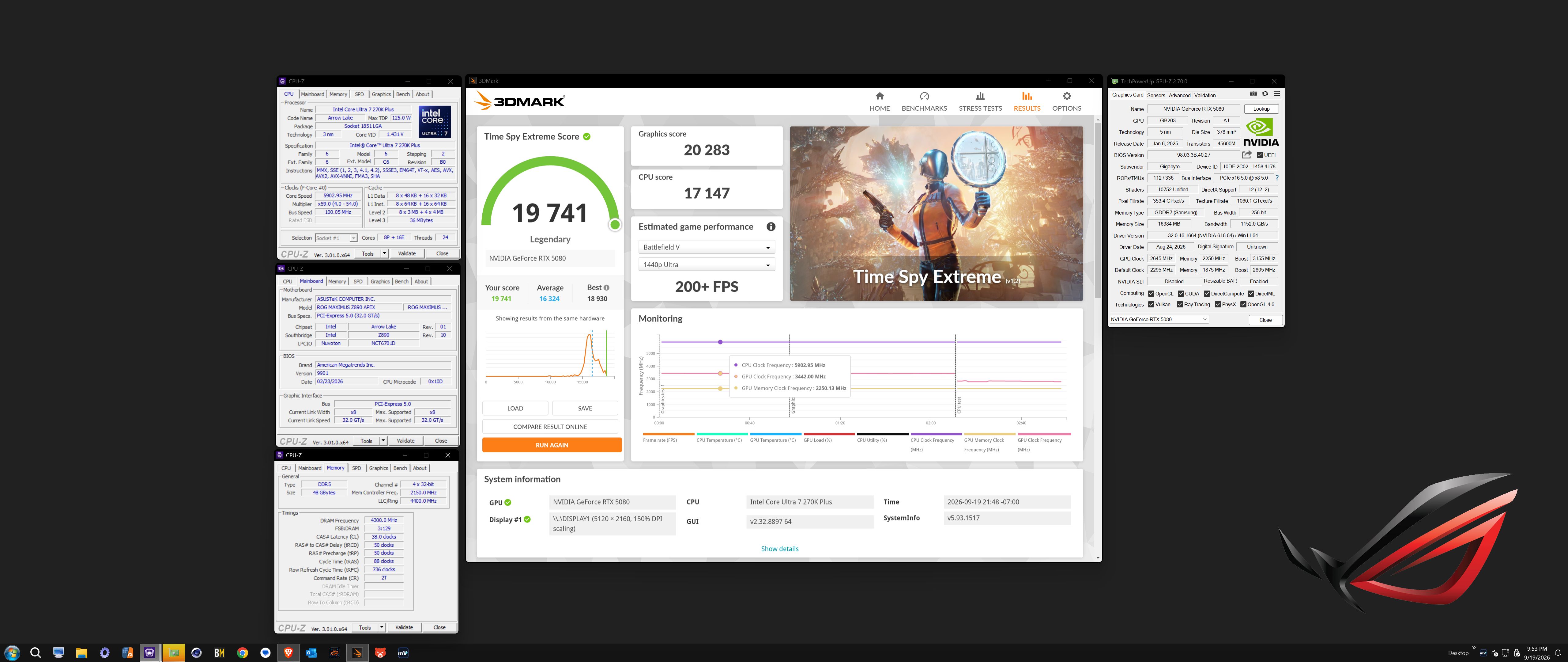
https://hwbot.org/benchmarks/3dmark_-_sky_diver/submissions/6074861
https://www.3dmark.com/3dm/164089114
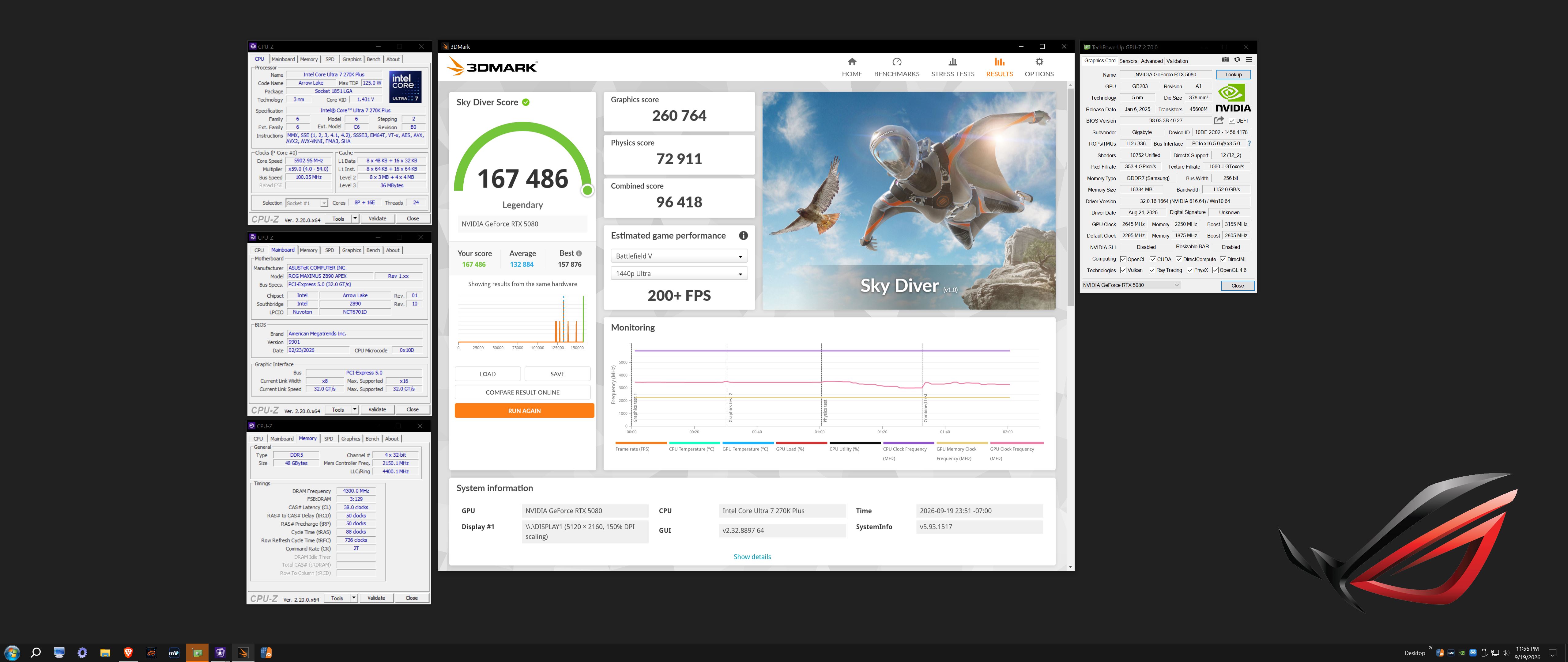
https://hwbot.org/benchmarks/3dmark11_-_performance/submissions/6074851
https://www.3dmark.com/3dm11/17000869
-
2
-
1
-
1
-
-
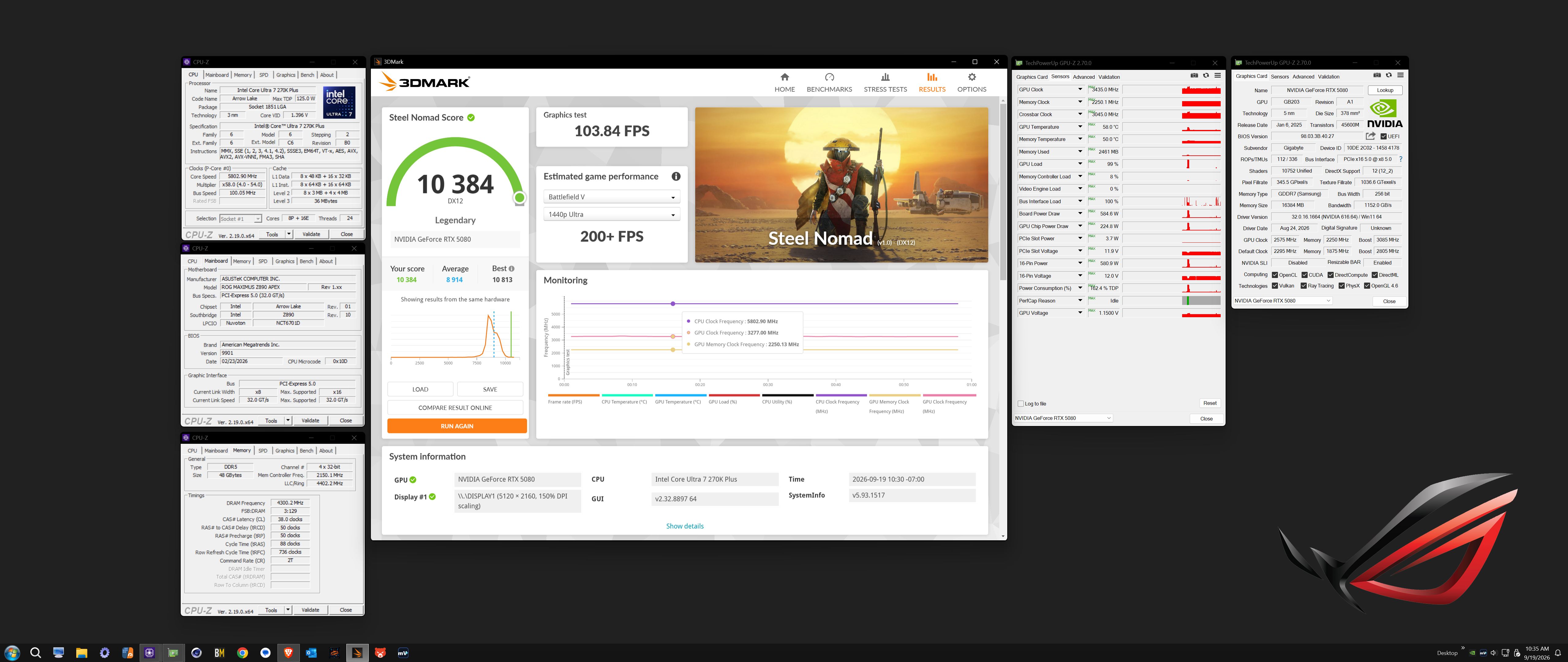
mvolt+ Extreme works nice. The highest power limit I could find for a 5080 vBIOS was 450W. I used it to unlock the power limit. Set it to 600W and applied my previous mvolt+ overclock profile and the WireView Pro 2 showed it pegged above 600W throughout the entire Steel Nomad run and instantly beat my previous best score by about 180 3DMarks with no change in core or memory clocks. It was definitely crippled by power limit.
Now I will have to play around with higher power limits above 600W, additional voltage, XBAR, Sys and core clocks to see what it can do with no power limits crushing the GPU's gonads.
https://hwbot.org/benchmarks/3dmark_-_steel_nomad_dx12/submissions/6074610
https://www.3dmark.com/compare/sn/15702068/sn/16244399#
-
2
-
-
5 hours ago, tps3443 said:
Yeah I just can’t see my self getting a RTX6090.
I think of it like this, the RTX4090 cost $2,500+ so the RTX 5090 is at least +80% more expensive at $4,500 dollars. So we can only assume the RTX6090 at launch will be fetching $8,100+ dollars. And after it settles down probably closer to $7,000 dollars.
So $7,000-$8,000 dollars. I cannot see anyway possible it would be less expensive than that.
Are you going to get one?
I think the gun hobby is the way! We could go buy a Barrett M82 50bmg instead! Or maybe automotive performance parts. Or even exotic unrealistic home improvements.
High end GPU’s are dead forever it seems like.
They’ll start building NVIDIA dealerships locally and we walk in and test drive the new RTX7090 and finance for 48-72 months with interest! 🤦♂️
I predict that someone invents an AI processor, like like what happened with Bitcoin miners replacing GPUs, and NVIDIA files for bankruptcy. The bigger they are, the harder they fall. As much as I do not like Radeon products, I think NVIDIA deserves to die. I am not being hyperbolic in saying that. IMHO that is what they deserve.
-
1
-
1
-
-
59 minutes ago, tps3443 said:
This is disgusting. So sad to see end days of PC building. It’s becoming an ultra high end boutique hobby.
Before long I will be changing hobbies.
I think muscle cars or getting in to shooting more would be far better hobbies.
When I was a young man, before getting married and having kids, tactical and assault weapons, hot rods and motorcycles were my hobbies. I cannot see myself getting back into cars and motorcycles again. They've also gotten to be ungodly expensive (more so than computers have) but I could very happily get back into guns again (tactical and assault, not hunting) and have a blast, pun intended. The lefty lunatic goofballs are trying hard to ruin that too, just as they ruin everything that is good.
-
1
-
-
37 minutes ago, Papusan said:
Here’s why RTX 5090 costs $5,000: AI firms are buying gaming GPUs by the pallet

The images show pallets filled with brand-new retail gaming cards waiting to be removed from their boxes and installed into multi-GPU systems. These are not RTX PRO 6000 cards or dedicated data center accelerators. They are GeForce RTX 5090 cards, the same products NVIDIA sells and markets to PC..... At the end of the day, the RTX 5090 is no longer a gaming card.
And this one looks very bad...

Adding insult to injury, we see super stupid garbage like this mobo and GPU brought to market. I honest don't understand how anyone could find the aesthetic appealing. If you like white, I do get that. It doesn't look bad and has a clean look. But the little girl/sissyboy/kitty cat cartoon crap is disgusting and grotequely effeminate. Maybe it is a generational and cultural thing, but I don't understand the appeal.
-
1
-
-
1 hour ago, Reciever said:
So the evga 1300w GT seems to have failed today. 3rd power supply to die from them 😞
I have a backup 1000w be quiet power zone and some server psu's with break out boards but man this is getting tiring lol
I guess I'm back in the market for a power supply
Well, that sucks. If it is still under warranty they will replace it and maybe you can sell it to recoup some of your money.
There are not that many PSU manufacturers any more. A lot of them are FSP, Great Wall and SuperFlower with another label on them. ASRock and Lian Li PSUs are pretty decent and reasonably priced.
On another note, I think this might be this guy's best video yet. He is saying things that we aleady know and think, but we don't see enough popular YouTubers with such a big following that are willing to just call out the tech feces for being so smelly in such a direct and unapologetic way.
-
 1
1
-
-
-
Some of us here might remember a friend and partner in crime back in the the days of our Alienware laptop overclocking escapades in the old NBR forums. He went by the forum names usmc362 and Trafficante. Joe Testa was his real name. I just received a call from his wife about a half hour ago. He passed away yesterday. He was 82. He had struggled with some health things for a while and had been hospitalized a number of days. He was a Godly man, served his country in military service, (thus the USMC forum name,) and now he is in a better place. He beat us all to the Pearly Gates and will be waiting for us to catch up with him. Those that knew him will remember that he was quite the animated character and got banned many times by @katalin_2003 and Charles P. Jefferies for stirring up a hornet's nest.
-
6
-
-
For whatever reason, I had not bothered to look at my Karhu speeds on my Z890 builds. I used to do it all of the time with my Ryzen stuff. I haven't even really tried pushing the memory overclock much, just plugging along with this pedestrian 8800 profile. Maybe I will find some downtime to play around with 9000 and higher soon.
-
1
-
1
-
-
8 hours ago, Reciever said:
So Im thinking the next step for my setup should be a UPS, I am currently using a really nice extension but its probably time to get a proper power delivery system.
From what Im reading something with Sinewave PFC to clean up the power. What do you guys use?
https://www.amazon.com/dp/B00429N19W?tag=ustxtaddt-20&plpRedirect=mhFallback&ref=clp_hp_h_pc&th=1This appears to clean power from utility as well as on battery.
Yes, I think having one is a good idea for protecting your system from a catastrophic event such as power surge and lightning strikes. Here is a link to the one I use. I thought I would never have to worry about exceeding its 1500W capacity. I was wrong. A 5090 with modifications can and does.
-
1
-
-
Snagged another G.SKILL 8400 kit for a good price to have in my backup/spare parts stash. This was pre-rampocalypse pricing for this kit. It was interesting to see someone bashing the seller for asking too much. Not sure what planet they are from. This is the same memory part number running in the system built in the LIAN LI O11D MINI V2.
-
1
-
1
-
1
-
-
-
1 hour ago, Papusan said:
Still no problem get 5090's. But you pay a huge amount money. I expect the gamers don't buy them anymore. Only people that really need the 32GB frame buffer. Lots of ASUS ROG Astral GeForce RTX 5090 OC = 5,328,61 United States Dollar (MSRP). Cheapest 5090 is the Gainward GeForce RTX 5090 Phantom GS - 4,676,12 USD🙄
And where will this ends? It seems the aib partners don't need to touch the prices for the 5090's right now. They are already above $5000. Now they try pump up the prices on the mid tier cards.
NVIDIA Board Partners Hike RTX 50 Prices Again, With The RTX 5080 Set To Jump Nearly $120 This Month
And the cynical part of me wonders how many of these GPUs are stock they held back to create fake demand that were produced before the RAM prices got all effed up and now they are functioning as first-party scalpers, screwing their "customers" just because they can
 rather than passing on actual production costs as necessary to maintain an operationally viable profit margin.
I have nothing to base it on, but my belief is all of them until there is evidence that proves otherwise. Hoping for the best, but always assuming the worst, is the best approach. (That assumption is frequently accurate.)
-
1
-
*Official Benchmark Thread* - Post it here or it didn't happen :D
in Desktop Hardware
Posted
The Apex Twins have a new sibling. I just got the hardware set up and in the process of installing Linux and Windoze. No tuning yet.