.png.b65a310adf7c076fa39cc70a3ec91c19.png)
Mr. Fox
-
Posts
6,742 -
Joined
-
Days Won
830
Content Type
Profiles
Forums
Events
Everything posted by Mr. Fox
-
Thank you. After eBay extracts their pound of flesh will cover about half the cost of the 3060 Ti downgrade that replaced it. Financially, I was doing better than ever before, and upon the change in regime things are worse than ever before now... at least during my lifetime as an adult. It doesn't require any special analytics to identify that my current mess is unprecedent thanks to Brandon and his woke clown posse. Can't identify a single good, desirable or commendable attribute or success story for American life since these lunatic demoniacs took over.
- 14 replies
-
- 1
-

-
- evga
- rtx 2080 ti
- (and 1 more)
-
Thank you. Yeah, it sucks. It is a loss, not a profilt. Everything I sell on eBay was purchased with after-tax income and sold for less than I paid for it. That's how I am approaching it. The 1099 thing is a socialist scheme, diabolically crafted by black-hearted douchebags, to finanically rape and defraud our citizens. Collecting sales tax on used merchandise where sales tax has already been paid is also dishonest. I am not paying income tax on things I sell on eBay because it is not income.
- 14 replies
-
- 1
-

-
- evga
- rtx 2080 ti
- (and 1 more)
-
.thumb.png.362386d2804d5f9fbcf2ec7f5aa009c5.png)
*Official Benchmark Thread* - Post it here or it didn't happen :D
Mr. Fox replied to Mr. Fox's topic in Desktop Hardware
I agree. I really do love the appearance. Performance is also solid for the price. I think it offers excellent value. -
*Official Benchmark Thread* - Post it here or it didn't happen :D
Mr. Fox replied to Mr. Fox's topic in Desktop Hardware
No doubt the EVGA product is going to be good. Not sure how they would compare on cooling, given the signficant difference in size. I know nothing about the product, just saw an excellent price for a 360 AIO while looking for a modular AIO with a pump on the radiator (but did not find one). No software should be needed for the AIO that is $160 less if you used the motherboard headers or a separate RGB controller (hardware), but regardless, EVGA software is almost always great. It is never UWP dumpster garbage like some of the other RGB software filth. Saving $160 you could certainly afford to buy some powerful fans. Some of the popular AIOs are getting so expensive that you are pushing into or beyond entry-level custom loop cost range. -
*Official Benchmark Thread* - Post it here or it didn't happen :D
Mr. Fox replied to Mr. Fox's topic in Desktop Hardware
Well, 99% of all AIOs are an Asetek with proprietary features added. I suppose there are not many OEMs that see a point in reinventing the wheel. If I were going to go with an AIO rather than custom loop, I think I would look for one that is modular. I think EK and Alphacool made some at one point, but I don't recall seeing one recently. I would prefer having a normal CPU block and not having the pump at the CPU/block end of the AIO. @Raidermanthis looks like a screaming deal on a 360 AIO. Huge discount. Probably as good as most in terms of quality and effectiveness. Doesn't look like an Asetek design, but I don't know if it is AM5 compatible. It says "all AMD platforms" but that might not be true since the introduction of AM5. https://www.titanrig.com/barrow-aio-cpu-cooler-with-360mm-radiator-argb-03-15-ba-0106-01-on.html Oh, I forgot to mention something. Another reason I am not buyig a new GPU and you might not be aware... None of the new GPUs have drivers that work on Windows 7. I know this is very important to you, too. Intel, NVIDIA and AMD no longer provide drivers and there are not "old drivers" for current generation GPUs. At this point in time, I am not willing to give up being a Windows 7 user for the unnecessary priviledge of using an overpriced GPU whose existence is not necessary. To me, this is the single most compelling reason to go with Linux as a Windows replacement. For the time being they haven't moved to the next stage of Nazism by making drivers unavailable for Linux, but I believe they would if they could get away with it. -
*Official Benchmark Thread* - Post it here or it didn't happen :D
Mr. Fox replied to Mr. Fox's topic in Desktop Hardware
Almost all large corporations involved in techology, especially where it involves use of the internet, (yes, PayPal falls in that category) is a sick, ungodly, woke leftist retarded mess. Unfortunately, I have to use PayPal for certain things because there is not another option. I'd love to see them, and all the rest like them, go out of business. I am thoroughly enjoying watching the lefty emo-nuts come unhinged over Twitter. It's great to see karma exacting its vengeance on them for all of the evilness they have shown over the past 2-3 years. I'm not buying a GPU anytime soon. I'm not willing to pay what they want. I am thankful that I do not need one. I will just keep using what I have that is already more powerful than it needs to be. They can bob over and plant a wet one where the sun don't shine, LOL. If I were going to buy a GPU today it would be an Intel Arc A770 (assuming I could find one). I tried to find one when I purchased this 3060 Ti and it was not for sale anywhere. EVGA CLCx... I think I remember... yup, found it. -
*Official Benchmark Thread* - Post it here or it didn't happen :D
Mr. Fox replied to Mr. Fox's topic in Desktop Hardware
I haven't had any issues with PayPal, but I know others have. Now, eBay, on the other hand... nothing nice to say about that scurvy outfit. I cringe every time I sell something on eBay, clinch my butt-cheeks and pray that I don't get screwed again. PayPal holding your money sucks, but it is an inconvenience. I'd rather have them hold funds a few days selling something versus the highway robbery fees you get screwed out of on eBay. -
*Official Benchmark Thread* - Post it here or it didn't happen :D
Mr. Fox replied to Mr. Fox's topic in Desktop Hardware
Hello no. None of them (MSI, ASUS, Gigabutt, EVGA) do. They probably make sure nothing is too badly broken and then wait for people to complain about what needs to be fixed. Sometimes they get lucky and everything works. The nice thing about EVGA is I can email their support team and ask for a modification in the firmware, and they do it for me. If I reply that it works well and show them the benefit, they implement it on the next release. No way MSI, ASUS or Gigabutt would do that. They probably would not even give the courtesy of a reply to say no. They don't give a rat's ass about the people that buy their garbage. I have seen kits with the metal brackets and screws for very cheap, and you add your own fans. -
*Official Benchmark Thread* - Post it here or it didn't happen :D
Mr. Fox replied to Mr. Fox's topic in Desktop Hardware
Not ready for prime time. Going back to the old BIOS until they fix a couple of bugs. https://forums.evga.com/FindPost/3588974 -
*Official Benchmark Thread* - Post it here or it didn't happen :D
Mr. Fox replied to Mr. Fox's topic in Desktop Hardware
OK, that makes sense. It is not covering it, but next to it. 👍 Yeah, I like that bracket as well. I look forward to hearing what you find out from Lian Li about availability. -
*Official Benchmark Thread* - Post it here or it didn't happen :D
Mr. Fox replied to Mr. Fox's topic in Desktop Hardware
I wonder how you can connect the DP or HDMI cables with that fan covering the I/O ports on the GPU? -
*Official Benchmark Thread* - Post it here or it didn't happen :D
Mr. Fox replied to Mr. Fox's topic in Desktop Hardware
DAAYYYUM! @Talon My generic green M-die sticks just booted and loaded Windows at 7800... LOL. All I did is load a profile and set boot priority. I haven't tuned anything and it's not 100% stable. But, wow... M-die running like this is pretty great. Eager to see how your A-die runs Brother @Talon.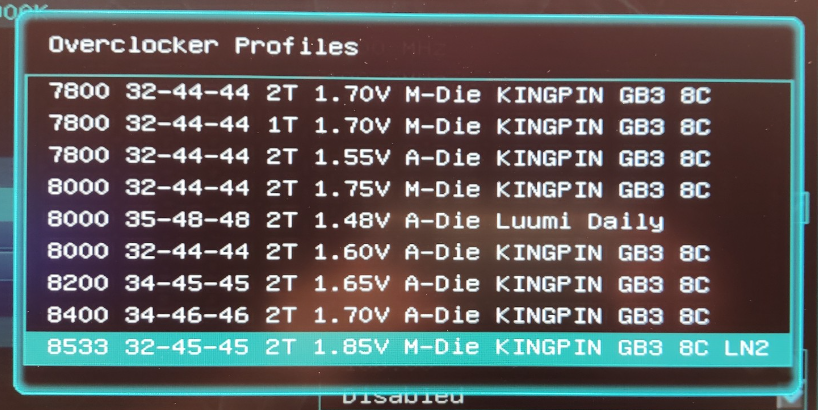
-
*Official Benchmark Thread* - Post it here or it didn't happen :D
Mr. Fox replied to Mr. Fox's topic in Desktop Hardware
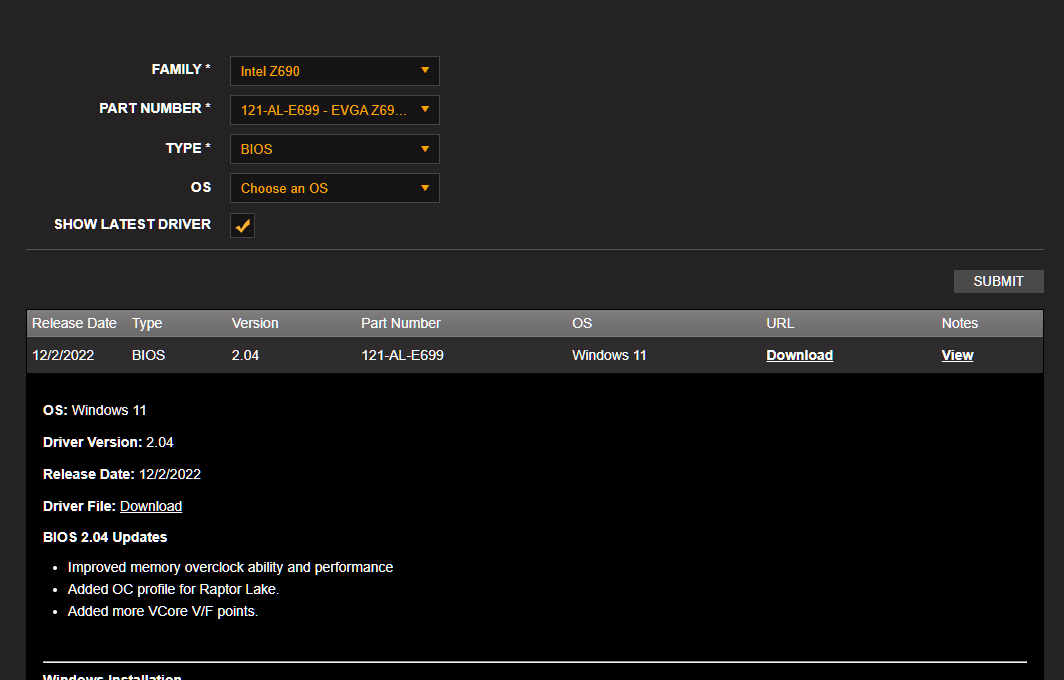
Brother @Talon - new Z690 Dark BIOS is released. Gonna grab it and test now. Edit: Flashed with no issue. Here are the new M-die and A-die profiles from Vince and Luumi. (Nothing from CENS, but I never liked his profiles anyhow. They always kind of sucked.)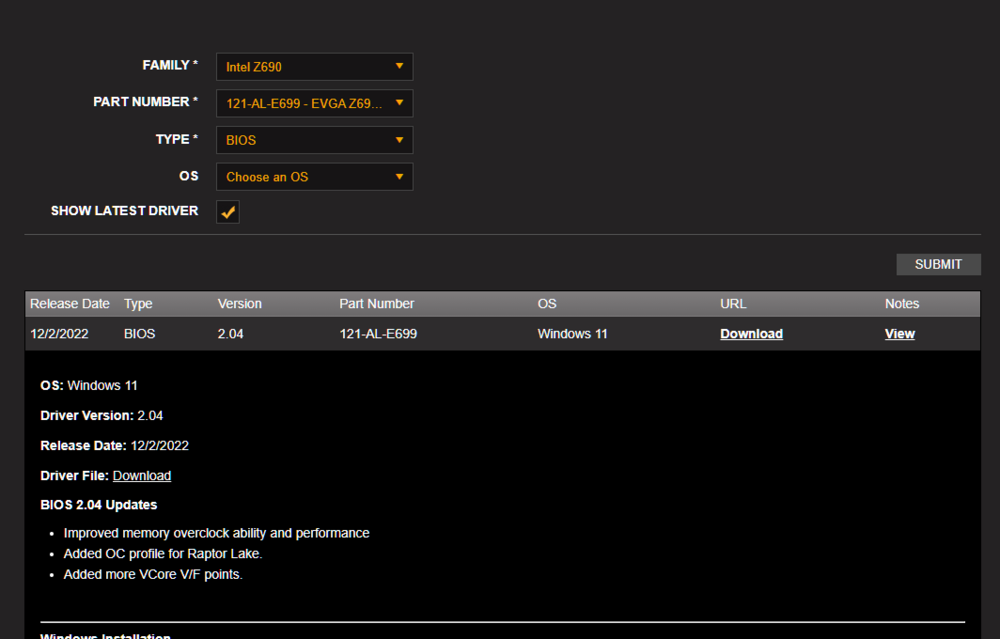
-
*Official Benchmark Thread* - Post it here or it didn't happen :D
Mr. Fox replied to Mr. Fox's topic in Desktop Hardware
Nothing is too crappy for the gamerboy muppets. The best drivers are the drivers that work best. Doesn't matter whether they are old or new. -
*Official Benchmark Thread* - Post it here or it didn't happen :D
Mr. Fox replied to Mr. Fox's topic in Desktop Hardware
I would prefer not to think of such terrible things. 😉 -
*Official Benchmark Thread* - Post it here or it didn't happen :D
Mr. Fox replied to Mr. Fox's topic in Desktop Hardware
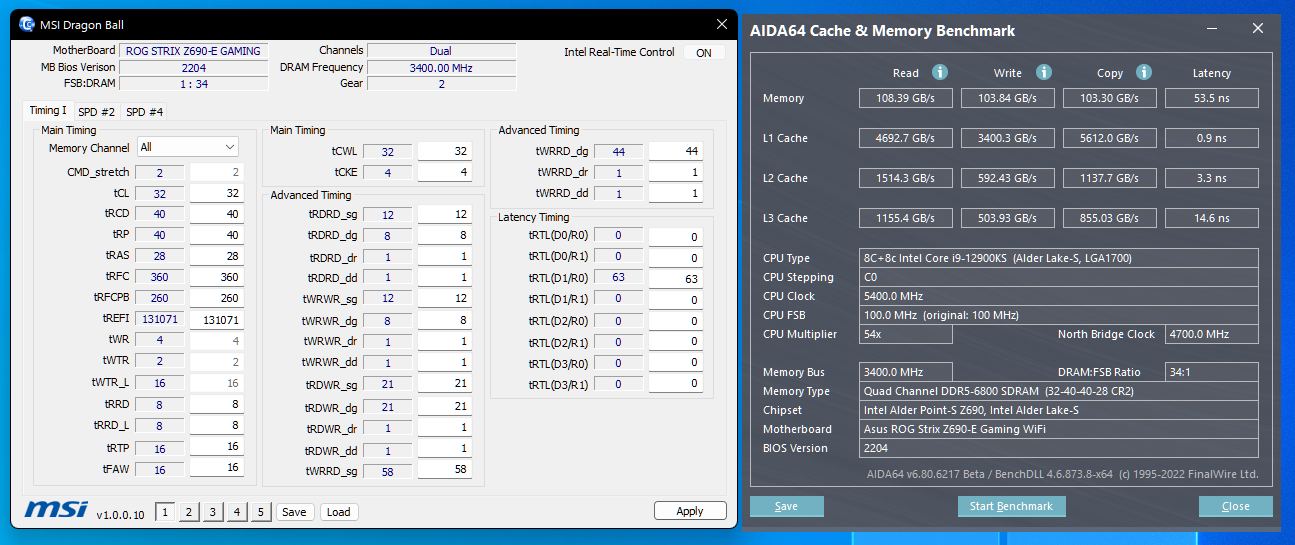
Still no MC SP for the Strix, but this BIOS is stable and now the Strix can easily run the M-die at 6800. It could before, but for some reason rebooting would usually produce Q-code 55 unless I turned off or unplug the PSU and now it does not do that anymore. So, that is good. Yeah, I hear you. Working in cramped spaces on a desktop is infuriating to me. It makes me angry any time I have to work on a system where stuff is packed in like a can of sardines. The only thing better than bigger is no case as all. Moving to a desktop should make accessing everything easy and comfortable, not sucky like a laptop.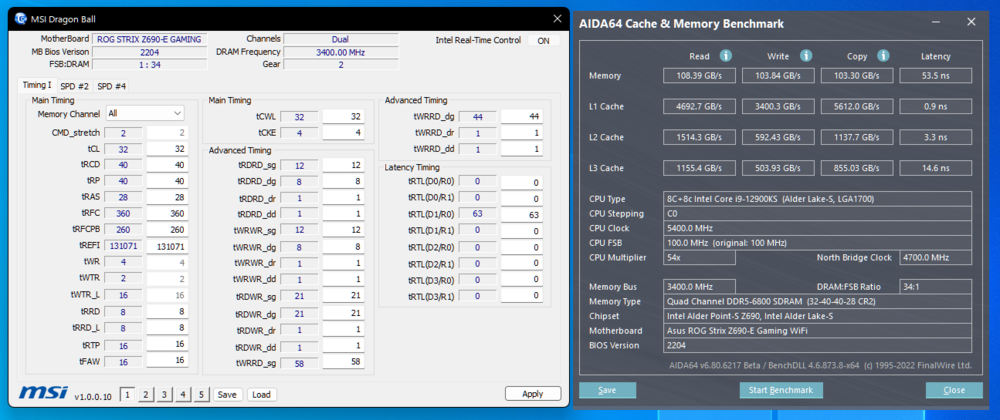
-
*Official Benchmark Thread* - Post it here or it didn't happen :D
Mr. Fox replied to Mr. Fox's topic in Desktop Hardware
Sorry to hear that. You've certainly had a "Mr. Fox experience" with that thing. I am glad they seem to be focusing on providing a better customer experience this time around. Hope all is well with you otherwise, bud. -
*Official Benchmark Thread* - Post it here or it didn't happen :D
Mr. Fox replied to Mr. Fox's topic in Desktop Hardware
I had three kits of the TeamGroup DDR5-6200 M-die and all three were outstanding quality. I did not like how they were shaped and wished they were not RGB. On the Unify-X they were a challenge because of the backplate waterblock on my 3090. It is kind of ridiculous how it is nearly impossible to buy memory that isn't the RGB crap. I wouldn't mind it that much if the heatsinks were not applied in a retarded manner, or if the default was white instead of rainbow puke for all of them. I hate having to install trashy software to change the LEDs to white. That is so stupid. I am a young 60, in good health partially because I deliberately work on it, and because I am blessed. We had 5 kids and I know how hard it is to make ends meet. I have worked like a dog my whole life and I am more than a little bit angry about the mess we are in now economically. It was so avoidable, but bad decisions were made and continue to be made by idiots with a socialist mentality. I still feel young, and act young, but 10 years passes in the blink of an eye. Hopefully, there will be enough time to recover if we can stop the nonsense before it is too late. Totally right about this being a "cheap" hobby compared to the alternatives. In fact, I gave up street rods, drag racing, motorcycles and guns because it was no longer sustainable with 5 kids. I turned that passion to computers because it was doable (but still a challenge sometimes). I have always been a little bit frugal, and haven't spent nearly as much as I could have had I bought everything I wanted to buy. -
This sold on eBay for $425 and the buyer paid. Shipping it today.
- 14 replies
-
- 2
-
-

-
- evga
- rtx 2080 ti
- (and 1 more)
-
*Official Benchmark Thread* - Post it here or it didn't happen :D
Mr. Fox replied to Mr. Fox's topic in Desktop Hardware
It is not because I want to as much as it being necessary. I am trying to save for retirement and with the shambles Brandon has made of our economy and the amount his nonsense has nuked my retirement nest egg, I am starting to worry about what the future holds for me if my 401K and IRA savings continues vaporizing. Not to mention that the cost of gasoline and groceries have skyrocketed and just covering the bare necessities leaves me with less money to spend on enjoying life. I turn 60 next month and I hope I don't have to extend my planned retirement from age 70 to 80. I spotted a kit of 7600 for $399 and ordered it this morning. I thought about what I had just done and cancelled the order an hour later. I need to be smart, and sometimes that is challenging when you're passionate about something that costs money. Lots for Mr. Fox to think about. Getting old sucks.
-
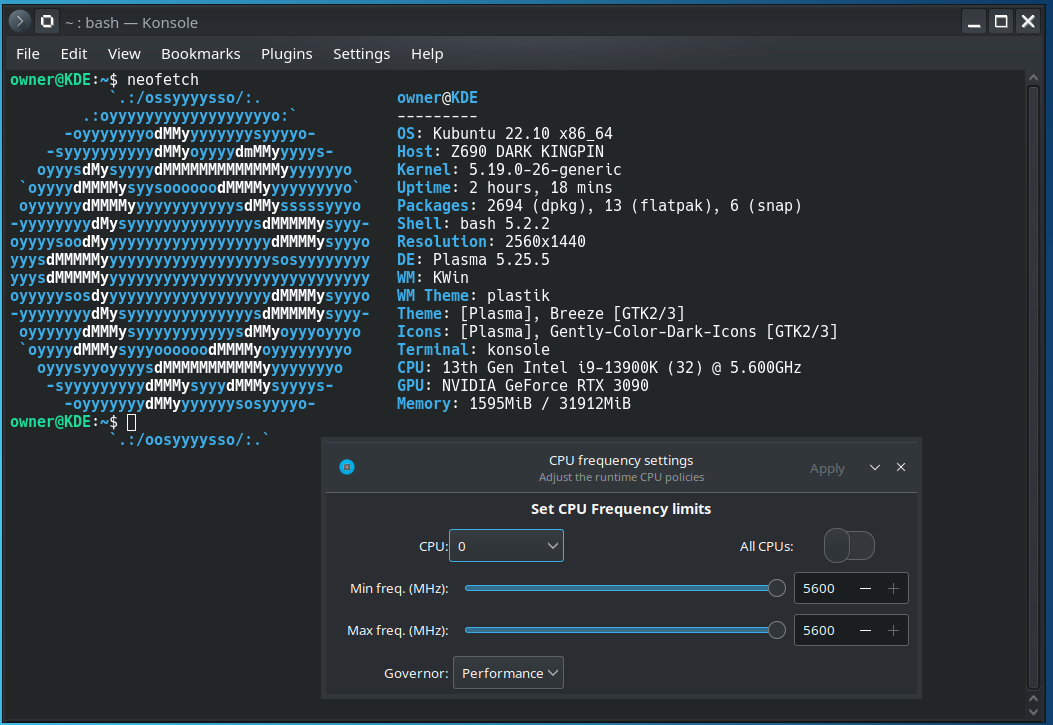
https://github.com/vagnum08/cpupower-gui
-
*Official Benchmark Thread* - Post it here or it didn't happen :D
Mr. Fox replied to Mr. Fox's topic in Desktop Hardware
The idea of spending money to save money is almost always flawed. The popularity of selling "solar power" is a great example of that. Sure, it can lower your electric bill. But, it is so expensive that you will be very old or dead before the cost of acquistion is offset by the monthy savings. There is some sound logic supporting the concept of harnessing solar power, but saving money is a dangling carrot that is misleading. It's not an intelligent solution for people with limited financial resources. They can't afford it. I am sure the idea behind making it possible to turn it off is just one of NVIDIA's tricks to fluff up the performance numbers for marketing purposes. If you can increase performance by 5 or 10% by disabling ECC you can market the new product's superiority based on those numbers with ECC disabled. -
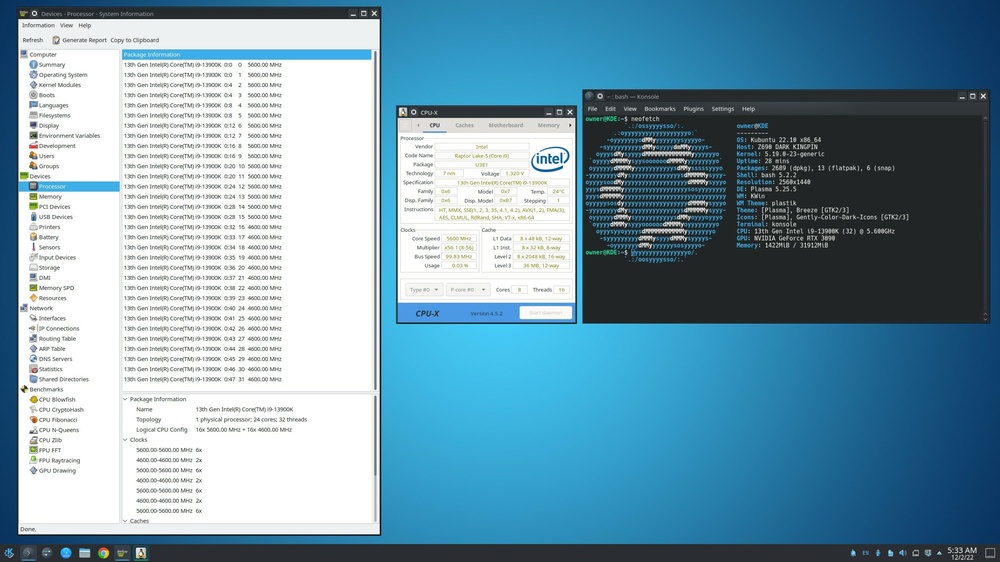
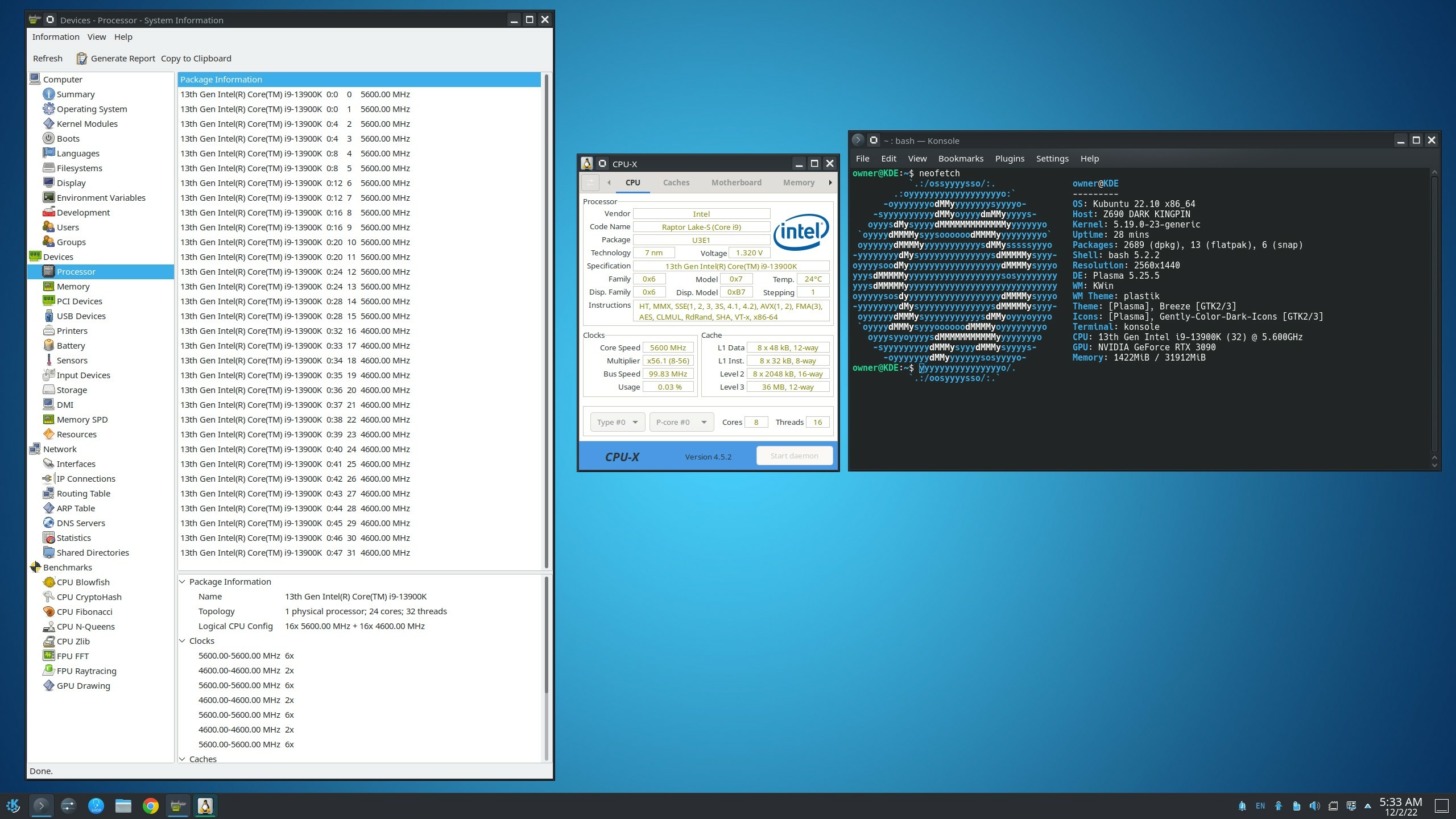
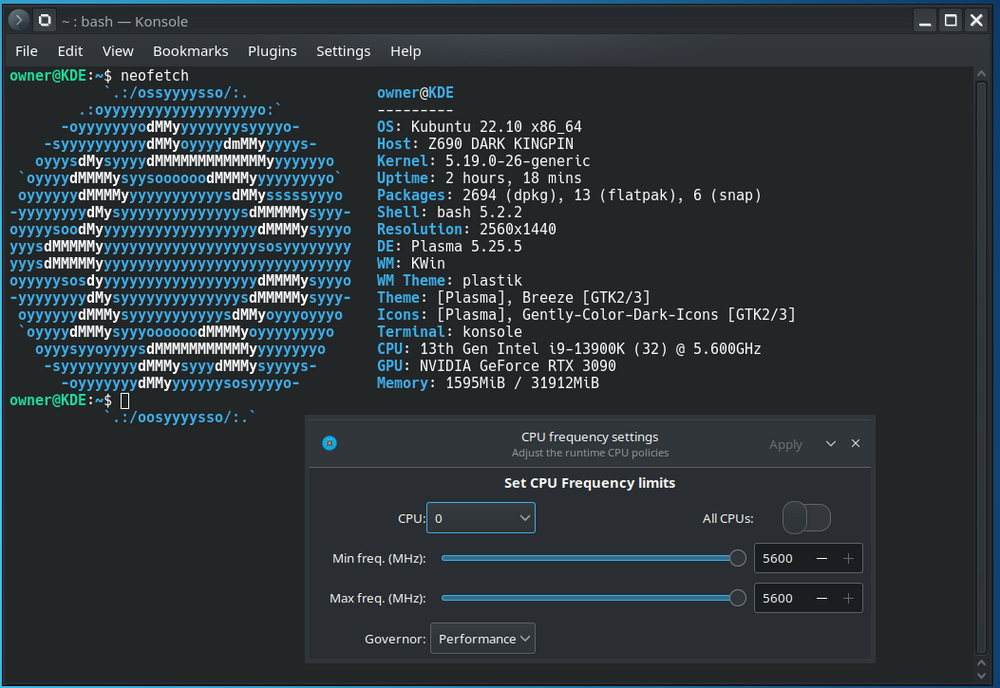
I forgot to show... even this application works correctly on the Z690 Dark motherboard. Can adjust CPU frequency on the fly.
-
*Official Benchmark Thread* - Post it here or it didn't happen :D
Mr. Fox replied to Mr. Fox's topic in Desktop Hardware
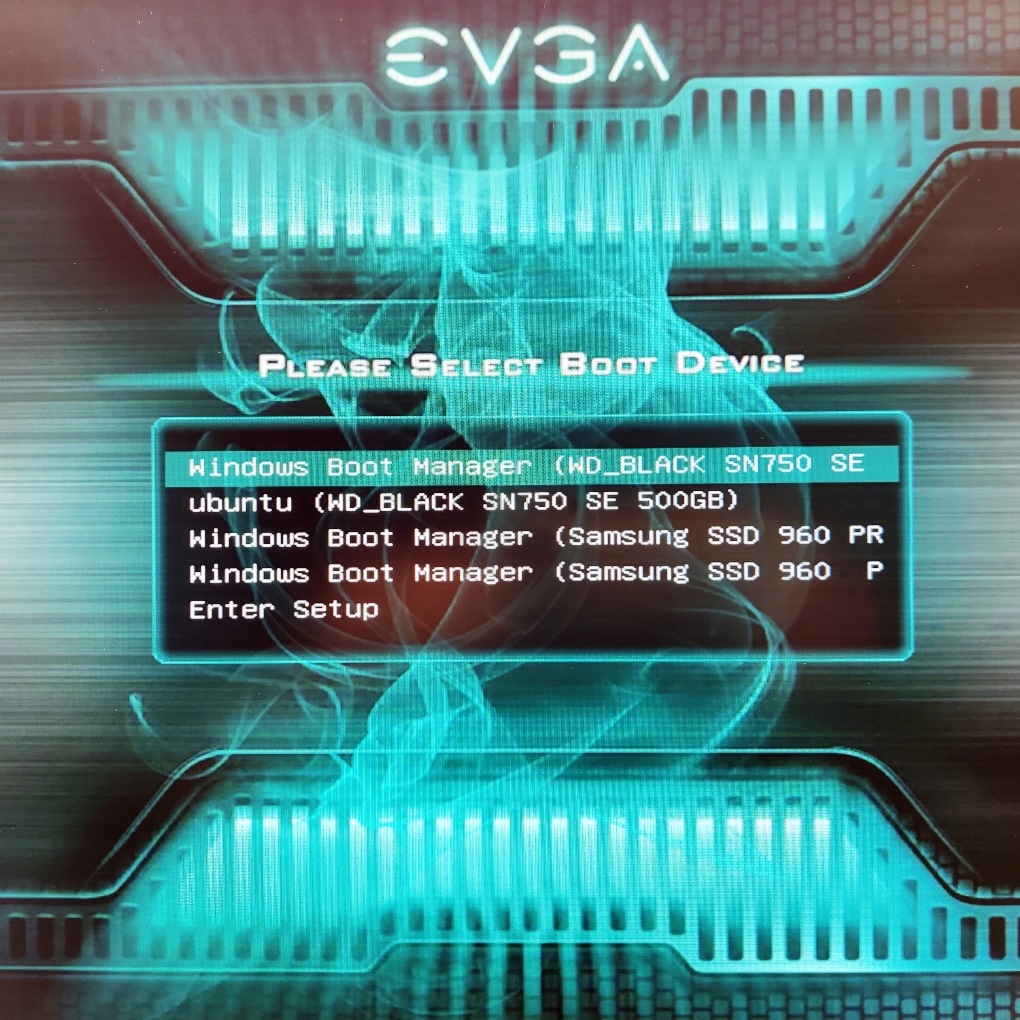
One thing that I love about EVGA's BIOS is the "Always Show Boot Option" feature. I wish that it was a requirement that all motherboard manufacturers enable this feature. I install my OSes independently so each has its own bootloader, then use EasyBCD to modify each OS bootloader to give me the option to change my mind after hitting "enter" on the EVGA Boot Option screen. This feature of the EVGA BIOS is always enabled on my systems. It waits for me to tell it where I want to go. No need to spam any buttons for BIOS or boot selection. It just sits there and does nothing until I tell it where to go. If I connect a USB drive, it shows that in the boot menu as well. I absolutely LOVE this.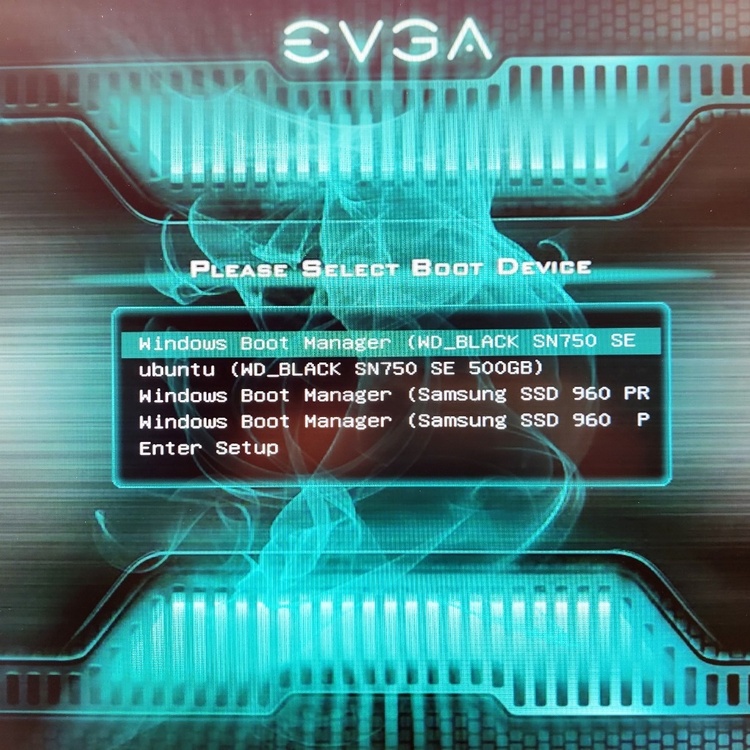
-
As expected, Linux Mint was worthless in terms of correcting the issue. I honestly do not believe it will be corrected unless ASUS does something right on the firmware side. I do not like NVIDIA as a company. They deserve to be hated, but I love their products and they are what I want to own. It's almost like the opposite with AMD. I don't like AMD products and avoid owning them, but I want to like AMD as a company. I do not believe they are honest or good, but they're the lesser of two evils on the GPU side of the business. Intel is kind of in the middle. I don't hate them, I like their products, I want their products, and I do not find them as easy to dislike as the other two. AMD's presence in their digital ménage à trois keeps everyone on their toes and I am thankful for it. Edit: here is an example of a newer CPU, same chipset, functioning correctly. I think pointing the finger at ASUS is appropriate. @Etern4l