panda_zzz
-
Posts
174 -
Joined
-
Last visited
Content Type
Profiles
Forums
Events
Everything posted by panda_zzz
-
You can buy and install a Dell m5000m graphics card, and you won’t have to mess around with the video BIOS or modify the cooling system. If you want, you can replace the fans with higher-performance ones from the Alienware m14x R2, but some modifications will be required.
-
M4800 Owner's Thread
panda_zzz replied to unnoticed's topic in Pro Max & Precision Mobile Workstation
If we're talking about driver version 528, it doesn't yet support the 4060; that support was added in the next version, when the ability to adjust the power limit was removed. -
M4800 Owner's Thread
panda_zzz replied to unnoticed's topic in Pro Max & Precision Mobile Workstation
I'm glad it finally started working for you. Just to be safe, check the memory temperature as well, not just the GPU - on my 4060, the memory tended to overheat easily, unfortunately. This card really does get too hot. -
There's no place on the copper grid to solder another copper tube - where are you planning to vent the heat, then?
- 108 replies
-
- 1
-

-
- dell
- dell precision
- (and 3 more)
-
HP Elitebook 8570W - is it still good ? Hardware modifications
panda_zzz replied to GuitarG's topic in Custom Builds
The only problem is that there isn't a correct pinout for this cable yet. If you really want to use the new EDP display, I think it's perfectly possible to use an adapter board from the T430. -
Dell Precision M4800 best GPU and upgrades?
panda_zzz replied to ncurses's topic in Components & Upgrades
No, not necessarily - there was also a model with an FHD EDP panel. To be sure, you need to check what kind of display is installed in the laptop. -
Dell Precision M4800 best GPU and upgrades?
panda_zzz replied to ncurses's topic in Components & Upgrades
There hasn't been any major news since then. The latest confirmed working upgrade is the HP T2000 MXM. I didn't risk using the 4060 from x-vsion - it runs too hot and has too much power. A 3050 6GB option from X-Vision has recently become available in MXM-A form, but I haven’t ordered it yet, although it will most likely work. As for displays, it depends on the connector on your motherboard - LVDS or EDP? -
Does the Clevo X7200 have a GPU whitelist for the MXM master slot?
panda_zzz replied to SuperMG's topic in Sager & Clevo
There is no whitelist for graphics cards. Older Clevo laptops often have issues running non-native graphics cards due to the address of the graphics card's temperature sensor on the SMBus. Possible solutions include replacing the sensor on the card, connecting an external sensor to the MXM slot's pins, or modifying the laptop's EC controller firmware. -
HP Elitebook 8570W - is it still good ? Hardware modifications
panda_zzz replied to GuitarG's topic in Custom Builds
From an energy efficiency perspective, having Optimus is better than just DGPU, since it is still a laptop. -
HP Elitebook 8570W - is it still good ? Hardware modifications
panda_zzz replied to GuitarG's topic in Custom Builds
If we are talking about the 965m mxm-a format, then no, it does not have GM204. https://www.techpowerup.com/gpu-specs/geforce-gtx-965m.c2796 The differences from m2200 are basically in the frequencies. -
Precision M6800 questions and upgrades
panda_zzz replied to Jers6410's topic in Pro Max & Precision Mobile Workstation
Well, we're talking about a specific laptop that has a specific processor socket for which there are no Xeon processors. -
Precision M6800 questions and upgrades
panda_zzz replied to Jers6410's topic in Pro Max & Precision Mobile Workstation
And what Xeon processors are on the laptop socket g3? Just as I haven't seen any ECC memory in the DDR3 SO-DIMM format. -
Precision M6800 questions and upgrades
panda_zzz replied to Jers6410's topic in Pro Max & Precision Mobile Workstation
This is not a problem with the laptop itself, but a problem with the Intel processor. The 3rd and 4th generations do not work with modules larger than 8 gigabytes per channel. We tried this on different models and different laptops, and the result was the same everywhere. Even with modifications such as coreboot. It is rare to find mentions that someone has succeeded, but for some reason, there are no screenshots or videos to accompany these claims. -
Precision M6800 questions and upgrades
panda_zzz replied to Jers6410's topic in Pro Max & Precision Mobile Workstation
16GB modules will not work. If you want, here is a working option with the m4800 model: -
I understand this, and the video BIOS of native cards is pulled directly from the system BIOS, similar to HP laptops, but there is nothing stopping you from adding the necessary video BIOS to the system if necessary and letting the laptop take the information from there instead of reading it from the MXM card's flash drive.
-
Hello. Unfortunately, I don't have the m2010 itself, but I do have its younger brothers, the m170 and m1710. Perhaps it would be easier to use not video cards from newer Dell models with their proprietary connectors, but to take the conditional mxm3 standard and build on that? Then the adapter board would only need to have a connector for connecting the matrix and for installation in the motherboard (and the mxm connector, of course). I would also like to note that in the T7600 era system BIOS, there were problems with using Nvidia cards newer than the 7*** series. A specific example is the Alienware m5500i-r3 (also known as FUJISTU AMILO) — with the older BIOS version, the new Nvidia cards did not work, but 3.5 gigabytes of RAM were visible and Radeon cards worked. With the later version, the new Nvidia cards worked, but there was a limitation on the amount of RAM to 2 gigabytes.
-
Precision M6800 questions and upgrades
panda_zzz replied to Jers6410's topic in Pro Max & Precision Mobile Workstation
something like this
-
Precision M6800 questions and upgrades
panda_zzz replied to Jers6410's topic in Pro Max & Precision Mobile Workstation
Don't forget that with this processor, you will be limited to 2 RAM slots and a maximum of 16 gigabytes. -
Hello. I purchased a modified radiator from cicichen. It used to be directly listed in his lot list, but now it seems to be gone. However, I am sure that if you contact him, he will assist you. I am attaching a photo that was included in the lot at that time.
.png.49265e1b8e7e3780d1f8ee2b865280e4.png)
-
Good luck with that. I got tired of playing around with the 4060 from x-vsion and sold it. The video BIOS was flashable, but the card didn't work properly with any other BIOS.
-
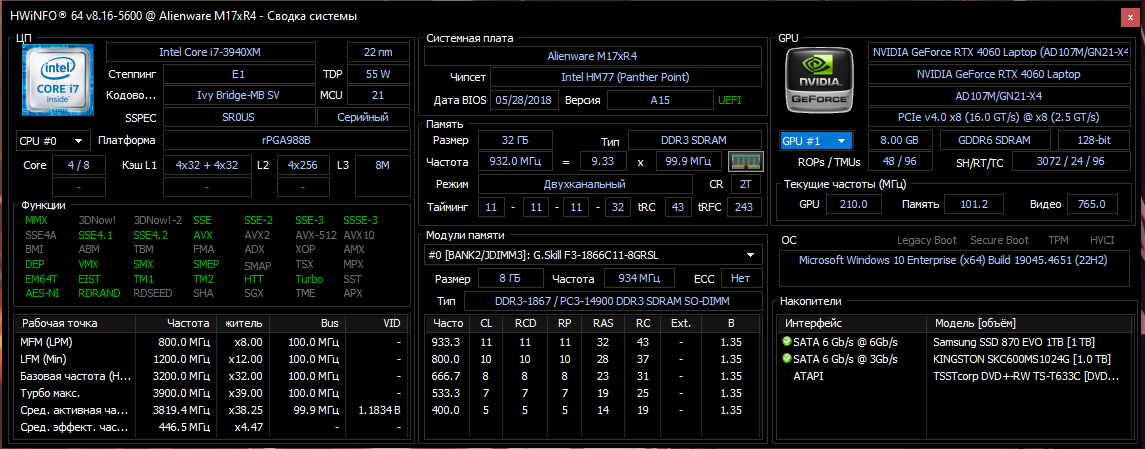
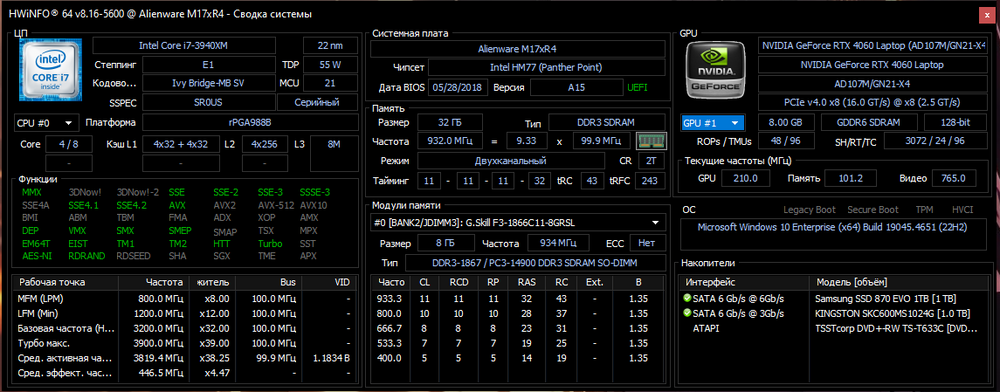
For this card, I am using the native heatsink from the m17x r4, but I had to modify it and add a recess for the resistors on the right - they are too tall. And yes, the mxm-a card itself - I originally wanted to use it in the m4800, but unfortunately I couldn't reduce its power consumption.
-
Yes, the card performs quite stably. Initially, it was purchased for another laptop, but I am currently using it in this one. The BIOS version was downloaded from this forum; you can search for it - there is a separate thread. The video card was purchased here: https://www.x-vsion.com/product-category/mxms/mxmn/ Of course, there are certain risks, but several people have bought from there and everything is fine. No modifications were made except for attaching the heat sink, because the card originally did not have one. My laptop uses LVDS and therefore Optimus. I may get an EDP cable and display later, but I have no plans to do so at the moment.
-
It depends on how much money you are willing to invest in this project. The absolute maximum at the moment is 4090m. My option is as follows:
-
Precision M4800 + HP Quadro T2000 upgrade
panda_zzz replied to Trov's topic in Pro Max & Precision Mobile Workstation
I think we should start here https://www.techpowerup.com/vgabios/ -
m4800 gpu upgrade Quadro M2200m on Dell Precision M4800
panda_zzz replied to mickeybat059's topic in Components & Upgrades
Yes, the m2200 works without any problems. The only thing that is highly recommended is that the version be from a Dell laptop (green), because versions from HP sometimes do not have a soldered vbios.