
Clamibot
-
Posts
482 -
Joined
-
Last visited
-
Days Won
5
Content Type
Profiles
Forums
Events
Everything posted by Clamibot
-

*Official Benchmark Thread* - Post it here or it didn't happen :D
Clamibot replied to Mr. Fox's topic in Desktop Hardware
Thanks! I really appreciate this! As far as I can tell, MSI afterburner works almost as well as GPU Tweak III does for me. Really the only major difference is the voltage slider actually works on GPU Tweak III whereas it does not on MSI Afterburner, but that's reason enough to use GPU Tweak instead, so that you very much for pointing me to this tool! What's wrong with MSI afterburner for you? What doesn't work with it? Also I did some more benchmarking with my games to compare how hardware differences between my laptop and desktop affected framerates. Here are my results: Desktop Killer (X170SM-G) VS Sagattarius A (Desktop) In Games: - Desktop Killer: i9 10900K, 32 GB DDR4 3200 MHz CL 16 RAM, RTX 2080 Super - Sagattarius A: i9 10900K, 32 GB DDR4 4000 MHz CL 15 RAM, RX 6950 XT The CPUs in both machines are clocked at 3.7 GHz in these tests. Control: 122 FPS vs 144 FPS at the Crossroads Control Point in the Foundation sector, 103 FPS vs 144 FPS in intense fights while doing Bureau missions. Far Cry 5: 101 FPS vs 144 FPS at the cabin near the bunker from the start of the game Jedi Fallen Order: 96 FPS vs 143 FPS at first save point on the first planet in the game <- I wouldn't have gotten these framerates with the game at stock configuration. I installed DXVK Async 2.0 into the game, which significantly boosted the framerate. The comparison was done using this awesome piece of software installed with the game on both machines. Mass Effect Andromeda: 136 FPS vs 144 FPS on Voeld, right next to one of the Kett facilities Shadow Of The Tomb Raider: 105 FPS vs 139 FPS at Kuwaq Yaku, right outside the shop looking out at the crowd in front of it Hitman Absolution: 80 FPS minimum, 103 FPS average vs 88 FPS minimum, 110 FPS average in the built in game benchmark <- I also installed DXVK 2.0 into this game, which yielded a minor improvement in framerates (around 5-6%) Hitman 3: 140 FPS vs 140 FPS in the Dartmoor benchmark, 143 FPS vs 143 FPS in Dubai benchmark <- No difference at all in this game. Hitman 3's engine is much better optimized than Hitman 1 or Hitman 2, especially on the CPU side, so that definitely makes a difference. All Hitman 1 and 2 missions run MUCH better in the Hitman 3 engine. Just Cause 4: 144 FPS vs 144 FPS <- No difference at all in this game, at least in large, open fields. I'll have to test this again in a populated area like Quya. Lego Star Wars - The Skywalker Saga: 126 FPS vs 94 FPS at Endor Ewok village <- This is the only game that performs WORSE on my desktop for some stupid reason. This game must really not like AMD GPUs. The screen keeps flickering at certain times and the framerate likes to cap itself at 60 FPS if you alt-tab out and back in. So in summary, looks like for the most part that in the games where an AMD GPU + very fast memory makes a difference, you will get anywhere between a major to gargantuan improvement. In my case, the smallest of those was about a 32% improvement in Shadow Of The Tomb Raider, and the greatest was about a 49% improvement in Jedi Fallen Order. The two exceptions so far were in Hitman Absolution, which only saw a 10% improvement in minimums and about a 6.8% improvement in average framerates (still pretty nice), and Mass Effect Andromeda, which only got about a 5.9% improvement in framerates. For the games that saw no improvement, either I was not CPU bound at all at the framerate I was running at, those games just don't care because the hardware changes yield performance gains in areas these games just don't/can't take advantage of, some other weird thing is the performance bottleneck, or they don't contain any AMD or Nvidia specific optimizations. I'll need to retest these games either with Vsync off, or with an even higher refresh rate display. I have no idea what happened in Lego Star Wars - The Skywalker Saga. This game seems to really hate AMD GPUs for some reason. I'll definitely be testing more games to see what the differences are in those games for me. My verdict still stands. If you want the absolute best gaming performance, an Intel CPU + an AMD GPU + the fastest RAM (lowest absolute latency at highest possible bandwidth) you can get will yield the absolute highest gaming performance you can get. -
*Official Benchmark Thread* - Post it here or it didn't happen :D
Clamibot replied to Mr. Fox's topic in Desktop Hardware
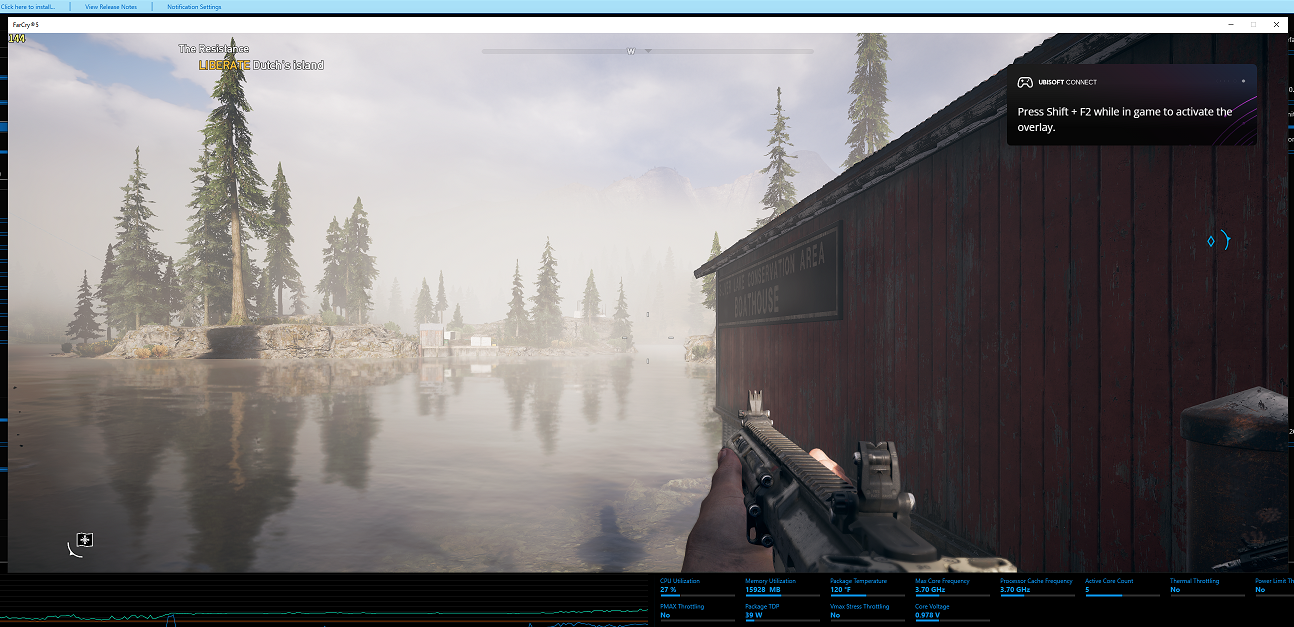
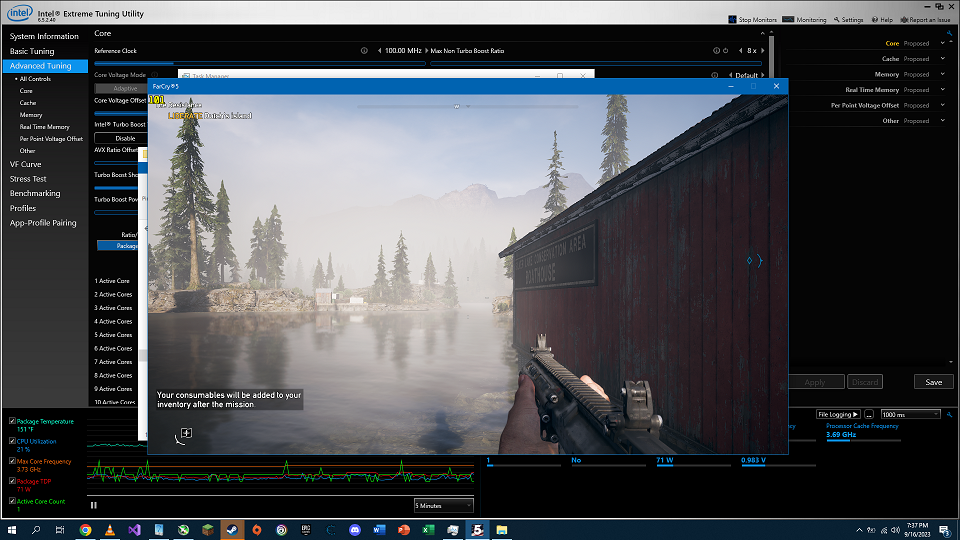
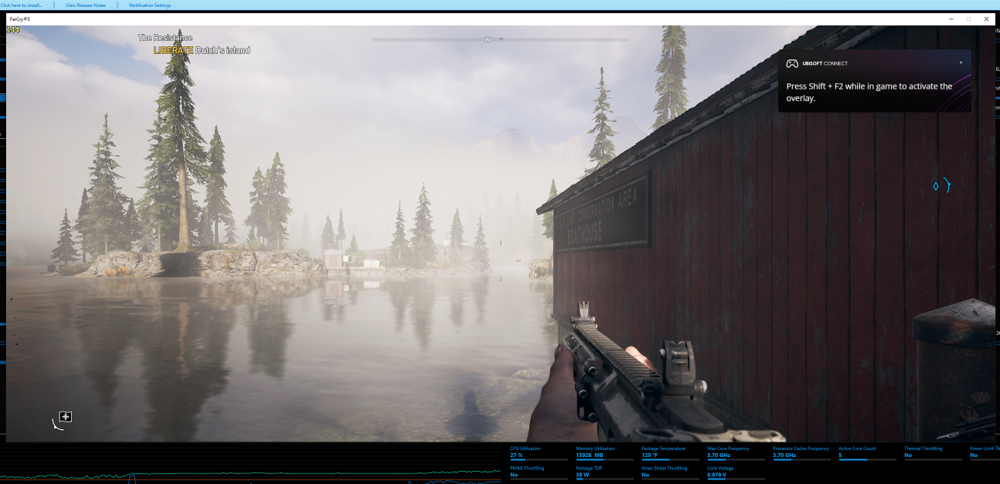
Looks like I'm not going insane. I've gotten back to playing Far Cry 5 (barely started the game before I started Control), and decided to do a performance comparison between my X170 and my desktop again since I could not believe how much of a performance difference there was between the two machines in Control. As a reminder, both my X170 and my desktop have the same CPU model, a 10900K. The other specs are as follows: GPU: RTX 2080 Super vs 6950 XT RAM: 3200 MHz CL 16 vs 4000 MHz CL 15 (so 10ns latency vs 7.5 ns latency for access times) Both 10900Ks were clocked at 3.7 GHz in this performance comparison. Settings: X170 Performance: Desktop Performance: Another massive difference in performance (101 FPS vs 144 FPS) between the 2 machines in another game! I also find it really weird how the 10900K in my X170 is consuming so much more power while running at the same frequency. I killed as many background processes as I could. Must be something up with the power plan, although the 10900K in my desktop usually tends to consume significantly less power than the one in my X170 anyway. I know lower voltages due to the better binned 10900K in my desktop plus much better cooling decreasing electrical resistance are playing a significant role, but it seems like there's more to it than that. In any case, Far Cry 5 seems to love fast memory and an AMD GPU, just like Control. I wonder how many of my other games will behave this way. Only one way to find out!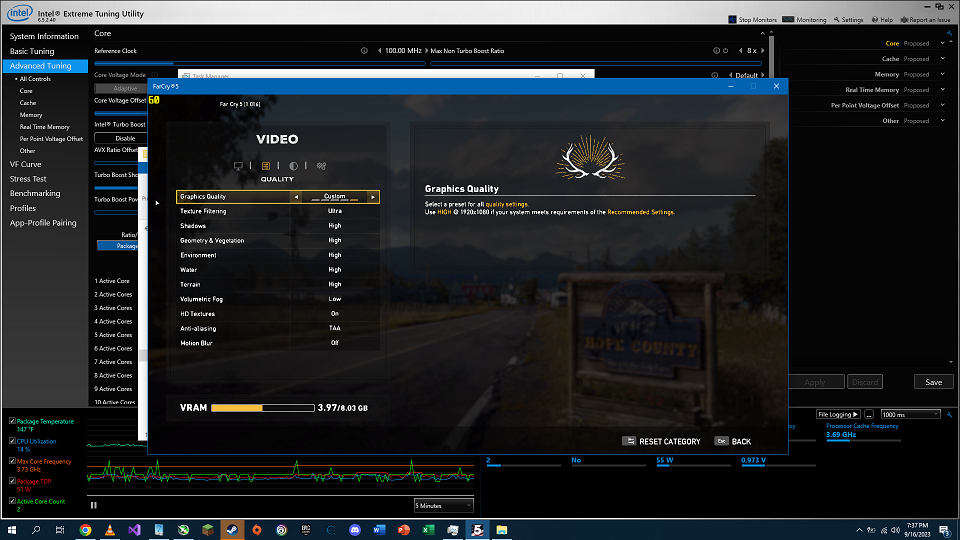
-
*Official Benchmark Thread* - Post it here or it didn't happen :D
Clamibot replied to Mr. Fox's topic in Desktop Hardware
Really? Heh heh, I may need to go try that out then. I'm still on LTSC 2019. I just had my first issue with my new AMD GPU (yayy, now I'm part of the club 🤣). Apaprently their drivers have problems with VR (which I did not know), and I develop VR games for my main job. My desktop would lock up, blackscreen, then shut off. This seems to be fixed with the latest driver release, so the driver version I have now is a keeper. This reminds me of how certain Nvidia driver versions would screw up my minecraft shaders. I'll just chock it up to a bad driver release as those things happen. My 6950 XT works incredibly well in everything else! I also tried to take Starfield for a spin this evening as well since it came with my graphics card. I can't even launch the game as it gives me a message saying I don't meet the system requirements. Yeah right, I far exceed the minimum requirements. It seems to me that some weirdo check is going on behind the scenes, and the software engineer in me had some ideas of how to bypass this. At first, I tried adding an entry to the DefaultGlobalGraphicsSettings.json file to force a default case where the GPU model wasn't found. That didn't work, so I tried some launch arguments that got the game running for linux users with this issue. No dice. I then came across a post where someone discovered there was a GPU check and potentially an OS version check being performed by the DX12 dll. Well crap. I usually deal with writing source code, but I may try tamering with that file later to see if I can locate where that check is executing, and then remove the calls to it. If I'm not successful, I sincerely hope someone much more experienced at modifying binaries and dynamic linked libraries will be able to create a mod that bypasses this stupidity as I do not want to have to run the latest version of windows to play this game. I don't know of any other game that does this other than Battlefield 2042. In any case, no software should ever deny running on a system even if the specs are below minimum. That is malicious behavior. It should just run and the individual executing the program should be able to determine if the performance is good enough for them or not. No publisher has any business in determining what software users can run on what system or operating system, unless it's genuine technical limitation, which in this case it's not. The limitation is purely artificial. I can definitely see publishers abusing that to force hardware upgrades on people who aren't tech savvy, which is wrong. -
*Official Benchmark Thread* - Post it here or it didn't happen :D
Clamibot replied to Mr. Fox's topic in Desktop Hardware
I haven't had any issue with my 6950 XT so far. It has worked perfectly. My guess would be your issues are either hardware related, driver related, or a combination of both. Perhaps the driver for that particular GPU just isn't any good. In any case, you could try using Rivatuner Statistics Server, which comes bundled with MSI Afterburner to limit/cap your framerate. -
*Official Benchmark Thread* - Post it here or it didn't happen :D
Clamibot replied to Mr. Fox's topic in Desktop Hardware
Well I made quite the discovery when doing some game benchmarking last night. I've been playing Control a lot recently. It's a weird but very fun game that has just the right balance of exploration and combat. The supernatural and sci-fi theme fusion is very well done as well. I would highly recommend this game to anyone who enjoys action mixed in with an interesting storyline. Now onto the benchmarks. I don't currently have anything super proper as this was more of an impromptu benchmark than anything else, but I noticed my newly completed desktop was getting far higher performance in the game than my X170. Yes, the graphics card in my desktop is much more powerful than the one in my X170, but I'd eliminated potential GPU bottlenecks already, so that wasn't a factor. Everything is tuned to give me 144 fps on both systems. The graphics quality settings are the same on both systems. The only difference in settings is resolution. In intense fight scenes with lots of enemies and lots of destroyed object fragments flying around, I get around 100 fps on my X170 and get 144 fps on my desktop. That's a massive 44% increase in performance! I never experience any frame drops in this game on my desktop. It runs at a locked 144 fps. On my X170 however, frame dips are common in intense fight scenes. Again, there was no GPU bottleneck in play here. My framerate was being limited by the CPU. The strangest thing is that I have a 10900K in both systems. I did expect there to be a significant performance gain on my desktop vs my X170 due to a few factors, but not this much. Here are the biggest differences between the two systems that I know that are contributing to the performance delta: AMD GPU in my desktop vs Nvidia GPU in my laptop (6950 XT vs RTX 2080 Super) 4000 MHz CL 15 DDR4 RAM in my desktop vs 3200 MHz CL 16 RAM in my X170 10900K running at 3.7 GHz in my desktop vs 10900K running at 3.5 GHz in my X170 These 3 factors combined deliver that 44% performance uplift in this game on my desktop vs my X170. I did expect a significant difference, say around 20%, but not this much! Seems like I did well with picking my parts out! I know for a fact that fast memory helps a lot in anything that's CPU bottlenecked as memory accesses are typically a very large fraction of a program's runtime instructions. Add in the fact that AMD GPUs don't have a driver bottleneck that steals CPU clock cycles, and you have another significant gain. It just feels weird that the performance difference is this massive given that the CPU in both my systems is the same model. I'll need to do some more testing tonight as this doesn't seem right. In any case, I definitely made the right choice going with an AMD GPU this time around. Team red has won me over and I don't think I'll ever go back to using a Nvidia GPU since I no longer have a reason to need one. 25% of my game libary has a significant performance advantage on AMD GPUs, and all of those are titles released 2016 and after, which will just continue to become a larger percentage of my game library over time. -
*Official Benchmark Thread* - Post it here or it didn't happen :D
Clamibot replied to Mr. Fox's topic in Desktop Hardware
I was going to do exactly that with a Node 202 case if Sliger doesn't release their Trego case. I deifnitely wouldn't keep unmounting and mounting the cooler though as I'd be using liquid metal. Special packaging would be a must. Basically what I'd do is leave off the I/O shield on the motherboard and route the tubes through that area so I could still close the case while having my cooler externalized. -
*Official Benchmark Thread* - Post it here or it didn't happen :D
Clamibot replied to Mr. Fox's topic in Desktop Hardware
About $628, tax included. I could've paid $552 for it if Newegg would've let me use their ZIPTECH code suring their Fantastech sale, but for some reason I was ineligible to use ZIP as a payment method. They forced me to pay full price. Oh well, they were about to sell out so I had to get one anyway, and there wasn't a card with a better price to performance ratio that would meet my needs and wants. Had I waited, I'd be getting double screwed. At least the card came with Starfield, and I'm really hyped for it! Yep, you know it! I'm not a benchmarker of the same breed as a lot of the other members here, but I do enjoy doing game benchmarking! I'm a performance enthusiast for games and general usage software! I'm an ADVANCED gamerboy.🤣 -
*Official Benchmark Thread* - Post it here or it didn't happen :D
Clamibot replied to Mr. Fox's topic in Desktop Hardware
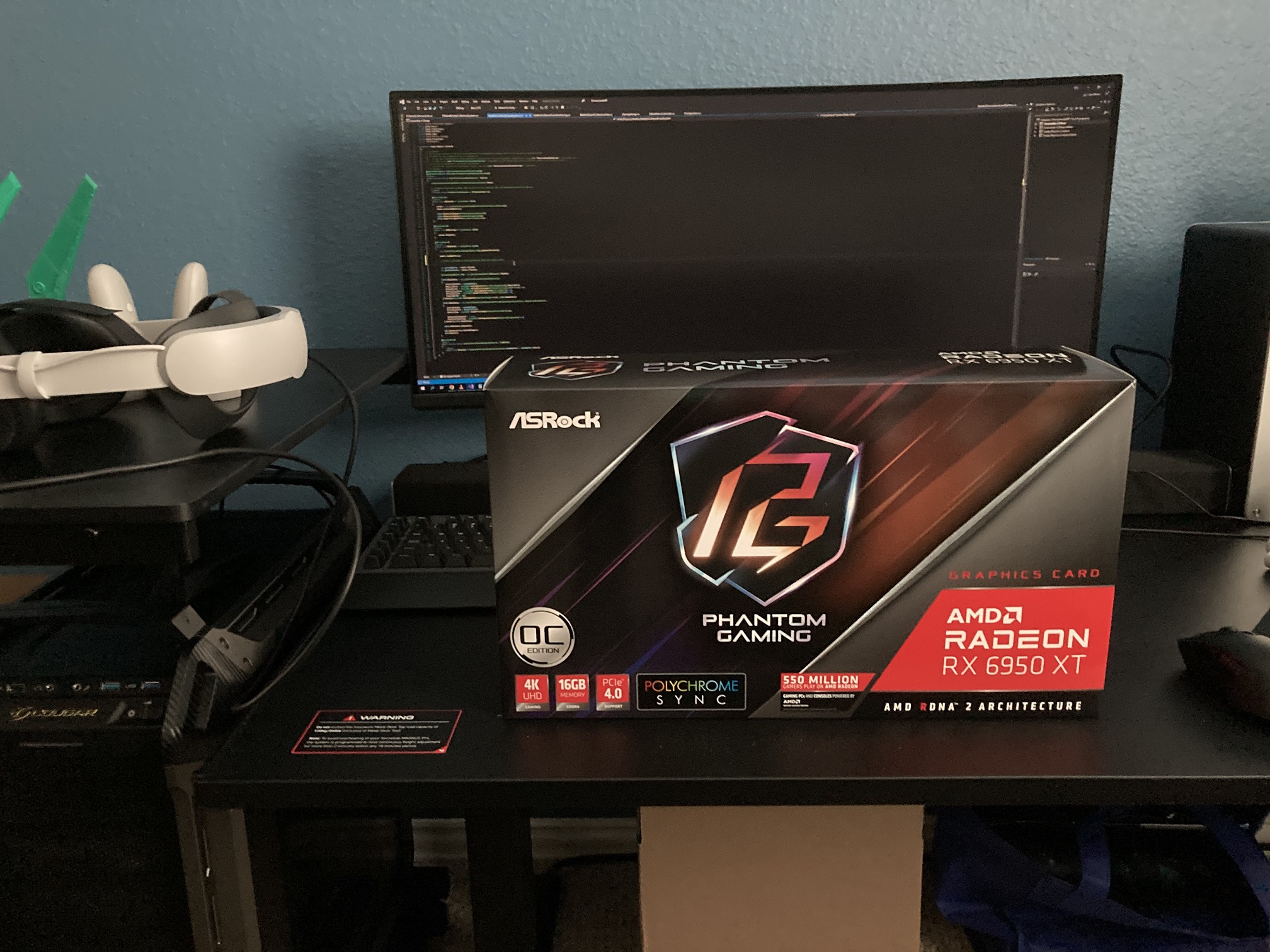
It's here!!!!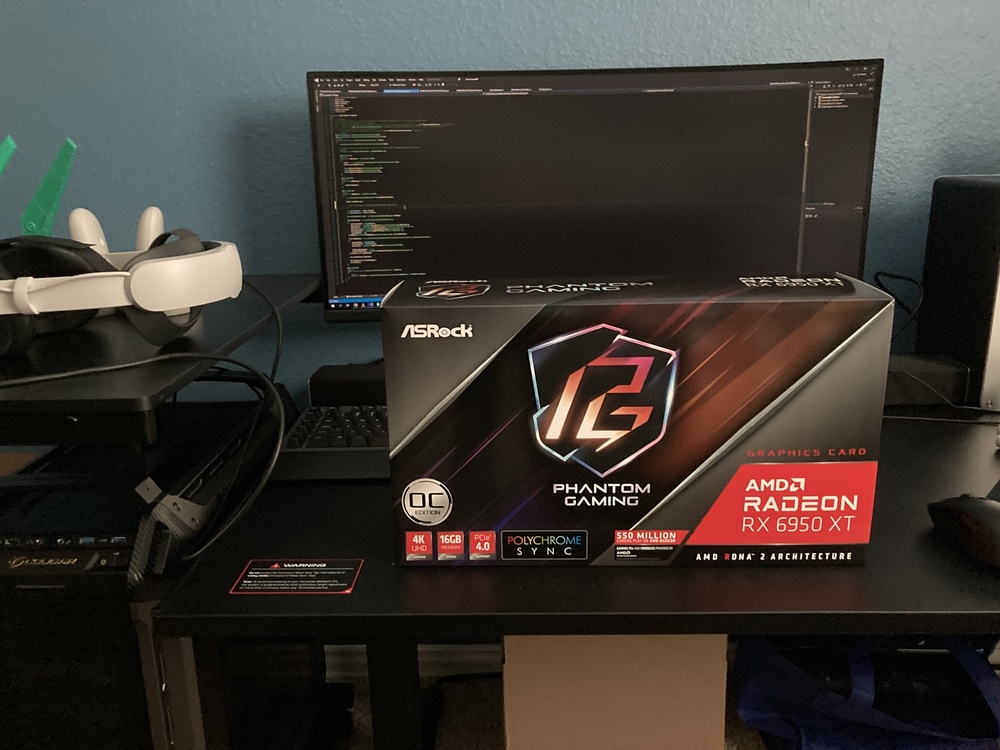
-
*Official Benchmark Thread* - Post it here or it didn't happen :D
Clamibot replied to Mr. Fox's topic in Desktop Hardware
I went ahead and bought a 6950 XT today, and it arrives on Friday. I'll finally be able to complete my desktop after a year and 2 months of waiting for prices to fall back to sane levels! That being said, I'm still not happy with the price I had to pay, but they weren't going to go any lower for this card as almost all high end RX 6000 series cards are sold though. The used market doesn't offer any better prices since they're the same or higher than buying new at retail. Like what? Better just buy new then. Zip didn't want to let me use the ZIPTECH code for an additional discount on the card. They kept saying I was ineligible, and made me pay full price. I guess that's the one downside to not having a credit history, but ah well. I make it a point to never use credit cards or take loans. My philosophy is, if you didn't have the money, you shouldn't have bought the item in the first place. Obviously loans may be unavoidable on stuff like houses or cars, but it's definitely avoidable on everything else. On the bright side, I get my ASrock Phantom Gaming 6950 XT on Friday!!!! -
*Official Benchmark Thread* - Post it here or it didn't happen :D
Clamibot replied to Mr. Fox's topic in Desktop Hardware
From what I've heard, it's more business oriented than consumer oriented. The goal is to provide businesses with desktop environments they can deploy and access anywhere. From a business perspective, it makes sense to have multiple cloud based desktops per employee in addition to a traditional desktop depending on what they're doing, but it doesn't make sense for consumers. I don't doubt Microsoft would try to do the same crap with consumers, although I think it would get a lot of pushback from consumers, much more than usual. I don't personally know anyone who wants cloud based access to their personal stuff. Even my tech illiterate friends hate the idea. They want their stuff on hand too! I hope that reflects the mindset of the majority of consumers, or we're screwed (in the context of Windows that is). -
*Official Benchmark Thread* - Post it here or it didn't happen :D
Clamibot replied to Mr. Fox's topic in Desktop Hardware
Yep, exactly why I was looking at the 6950 XT. The 7900 XT and 7900 XTX are too high priced for me to ever consider, and currently the 6950 XT offers a better price to performance ratio than those two cards. I'm getting really tired of waiting to complete my desktop and want to use it for everything now. I'd been using it as a machine to make game builds while I do active development on my X170SM-G, but I'd like to be able to use my desktop for active development and gaming as well. The overwhelming majority of the newer games I have in my library (released 2015 and after) have a significant performance advantage on AMD hardware. The 6950 XT should keep me happy for quite a while as it will have a significant amount of performance headroom left to spare, allowing me to keep that 144 fps in all my games for a few GPU generations. Also, I wanted to turn my new desktop into a hackintosh, so AMD GPUs are my only option anyway if I want GPU acceleration in MacOS. The 6950 XT is perfect as it will meet all my needs. There's no reason for me to go for Nvidia GPUs anymore since AMD's offerings are more useful for my needs. I'm hyped for Starfield. I enjoy Bethesda titles quite a bit. -
The Beast Returns - Alienware m18 - i9 13980HK 24c/RTX 4090 Mobile
Clamibot replied to ssj92's topic in Alienware 18 and M18x
Yeah a lot of heat is absorbed during state changes since additional energy is required to complete the state change. This is called the Enthalpy of Fusion (also known at the Heat of Fusion). You can have water be at 32°F (0°C) and exist as a liquid, or you can have ice at that same temperature. Melting the ice into water requires additional thermal energy to complete the state change. The thermal pad once melted also flows into microscopic pits, displacing air pockets and therefore improving heat flow. -
*Official Benchmark Thread* - Post it here or it didn't happen :D
Clamibot replied to Mr. Fox's topic in Desktop Hardware
This is an awesome announcement! I'm glad I'm a part of this community, and the fact I get news from here that I otherwise wouldn't have heard about is one of the things that make this community a great place. I've been waiting over a year to complete my desktop. I haven't been able to find a GPU I want for a reasonable price, but the 6950 XT has been steadily dropping in price over that period of time. I'm glad to see AMD is now doing a new game bundle with a game I actually care about. That may be one of the things that pushes me to finally buy a 6950 XT, since now one can be had for $570 on Newegg. Just gotta wait a few days and hope they don't go out of stock before the bundle starts. Oh, and Newegg's Fantastech sale starts on July 10th as well, so maybe prices on the 6950 XT will go a bit lower then. The stars really are aligning for me right now. I just hope my frugal side doesn't take over and compels me to wait until all deals are over and stock is depleted. 🤣 Great way to never buy anything! 1080p 144 fps is my target. I'd rather have a high framerate than a high resolution as motion smoothness makes games more immersive for me. That being said, 1080p is my baseline resolution that I won't go lower on unless the screen is very small, like on my Steam Deck. 1080p is still the norm, and likely will stay the norm for quite a while until prices on 1440p and 4K panels match that of current 1080p panels. The fact of the matter is 1080p seems to either still look good enough for most people (evidenced by Steam's hardware survey), myself included, or people just don't want to spend money on ridiculously overpriced monitors. Not to mention the hardware you need to get good performance with those ultra high resolution monitors. The upgrade in visuals just isn't worth the monetary costs involved to acquire the hardware to achieve them. I did get a 1440p ultrawide monitor a few months ago, specifically the Dell S3422DWG, and I absolutely love it. I got it mainly for work so I could see more information on a screen at once since I'm not a fan of multi-monitor setups. I never got the point of those, but my personal preference is to have one big screen so I don't have to see annoying borders. It absolutely rocks for gaming, but the increase in immersiveness over my Asus VG248QE is due to the increase in field of vision rather than resolution. I'm still happy with my Asus VG248QE and still use it for games I can't achieve 144 fps on with the Dell S3422DWG due to the much higher resolution. 1080p still looks great to me! In my opinion, ultra high resolution monitors give much more of a benefit in productivity than in gaming. Having used a 4K monitor myself at an office, I like the higher resolution for productivity as I can see a butt ton of information on the screen at once with my hawk vision and 100% scaling. For gaming, yeah it does look better, but the difference isn't huge like jumping from 480p to 1080p. The biggest difference is the crispness of faraway objects, but I'm happy to sacrifice that to quadruple my framerate. Once 4K at 144 fps is achievable on all games without needing a graphics card that costs more than $1000, then I'll be interested in 4K for gaming. -
From a financial standpoint, not really. The RTX 3080 MXM is about 15% more poweful than the RTX 2080 Super MXM on average from what I've heard.
-
*Official Benchmark Thread* - Post it here or it didn't happen :D
Clamibot replied to Mr. Fox's topic in Desktop Hardware
As a Unity developer myself (as in I develop games using Unity, not the engine), I stick to the LTS releases of the editor because of weird things that can happen with alpha and non LTS verisons. Perhaps you can try downloading the latest 2022 LTS version of the editor and try importing the Enemies demo package into a new HDRP project created using that editor version. Edit: Oh I see, the package was developed with a 2023 version. Yeah that explains why your editor has unexplained crashes. There is no 2023 LTS version of the editor yet. The 2022 LTS was just released earlier this month. -
*Official Benchmark Thread* - Post it here or it didn't happen :D
Clamibot replied to Mr. Fox's topic in Desktop Hardware
An SFF desktop or that luggable case I posted earlier would definitely be the go to options for portable muscle. If you want to go the SFF route, you can wait for Sliger to release their Tego case, which is a console style case that can fit an ATX Motherboard, an ATX power supply, and a 360mm AIO. I've been waiting over a year for the case to be released and it's been delayed again. 🙃 I'm gonna keep waiting though since that's really the best option. The case is more MFF than SFF, but it's portable enough for my needs and probably yours as well. No need to compromise on super small cases that can't give us the performance we can get from a tower case. The Trego basically just compacts everything together, eliminating all the unused space. It'd be nice if it would stop getting delayed, but I understand Sliger has been having trouble keeping up with demand from their corporate clients since their most recent move a few months back. -
*Official Benchmark Thread* - Post it here or it didn't happen :D
Clamibot replied to Mr. Fox's topic in Desktop Hardware
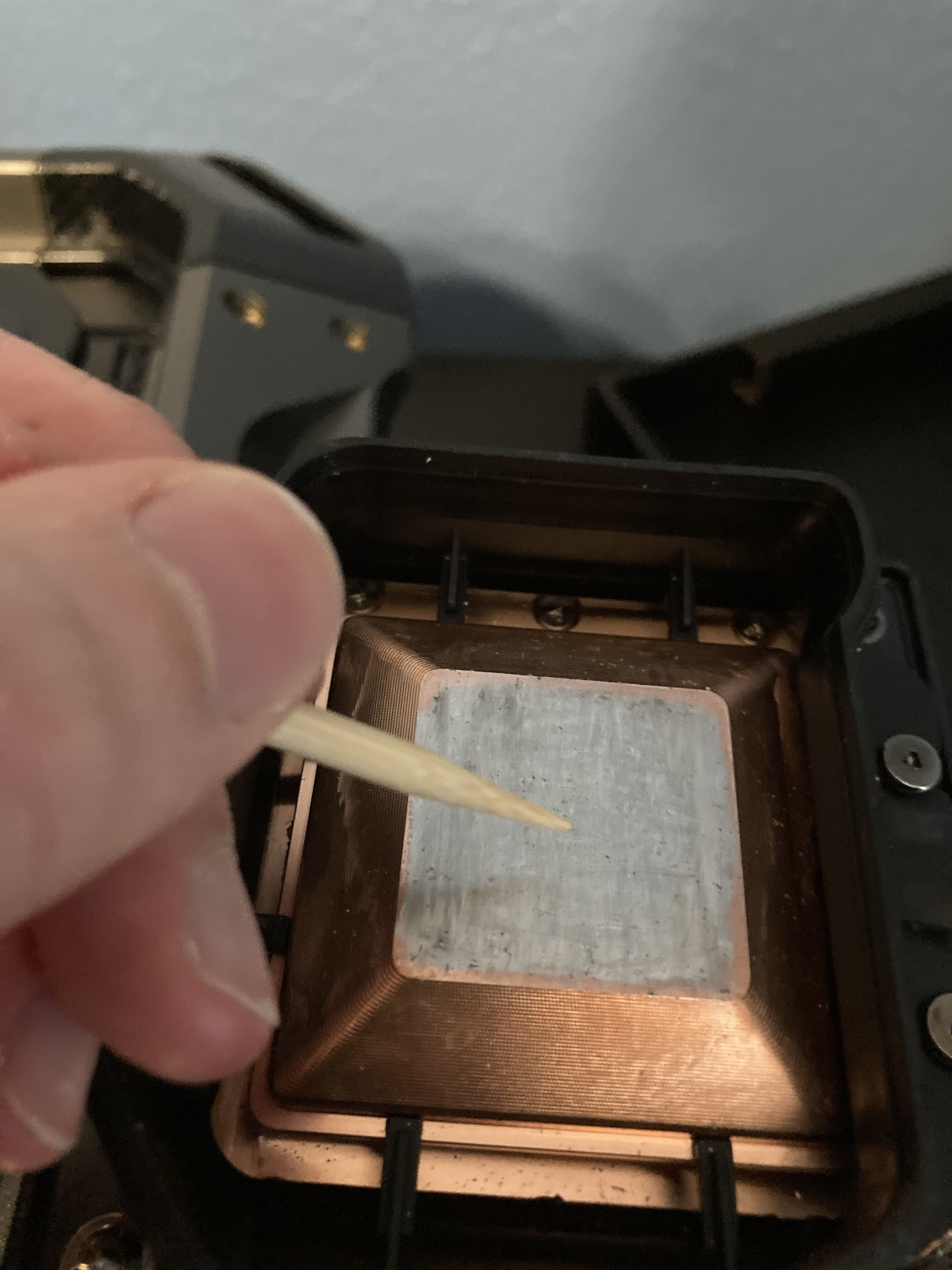
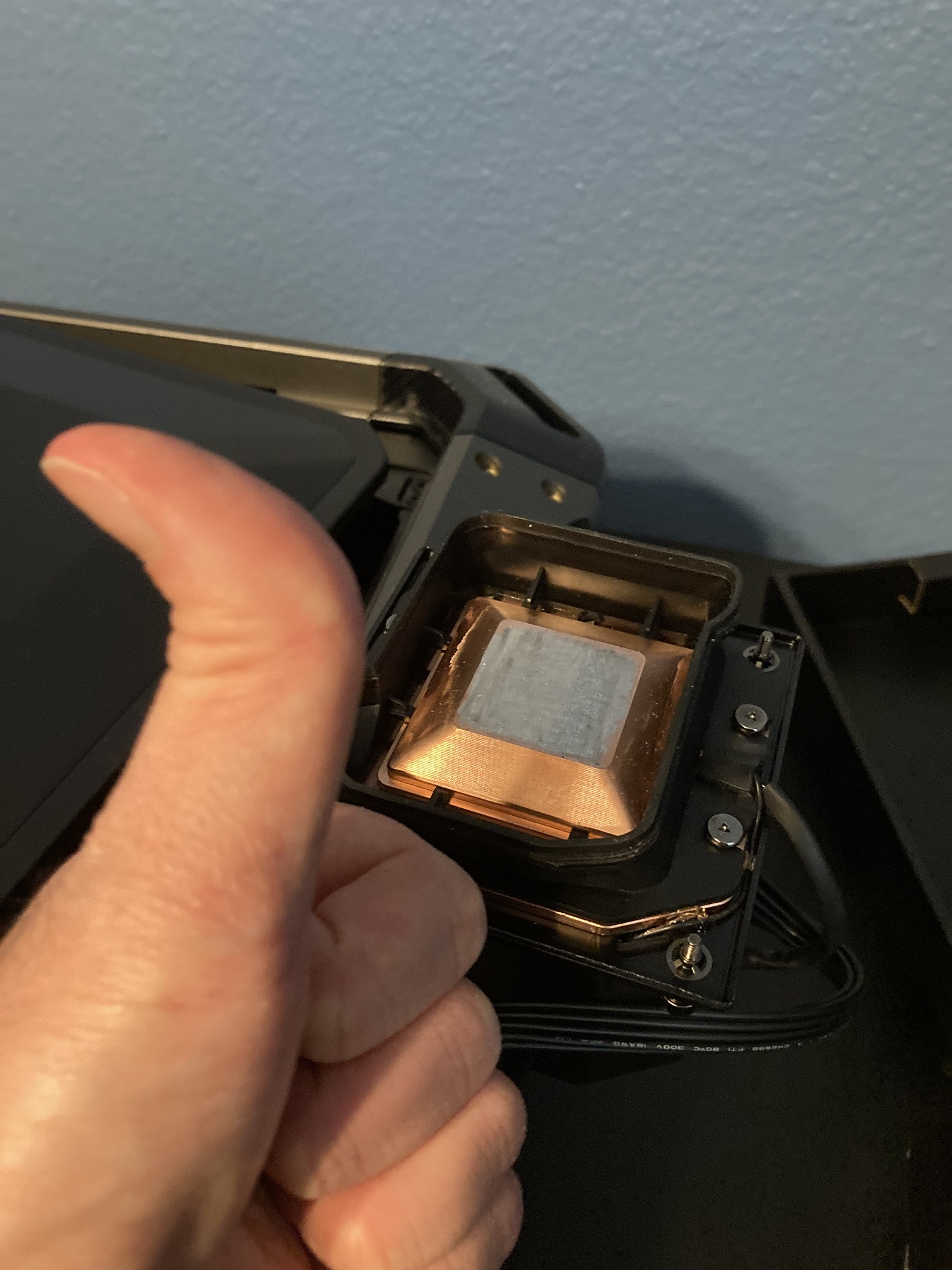
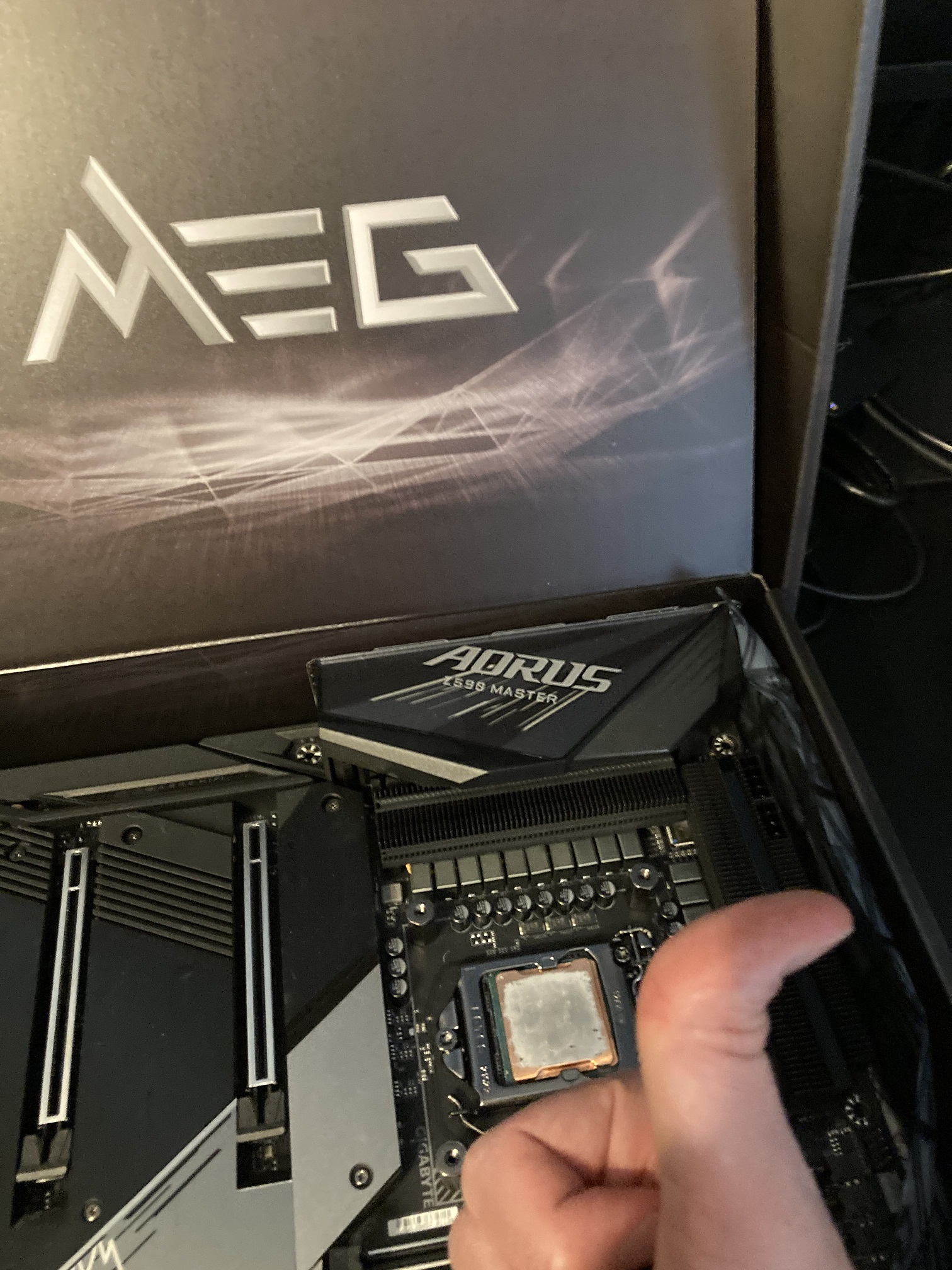
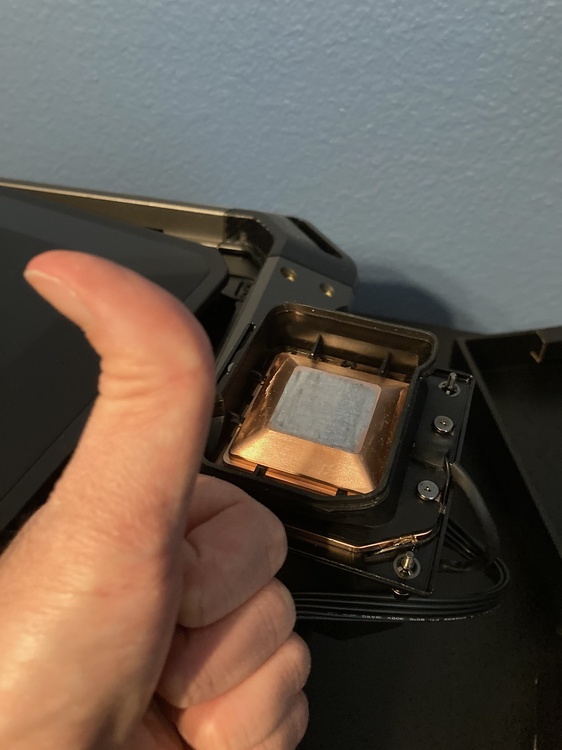
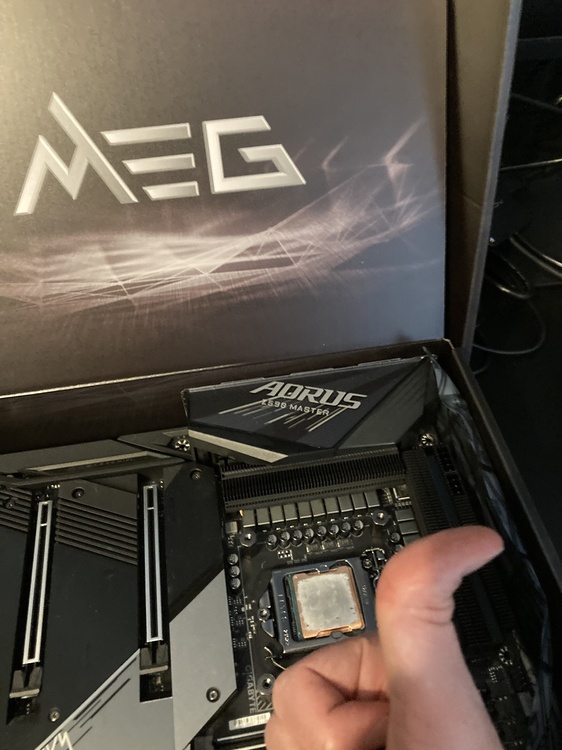
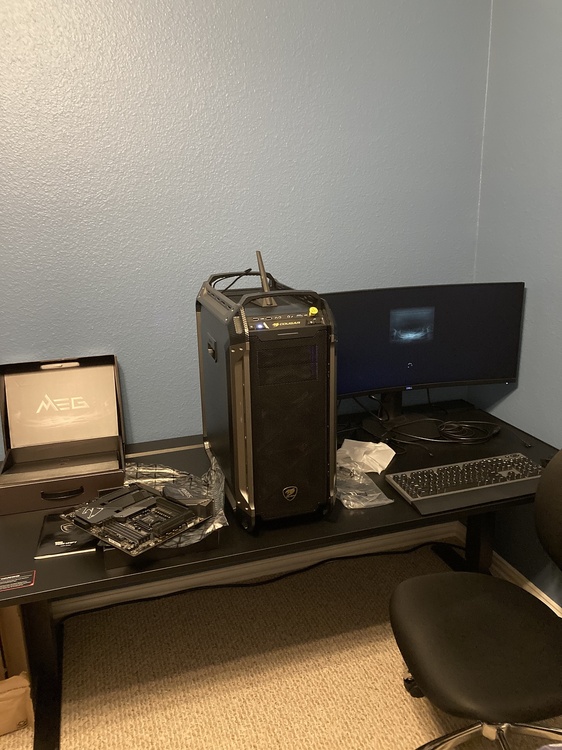
So for my birthday last week, my parents got me an MSI MEG Unify Z590 motherboard, and I'm absolutely loving it! I'm both disappointed and impressed at the same time. Disappointed because I still can't run the super 10900K I bought from brother @Mr. Fox over 5.6 GHz stable (can do 5.7 GHz on both boards, but that speed causes a crash shortly after it's achieved), but I'm impressed because that same 5.6 GHz requires 100mv-120mv less voltage on the Unify board than it does on my Gigabyte Z590 Aorus Master. On the Aorus board, I need 1.5v to do 5.6 GHz on the super 10900K. On the Unify board, this same speed requires only 1.38v-1.4v to run. It's insane how big of a difference a motherboard swap made. No amount of undervolting on the Aorus board that didn't cause a crash could bring the voltages down this far. Now I understand why Gigabyte boards are cheaper than other brands for seemingly the same specs. Their boards are really good for anyone who just runs their CPU stock since you get a good cost to performance ratio from them, but MSI's enthusiast boards are much better for overclockers. Since the required voltage is now significantly lower for all given speeds, temps and power draw have dropped significantly. 5.4 GHz all core on the Aorus board required around 307 watts of power to sustain, and my desktop just crashed after a few seconds of that. On the Unify board, this same speed requires only 267 watts and can be sustained indefinitely courtesy of my awesome cooler and my all liquid metal build. Liquid metal works extremely well with the TEC AIO I have. Best temps I've ever seen in a computer short of sub-zero cooling, and can be used indefinitely since it's practical. I can see 5.6 GHz all core being stable indefinitely for any gaming workloads, although I STILL need to find a GPU to put in my desktop to test that. Overall, looks like I'm hooked on MSI enthusiast motherboards now, just like I got hooked on liquid metal for my CPU cooling needs. Oh also to anyone who is new to liquid metal builds or anyone who wants to know an easy way of dealing with liquid metal stain residue, I've found that sandpaper isn't necessary to clean off copper surfaces of any crap that forms on top of the copper surfaces. I'm not talking about the silver stains themselves, rather, I'm talking about the hardened dark spots/flakes that slightly protrude out of the copper surfaces, giving the surface a bumpy feeling. Instead of using sandpaper, you can take a big wooden pick like I did and scrape all that crap off the copper surfaces. It'll take a bit of time and force to do, but the spots will come off if you keep working at them. I was able to reapply liquid metal easily and not have any raised or dry spots on either of the surfaces. The liquid metal all applied evenly on both the CPU IHS and cooler coldplate (more like a nozzle in my case). I can confirm the contact is very good as the core to core temperature deltas are minimal, and the temps are really good even with the TEC module inactive.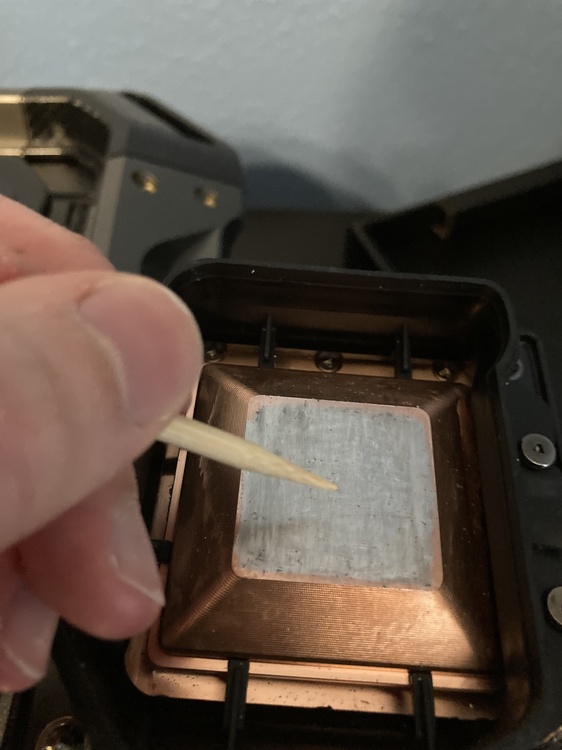
-
*Official Benchmark Thread* - Post it here or it didn't happen :D
Clamibot replied to Mr. Fox's topic in Desktop Hardware
Hey everyone! What do you guys think of using this case as a base for a proper laptop? https://www.caseclub.com/product/pc-portable-gaming-station-with-built-in-monitor/ It's extremely expensive for a case, but you'd have a forever upgradeable laptop. 🤪 -
*Official Benchmark Thread* - Post it here or it didn't happen :D
Clamibot replied to Mr. Fox's topic in Desktop Hardware
I think the root of the problem is just people being evil. Regardless of economic system or governmental ideology, the people of a particular country (or even the world for this matter) will thrive if they are righteous, or at least trying to be. They flourish because they create a stable environment for themselves to progress. Doing douchey things creates an unstable environment, and with enough evil people hatching their nefarious schemes, things fall apart for everyone once the instability becomes too great. What we need is abundance economics like the Vulkans have in Star Trek. That'd be nice. In any case, we have to work with what we have, so applying regulations where needed is a good policy to reduce instability and keep companies in check. With that tangent out of the way, the Asus ROG Ally is apparently releasing on my brithday. I'm looking forward to seeing it's performance in games! -
GE76 with 18" QHD 240hz 500nits 😆 🤣 😂 😹
Clamibot replied to Rengsey R. H. Jr.'s topic in Custom Builds
Is this panel a glossy panel? Looks like one from the images posted. I ask because I absolutely love glossy screens. Won't use anything else. -
*Official Benchmark Thread* - Post it here or it didn't happen :D
Clamibot replied to Mr. Fox's topic in Desktop Hardware
That's good news. At least now we know the motherboard is at least mostly usable. Given the information you provided, my next guess is the power delivery on the GTX 980m MXM board is toast. It's more likely that the power delivery on the MXM board itself has crapped out than the power delivery on the MXM slot itself. I've sparked the MXM slot on my Alienware 17 before while performing my GTX 1060 upgrade about 5 years ago (silly me, I forgot to disconnect the battery), and the slot (and GPU, whew) was still fine afterward. Did you ever shunt mod your 980m? -
The out of box experience on the X170KM-G seems to be a hit or miss. Sometimes it's good, and sometimes it's not. If you're looking for a stable out of the box experience, the X170SM-G is generally much better in that regard, plus Premamod is available for that model. However, if you win the lottery on a good X170KM-G motherboard, the experience will also be good, you just won't have Premamod. The heatsink fitment depends on the laptop you get as there is a heatsink lottery with these models. I got my X170SM-G from zTecpc back when they were selling that model with Premamod, so I got a guaranteed good heatsink.
-
*Official Benchmark Thread* - Post it here or it didn't happen :D
Clamibot replied to Mr. Fox's topic in Desktop Hardware
This thing looks awesome and very well built. We're looking forward to seeing your results! I took a look at the installation part of the video you posted again to see if I missed anything. Here is the list of dos and don'ts: Do: - Apply masking or electrical tape on the CPU to secure it in the socket - Gently massage the waterblock into place after putting it on top of the CPU (if needed). You probably won't need to do this, but you can if the screw holes are off when you initially install the waterblock. Don'ts: - Do not overtighten the screws. Hand tight or slightly tighter is enough. - Do not use a power tool like an electric screwdriver to install the screws (lol). Use a hand tool only. - Do not use too much force while screwing in the screws. Be gentle. -
*Official Benchmark Thread* - Post it here or it didn't happen :D
Clamibot replied to Mr. Fox's topic in Desktop Hardware
Not to mention you can swap out the optical drive for another drive bay, giving you a total of 4 drive slots if you count the msata slot. In fact, it is possible to fit 4 2.5 inch drives in this laptop if you use an msata to sata adapter cable for the 4th drive. It's simply amazing how much room this laptop has in it for hardware despite supposedly being the same size class as today's 17 inch craptops. That's lots of storage for all my games, media, and development work hehe. 😁 You can confirm if the combined load is the issue if you enable hybrid graphics and pull the dedicated card, that way you run completely off the iGPU. Do you have a 120 Hz screen like me? In that case the laptop won't let you use the MUX switch key combination to avoid bricking itself. If you have a 60 Hz screen that connects to the LVDS port on the motherboard, then you're in luck and you should be able to easily switch to mshybrid/optimus mode. If you only have the 120 Hz eDP screen, then you'll need a 60 Hz LVDS screen temporarily connected to the laptop to perform the switch and do your diagnosing. -
*Official Benchmark Thread* - Post it here or it didn't happen :D
Clamibot replied to Mr. Fox's topic in Desktop Hardware
I still have my Ranger and it still works like it's brand new. I've had it for almost 8 years now. It was a year old when I got it (overstock nobody had bought) back in 2015. I've never replaced any parts in it due to failures. The motherboard is still the original one that came with the laptop, and I have the CPU upgraded to a i7 4930 MX, the GPU upgraded to a GTX 1060, and the RAM upgraded to a 32 GB kit of Kingston HyperX 2133 MHz SODIMMs, which aren't even sold anymore. You can't find that RAM anywhere anymore. I upgraded the screen to a 120 Hz screen as well when I did that GPU upgrade. In addition to those hardware upgrades, I also have the upgraded CPU and GPU heatsinks by Chichen, and have liquid metal on the CPU, plus Phobya Nanogrease Extreme on the GPU. I put some Nanogrease on top of the CPU VRMs so they'd have good heat transfer to the CPU heatsink. Chichen's upgraded heatsinks for the Alienware 17 are very good. I've run the CPU at around 4.1-4.2 GHz most of the time during heavy use, and this thing has been very heavily used. My unit still shows no sign of wear even after the close to 8 years of use it's been through. It still runs like it's brand new as I said before. This laptop is built extremely well and is made to last, unlike the stupid crap on the market today. I wish there was a version of this laptop with modern desktop class hardware as I really like the physical design of this laptop. @Ashtrix From the symptoms of the issue you described and the list of things you've tried, I'd guess your issue is probably a power delivery issue on the motherboard itself. What's interesting though is that when you tried a CPU stress test, you didn't experience a shutdown. It appears your problem only occurs on combined CPU + GPU workloads, so the issue is probably with the power delivery circuitry on the motherboard itself that the DC jack connects to.